
US English


7 AAT Trainee - Accounts Preparation and Bookkeeping CV Templates with Example
By Ria · Last Updated On 18 October 2026
CV example — page 1

This guide shows you how to create an AAT Trainee - Accounts Preparation and Bookkeeping CV that is clear, focused and easy to review. It explains how to organise your evidence and choose a format that presents your skills well.

For this role, show how you handle bookkeeping records, prepare VAT returns and support accounts for sole traders, partnerships and companies. Clear bullet points can also explain your work on corporation tax exercises, checking records and responding to client queries.

Compare the example in 7 layouts using the PNG image previews, then open one in the editor to customise it. The guide also covers ATS readability, useful CV sections and relevant terms, including Xero, Sage 50, QuickBooks and Microsoft Excel.

What Makes a Great AAT Trainee - Accounts Preparation and Bookkeeping CV in 2026

A strong CV makes bookkeeping, accounts preparation and careful checking easy to find. Use clear bullets to show the tasks you completed and the evidence you reviewed.

Include relevant terms such as VAT returns, reconciliations, company accounts and corporation tax exercises. Name accounting software and Excel skills you can use, and include results only when you can support them.

Note: CV examples are for educational purposes only. Use only information that accurately reflects your experience and qualifications. References to real organisations do not imply affiliation or endorsement.

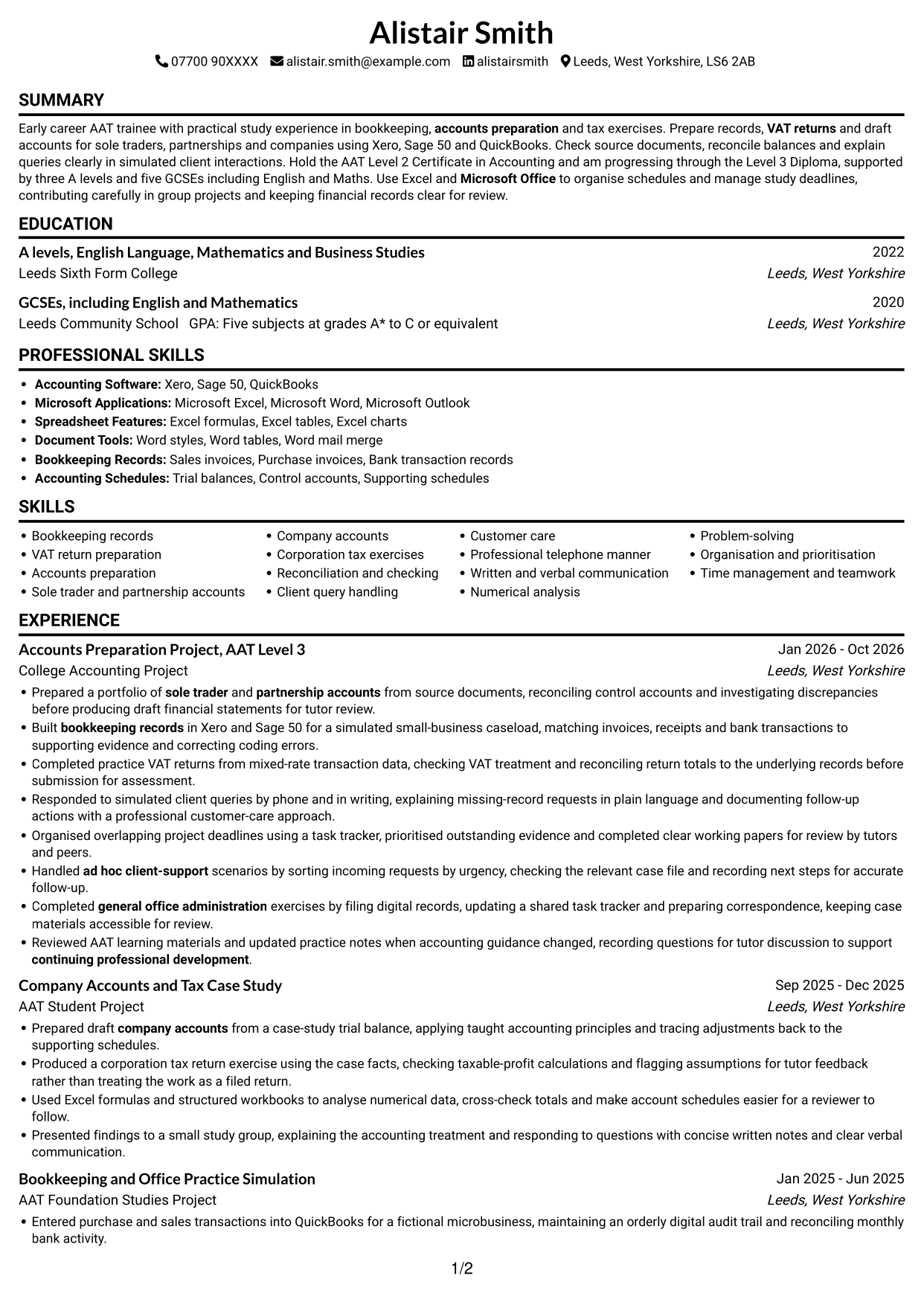
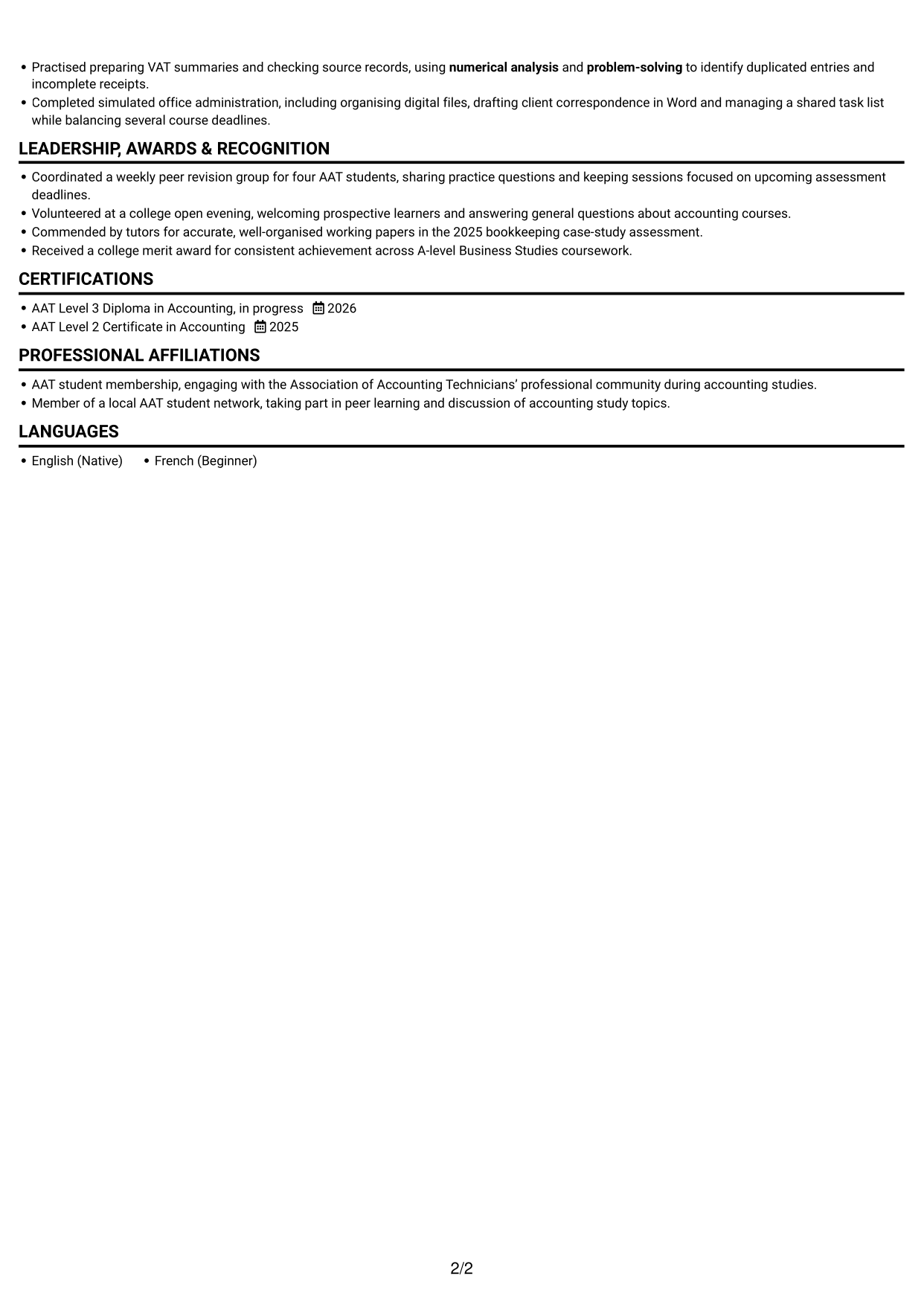
#1 Simple One Column Format CV Example

Simple One Column Format uses a single-column body to give the CV a direct reading path.
 
CV example — page 1   CV example — page 2

Why This Format Works

  • A continuous column lets reviewers follow experience entries in their listed sequence.
  • The single reading path keeps skills and education easy to locate.
  • Full-width sections allow career details to be read without switching columns.

Best For

  • A direct reading order
  • Detailed career history
  • Clearly separated CV sections
  • Skills and education in one flow
  • Straightforward recruiter scanning

CV Keywords

  • Five subjects at grades A* to C or equivalent
  • Bookkeeping Records
  • VAT returns
  • accounts preparation
  • Prepared a portfolio of sole trader and partnership accounts from source documents
  • partnership accounts
  • Company accounts
  • Produced a corporation tax return exercise
  • Xero, Sage 50, QuickBooks
  • Microsoft Excel
  • Microsoft Word
  • Microsoft Office
  • Problem-solving
  • Numerical analysis
  • Client query handling
See all keywords
 

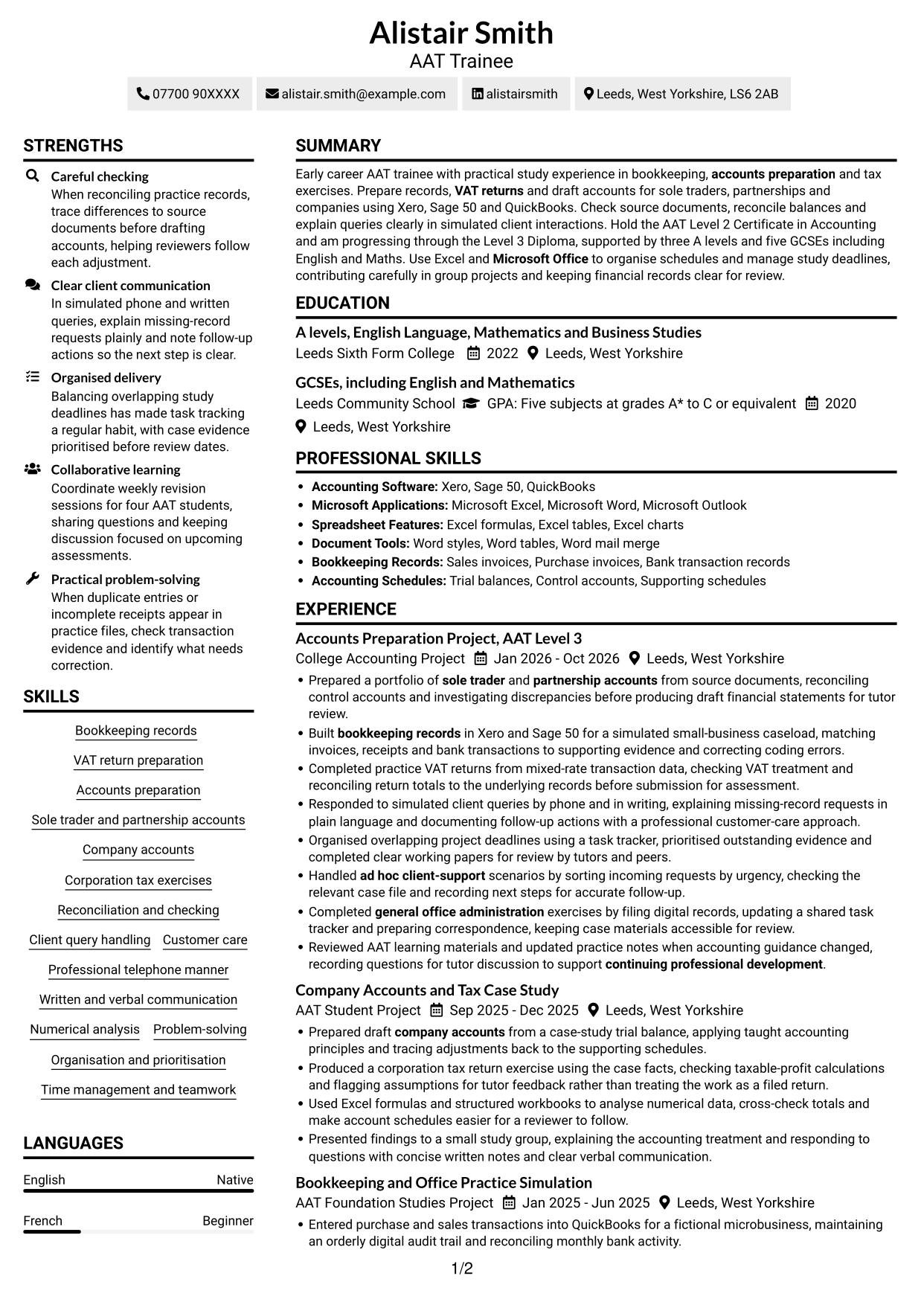
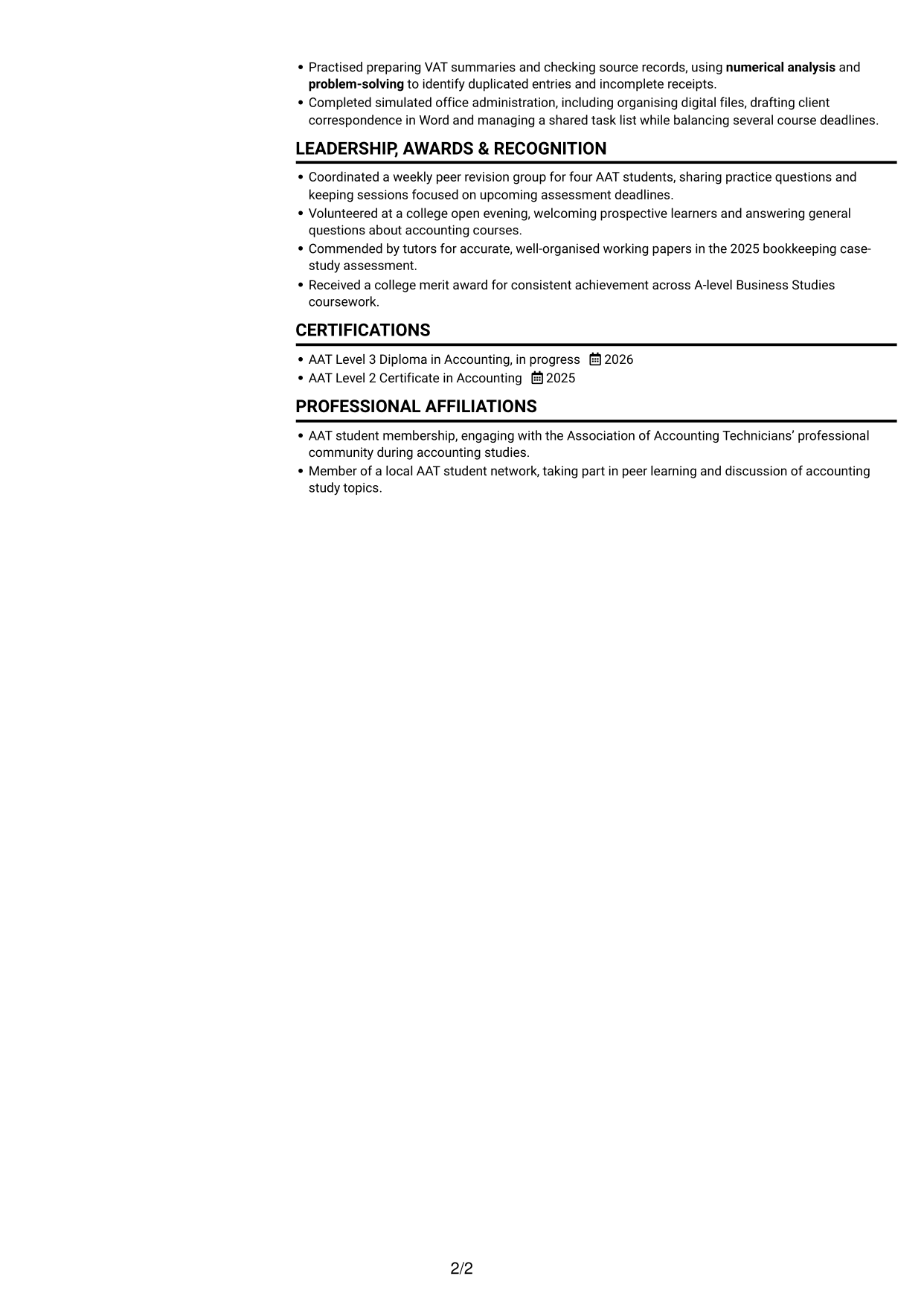
#2 Simple Two Column Format CV Example

Simple Two Column Format divides the CV body into two columns, giving readers a compact way to navigate its sections.
 
CV example — page 1   CV example — page 2

Why This Format Works

  • Two columns provide separate areas for experience and supporting CV sections.
  • The distinct reading order helps reviewers move between career history and other details.
  • Skills and education remain easy to find within the organised layout.

Best For

  • Compact section organisation
  • Side-by-side information
  • Quick movement between sections
  • A clear skills overview
  • Several types of CV detail

#3 Plain One Column with Shaded Labels CV Example

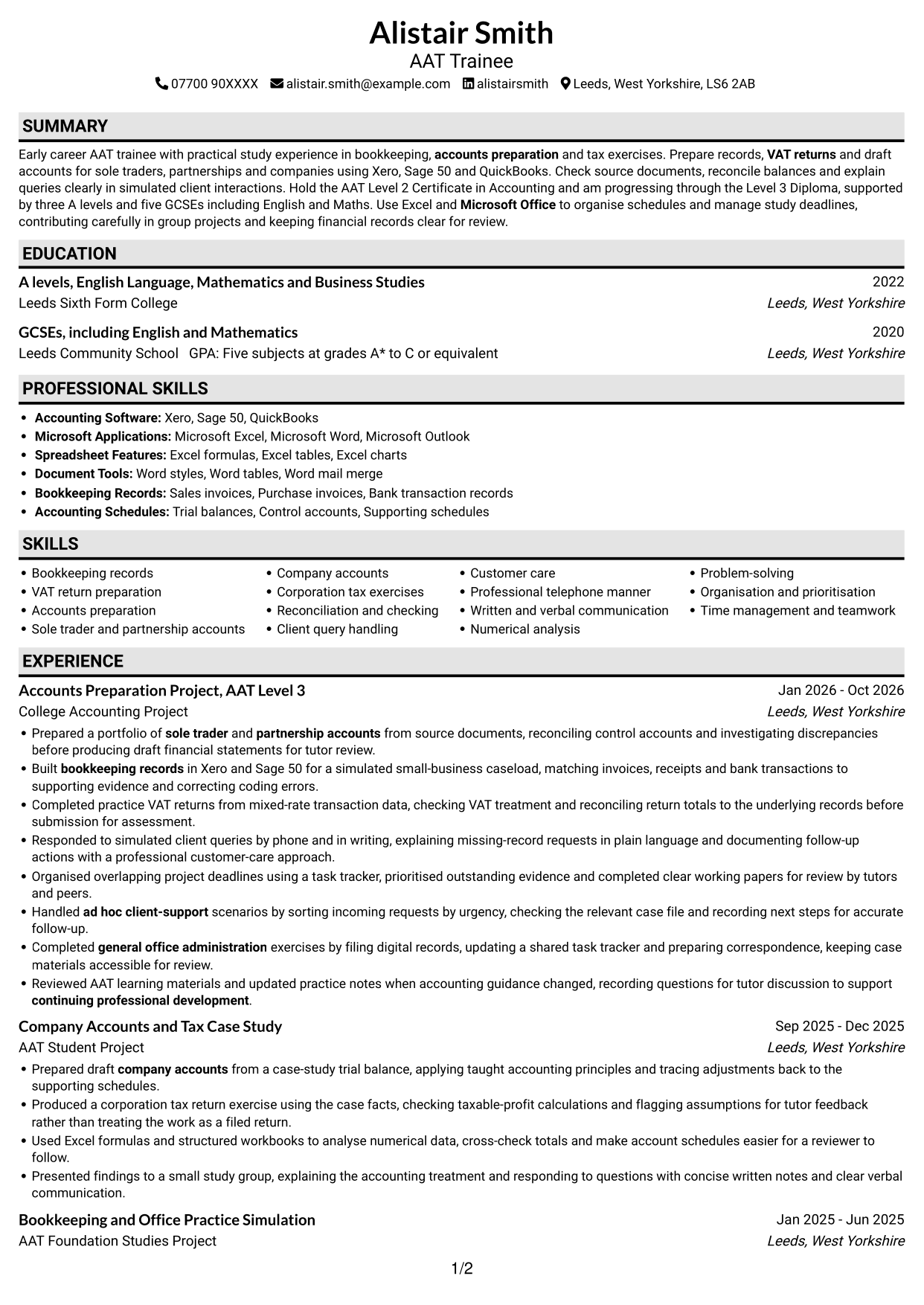
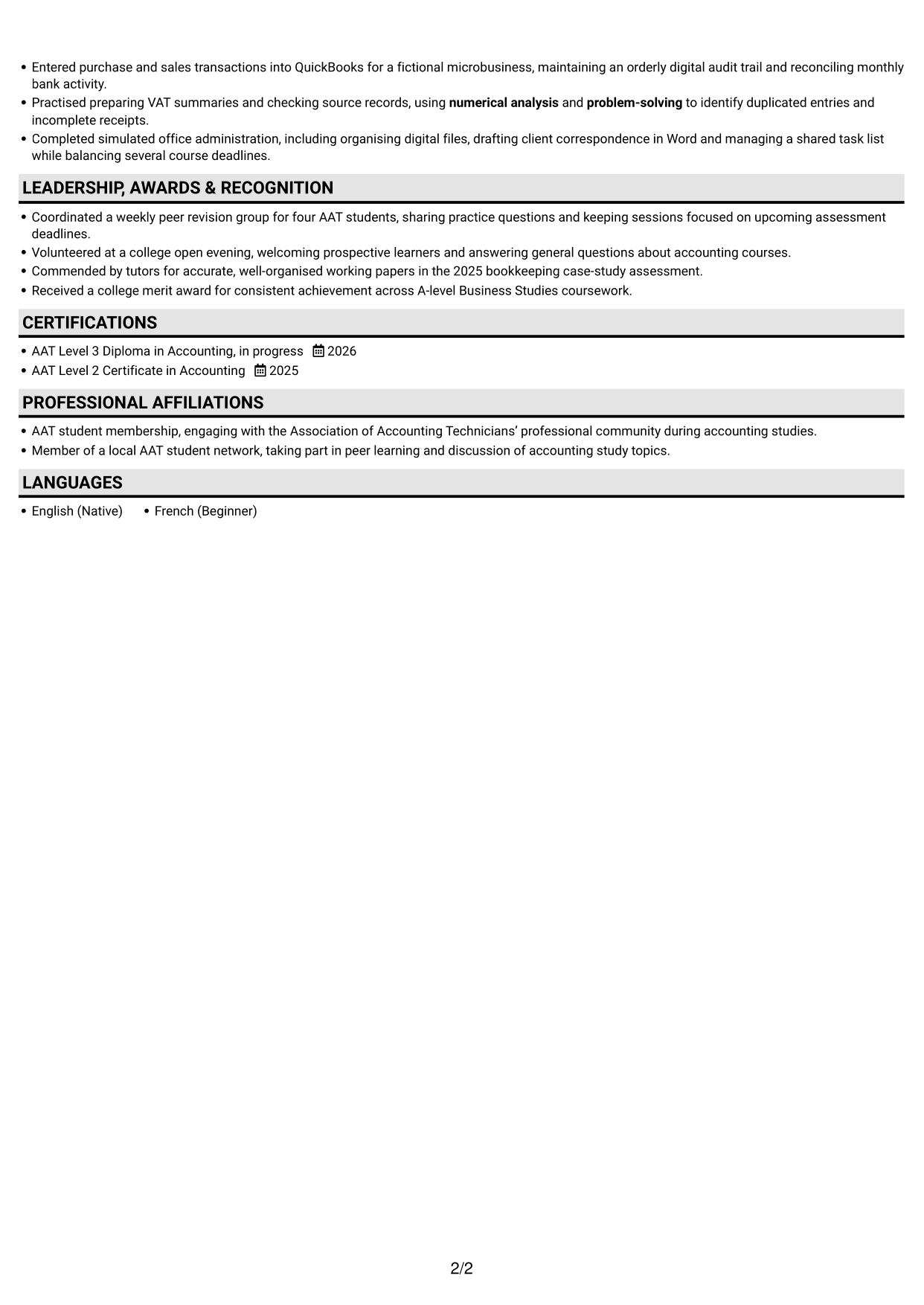
Plain One Column with Shaded Labels pairs a single-column body with shaded section labels to make each part easy to identify.
 
CV example — page 1   CV example — page 2

Why This Format Works

  • Shaded labels mark section changes as reviewers read experience and education.
  • A single column keeps the career record in a straightforward sequence.
  • Clear section markers help readers return to skills and credentials.

Best For

  • Visible section divisions
  • A straightforward career sequence
  • Easy return to key sections
  • Education alongside experience
  • A plain, labelled CV
 

#4 One Column Format with Photo Right CV Example

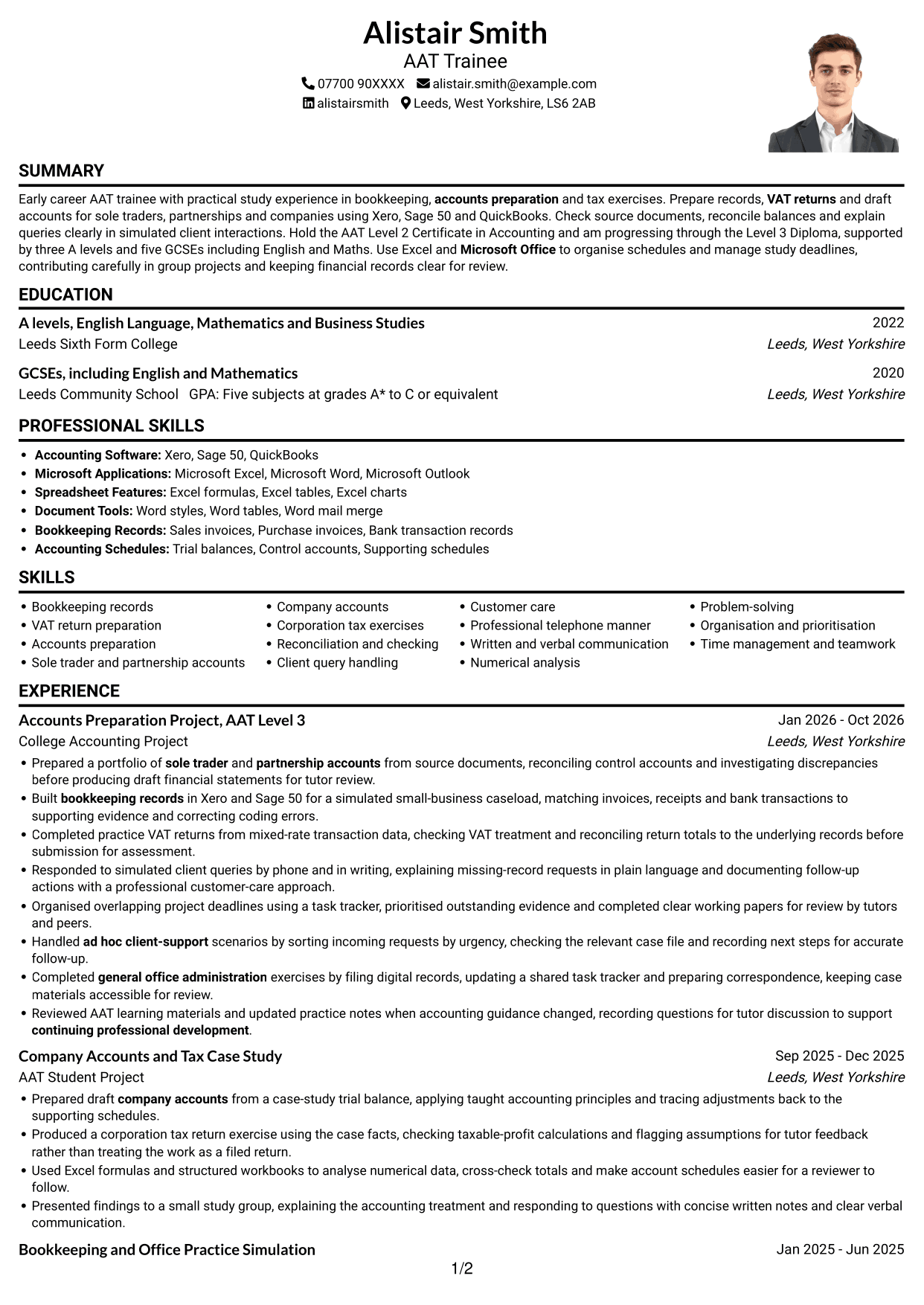
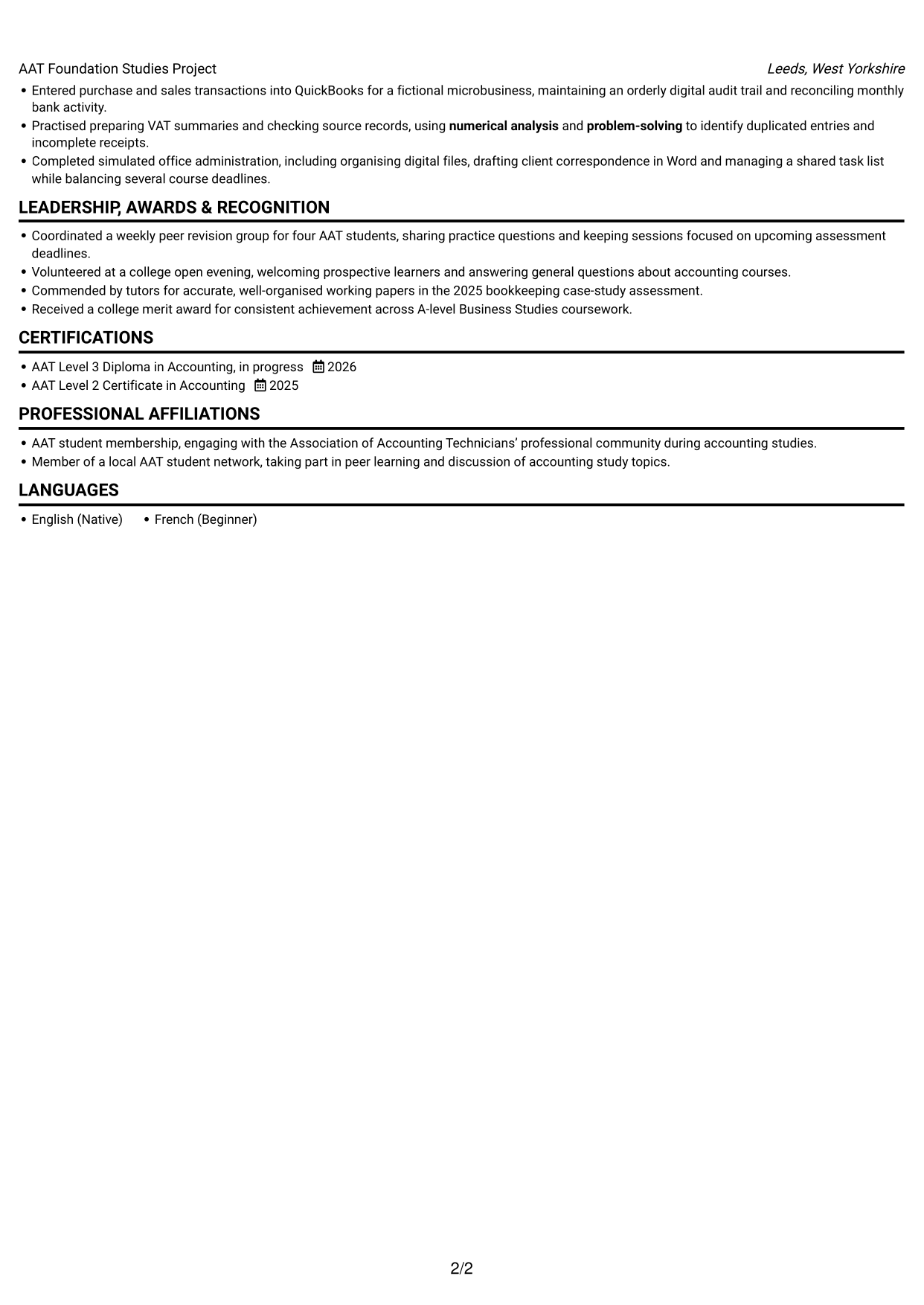
One Column Format with Photo Right combines a single-column CV body with a photo on the right for readers who prefer a portrait in the design.
 
CV example — page 1   CV example — page 2

Why This Format Works

  • The single-column body keeps experience entries in one continuous reading sequence.
  • A portrait on the right adds a clear visual feature without dividing the CV text.
  • Skills, education and credentials remain within the same column of content.

Best For

  • A CV with a portrait
  • One continuous text column
  • A simple experience sequence
  • Skills within the main body
  • A visual point of distinction
 

#5 Clean Two Column Sidebar Format CV Example

Clean Two Column Sidebar Format places a sidebar beside the main CV area, separating supporting details from the central content.
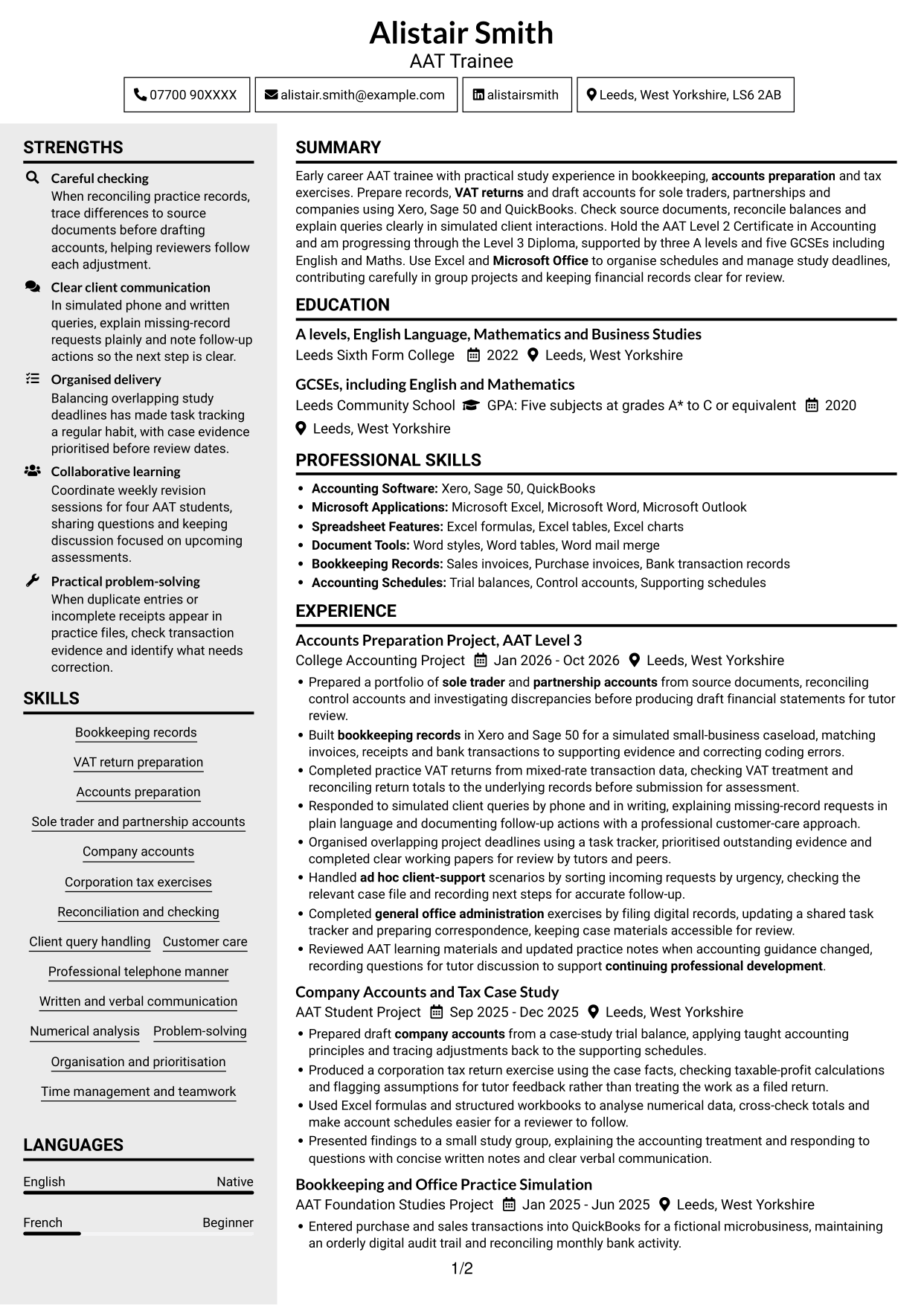
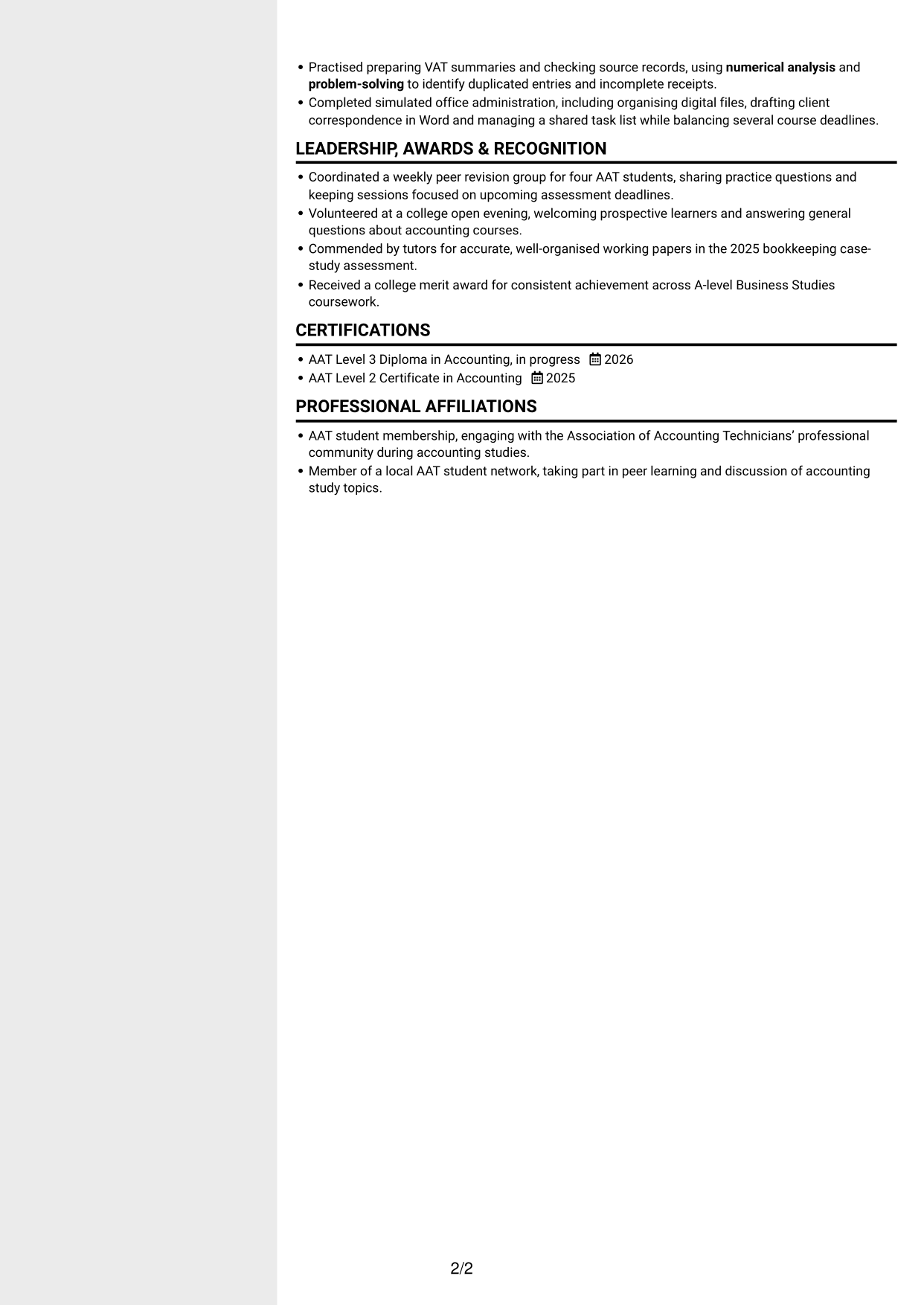
 
CV example — page 1   CV example — page 2

Why This Format Works

  • The sidebar gives supporting sections a distinct place beside career history.
  • The two-column arrangement helps reviewers move between experience and other CV details.
  • A separate area keeps skills and education easy to locate.

Best For

  • Sidebar-based section grouping
  • Experience beside supporting details
  • A separate skills area
  • Several CV sections to scan
  • Compact information organisation


#6 Two Column Format CV Example

Two Column Format arranges the CV body in two columns, offering a balanced alternative to a single continuous column.
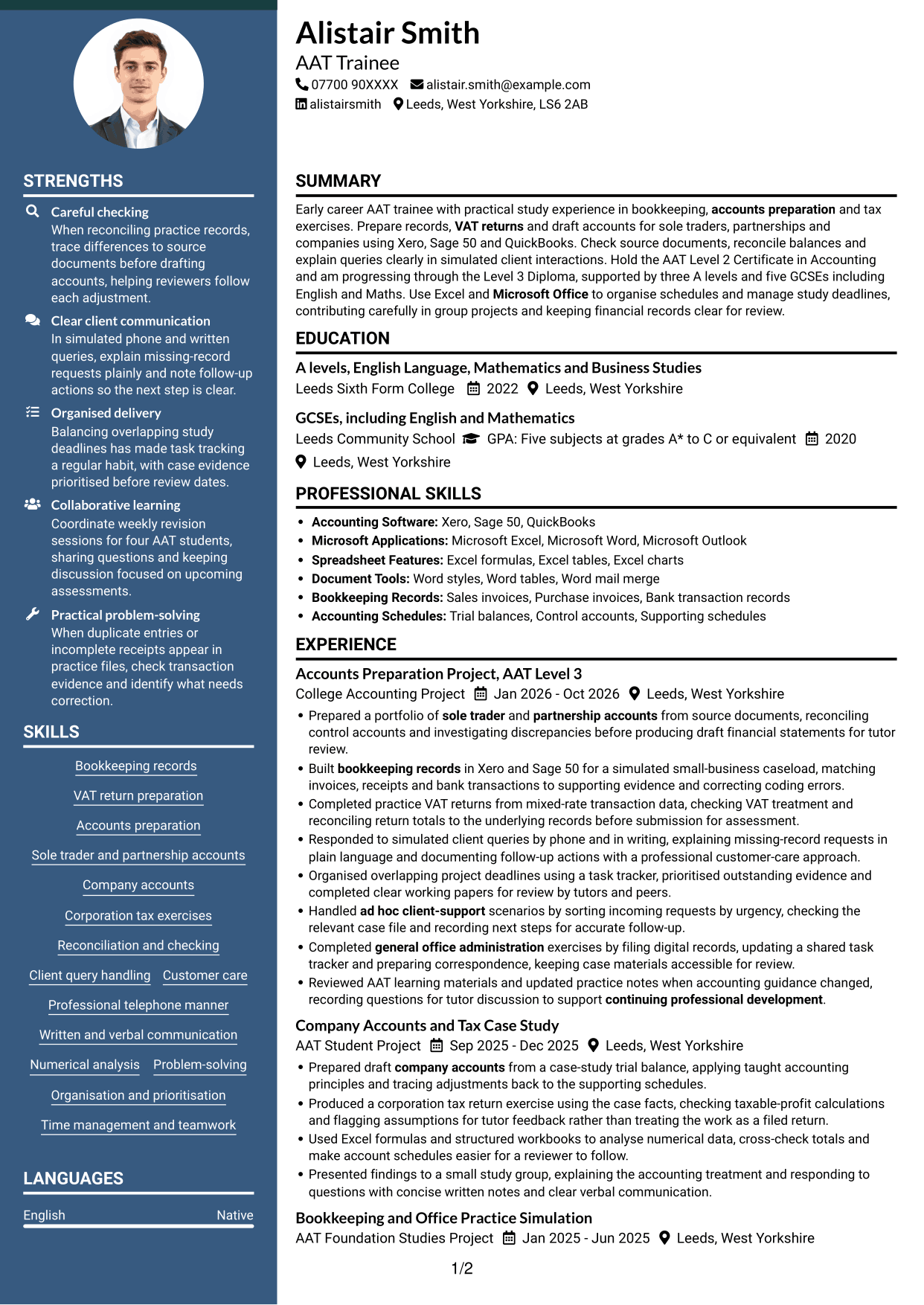
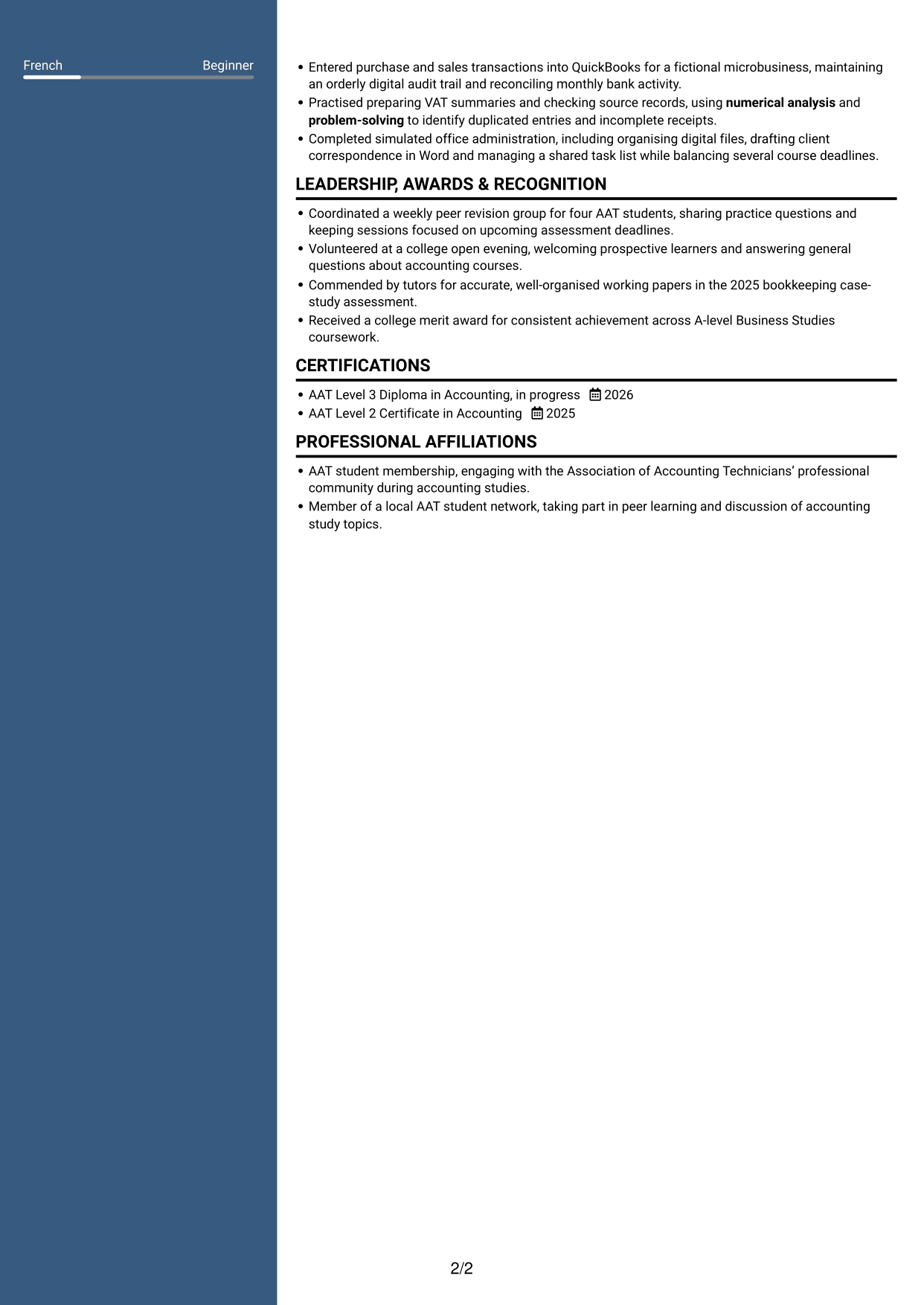
 
CV example — page 1   CV example — page 2

Why This Format Works

  • The two-column body gives experience and supporting details separate visual areas.
  • A clear reading order helps reviewers follow career history across the page.
  • Distinct sections make education and skills easier to pick out.

Best For

  • Two-column section grouping
  • A balanced CV layout
  • Career history with supporting details
  • Quick section searches
  • Several kinds of relevant information
 

#7 Photo Header Two Column Format CV Example

Photo Header Two Column Format places a photo in the header and uses two columns for the CV body, suiting readers who want both features.
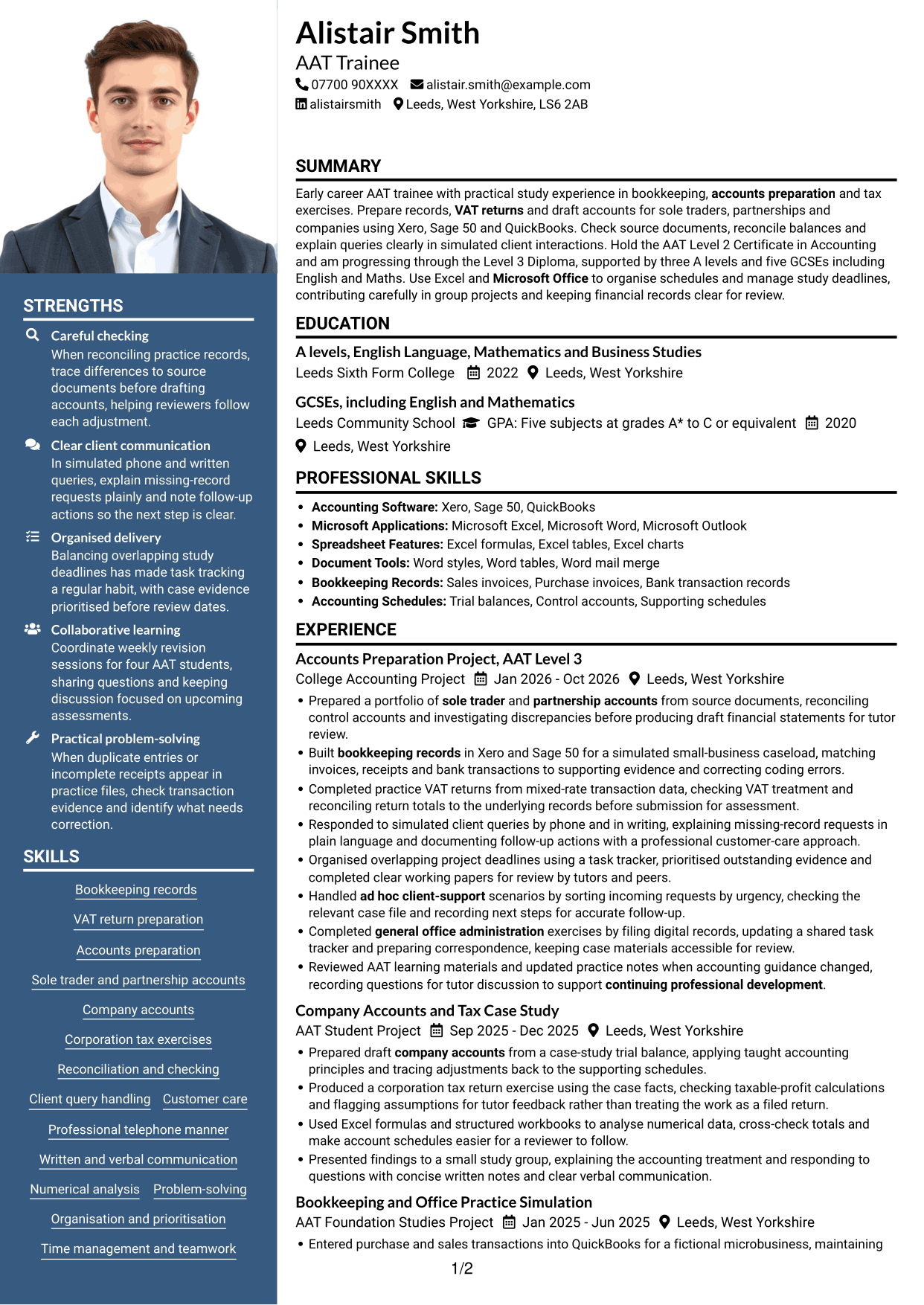
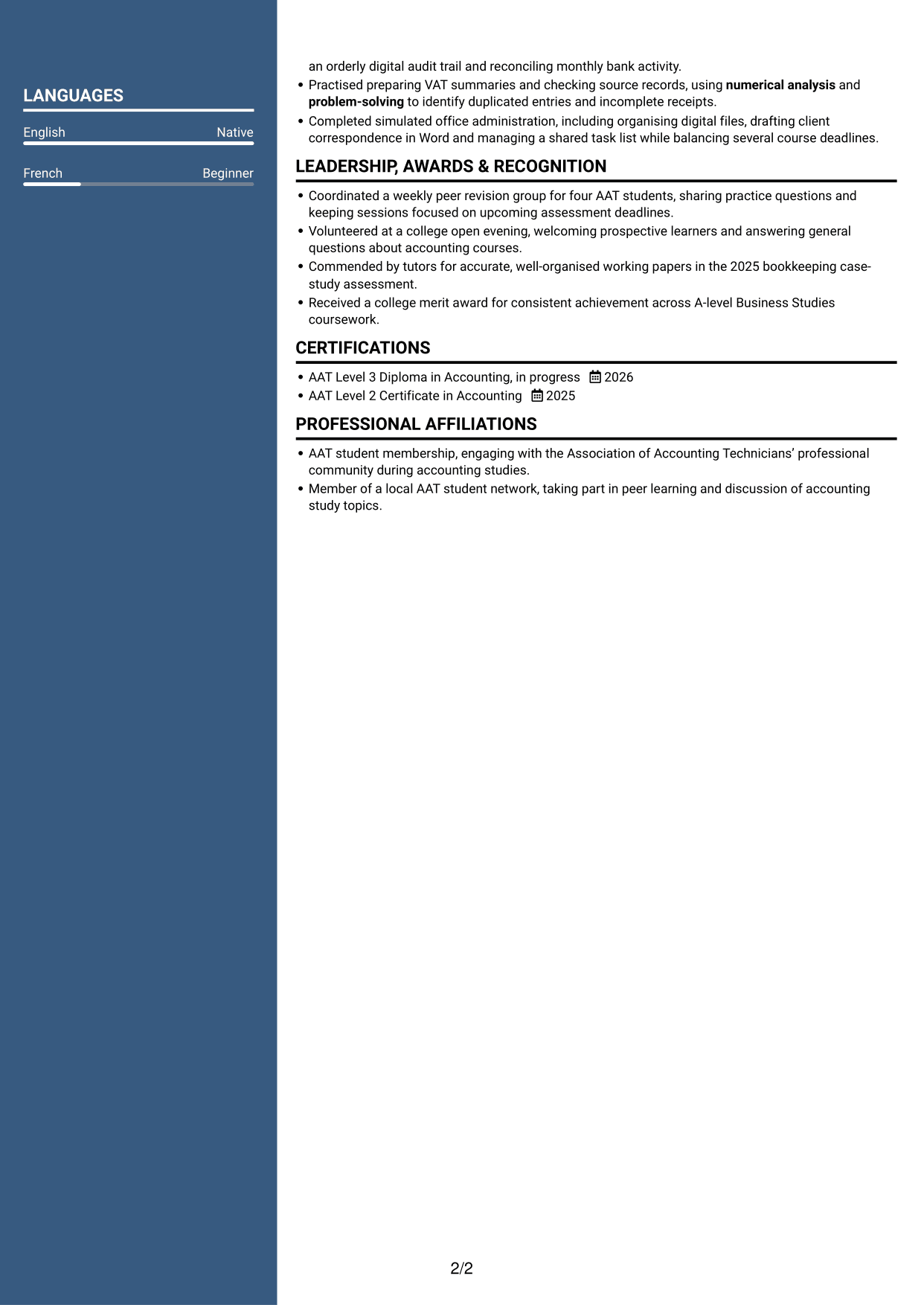
 
CV example — page 1   CV example — page 2

Why This Format Works

  • The two-column body separates career history from other CV sections.
  • The photo in the header adds a visible portrait without changing the body layout.
  • Reviewers can move between experience, education and skills in distinct areas.

Best For

  • A portrait in the header
  • Two-column body organisation
  • Career history with supporting sections
  • A visible skills section
  • Readers who prefer a photo


Why Build Your AAT Trainee - Accounts Preparation and Bookkeeping CV with ResumeInMinutes

ResumeInMinutes lets you compare CV layouts and PNG image previews, then open an example in the editor to customise its content and design. Use a clear structure to present your accounts, bookkeeping and study evidence.

  • Different CV layouts
  • Clear, readable section structure
  • Space for role-specific keywords
  • Organised skills and experience
  • PNG image previews
  • CV customisation in the editor

Choose a format that makes your evidence easy to follow. Give clear space to accounting software, reconciliations, client communication and relevant AAT study.


See Also


Frequently Asked Questions

Are these AAT Trainee - Accounts Preparation and Bookkeeping CV templates ATS-friendly?

The examples use clear headings and sections that are easy to scan. Add relevant terms naturally, such as bookkeeping records, VAT returns, accounts preparation, Xero, Sage 50 and QuickBooks.

Are these separate CV examples or different layouts of one example?

This page shows one role-focused CV example in different layouts. Compare the PNG image previews, then open an example in the editor to customise it.

What should an AAT Trainee - Accounts Preparation and Bookkeeping CV include?

Include a focused summary, relevant experience or project work, education, AAT qualifications and skills. Where supported by your experience, show bookkeeping, VAT returns, accounts preparation, software use and careful checking.

Which CV layout works well for this role?

Choose a layout with clear headings and an easy-to-follow order for your experience, skills and education. A simple structure helps readers find important details quickly.

How can I show accounts preparation and bookkeeping skills on my CV?

Use concise bullet points to describe the records or accounts you worked on, the checks you made and the result. Name tools such as Xero, Sage 50, QuickBooks or Excel when you have used them.

Should I include a photo on my CV?

A photo is usually not needed for UK applications. Use the space for relevant skills, education and evidence of your work instead.


ATS Score 92%

How we calculate this score

  • Keywords: 60% of the total. AI extracts keywords from your job description. If you do not provide one, a standard job description for the title matching your CV is used. This is not a match to a specific vacancy.
  • Text-based CV: 20%. The text CV assessed here receives 100 for this part.
  • CV quality: 20%. We start at 100 and subtract points for issues found by our CV checks, down to a minimum of zero.
  • Keyword coverage = round(100 × confirmed matches ÷ total keywords). Exact matches and supported equivalents verified by AI receive full credit; unsupported keywords receive none. Live text checks use the saved equivalents and do not request a new AI review. Without keywords, no overall ATS score is available.
  • Final score = 60% of keyword coverage + 20% of the text score + 20% of the quality score, rounded to a whole number. Without keywords, no overall ATS score is available.

What this score means

Our scores are estimates, not employer ratings. They may contain errors and do not guarantee accurate parsing, a ranking, an interview, or a job. Check your document against the employer’s requirements. You are responsible for relying on this score.

Terms and Conditions

Score weights: Keywords 60% · Text based CV 20% · CV quality 20%

Keyword coverage: 27 of 30 (90%) · CV quality: 90%

CV quality 90% · Weight 20% · Issues (1)

Details
  • ✓Name present: Alistair Smith
  • ✓Email format: alistair.smith@example.com
  • ✗Phone format: 07700 90XXXX
  • ✓Experience 1: Job title: Accounts Preparation Project, AAT Level 3
  • ✓Experience 1: Company name: College Accounting Project
  • ✓Experience 1: Work location: Leeds, West Yorkshire
  • ✓Experience 1: Employment dates: Jan 2026 - Oct 2026
  • ✓Experience 1: Description or achievements: Present
  • ✓Experience 2: Job title: Company Accounts and Tax Case Study
  • ✓Experience 2: Company name: AAT Student Project
  • ✓Experience 2: Work location: Leeds, West Yorkshire
  • ✓Experience 2: Employment dates: Sep 2025 - Dec 2025
  • ✓Experience 2: Description or achievements: Present
  • ✓Experience 3: Job title: Bookkeeping and Office Practice Simulation
  • ✓Experience 3: Company name: AAT Foundation Studies Project
  • ✓Experience 3: Work location: Leeds, West Yorkshire
  • ✓Experience 3: Employment dates: Jan 2025 - Jun 2025
  • ✓Experience 3: Description or achievements: Present
  • ✓No placeholder fields
  • ✓No repeated achievement bullets
  • ✓No empty bullets

Header: Check the phone number: “07700 90XXXX”. Use 7–15 digits, with an optional country code.

Expand details to review the checks.

Text Based CV 100% · Weight 20%

Parsed text
Alistair Smith
07700 90XXXX
alistair.smith@example.com
alistairsmith
Leeds, West Yorkshire, LS6 2AB
SUMMARY
Early career AAT trainee with practical study experience in bookkeeping, accounts preparation and tax exercises. Prepare records, VAT returns and draft accounts for sole traders, partnerships and companies using Xero, Sage 50 and QuickBooks. Check source documents, reconcile balances and explain queries clearly in simulated client interactions. Hold the AAT Level 2 Certificate in Accounting and am progressing through the Level 3 Diploma, supported by three A levels and five GCSEs including English and Maths. Use Excel and Microsoft Office to organise schedules and manage study deadlines, contributing carefully in group projects and keeping financial records clear for review.
EDUCATION
A levels, English Language, Mathematics and Business Studies
2022
Leeds Sixth Form College
Leeds, West Yorkshire
GCSEs, including English and Mathematics
2020
Leeds Community School
GPA: Five subjects at grades A* to C or equivalent
Leeds, West Yorkshire
PROFESSIONAL SKILLS
Accounting Software: Xero, Sage 50, QuickBooks
Microsoft Applications: Microsoft Excel, Microsoft Word, Microsoft Outlook
Spreadsheet Features: Excel formulas, Excel tables, Excel charts
Document Tools: Word styles, Word tables, Word mail merge
Bookkeeping Records: Sales invoices, Purchase invoices, Bank transaction records
Accounting Schedules: Trial balances, Control accounts, Supporting schedules
SKILLS
Bookkeeping records
VAT return preparation
Accounts preparation
Sole trader and partnership accounts
Company accounts
Corporation tax exercises
Reconciliation and checking
Client query handling
Customer care
Professional telephone manner
Written and verbal communication
Numerical analysis
Problem-solving
Organisation and prioritisation
Time management and teamwork
EXPERIENCE
Accounts Preparation Project, AAT Level 3
Jan 2026 - Oct 2026
College Accounting Project
Leeds, West Yorkshire
Prepared a portfolio of sole trader and partnership accounts from source documents, reconciling control accounts and investigating discrepancies before producing draft financial statements for tutor review.
Built bookkeeping records in Xero and Sage 50 for a simulated small-business caseload, matching invoices, receipts and bank transactions to supporting evidence and correcting coding errors.
Completed practice VAT returns from mixed-rate transaction data, checking VAT treatment and reconciling return totals to the underlying records before submission for assessment.
Responded to simulated client queries by phone and in writing, explaining missing-record requests in plain language and documenting follow-up actions with a professional customer-care approach.
Organised overlapping project deadlines using a task tracker, prioritised outstanding evidence and completed clear working papers for review by tutors and peers.
Handled ad hoc client-support scenarios by sorting incoming requests by urgency, checking the relevant case file and recording next steps for accurate follow-up.
Completed general office administration exercises by filing digital records, updating a shared task tracker and preparing correspondence, keeping case materials accessible for review.
Reviewed AAT learning materials and updated practice notes when accounting guidance changed, recording questions for tutor discussion to support continuing professional development.
Company Accounts and Tax Case Study
Sep 2025 - Dec 2025
AAT Student Project
Leeds, West Yorkshire
Prepared draft company accounts from a case-study trial balance, applying taught accounting principles and tracing adjustments back to the supporting schedules.
Produced a corporation tax return exercise using the case facts, checking taxable-profit calculations and flagging assumptions for tutor feedback rather than treating the work as a filed return.
Used Excel formulas and structured workbooks to analyse numerical data, cross-check totals and make account schedules easier for a reviewer to follow.
Presented findings to a small study group, explaining the accounting treatment and responding to questions with concise written notes and clear verbal communication.
Bookkeeping and Office Practice Simulation
Jan 2025 - Jun 2025
AAT Foundation Studies Project
Leeds, West Yorkshire
Entered purchase and sales transactions into QuickBooks for a fictional microbusiness, maintaining an orderly digital audit trail and reconciling monthly bank activity.
Practised preparing VAT summaries and checking source records, using numerical analysis and problem-solving to identify duplicated entries and incomplete receipts.
Completed simulated office administration, including organising digital files, drafting client correspondence in Word and managing a shared task list while balancing several course deadlines.
LEADERSHIP, AWARDS & RECOGNITION
Coordinated a weekly peer revision group for four AAT students, sharing practice questions and keeping sessions focused on upcoming assessment deadlines.
Volunteered at a college open evening, welcoming prospective learners and answering general questions about accounting courses.
Commended by tutors for accurate, well-organised working papers in the 2025 bookkeeping case-study assessment.
Received a college merit award for consistent achievement across A-level Business Studies coursework.
CERTIFICATIONS
AAT Level 3 Diploma in Accounting, in progress
2026
AAT Level 2 Certificate in Accounting
2025
PROFESSIONAL AFFILIATIONS
AAT student membership, engaging with the Association of Accounting Technicians’ professional community during accounting studies.
Member of a local AAT student network, taking part in peer learning and discussion of accounting study topics.
LANGUAGES
English (Native)
French (Beginner)

Matched keywords (27)

  • Five subjects at grades A* to C or equivalentOriginal keyword in JD: At least five GCSEs or equivalent at grades A* to C, including English and Maths
  • Bookkeeping Records
  • VAT returns
  • accounts preparation
  • Prepared a portfolio of sole trader and partnership accounts from source documentsOriginal keyword in JD: Sole trader accounts
  • partnership accounts
  • Company accounts
  • Produced a corporation tax return exerciseOriginal keyword in JD: Corporation tax returns
  • Xero, Sage 50, QuickBooksOriginal keyword in JD: Accounting software packages
  • Microsoft Excel
  • Microsoft Word
  • Microsoft Office
  • Problem-solving
  • Numerical analysisOriginal keyword in JD: Numerical ability
  • Client query handling
  • Customer care
  • Professional telephone manner
  • Written and verbal communication
  • Organisation
  • Time management
  • managing a shared task list while balancing several course deadlinesOriginal keyword in JD: Multitasking
  • prioritisation
  • teamwork
  • general office administration
  • ad hoc client-support
  • continuing professional development
  • Reviewed AAT learning materials and updated practice notes when accounting guidance changedOriginal keyword in JD: Keeping up to date with technical and professional changes

Missing keywords (3)

  • At least three A levels or equivalent at grades A* to C
  • Analytical ability
  • Self-motivation
Disclaimer: All names, images, contact information, employment histories, achievements, security clearances, military credentials, and other qualifications shown in this content are fictional and used for illustrative purposes only. Any resemblance to actual persons, living or deceased, is purely coincidental.

CV and cover letter examples and recommendations in this article reflect general best practices and professional experience and are provided for guidance only. Results may vary based on role, industry, region, and hiring organisation.

Content Accuracy and Verification: To the fullest extent permitted by applicable law, we do not represent or warrant that CV or cover letter guidance, examples, recommendations, or related information are accurate, complete, current, error-free, or suitable for any particular purpose. You are responsible for independently reviewing and verifying the information before relying on it.

ATS and Cover Letter Scores: ATS scores are estimates calculated using our own formula, informed by publicly available guidance on CV formatting and keyword matching. They are not scores issued or endorsed by an ATS provider or employer. Cover letter scores are also our own assessments. Parsing, weighting, screening criteria, and results vary between systems, employers, job descriptions, and document formats. No score guarantees successful parsing, a particular ranking, an interview, or employment. Use scores as general guidance and independently check your documents against the employer’s requirements. To the fullest extent permitted by applicable law, we accept no liability for errors in scores or parsing, or losses arising from reliance on these assessments. Nothing in this notice excludes liability or limits consumer rights that cannot lawfully be excluded or limited.

Terms and Conditions
 
> JP 1 1
PDF Footer and Margins Setup
The margins are applied to the document, and the footer appears in both the preview and the PDF

Footer Font Settings

Are you applying for a specific job
so we can tailor your CV to it?
Are you applying for a specific job
so we can tailor your cover letter to it?

Your data stays private and is never used for training.Privacy Policy

Type your details as text to generate a personalised CV Type your details as text to generate a personalised cover letter
Website link found! Ready to create CV from:

Your data stays private and is never used for training.Privacy Policy

Drag the into the box to verify you're human.
Drop here

My CVs

Showing {number_of_files} files (out of {total_of_all_files} total)
Name File Type Last Modified: Description:

Rename File

Filename already exists!

Delete Files

Warning: This action is irreversible. Once you click submit, the files will be permanently deleted.

Heading text
Upload From Computer Upload
Select From Existing
LinkedIn
Drag & Drop files anywhere in this tab, or

Uploaded Files

Delete Name Last Updated Use This File
Select this to use the file for generating your CV and cover letter. Only one source—uploaded file, selected file, or LinkedIn text—can be used.

My Files

CVs or cover letters you create will appear here. No files available yet.
Delete Name Last Updated Use This File
Select this to use the file for generating your CV and cover letter. Only one source—uploaded file, selected file, or LinkedIn text—can be used.

Add LinkedIn Profile PDF

You can download your LinkedIn profile as a PDF by opening linkedin.com in a web browser, clicking your profile photo, selecting the “More” or “Resources” button, and choosing “Save to PDF.” You can then attach the PDF using the Upload From Computer tab.

Paste Your LinkedIn Profile Text

If you have copied the LinkedIn profile text, paste it below. See how to copy your profile from LinkedIn

Select this to use the LinkedIn profile text for generating your CV and covering letter. Only one source—uploaded file, selected file, or LinkedIn text—can be used.

Try these controls

<
>


