
7 Accounts Assistant Trainee - Construction Bookkeeping Cover Letter Templates with Example
This guide helps you create an Accounts Assistant Trainee - Construction Bookkeeping cover letter, with seven layouts to show how clear evidence can support your application.
What Makes a Great Accounts Assistant Trainee - Construction Bookkeeping Cover Letter in 2026
A strong letter explains your interest in construction bookkeeping and makes your fit clear. Keep the opening focused, use the body to show relevant preparation, and close with a polite next step.
Use accurate examples, such as checking invoices, updating ledgers or reconciling sample card and expense transactions. Link your evidence to the employer’s needs, including careful records, clear client communication and reliable support with monthly deadlines.
The featured example moves from role interest and relevant preparation to practical bookkeeping evidence, motivation and a clear close; adapt this focused progression while choosing a presentation suited to the employer and communication context.
#1 Simple One Column Format Cover Letter Example
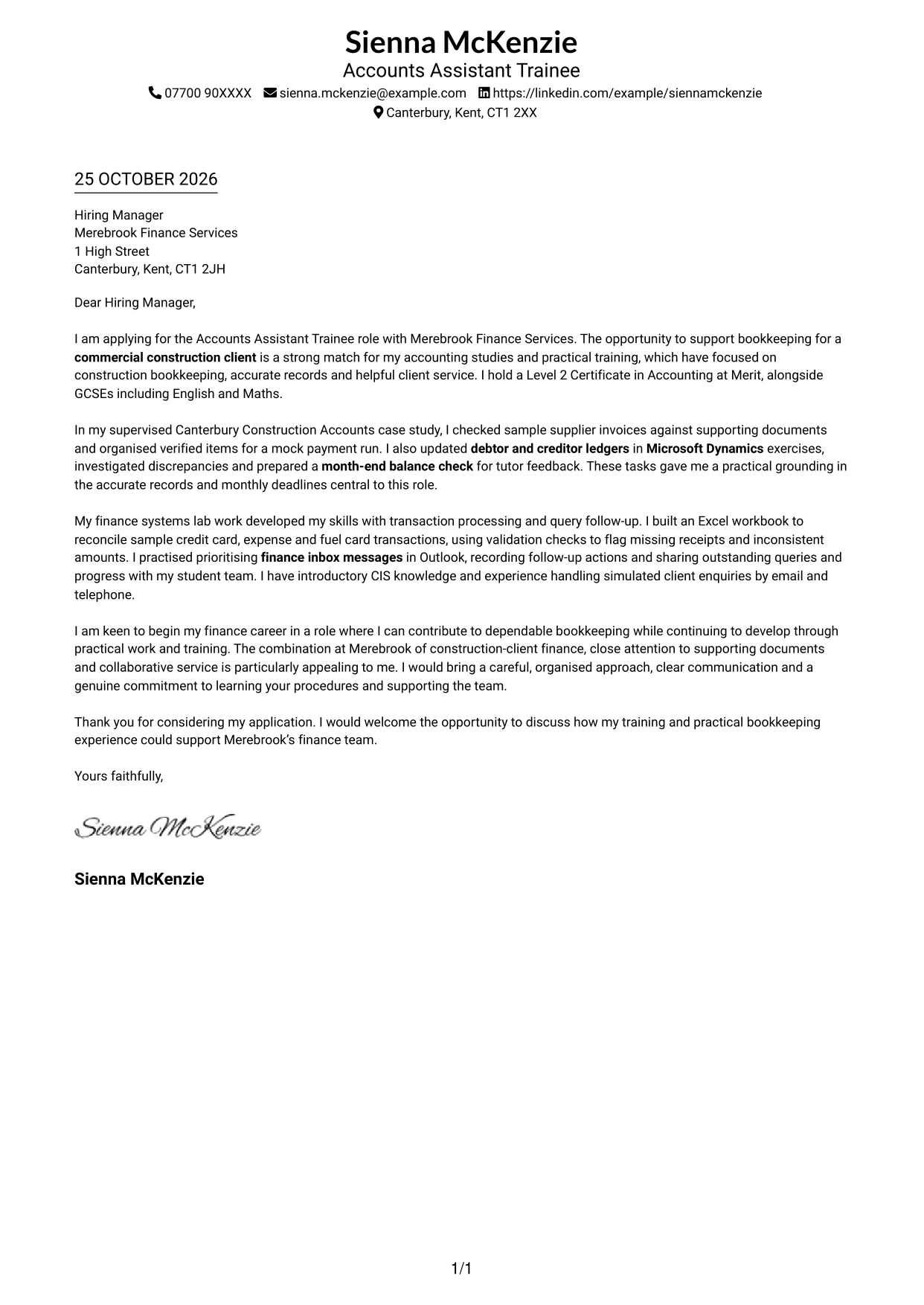
This simple one-column layout places sender details in the header and keeps the letter body in one clear reading path.
Why This Format Works
- Header contact details remain easy to find without breaking the letter paragraphs.
- One body column lets reviewers follow the opening, evidence and closing in sequence.
- With no contact sidebar, the page keeps attention on the written message.
Best For
- Single-column letter preference
- Direct opening-to-closing reading
- Header-based contact details
- Text-led application presentation
- Construction bookkeeping applications
#2 Two Column Format Cover Letter Example
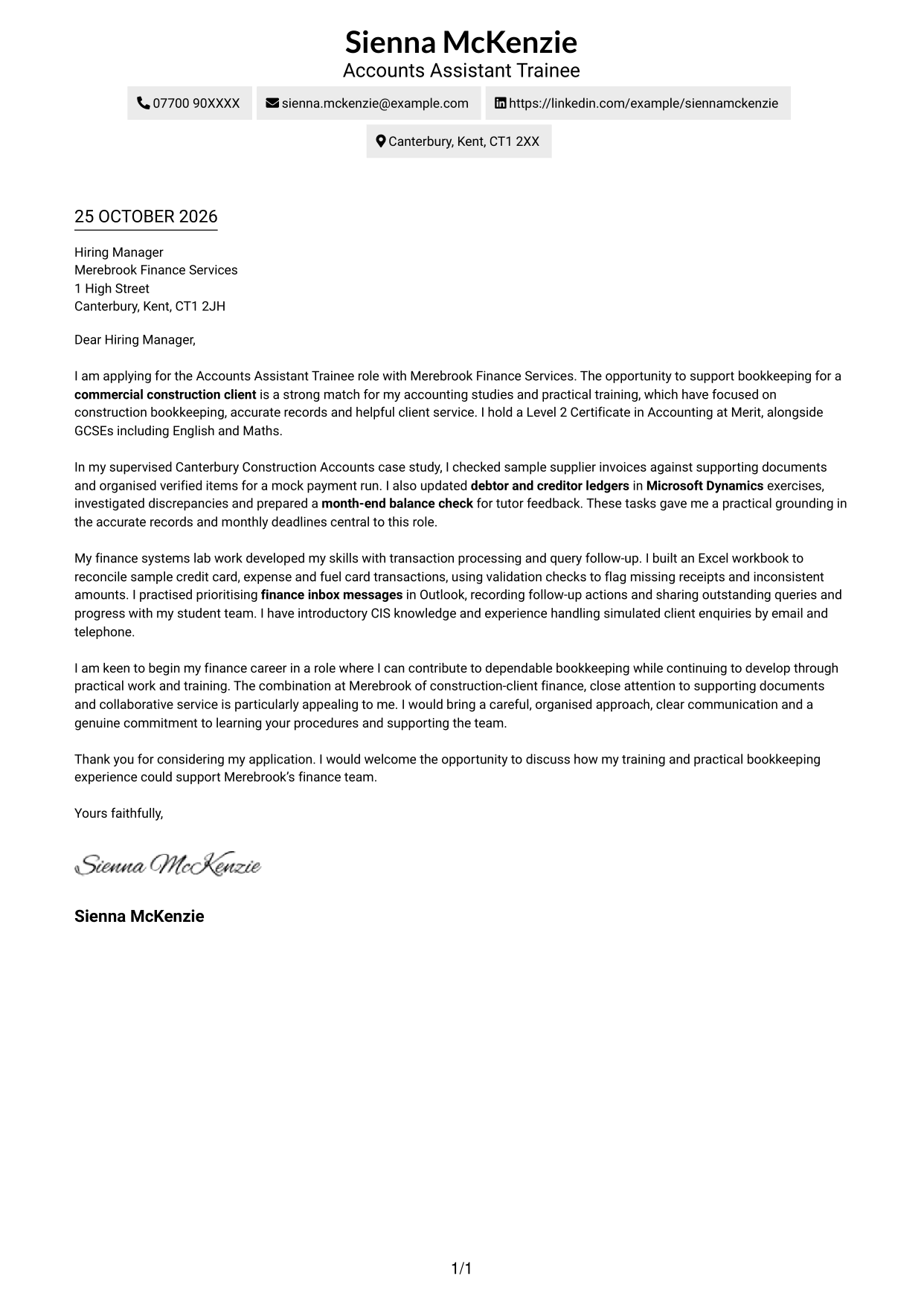
A contact sidebar sits beside one continuous letter body, separating contact details from the application message.
Why This Format Works
- The sidebar makes contact details easy to locate beside the letter.
- The message remains a single body column, not parallel argument sections.
- Its photo-free presentation suits readers who prefer a letter without a portrait.
Best For
- Separate contact details
- Single-column message bodies
- Photo-free applications
- Clear opening and closing flow
- Construction client finance applications
#3 Photo Header Two Column Format Cover Letter Example
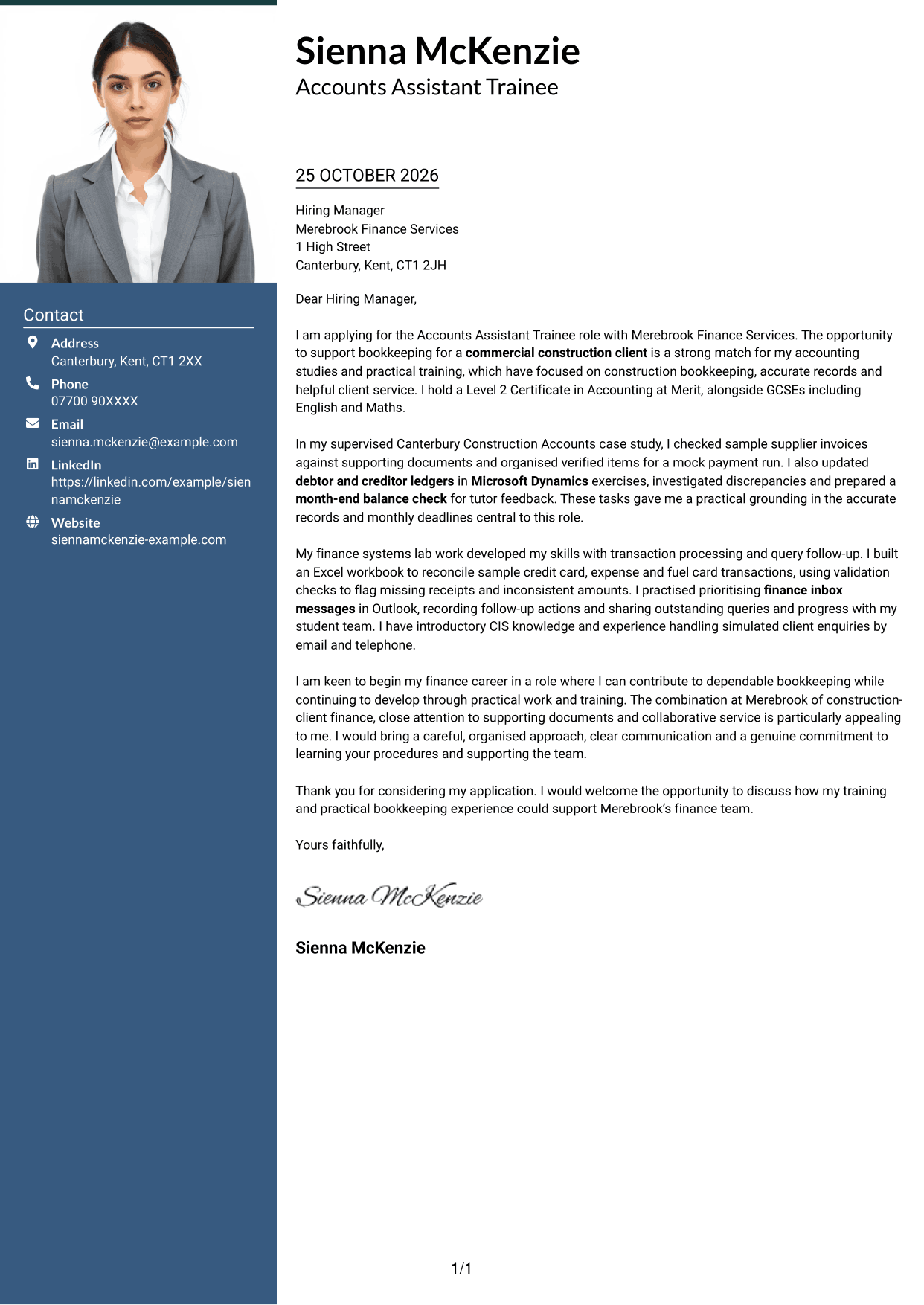
A portrait in the header adds a personal visual feature to this two-column layout, with contact details beside the continuous letter.
Why This Format Works
- Contact details have their own column, separate from the letter paragraphs.
- The single message column keeps the opening, evidence and closing together.
- A header portrait adds a visible point of distinction to the page.
Best For
- Applications with a portrait
- Side-by-side contact and letter areas
- Continuous paragraph-based letters
- Visual identity with formal wording
- Construction finance applications
#4 One Column Format with Photo Cover Letter Example
This one-column letter includes a portrait while keeping the message and sender details in a direct, uncluttered arrangement.
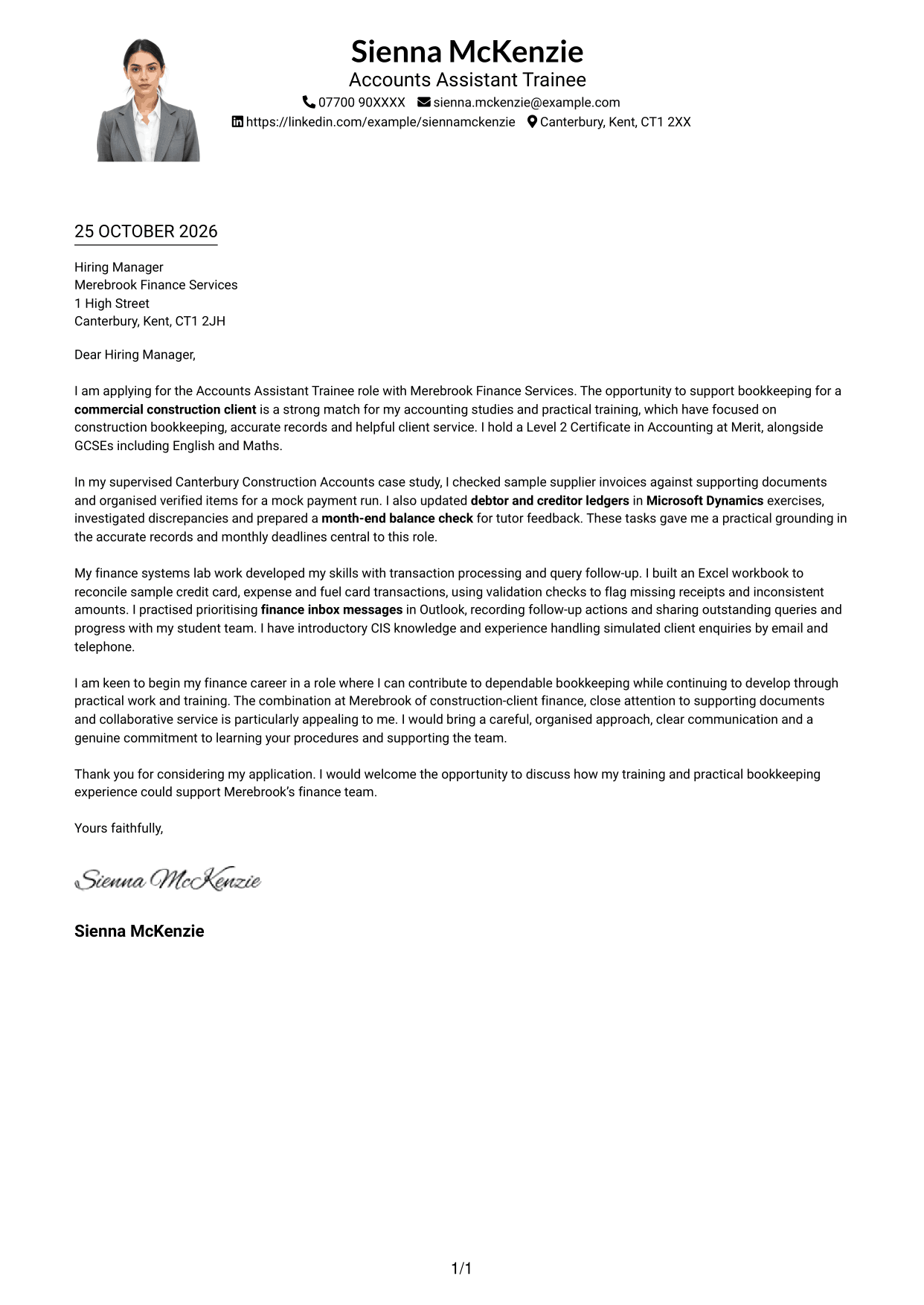
Why This Format Works
- Every paragraph follows one column, giving the letter a steady reading path.
- Sender details in the header stay separate from the letter's opening.
- The portrait adds a visual element without creating a second text column.
Best For
- Letters with a portrait
- Single-column page preference
- Header-based contact information
- Continuous paragraph structure
- Applications favouring direct reading
#5 Simple Two Column Format Cover Letter Example
The simple two-column arrangement gives contact details their own area while keeping the letter in one continuous body column.
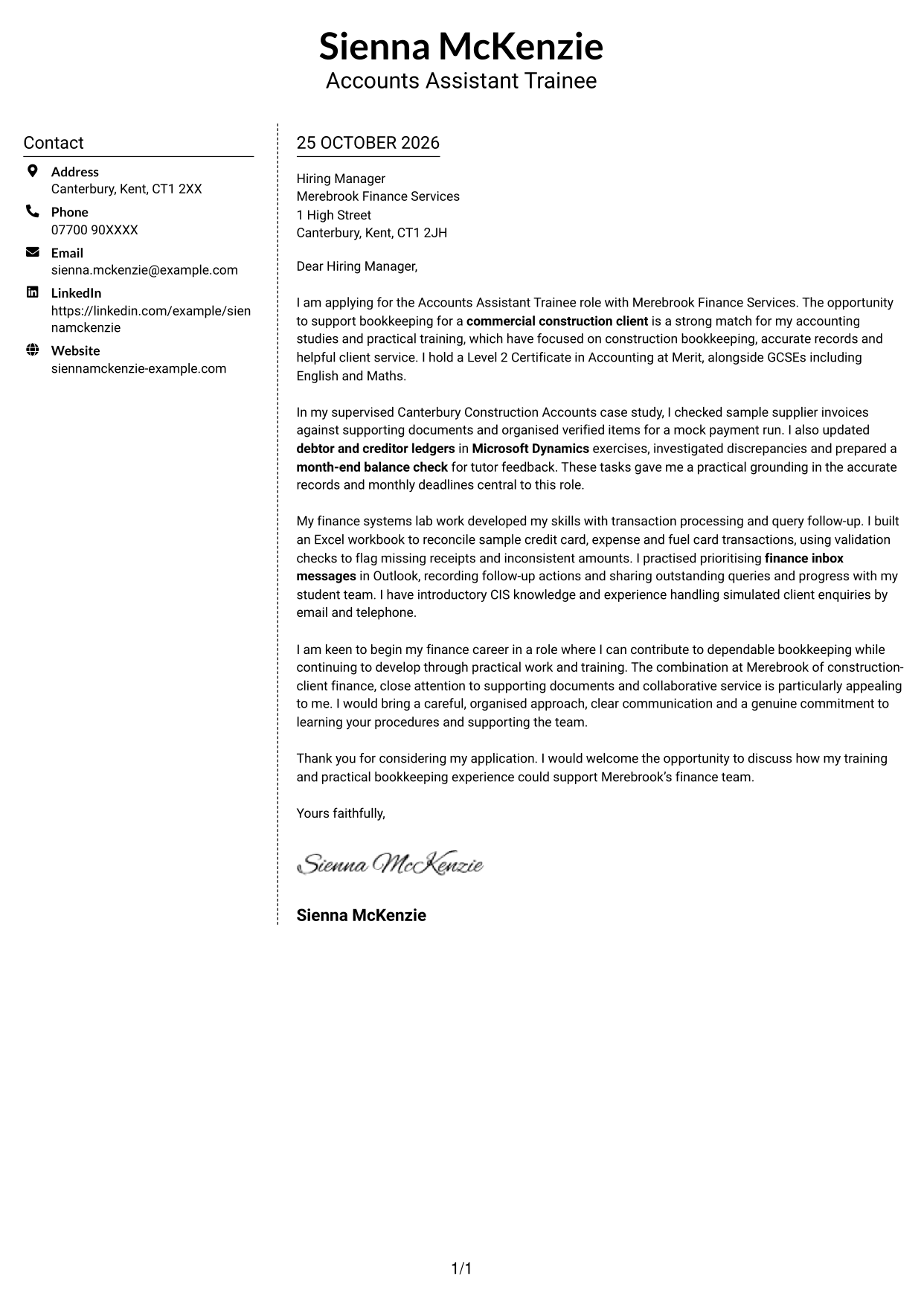
Why This Format Works
- The contact sidebar keeps sender information apart from the application paragraphs.
- A single body column lets reviewers read the letter in its intended order.
- The photo-free page keeps the visual focus on the written message.
Best For
- Distinct contact information
- Uninterrupted letter paragraphs
- Photo-free document preference
- Clear separation of sender and message
- Applications with a detailed case for fit
#6 Modern Icon Format Cover Letter Example
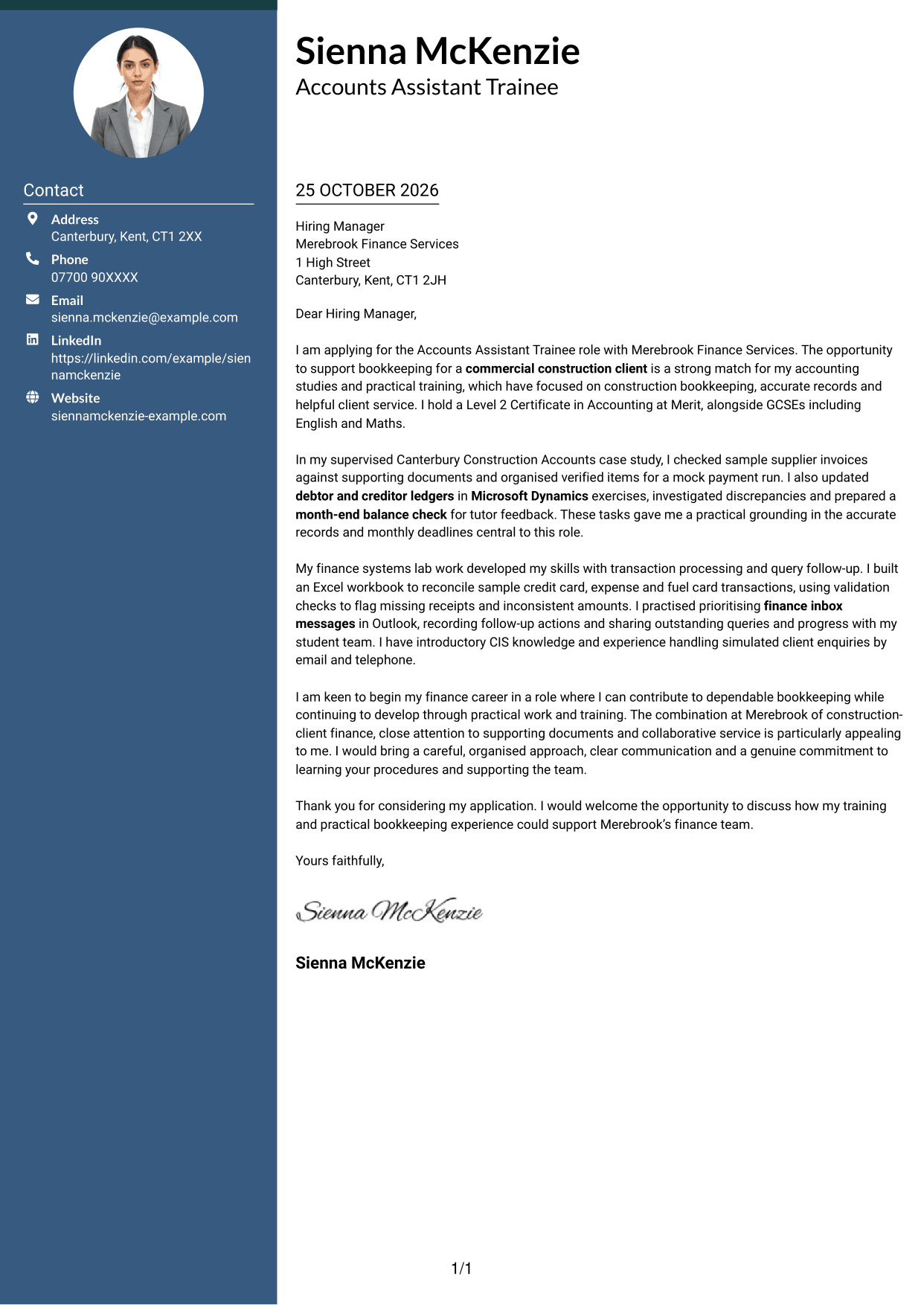
Contact icons and decorative header accents distinguish this two-column format, while the letter itself remains a continuous body.
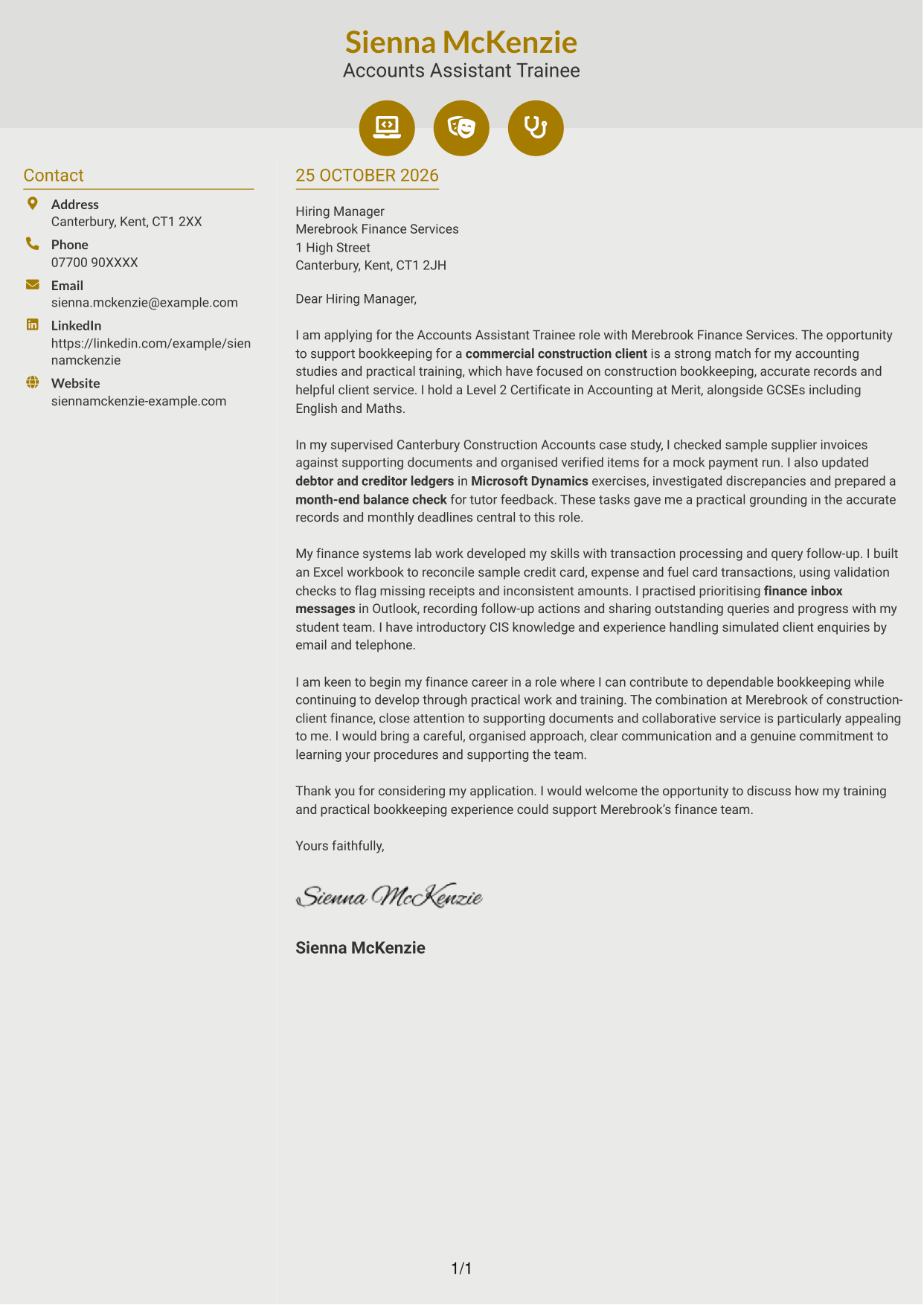
Why This Format Works
- Icons give contact details clear visual cues without labelling letter arguments.
- The sidebar keeps sender information apart from the continuous message.
- The one-column letter body preserves the sequence from greeting to closing.
Best For
- Icon-marked contact details
- One-column letter text
- Continuous opening-to-closing structure
- Photo-free applications
- Readers who value visual cues
#7 Creative Two Tone Format Cover Letter Example
This two-column layout places contact details beside one continuous letter body, keeping the sender information distinct from the message.
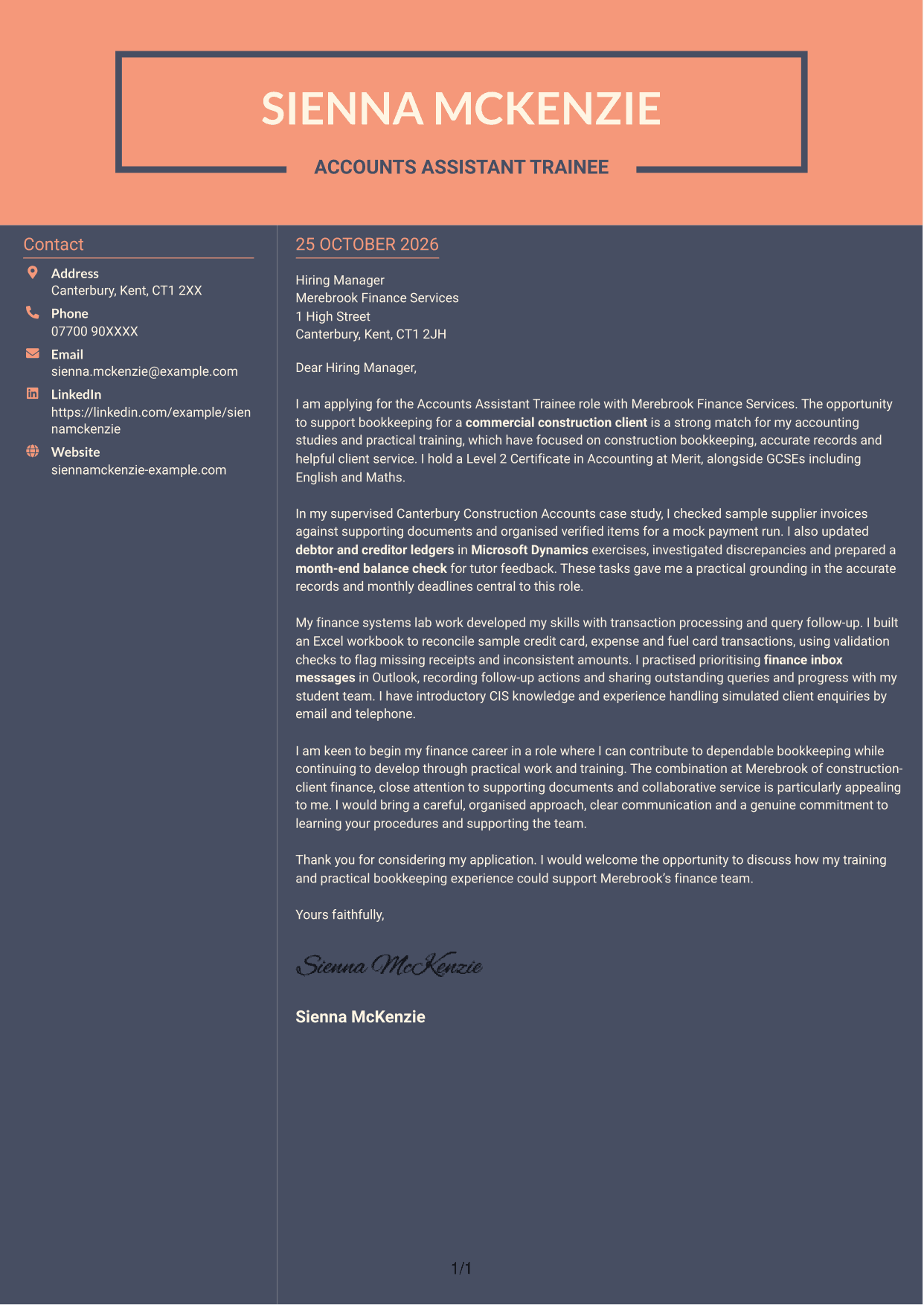
Why This Format Works
- The contact area lets reviewers locate sender details without searching the letter.
- One continuous body column keeps the application message in a clear sequence.
- The photo-free arrangement suits a preference for a text-led letter.
Best For
- Separate sender and message areas
- Single-column letter body
- Text-led application style
- Photo-free document preference
- Construction bookkeeping applications
See Also
- 7 Accounts Assistant Trainee - Construction Bookkeeping CV Templates with Example
- 7 Accounts Assistant - Accounts Payable and Accounts Receivable CV Templates with Example
- 7 Accounts Assistant - Accounts Payable and Receivable CV Templates with Example
- 7 Accounts Assistant - Accounts Payable and Reconciliation CV Templates with Example
- 7 Accounts Assistant Apprentice CV Templates with Example
- 7 Accounts Assistant - Purchase and Sales Ledger CV Templates with Example
- 7 Accounts Assistant - Purchase Ledger and Reconciliations CV Templates with Example
- 7 Accounts Assistant - Purchase Ledger CV Templates with Example
- 7 Accounts Assistant - Accounts Payable and Receivable Cover Letter Templates with Example
- 7 Accounts Assistant - Accounts Payable and Reconciliation Cover Letter Templates with Example
Frequently Asked Questions
What should an Accounts Assistant Trainee - Construction Bookkeeping cover letter highlight?
Show how your training relates to construction bookkeeping. You could describe supervised invoice checks, payment run preparation, ledger updates or month-end balance checks, making clear when the work was part of a learning exercise.
How can I show that my bookkeeping practice is relevant?
Choose a specific task and explain what you did. For example, describe how you used an Excel workbook to check sample card and expense transactions, or how you investigated a ledger discrepancy in a supervised exercise.
How should I explain my interest in the employer?
Connect your interest to the role’s construction-client bookkeeping, accurate records and helpful service. Explain why this work appeals to you and how you would support colleagues and clients while learning the employer’s procedures.
What is a clear way to structure this cover letter?
Open by naming the role and giving a clear reason for applying. Use the body for relevant bookkeeping and communication examples, then close by restating your interest and welcoming a discussion.
Should I include every part of my training?
No. Select the details that best match this role, such as invoice checking, ledger work, reconciliation, Microsoft Office use or responding to practice client queries. A few clear examples are easier to follow than a full list.




