
7 Accounts Senior - Accounts and Tax Cover Letter Templates with Example
This practical guide to an Accounts Senior - Accounts and Tax cover letter introduces seven layouts for presenting role fit clearly.
What Makes a Great Accounts Senior - Accounts and Tax Cover Letter in 2026
A strong letter links your interest in the role to accounts, tax, VAT and client service. Make the opening direct, then explain how your experience matches the work.
Use clear evidence, such as preparing year-end accounts, reconciling VAT records or reviewing junior colleagues’ work. Show how your approach supports accurate submissions and helpful communication with clients.
The featured Accounts Senior - Accounts and Tax example moves from role interest to relevant duties, a specific VAT reconciliation example and a clear close; adapt this focused progression while choosing a presentation suited to the employer and communication context.
#1 Simple One Column Format Cover Letter Example
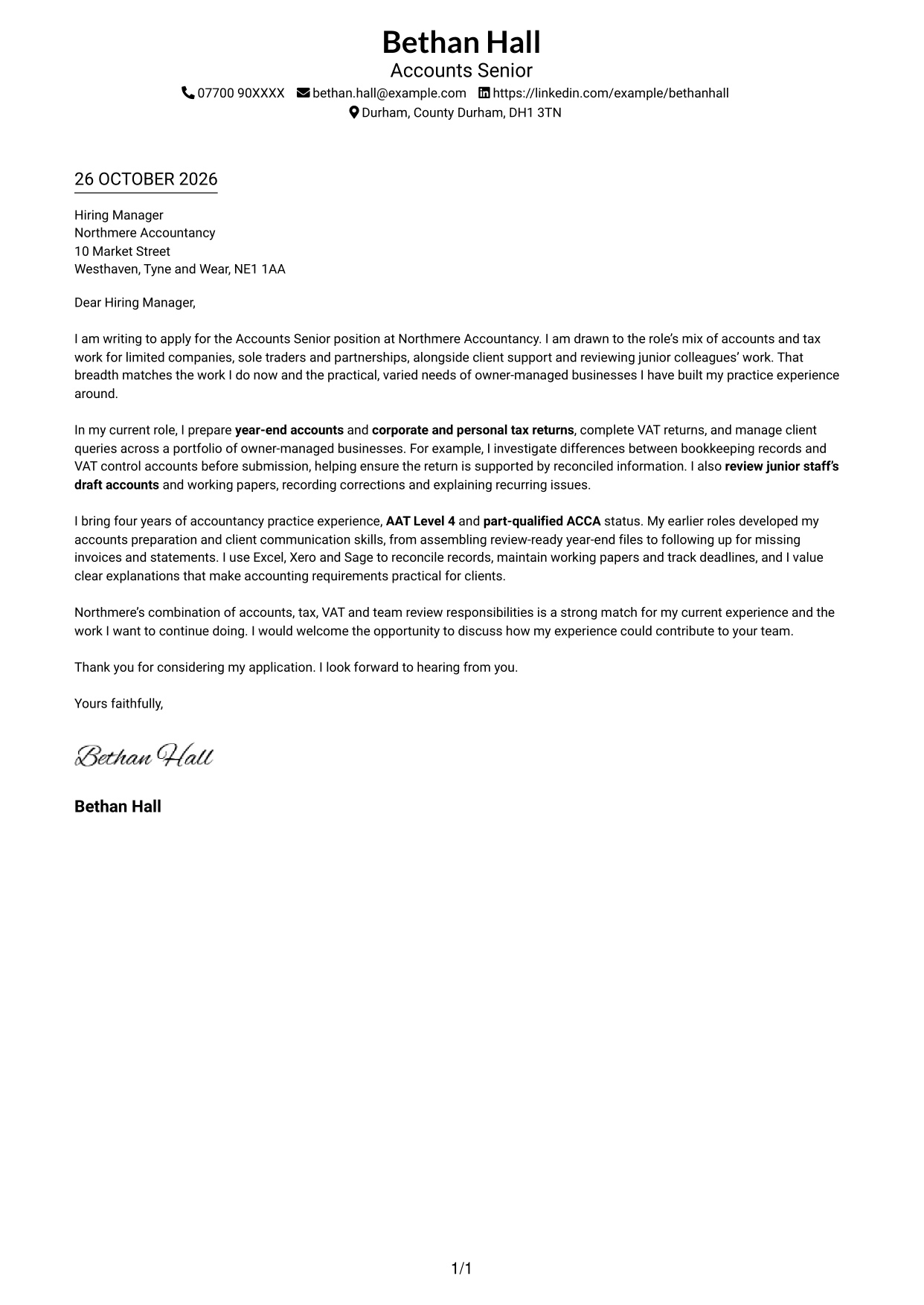
A single-column layout keeps the sender details in the header and the letter body on one reading path, which suits a straightforward presentation.
Why This Format Works
- Sender details sit in the header, without competing with the letter body.
- One reading column lets the reader follow the message from greeting to closing.
- The text-led presentation suits applications where the written case should lead.
Best For
- Single-column letter layouts
- Header-based contact details
- Direct, text-led applications
- Letters with a clear paragraph sequence
- Applications without a portrait
#2 Two Column Format Cover Letter Example
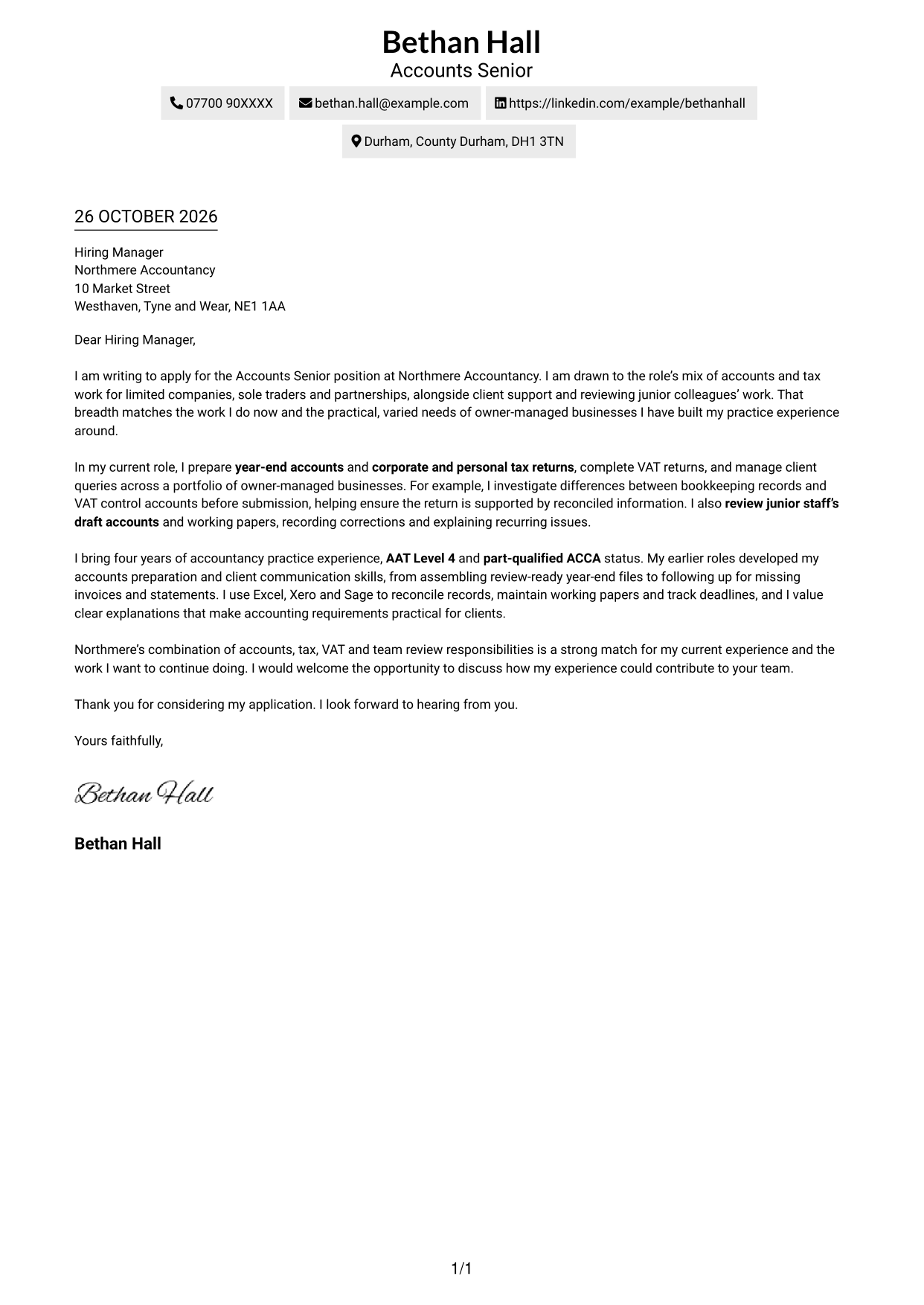
A contact sidebar sits beside one continuous letter body, keeping contact details apart from the message.
Why This Format Works
- A separate contact sidebar keeps sender information apart from the letter's message.
- One continuous body lets the reader follow the case from opening to close.
- Without a portrait, the layout keeps attention on written communication.
Best For
- Separate contact and message areas
- Continuous letter-body layouts
- No-portrait applications
- Business correspondence with supporting detail
- Clear separation of contact information
#3 Photo Header Two Column Format Cover Letter Example
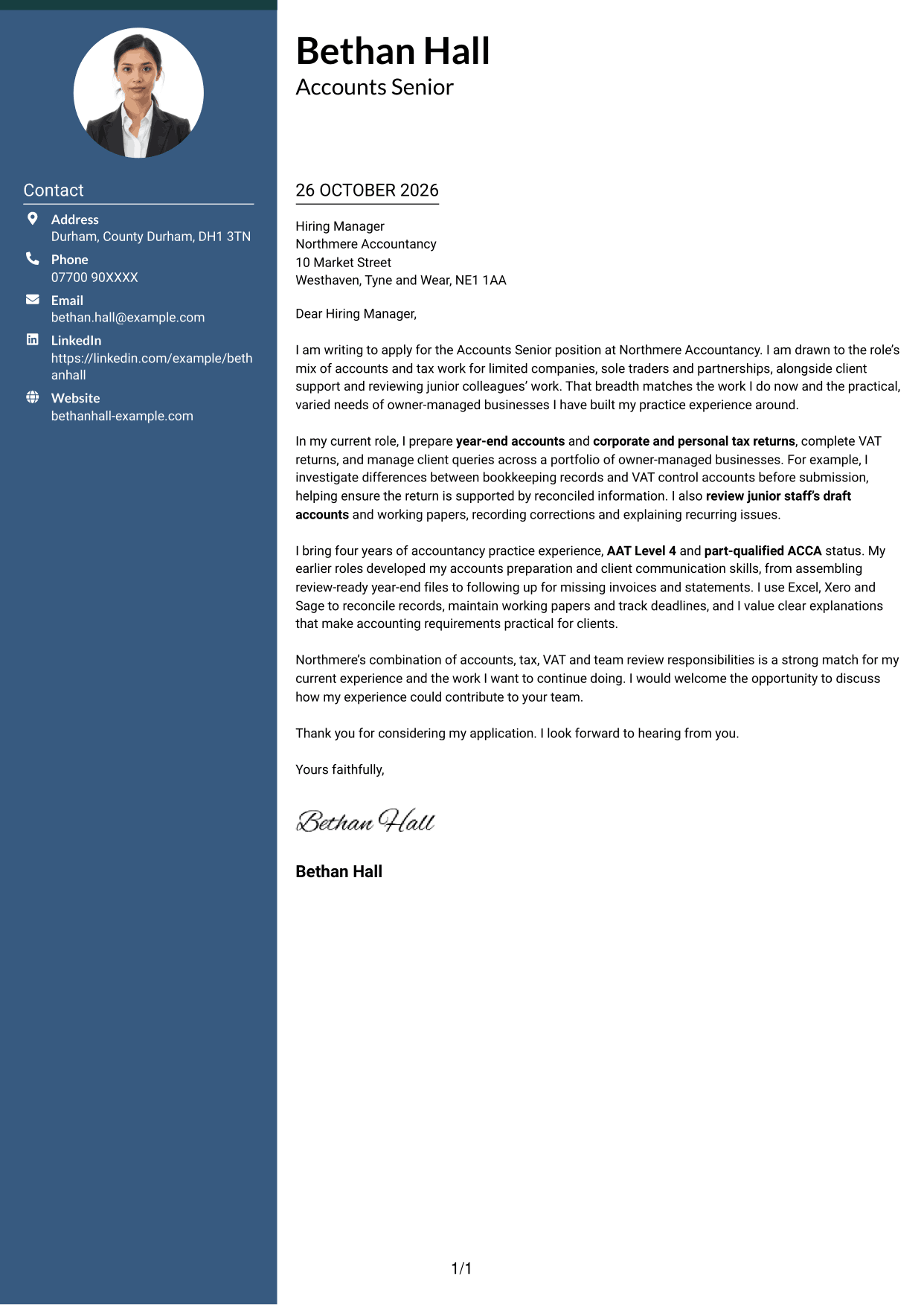
A portrait appears with a contact sidebar beside one continuous letter body, for applications where a photo is preferred.
Why This Format Works
- The sidebar gives contact details their own place beside the letter.
- One continuous body preserves the natural order of opening, evidence and closing.
- The portrait offers a visual option when a photo suits the application.
Best For
- Applications where a portrait is preferred
- Contact details beside the letter
- Continuous cover letter paragraphs
- Photo-inclusive application documents
- Letters with a clear argument sequence
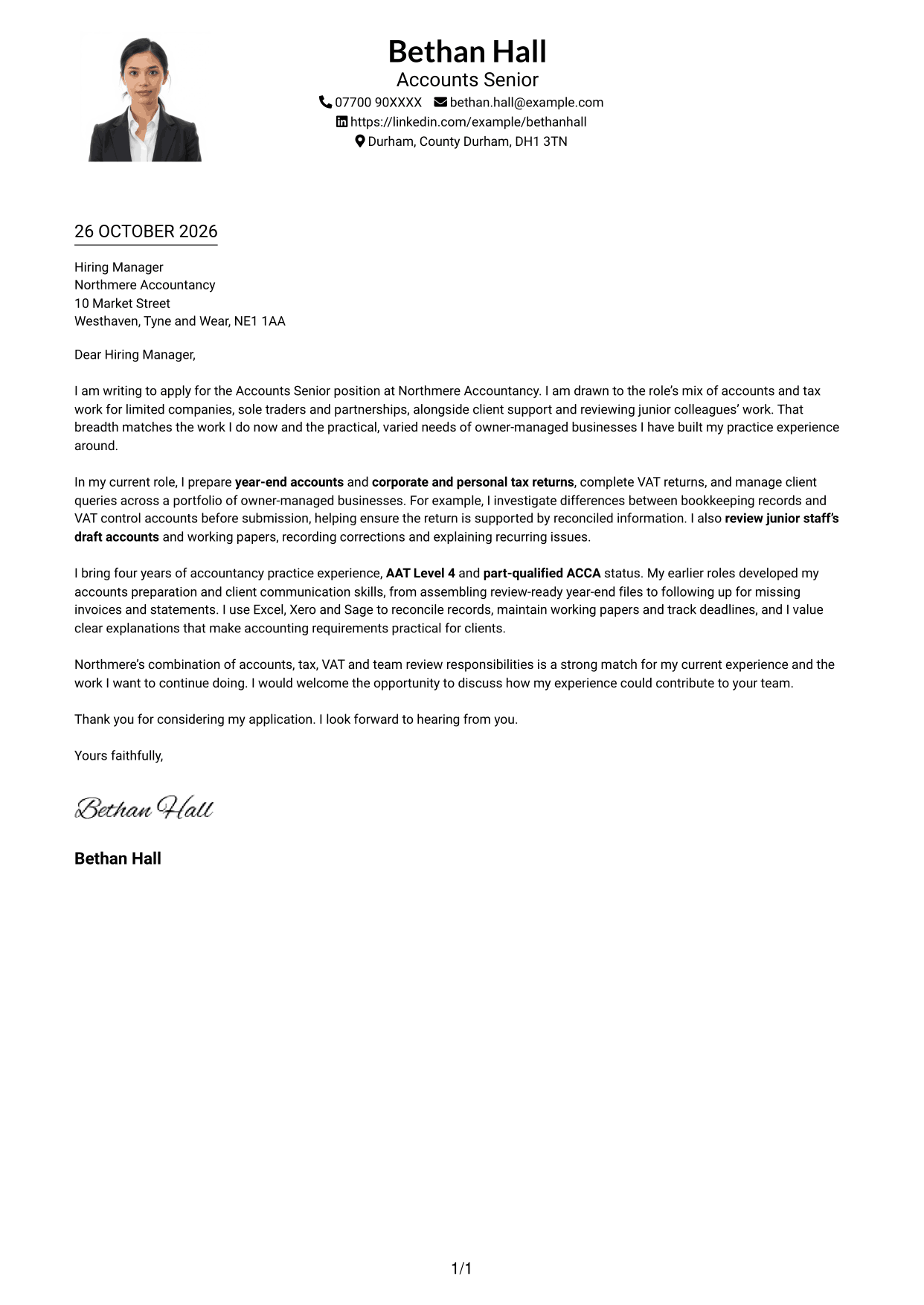
#4 One Column Format with Photo Cover Letter Example
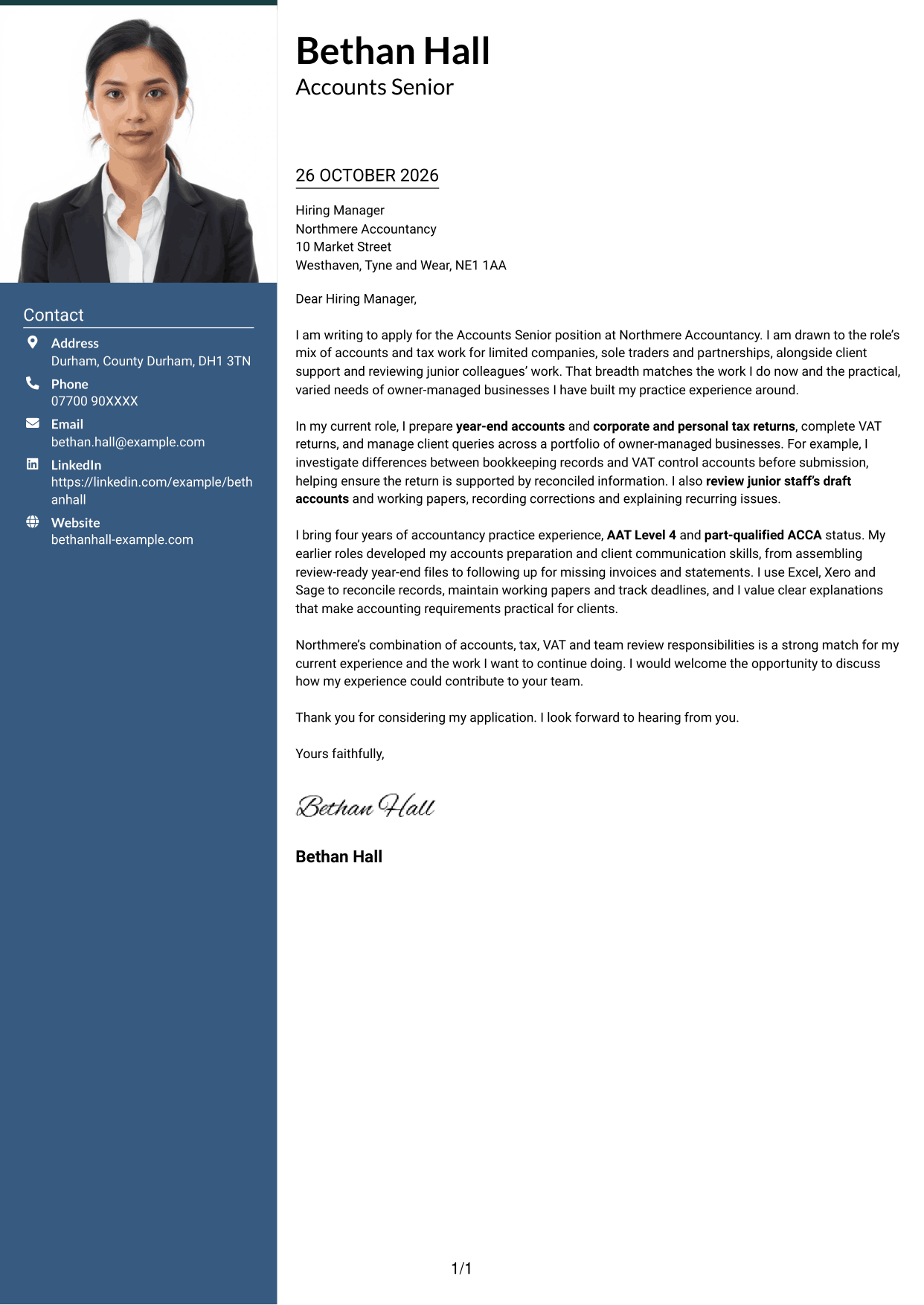
The one-column layout includes a photo and keeps sender details with the letter, for readers who prefer these elements together.
Why This Format Works
- Sender details remain in the header while the letter uses one reading column.
- Paragraphs keep the application message in a familiar opening-to-closing order.
- The photo adds a personal visual element without dividing the letter body.
Best For
- One-column letter layouts with a photo
- Sender details in the header
- Applications with a portrait
- Letters read from greeting to closing
- A single reading path
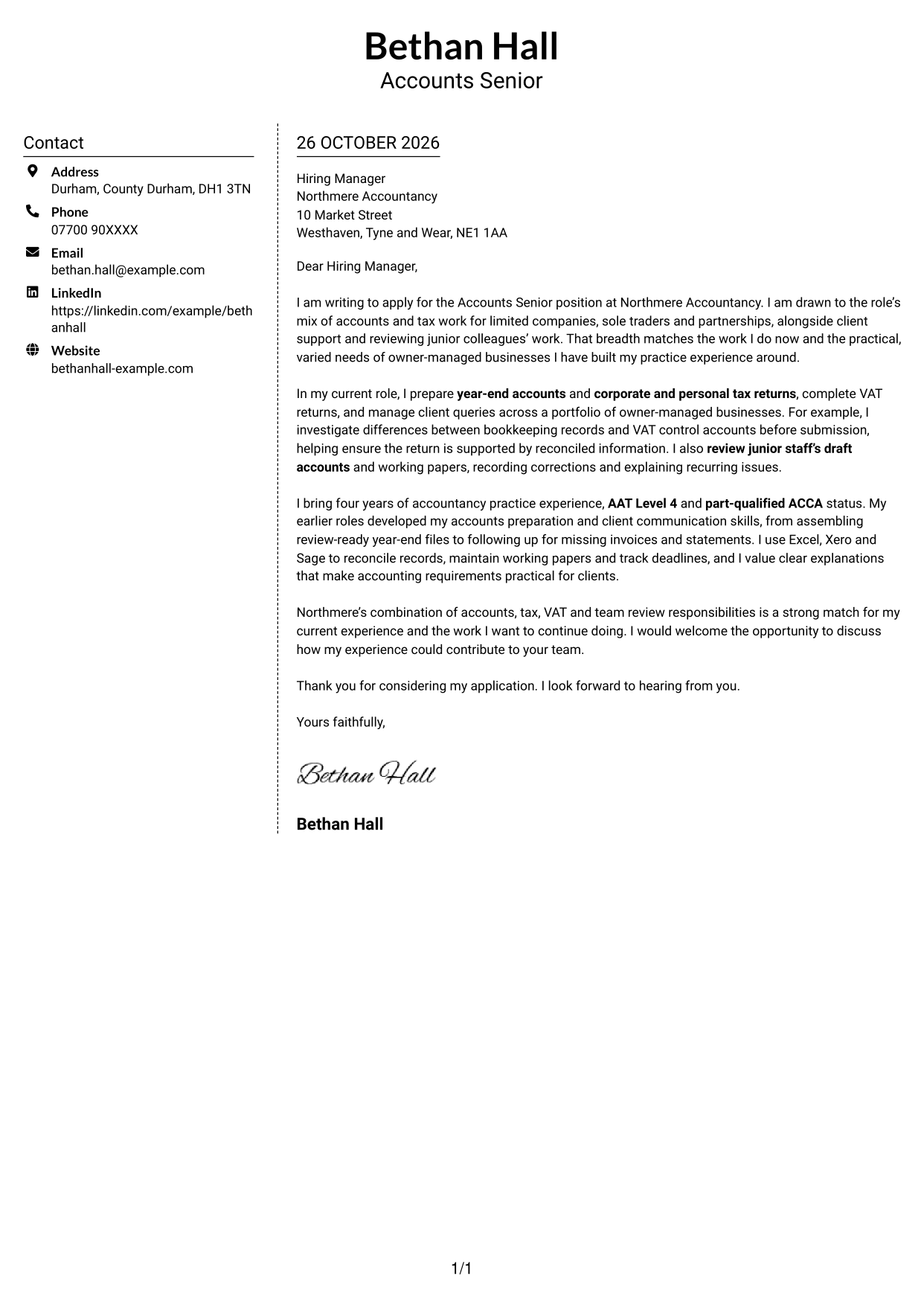
#5 Simple Two Column Format Cover Letter Example
A contact sidebar sits alongside the letter, while the message itself stays in one continuous column.
Why This Format Works
- Contact information has its own area, separate from the letter's argument.
- The single body column keeps the message in a clear paragraph order.
- The no-photo presentation suits applications centred on written communication.
Best For
- Contact details beside the letter
- One-column letter bodies
- Applications without a portrait
- Direct written communication
- Letters with several supporting points
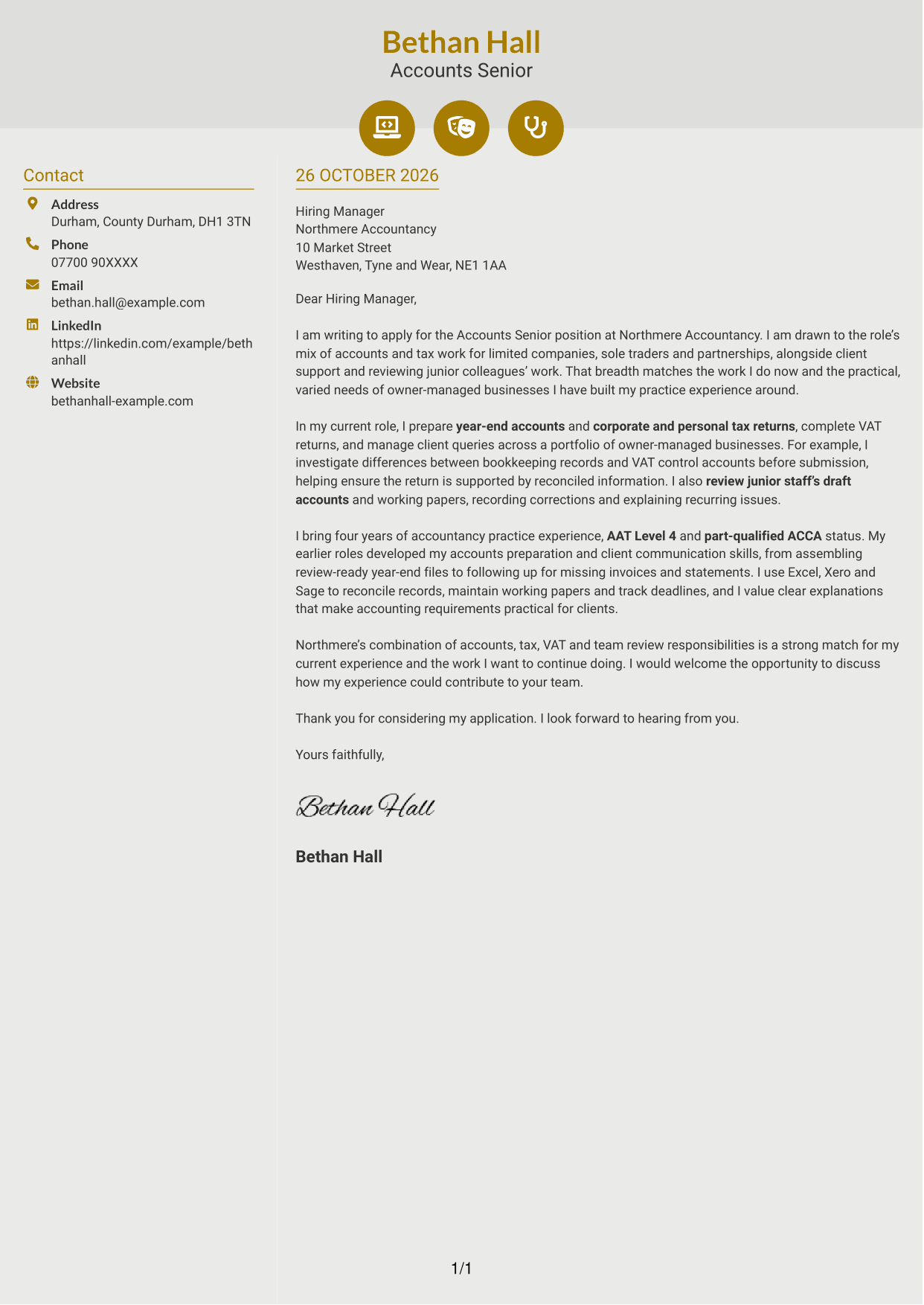
#6 Modern Icon Format Cover Letter Example
Contact icons provide visual cues alongside the contact sidebar, while the letter remains one continuous body.
Why This Format Works
- Contact icons help distinguish contact details from the continuous letter body.
- The sidebar keeps sender information separate while the message stays in one column.
- Icons act as contact cues, not labels for the letter's argument.
Best For
- Icon-led contact details
- A separate contact sidebar
- Continuous letter paragraphs
- Applications without a portrait
- Letters with a direct message
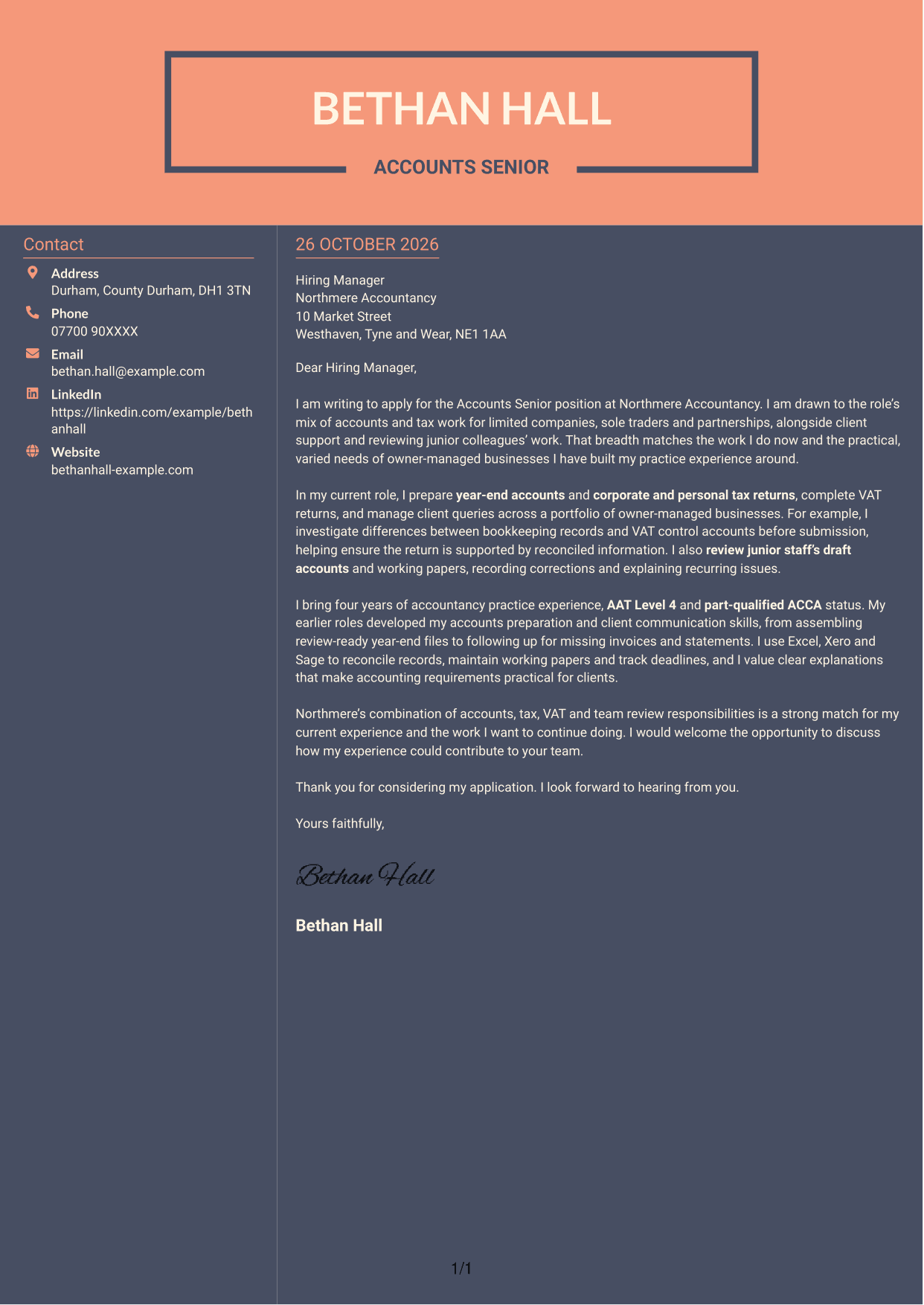
#7 Creative Two Tone Format Cover Letter Example
The contact sidebar sits beside a continuous letter body, offering separate spaces for contact details and the application message.
Why This Format Works
- Contact details are kept apart from the paragraphs making the case.
- The letter remains one continuous body, so its message follows a natural order.
- The no-photo layout suits applications that favour a text-based presentation.
Best For
- Contact information beside the message
- Text-based applications without a portrait
- Continuous cover letter paragraphs
- Letters with a natural paragraph sequence
- Separate contact and letter areas
See Also
- 7 Accounts Semi Senior - Accounts Preparation and Tax CV Templates with Example
- 7 Accounts Senior - Accounts and Tax CV Templates with Example
- 7 Accounts Technician - Practice Accounts and Tax CV Templates with Example
- 7 Business Services Senior Accountant - Year-End Accounts, Tax and VAT CV Templates with Example
- 7 Practice Accountant / Accounts Senior - Accounts and Tax CV Templates with Example
- 7 Senior Accountant - Year-End Accounts and Tax CV Templates with Example
- 7 AAT Trainee - Accounts and Bookkeeping CV Templates with Example
- 7 AAT Trainee - Accounts Preparation and Bookkeeping CV Templates with Example
- 7 Accounts Semi Senior - Accounts Preparation and Tax Cover Letter Templates with Example
- 7 Accounts Technician - Practice Accounts and Tax Cover Letter Templates with Example
Frequently Asked Questions
What should an Accounts Senior - Accounts and Tax cover letter highlight?
Show how your experience relates to year-end accounts, corporate and personal tax returns, VAT returns, client queries and reviewing junior staff’s work. Choose evidence that shows how you approach these responsibilities with care and clear communication.
How can I make my experience relevant to this role?
Give one specific example and explain what you did. For instance, describe how you checked a VAT control account against bookkeeping records, or how you reviewed draft accounts and explained corrections.
How should I explain my interest in Northmere Accountancy?
Connect your interest to the role’s mix of accounts, tax, VAT and client support. Add a verified detail about Northmere Accountancy only if it gives a genuine reason for applying.
What is a clear way to structure this cover letter?
Open with the role and why its responsibilities interest you. Use the body to link your relevant work and one practical example to the position, then close by restating your interest and welcoming a discussion.
Should I include every part of my work history?
No. Focus on the duties that best support your fit, such as accounts preparation, tax work, VAT checks, client communication and review responsibilities. A small number of relevant examples will keep the letter clear.




