
US English


7 Content Editor - Digital Rewards CV Templates with Example
By Ria · Last Updated On 15 October 2026
CV example — page 1

This guide shows you how to build a Content Editor - Digital Rewards CV that is clear, focused and easy to review. You will learn how to organise your evidence and choose a format that presents your publishing work well.

A strong CV for this role connects digital publishing with accurate, accessible customer content. Show how you use AEM, HTML, structured content and quality checks, then support your claims with clear examples of campaign work, testing or improvements.

Compare the example in seven layouts using the PNG image previews, then open a version in the editor to customise it. The guide also covers ATS readability, useful CV sections and role-specific terms such as content fragments, WCAG accessibility, analytics and A/B testing.

What Makes a Great Content Editor - Digital Rewards CV in 2026

A strong CV makes publishing skills, team work and quality checks easy to scan. Use concise experience bullets to show how you maintain useful, accurate digital content.

Include relevant terms such as Adobe Experience Manager, HTML, structured content, WCAG, analytics and A/B testing. Add figures only when you can support them.

Note: CV examples are for educational purposes only. Use only information that accurately reflects your experience and qualifications. References to real organisations do not imply affiliation or endorsement.

#1 Plain Two Column Format CV Example

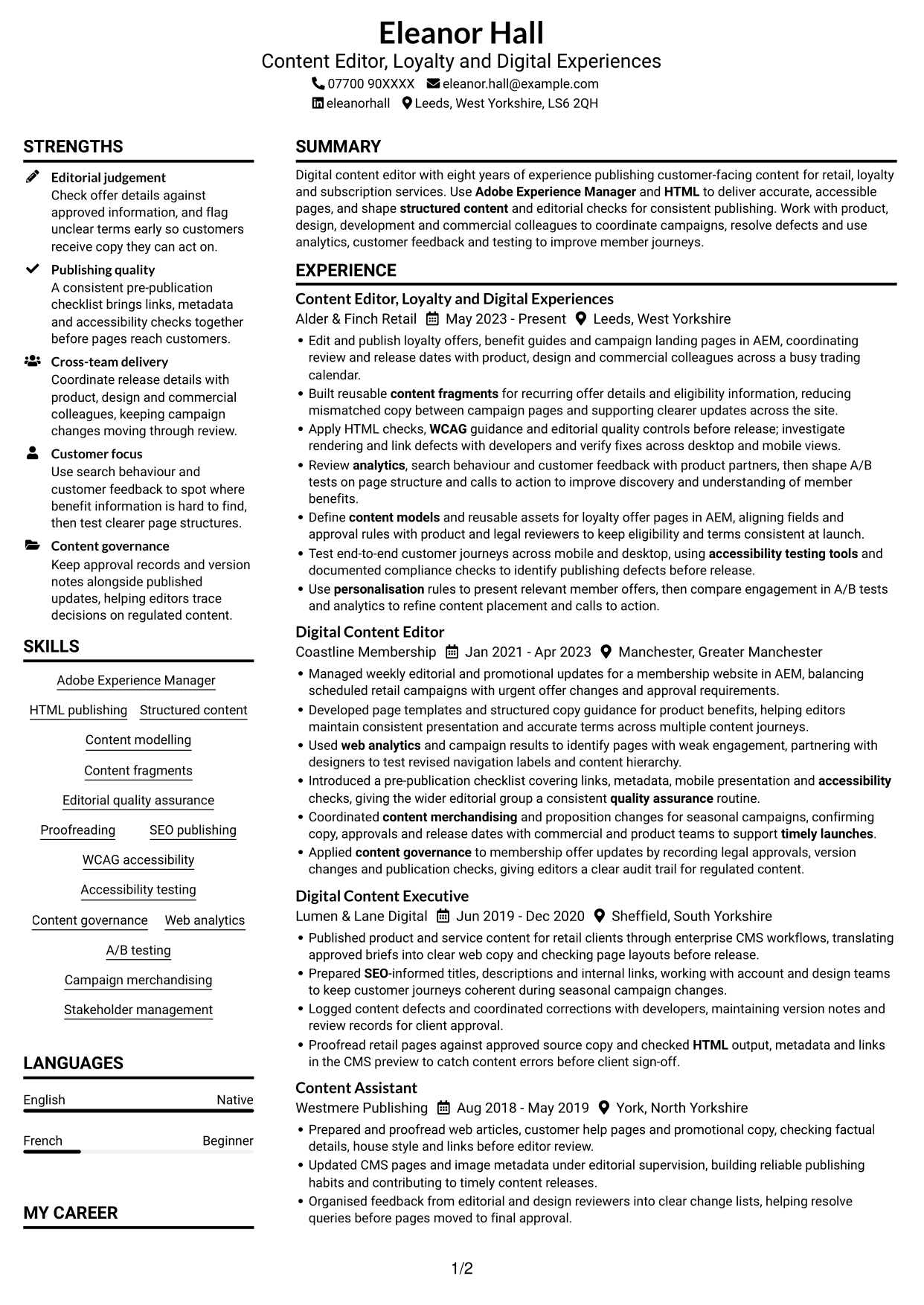
Plain Two Column Format places CV content in two reading areas, giving recruiters a clear way to scan career history and supporting details together.
 
CV example — page 1   CV example — page 2

CV Snapshot

  • Eight years of digital content publishing experience
  • Adobe Experience Manager and HTML publishing
  • Structured content, accessibility and editorial quality assurance
  • BA (Hons) English Language and Digital Media, University of Sheffield

Why This Format Works

  • Two reading areas let recruiters compare career history with supporting skills and education.
  • Separate columns give skills and education clear space beside work history.
  • Distinct columns help reviewers locate career history alongside other CV details.

Best For

  • Several roles across a career
  • Work history with supporting details
  • Skills and education shown alongside experience
  • CVs with varied section content
  • Recruiters comparing career stages

CV Keywords

  • Adobe Experience Manager
  • HTML
  • coordinating review and release dates with product, design and commercial colleagues across a busy trading calendar
  • Stakeholder management
  • with product, design and commercial colleagues across a busy trading calendar
  • Structured content
  • content models
  • Content fragments
  • content merchandising
  • Coordinated content merchandising and proposition changes for seasonal campaigns, confirming copy, approvals and release dates with commercial and product teams to support timely launches.
  • support timely launches
  • Editorial quality assurance
  • Proofreading
  • SEO
  • WCAG
See all keywords
 

#2 Simple One Column Format CV Example

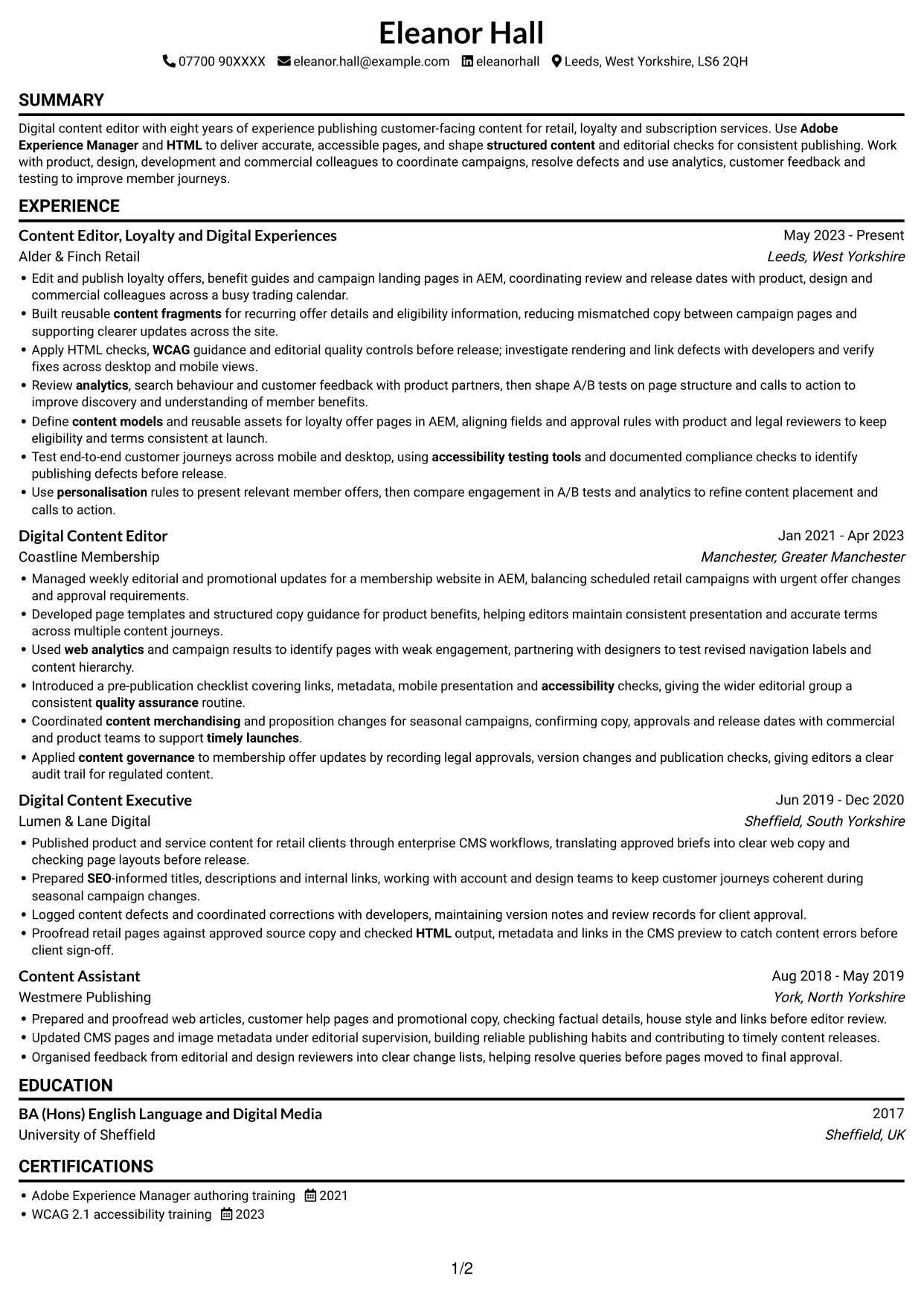
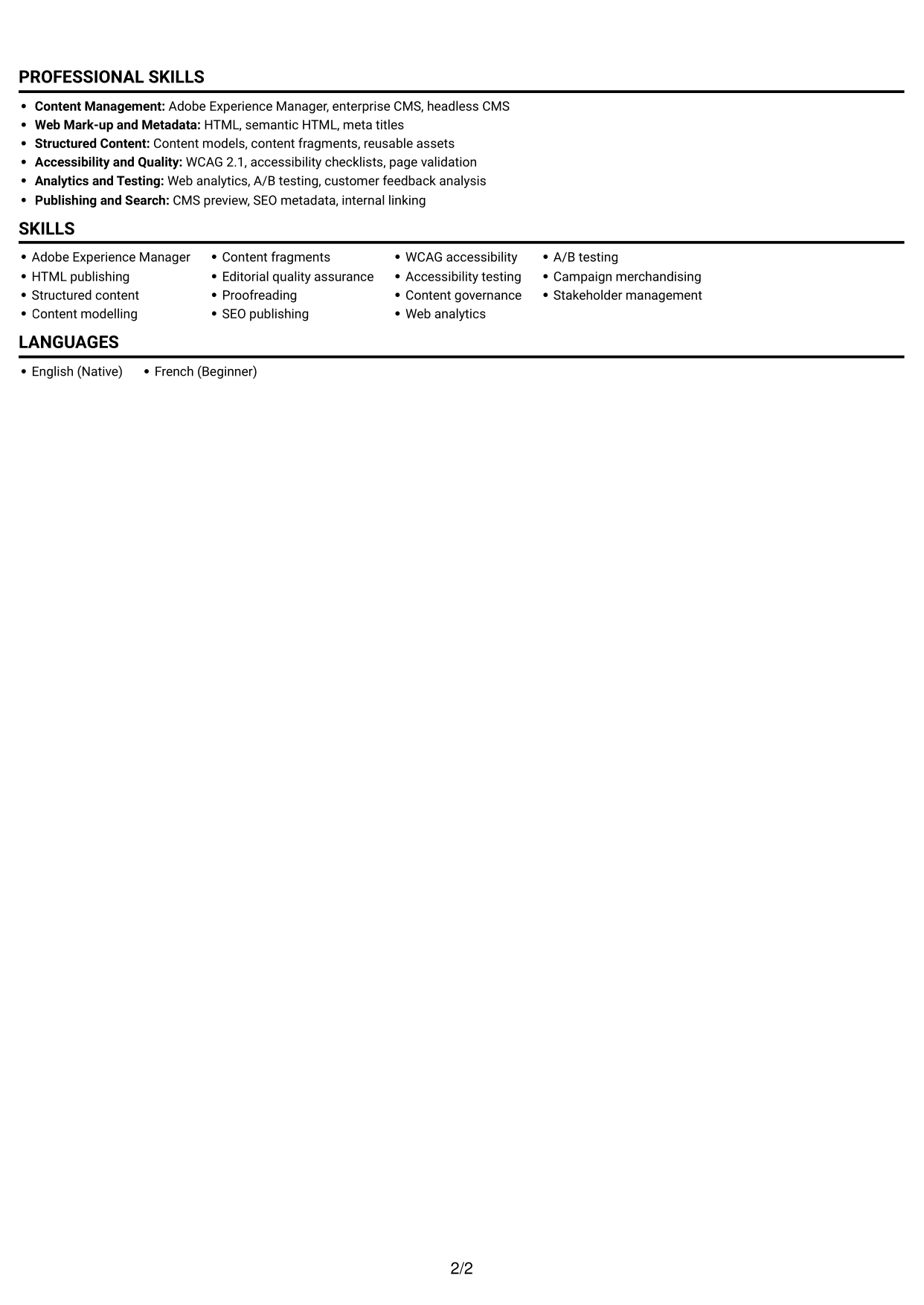
Simple One Column Format keeps CV sections in one continuous reading order, making it a practical choice for a clear, linear review.
 
CV example — page 1   CV example — page 2

Why This Format Works

  • A single reading path helps recruiters follow experience from one role to the next.
  • The section order makes education and credentials easy to find after work history.
  • One column gives detailed career entries a consistent place on the page.

Best For

  • Chronological career histories
  • A clear section-by-section reading order
  • Detailed role entries
  • Education after work experience
  • Straightforward recruiter review
 

#3 Clean Two Column Sidebar Format CV Example

Clean Two Column Sidebar Format sets a sidebar beside the main CV content, helping readers tell supporting information apart from career history.
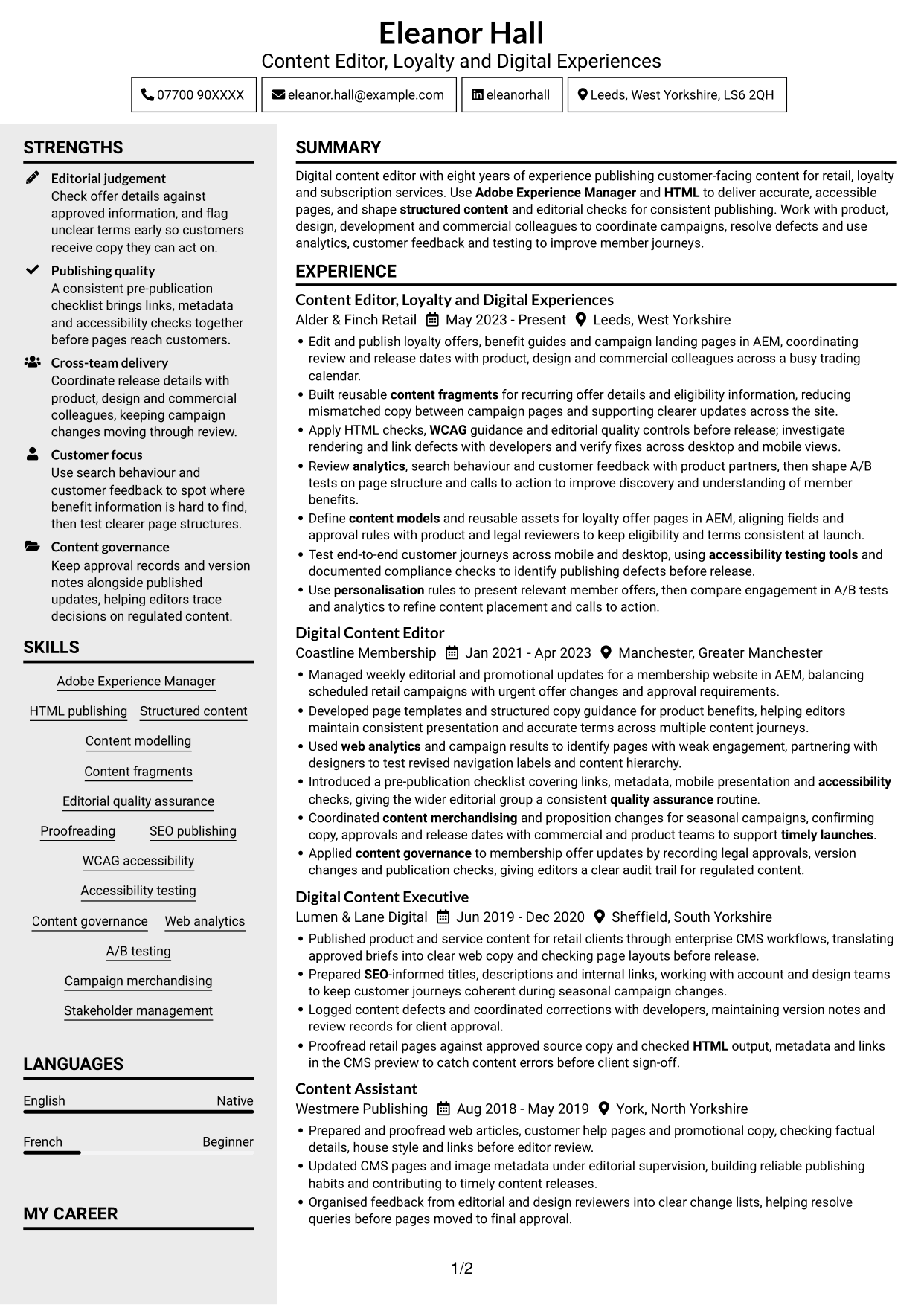
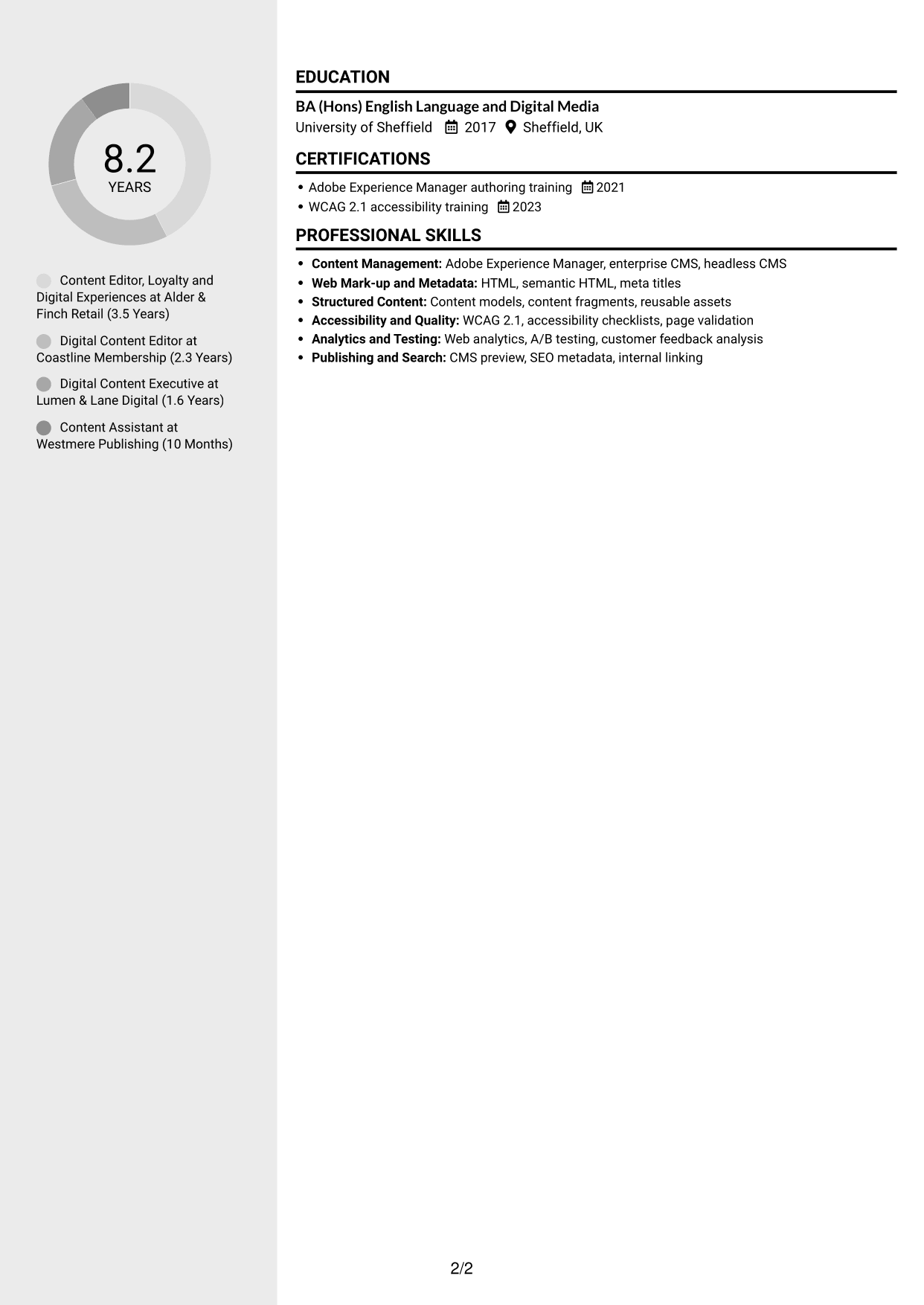
 
CV example — page 1   CV example — page 2

Why This Format Works

  • The sidebar keeps supporting details distinct from the main career history.
  • Two columns give work experience and other CV sections separate reading areas.
  • Clear section separation helps reviewers move between career details and supporting information.

Best For

  • Career history with supporting details
  • CVs with several distinct sections
  • Skills kept apart from work history
  • Readers who prefer clear section boundaries
  • Experience reviewed alongside education
 

#4 Two Column Format CV Example

Two Column Format divides CV content between two reading areas, offering an organised view of experience and supporting sections.
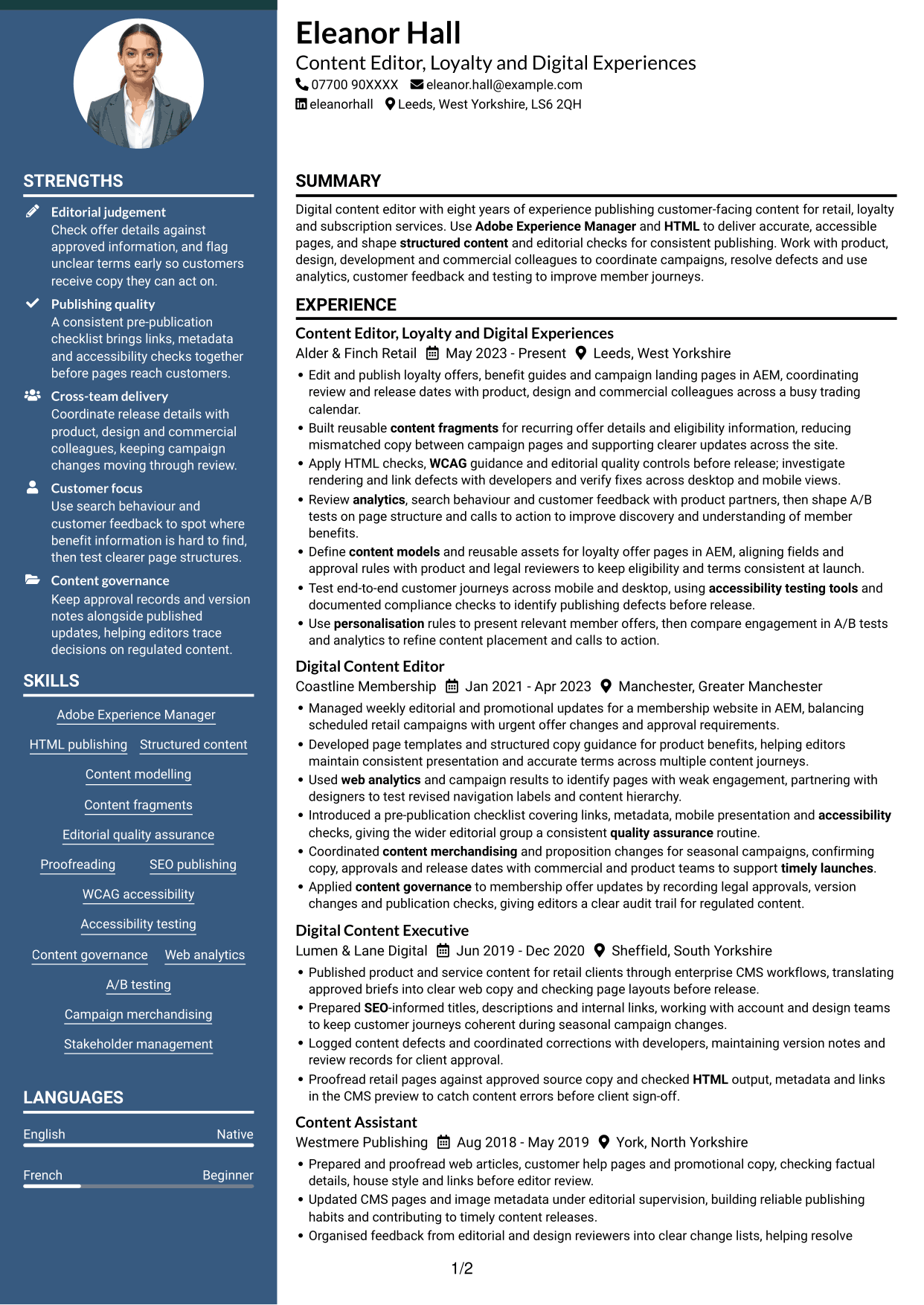
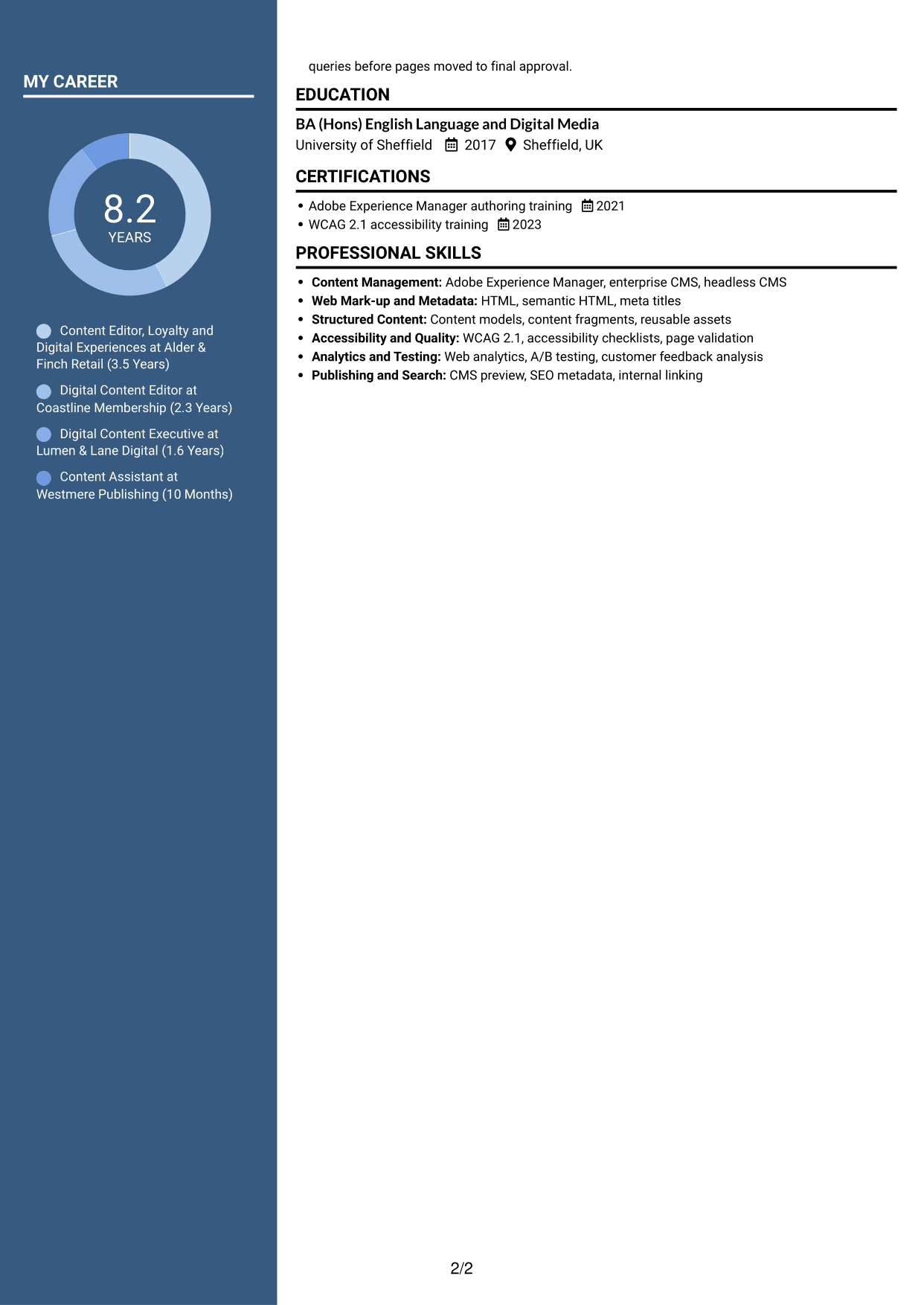
 
CV example — page 1   CV example — page 2

Why This Format Works

  • The two reading areas help reviewers move between experience and supporting sections.
  • Career progression remains easy to follow within the work history area.
  • Skills and education have distinct space within the overall CV structure.

Best For

  • Experience with several supporting sections
  • Career progression shown across roles
  • Skills and education beside work history
  • CVs with varied information
  • Readers who prefer divided content areas


#5 Photo Header Two Column Format CV Example

Photo Header Two Column Format places a photo in the header above a two-column CV body, combining a personal visual element with divided content areas.
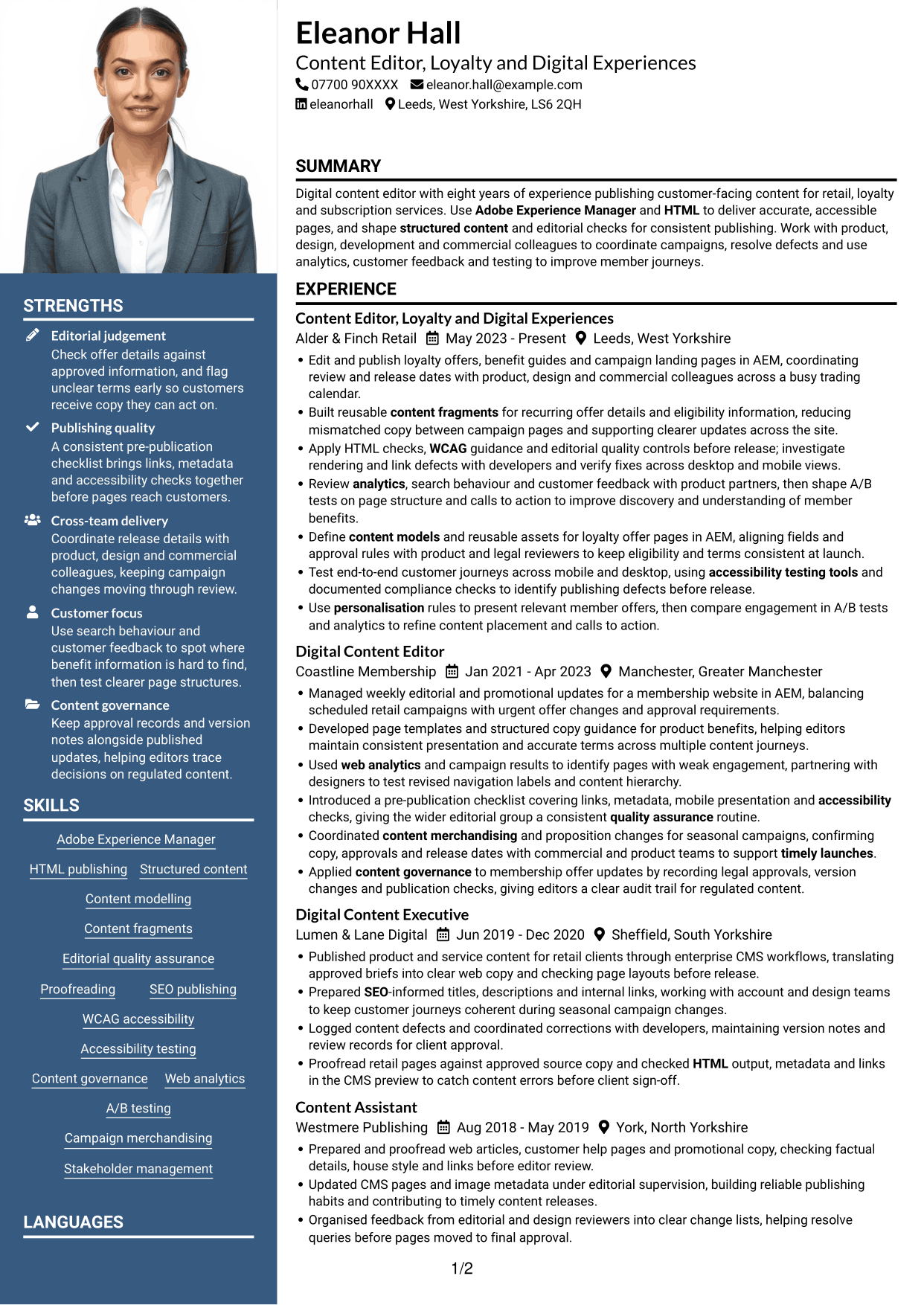
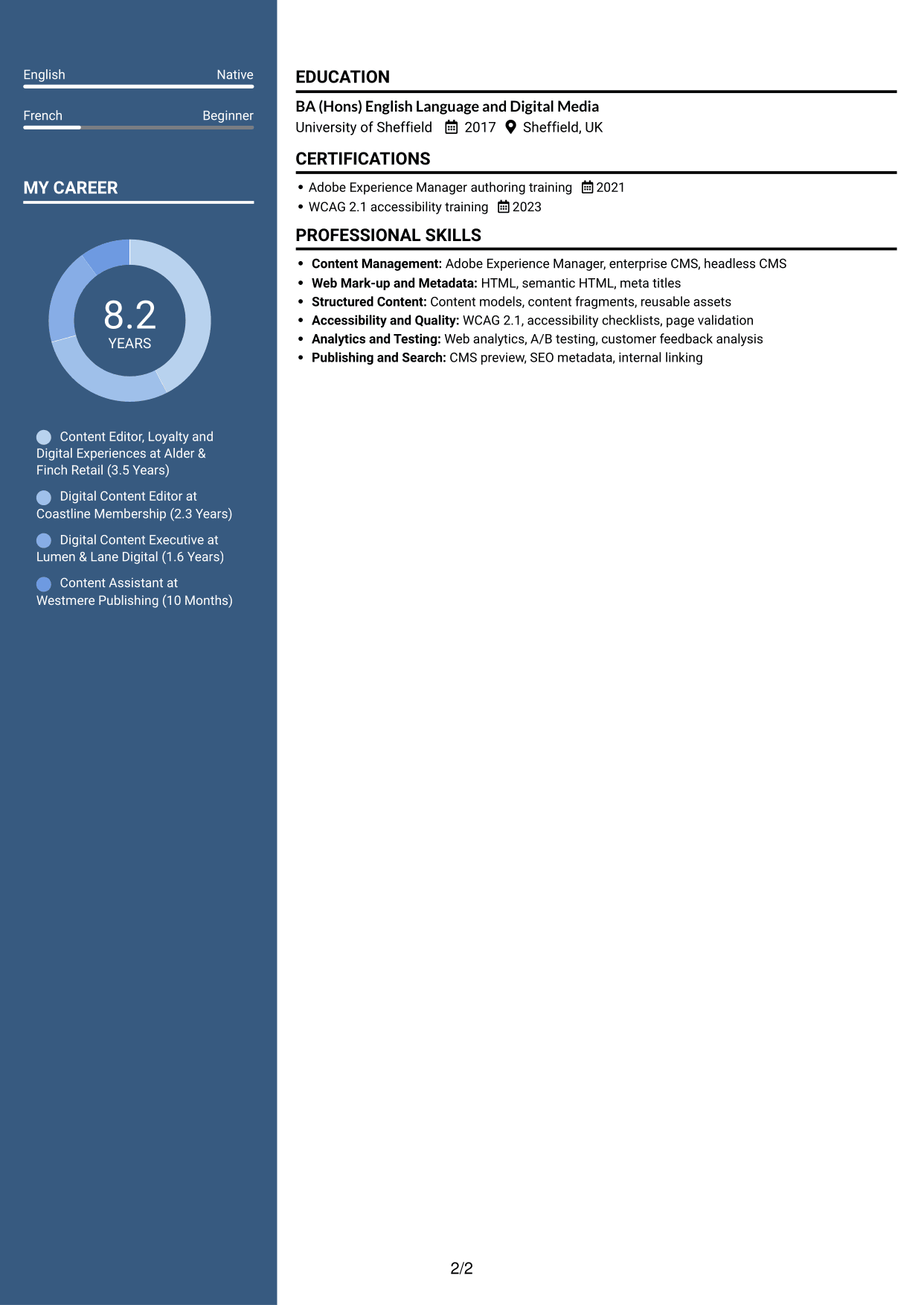
 
CV example — page 1   CV example — page 2

Why This Format Works

  • The two-column body separates career details from other CV information.
  • A clear reading order helps recruiters follow roles and career progression.
  • The photo remains in the header, apart from the work history.

Best For

  • CVs that include a header photo
  • Career histories with supporting sections
  • Divided content areas
  • Readers who value a personal visual element
  • Work history reviewed alongside other details
 

#6 Coloured Two Column Format CV Example

Coloured Two Column Format arranges CV content in two reading areas, giving recruiters a straightforward way to scan experience and related details.
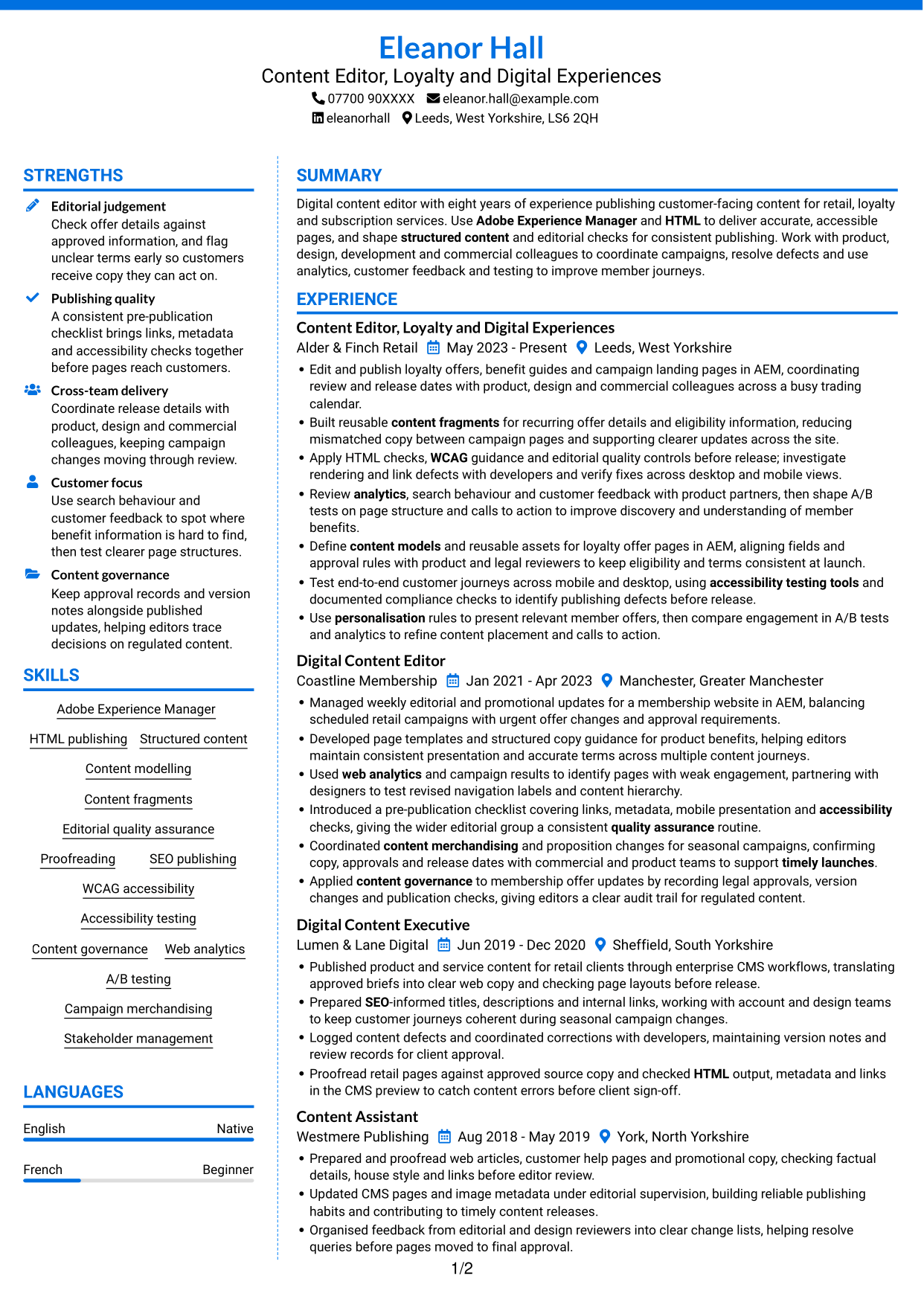
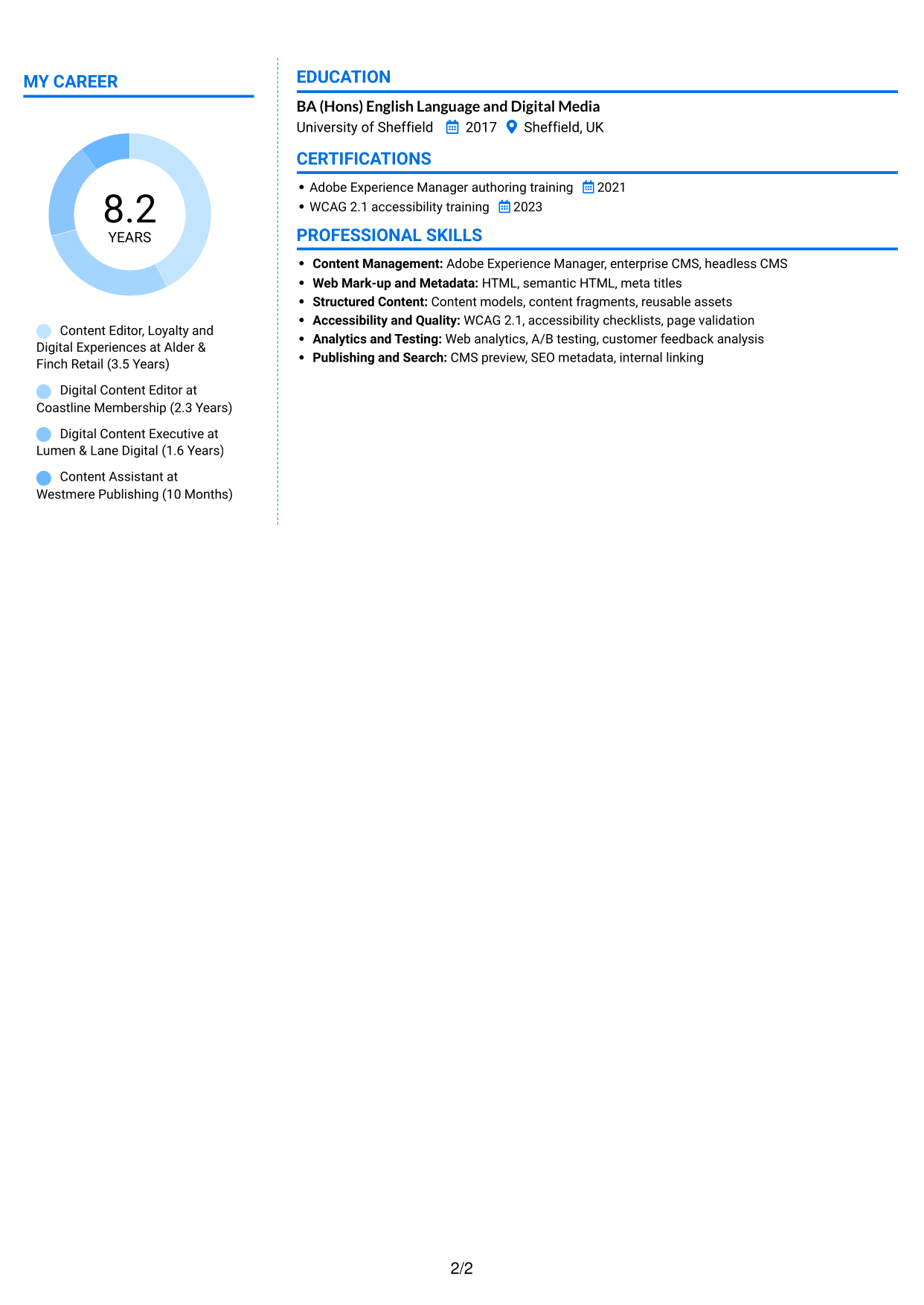
 
CV example — page 1   CV example — page 2

Why This Format Works

  • Two columns let reviewers locate career history without scanning one long content stream.
  • Separate areas make supporting sections easier to distinguish from experience.
  • The layout gives education and credentials their own clear place in the CV.

Best For

  • Longer career histories
  • Experience and credentials shown separately
  • CVs with several supporting sections
  • Education alongside work history
  • Readers who prefer divided content
 

#7 Stylish Two Column Designer Format CV Example

Stylish Two Column Designer Format uses two content columns to give the CV a clearly divided structure for career information and supporting details.
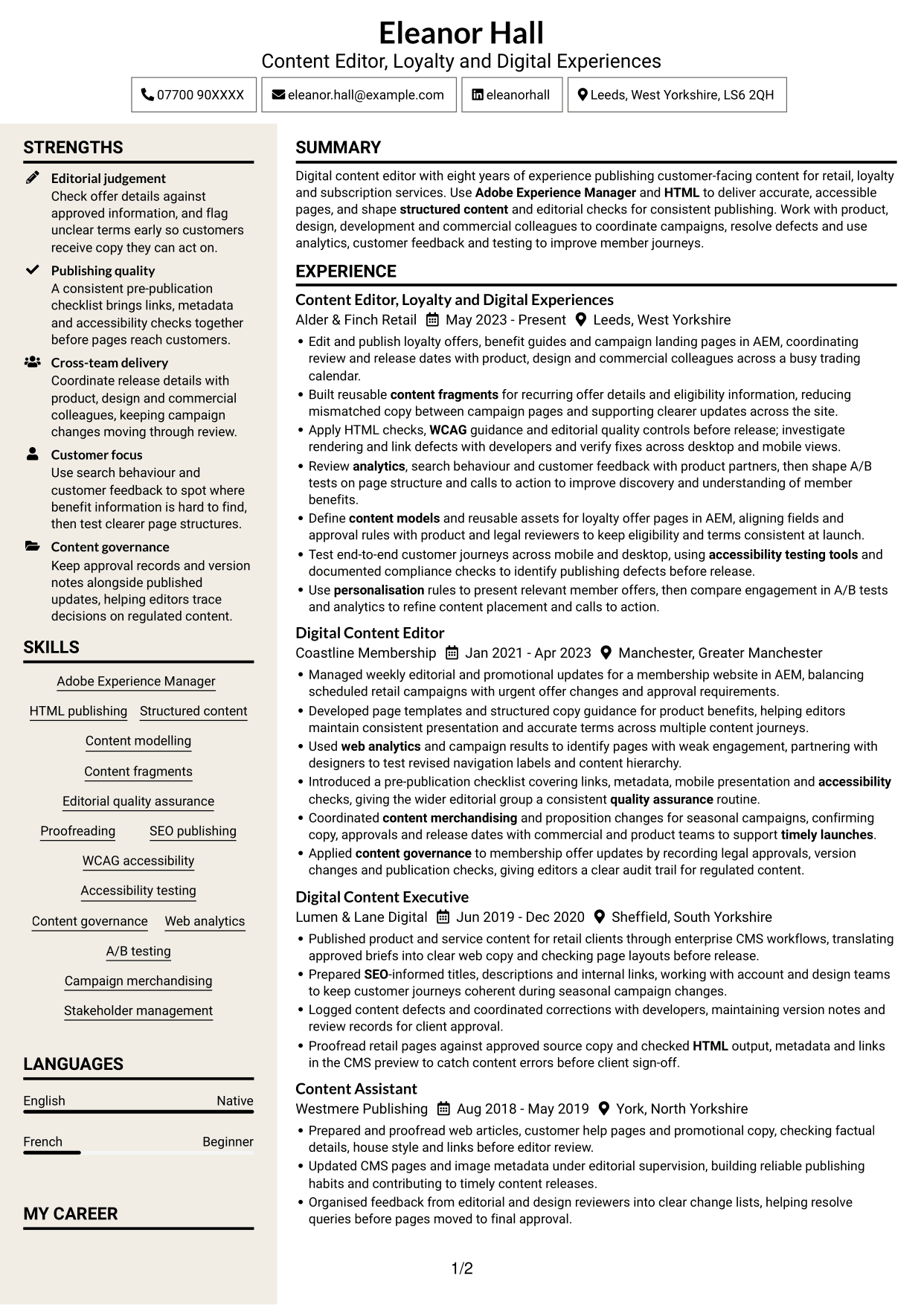
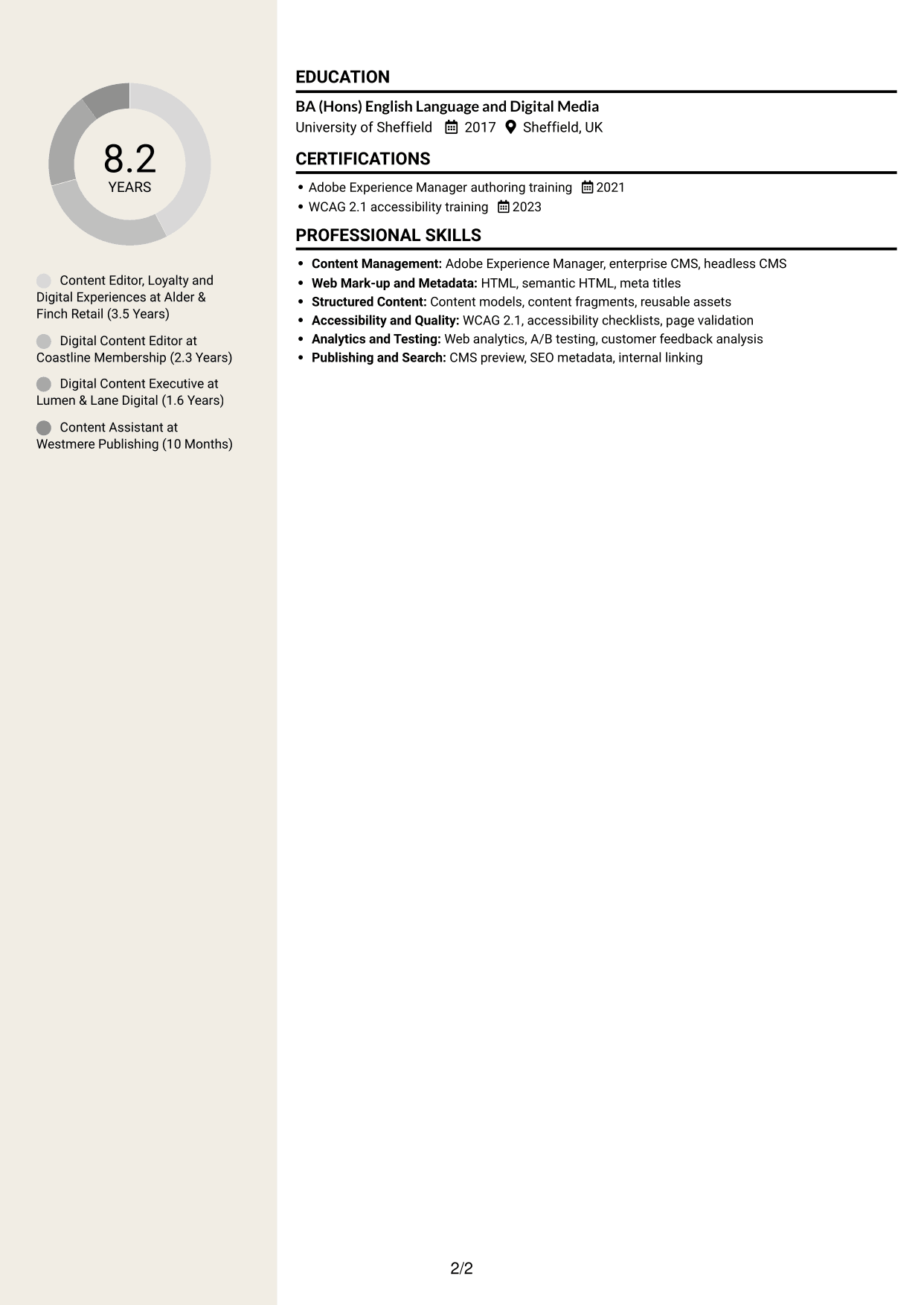
 
CV example — page 1   CV example — page 2

Why This Format Works

  • The two-column structure gives career history and supporting information distinct areas.
  • Reviewers can move between experience and education without losing the section order.
  • Separate content areas help skills remain easy to locate beside career details.

Best For

  • CVs with experience and supporting details
  • Skills listed beside career information
  • Education shown with work history
  • Readers who prefer separate content areas
  • Several sections needing clear organisation


Why Build Your Content Editor - Digital Rewards CV with ResumeInMinutes

Arrange your experience, skills and education in a clear CV format. Compare PNG image previews, then open an example in the editor to customise its content and layout.

  • Clear CV layouts
  • Easy-to-scan section structure
  • Space for role-specific keywords
  • Organised skills and experience
  • PNG image previews
  • CV customisation in the editor

Choose a format that makes your publishing work easy to follow. Keep the focus on AEM, structured content, accessibility, campaign updates and evidence of content improvements.


See Also


Frequently Asked Questions

Are these Content Editor - Digital Rewards CV templates ATS-friendly?

The examples use clear headings and sections that are easy to scan. Include relevant terms naturally, such as Adobe Experience Manager, HTML, content governance, WCAG and A/B testing.

Are these separate CV examples or different layouts of one example?

This page presents one role-focused CV example in different layouts. Compare the PNG image previews, then open an example in the editor to customise it.

What should a Content Editor - Digital Rewards CV include?

Include a focused summary, relevant experience, skills and education. Show how you publish and check content, work with other teams, maintain structured content and use customer insight to improve digital journeys.

Which CV layout works well for this role?

Choose a layout with clear headings and a simple order for your experience, skills and education. This helps recruiters and applicant tracking systems find key details.

How can I show content editing achievements on my CV?

Write concise bullet points that explain the task, your contribution and the result. Use supported measures where available, such as improvements in engagement, fewer content errors or faster updates.

Should I include a photo on my CV?

A photo is not usually needed for UK applications. Use the space for relevant experience, skills and evidence of your results.


ATS Score 96%

How we calculate this score

  • Keywords: 60% of the total. AI extracts keywords from your job description. If you do not provide one, a standard job description for the title matching your CV is used. This is not a match to a specific vacancy.
  • Text-based CV: 20%. The text CV assessed here receives 100 for this part.
  • CV quality: 20%. We start at 100 and subtract points for issues found by our CV checks, down to a minimum of zero.
  • Keyword coverage = 100 × (confirmed matches + 0.8 × possible matches) ÷ total keywords, rounded and capped at 100. Possible matches still need checking. Saved generation audits use their saved keyword percentage.
  • Final score = 60% of keyword coverage + 20% of the text score + 20% of the quality score, rounded to a whole number. Without keywords, no overall ATS score is available.

What this score means

Our scores are estimates, not employer ratings. They may contain errors and do not guarantee accurate parsing, a ranking, an interview, or a job. Check your document against the employer’s requirements. You are responsible for relying on this score.

Terms and Conditions

Score weights: Keywords 60% · Text based CV 20% · CV quality 20%

Keywords: 27 matched + 4 possible of 31 (97%) · CV quality: 90%

CV quality 90% · Weight 20% · Issues (1)

Details
  • ✓Name present: Eleanor Hall
  • ✓Email format: eleanor.hall@example.com
  • ✗Phone format: 07700 90XXXX
  • ✓Experience 1: Job title: Content Editor, Loyalty and Digital Experiences
  • ✓Experience 1: Company name: Alder & Finch Retail
  • ✓Experience 1: Work location: Leeds, West Yorkshire
  • ✓Experience 1: Employment dates: May 2023 - Present
  • ✓Experience 1: Description or achievements: Present
  • ✓Experience 2: Job title: Digital Content Editor
  • ✓Experience 2: Company name: Coastline Membership
  • ✓Experience 2: Work location: Manchester, Greater Manchester
  • ✓Experience 2: Employment dates: Jan 2021 - Apr 2023
  • ✓Experience 2: Description or achievements: Present
  • ✓Experience 3: Job title: Digital Content Executive
  • ✓Experience 3: Company name: Lumen & Lane Digital
  • ✓Experience 3: Work location: Sheffield, South Yorkshire
  • ✓Experience 3: Employment dates: Jun 2019 - Dec 2020
  • ✓Experience 3: Description or achievements: Present
  • ✓Experience 4: Job title: Content Assistant
  • ✓Experience 4: Company name: Westmere Publishing
  • ✓Experience 4: Work location: York, North Yorkshire
  • ✓Experience 4: Employment dates: Aug 2018 - May 2019
  • ✓Experience 4: Description or achievements: Present
  • ✓No placeholder fields
  • ✓No repeated achievement bullets
  • ✓No empty bullets

Header: Check the phone number: “07700 90XXXX”. Use 7–15 digits, with an optional country code.

Expand details to review the checks.

Text Based CV 100% · Weight 20%

Parsed text
Eleanor Hall
Content Editor, Loyalty and Digital Experiences
07700 90XXXX
eleanorhall
Leeds, West Yorkshire, LS6 2QH
eleanor.hall@example.com
STRENGTHS
Editorial judgement
Check offer details against approved information, and flag unclear terms early so customers receive copy they can act on.
Publishing quality
A consistent pre-publication checklist brings links, metadata and accessibility checks together before pages reach customers.
Cross-team delivery
Coordinate release details with product, design and commercial colleagues, keeping campaign changes moving through review.
Customer focus
Use search behaviour and customer feedback to spot where benefit information is hard to find, then test clearer page structures.
Content governance
Keep approval records and version notes alongside published updates, helping editors trace decisions on regulated content.
SUMMARY
Digital content editor with eight years of experience publishing customer-facing content for retail, loyalty and subscription services. Use Adobe Experience Manager and HTML to deliver accurate, accessible pages, and shape structured content and editorial checks for consistent publishing. Work with product, design, development and commercial colleagues to coordinate campaigns, resolve defects and use analytics, customer feedback and testing to improve member journeys.
EXPERIENCE
Content Editor, Loyalty and Digital Experiences
Alder & Finch Retail
May 2023 - Present
Leeds, West Yorkshire
Edit and publish loyalty offers, benefit guides and campaign landing pages in AEM, coordinating review and release dates with product, design and commercial colleagues across a busy trading calendar.
Built reusable content fragments for recurring offer details and eligibility information, reducing mismatched copy between campaign pages and supporting clearer updates across the site.
Apply HTML checks, WCAG guidance and editorial quality controls before release; investigate rendering and link defects with developers and verify fixes across desktop and mobile views.
Review analytics, search behaviour and customer feedback with product partners, then shape A/B tests on page structure and calls to action to improve discovery and understanding of member benefits.
Define content models and reusable assets for loyalty offer pages in AEM, aligning fields and approval rules with product and legal reviewers to keep eligibility and terms consistent at launch.
Test end-to-end customer journeys across mobile and desktop, using accessibility testing tools and documented compliance checks to identify publishing defects before release.
Use personalisation rules to present relevant member offers, then compare engagement in A/B tests and analytics to refine content placement and calls to action.
Digital Content Editor
Coastline Membership
Jan 2021 - Apr 2023
Manchester, Greater Manchester
Managed weekly editorial and promotional updates for a membership website in AEM, balancing scheduled retail campaigns with urgent offer changes and approval requirements.
Developed page templates and structured copy guidance for product benefits, helping editors maintain consistent presentation and accurate terms across multiple content journeys.
Used web analytics and campaign results to identify pages with weak engagement, partnering with designers to test revised navigation labels and content hierarchy.
Introduced a pre-publication checklist covering links, metadata, mobile presentation and accessibility checks, giving the wider editorial group a consistent quality assurance routine.
Coordinated content merchandising and proposition changes for seasonal campaigns, confirming copy, approvals and release dates with commercial and product teams to support timely launches.
Applied content governance to membership offer updates by recording legal approvals, version changes and publication checks, giving editors a clear audit trail for regulated content.
Digital Content Executive
Lumen & Lane Digital
Jun 2019 - Dec 2020
Sheffield, South Yorkshire
Published product and service content for retail clients through enterprise CMS workflows, translating approved briefs into clear web copy and checking page layouts before release.
Prepared SEO-informed titles, descriptions and internal links, working with account and design teams to keep customer journeys coherent during seasonal campaign changes.
Logged content defects and coordinated corrections with developers, maintaining version notes and review records for client approval.
Proofread retail pages against approved source copy and checked HTML output, metadata and links in the CMS preview to catch content errors before client sign-off.
Content Assistant
Westmere Publishing
Aug 2018 - May 2019
York, North Yorkshire
Prepared and proofread web articles, customer help pages and promotional copy, checking factual details, house style and links before editor review.
Updated CMS pages and image metadata under editorial supervision, building reliable publishing habits and contributing to timely content releases.
Organised feedback from editorial and design reviewers into clear change lists, helping resolve queries before pages moved to final approval.
SKILLS
HTML publishing
Content governance
Proofreading
Adobe Experience Manager
Editorial quality assurance
Stakeholder management
Campaign merchandising
Accessibility testing
WCAG accessibility
Content fragments
Content modelling
A/B testing
Structured content
SEO publishing
Web analytics
LANGUAGES
English
Native
French
Beginner
MY CAREER
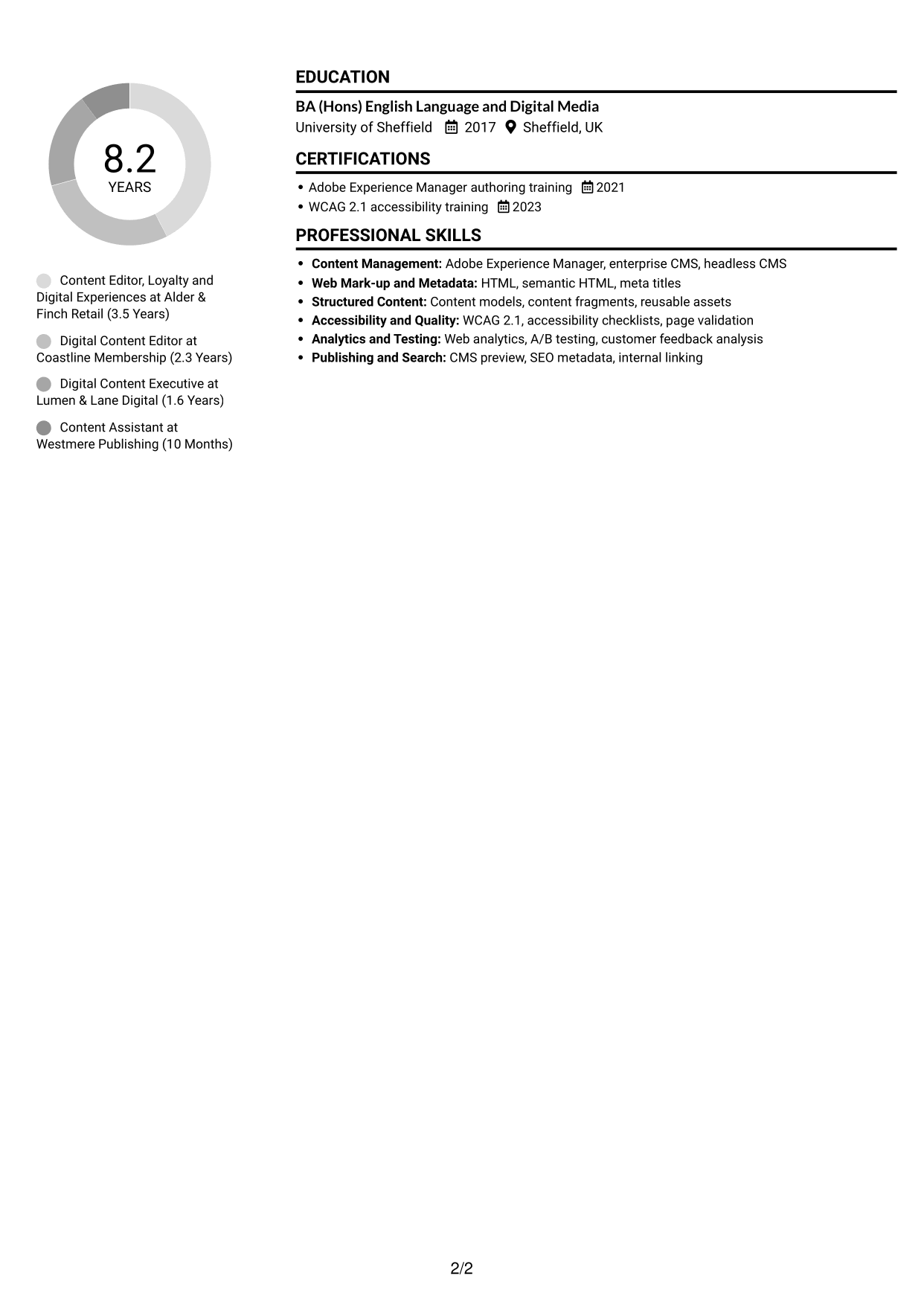
8.2Years
Content Editor, Loyalty and Digital Experiences at Alder & Finch Retail (3.5 Years)
Digital Content Editor at Coastline Membership (2.3 Years)
Digital Content Executive at Lumen & Lane Digital (1.6 Years)
Content Assistant at Westmere Publishing (10 Months)
EDUCATION
BA (Hons) English Language and Digital Media
University of Sheffield
2017
Sheffield, UK
CERTIFICATIONS
Adobe Experience Manager authoring training
2021
WCAG 2.1 accessibility training
2023
PROFESSIONAL SKILLS
Content Management: Adobe Experience Manager, enterprise CMS, headless CMS
Web Mark-up and Metadata: HTML, semantic HTML, meta titles
Structured Content: Content models, content fragments, reusable assets
Accessibility and Quality: WCAG 2.1, accessibility checklists, page validation
Analytics and Testing: Web analytics, A/B testing, customer feedback analysis
Publishing and Search: CMS preview, SEO metadata, internal linking

Matched keywords (27)

  • Adobe Experience ManagerOriginal keyword in JD: Adobe Experience Manager (AEM) OR enterprise content management systems
  • HTML
  • coordinating review and release dates with product, design and commercial colleagues across a busy trading calendarOriginal keyword in JD: Content operations
  • Stakeholder management
  • with product, design and commercial colleagues across a busy trading calendarOriginal keyword in JD: Multidisciplinary team collaboration
  • Structured content
  • content models
  • Content fragments
  • content merchandising
  • Coordinated content merchandising and proposition changes for seasonal campaigns, confirming copy, approvals and release dates with commercial and product teams to support timely launches.Original keyword in JD: Campaign and proposition change coordination
  • support timely launchesOriginal keyword in JD: Launch support
  • Editorial quality assurance
  • Proofreading
  • SEO
  • WCAGOriginal keyword in JD: Web accessibility (WCAG)
  • accessibility testing tools
  • Test end-to-end customer journeys across mobile and desktopOriginal keyword in JD: End-to-end content testing
  • investigate rendering and link defects with developers and verify fixes across desktop and mobile views.Original keyword in JD: Defect investigation and resolution
  • Web analytics
  • Review analytics, search behaviour and customer feedback with product partnersOriginal keyword in JD: Customer insight
  • personalisation
  • A/B testing
  • refine content placement and calls to actionOriginal keyword in JD: Content optimisation
  • Content governance
  • recording legal approvals, version changes and publication checks, giving editors a clear audit trail for regulated content.Original keyword in JD: Legal and regulatory compliance
  • Introduced a pre-publication checklist covering links, metadata, mobile presentation and accessibility checks, giving the wider editorial group a consistent quality assurance routine.Original keyword in JD: Editorial process improvement
  • improve discovery and understanding of member benefits.Original keyword in JD: Customer engagement

Missing keywords (0)

No missing keywords.

Possible matches (4)

  • Digital publishing80% credit: 2.58 percentage points of 3.23 possible.
  • Reusable content assets80% credit: 2.58 percentage points of 3.23 possible.
  • Loyalty and rewards propositions80% credit: 2.58 percentage points of 3.23 possible.
  • Retail and membership propositions80% credit: 2.58 percentage points of 3.23 possible.
Disclaimer: All names, images, contact information, employment histories, achievements, security clearances, military credentials, and other qualifications shown in this content are fictional and used for illustrative purposes only. Any resemblance to actual persons, living or deceased, is purely coincidental.

CV and cover letter examples and recommendations in this article reflect general best practices and professional experience and are provided for guidance only. Results may vary based on role, industry, region, and hiring organisation.

Content Accuracy and Verification: To the fullest extent permitted by applicable law, we do not represent or warrant that CV or cover letter guidance, examples, recommendations, or related information are accurate, complete, current, error-free, or suitable for any particular purpose. You are responsible for independently reviewing and verifying the information before relying on it.

ATS and Cover Letter Scores: ATS scores are estimates calculated using our own formula, informed by publicly available guidance on CV formatting and keyword matching. They are not scores issued or endorsed by an ATS provider or employer. Cover letter scores are also our own assessments. Parsing, weighting, screening criteria, and results vary between systems, employers, job descriptions, and document formats. No score guarantees successful parsing, a particular ranking, an interview, or employment. Use scores as general guidance and independently check your documents against the employer’s requirements. To the fullest extent permitted by applicable law, we accept no liability for errors in scores or parsing, or losses arising from reliance on these assessments. Nothing in this notice excludes liability or limits consumer rights that cannot lawfully be excluded or limited.

Terms and Conditions
 
> JP 1 1
PDF Footer and Margins Setup
The margins are applied to the document, and the footer appears in both the preview and the PDF

Footer Font Settings

Are you applying for a specific job
so we can tailor your CV to it?
Are you applying for a specific job
so we can tailor your cover letter to it?
Type your details as text to generate a personalised CV Type your details as text to generate a personalised cover letter
Website link found! Ready to create CV from:
Drag the into the box to verify you're human.
Drop here

My CVs

Showing {number_of_files} files (out of {total_of_all_files} total)
Name File Type Last Modified: Description:

Rename File

Filename already exists!

Delete Files

Warning: This action is irreversible. Once you click submit, the files will be permanently deleted.

Heading text
Upload From Computer Upload
Select From Existing
LinkedIn
Drag & Drop files anywhere in this tab, or

Uploaded Files

Delete Name Last Updated Use This File
Select this to use the file for generating your CV and cover letter. Only one source—uploaded file, selected file, or LinkedIn text—can be used.

My Files

CVs or cover letters you create will appear here. No files available yet.
Delete Name Last Updated Use This File
Select this to use the file for generating your CV and cover letter. Only one source—uploaded file, selected file, or LinkedIn text—can be used.

Add LinkedIn Profile PDF

You can download your LinkedIn profile as a PDF by opening linkedin.com in a web browser, clicking your profile photo, selecting the “More” or “Resources” button, and choosing “Save to PDF.” You can then attach the PDF using the Upload From Computer tab.

Paste Your LinkedIn Profile Text

If you have copied the LinkedIn profile text, paste it below. See how to copy your profile from LinkedIn

Select this to use the LinkedIn profile text for generating your CV and covering letter. Only one source—uploaded file, selected file, or LinkedIn text—can be used.

Try these controls

<
>


