
7 Options Broker - Commodity Derivatives Cover Letter Templates with Example
This practical guide to an Options Broker - Commodity Derivatives cover letter shows how to present market knowledge and client-focused evidence across seven layouts.
What Makes a Great Options Broker - Commodity Derivatives Cover Letter in 2026
A strong letter states why you are applying, then shows how you price and structure options, negotiate trades and guide institutional clients through changing markets.
Use focused evidence from commodity and freight analysis, client development, trade follow-up and careful compliance. Link that evidence to the employer’s markets and working style, then close with clear interest.
The featured example moves from direct role interest to broking work, a focused account of market analysis and trade coordination, then employer alignment and a clear close. Adapt this progression while choosing a presentation that suits the employer and communication context.
#1 Simple One Column Format Cover Letter Example
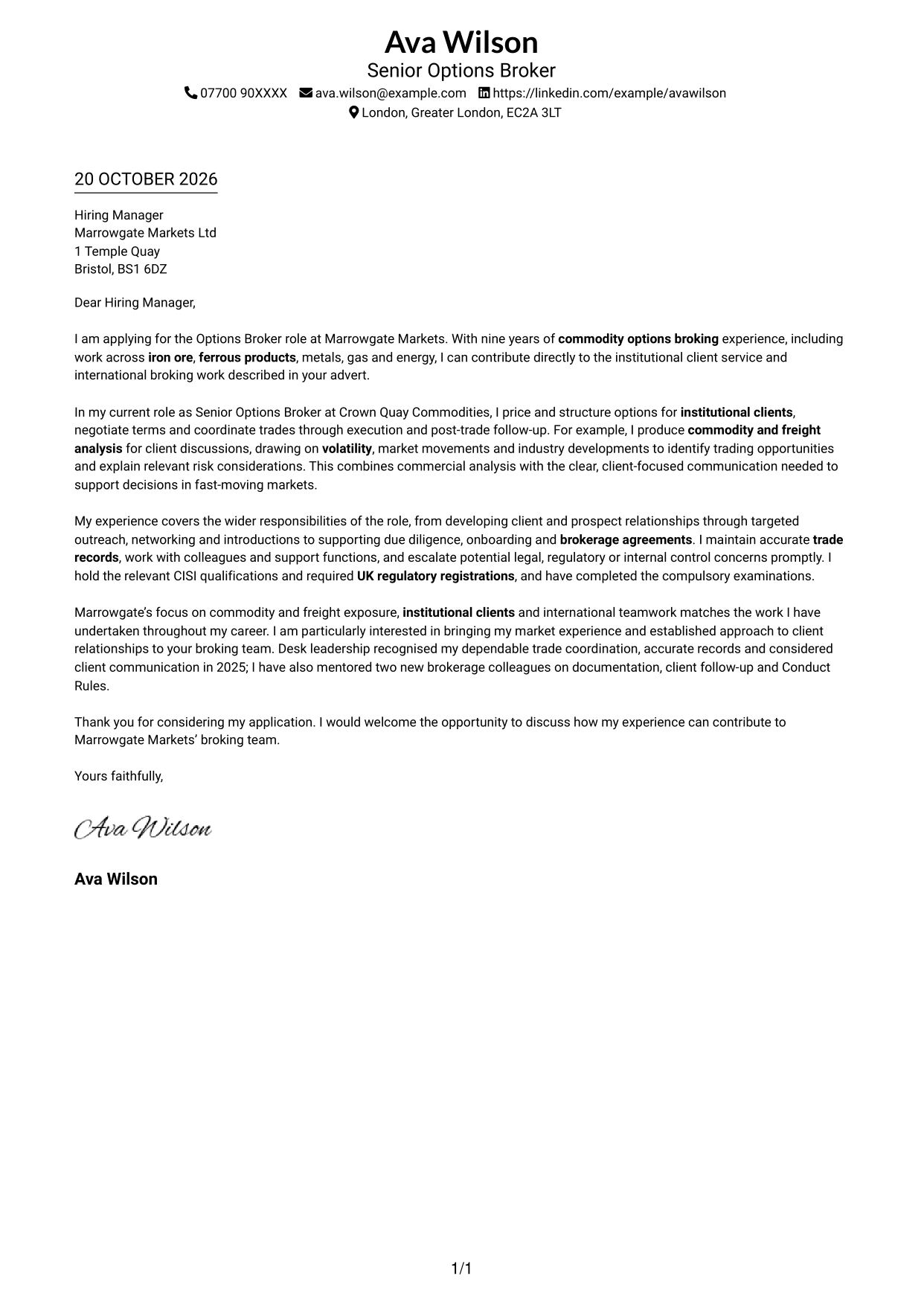
The Simple One Column Format keeps sender details in the header and the letter in one body column, so the argument reads as one continuous message.
Why This Format Works
- Sender details stay in the header, apart from the persuasive paragraphs below.
- Without body headings, paragraph order carries motivation, evidence and closing naturally.
- A single body column keeps each paragraph in the same reading path.
Best For
- One-column page preference
- Header-based contact details
- Unheaded letter paragraphs
- Formal employer correspondence
- Photo-free applications
#2 Two Column Format Cover Letter Example
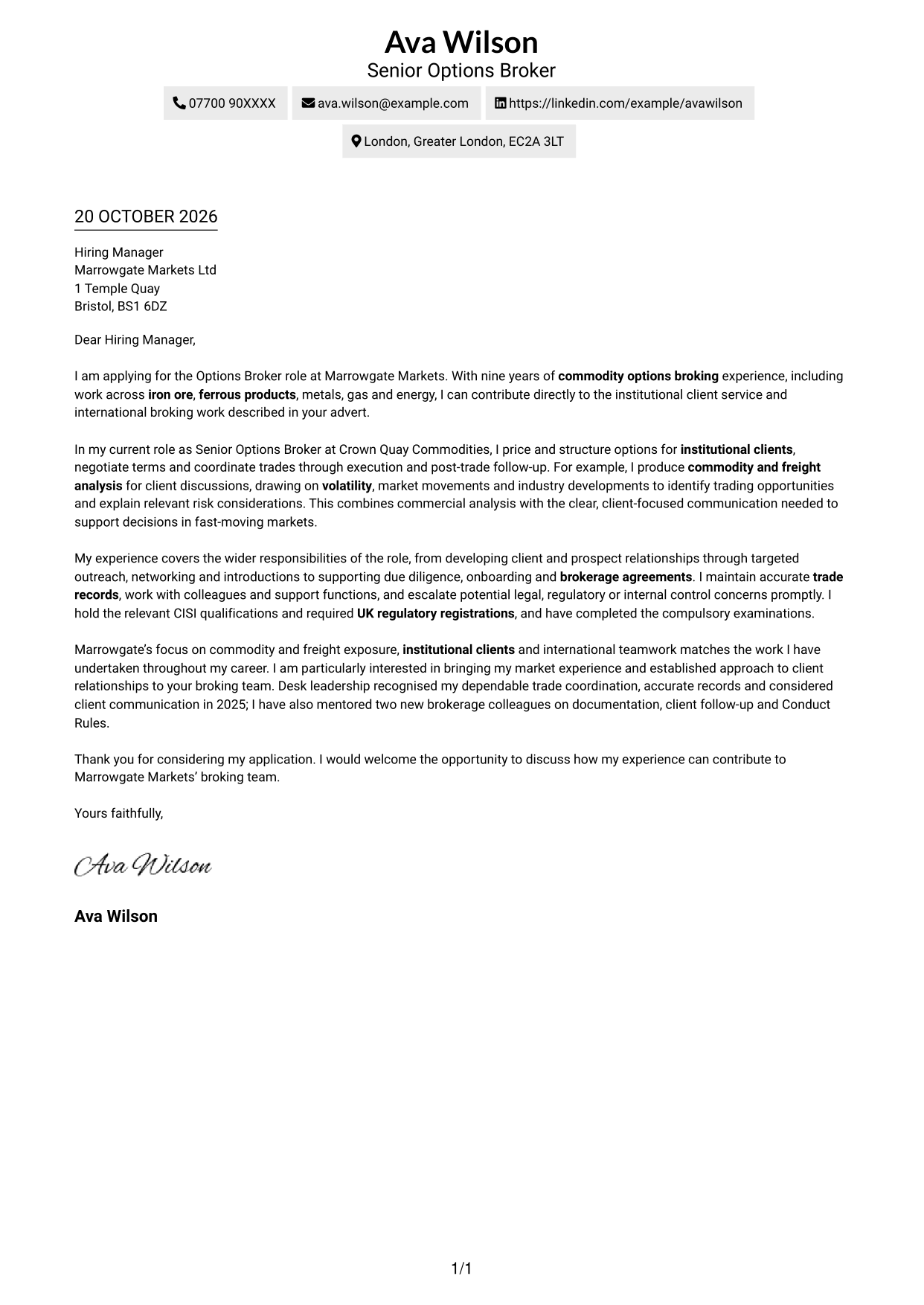
With a contact sidebar beside one continuous letter body, the Two Column Format keeps contact details apart from the message while preserving a clear reading order.
Why This Format Works
- The sidebar gives sender details a dedicated place beside the letter.
- The main body keeps the opening, supporting case and close together.
- No headings divide the argument into labelled stages, so the prose carries the case.
Best For
- Separate sender and message areas
- Continuous letter-body layouts
- Unheaded persuasive paragraphs
- Employer-specific applications
- Photo-free correspondence
#3 Photo Header Two Column Format Cover Letter Example
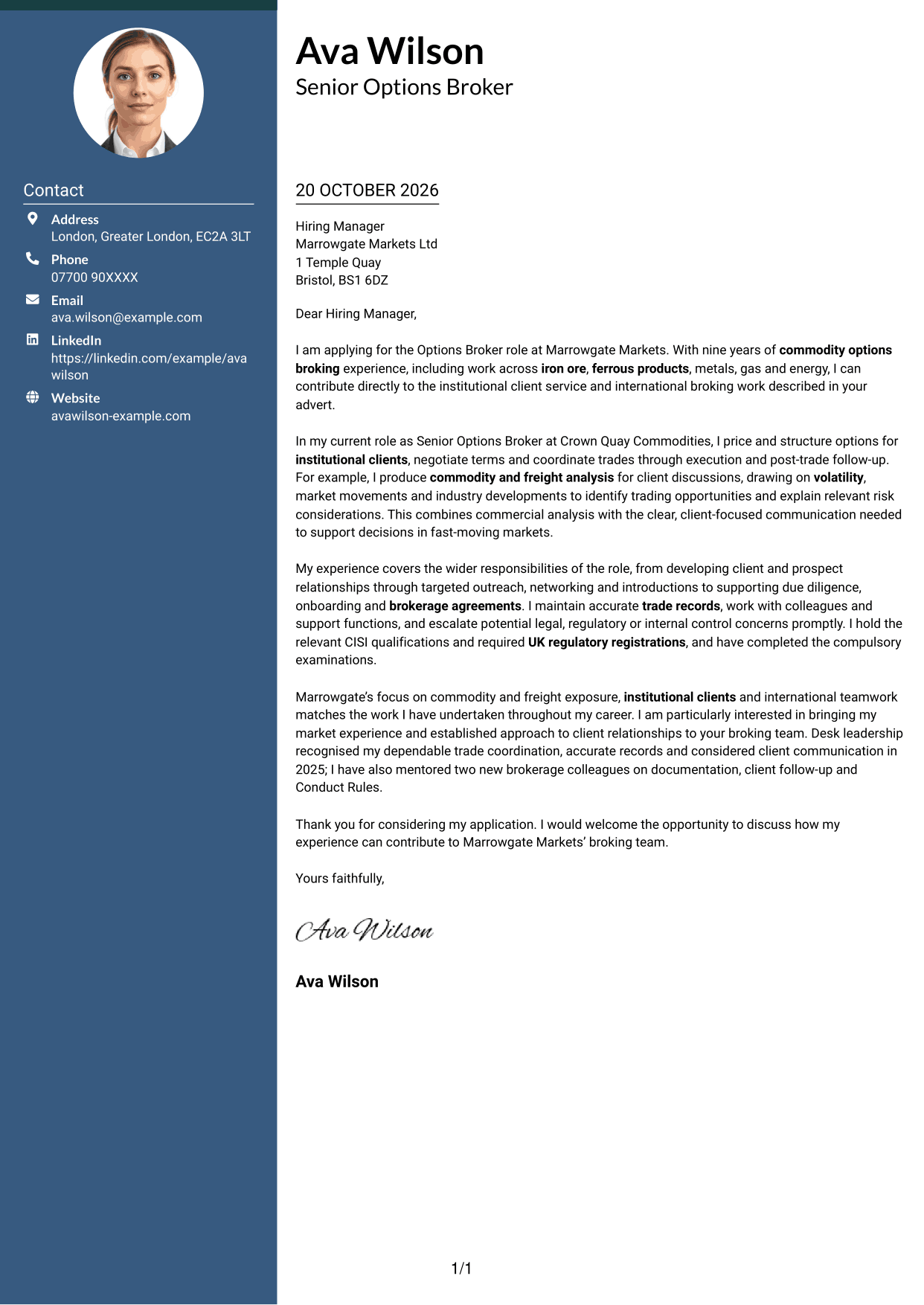
A contact sidebar and continuous letter body define the Photo Header Two Column Format, which also includes a photo for readers who prefer a portrait.
Why This Format Works
- The portrait is a visual choice, while the letter’s case remains in its paragraphs.
- Contact details sit apart from the message in the sidebar.
- Without body headings, paragraph order carries motivation, evidence and closing.
Best For
- Portrait-inclusive applications
- Contact details beside the message
- Unheaded letter arguments
- Formal company applications
- International broking applications
#4 One Column Format with Photo Cover Letter Example
The One Column Format with Photo keeps the sender details in the header and includes a photo, while the letter itself follows one continuous body column.
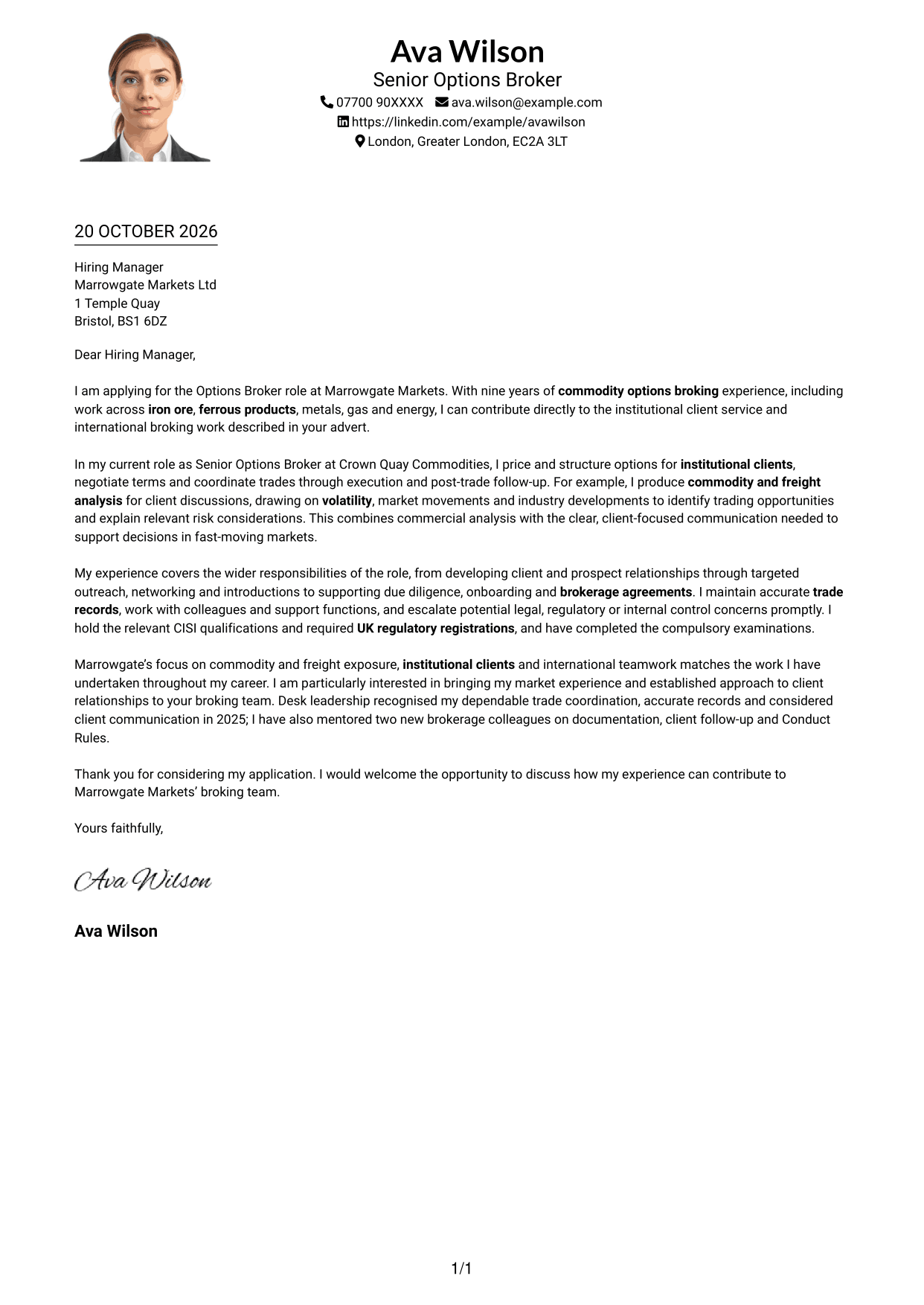
Why This Format Works
- The photo adds a portrait without dividing the letter into parallel body columns.
- Sender details remain in the header, apart from the application message.
- The continuous body lets the opening, evidence and closing read in sequence.
Best For
- One-column letter layouts
- Portrait-inclusive applications
- Header-based contact details
- Continuous application letters
- Formal employer correspondence
#5 Simple Two Column Format Cover Letter Example
The Simple Two Column Format places a contact sidebar beside one continuous letter body, giving contact details their own area without splitting the message.
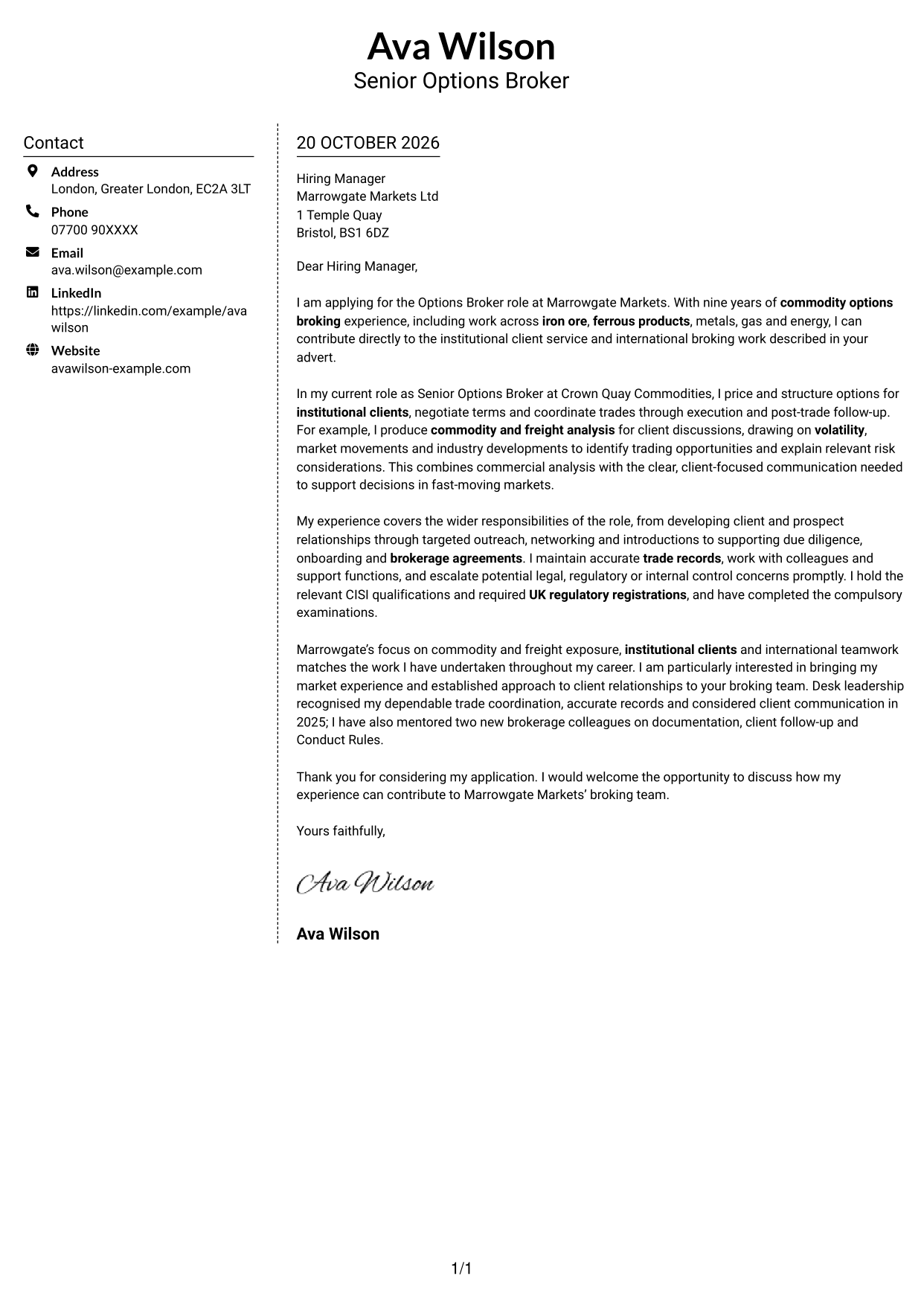
Why This Format Works
- Sender details have a separate place, leaving the letter body to carry the case.
- The body remains continuous, so motivation and evidence are read as connected paragraphs.
- No body headings interrupt the movement from application opening to closing.
Best For
- Distinct sender and message areas
- Continuous paragraph-based letters
- Unheaded cover letter arguments
- Two-column document preference
- Photo-free applications
#6 Modern Icon Format Cover Letter Example
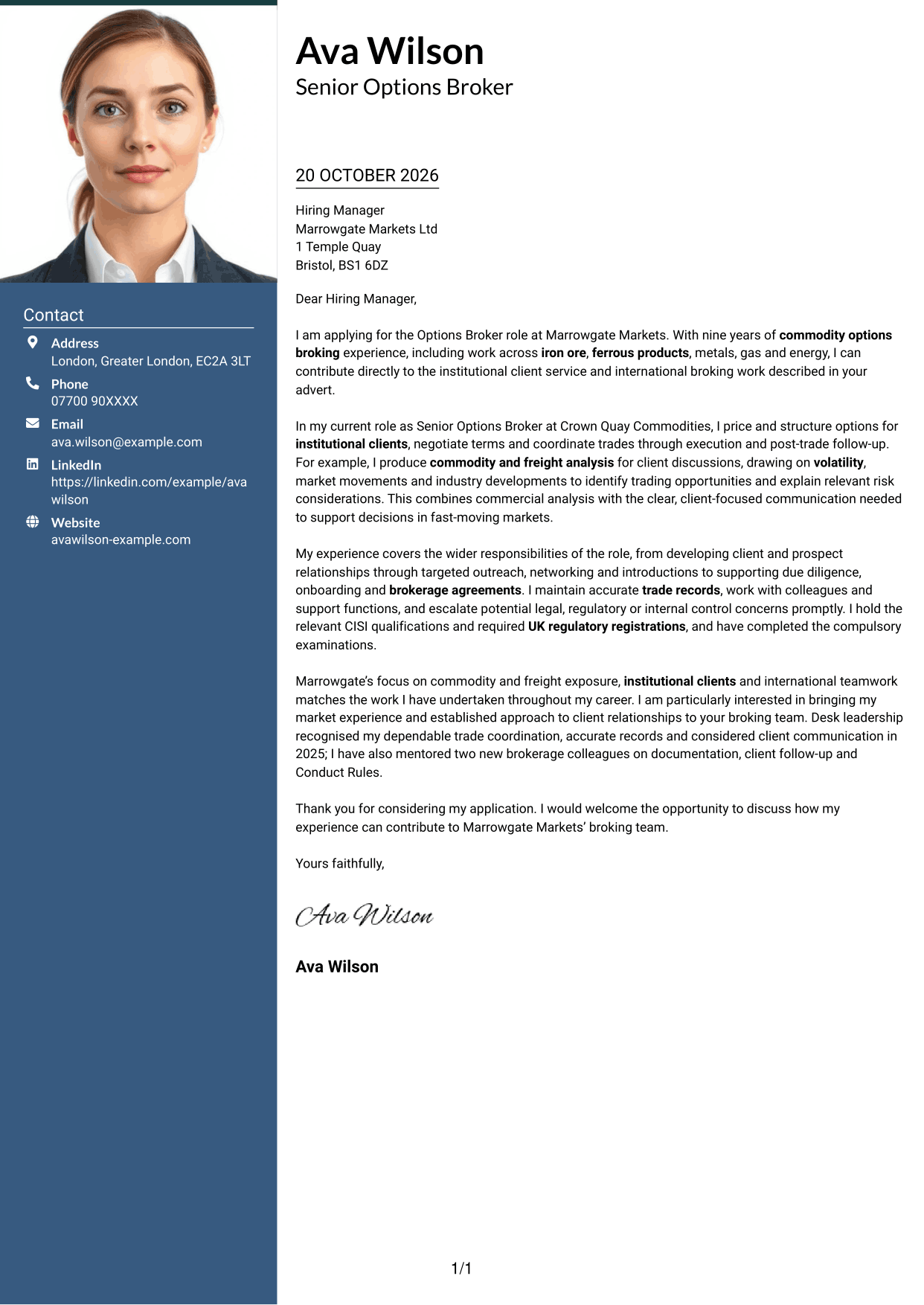
The Modern Icon Format pairs a contact sidebar with a continuous letter body, using icons as contact cues or header accents rather than labels for the argument.
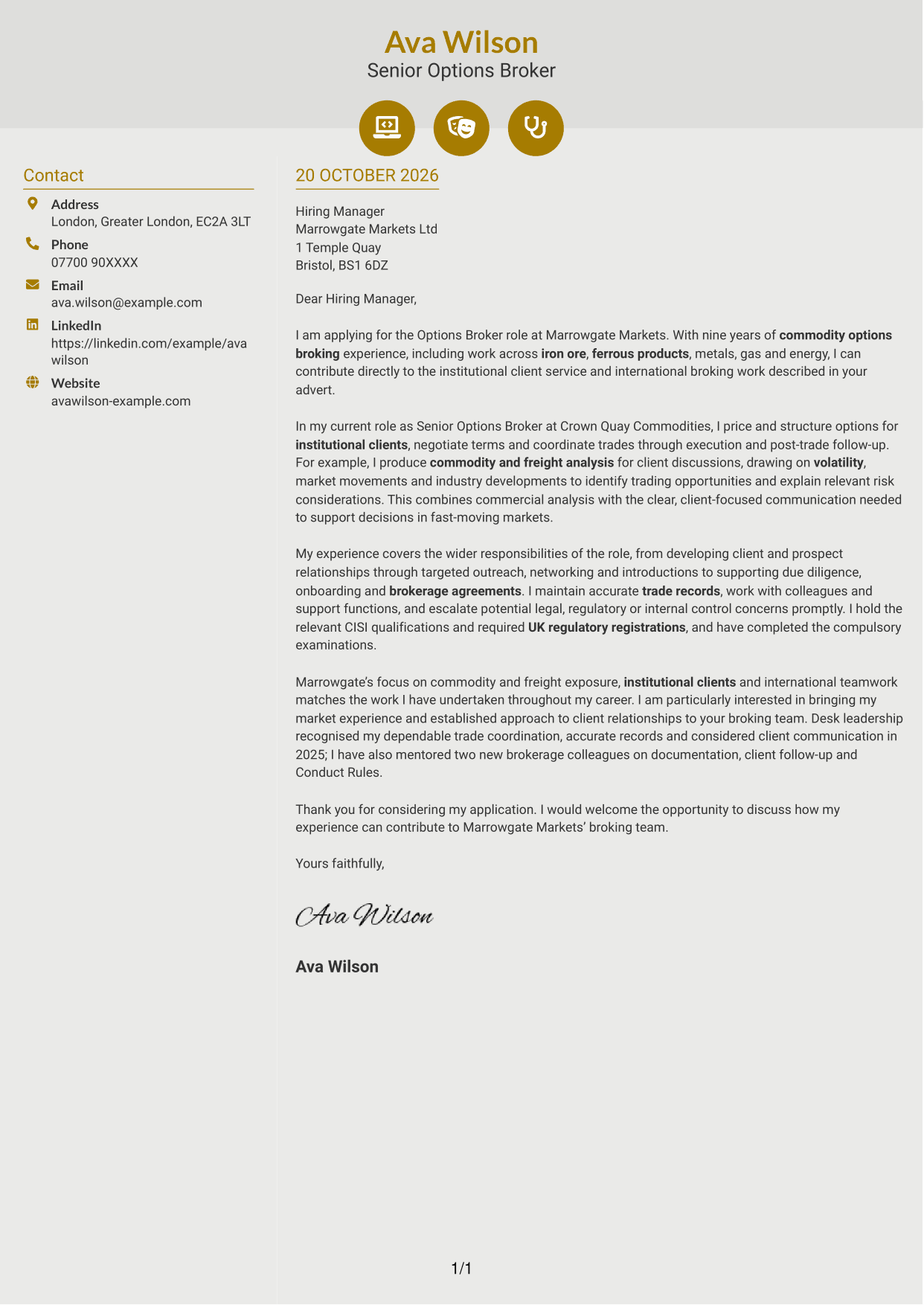
Why This Format Works
- Contact icons help distinguish contact details without labelling the letter’s argument.
- The sidebar keeps sender information apart from the continuous body.
- Paragraph order carries the application from its opening through its closing.
Best For
- Icon-led contact details
- Separate contact and message areas
- Continuous letter paragraphs
- Unheaded employer applications
- Photo-free correspondence
#7 Creative Two Tone Format Cover Letter Example
The Creative Two Tone Format uses a contact sidebar beside one continuous letter body, giving contact details a separate place while keeping the message together.
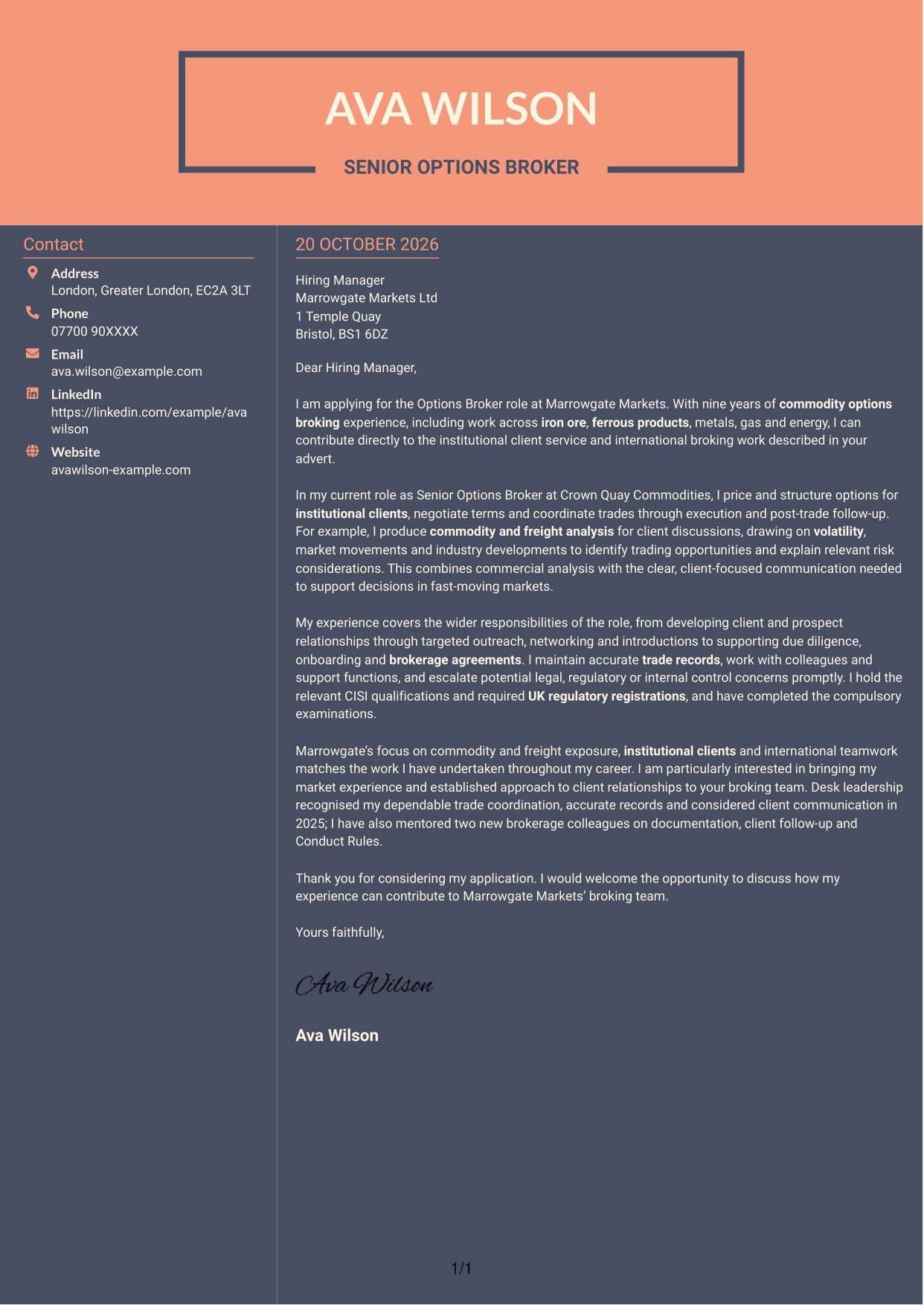
Why This Format Works
- A dedicated sidebar separates sender details from the letter’s persuasive paragraphs.
- The continuous body keeps the opening, evidence and closing in one sequence.
- Without body headings, paragraph order guides the reader through the full message.
Best For
- Contact details beside the message
- Continuous letter-body layouts
- Unheaded persuasive paragraphs
- Two-column page preference
- Client-facing applications
See Also
- 7 Options Broker - Commodity Derivatives CV Templates with Example
- 7 Director, US Funds Tax CV Templates with Example
- 7 Systems Engineer - Defence Training Systems CV Templates with Example
- 7 Branch Manager - Automotive Parts Distribution CV Templates with Example
- 7 Brand Specialist (Supervisor) - Menswear, Accessories CV Templates with Example
- 7 Pathway Support CV Templates with Example
- 7 Senior Research Associate - Liver Cancer Bioinformatics CV Templates with Example
- 7 Operations Manager - Higher Education Operations CV Templates with Example
- 7 Team Assistant - Executive and Office Support CV Templates with Example
- 7 Admin Officer - Court Administration CV Templates with Example
Frequently Asked Questions
What should an Options Broker - Commodity Derivatives cover letter highlight?
Show how your options broking supports institutional clients and their commodity or freight exposure. Give relevant evidence of pricing, structuring, negotiation, market analysis and trade follow-up.
How can I show my fit for this options broker role?
Choose a clear example, such as using commodity and freight analysis to explain market movements, opportunities or risk. State what you did and how it supported a useful client discussion.
How should I explain my interest in the employer?
Refer to a genuine point about the employer’s focus on commodity and freight exposure, institutional clients or international teamwork. Explain why that work interests you and how your approach to client relationships fits.
How should I structure an Options Broker - Commodity Derivatives cover letter?
Open with the role and your reason for applying. Use the body to show relevant broking, client and market analysis evidence, then close with your interest and a clear invitation to discuss the role.
Should I include every part of my broking experience?
No. Select the experience that best supports your fit, such as trade negotiation, client development, due diligence or accurate post-trade follow-up. Keep each example relevant to the role.




