
US English


7 Python Django Developer CV Templates with Example
By Ria · Last Updated On 19 October 2026
CV example — page 1

This guide shows you how to create a Python Django Developer CV that is clear, focused and easy to review. You will learn how to organise your evidence and choose a layout that presents your skills and work well.

For this role, make your Python and Django work easy to find. Show how you build APIs, process and load data, and use Docker and AWS in development and delivery.

Compare the example in 7 layouts using the PNG image previews, then open a preferred version in the editor to customise it. You will also find guidance on ATS readability, useful CV sections and role-specific keywords.

What Makes a Great Python Django Developer CV in 2026

A strong CV puts Python, Django, API development and data workflows where readers can find them quickly. Use clear sections and focused bullets to show the work you have done.

Include relevant tools such as Docker and AWS, and describe how you handled data validation, testing or production support. Add measurable results only when you can support them.

Note: CV examples are for educational purposes only. Use only information that accurately reflects your experience and qualifications. References to real organisations do not imply affiliation or endorsement.

#1 Simple One Column Format CV Example

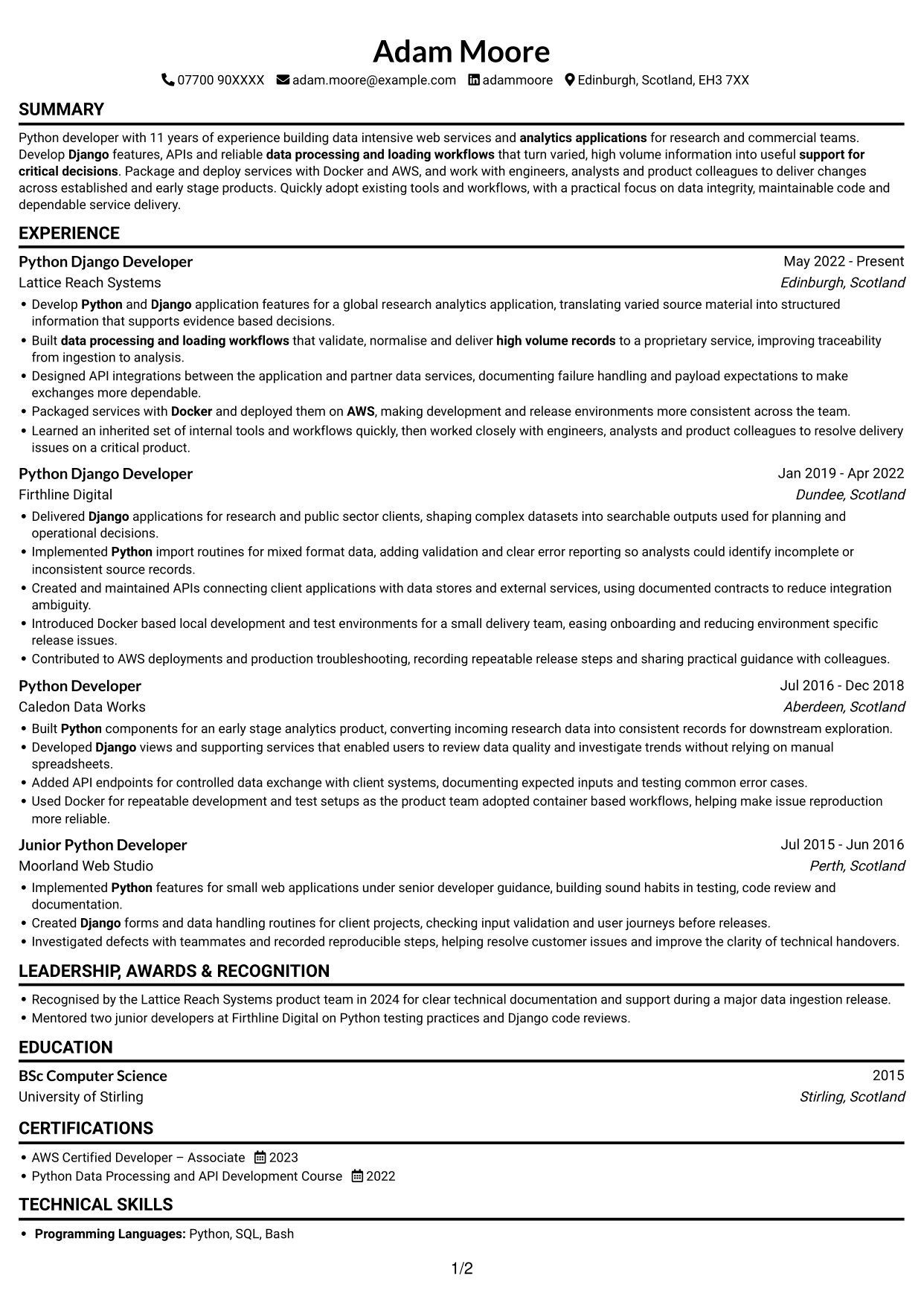
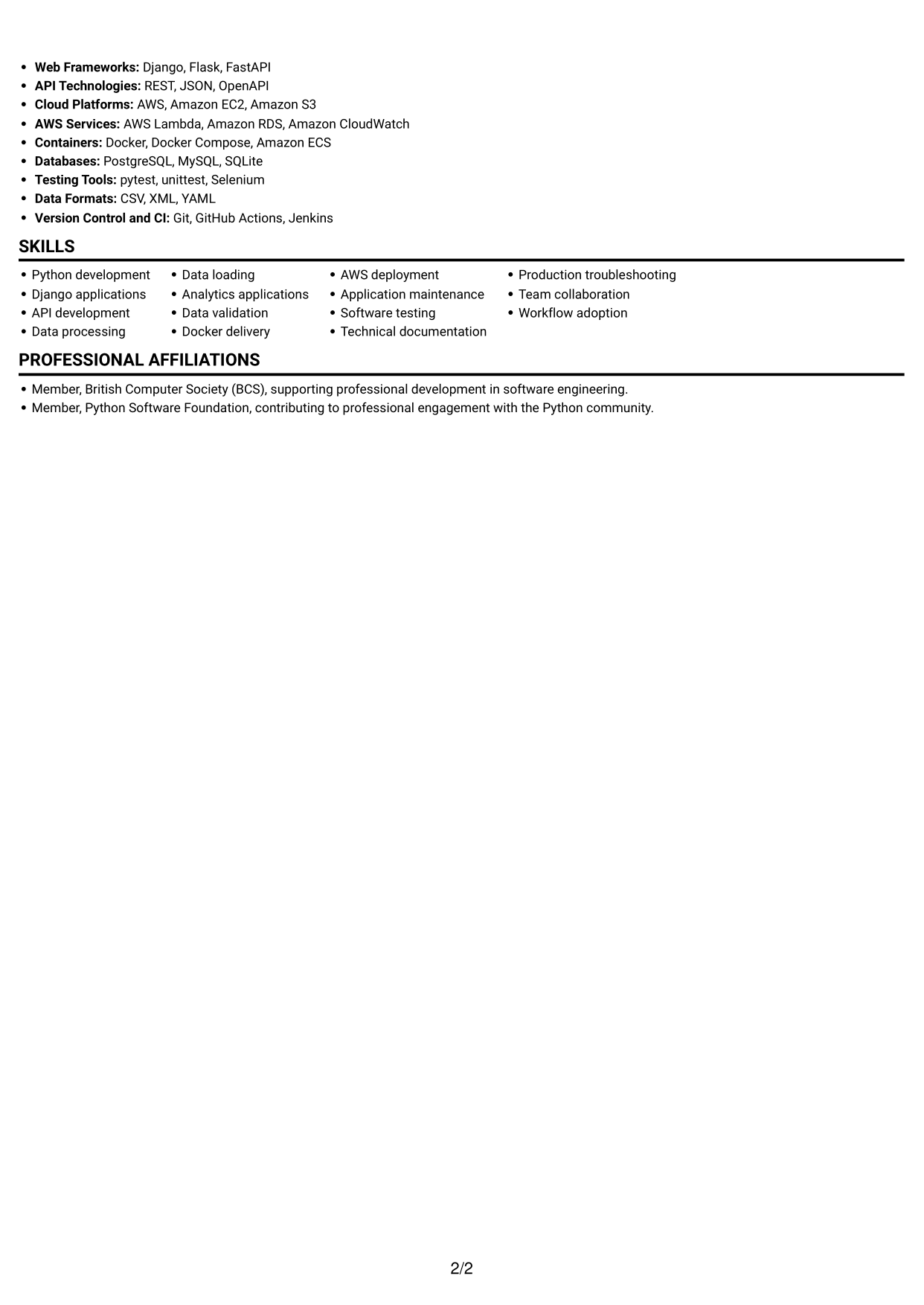
A single-column layout gives the CV one clear reading path, making the order of its sections easy to follow.
 
CV example — page 1   CV example — page 2

Why This Format Works

  • Experience entries follow one vertical path, helping reviewers trace career progression.
  • Skills and education can be read alongside the work history in sequence.
  • A single text path keeps section order clear during a quick review.

Best For

  • Sequential career histories
  • Detailed experience entries
  • Single-path document reading
  • Skills and education alongside experience
  • Text-led CV presentation

CV Keywords

  • Python
  • Django
  • API Development
  • data processing and loading workflows
  • Docker
  • AWS
  • analytics applications
  • high volume records
  • work with engineers, analysts and product colleagues to deliver changes across established and early stage products
  • Quickly adopt existing tools and workflows
  • support for critical decisions
 

#2 Simple Two Column Format CV Example

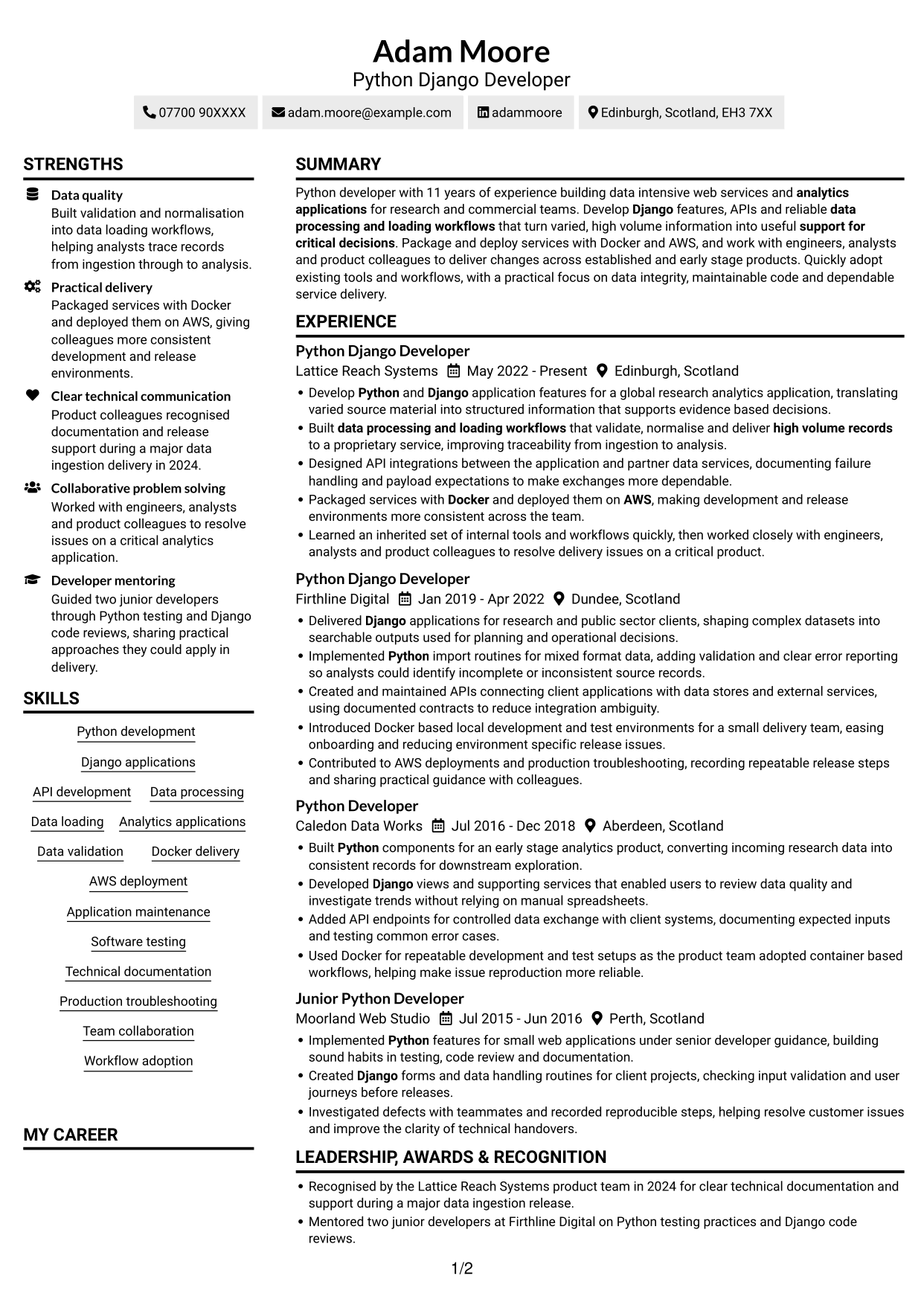
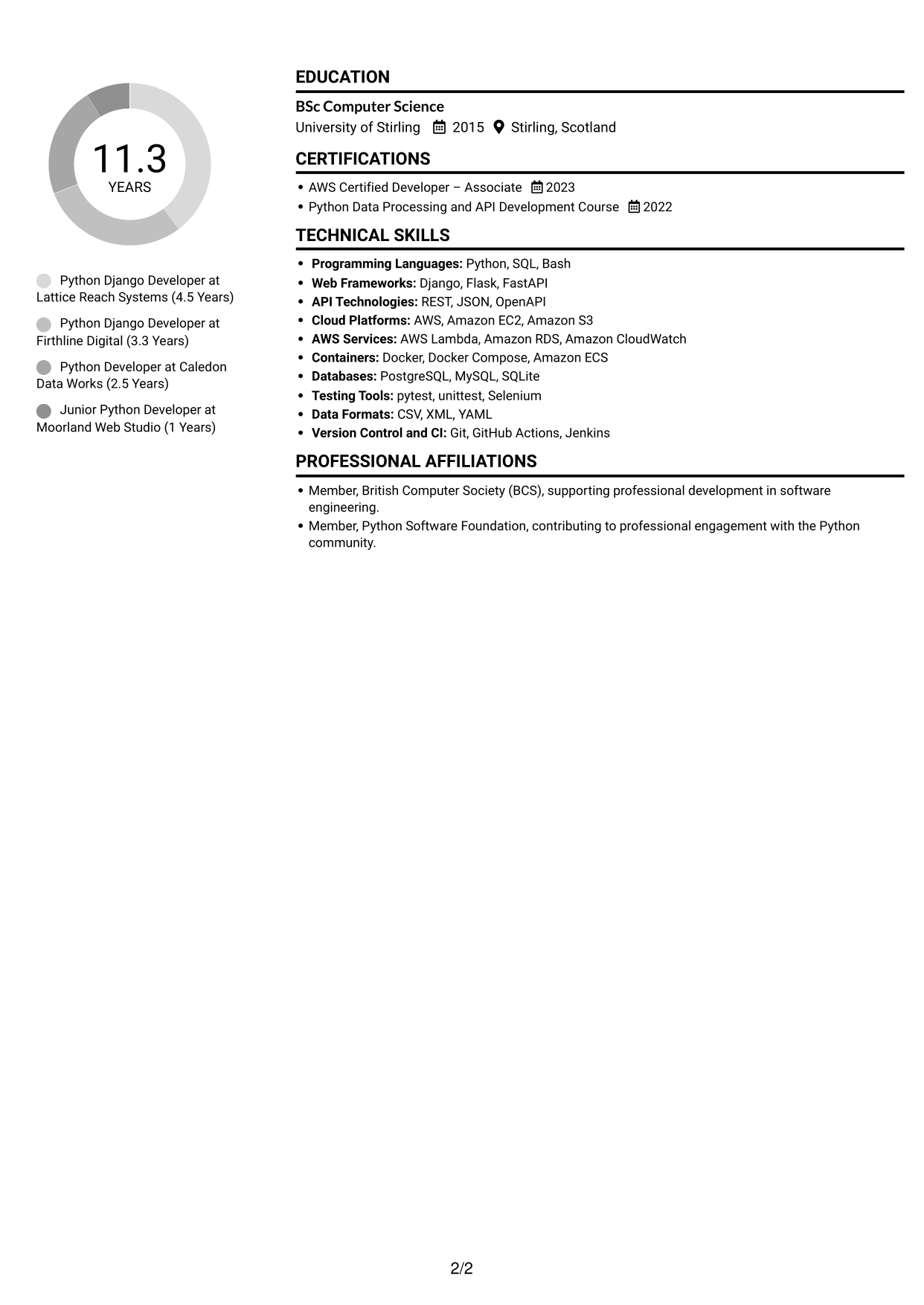
Two columns divide the CV into separate reading areas, a useful choice when several types of information need space.
 
CV example — page 1   CV example — page 2

Why This Format Works

  • Separate areas help reviewers find skills and education alongside work history.
  • The two-column reading order distinguishes career details from supporting information.
  • Several CV sections can be grouped without creating one long text sequence.

Best For

  • Several distinct CV sections
  • Career history with supporting details
  • Grouped skills and education
  • Two-area information organisation
  • Alternative to a long text sequence

#3 Plain One Column with Shaded Labels CV Example

Its single-column structure keeps each section in a shared reading sequence, which suits a CV built around clear career progression.
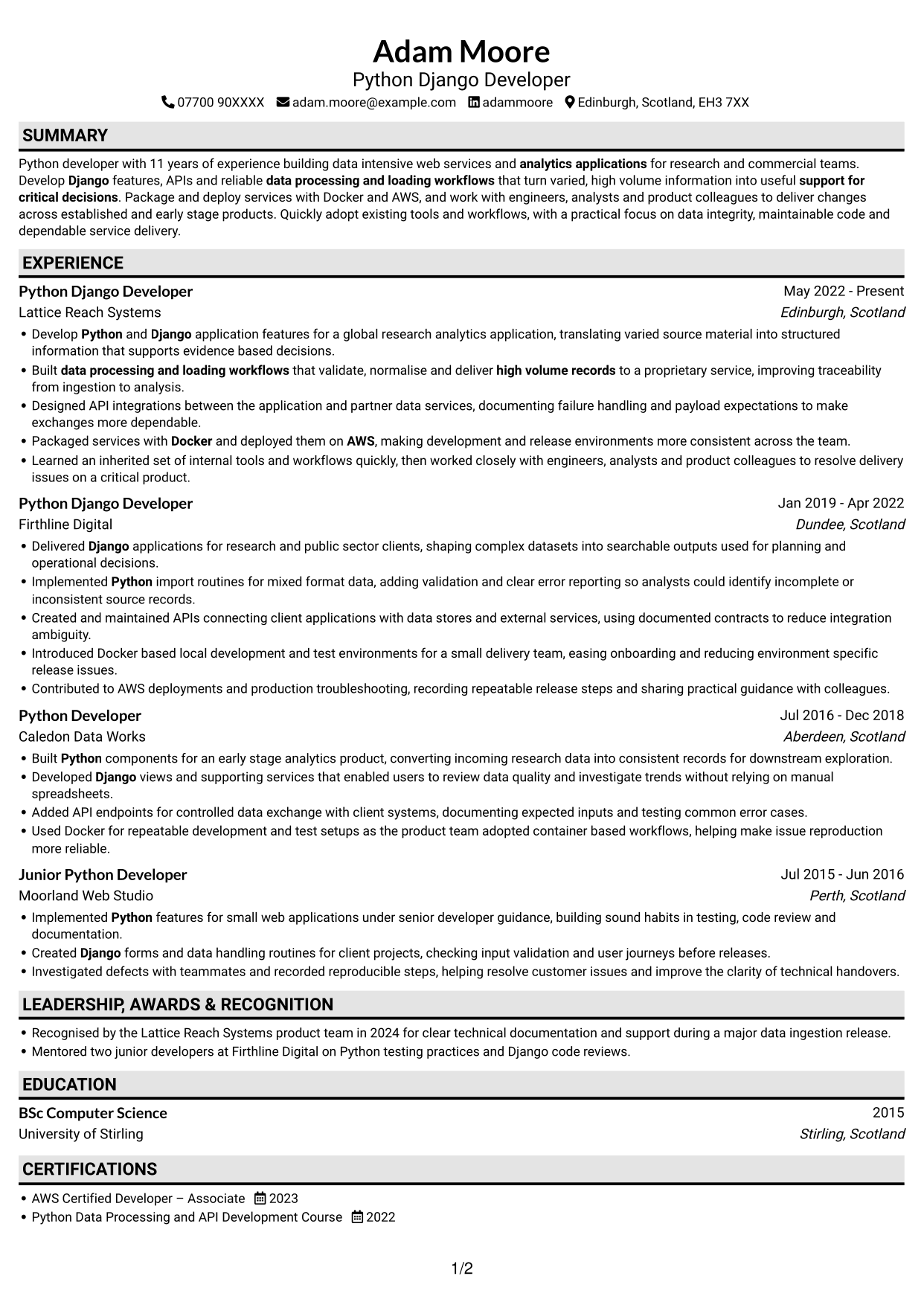
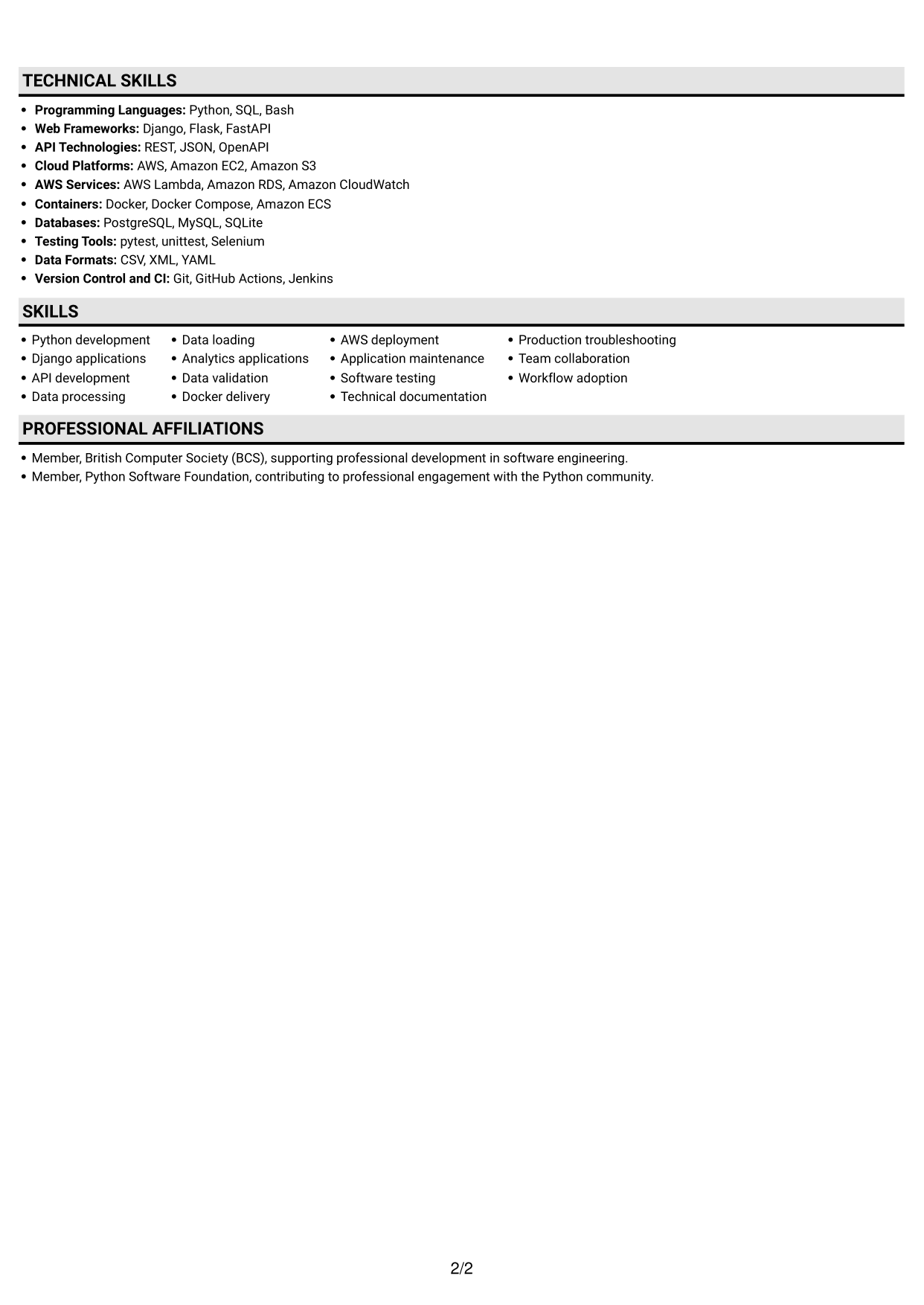
 
CV example — page 1   CV example — page 2

Why This Format Works

  • Work history can be followed from one role to the next in order.
  • Skills and education remain part of the same vertical reading sequence.
  • A one-column body gives each CV section a consistent place in the flow.

Best For

  • Chronological work histories
  • One-direction reading
  • CVs with clear section order
  • Experience-led content
  • Skills and education in sequence
 

#4 One Column Format with Photo Right CV Example

A photo accompanies the single-column body, combining a personal visual element with a direct reading path.
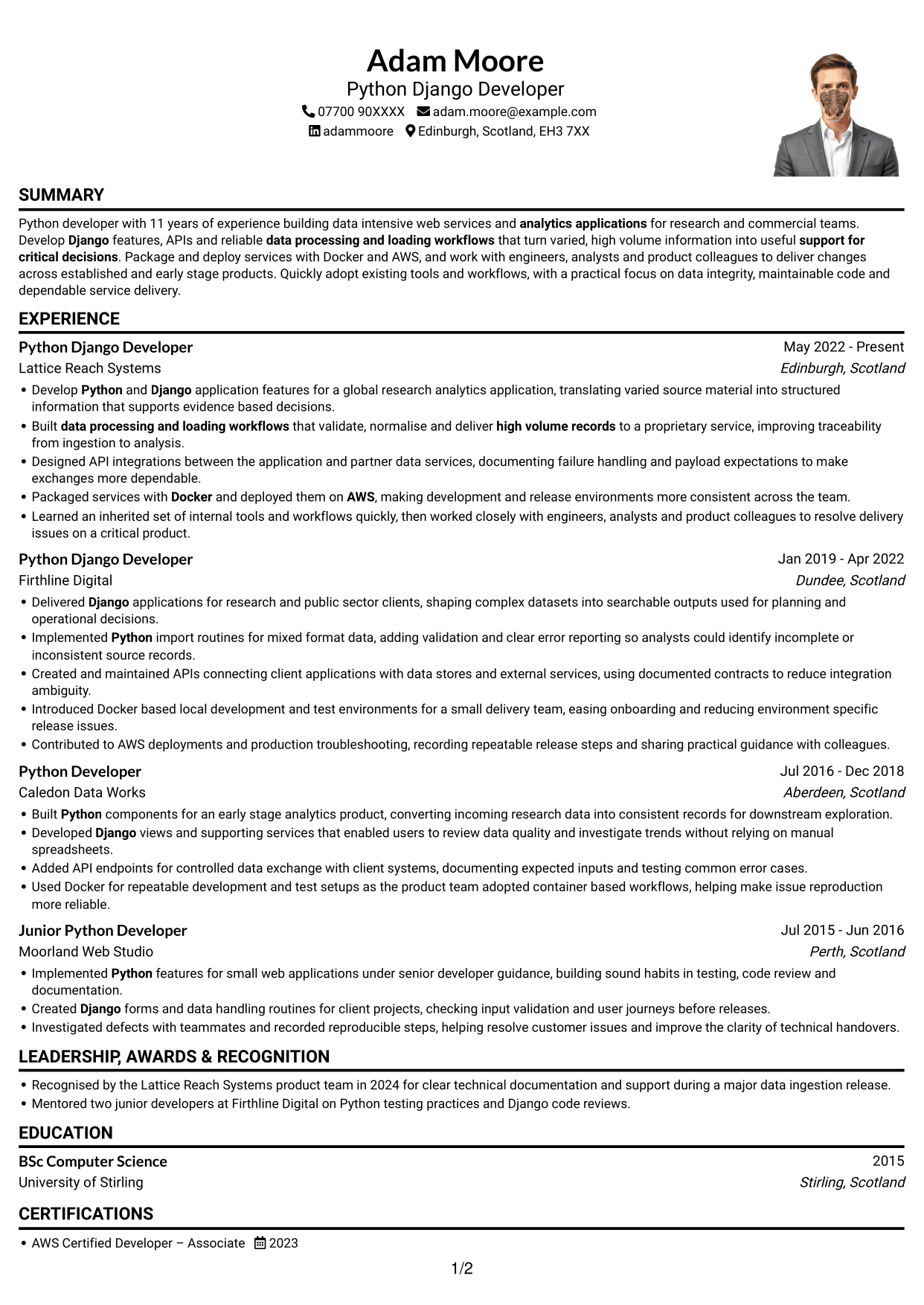
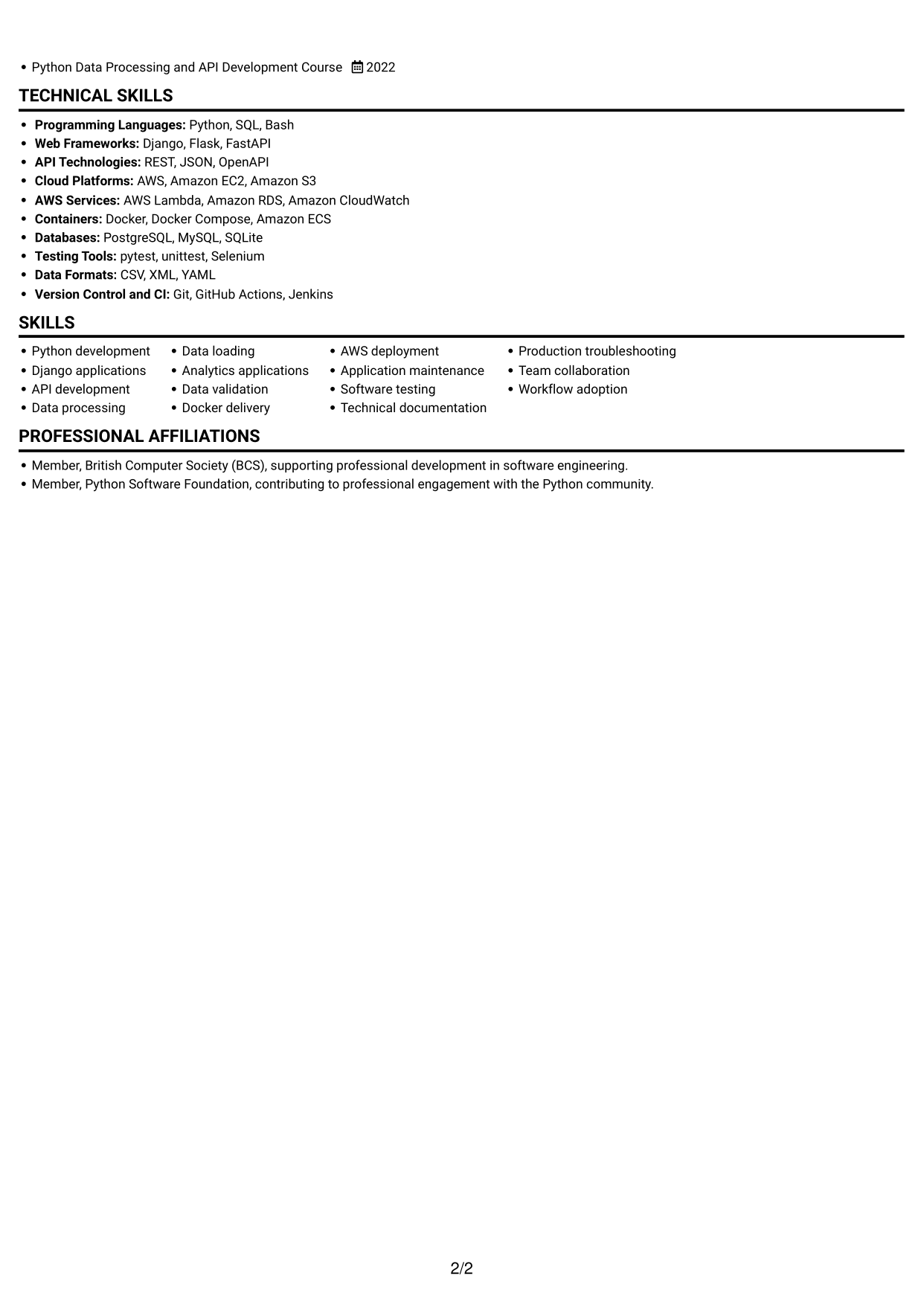
 
CV example — page 1   CV example — page 2

Why This Format Works

  • The one-column body lets reviewers follow experience without switching between content areas.
  • Skills, education and work history can be read in a single sequence.
  • The portrait adds a visual element without dividing the CV text into columns.

Best For

  • Photo-inclusive CVs
  • Single-path document reading
  • Chronological experience details
  • Text alongside a portrait
  • Skills and education in sequence
 

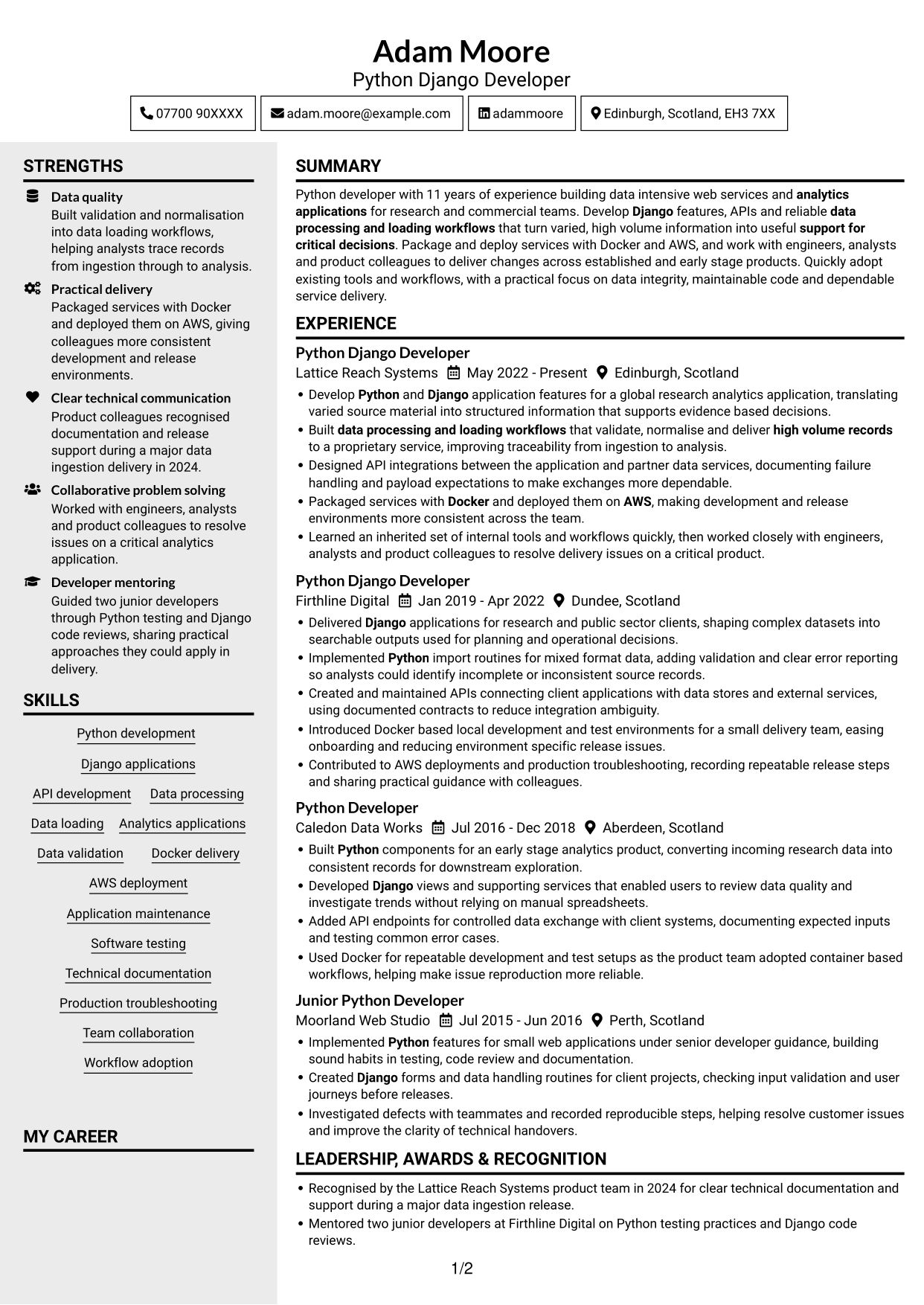
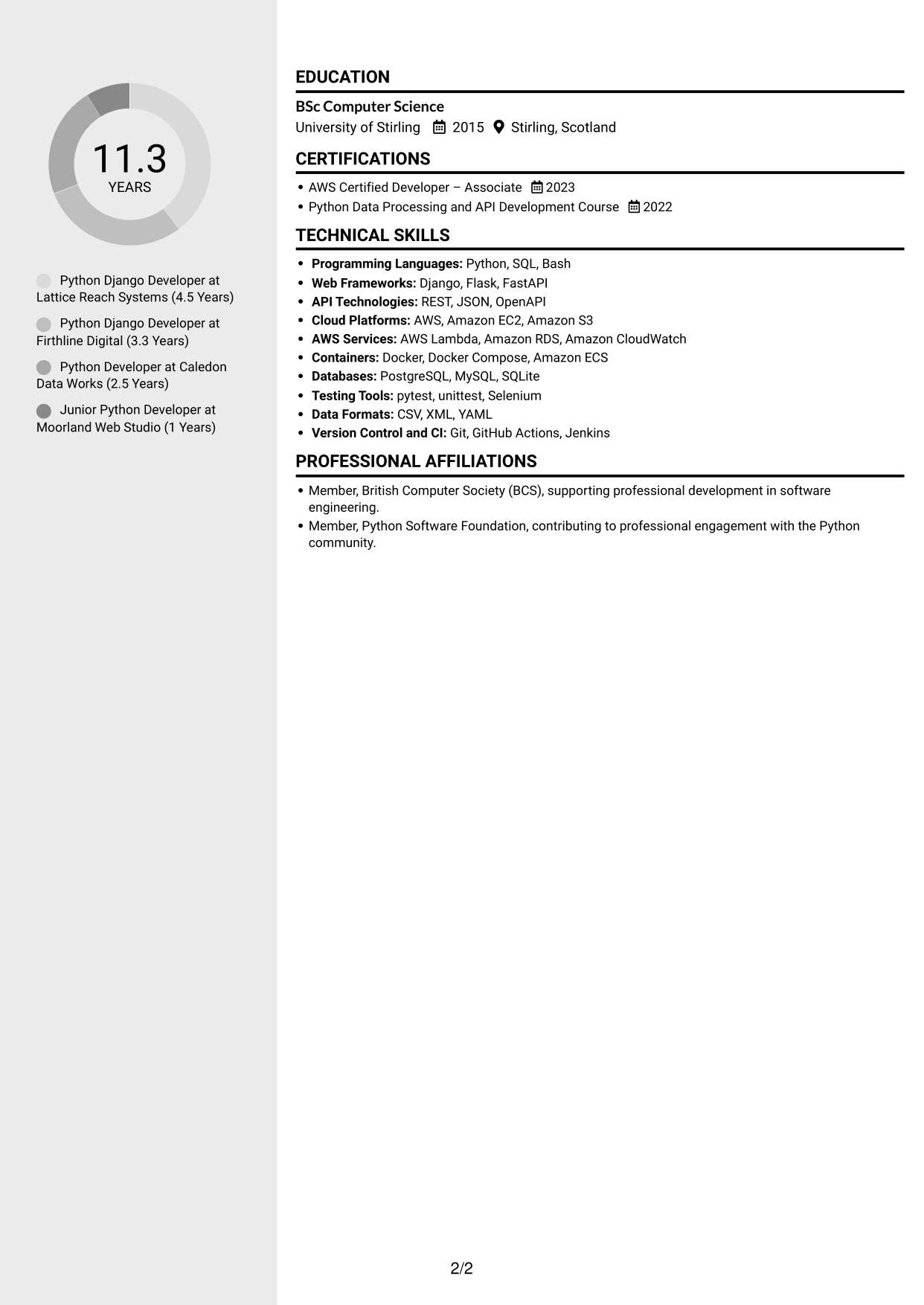
#5 Clean Two Column Sidebar Format CV Example

A two-column body offers distinct areas for CV content, helping readers move between career details and supporting information.
 
CV example — page 1   CV example — page 2

Why This Format Works

  • Separate content areas help reviewers locate supporting details beside career history.
  • The two-column structure gives skills and education distinct space in the CV.
  • A divided reading area helps keep several information groups easy to distinguish.

Best For

  • Career history with supporting details
  • Several information groups
  • Skills and education with experience
  • Two-area content organisation
  • CVs with varied section content


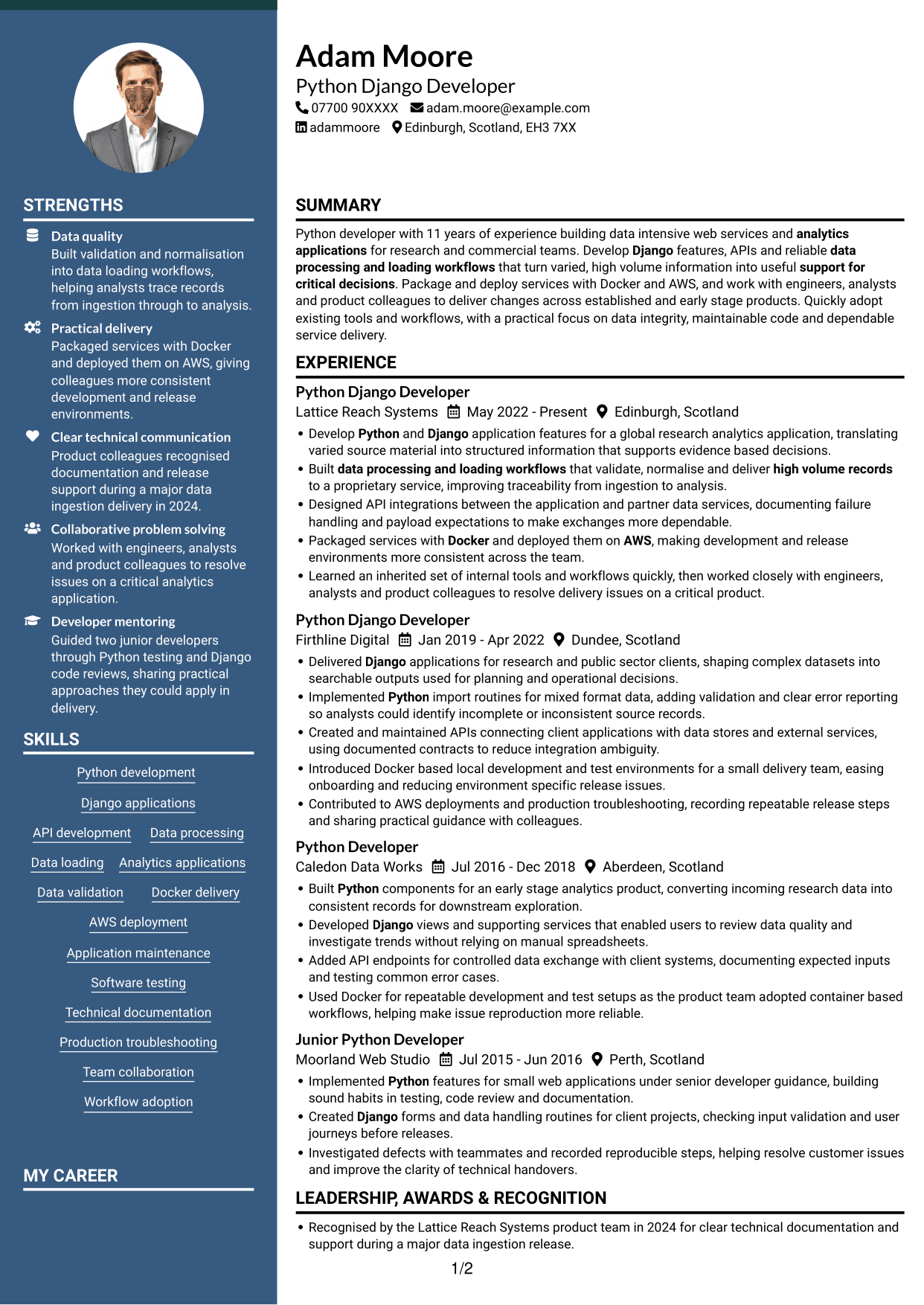
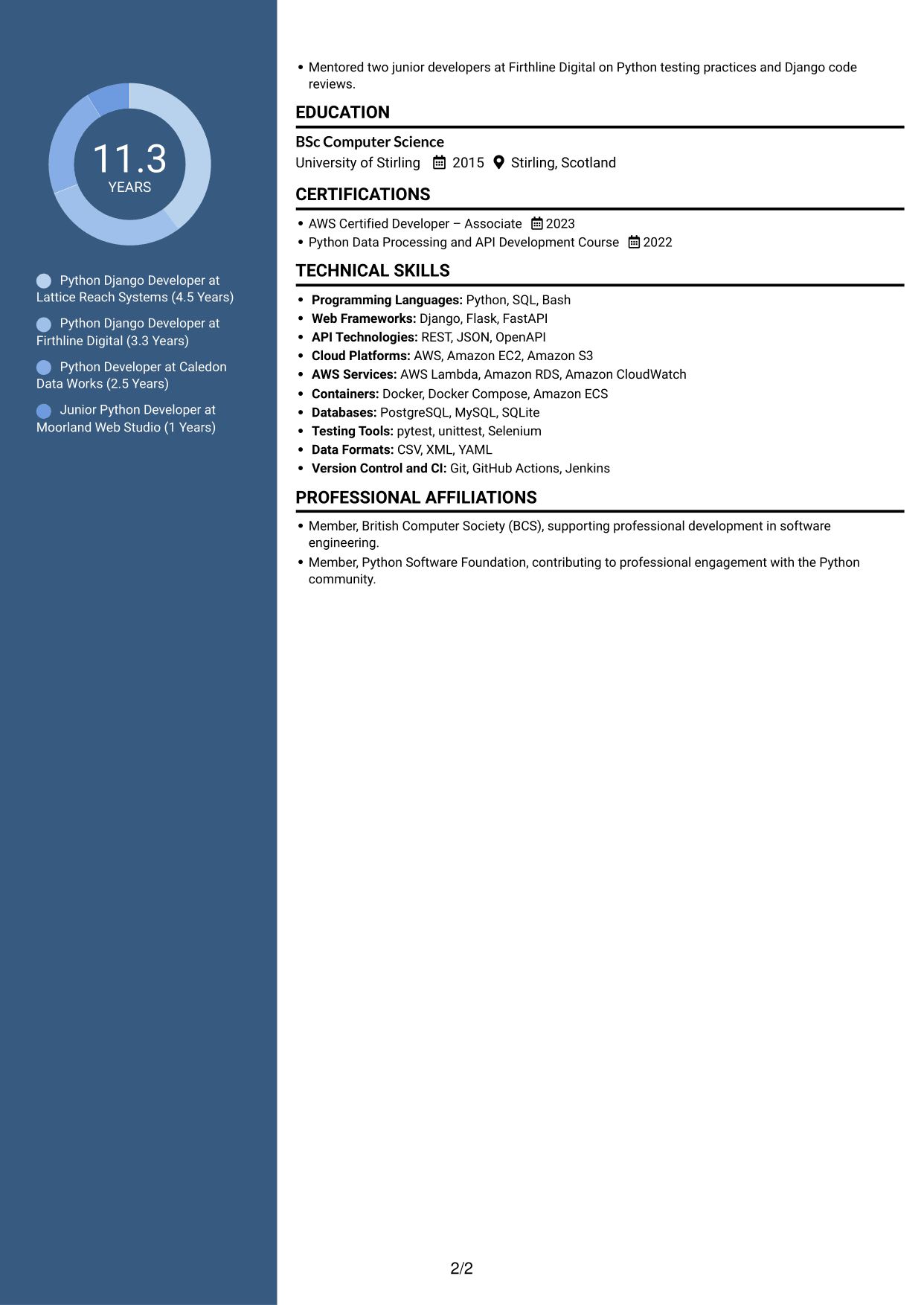
#6 Two Column Format CV Example

The two-column body separates information into parallel areas, offering an alternative to a single vertical sequence.
 
CV example — page 1   CV example — page 2

Why This Format Works

  • Career details and supporting information have separate areas for clear distinction.
  • Reviewers can move between skills, education and work history with less backtracking.
  • The parallel layout suits CVs with several sections to locate.

Best For

  • Parallel content areas
  • CVs with several sections
  • Career details and supporting information
  • Skills and education beside experience
  • An alternative to one-column reading
 

#7 Photo Header Two Column Format CV Example

The two-column body combines a photo with divided content areas, for readers who prefer both a portrait and grouped information.
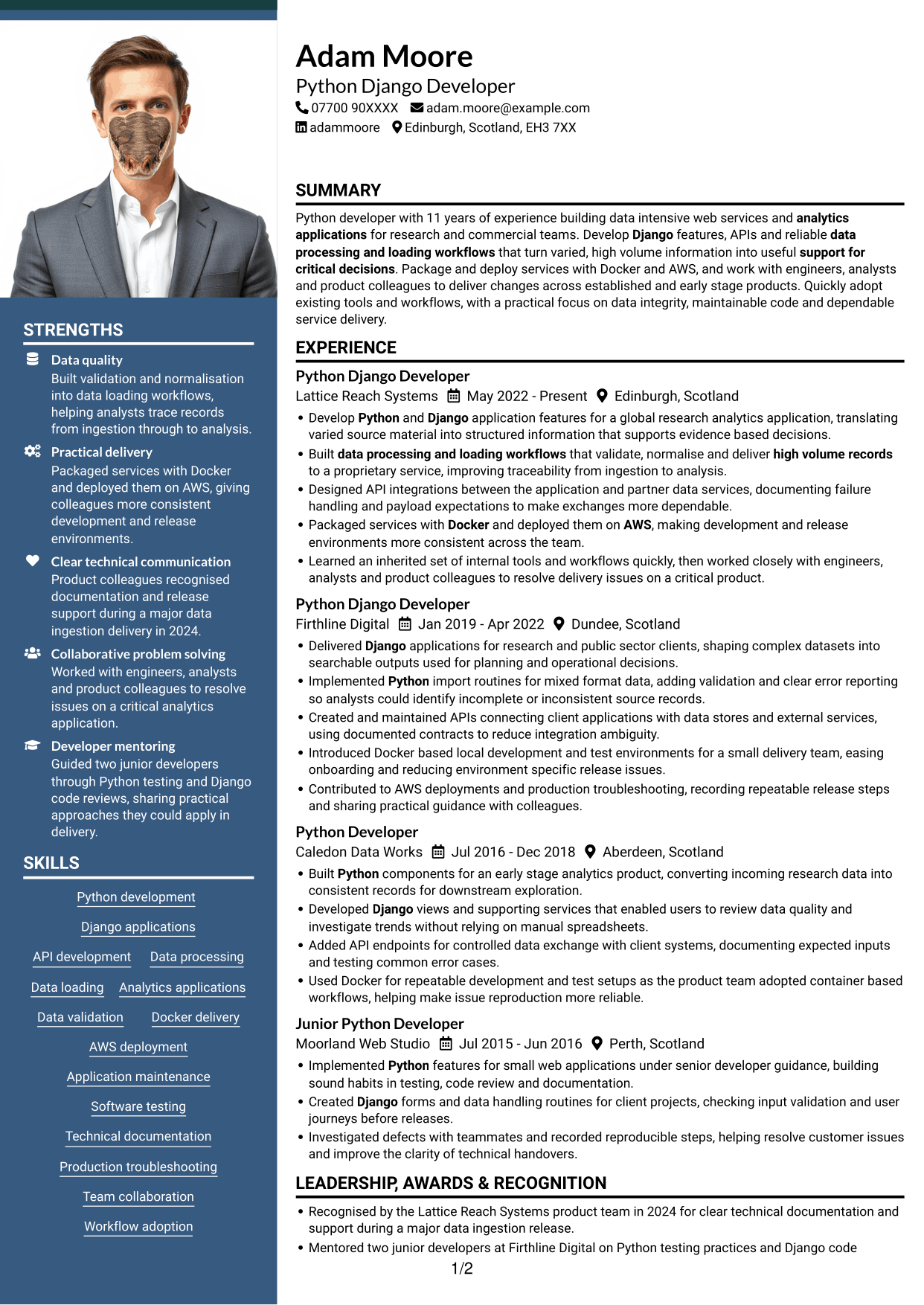
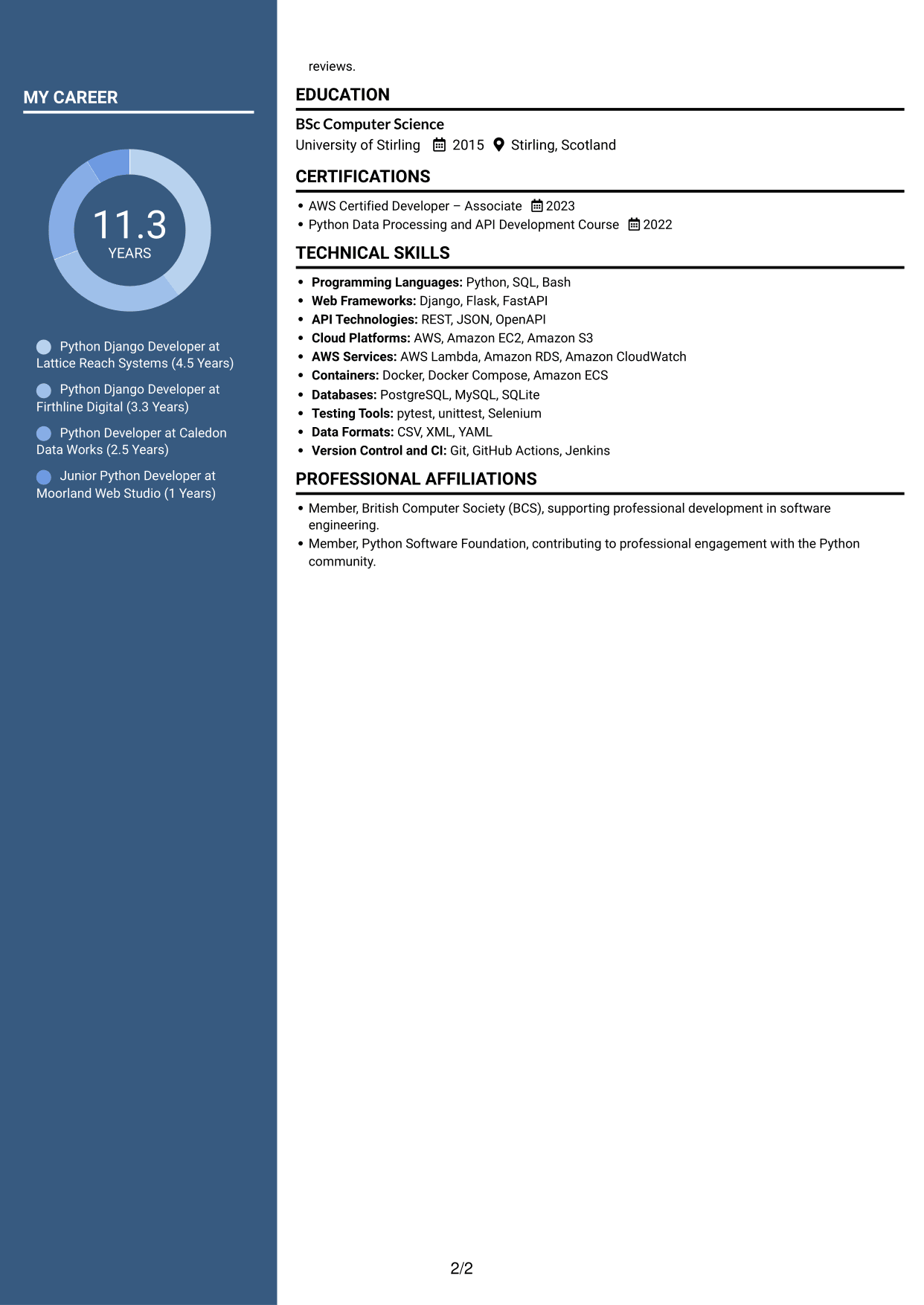
 
CV example — page 1   CV example — page 2

Why This Format Works

  • Distinct areas let reviewers locate experience and supporting details separately.
  • Skills and education can be considered alongside career history without one long sequence.
  • The two-column body provides separate reading areas for a CV's sections.

Best For

  • Photo-inclusive CVs with grouped content
  • Career history with supporting details
  • Several CV sections to navigate
  • Skills and education with experience
  • Portrait and divided content areas


Why Build Your Python Django Developer CV with ResumeInMinutes

ResumeInMinutes helps you organise Python and Django experience, technical skills and education in a clear CV. Compare PNG image previews, then open an example in the editor to customise its content and layout.

  • Clear CV layouts
  • Readable section structure
  • Space for relevant keywords
  • Organised skills and experience
  • PNG image previews
  • CV customisation in the editor

Choose the format that makes your experience easiest to follow. Keep the focus on Python and Django development, APIs, dependable data workflows and practical delivery with Docker and AWS.


See Also


Frequently Asked Questions

Are these Python Django Developer CV templates ATS-friendly?

The examples use clear headings and sections that are easy to scan. Include relevant terms naturally, such as Python, Django, API development, data processing and loading, Docker and AWS.

Are these separate CV examples or different layouts of one example?

This page shows one role-focused CV example in different layouts. Compare the PNG image previews, then open a version in the editor to customise it.

What should a Python Django Developer CV include?

Include a focused summary, relevant experience, skills and education. Describe Django features, API work, data processing and loading, testing, Docker and AWS where they match your experience.

Which CV layout works well for a Python Django Developer?

Choose a layout with clear headings and an easy-to-follow order for experience, skills and education. A simple structure can help recruiters and applicant tracking systems find key details.

How can I show Python and Django achievements on my CV?

Use concise bullet points to explain the task, your contribution and the result. Where you have reliable figures, show the effect of your work on data quality, delivery or service performance.

Should I include a photo on my CV?

For UK applications, a photo is usually not needed. Use the space for relevant skills, experience and results instead.


ATS Score 91%

How we calculate this score

  • Keywords: 60% of the total. AI extracts keywords from your job description. If you do not provide one, a standard job description for the title matching your CV is used. This is not a match to a specific vacancy.
  • Text-based CV: 20%. The text CV assessed here receives 100 for this part.
  • CV quality: 20%. We start at 100 and subtract points for issues found by our CV checks, down to a minimum of zero.
  • Keyword coverage = round(100 × confirmed matches ÷ total keywords). Exact matches and supported equivalents verified by AI receive full credit; unsupported keywords receive none. Live text checks use the saved equivalents and do not request a new AI review. Without keywords, no overall ATS score is available.
  • Final score = 60% of keyword coverage + 20% of the text score + 20% of the quality score, rounded to a whole number. Without keywords, no overall ATS score is available.

What this score means

Our scores are estimates, not employer ratings. They may contain errors and do not guarantee accurate parsing, a ranking, an interview, or a job. Check your document against the employer’s requirements. You are responsible for relying on this score.

Terms and Conditions

Score weights: Keywords 60% · Text based CV 20% · CV quality 20%

Keyword coverage: 11 of 13 (85%) · CV quality: 100%

CV quality 100% · Weight 20% · Issues (0)

Details
  • ✓Name present: Adam Moore
  • ✓Email format: adam.moore@example.com
  • ✓Phone format: 07700 90XXXX
  • ✓Experience 1: Job title: Python Django Developer
  • ✓Experience 1: Company name: Lattice Reach Systems
  • ✓Experience 1: Work location: Edinburgh, Scotland
  • ✓Experience 1: Employment dates: May 2022 - Present
  • ✓Experience 1: Description or achievements: Present
  • ✓Experience 2: Job title: Python Django Developer
  • ✓Experience 2: Company name: Firthline Digital
  • ✓Experience 2: Work location: Dundee, Scotland
  • ✓Experience 2: Employment dates: Jan 2019 - Apr 2022
  • ✓Experience 2: Description or achievements: Present
  • ✓Experience 3: Job title: Python Developer
  • ✓Experience 3: Company name: Caledon Data Works
  • ✓Experience 3: Work location: Aberdeen, Scotland
  • ✓Experience 3: Employment dates: Jul 2016 - Dec 2018
  • ✓Experience 3: Description or achievements: Present
  • ✓Experience 4: Job title: Junior Python Developer
  • ✓Experience 4: Company name: Moorland Web Studio
  • ✓Experience 4: Work location: Perth, Scotland
  • ✓Experience 4: Employment dates: Jul 2015 - Jun 2016
  • ✓Experience 4: Description or achievements: Present
  • ✓No placeholder fields
  • ✓No repeated achievement bullets
  • ✓No empty bullets

No issues found by the current checks.

Text Based CV 100% · Weight 20%

Parsed text
Adam Moore
07700 90XXXX
adam.moore@example.com
adammoore
Edinburgh, Scotland, EH3 7XX
SUMMARY
Python developer with 11 years of experience building data intensive web services and analytics applications for research and commercial teams. Develop Django features, APIs and reliable data processing and loading workflows that turn varied, high volume information into useful support for critical decisions. Package and deploy services with Docker and AWS, and work with engineers, analysts and product colleagues to deliver changes across established and early stage products. Quickly adopt existing tools and workflows, with a practical focus on data integrity, maintainable code and dependable service delivery.
EXPERIENCE
Python Django Developer
May 2022 - Present
Lattice Reach Systems
Edinburgh, Scotland
Develop Python and Django application features for a global research analytics application, translating varied source material into structured information that supports evidence based decisions.
Built data processing and loading workflows that validate, normalise and deliver high volume records to a proprietary service, improving traceability from ingestion to analysis.
Designed API integrations between the application and partner data services, documenting failure handling and payload expectations to make exchanges more dependable.
Packaged services with Docker and deployed them on AWS, making development and release environments more consistent across the team.
Learned an inherited set of internal tools and workflows quickly, then worked closely with engineers, analysts and product colleagues to resolve delivery issues on a critical product.
Python Django Developer
Jan 2019 - Apr 2022
Firthline Digital
Dundee, Scotland
Delivered Django applications for research and public sector clients, shaping complex datasets into searchable outputs used for planning and operational decisions.
Implemented Python import routines for mixed format data, adding validation and clear error reporting so analysts could identify incomplete or inconsistent source records.
Created and maintained APIs connecting client applications with data stores and external services, using documented contracts to reduce integration ambiguity.
Introduced Docker based local development and test environments for a small delivery team, easing onboarding and reducing environment specific release issues.
Contributed to AWS deployments and production troubleshooting, recording repeatable release steps and sharing practical guidance with colleagues.
Python Developer
Jul 2016 - Dec 2018
Caledon Data Works
Aberdeen, Scotland
Built Python components for an early stage analytics product, converting incoming research data into consistent records for downstream exploration.
Developed Django views and supporting services that enabled users to review data quality and investigate trends without relying on manual spreadsheets.
Added API endpoints for controlled data exchange with client systems, documenting expected inputs and testing common error cases.
Used Docker for repeatable development and test setups as the product team adopted container based workflows, helping make issue reproduction more reliable.
Junior Python Developer
Jul 2015 - Jun 2016
Moorland Web Studio
Perth, Scotland
Implemented Python features for small web applications under senior developer guidance, building sound habits in testing, code review and documentation.
Created Django forms and data handling routines for client projects, checking input validation and user journeys before releases.
Investigated defects with teammates and recorded reproducible steps, helping resolve customer issues and improve the clarity of technical handovers.
LEADERSHIP, AWARDS & RECOGNITION
Recognised by the Lattice Reach Systems product team in 2024 for clear technical documentation and support during a major data ingestion release.
Mentored two junior developers at Firthline Digital on Python testing practices and Django code reviews.
EDUCATION
BSc Computer Science
2015
University of Stirling
Stirling, Scotland
CERTIFICATIONS
AWS Certified Developer – Associate
2023
Python Data Processing and API Development Course
2022
TECHNICAL SKILLS
Programming Languages: Python, SQL, Bash
Web Frameworks: Django, Flask, FastAPI
API Technologies: REST, JSON, OpenAPI
Cloud Platforms: AWS, Amazon EC2, Amazon S3
AWS Services: AWS Lambda, Amazon RDS, Amazon CloudWatch
Containers: Docker, Docker Compose, Amazon ECS
Databases: PostgreSQL, MySQL, SQLite
Testing Tools: pytest, unittest, Selenium
Data Formats: CSV, XML, YAML
Version Control and CI: Git, GitHub Actions, Jenkins
SKILLS
Python development
Django applications
API development
Data processing
Data loading
Analytics applications
Data validation
Docker delivery
AWS deployment
Application maintenance
Software testing
Technical documentation
Production troubleshooting
Team collaboration
Workflow adoption
PROFESSIONAL AFFILIATIONS
Member, British Computer Society (BCS), supporting professional development in software engineering.
Member, Python Software Foundation, contributing to professional engagement with the Python community.

Matched keywords (11)

  • Python
  • Django
  • API Development
  • data processing and loading workflows
  • Docker
  • AWS
  • analytics applications
  • high volume recordsOriginal keyword in JD: High-volume data
  • work with engineers, analysts and product colleagues to deliver changes across established and early stage productsOriginal keyword in JD: Collaborative software development
  • Quickly adopt existing tools and workflowsOriginal keyword in JD: Rapid adoption of existing tools and workflows
  • support for critical decisionsOriginal keyword in JD: Critical decision-making support

Missing keywords (2)

  • Application feature development and maintenance
  • Proprietary service integration
Disclaimer: All names, images, contact information, employment histories, achievements, security clearances, military credentials, and other qualifications shown in this content are fictional and used for illustrative purposes only. Any resemblance to actual persons, living or deceased, is purely coincidental.

CV and cover letter examples and recommendations in this article reflect general best practices and professional experience and are provided for guidance only. Results may vary based on role, industry, region, and hiring organisation.

Content Accuracy and Verification: To the fullest extent permitted by applicable law, we do not represent or warrant that CV or cover letter guidance, examples, recommendations, or related information are accurate, complete, current, error-free, or suitable for any particular purpose. You are responsible for independently reviewing and verifying the information before relying on it.

ATS and Cover Letter Scores: ATS scores are estimates calculated using our own formula, informed by publicly available guidance on CV formatting and keyword matching. They are not scores issued or endorsed by an ATS provider or employer. Cover letter scores are also our own assessments. Parsing, weighting, screening criteria, and results vary between systems, employers, job descriptions, and document formats. No score guarantees successful parsing, a particular ranking, an interview, or employment. Use scores as general guidance and independently check your documents against the employer’s requirements. To the fullest extent permitted by applicable law, we accept no liability for errors in scores or parsing, or losses arising from reliance on these assessments. Nothing in this notice excludes liability or limits consumer rights that cannot lawfully be excluded or limited.

Terms and Conditions
 
> JP 1 1
PDF Footer and Margins Setup
The margins are applied to the document, and the footer appears in both the preview and the PDF

Footer Font Settings

Are you applying for a specific job
so we can tailor your CV to it?
Are you applying for a specific job
so we can tailor your cover letter to it?

Your data stays private and is never used for training.Privacy Policy

Type your details as text to generate a personalised CV Type your details as text to generate a personalised cover letter
Website link found! Ready to create CV from:

Your data stays private and is never used for training.Privacy Policy

Drag the into the box to verify you're human.
Drop here

My CVs

Showing {number_of_files} files (out of {total_of_all_files} total)
Name File Type Last Modified: Description:

Rename File

Filename already exists!

Delete Files

Warning: This action is irreversible. Once you click submit, the files will be permanently deleted.

Heading text
Upload From Computer Upload
Select From Existing
LinkedIn
Drag & Drop files anywhere in this tab, or

Uploaded Files

Delete Name Last Updated Use This File
Select this to use the file for generating your CV and cover letter. Only one source—uploaded file, selected file, or LinkedIn text—can be used.

My Files

CVs or cover letters you create will appear here. No files available yet.
Delete Name Last Updated Use This File
Select this to use the file for generating your CV and cover letter. Only one source—uploaded file, selected file, or LinkedIn text—can be used.

Add LinkedIn Profile PDF

You can download your LinkedIn profile as a PDF by opening linkedin.com in a web browser, clicking your profile photo, selecting the “More” or “Resources” button, and choosing “Save to PDF.” You can then attach the PDF using the Upload From Computer tab.

Paste Your LinkedIn Profile Text

If you have copied the LinkedIn profile text, paste it below. See how to copy your profile from LinkedIn

Select this to use the LinkedIn profile text for generating your CV and covering letter. Only one source—uploaded file, selected file, or LinkedIn text—can be used.

Try these controls

<
>


