
UK English


7 Senior Civil Engineer - Drainage, Highways and SuDS CV Templates with Example
By Ria · Last Updated On 27 October 2026
CV example — page 1

This guide shows you how to create a Senior Civil Engineer - Drainage, Highways and SuDS CV that presents your experience clearly. It explains how to organise relevant evidence and choose a format that is easy to review.

A clear CV for this role links drainage, highways, SuDS and flood risk work to practical project delivery. Use the examples to see how to present design work, technical reporting, client liaison and measurable results in a focused way.

Compare the example in 7 layouts through their PNG image previews, then open a preferred version in the editor to customise it. The guide also covers ATS readability, useful CV sections and relevant terms such as Civil 3D, Causeway Flow, InfoDrainage and CIRIA C753.

What Makes a Great Senior Civil Engineer - Drainage, Highways and SuDS CV in 2026

A strong CV makes project ownership, design work and client communication easy to find. Use clear sections and concise bullet points to show how you manage work from early design through delivery.

Include relevant software, guidance and technical reporting, such as Civil 3D, Causeway Flow, InfoDrainage and CIRIA C753. Add results or figures only when you can support them.

Note: CV examples are for educational purposes only. Use only information that accurately reflects your experience and qualifications. References to real organisations do not imply affiliation or endorsement.

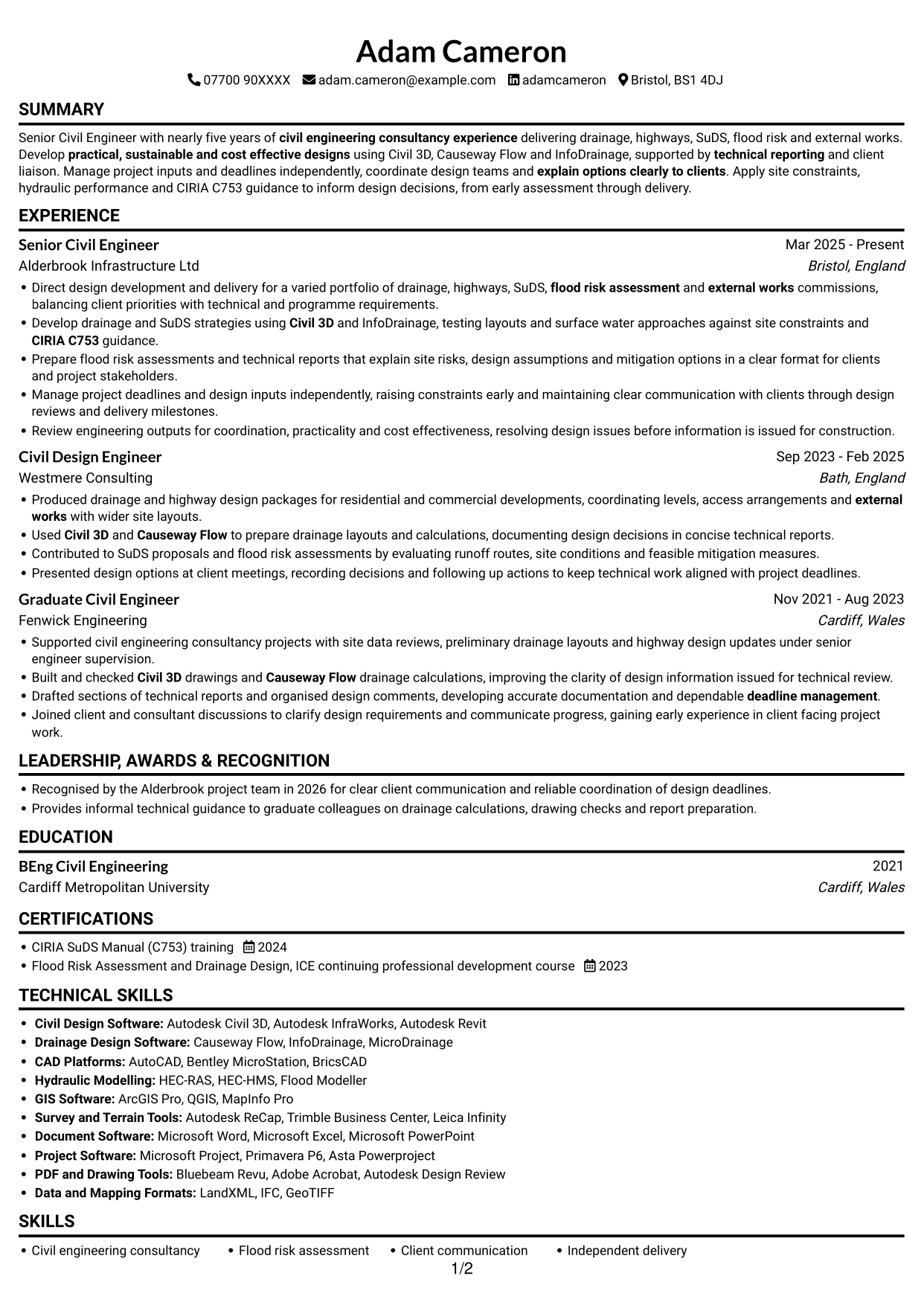
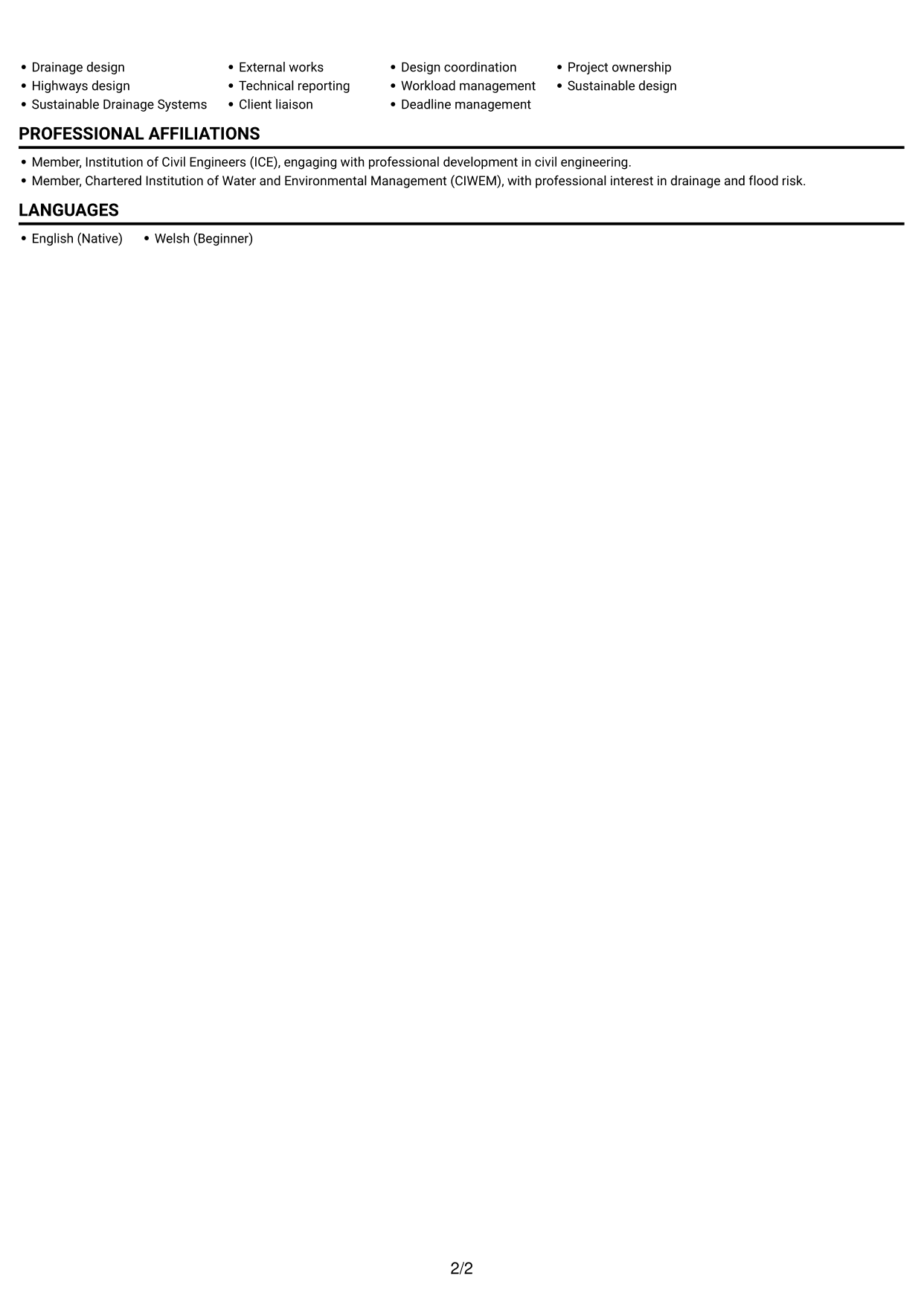
#1 Simple One Column Format CV Example

The single-column body gives experience and supporting sections one clear route for review.
 
CV example — page 1   CV example — page 2

Why This Format Works

  • Experience and supporting sections follow one reading path, making career progression straightforward to review.
  • Education and credentials remain within the same sequence as the work history.
  • Full-width bullet text can present project decisions and outcomes without column breaks.

Best For

  • Career histories with supporting sections
  • Technical skills lists
  • Recruiter reviews in sequence
  • CVs with varied evidence
  • Work and credentials in one flow

CV Keywords

  • nearly five years of civil engineering consultancy experience
  • BEng Civil Engineering
  • Drainage Design
  • Highways design
  • Sustainable Drainage Systems
  • flood risk assessment
  • Civil 3D
  • Causeway Flow
  • InfoDrainage
  • technical reporting
  • Manage project inputs and deadlines independently
  • Project ownership
  • deadline management
  • client liaison
  • explain options clearly to clients
See all keywords
 

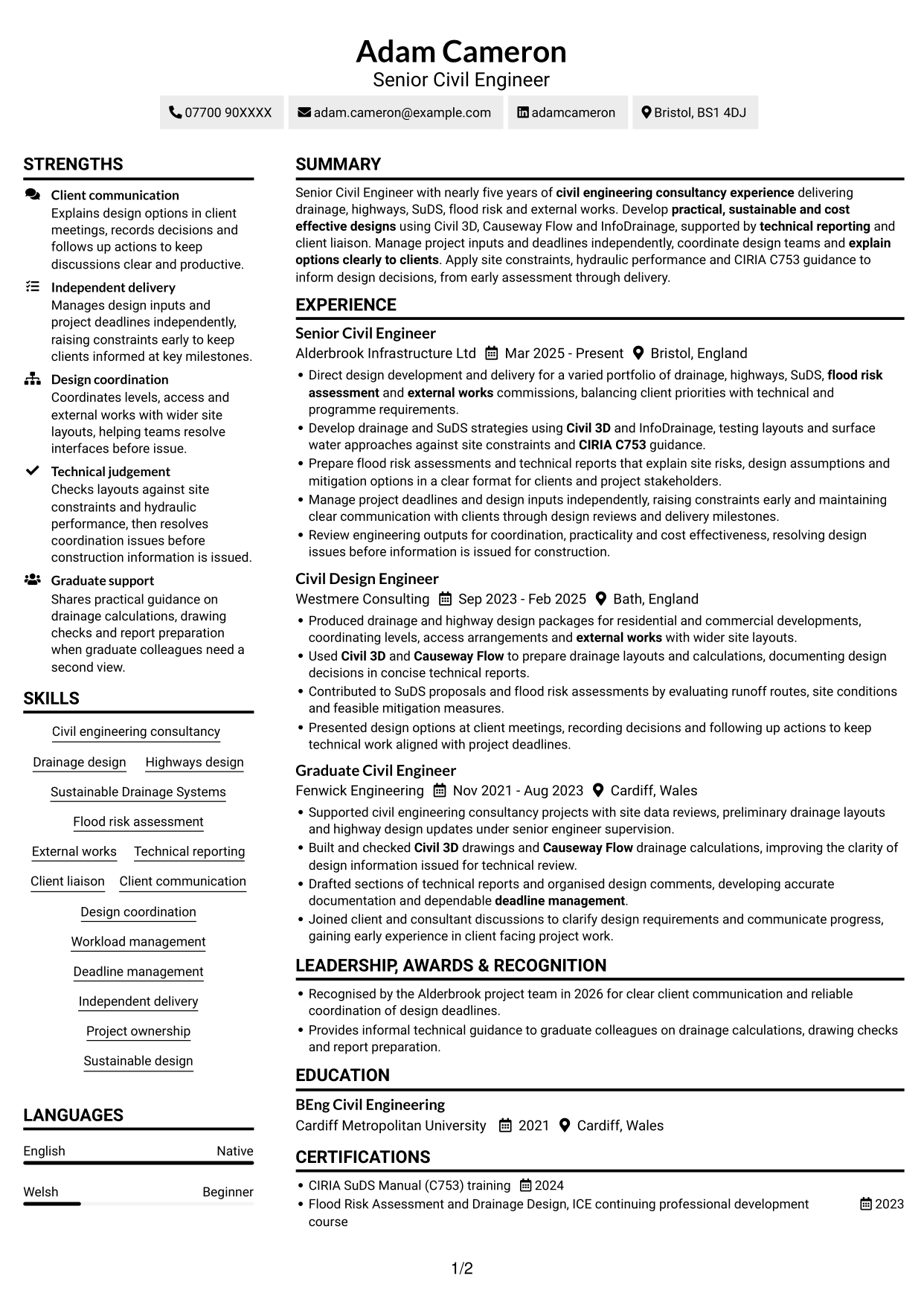
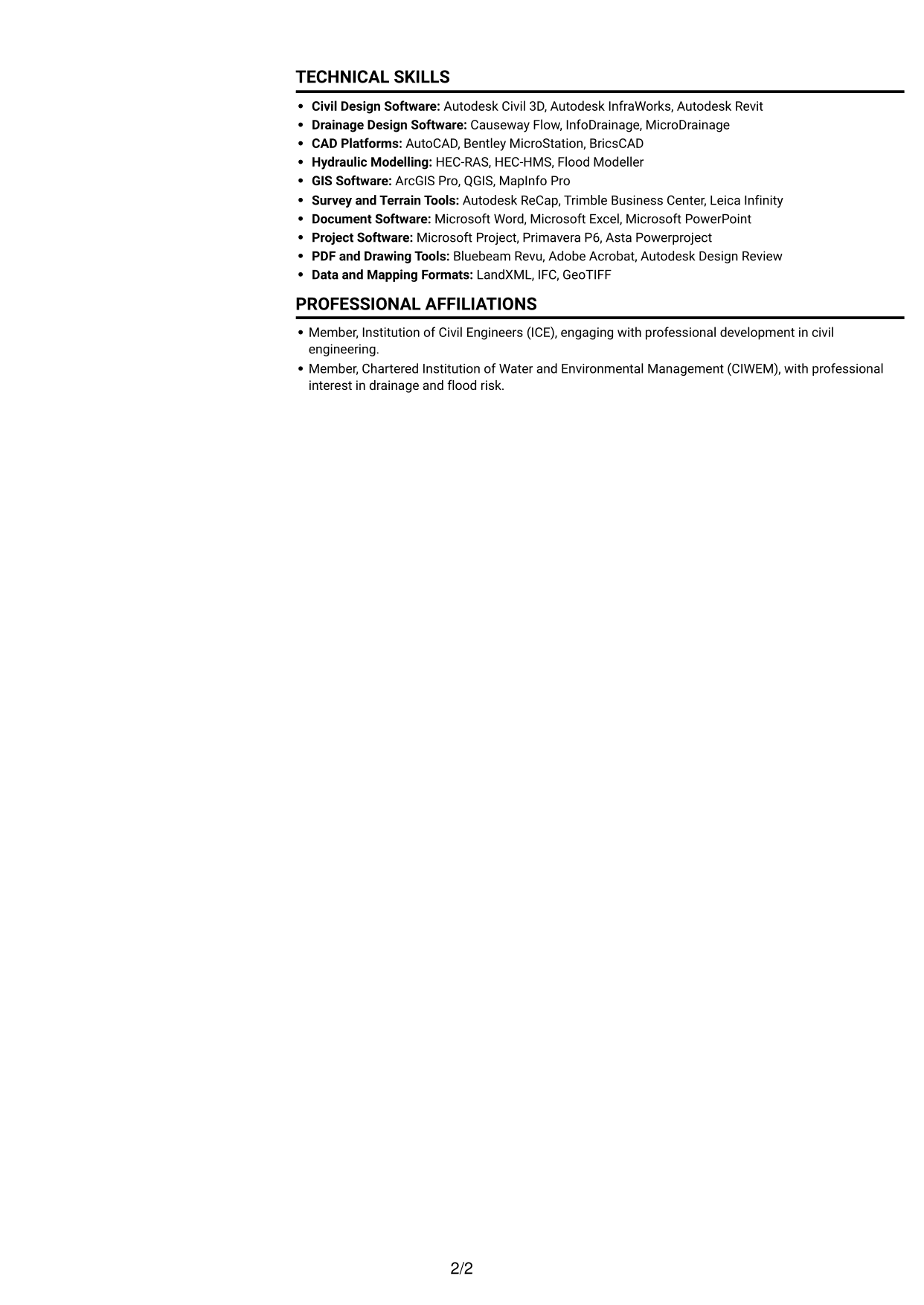
#2 Simple Two Column Format CV Example

The two-column body sets career history apart from supporting details, helping reviewers find each area.
 
CV example — page 1   CV example — page 2

Why This Format Works

  • Two body columns distinguish career history from supporting details for quicker section finding.
  • Separate reading areas keep education and credentials easy to locate.
  • Grouped work-history entries help reviewers follow role progression.

Best For

  • Career histories with supporting details
  • CVs with several section types
  • Quick access to education
  • Grouped experience entries
  • Side-by-side information needs

#3 Plain One Column with Shaded Labels CV Example

A one-column body keeps the full CV in one reading sequence, useful when reviewers follow career history in order.
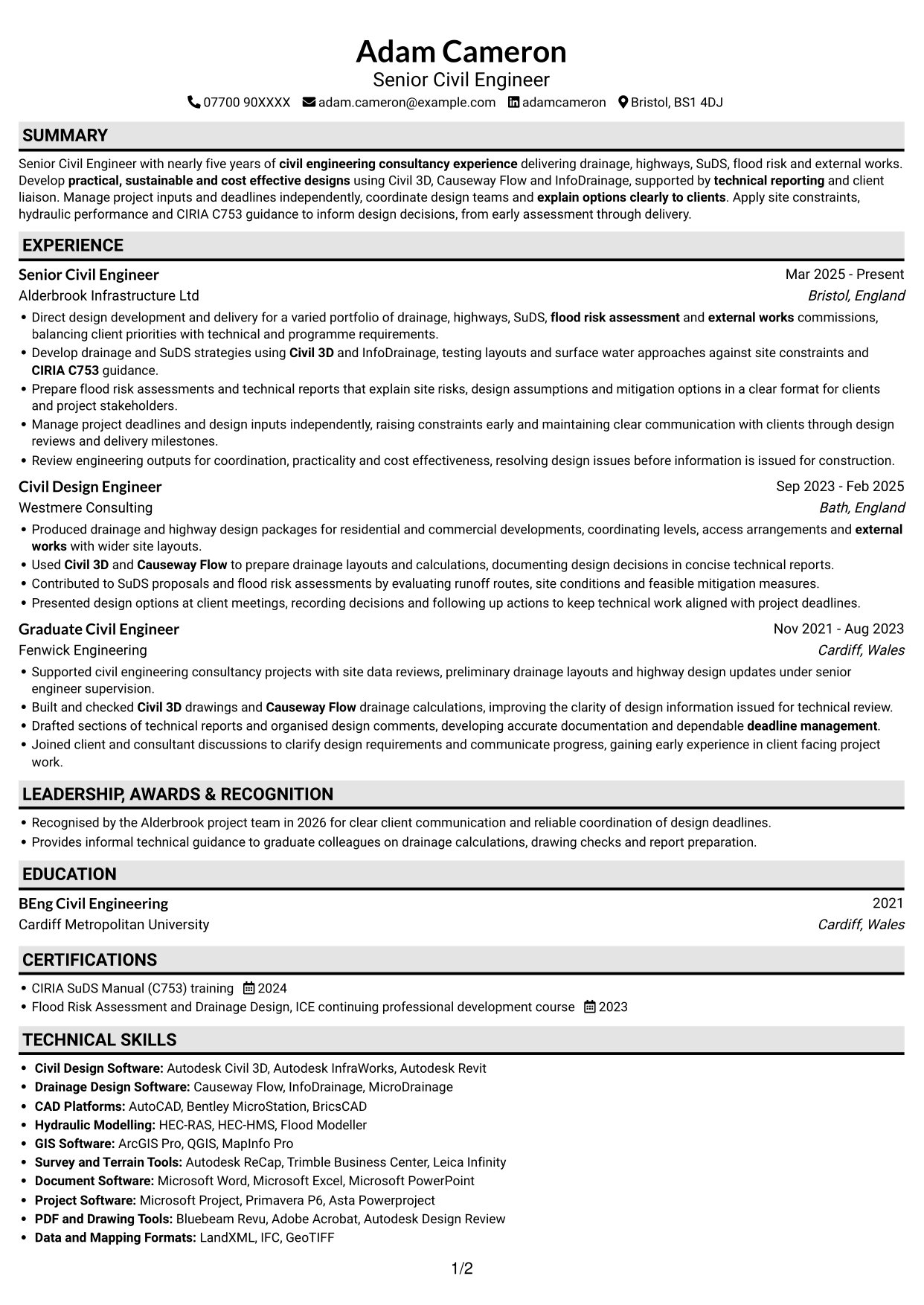
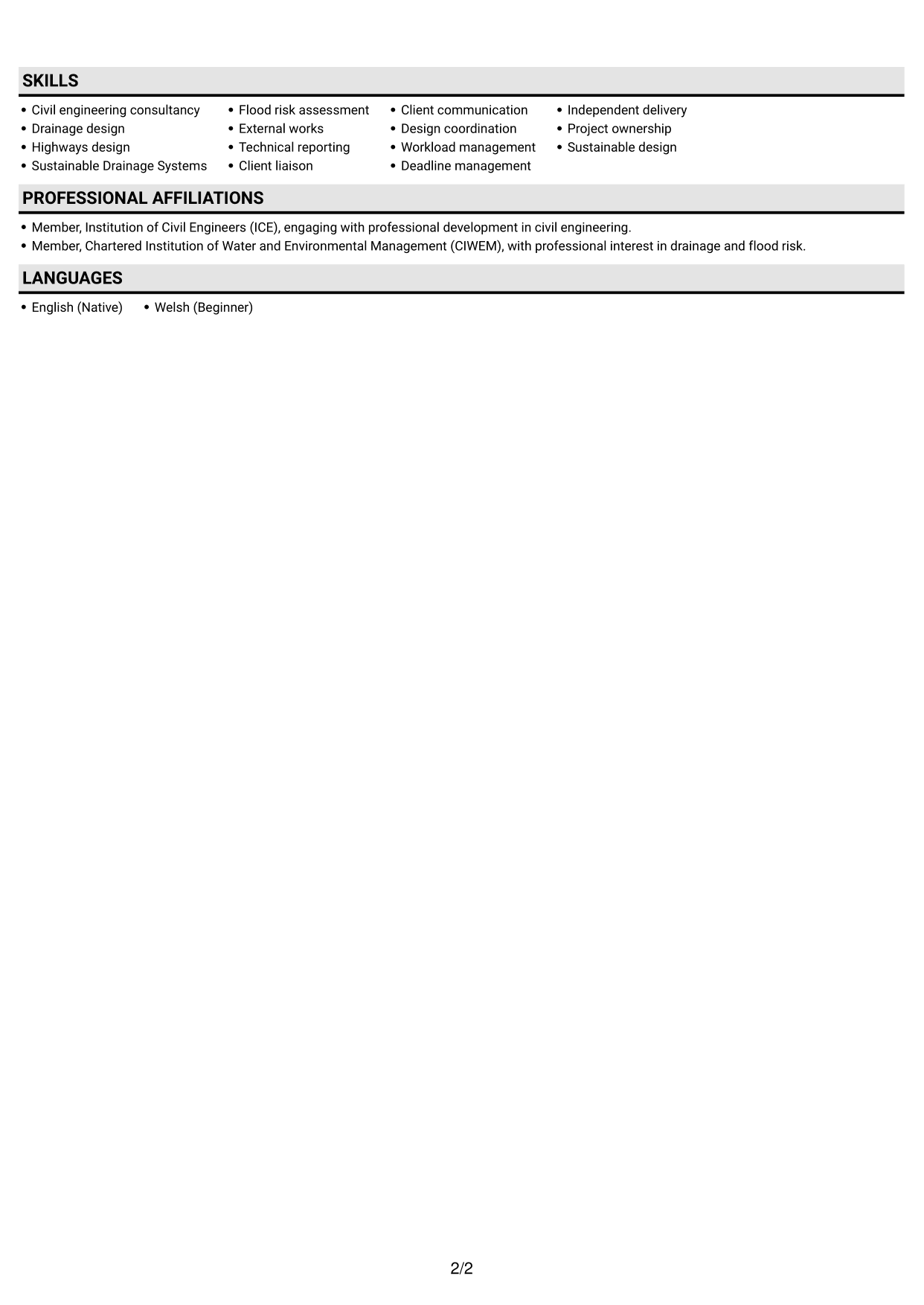
 
CV example — page 1   CV example — page 2

Why This Format Works

  • A single reading sequence makes changes in role and responsibility easy to follow.
  • Experience bullets stay together, giving project work a clear place in the review.
  • Education and credentials follow the same route through the document.

Best For

  • Career histories read in sequence
  • Detailed experience entries
  • CVs with several supporting sections
  • Reviewers tracing role progression
  • One-route document reading
 

#4 One Column Format with Photo Right CV Example

A portrait placed to the right gives the page a visible personal identifier while the CV body stays in one column.
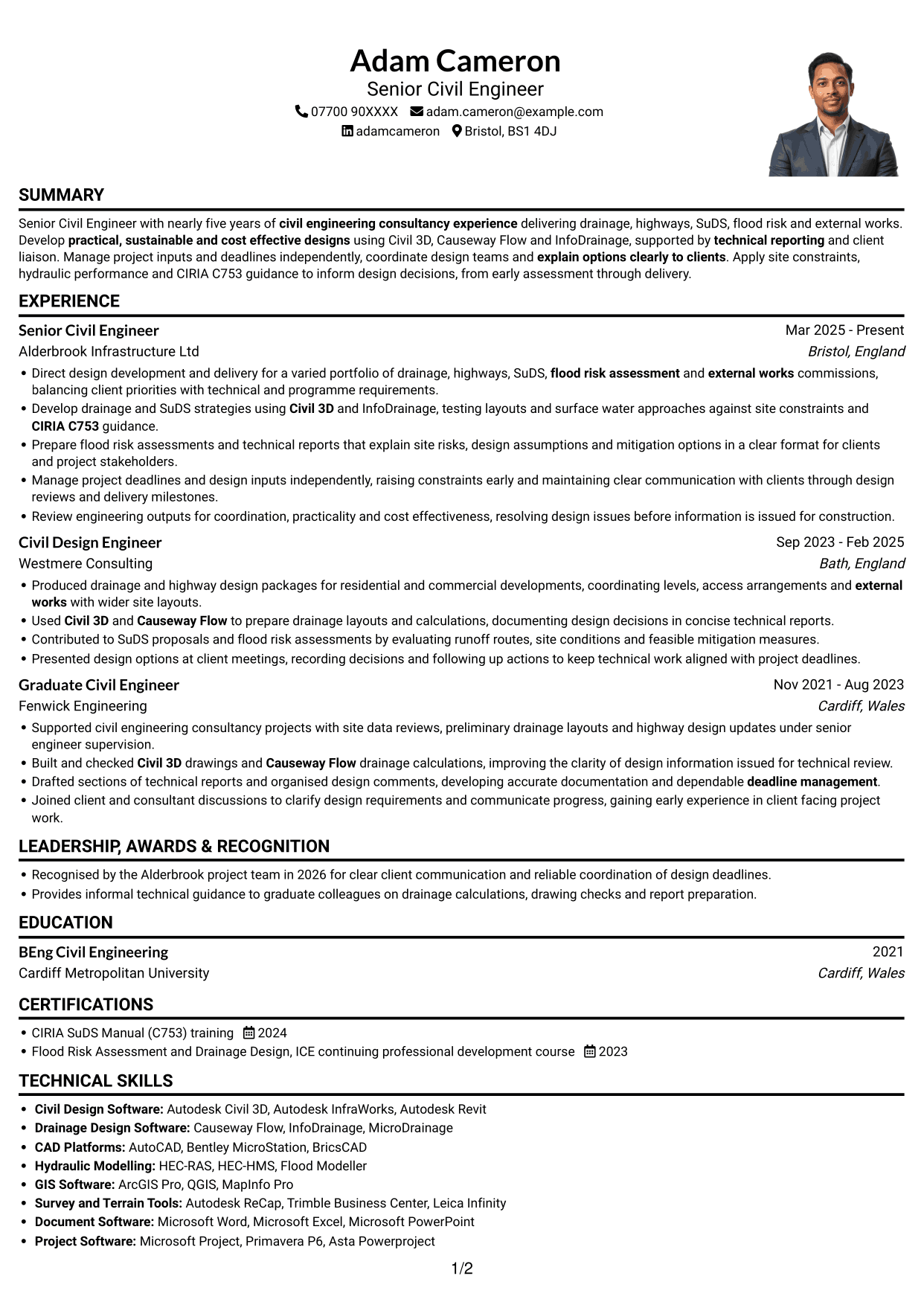
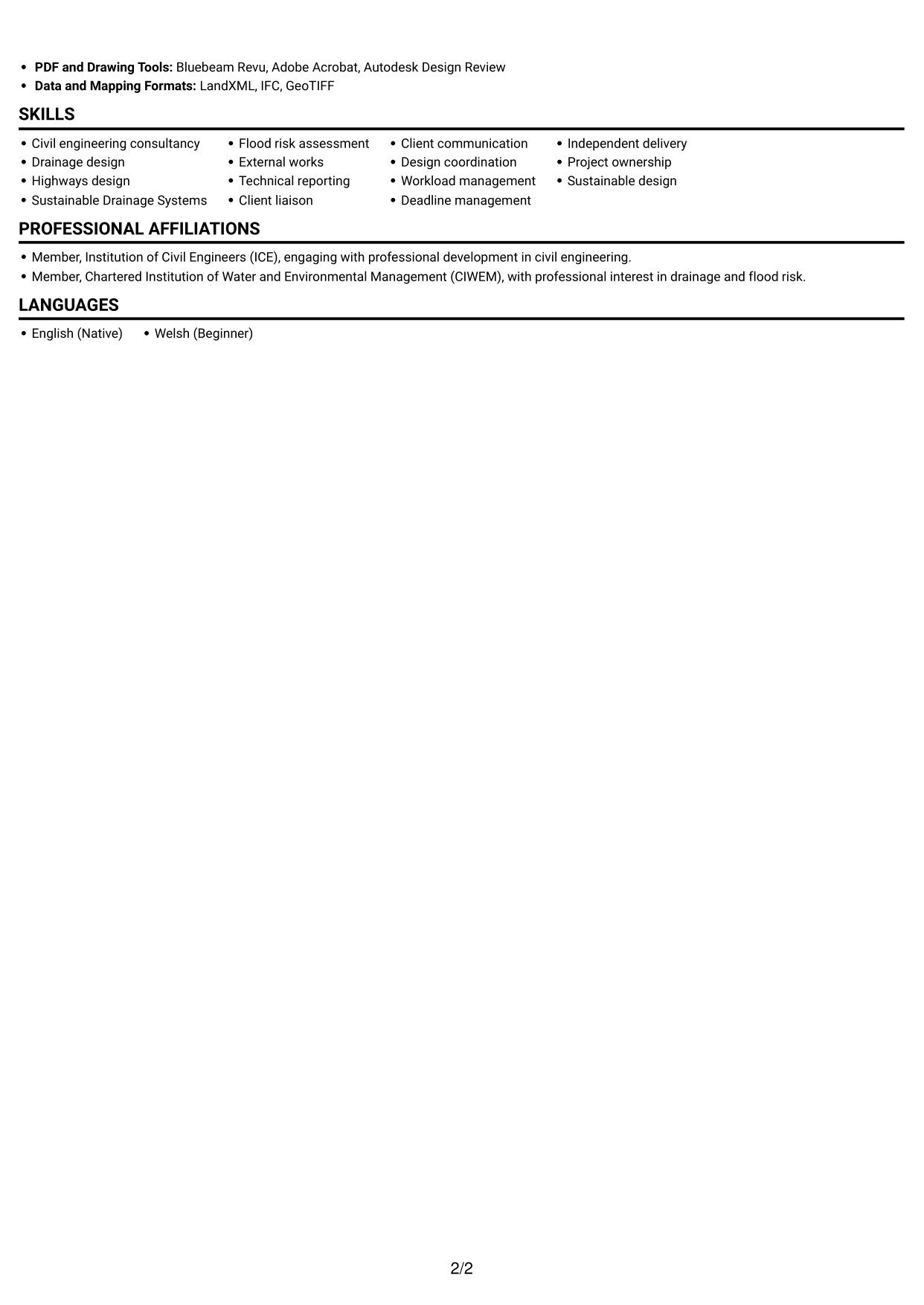
 
CV example — page 1   CV example — page 2

Why This Format Works

  • The portrait adds a clear personal identifier, while the body keeps one reading sequence.
  • Work history follows one route, so progression across roles is easy to trace.
  • Skills, education and credentials sit within the same linear review path.

Best For

  • CVs where a portrait is preferred
  • Single-sequence document reading
  • Career histories with supporting sections
  • Reviewers tracing role progression
  • Portrait and text together
 

#5 Clean Two Column Sidebar Format CV Example

The two-column sidebar layout gives the CV a clear division between work history and supporting sections.
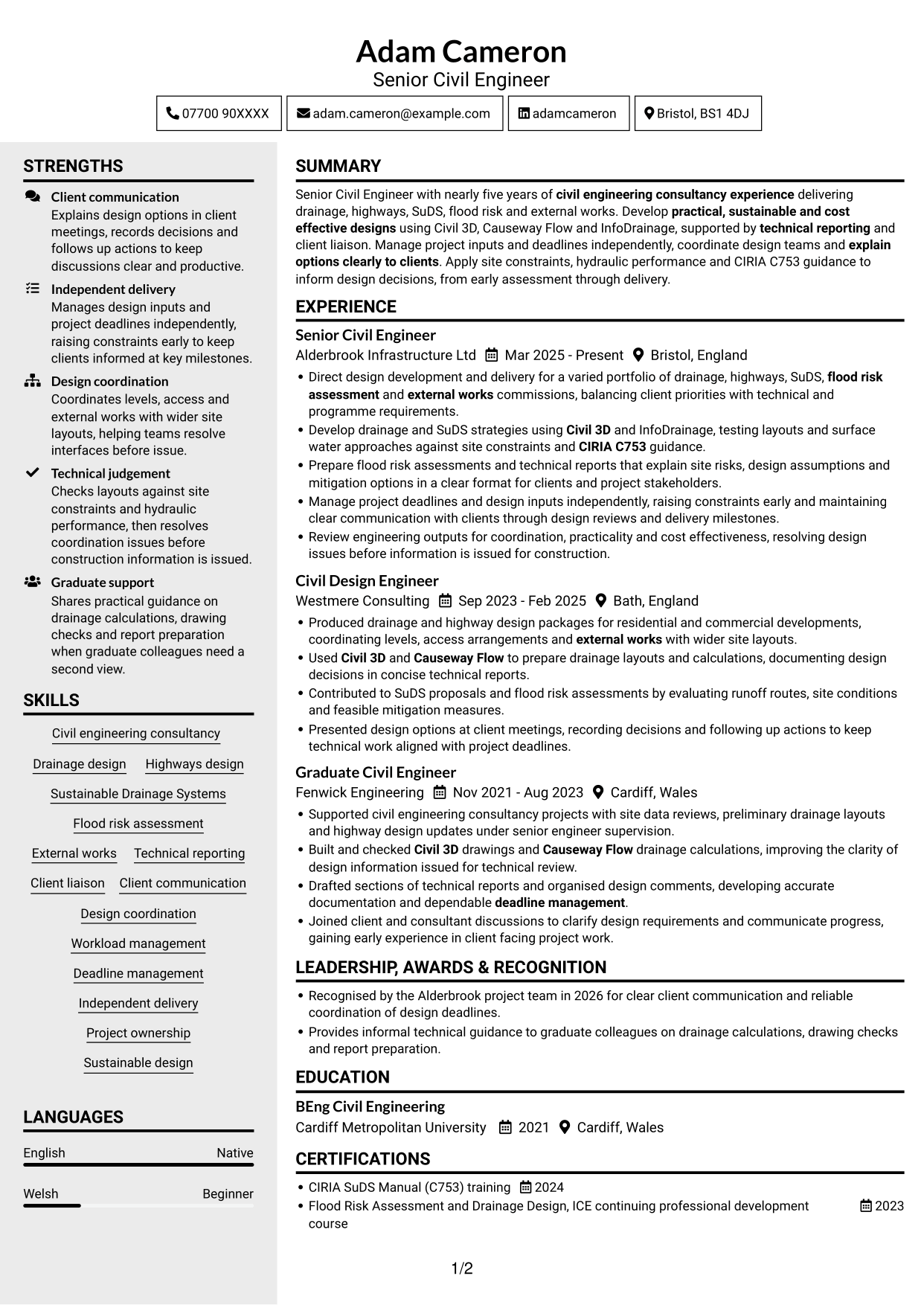
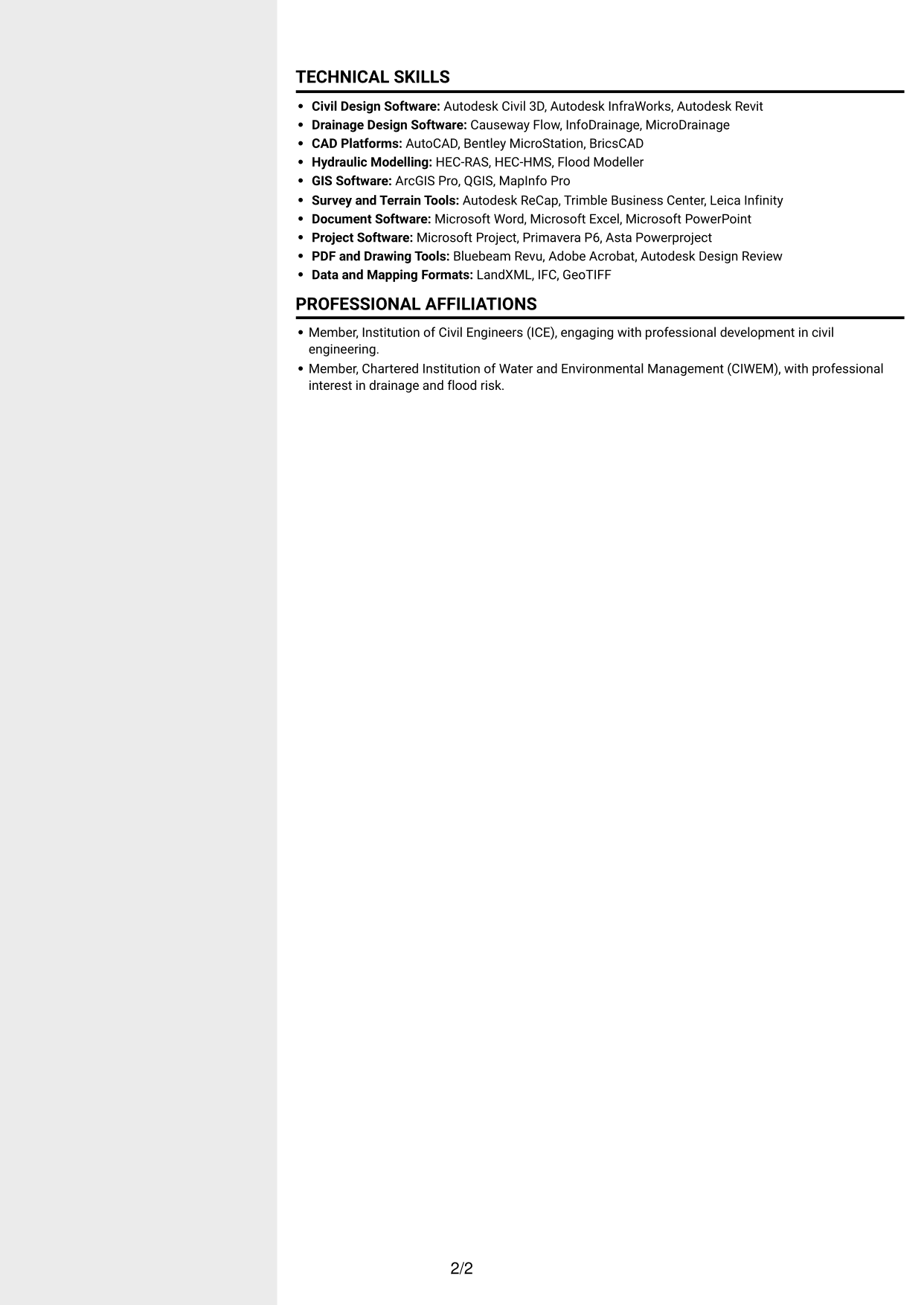
 
CV example — page 1   CV example — page 2

Why This Format Works

  • The divided layout helps reviewers move between career history and supporting details.
  • Work entries stay grouped, keeping progression between roles easy to follow.
  • Skills and credentials have a distinct place beside the experience record.

Best For

  • Career history with supporting details
  • CVs needing clear section division
  • Skills beside experience
  • Quick access to credentials
  • Two-area document organisation


#6 Two Column Format CV Example

Two body columns give career history and supporting information separate areas for a more compact way to review the CV.
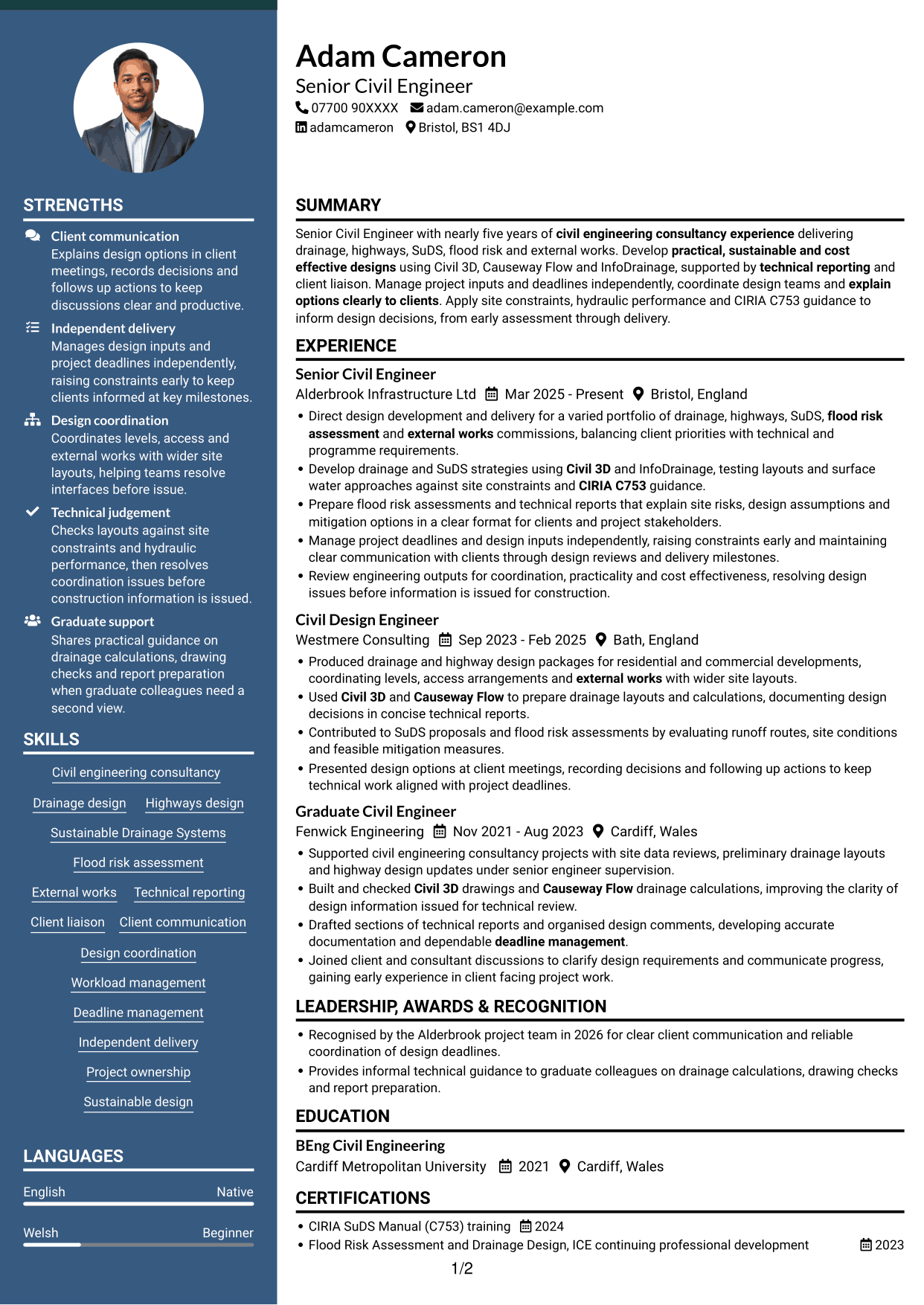
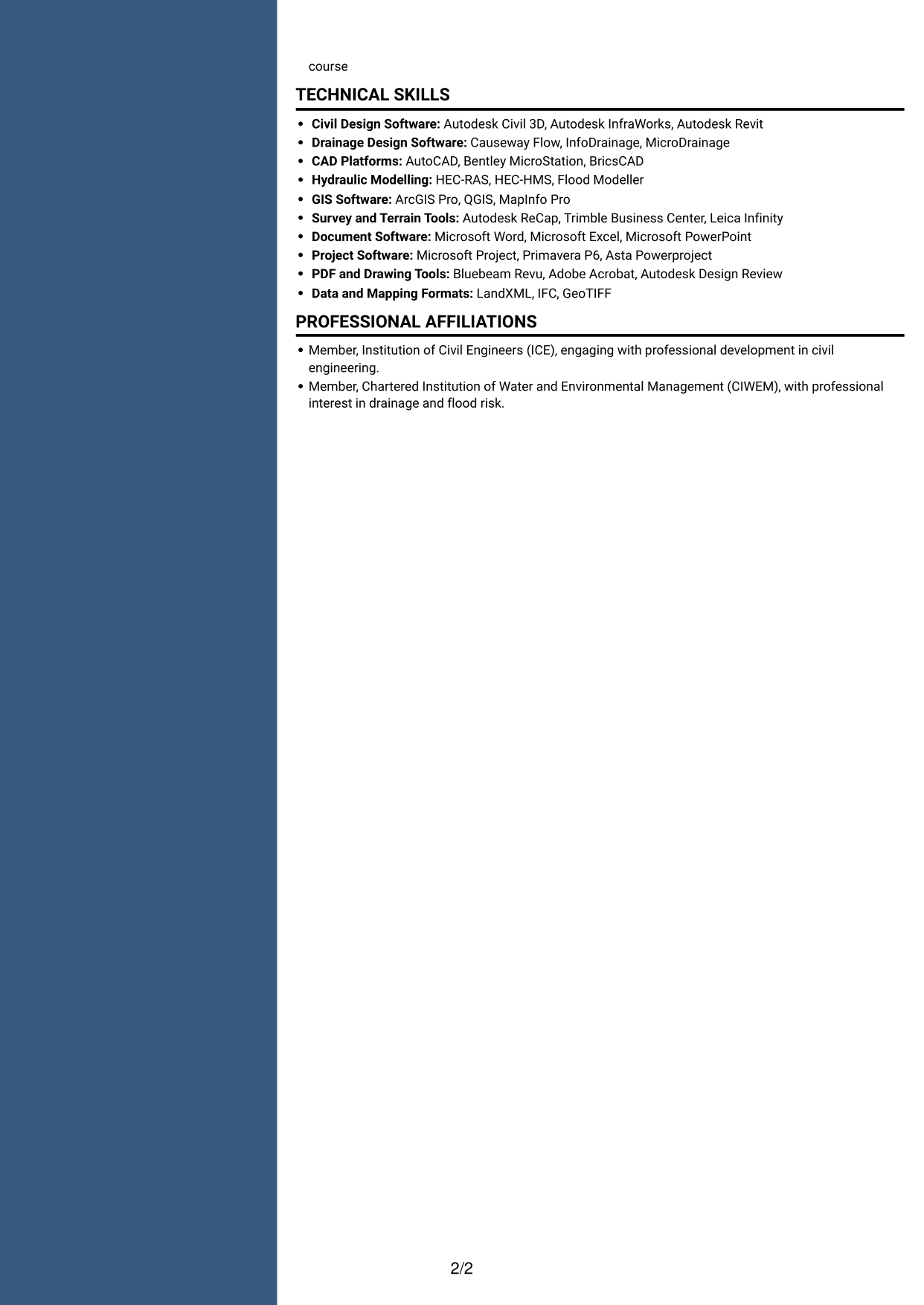
 
CV example — page 1   CV example — page 2

Why This Format Works

  • Career history and supporting sections occupy separate areas for straightforward navigation.
  • The two-column reading order lets reviewers locate education without scanning every work entry.
  • Grouped experience keeps the sequence of roles clear.

Best For

  • CVs with varied section content
  • Career history with supporting information
  • Fast section navigation
  • Education alongside work history
  • Two-area reading preference
 

#7 Photo Header Two Column Format CV Example

A photo header sits above the two-column body, combining a visible personal identifier with separate content areas.
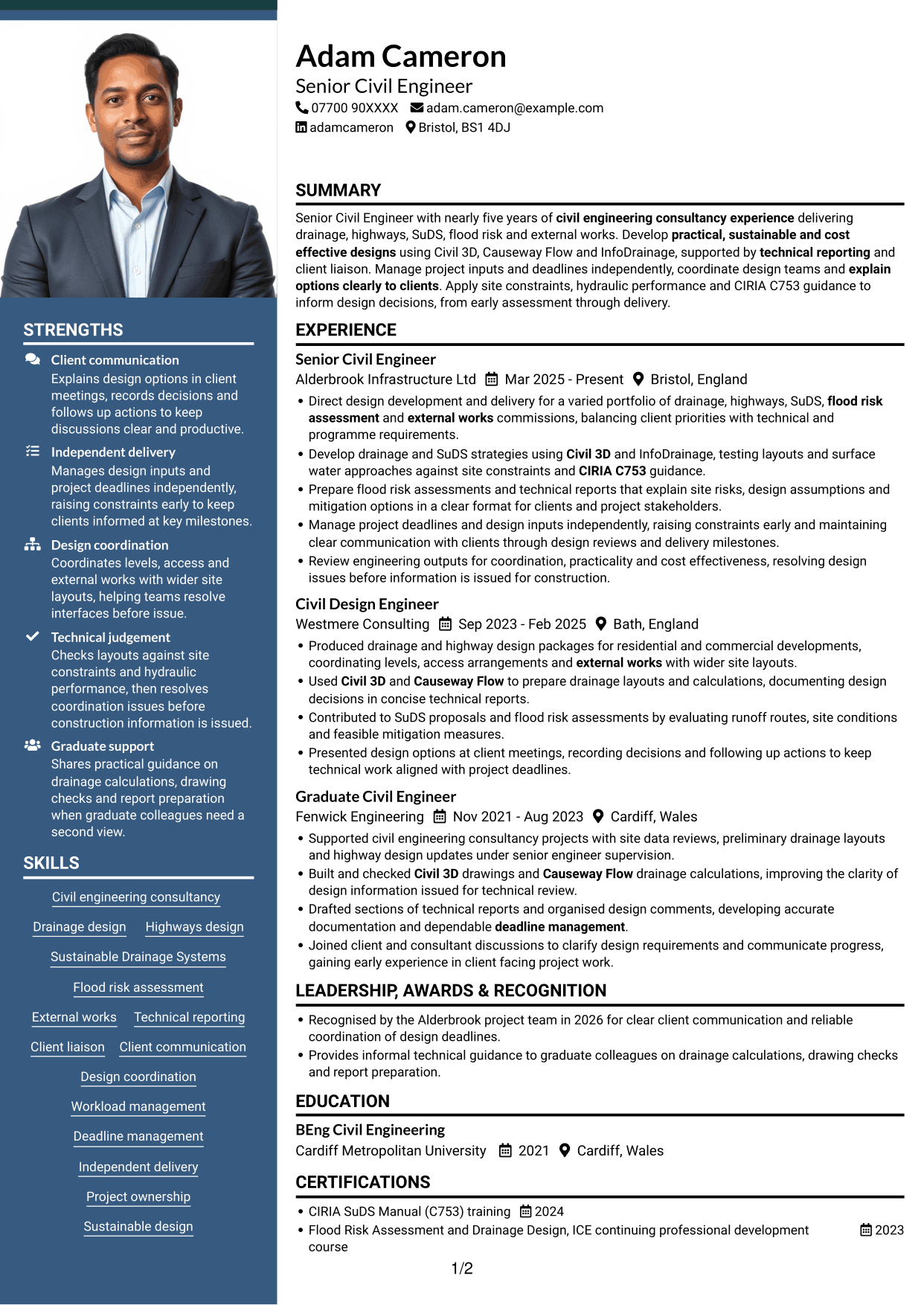
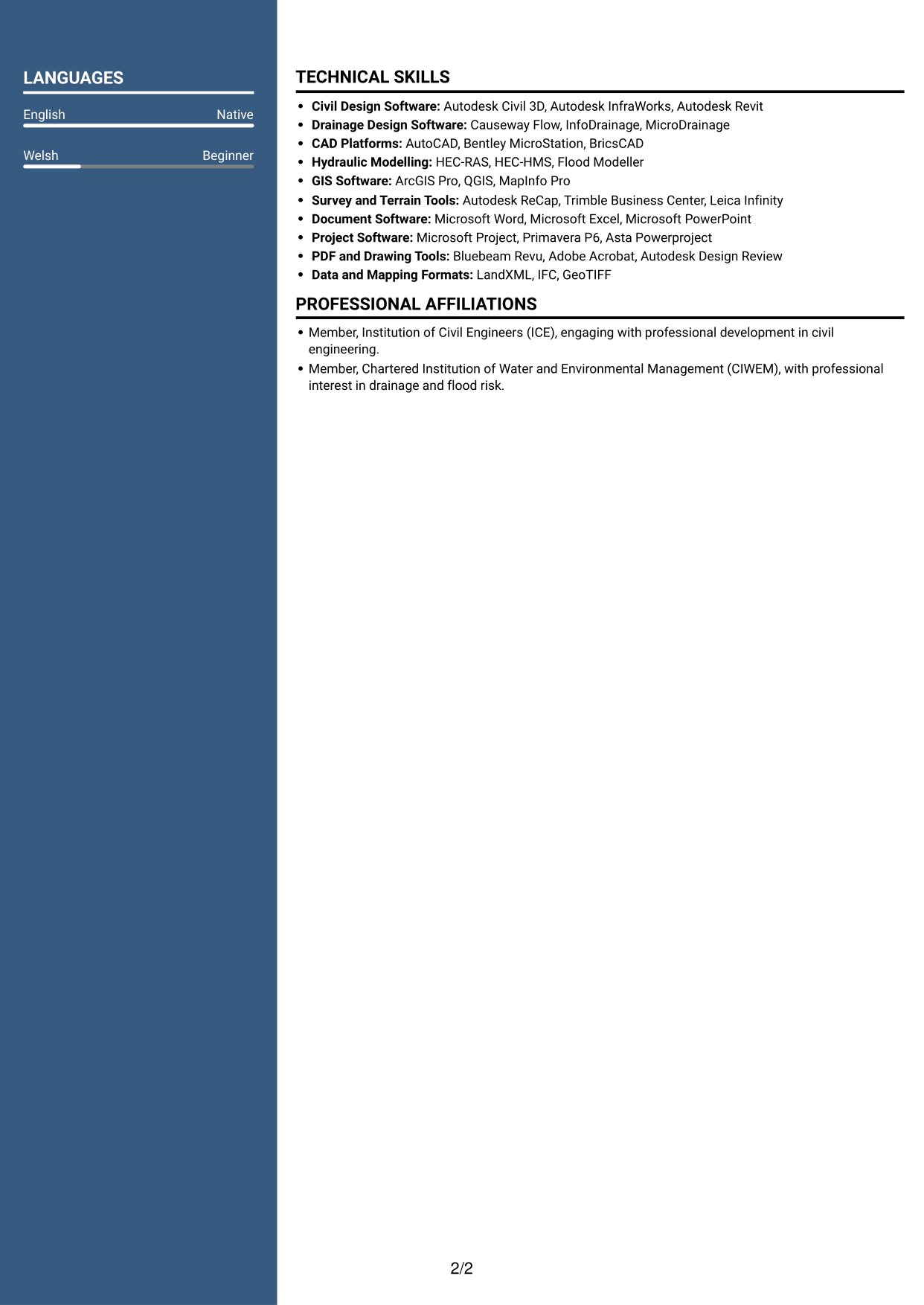
 
CV example — page 1   CV example — page 2

Why This Format Works

  • The two-column body gives career history and supporting information distinct areas.
  • Grouped work entries help reviewers trace progression across roles.
  • The photo header provides a visible personal identifier before the body sections.

Best For

  • CVs where a photo header is preferred
  • Career history with supporting sections
  • Clear division between content areas
  • Reviewers tracing work progression
  • Photo and two-column presentation


Why Build Your Senior Civil Engineer - Drainage, Highways and SuDS CV with ResumeInMinutes

ResumeInMinutes helps you organise civil engineering experience, skills and education in a clear CV. Compare PNG image previews, then open an example in the editor to customise its content and layout.

  • Different CV layouts
  • Clear, readable section structure
  • Space for role-specific keywords
  • Organised skills and experience
  • PNG image previews
  • CV customisation in the editor

Choose a format that makes your design experience easy to follow. Keep the focus on drainage, highways, SuDS, flood risk, design coordination and technical outcomes.


See Also


Frequently Asked Questions

Are these Senior Civil Engineer - Drainage, Highways and SuDS CV templates ATS-friendly?

The examples use readable headings and clear sections to support scanning. Include relevant terms naturally, such as drainage design, highways, SuDS, flood risk assessment, Civil 3D and technical reporting.

Are these separate CV examples or different layouts of one example?

This page shows one role-focused CV example in different layouts. Compare the PNG image previews, then open an example in the editor to customise it.

What should a Senior Civil Engineer - Drainage, Highways and SuDS CV include?

Include a focused profile, relevant experience, education, skills and any relevant training. Show how you have handled design work, project deadlines, client liaison, technical reports and coordination across drainage, highways, SuDS or flood risk projects.

Which CV layout works well for this role?

Choose a layout with clear headings and an easy-to-follow order for experience, skills and education. A simple structure helps recruiters and applicant tracking systems find key details.

How can I show civil engineering achievements on my CV?

Use concise bullet points to explain the project, your contribution and the result. Where you have reliable figures, include them to show outcomes such as improved coordination, timely delivery or effective design decisions.

Should I include a photo on my CV?

For UK applications, a photo is usually not needed. Use the space for relevant experience, skills and results instead.


ATS Score 100%

How we calculate this score

  • Keywords: 60% of the total. AI extracts keywords from your job description. If you do not provide one, a standard job description for the title matching your CV is used. This is not a match to a specific vacancy.
  • Text-based CV: 20%. The text CV assessed here receives 100 for this part.
  • CV quality: 20%. We start at 100 and subtract points for issues found by our CV checks, down to a minimum of zero.
  • Keyword coverage = round(100 × confirmed matches ÷ total keywords). Exact matches and supported equivalents verified by AI receive full credit; unsupported keywords receive none. Live text checks use the saved equivalents and do not request a new AI review. Without keywords, no overall ATS score is available.
  • Final score = 60% of keyword coverage + 20% of the text score + 20% of the quality score, rounded to a whole number. Without keywords, no overall ATS score is available.

What this score means

Our scores are estimates, not employer ratings. They may contain errors and do not guarantee accurate parsing, a ranking, an interview, or a job. Check your document against the employer’s requirements. You are responsible for relying on this score.

Terms and Conditions

Score weights: Keywords 60% · Text based CV 20% · CV quality 20%

Keyword coverage: 19 of 19 (100%) · CV quality: 100%

CV quality 100% · Weight 20% · Issues (0)

Details
  • ✓Name present: Adam Cameron
  • ✓Email format: adam.cameron@example.com
  • ✓Phone format: 07700 90XXXX
  • ✓Experience 1: Job title: Senior Civil Engineer
  • ✓Experience 1: Company name: Alderbrook Infrastructure Ltd
  • ✓Experience 1: Work location: Bristol, England
  • ✓Experience 1: Employment dates: Mar 2025 - Present
  • ✓Experience 1: Description or achievements: Present
  • ✓Experience 2: Job title: Civil Design Engineer
  • ✓Experience 2: Company name: Westmere Consulting
  • ✓Experience 2: Work location: Bath, England
  • ✓Experience 2: Employment dates: Sep 2023 - Feb 2025
  • ✓Experience 2: Description or achievements: Present
  • ✓Experience 3: Job title: Graduate Civil Engineer
  • ✓Experience 3: Company name: Fenwick Engineering
  • ✓Experience 3: Work location: Cardiff, Wales
  • ✓Experience 3: Employment dates: Nov 2021 - Aug 2023
  • ✓Experience 3: Description or achievements: Present
  • ✓No placeholder fields
  • ✓No repeated achievement bullets
  • ✓No empty bullets

No issues found by the current checks.

Text Based CV 100% · Weight 20%

Parsed text
Adam Cameron
07700 90XXXX
adam.cameron@example.com
adamcameron
Bristol, BS1 4DJ
SUMMARY
Senior Civil Engineer with nearly five years of civil engineering consultancy experience delivering drainage, highways, SuDS, flood risk and external works. Develop practical, sustainable and cost effective designs using Civil 3D, Causeway Flow and InfoDrainage, supported by technical reporting and client liaison. Manage project inputs and deadlines independently, coordinate design teams and explain options clearly to clients. Apply site constraints, hydraulic performance and CIRIA C753 guidance to inform design decisions, from early assessment through delivery.
EXPERIENCE
Senior Civil Engineer
Mar 2025 - Present
Alderbrook Infrastructure Ltd
Bristol, England
Direct design development and delivery for a varied portfolio of drainage, highways, SuDS, flood risk assessment and external works commissions, balancing client priorities with technical and programme requirements.
Develop drainage and SuDS strategies using Civil 3D and InfoDrainage, testing layouts and surface water approaches against site constraints and CIRIA C753 guidance.
Prepare flood risk assessments and technical reports that explain site risks, design assumptions and mitigation options in a clear format for clients and project stakeholders.
Manage project deadlines and design inputs independently, raising constraints early and maintaining clear communication with clients through design reviews and delivery milestones.
Review engineering outputs for coordination, practicality and cost effectiveness, resolving design issues before information is issued for construction.
Civil Design Engineer
Sep 2023 - Feb 2025
Westmere Consulting
Bath, England
Produced drainage and highway design packages for residential and commercial developments, coordinating levels, access arrangements and external works with wider site layouts.
Used Civil 3D and Causeway Flow to prepare drainage layouts and calculations, documenting design decisions in concise technical reports.
Contributed to SuDS proposals and flood risk assessments by evaluating runoff routes, site conditions and feasible mitigation measures.
Presented design options at client meetings, recording decisions and following up actions to keep technical work aligned with project deadlines.
Graduate Civil Engineer
Nov 2021 - Aug 2023
Fenwick Engineering
Cardiff, Wales
Supported civil engineering consultancy projects with site data reviews, preliminary drainage layouts and highway design updates under senior engineer supervision.
Built and checked Civil 3D drawings and Causeway Flow drainage calculations, improving the clarity of design information issued for technical review.
Drafted sections of technical reports and organised design comments, developing accurate documentation and dependable deadline management.
Joined client and consultant discussions to clarify design requirements and communicate progress, gaining early experience in client facing project work.
LEADERSHIP, AWARDS & RECOGNITION
Recognised by the Alderbrook project team in 2026 for clear client communication and reliable coordination of design deadlines.
Provides informal technical guidance to graduate colleagues on drainage calculations, drawing checks and report preparation.
EDUCATION
BEng Civil Engineering
2021
Cardiff Metropolitan University
Cardiff, Wales
CERTIFICATIONS
CIRIA SuDS Manual (C753) training
2024
Flood Risk Assessment and Drainage Design, ICE continuing professional development course
2023
TECHNICAL SKILLS
Civil Design Software: Autodesk Civil 3D, Autodesk InfraWorks, Autodesk Revit
Drainage Design Software: Causeway Flow, InfoDrainage, MicroDrainage
CAD Platforms: AutoCAD, Bentley MicroStation, BricsCAD
Hydraulic Modelling: HEC-RAS, HEC-HMS, Flood Modeller
GIS Software: ArcGIS Pro, QGIS, MapInfo Pro
Survey and Terrain Tools: Autodesk ReCap, Trimble Business Center, Leica Infinity
Document Software: Microsoft Word, Microsoft Excel, Microsoft PowerPoint
Project Software: Microsoft Project, Primavera P6, Asta Powerproject
PDF and Drawing Tools: Bluebeam Revu, Adobe Acrobat, Autodesk Design Review
Data and Mapping Formats: LandXML, IFC, GeoTIFF
SKILLS
Civil engineering consultancy
Drainage design
Highways design
Sustainable Drainage Systems
Flood risk assessment
External works
Technical reporting
Client liaison
Client communication
Design coordination
Workload management
Deadline management
Independent delivery
Project ownership
Sustainable design
PROFESSIONAL AFFILIATIONS
Member, Institution of Civil Engineers (ICE), engaging with professional development in civil engineering.
Member, Chartered Institution of Water and Environmental Management (CIWEM), with professional interest in drainage and flood risk.
LANGUAGES
English (Native)
Welsh (Beginner)

Matched keywords (19)

  • nearly five years of civil engineering consultancy experienceOriginal keyword in JD: 4 to 5 years' civil engineering consultancy experience
  • BEng Civil EngineeringOriginal keyword in JD: Degree in Civil Engineering OR a relevant discipline
  • Drainage Design
  • Highways design
  • Sustainable Drainage SystemsOriginal keyword in JD: Sustainable Drainage Systems (SuDS)
  • flood risk assessment
  • Civil 3D
  • Causeway Flow
  • InfoDrainage
  • technical reporting
  • Manage project inputs and deadlines independentlyOriginal keyword in JD: Independent project delivery
  • Project ownership
  • deadline management
  • client liaison
  • explain options clearly to clientsOriginal keyword in JD: Client-facing communication
  • external works
  • Design coordination
  • practical, sustainable and cost effective designsOriginal keyword in JD: Sustainable and cost-effective design
  • CIRIA C753

Missing keywords (0)

No missing keywords.

Disclaimer: All names, images, contact information, employment histories, achievements, security clearances, military credentials, and other qualifications shown in this content are fictional and used for illustrative purposes only. Any resemblance to actual persons, living or deceased, is purely coincidental.

CV and cover letter examples and recommendations in this article reflect general best practices and professional experience and are provided for guidance only. Results may vary based on role, industry, region, and hiring organisation.

Content Accuracy and Verification: To the fullest extent permitted by applicable law, we do not represent or warrant that CV or cover letter guidance, examples, recommendations, or related information are accurate, complete, current, error-free, or suitable for any particular purpose. You are responsible for independently reviewing and verifying the information before relying on it.

ATS and Cover Letter Scores: ATS scores are estimates calculated using our own formula, informed by publicly available guidance on CV formatting and keyword matching. They are not scores issued or endorsed by an ATS provider or employer. Cover letter scores are also our own assessments. Parsing, weighting, screening criteria, and results vary between systems, employers, job descriptions, and document formats. No score guarantees successful parsing, a particular ranking, an interview, or employment. Use scores as general guidance and independently check your documents against the employer’s requirements. To the fullest extent permitted by applicable law, we accept no liability for errors in scores or parsing, or losses arising from reliance on these assessments. Nothing in this notice excludes liability or limits consumer rights that cannot lawfully be excluded or limited.

Terms and Conditions
 
> JP 1 1
PDF Footer and Margins Setup
The margins are applied to the document, and the footer appears in both the preview and the PDF

Footer Font Settings

Are you applying for a specific job
so we can tailor your CV to it?
Are you applying for a specific job
so we can tailor your cover letter to it?

Your data stays private and is never used for training.Privacy Policy

Type your details as text to generate a personalised CV Type your details as text to generate a personalised cover letter
Website link found! Ready to create CV from:

Your data stays private and is never used for training.Privacy Policy

Drag the into the box to verify you're human.
Drop here

My CVs

Showing {number_of_files} files (out of {total_of_all_files} total)
Name File Type Last Modified: Description:

Rename File

Filename already exists!

Delete Files

Warning: This action is irreversible. Once you click submit, the files will be permanently deleted.

Heading text
Upload From Computer Upload
Select From Existing
LinkedIn
Drag & Drop files anywhere in this tab, or

Uploaded Files

Delete Name Last Updated Use This File
Select this to use the file for generating your CV and cover letter. Only one source—uploaded file, selected file, or LinkedIn text—can be used.

My Files

CVs or cover letters you create will appear here. No files available yet.
Delete Name Last Updated Use This File
Select this to use the file for generating your CV and cover letter. Only one source—uploaded file, selected file, or LinkedIn text—can be used.

Add LinkedIn Profile PDF

You can download your LinkedIn profile as a PDF by opening linkedin.com in a web browser, clicking your profile photo, selecting the “More” or “Resources” button, and choosing “Save to PDF.” You can then attach the PDF using the Upload From Computer tab.

Paste Your LinkedIn Profile Text

If you have copied the LinkedIn profile text, paste it below. See how to copy your profile from LinkedIn

Select this to use the LinkedIn profile text for generating your CV and covering letter. Only one source—uploaded file, selected file, or LinkedIn text—can be used.

Try these controls

<
>


