
US English


7 Account Executive - SLED Resume Templates with Example
By Ria · Last Updated On October 16, 2026
Resume example — page 1

This guide shows you how to build an Account Executive - SLED resume that presents your experience and sales impact with clarity. You will learn how to organize relevant evidence and choose a professional layout that supports a quick review.

For this role, make public procurement, state and local government sales, and higher education experience easy to find. Use concise bullets to show territory planning, executive discovery, deal strategy, quota attainment, and the steps you took to move complex sales from discovery to close.

Compare the example presented in 7 resume layouts to see how different designs arrange experience, skills, education, and certifications. The guide also explains how to use role-related terms such as Salesforce, Gong, revenue forecasting, and MEDDPICC where they match your own background.

What Makes a Great Account Executive - SLED Resume in 2026

A strong resume makes public-sector and higher education sales experience easy to scan. It connects account strategy, procurement knowledge, and executive relationships to clear sales outcomes.

Use short bullets with specific results, such as quota attainment or a complex agreement you helped close. Add relevant terms like public procurement, Salesforce, Gong, pipeline management, and revenue forecasting when they reflect your experience.

Note: Resume examples are for educational purposes only. Use only information that accurately reflects your experience and qualifications. References to real organizations do not imply affiliation or endorsement.

#1 Plain Two Column Format Resume Example

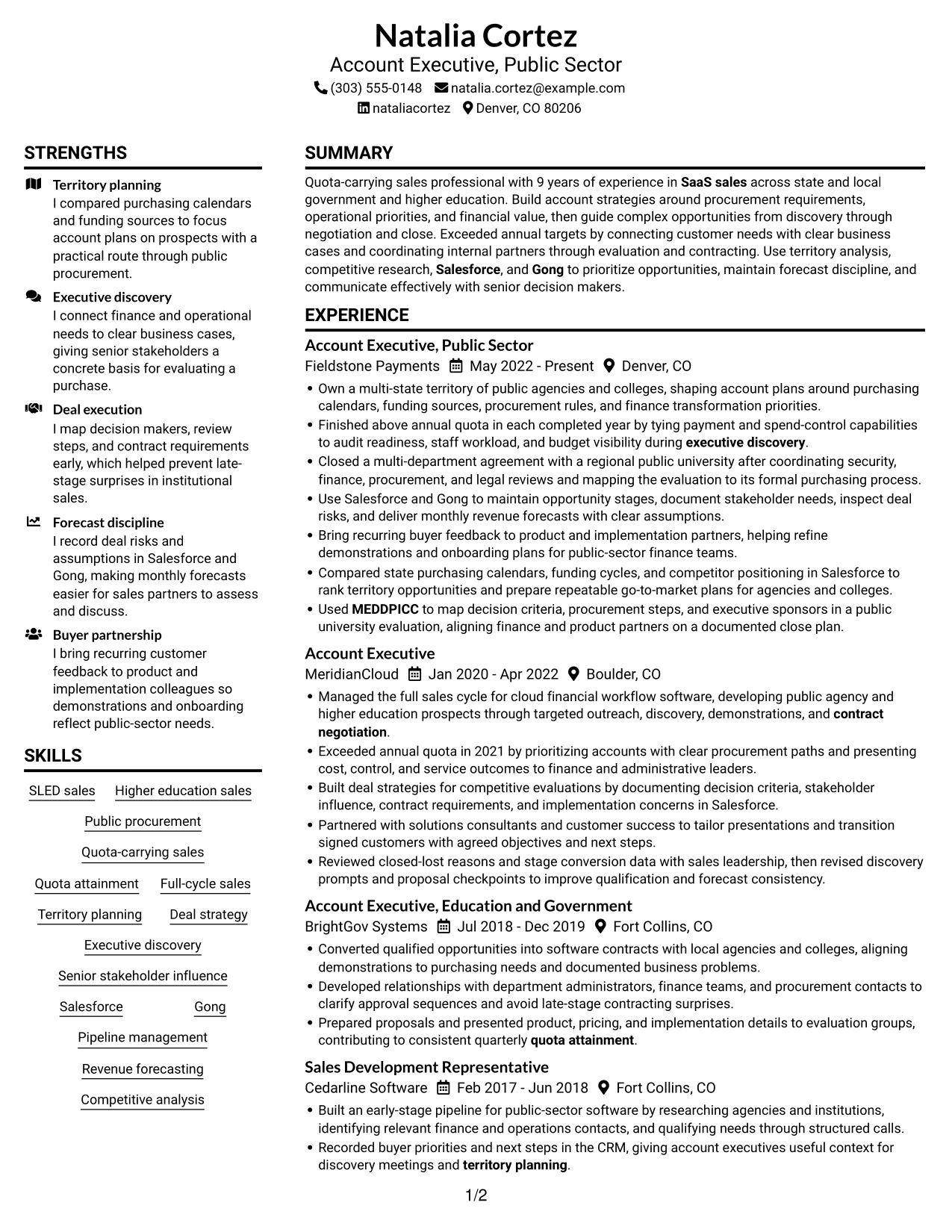
The Plain Two Column Format uses two body columns, giving reviewers separate areas to navigate the resume’s varied sections.
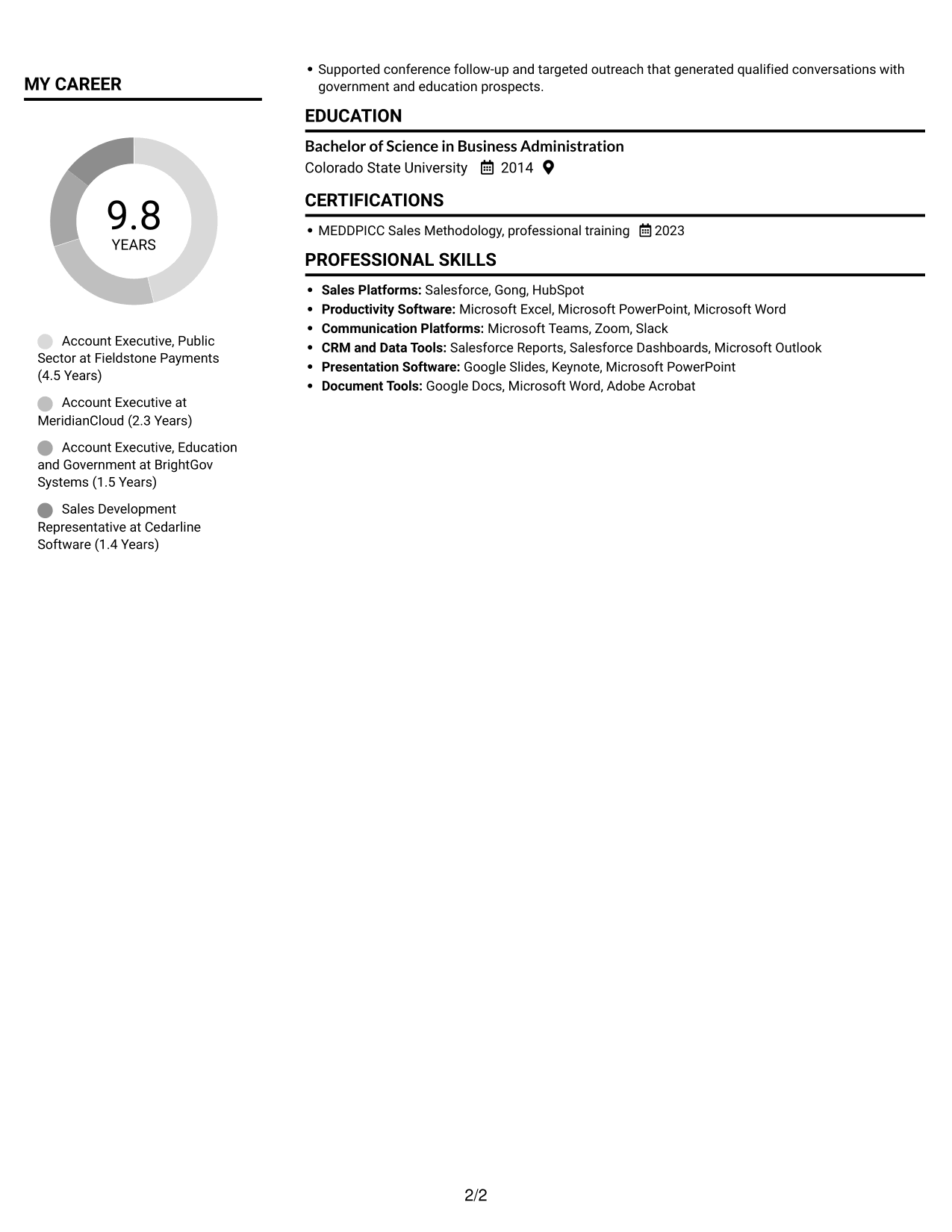
 
Resume example — page 1   Resume example — page 2

Resume Snapshot

  • 9 years of quota-carrying SaaS sales experience
  • Sales across state and local government and higher education
  • Salesforce and Gong experience
  • MEDDPICC Sales Methodology training, 2023

Why This Format Works

  • Two body columns help reviewers locate career history and supporting resume sections.
  • Distinct reading areas can keep education and credentials easy to find beside experience.
  • Achievement bullets are easier to compare when reviewers can move between content areas.

Best For

  • Multi-role work histories
  • Resumes pairing experience with supporting sections
  • Readers who prefer parallel content areas
  • Education and certification details
  • Public-sector sales applications

Resume Keywords

  • SLED sales
  • Higher education sales
  • public procurement
  • Quota-carrying sales
  • Quota attainment
  • Full-cycle sales
  • Territory planning
  • Deal strategy
  • Executive discovery
  • Senior stakeholder influence
  • Salesforce
  • Gong
  • Pipeline management
  • Revenue forecasting
  • Competitive analysis
See all keywords
 

#2 Simple One Column Format Resume Example

The Simple One Column Format keeps the resume in one vertical reading path, helping reviewers follow its sections in sequence.
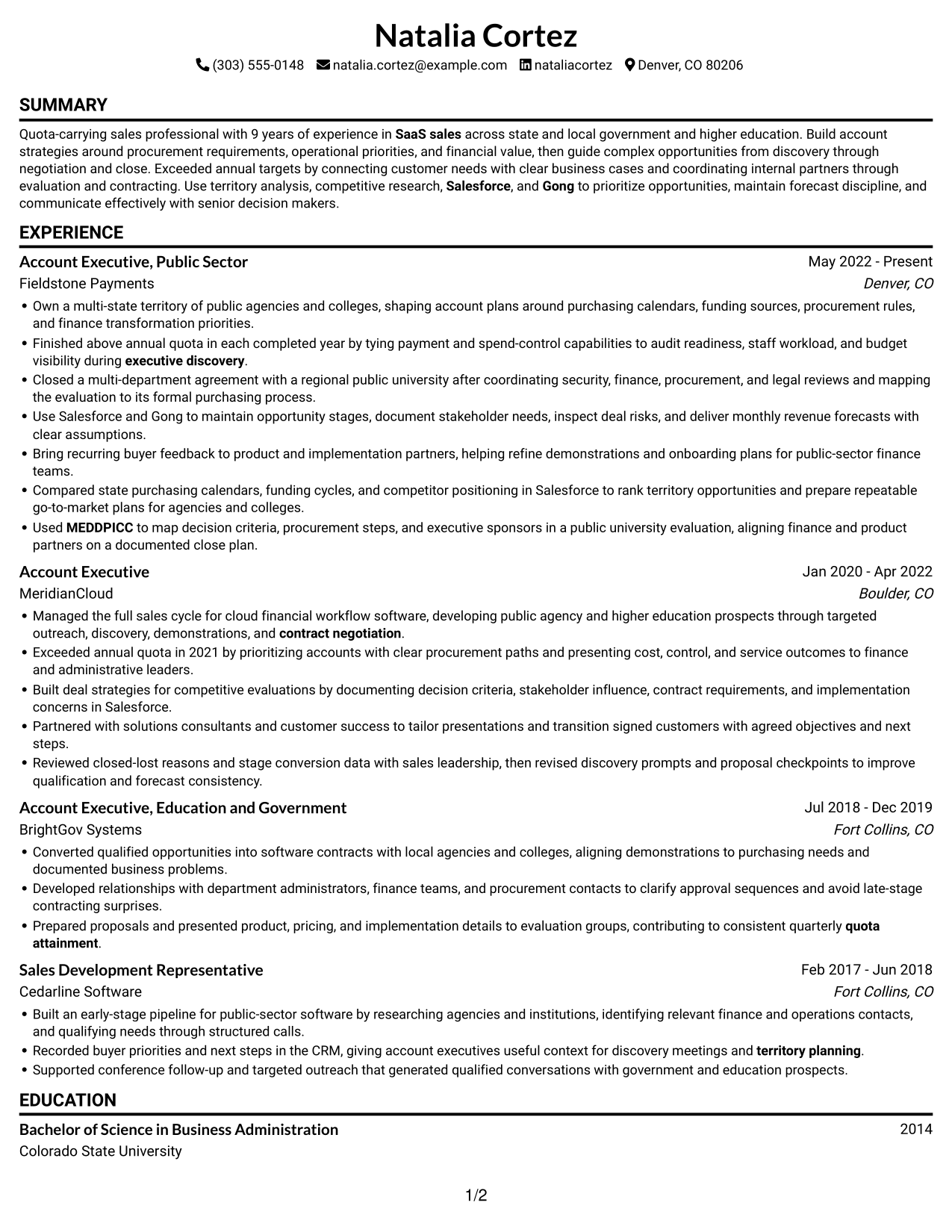
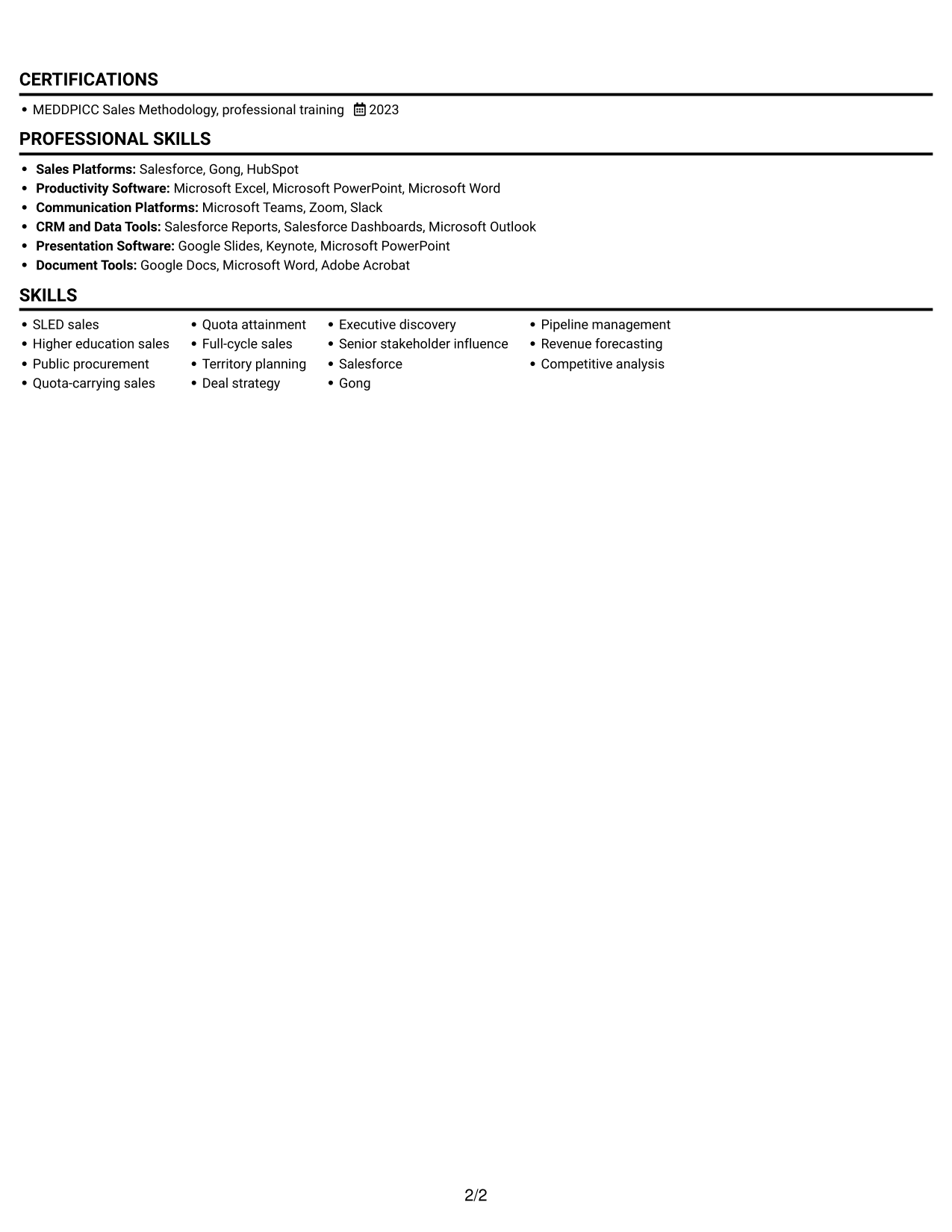
 
Resume example — page 1   Resume example — page 2

Why This Format Works

  • A single vertical path makes career progression easy to follow from role to role.
  • Section changes stay in one reading stream, making education and credentials easy to locate.
  • Full-width text areas give achievement bullets room to show context and outcomes.

Best For

  • Sequential work histories
  • Single-path section navigation
  • Detailed achievement bullets
  • Resumes with education and experience
  • Readers who prefer one reading stream
 

#3 Clean Two Column Sidebar Format Resume Example

The Clean Two Column Sidebar Format divides the resume into two body columns, offering reviewers a clear way to move across its sections.
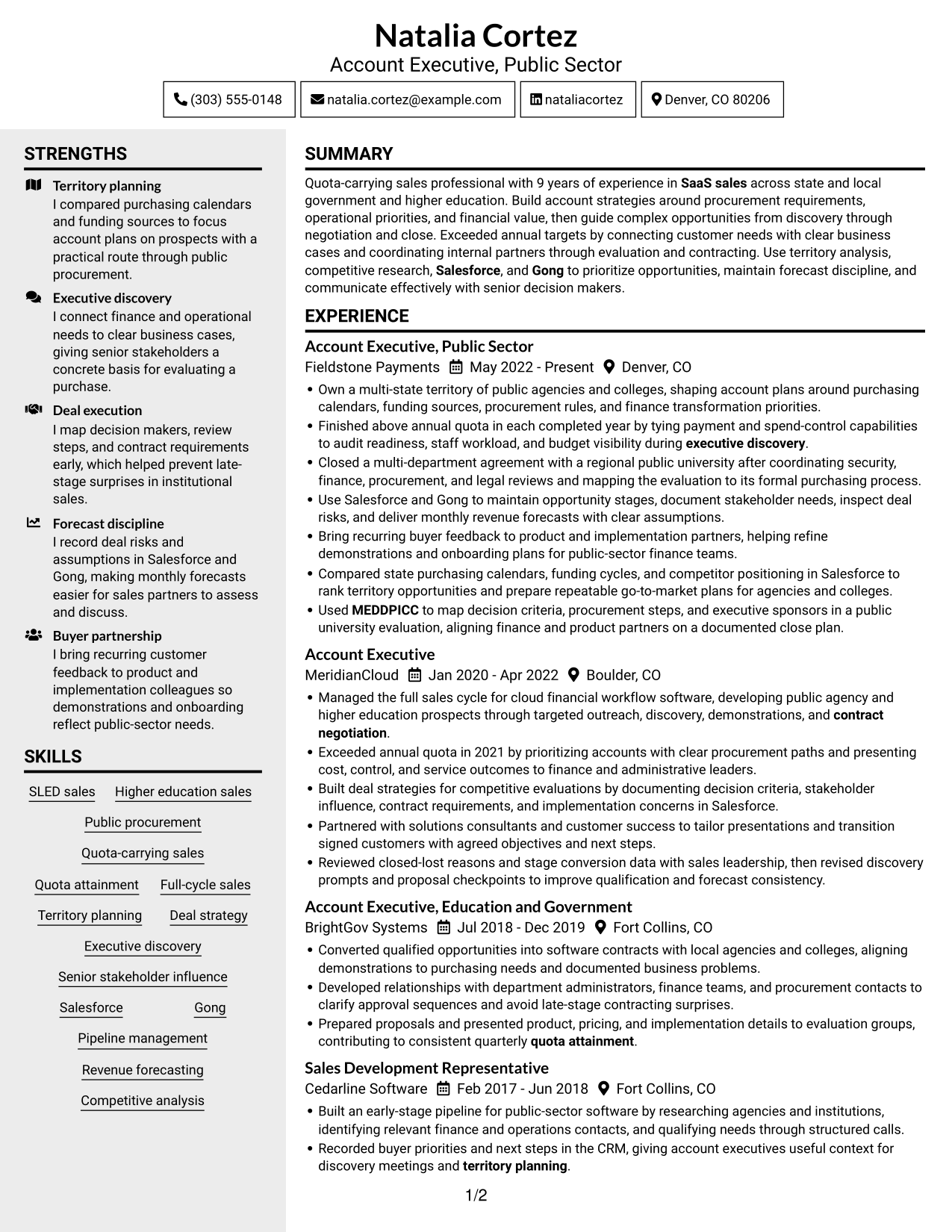
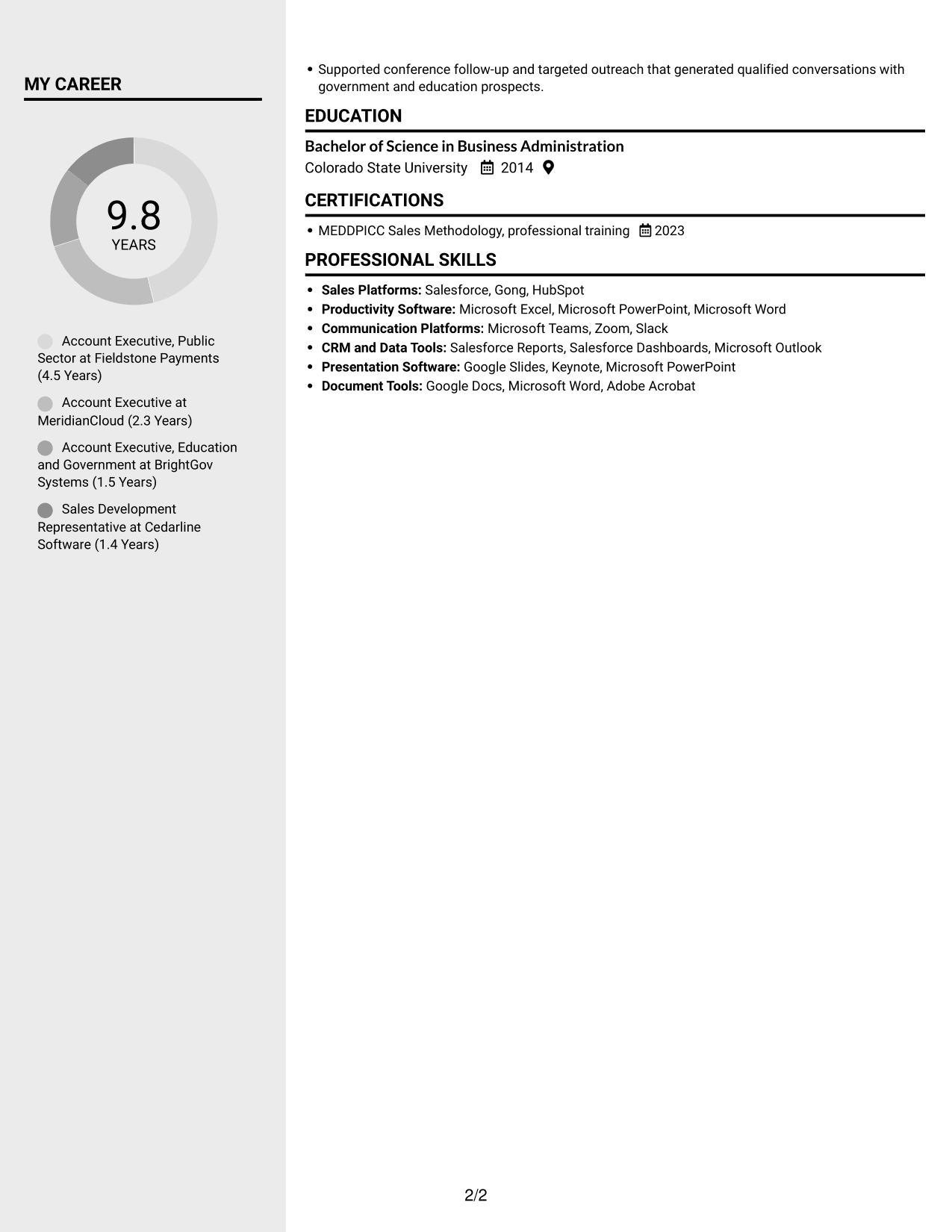
 
Resume example — page 1   Resume example — page 2

Why This Format Works

  • Parallel columns give career history and supporting sections distinct places in the reading order.
  • Reviewers can move from achievement bullets to skills without following one long section stream.
  • Education and credentials remain distinct from the account of work experience.

Best For

  • Resumes with several section types
  • Readers scanning across content areas
  • Work histories paired with skills
  • Education and credential details
  • Public-sector sales applications
 

#4 Two Column Format Resume Example

The Two Column Format places resume content in two body columns, a practical choice for readers who want to scan distinct sections across the page.
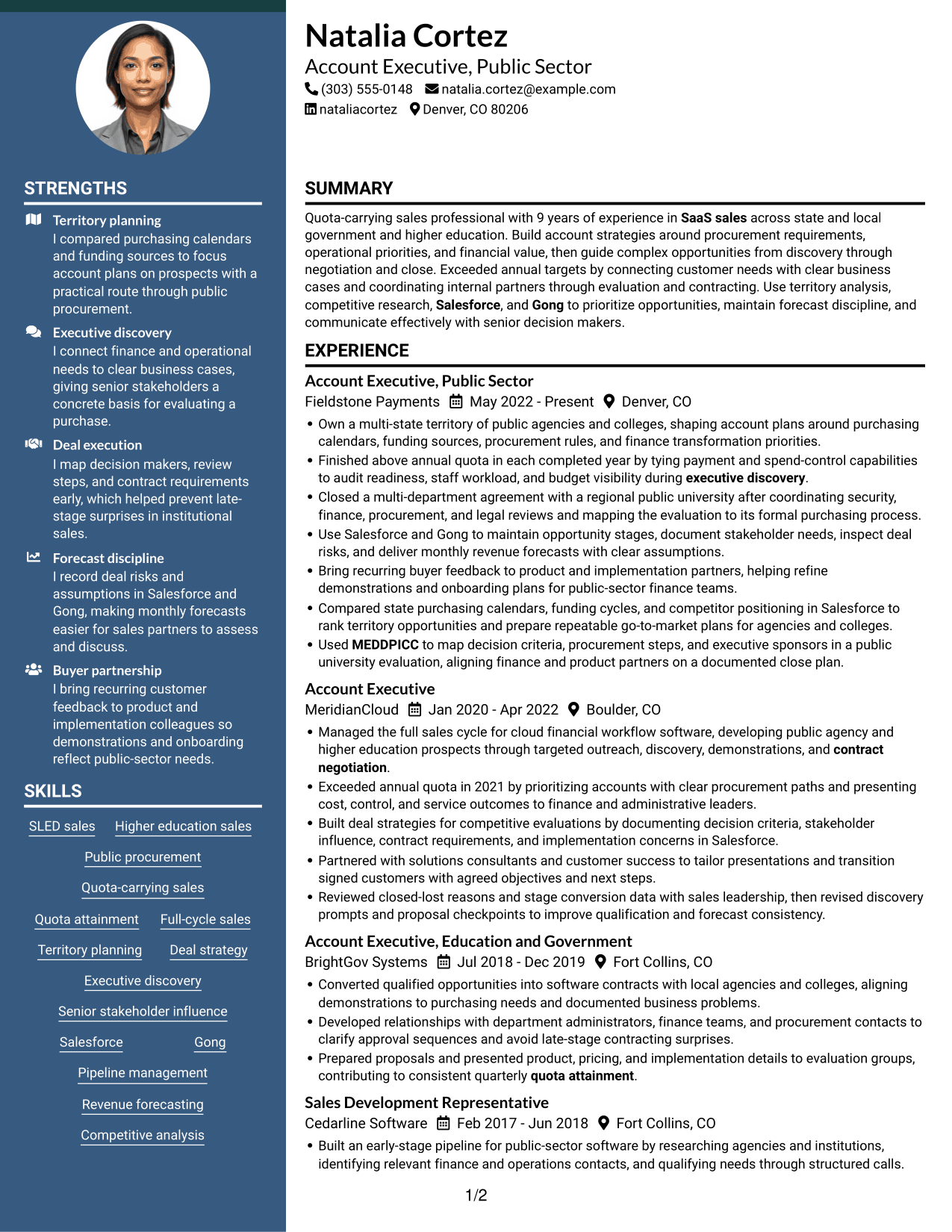
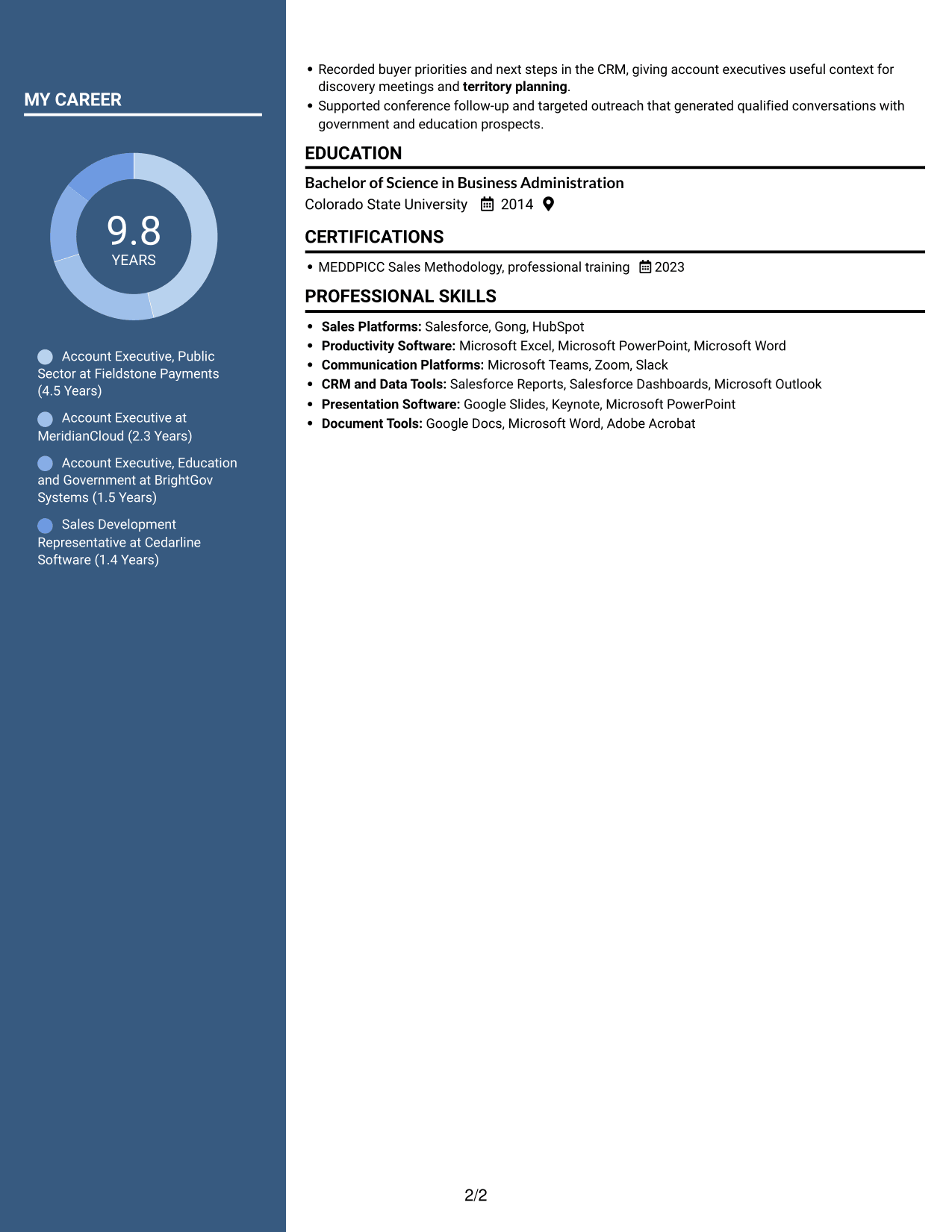
 
Resume example — page 1   Resume example — page 2

Why This Format Works

  • Two columns let reviewers scan career history and supporting information without one long text flow.
  • Separate reading areas help distinguish education details from professional experience.
  • The divided layout makes achievement bullets easier to review alongside other resume sections.

Best For

  • Career histories with multiple roles
  • Resumes balancing experience and education
  • Readers who scan sections side by side
  • Achievement details across several positions
  • Account executive applications


#5 Photo Header Two Column Format Resume Example

The Photo Header Two Column Format combines a photo with two body columns, suiting readers who want a portrait alongside divided resume content.
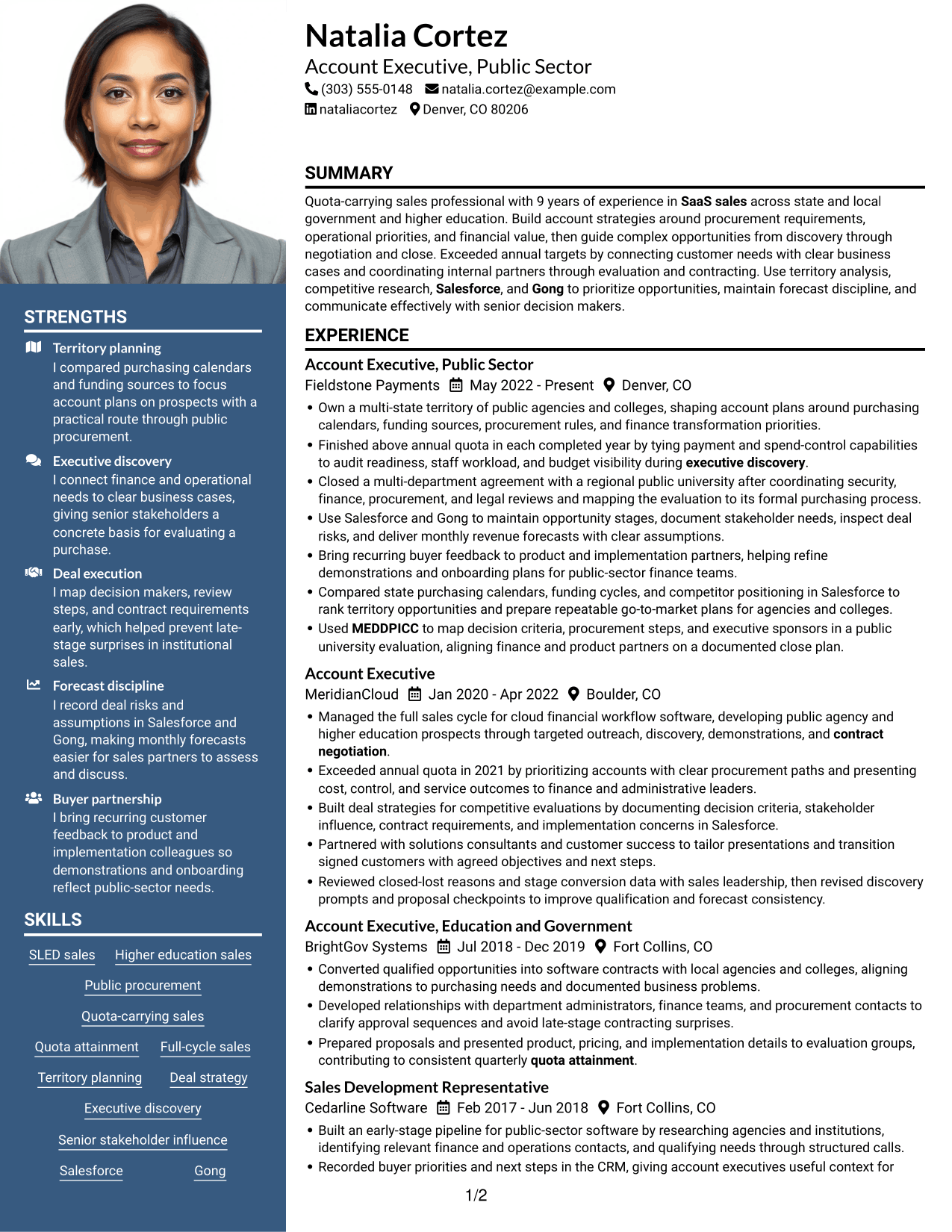
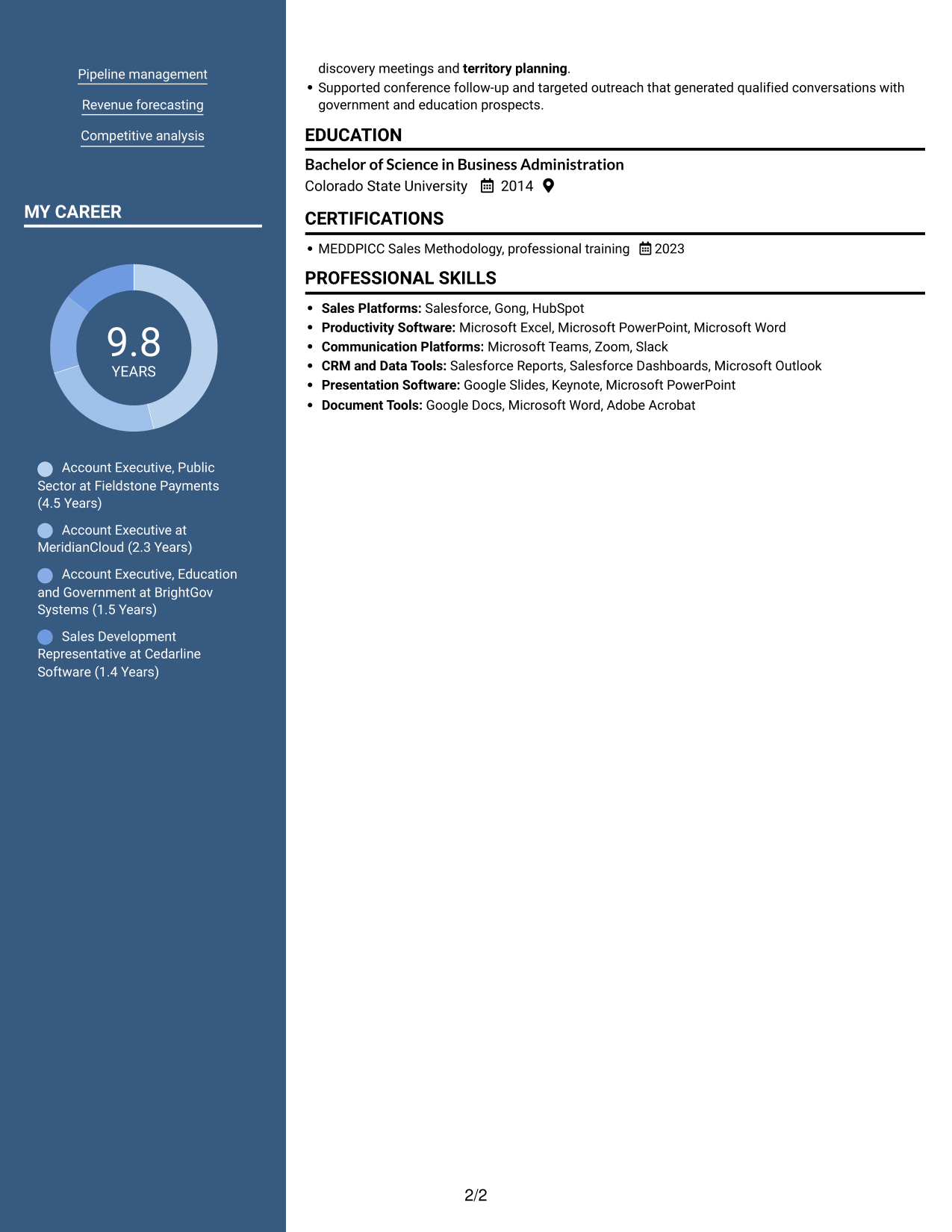
 
Resume example — page 1   Resume example — page 2

Why This Format Works

  • Two body columns let reviewers navigate career history and supporting resume sections separately.
  • Achievement details and education can be reviewed across distinct content areas.
  • The included photo offers a portrait option without changing the two-column reading structure.

Best For

  • Resumes that include a portrait
  • Multi-role career histories
  • Readers preferring two content areas
  • Experience alongside education details
  • Public-sector sales applications
 

#6 Colored Two Column Format Resume Example

The Colored Two Column Format uses two body columns, giving reviewers separate areas to scan across the resume’s sections.
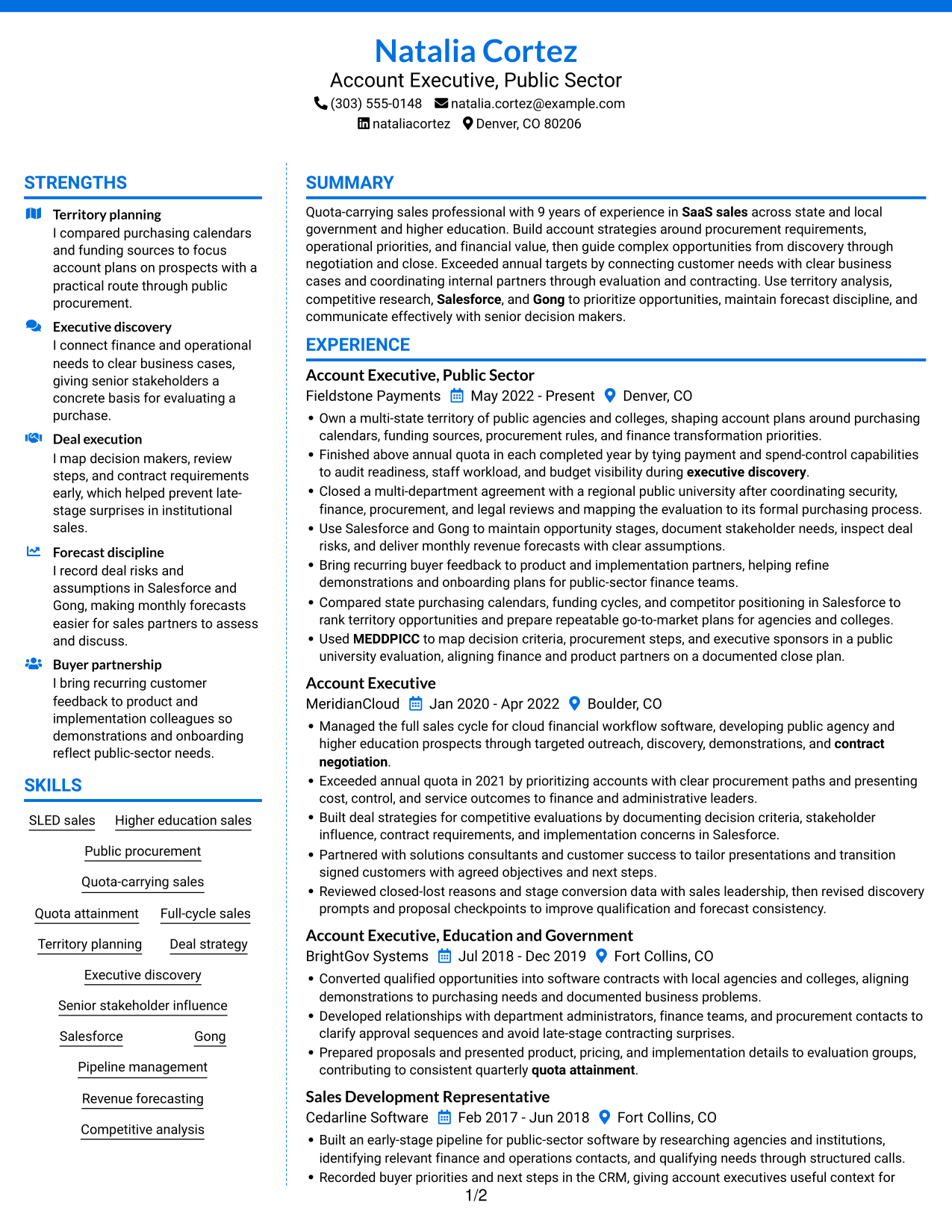
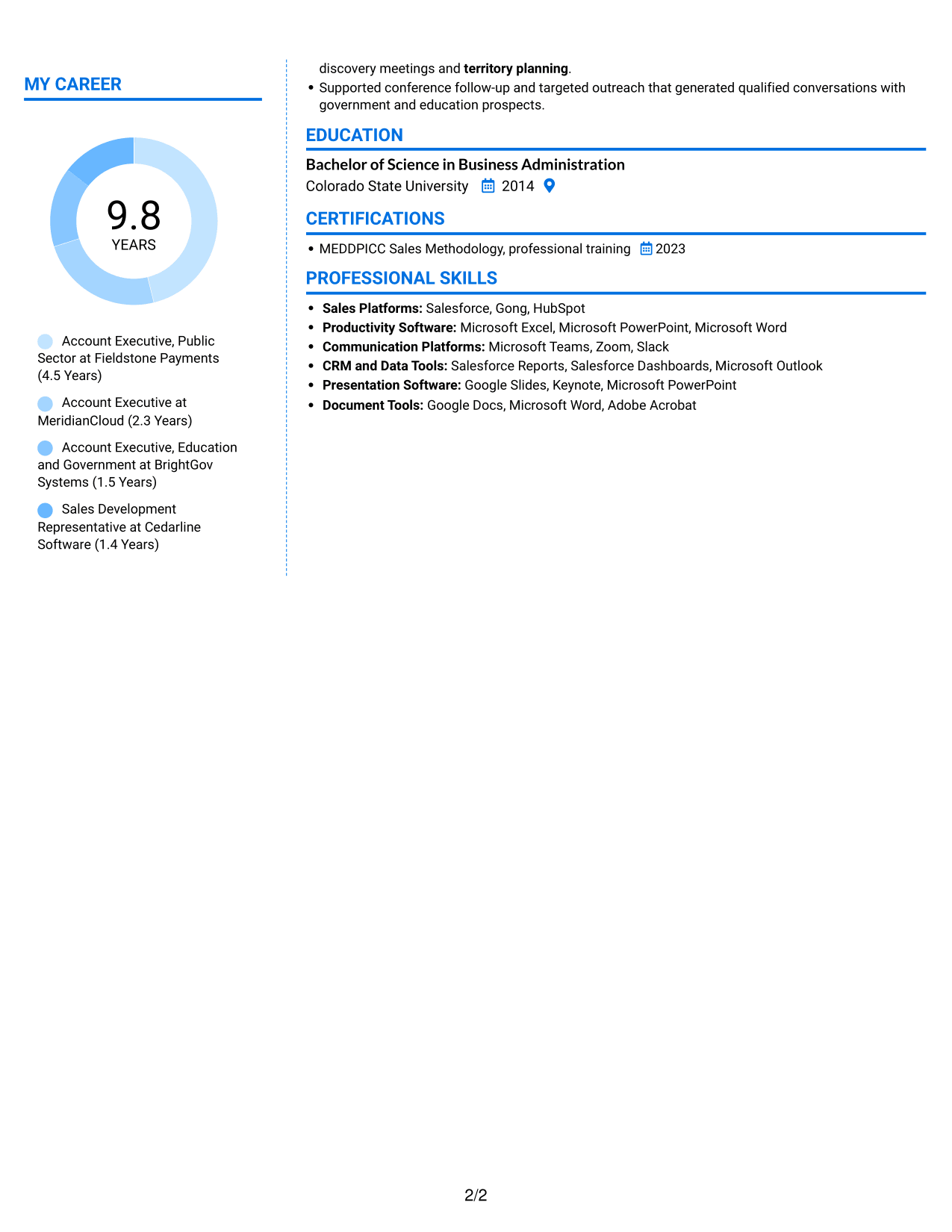
 
Resume example — page 1   Resume example — page 2

Why This Format Works

  • Career history and supporting sections can occupy distinct reading areas for easier navigation.
  • Reviewers can move between skills and experience without treating them as one long block.
  • Education and credentials stay easy to distinguish from achievement details.

Best For

  • Resumes with varied sections
  • Readers navigating parallel content areas
  • Experience paired with skills
  • Credential and education information
  • Sales roles involving several account stages
 

#7 Stylish Two Column Designer Format Resume Example

The Stylish Two Column Designer Format sets resume content in two body columns, helping reviewers move between sections without a single long text stream.
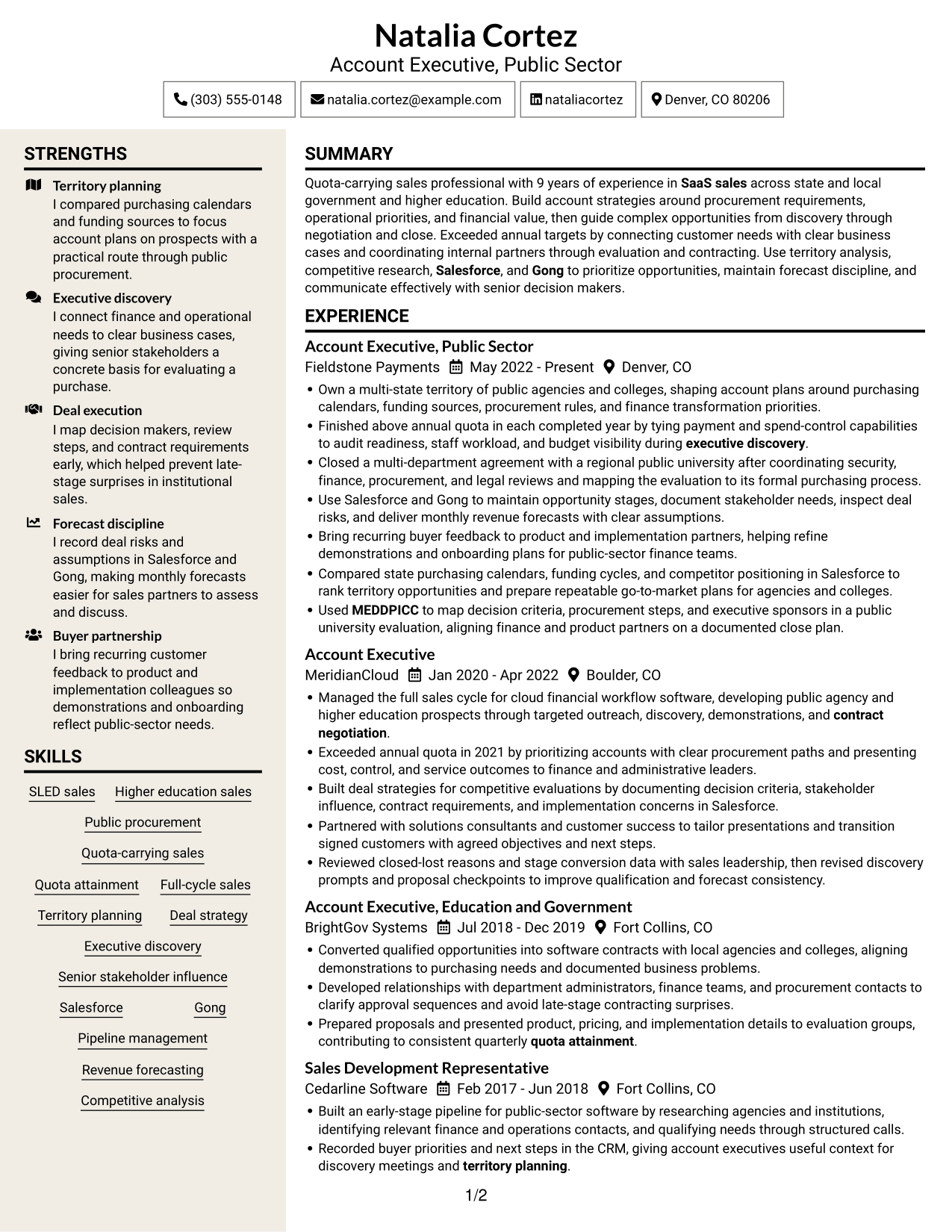
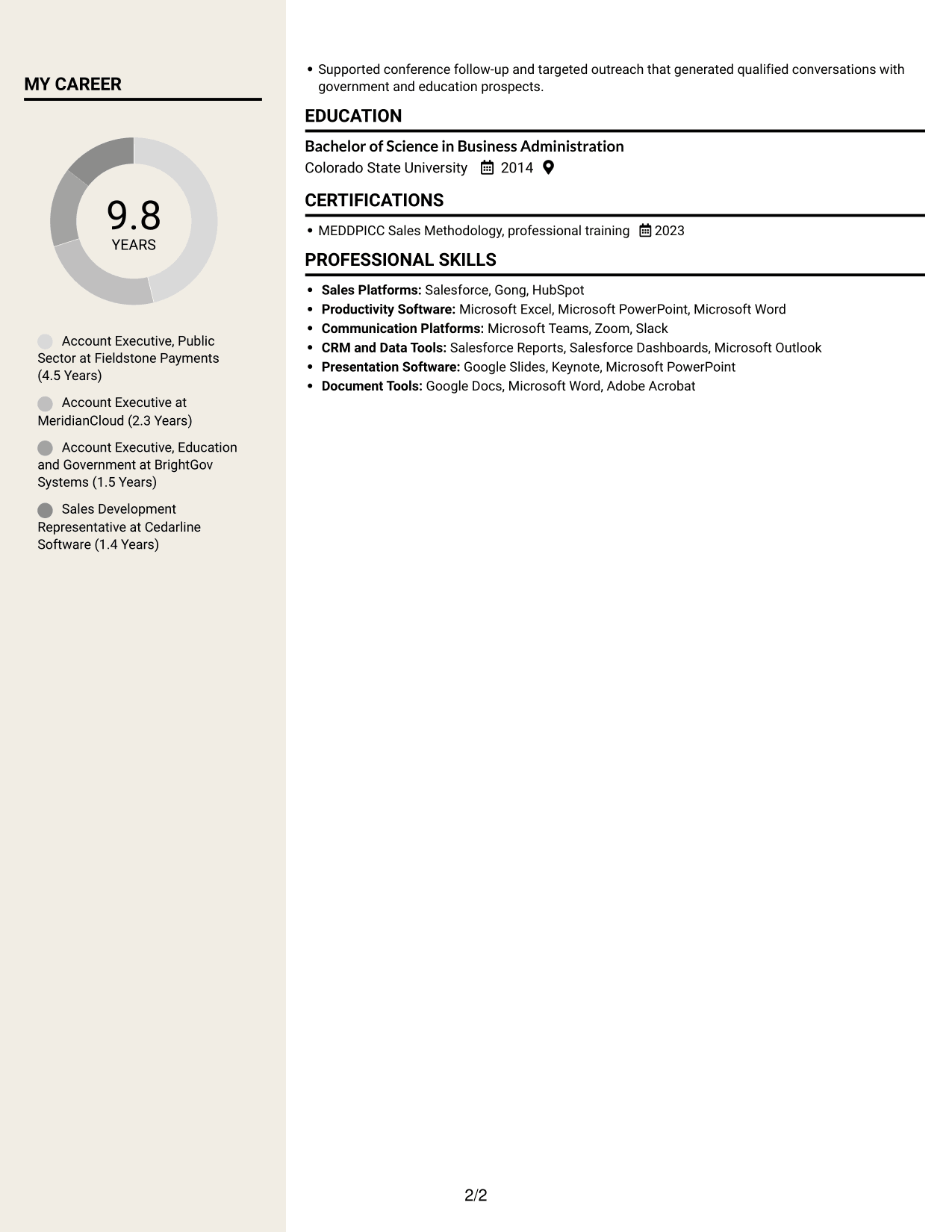
 
Resume example — page 1   Resume example — page 2

Why This Format Works

  • Two columns create distinct reading areas for career progression and supporting resume content.
  • Reviewers can locate education and credentials without searching through every experience entry.
  • Achievement bullets remain grouped within the resume’s broader set of sections.

Best For

  • Career progression across several roles
  • Readers who prefer parallel sections
  • Resumes combining experience and credentials
  • Achievement bullets across work history
  • Higher education sales applications


Why Build Your Account Executive - SLED Resume with ResumeInMinutes

ResumeInMinutes helps you organize your sales experience, skills, and achievements in a clear resume. You can compare image previews and open an example in the editor to review its layout.

  • Professional resume layouts
  • Clear, ATS-friendly section structure
  • Role-focused keyword guidance
  • Organized experience and skills
  • Image previews for layout comparison
  • Resume customization support

Present your territory plans, customer relationships, sales process, and results in a way that makes your value clear to a recruiter.


See Also


Frequently Asked Questions

Are these Account Executive - SLED resume templates ATS-friendly?

The examples use clear sections and readable headings that support ATS scanning. Include relevant terms such as public procurement, SLED sales, Salesforce, and revenue forecasting when they match your experience.

Do the examples show different resumes?

The guide shows one Account Executive - SLED resume example in different layouts. Compare the image previews to see how each design presents the same kinds of resume information.

What should an Account Executive - SLED resume include?

Include a focused summary, sales experience, skills, education, and relevant certifications. Use bullets to show territory planning, procurement knowledge, quota results, stakeholder work, and sales outcomes.

Which resume layout works well for an Account Executive - SLED role?

Choose a layout with clear headings and a simple reading order. It should make your sales results, public-sector experience, and relevant skills easy to find and read.

How can I show experience with complex public-sector sales?

Describe the customer need, the procurement or review steps you managed, and your role in moving the opportunity forward. Add a clear result when you can support it with accurate details.

Should I include a photo on my resume?

For U.S. applications, a resume without a photo is usually the safer choice. Use the space for relevant skills, sales outcomes, and role-related experience.


ATS Score 83%

How we calculate this score

  • Keywords: 60% of the total. AI extracts keywords from your job description. If you do not provide one, a standard job description for the title matching your resume is used. This is not a match to a specific vacancy.
  • Text-based resume: 20%. The text resume assessed here receives 100 for this part.
  • Resume quality: 20%. We start at 100 and subtract points for issues found by our resume checks, down to a minimum of zero.
  • Keyword coverage = 100 × (confirmed matches + 0.8 × possible matches) ÷ total keywords, rounded and capped at 100. Possible matches still need checking. Saved generation audits use their saved keyword percentage.
  • Final score = 60% of keyword coverage + 20% of the text score + 20% of the quality score, rounded to a whole number. Without keywords, no overall ATS score is available.

What this score means

Our scores are estimates, not employer ratings. They may contain errors and do not guarantee accurate parsing, a ranking, an interview, or a job. Check your document against the employer’s requirements. You are responsible for relying on this score.

Terms and Conditions

Score weights: Keywords 60% · Text based resume 20% · Resume quality 20%

Keywords: 19 matched + 2 possible of 29 (71%) · Resume quality: 100%

Resume quality 100% · Weight 20% · Issues (0)

Details
  • ✓Name present: Natalia Cortez
  • ✓Email format: natalia.cortez@example.com
  • ✓Phone format: (303) 555-0148
  • ✓Experience 1: Job title: Account Executive, Public Sector
  • ✓Experience 1: Company name: Fieldstone Payments
  • ✓Experience 1: Work location: Denver, CO
  • ✓Experience 1: Employment dates: May 2022 - Present
  • ✓Experience 1: Description or achievements: Present
  • ✓Experience 2: Job title: Account Executive
  • ✓Experience 2: Company name: MeridianCloud
  • ✓Experience 2: Work location: Boulder, CO
  • ✓Experience 2: Employment dates: Jan 2020 - Apr 2022
  • ✓Experience 2: Description or achievements: Present
  • ✓Experience 3: Job title: Account Executive, Education and Government
  • ✓Experience 3: Company name: BrightGov Systems
  • ✓Experience 3: Work location: Fort Collins, CO
  • ✓Experience 3: Employment dates: Jul 2018 - Dec 2019
  • ✓Experience 3: Description or achievements: Present
  • ✓Experience 4: Job title: Sales Development Representative
  • ✓Experience 4: Company name: Cedarline Software
  • ✓Experience 4: Work location: Fort Collins, CO
  • ✓Experience 4: Employment dates: Feb 2017 - Jun 2018
  • ✓Experience 4: Description or achievements: Present
  • ✓No placeholder fields
  • ✓No repeated achievement bullets
  • ✓No empty bullets

No issues found by the current checks.

Text Based Resume 100% · Weight 20%

Parsed text
Natalia Cortez
Account Executive, Public Sector
(303) 555-0148
nataliacortez
natalia.cortez@example.com
Denver, CO 80206
STRENGTHS
Territory planning
I compared purchasing calendars and funding sources to focus account plans on prospects with a practical route through public procurement.
Executive discovery
I connect finance and operational needs to clear business cases, giving senior stakeholders a concrete basis for evaluating a purchase.
Deal execution
I map decision makers, review steps, and contract requirements early, which helped prevent late-stage surprises in institutional sales.
Forecast discipline
I record deal risks and assumptions in Salesforce and Gong, making monthly forecasts easier for sales partners to assess and discuss.
Buyer partnership
I bring recurring customer feedback to product and implementation colleagues so demonstrations and onboarding reflect public-sector needs.
SUMMARY
Quota-carrying sales professional with 9 years of experience in SaaS sales across state and local government and higher education. Build account strategies around procurement requirements, operational priorities, and financial value, then guide complex opportunities from discovery through negotiation and close. Exceeded annual targets by connecting customer needs with clear business cases and coordinating internal partners through evaluation and contracting. Use territory analysis, competitive research, Salesforce, and Gong to prioritize opportunities, maintain forecast discipline, and communicate effectively with senior decision makers.
EXPERIENCE
Account Executive, Public Sector
Fieldstone Payments
May 2022 - Present
Denver, CO
Own a multi-state territory of public agencies and colleges, shaping account plans around purchasing calendars, funding sources, procurement rules, and finance transformation priorities.
Finished above annual quota in each completed year by tying payment and spend-control capabilities to audit readiness, staff workload, and budget visibility during executive discovery.
Closed a multi-department agreement with a regional public university after coordinating security, finance, procurement, and legal reviews and mapping the evaluation to its formal purchasing process.
Use Salesforce and Gong to maintain opportunity stages, document stakeholder needs, inspect deal risks, and deliver monthly revenue forecasts with clear assumptions.
Bring recurring buyer feedback to product and implementation partners, helping refine demonstrations and onboarding plans for public-sector finance teams.
Compared state purchasing calendars, funding cycles, and competitor positioning in Salesforce to rank territory opportunities and prepare repeatable go-to-market plans for agencies and colleges.
Used MEDDPICC to map decision criteria, procurement steps, and executive sponsors in a public university evaluation, aligning finance and product partners on a documented close plan.
Account Executive
MeridianCloud
Jan 2020 - Apr 2022
Boulder, CO
Managed the full sales cycle for cloud financial workflow software, developing public agency and higher education prospects through targeted outreach, discovery, demonstrations, and contract negotiation.
Exceeded annual quota in 2021 by prioritizing accounts with clear procurement paths and presenting cost, control, and service outcomes to finance and administrative leaders.
Built deal strategies for competitive evaluations by documenting decision criteria, stakeholder influence, contract requirements, and implementation concerns in Salesforce.
Partnered with solutions consultants and customer success to tailor presentations and transition signed customers with agreed objectives and next steps.
Reviewed closed-lost reasons and stage conversion data with sales leadership, then revised discovery prompts and proposal checkpoints to improve qualification and forecast consistency.
Account Executive, Education and Government
BrightGov Systems
Jul 2018 - Dec 2019
Fort Collins, CO
Converted qualified opportunities into software contracts with local agencies and colleges, aligning demonstrations to purchasing needs and documented business problems.
Developed relationships with department administrators, finance teams, and procurement contacts to clarify approval sequences and avoid late-stage contracting surprises.
Prepared proposals and presented product, pricing, and implementation details to evaluation groups, contributing to consistent quarterly quota attainment.
Sales Development Representative
Cedarline Software
Feb 2017 - Jun 2018
Fort Collins, CO
Built an early-stage pipeline for public-sector software by researching agencies and institutions, identifying relevant finance and operations contacts, and qualifying needs through structured calls.
Recorded buyer priorities and next steps in the CRM, giving account executives useful context for discovery meetings and territory planning.
Supported conference follow-up and targeted outreach that generated qualified conversations with government and education prospects.
SKILLS
SLED sales
Quota attainment
Territory planning
Senior stakeholder influence
Salesforce
Pipeline management
Competitive analysis
Quota-carrying sales
Revenue forecasting
Executive discovery
Public procurement
Higher education sales
Full-cycle sales
Deal strategy
Gong
MY CAREER
9.8Years
Account Executive, Public Sector at Fieldstone Payments (4.5 Years)
Account Executive at MeridianCloud (2.3 Years)
Account Executive, Education and Government at BrightGov Systems (1.5 Years)
Sales Development Representative at Cedarline Software (1.4 Years)
EDUCATION
Bachelor of Science in Business Administration
Colorado State University
2014
CERTIFICATIONS
MEDDPICC Sales Methodology, professional training
2023
PROFESSIONAL SKILLS
Sales Platforms: Salesforce, Gong, HubSpot
Productivity Software: Microsoft Excel, Microsoft PowerPoint, Microsoft Word
Communication Platforms: Microsoft Teams, Zoom, Slack
CRM and Data Tools: Salesforce Reports, Salesforce Dashboards, Microsoft Outlook
Presentation Software: Google Slides, Keynote, Microsoft PowerPoint
Document Tools: Google Docs, Microsoft Word, Adobe Acrobat

Matched keywords (19)

  • SLED sales
  • Higher education sales
  • public procurement
  • Quota-carrying sales
  • Quota attainment
  • Full-cycle sales
  • Territory planning
  • Deal strategy
  • Executive discovery
  • Senior stakeholder influence
  • Salesforce
  • Gong
  • Pipeline management
  • Revenue forecasting
  • Competitive analysis
  • MEDDPICC
  • contract negotiation
  • SaaS sales
  • customer feedback

Missing keywords (8)

  • Market insights
  • Structured sales methods
  • Value propositions
  • Cross-functional collaboration
  • Sales process improvement
  • Conference representation
  • Data-informed decision-making
  • Systems thinking

Possible matches (2)

  • Go-to-market strategy80% credit: 2.76 percentage points of 3.45 possible.
  • Financial business cases80% credit: 2.76 percentage points of 3.45 possible.
Disclaimer: All names, images, contact information, employment histories, achievements, security clearances, military credentials, and other qualifications shown in this content are fictional and used for illustrative purposes only. Any resemblance to actual persons, living or deceased, is purely coincidental.

Resume and cover-letter examples and recommendations in this article reflect general best practices and professional experience and are provided for guidance only. Results may vary based on role, industry, region, and hiring organization.

Content Accuracy and Verification: To the fullest extent permitted by applicable law, we do not represent or warrant that resume or cover-letter guidance, examples, recommendations, or related information are accurate, complete, current, error-free, or suitable for any particular purpose. You are responsible for independently reviewing and verifying the information before relying on it.

ATS and Cover-Letter Scores: ATS scores are estimates calculated using our own formula, informed by publicly available guidance on resume formatting and keyword matching. They are not scores issued or endorsed by an ATS provider or employer. Cover-letter scores are also our own assessments. Parsing, weighting, screening criteria, and results vary between systems, employers, job descriptions, and document formats. No score guarantees successful parsing, a particular ranking, an interview, or employment. Use scores as general guidance and independently check your documents against the employer’s requirements. To the fullest extent permitted by applicable law, we accept no liability for errors in scores or parsing, or losses arising from reliance on these assessments. Nothing in this notice excludes liability or limits consumer rights that cannot lawfully be excluded or limited.

Terms and Conditions
 
> JP 1 1
PDF Footer and Margins Setup
The margins are applied to the document, and the footer shows up in the preview and the PDF

Footer Font Settings

Are you applying for a specific job
so we can tailor your resume to it?
Are you applying for a specific job
so we can tailor your cover letter to it?

Your data stays private and is never used for training.Privacy Policy

Type your details as text to generate a personalized resume Type your details as text to generate a personalized cover letter
Website link found! Ready to create resume from:

Your data stays private and is never used for training.Privacy Policy

Drag the into the box to verify you're human.
Drop here

My Resumes

Displaying {number_of_files} files (out of {total_of_all_files} total)
Name File Type Last Modified: Description:

Rename File

Filename already exists!

Delete Files

Warning: This action is irreversible. Once you click submit, the files will be permanently deleted.

Heading text
Upload From Computer Upload
Select From Existing
LinkedIn
Drag & Drop files anywhere in this tab, or

Uploaded Files

Delete Name Last Updated Use This File
Select this to use the file for generating your resume and cover letter. Only one source—uploaded file, selected file, or LinkedIn text—can be used.

My Files

Resumes or cover letters you create will appear here. No files available yet.
Delete Name Last Updated Use This File
Select this to use the file for generating your resume and cover letter. Only one source—uploaded file, selected file, or LinkedIn text—can be used.

Add LinkedIn Profile PDF

You can download your LinkedIn profile as a PDF by opening linkedin.com in a web browser, clicking your profile photo, selecting the “More” or “Resources” button, and choosing “Save to PDF.” You can then attach the PDF using the Upload From Computer tab.

Paste Your LinkedIn Profile Text

If you have copied the LinkedIn profile text, paste it below. See how to copy your profile from LinkedIn

Select this to use the LinkedIn profile text for generating your resume and cover letter. Only one source—uploaded file, selected file, or LinkedIn text—can be used.

Try these controls

<
>


