
US English


7 Agentic AI Engineer - Drone Autonomy Resume Templates with Example
By Ria · Last Updated On October 25, 2026
Resume example — page 1

This guide shows you how to build an Agentic AI Engineer - Drone Autonomy resume that is clear, focused, and easy to review. You will learn how to organize your evidence so recruiters can quickly see how you connect AI reasoning, perception, and execution for drone workflows.

Strong resumes for this role make project work easy to verify. Show how you built multi-agent systems, RAG pipelines, and Vision-Language Model workflows, then support those skills with details about Python and API execution, cloud testing, observability, and human review for safety-sensitive results.

Compare the example in 7 layouts and see how section order and visual style affect the way your skills, project evidence, education, and certifications appear. Each preview can help you choose a format to open and customize in the editor.

What Makes a Great Agentic AI Engineer - Drone Autonomy Resume in 2026

A strong resume uses clear sections and direct bullet points to show how you build and test autonomous drone workflows. Put relevant projects, technical skills, experience, and education where readers can find them quickly.

Use specific evidence for multi-agent systems, RAG, aerial and sensor imagery analysis, Python and API integration, cloud deployment, GPU efficiency, and latency optimization. Include safety checks, fallback steps, and human review when they are part of your work.

Note: Resume examples are for educational purposes only. Use only information that accurately reflects your experience and qualifications. References to real organizations do not imply affiliation or endorsement.

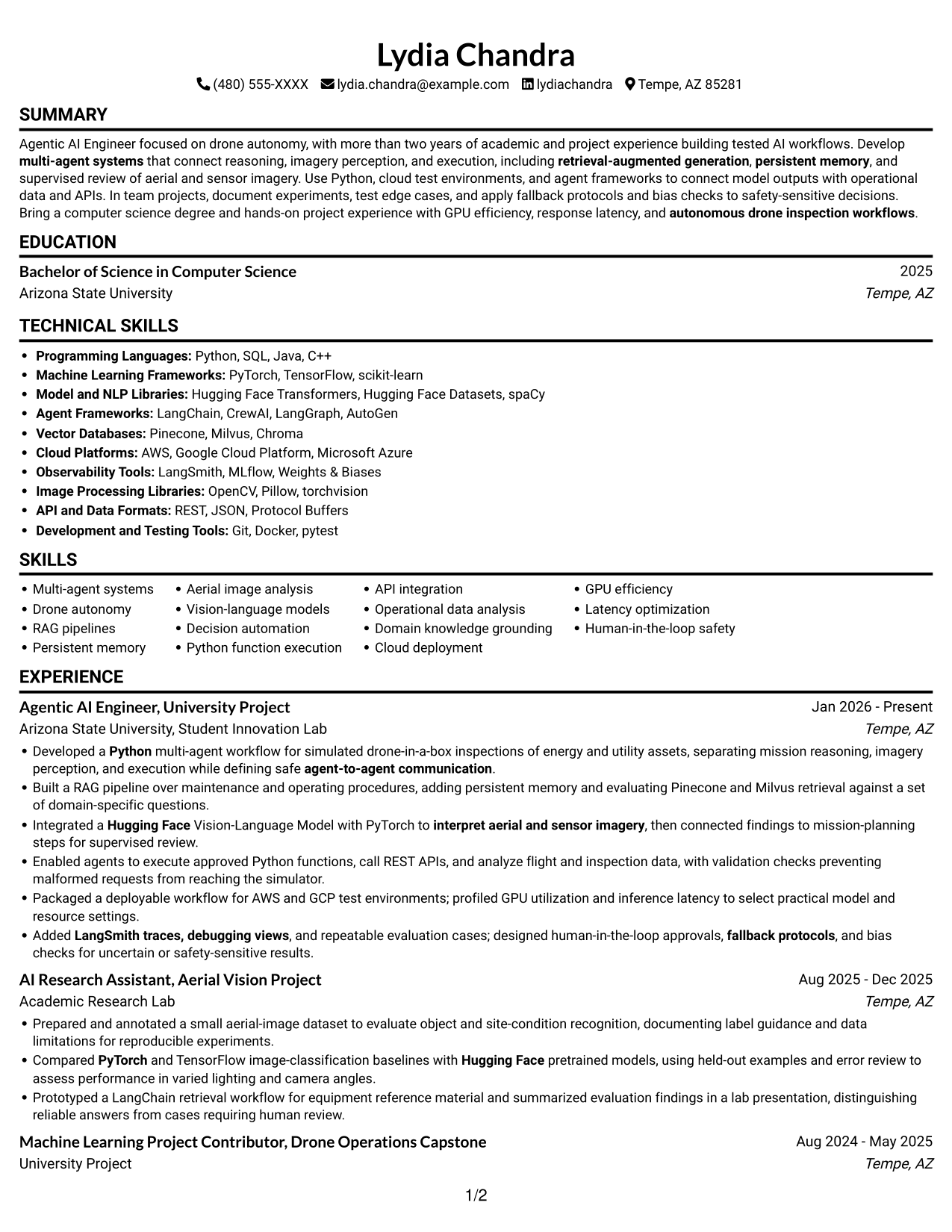
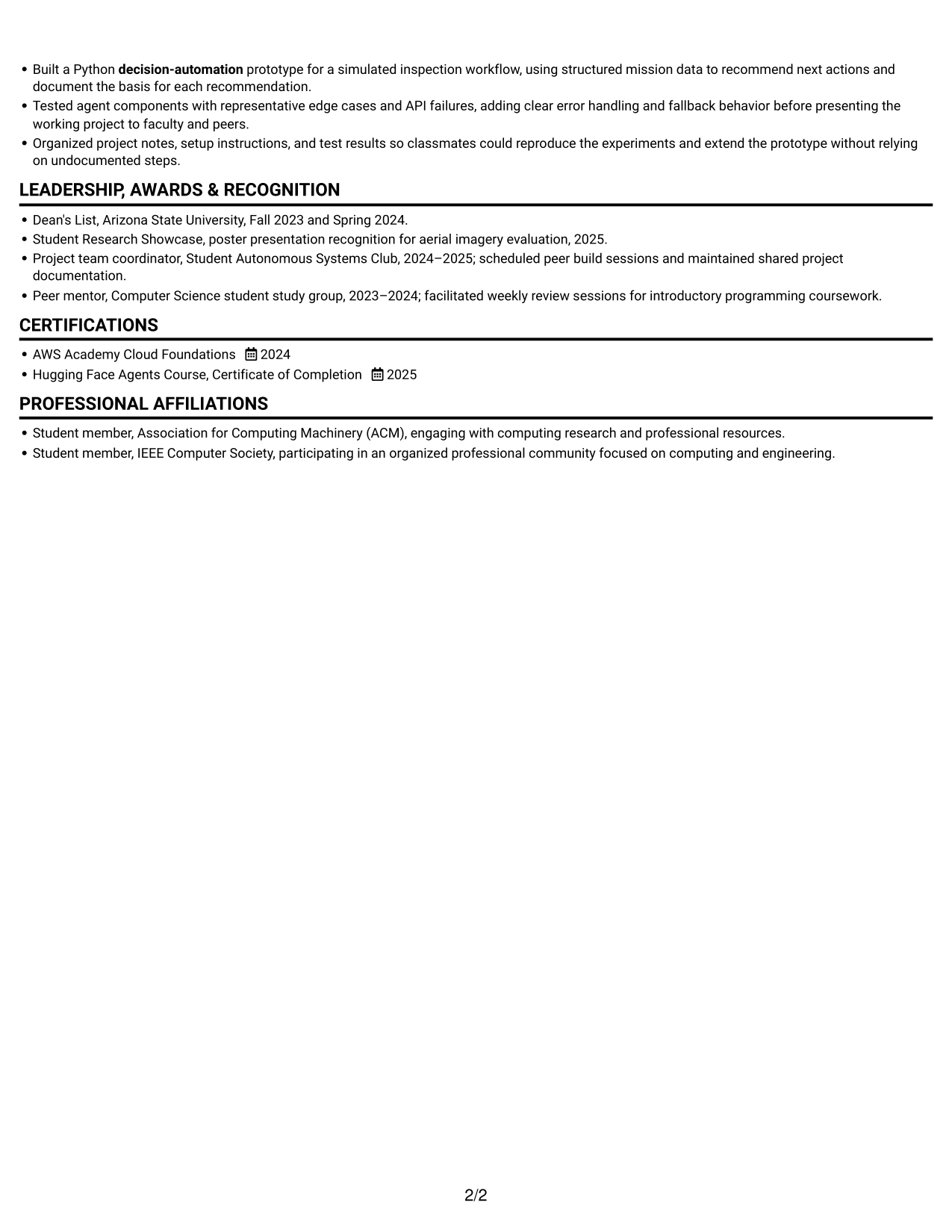
#1 Simple One Column Format Resume Example

A single-column reading path keeps the Simple One Column Format direct and easy to follow from section to section.
 
Resume example — page 1   Resume example — page 2

Why This Format Works

  • Career history follows one reading path, so date order stays easy to track.
  • Skills, education, and credentials can appear as distinct stops in the section sequence.
  • Project details use the full body width instead of competing side by side.

Best For

  • Single-path section review
  • Full-width experience bullets
  • Chronological work history
  • Detailed project descriptions
  • Readers preferring familiar layouts

Resume Keywords

  • multi-agent systems
  • agent-to-agent communication
  • retrieval-augmented generation
  • persistent memory
  • Vision-language models
  • Python
  • PyTorch
  • Hugging Face
  • AWS
  • Milvus
  • CrewAI
  • Bachelor of Science in Computer Science
  • autonomous drone inspection workflows
  • interpret aerial and sensor imagery
  • Python function execution
See all keywords
 

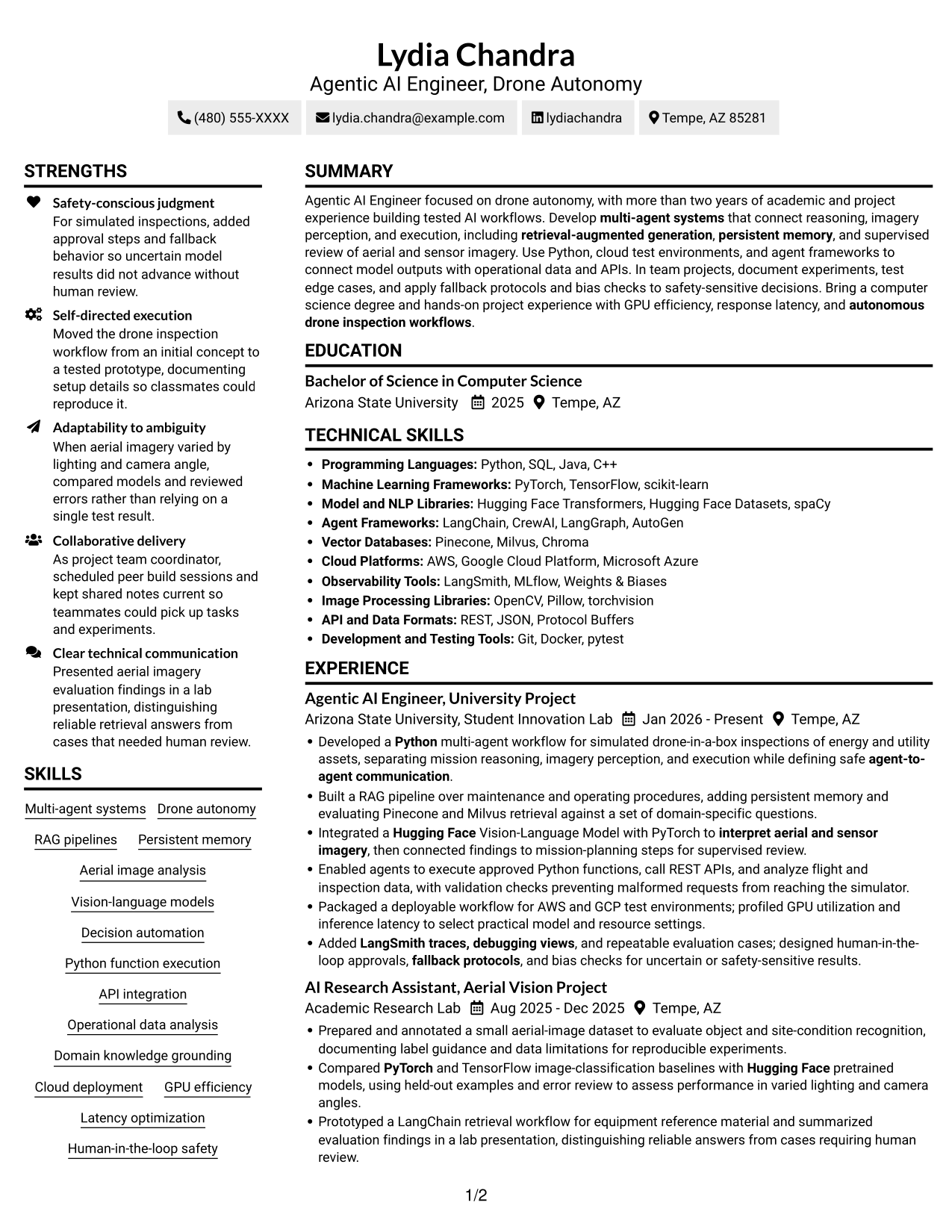
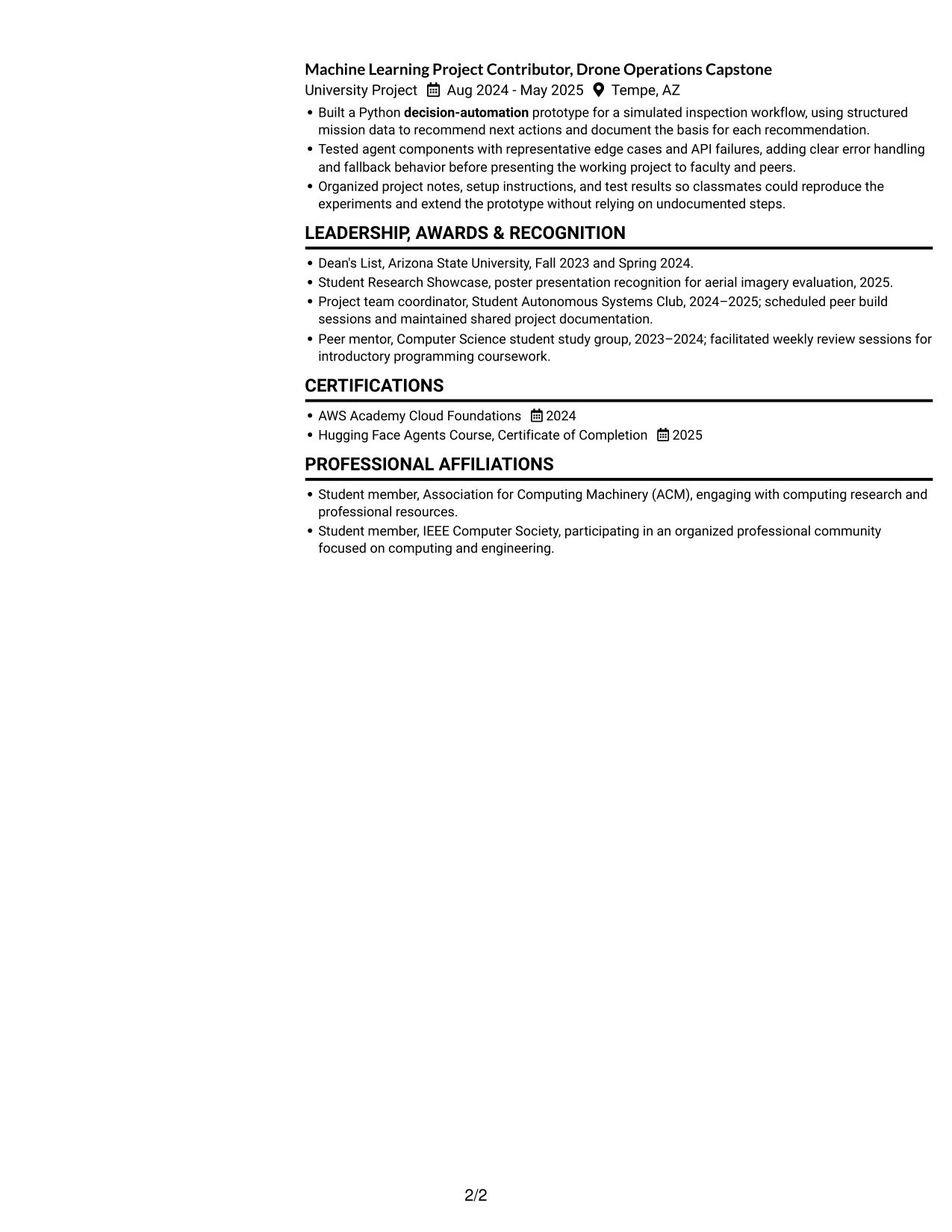
#2 Simple Two Column Format Resume Example

The Simple Two Column Format separates resume content into two areas, a practical choice when concise sections should sit apart from detailed entries.
 
Resume example — page 1   Resume example — page 2

Why This Format Works

  • Two-column grouping can separate technical skills and credentials from detailed experience entries.
  • Reviewers can locate education and awards without losing the career timeline.
  • Concise sections can sit apart from project bullets that need more explanation.

Best For

  • Side-by-side section organization
  • Concise skills and credentials
  • Experience with supporting sections
  • Mixed-length resume content
  • Quick access to key sections

#3 Plain One Column with Shaded Labels Resume Example

The Plain One Column with Shaded Labels keeps text in one vertical sequence, which suits resumes with detailed entries that benefit from full-width space.
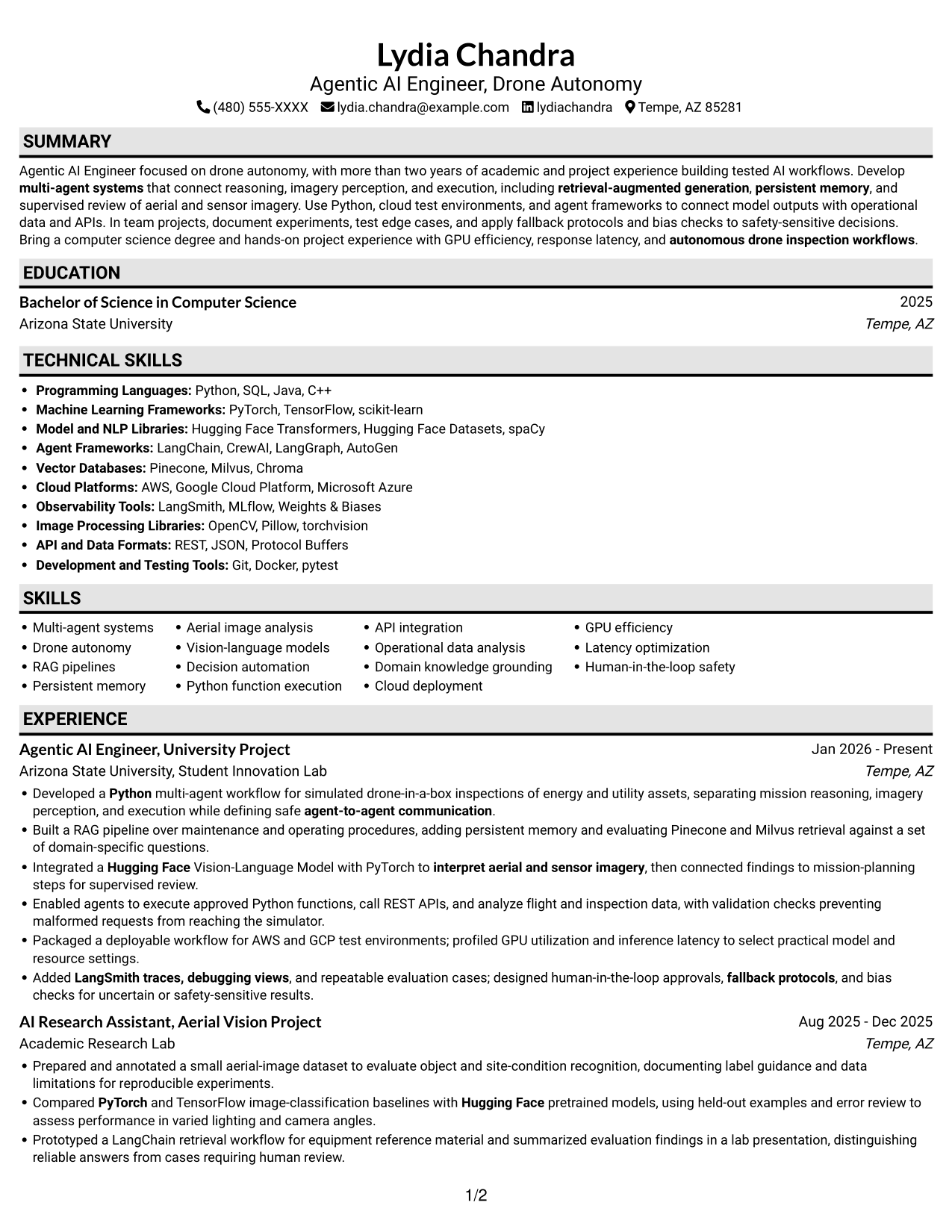
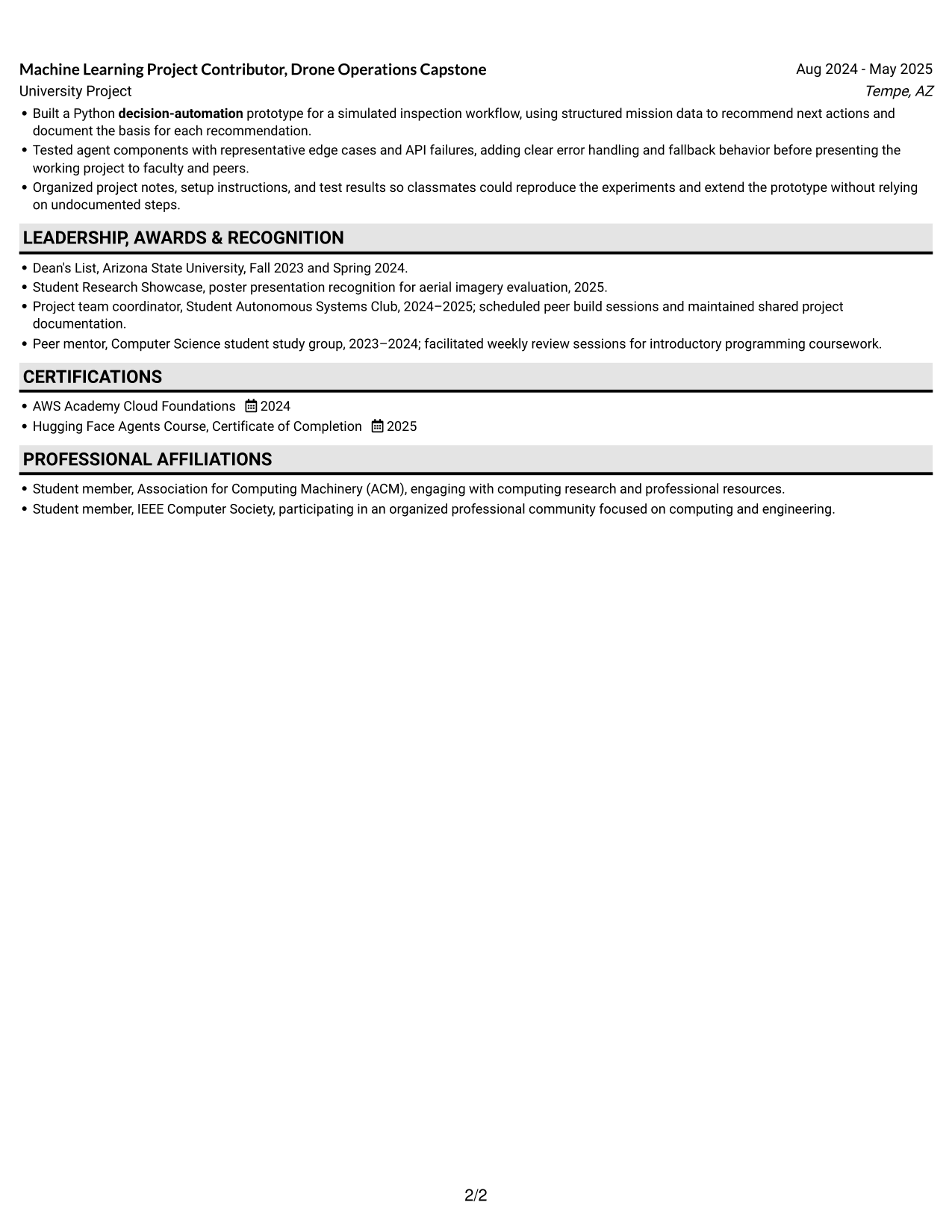
 
Resume example — page 1   Resume example — page 2

Why This Format Works

  • One-column text helps reviewers follow work history from one entry to the next.
  • Clear section breaks make education and credentials easier to find during a focused review.
  • Project descriptions retain full-width space for setup, testing, and documented results.

Best For

  • Full-width project descriptions
  • Sequential work history
  • Section-by-section review
  • Resumes with several content areas
  • Uninterrupted text flow
 

#4 One Column Format with Photo Right Resume Example

A single-column body with a photo on the right gives the One Column Format with Photo Right a direct text sequence alongside a visible portrait.
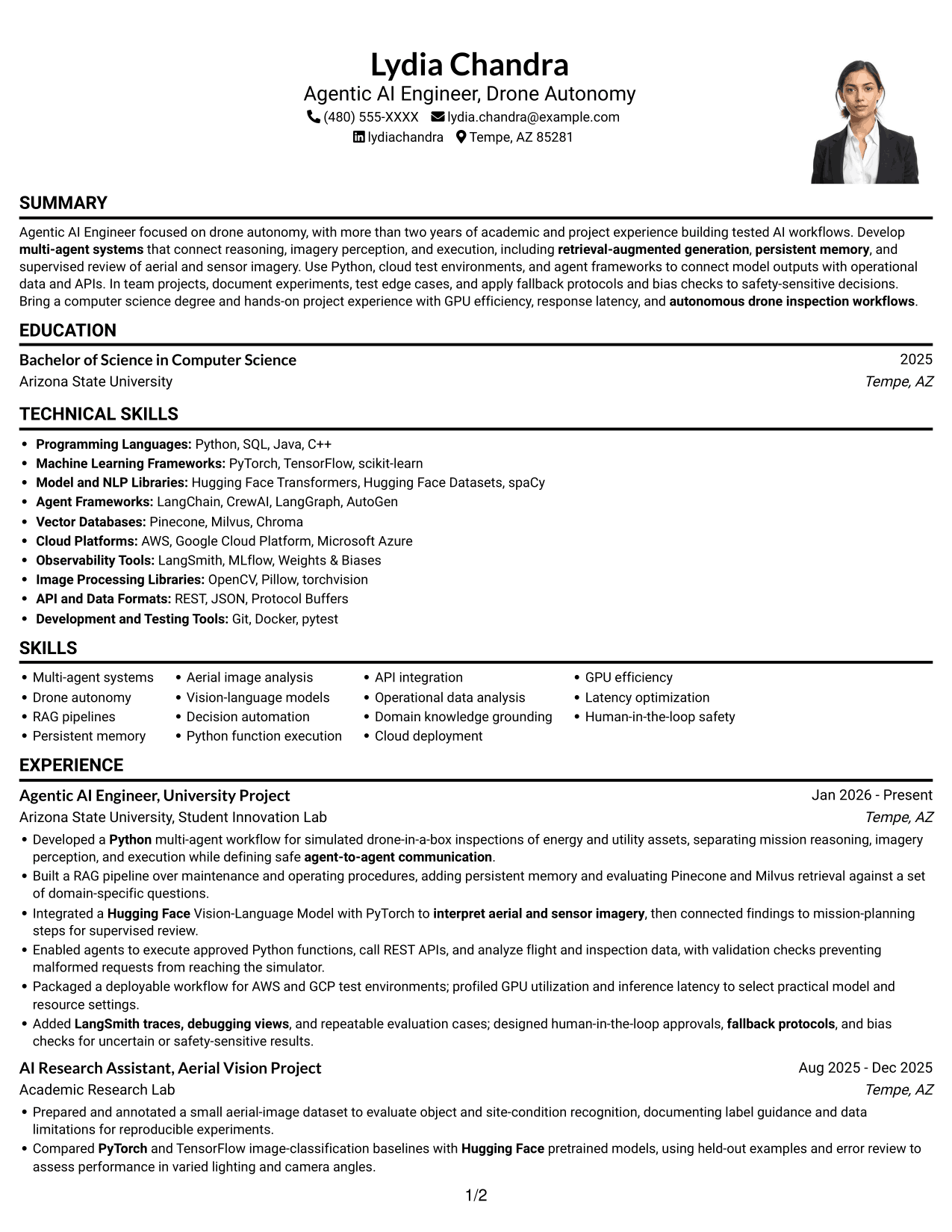
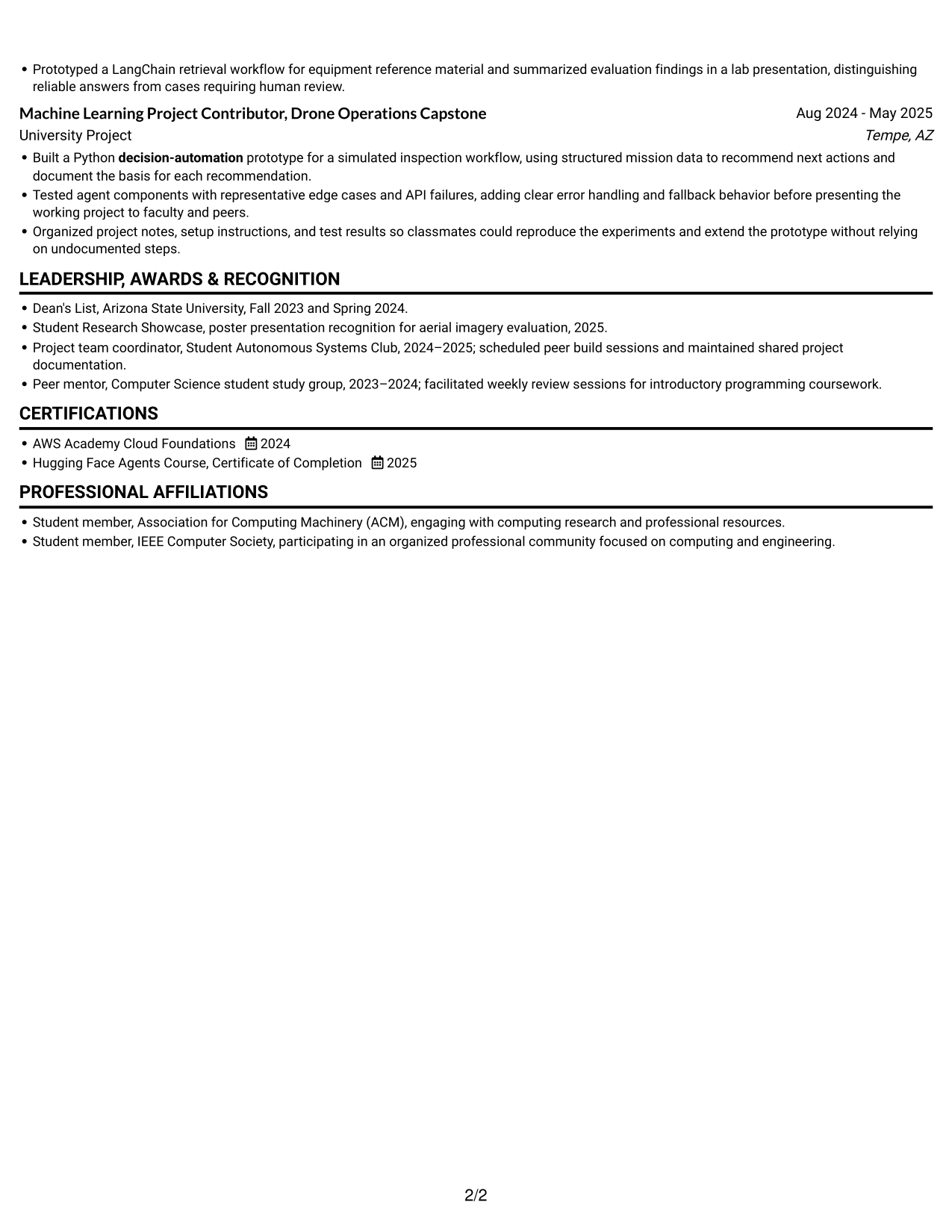
 
Resume example — page 1   Resume example — page 2

Why This Format Works

  • One-column content keeps experience bullets and project details in a direct reading order.
  • Keeping the photo to the right leaves the text sequence visually separate.
  • Full-width sections give skills and certifications room to remain clearly grouped.

Best For

  • Single-column text preference
  • Full-width experience details
  • Project descriptions needing room
  • Photo included by request
  • Direct section-by-section review
 

#5 Clean Two Column Sidebar Format Resume Example

A two-column body with a sidebar separates supporting details from main resume content, making the Clean Two Column Sidebar Format useful for quick access to concise sections.
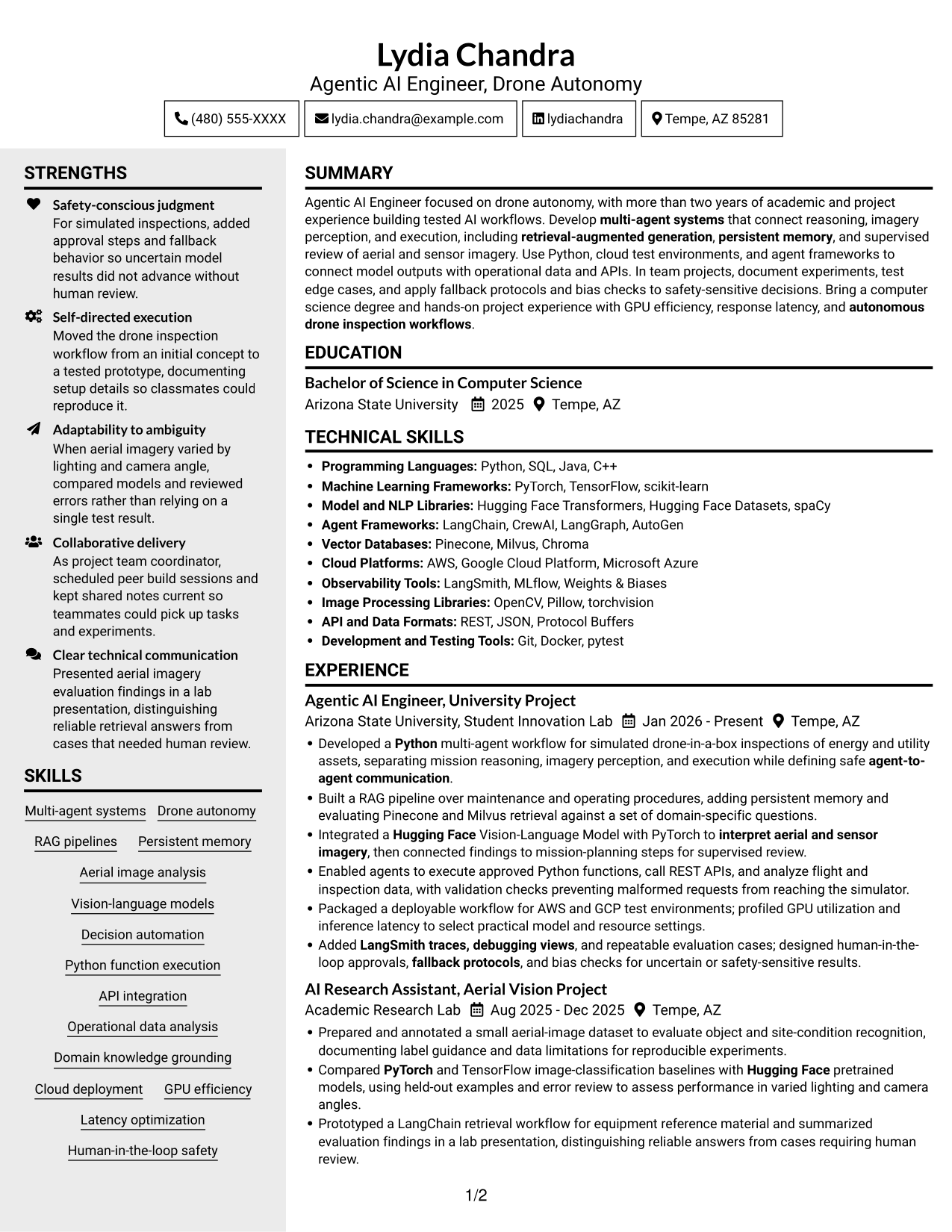
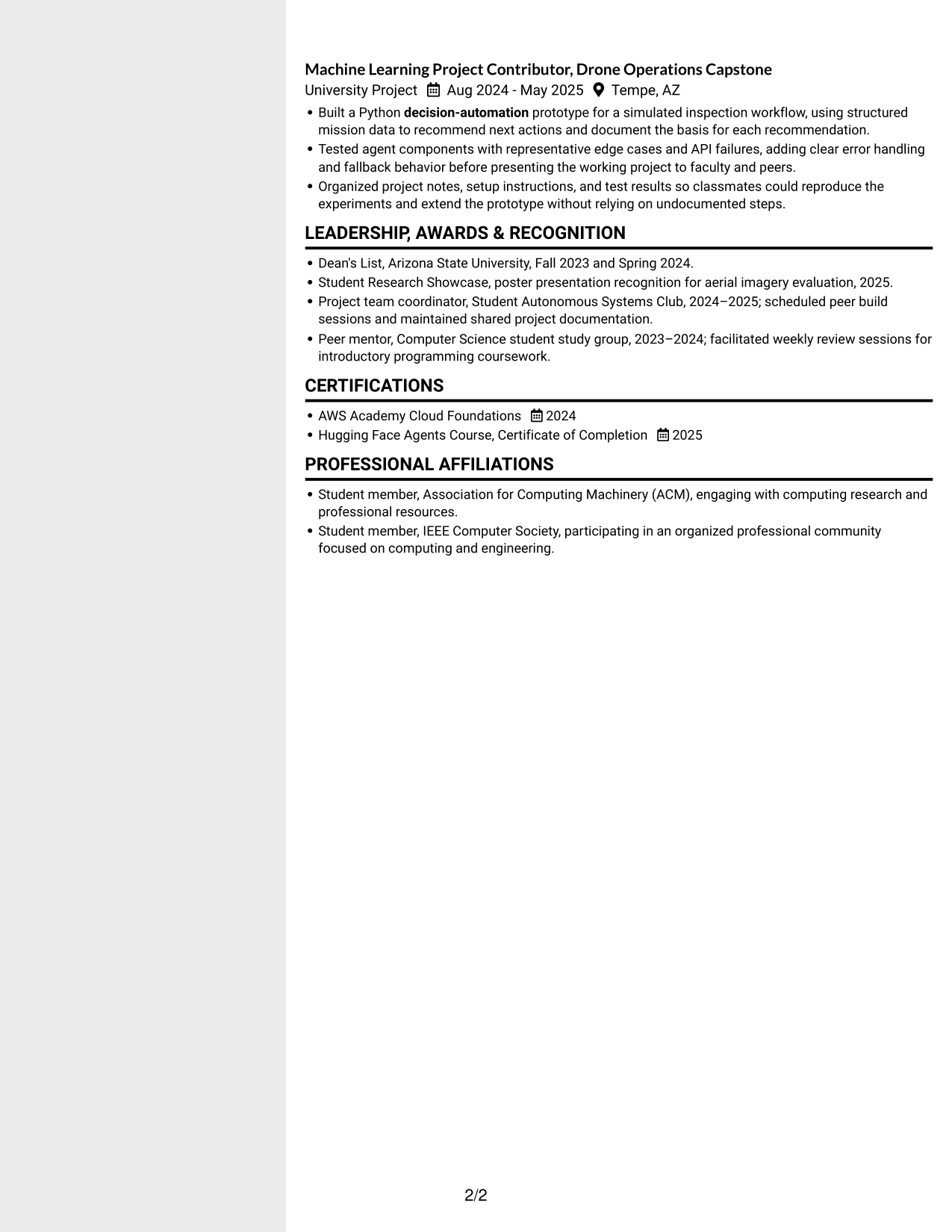
 
Resume example — page 1   Resume example — page 2

Why This Format Works

  • Concise skills and credential details can stay easy to locate beside career entries.
  • The main reading area gives experience bullets space to explain project work.
  • Separate columns let reviewers shift between career history and supporting details.

Best For

  • Sidebar access to short details
  • Longer experience descriptions
  • Compact skills and credentials
  • Mixed-length resume sections
  • Separate career and support sections


#6 Two Column Format Resume Example

The Two Column Format groups resume content into two areas, a useful choice for balancing detailed experience with concise supporting sections.
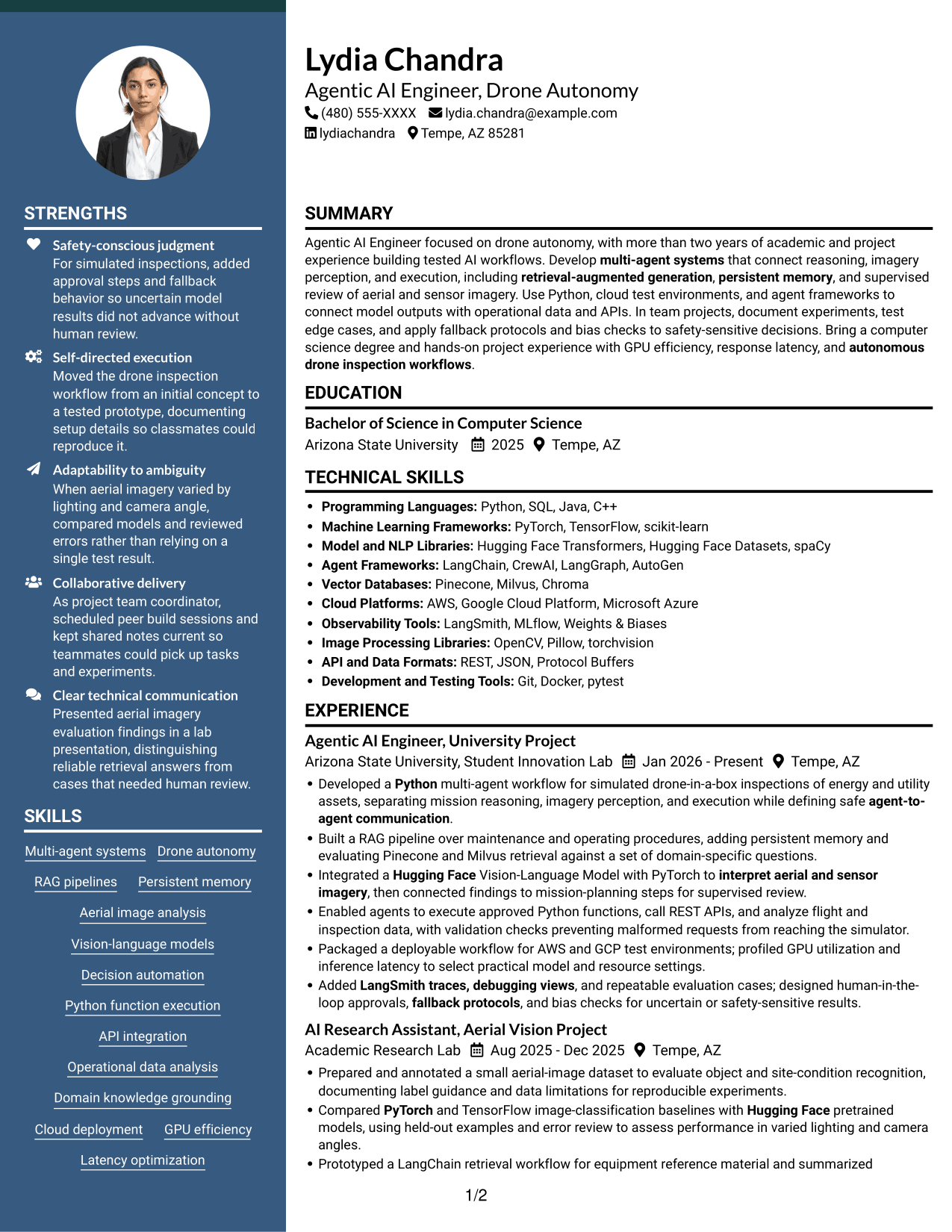
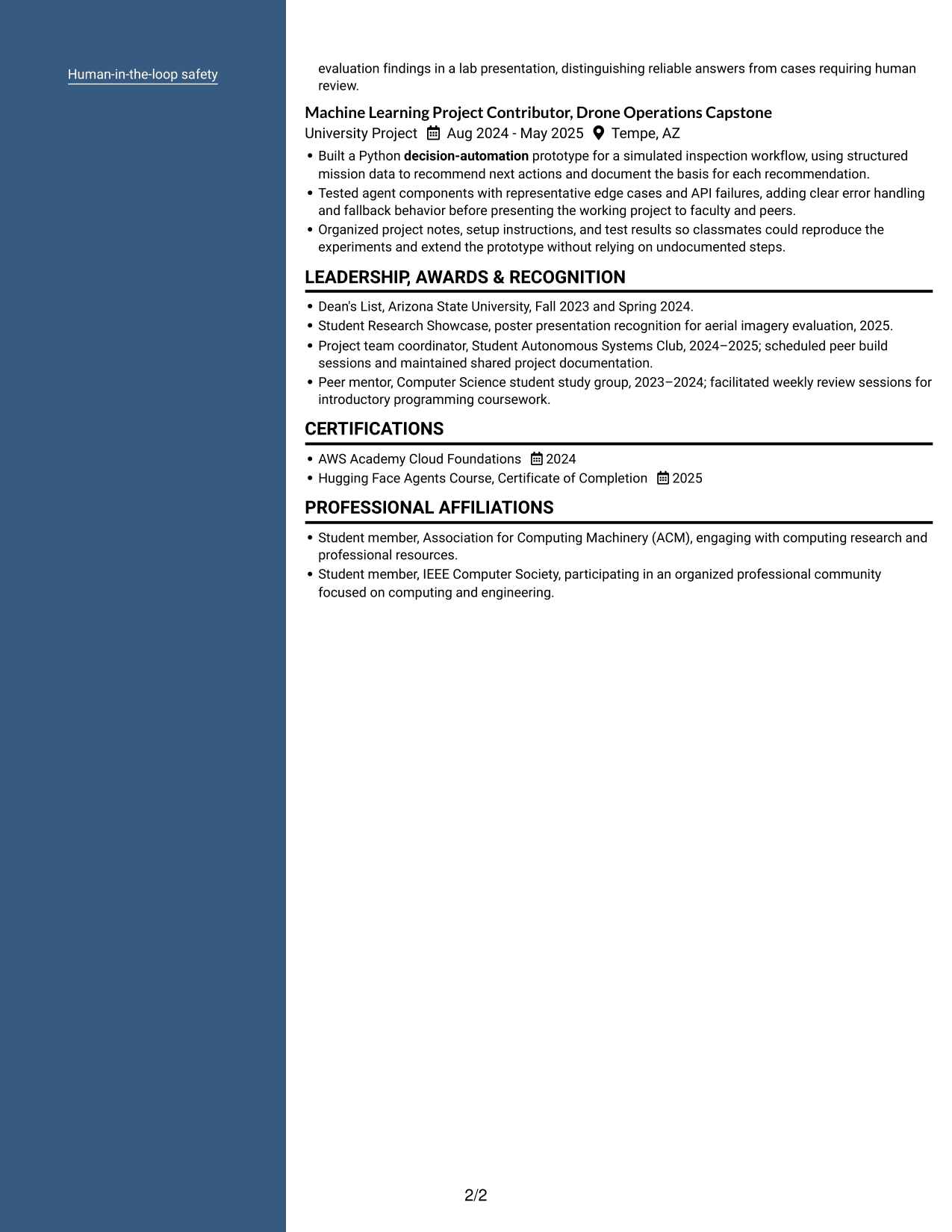
 
Resume example — page 1   Resume example — page 2

Why This Format Works

  • Grouped content helps reviewers compare career entries with education and supporting sections.
  • Separate column areas make technical skills and credentials easier to locate.
  • Detailed project bullets remain distinct from shorter resume sections.

Best For

  • Parallel content areas
  • Detailed project bullets
  • Concise supporting sections
  • Grouped education and experience
  • Resumes with varied section lengths
 

#7 Photo Header Two Column Format Resume Example

A photo-led header sits above the two-column body in the Photo Header Two Column Format, giving the page a clear entry point before the resume sections.
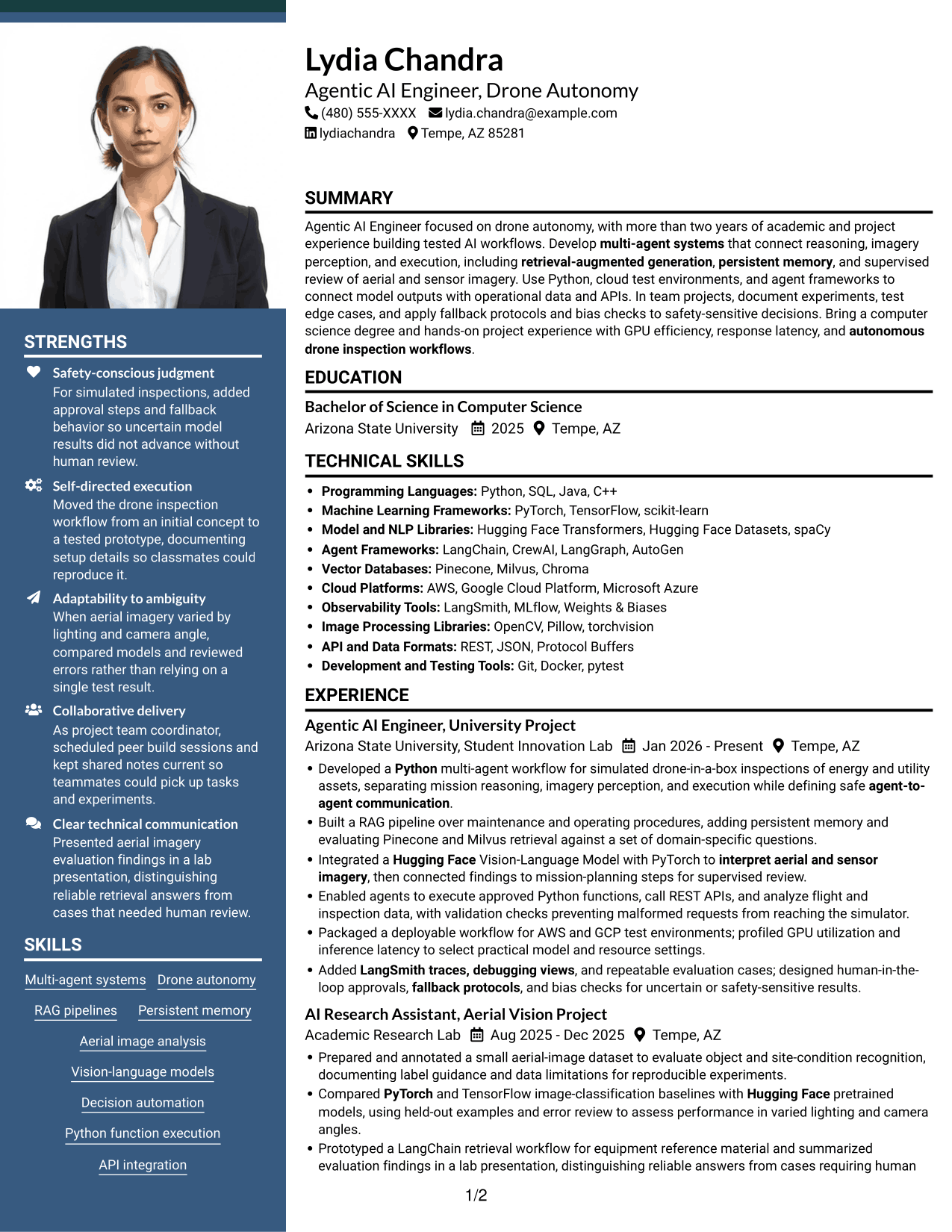
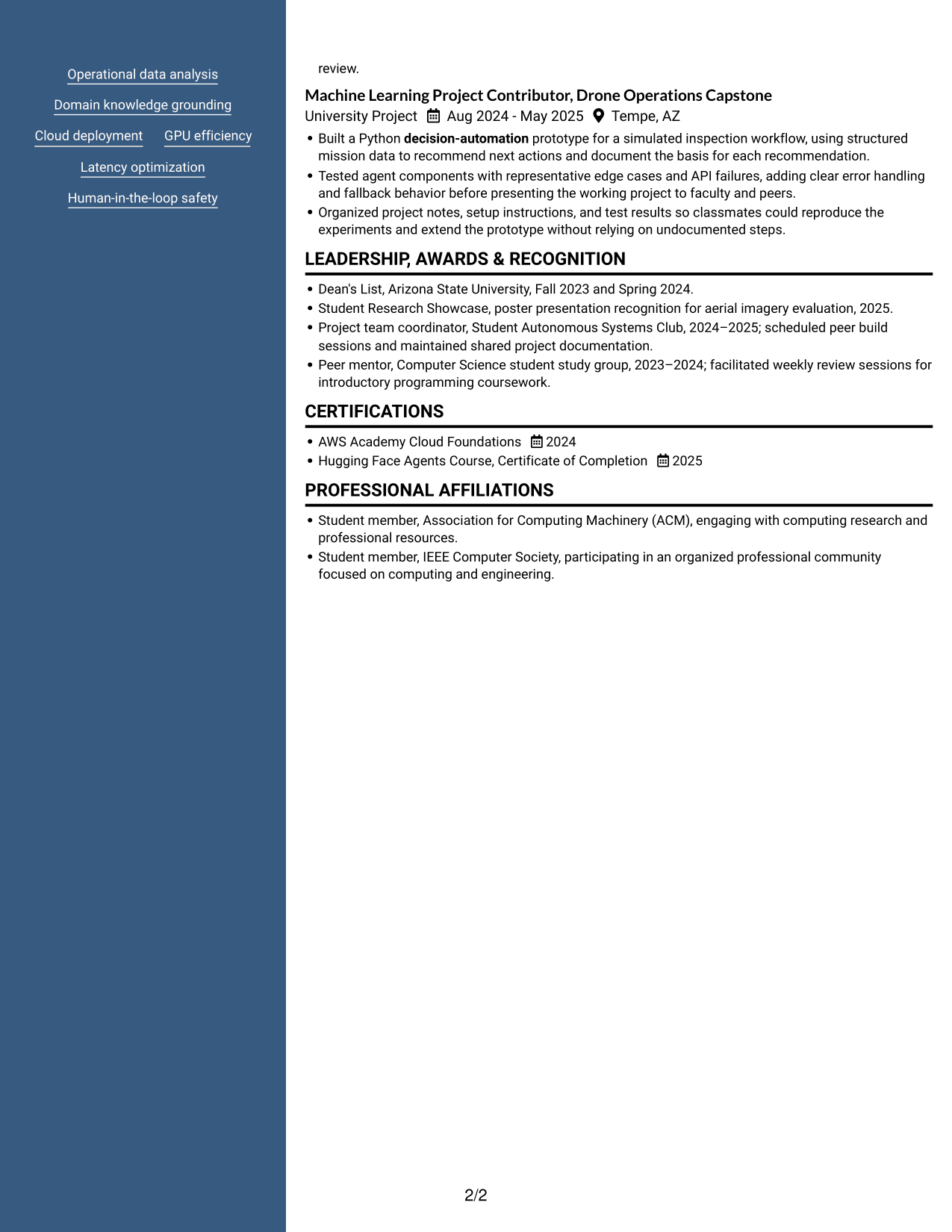
 
Resume example — page 1   Resume example — page 2

Why This Format Works

  • Career entries and supporting sections occupy distinct areas in the two-column body.
  • Education and credentials remain easy to find within the grouped content.
  • The header photo provides a distinct visual entry before the two-column content begins.

Best For

  • Photo in the resume header
  • Two-column section grouping
  • Detailed career entries
  • Compact supporting details
  • Quick access to resume sections


Why Build Your Agentic AI Engineer - Drone Autonomy Resume with ResumeInMinutes

ResumeInMinutes helps you organize your projects, technical skills, experience, and education into a resume that is easy to scan and customize. Clear sections can help recruiters find your evidence for drone autonomy and agentic AI work.

  • Professional resume layouts
  • Clear, ATS-friendly sections
  • Role-specific keyword guidance
  • Project and skills organization
  • Experience and education sections
  • Resume customization support

Use the example to decide how to present multi-agent workflows, imagery analysis, cloud testing, and safety controls. Open a layout in the editor to customize the resume content for the Agentic AI Engineer - Drone Autonomy role.


See Also


Frequently Asked Questions

Are these Agentic AI Engineer - Drone Autonomy resume templates ATS-friendly?

The examples use clear headings and readable sections that support ATS scanning. Use common terms for your actual skills, such as multi-agent systems, RAG, Python, PyTorch, Hugging Face, AWS, and human-in-the-loop safety.

Are these separate resume examples?

This guide shows one Agentic AI Engineer - Drone Autonomy resume example in different layouts. Compare the image previews, then open a version in the editor to customize it.

What should an Agentic AI Engineer - Drone Autonomy resume include?

Include a focused summary, relevant experience and projects, technical skills, education, and certifications. Use bullet points to explain your role in building agent workflows, handling imagery and operational data, testing edge cases, and adding safety controls.

Which resume style works well for this role?

Choose a clean layout with familiar headings and a clear section order. Make sure your project bullets and technical skills are easy to scan, and avoid design elements that distract from your evidence.

How can I show project experience on my resume?

Describe the workflow you built, the tools you used, and how you tested it. Mention concrete details such as RAG retrieval, aerial-image evaluation, API validation, cloud test environments, or human review when they match your work.

Should I include a photo on my resume?

Include a photo only if it is customary or expected in your country, region, or industry. For U.S. applications, a no-photo resume is generally the safer choice.


ATS Score 89%

How we calculate this score

  • Keywords: 60% of the total. AI extracts keywords from your job description. If you do not provide one, a standard job description for the title matching your resume is used. This is not a match to a specific vacancy.
  • Text-based resume: 20%. The text resume assessed here receives 100 for this part.
  • Resume quality: 20%. We start at 100 and subtract points for issues found by our resume checks, down to a minimum of zero.
  • Keyword coverage = round(100 × confirmed matches ÷ total keywords). Exact matches and supported equivalents verified by AI receive full credit; unsupported keywords receive none. Live text checks use the saved equivalents and do not request a new AI review. Without keywords, no overall ATS score is available.
  • Final score = 60% of keyword coverage + 20% of the text score + 20% of the quality score, rounded to a whole number. Without keywords, no overall ATS score is available.

What this score means

Our scores are estimates, not employer ratings. They may contain errors and do not guarantee accurate parsing, a ranking, an interview, or a job. Check your document against the employer’s requirements. You are responsible for relying on this score.

Terms and Conditions

Score weights: Keywords 60% · Text based resume 20% · Resume quality 20%

Keyword coverage: 28 of 34 (82%) · Resume quality: 100%

Resume quality 100% · Weight 20% · Issues (0)

Details
  • ✓Name present: Lydia Chandra
  • ✓Email format: lydia.chandra@example.com
  • ✓Phone format: (480) 555-XXXX
  • ✓Experience 1: Job title: Agentic AI Engineer, University Project
  • ✓Experience 1: Company name: Arizona State University, Student Innovation Lab
  • ✓Experience 1: Work location: Tempe, AZ
  • ✓Experience 1: Employment dates: Jan 2026 - Present
  • ✓Experience 1: Description or achievements: Present
  • ✓Experience 2: Job title: AI Research Assistant, Aerial Vision Project
  • ✓Experience 2: Company name: Academic Research Lab
  • ✓Experience 2: Work location: Tempe, AZ
  • ✓Experience 2: Employment dates: Aug 2025 - Dec 2025
  • ✓Experience 2: Description or achievements: Present
  • ✓Experience 3: Job title: Machine Learning Project Contributor, Drone Operations Capstone
  • ✓Experience 3: Company name: University Project
  • ✓Experience 3: Work location: Tempe, AZ
  • ✓Experience 3: Employment dates: Aug 2024 - May 2025
  • ✓Experience 3: Description or achievements: Present
  • ✓No placeholder fields
  • ✓No repeated achievement bullets
  • ✓No empty bullets

No issues found by the current checks.

Text Based Resume 100% · Weight 20%

Parsed text
Lydia Chandra
(480) 555-XXXX
lydia.chandra@example.com
lydiachandra
Tempe, AZ 85281
SUMMARY
Agentic AI Engineer focused on drone autonomy, with more than two years of academic and project experience building tested AI workflows. Develop multi-agent systems that connect reasoning, imagery perception, and execution, including retrieval-augmented generation, persistent memory, and supervised review of aerial and sensor imagery. Use Python, cloud test environments, and agent frameworks to connect model outputs with operational data and APIs. In team projects, document experiments, test edge cases, and apply fallback protocols and bias checks to safety-sensitive decisions. Bring a computer science degree and hands-on project experience with GPU efficiency, response latency, and autonomous drone inspection workflows.
EDUCATION
Bachelor of Science in Computer Science
2025
Arizona State University
Tempe, AZ
TECHNICAL SKILLS
Programming Languages: Python, SQL, Java, C++
Machine Learning Frameworks: PyTorch, TensorFlow, scikit-learn
Model and NLP Libraries: Hugging Face Transformers, Hugging Face Datasets, spaCy
Agent Frameworks: LangChain, CrewAI, LangGraph, AutoGen
Vector Databases: Pinecone, Milvus, Chroma
Cloud Platforms: AWS, Google Cloud Platform, Microsoft Azure
Observability Tools: LangSmith, MLflow, Weights & Biases
Image Processing Libraries: OpenCV, Pillow, torchvision
API and Data Formats: REST, JSON, Protocol Buffers
Development and Testing Tools: Git, Docker, pytest
SKILLS
Multi-agent systems
Drone autonomy
RAG pipelines
Persistent memory
Aerial image analysis
Vision-language models
Decision automation
Python function execution
API integration
Operational data analysis
Domain knowledge grounding
Cloud deployment
GPU efficiency
Latency optimization
Human-in-the-loop safety
EXPERIENCE
Agentic AI Engineer, University Project
Jan 2026 - Present
Arizona State University, Student Innovation Lab
Tempe, AZ
Developed a Python multi-agent workflow for simulated drone-in-a-box inspections of energy and utility assets, separating mission reasoning, imagery perception, and execution while defining safe agent-to-agent communication.
Built a RAG pipeline over maintenance and operating procedures, adding persistent memory and evaluating Pinecone and Milvus retrieval against a set of domain-specific questions.
Integrated a Hugging Face Vision-Language Model with PyTorch to interpret aerial and sensor imagery, then connected findings to mission-planning steps for supervised review.
Enabled agents to execute approved Python functions, call REST APIs, and analyze flight and inspection data, with validation checks preventing malformed requests from reaching the simulator.
Packaged a deployable workflow for AWS and GCP test environments; profiled GPU utilization and inference latency to select practical model and resource settings.
Added LangSmith traces, debugging views, and repeatable evaluation cases; designed human-in-the-loop approvals, fallback protocols, and bias checks for uncertain or safety-sensitive results.
AI Research Assistant, Aerial Vision Project
Aug 2025 - Dec 2025
Academic Research Lab
Tempe, AZ
Prepared and annotated a small aerial-image dataset to evaluate object and site-condition recognition, documenting label guidance and data limitations for reproducible experiments.
Compared PyTorch and TensorFlow image-classification baselines with Hugging Face pretrained models, using held-out examples and error review to assess performance in varied lighting and camera angles.
Prototyped a LangChain retrieval workflow for equipment reference material and summarized evaluation findings in a lab presentation, distinguishing reliable answers from cases requiring human review.
Machine Learning Project Contributor, Drone Operations Capstone
Aug 2024 - May 2025
University Project
Tempe, AZ
Built a Python decision-automation prototype for a simulated inspection workflow, using structured mission data to recommend next actions and document the basis for each recommendation.
Tested agent components with representative edge cases and API failures, adding clear error handling and fallback behavior before presenting the working project to faculty and peers.
Organized project notes, setup instructions, and test results so classmates could reproduce the experiments and extend the prototype without relying on undocumented steps.
LEADERSHIP, AWARDS & RECOGNITION
Dean's List, Arizona State University, Fall 2023 and Spring 2024.
Student Research Showcase, poster presentation recognition for aerial imagery evaluation, 2025.
Project team coordinator, Student Autonomous Systems Club, 2024–2025; scheduled peer build sessions and maintained shared project documentation.
Peer mentor, Computer Science student study group, 2023–2024; facilitated weekly review sessions for introductory programming coursework.
CERTIFICATIONS
AWS Academy Cloud Foundations
2024
Hugging Face Agents Course, Certificate of Completion
2025
PROFESSIONAL AFFILIATIONS
Student member, Association for Computing Machinery (ACM), engaging with computing research and professional resources.
Student member, IEEE Computer Society, participating in an organized professional community focused on computing and engineering.

Matched keywords (28)

  • multi-agent systems
  • agent-to-agent communication
  • retrieval-augmented generationOriginal keyword in JD: Retrieval-Augmented Generation (RAG)
  • persistent memory
  • Vision-language modelsOriginal keyword in JD: Vision-Language Models (VLMs)
  • Python
  • PyTorchOriginal keyword in JD: PyTorch OR TensorFlow
  • Hugging Face
  • AWSOriginal keyword in JD: AWS OR GCP
  • MilvusOriginal keyword in JD: Vector databases: Pinecone OR Milvus
  • CrewAIOriginal keyword in JD: Agentic frameworks: LangChain OR CrewAI OR LangGraph OR AutoGen
  • Bachelor of Science in Computer ScienceOriginal keyword in JD: Undergraduate OR postgraduate degree
  • autonomous drone inspection workflowsOriginal keyword in JD: Autonomous drone operations
  • interpret aerial and sensor imageryOriginal keyword in JD: Aerial and sensor imagery analysis
  • Python function execution
  • API integration
  • Operational data analysis
  • Domain knowledge grounding
  • Cloud deployment
  • GPU efficiency
  • Latency optimizationOriginal keyword in JD: Response latency optimization
  • LangSmith
  • LangSmith traces, debugging viewsOriginal keyword in JD: Observability and debugging
  • designed human-in-the-loop approvals, fallback protocols, and bias checks for uncertain or safety-sensitive resultsOriginal keyword in JD: Human-in-the-loop safety controls
  • designed human-in-the-loop approvalsOriginal keyword in JD: Human review workflows
  • fallback protocols
  • bias checks
  • Decision automation

Missing keywords (6)

  • Self-directed execution
  • Adaptability to ambiguity
  • Safety-conscious judgment
  • Autonomous decision-making
  • 0 to 1 years of relevant experience
  • Rapid learning
Disclaimer: All names, images, contact information, employment histories, achievements, security clearances, military credentials, and other qualifications shown in this content are fictional and used for illustrative purposes only. Any resemblance to actual persons, living or deceased, is purely coincidental.

Resume and cover-letter examples and recommendations in this article reflect general best practices and professional experience and are provided for guidance only. Results may vary based on role, industry, region, and hiring organization.

Content Accuracy and Verification: To the fullest extent permitted by applicable law, we do not represent or warrant that resume or cover-letter guidance, examples, recommendations, or related information are accurate, complete, current, error-free, or suitable for any particular purpose. You are responsible for independently reviewing and verifying the information before relying on it.

ATS and Cover-Letter Scores: ATS scores are estimates calculated using our own formula, informed by publicly available guidance on resume formatting and keyword matching. They are not scores issued or endorsed by an ATS provider or employer. Cover-letter scores are also our own assessments. Parsing, weighting, screening criteria, and results vary between systems, employers, job descriptions, and document formats. No score guarantees successful parsing, a particular ranking, an interview, or employment. Use scores as general guidance and independently check your documents against the employer’s requirements. To the fullest extent permitted by applicable law, we accept no liability for errors in scores or parsing, or losses arising from reliance on these assessments. Nothing in this notice excludes liability or limits consumer rights that cannot lawfully be excluded or limited.

Terms and Conditions
 
> JP 1 1
PDF Footer and Margins Setup
The margins are applied to the document, and the footer shows up in the preview and the PDF

Footer Font Settings

Are you applying for a specific job
so we can tailor your resume to it?
Are you applying for a specific job
so we can tailor your cover letter to it?

Your data stays private and is never used for training.Privacy Policy

Type your details as text to generate a personalized resume Type your details as text to generate a personalized cover letter
Website link found! Ready to create resume from:

Your data stays private and is never used for training.Privacy Policy

Drag the into the box to verify you're human.
Drop here

My Resumes

Displaying {number_of_files} files (out of {total_of_all_files} total)
Name File Type Last Modified: Description:

Rename File

Filename already exists!

Delete Files

Warning: This action is irreversible. Once you click submit, the files will be permanently deleted.

Heading text
Upload From Computer Upload
Select From Existing
LinkedIn
Drag & Drop files anywhere in this tab, or

Uploaded Files

Delete Name Last Updated Use This File
Select this to use the file for generating your resume and cover letter. Only one source—uploaded file, selected file, or LinkedIn text—can be used.

My Files

Resumes or cover letters you create will appear here. No files available yet.
Delete Name Last Updated Use This File
Select this to use the file for generating your resume and cover letter. Only one source—uploaded file, selected file, or LinkedIn text—can be used.

Add LinkedIn Profile PDF

You can download your LinkedIn profile as a PDF by opening linkedin.com in a web browser, clicking your profile photo, selecting the “More” or “Resources” button, and choosing “Save to PDF.” You can then attach the PDF using the Upload From Computer tab.

Paste Your LinkedIn Profile Text

If you have copied the LinkedIn profile text, paste it below. See how to copy your profile from LinkedIn

Select this to use the LinkedIn profile text for generating your resume and cover letter. Only one source—uploaded file, selected file, or LinkedIn text—can be used.

Try these controls

<
>


