
7 Analytics Sr Software Engineer (US Federal) Resume Templates with Example
This guide shows you how to build an Analytics Sr Software Engineer (US Federal) resume that is clear, focused, and easy to review. You will learn how to organize strong technical evidence and compare 7 professional layouts without changing the underlying resume.
A strong resume for this role should make infrastructure depth, software engineering, reliability work, cloud operations, security, and data platform experience easy to find. Use concise achievement bullets and place important terms such as Kubernetes, AWS, Terraform, Argo CD, Python, Go, Prometheus, Grafana, Apache Spark, and security auditing where they truthfully match your experience.
The examples below show how the same resume content can be presented with different section structures. Compare reading order, column use, photo treatment, and emphasis so you can choose a format that keeps experience, skills, education, certifications, and technical projects easy to scan.
What Makes a Great Analytics Sr Software Engineer (US Federal) Resume in 2026
The best resumes are clear, evidence-based, and easy to scan. They show technical depth, reliable operations work, security awareness, and steady career progression without burying key facts.
Match truthful experience to role terms such as Kubernetes, AWS, Terraform, Argo CD, Python, Go, observability, CI/CD, Apache Spark, DoD 8570/8140, and incident response. Keep certifications and federal-readiness details visible when they are supported by your background.
The examples shown below are intentionally detailed to demonstrate a range of experiences, skills, accomplishments and relevant keywords. We prefer detailed resumes as they provide more context to the hiring managers and also help the ATS systems identify relevant qualifications and score your resume better for a match. But the length of a resume is an individual choice. If you want a one page resume, just keep the most relevant experience and information for the job. Note: Resume examples are for educational purposes only. Use only information that accurately reflects your experience and qualifications. References to real organizations do not imply affiliation or endorsement.
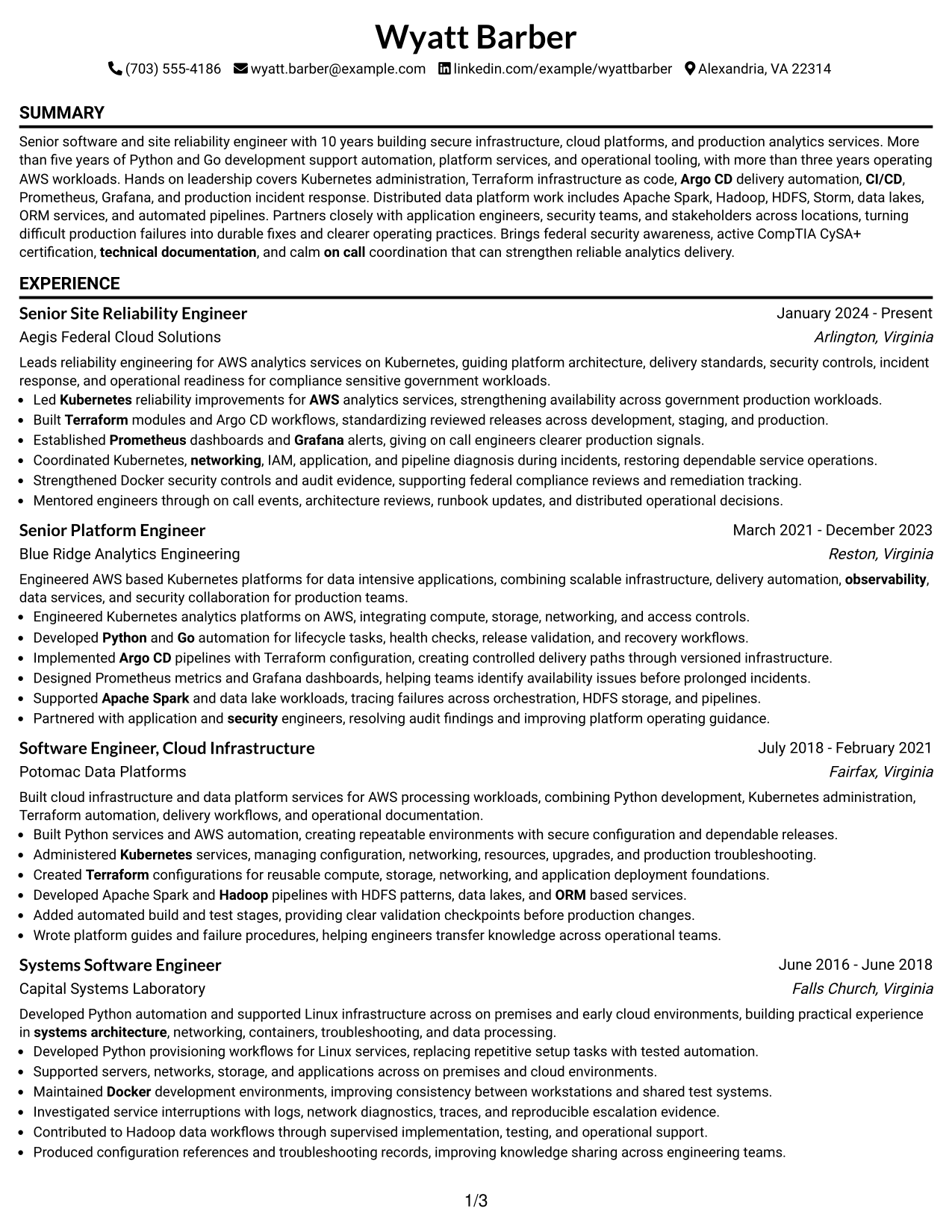
#1 Simple One Column Format Resume Example
A simple one-column flow keeps every section in a clear top-to-bottom order, helping recruiters scan the resume without changing reading paths.
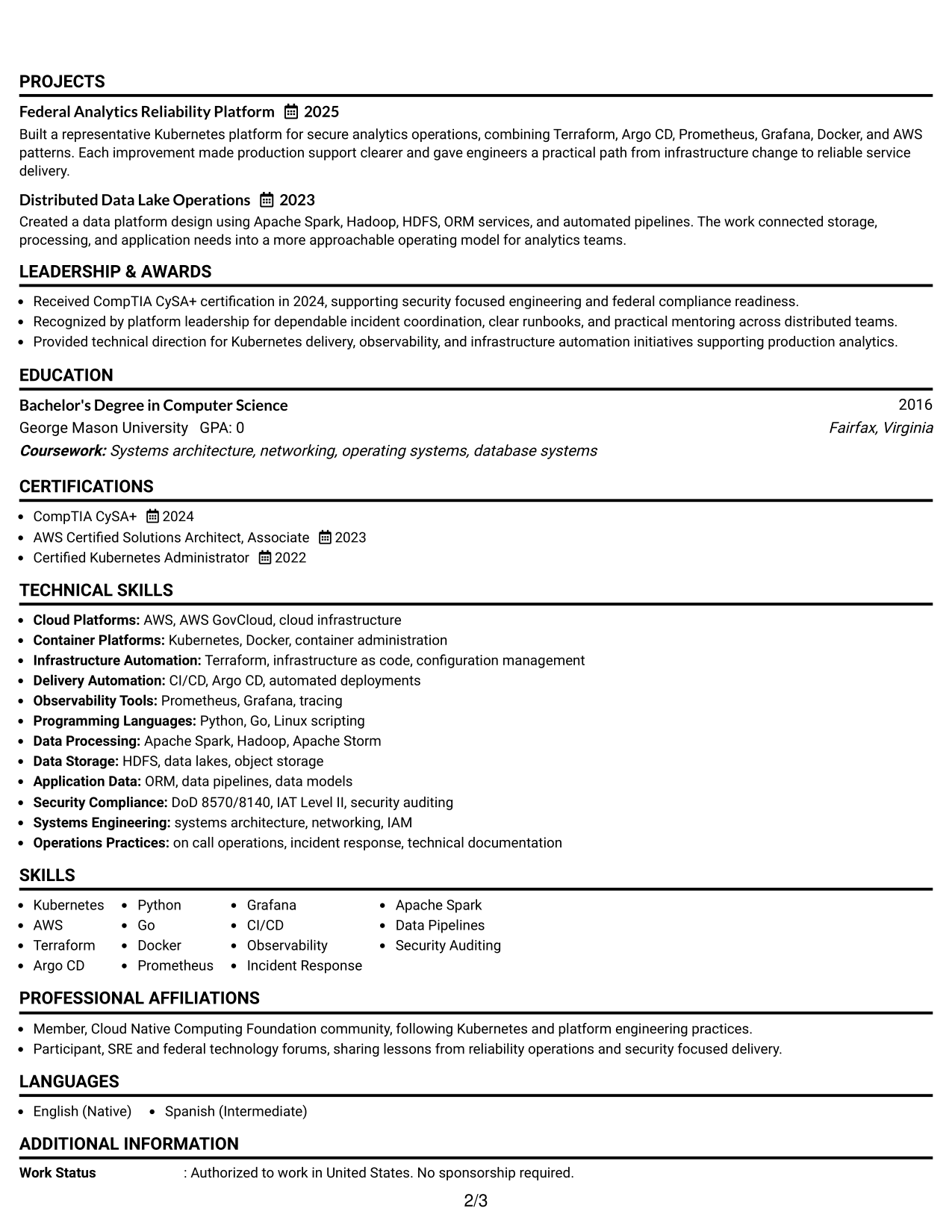
Why This Format Works
- Linear reading order makes career progression easy to follow from role to role.
- Full-width sections give achievements enough space without splitting related evidence.
- Skills, education, and credentials remain easy to locate in familiar sections.
Best For
- Detailed technical work histories
- Straightforward recruiter scanning
- Applications needing simple reading order
- Resumes with several credential sections
- Readers who prefer full-width sections
Resume Keywords
- Kubernetes
- AWS
- Terraform
- Argo CD
- Python
- Go
- Prometheus
- Grafana
- Apache Spark
- Security Auditing
#2 Plain One Column with Shaded Labels Resume Example
Shaded section labels create clear stops in a one-column layout, helping reviewers move quickly between major resume sections.
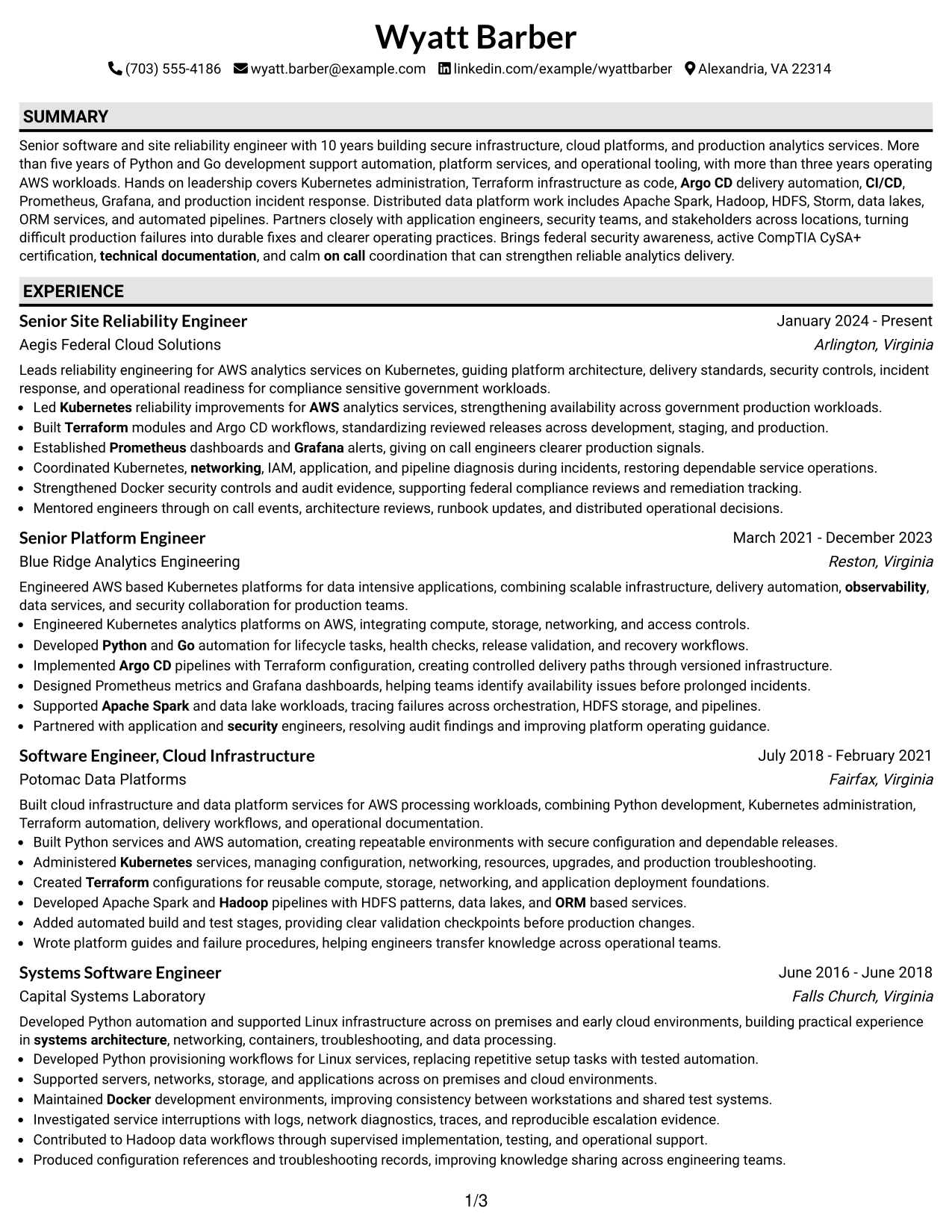
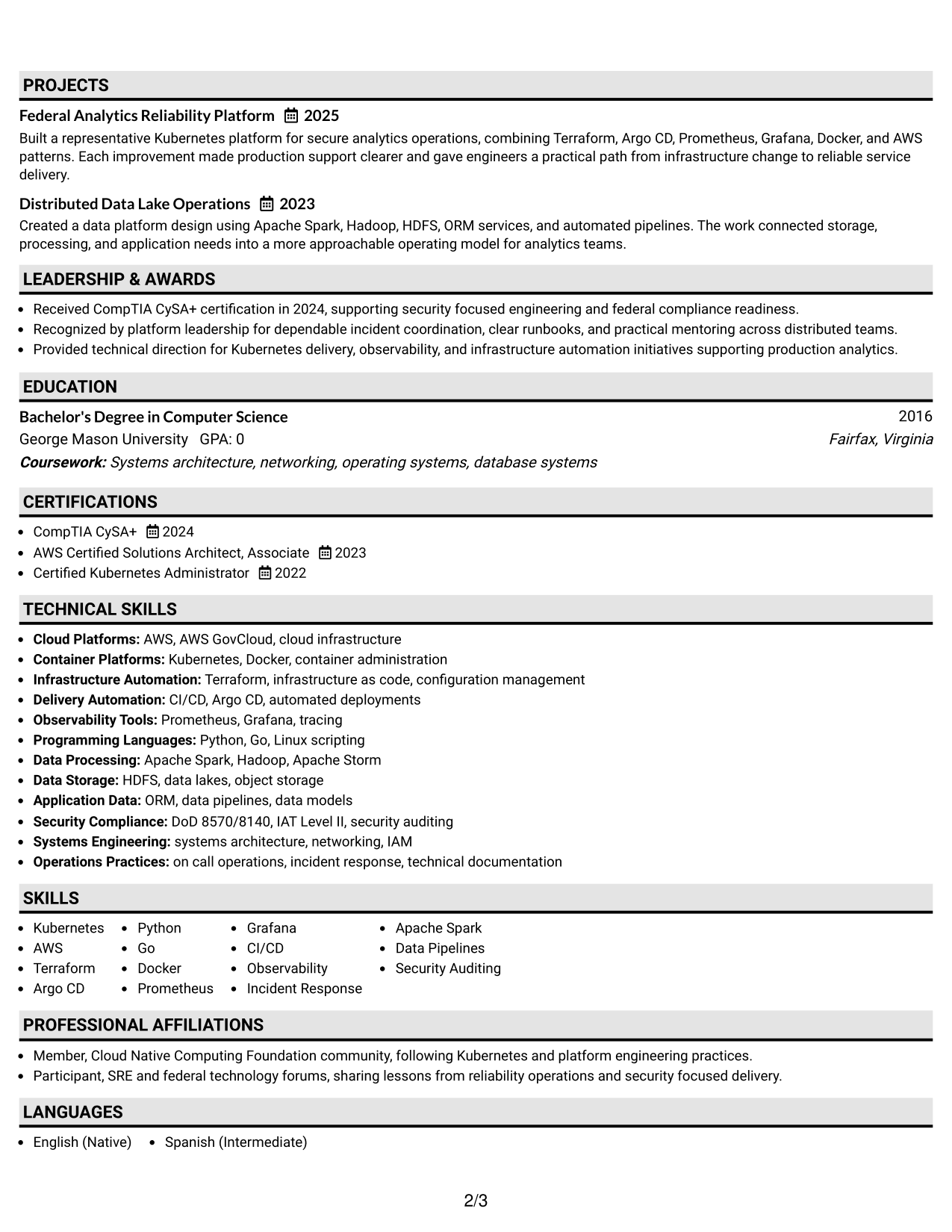
Why This Format Works
- Shaded labels separate experience, skills, education, and credentials without changing reading order.
- Single-column structure keeps achievements connected to the roles that produced them.
- Clear section breaks help reviewers return to key content during comparison.
Best For
- Long experience sections needing stronger dividers
- Readers comparing several resume sections
- Technical resumes with dense achievement bullets
- Applications favoring conservative visual structure
- Content that benefits from clear section stops
#3 One Column Format with Photo Right Resume Example
This one-column format keeps the resume body linear while placing a photo at the right of the header for a more personal visual introduction.
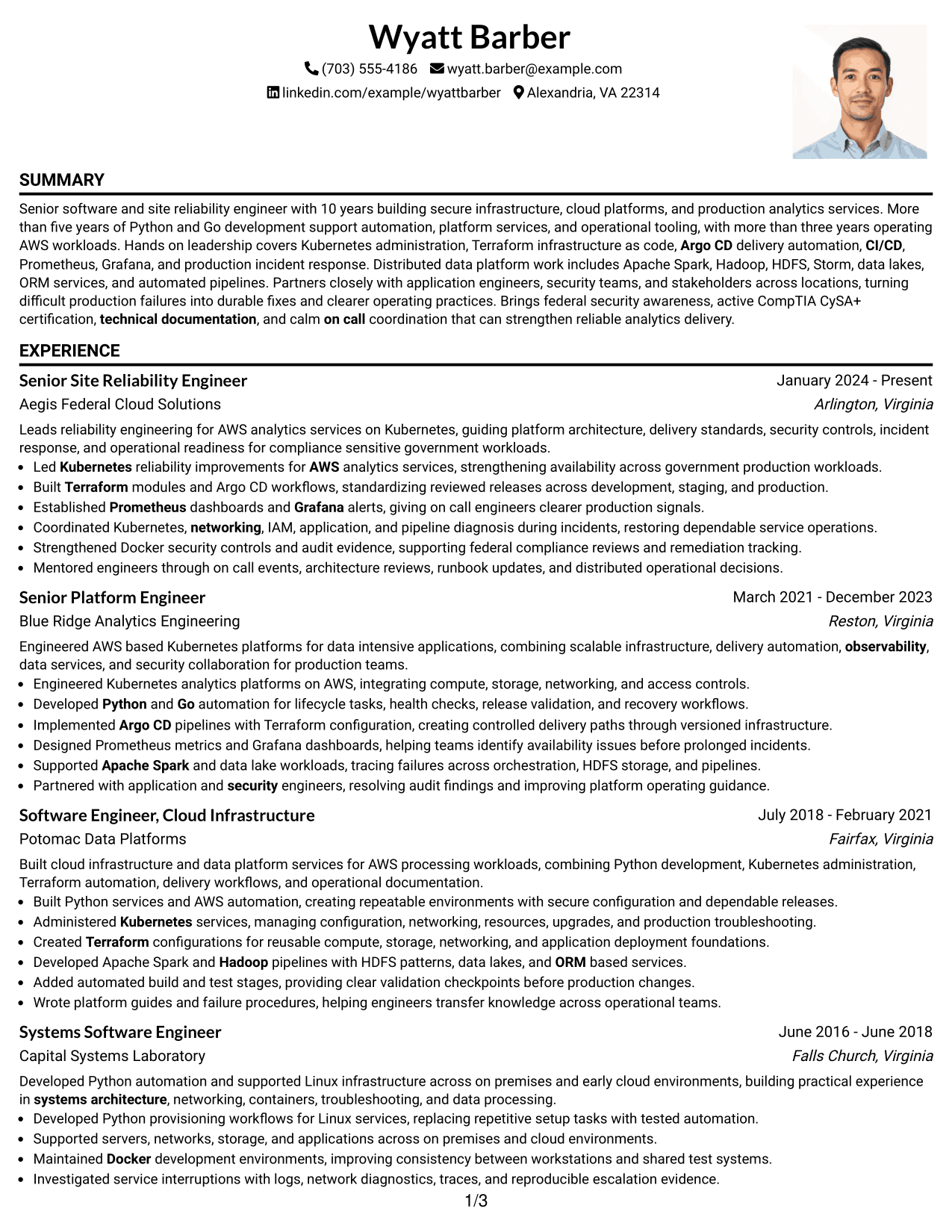
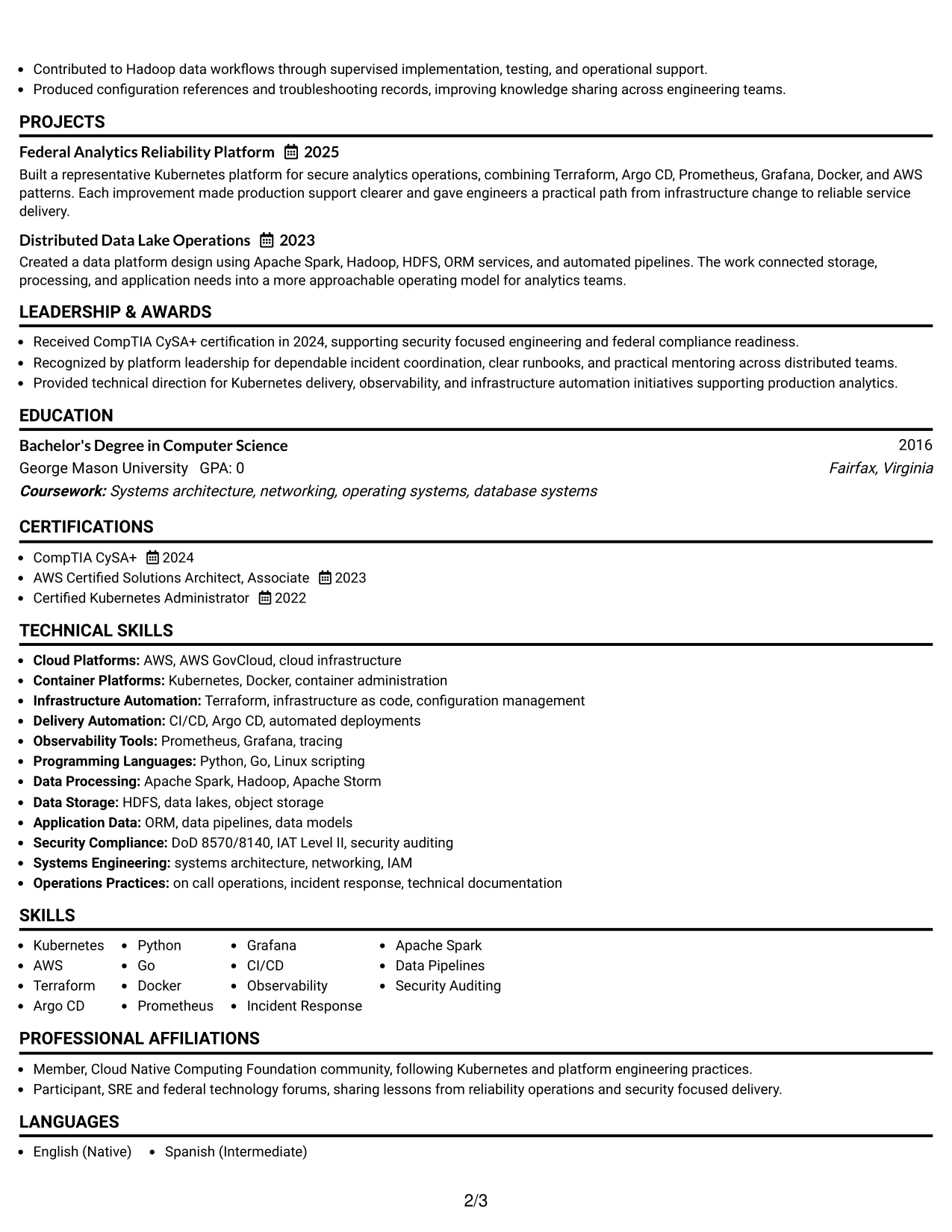
Why This Format Works
- Linear body order keeps experience and achievements together despite the photo header.
- Full-width content gives career history a steady, uninterrupted reading path.
- Distinct section spacing helps skills and credentials stay separate from experience.
Best For
- Markets where resume photos are customary
- Readers wanting a personal header element
- Career histories needing uninterrupted body flow
- Resumes with substantial full-width experience
- Applications outside standard U.S. federal norms
#4 Clean Two Column Sidebar Format Resume Example
A clean two-column sidebar gives recruiters a main reading area plus a separate space for compact supporting information.
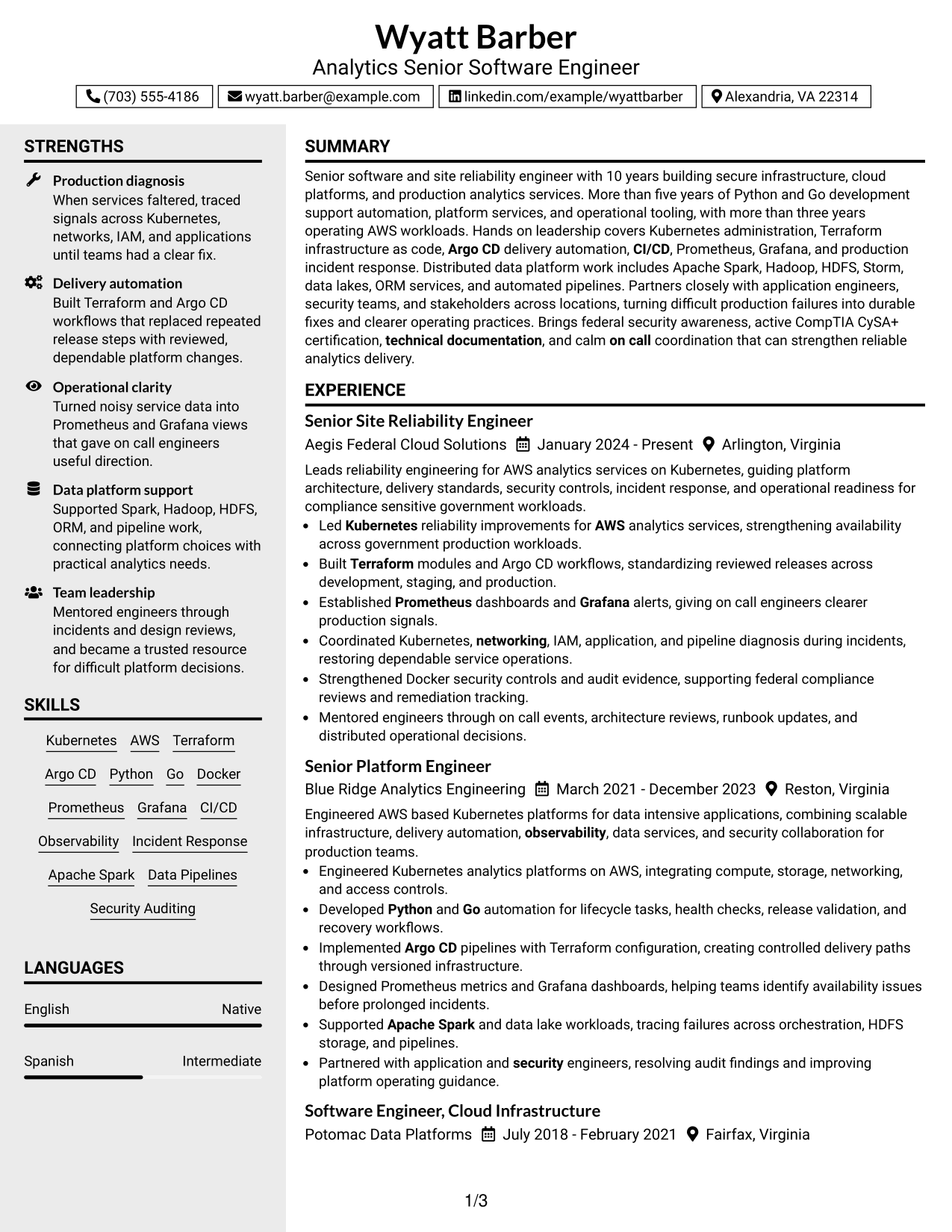
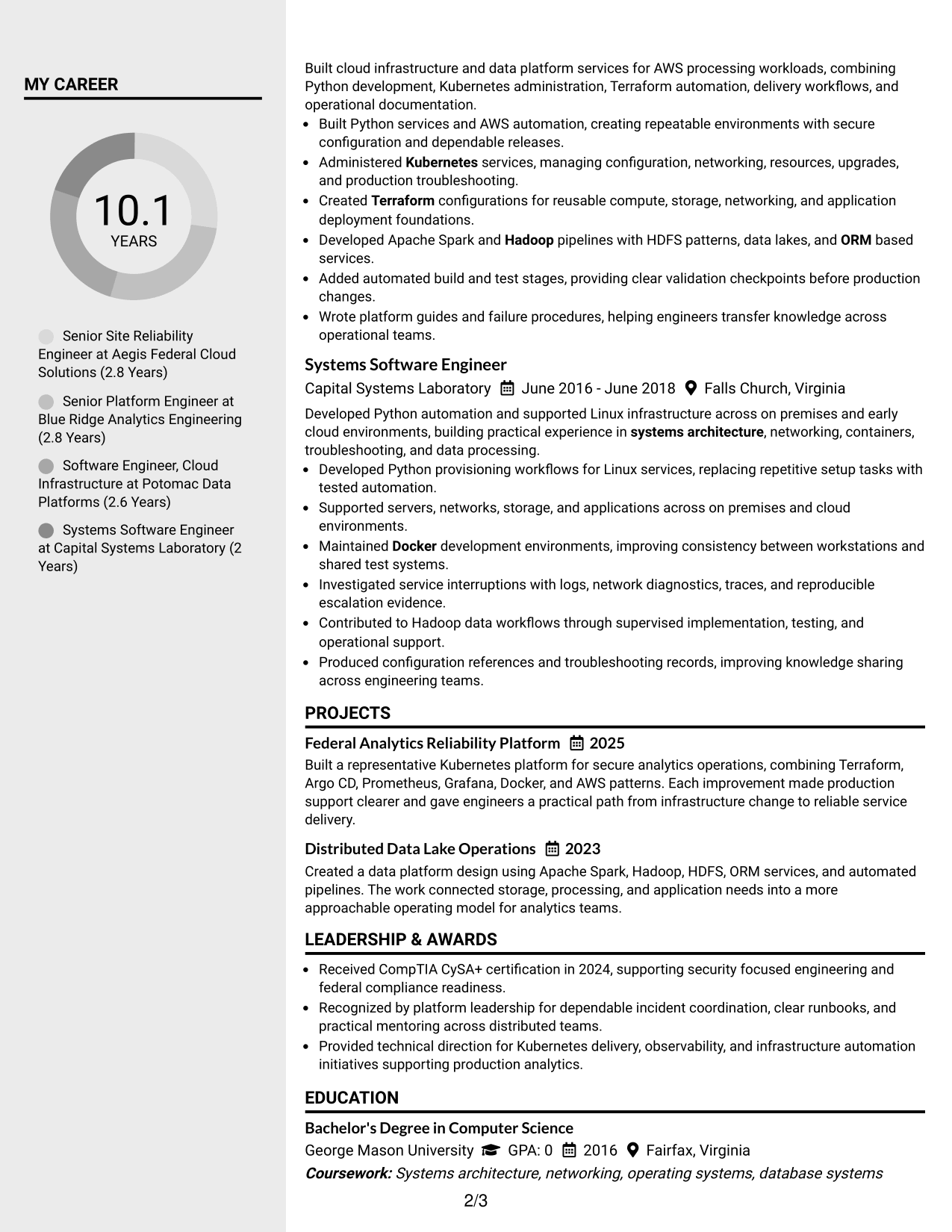
Why This Format Works
- Main column can carry career progression while the sidebar groups supporting details.
- Parallel sections help reviewers separate detailed achievements from compact qualifications.
- Two-column organization reduces long vertical runs across skills, education, and credentials.
Best For
- Resumes with many supporting qualifications
- Readers who value quick section navigation
- Career stories with compact side information
- Technical profiles balancing depth and breadth
- Applications suited to modern two-column structure
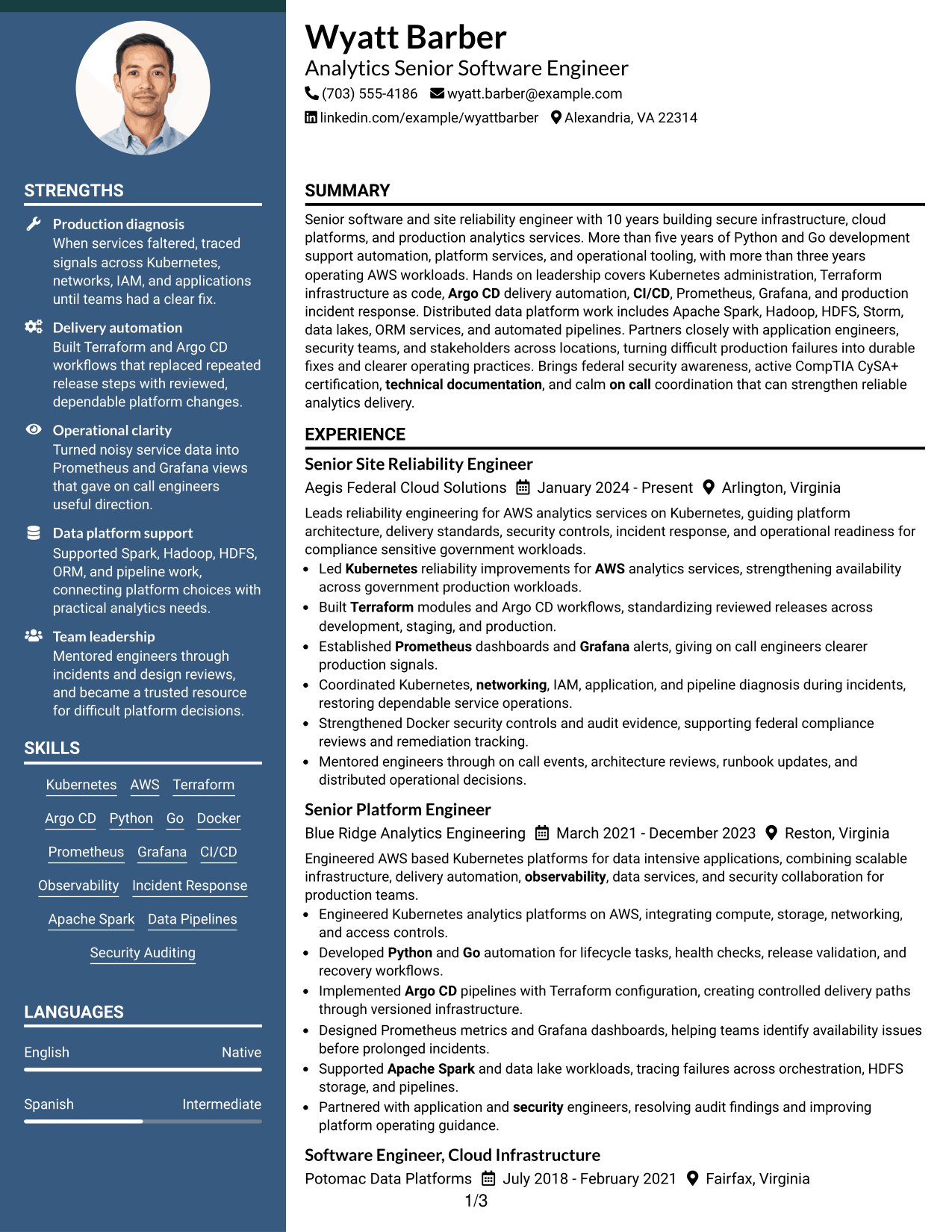
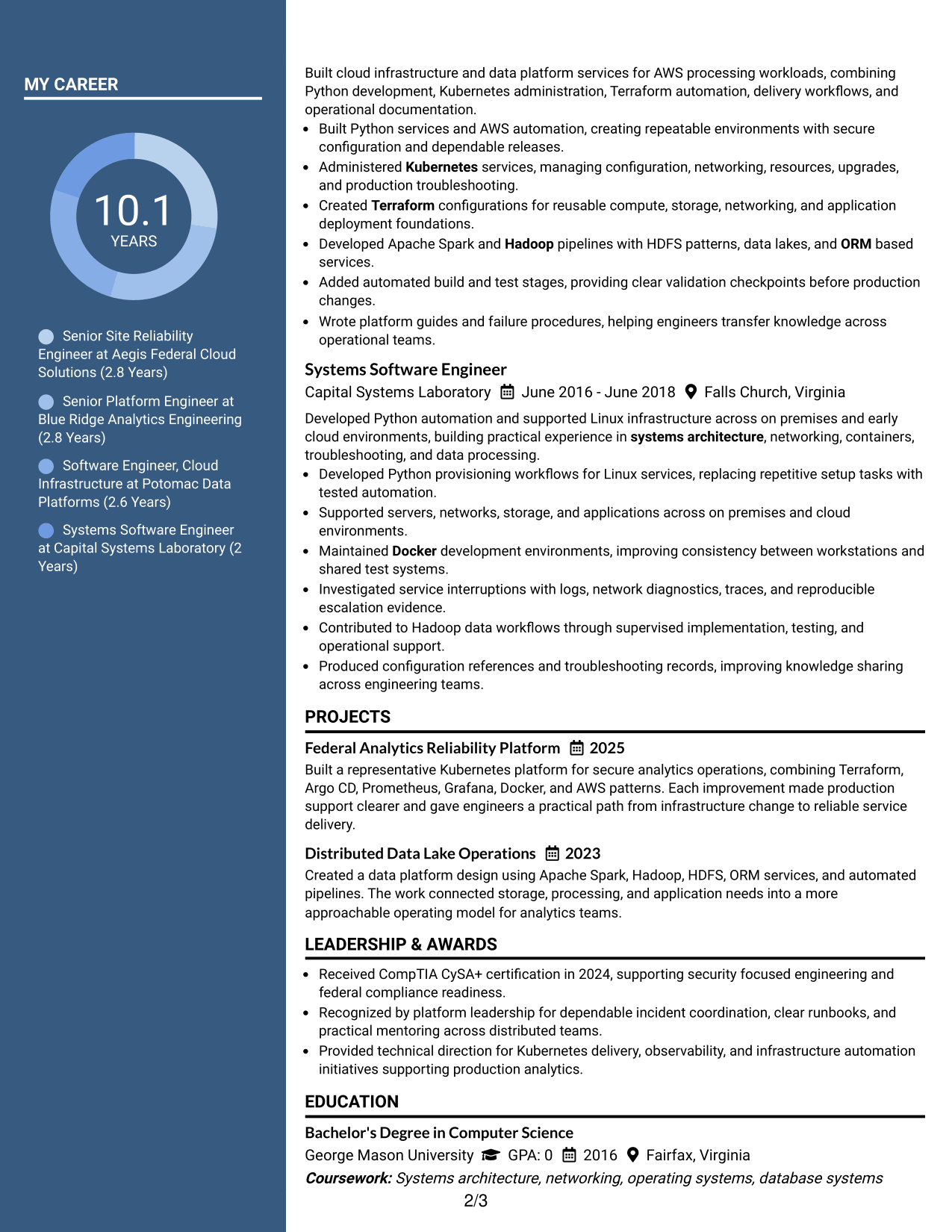
#5 Two Column Format Resume Example
The two-column format divides the page into parallel content areas, helping reviewers compare primary experience with supporting resume sections.
Why This Format Works
- Parallel columns create shorter visual paths between experience and supporting qualifications.
- Section grouping helps achievements remain distinct from skills, education, and credentials.
- Balanced body areas make a broad career record easier to review in parts.
Best For
- Broad technical backgrounds
- Resumes with several supporting sections
- Reviewers scanning experience and qualifications together
- Content needing more horizontal organization
- Candidates with balanced career evidence
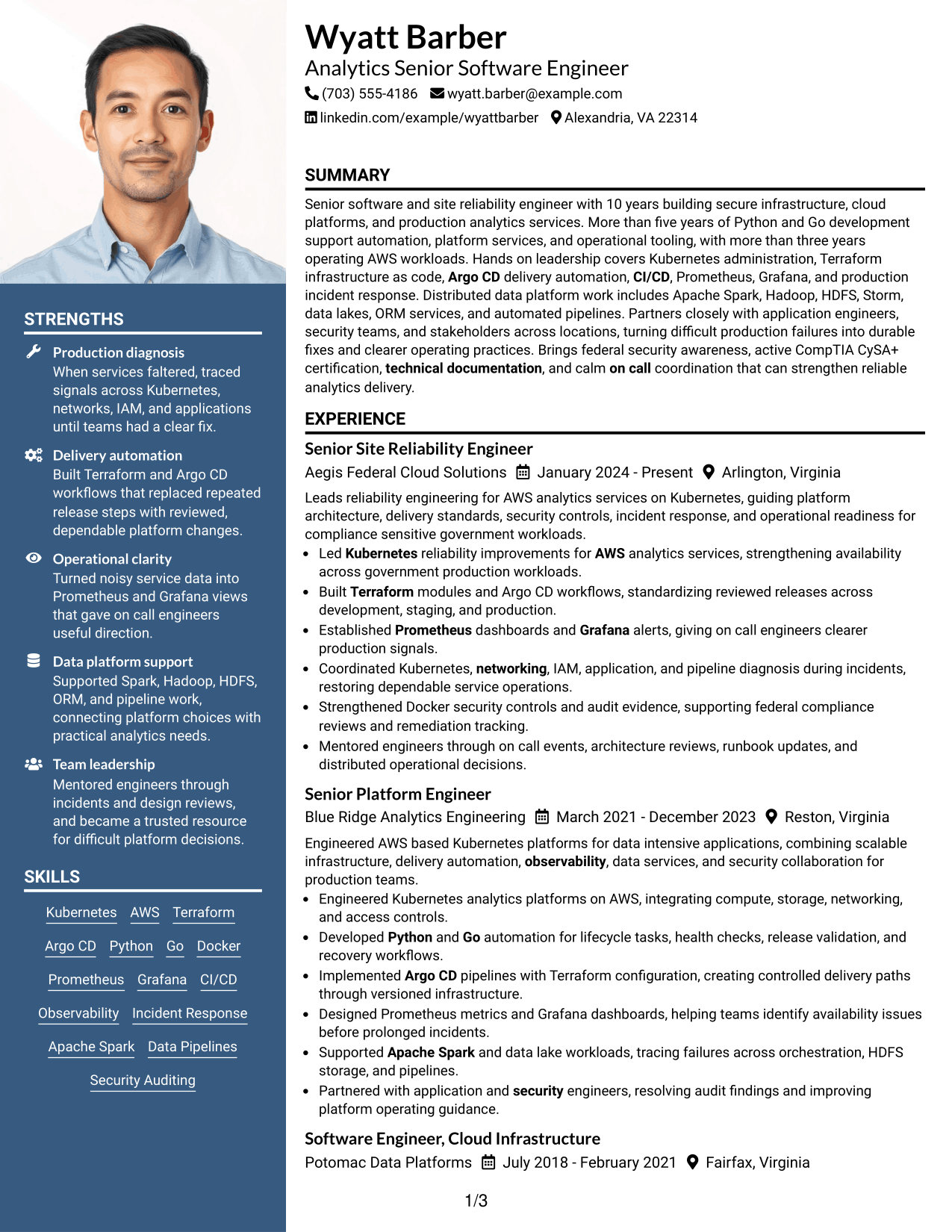
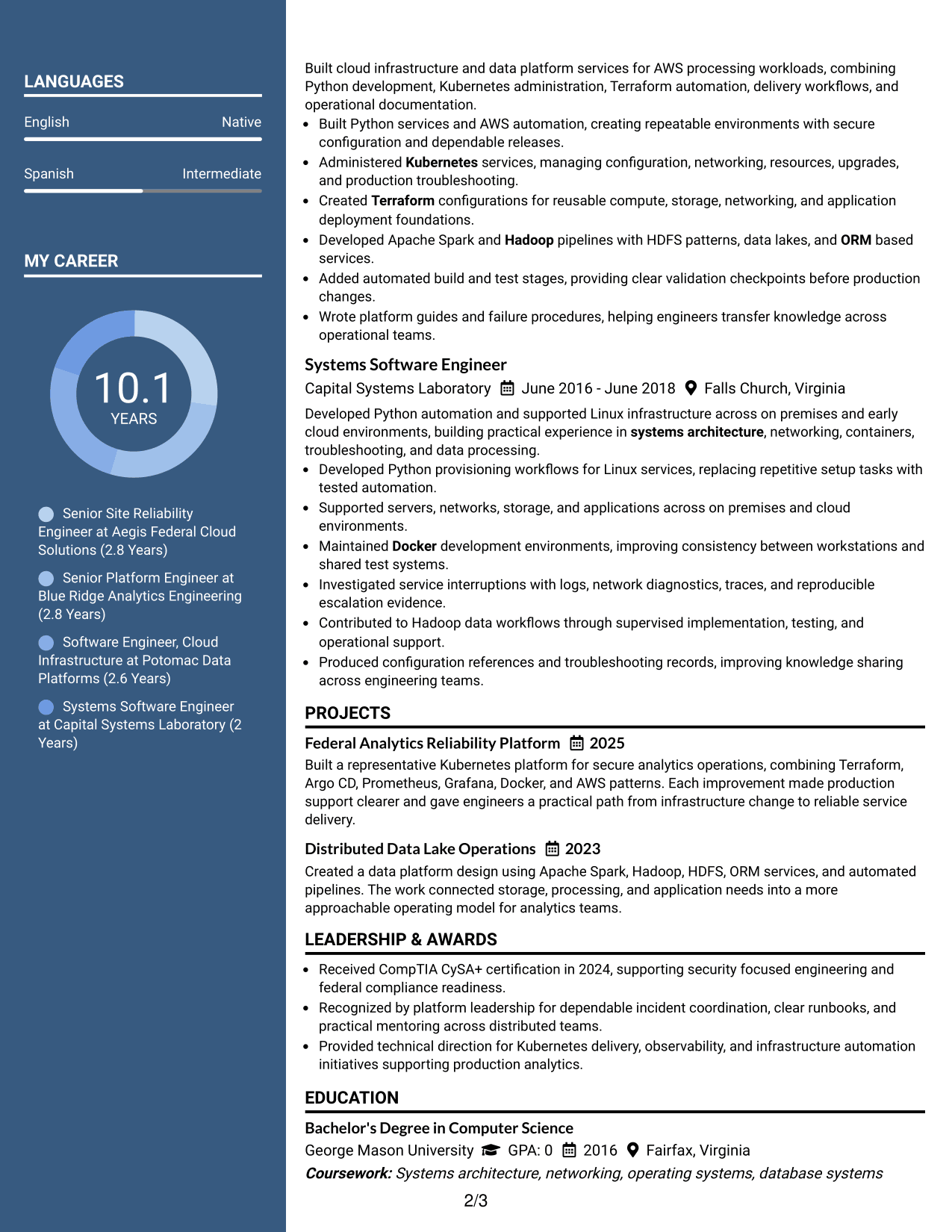
#6 Photo Header Two Column Format Resume Example
A photo header adds a visual identity area above a two-column body, while the split structure keeps detailed and supporting sections distinct.
Why This Format Works
- Two-column body separates detailed experience from compact skills and credential sections.
- Header photo stays outside the career evidence, preserving organized body sections.
- Split structure helps reviewers move between achievements and supporting qualifications efficiently.
Best For
- International markets that expect photos
- Profiles needing a distinct identity header
- Resumes combining deep experience with compact details
- Readers comfortable with two reading zones
- Applications where visual personalization is appropriate
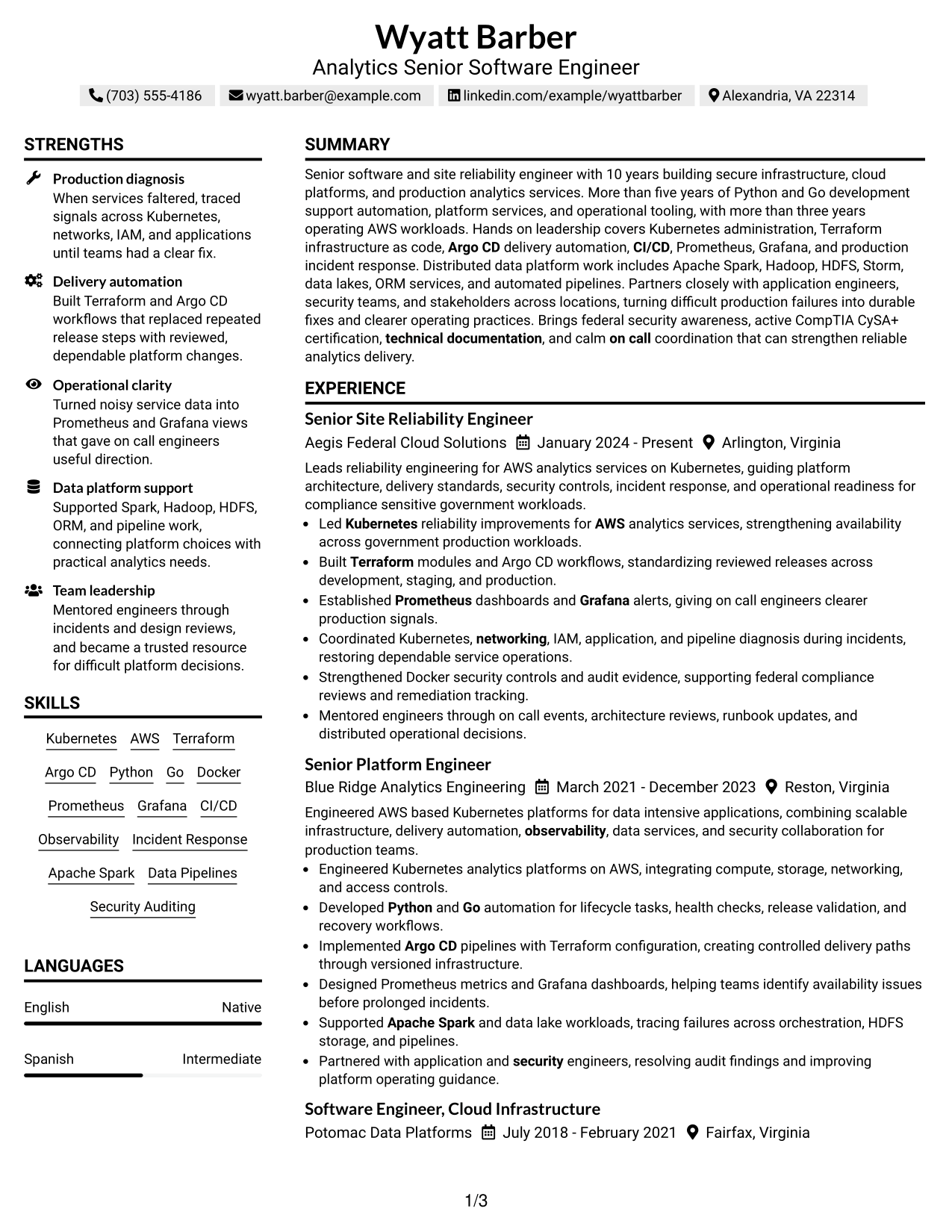
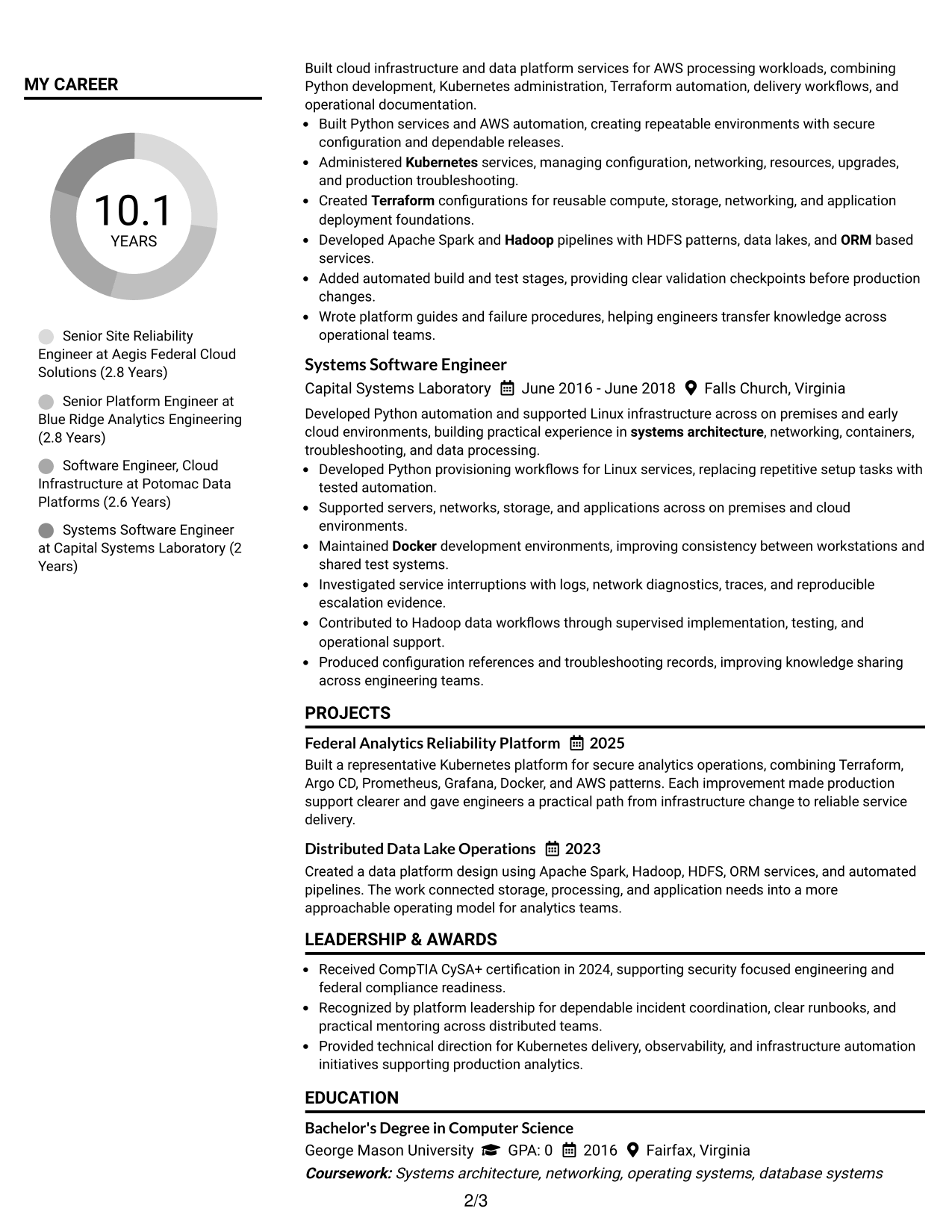
#7 Simple Two Column Format Resume Example
A simple two-column structure organizes the resume into two clear areas, giving recruiters faster access to both career evidence and supporting sections.
Why This Format Works
- Simple columns keep career evidence visible while reducing crowded supporting sections.
- Clear separation helps reviewers distinguish achievements from skills and credentials.
- Compact organization supports quick movement between experience, education, and qualifications.
Best For
- Technical resumes needing compact organization
- Career evidence with several support sections
- Readers who scan by section
- Applications needing restrained two-column design
- Content that feels crowded in one column
See Also
- 7 Principal Cyber Security Engineer US Federal Resume Templates with Example
- 33 Industrial Analytics Engineer Resume Templates with Example 2026 (ATS-Optimized)
- 33 Engineer - Fluid Systems Sr Resume Templates with Example
- 33 Sr. AI Automation Engineer Resume Templates with Example 2026 (ATS-Optimized)
- 33 Sr. Chemical Engineer Resume Templates with Example 2026 (ATS-Optimized)
- 33 Sr. Electro-Mechanical Instrumentation Engineer Resume Templates with Example 2026 (ATS-Optimized)
- 33 Sr. Engineer, SCADA & Automation Resume Templates with Example 2026 (ATS-Optimized)
- 33 SR Industrial Engineer Resume Templates with Example 2026 (ATS-Optimized)
- 30+ Industrial Analytics Engineer Cover Letter Templates with Example 2026
- 30+ Sr. AI Automation Engineer Cover Letter Templates with Example 2026
Frequently Asked Questions
Are these Analytics Sr Software Engineer (US Federal) resume templates ATS-friendly?
Yes. They use clear headings and standard resume sections that are easy for many applicant tracking systems to read. Keep your text simple, use standard section names, and avoid placing essential facts only in decorative elements.
Are these different resumes?
No. The examples present the same Analytics Sr Software Engineer (US Federal) resume content in different visual formats, so you can compare structure without changing the candidate facts.
What should an Analytics Sr Software Engineer (US Federal) resume include?
Include a focused summary, technical skills, recent experience, measurable or clearly stated engineering results, education, certifications, and relevant projects. Federal-readiness details should appear only when they are accurate and supported.
Which keywords matter for this resume?
Useful terms may include Kubernetes, AWS, Terraform, Argo CD, CI/CD, Python, Go, Docker, Prometheus, Grafana, observability, incident response, Apache Spark, Hadoop, HDFS, data pipelines, security auditing, and DoD 8570/8140 when they match your actual experience.
How should I show federal security qualifications?
List only verified facts. For example, you can state an active CompTIA CySA+ certification, supported DoD 8570/8140 alignment, citizenship, or clearance eligibility only when those details are true for you.
Should I include a photo on a U.S. federal software engineering resume?
For U.S. applications, a no-photo resume is usually the safer choice. If you use a photo-based design for another market, make sure it fits local expectations and does not reduce space for technical evidence.
How much technical detail should experience bullets contain?
Use enough detail to show the problem, your engineering action, and the result. Name tools only when they add useful evidence, and avoid long lists that make the main achievement hard to understand.
Can I customize these resume templates?
Yes. You can adjust the text and visual format for your application while keeping truthful experience, skills, certifications, and federal-readiness information consistent.




