
7 Assistant Attorney General - Tax & Public Finance Resume Templates with Example
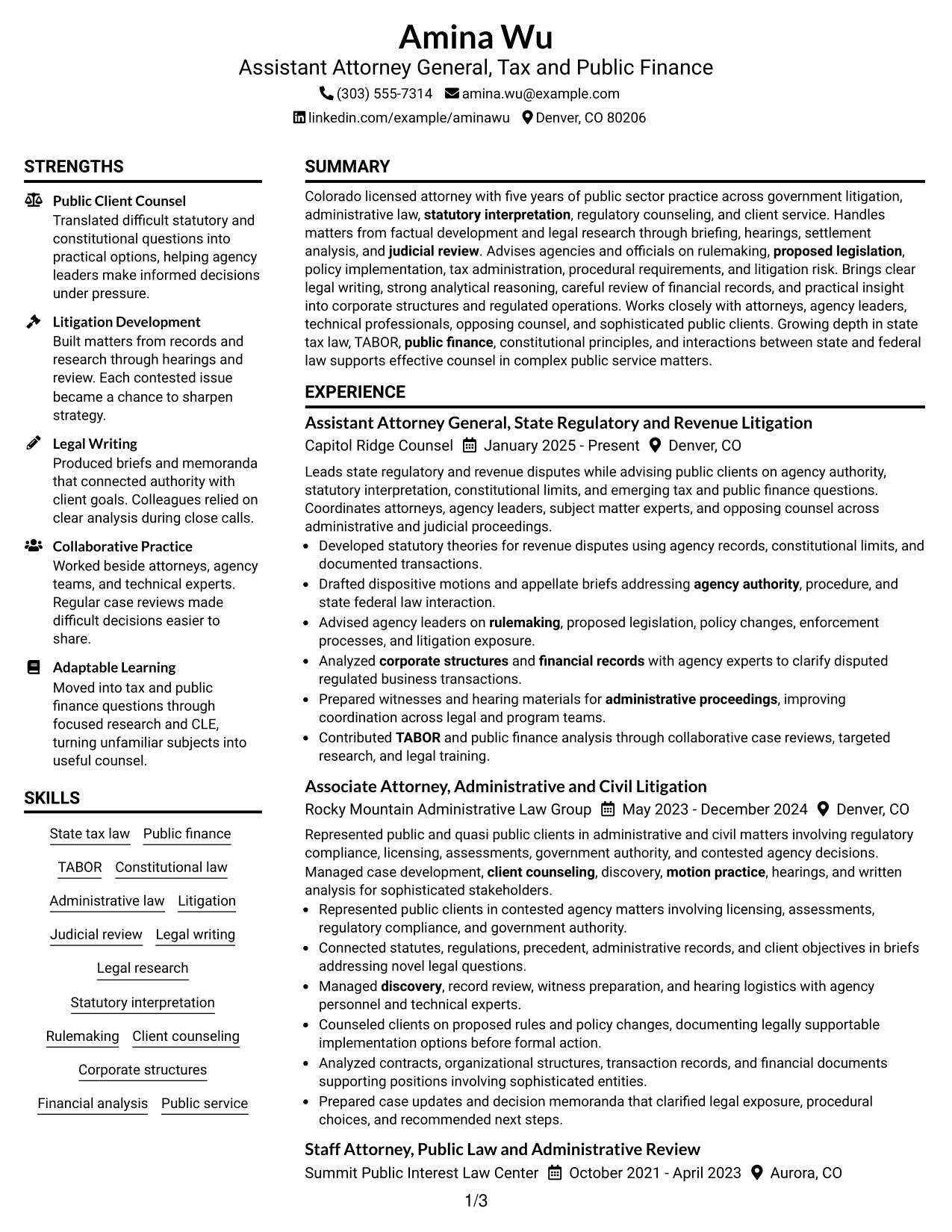
This guide shows you how to build an Assistant Attorney General - Tax & Public Finance resume that is focused, easy to scan, and simple to tailor. You will learn how to organize legal experience so the strongest evidence is clear to both recruiters and legal reviewers.
Give priority to litigation, administrative law, statutory and constitutional analysis, public-client counseling, and work with financial or corporate records when those facts are true for you. Use direct bullet points that show the matter handled, the legal work performed, and the result or decision supported.
The same complete resume is shown in 7 layouts so you can compare reading order, section balance, and visual structure. The examples also show where to place experience, skills, education, credentials, projects, and role-specific keywords without changing the underlying facts.
What Makes a Great Assistant Attorney General - Tax & Public Finance Resume in 2026
A strong resume is clear, evidence-based, and easy to review. It should show legal writing, litigation, counseling, and public-service experience through focused sections and concise bullets.
Match truthful experience to terms such as state tax law, public finance, TABOR, statutory interpretation, administrative hearings, and legal research. Keep the language specific enough for legal readers and simple enough for fast ATS scanning.
The examples shown below are intentionally detailed to demonstrate a range of experiences, skills, accomplishments and relevant keywords. We prefer detailed resumes as they provide more context to the hiring managers and also help the ATS systems identify relevant qualifications and score your resume better for a match. But the length of a resume is an individual choice. If you want a one page resume, just keep the most relevant experience and information for the job. Note: Resume examples are for educational purposes only. Use only information that accurately reflects your experience and qualifications. References to real organizations do not imply affiliation or endorsement.
#1 Plain Two Column Format Resume Example
The Plain Two Column Format keeps core legal experience prominent while a second column gives recruiters quick access to supporting qualifications.
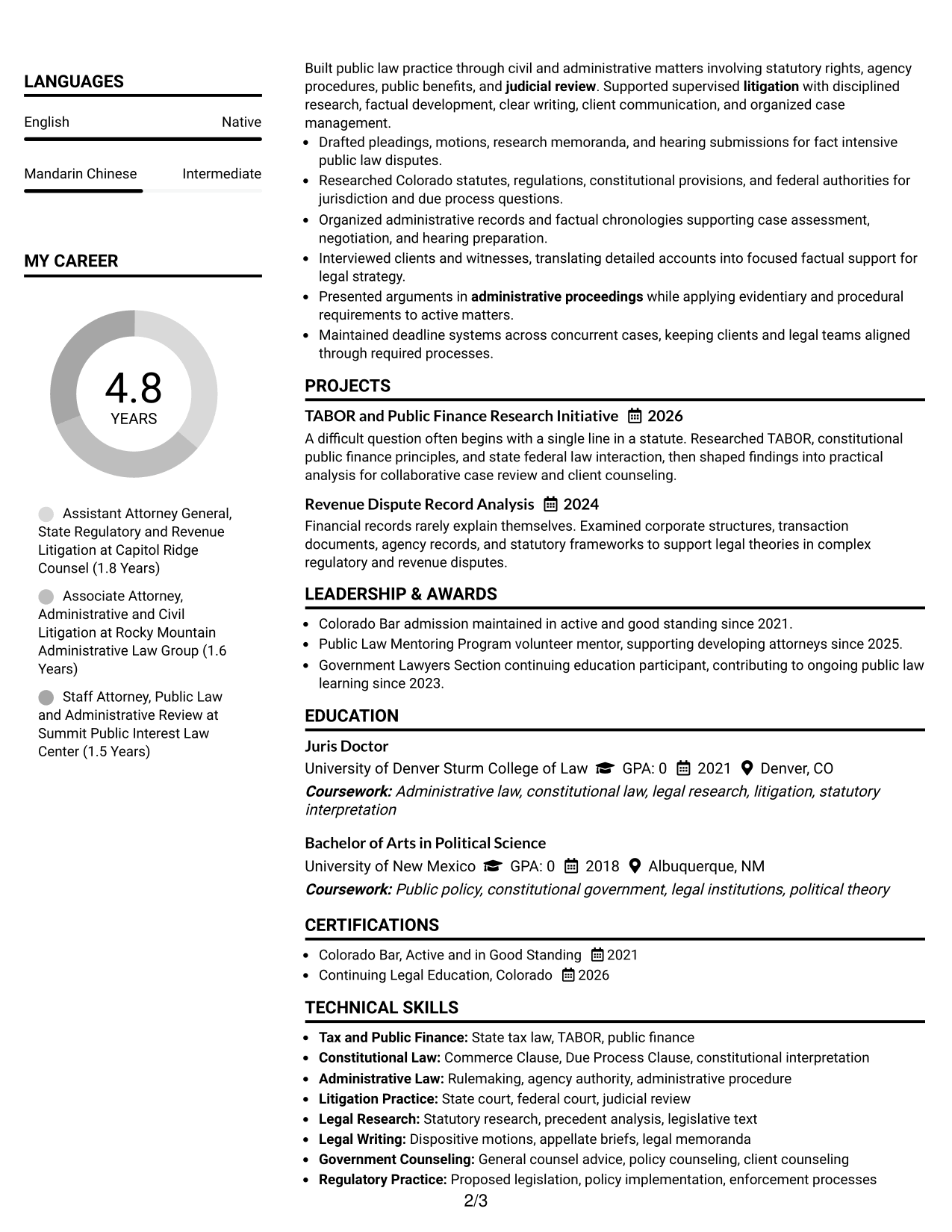
Resume Snapshot
- Colorado-licensed attorney with five years of public-sector practice
- Experience across litigation, administrative law, and government counseling
- Current work includes revenue disputes, statutory analysis, and public finance questions
- Education includes a Juris Doctor from the University of Denver Sturm College of Law
Why This Format Works
- Two columns separate supporting credentials from detailed legal experience without breaking reading flow.
- Main experience remains easy to follow while skills and education stay visible.
- Balanced section space helps reviewers connect career progression with public-service credentials.
Best For
- Legal resumes with substantial supporting credentials
- Readers comparing experience and qualifications quickly
- Applications needing strong section separation
- Public-law careers with several evidence types
- Candidates balancing experience, skills, and education
Resume Keywords
- State tax law
- Public finance
- TABOR
- Administrative law
- Litigation
- Judicial review
- Legal writing
- Legal research
- Statutory interpretation
- Rulemaking
- Client counseling
- Corporate structures
- Financial analysis
- Public service
- Colorado Bar
#2 Simple One Column Format Resume Example
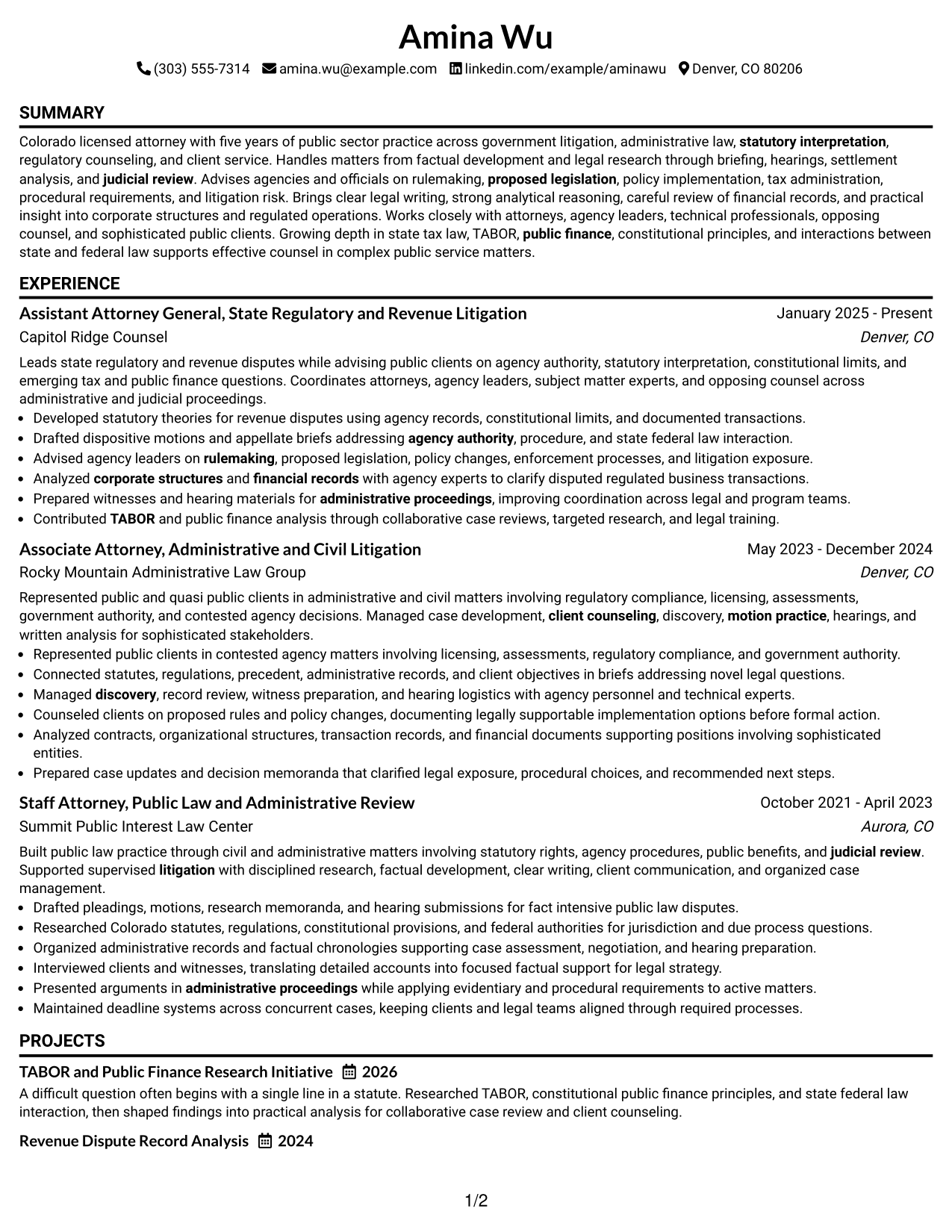
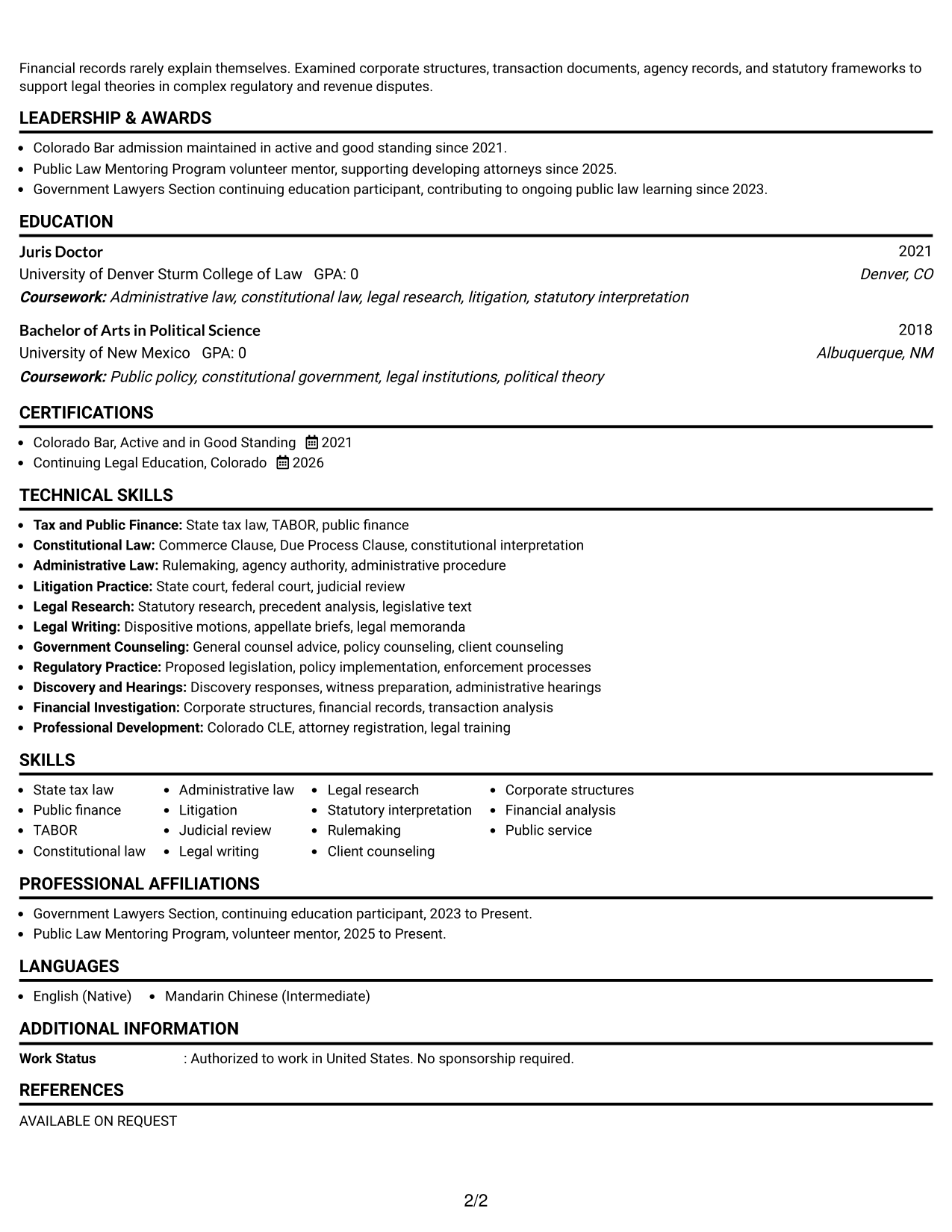
The Simple One Column Format gives recruiters one direct reading path from summary through experience, skills, education, and credentials.
Why This Format Works
- Single reading order keeps legal experience and career progression straightforward for reviewers.
- Full-width sections give detailed achievement bullets room without competing side content.
- Education and credentials follow the same scan path as experience and skills.
Best For
- Traditional legal applications
- Longer experience descriptions
- Readers who prefer linear review
- Resumes with detailed casework bullets
- Clear ATS-oriented section order
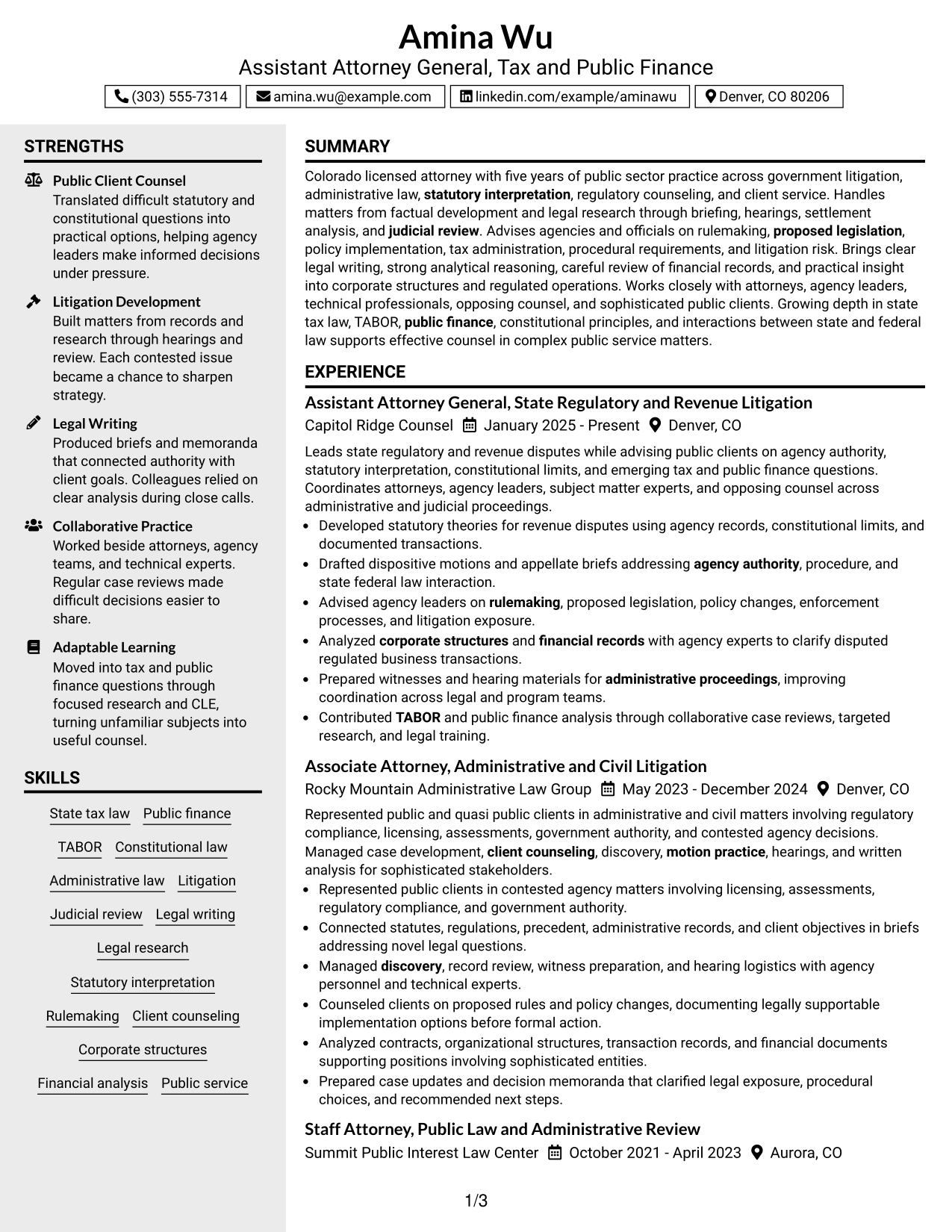
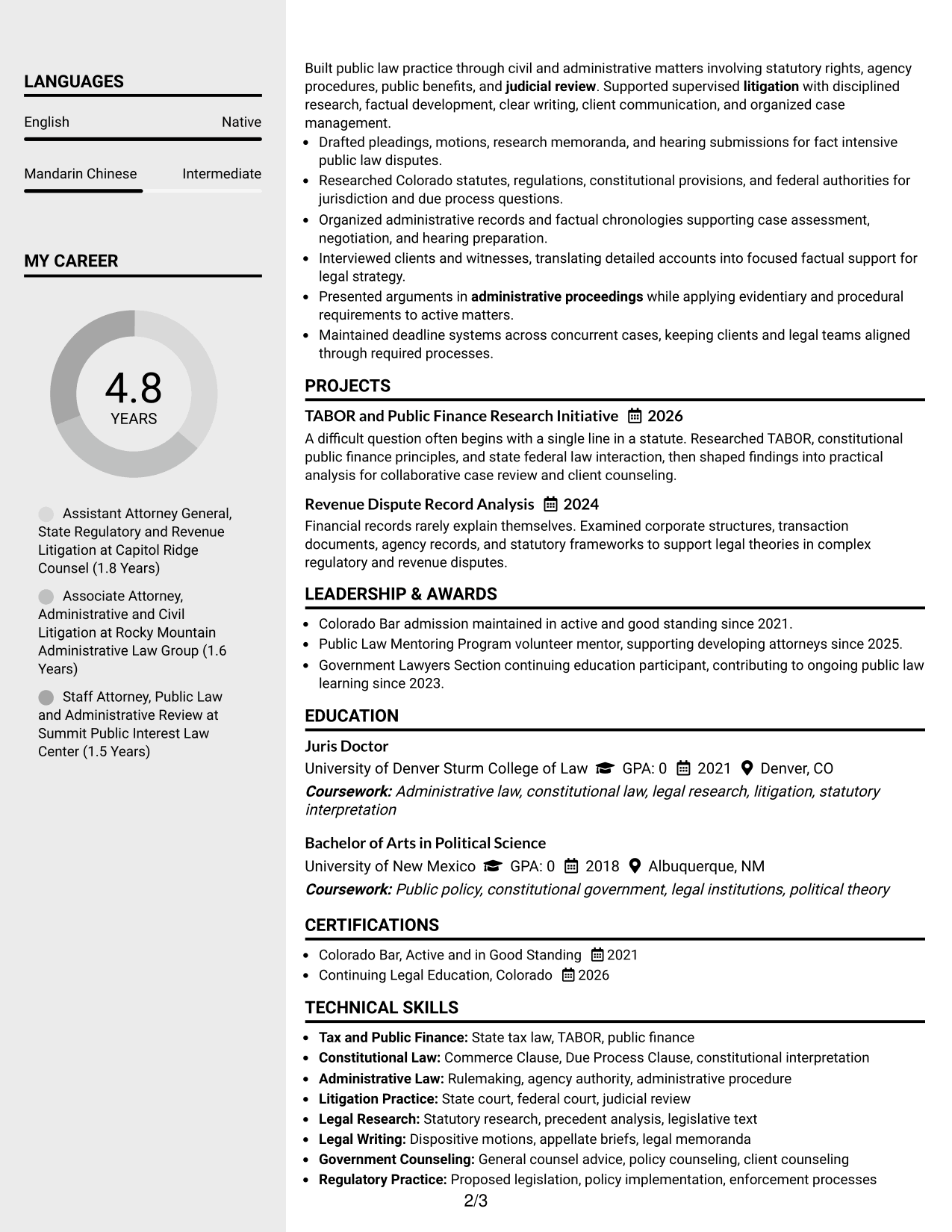
#3 Clean Two Column Sidebar Format Resume Example
The Clean Two Column Sidebar Format lets recruiters scan supporting sections in a side area while the main column carries the legal career story.
Why This Format Works
- Sidebar separation keeps skills and credentials distinct from the main experience narrative.
- Wider main content supports chronological experience without mixing it with supporting details.
- Section boundaries help reviewers locate education while preserving career flow.
Best For
- Resumes with compact supporting sections
- Career histories needing a clear main track
- Reviewers checking credentials beside experience
- Applications with several skill categories
- Professionals who want stronger visual separation
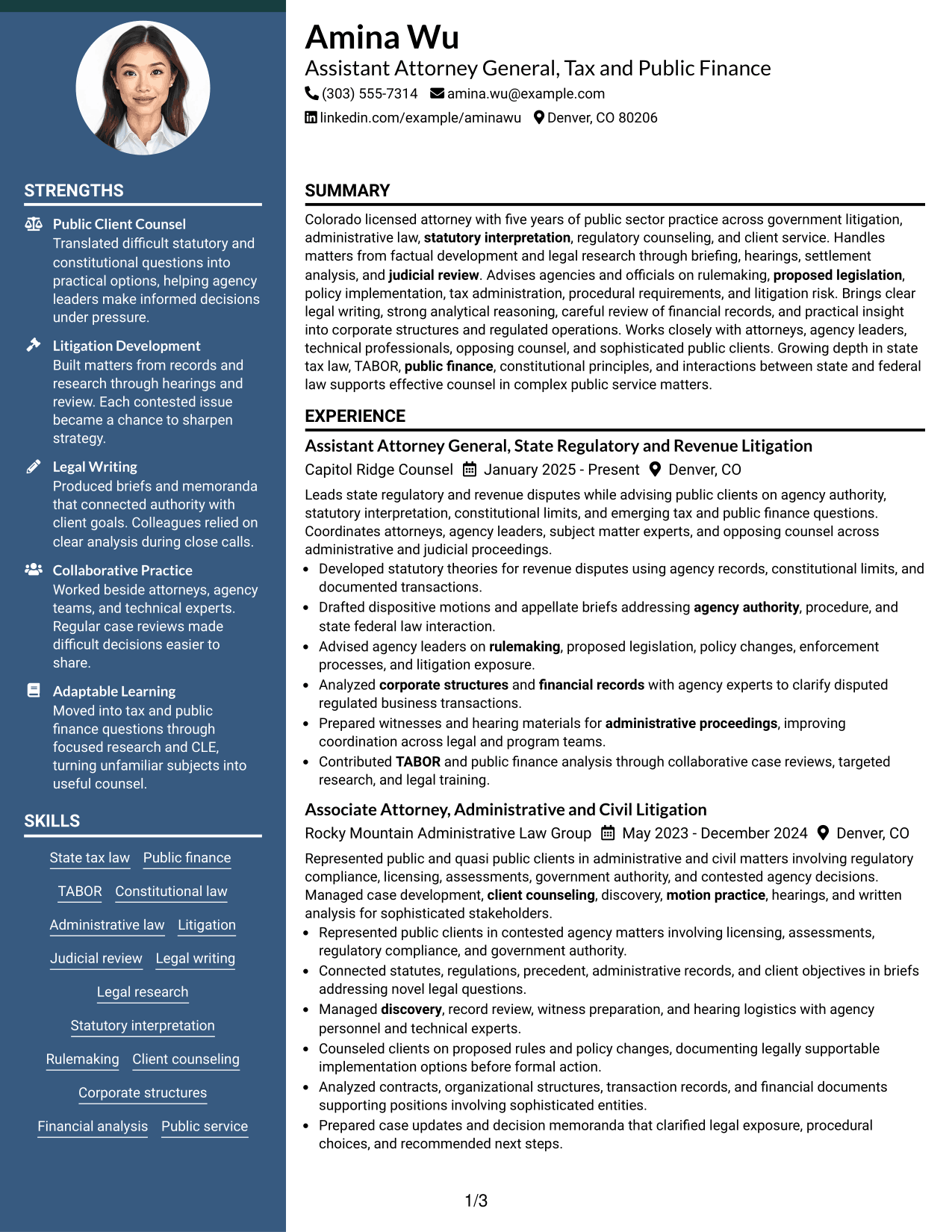
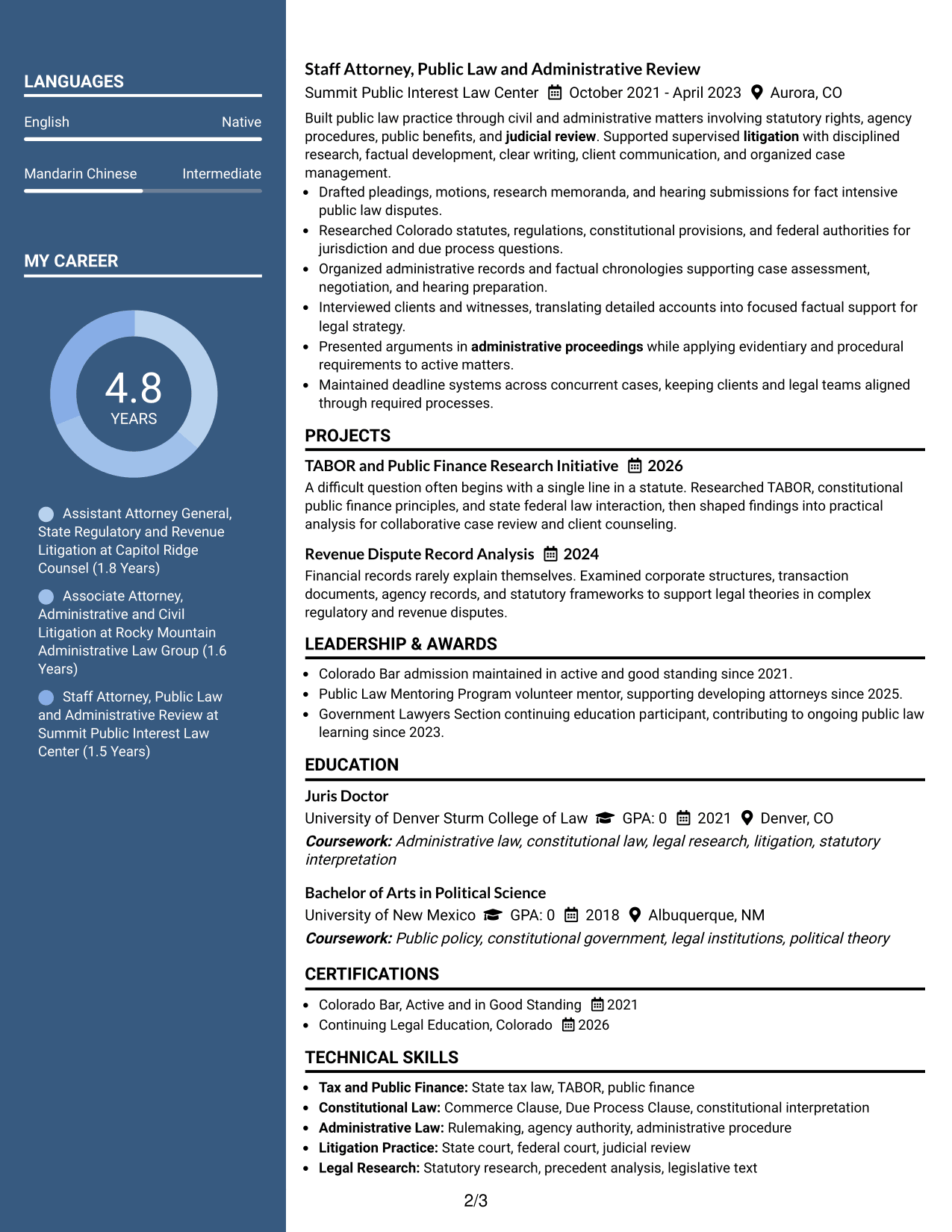
#4 Two Column Format Resume Example
The Two Column Format gives recruiters parallel access to major resume sections while keeping experience, qualifications, and supporting details clearly divided.
Why This Format Works
- Parallel columns reduce vertical searching when reviewers compare experience with supporting qualifications.
- Distinct content areas make skills and education easier to find during review.
- Structured separation supports a dense legal resume without blending unrelated sections.
Best For
- Information-rich professional resumes
- Applications reviewed in quick comparison
- Mixed experience and credential content
- Readers scanning several section types
- Candidates needing compact section organization
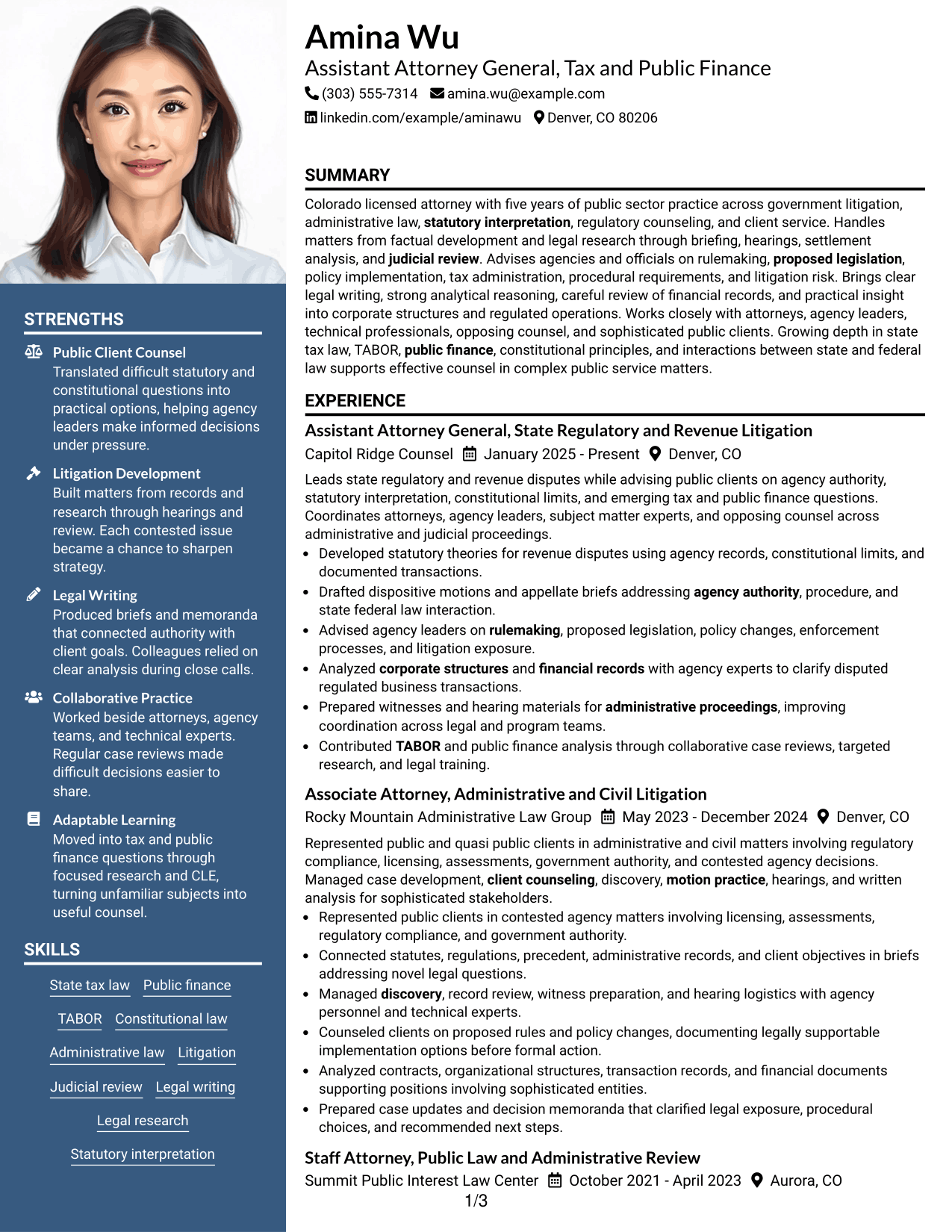
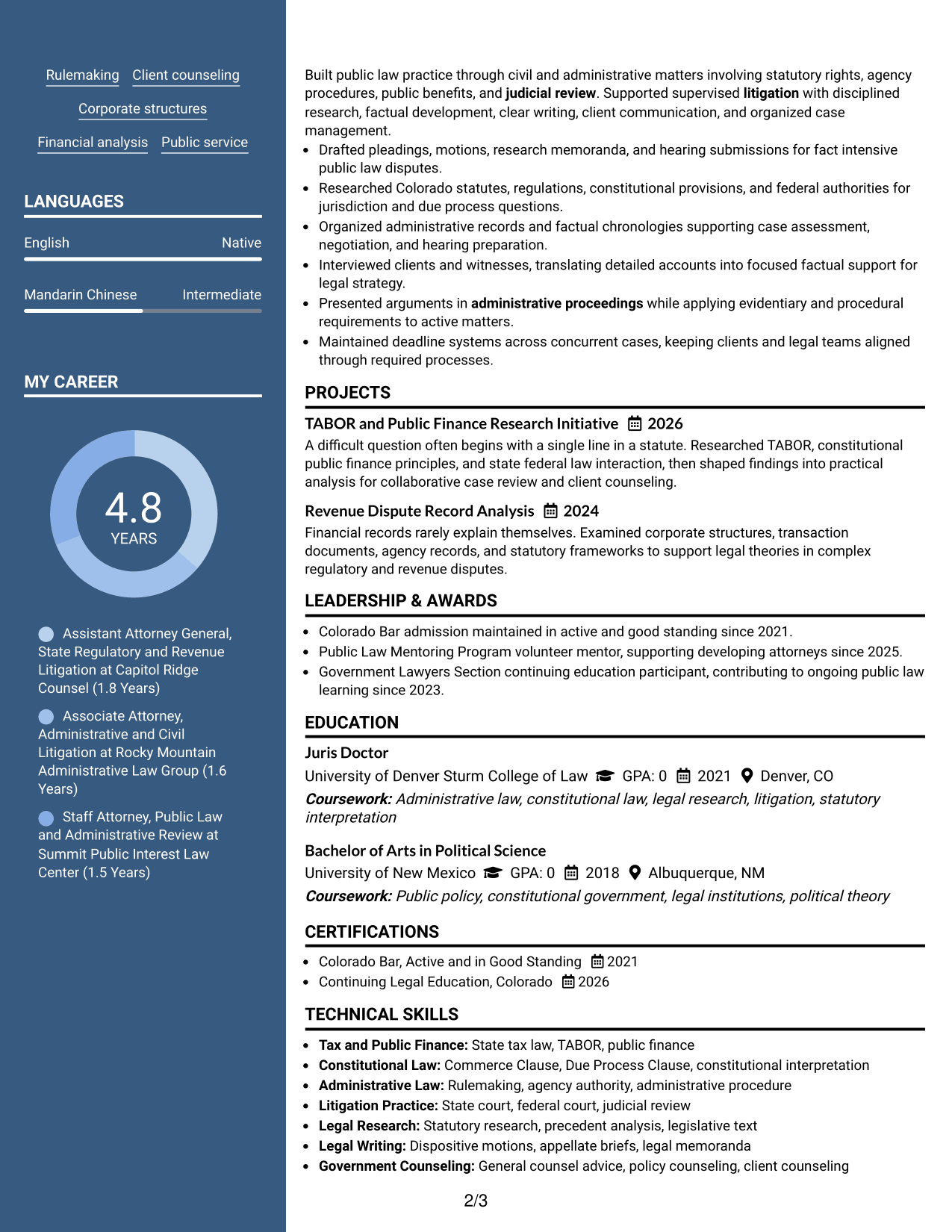
#5 Photo Header Two Column Format Resume Example
The Photo Header Two Column Format pairs an identity-focused header with two body columns, helping recruiters move from contact details into organized resume sections.
Why This Format Works
- Two body columns organize experience and supporting sections after the visual header.
- Header separation keeps identity details apart from skills, education, and career evidence.
- Body structure gives reviewers clear paths to experience and professional credentials.
Best For
- Regions where resume photos are customary
- Applications allowing personal visual branding
- Resumes with several supporting qualifications
- Readers who value clear header separation
- Two-column organization after prominent contact details
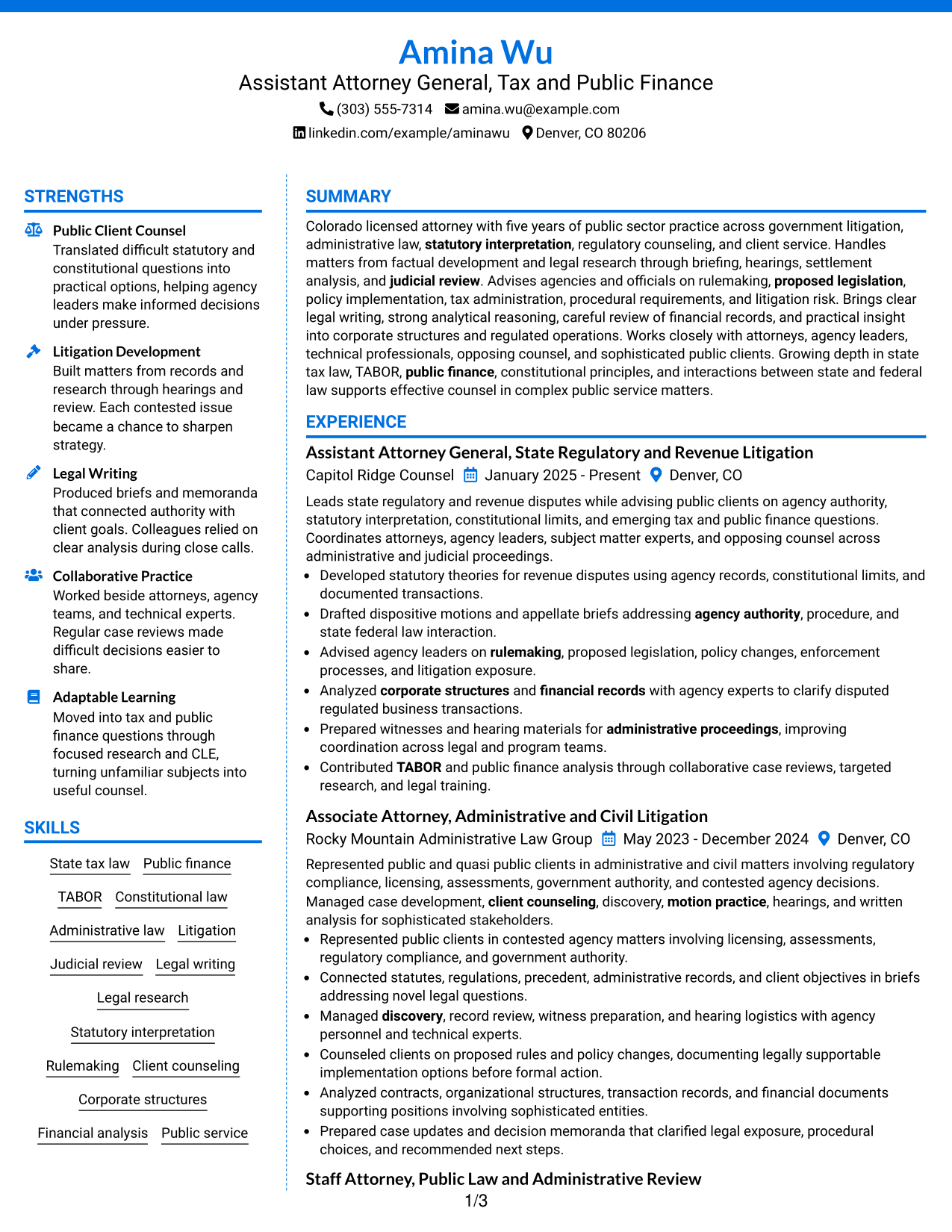
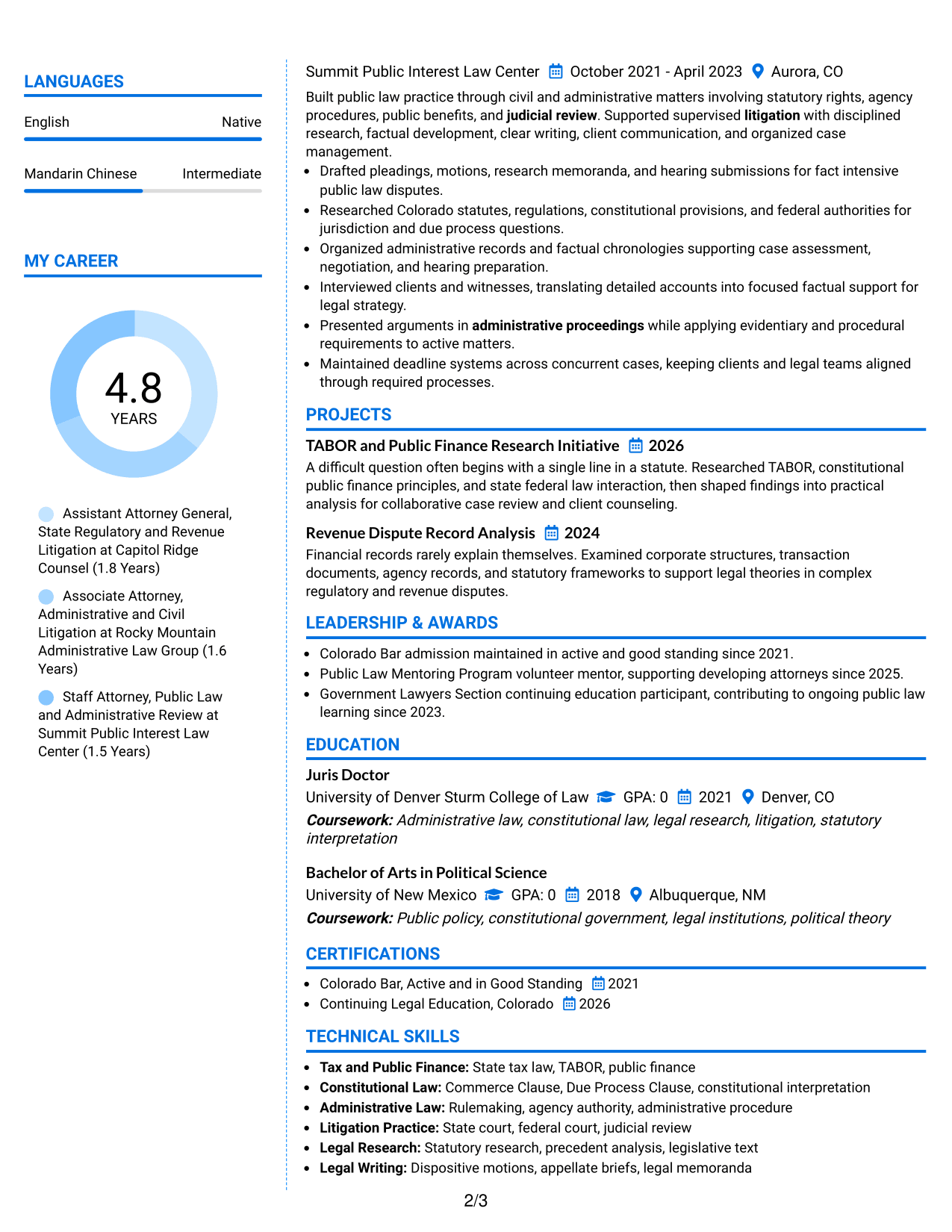
#6 Colored Two Column Format Resume Example
The Colored Two Column Format uses color as a navigation aid across two columns, helping recruiters distinguish supporting details from the main legal record.
Why This Format Works
- Color contrast can mark section boundaries without changing the resume's factual content.
- Two-column organization keeps experience separate from skills, education, and credentials.
- Visual grouping helps reviewers return to supporting qualifications after reading career history.
Best For
- Applications where restrained color is appropriate
- Resumes needing faster section navigation
- Professionals with varied supporting qualifications
- Readers returning to skills after experience
- Documents that benefit from stronger visual grouping
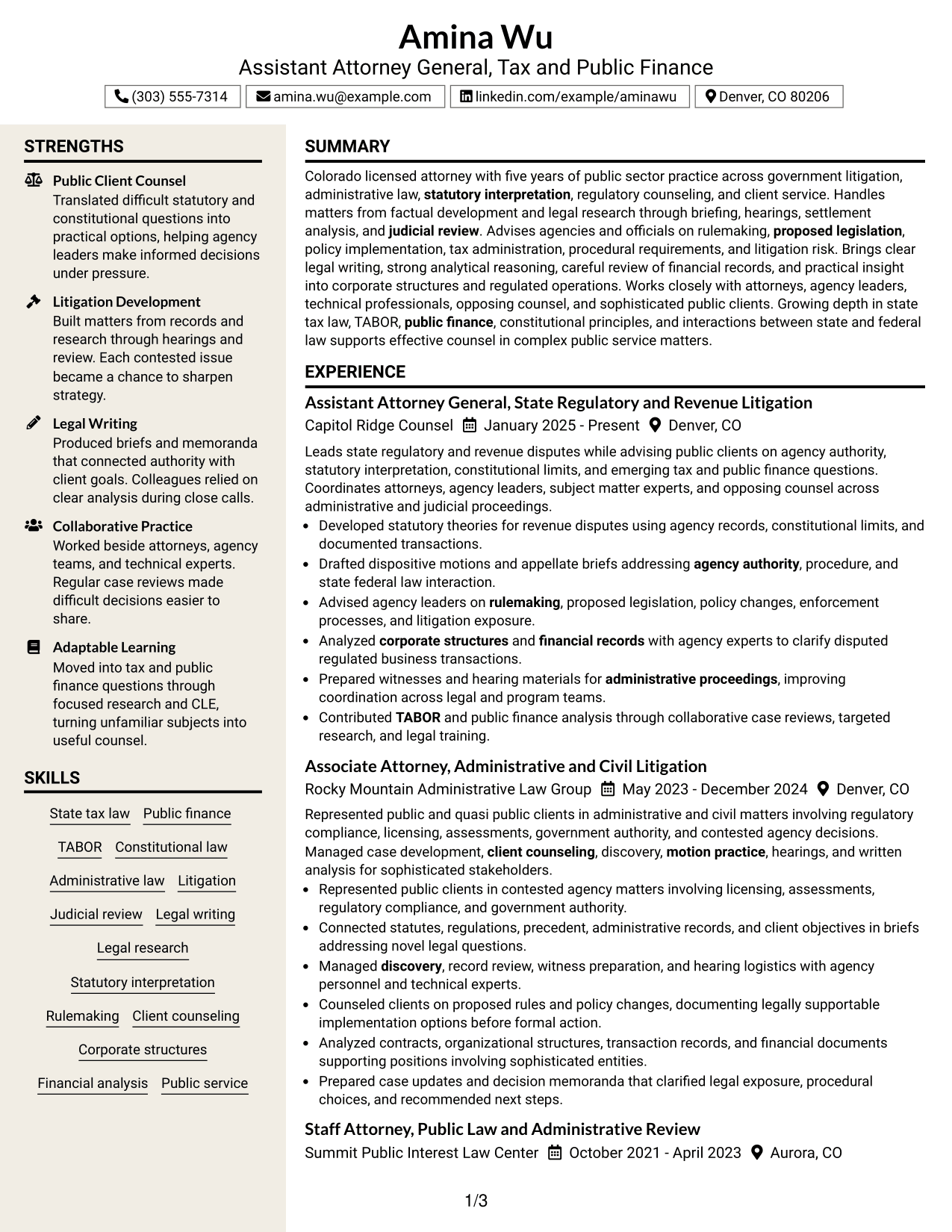
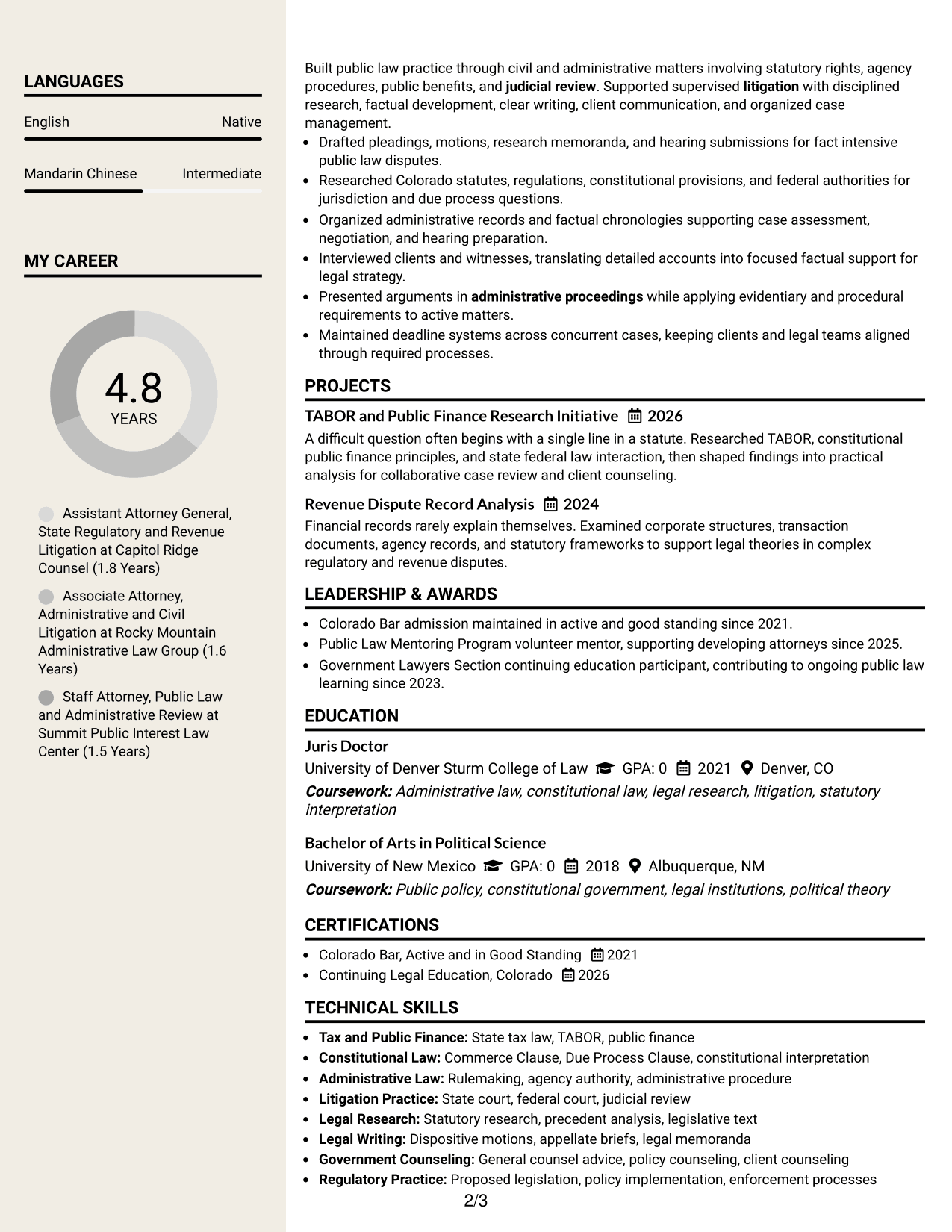
#7 Stylish Two Column Designer Format Resume Example
The Stylish Two Column Designer Format adds stronger visual styling to a two-column structure, giving recruiters clear section cues while preserving organized legal content.
Why This Format Works
- Stronger section cues help reviewers distinguish experience, skills, education, and credentials.
- Two-column structure keeps supporting content accessible without interrupting career chronology.
- Defined visual areas make dense professional information easier to revisit during comparison.
Best For
- Applications accepting a more designed resume
- Professionals with dense supporting information
- Readers comparing several qualification sections
- Career histories that need visible boundaries
- Resumes balancing formal content with visual style
Why Build Your Assistant Attorney General - Tax & Public Finance Resume with ResumeInMinutes
ResumeInMinutes helps you organize legal experience, counseling work, research, education, credentials, and targeted skills into a resume that is easier to review and adapt.
- Multiple professional resume formats
- ATS-friendly section structure
- Role-focused keyword guidance
- Clear legal experience organization
- Free PDF resume previews
- Simple resume customization
Use the layouts to test how well your strongest public-law evidence stands out while keeping dates, credentials, and supporting skills easy to find.
See Also
- 7 Assistant Attorney General - Special Prosecutions Resume Templates with Example
- 7 Deputy Attorney General II/III - Civil Litigation Resume Templates with Example
- 7 Assistant County Attorney V - Affordable Housing Development and Finance Resume Templates with Example
- 7 Claims Adjuster - Attorney Represented Injury Resume Templates with Example
- 7 Deputy City Attorney II/III - Employment/Labor Relations Resume Templates with Example
- 7 Deputy City Attorney II/III - Transactional Resume Templates with Example
- 7 Policy Attorney III Resume Templates with Example
- 7 Staff Attorney - Community Justice and Movement Lawyering Resume Templates with Example
- 7 Staff Attorney - Labor Division (Unemployment Section) Resume Templates with Example
- 7 Internal Auditor Resume Templates with Example
Frequently Asked Questions
Are these Assistant Attorney General - Tax & Public Finance resume templates ATS-friendly?
Yes. The layouts use clear sections and readable headings. Strong ATS alignment also depends on using truthful role terms such as litigation, statutory interpretation, public finance, and legal research where they match your background.
Are these different resumes?
No. This guide presents one complete Assistant Attorney General - Tax & Public Finance resume in different visual formats, so the facts stay consistent while the layout changes.
What should an Assistant Attorney General - Tax & Public Finance resume include?
Include a focused summary, legal experience, education, bar status, relevant skills, and selected projects or professional activities when useful. Show litigation, counseling, research, writing, and public-law work with clear evidence.
Can I download the resume templates as PDFs?
Yes. Each resume design includes a free PDF preview so you can compare the format before choosing a layout.
Which resume style is best for this role?
Choose the layout that keeps legal experience, bar status, education, and key skills easy to locate. A simple one-column format offers direct reading order, while a clear two-column format can separate supporting details without hiding core experience.
How should I show tax or public finance experience if it is still developing?
State only what you have actually done. You can show related regulatory, constitutional, administrative, financial-record, or government-counseling work and then list current tax or public finance research, training, or projects when supported by your record.
Should I include a photo on my resume?
For most U.S. legal applications, a no-photo resume is the safer choice. Use a photo only when it is appropriate for the region and application context.
Can I customize these resume templates?
Yes. You can adjust the text and visual format while keeping your legal facts accurate, consistent, and targeted to the Assistant Attorney General - Tax & Public Finance role.




