
US English


7 Clinical Partner / Certified Nursing Assistant (CNA) - Acute Care Resume Templates with Example
By Ria · Last Updated On October 14, 2026
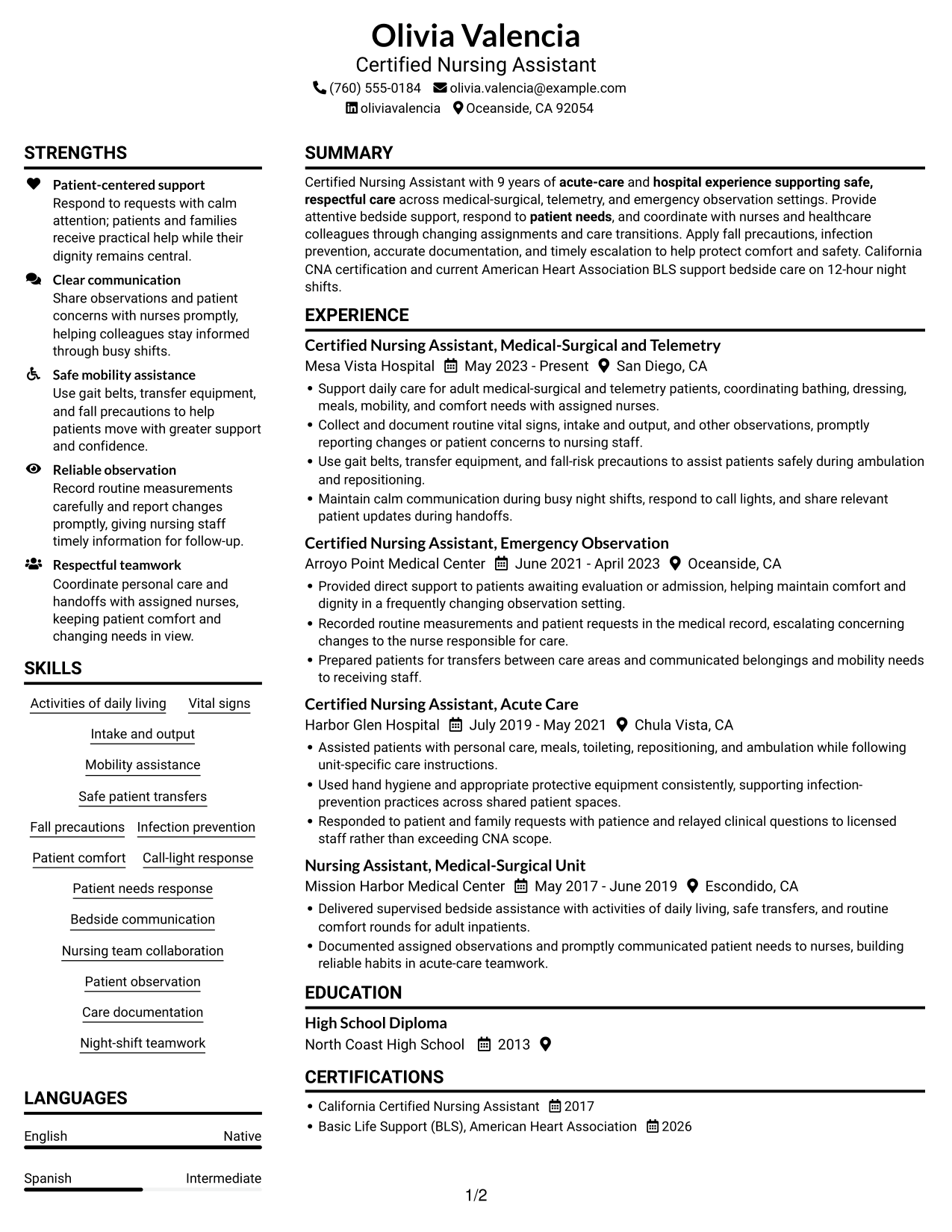
Resume example — page 1

This guide shows you how to create a clear, focused Clinical Partner / Certified Nursing Assistant (CNA) - Acute Care resume. You will learn how to organize your patient-care experience and present your qualifications in a way that is easy to review.

Strong resumes for this role make bedside support, patient comfort, safe mobility, observation, and teamwork easy to find. Use clear sections and focused bullet points to show skills such as activities of daily living, vital signs, intake and output, fall precautions, infection prevention, and timely communication with nursing staff.

The example is presented in 7 layouts. Compare the image previews to see how each arrangement presents resume details, then open an example in the editor to view or customize it.

What Makes a Great Clinical Partner / Certified Nursing Assistant (CNA) - Acute Care Resume in 2026

A strong resume for this role puts relevant acute-care experience, patient support, safety practices, and current credentials where readers can find them quickly. Use short bullet points to explain your duties and the care tasks you performed.

Include clear terms such as California Certified Nursing Assistant, Basic Life Support, activities of daily living, vital signs, safe transfers, fall precautions, and patient observation when they match your background.

The examples shown below are intentionally detailed to demonstrate a range of experiences, skills, accomplishments and relevant keywords. We prefer detailed resumes as they provide more context to the hiring managers and also help the ATS systems identify relevant qualifications and score your resume better for a match. But the length of a resume is an individual choice. If you want a one page resume, just keep the most relevant experience and information for the job. Note: Resume examples are for educational purposes only. Use only information that accurately reflects your experience and qualifications. References to real organizations do not imply affiliation or endorsement.

#1 Plain Two Column Format Resume Example

The two-column body gives distinct resume content areas room to sit side by side, helping reviewers compare sections while keeping the overall structure clear.
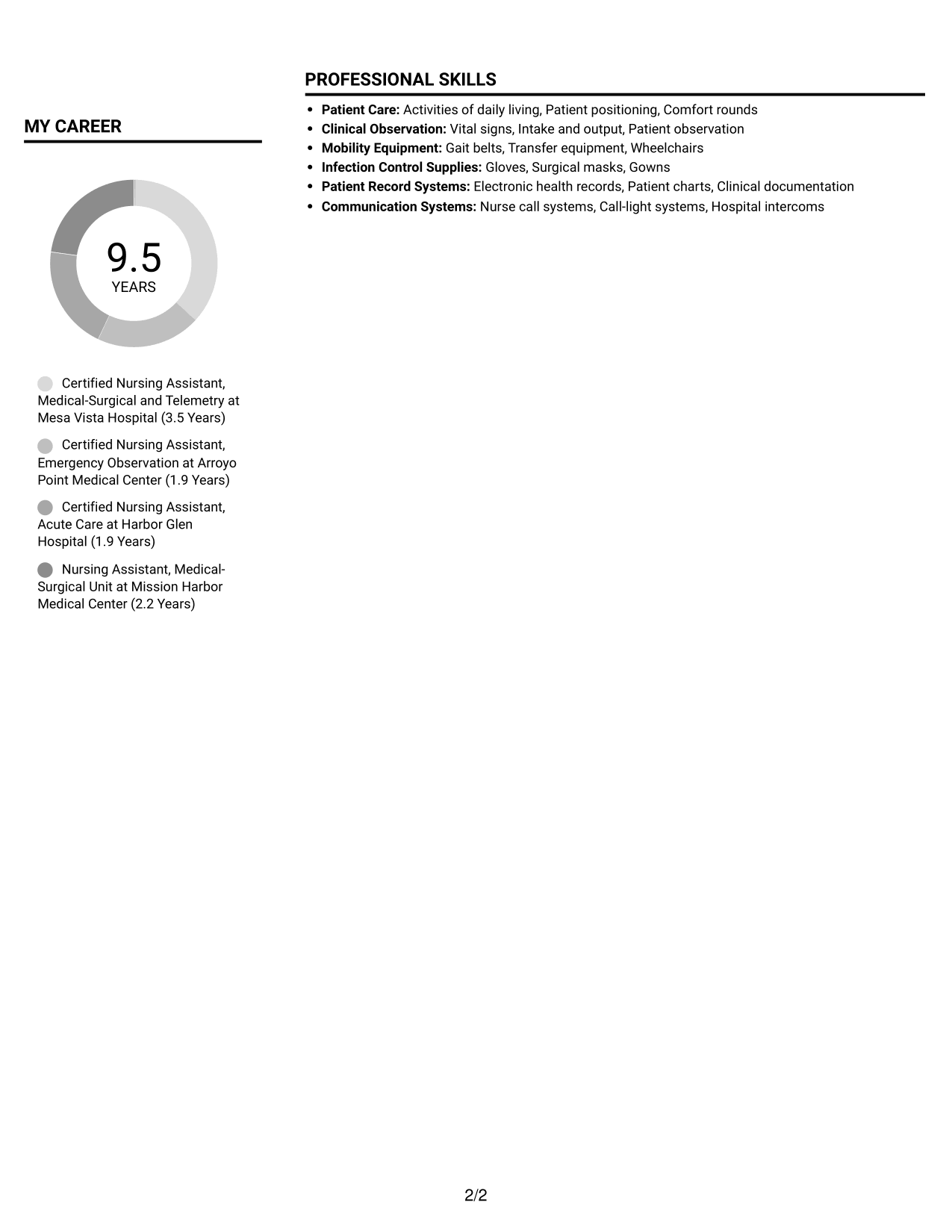
 
Resume example — page 1   Resume example — page 2

Resume Snapshot

  • 9 years of acute-care and hospital experience
  • California CNA certification
  • American Heart Association BLS, renewed 2026
  • High School Diploma, North Coast High School, 2013

Why This Format Works

  • Separate content areas keep experience distinct from supporting qualifications during a review.
  • Reviewers can locate education and certifications apart from the work history.
  • Grouped experience bullets make career progression easier to follow across roles.

Best For

  • Two-column resume reading
  • Several distinct resume sections
  • Readers comparing experience and qualifications
  • Work history with supporting credentials
  • Quick review of varied content

Resume Keywords

  • California CNA certification
  • High School Diploma
  • respond to patient needs
  • patient comfort
  • 9 years of acute-care and hospital experience
  • Provide attentive bedside support, respond to patient needs
  • supporting safe, respectful care
 

#2 Simple One Column Format Resume Example

A single-column body keeps resume sections in one vertical reading path, making it easy for reviewers to follow the document from top to bottom.
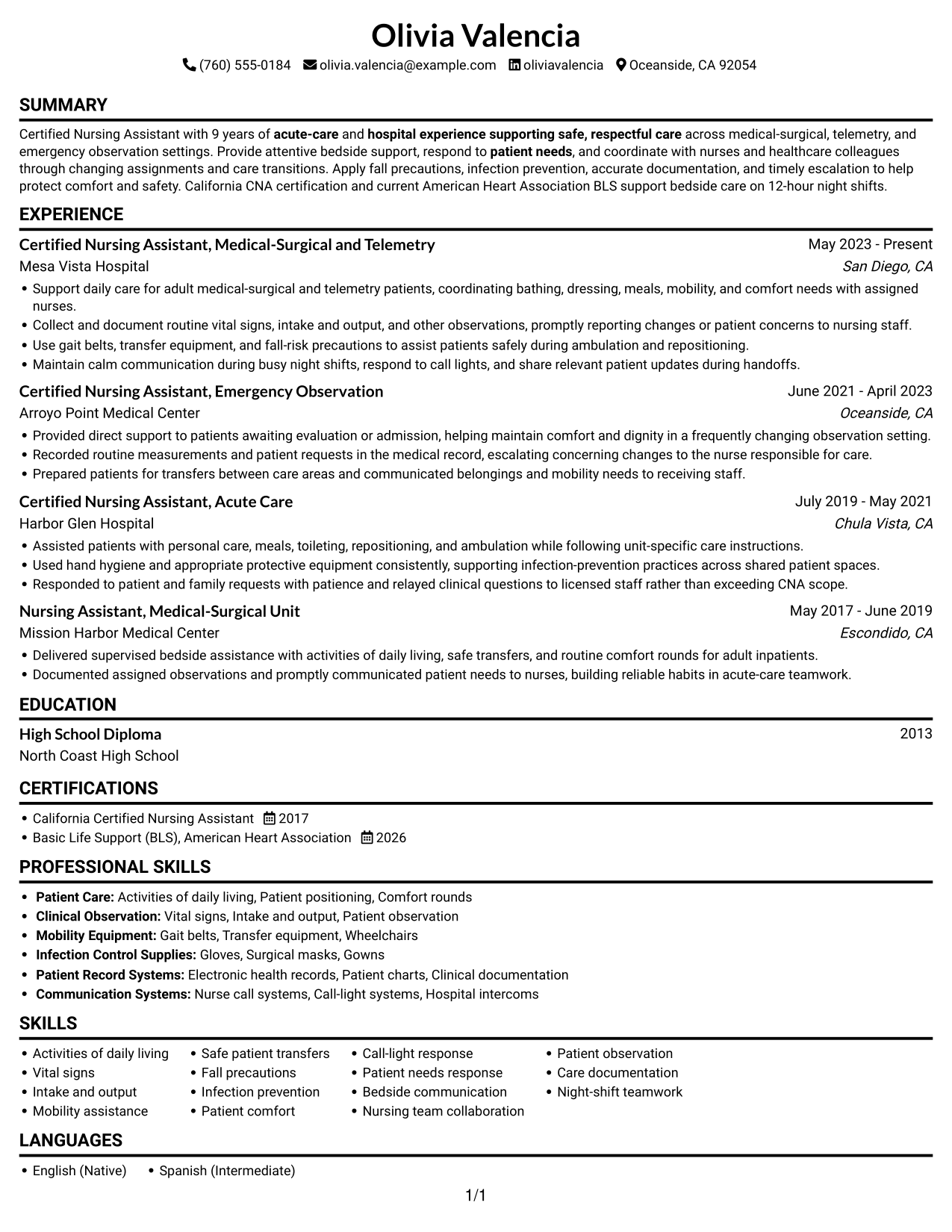
 
Resume example — page 1

Why This Format Works

  • One reading path helps reviewers follow career progression from role to role.
  • Skills, education, and credentials can follow the same top-to-bottom sequence.
  • A connected work history keeps experience details easy to read in order.

Best For

  • Single-path resume review
  • Chronological work-history records
  • Text-led resume content
  • Sections read in sequence
  • Detailed role descriptions
 

#3 Clean Two Column Sidebar Format Resume Example

Two columns give the resume separate reading areas, helping reviewers move between experience and supporting sections.
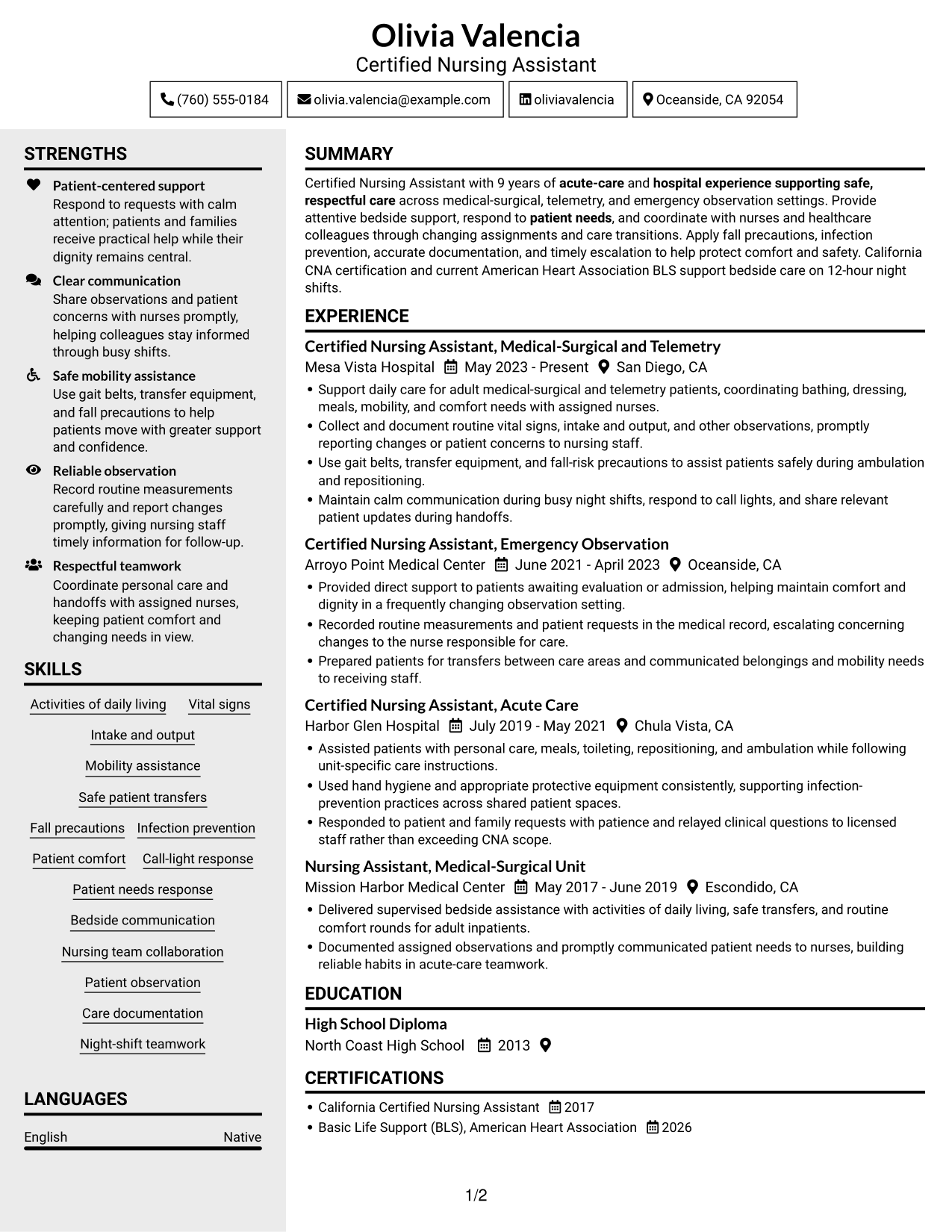
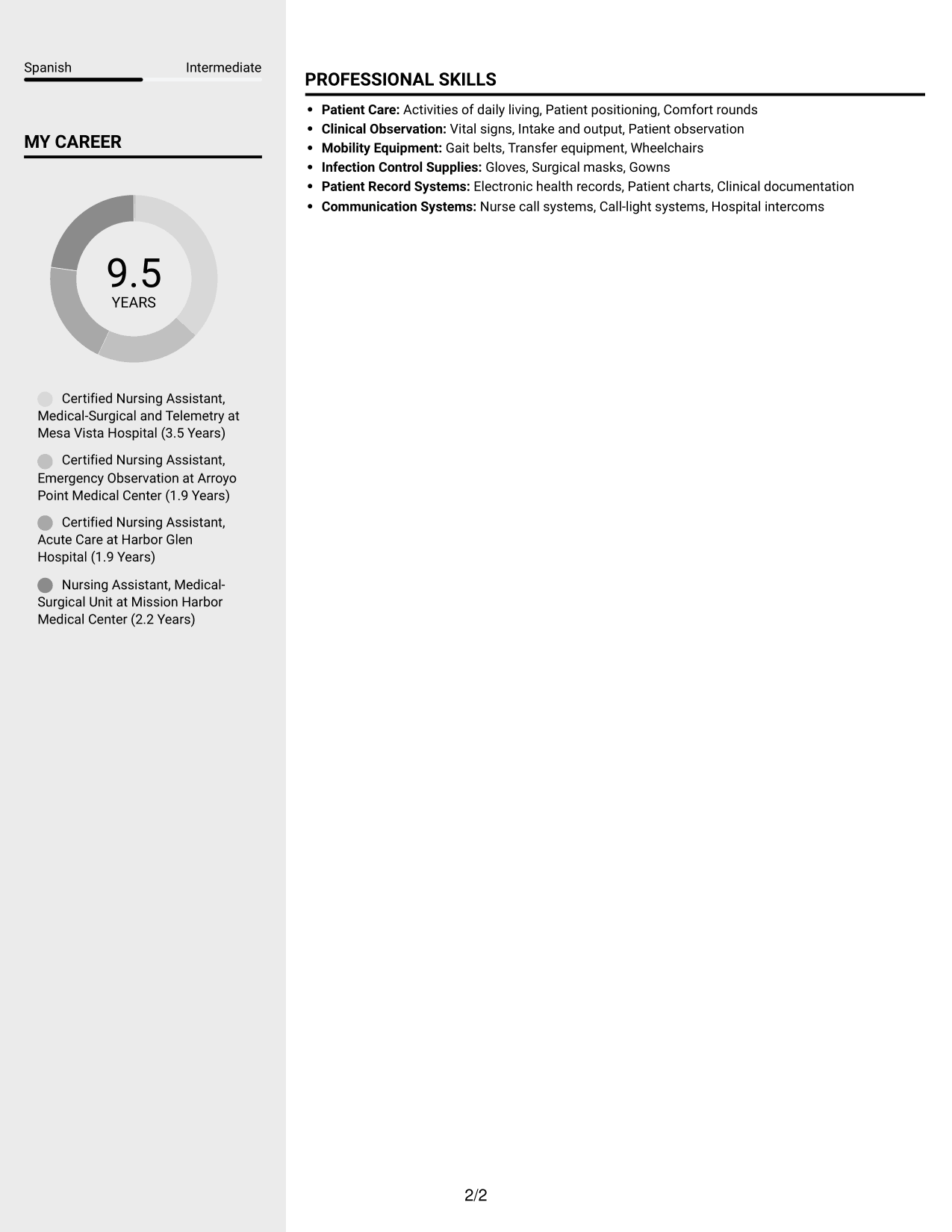
 
Resume example — page 1   Resume example — page 2

Why This Format Works

  • Two distinct body columns help keep work history separate from other resume sections.
  • Reviewers can move between experience and qualifications while keeping their place.
  • Grouped role details make the listed career history easier to follow.

Best For

  • Two-area resume organization
  • Review across experience and qualifications
  • Work histories with supporting sections
  • Section-by-section resume scanning
  • Resumes with varied content
 

#4 Two Column Format Resume Example

With two columns across the body, resume sections can share space while remaining easy for reviewers to locate.
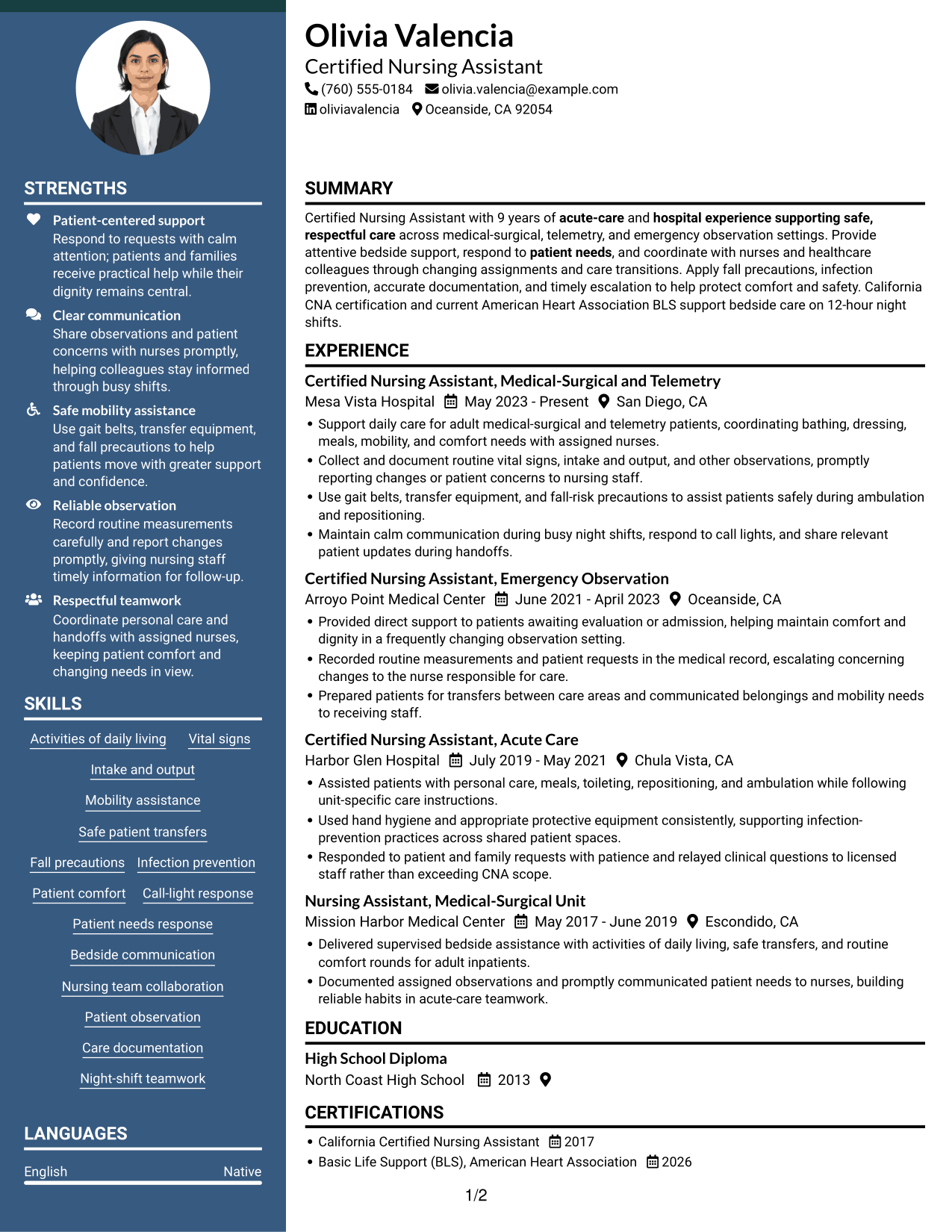
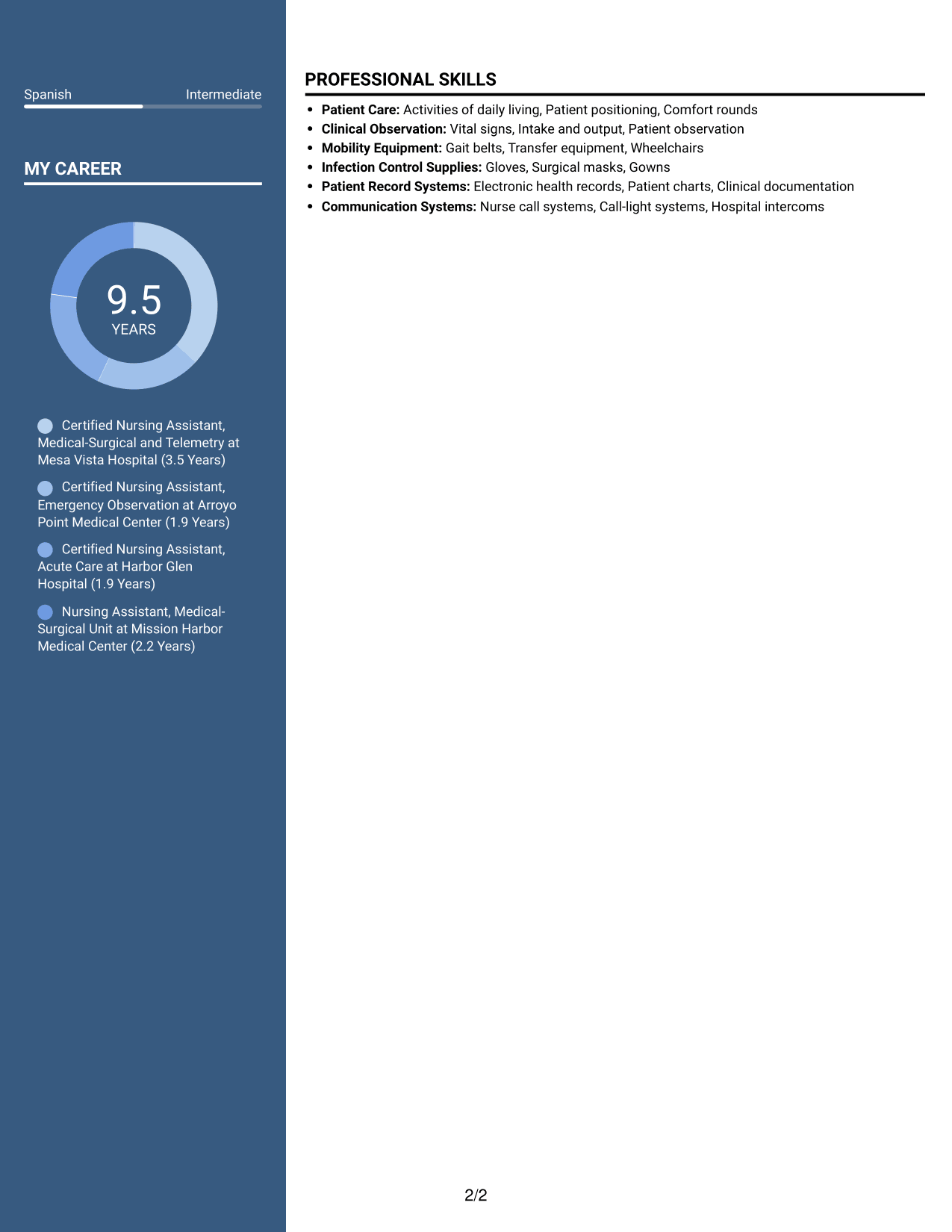
 
Resume example — page 1   Resume example — page 2

Why This Format Works

  • Reviewers can scan different resume sections without reading every line in sequence.
  • Work history stays distinct from skills and education during a focused review.
  • Concise experience bullets help make career progression clear across roles.

Best For

  • Side-by-side resume sections
  • Comparison across content areas
  • Work histories with multiple roles
  • Resumes with varied section types
  • Focused review of qualifications


#5 Photo Header Two Column Format Resume Example

A header portrait paired with a two-column body combines a personal photo with clearly divided resume content.
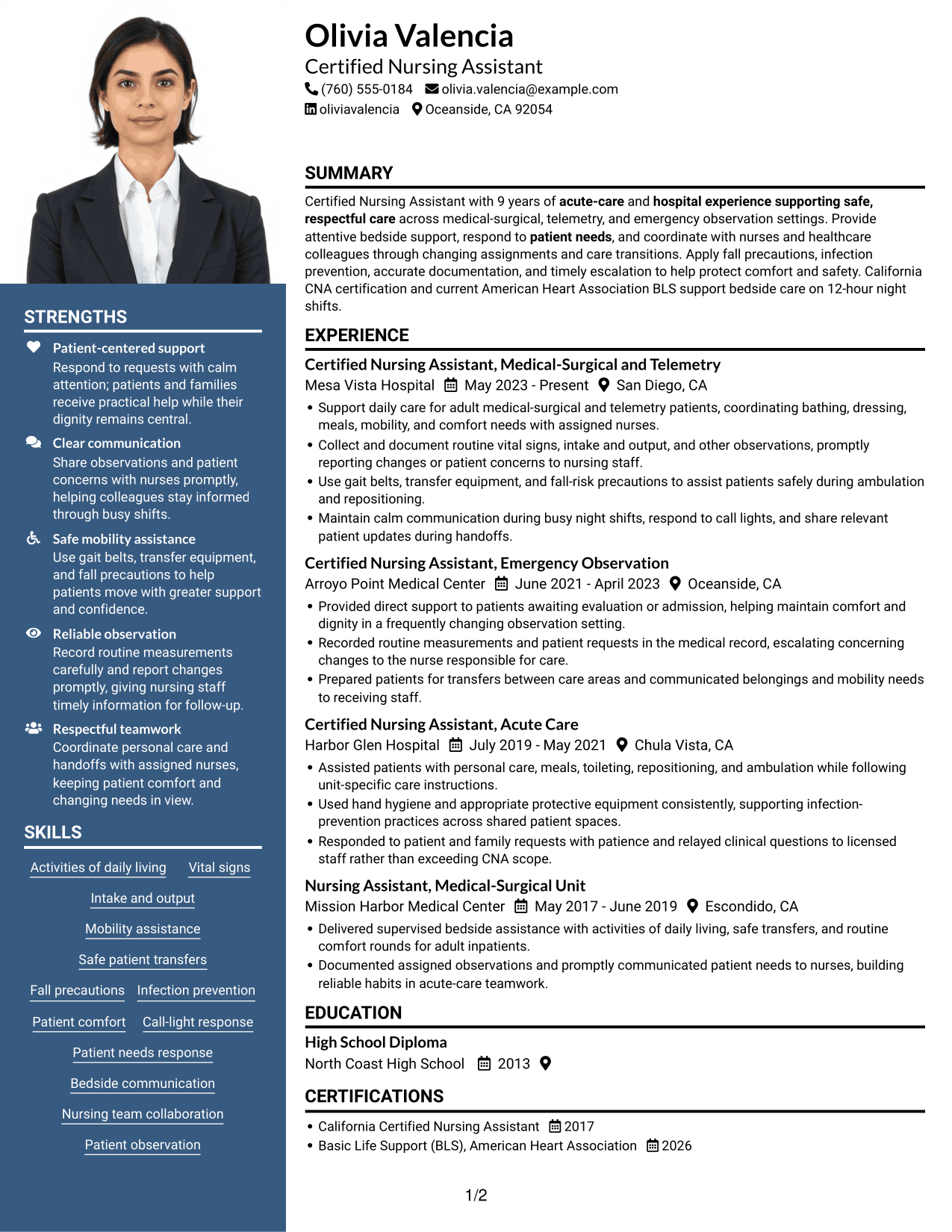
 
Resume example — page 1   Resume example — page 2

Why This Format Works

  • Two body columns give experience and supporting qualifications distinct places in the reading order.
  • Grouped experience bullets help reviewers trace career progression across roles.
  • Education and certifications remain identifiable within the wider resume structure.

Best For

  • Resume portraits preferred
  • Two-column resume content
  • Work histories with supporting sections
  • Applications with several qualifications
  • Personal photo in the header
 

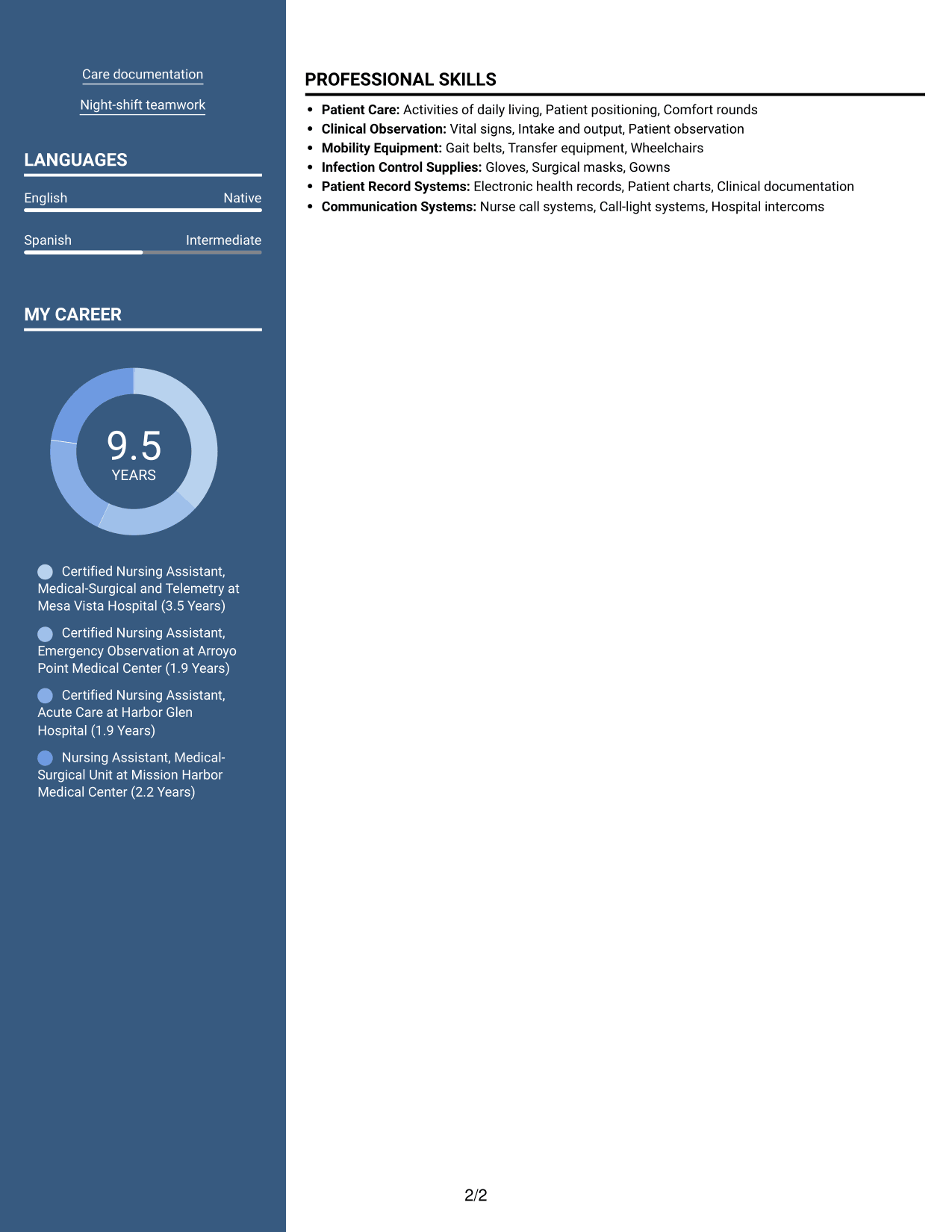
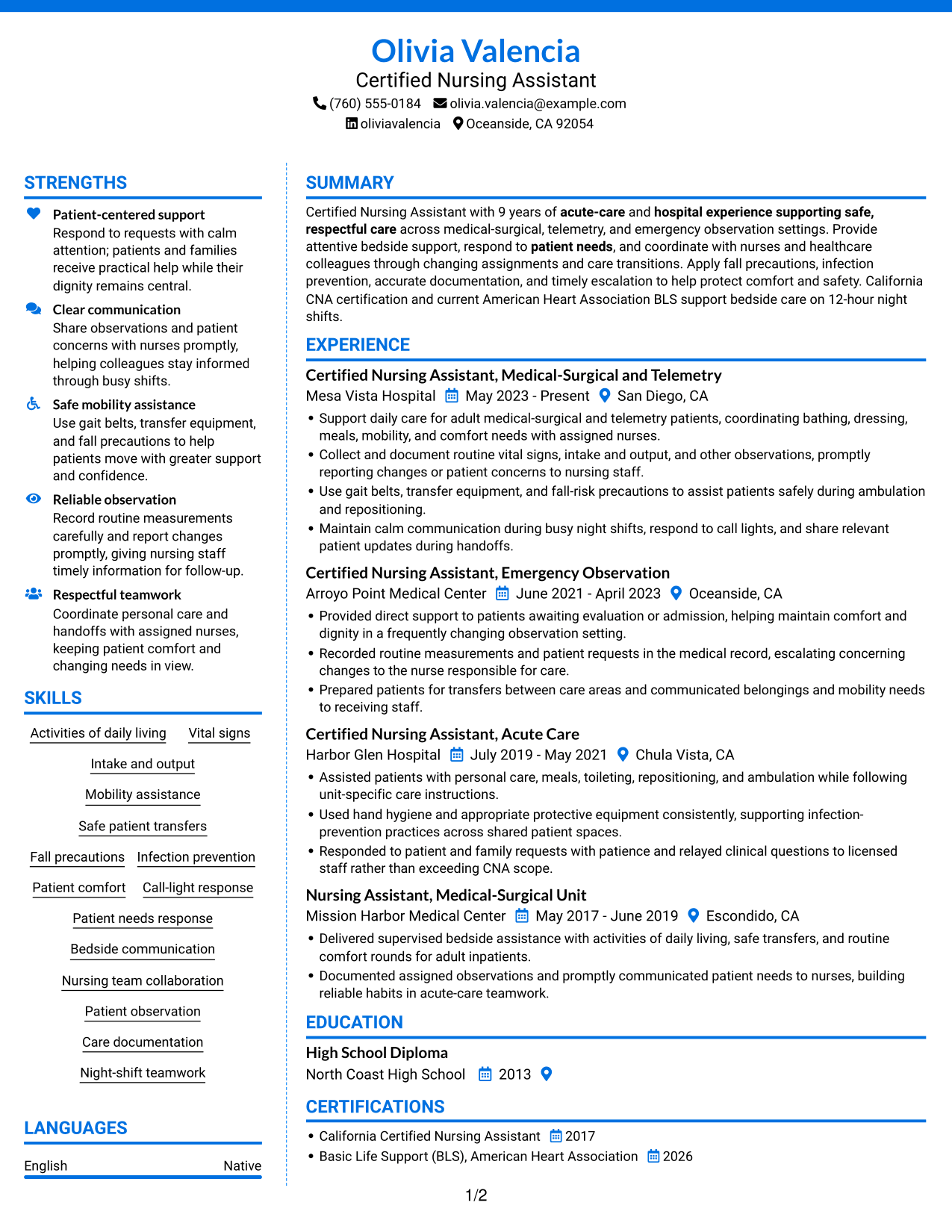
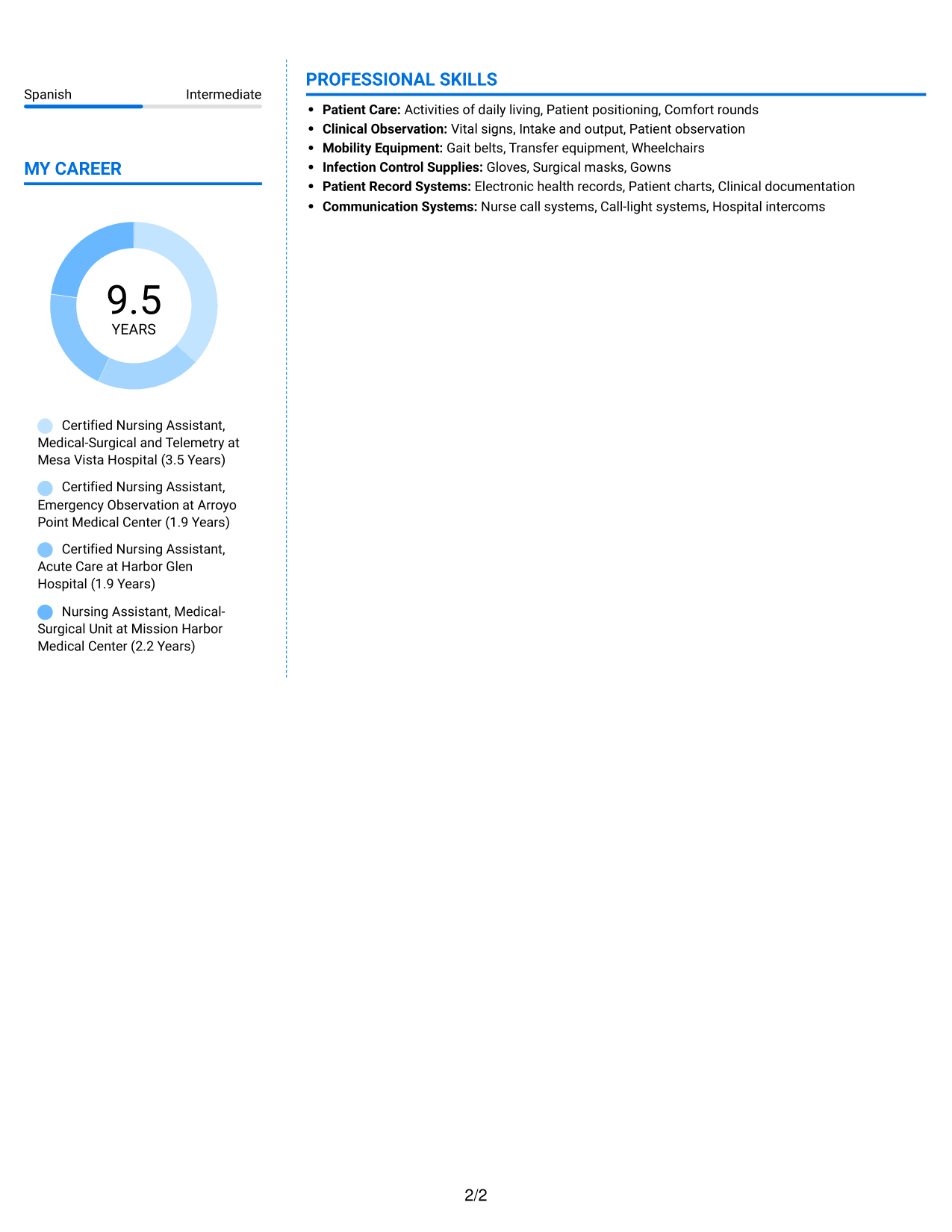
#6 Colored Two Column Format Resume Example

The two-column body places resume information in parallel areas, giving reviewers a clear way to move between sections.
 
Resume example — page 1   Resume example — page 2

Why This Format Works

  • Parallel content areas help distinguish experience from other resume sections.
  • Reviewers can locate skills and credentials without blending them into work history.
  • Separate sections make education details easier to find during a focused scan.

Best For

  • Two-column reading preference
  • Several resume sections to scan
  • Experience with supporting qualifications
  • Resume records with varied content
  • Section-based organization
 

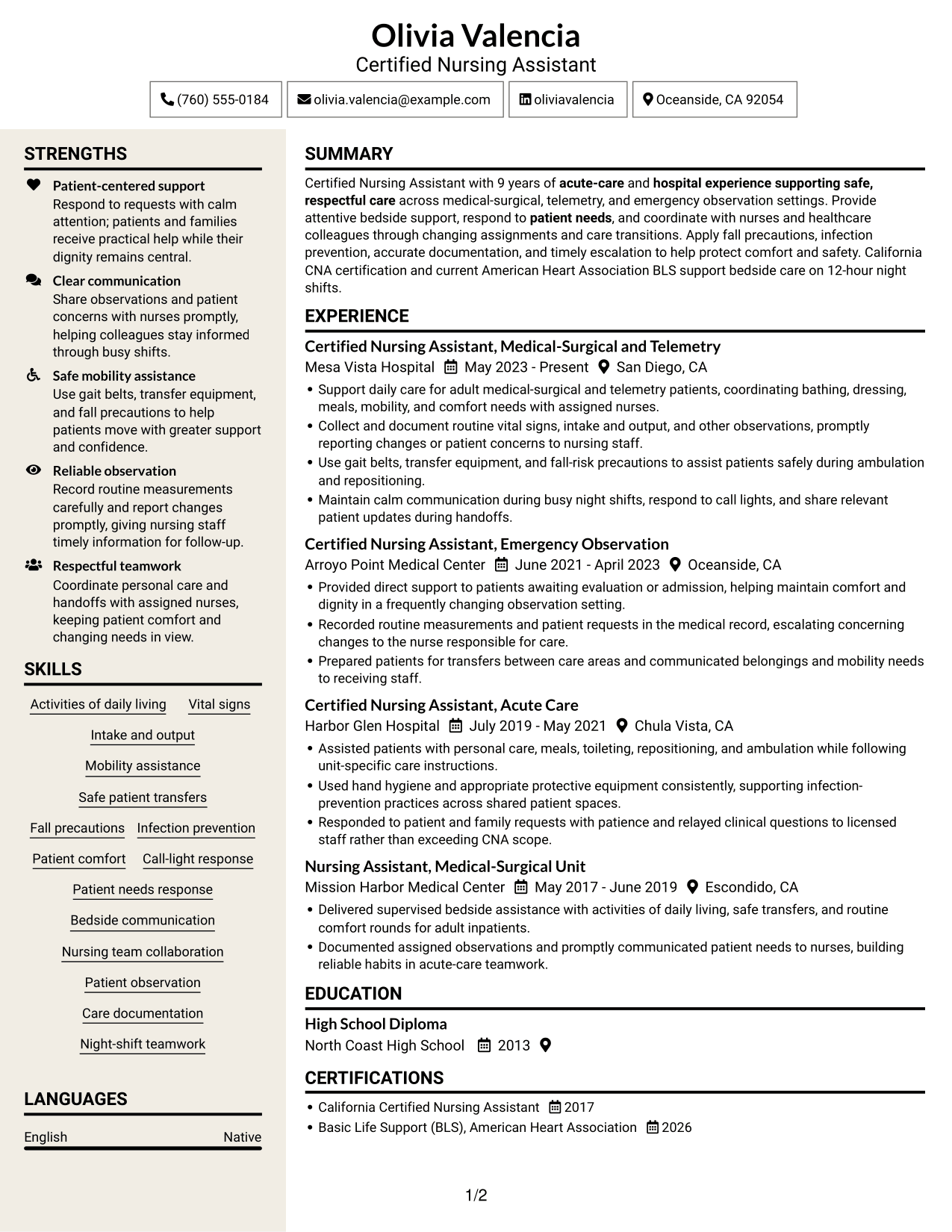
#7 Stylish Two Column Designer Format Resume Example

Two-column organization gives resume sections distinct areas, while keeping the document's reading order clear for reviewers.
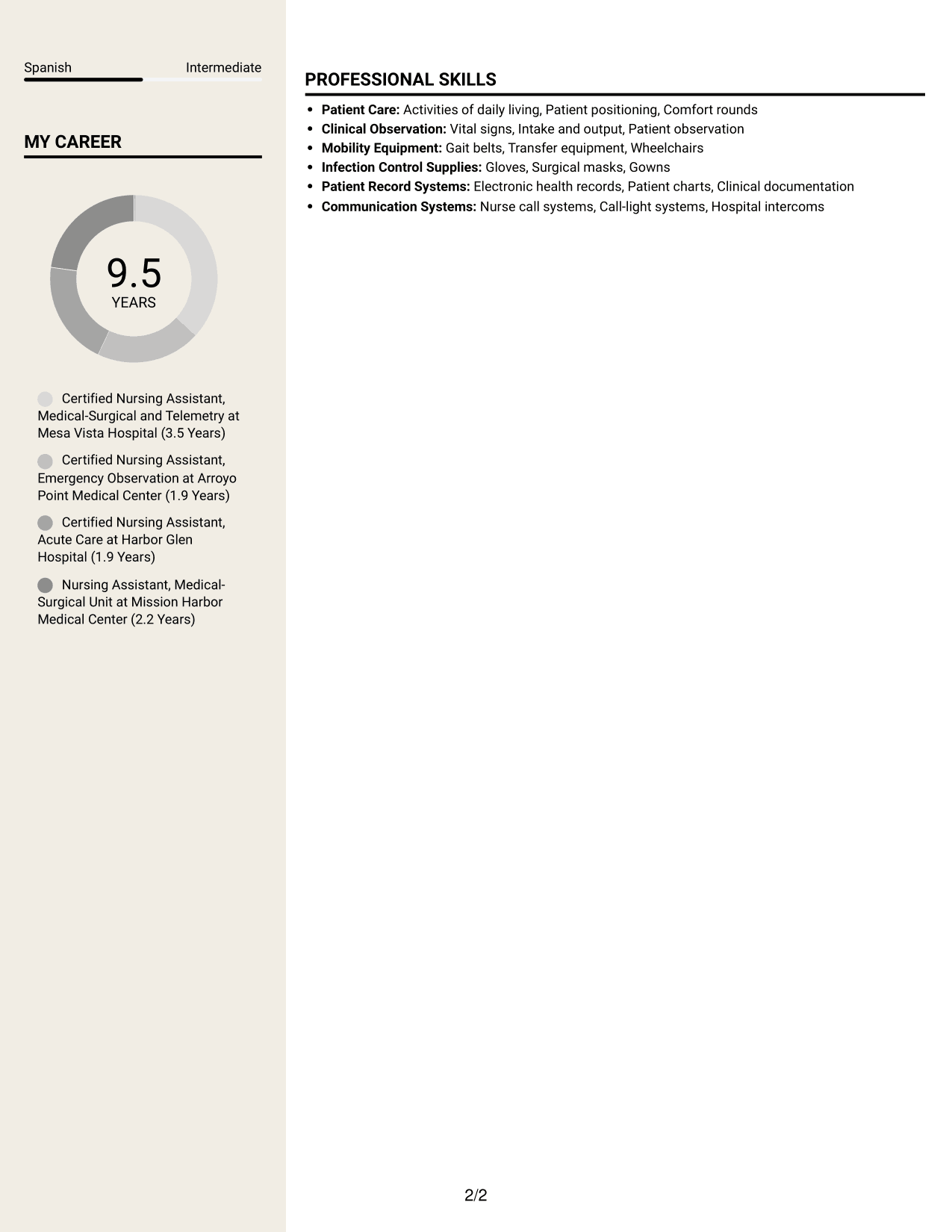
 
Resume example — page 1   Resume example — page 2

Why This Format Works

  • The two-column body offers clear routes through experience and supporting sections.
  • Work history remains easy to identify among the resume's other content.
  • Grouped role details help reviewers follow responsibilities across the listed positions.

Best For

  • Two-column resume organization
  • Readers comparing different sections
  • Work history with varied roles
  • Resumes combining experience and credentials
  • Clear section-based review


Why Use ResumeInMinutes for Your Clinical Partner / Certified Nursing Assistant (CNA) - Acute Care Resume

A resume format can help you arrange your patient-care skills, certifications, education, and work history in a clear order. Use the examples to compare how different layouts guide a reader through those details.

  • Different resume layouts
  • Clear section structure
  • Space for role-focused keywords
  • Organized skills and experience
  • Image previews for comparison
  • Options to view or customize in the editor

Choose a layout that makes your acute-care experience, patient support, and safety practices easy to scan. Keep the details accurate and use language that matches your actual training and work.


See Also


Frequently Asked Questions

Are these Clinical Partner / Certified Nursing Assistant (CNA) - Acute Care resume templates ATS-friendly?

The layouts use clear sections and readable headings to help organize resume information. Include accurate terms for your CNA certification, patient-care skills, and acute-care experience where they apply.

Does this guide show different resumes or different layouts?

It shows one Clinical Partner / Certified Nursing Assistant (CNA) - Acute Care resume example in several layout styles. Compare the image previews and open an example in the editor to view or customize it.

What should a Clinical Partner / Certified Nursing Assistant (CNA) - Acute Care resume include?

Include a focused summary, relevant experience, education, California CNA certification, current Basic Life Support certification, and role-related skills. You can also list duties such as vital signs, intake and output, safe transfers, fall precautions, and patient comfort when they reflect your experience.

Which resume layout works well for a Clinical Partner / Certified Nursing Assistant (CNA) - Acute Care role?

Choose a layout with clear headings and an easy-to-follow order for experience, skills, education, and certifications. A simple structure helps readers find key patient-care details quickly.

How can I describe acute-care experience on a CNA resume?

Use concise bullet points to describe the care tasks you performed, the safety steps you followed, and how you shared observations with nursing staff. Include details such as mobility support, routine measurements, documentation, or handoffs only when they match your work.

Should I include a photo on my CNA resume?

For U.S. applications, a resume without a photo is usually a safe choice. Focus the space on your relevant experience, certifications, and patient-care skills.


ATS Score 97%

How we calculate this score

  • Keywords: 60% of the total. AI extracts keywords from your job description. If you do not provide one, a standard job description for the title matching your resume is used. This is not a match to a specific vacancy.
  • Text-based resume: 20%. The text resume assessed here receives 100 for this part.
  • Resume quality: 20%. We start at 100 and subtract points for issues found by our resume checks, down to a minimum of zero.
  • Keyword coverage = 100 × (confirmed matches + 0.8 × possible matches) ÷ total keywords, rounded and capped at 100. Possible matches still need checking. Saved generation audits use their saved keyword percentage.
  • Final score = 60% of keyword coverage + 20% of the text score + 20% of the quality score, rounded to a whole number. Without keywords, no overall ATS score is available.

What this score means

Our scores are estimates, not employer ratings. They may contain errors and do not guarantee accurate parsing, a ranking, an interview, or a job. Check your document against the employer’s requirements. You are responsible for relying on this score.

Terms and Conditions

Score weights: Keywords 60% · Text based resume 20% · Resume quality 20%

Keywords: 9 matched + 3 possible of 12 (95%) · Resume quality: 100%

Resume quality 100% · Weight 20% · Issues (0)

Details
  • ✓Name present: Olivia Valencia
  • ✓Email format: olivia.valencia@example.com
  • ✓Phone format: (760) 555-0184
  • ✓Experience 1: Job title: Certified Nursing Assistant, Medical-Surgical and Telemetry
  • ✓Experience 1: Company name: Mesa Vista Hospital
  • ✓Experience 1: Work location: San Diego, CA
  • ✓Experience 1: Employment dates: May 2023 - Present
  • ✓Experience 1: Description or achievements: Present
  • ✓Experience 2: Job title: Certified Nursing Assistant, Emergency Observation
  • ✓Experience 2: Company name: Arroyo Point Medical Center
  • ✓Experience 2: Work location: Oceanside, CA
  • ✓Experience 2: Employment dates: June 2021 - April 2023
  • ✓Experience 2: Description or achievements: Present
  • ✓Experience 3: Job title: Certified Nursing Assistant, Acute Care
  • ✓Experience 3: Company name: Harbor Glen Hospital
  • ✓Experience 3: Work location: Chula Vista, CA
  • ✓Experience 3: Employment dates: July 2019 - May 2021
  • ✓Experience 3: Description or achievements: Present
  • ✓Experience 4: Job title: Nursing Assistant, Medical-Surgical Unit
  • ✓Experience 4: Company name: Mission Harbor Medical Center
  • ✓Experience 4: Work location: Escondido, CA
  • ✓Experience 4: Employment dates: May 2017 - June 2019
  • ✓Experience 4: Description or achievements: Present
  • ✓No placeholder fields
  • ✓No repeated achievement bullets
  • ✓No empty bullets

No issues found by the current checks.

Text Based Resume 100% · Weight 20%

Parsed text
Olivia Valencia
Certified Nursing Assistant
(760) 555-0184
oliviavalencia
olivia.valencia@example.com
Oceanside, CA 92054
STRENGTHS
Patient-centered support
Respond to requests with calm attention; patients and families receive practical help while their dignity remains central.
Clear communication
Share observations and patient concerns with nurses promptly, helping colleagues stay informed through busy shifts.
Safe mobility assistance
Use gait belts, transfer equipment, and fall precautions to help patients move with greater support and confidence.
Reliable observation
Record routine measurements carefully and report changes promptly, giving nursing staff timely information for follow-up.
Respectful teamwork
Coordinate personal care and handoffs with assigned nurses, keeping patient comfort and changing needs in view.
SUMMARY
Certified Nursing Assistant with 9 years of acute-care and hospital experience supporting safe, respectful care across medical-surgical, telemetry, and emergency observation settings. Provide attentive bedside support, respond to patient needs, and coordinate with nurses and healthcare colleagues through changing assignments and care transitions. Apply fall precautions, infection prevention, accurate documentation, and timely escalation to help protect comfort and safety. California CNA certification and current American Heart Association BLS support bedside care on 12-hour night shifts.
EXPERIENCE
Certified Nursing Assistant, Medical-Surgical and Telemetry
Mesa Vista Hospital
May 2023 - Present
San Diego, CA
Support daily care for adult medical-surgical and telemetry patients, coordinating bathing, dressing, meals, mobility, and comfort needs with assigned nurses.
Collect and document routine vital signs, intake and output, and other observations, promptly reporting changes or patient concerns to nursing staff.
Use gait belts, transfer equipment, and fall-risk precautions to assist patients safely during ambulation and repositioning.
Maintain calm communication during busy night shifts, respond to call lights, and share relevant patient updates during handoffs.
Certified Nursing Assistant, Emergency Observation
Arroyo Point Medical Center
June 2021 - April 2023
Oceanside, CA
Provided direct support to patients awaiting evaluation or admission, helping maintain comfort and dignity in a frequently changing observation setting.
Recorded routine measurements and patient requests in the medical record, escalating concerning changes to the nurse responsible for care.
Prepared patients for transfers between care areas and communicated belongings and mobility needs to receiving staff.
Certified Nursing Assistant, Acute Care
Harbor Glen Hospital
July 2019 - May 2021
Chula Vista, CA
Assisted patients with personal care, meals, toileting, repositioning, and ambulation while following unit-specific care instructions.
Used hand hygiene and appropriate protective equipment consistently, supporting infection-prevention practices across shared patient spaces.
Responded to patient and family requests with patience and relayed clinical questions to licensed staff rather than exceeding CNA scope.
Nursing Assistant, Medical-Surgical Unit
Mission Harbor Medical Center
May 2017 - June 2019
Escondido, CA
Delivered supervised bedside assistance with activities of daily living, safe transfers, and routine comfort rounds for adult inpatients.
Documented assigned observations and promptly communicated patient needs to nurses, building reliable habits in acute-care teamwork.
SKILLS
Fall precautions
Activities of daily living
Patient comfort
Nursing team collaboration
Bedside communication
Patient needs response
Safe patient transfers
Night-shift teamwork
Care documentation
Patient observation
Mobility assistance
Intake and output
Infection prevention
Call-light response
Vital signs
EDUCATION
High School Diploma
North Coast High School
2013
CERTIFICATIONS
California Certified Nursing Assistant
2017
Basic Life Support (BLS), American Heart Association
2026
LANGUAGES
English
Native
Spanish
Intermediate
PROFESSIONAL SKILLS
Patient Care: Activities of daily living, Patient positioning, Comfort rounds
Clinical Observation: Vital signs, Intake and output, Patient observation
Mobility Equipment: Gait belts, Transfer equipment, Wheelchairs
Infection Control Supplies: Gloves, Surgical masks, Gowns
Patient Record Systems: Electronic health records, Patient charts, Clinical documentation
Communication Systems: Nurse call systems, Call-light systems, Hospital intercoms
MY CAREER
9.5Years
Certified Nursing Assistant, Medical-Surgical and Telemetry at Mesa Vista Hospital (3.5 Years)
Certified Nursing Assistant, Emergency Observation at Arroyo Point Medical Center (1.9 Years)
Certified Nursing Assistant, Acute Care at Harbor Glen Hospital (1.9 Years)
Nursing Assistant, Medical-Surgical Unit at Mission Harbor Medical Center (2.2 Years)

Matched keywords (9)

  • California CNA certificationOriginal keyword in JD: California Certified Nursing Assistant (CNA) certification
  • High School DiplomaOriginal keyword in JD: High school diploma OR GED
  • respond to patient needsOriginal keyword in JD: Customer service
  • respond to patient needsOriginal keyword in JD: Patient needs assessment and response
  • patient comfort
  • 9 years of acute-care and hospital experienceOriginal keyword in JD: Acute-care facility experience
  • 9 years of acute-care and hospital experienceOriginal keyword in JD: Hospital or medical center experience
  • Provide attentive bedside support, respond to patient needsOriginal keyword in JD: Service-focused patient support
  • supporting safe, respectful careOriginal keyword in JD: Respectful care environment

Missing keywords (0)

No missing keywords.

Possible matches (3)

  • Basic Life Support (BLS) certification, American Heart Association OR American Red Cross80% credit: 6.67 percentage points of 8.33 possible.
  • Patient and healthcare colleague communication80% credit: 6.67 percentage points of 8.33 possible.
  • Nursing care team collaboration80% credit: 6.67 percentage points of 8.33 possible.
Disclaimer: All names, images, contact information, employment histories, achievements, security clearances, military credentials, and other qualifications shown in this content are fictional and used for illustrative purposes only. Any resemblance to actual persons, living or deceased, is purely coincidental.

Resume and cover-letter examples and recommendations in this article reflect general best practices and professional experience and are provided for guidance only. Results may vary based on role, industry, region, and hiring organization.

Content Accuracy and Verification: To the fullest extent permitted by applicable law, we do not represent or warrant that resume or cover-letter guidance, examples, recommendations, or related information are accurate, complete, current, error-free, or suitable for any particular purpose. You are responsible for independently reviewing and verifying the information before relying on it.

ATS and Cover-Letter Scores: ATS scores are estimates calculated using our own formula, informed by publicly available guidance on resume formatting and keyword matching. They are not scores issued or endorsed by an ATS provider or employer. Cover-letter scores are also our own assessments. Parsing, weighting, screening criteria, and results vary between systems, employers, job descriptions, and document formats. No score guarantees successful parsing, a particular ranking, an interview, or employment. Use scores as general guidance and independently check your documents against the employer’s requirements. To the fullest extent permitted by applicable law, we accept no liability for errors in scores or parsing, or losses arising from reliance on these assessments. Nothing in this notice excludes liability or limits consumer rights that cannot lawfully be excluded or limited.

Terms and Conditions
 
> JP 1 1
PDF Footer and Margins Setup
The margins are applied to the document, and the footer shows up in the preview and the PDF

Footer Font Settings

Are you applying for a specific job
so we can tailor your resume to it?
Are you applying for a specific job
so we can tailor your cover letter to it?
Type your details as text to generate a personalized resume Type your details as text to generate a personalized cover letter
Website link found! Ready to create resume from:
Drag the into the box to verify you're human.
Drop here

My Resumes

Displaying {number_of_files} files (out of {total_of_all_files} total)
Name File Type Last Modified: Description:

Rename File

Filename already exists!

Delete Files

Warning: This action is irreversible. Once you click submit, the files will be permanently deleted.

Heading text
Upload From Computer Upload
Select From Existing
LinkedIn
Drag & Drop files anywhere in this tab, or

Uploaded Files

Delete Name Last Updated Use This File
Select this to use the file for generating your resume and cover letter. Only one source—uploaded file, selected file, or LinkedIn text—can be used.

My Files

Resumes or cover letters you create will appear here. No files available yet.
Delete Name Last Updated Use This File
Select this to use the file for generating your resume and cover letter. Only one source—uploaded file, selected file, or LinkedIn text—can be used.

Add LinkedIn Profile PDF

You can download your LinkedIn profile as a PDF by opening linkedin.com in a web browser, clicking your profile photo, selecting the “More” or “Resources” button, and choosing “Save to PDF.” You can then attach the PDF using the Upload From Computer tab.

Paste Your LinkedIn Profile Text

If you have copied the LinkedIn profile text, paste it below. See how to copy your profile from LinkedIn

Select this to use the LinkedIn profile text for generating your resume and cover letter. Only one source—uploaded file, selected file, or LinkedIn text—can be used.

Try these controls

<
>


