
US English


7 CNC Machinist II - Milling and Turning Resume Templates with Example
By Ria · Last Updated On October 18, 2026
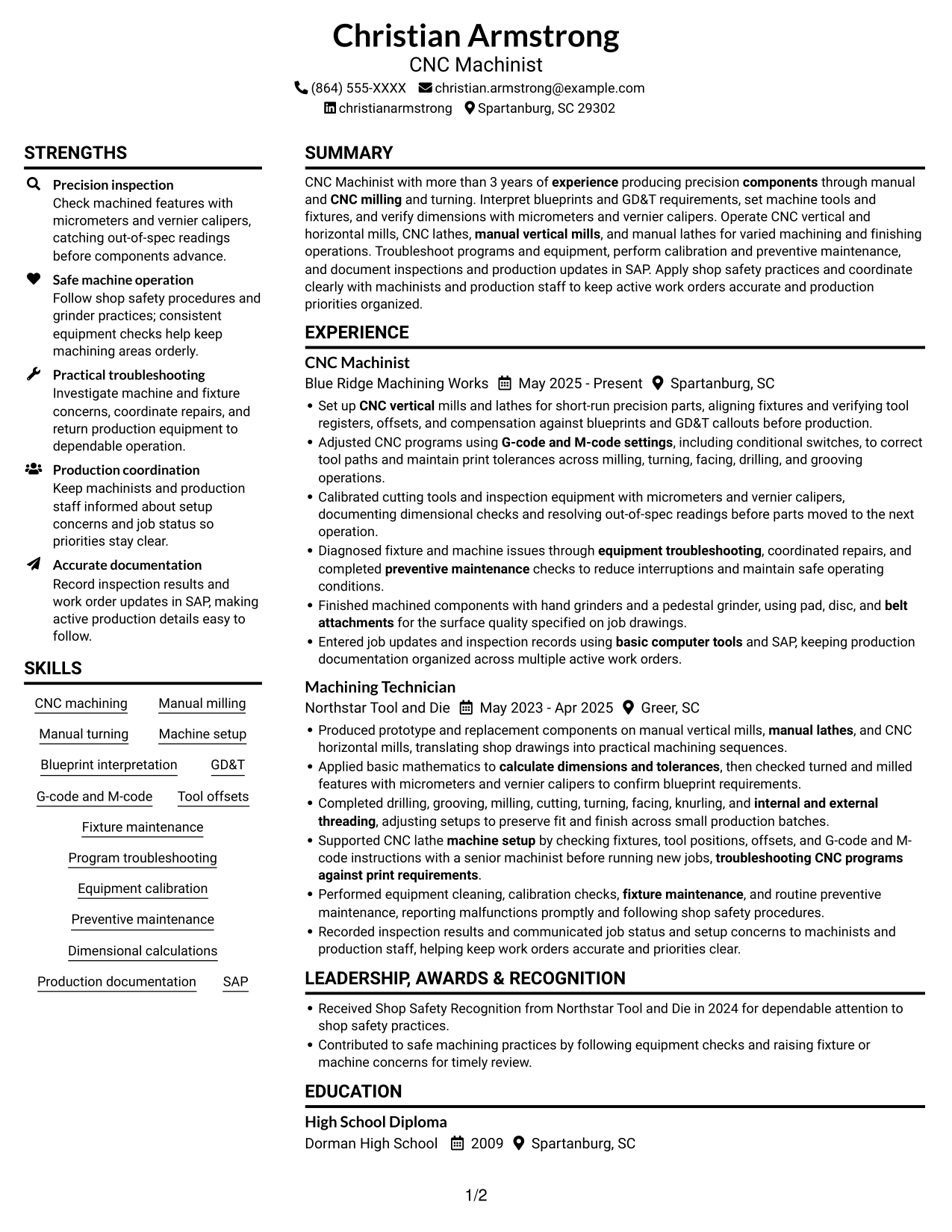
Resume example — page 1

This guide shows you how to build a CNC Machinist II - Milling and Turning resume that presents your machining skills and work clearly. You will learn how to organize your experience and choose details that help readers assess your fit for the role.

Show how you interpret blueprints and GD&T, set up machines and fixtures, check dimensions, troubleshoot equipment, and document production work. Include relevant terms such as G-code and M-code, manual and CNC milling and turning, micrometers, vernier calipers, preventive maintenance, and SAP when they match your background.

The resume is presented in 7 layouts, with PNG previews and links to view or customize an example in the editor.

What Makes a Great CNC Machinist II - Milling and Turning Resume in 2026

A strong resume makes machine setup, blueprint reading, precision checks, and safe production work easy to find. Use clear section headings and concise experience bullets that show your role in each task.

Add relevant keywords such as GD&T, tool offsets, G-code and M-code, fixture maintenance, and preventive maintenance. Support them with accurate details about the equipment, inspection tools, and production records you have used.

Note: Resume examples are for educational purposes only. Use only information that accurately reflects your experience and qualifications. References to real organizations do not imply affiliation or endorsement.

#1 Plain Two Column Format Resume Example

Two columns place resume content in parallel areas, giving reviewers a direct way to compare experience and supporting qualifications.
 
Resume example — page 1   Resume example — page 2

Resume Snapshot

  • More than 3 years of manual and CNC machining experience
  • Milling and turning across manual and CNC equipment
  • Blueprint and GD&T interpretation with dimensional inspection
  • High school diploma and CNC Machining Certificate

Why This Format Works

  • Parallel columns support a quick comparison of experience and qualifications during resume review.
  • The two-column reading order gives work history and education distinct visual paths.
  • Skills and credentials can be reviewed alongside career history in the same body.

Best For

  • Side-by-side resume section review
  • Resumes with varied qualification sections
  • Work histories read with skills
  • Readers who prefer parallel content
  • Applications listing education and certification

Resume Keywords

  • more than 3 years of experience producing precision components through manual and CNC milling and turning
  • High School Diploma
  • CNC machining
  • Manual milling
  • Manual turning
  • CNC vertical
  • CNC lathes
  • manual vertical mills
  • manual lathes
  • hand grinders and a pedestal grinder, using pad, disc, and belt attachments
  • Pedestal grinders
  • Blueprint interpretation
  • GD&T
  • G-code and M-code settings
  • Machine setup
See all keywords
 

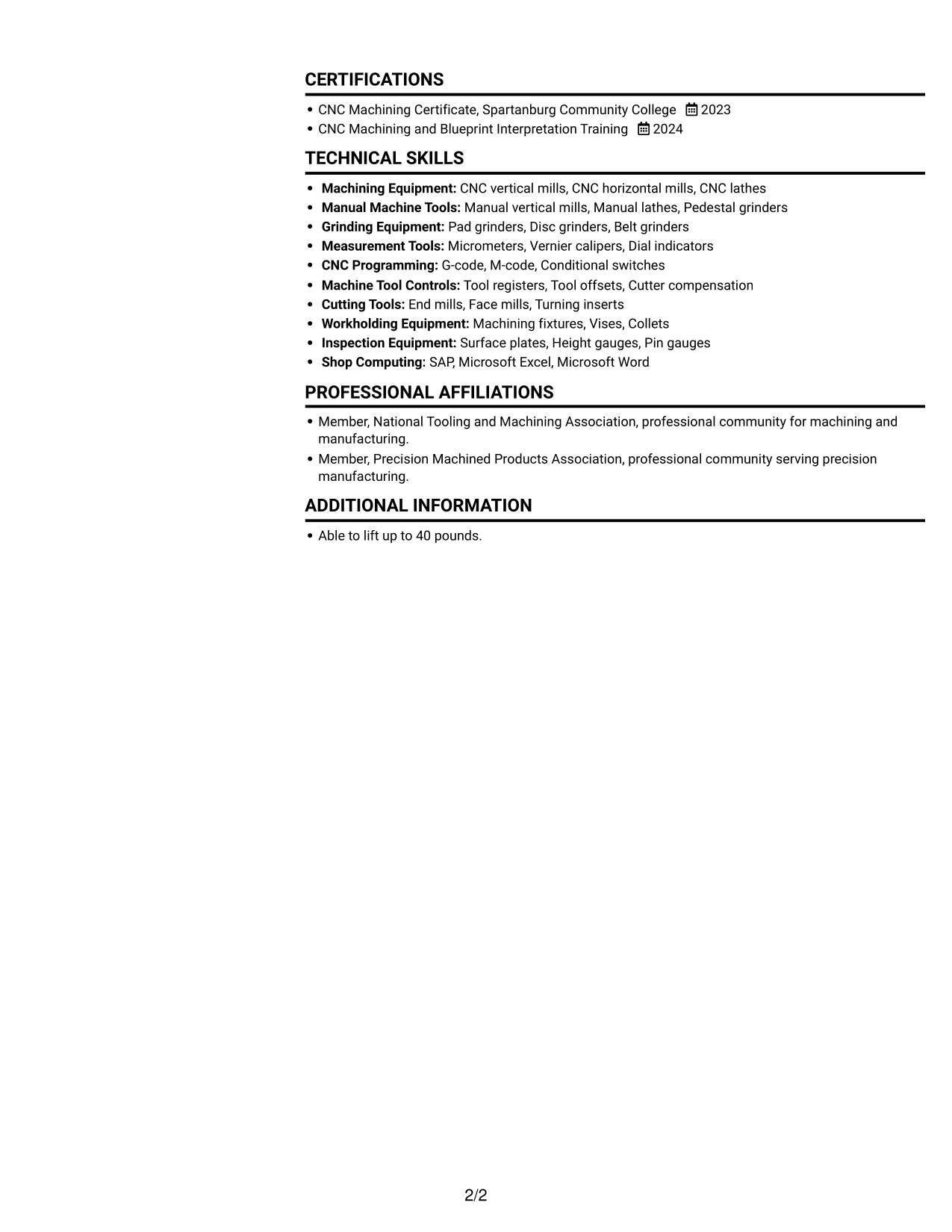
#2 Simple One Column Format Resume Example

A single-column reading path keeps experience, skills, and education in one clear sequence for reviewers.
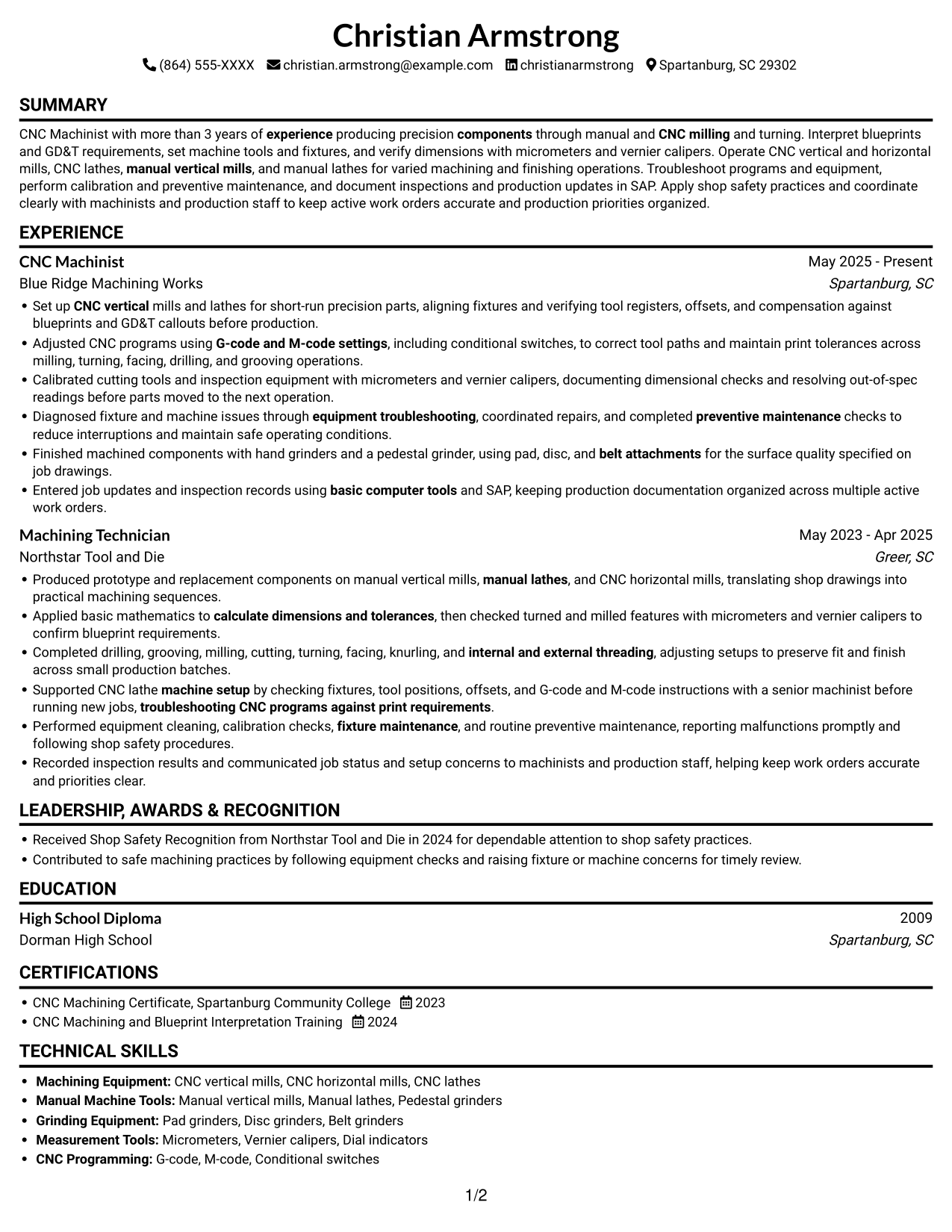
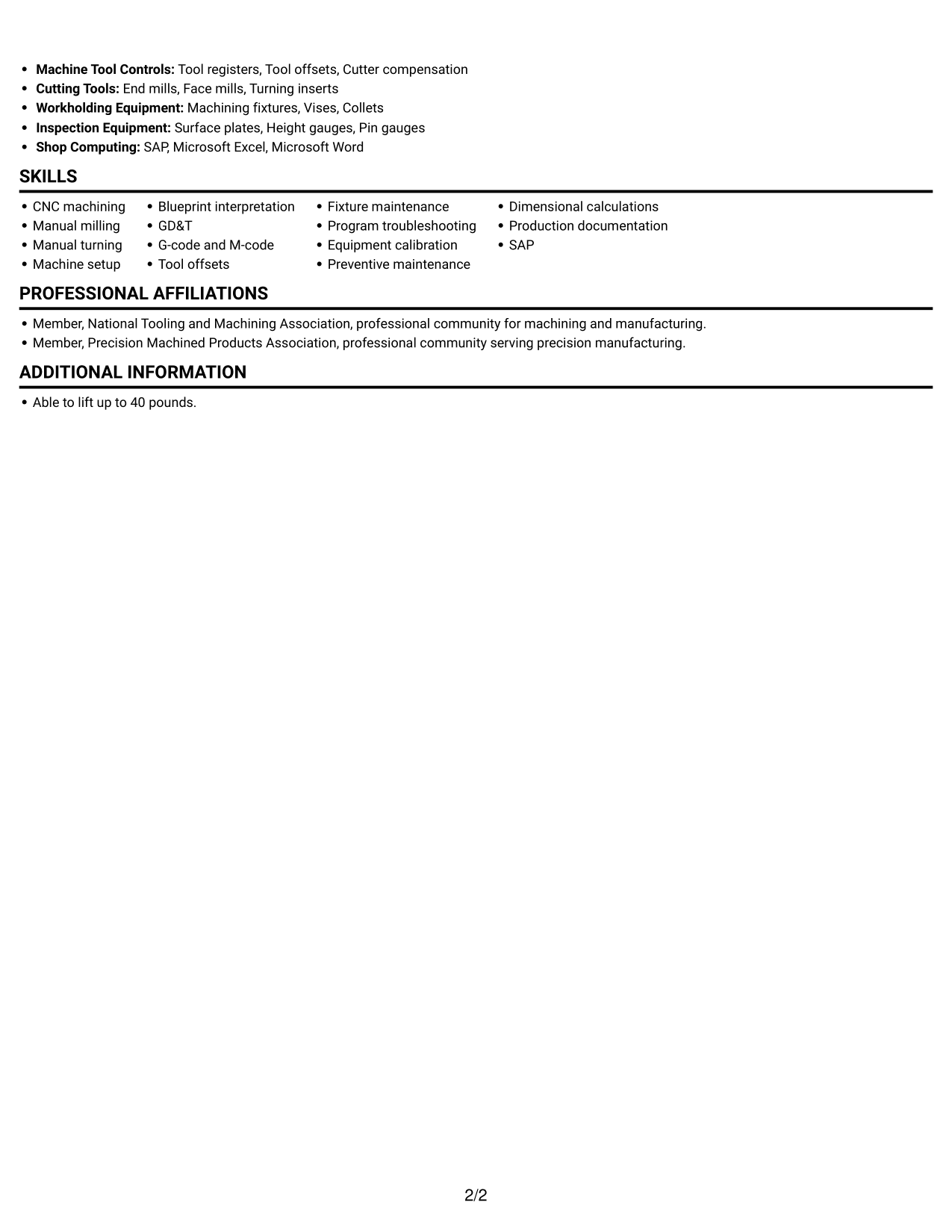
 
Resume example — page 1   Resume example — page 2

Why This Format Works

  • One continuous column helps reviewers follow career progression from one role to the next.
  • Skills, education, and certifications stay within the same top-to-bottom reading path.
  • The single body column suits resumes that benefit from ordered section reading.

Best For

  • Chronological role progression
  • Section-by-section resume scanning
  • A single reading order
  • Combined work, skills, and education sections
  • Readers who prefer one-column pages
 

#3 Clean Two Column Sidebar Format Resume Example

The two-column body gives reviewers a parallel view of career history and supporting resume details.
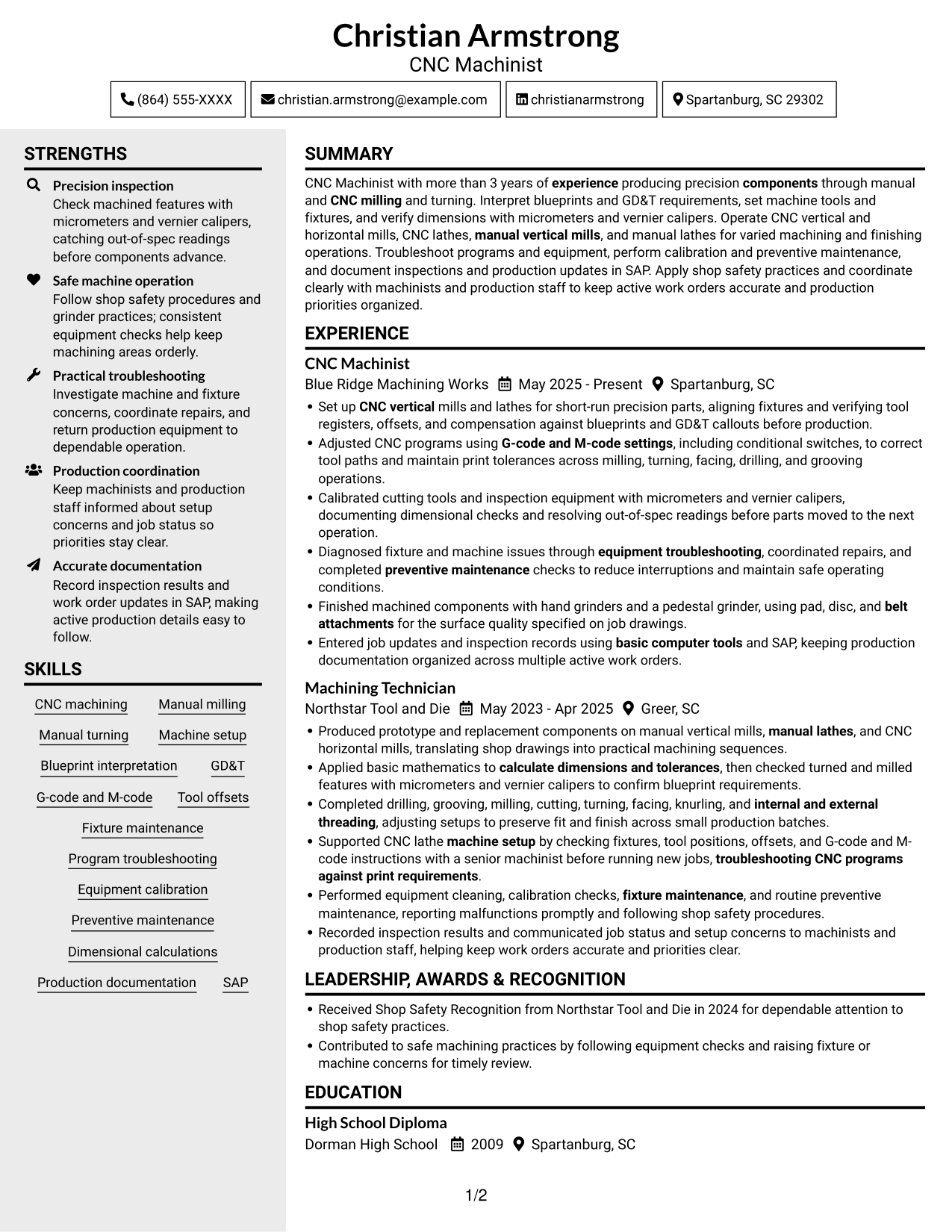
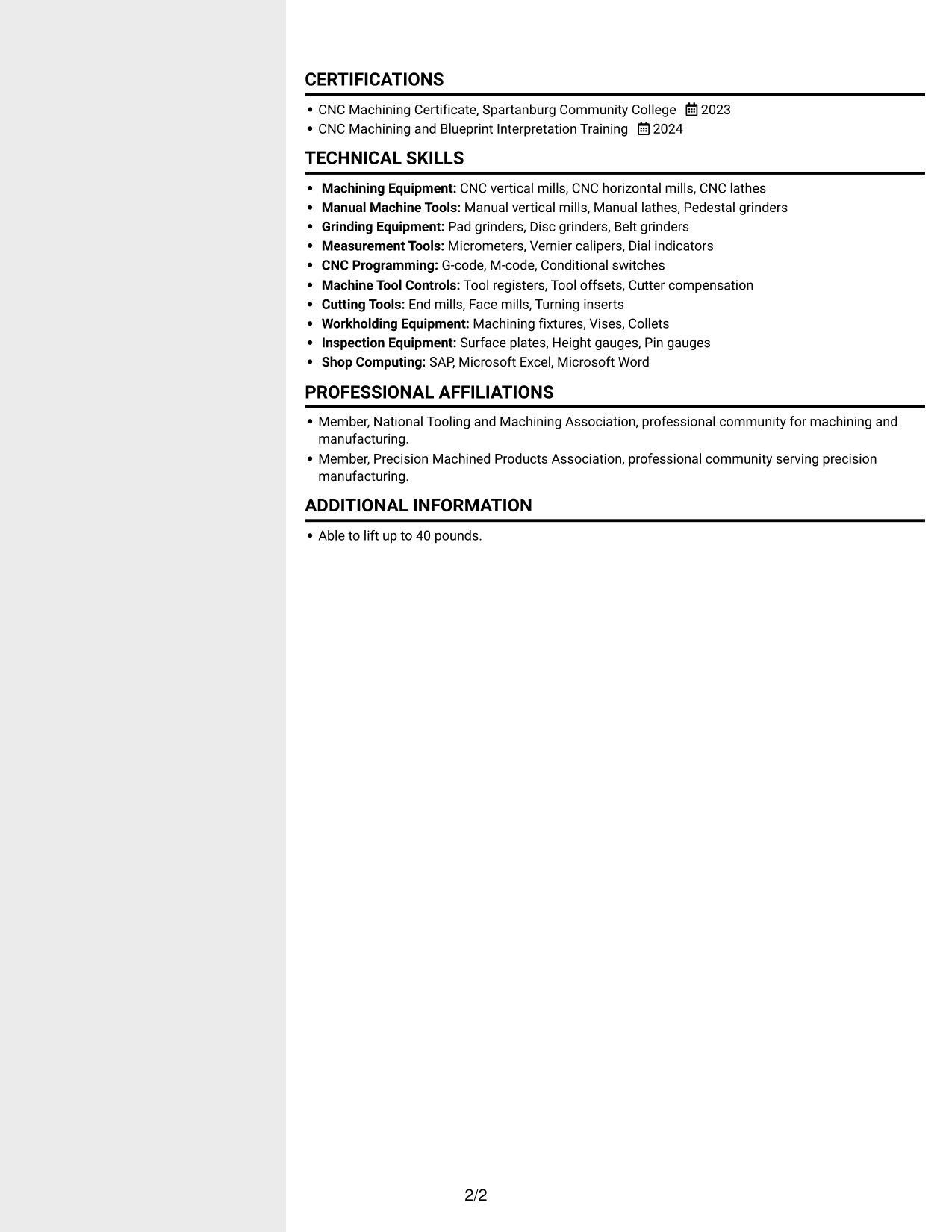
 
Resume example — page 1   Resume example — page 2

Why This Format Works

  • Career history and qualifications can be reviewed in parallel across the resume body.
  • The two-column reading path helps reviewers move between skills and work experience.
  • Education and credentials remain part of the same organized resume view.

Best For

  • Parallel review of resume sections
  • Work history with supporting qualifications
  • Resumes containing several skill groups
  • Readers comparing experience and credentials
  • Applications with education and training details
 

#4 Two Column Format Resume Example

With two columns, reviewers can move between career history and supporting sections while keeping the resume's overall reading order.
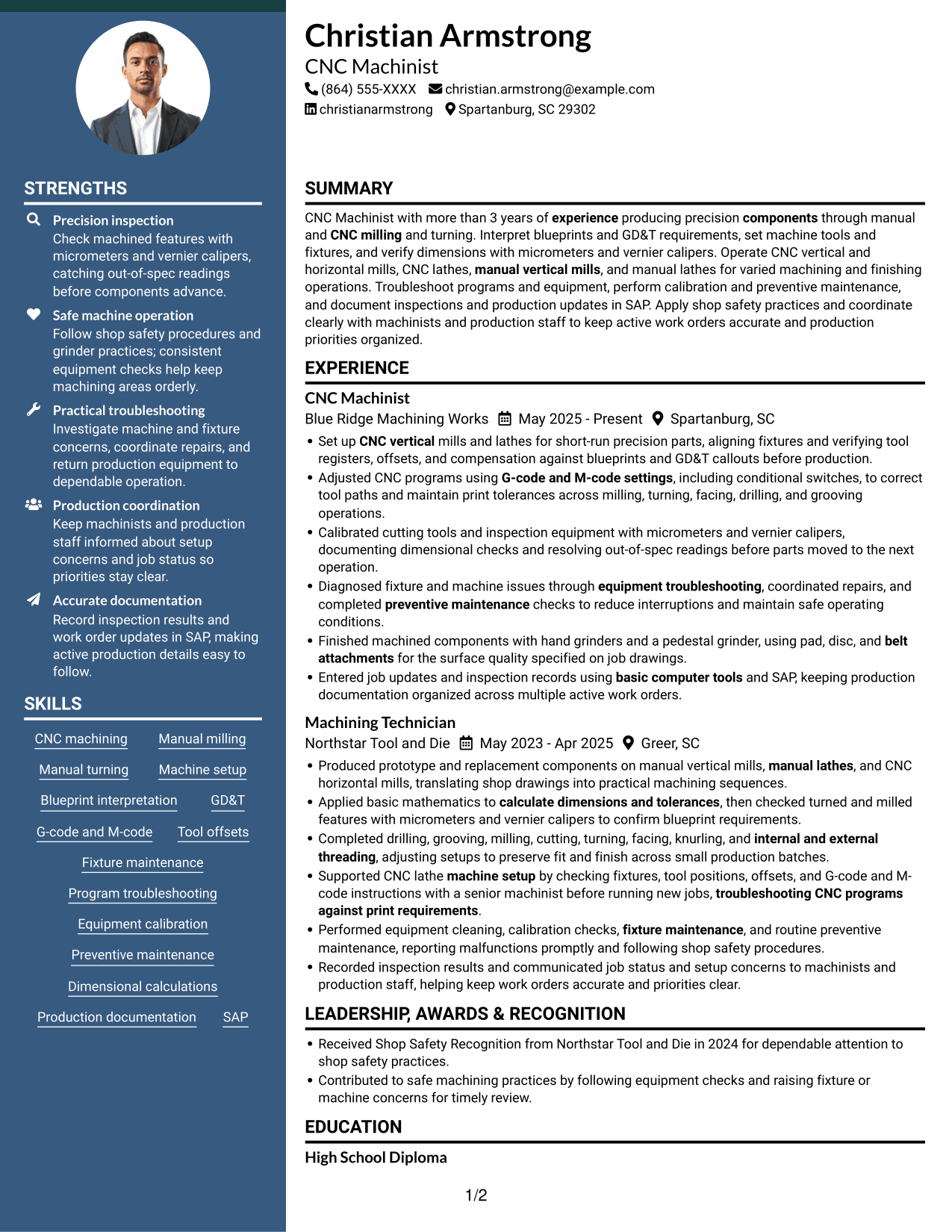
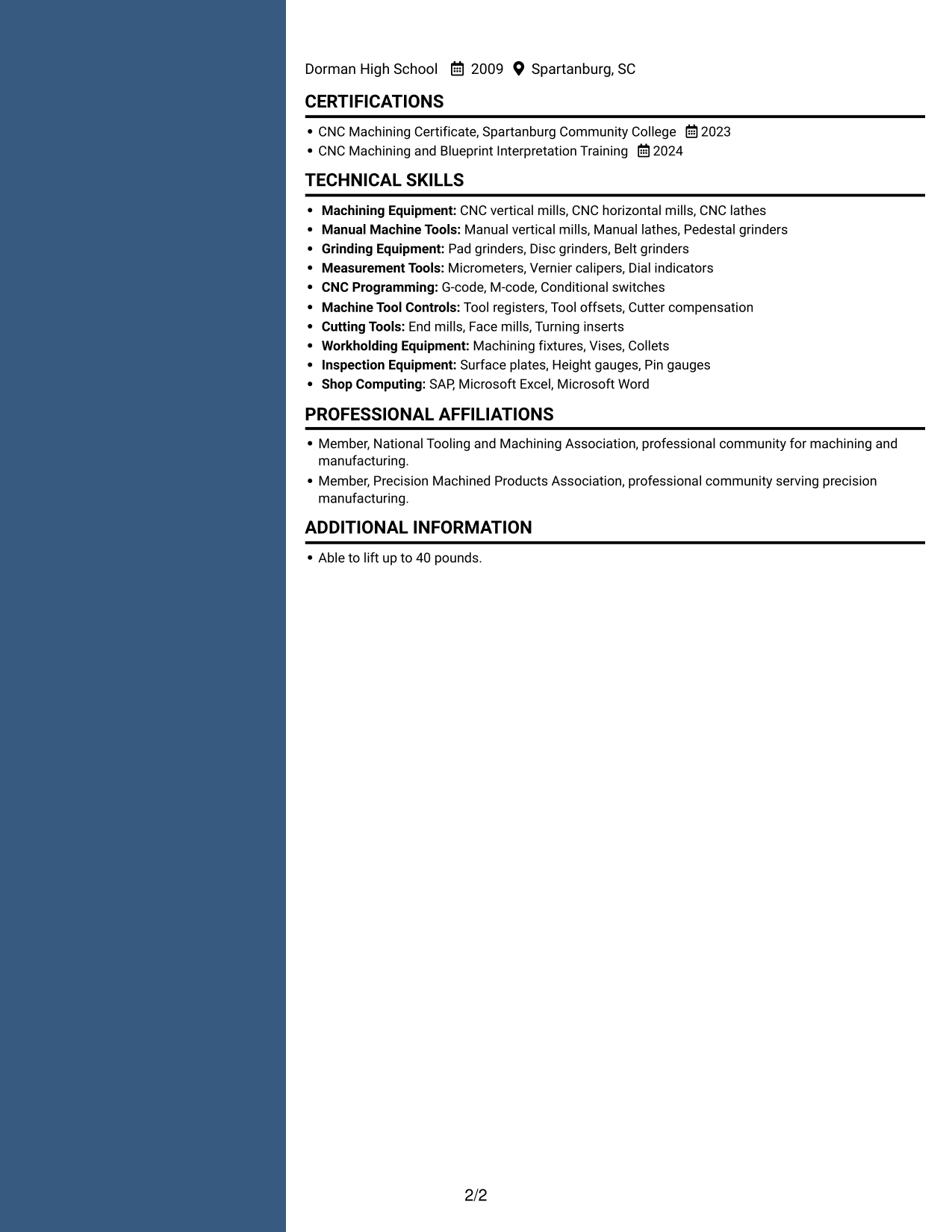
 
Resume example — page 1   Resume example — page 2

Why This Format Works

  • The parallel body gives work history and supporting qualifications separate reading areas.
  • Reviewers can scan skills and experience without following a single long column.
  • Education and certifications remain easy to include with the broader resume content.

Best For

  • Parallel resume content
  • Resumes with multiple supporting sections
  • Quick movement between experience and skills
  • Career history paired with credentials
  • Readers who favor two-column pages


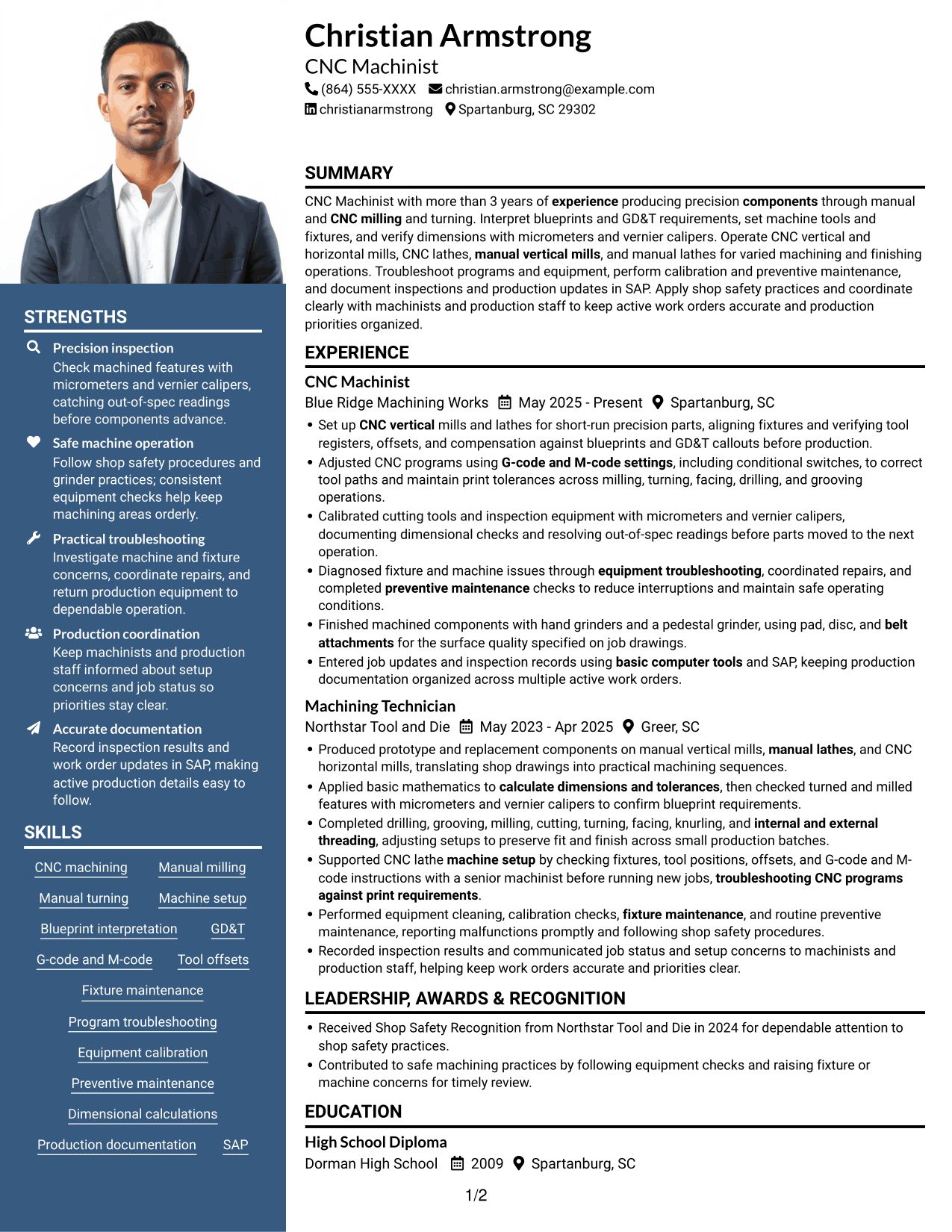
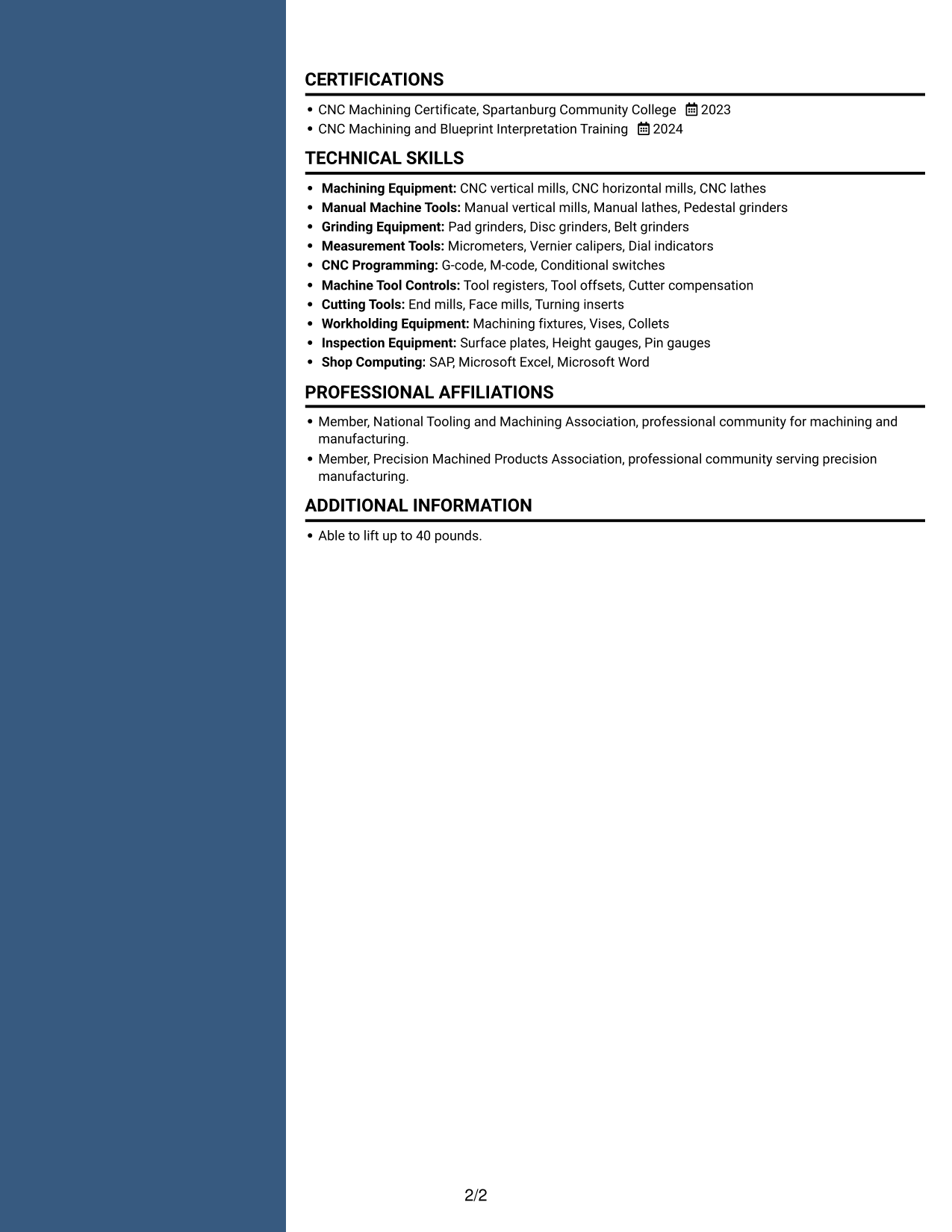
#5 Photo Header Two Column Format Resume Example

A photo in the header adds a personal visual, while the two-column body gives reviewers a parallel view of resume content.
 
Resume example — page 1   Resume example — page 2

Why This Format Works

  • The two-column body lets reviewers compare career history with supporting qualifications.
  • A header photo provides a personal visual without changing the resume's content order.
  • Parallel reading areas accommodate work history alongside skills and education.

Best For

  • Resumes that include a personal photo
  • Parallel review of work and qualifications
  • Applications with several resume sections
  • Readers who want a photo in the header
  • Skills and education paired with experience
 

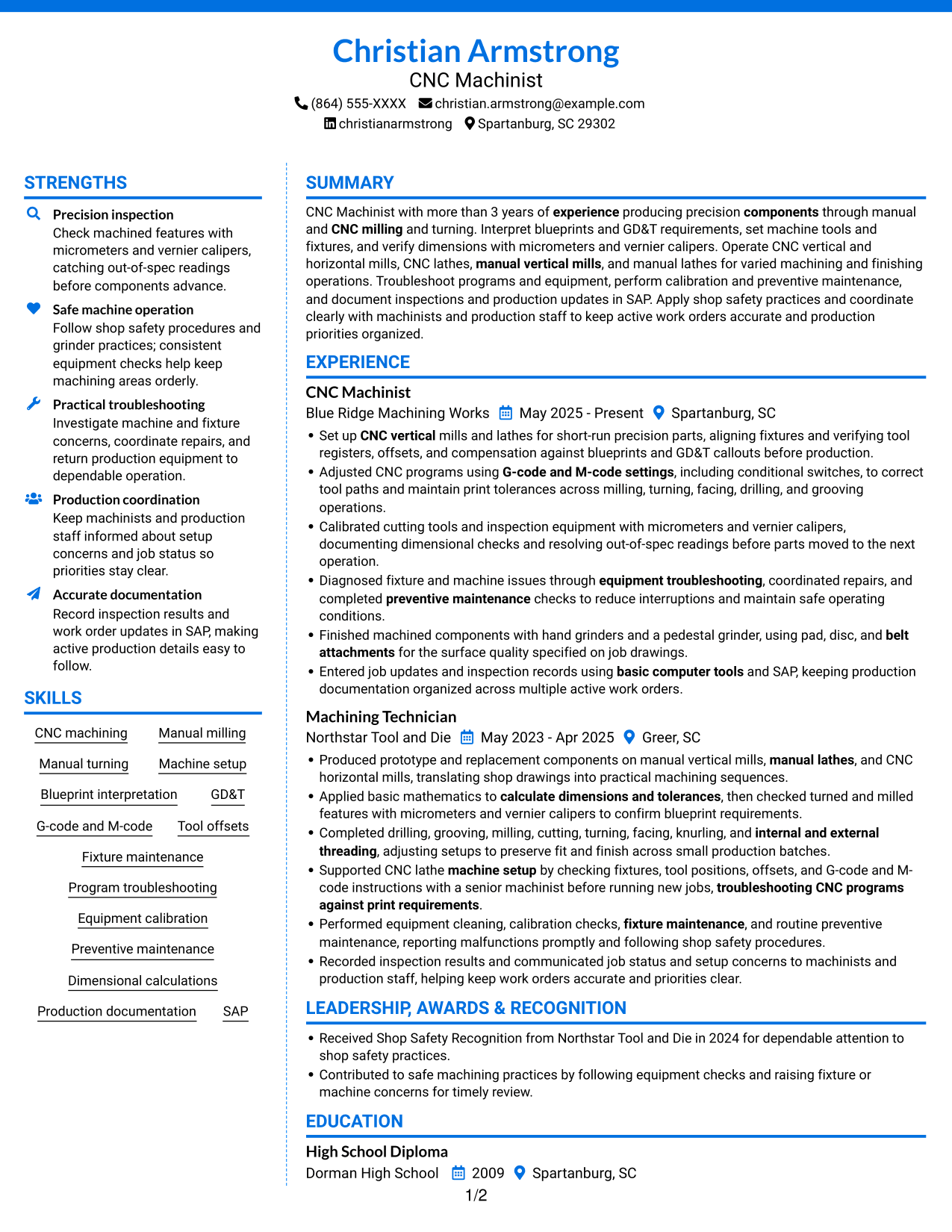
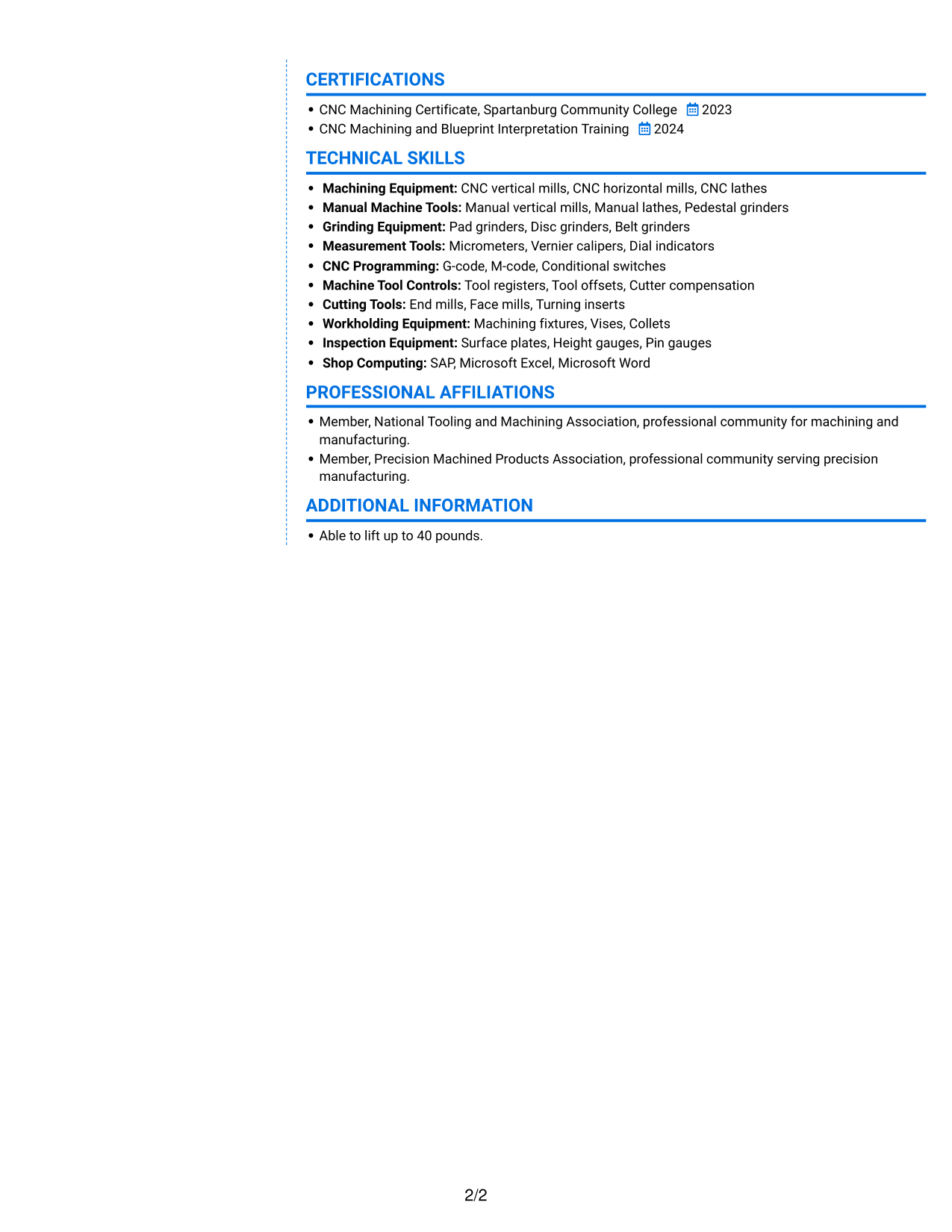
#6 Colored Two Column Format Resume Example

Two columns set up a parallel reading path, helping reviewers compare career history with skills and credentials.
 
Resume example — page 1   Resume example — page 2

Why This Format Works

  • Reviewers can assess experience and supporting qualifications across the parallel body.
  • Skills and credentials can be checked alongside the career history they support.
  • The two-column reading path accommodates education and other resume sections together.

Best For

  • Parallel review of experience and qualifications
  • Resumes with distinct skill and credential sections
  • Work histories alongside education details
  • Readers who prefer two-column organization
  • Applications with several types of supporting information
 

#7 Stylish Two Column Designer Format Resume Example

A side-by-side reading path brings career history and supporting resume sections into view together for easy comparison.
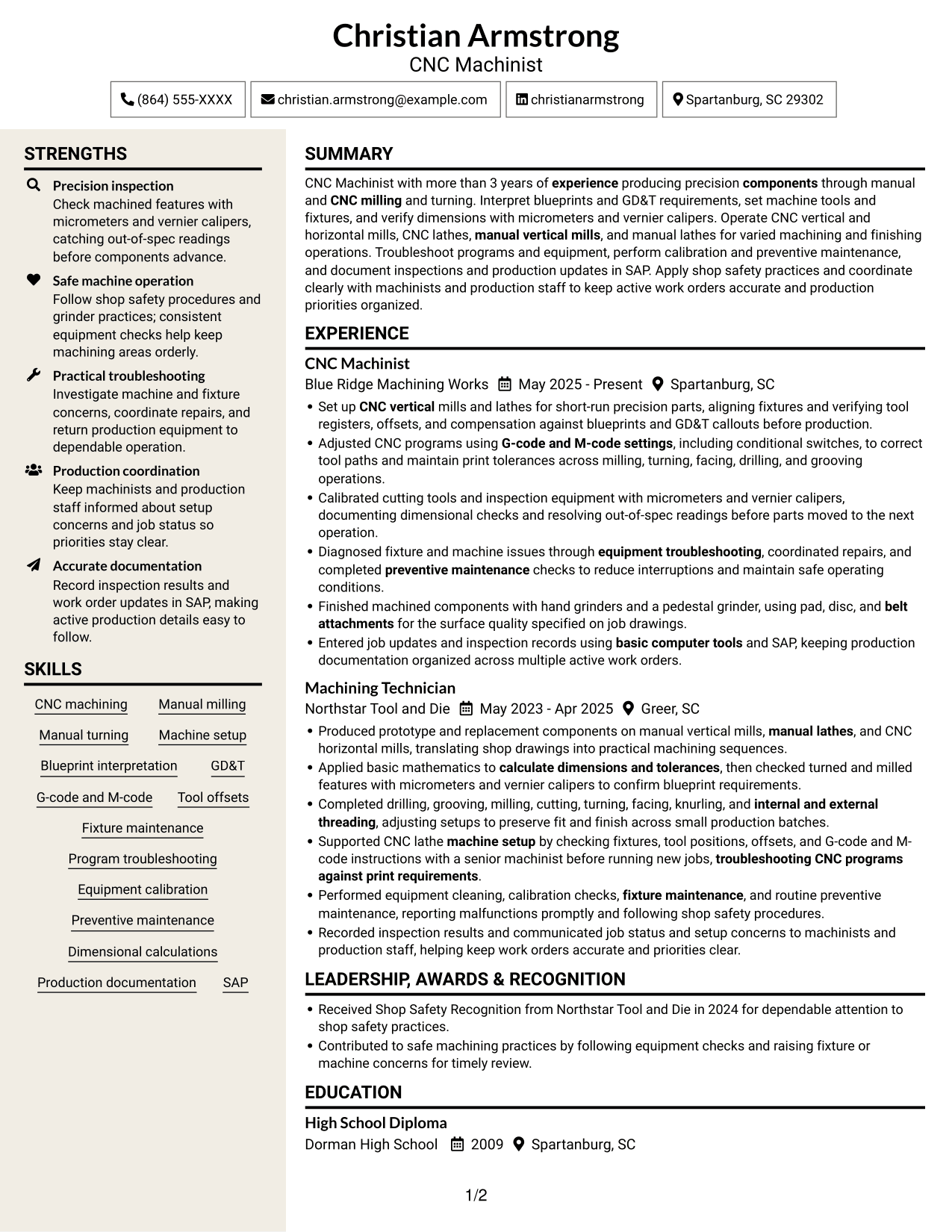
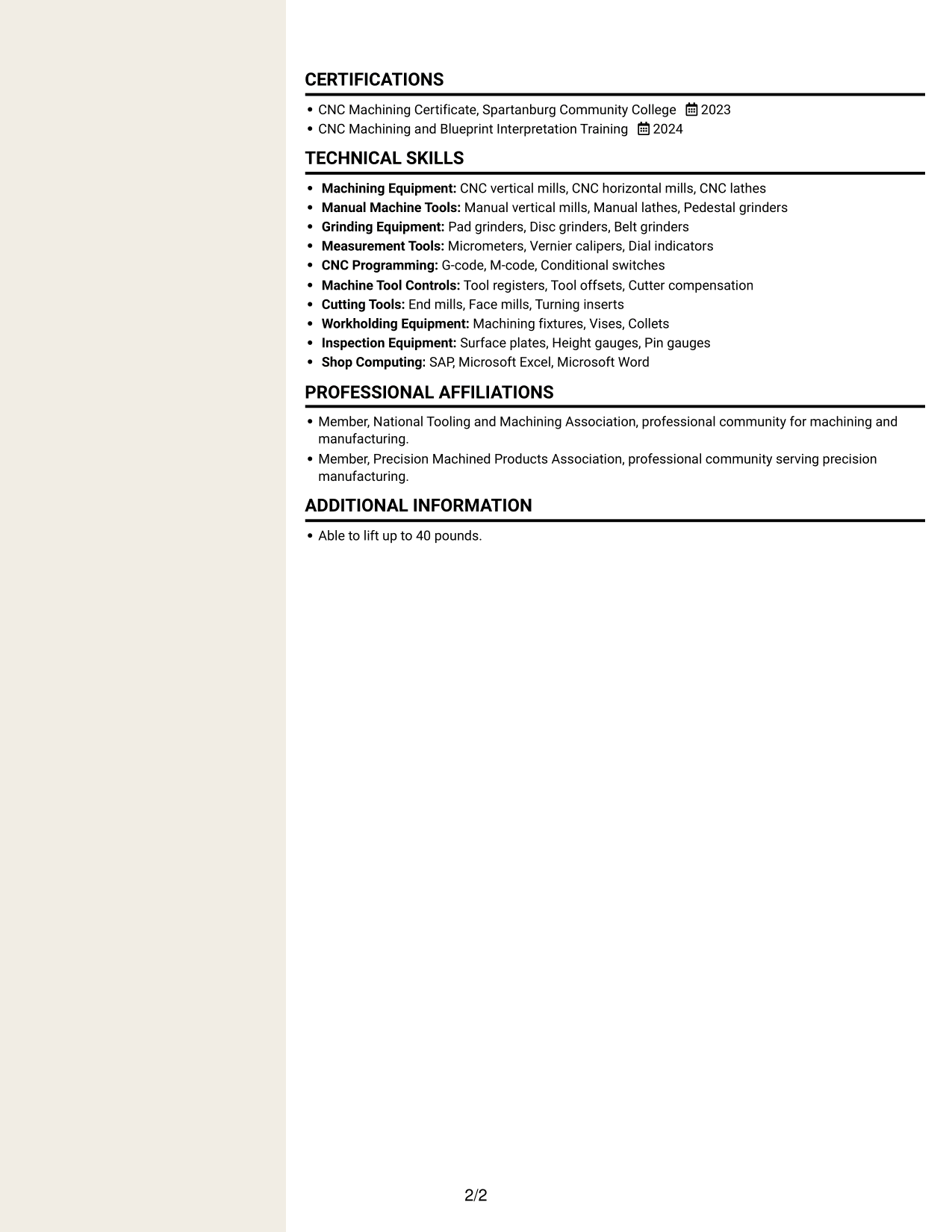
 
Resume example — page 1   Resume example — page 2

Why This Format Works

  • Parallel columns let reviewers compare career progression with supporting resume details.
  • The two-column body offers room to present skills alongside work history.
  • Education and credentials remain part of one connected resume layout.

Best For

  • Side-by-side review of career and qualifications
  • Resumes combining experience and skills
  • Applications with education and certification details
  • Readers who prefer parallel content areas
  • Work histories with supporting sections


Why Build Your CNC Machinist II - Milling and Turning Resume with ResumeInMinutes

ResumeInMinutes helps you arrange machining experience, technical skills, education, and certifications in a clear resume. Use focused sections and concise bullets to make your setup, inspection, troubleshooting, and documentation work easier to review.

  • Clear resume layouts
  • Readable section structure
  • Relevant machining keywords
  • Organized skills and experience
  • PNG image previews
  • Options to view or customize in the editor

Compare the image previews, then open an example in the editor to review its layout. Choose a structure that makes your machining work and qualifications easy to scan.


See Also


Frequently Asked Questions

Are these CNC Machinist II - Milling and Turning resume templates ATS-friendly?

The layouts use clear section headings and readable text. Include role-relevant terms such as blueprint interpretation, GD&T, tool offsets, G-code and M-code, and dimensional inspection when they accurately describe your skills.

Are these different resumes or different layouts?

This guide shows one resume example in different layouts. Compare the PNG previews to see how each option arranges the content.

What should a CNC Machinist II - Milling and Turning resume include?

Include a clear summary, machining experience, technical skills, education, and relevant certifications. Describe machine setup, blueprint and GD&T work, measurement tools, troubleshooting, maintenance, and production documentation that match your background.

Which resume layout works well for this machining role?

Choose a layout with clear headings and enough space for concise experience bullets and technical skills. A simple structure helps readers find your equipment, inspection, and production experience quickly.

How should I describe machining experience on my resume?

Start each bullet with a clear action, then explain the machine, task, or quality check involved. Add a specific result or measurement only when you can support it accurately.

Should I include a photo on my resume?

For U.S. applications, a resume without a photo is usually the safer choice. Keep the focus on your skills, work history, education, and certifications.


ATS Score 95%

How we calculate this score

  • Keywords: 60% of the total. AI extracts keywords from your job description. If you do not provide one, a standard job description for the title matching your resume is used. This is not a match to a specific vacancy.
  • Text-based resume: 20%. The text resume assessed here receives 100 for this part.
  • Resume quality: 20%. We start at 100 and subtract points for issues found by our resume checks, down to a minimum of zero.
  • Keyword coverage = round(100 × confirmed matches ÷ total keywords). Exact matches and supported equivalents verified by AI receive full credit; unsupported keywords receive none. Live text checks use the saved equivalents and do not request a new AI review. Without keywords, no overall ATS score is available.
  • Final score = 60% of keyword coverage + 20% of the text score + 20% of the quality score, rounded to a whole number. Without keywords, no overall ATS score is available.

What this score means

Our scores are estimates, not employer ratings. They may contain errors and do not guarantee accurate parsing, a ranking, an interview, or a job. Check your document against the employer’s requirements. You are responsible for relying on this score.

Terms and Conditions

Score weights: Keywords 60% · Text based resume 20% · Resume quality 20%

Keyword coverage: 40 of 42 (95%) · Resume quality: 90%

Resume quality 90% · Weight 20% · Issues (1)

Details
  • ✓Name present: Christian Armstrong
  • ✓Email format: christian.armstrong@example.com
  • ✗Phone format: (864) 555-XXXX
  • ✓Experience 1: Job title: CNC Machinist
  • ✓Experience 1: Company name: Blue Ridge Machining Works
  • ✓Experience 1: Work location: Spartanburg, SC
  • ✓Experience 1: Employment dates: May 2025 - Present
  • ✓Experience 1: Description or achievements: Present
  • ✓Experience 2: Job title: Machining Technician
  • ✓Experience 2: Company name: Northstar Tool and Die
  • ✓Experience 2: Work location: Greer, SC
  • ✓Experience 2: Employment dates: May 2023 - Apr 2025
  • ✓Experience 2: Description or achievements: Present
  • ✓No placeholder fields
  • ✓No repeated achievement bullets
  • ✓No empty bullets

Header: Check the phone number: “(864) 555-XXXX”. Use 7–15 digits, with an optional country code.

Expand details to review the checks.

Text Based Resume 100% · Weight 20%

Parsed text
Christian Armstrong
CNC Machinist
(864) 555-XXXX
christianarmstrong
christian.armstrong@example.com
Spartanburg, SC 29302
STRENGTHS
Precision inspection
Check machined features with micrometers and vernier calipers, catching out-of-spec readings before components advance.
Safe machine operation
Follow shop safety procedures and grinder practices; consistent equipment checks help keep machining areas orderly.
Practical troubleshooting
Investigate machine and fixture concerns, coordinate repairs, and return production equipment to dependable operation.
Production coordination
Keep machinists and production staff informed about setup concerns and job status so priorities stay clear.
Accurate documentation
Record inspection results and work order updates in SAP, making active production details easy to follow.
SUMMARY
CNC Machinist with more than 3 years of experience producing precision components through manual and CNC milling and turning. Interpret blueprints and GD&T requirements, set machine tools and fixtures, and verify dimensions with micrometers and vernier calipers. Operate CNC vertical and horizontal mills, CNC lathes, manual vertical mills, and manual lathes for varied machining and finishing operations. Troubleshoot programs and equipment, perform calibration and preventive maintenance, and document inspections and production updates in SAP. Apply shop safety practices and coordinate clearly with machinists and production staff to keep active work orders accurate and production priorities organized.
EXPERIENCE
CNC Machinist
Blue Ridge Machining Works
May 2025 - Present
Spartanburg, SC
Set up CNC vertical mills and lathes for short-run precision parts, aligning fixtures and verifying tool registers, offsets, and compensation against blueprints and GD&T callouts before production.
Adjusted CNC programs using G-code and M-code settings, including conditional switches, to correct tool paths and maintain print tolerances across milling, turning, facing, drilling, and grooving operations.
Calibrated cutting tools and inspection equipment with micrometers and vernier calipers, documenting dimensional checks and resolving out-of-spec readings before parts moved to the next operation.
Diagnosed fixture and machine issues through equipment troubleshooting, coordinated repairs, and completed preventive maintenance checks to reduce interruptions and maintain safe operating conditions.
Finished machined components with hand grinders and a pedestal grinder, using pad, disc, and belt attachments for the surface quality specified on job drawings.
Entered job updates and inspection records using basic computer tools and SAP, keeping production documentation organized across multiple active work orders.
Machining Technician
Northstar Tool and Die
May 2023 - Apr 2025
Greer, SC
Produced prototype and replacement components on manual vertical mills, manual lathes, and CNC horizontal mills, translating shop drawings into practical machining sequences.
Applied basic mathematics to calculate dimensions and tolerances, then checked turned and milled features with micrometers and vernier calipers to confirm blueprint requirements.
Completed drilling, grooving, milling, cutting, turning, facing, knurling, and internal and external threading, adjusting setups to preserve fit and finish across small production batches.
Supported CNC lathe machine setup by checking fixtures, tool positions, offsets, and G-code and M-code instructions with a senior machinist before running new jobs, troubleshooting CNC programs against print requirements.
Performed equipment cleaning, calibration checks, fixture maintenance, and routine preventive maintenance, reporting malfunctions promptly and following shop safety procedures.
Recorded inspection results and communicated job status and setup concerns to machinists and production staff, helping keep work orders accurate and priorities clear.
SKILLS
CNC machining
G-code and M-code
Production documentation
Manual turning
Blueprint interpretation
Dimensional calculations
Program troubleshooting
Preventive maintenance
Equipment calibration
Fixture maintenance
Manual milling
Machine setup
Tool offsets
GD&T
SAP
LEADERSHIP, AWARDS & RECOGNITION
Received Shop Safety Recognition from Northstar Tool and Die in 2024 for dependable attention to shop safety practices.
Contributed to safe machining practices by following equipment checks and raising fixture or machine concerns for timely review.
EDUCATION
High School Diploma
Dorman High School
2009
Spartanburg, SC
CERTIFICATIONS
CNC Machining Certificate, Spartanburg Community College
2023
CNC Machining and Blueprint Interpretation Training
2024
TECHNICAL SKILLS
Machining Equipment: CNC vertical mills, CNC horizontal mills, CNC lathes
Manual Machine Tools: Manual vertical mills, Manual lathes, Pedestal grinders
Grinding Equipment: Pad grinders, Disc grinders, Belt grinders
Measurement Tools: Micrometers, Vernier calipers, Dial indicators
CNC Programming: G-code, M-code, Conditional switches
Machine Tool Controls: Tool registers, Tool offsets, Cutter compensation
Cutting Tools: End mills, Face mills, Turning inserts
Workholding Equipment: Machining fixtures, Vises, Collets
Inspection Equipment: Surface plates, Height gauges, Pin gauges
Shop Computing: SAP, Microsoft Excel, Microsoft Word
PROFESSIONAL AFFILIATIONS
Member, National Tooling and Machining Association, professional community for machining and manufacturing.
Member, Precision Machined Products Association, professional community serving precision manufacturing.
ADDITIONAL INFORMATION
Able to lift up to 40 pounds.

Matched keywords (40)

  • more than 3 years of experience producing precision components through manual and CNC milling and turningOriginal keyword in JD: 2+ years of machining experience
  • High School DiplomaOriginal keyword in JD: High school diploma or equivalent
  • CNC machining
  • Manual milling
  • Manual turning
  • CNC verticalOriginal keyword in JD: CNC vertical OR horizontal mills
  • CNC lathes
  • manual vertical mills
  • manual lathes
  • hand grinders and a pedestal grinder, using pad, disc, and belt attachmentsOriginal keyword in JD: Hand grinders with pad, disc, and belt attachments
  • Pedestal grinders
  • Blueprint interpretation
  • GD&T
  • G-code and M-code settingsOriginal keyword in JD: CNC G-codes and M-codes
  • Machine setup
  • Fixture maintenance
  • troubleshooting CNC programs against print requirementsOriginal keyword in JD: CNC program troubleshooting
  • equipment troubleshooting
  • Calibrated cutting tools and inspection equipmentOriginal keyword in JD: Tool and equipment calibration
  • Preventive maintenance
  • calculate dimensions and tolerancesOriginal keyword in JD: Dimensional and tolerance calculations
  • micrometers
  • vernier calipers
  • drilling
  • grooving
  • milling
  • cutting
  • turning
  • facing
  • knurling
  • internal and external threading
  • Finished machined components with hand grindersOriginal keyword in JD: Manual finishing
  • safety procedures
  • Production documentation
  • communicated job status and setup concerns to machinists and production staffOriginal keyword in JD: Communication
  • keeping production documentation organized across multiple active work ordersOriginal keyword in JD: Organization
  • basic computer toolsOriginal keyword in JD: Basic computer skills
  • SAP
  • Able to lift up to 40 pounds.Original keyword in JD: Ability to lift 40 pounds
  • CNC Machining Certificate, Spartanburg Community CollegeOriginal keyword in JD: Machining certification program

Missing keywords (2)

  • Tool registers, offsets, compensation, and conditional switches
  • Multitasking
Disclaimer: All names, images, contact information, employment histories, achievements, security clearances, military credentials, and other qualifications shown in this content are fictional and used for illustrative purposes only. Any resemblance to actual persons, living or deceased, is purely coincidental.

Resume and cover-letter examples and recommendations in this article reflect general best practices and professional experience and are provided for guidance only. Results may vary based on role, industry, region, and hiring organization.

Content Accuracy and Verification: To the fullest extent permitted by applicable law, we do not represent or warrant that resume or cover-letter guidance, examples, recommendations, or related information are accurate, complete, current, error-free, or suitable for any particular purpose. You are responsible for independently reviewing and verifying the information before relying on it.

ATS and Cover-Letter Scores: ATS scores are estimates calculated using our own formula, informed by publicly available guidance on resume formatting and keyword matching. They are not scores issued or endorsed by an ATS provider or employer. Cover-letter scores are also our own assessments. Parsing, weighting, screening criteria, and results vary between systems, employers, job descriptions, and document formats. No score guarantees successful parsing, a particular ranking, an interview, or employment. Use scores as general guidance and independently check your documents against the employer’s requirements. To the fullest extent permitted by applicable law, we accept no liability for errors in scores or parsing, or losses arising from reliance on these assessments. Nothing in this notice excludes liability or limits consumer rights that cannot lawfully be excluded or limited.

Terms and Conditions
 
> JP 1 1
PDF Footer and Margins Setup
The margins are applied to the document, and the footer shows up in the preview and the PDF

Footer Font Settings

Are you applying for a specific job
so we can tailor your resume to it?
Are you applying for a specific job
so we can tailor your cover letter to it?

Your data stays private and is never used for training.Privacy Policy

Type your details as text to generate a personalized resume Type your details as text to generate a personalized cover letter
Website link found! Ready to create resume from:

Your data stays private and is never used for training.Privacy Policy

Drag the into the box to verify you're human.
Drop here

My Resumes

Displaying {number_of_files} files (out of {total_of_all_files} total)
Name File Type Last Modified: Description:

Rename File

Filename already exists!

Delete Files

Warning: This action is irreversible. Once you click submit, the files will be permanently deleted.

Heading text
Upload From Computer Upload
Select From Existing
LinkedIn
Drag & Drop files anywhere in this tab, or

Uploaded Files

Delete Name Last Updated Use This File
Select this to use the file for generating your resume and cover letter. Only one source—uploaded file, selected file, or LinkedIn text—can be used.

My Files

Resumes or cover letters you create will appear here. No files available yet.
Delete Name Last Updated Use This File
Select this to use the file for generating your resume and cover letter. Only one source—uploaded file, selected file, or LinkedIn text—can be used.

Add LinkedIn Profile PDF

You can download your LinkedIn profile as a PDF by opening linkedin.com in a web browser, clicking your profile photo, selecting the “More” or “Resources” button, and choosing “Save to PDF.” You can then attach the PDF using the Upload From Computer tab.

Paste Your LinkedIn Profile Text

If you have copied the LinkedIn profile text, paste it below. See how to copy your profile from LinkedIn

Select this to use the LinkedIn profile text for generating your resume and cover letter. Only one source—uploaded file, selected file, or LinkedIn text—can be used.

Try these controls

<
>


