
7 Customer Service Representative - Healthcare Cover Letter Templates with Example
This practical guide to a Customer Service Representative - Healthcare cover letter presents seven layouts to help you choose a clear way to connect your service approach with the role.
What Makes a Great Customer Service Representative - Healthcare Cover Letter in 2026
A strong letter links compassionate caller support, bilingual communication, and clear explanations to the needs of healthcare customers. Show how your approach helps callers feel heard and understand the next step.
Use specific evidence, such as helping callers navigate account or portal issues and recording accurate notes. Connect that experience to the employer’s service needs, and explain why this healthcare role matters to you.
The featured Customer Service Representative - Healthcare example moves from role motivation to relevant caller support, practical evidence, and a clear closing. Adapt that focused progression, choosing a presentation that suits the employer and the communication context.
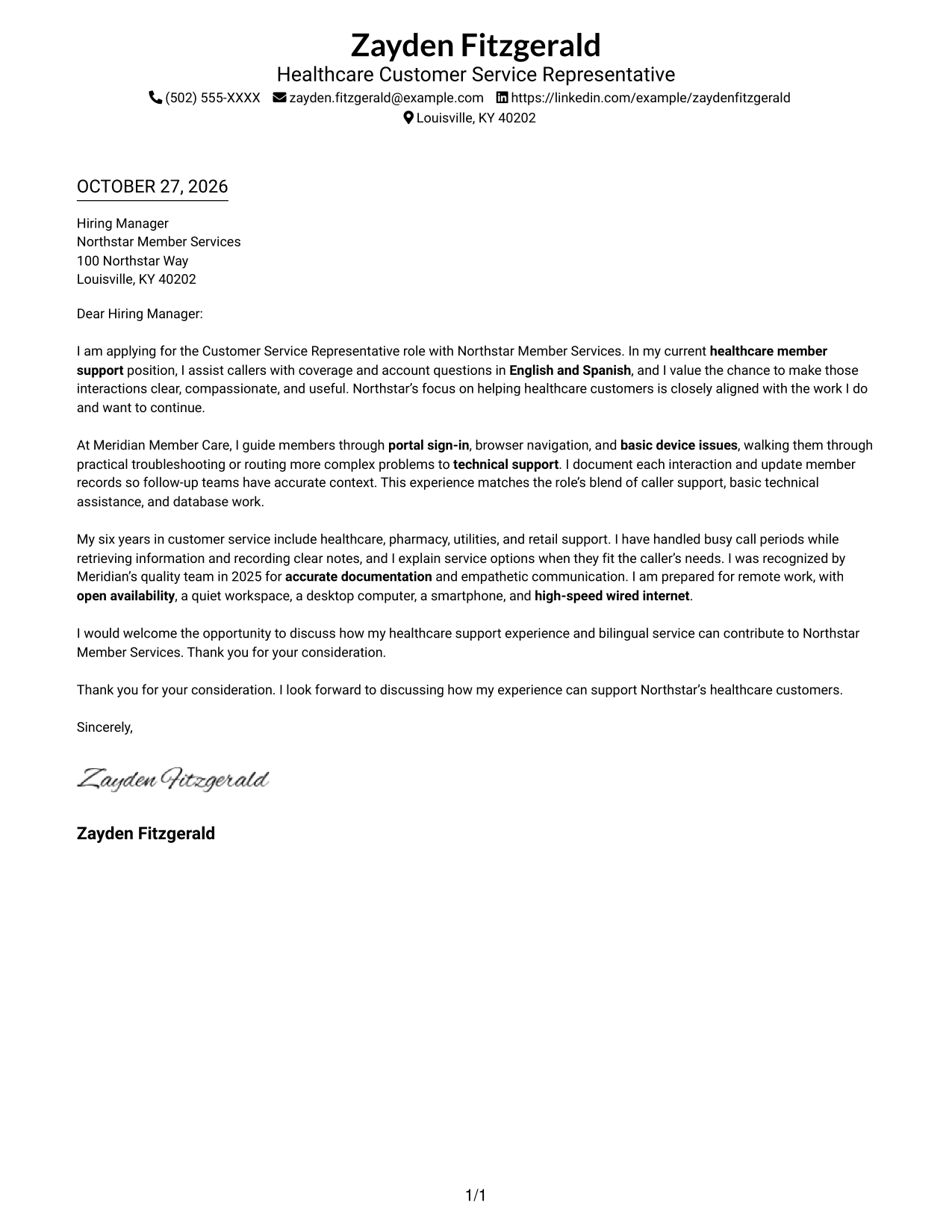
#1 Simple One Column Format Cover Letter Example
A single-column page keeps sender details in the header and the letter body in one clear reading path.
Why This Format Works
- Reviewers can follow the letter from its opening to closing in one reading column.
- Header contact details remain distinct from the paragraphs that make the case.
- Unbroken prose lets motivation and supporting evidence connect naturally.
Best For
- One-column reading preference
- Header-based contact details
- Letters without a photo
- Unheaded letter body
- Top-to-bottom reading order
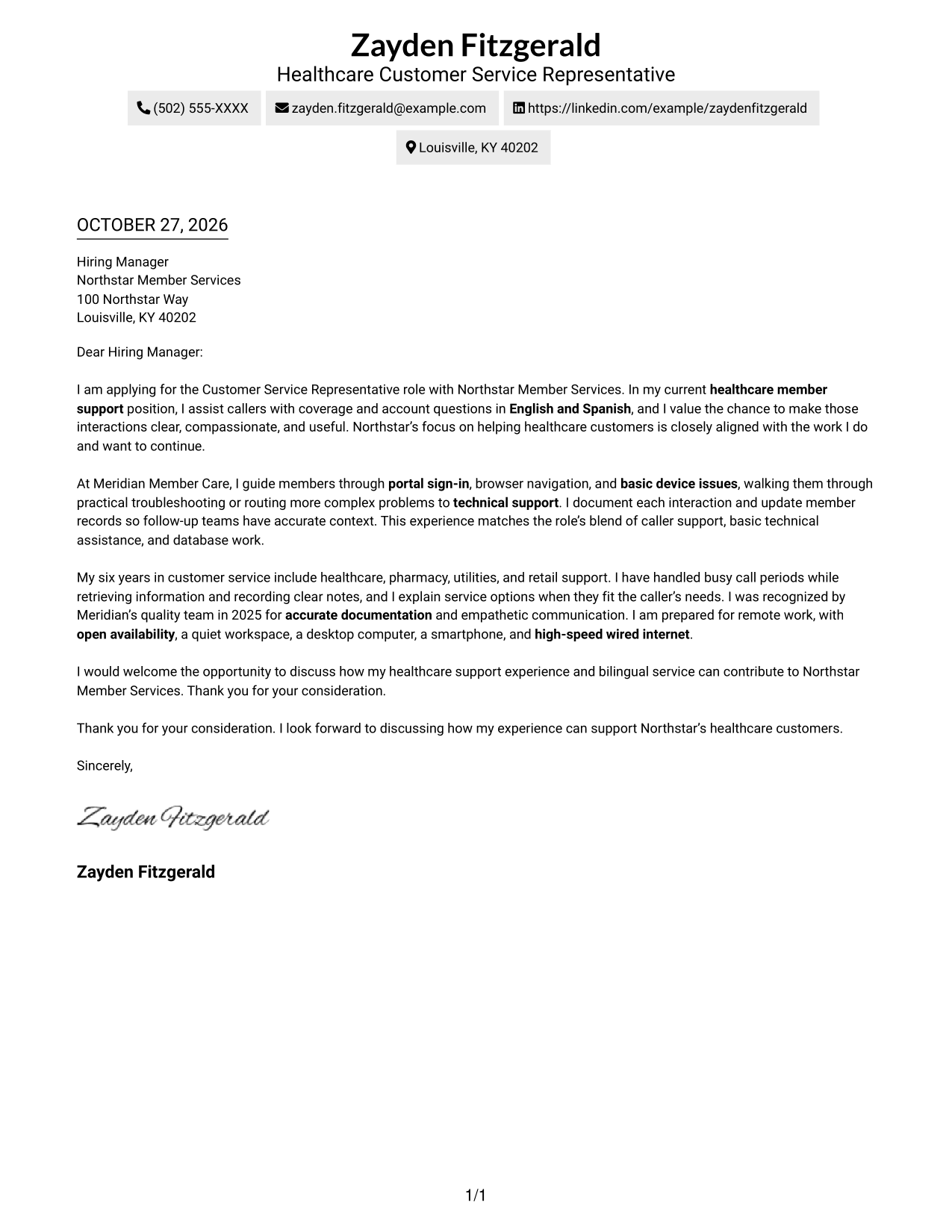
#2 Two Column Format Cover Letter Example
A contact sidebar sits beside one continuous letter body, keeping contact details apart from the message without splitting its argument.
Why This Format Works
- The sidebar gives reviewers a separate place to find sender contact details.
- One letter-body column keeps the argument in a familiar reading order.
- Connected paragraphs carry the message without labels interrupting its progression.
Best For
- Contact details beside the message
- Continuous letter paragraphs
- Two-column reading preference
- Sidebar-based contact lookup
- Letters without a photo
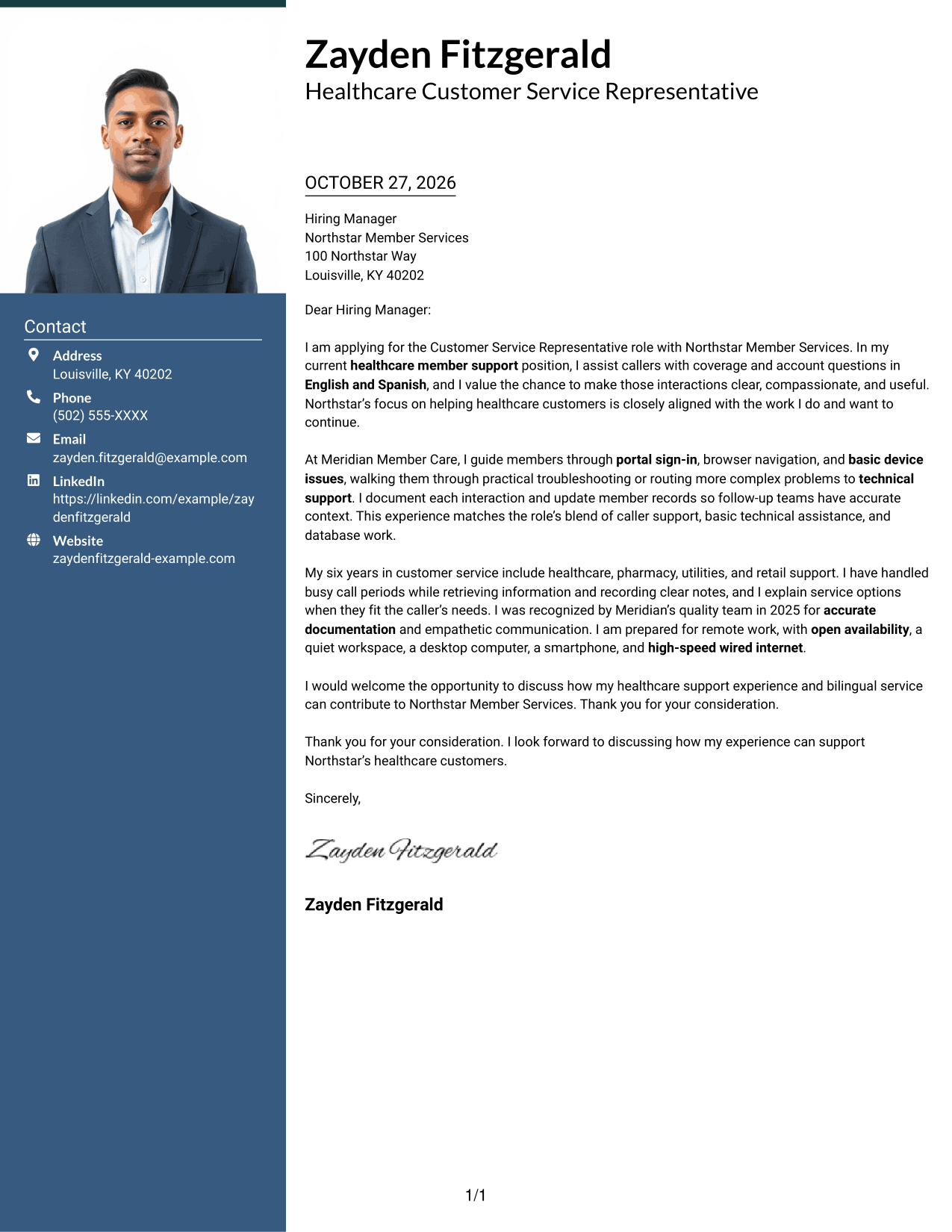
#3 Photo Header Two Column Format Cover Letter Example
A photo and contact sidebar distinguish this two-column layout for readers who prefer a portrait alongside the letter.
Why This Format Works
- The portrait offers a visible sender image while the letter keeps one continuous body.
- Contact details stay in the sidebar, apart from the continuous message.
- Reviewers can follow the argument in order while the columns separate contact information.
Best For
- Portrait-inclusive correspondence
- Contact details beside the message
- Continuous letter-body text
- Two-column layout preference
- Photo-led sender identification
#4 One Column Format with Photo Cover Letter Example
A photo gives this single-column format a portrait-led presentation while the letter remains in one reading path.
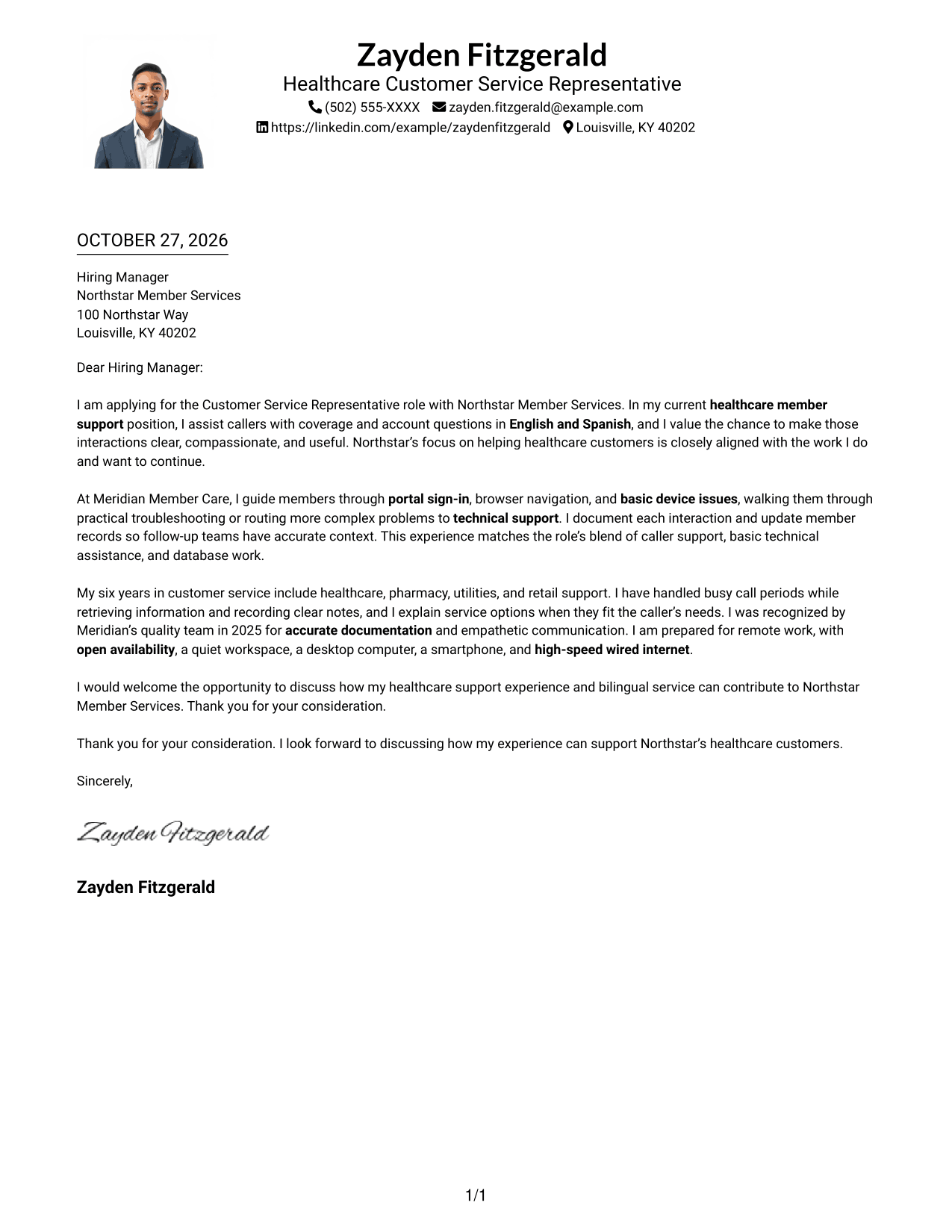
Why This Format Works
- The photo adds a visible sender image without dividing the letter body.
- Header details remain apart from the paragraphs that carry the message.
- Opening, supporting points, and closing stay within one continuous letter.
Best For
- Single-column letter reading
- Photo-inclusive correspondence
- Header-based contact details
- Uninterrupted letter paragraphs
- Portrait-led sender presentation
#5 Simple Two Column Format Cover Letter Example
The contact sidebar keeps sender information apart from the letter, while the body remains one continuous message.
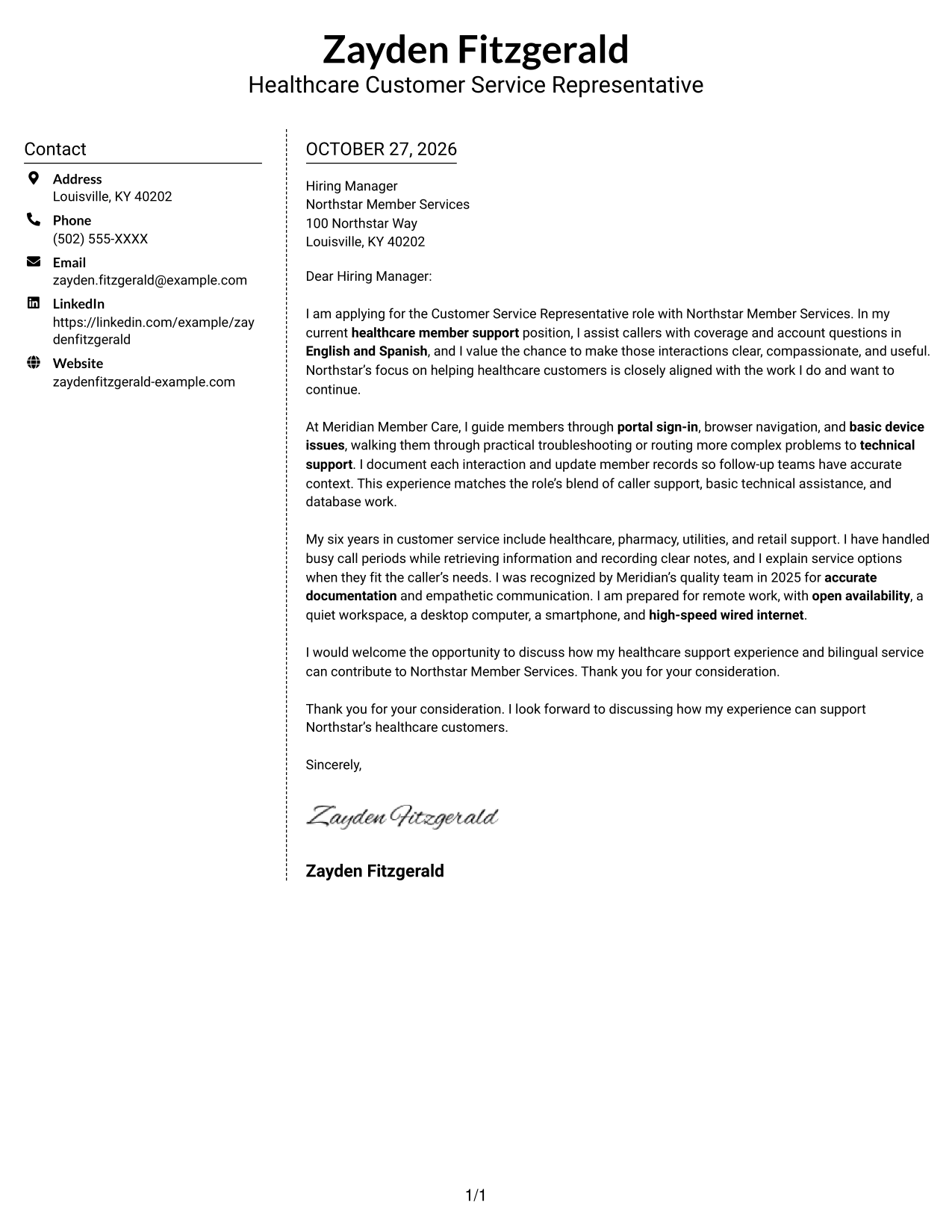
Why This Format Works
- A separate contact area lets reviewers locate sender details without entering the letter text.
- The body stays in one column, preserving a steady reading sequence.
- Continuous paragraphs link the letter's motivation, evidence, and closing.
Best For
- Contact-first document review
- Single-body letter format
- Sidebar contact reference
- Two-column reading preference
- Photo-free correspondence
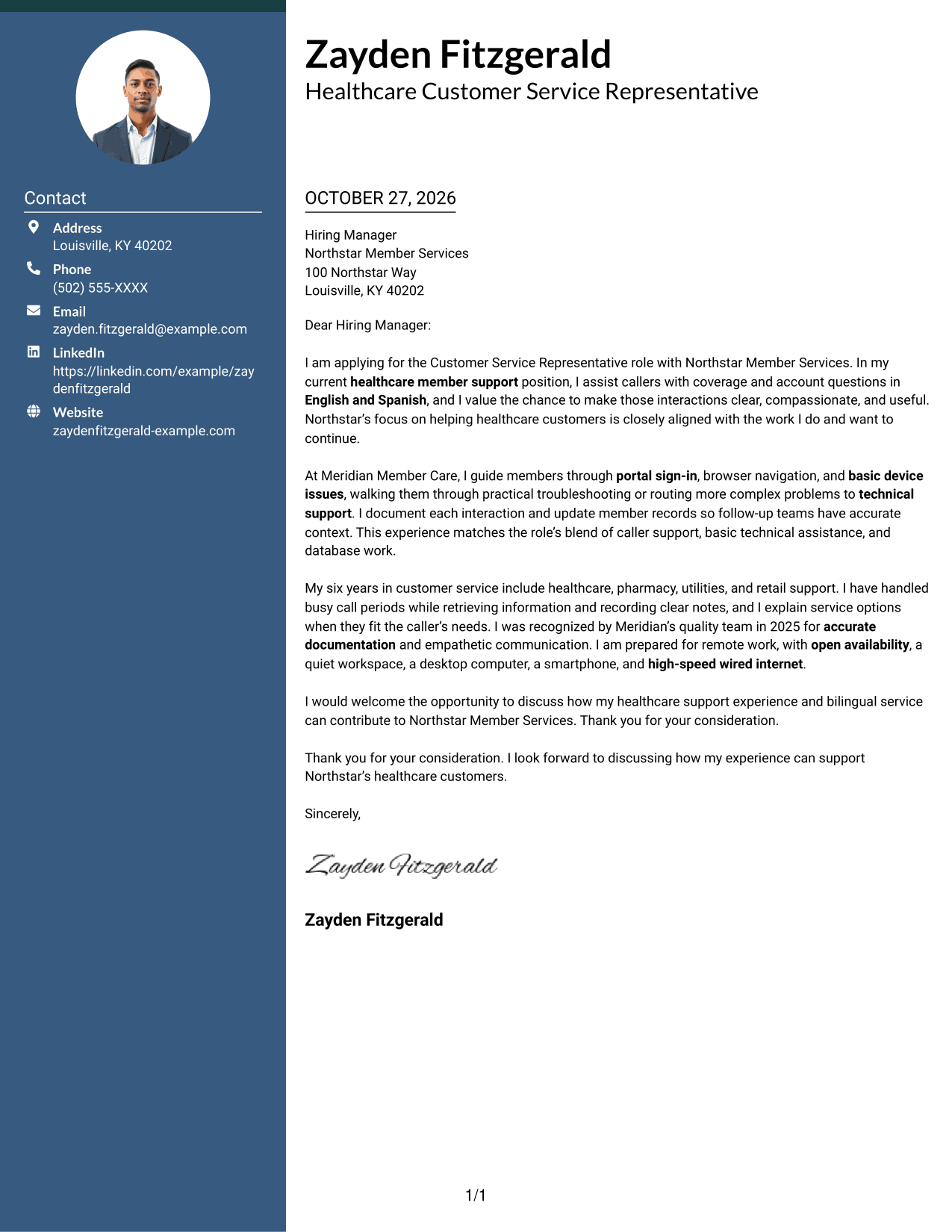
#6 Modern Icon Format Cover Letter Example
Contact icons mark sender details in the sidebar, while the letter itself stays in one continuous body.
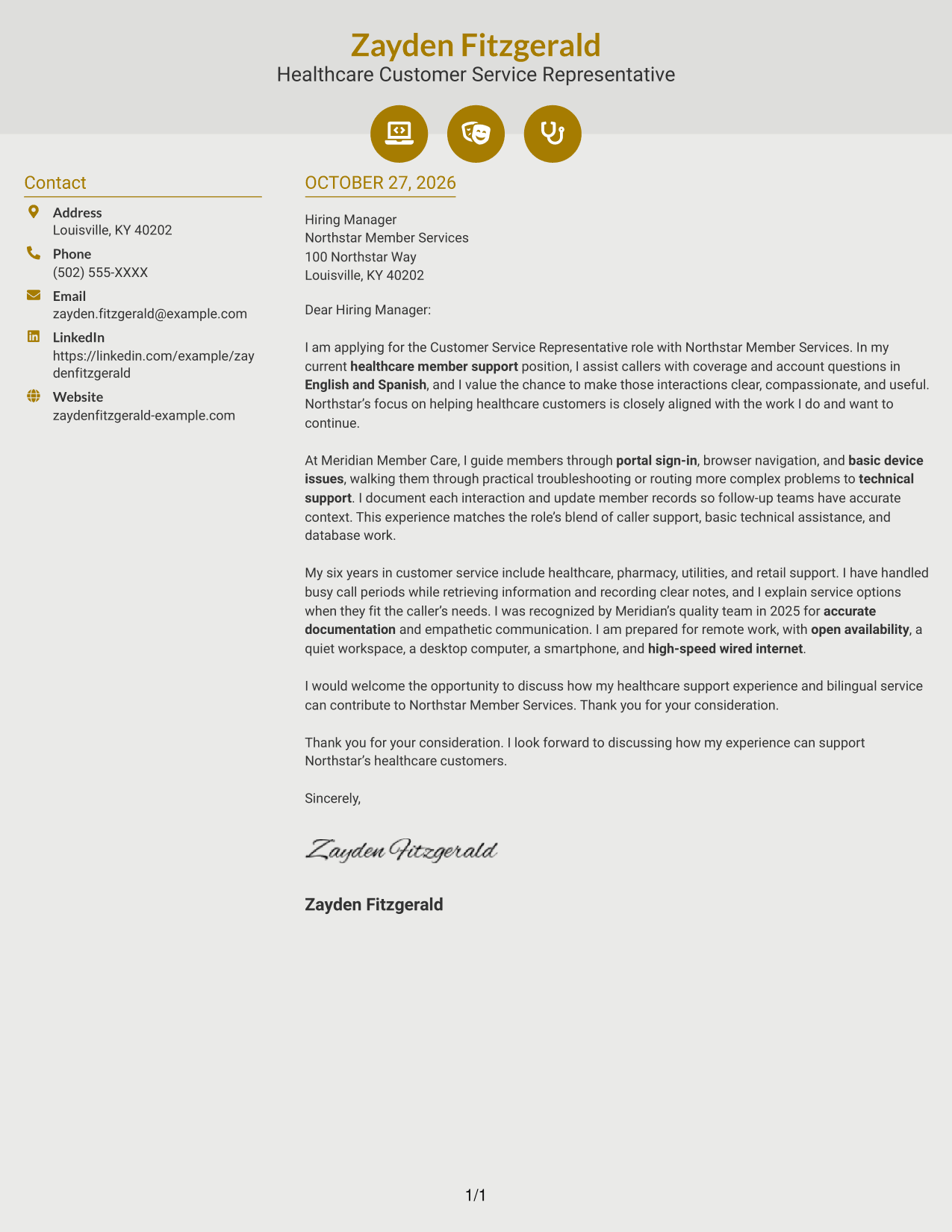
Why This Format Works
- Contact icons give sender details visual cues without labeling letter arguments.
- The sidebar keeps contact information distinct from the message itself.
- One continuous body lets reviewers follow the letter from opening through closing.
Best For
- Icon-cued contact details
- Contact sidebar layouts
- Continuous letter-body reading
- Two-column correspondence
- Decorative header accents
#7 Creative Two Tone Format Cover Letter Example
A contact sidebar sits beside one continuous letter body, keeping the sender's details separate while the message reads as a whole.
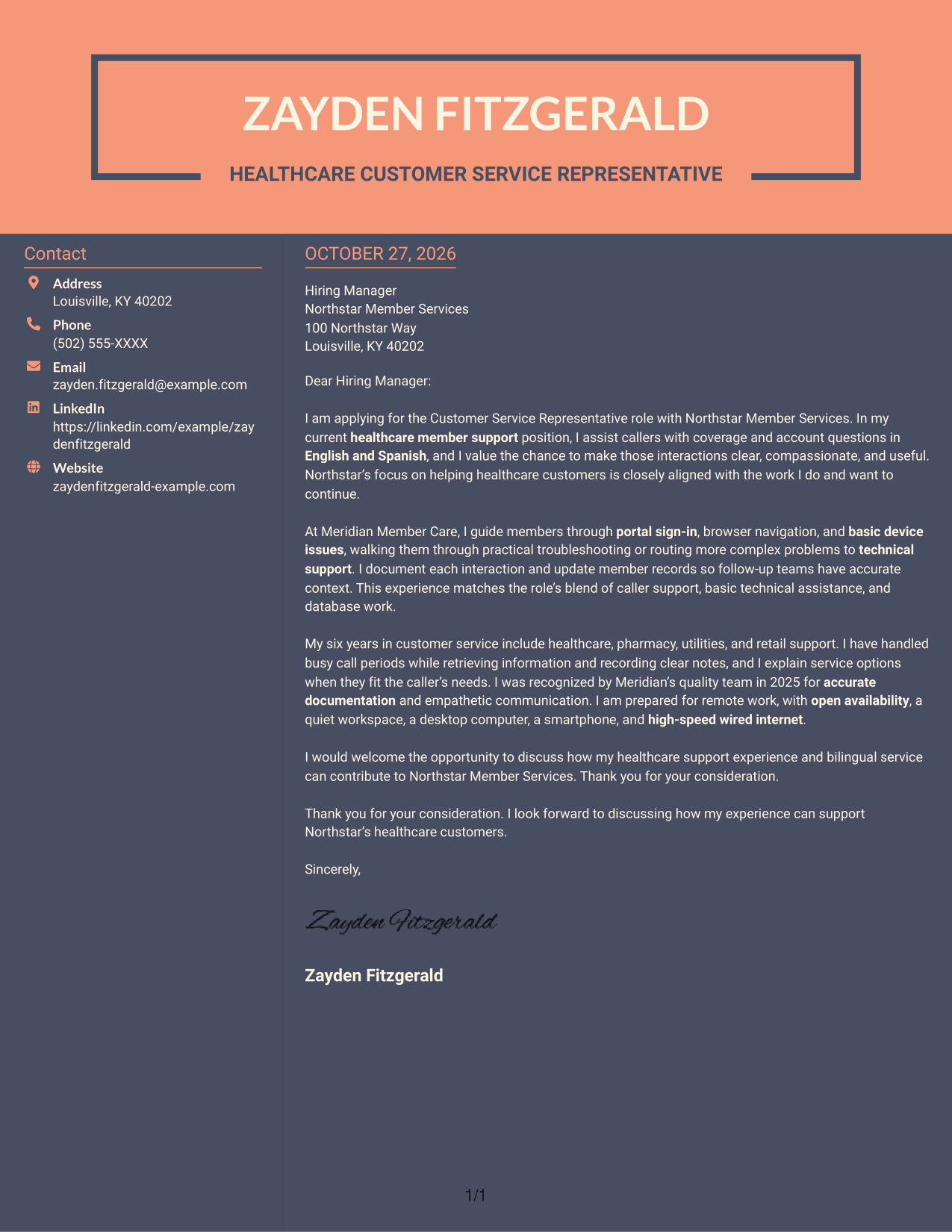
Why This Format Works
- The sidebar gives contact details a separate place beside the letter.
- A single body column keeps the message in a clear reading order.
- Connected paragraphs preserve the link between motivation, evidence, and closing.
Best For
- Separate contact and message areas
- Single-column letter-body text
- Connected paragraph correspondence
- Two-column layout preference
- Photo-free letter presentation
Why Use ResumeInMinutes for a Customer Service Representative - Healthcare Cover Letter
ResumeInMinutes provides a starting point for shaping a cover letter around the role, your relevant service experience, and the message you want to share with an employer.
- Role-focused writing
- Clear, readable layouts
- Cover letter customization
- Professional presentation
- Image previews
- Examples to view in the editor
For this healthcare customer service role, focus your message on compassionate communication, accurate caller support, and relevant experience with basic account or device questions.
See Also
- 7 Customer Service Representative - Healthcare Resume Templates with Example
- 33 Remote Healthcare Customer Service Representative Resume Templates with Example 2026 (ATS-Optimized)
- 33 BDC Customer Service Representative Resume Templates with Example 2026 (ATS-Optimized)
- 33 Bi-Lingual Medical Billing Customer Service Support Representative Resume Templates with Example 2026
- 7 Bilingual Customer Service Representative - Insurance Support Resume Templates with Example
- 33 Call Center Customer Service Representative Resume Templates with Example 2026 (ATS-Optimized)
- 33 Cashier / Customer Service Representative Resume Templates with Example 2026 (ATS-Optimized)
- 33 CDHP and COBRA Customer Service Representative Resume Templates with Example 2026
- 30+ Remote Healthcare Customer Service Representative Cover Letter Templates with Example 2026
- 30+ BDC Customer Service Representative Cover Letter Templates with Example 2026
Frequently Asked Questions
What should a Customer Service Representative - Healthcare cover letter emphasize?
Show how you communicate with care, answer customer questions, and guide callers through basic account or device issues. Give a clear example that reflects your own experience.
How can I describe bilingual service in my cover letter?
If you speak English and Spanish, explain how you use those language skills to understand callers and give clear support. Include only the languages you can confidently use at work.
How should I explain basic technical troubleshooting?
Briefly describe the account, portal, or device issue you helped with and how you guided the caller. Note when you referred a more complex problem to the right support team.
Should I mention my home workspace in the letter?
Mention your remote-work setup when it is relevant to the role or requested by the employer. Keep the focus on accurate, reliable customer support.
Which cover letter style works well for this role?
Choose a clean, easy-to-read style that keeps your opening, supporting evidence, and closing clear. Compare the image previews, then open an example in the editor to explore its presentation.




