
7 Cybersecurity & DevSecOps Intern Cover Letter Templates with Example
This practical guide helps you create a Cybersecurity & DevSecOps Intern cover letter and compare its 7 layouts to choose a clear way to present your fit.
What Makes a Great Cybersecurity & DevSecOps Intern Cover Letter in 2026
A strong letter connects your interest in defensive security to the role’s work in monitoring, incident response, vulnerability assessment, and DevSecOps. It makes your fit clear from the opening paragraph.
Use specific evidence, such as reviewing security events, documenting findings, or adding checks to a workflow. Then show how that experience can support the employer’s security goals.
The featured example moves from role interest to monitoring evidence, vulnerability assessment and DevSecOps work, then closes with broader preparation and a clear next step. Adapt that progression while choosing a presentation that fits the employer and the communication context.
#1 Simple One Column Format Cover Letter Example
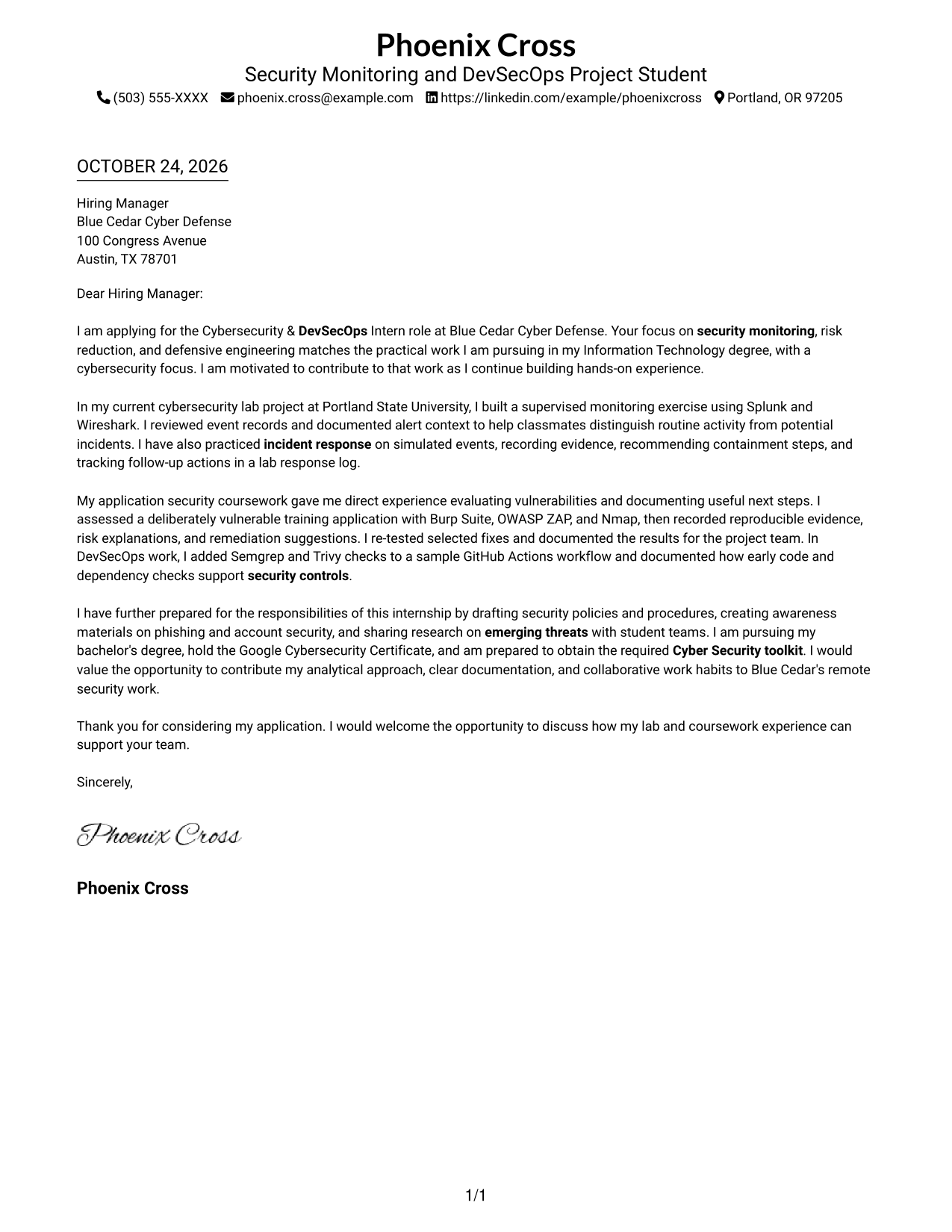
The Simple One Column Format keeps sender details in the header and the letter in one reading path, a practical choice for a direct, uncluttered message.
Why This Format Works
- Header-based contact details are easy to locate without dividing the letter body.
- The continuous paragraphs carry the message from opening through closing.
- One reading path keeps the letter's argument together for the reviewer.
Best For
- Single-column letter reading
- Header-based contact details
- Paragraph-led persuasion
- A direct, uninterrupted message
- Simple page organization
#2 Two Column Format Cover Letter Example
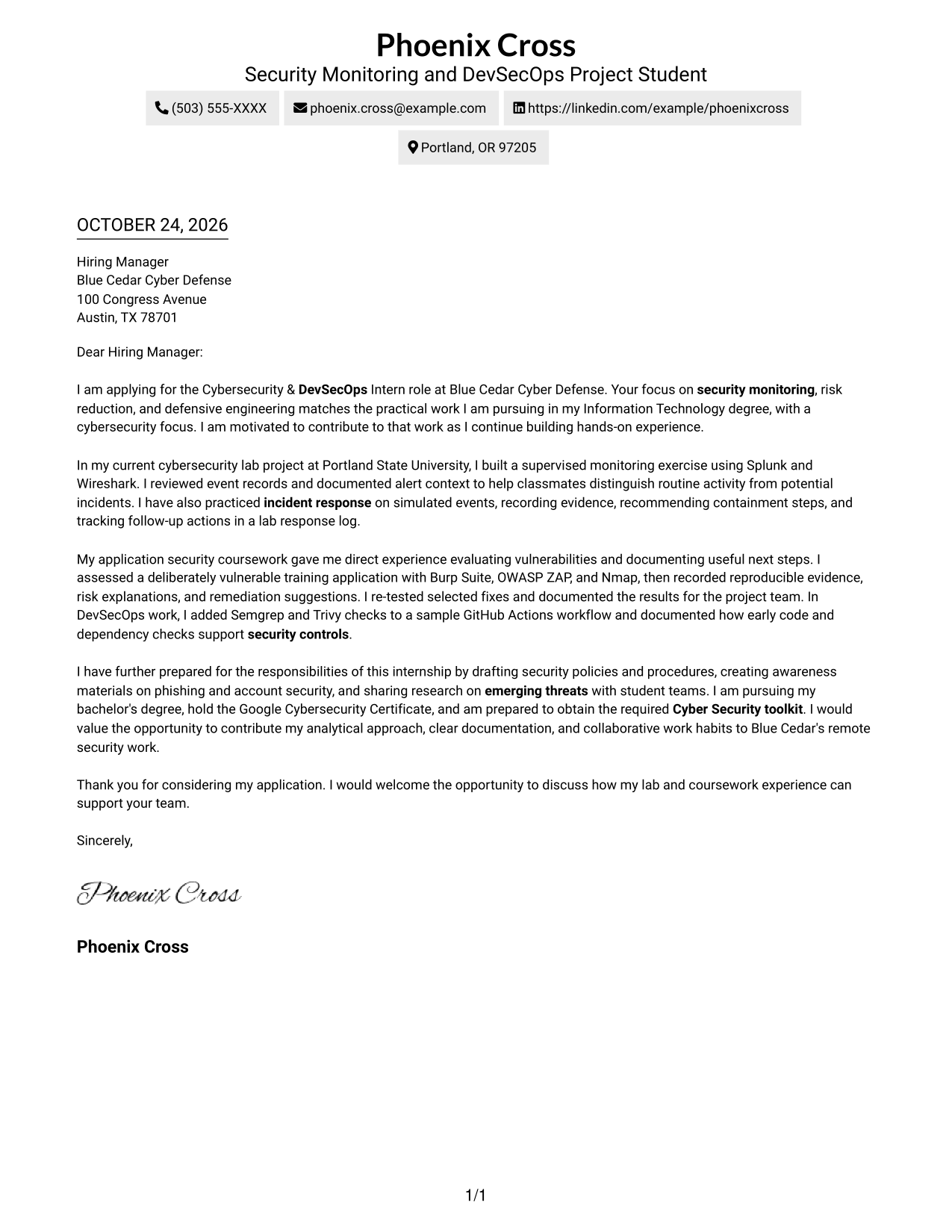
The Two Column Format places contact details in a sidebar beside one continuous letter body, a useful choice when readers should find sender information separately from the message.
Why This Format Works
- A contact sidebar keeps sender information separate from the letter's paragraphs.
- The single body column preserves the opening-to-closing order of the message.
- Contact details remain easy to find without interrupting the persuasive text.
Best For
- Contact details beside the letter
- Separate contact and message areas
- A continuous letter body
- Paragraph-based persuasion
- Two-column page organization
#3 Photo Header Two Column Format Cover Letter Example
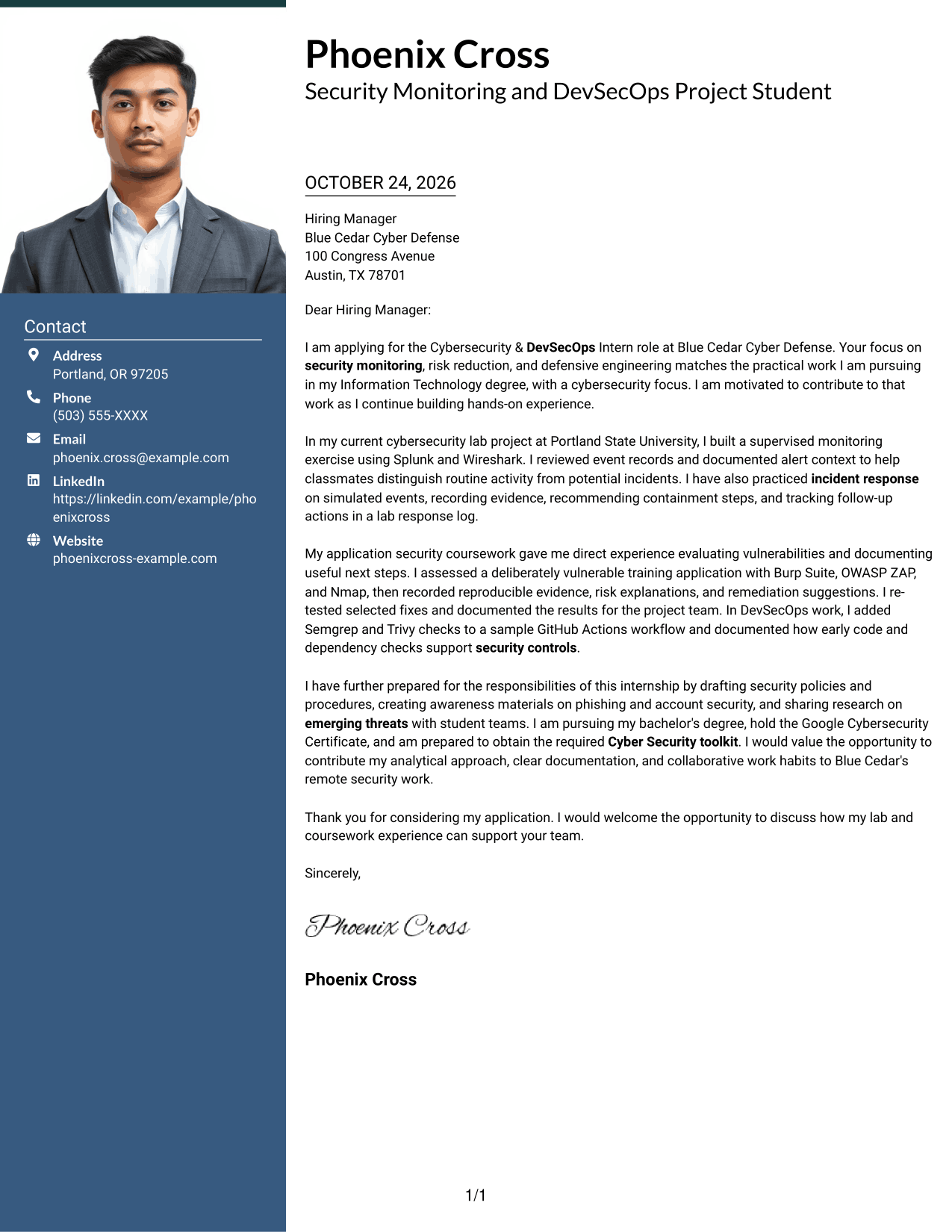
The Photo Header Two Column Format includes a photo and keeps contact details beside one continuous letter body, a practical option for readers who want both elements visible.
Why This Format Works
- The contact sidebar keeps sender information apart from the letter's main text.
- One continuous body column maintains a clear order from opening to close.
- The included photo offers a visible personal element in the document.
Best For
- Photo-inclusive correspondence
- Contact details beside the letter
- A continuous paragraph argument
- Visible sender information
- Two-column organization
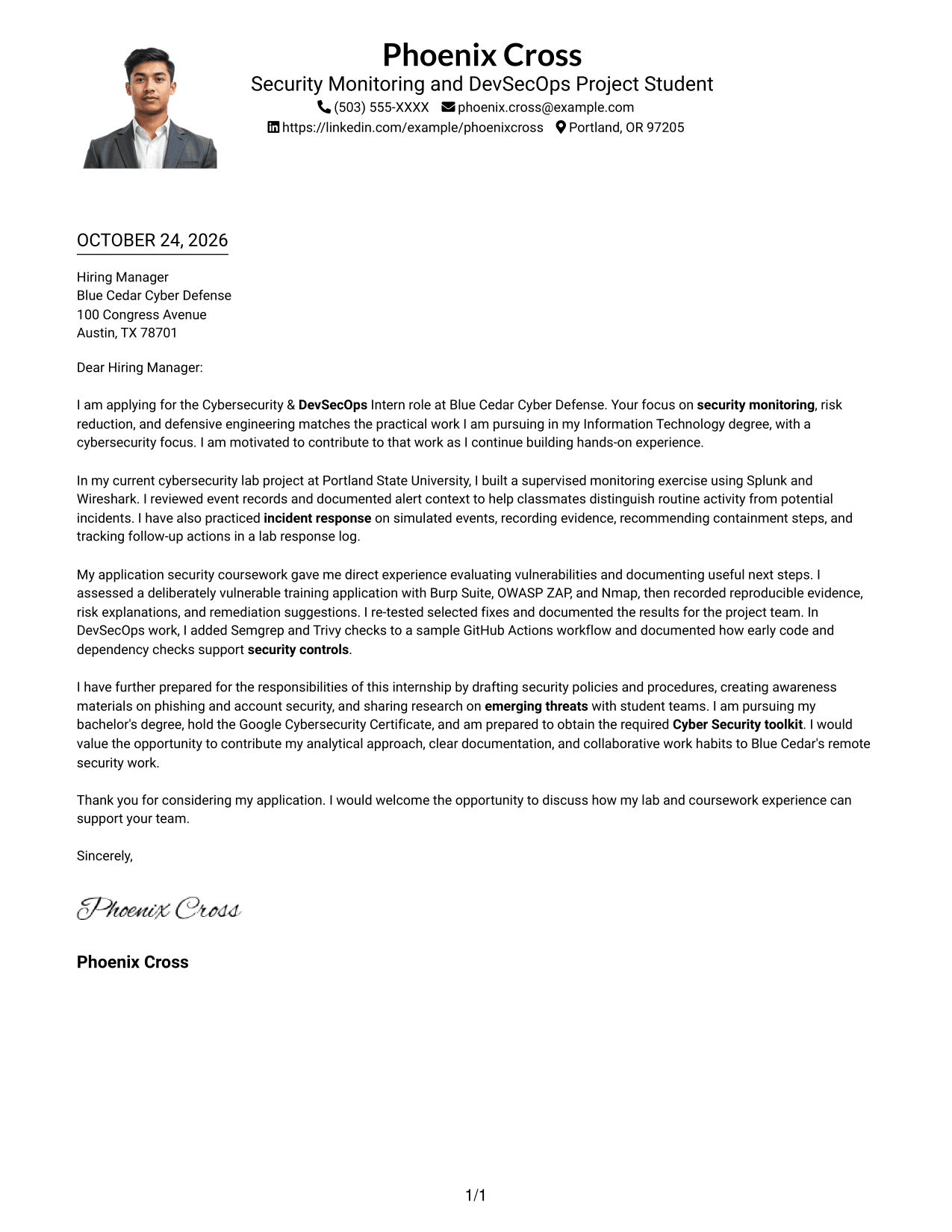
#4 One Column Format with Photo Cover Letter Example
The One Column Format with Photo presents the letter in one reading path and includes a photo, suited to readers who prefer a single-column page with a personal visual element.
Why This Format Works
- Sender details stay in the header above the continuous letter body.
- The single-column structure keeps the message in a straightforward reading order.
- A photo adds a personal visual element without splitting the letter into columns.
Best For
- Single-column letter reading
- Photo-inclusive correspondence
- A straightforward message order
- Header-based contact information
- One continuous letter body
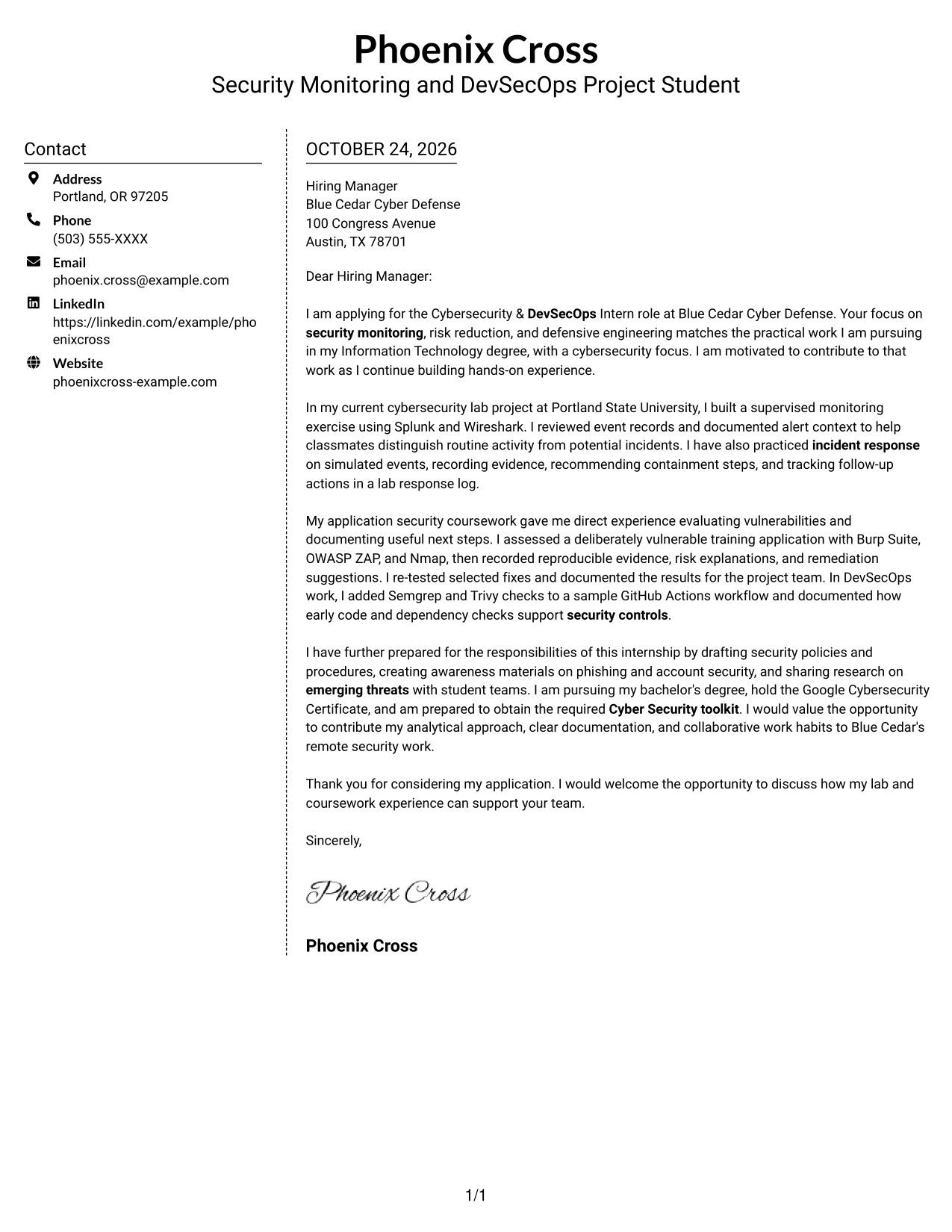
#5 Simple Two Column Format Cover Letter Example
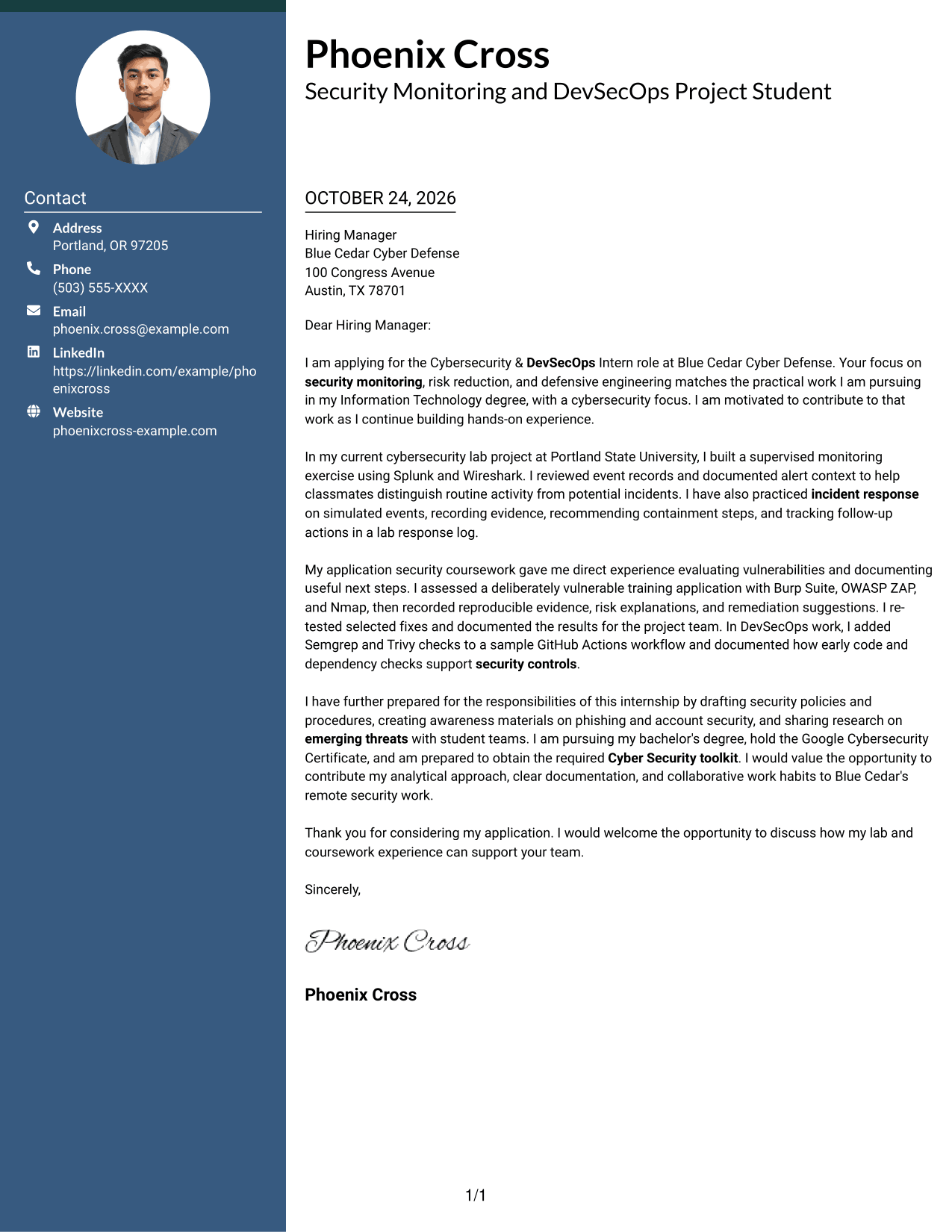
The Simple Two Column Format sets contact details in a sidebar beside the continuous letter body, a practical fit for separating sender information from the message.
Why This Format Works
- The sidebar gives contact details a distinct place beside the letter.
- The continuous body keeps opening, supporting paragraphs, and closing in sequence.
- Separate columns distinguish sender information from the persuasive message.
Best For
- Sidebar contact information
- A separate letter body
- Continuous paragraph flow
- Clear sender-message distinction
- Two-column page organization
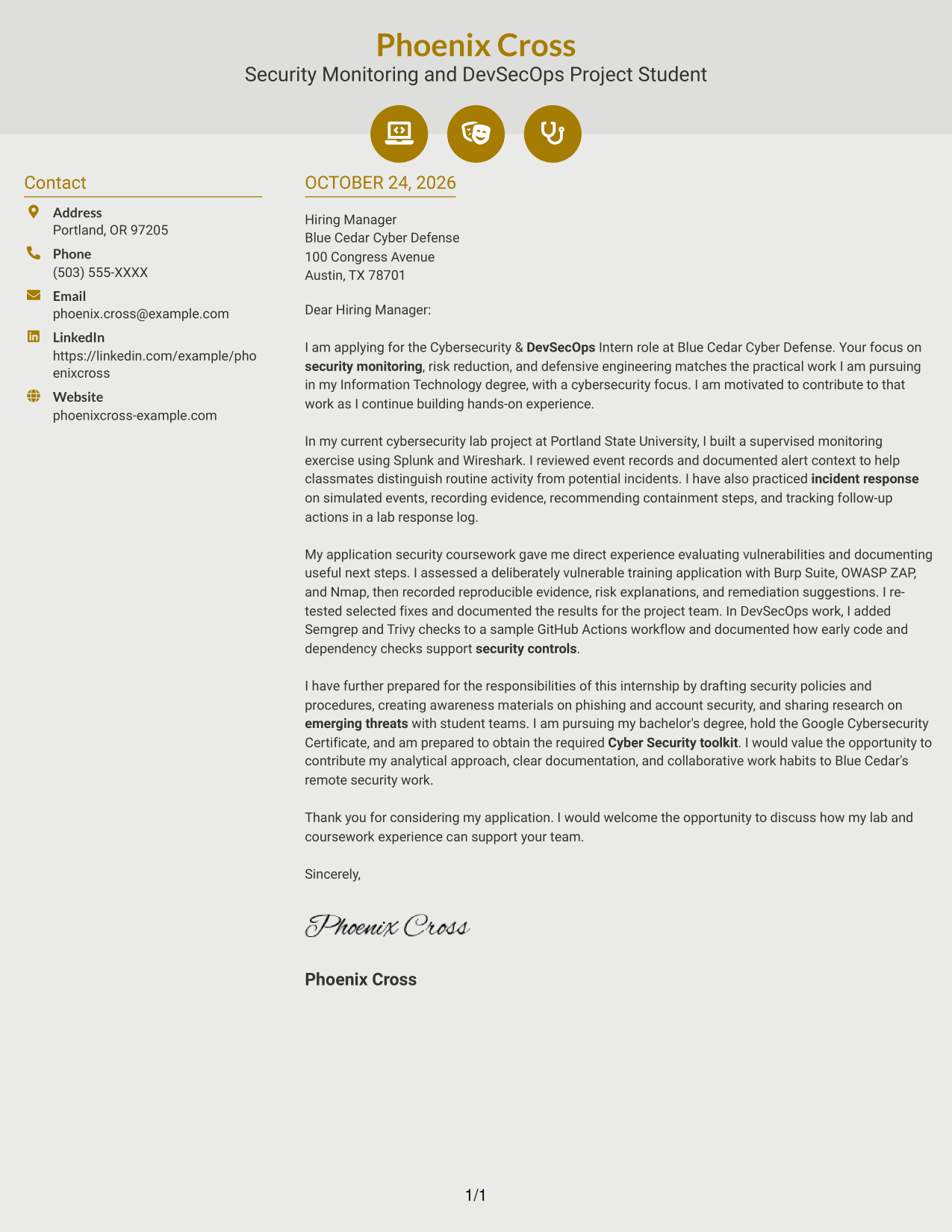
#6 Modern Icon Format Cover Letter Example
The Modern Icon Format uses contact-detail cues in a sidebar beside one continuous letter body, a useful choice when readers want sender information easy to spot.
Why This Format Works
- Contact icons help distinguish sender details from the letter's main text.
- The single body column keeps the message in its natural paragraph order.
- Decorative header accents add visual cues without dividing the letter's argument.
Best For
- Icon-supported contact details
- A continuous letter body
- Easy-to-spot sender information
- Paragraph-led persuasion
- Two-column page organization
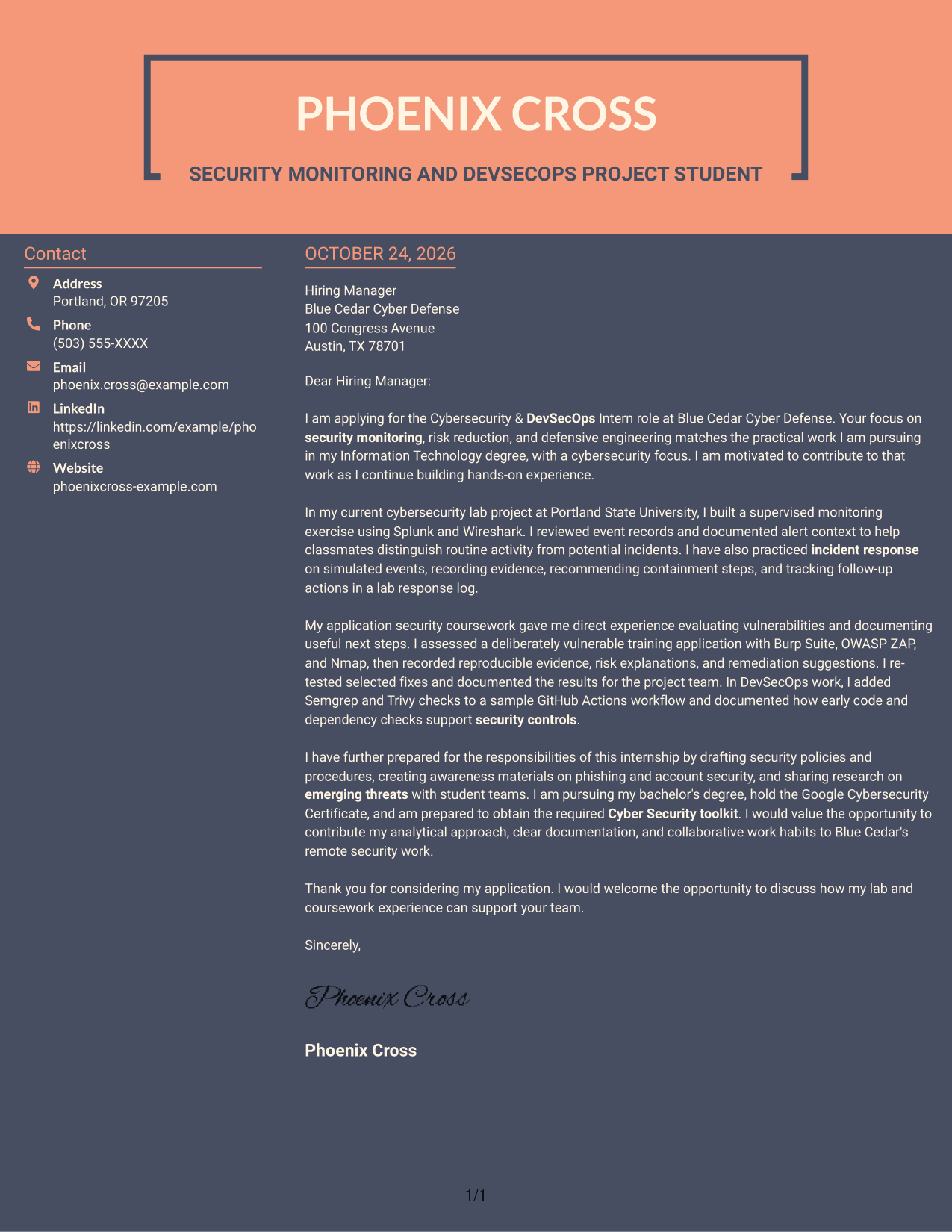
#7 Creative Two Tone Format Cover Letter Example
The Creative Two Tone Format places contact details in a sidebar beside one continuous letter body, a practical option for readers who want distinct areas for sender information and the message.
Why This Format Works
- The contact sidebar keeps sender information distinct from the letter body.
- Opening, evidence, and closing paragraphs stay together in one column.
- The two-column arrangement gives contact details a clear place beside the message.
Best For
- Distinct contact and message areas
- A single-column letter body
- Continuous paragraph reading
- Sidebar-based contact details
- Two-column page organization
See Also
- 7 Cybersecurity & DevSecOps Intern Resume Templates with Example
- 33 AI-Powered Cybersecurity Product Engineer Resume Templates with Example 2026 (ATS-Optimized)
- 33 Analyst - Cybersecurity Operations Resume Templates with Example 2026 (ATS-Optimized)
- 33 Associate Cybersecurity Engineer Resume Templates with Example 2026 (ATS-Optimized)
- 33 Chief Technology Officer - Cybersecurity Resume Templates with Example 2026 (ATS-Optimized)
- 7 Cyber Systems Engineer Intern - Offensive Cybersecurity and Automation Resume Templates with Example
- 33 Cybersecurity Analyst Intern - Hands-on Security Resume Templates with Example 2026 (ATS-Optimized)
- 33 Cybersecurity Analyst Resume Templates with Example 2026 (ATS-Optimized)
- 30+ AI-Powered Cybersecurity Product Engineer Cover Letter Templates with Example 2026
- 30+ Analyst - Cybersecurity Operations Cover Letter Templates with Example 2026
Frequently Asked Questions
What should a Cybersecurity & DevSecOps Intern cover letter emphasize?
Connect your interest in the role to relevant evidence. The featured letter describes security event monitoring, simulated incident response, vulnerability assessment, and security checks in a sample workflow.
How can I describe security monitoring experience?
Explain what you reviewed, how you documented alert context, and how you handled potential incidents. The example refers to a supervised monitoring exercise using Splunk and Wireshark.
How can I show experience with vulnerability assessment?
Describe the assessment setting, the tools you used, and how you recorded evidence and remediation suggestions. The example discusses a training application assessment with Burp Suite, OWASP ZAP, and Nmap.
How should I connect DevSecOps work to this internship?
Show how early security checks can support a safer development process. The featured letter describes adding Semgrep and Trivy checks to a sample GitHub Actions workflow.
Should I use a photo on my cover letter?
For U.S. applications, a cover letter without a photo is usually the safer choice. Use a photo only when it is common or expected in your region or field.




