
7 Economic Development Administrative Assistant Cover Letter Templates with Example
This practical guide helps you write an Economic Development Administrative Assistant cover letter that clearly connects your experience to the role. You will learn how to make your interest and fit easy for an employer to understand.
A strong letter for this role brings together reliable office support, careful handling of records and financial tasks, and clear service to staff and community partners. Specific examples can show how you coordinate meetings, manage purchasing or timesheet details, and support outreach and events.
Review an Economic Development Administrative Assistant cover letter example and explore 7 layouts. The guide explains how to shape an opening, choose useful evidence, show motivation and employer alignment, and end with a professional close.
What Makes a Great Economic Development Administrative Assistant Cover Letter in 2026
A strong letter for this role opens with clear interest and connects dependable office support to the needs of economic development staff. It should show that you can communicate well with staff, partners, and the public.
Choose evidence such as meeting coordination, accurate invoice or timesheet work, confidential records, or event support. Explain how those examples can help the employer's team and community work run smoothly.
The featured Economic Development Administrative Assistant example follows a focused progression from opening to evidence to a professional close. Adapt that flow to your own experience, and choose a presentation that suits the employer and the way you will communicate with them.
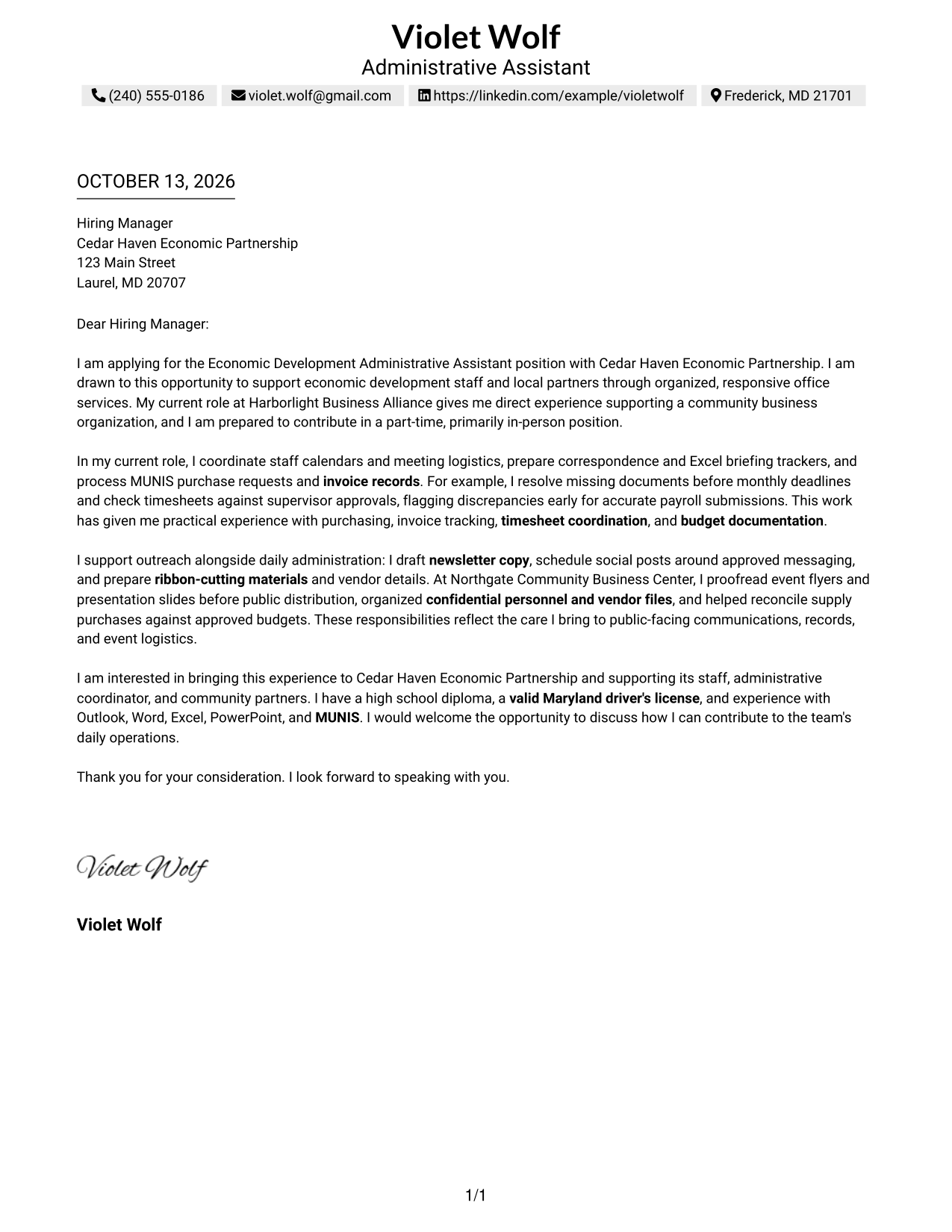
#1 Simple One Column Format Cover Letter Example
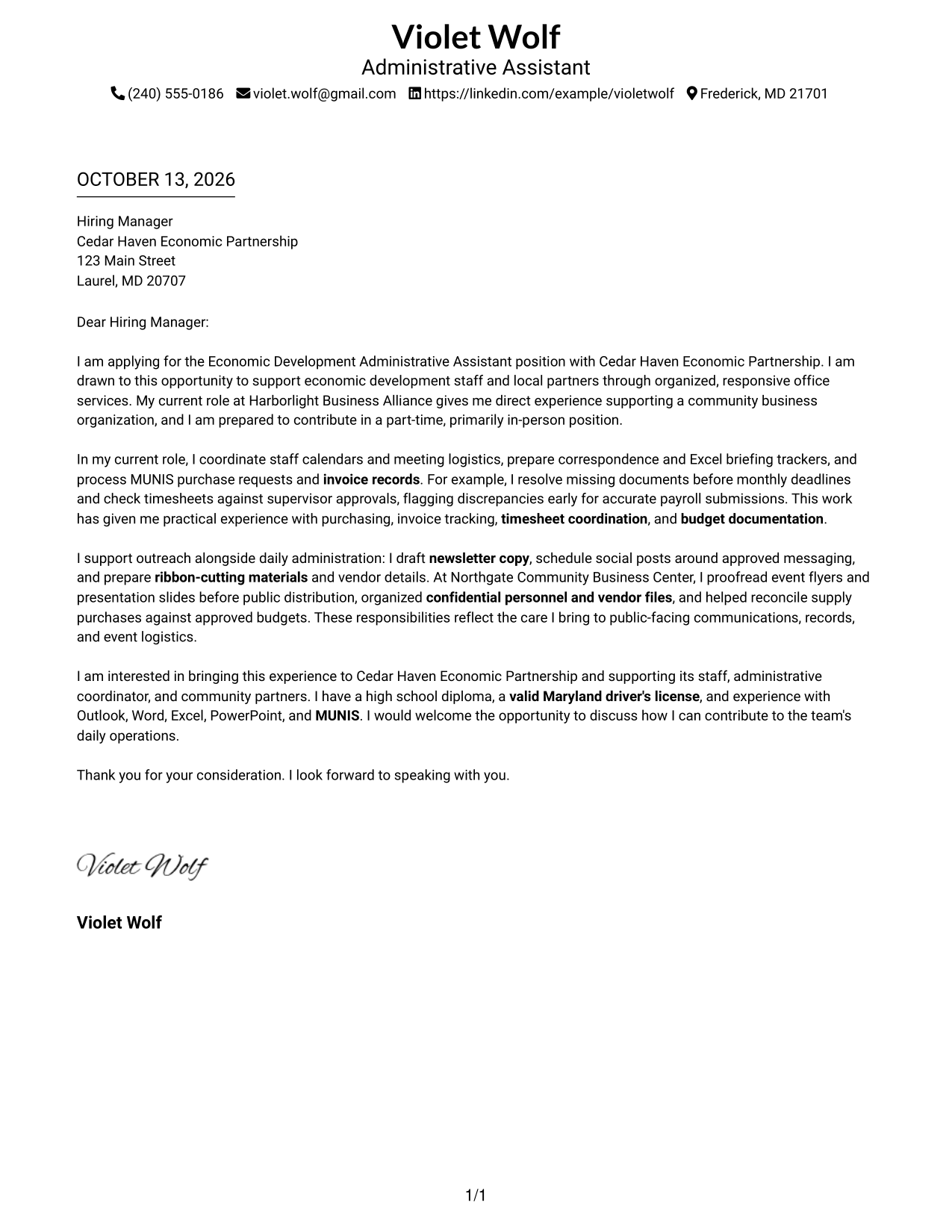
When a reader can follow a letter without detours, its case becomes easier to hear; the Simple One Column Format keeps sender details in the header and the full message in one clear path.
Why This Format Works
- Sender details in the header leave the opening easy to find.
- The continuous body carries motivation, evidence, and closing in a clear reading order.
- One-column reading keeps the letter's argument together from first paragraph to final thanks.
Best For
- Continuous letter narratives
- Sender details grouped in the header
- Opening-to-closing reading flow
- Letters with connected evidence paragraphs
- Simple contact and message hierarchy
#2 Two Column Format Cover Letter Example
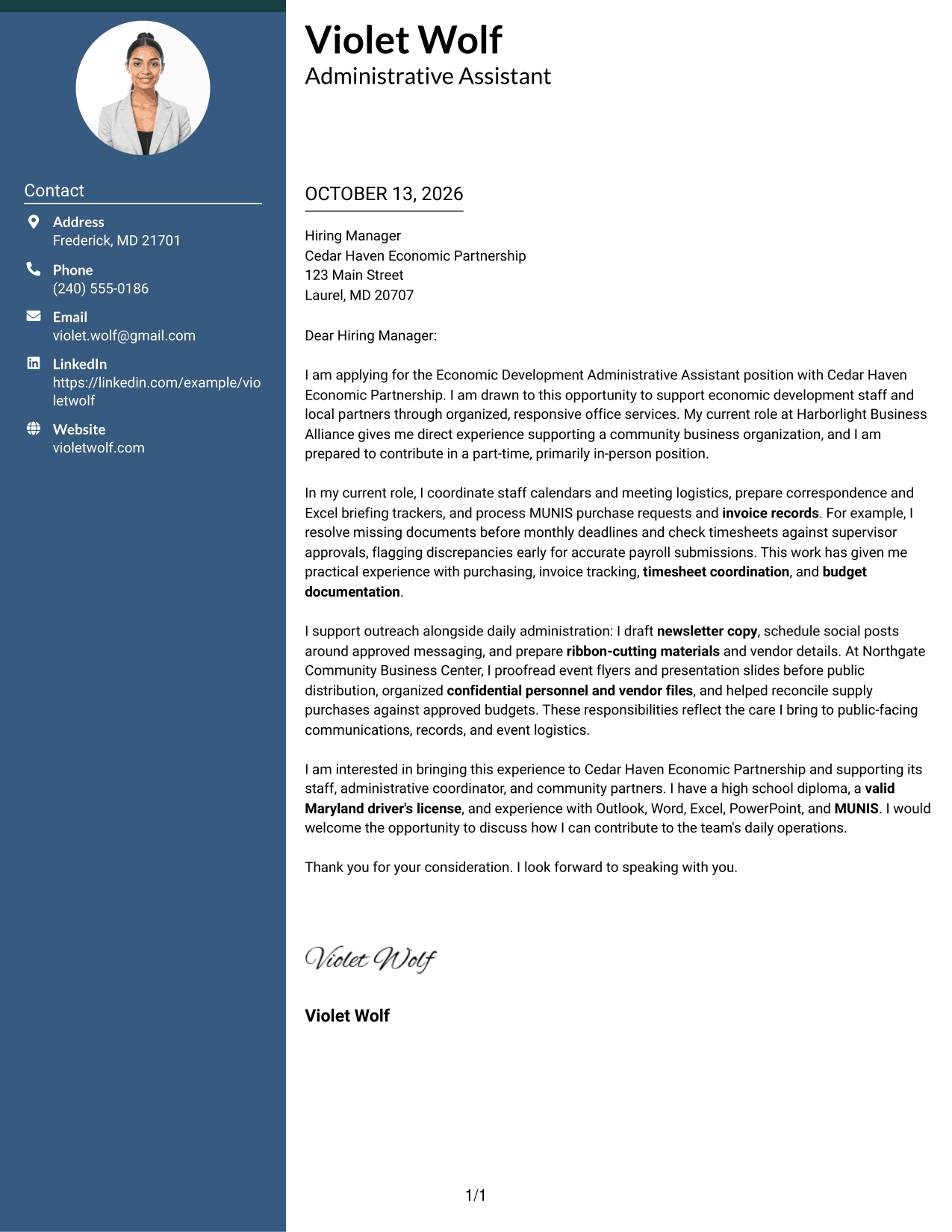
A separate contact sidebar can make a letter easier to navigate while its message remains whole: the Two Column Format places contact details beside one continuous body.
Why This Format Works
- Contact details stay in a sidebar, leaving the body for opening and motivation.
- One continuous body lets reviewers follow evidence from work examples into the closing.
- Separate contact information keeps the persuasive message from competing with sender details.
Best For
- Separate contact and message areas
- Continuous persuasive letter body
- Quick access to sender details
- Letters with several connected points
- Sidebar-based page organization
#3 Photo Header Two Column Format Cover Letter Example
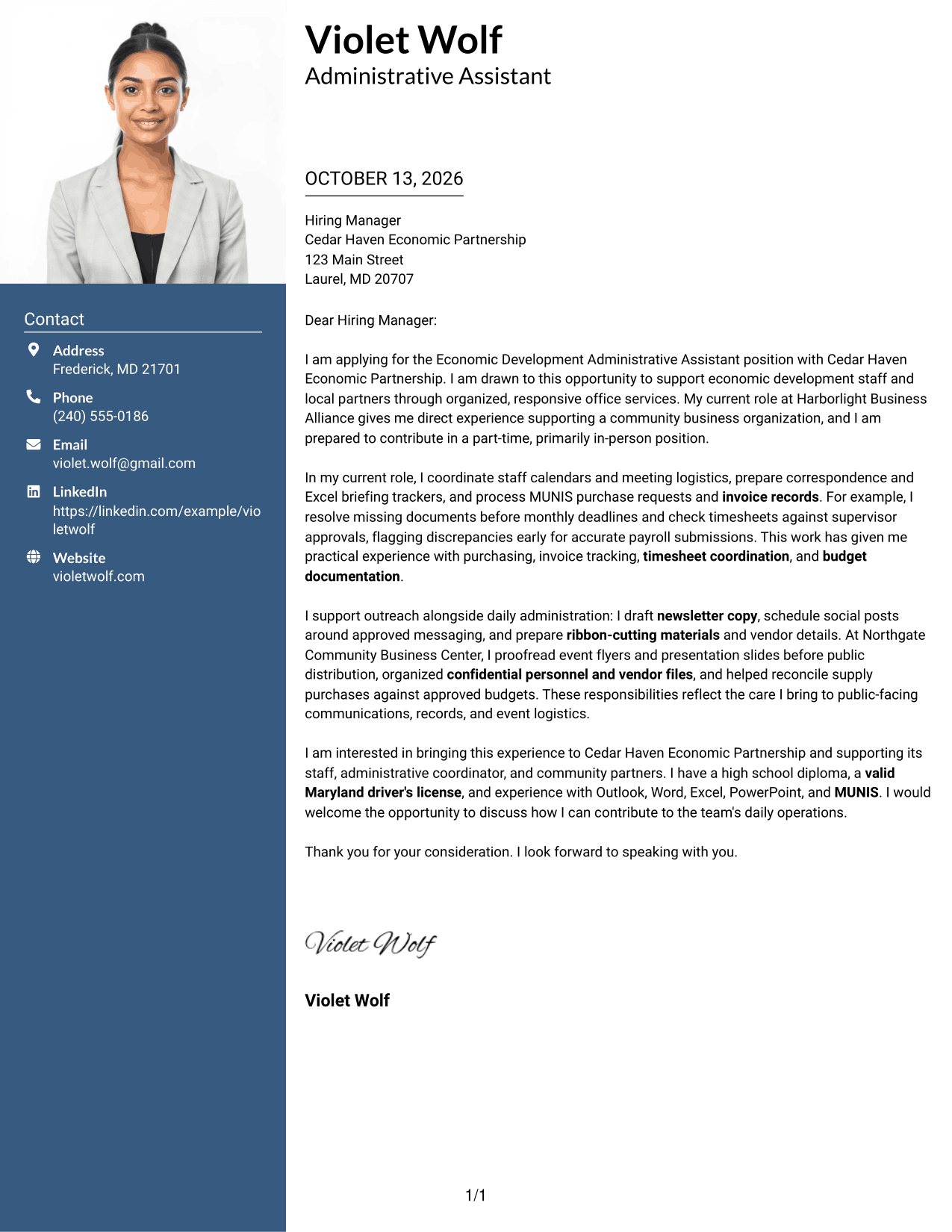
For a letter that pairs a personal header with an easy-to-follow message, the Photo Header Two Column Format places a photo and contact sidebar alongside one continuous letter body.
Why This Format Works
- Photo and contact details share the header area, keeping sender identification apart from the letter's argument.
- Sidebar contact details leave the body to carry motivation, evidence, and closing in order.
- One connected letter body helps reviewers follow the case without switching between columns.
Best For
- Photo header with contact sidebar
- Photo-requested application materials
- Sender details beside the message
- One continuous argument
- Distinct personal identification
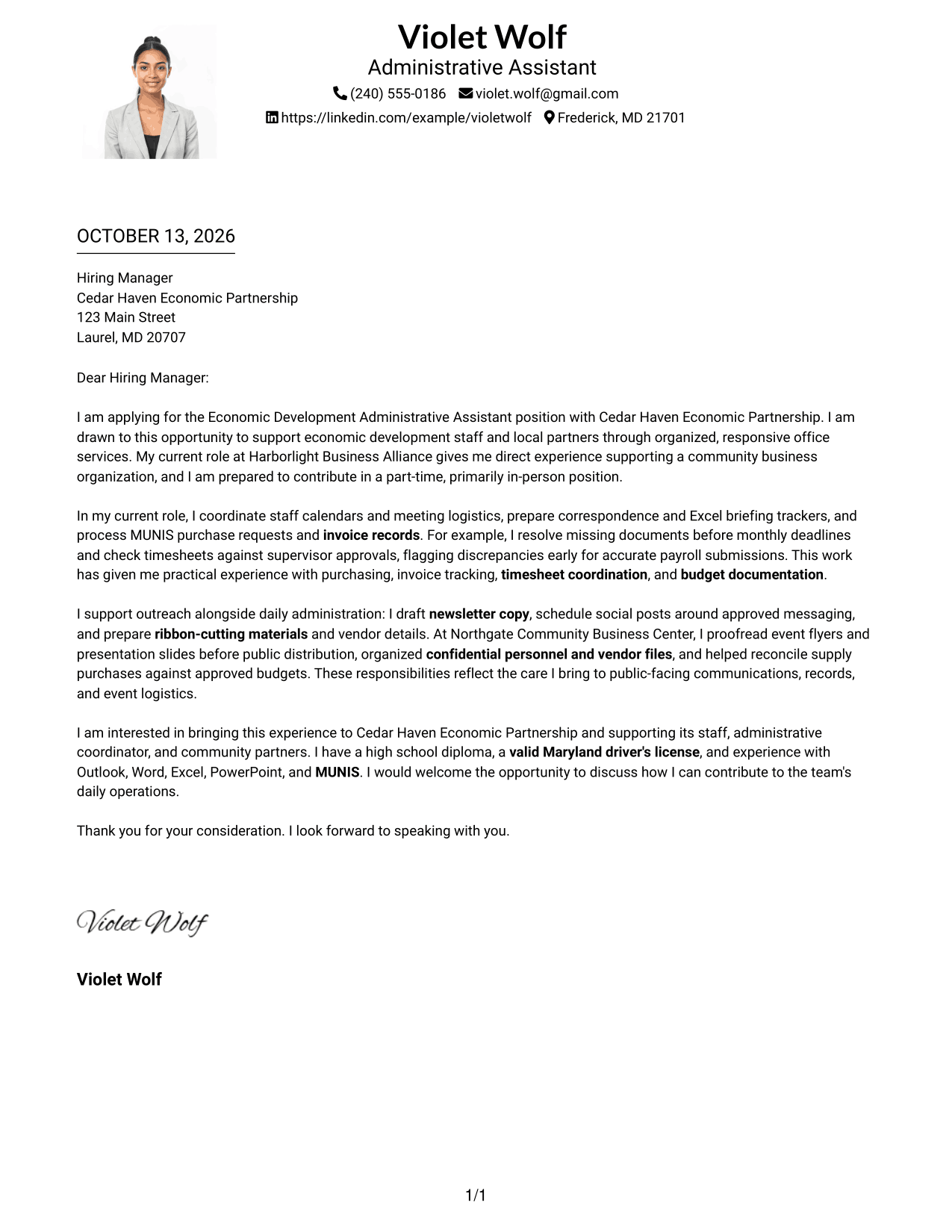
#4 One Column Format with Photo Cover Letter Example
The One Column Format with Photo keeps the letter on one reading path, with sender details and a photo in the header.
Why This Format Works
- Header details stay apart, letting the opening lead into evidence.
- One reading path keeps motivation, examples, and closing in sequence.
- Photo and sender details share the header, separating identification from the letter's message.
Best For
- Photo with a one-column letter
- Sender details grouped in the header
- Linear opening-to-closing reading
- Applications requesting a profile photo
- Message-first letter presentation
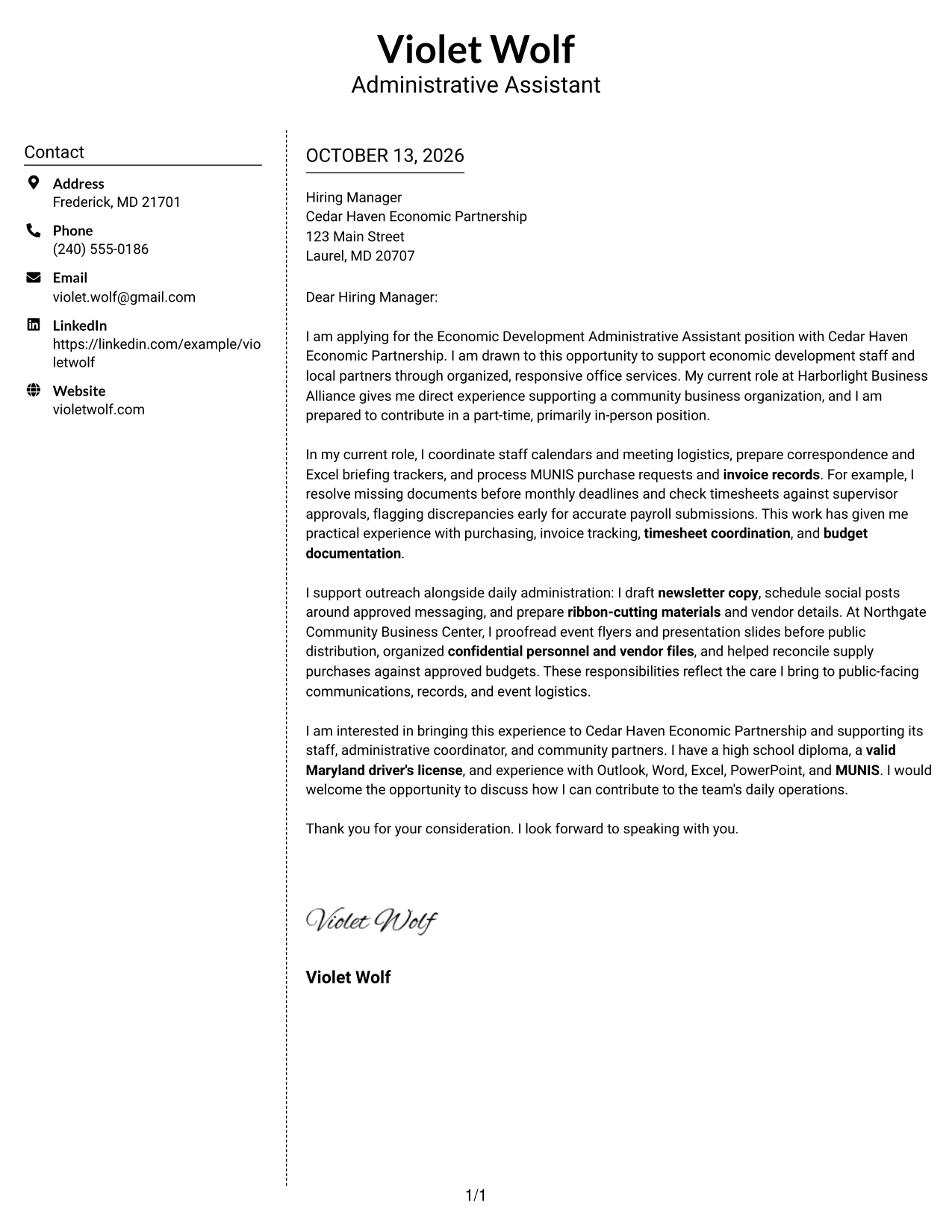
#5 Simple Two Column Format Cover Letter Example
Readers can locate sender information in its own sidebar, then stay with one connected message in the Simple Two Column Format.
Why This Format Works
- A contact sidebar keeps sender information separate from the letter's opening.
- The body remains continuous, carrying motivation and evidence without parallel argument columns.
- Clear separation helps reviewers move between contact information and the closing message.
Best For
- Straightforward sidebar contact details
- Single continuous message
- Clear separation from sender information
- Letters with connected evidence paragraphs
- Simple two-area organization
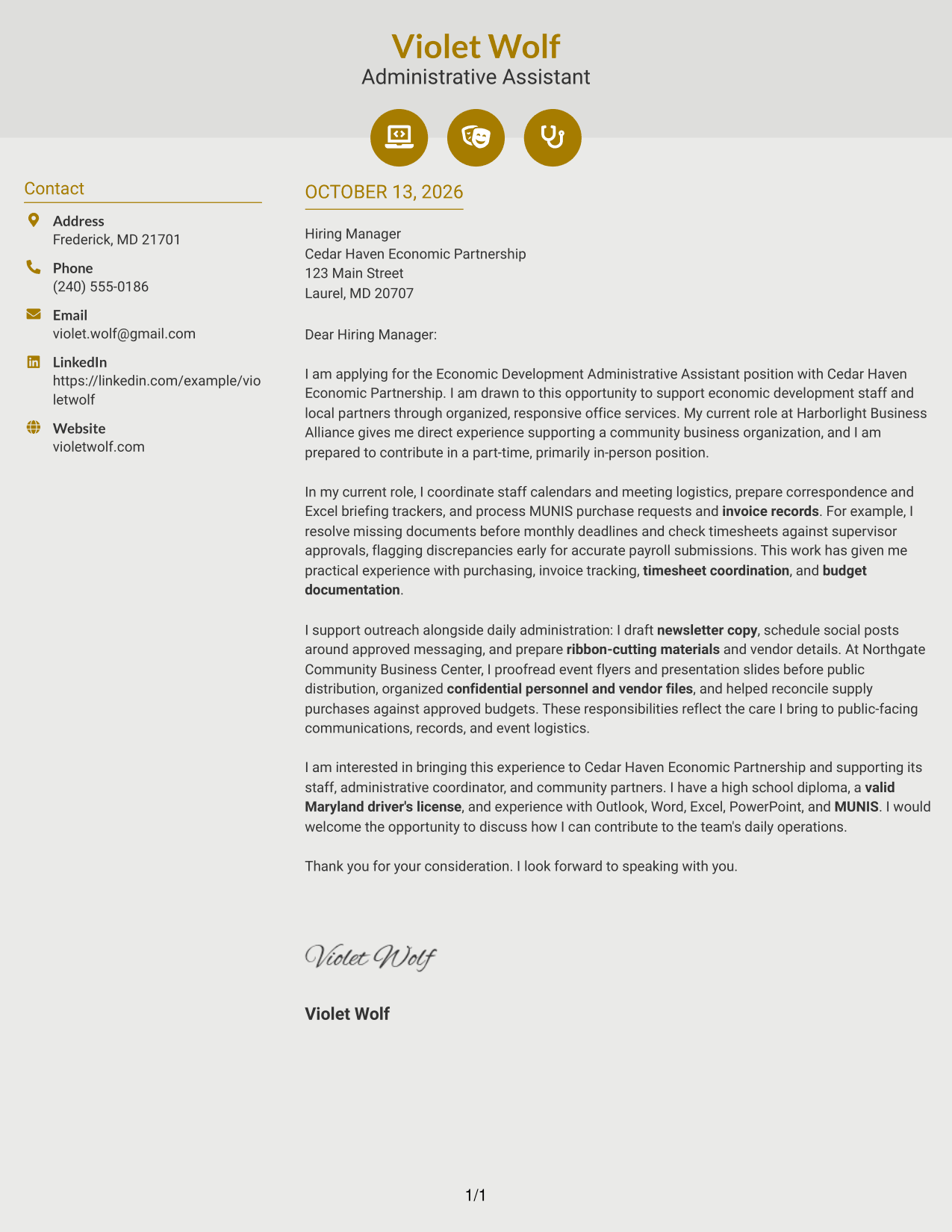
#6 Modern Icon Format Cover Letter Example
Small visual cues can help readers spot contact information at once; Modern Icon Format pairs those cues with a sidebar and a single continuous letter body.
Why This Format Works
- Contact icons cue sender details, while the body keeps motivation and evidence in prose.
- Sidebar separation lets the opening, evidence, and closing read as one argument.
- Header accents frame the message without turning its paragraphs into labeled sections.
Best For
- Icon-cued contact information
- Separate sender and message areas
- Continuous persuasive letters
- Quick contact-detail reference
- Headers with visual cues
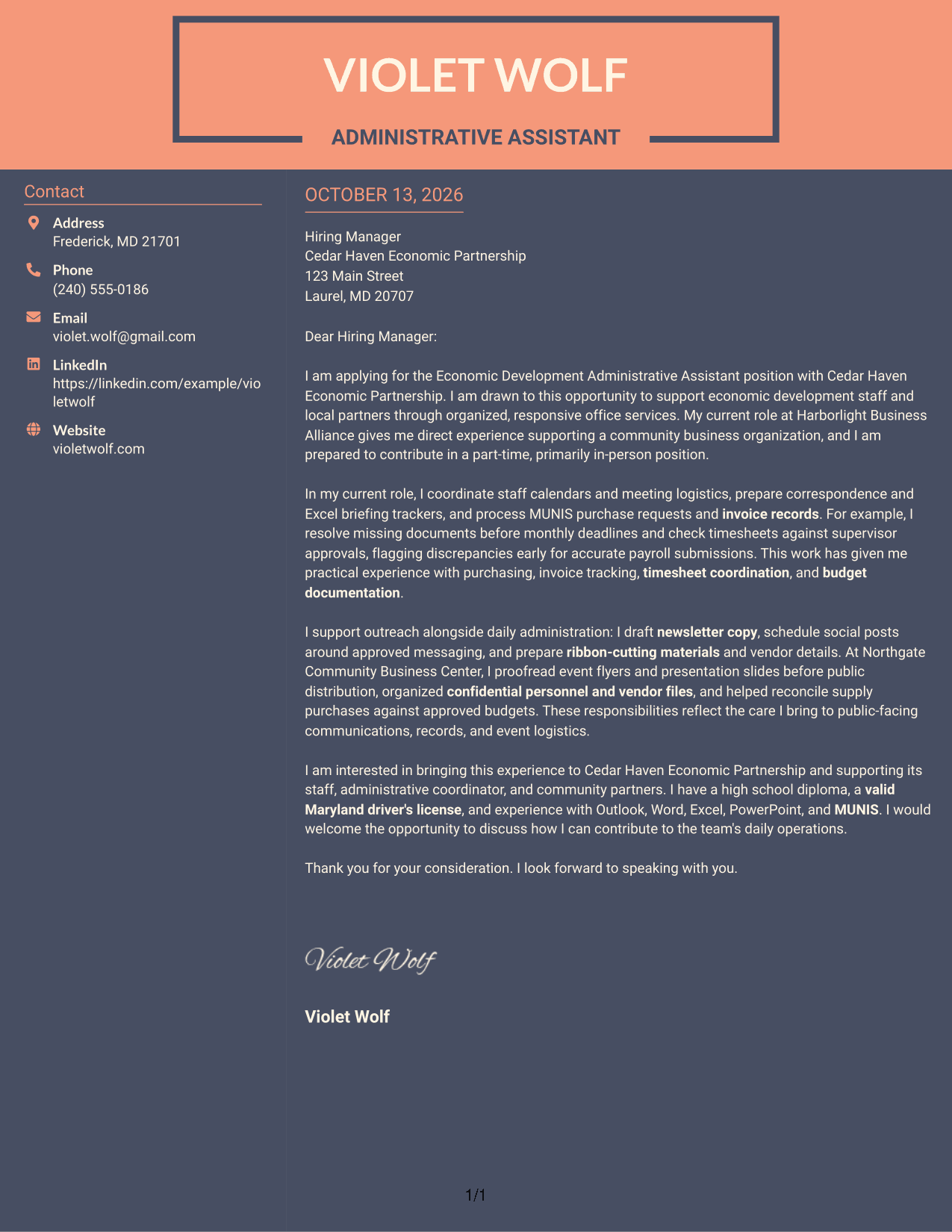
#7 Creative Two Tone Format Cover Letter Example
A two-tone treatment gives the contact sidebar and letter body distinct visual areas, while the Creative Two Tone Format keeps the message itself continuous.
Why This Format Works
- Two-tone color separates contact details from the letter, helping readers find the message without splitting its argument.
- Sidebar contact information stays distinct while motivation and evidence continue in the body.
- One continuous letter path carries the opening through the closing without parallel argument columns.
Best For
- Distinct contact and message areas
- One continuous letter body
- Color-separated page regions
- Letters with connected evidence points
- Color-led visual presentation
Why Use ResumeInMinutes for an Economic Development Administrative Assistant Cover Letter
ResumeInMinutes can help you shape a clear, role-focused cover letter without starting with a blank page. Edit the wording so your examples reflect your experience and the needs of the position.
- Editable cover letter templates
- Clear, professional layouts
- Role-focused writing support
- Simple text customization
- Options for different presentation styles
- Cover letter creation in one place
Use the example to organize your message, then tailor your opening, supporting details, and closing to the Economic Development Administrative Assistant position.
See Also
- 7 Economic Development Administrative Assistant Resume Templates with Example
- 7 Administrative Assistant 5 - Executive Operations Resume Templates with Example
- 33 Administrative Assistant Bookkeeper Resume Templates with Example 2026 (ATS-Optimized)
- 7 Administrative Assistant - Disability & Elder Law Resume Templates with Example
- 7 Administrative Assistant - Executive and Office Support Resume Templates with Example
- 7 Administrative Assistant - Facilities Resume Templates with Example
- 7 Administrative Assistant & Hospitality Coordinator Resume Templates with Example
- 7 Administrative Assistant II - Math, Science, and Health Services Resume Templates with Example
- 30+ Administrative Assistant Bookkeeper Cover Letter Templates with Example 2026
- 7 Senior Administrative Assistant - Research Administration Cover Letter Templates with Example
Frequently Asked Questions
What should an Economic Development Administrative Assistant cover letter include?
Include a clear opening, a few examples of relevant office support, and a closing that invites further discussion. You might describe calendar coordination, document preparation, purchasing or invoice tasks, confidential records, and outreach support when these match your experience.
How can I show that I am a good fit for this role?
Connect your examples to the work in the job description. Explain how your organization, communication, attention to detail, and customer service can support staff and community partners.
How can I describe experience with MUNIS?
If you have used MUNIS, give a specific example, such as processing a purchase request or tracking an invoice. If you have not used it, do not claim that you have; focus on related purchasing or records work you can support with evidence.
Should I mention payroll, purchasing, or budget tasks?
Yes, when they are part of your experience and relevant to the position. Briefly explain your role in tasks such as checking timesheets, recording invoices, or organizing budget documents.
How should I discuss outreach and event support?
Choose a clear example, such as preparing event materials, drafting newsletter content, or coordinating vendor details. Explain how your work helped communication or event logistics stay organized.
How long should this cover letter be?
Keep it focused and easy to read. A few short paragraphs are usually enough to explain your interest, share relevant evidence, and close professionally.
How should I close an Economic Development Administrative Assistant cover letter?
Thank the employer for considering your application, restate your interest briefly, and say that you welcome a conversation. Keep the tone warm and professional.




