
7 Electronic Technician - Traffic Signal Systems Resume Templates with Example
This guide shows you how to build an Electronic Technician - Traffic Signal Systems resume that is clear, focused, and easy to review. You will learn how to organize evidence so recruiters can quickly understand your fit for traffic signal maintenance work.
Strong resumes for this role connect hands-on experience with the work employers need. Useful details can include preventive maintenance, electrical troubleshooting, controller programming, ITS devices, timing data, equipment inspection, parts readiness, and support for construction acceptance work.
The same complete resume is shown in 7 ATS-friendly resume layouts so you can compare reading order, section emphasis, and visual structure. Each example includes practical notes to help you choose a format without changing the underlying qualifications.
What Makes a Great Electronic Technician - Traffic Signal Systems Resume in 2026
A strong resume makes field experience, technical judgment, and safety-focused maintenance easy to find. Clear headings and concise bullets help recruiters connect your background to roadway signal work.
Use exact, supported terms such as traffic signal systems, computerized controllers, preventive maintenance, electrical troubleshooting, controller programming, ITS devices, signal timing databases, and construction acceptance inspection when they match your experience.
The examples shown below are intentionally detailed to demonstrate a range of experiences, skills, accomplishments and relevant keywords. We prefer detailed resumes as they provide more context to the hiring managers and also help the ATS systems identify relevant qualifications and score your resume better for a match. But the length of a resume is an individual choice. If you want a one page resume, just keep the most relevant experience and information for the job. Note: Resume examples are for educational purposes only. Use only information that accurately reflects your experience and qualifications. References to real organizations do not imply affiliation or endorsement.
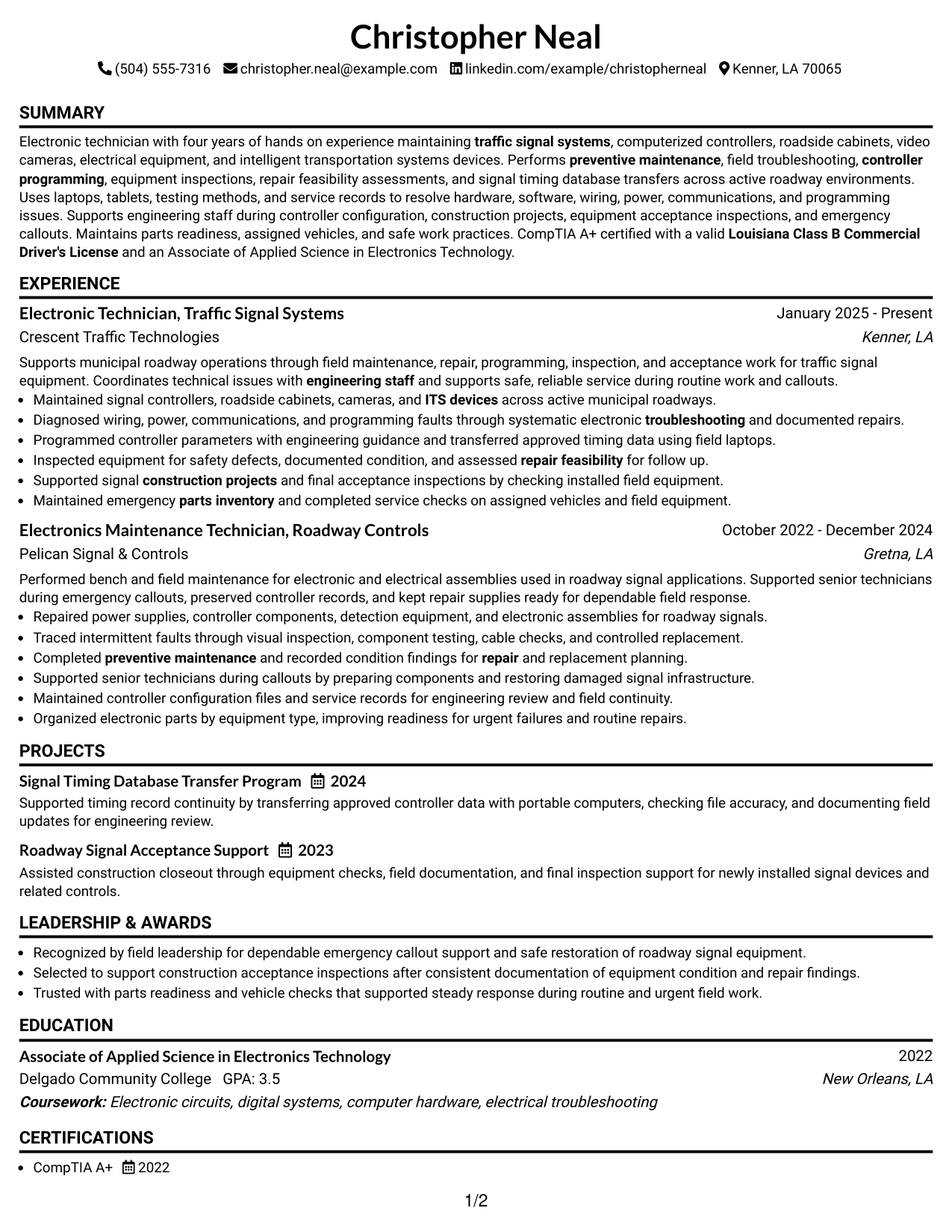
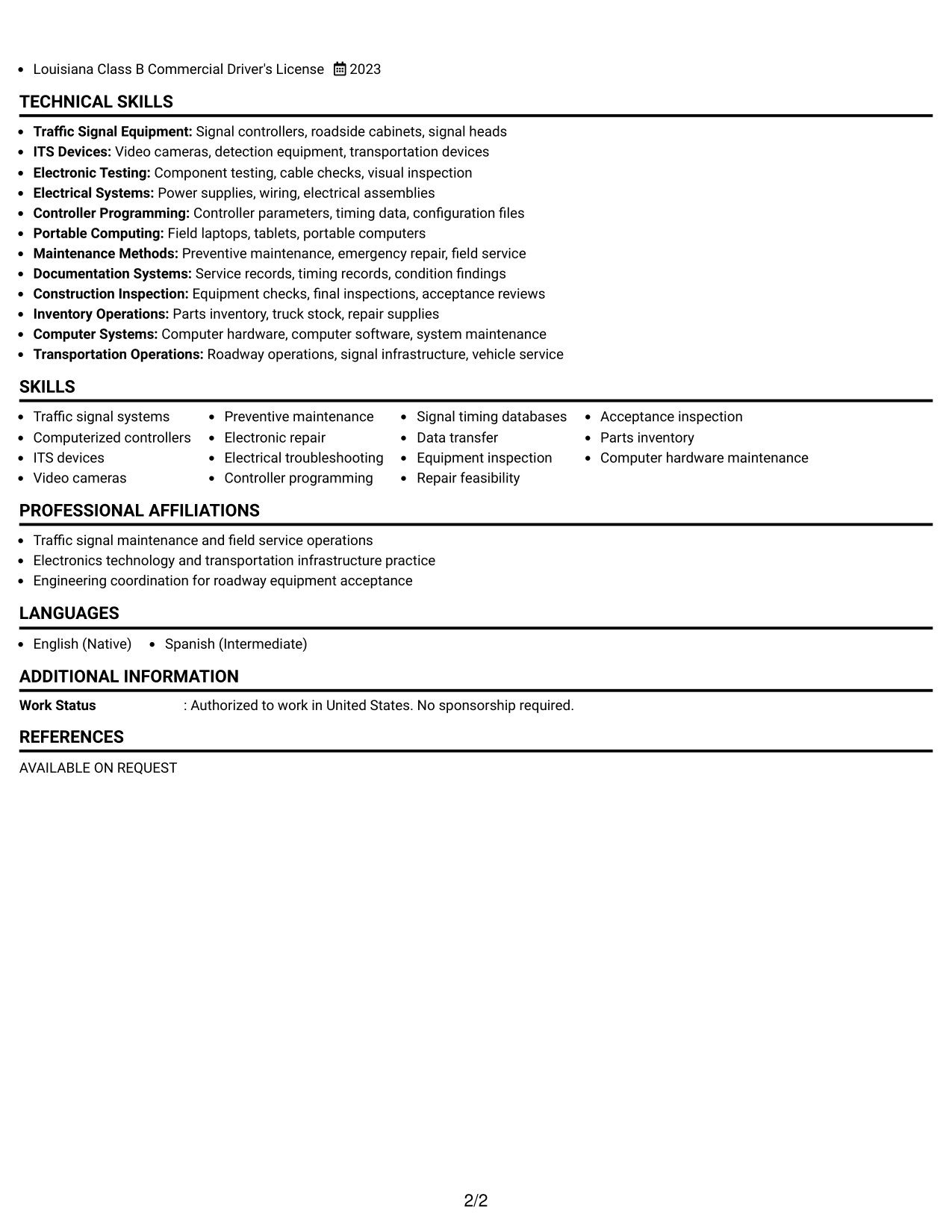
#1 Simple One Column Format Resume Example
A simple one-column reading order helps recruiters scan each resume section from top to bottom without side-to-side jumps.
Why This Format Works
- Linear section flow makes career progression easy to follow from start to finish.
- Full-width space gives experience bullets room to explain achievements clearly.
- Credentials and education stay in a predictable reading path for quick review.
Best For
- Straightforward recruiter scanning
- Detailed experience bullets
- Clear career progression
- Traditional application systems
- Readers who prefer linear flow
Resume Keywords
- traffic signal systems
- computerized signal controllers
- ITS devices
- video cameras
- preventive maintenance
- electrical troubleshooting
- controller programming
- signal timing databases
- equipment inspection
- repair feasibility
- construction acceptance inspection
- parts inventory
- computer hardware maintenance
- CompTIA A+
- Louisiana Class B Commercial Driver's License
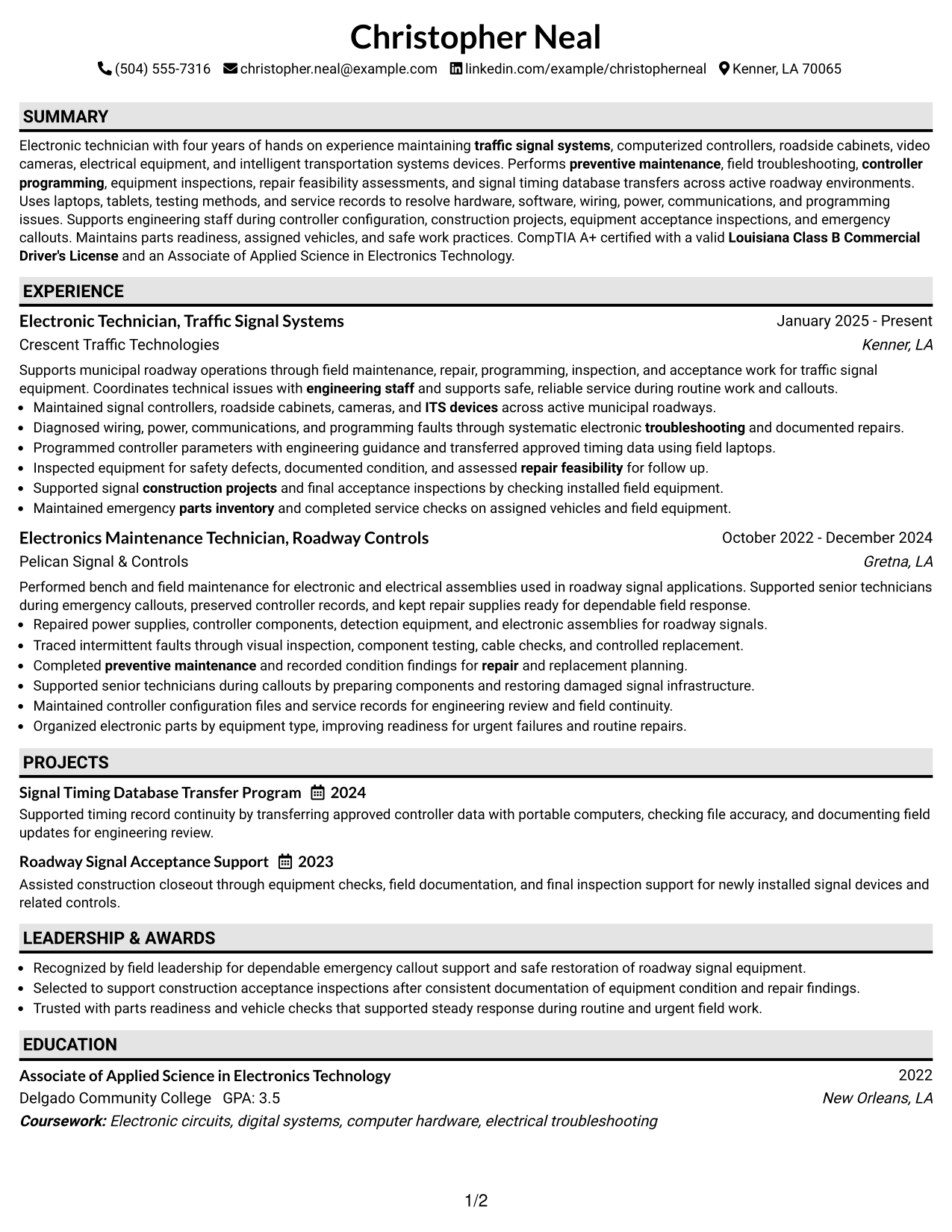
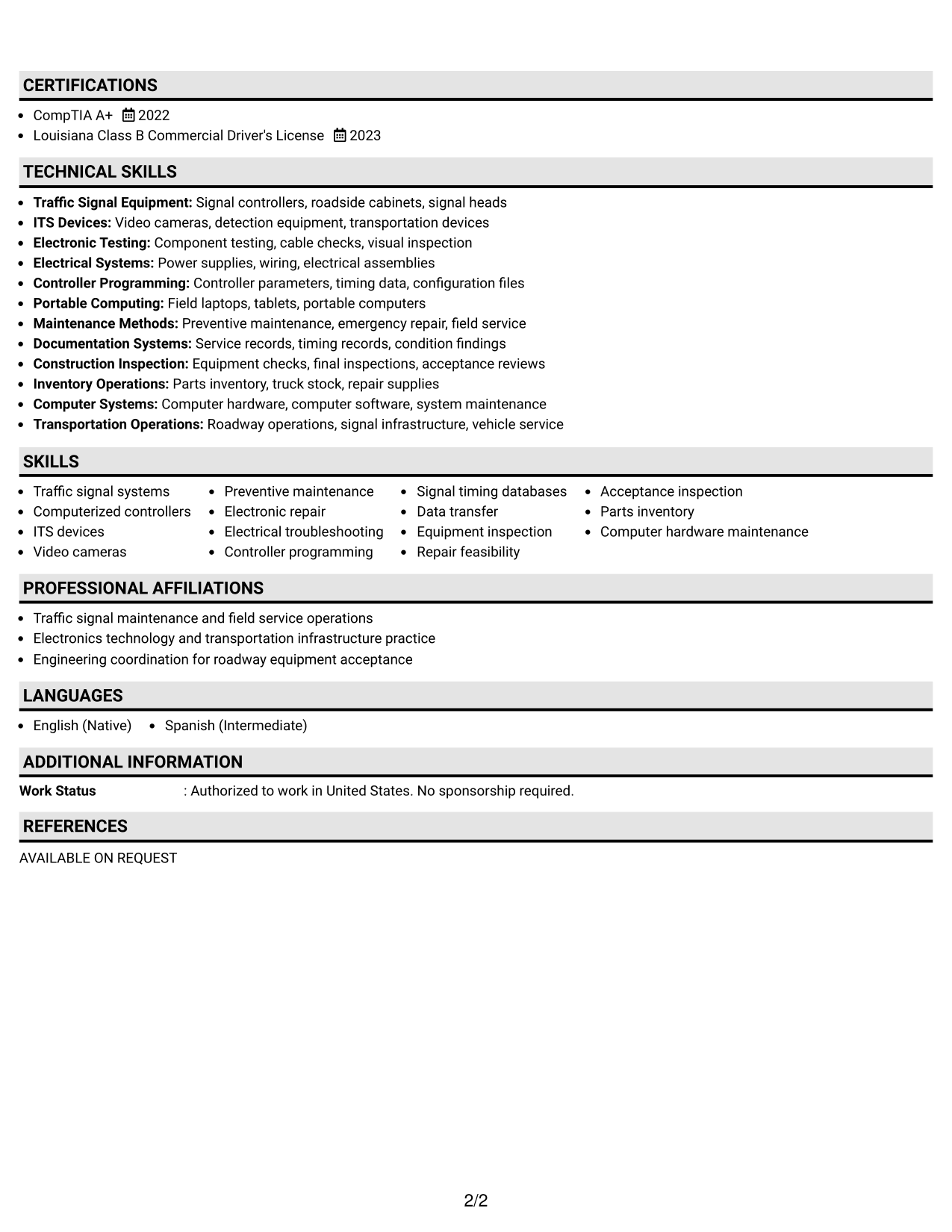
#2 Plain One Column with Shaded Labels Resume Example
Shaded section labels break up the one-column flow so recruiters can find major resume sections faster.
Why This Format Works
- Shaded labels create clear stops between experience, skills, education, and credentials.
- One-column reading keeps achievements in a steady order without competing side content.
- Strong section boundaries help reviewers return to specific qualifications after an initial scan.
Best For
- Longer section lists
- Fast section finding
- Resume updates over time
- Applications needing clear labels
- Readers comparing several credentials
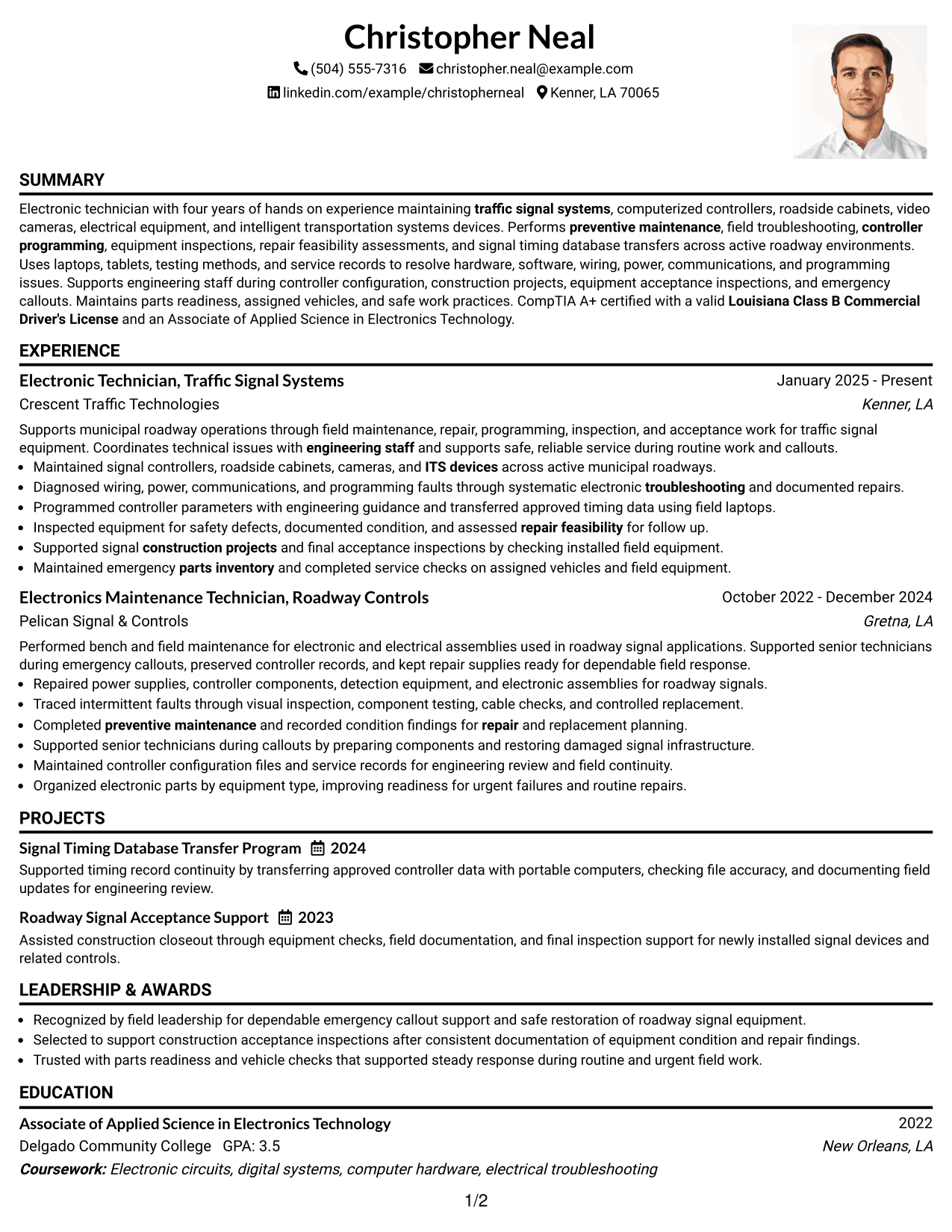
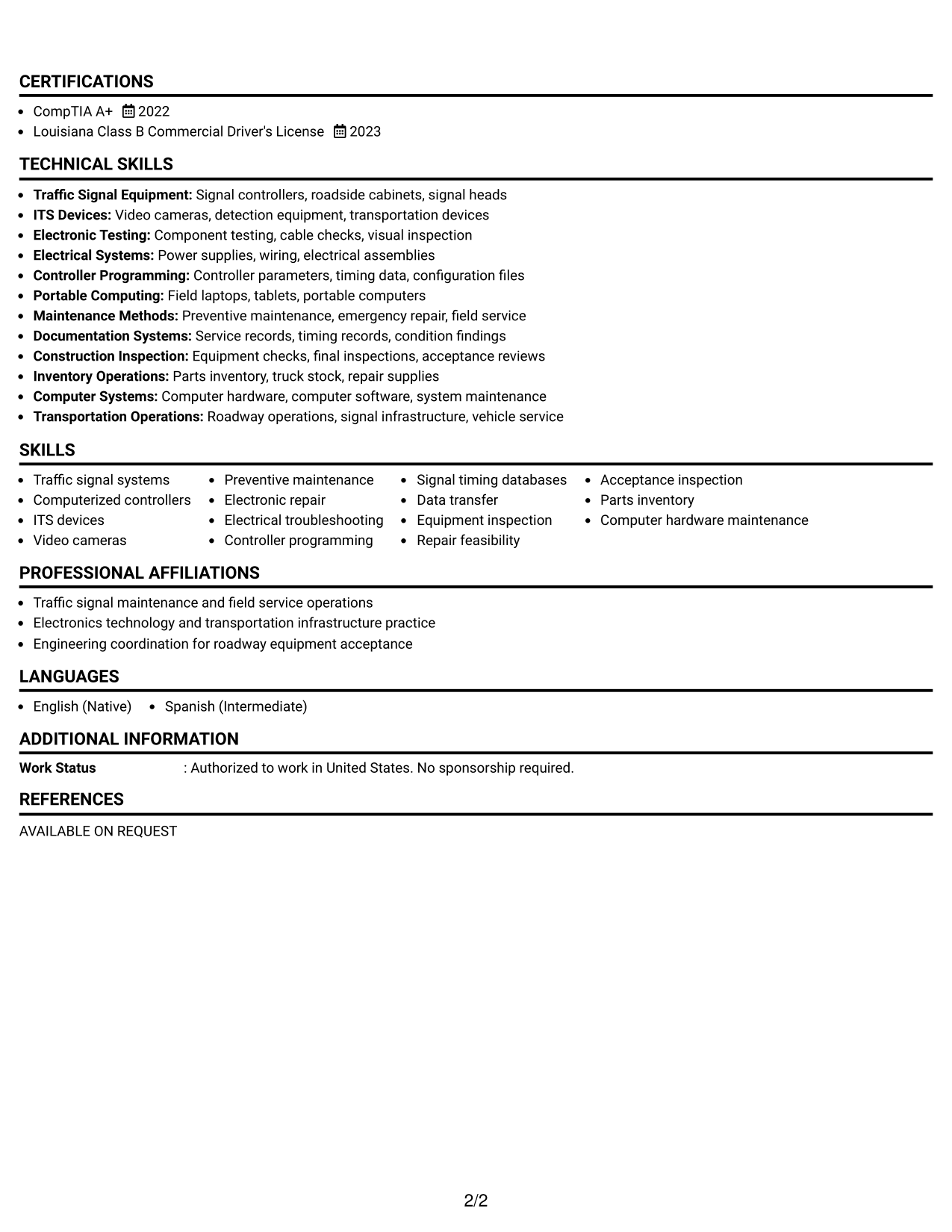
#3 One Column Format with Photo Right Resume Example
A right-side photo gives the header a personal visual cue while the one-column body keeps resume sections easy to scan.
Why This Format Works
- The photo stays in the header while experience follows a simple vertical sequence.
- Full-width body sections leave room for detailed achievements and supporting qualifications.
- Single-flow organization keeps skills, education, and credentials easy to locate.
Best For
- Regions where photos are expected
- Personal identification in the header
- Full-width experience detail
- Simple vertical reading
- Resumes with several supporting sections
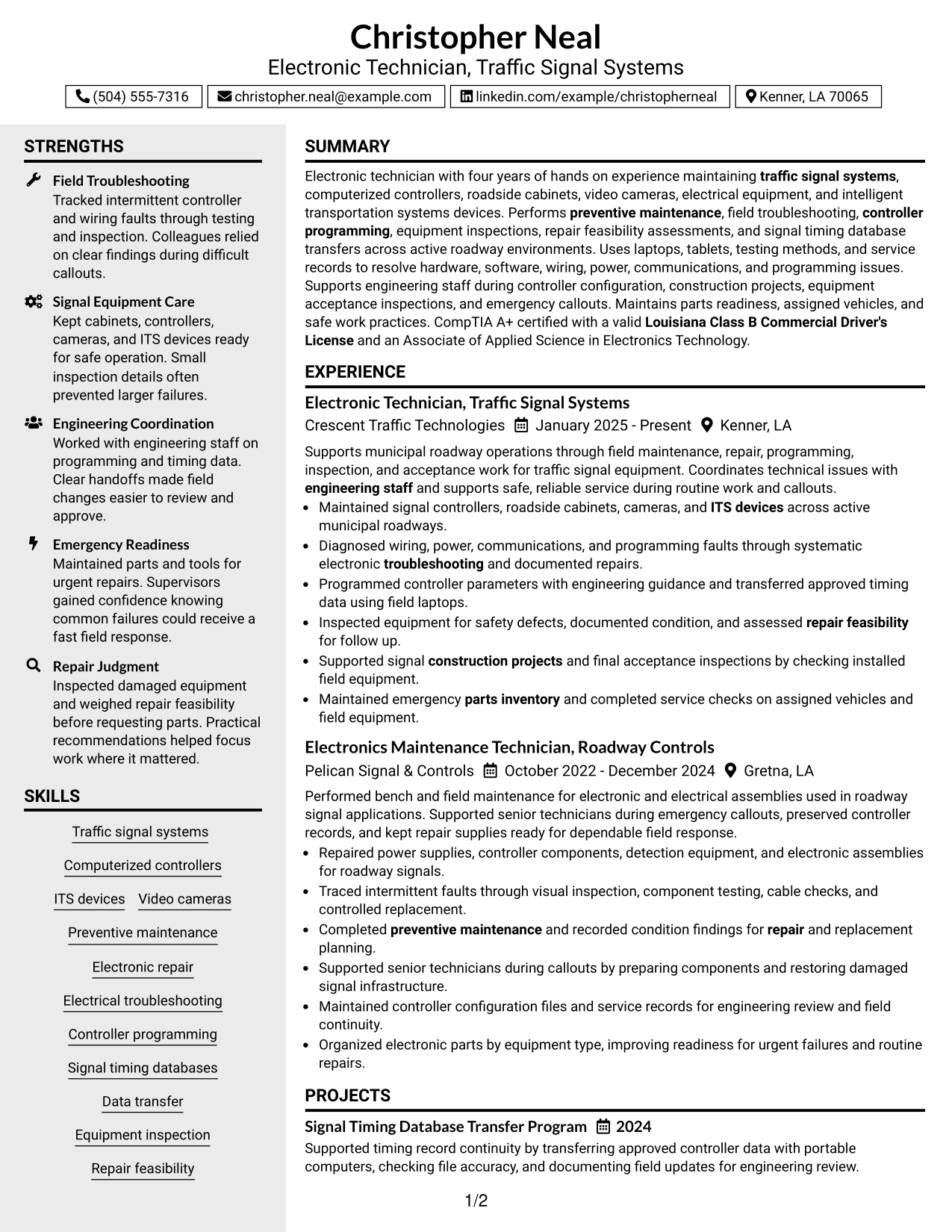
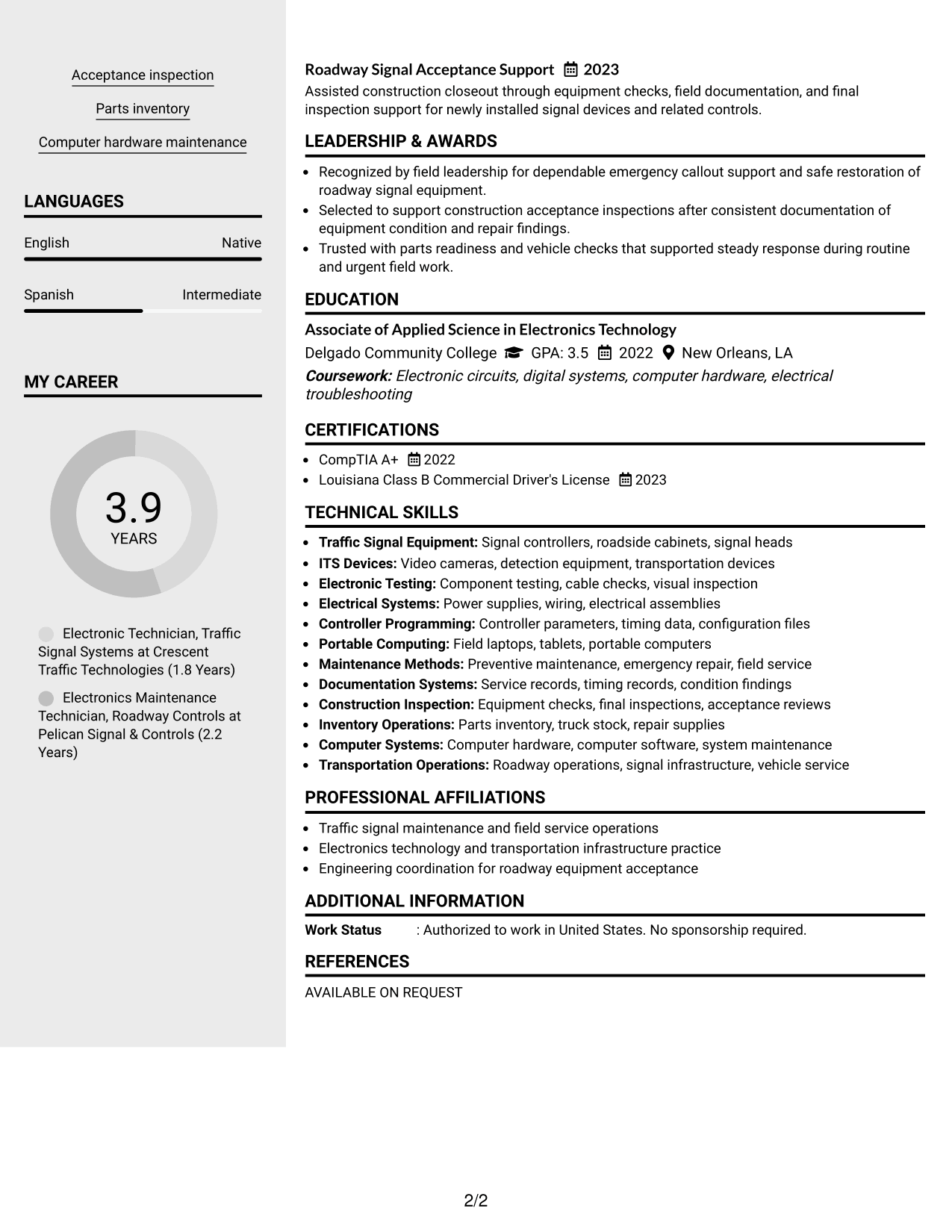
#4 Clean Two Column Sidebar Format Resume Example
A clean two-column sidebar separates supporting details from the main career story, helping recruiters scan both without losing the reading path.
Why This Format Works
- Main-column space keeps experience and achievements together in a clear career story.
- The sidebar gives supporting skills and credentials a separate, easy-to-find area.
- Two-column separation reduces crowding when the resume contains several supporting sections.
Best For
- Balanced experience and skills
- Several compact credentials
- Quick access to supporting details
- Career history needing a main column
- Readers comfortable with sidebars
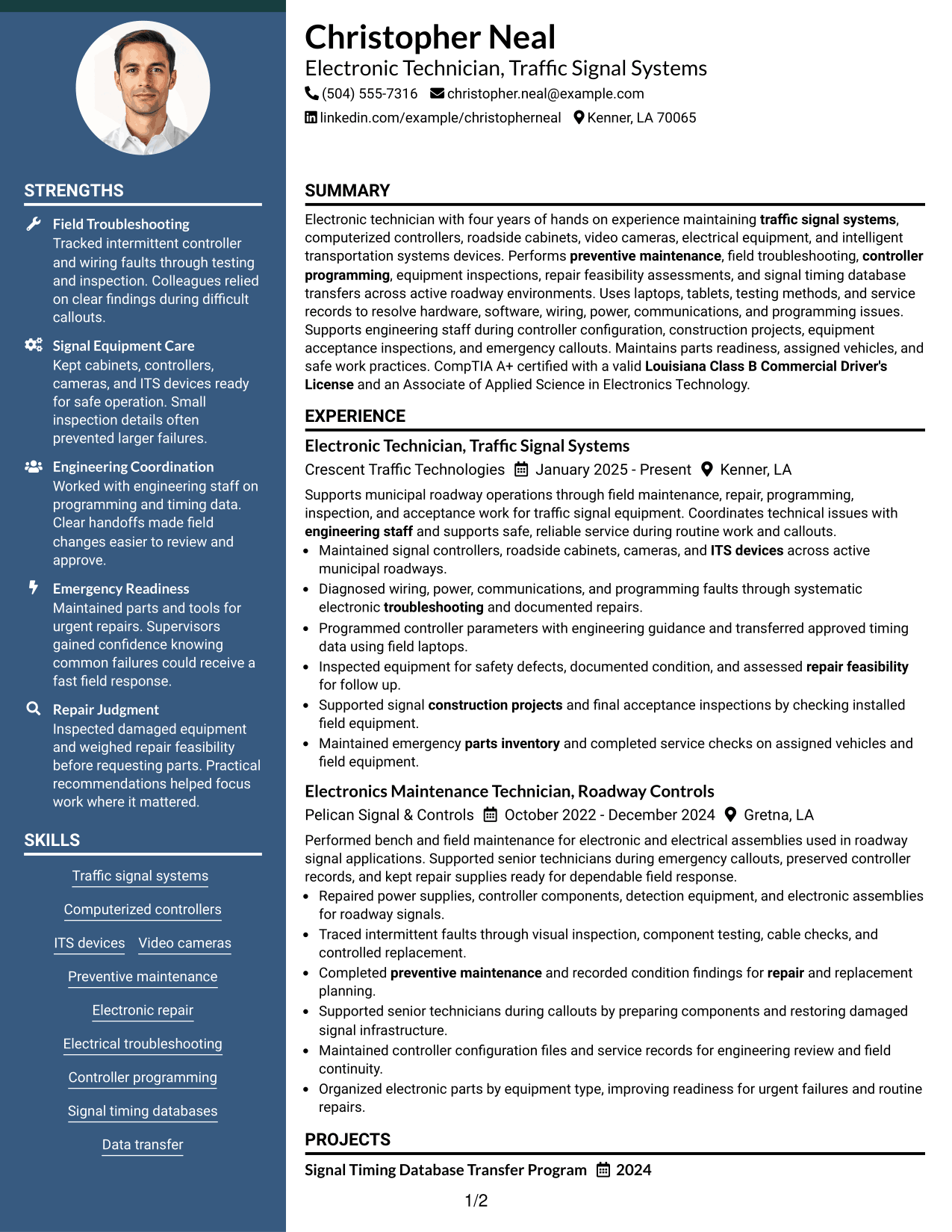
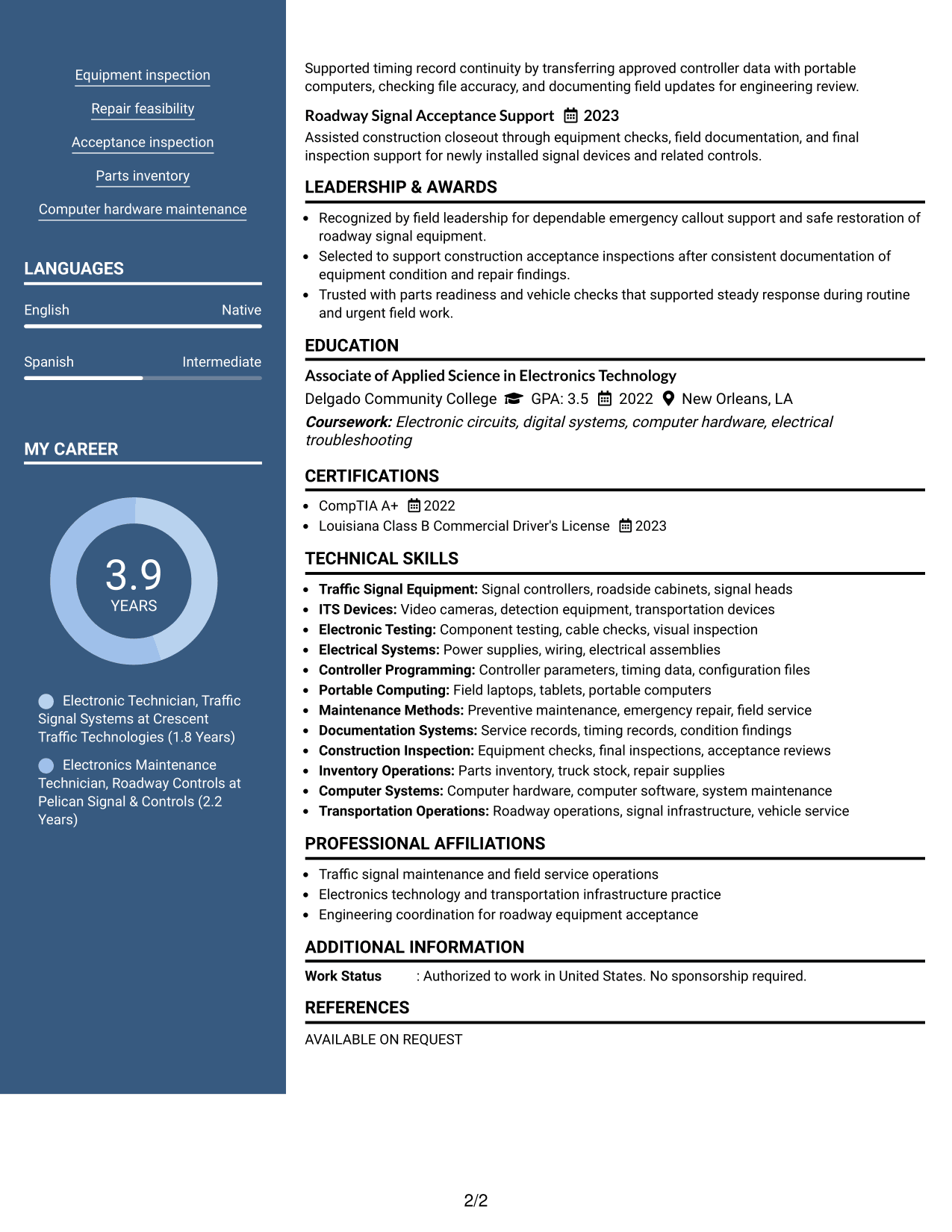
#5 Two Column Format Resume Example
A balanced two-column structure lets recruiters compare core experience with supporting resume sections in a compact view.
Why This Format Works
- Parallel columns can separate career evidence from shorter supporting qualifications without mixing them.
- Compact section blocks help recruiters compare skills and credentials beside the experience record.
- Distinct column areas make a broad resume easier to review in short passes.
Best For
- Compact information density
- Experience plus supporting qualifications
- Side-by-side section review
- Resumes with varied content types
- Readers who scan in short passes
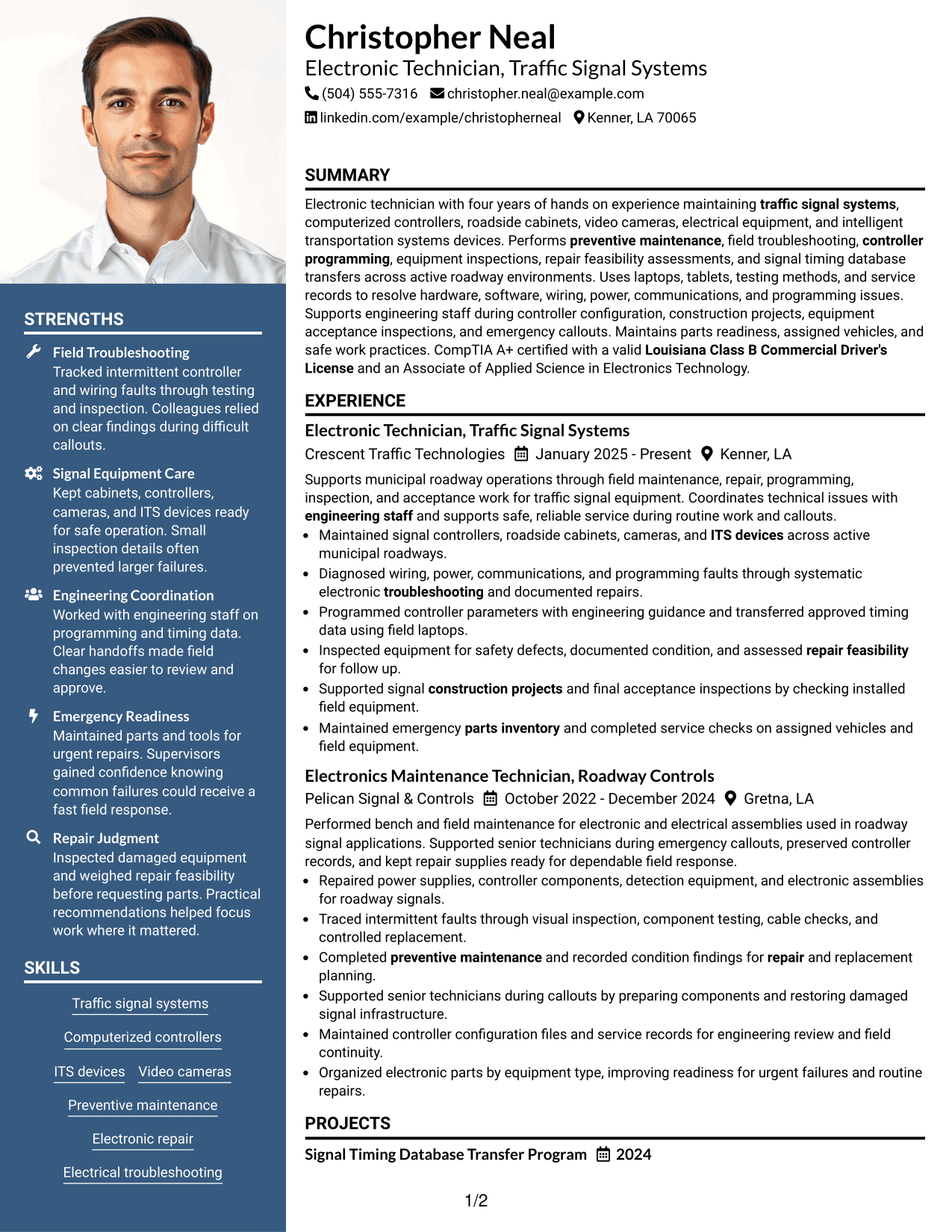
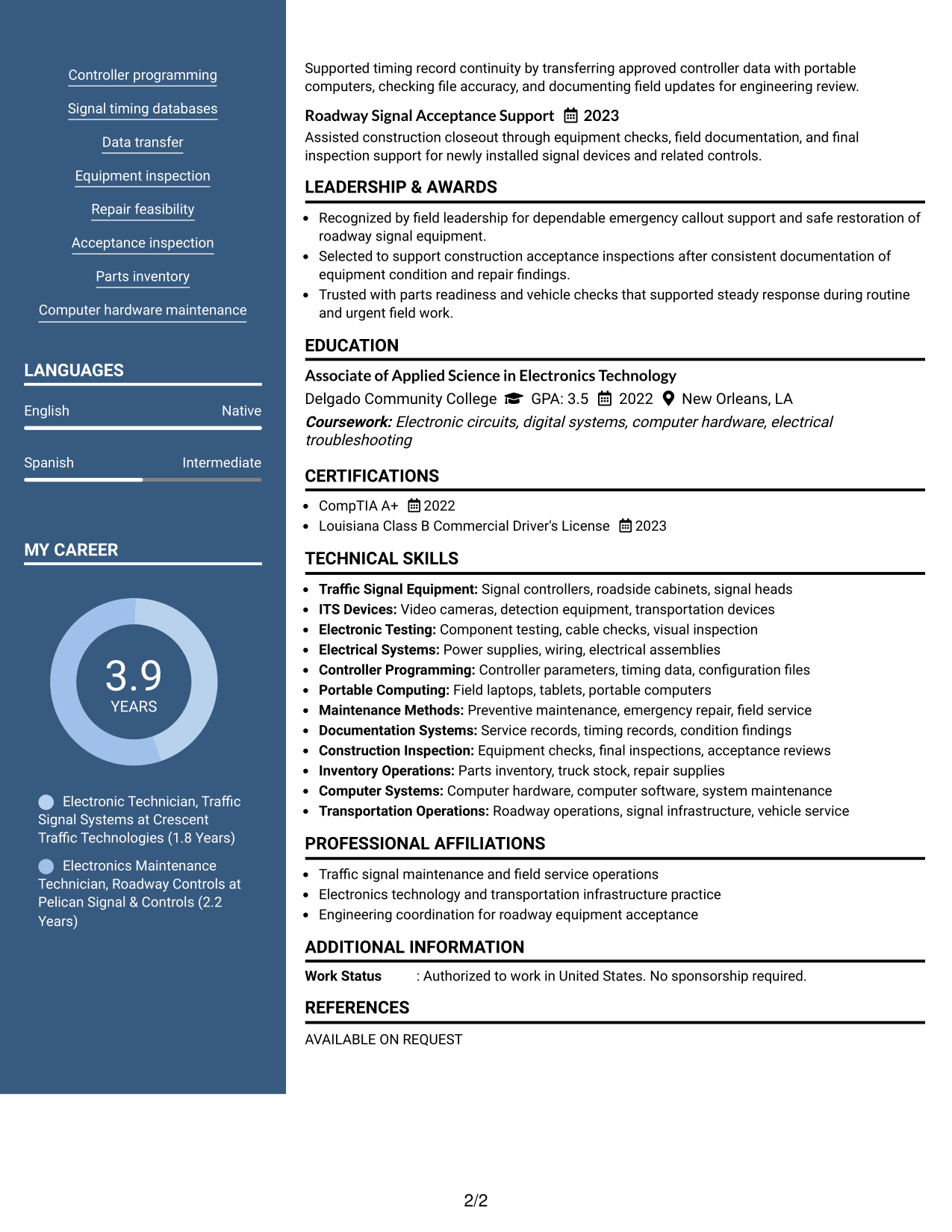
#6 Photo Header Two Column Format Resume Example
A photo header adds visual identity while two body columns help recruiters scan major experience and supporting sections in parallel.
Why This Format Works
- The photo is confined to the header, leaving body columns focused on qualifications.
- Two-column body space can keep experience separate from skills, education, and credentials.
- Parallel section areas help reviewers move between career evidence and supporting information.
Best For
- Markets that commonly use photos
- Visible identity at the top
- Parallel body organization
- Mixed experience and credential content
- Readers comparing main and secondary sections
#7 Simple Two Column Format Resume Example
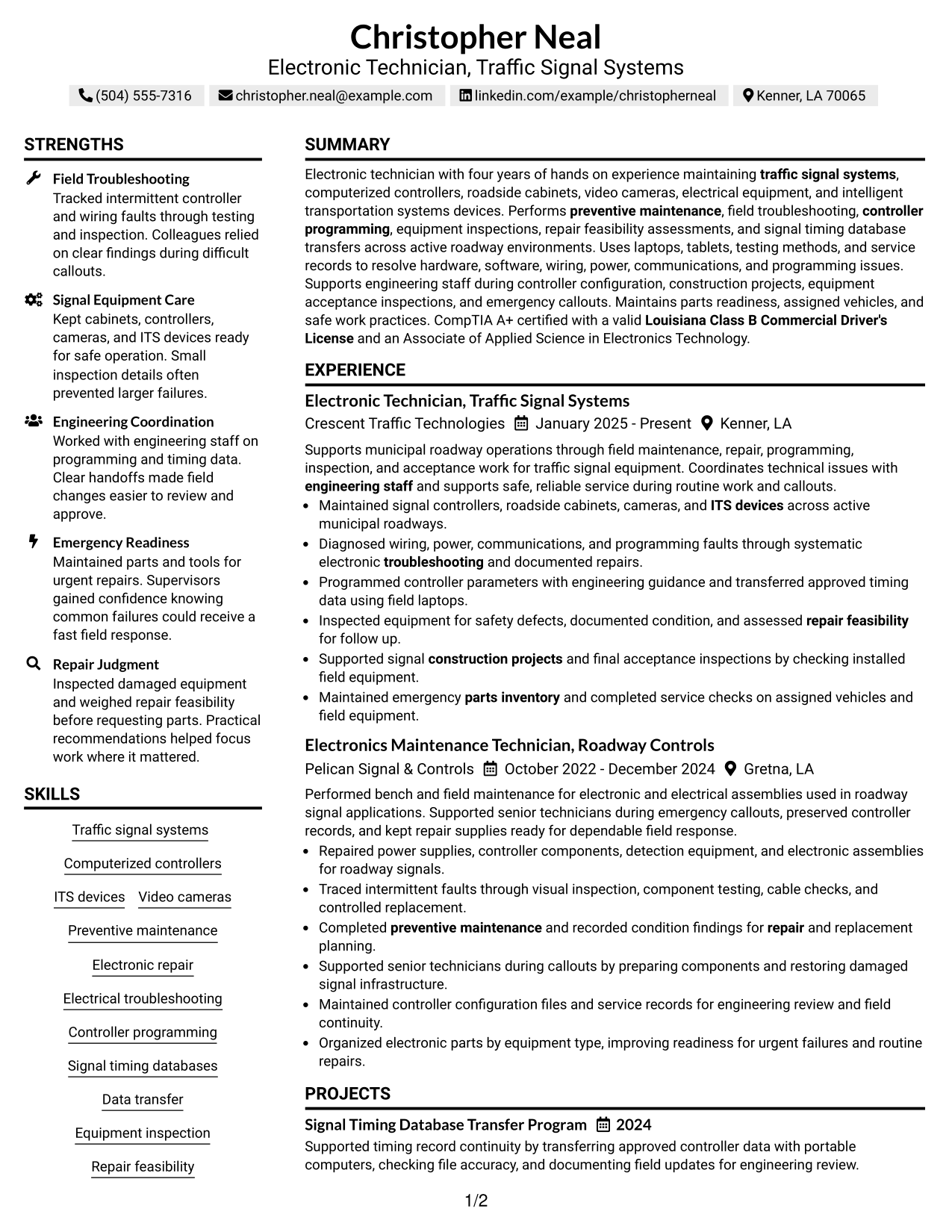
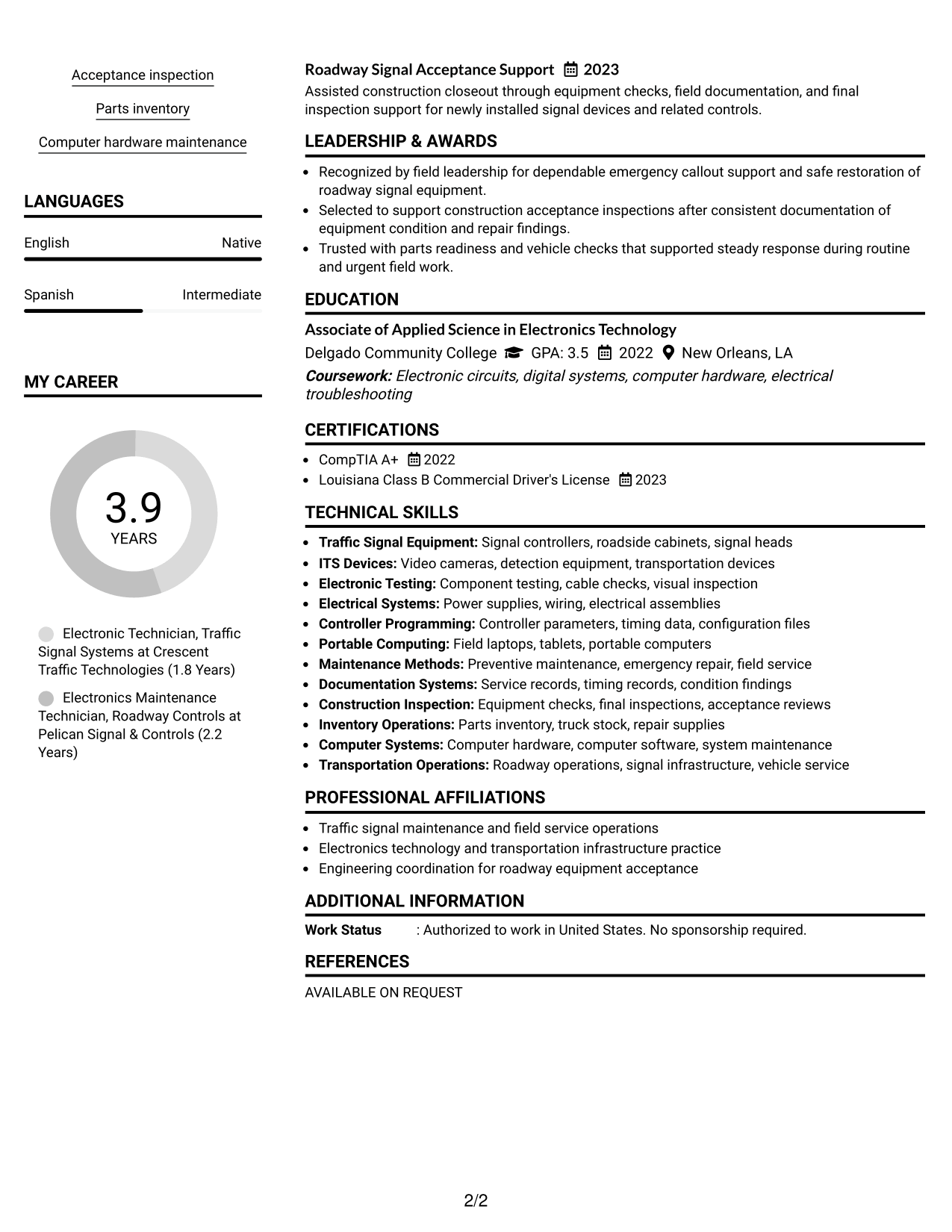
A simple two-column layout organizes resume content into clear parallel areas so recruiters can scan dense information with less visual clutter.
Why This Format Works
- Simple column boundaries separate longer experience content from shorter supporting sections.
- Parallel organization lets recruiters check skills and credentials without interrupting career progression.
- Reduced visual decoration keeps attention on achievements, qualifications, and section order.
Best For
- Dense resumes needing structure
- Minimal visual decoration
- Clear division of content
- Technical resumes with many sections
- Reviewers checking qualifications quickly
See Also
- 7 Electronics Technician - Transit Systems Resume Templates with Example
- 33 Electronic Maintenance Technician Resume Templates with Example
- 7 Electronic Technician Resume Templates with Example
- 7 Traffic Control Maintenance Technician I Resume Templates with Example
- 7 Engineering Technician - Electromechanical Systems Resume Templates with Example
- 7 Facilities Maintenance Technician - Building Systems Maintenance Resume Templates with Example
- 33 Fleet Automotive Electrical Systems Technician Resume Templates with Example 2026 (ATS-Optimized)
- 7 Adjunct Phlebotomy Technician Instructor Resume Templates with Example
- 30+ Fleet Automotive Electrical Systems Technician Cover Letter Templates with Example 2026
- 30+ Auto Technician Trainee Cover Letter Templates with Example 2026
Frequently Asked Questions
Are these Electronic Technician - Traffic Signal Systems resume templates ATS-friendly?
Yes. They use clear resume sections and readable headings. For ATS alignment, keep your wording close to supported terms from the job posting and your actual experience.
Are these different resumes?
No. The guide shows one complete Electronic Technician - Traffic Signal Systems resume in different visual formats so you can compare structure without changing the candidate facts.
What should an Electronic Technician - Traffic Signal Systems resume include?
Include a focused summary, relevant experience, technical skills, education, certifications or licenses, and concise bullets showing maintenance, troubleshooting, programming, inspection, and field support work.
Which keywords are useful for this role?
Useful keywords may include traffic signal systems, computerized signal controllers, video cameras, ITS devices, preventive maintenance, electronic repair, electrical troubleshooting, controller programming, timing databases, final inspections, and parts inventory.
Should I include CompTIA A+ and a Louisiana Class B Commercial Driver's License?
Include them when they are current and accurate. Both are directly relevant to this sample resume and help recruiters confirm technical and driving qualifications quickly.
How should I write experience bullets for traffic signal work?
Start with the action you took, name the equipment or problem when useful, and show the result or purpose. Keep each bullet focused on one clear contribution.
Should I include a photo on my resume?
For most U.S. applications, a no-photo resume is usually the safer choice. Use a photo only when local practice or the application process clearly calls for one.
Can I customize these resume templates?
Yes. You can adjust the text and visual format while keeping the facts accurate and the most relevant traffic signal experience easy to scan.




