
US English


7 Embedded Linux Engineer - Industrial Motion Control Resume Templates with Example
By Ria · Last Updated On October 14, 2026
Resume example — page 1

This guide shows you how to build an Embedded Linux Engineer - Industrial Motion Control resume that presents your technical value with clarity. You will learn how to organize your experience and select a format that supports quick, focused review.

Strong resumes connect C/C++ development, PREEMPT-RT Linux, device interfaces, and motion-control work to clear evidence. Use concise bullets to show how you handled integration, verification, and hardware-software debugging, with tools and protocols such as EtherCAT, CANopen, Modbus, Python, and OpenCV where relevant.

Review the example presented in 7 resume layouts to compare image previews and choose a clear structure for your experience. Open an example in the editor to customize its resume content.

What Makes a Great Embedded Linux Engineer - Industrial Motion Control Resume in 2026

A strong resume makes real-time software, motion-control work, and system integration easy to find. Clear headings and focused achievement bullets help readers understand your contribution.

Use accurate keywords such as PREEMPT-RT Linux, C/C++, EtherCAT, device drivers, middleware, and inter-process communication. Support them with specific examples of testing, debugging, or reliable equipment delivery.

The examples shown below are intentionally detailed to demonstrate a range of experiences, skills, accomplishments and relevant keywords. We prefer detailed resumes as they provide more context to the hiring managers and also help the ATS systems identify relevant qualifications and score your resume better for a match. But the length of a resume is an individual choice. If you want a one page resume, just keep the most relevant experience and information for the job. Note: Resume examples are for educational purposes only. Use only information that accurately reflects your experience and qualifications. References to real organizations do not imply affiliation or endorsement.

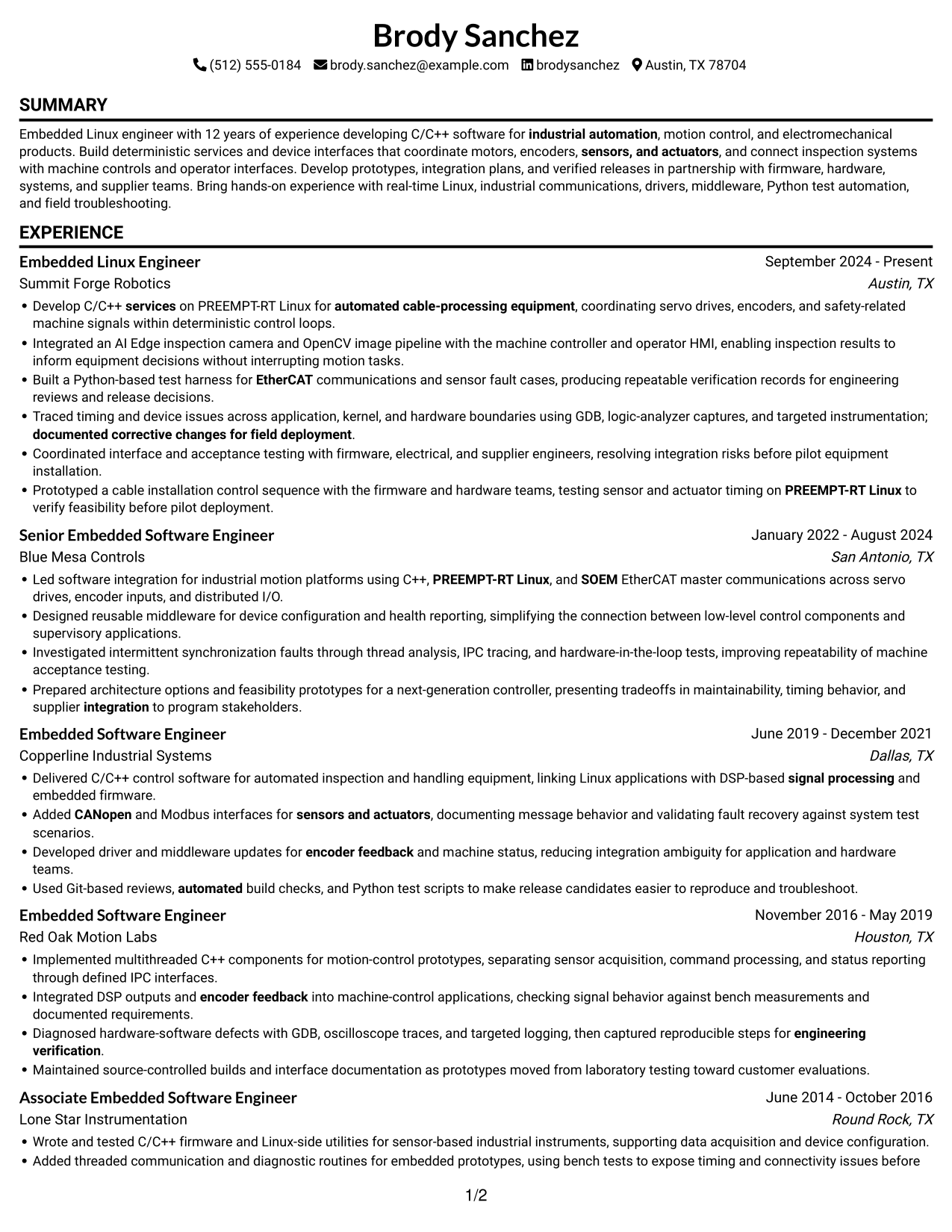
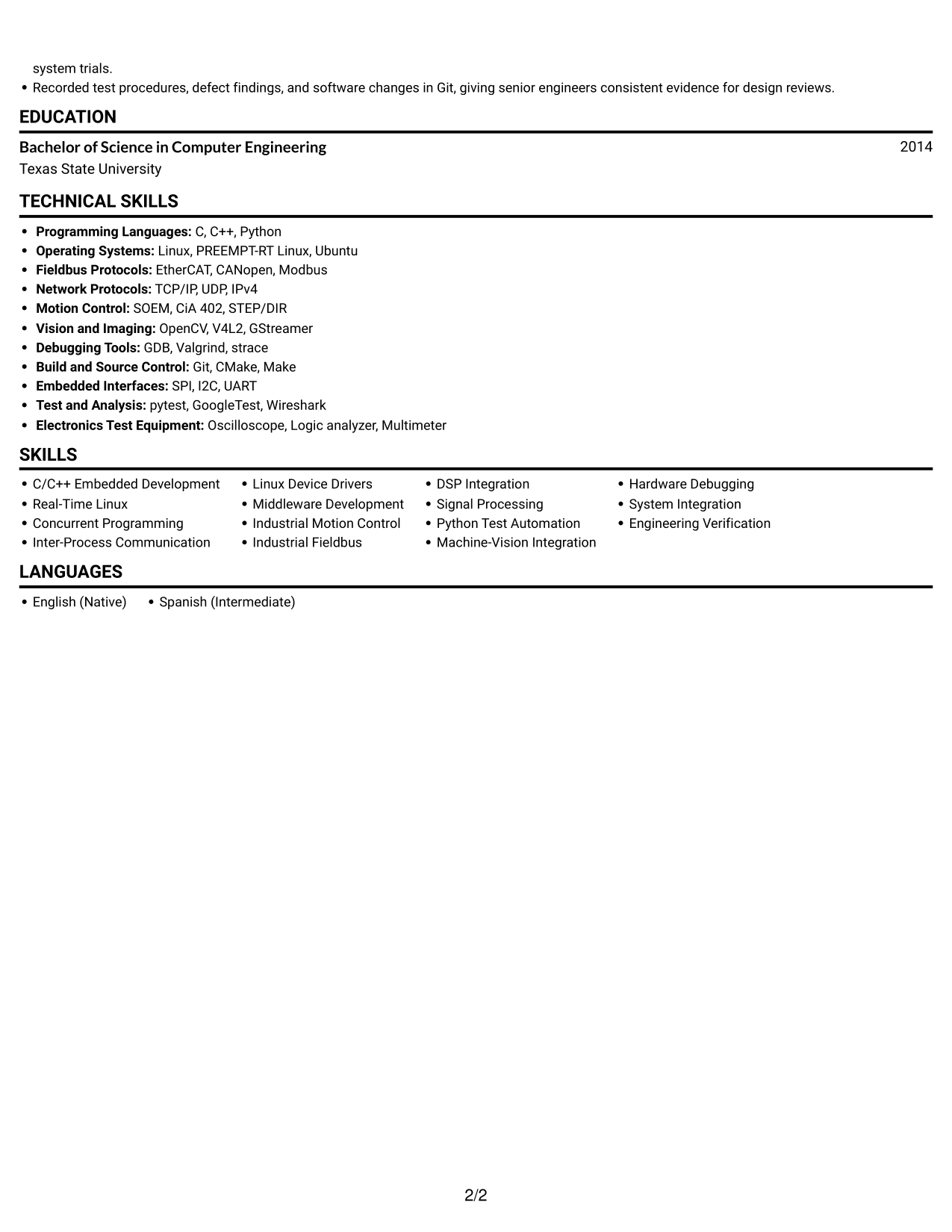
#1 Simple One Column Format Resume Example

The Simple One Column Format keeps the resume in one vertical reading path, a practical choice for a direct, top-to-bottom review.
 
Resume example — page 1   Resume example — page 2

Why This Format Works

  • Recruiters can follow experience from recent roles to earlier work in one continuous column.
  • Technical skills and education stay within the same top-to-bottom reading path.
  • Linear section order gives ATS software a straightforward route through resume text.

Best For

  • Top-to-bottom recruiter reviews
  • ATS parsing needs
  • Chronological experience histories
  • Technical skills with education
  • Text-first resume preferences

Resume Keywords

  • PREEMPT-RT Linux
  • Inter-Process Communication
  • Source Control
  • Git-based reviews, automated build checks, and Python test scripts
  • Industrial Motion Control
  • Device Drivers
  • Middleware Development
  • C/C++ services on PREEMPT-RT Linux
  • DSP Integration
  • EtherCAT
  • SOEM
  • CANopen
  • Modbus
  • TCP/IP
  • encoder feedback
See all keywords
 

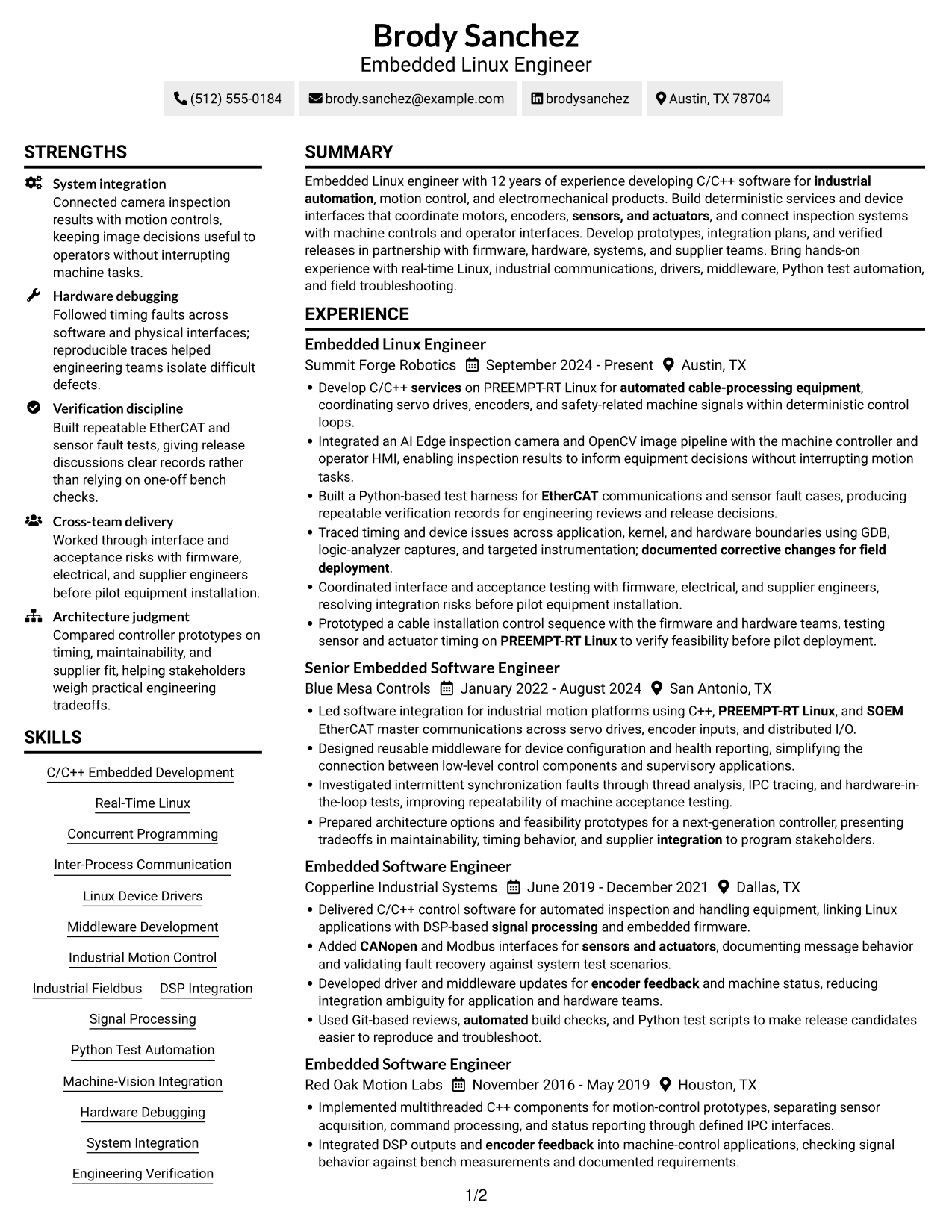
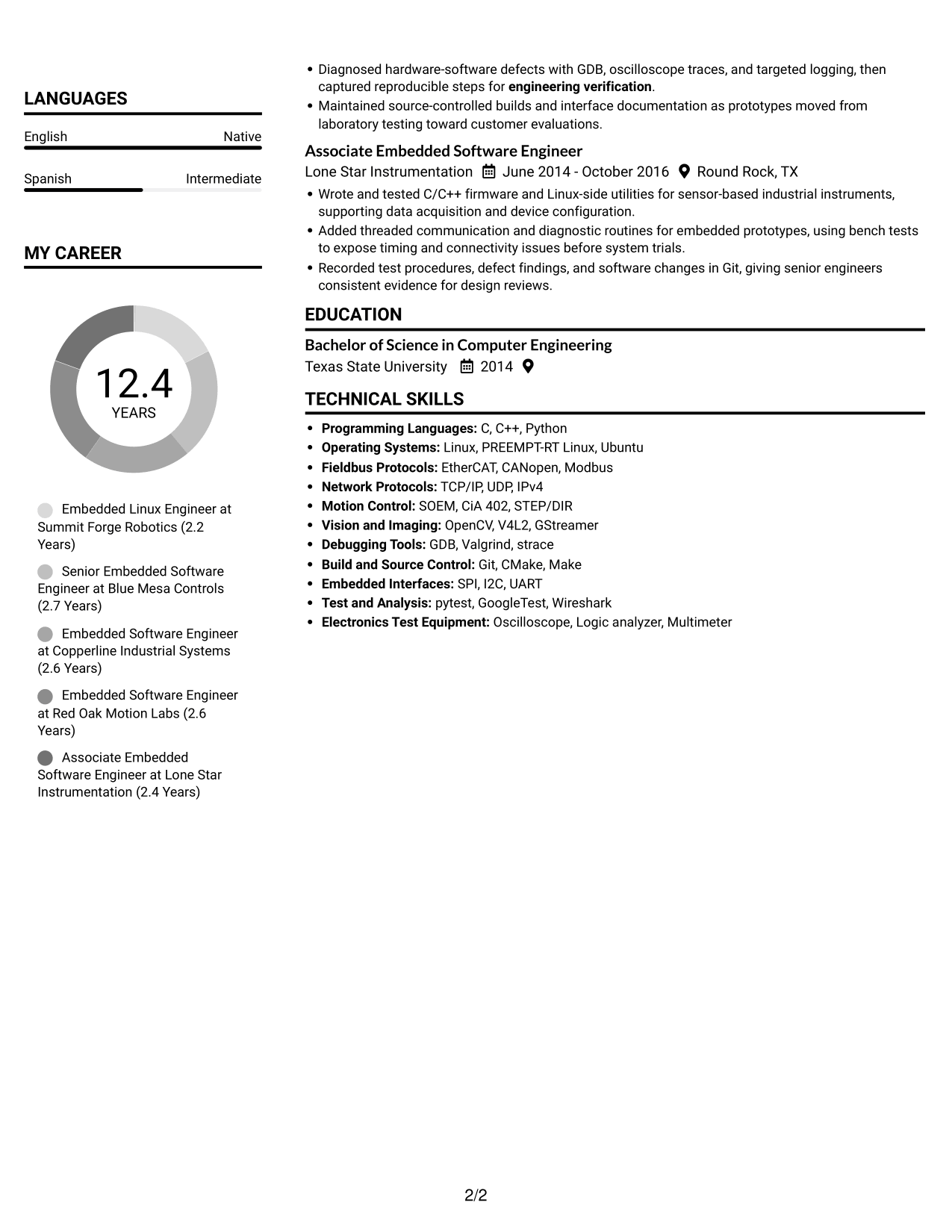
#2 Simple Two Column Format Resume Example

The Simple Two Column Format places resume content in two columns, a practical choice when readers want to review sections in a compact layout.
 
Resume example — page 1   Resume example — page 2

Why This Format Works

  • Two reading areas let reviewers scan experience and other resume sections across a compact layout.
  • Parallel columns give technical skills and education separate visual space during review.
  • Clear section headings help reviewers keep the resume's reading order across both columns.

Best For

  • Compact resume layouts
  • Side-by-side section review
  • Experience with supporting details
  • Technical skills and education
  • Readers who prefer two columns

#3 Plain One Column with Shaded Labels Resume Example

The Plain One Column with Shaded Labels format uses one reading column, a practical choice for readers who prefer a clear top-to-bottom review.
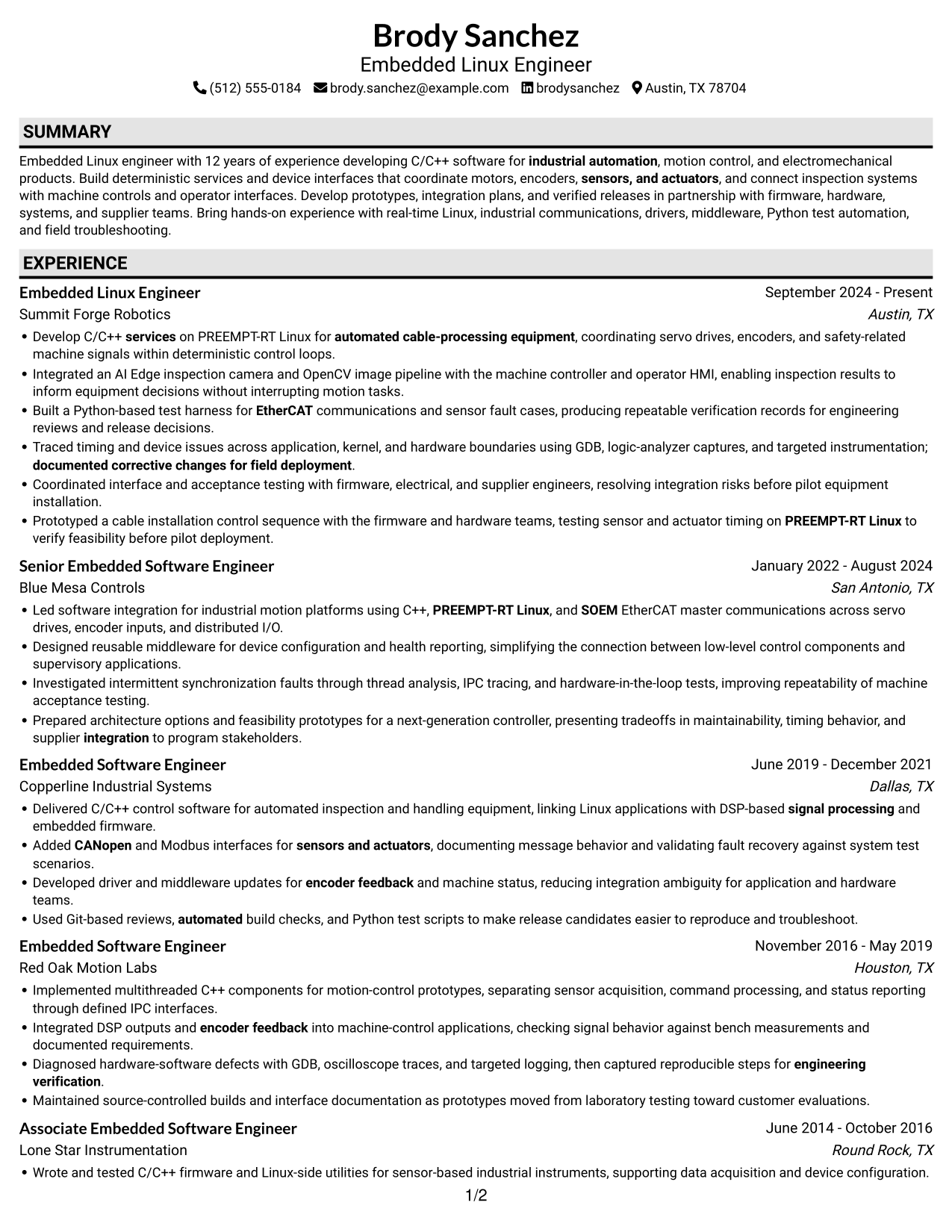
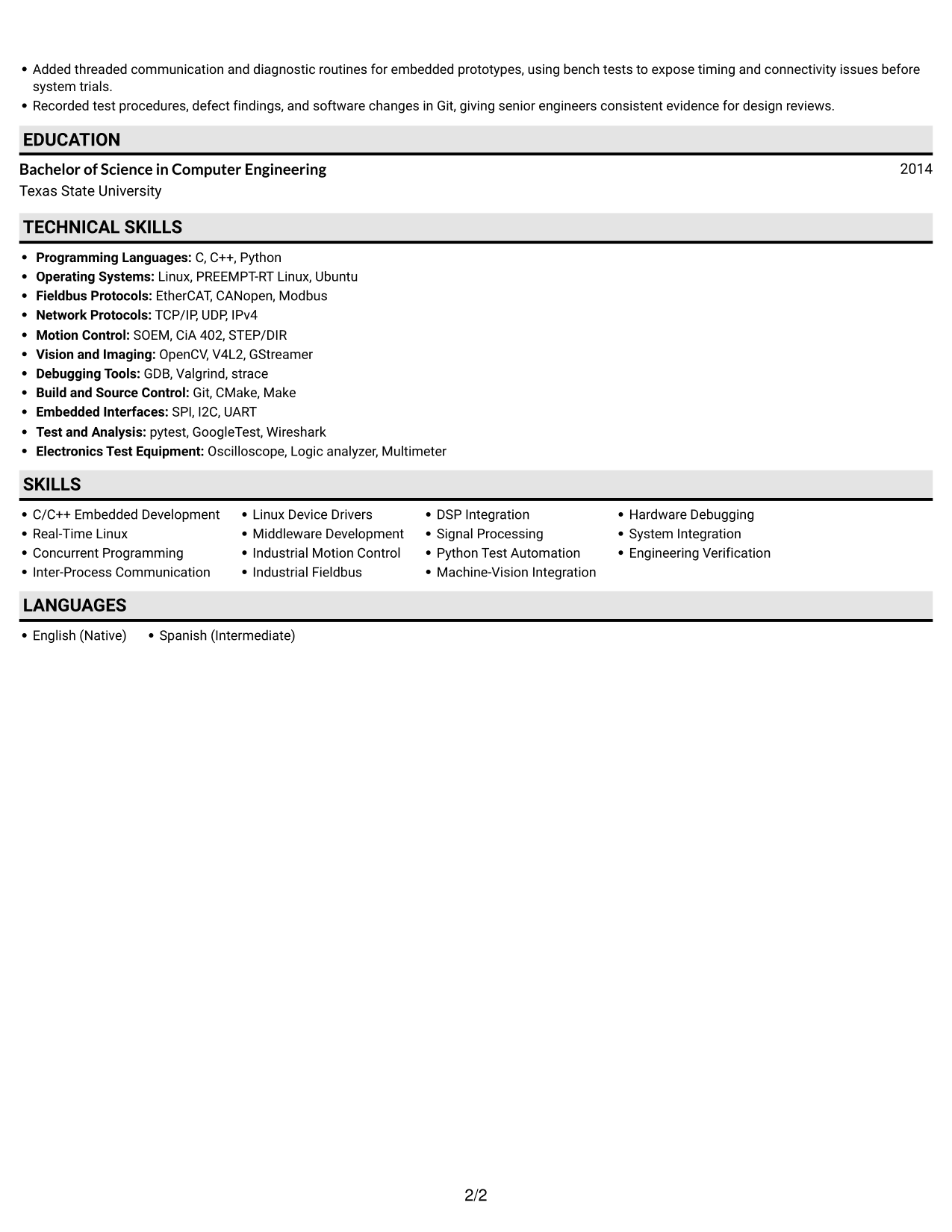
 
Resume example — page 1   Resume example — page 2

Why This Format Works

  • One text column keeps experience entries in a familiar, continuous order.
  • Resume section headings make education and technical skills easy to find.
  • A single reading path helps ATS tools process resume content in sequence.

Best For

  • Continuous experience records
  • ATS-readable resume text
  • Straightforward section navigation
  • Skills and education in sequence
  • Readers who prefer one column
 

#4 One Column Format with Photo Right Resume Example

The One Column Format with Photo Right pairs a resume photo with one text column, a practical choice when a portrait is part of the desired presentation.
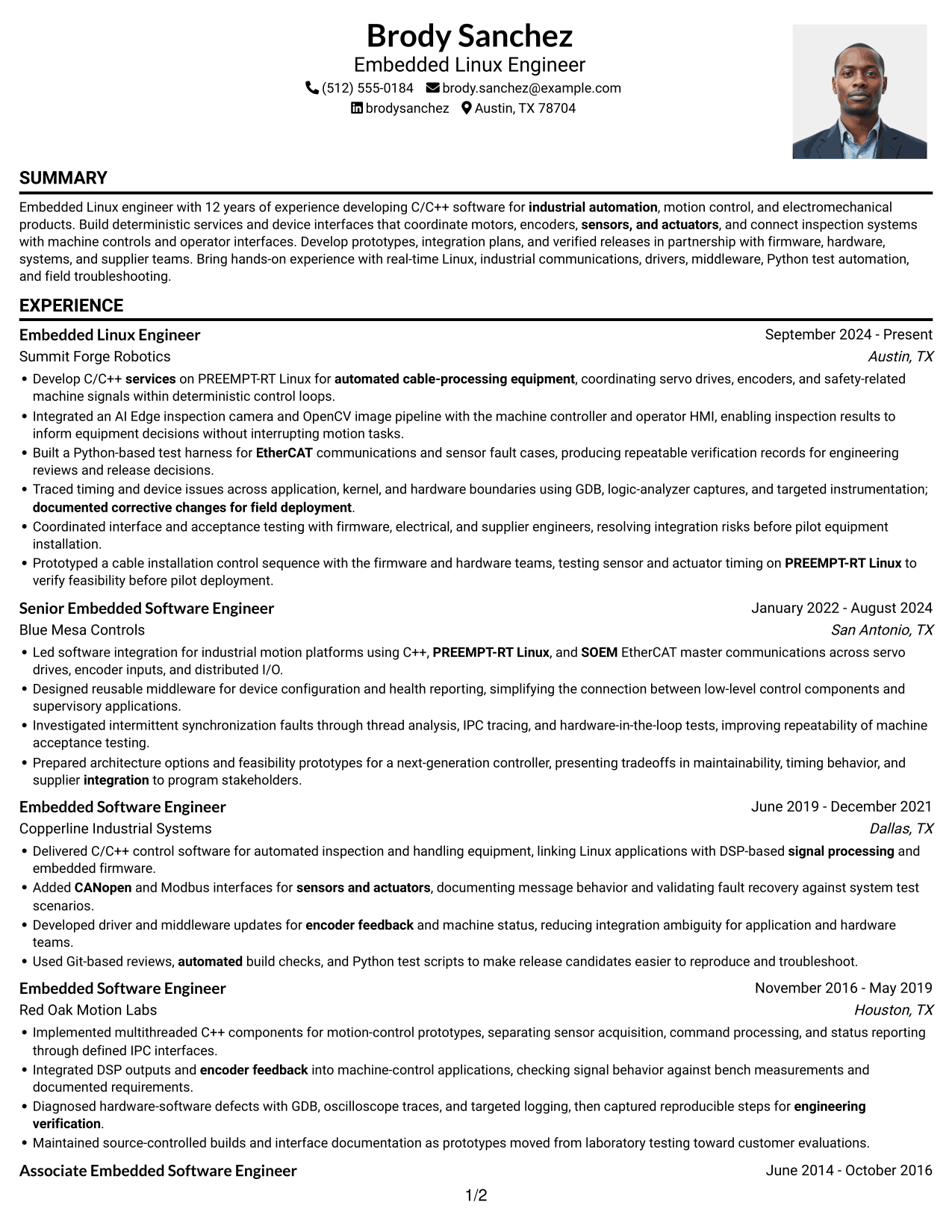
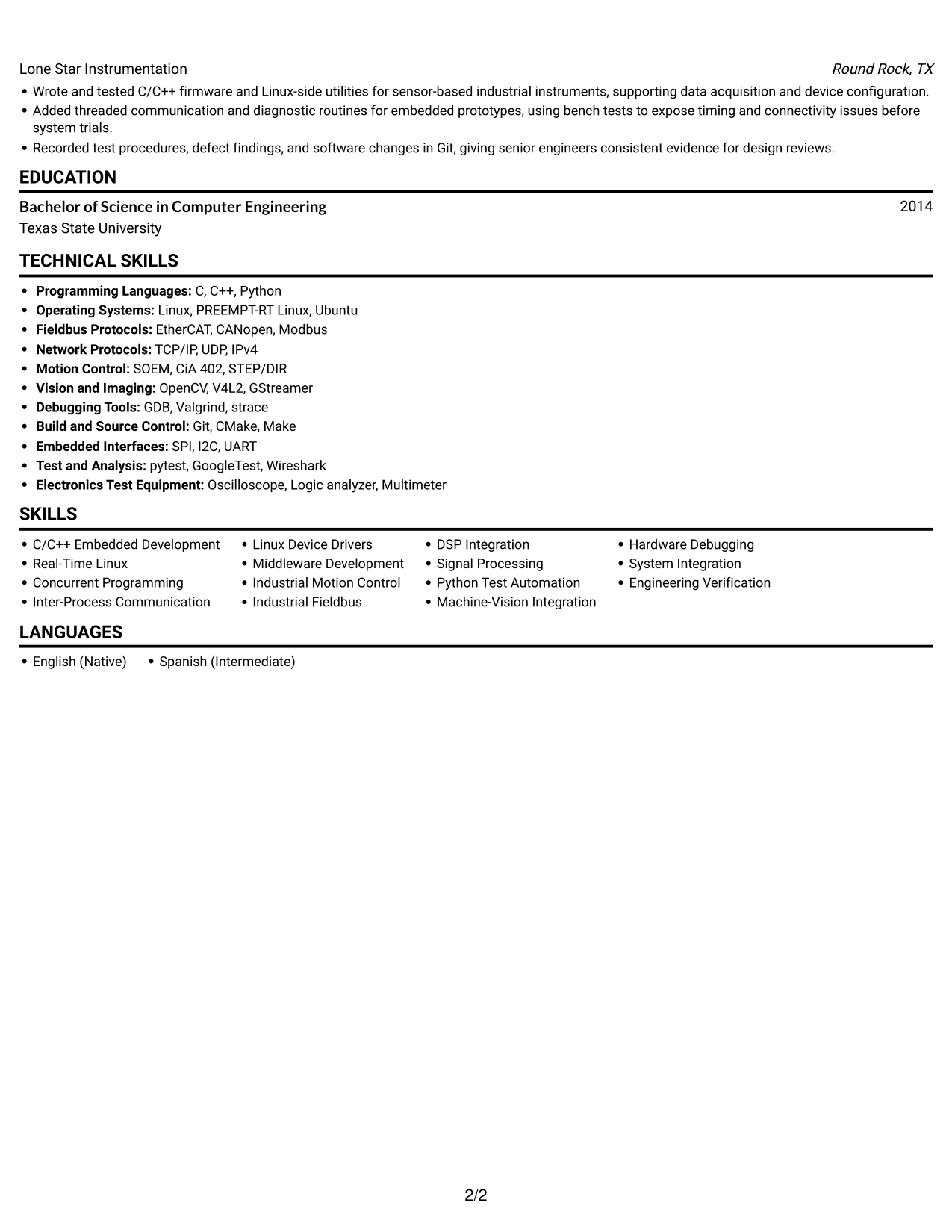
 
Resume example — page 1   Resume example — page 2

Why This Format Works

  • The single column keeps experience and education in a familiar top-to-bottom sequence.
  • Skills remain part of the same text path as work history.
  • An included photo adds a visible identity element beside the one-column resume text.

Best For

  • Resume presentation with a photo
  • One-column reading preferences
  • Chronological work histories
  • Skills and education in sequence
  • Applications where a portrait is requested
 

#5 Clean Two Column Sidebar Format Resume Example

The Clean Two Column Sidebar Format divides resume content between two columns, a practical choice when a compact layout matters.
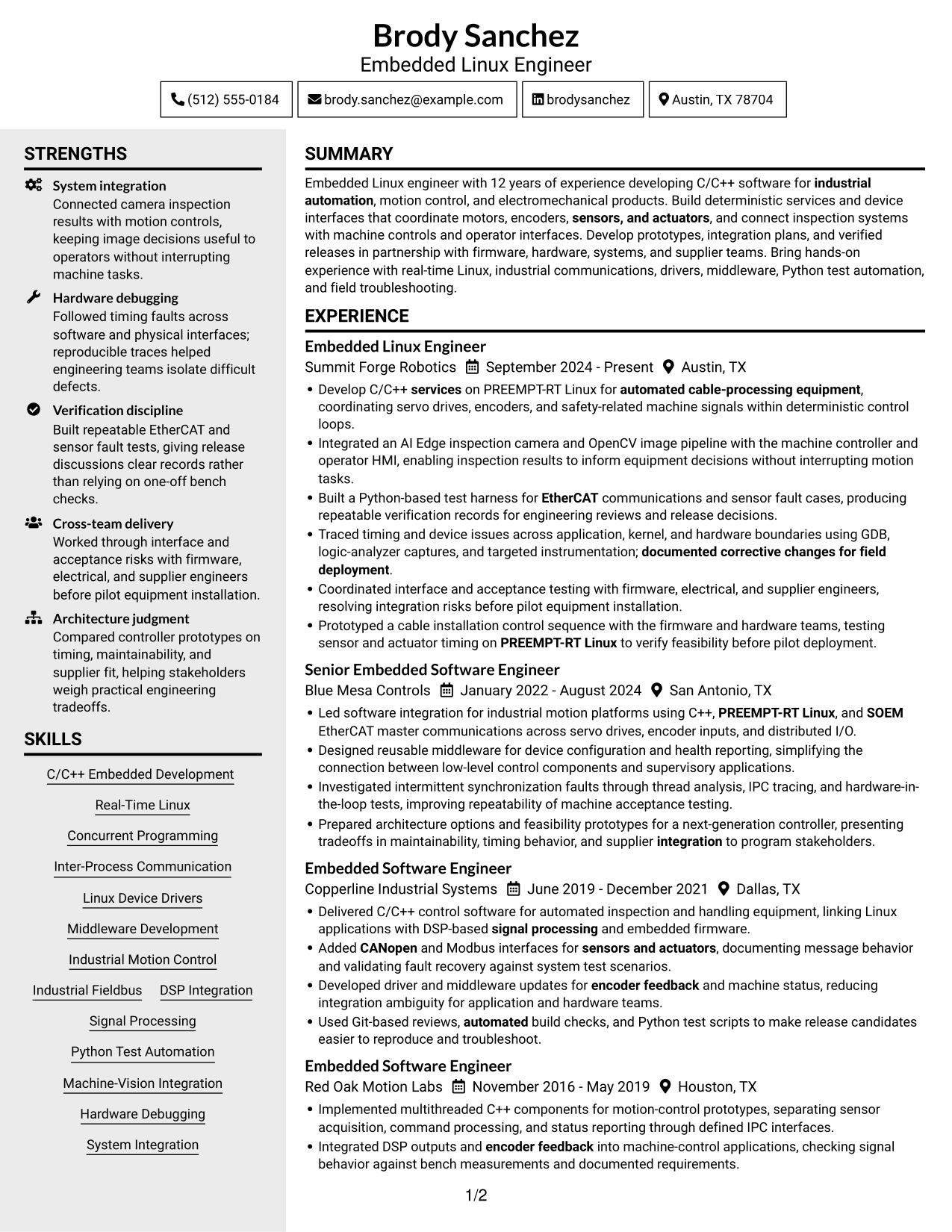
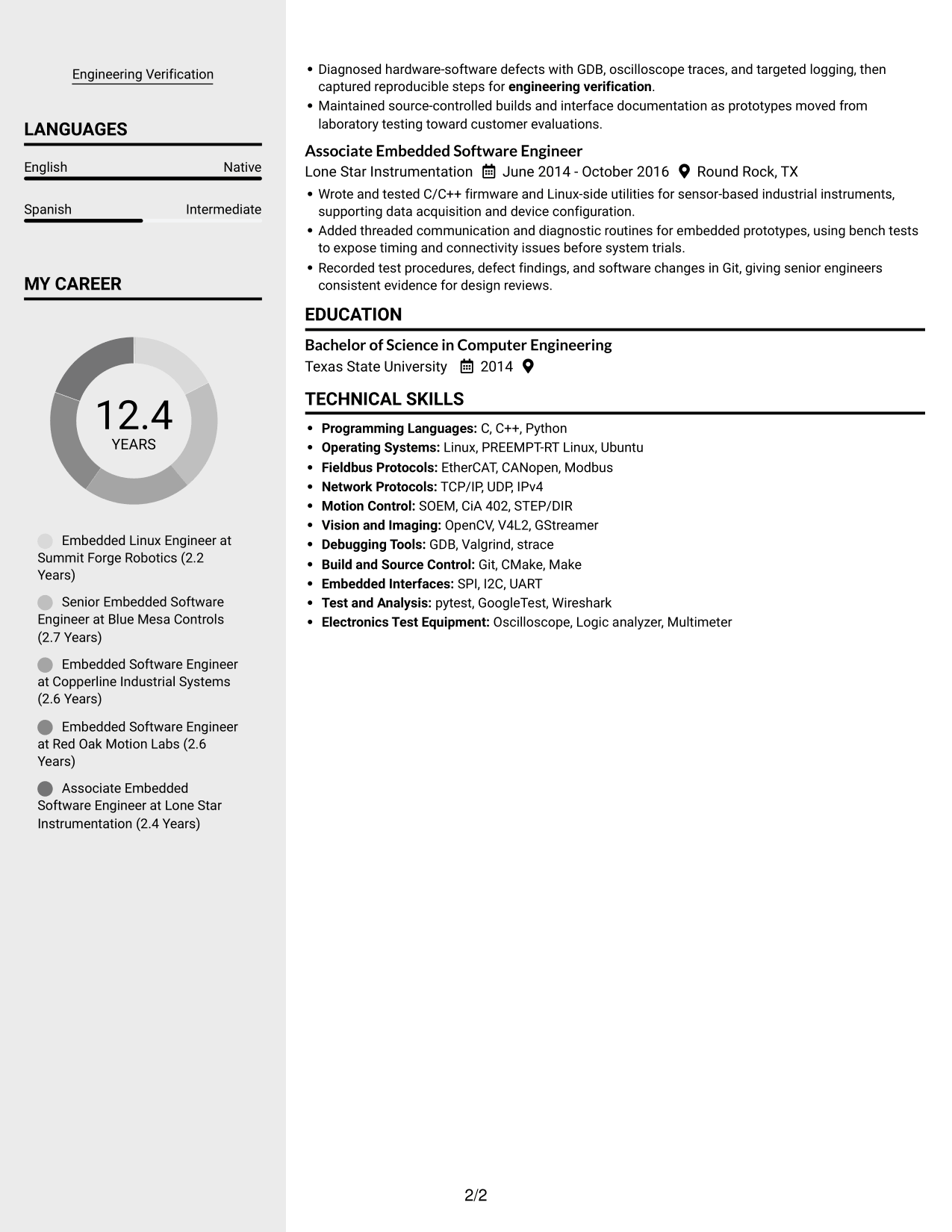
 
Resume example — page 1   Resume example — page 2

Why This Format Works

  • Two columns let reviewers move between experience and other resume sections without following one long text stream.
  • The separate reading areas give skills and education room to remain visible during review.
  • Section headings help readers locate career history across the two-column layout.

Best For

  • Compact resume content
  • Two-column section navigation
  • Experience with supporting details
  • Visible skills and education
  • Readers comparing separate information areas


#6 Two Column Format Resume Example

The Two Column Format sets resume content in two columns, a practical option for readers who want to review distinct sections in parallel.
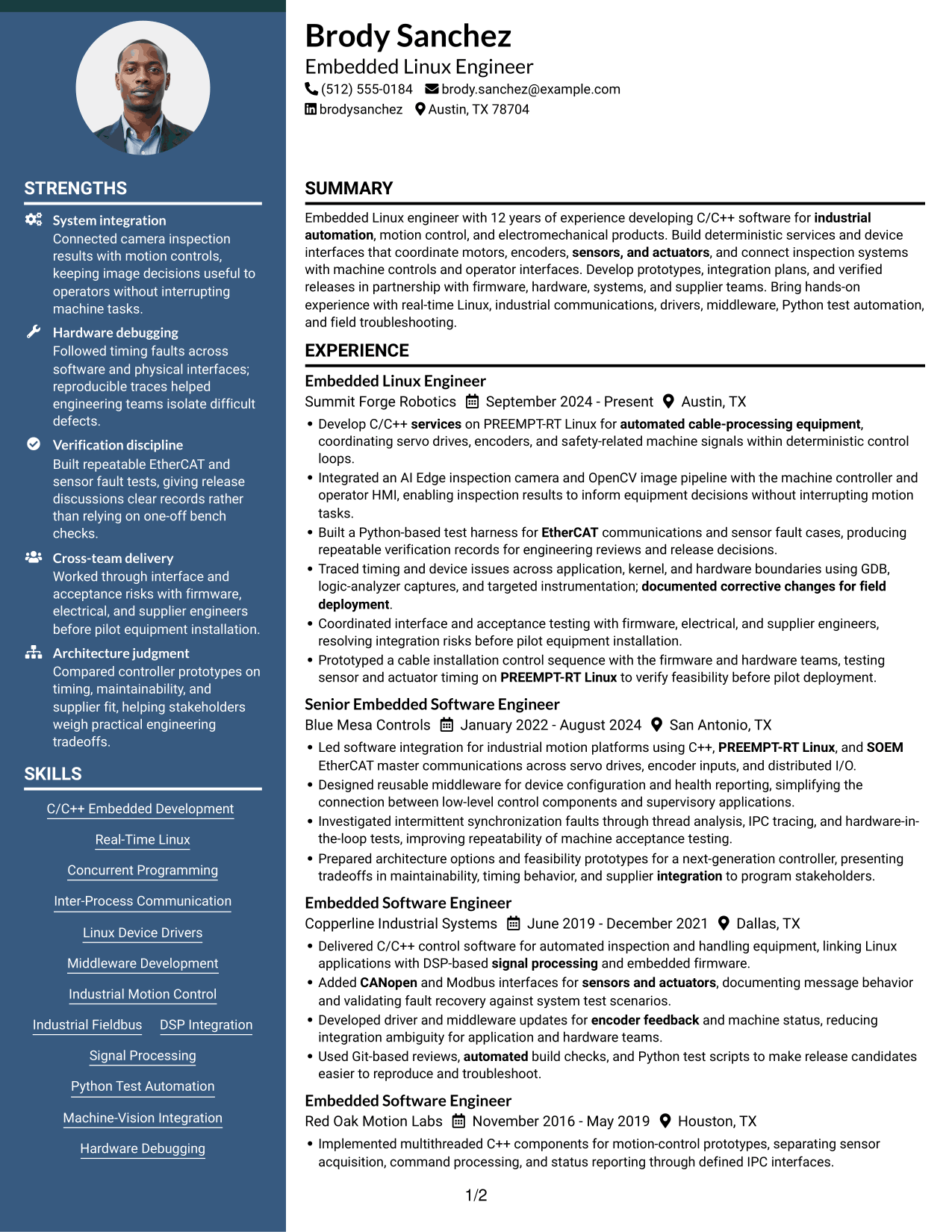
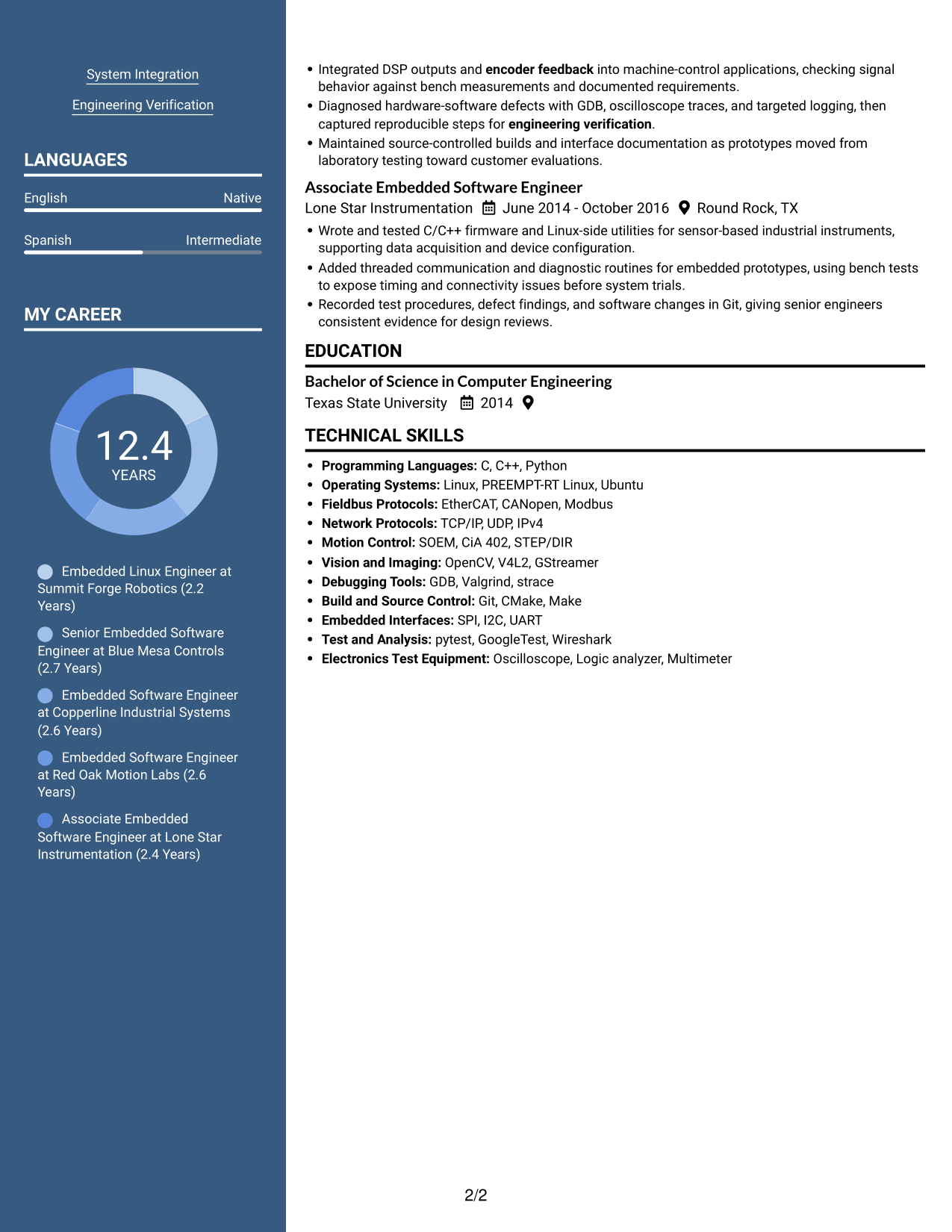
 
Resume example — page 1   Resume example — page 2

Why This Format Works

  • Parallel text areas help reviewers move between experience and supporting resume sections.
  • Separate columns make technical skills and education easier to locate during a scan.
  • Section headings maintain a clear path through the resume's two-column structure.

Best For

  • Parallel section review
  • Compact career histories
  • Skills alongside education
  • Resume content with distinct sections
  • Readers who prefer two columns
 

#7 Photo Header Two Column Format Resume Example

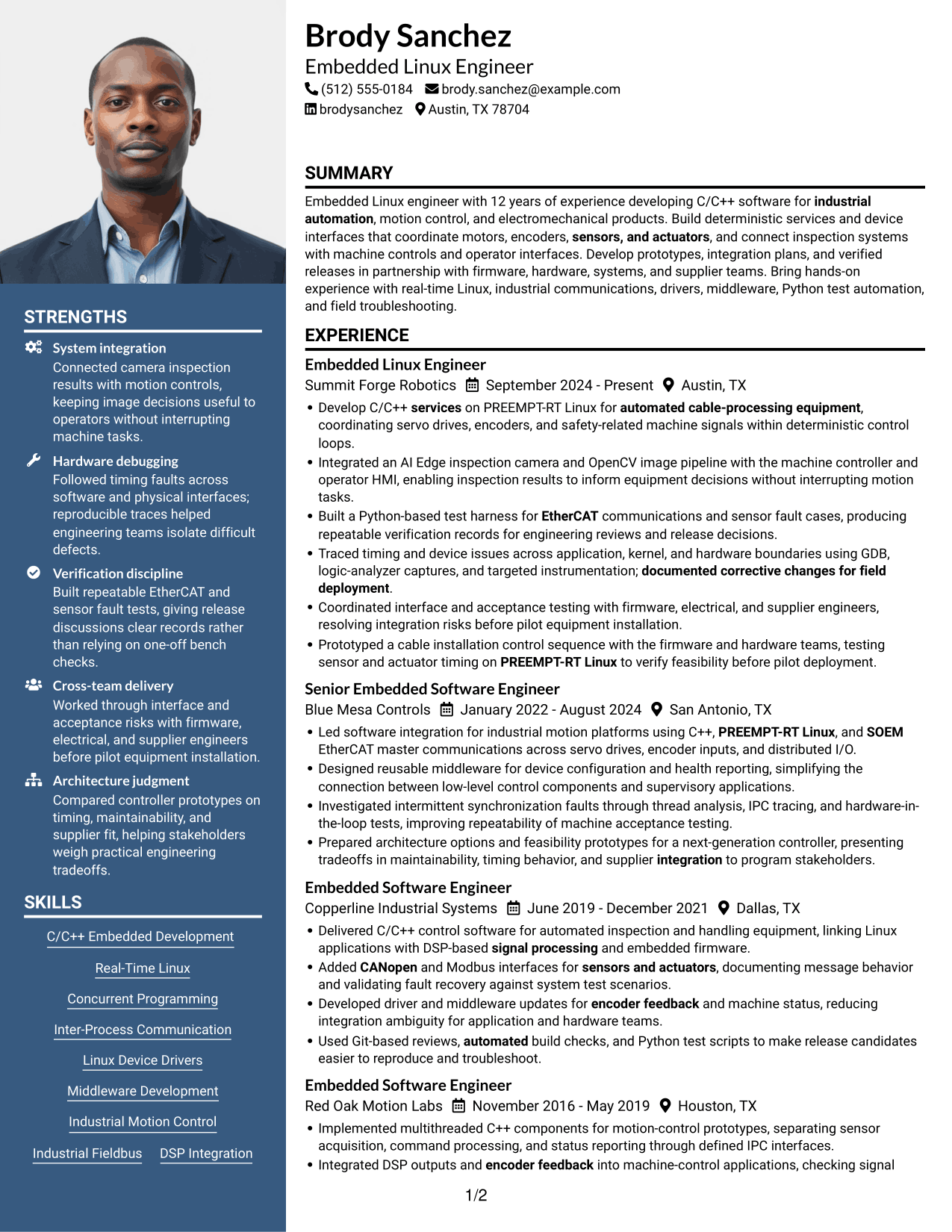
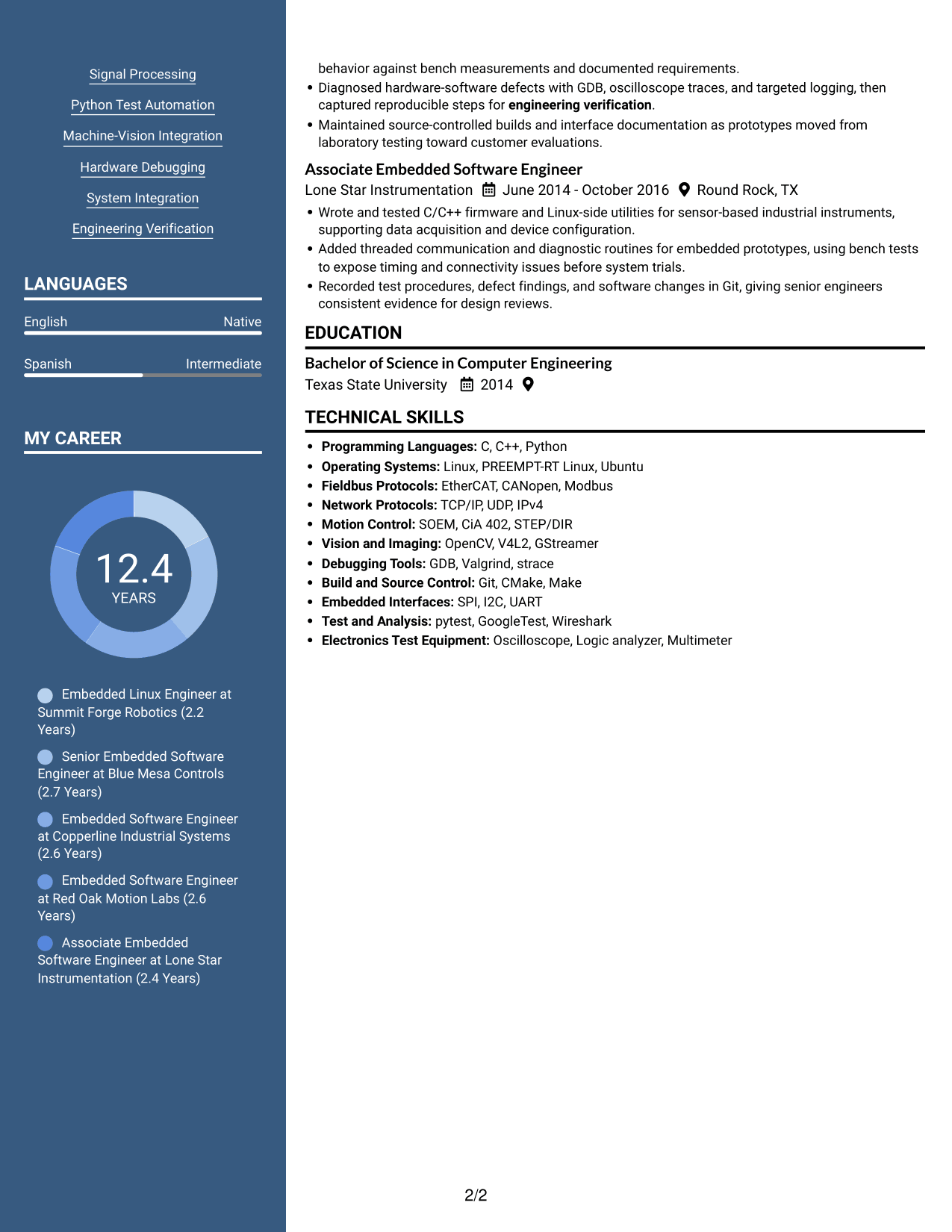
The Photo Header Two Column Format combines a resume photo with a two-column body, a practical choice for readers who want a portrait and organized text.
 
Resume example — page 1   Resume example — page 2

Why This Format Works

  • Two columns give reviewers parallel areas for moving through experience and other resume sections.
  • The column structure keeps skills and education distinct during a quick review.
  • An included photo adds a visual identity element alongside the two-column text layout.

Best For

  • Two-column content reviews
  • Resume layouts with a photo
  • Experience and skills in separate areas
  • Compact resume sections
  • Applications where a portrait is requested


Why Build Your Embedded Linux Engineer - Industrial Motion Control Resume with ResumeInMinutes

ResumeInMinutes lets you compare resume image previews and open an example in the editor. Use the structure to organize technical skills, experience, education, and measurable engineering results.

  • ATS-friendly section structure
  • Clear skills and experience sections
  • Keyword-focused resume content
  • Space for projects and technical work
  • Image previews for comparison
  • Resume customization in the editor

Choose a layout that keeps important technical details easy to scan. Then tailor each section to the requirements of the Embedded Linux Engineer - Industrial Motion Control role.


See Also


Frequently Asked Questions

Are these Embedded Linux Engineer - Industrial Motion Control resume templates ATS-friendly?

The examples use clear section headings and readable layouts. For better ATS alignment, include accurate terms from your background, such as PREEMPT-RT Linux, C/C++, EtherCAT, CANopen, device drivers, and hardware-software debugging.

Does this page show different resumes or layouts?

It shows one resume example in different visual layouts. Compare the image previews, then open an example in the editor to customize it.

What should an Embedded Linux Engineer - Industrial Motion Control resume include?

Include a focused summary, technical skills, professional experience, and education. Highlight relevant software, real-time Linux work, fieldbus protocols, drivers, middleware, integration tests, and measurable results.

Which resume format works well for this role?

A simple format with clear headings and a strong experience section works well. Keep technical skills easy to scan, and use concise bullets to explain the systems you built, tested, or integrated.

How should I show debugging and verification work?

Describe the issue, the tools or tests you used, and the result. For example, explain how you traced a timing fault, tested a fieldbus connection, or recorded evidence for an engineering review.

Should I include a photo on my resume?

For U.S. applications, a no-photo resume is generally the safer choice. Use the space for relevant skills, experience, education, and results instead.


ATS Score 90%

How we calculate this score

  • Keywords: 60% of the total. AI extracts keywords from your job description. If you do not provide one, a standard job description for the title matching your resume is used. This is not a match to a specific vacancy.
  • Text-based resume: 20%. The text resume assessed here receives 100 for this part.
  • Resume quality: 20%. We start at 100 and subtract points for issues found by our resume checks, down to a minimum of zero.
  • Keyword coverage = 100 × (confirmed matches + 0.8 × possible matches) ÷ total keywords, rounded and capped at 100. Possible matches still need checking. Saved generation audits use their saved keyword percentage.
  • Final score = 60% of keyword coverage + 20% of the text score + 20% of the quality score, rounded to a whole number. Without keywords, no overall ATS score is available.

What this score means

Our scores are estimates, not employer ratings. They may contain errors and do not guarantee accurate parsing, a ranking, an interview, or a job. Check your document against the employer’s requirements. You are responsible for relying on this score.

Terms and Conditions

Score weights: Keywords 60% · Text based resume 20% · Resume quality 20%

Keywords: 24 matched + 14 possible of 42 (84%) · Resume quality: 100%

Resume quality 100% · Weight 20% · Issues (0)

Details
  • ✓Name present: Brody Sanchez
  • ✓Email format: brody.sanchez@example.com
  • ✓Phone format: (512) 555-0184
  • ✓Experience 1: Job title: Embedded Linux Engineer
  • ✓Experience 1: Company name: Summit Forge Robotics
  • ✓Experience 1: Work location: Austin, TX
  • ✓Experience 1: Employment dates: September 2024 - Present
  • ✓Experience 1: Description or achievements: Present
  • ✓Experience 2: Job title: Senior Embedded Software Engineer
  • ✓Experience 2: Company name: Blue Mesa Controls
  • ✓Experience 2: Work location: San Antonio, TX
  • ✓Experience 2: Employment dates: January 2022 - August 2024
  • ✓Experience 2: Description or achievements: Present
  • ✓Experience 3: Job title: Embedded Software Engineer
  • ✓Experience 3: Company name: Copperline Industrial Systems
  • ✓Experience 3: Work location: Dallas, TX
  • ✓Experience 3: Employment dates: June 2019 - December 2021
  • ✓Experience 3: Description or achievements: Present
  • ✓Experience 4: Job title: Embedded Software Engineer
  • ✓Experience 4: Company name: Red Oak Motion Labs
  • ✓Experience 4: Work location: Houston, TX
  • ✓Experience 4: Employment dates: November 2016 - May 2019
  • ✓Experience 4: Description or achievements: Present
  • ✓Experience 5: Job title: Associate Embedded Software Engineer
  • ✓Experience 5: Company name: Lone Star Instrumentation
  • ✓Experience 5: Work location: Round Rock, TX
  • ✓Experience 5: Employment dates: June 2014 - October 2016
  • ✓Experience 5: Description or achievements: Present
  • ✓No placeholder fields
  • ✓No repeated achievement bullets
  • ✓No empty bullets

No issues found by the current checks.

Text Based Resume 100% · Weight 20%

Parsed text
Brody Sanchez
(512) 555-0184
brody.sanchez@example.com
brodysanchez
Austin, TX 78704
SUMMARY
Embedded Linux engineer with 12 years of experience developing C/C++ software for industrial automation, motion control, and electromechanical products. Build deterministic services and device interfaces that coordinate motors, encoders, sensors, and actuators, and connect inspection systems with machine controls and operator interfaces. Develop prototypes, integration plans, and verified releases in partnership with firmware, hardware, systems, and supplier teams. Bring hands-on experience with real-time Linux, industrial communications, drivers, middleware, Python test automation, and field troubleshooting.
EXPERIENCE
Embedded Linux Engineer
Summit Forge Robotics
September 2024 - Present
Austin, TX
Develop C/C++ services on PREEMPT-RT Linux for automated cable-processing equipment, coordinating servo drives, encoders, and safety-related machine signals within deterministic control loops.
Integrated an AI Edge inspection camera and OpenCV image pipeline with the machine controller and operator HMI, enabling inspection results to inform equipment decisions without interrupting motion tasks.
Built a Python-based test harness for EtherCAT communications and sensor fault cases, producing repeatable verification records for engineering reviews and release decisions.
Traced timing and device issues across application, kernel, and hardware boundaries using GDB, logic-analyzer captures, and targeted instrumentation; documented corrective changes for field deployment.
Coordinated interface and acceptance testing with firmware, electrical, and supplier engineers, resolving integration risks before pilot equipment installation.
Prototyped a cable installation control sequence with the firmware and hardware teams, testing sensor and actuator timing on PREEMPT-RT Linux to verify feasibility before pilot deployment.
Senior Embedded Software Engineer
Blue Mesa Controls
January 2022 - August 2024
San Antonio, TX
Led software integration for industrial motion platforms using C++, PREEMPT-RT Linux, and SOEM EtherCAT master communications across servo drives, encoder inputs, and distributed I/O.
Designed reusable middleware for device configuration and health reporting, simplifying the connection between low-level control components and supervisory applications.
Investigated intermittent synchronization faults through thread analysis, IPC tracing, and hardware-in-the-loop tests, improving repeatability of machine acceptance testing.
Prepared architecture options and feasibility prototypes for a next-generation controller, presenting tradeoffs in maintainability, timing behavior, and supplier integration to program stakeholders.
Embedded Software Engineer
Copperline Industrial Systems
June 2019 - December 2021
Dallas, TX
Delivered C/C++ control software for automated inspection and handling equipment, linking Linux applications with DSP-based signal processing and embedded firmware.
Added CANopen and Modbus interfaces for sensors and actuators, documenting message behavior and validating fault recovery against system test scenarios.
Developed driver and middleware updates for encoder feedback and machine status, reducing integration ambiguity for application and hardware teams.
Used Git-based reviews, automated build checks, and Python test scripts to make release candidates easier to reproduce and troubleshoot.
Embedded Software Engineer
Red Oak Motion Labs
November 2016 - May 2019
Houston, TX
Implemented multithreaded C++ components for motion-control prototypes, separating sensor acquisition, command processing, and status reporting through defined IPC interfaces.
Integrated DSP outputs and encoder feedback into machine-control applications, checking signal behavior against bench measurements and documented requirements.
Diagnosed hardware-software defects with GDB, oscilloscope traces, and targeted logging, then captured reproducible steps for engineering verification.
Maintained source-controlled builds and interface documentation as prototypes moved from laboratory testing toward customer evaluations.
Associate Embedded Software Engineer
Lone Star Instrumentation
June 2014 - October 2016
Round Rock, TX
Wrote and tested C/C++ firmware and Linux-side utilities for sensor-based industrial instruments, supporting data acquisition and device configuration.
Added threaded communication and diagnostic routines for embedded prototypes, using bench tests to expose timing and connectivity issues before system trials.
Recorded test procedures, defect findings, and software changes in Git, giving senior engineers consistent evidence for design reviews.
EDUCATION
Bachelor of Science in Computer Engineering
Texas State University
2014
TECHNICAL SKILLS
Programming Languages: C, C++, Python
Operating Systems: Linux, PREEMPT-RT Linux, Ubuntu
Fieldbus Protocols: EtherCAT, CANopen, Modbus
Network Protocols: TCP/IP, UDP, IPv4
Motion Control: SOEM, CiA 402, STEP/DIR
Vision and Imaging: OpenCV, V4L2, GStreamer
Debugging Tools: GDB, Valgrind, strace
Build and Source Control: Git, CMake, Make
Embedded Interfaces: SPI, I2C, UART
Test and Analysis: pytest, GoogleTest, Wireshark
Electronics Test Equipment: Oscilloscope, Logic analyzer, Multimeter
SKILLS
C/C++ Embedded Development
Real-Time Linux
Concurrent Programming
Inter-Process Communication
Linux Device Drivers
Middleware Development
Industrial Motion Control
Industrial Fieldbus
DSP Integration
Signal Processing
Python Test Automation
Machine-Vision Integration
Hardware Debugging
System Integration
Engineering Verification
LANGUAGES
English (Native)
Spanish (Intermediate)

Matched keywords (24)

  • PREEMPT-RT Linux
  • Inter-Process Communication
  • Source Control
  • Git-based reviews, automated build checks, and Python test scriptsOriginal keyword in JD: Modern software development tools
  • Industrial Motion Control
  • Device Drivers
  • Middleware Development
  • C/C++ services on PREEMPT-RT LinuxOriginal keyword in JD: System services
  • DSP Integration
  • EtherCAT
  • SOEMOriginal keyword in JD: SOEM OR IgH
  • CANopen
  • Modbus
  • TCP/IP
  • encoder feedback
  • Machine-Vision Integration
  • System Integration
  • engineering verification
  • documented corrective changes for field deploymentOriginal keyword in JD: Software deployment
  • signal processing
  • sensors, and actuators
  • presenting tradeoffs in maintainability, timing behavior, and supplier integration to program stakeholdersOriginal keyword in JD: Stakeholder and partner communication
  • industrial automation
  • automated cable-processing equipmentOriginal keyword in JD: Robotics

Missing keywords (4)

  • Software architecture
  • Image pipelines
  • Operator HMIs
  • Cross-functional engineering collaboration

Possible matches (14)

  • C/C++ embedded software development80% credit: 1.90 percentage points of 2.38 possible.
  • Real-time operating systems80% credit: 1.90 percentage points of 2.38 possible.
  • Multithreaded and concurrent software80% credit: 1.90 percentage points of 2.38 possible.
  • Hardware-software debugging80% credit: 1.90 percentage points of 2.38 possible.
  • Deterministic control systems80% credit: 1.90 percentage points of 2.38 possible.
  • Embedded firmware integration80% credit: 1.90 percentage points of 2.38 possible.
  • Industrial fieldbus communications80% credit: 1.90 percentage points of 2.38 possible.
  • Motion and servo control80% credit: 1.90 percentage points of 2.38 possible.
  • AI Edge inspection systems80% credit: 1.90 percentage points of 2.38 possible.
  • Prototyping and feasibility assessment80% credit: 1.90 percentage points of 2.38 possible.
  • Integration testing80% credit: 1.90 percentage points of 2.38 possible.
  • Python scripting and test automation80% credit: 1.90 percentage points of 2.38 possible.
  • Cable installation equipment80% credit: 1.90 percentage points of 2.38 possible.
  • Bachelor's OR Master's degree in Computer Engineering OR Computer Science OR Electrical Engineering OR a related engineering discipline80% credit: 1.90 percentage points of 2.38 possible.
Disclaimer: All names, images, contact information, employment histories, achievements, security clearances, military credentials, and other qualifications shown in this content are fictional and used for illustrative purposes only. Any resemblance to actual persons, living or deceased, is purely coincidental.

Resume and cover-letter examples and recommendations in this article reflect general best practices and professional experience and are provided for guidance only. Results may vary based on role, industry, region, and hiring organization.

Content Accuracy and Verification: To the fullest extent permitted by applicable law, we do not represent or warrant that resume or cover-letter guidance, examples, recommendations, or related information are accurate, complete, current, error-free, or suitable for any particular purpose. You are responsible for independently reviewing and verifying the information before relying on it.

ATS and Cover-Letter Scores: ATS scores are estimates calculated using our own formula, informed by publicly available guidance on resume formatting and keyword matching. They are not scores issued or endorsed by an ATS provider or employer. Cover-letter scores are also our own assessments. Parsing, weighting, screening criteria, and results vary between systems, employers, job descriptions, and document formats. No score guarantees successful parsing, a particular ranking, an interview, or employment. Use scores as general guidance and independently check your documents against the employer’s requirements. To the fullest extent permitted by applicable law, we accept no liability for errors in scores or parsing, or losses arising from reliance on these assessments. Nothing in this notice excludes liability or limits consumer rights that cannot lawfully be excluded or limited.

Terms and Conditions
 
> JP 1 1
PDF Footer and Margins Setup
The margins are applied to the document, and the footer shows up in the preview and the PDF

Footer Font Settings

Are you applying for a specific job
so we can tailor your resume to it?
Are you applying for a specific job
so we can tailor your cover letter to it?
Type your details as text to generate a personalized resume Type your details as text to generate a personalized cover letter
Website link found! Ready to create resume from:
Drag the into the box to verify you're human.
Drop here

My Resumes

Displaying {number_of_files} files (out of {total_of_all_files} total)
Name File Type Last Modified: Description:

Rename File

Filename already exists!

Delete Files

Warning: This action is irreversible. Once you click submit, the files will be permanently deleted.

Heading text
Upload From Computer Upload
Select From Existing
LinkedIn
Drag & Drop files anywhere in this tab, or

Uploaded Files

Delete Name Last Updated Use This File
Select this to use the file for generating your resume and cover letter. Only one source—uploaded file, selected file, or LinkedIn text—can be used.

My Files

Resumes or cover letters you create will appear here. No files available yet.
Delete Name Last Updated Use This File
Select this to use the file for generating your resume and cover letter. Only one source—uploaded file, selected file, or LinkedIn text—can be used.

Add LinkedIn Profile PDF

You can download your LinkedIn profile as a PDF by opening linkedin.com in a web browser, clicking your profile photo, selecting the “More” or “Resources” button, and choosing “Save to PDF.” You can then attach the PDF using the Upload From Computer tab.

Paste Your LinkedIn Profile Text

If you have copied the LinkedIn profile text, paste it below. See how to copy your profile from LinkedIn

Select this to use the LinkedIn profile text for generating your resume and cover letter. Only one source—uploaded file, selected file, or LinkedIn text—can be used.

Try these controls

<
>


