
US English


7 Entry-Level Bookkeeper - Small Business Accounting Resume Templates with Example
By Ria · Last Updated On October 19, 2026
Resume example — page 1

This guide shows you how to create an Entry-Level Bookkeeper - Small Business Accounting resume that presents your qualifications clearly. You will learn how to organize relevant experience and show the care, accuracy, and follow-through this work requires.

A strong bookkeeper resume makes daily transaction work, bank account reconciliations, financial statement preparation, and routine local agency filings easy to find. Use clear section headings and concise bullet points, and include relevant tools such as QuickBooks Online and Microsoft Excel.

Compare the resume example in 7 layouts using the image previews, then open an example in the editor to review or customize its structure. The guidance below explains how to present small business bookkeeping skills, workpapers, education, and certifications for both ATS review and a quick human scan.

What Makes a Great Entry-Level Bookkeeper - Small Business Accounting Resume in 2026

A strong resume makes bookkeeping duties and relevant qualifications easy to scan. Use clear headings and focused bullets to show transaction recording, reconciliations, reporting, and client follow-through.

Include supported keywords such as QuickBooks Online, Microsoft Excel, bank reconciliation, financial statement preparation, and local agency filings. Add results or work volume only when you can support them with accurate details.

Note: Resume examples are for educational purposes only. Use only information that accurately reflects your experience and qualifications. References to real organizations do not imply affiliation or endorsement.

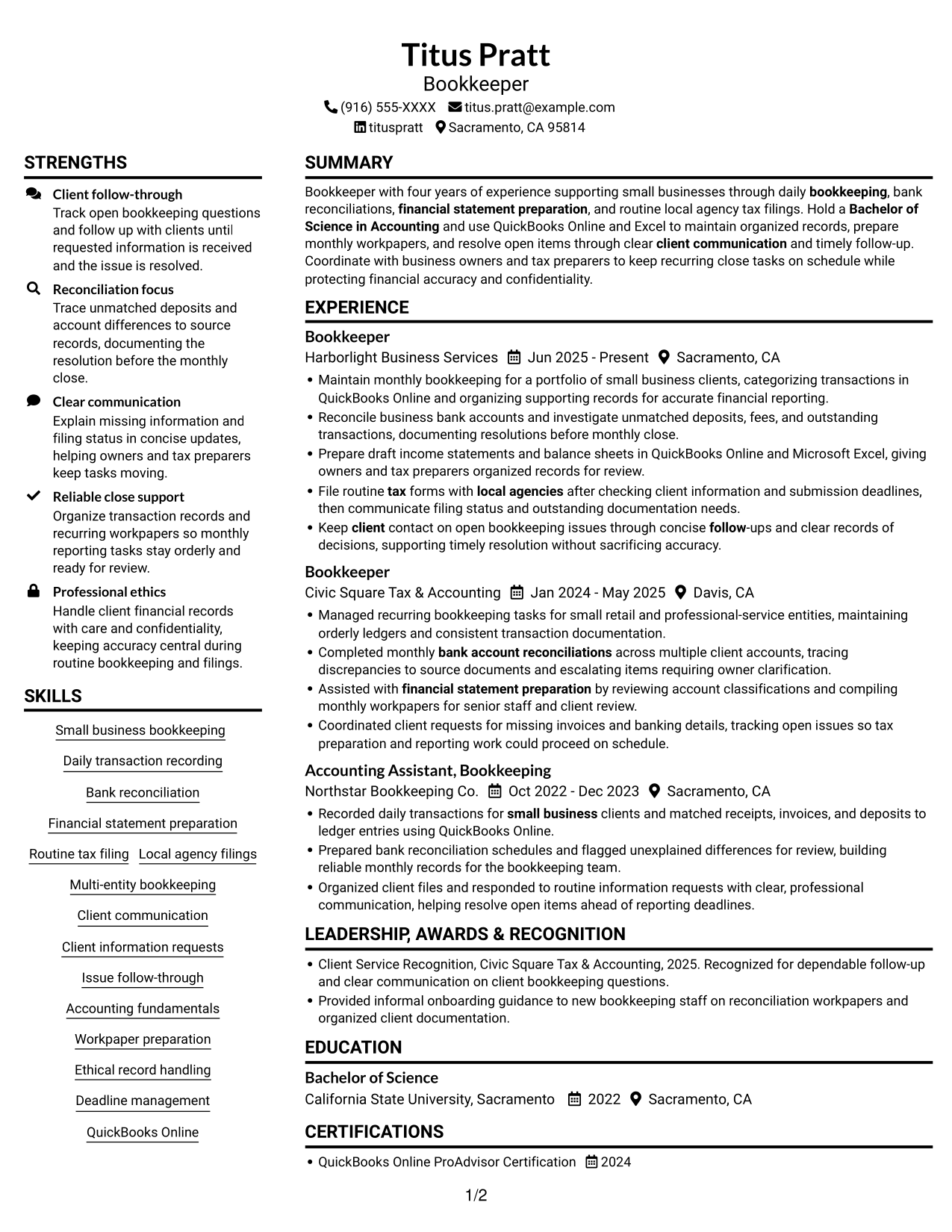
#1 Plain Two Column Format Resume Example

The Plain Two Column Format places resume information in two parallel areas, giving reviewers a compact view of separate sections.
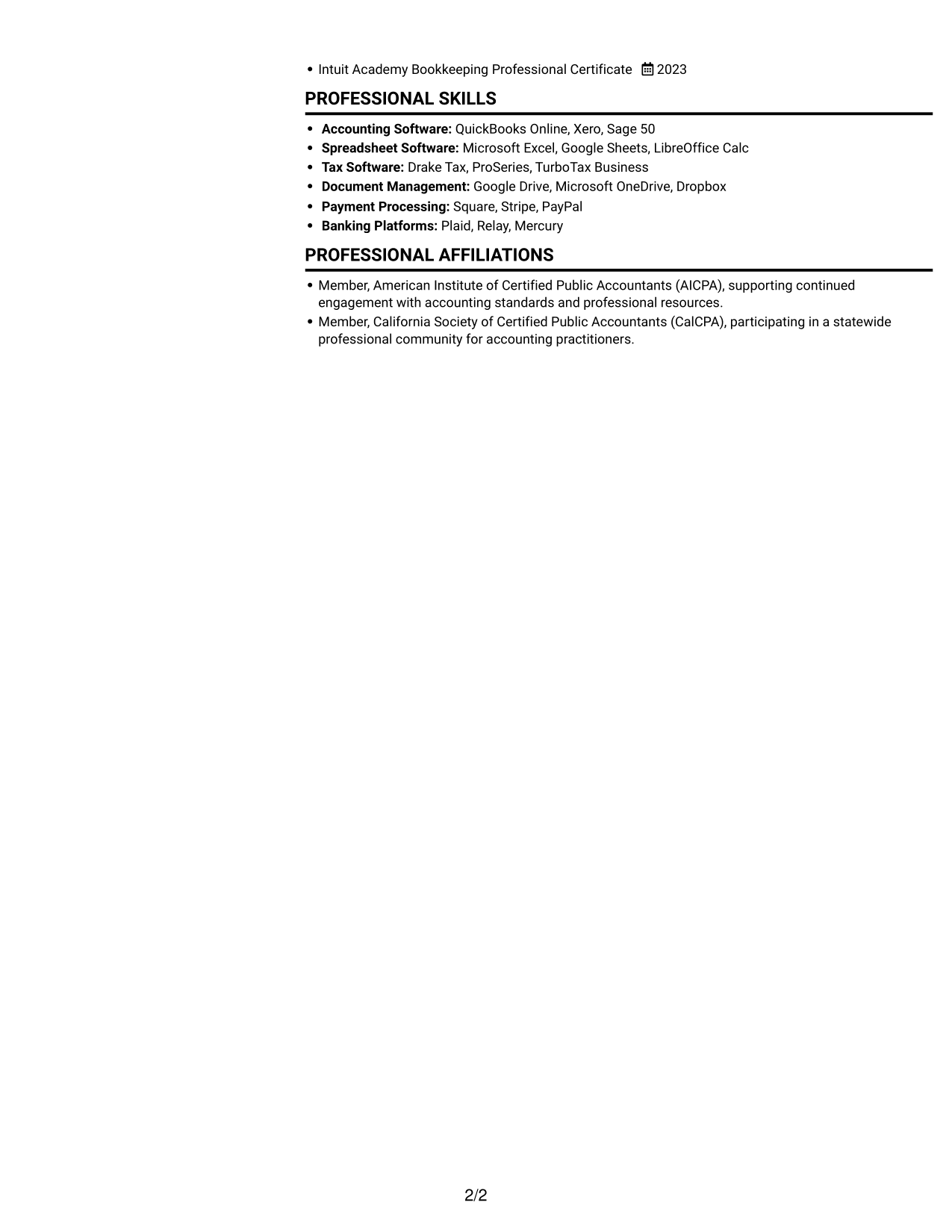
 
Resume example — page 1   Resume example — page 2

Resume Snapshot

  • Bookkeeper with four years of small-business bookkeeping experience
  • Bachelor of Science in Accounting
  • QuickBooks Online ProAdvisor Certification, 2024
  • Experience includes bookkeeping, reconciliations, financial statements, and routine tax filings

Why This Format Works

  • Experience can remain distinct from education and credentials during a quick review.
  • Section groups give skills and qualifications clear places within the resume.
  • Career dates can be reviewed in sequence without losing supporting information.

Best For

  • Compact section overview
  • Parallel content review
  • Resumes with several sections
  • Quick recruiter scanning
  • Skills and credential visibility

Resume Keywords

  • four years of experience supporting small businesses through daily bookkeeping
  • Bachelor of Science in Accounting
  • Small business bookkeeping
  • Recorded daily transactions for small business clients and matched receipts, invoices, and deposits to ledger entries
  • bank account reconciliations
  • Financial statement preparation
  • File routine tax forms with local agencies
  • Accounting fundamentals
  • Client communication
  • Keep client contact on open bookkeeping issues through concise follow-ups and clear records of decisions, supporting timely resolution
  • Professional ethics
 

#2 Simple One Column Format Resume Example

The Simple One Column Format keeps sections in a top-to-bottom sequence, giving reviewers one clear path through the resume.
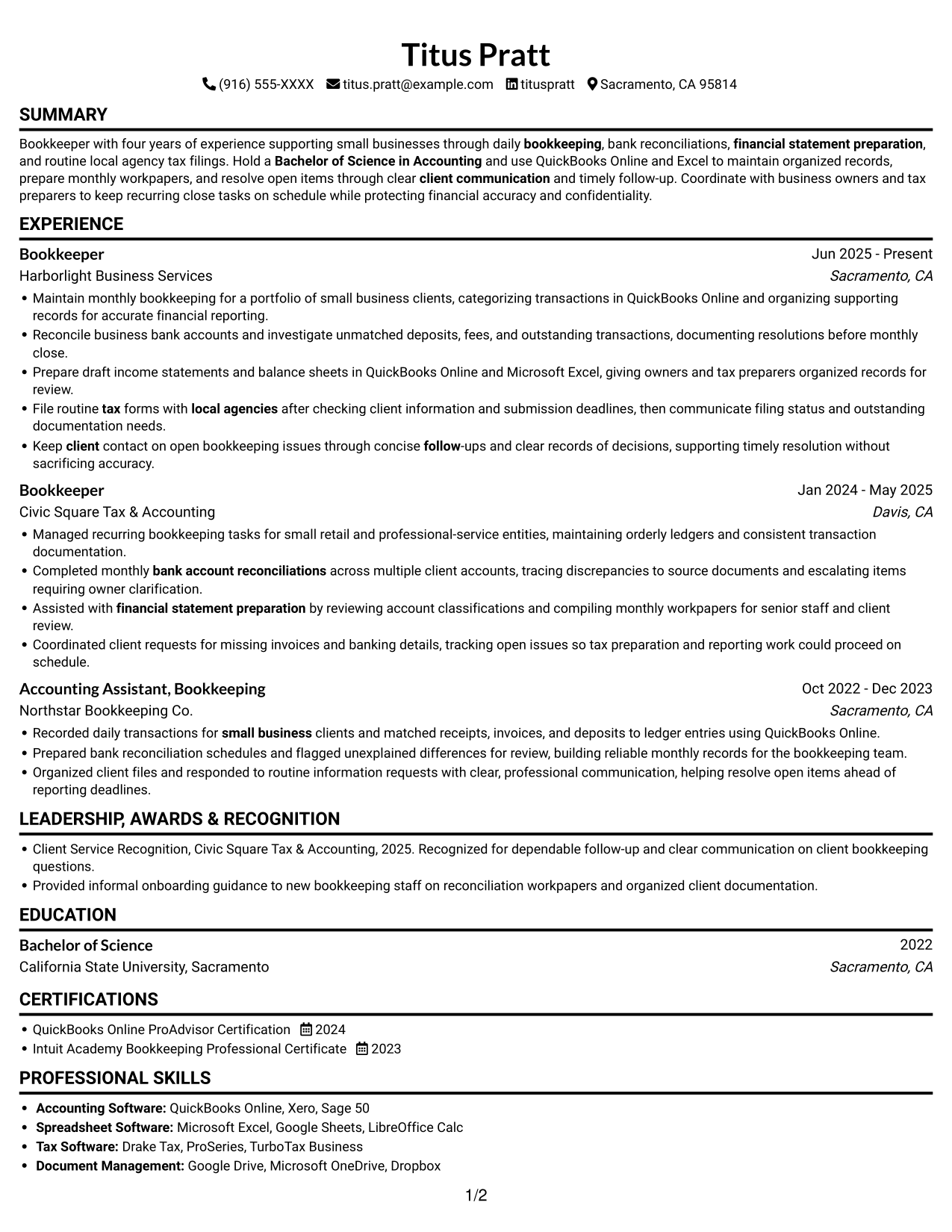
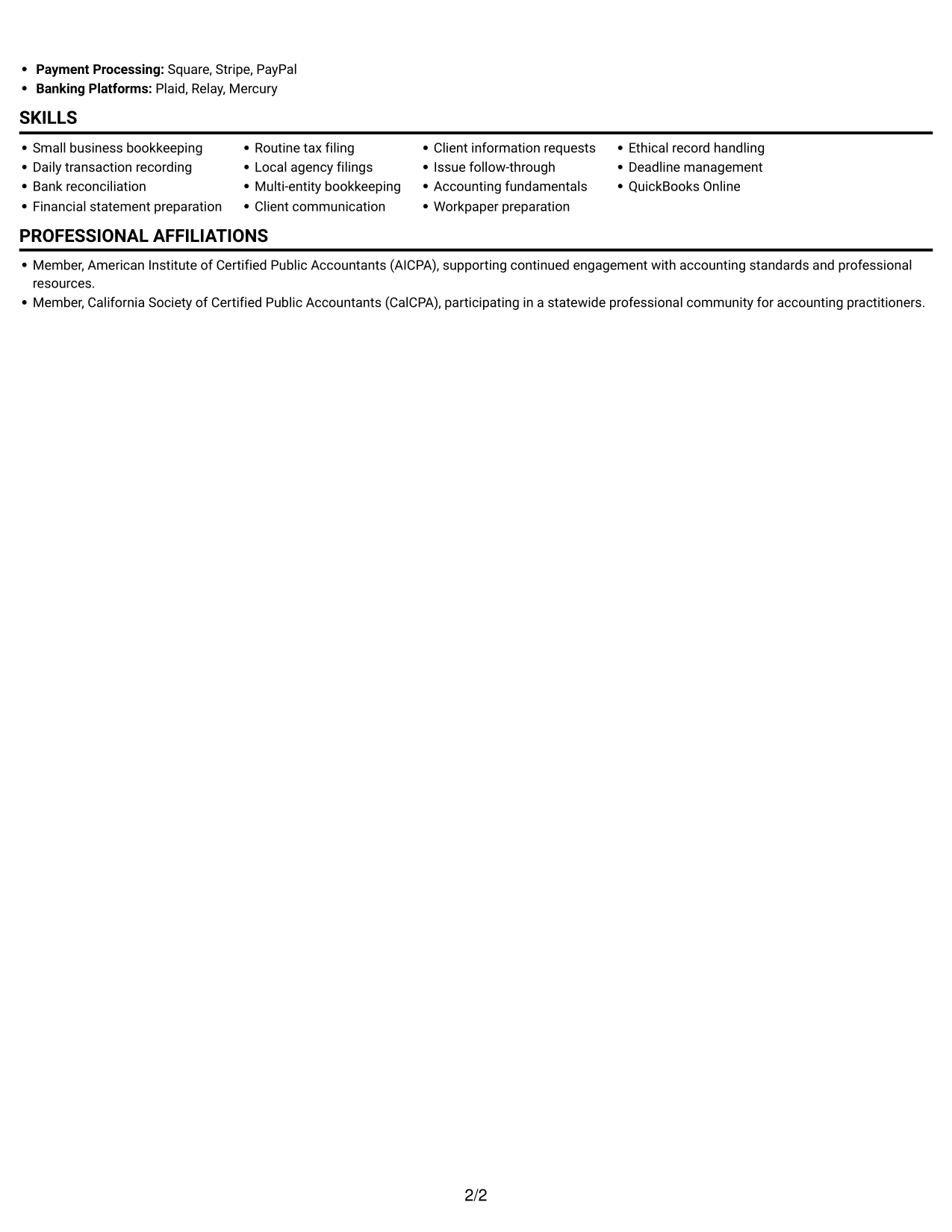
 
Resume example — page 1   Resume example — page 2

Why This Format Works

  • Each experience entry can follow a consistent order across successive roles.
  • Skills and credentials fit within the same straightforward section sequence.
  • Reviewers can move through the resume without switching between columns.

Best For

  • Top-to-bottom resume review
  • Chronological career history
  • Single-path section reading
  • Text-focused resume content
  • Straightforward section order
 

#3 Clean Two Column Sidebar Format Resume Example

The Clean Two Column Sidebar Format gives resume sections distinct places across two columns, helping reviewers compare information at a glance.
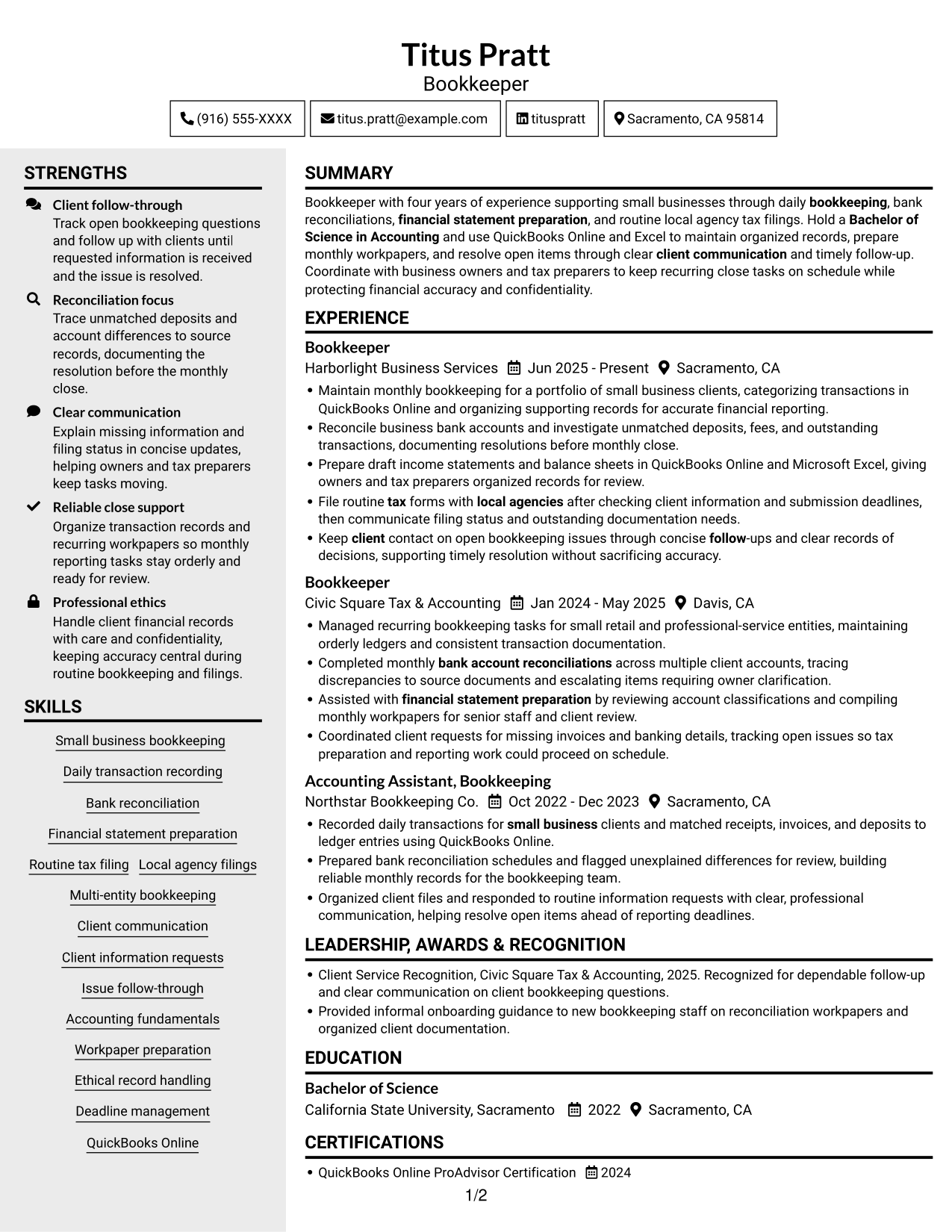
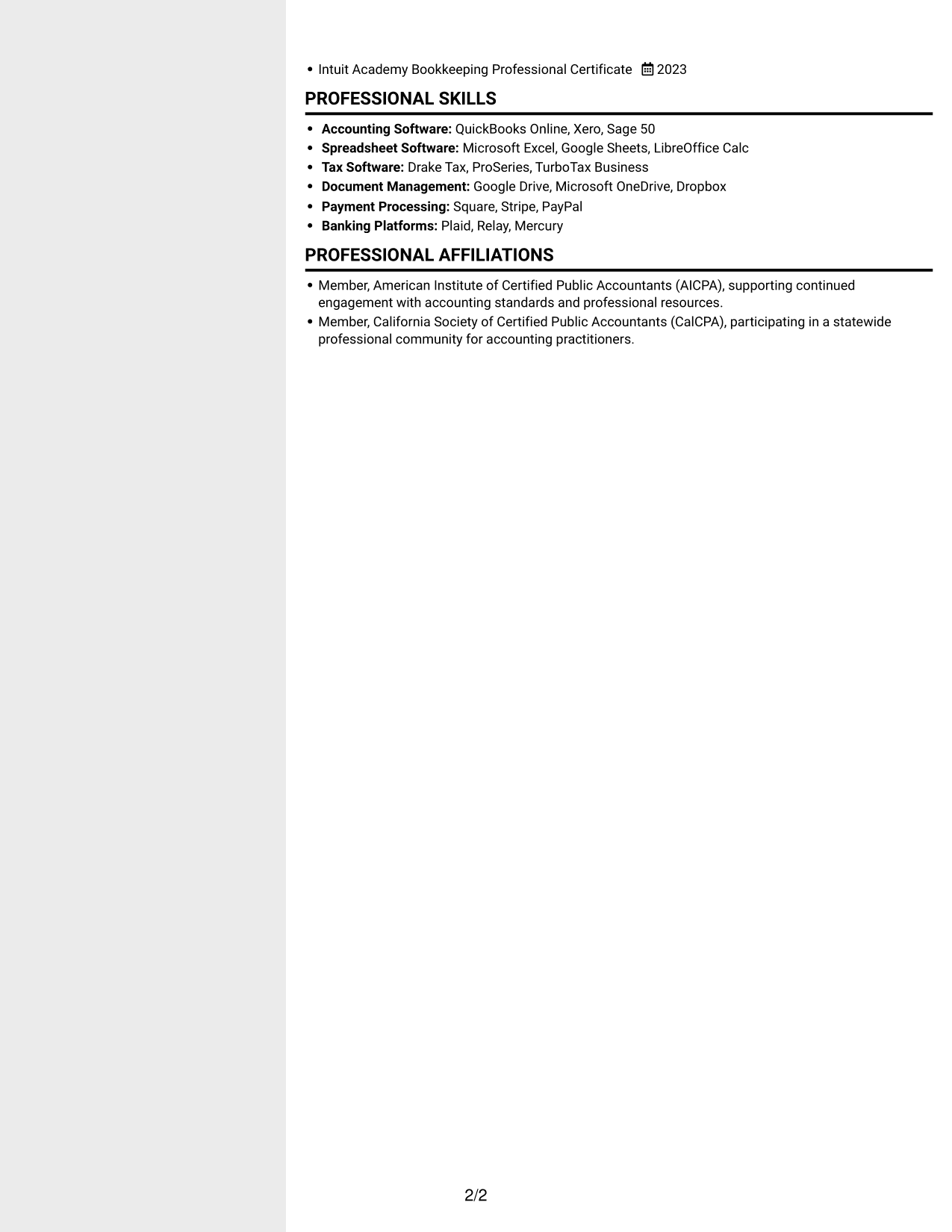
 
Resume example — page 1   Resume example — page 2

Why This Format Works

  • Separate column areas help reviewers locate education and credentials quickly.
  • The experience section can be scanned without losing sight of other resume sections.
  • A two-column reading structure gives skills and work history clear visual separation.

Best For

  • Side-by-side section review
  • Resumes with varied content
  • Quick access to credentials
  • Skills and experience overview
  • Compact recruiter scanning
 

#4 Two Column Format Resume Example

The Two Column Format arranges resume content in two areas, offering reviewers a concise way to scan multiple sections.
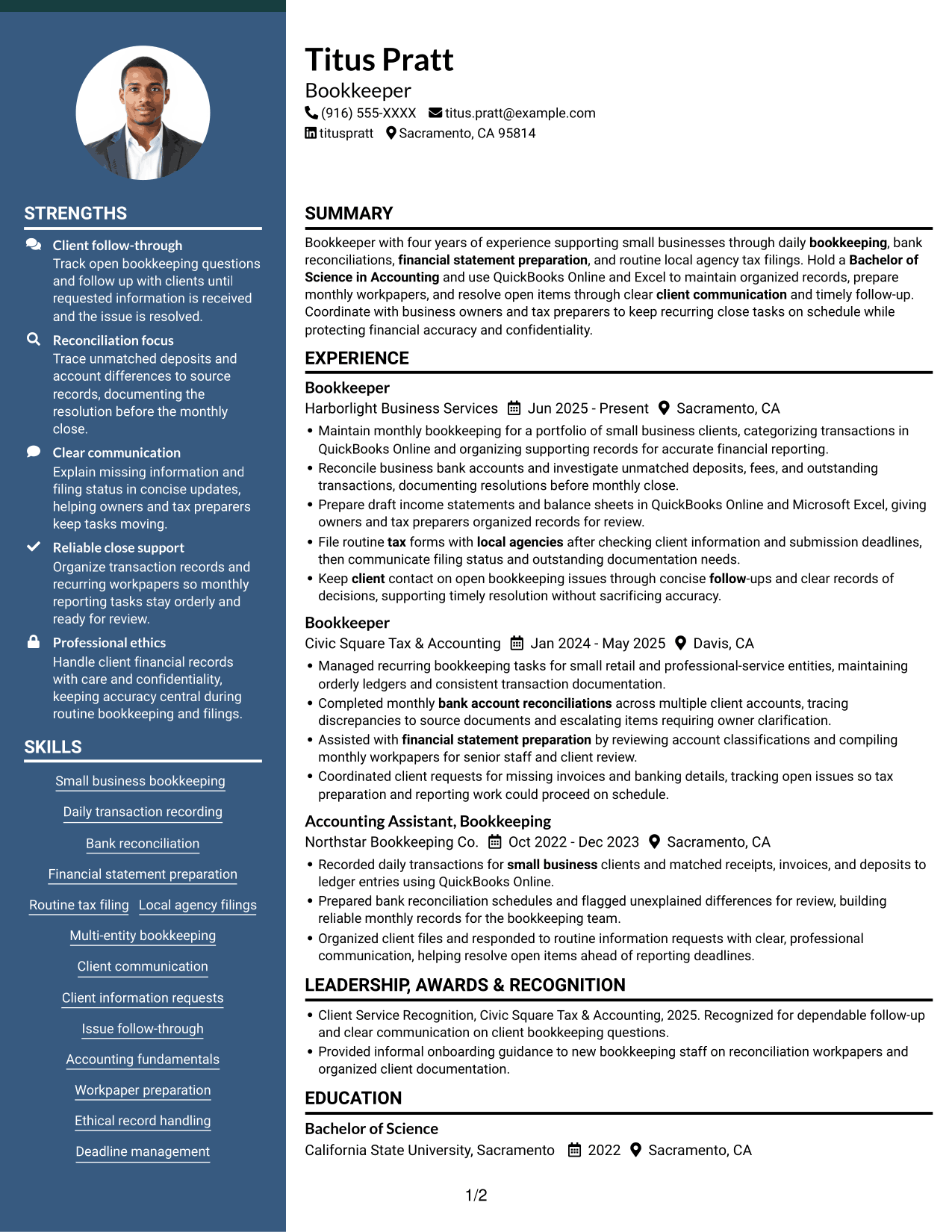
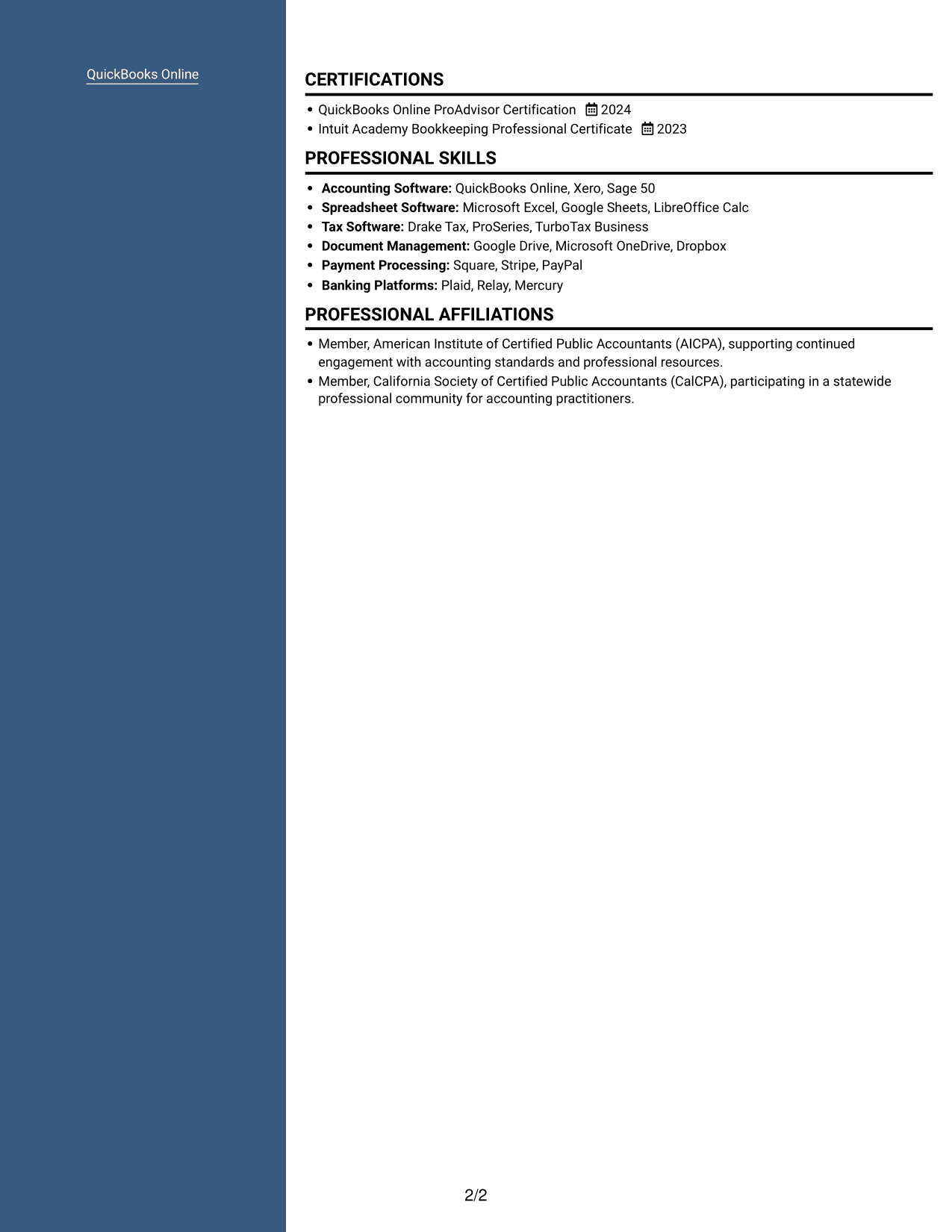
 
Resume example — page 1   Resume example — page 2

Why This Format Works

  • The two-area structure lets reviewers find education without reading every experience bullet.
  • Section separation gives career history a clear place in the resume.
  • Supporting details remain easy to review alongside the main career record.

Best For

  • Concise section navigation
  • Resume with multiple content areas
  • Career history and supporting details
  • Focused recruiter review
  • Compact information grouping


#5 Photo Header Two Column Format Resume Example

The Photo Header Two Column Format combines a header photo with two-column resume content for readers who prefer a portrait and grouped sections.
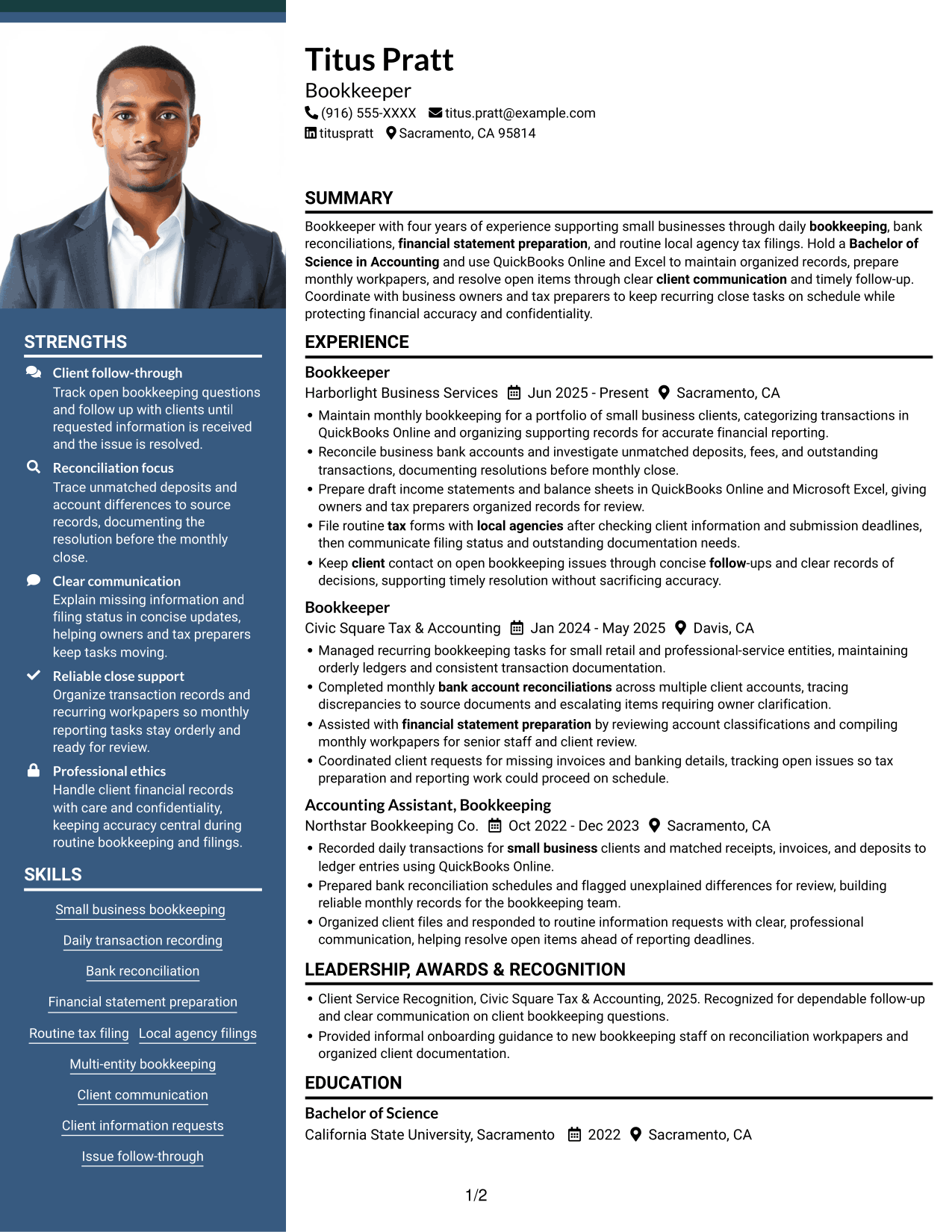
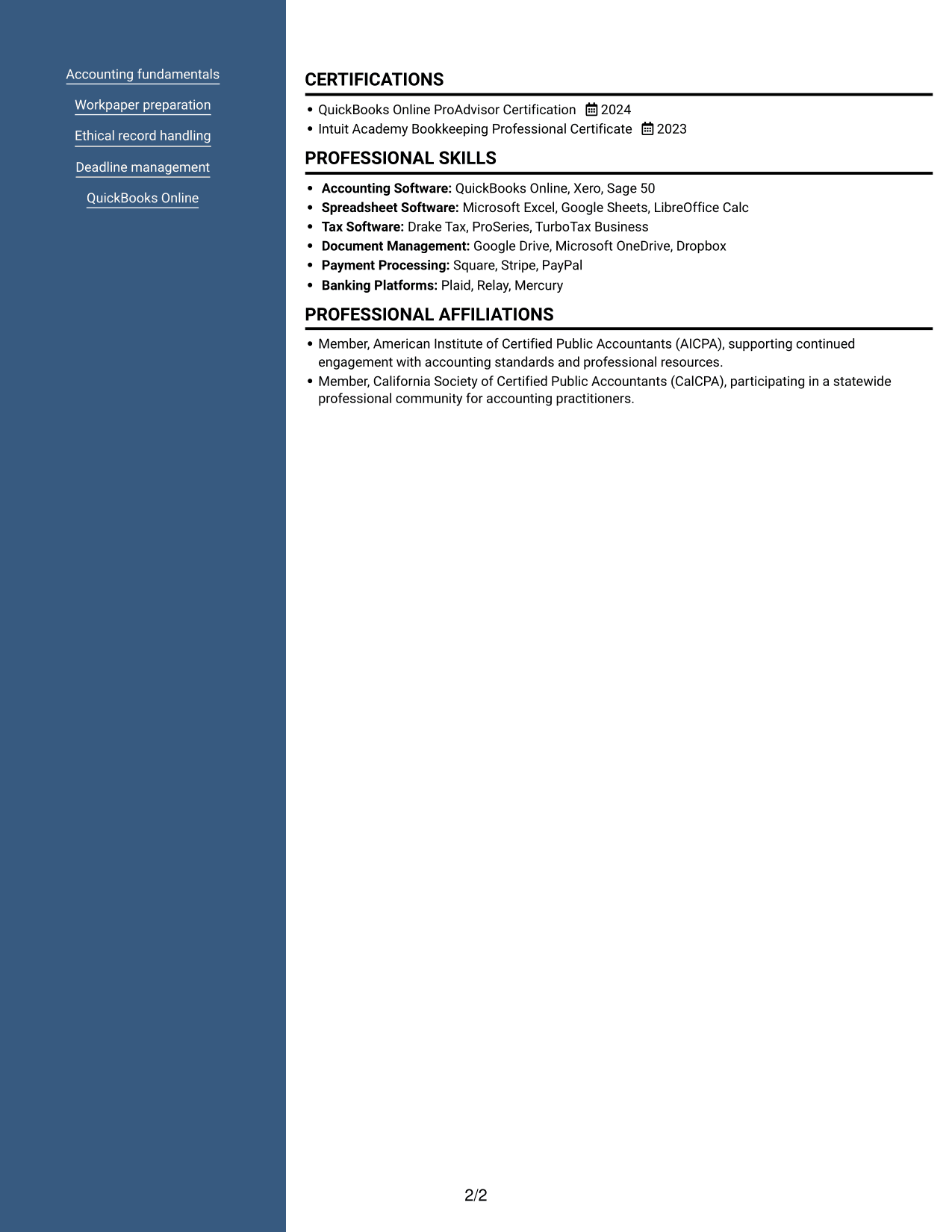
 
Resume example — page 1   Resume example — page 2

Why This Format Works

  • The portrait appears in the header, separate from the career and qualification details.
  • Two-column organization gives reviewers distinct areas for scanning resume sections.
  • Career history and supporting information can be reviewed without one long text sequence.

Best For

  • Resume with a header portrait
  • Two-column section review
  • Visual profile preference
  • Several resume content areas
  • Compact information scanning
 

#6 Colored Two Column Format Resume Example

The Colored Two Column Format uses two content areas to give reviewers a compact view of resume sections and their organization.
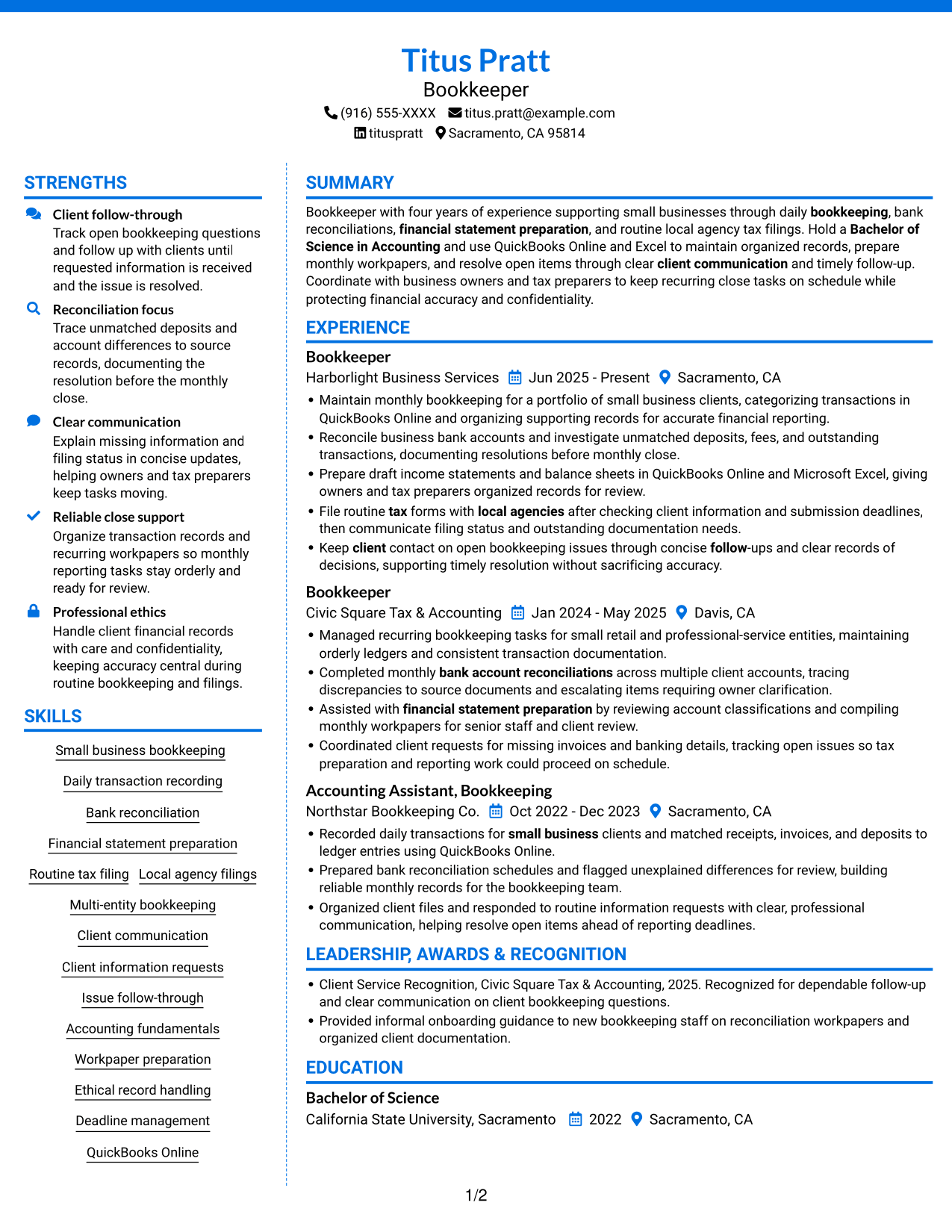
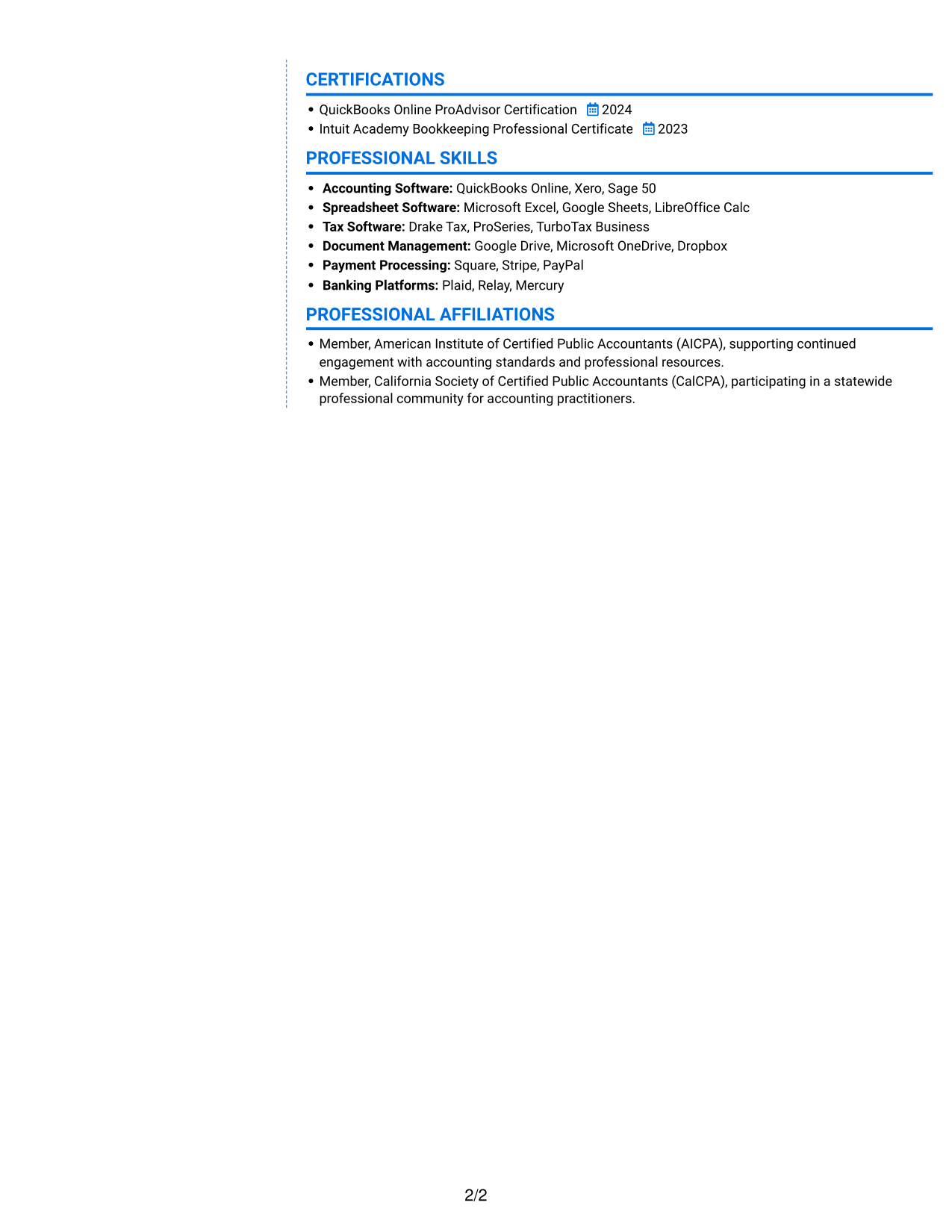
 
Resume example — page 1   Resume example — page 2

Why This Format Works

  • Separate areas help reviewers move between experience and supporting resume sections.
  • Education and certifications can be found without scanning every career-history bullet.
  • The two-column structure keeps section groups distinct during a brief review.

Best For

  • Compact resume organization
  • Separate section groups
  • Quick section lookup
  • Experience with supporting details
  • Brief recruiter review
 

#7 Stylish Two Column Designer Format Resume Example

The Stylish Two Column Designer Format presents resume information in two columns, a useful choice for readers who want grouped sections in a compact layout.
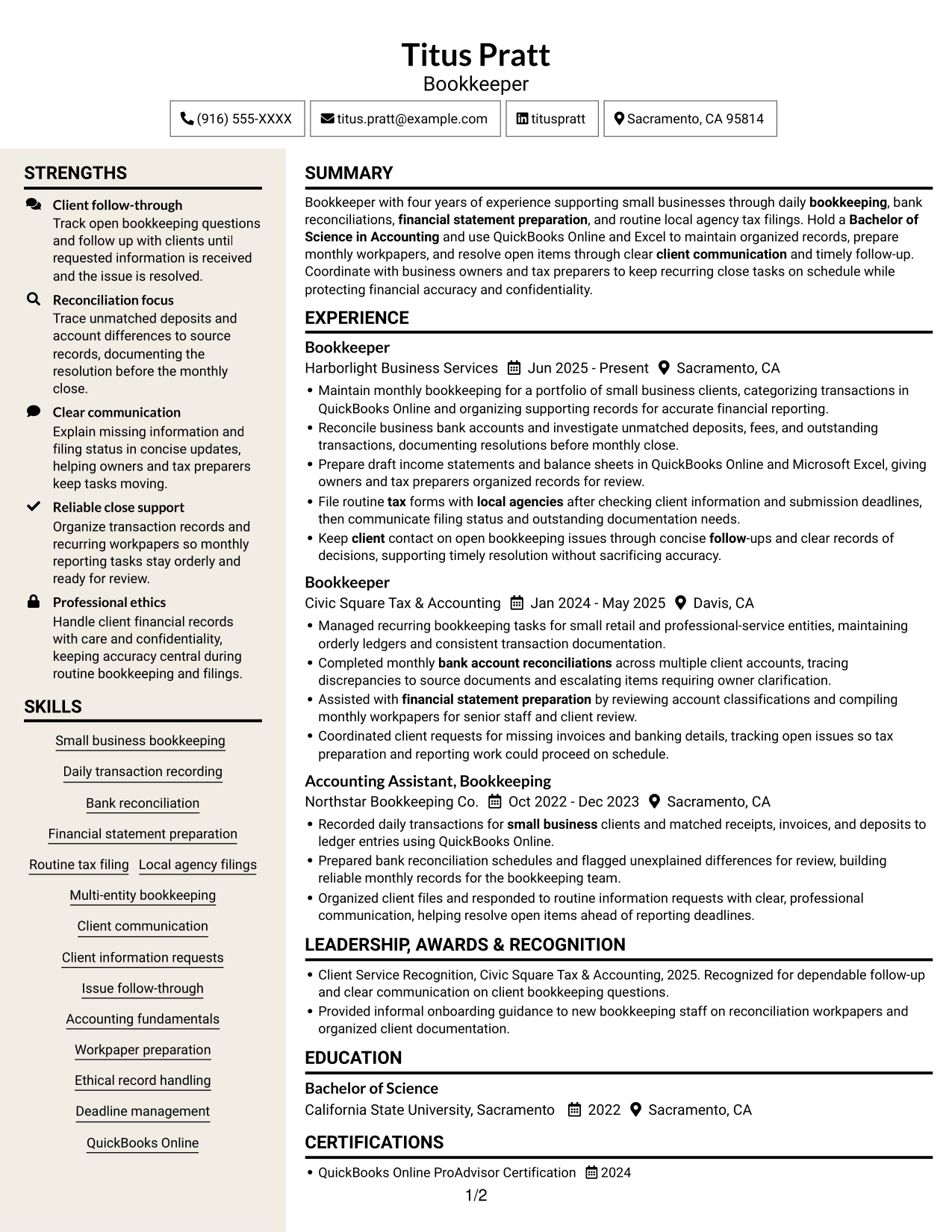
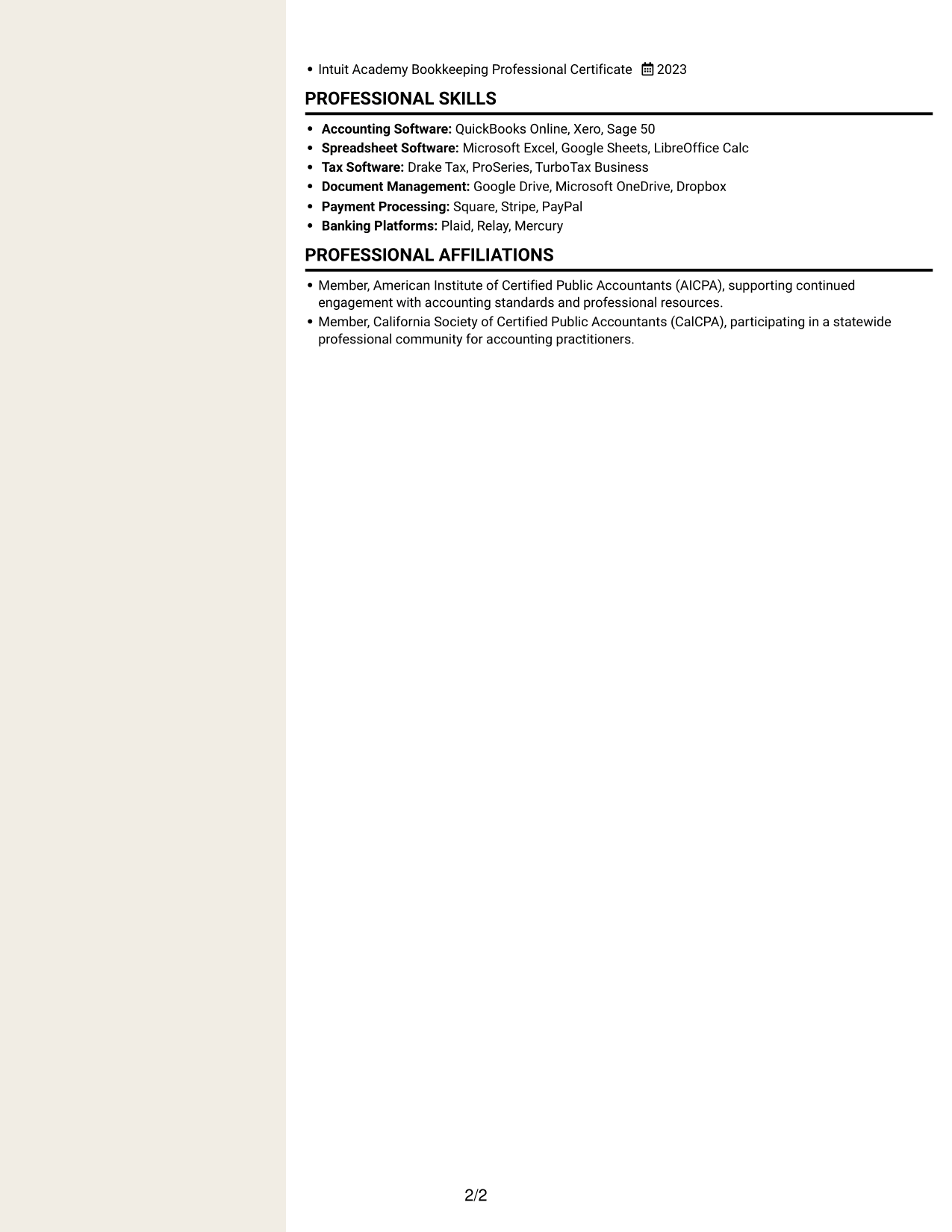
 
Resume example — page 1   Resume example — page 2

Why This Format Works

  • Two-column grouping helps reviewers find skills without searching the full experience section.
  • Career history remains distinct from education and other qualifications.
  • Separate content areas support a focused review of a varied resume.

Best For

  • Grouped resume sections
  • Varied career information
  • Skills and experience review
  • Compact document layout
  • Focused section navigation


Why Build Your Bookkeeper Resume with ResumeInMinutes

ResumeInMinutes lets you compare resume examples and review how sections, skills, and experience are arranged. Choose an example in the editor to customize its content and presentation for your bookkeeping background.

  • Clear resume section structure
  • ATS-readable headings
  • Bookkeeping keyword guidance
  • Organized skills and tools
  • Image previews for comparison
  • Resume examples to customize in the editor

Keep the focus on accurate records, careful reconciliations, timely client follow-up, and reliable reporting support. Present each qualification in a direct, easy-to-review way.


See Also


Frequently Asked Questions

Are these Entry-Level Bookkeeper - Small Business Accounting resume templates ATS-friendly?

The examples use clear section headings and readable resume content. Include relevant terms such as bank reconciliation, QuickBooks Online, financial statement preparation, and routine tax filing when they match your experience.

Are these separate resume examples?

This guide shows one bookkeeper resume example in different layouts. Use the image previews to compare them, then open an example in the editor to review or customize it.

What should a small business bookkeeper resume include?

Include a focused summary, bookkeeping experience, relevant skills and tools, education, and certifications. Use concise bullets to describe transaction recording, reconciliations, financial reporting, and client follow-up.

Which resume style works well for a bookkeeper?

A simple layout with clear headings and consistent spacing is easy for both ATS software and people to scan. Keep important skills and experience in the main text, and avoid design elements that make the content hard to read.

How can I show bookkeeping experience clearly?

Use specific bullets to explain the records you maintained, accounts you reconciled, reports you prepared, or client issues you followed through. Add accurate figures only when they reflect your work.

Should I include a photo on my resume?

Include a photo only if it is customary or expected in your region or for the role. For U.S. applications, a resume without a photo is usually the safer choice.


ATS Score 87%

How we calculate this score

  • Keywords: 60% of the total. AI extracts keywords from your job description. If you do not provide one, a standard job description for the title matching your resume is used. This is not a match to a specific vacancy.
  • Text-based resume: 20%. The text resume assessed here receives 100 for this part.
  • Resume quality: 20%. We start at 100 and subtract points for issues found by our resume checks, down to a minimum of zero.
  • Keyword coverage = round(100 × confirmed matches ÷ total keywords). Exact matches and supported equivalents verified by AI receive full credit; unsupported keywords receive none. Live text checks use the saved equivalents and do not request a new AI review. Without keywords, no overall ATS score is available.
  • Final score = 60% of keyword coverage + 20% of the text score + 20% of the quality score, rounded to a whole number. Without keywords, no overall ATS score is available.

What this score means

Our scores are estimates, not employer ratings. They may contain errors and do not guarantee accurate parsing, a ranking, an interview, or a job. Check your document against the employer’s requirements. You are responsible for relying on this score.

Terms and Conditions

Score weights: Keywords 60% · Text based resume 20% · Resume quality 20%

Keyword coverage: 11 of 14 (79%) · Resume quality: 100%

Resume quality 100% · Weight 20% · Issues (0)

Details
  • ✓Name present: Titus Pratt
  • ✓Email format: titus.pratt@example.com
  • ✓Phone format: (916) 555-XXXX
  • ✓Experience 1: Job title: Bookkeeper
  • ✓Experience 1: Company name: Harborlight Business Services
  • ✓Experience 1: Work location: Sacramento, CA
  • ✓Experience 1: Employment dates: Jun 2025 - Present
  • ✓Experience 1: Description or achievements: Present
  • ✓Experience 2: Job title: Bookkeeper
  • ✓Experience 2: Company name: Civic Square Tax & Accounting
  • ✓Experience 2: Work location: Davis, CA
  • ✓Experience 2: Employment dates: Jan 2024 - May 2025
  • ✓Experience 2: Description or achievements: Present
  • ✓Experience 3: Job title: Accounting Assistant, Bookkeeping
  • ✓Experience 3: Company name: Northstar Bookkeeping Co.
  • ✓Experience 3: Work location: Sacramento, CA
  • ✓Experience 3: Employment dates: Oct 2022 - Dec 2023
  • ✓Experience 3: Description or achievements: Present
  • ✓No placeholder fields
  • ✓No repeated achievement bullets
  • ✓No empty bullets

No issues found by the current checks.

Text Based Resume 100% · Weight 20%

Parsed text
Titus Pratt
Bookkeeper
(916) 555-XXXX
tituspratt
Sacramento, CA 95814
titus.pratt@example.com
STRENGTHS
Client follow-through
Track open bookkeeping questions and follow up with clients until requested information is received and the issue is resolved.
Reconciliation focus
Trace unmatched deposits and account differences to source records, documenting the resolution before the monthly close.
Clear communication
Explain missing information and filing status in concise updates, helping owners and tax preparers keep tasks moving.
Reliable close support
Organize transaction records and recurring workpapers so monthly reporting tasks stay orderly and ready for review.
Professional ethics
Handle client financial records with care and confidentiality, keeping accuracy central during routine bookkeeping and filings.
SUMMARY
Bookkeeper with four years of experience supporting small businesses through daily bookkeeping, bank reconciliations, financial statement preparation, and routine local agency tax filings. Hold a Bachelor of Science in Accounting and use QuickBooks Online and Excel to maintain organized records, prepare monthly workpapers, and resolve open items through clear client communication and timely follow-up. Coordinate with business owners and tax preparers to keep recurring close tasks on schedule while protecting financial accuracy and confidentiality.
EXPERIENCE
Bookkeeper
Harborlight Business Services
Jun 2025 - Present
Sacramento, CA
Maintain monthly bookkeeping for a portfolio of small business clients, categorizing transactions in QuickBooks Online and organizing supporting records for accurate financial reporting.
Reconcile business bank accounts and investigate unmatched deposits, fees, and outstanding transactions, documenting resolutions before monthly close.
Prepare draft income statements and balance sheets in QuickBooks Online and Microsoft Excel, giving owners and tax preparers organized records for review.
File routine tax forms with local agencies after checking client information and submission deadlines, then communicate filing status and outstanding documentation needs.
Keep client contact on open bookkeeping issues through concise follow-ups and clear records of decisions, supporting timely resolution without sacrificing accuracy.
Bookkeeper
Civic Square Tax & Accounting
Jan 2024 - May 2025
Davis, CA
Managed recurring bookkeeping tasks for small retail and professional-service entities, maintaining orderly ledgers and consistent transaction documentation.
Completed monthly bank account reconciliations across multiple client accounts, tracing discrepancies to source documents and escalating items requiring owner clarification.
Assisted with financial statement preparation by reviewing account classifications and compiling monthly workpapers for senior staff and client review.
Coordinated client requests for missing invoices and banking details, tracking open issues so tax preparation and reporting work could proceed on schedule.
Accounting Assistant, Bookkeeping
Northstar Bookkeeping Co.
Oct 2022 - Dec 2023
Sacramento, CA
Recorded daily transactions for small business clients and matched receipts, invoices, and deposits to ledger entries using QuickBooks Online.
Prepared bank reconciliation schedules and flagged unexplained differences for review, building reliable monthly records for the bookkeeping team.
Organized client files and responded to routine information requests with clear, professional communication, helping resolve open items ahead of reporting deadlines.
SKILLS
Routine tax filing
Financial statement preparation
Small business bookkeeping
Client information requests
Daily transaction recording
Accounting fundamentals
Multi-entity bookkeeping
Workpaper preparation
Ethical record handling
Deadline management
Client communication
Issue follow-through
Bank reconciliation
QuickBooks Online
Local agency filings
LEADERSHIP, AWARDS & RECOGNITION
Client Service Recognition, Civic Square Tax & Accounting, 2025. Recognized for dependable follow-up and clear communication on client bookkeeping questions.
Provided informal onboarding guidance to new bookkeeping staff on reconciliation workpapers and organized client documentation.
EDUCATION
Bachelor of Science
California State University, Sacramento
2022
Sacramento, CA
CERTIFICATIONS
QuickBooks Online ProAdvisor Certification
2024
Intuit Academy Bookkeeping Professional Certificate
2023
PROFESSIONAL SKILLS
Accounting Software: QuickBooks Online, Xero, Sage 50
Spreadsheet Software: Microsoft Excel, Google Sheets, LibreOffice Calc
Tax Software: Drake Tax, ProSeries, TurboTax Business
Document Management: Google Drive, Microsoft OneDrive, Dropbox
Payment Processing: Square, Stripe, PayPal
Banking Platforms: Plaid, Relay, Mercury
PROFESSIONAL AFFILIATIONS
Member, American Institute of Certified Public Accountants (AICPA), supporting continued engagement with accounting standards and professional resources.
Member, California Society of Certified Public Accountants (CalCPA), participating in a statewide professional community for accounting practitioners.

Matched keywords (11)

  • four years of experience supporting small businesses through daily bookkeepingOriginal keyword in JD: 4+ years of bookkeeping experience
  • Bachelor of Science in AccountingOriginal keyword in JD: Bachelor's degree in accounting
  • Small business bookkeeping
  • Recorded daily transactions for small business clients and matched receipts, invoices, and deposits to ledger entriesOriginal keyword in JD: Day-to-day bookkeeping records
  • bank account reconciliationsOriginal keyword in JD: Bank account reconciliation
  • Financial statement preparation
  • File routine tax forms with local agenciesOriginal keyword in JD: Tax form filing with local agencies
  • Accounting fundamentals
  • Client communication
  • Keep client contact on open bookkeeping issues through concise follow-ups and clear records of decisions, supporting timely resolutionOriginal keyword in JD: Client issue follow-through
  • Professional ethics

Missing keywords (3)

  • Multi-entity client bookkeeping
  • Requesting and organizing client information
  • Reliable work ethic
Disclaimer: All names, images, contact information, employment histories, achievements, security clearances, military credentials, and other qualifications shown in this content are fictional and used for illustrative purposes only. Any resemblance to actual persons, living or deceased, is purely coincidental.

Resume and cover-letter examples and recommendations in this article reflect general best practices and professional experience and are provided for guidance only. Results may vary based on role, industry, region, and hiring organization.

Content Accuracy and Verification: To the fullest extent permitted by applicable law, we do not represent or warrant that resume or cover-letter guidance, examples, recommendations, or related information are accurate, complete, current, error-free, or suitable for any particular purpose. You are responsible for independently reviewing and verifying the information before relying on it.

ATS and Cover-Letter Scores: ATS scores are estimates calculated using our own formula, informed by publicly available guidance on resume formatting and keyword matching. They are not scores issued or endorsed by an ATS provider or employer. Cover-letter scores are also our own assessments. Parsing, weighting, screening criteria, and results vary between systems, employers, job descriptions, and document formats. No score guarantees successful parsing, a particular ranking, an interview, or employment. Use scores as general guidance and independently check your documents against the employer’s requirements. To the fullest extent permitted by applicable law, we accept no liability for errors in scores or parsing, or losses arising from reliance on these assessments. Nothing in this notice excludes liability or limits consumer rights that cannot lawfully be excluded or limited.

Terms and Conditions
 
> JP 1 1
PDF Footer and Margins Setup
The margins are applied to the document, and the footer shows up in the preview and the PDF

Footer Font Settings

Are you applying for a specific job
so we can tailor your resume to it?
Are you applying for a specific job
so we can tailor your cover letter to it?

Your data stays private and is never used for training.Privacy Policy

Type your details as text to generate a personalized resume Type your details as text to generate a personalized cover letter
Website link found! Ready to create resume from:

Your data stays private and is never used for training.Privacy Policy

Drag the into the box to verify you're human.
Drop here

My Resumes

Displaying {number_of_files} files (out of {total_of_all_files} total)
Name File Type Last Modified: Description:

Rename File

Filename already exists!

Delete Files

Warning: This action is irreversible. Once you click submit, the files will be permanently deleted.

Heading text
Upload From Computer Upload
Select From Existing
LinkedIn
Drag & Drop files anywhere in this tab, or

Uploaded Files

Delete Name Last Updated Use This File
Select this to use the file for generating your resume and cover letter. Only one source—uploaded file, selected file, or LinkedIn text—can be used.

My Files

Resumes or cover letters you create will appear here. No files available yet.
Delete Name Last Updated Use This File
Select this to use the file for generating your resume and cover letter. Only one source—uploaded file, selected file, or LinkedIn text—can be used.

Add LinkedIn Profile PDF

You can download your LinkedIn profile as a PDF by opening linkedin.com in a web browser, clicking your profile photo, selecting the “More” or “Resources” button, and choosing “Save to PDF.” You can then attach the PDF using the Upload From Computer tab.

Paste Your LinkedIn Profile Text

If you have copied the LinkedIn profile text, paste it below. See how to copy your profile from LinkedIn

Select this to use the LinkedIn profile text for generating your resume and cover letter. Only one source—uploaded file, selected file, or LinkedIn text—can be used.

Try these controls

<
>


