
33 Entry Level UI Developer Resume Templates with Example
This guide shows you how to build an Entry Level UI Developer resume that is clear, focused, and easy to adapt. You will learn how to organize your evidence and compare professional resume formats so your strongest qualifications are easy to review.
An effective resume for this role connects interface work with the technical foundation behind it. Use concise bullets to present responsive JavaScript interfaces, Java and Core Java programming, Spring Boot, microservices, REST APIs, testing, documentation, and software development life cycle practices when they are part of your background.
The examples below present an Entry Level UI Developer resume in 33 ATS-friendly layouts. Review how each format handles the summary, skills, experience, projects, education, certifications, and measurable results before choosing the structure that best supports your evidence.
What Makes a Great Entry Level UI Developer Resume in 2026
A strong resume for an Entry Level UI Developer is keyword-focused, evidence-based, and designed for fast review. Its sections should make the connection between interface delivery, service integration, testing, and clear technical communication easy to verify.
- Use a focused summary that names the target role and presents your strongest UI development capabilities.
- Describe capstone work, research assignments, labs, or projects with action verbs, scope, tools, and results.
- List relevant technologies clearly, including Java, Core Java, JavaScript, C++, Python, Spring Boot, REST APIs, microservices, HTML, CSS, Git, Postman, and SQL.
- Show evidence through details such as 18 user stories, a 9,400-record dataset, a 12-member review panel, or support that helped 14 classmates when those results are accurate for your work.
Resume content should use scannable sections rather than long narrative blocks. Relevant keyword alignment may include Entry Level UI Developer, Java programming, software development life cycle, Core Java, JavaScript, C++, Spring Boot, microservices, REST APIs, statistics, Python, data visualization, NLP, text mining, Tableau, time series analysis, unit testing, technical documentation, and presentation.
The resume examples below use an evidence-first approach so formatting supports role-specific clarity, ATS matching, and fast review of UI development skills, service integration, projects, testing, education, and measurable achievements.
#1 Simple One Column Format Resume Example
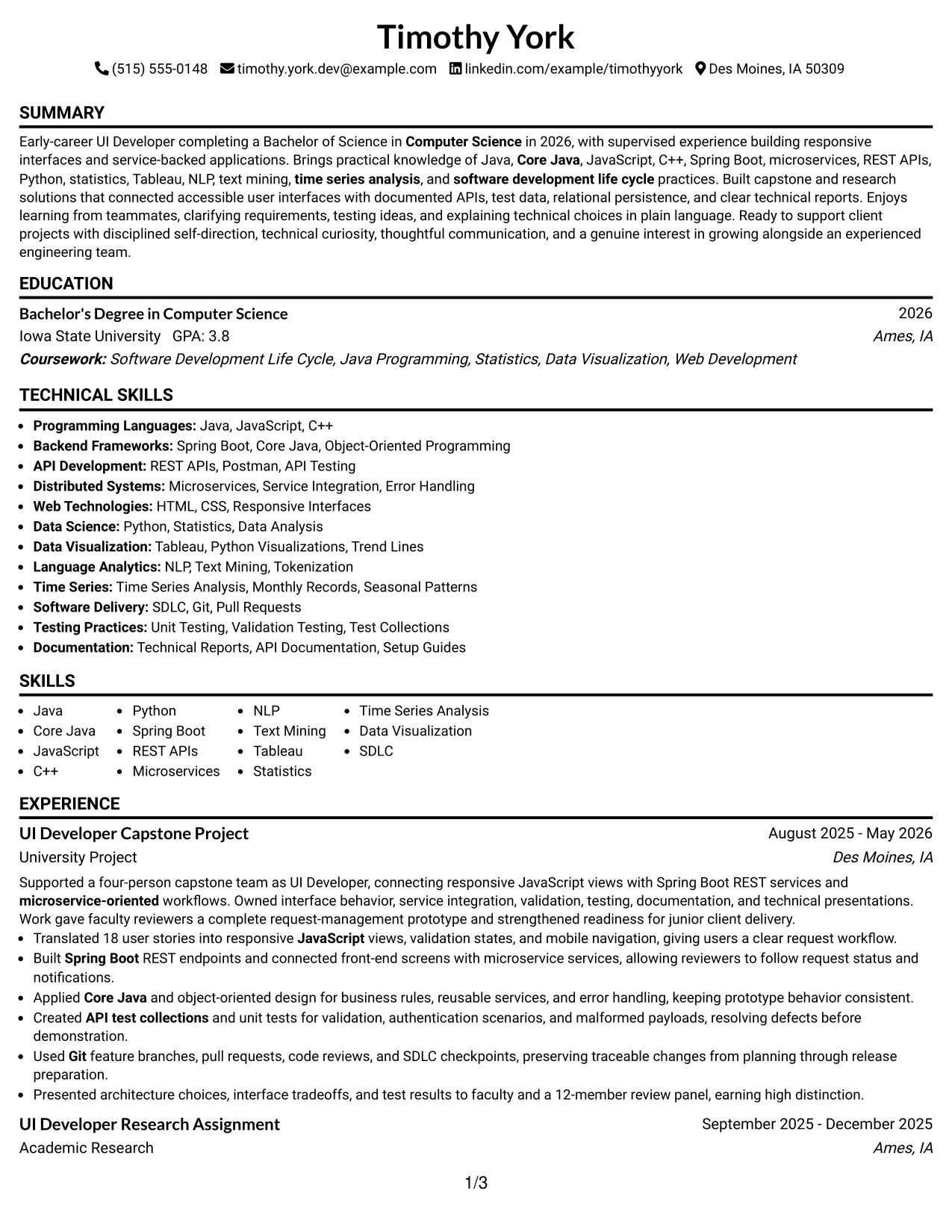
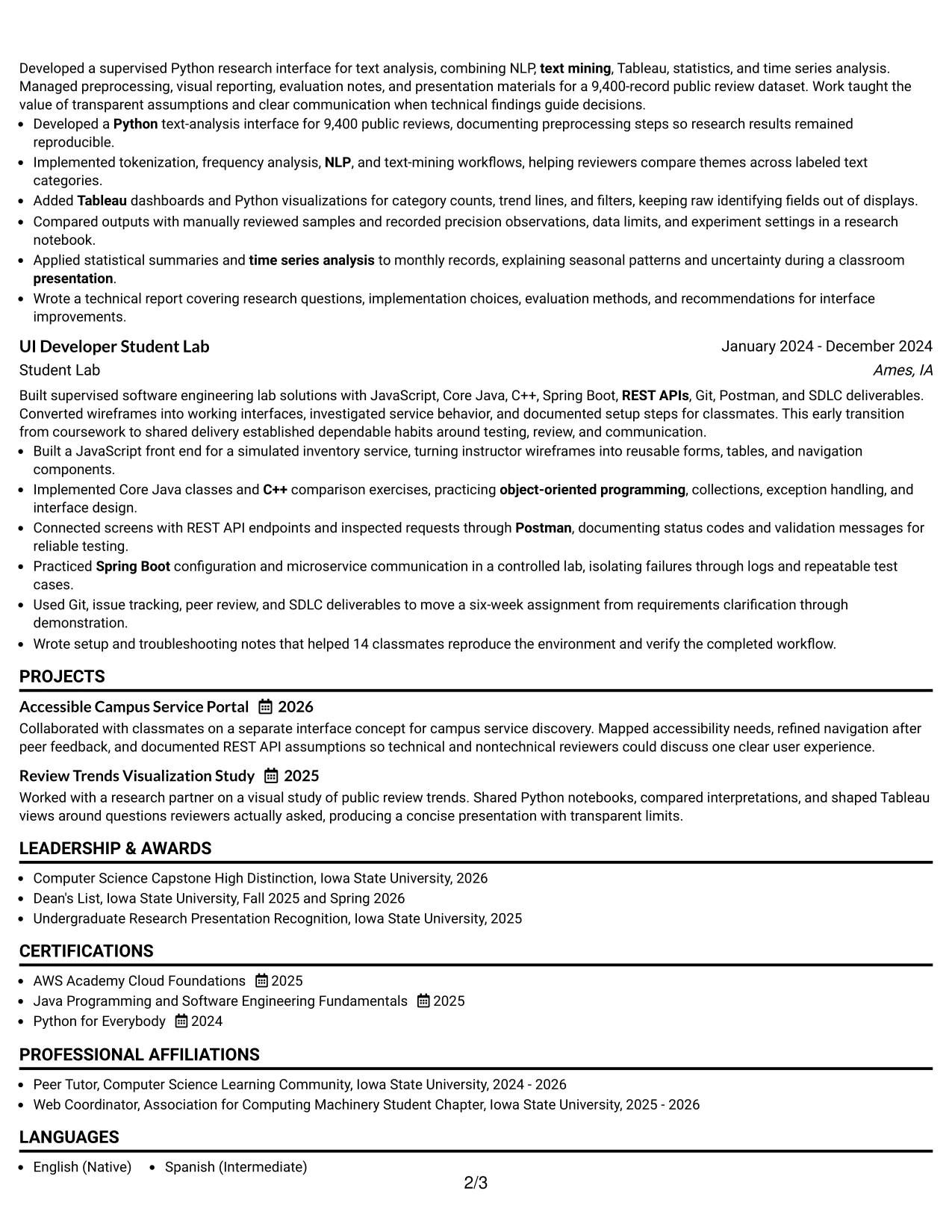
Simple One Column Format gives the resume a direct, disciplined structure. Timothy York’s contact details, summary, education, projects, experience, certifications, and skills can appear in one clear reading path, making the document easy to scan from top to bottom.
For an entry-level UI Developer resume, that order keeps technical evidence visible without visual distraction. Strong bullets can feature 18 user stories, Spring Boot REST endpoints, API testing, a 9,400-record dataset, and support for 14 classmates while preserving clean ATS parsing.
Why the Simple One Column Format Works for a Resume
- One reading path helps recruiters find the summary, education, and technical skills quickly.
- Clear section headings support reliable ATS parsing and consistent keyword recognition.
- The format gives project bullets enough width for tools, actions, and results.
- A focused summary can connect Computer Science education with UI development evidence.
- Full-width experience sections make metrics such as 18 user stories and 14 classmates easy to notice.
- Skills can be grouped without competing with a narrow sidebar.
- The restrained structure supports a portfolio-ready resume with clear technical documentation.
Best For
- Resumes that need a straightforward top-to-bottom review path.
- Candidates who want education, projects, and experience to receive similar visual weight.
- Documents with detailed bullets that benefit from full-width lines.
- ATS-focused applications where simple section hierarchy supports parsing.
- Technical resumes that must show both interface work and service integration.
- Applicants presenting coursework, certifications, and academic projects together.
- Resume versions that may be adapted for several closely related technical roles.
#2 Plain One Column with Shaded Labels Resume Example
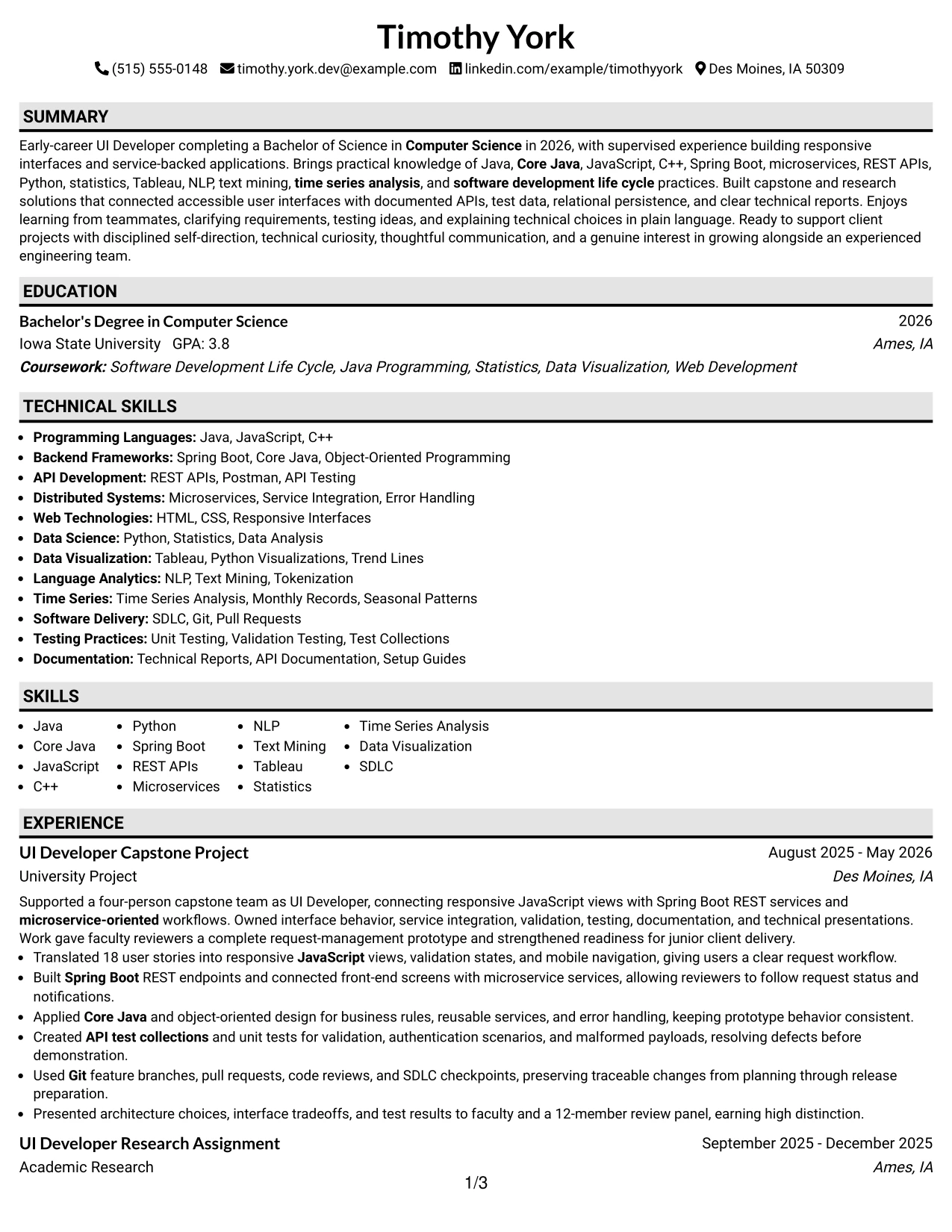
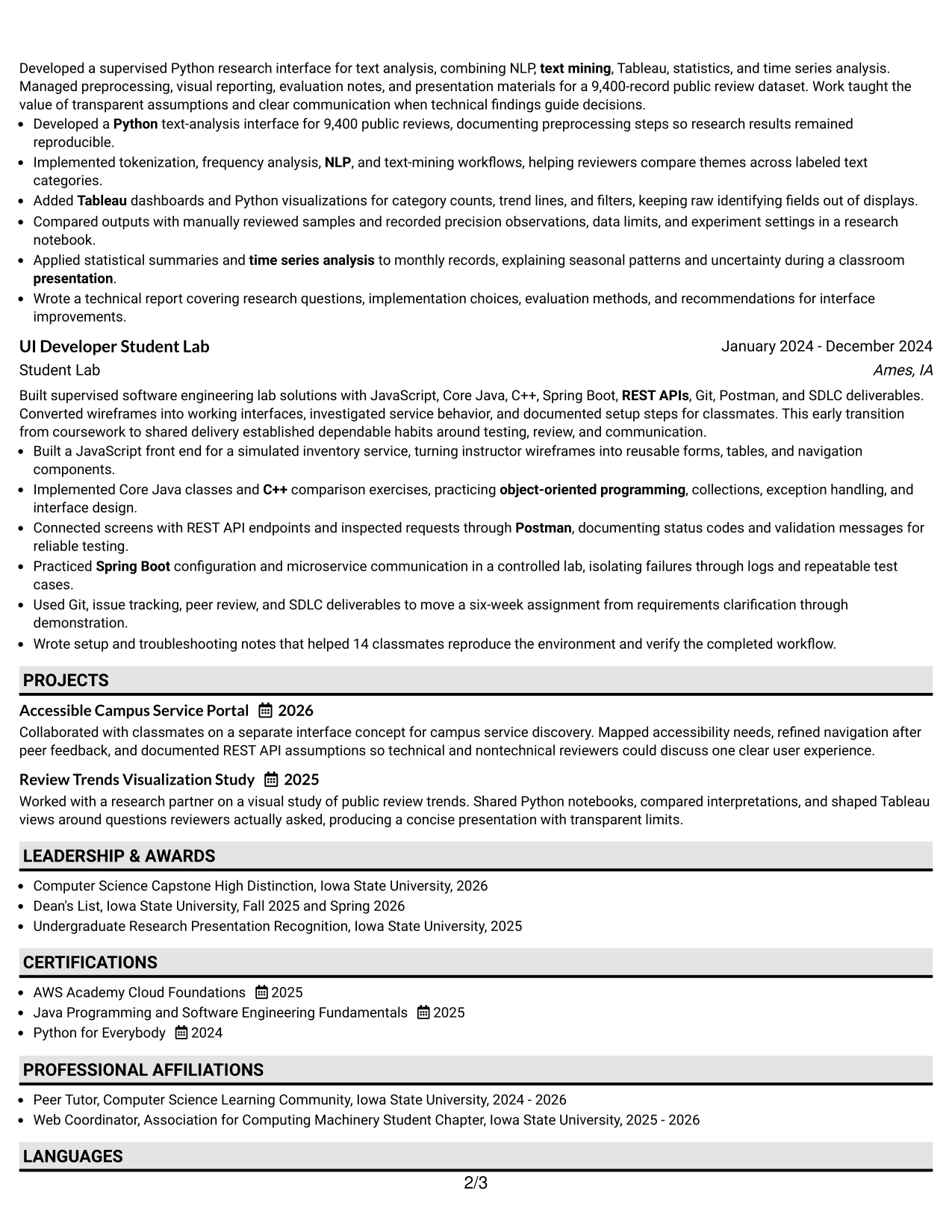
A recruiter moves through this resume by following strong labels from the summary to education, experience, projects, and skills. Plain One Column with Shaded Labels separates each content group without breaking the natural reading order.
That structure is useful when the resume carries substantial technical detail. Java, JavaScript, C++, Spring Boot, microservices, REST APIs, Python, Tableau, NLP, and SDLC language can remain visible while project bullets explain how those tools were applied.
Why the Plain One Column with Shaded Labels Works for a Resume
- Shaded labels create quick visual markers for recruiter scanning.
- One column keeps detailed project and experience bullets in a predictable sequence.
- The format can accommodate a substantial skills list without compressing key evidence.
- Distinct labels help separate academic research from capstone and lab work.
- ATS-friendly text flow supports keywords such as microservices, REST APIs, and Java.
- Full-width bullets provide room for testing methods, documentation, and presentations.
- The plain treatment keeps attention on evidence rather than decorative elements.
Best For
- Resumes with several technical sections that need clear visual signposts.
- Candidates combining academic research, lab work, and a capstone project.
- Applications requiring both programming language keywords and applied examples.
- Documents where readable section labels matter during a fast review.
- Applicants who need space for certifications, honors, activities, and education.
- Resume drafts that must show a broad technical foundation without looking crowded.
- ATS-conscious submissions using conventional headings and a single content column.
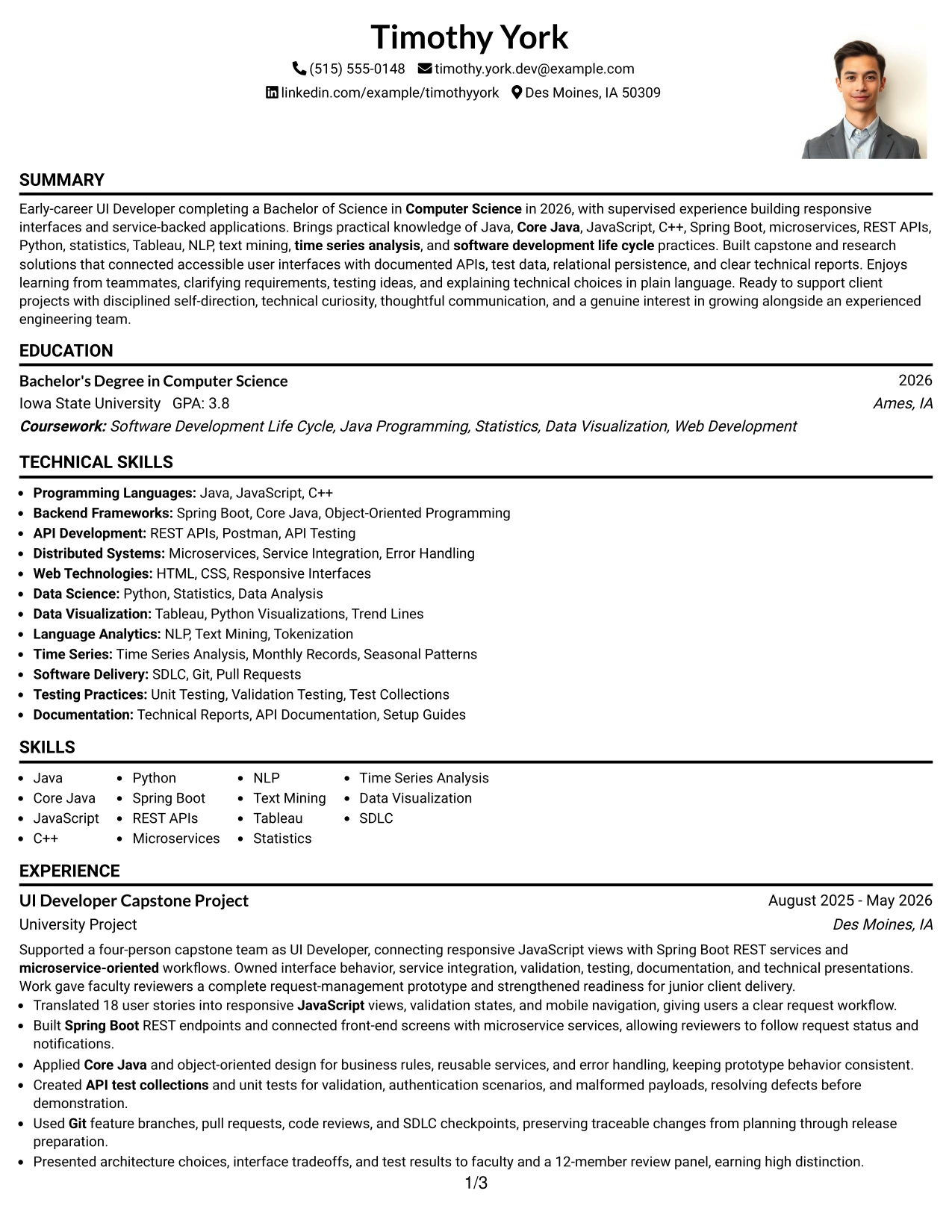
#3 One Column Format with Photo Right Resume Example
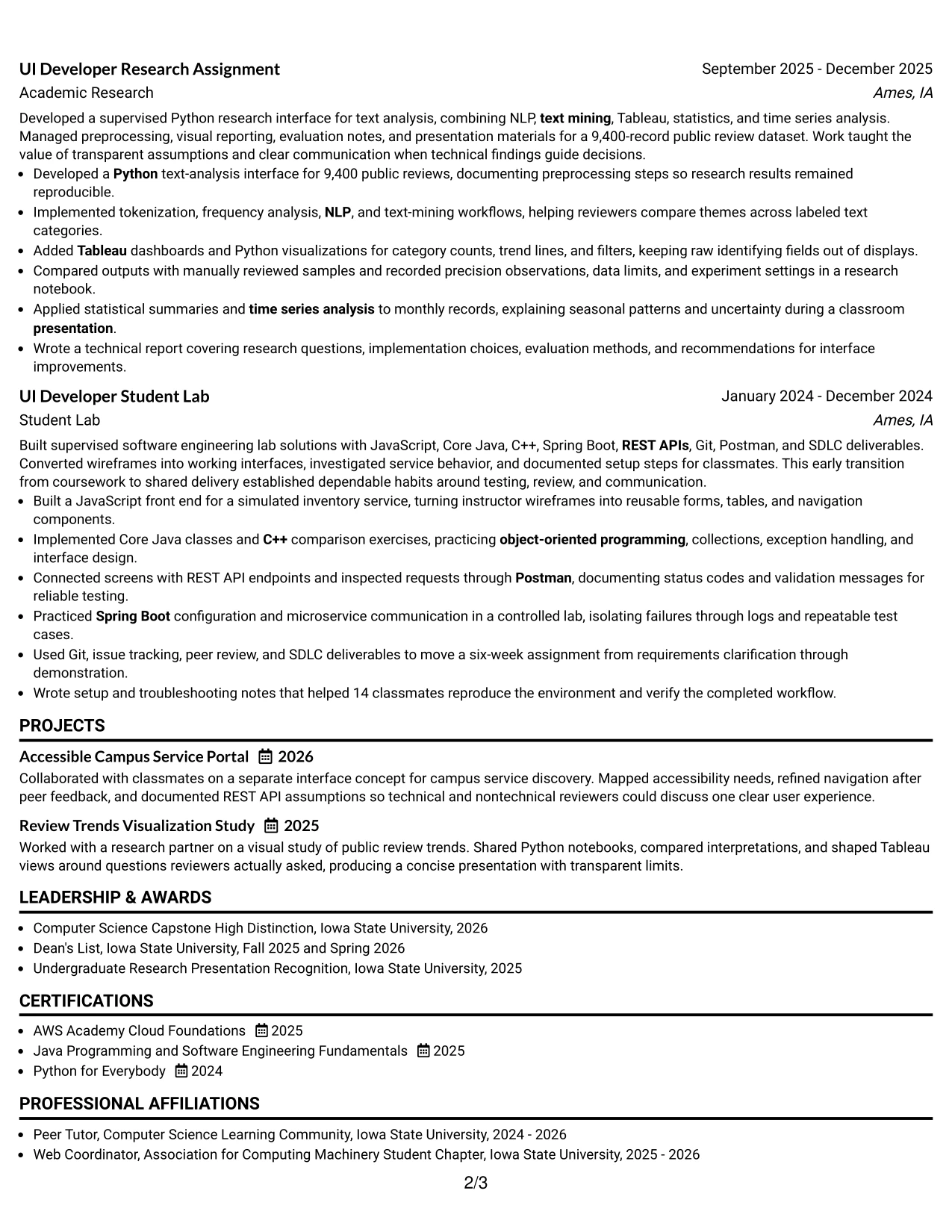
Evidence receives priority in this resume: responsive interface work, service integration, testing, research, and measurable academic results. One Column Format with Photo Right keeps that evidence in a broad central flow while placing the visual profile element to the side.
The content can lead with the strongest qualifications for an entry-level UI Developer application. Bullets can show 18 documented user stories, a complete request workflow, 9,400 public reviews, and high distinction before the reader reaches supporting skills and credentials.
Why the One Column Format with Photo Right Works for a Resume
- The broad content area gives achievement bullets priority over secondary details.
- A right-side photo placement preserves a clear main reading path.
- Project evidence can show both front-end delivery and back-end service connection.
- Metrics and outcomes remain easy to locate in full-width experience entries.
- The format supports a summary that links education with practical technical work.
- Skills, certifications, and honors can follow the evidence in a logical order.
- A balanced header can provide visual identity while keeping resume content organized.
Best For
- Resumes where project evidence should dominate the first review.
- Candidates who want a distinct header while preserving one-column readability.
- Documents with measurable academic outcomes that deserve prominent placement.
- Applications combining interface development, API work, and data analysis.
- Resume versions that present a strong central narrative from summary through experience.
- Candidates who need room for detailed testing, documentation, and presentation bullets.
- Use cases where a visual profile element is appropriate for the application context.
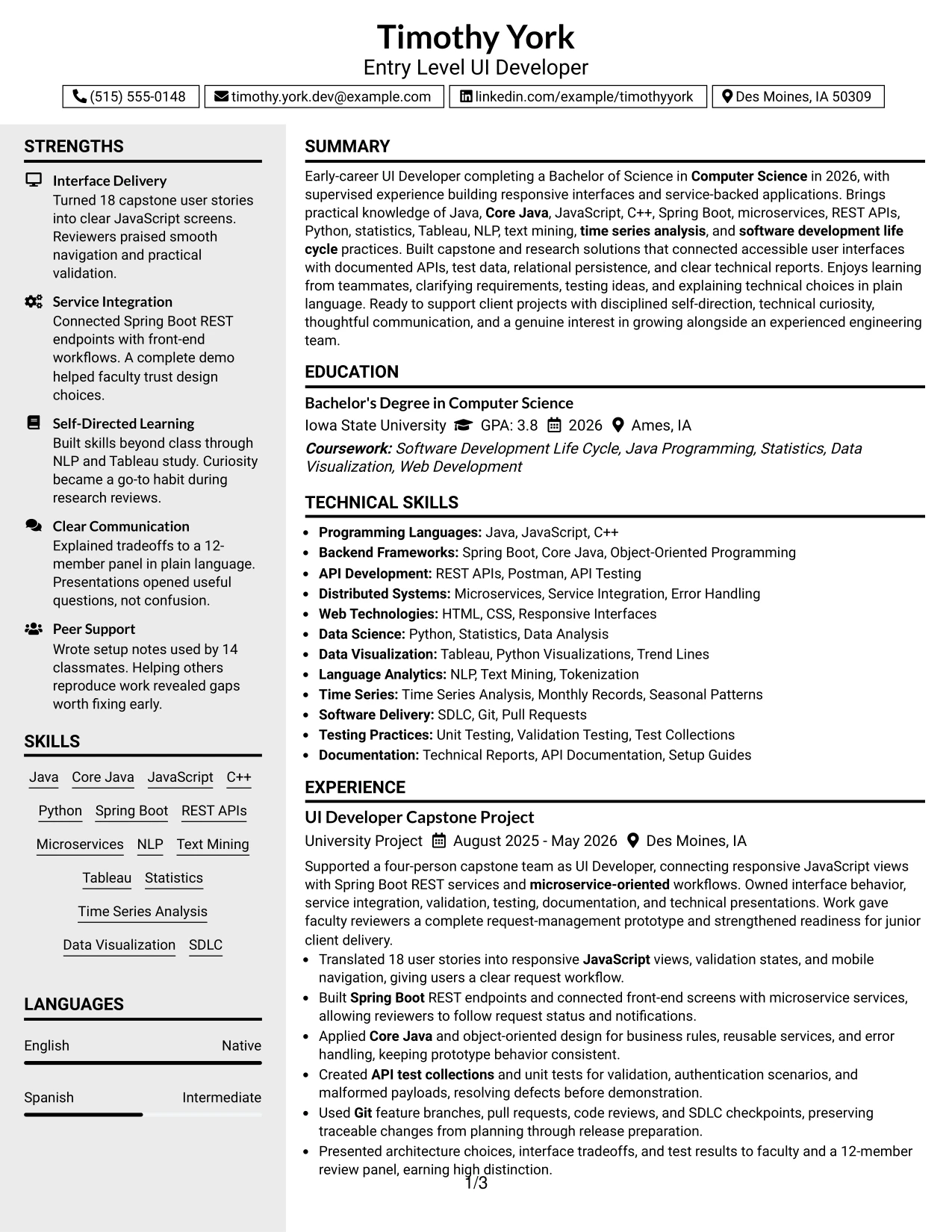
#4 Clean Two Column Sidebar Format Resume Example
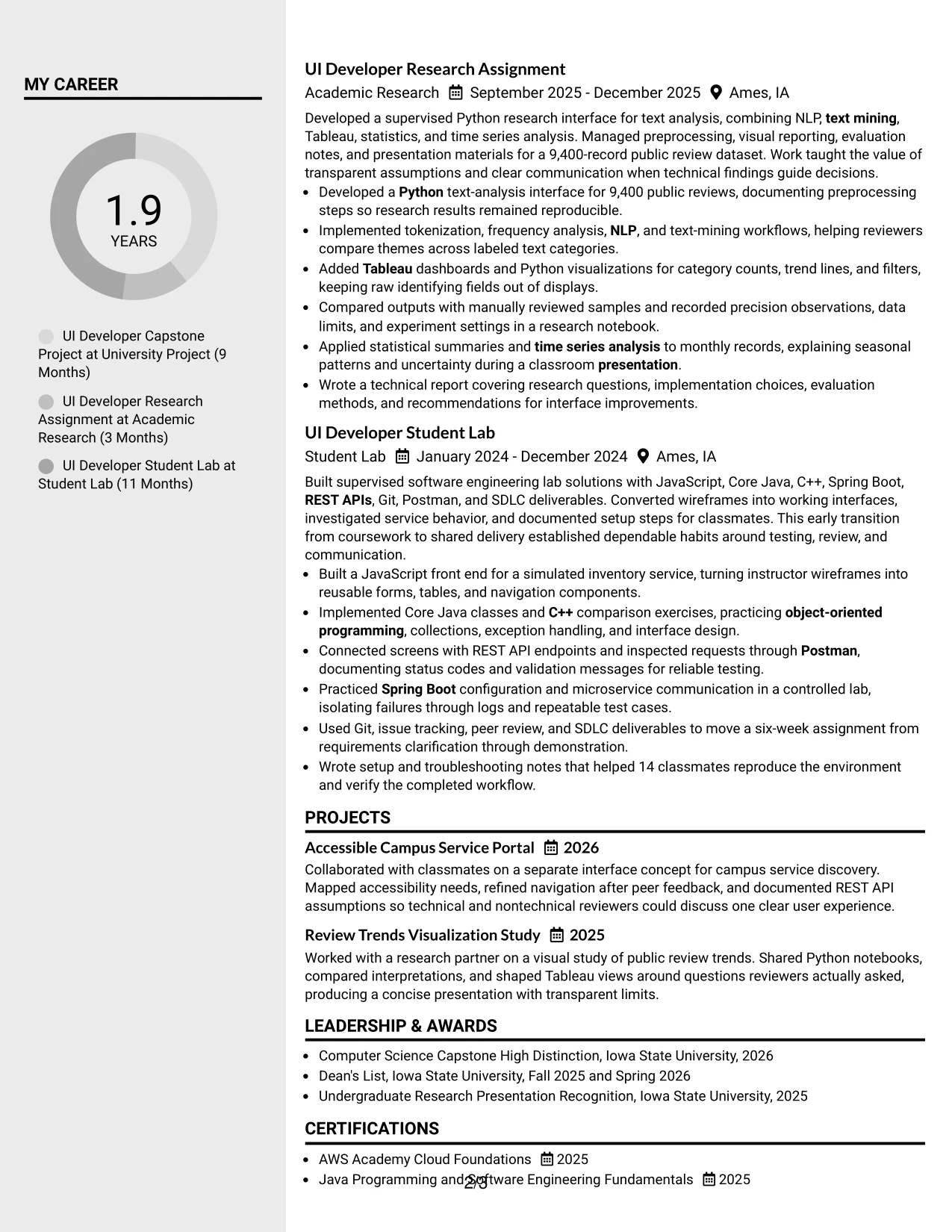
Content is balanced between a focused main column and a compact sidebar. Clean Two Column Sidebar Format can place experience, research, and project achievements in the primary area while grouping skills, education, certifications, and activities for quick reference.
For a practical application review, this division helps a technical reader compare evidence with keywords. The main column can detail JavaScript interfaces, Spring Boot services, API tests, and research findings; the sidebar can reinforce Java, Python, Tableau, SDLC, and Computer Science education.
Why the Clean Two Column Sidebar Format Works for a Resume
- The main column gives experience and project bullets the greatest space.
- A sidebar makes technical skills and education easy to locate.
- The format supports quick comparison between applied evidence and job keywords.
- Compact supporting sections reduce repetition in the experience narrative.
- Two columns can keep certifications, honors, and activities from interrupting project flow.
- The hierarchy helps a reviewer identify both interface delivery and service integration.
- Careful spacing can preserve readability while presenting a broad technical foundation.
Best For
- Applications reviewed quickly against a defined technical requirements list.
- Resumes that need a prominent evidence area plus a concise qualifications sidebar.
- Candidates organizing many tools without turning the skills section into dense prose.
- Documents that combine projects, research, education, and certifications.
- Applicants who want supporting credentials visible without leading the page.
- Resume layouts suited to digital review and a compact printed presentation.
- Use cases where technical keywords must be easy to find beside achievement bullets.
#5 Two Column Format Resume Example
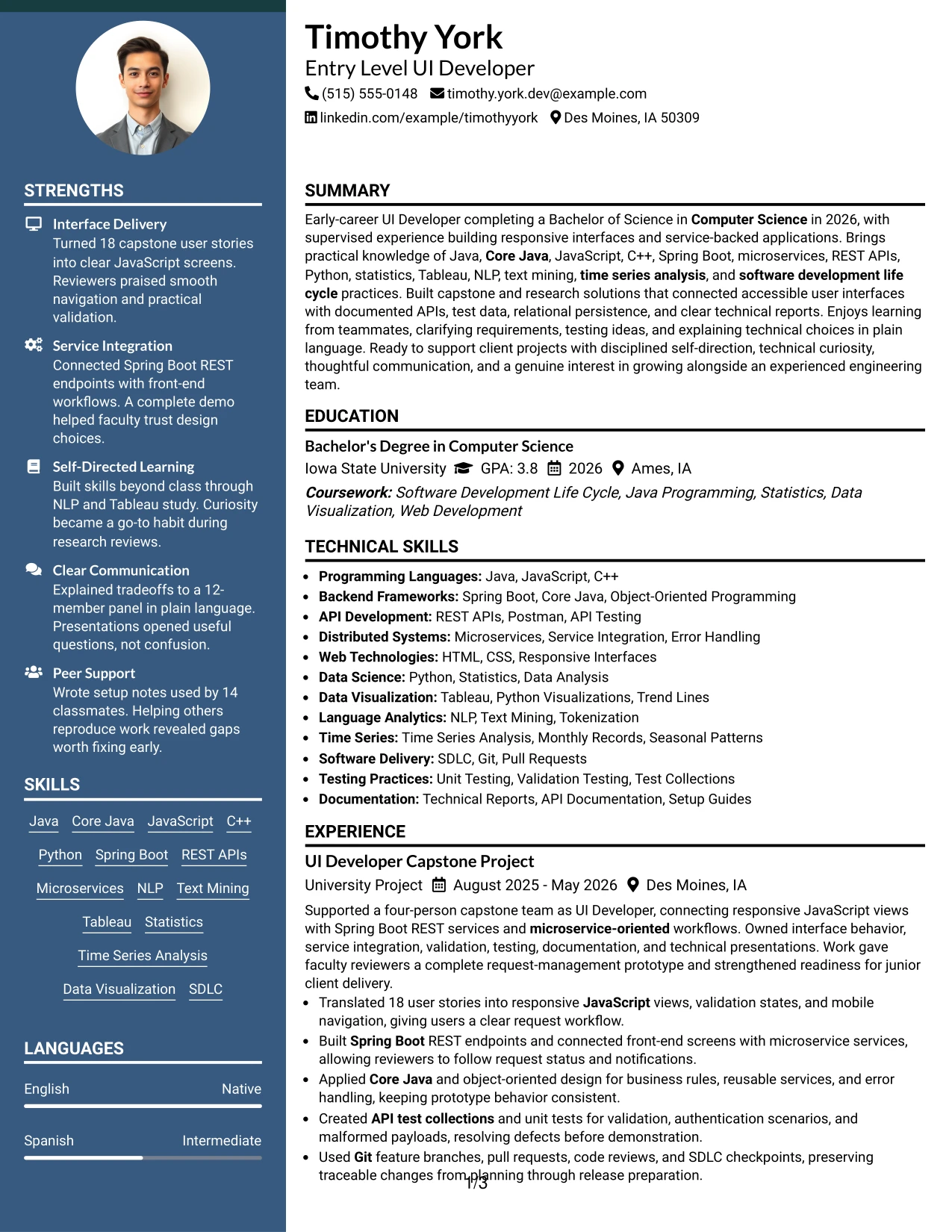
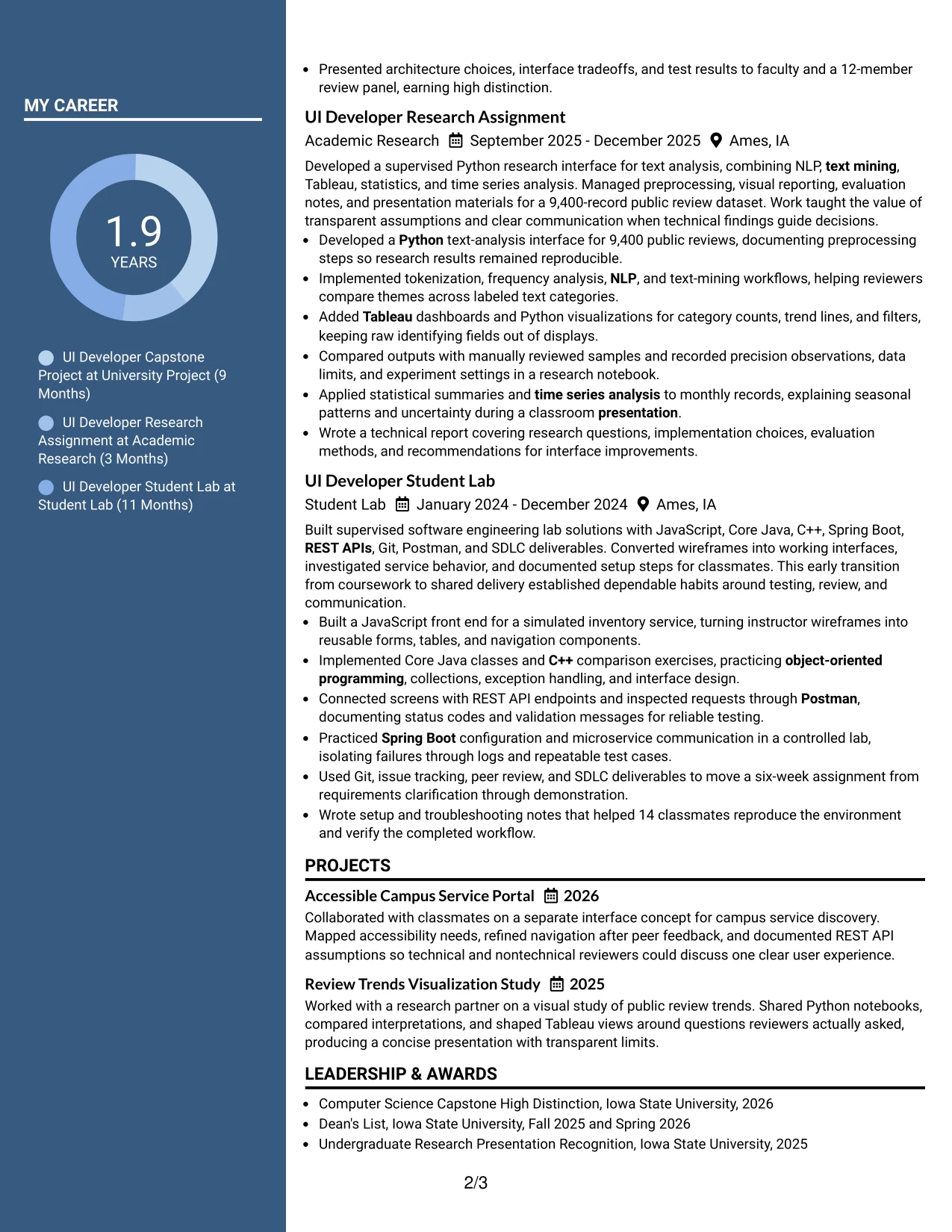
For applications that require both technical breadth and concrete proof, Two Column Format creates a useful visual fit. One column can carry experience and project results, while the other organizes skills, education, certifications, and honors.
That division supports a strong entry-level UI Developer presentation without forcing every detail into one long block. The resume can pair Spring Boot, microservices, REST APIs, JavaScript, Python, and Tableau with evidence from capstone delivery, research analysis, and software engineering labs.
Why the Two Column Format Works for a Resume
- Separate columns help balance detailed experience with supporting qualifications.
- A structured skills area keeps important technical terms visible during review.
- The main content area can carry achievement bullets with clear action and outcome.
- Education and certifications remain accessible without competing with project evidence.
- The format supports a broad profile that includes UI development and data analysis.
- Shorter line lengths can improve scanning when sections are well spaced.
- A consistent hierarchy helps the reader move between evidence and keyword groups.
Best For
- Resumes needing equal attention for experience and technical qualifications.
- Candidates presenting a broad mix of programming, API, testing, and data skills.
- Applications where education and certifications should remain visible near experience.
- Documents that benefit from compact organization without removing measurable results.
- Applicants tailoring one version across UI development and related data-focused needs.
- Resume reviews that require quick movement between tools and applied project evidence.
- Candidates seeking a balanced presentation of coursework, projects, and academic recognition.
#6 Photo Header Two Column Format Resume Example
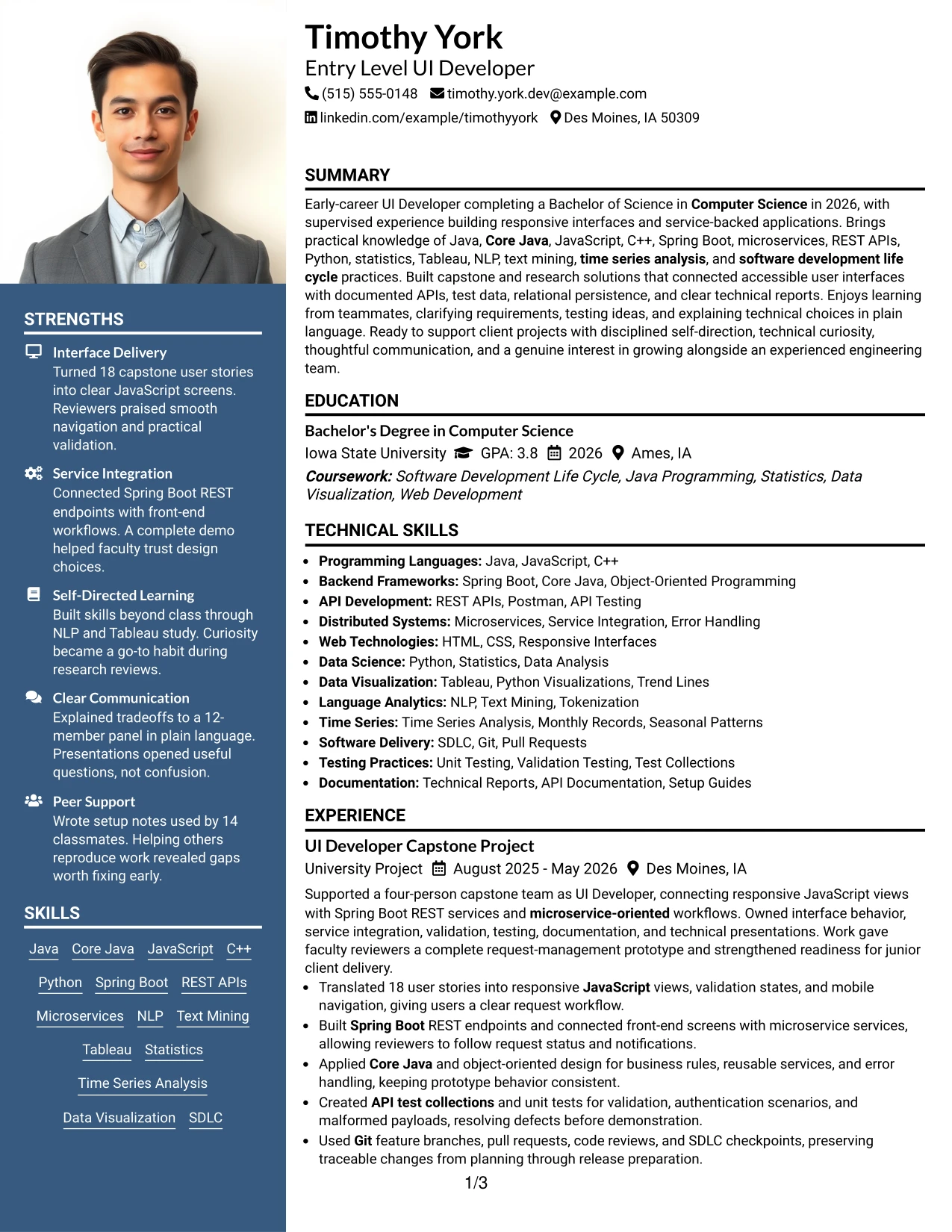
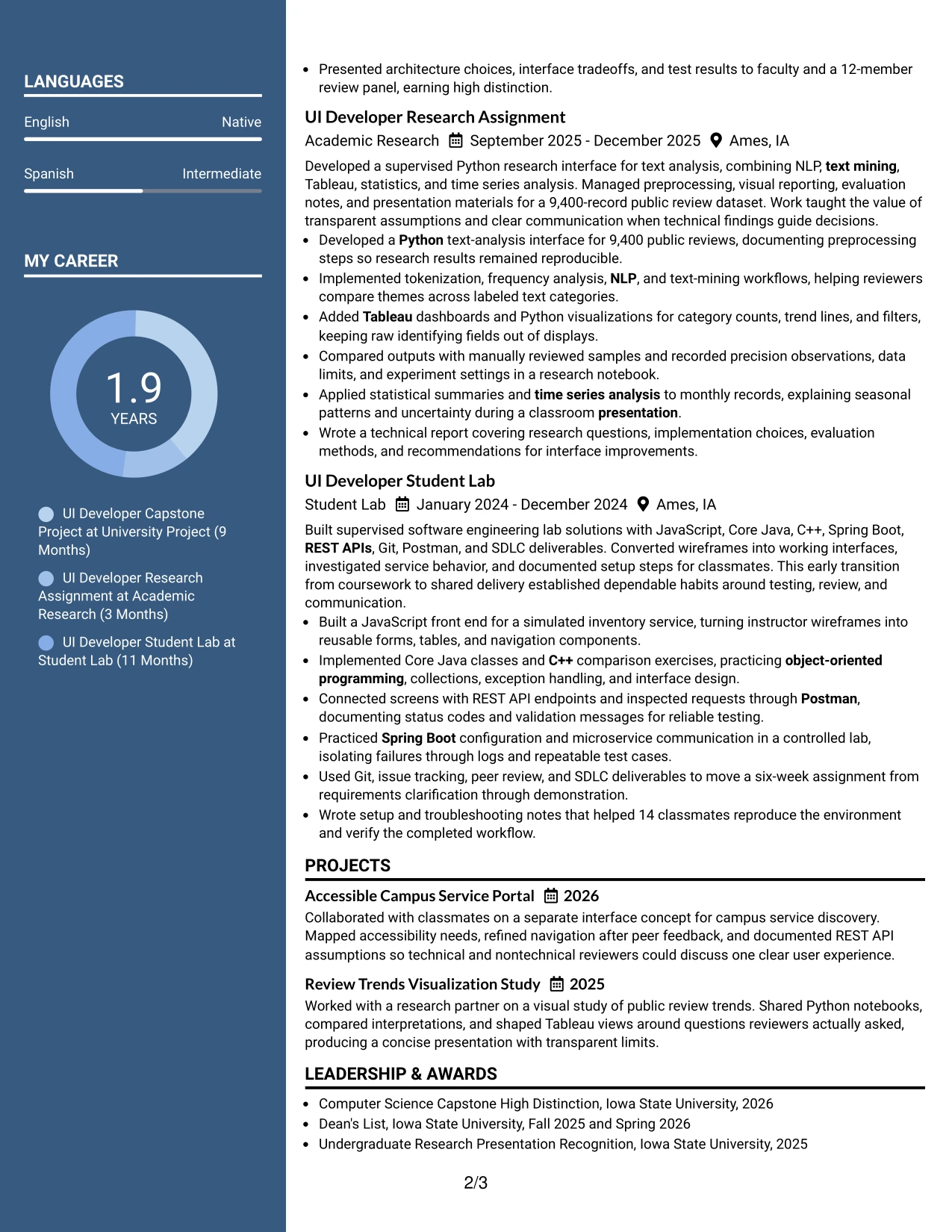
A restrained visual hierarchy gives this resume a polished, organized first impression. Photo Header Two Column Format places identity and contact details in a prominent header, then divides the document into an evidence column and a supporting qualifications column.
The role alignment remains clear when the main area leads with UI Developer capstone work and research, while the secondary area presents Java, Core Java, JavaScript, C++, Spring Boot, REST APIs, Python, and Tableau. This balance keeps technical credibility at the center.
Why the Photo Header Two Column Format Works for a Resume
- A prominent header makes contact information easy to confirm.
- Two columns separate achievement evidence from skills and credentials.
- The main column can show interface delivery, testing, and service integration in detail.
- The supporting column can organize education, certifications, honors, and technical tools.
- The layout aligns the target role with both programming and data-related qualifications.
- A strong header creates a defined starting point before the reviewer scans the body.
- The structure supports a polished presentation without hiding measurable project results.
Best For
- Applications where a distinct header helps establish a polished professional presentation.
- Candidates who need to align a target role with a wide technical skills set.
- Resumes separating detailed project evidence from compact qualification lists.
- Documents that include both programming projects and research-based analysis.
- Applicants presenting education, certifications, and honors alongside applied work.
- Digital resume use cases where contact details must stand out immediately.
- Applications that allow a visual header while still requiring organized technical content.
#7 Simple Two Column Format Resume Example
Simple Two Column Format organizes the resume into a practical evidence column and a concise supporting column. The structure can give capstone, research, lab, and project bullets room to explain actions, while skills, education, certifications, and activities stay easy to locate.
Its clean organization supports recruiter scanning without weakening technical detail. The resume can show responsive JavaScript views, microservice communication, unit testing, statistical analysis, and technical documentation in the main flow, with related keywords grouped alongside it.
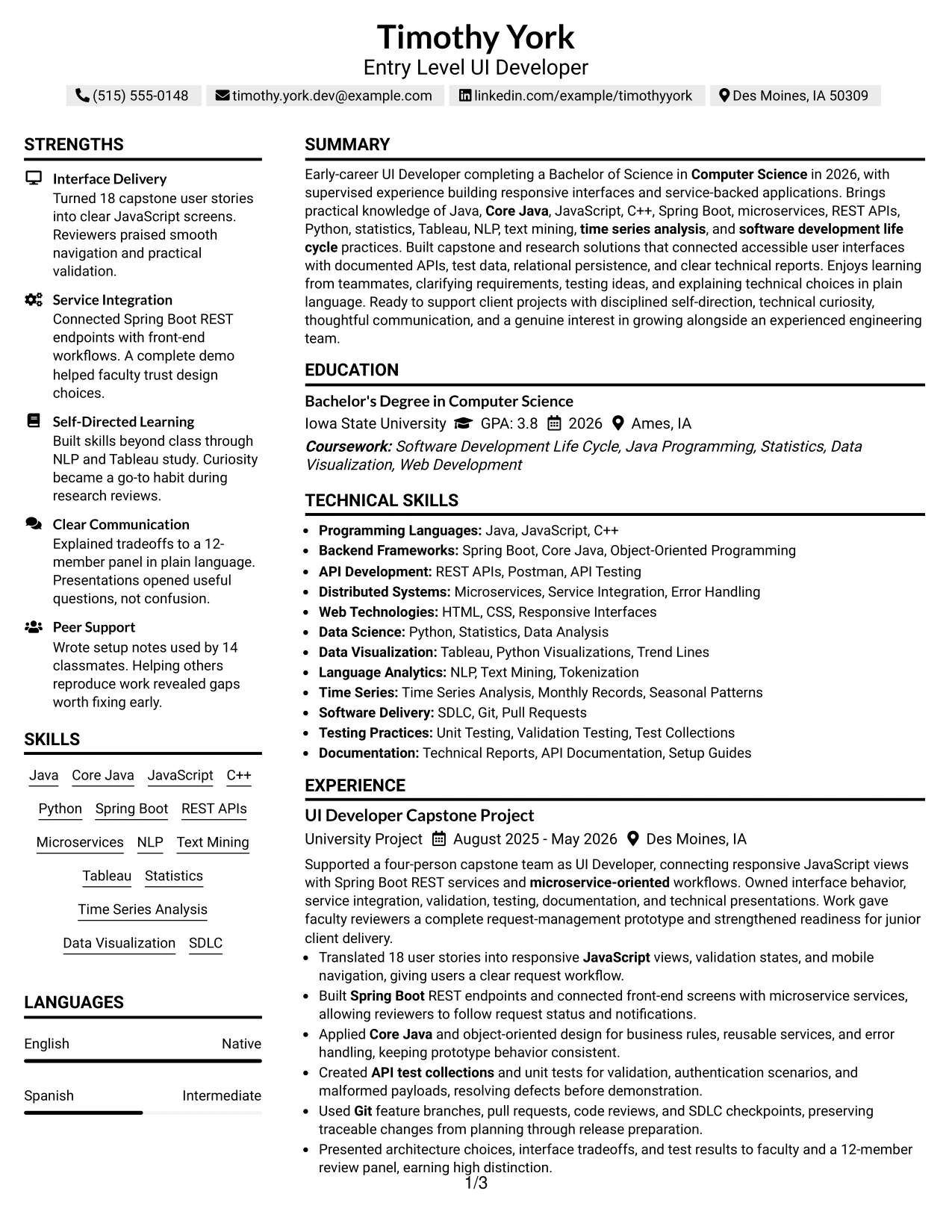
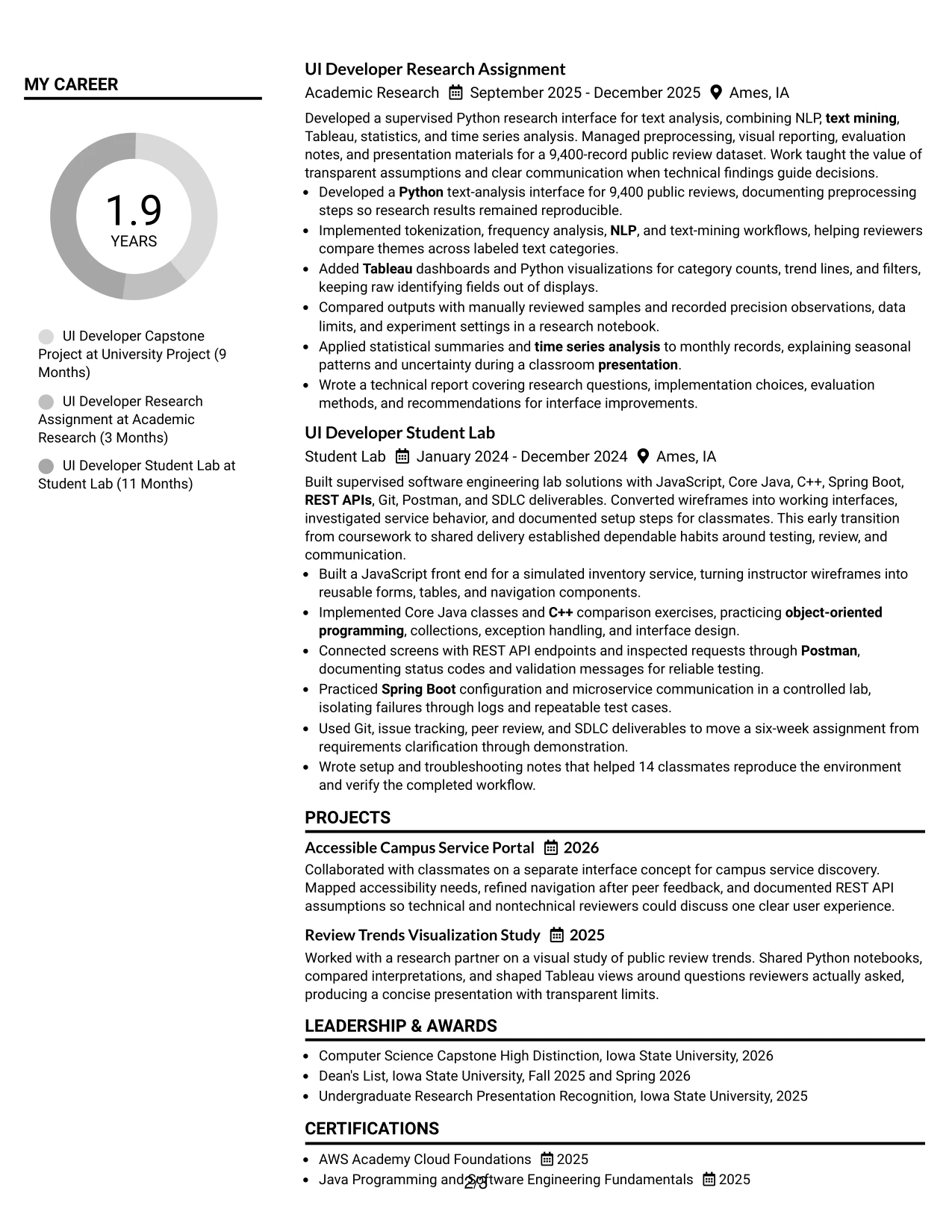
Why the Simple Two Column Format Works for a Resume
- Two clear areas help a reviewer separate proof of work from supporting facts.
- The main column provides room for action-oriented project bullets.
- A compact skills area keeps Java, JavaScript, Python, and Spring Boot visible.
- The format supports quick scanning of education and certifications.
- Bulleted evidence can include testing, Git workflow, documentation, and presentation results.
- A simple hierarchy reduces visual noise in a technically detailed resume.
- The structure works well when projects carry more weight than traditional employment history.
Best For
- Resumes led by academic projects, labs, and research assignments.
- Candidates who need detailed bullets without losing quick access to skills.
- Applications where a reviewer scans for tools before reading full experience.
- Documents that combine technical evidence with education and certifications.
- Applicants organizing a strong project portfolio within a compact page structure.
- ATS-aware resume versions using familiar headings and readable bullet lists.
- Candidates who want a clean division between core evidence and supporting details.
#8 Text/Fang Style Resume Example
Readers move through Text/Fang Style by following a continuous sequence of labeled sections and detailed bullet points. The single-column presentation gives the resume a steady rhythm, allowing each project, research assignment, and lab entry to build on the last.
That content volume is valuable for an entry-level UI Developer resume with varied evidence. It can connect JavaScript interfaces and REST APIs with Python analysis, Tableau dashboards, NLP, text mining, time series analysis, Git, testing, and SDLC practices without relying on a cramped layout.
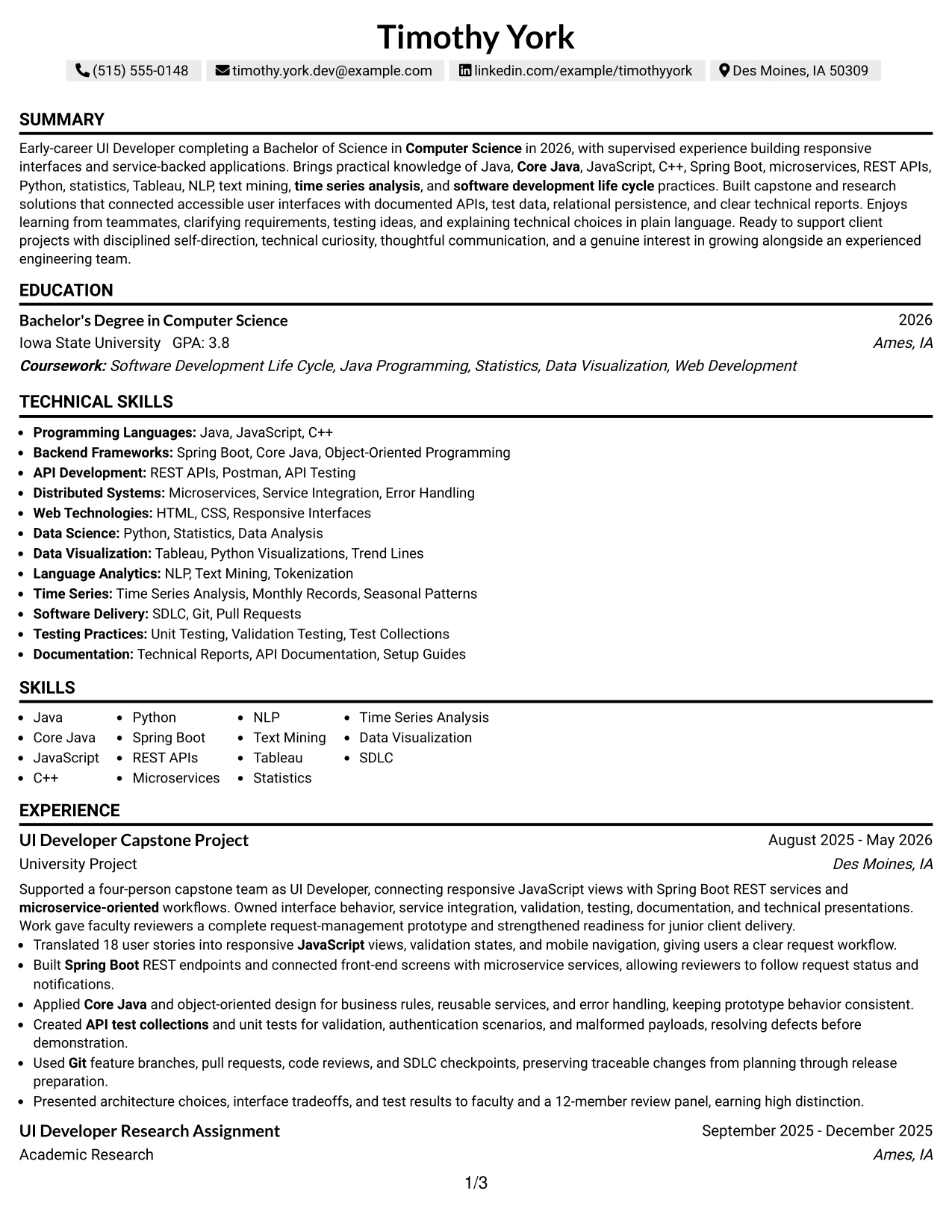
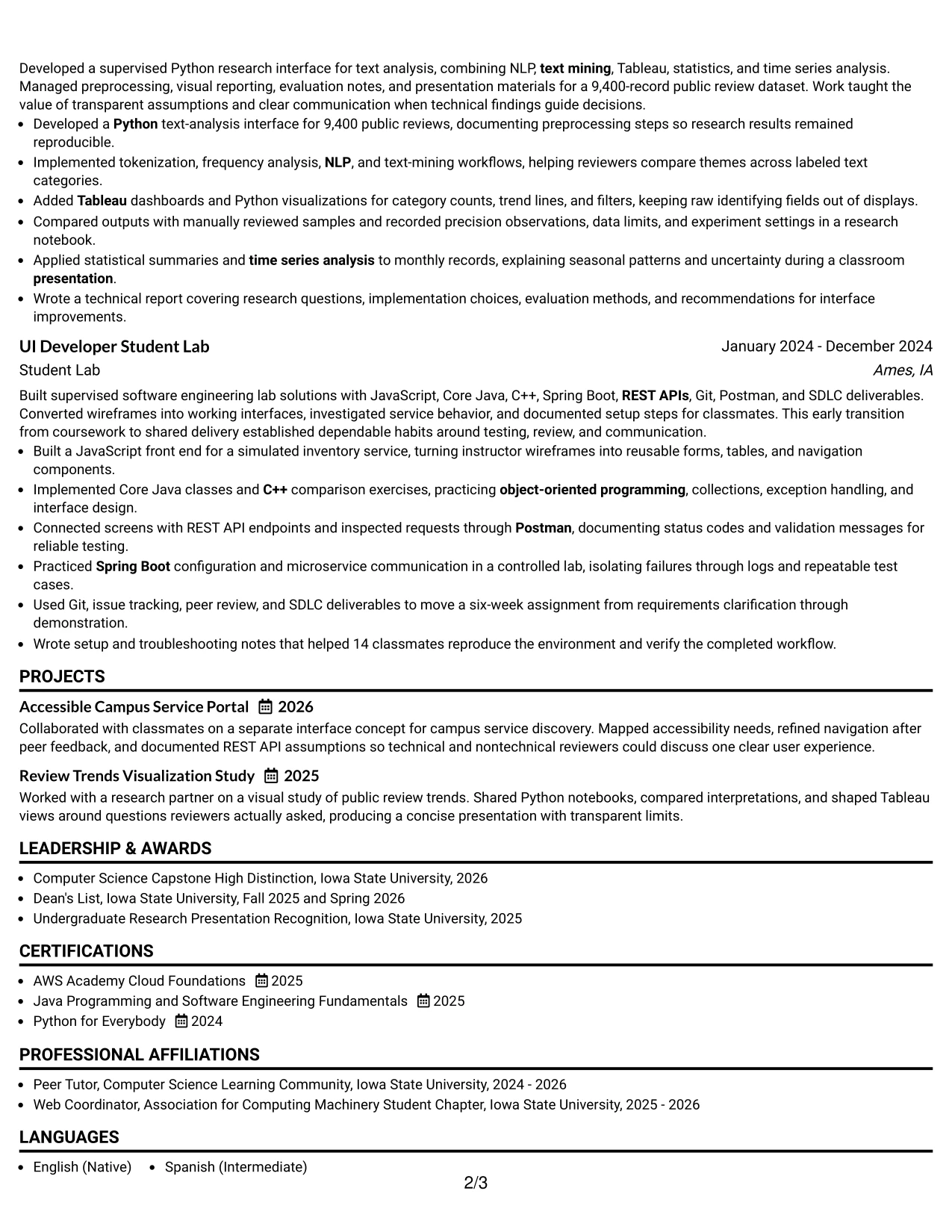
Why the Text/Fang Style Works for a Resume
- A continuous text flow supports detailed review of projects and technical assignments.
- The format gives each experience entry room for multiple achievement bullets.
- Full-width sections can carry both tools and methods without excessive abbreviation.
- The sequence makes academic progression easy to follow from lab to research to capstone.
- Technical keywords appear in context rather than as an isolated list alone.
- Clear headings help readers pause at education, certifications, and skills.
- The layout supports a thorough resume when evidence volume is a key strength.
Best For
- Resumes with many project bullets that need a consistent reading rhythm.
- Candidates showing progression across labs, research, and capstone delivery.
- Applications requiring detailed technical context for tools and methods.
- Documents where full-width text improves the explanation of testing and documentation.
- Applicants with varied evidence across interface work and analytical projects.
- Resume reviews that reward substance, traceable work, and clear section order.
- Candidates who prefer comprehensive content over a highly compressed layout.
#9 One Column Boxed Contact Header Format Resume Example
The strongest evidence can begin immediately below a clearly defined contact header. One Column Boxed Contact Header Format gives the resume a firm starting point, then uses the full page for capstone achievements, research work, lab experience, projects, and education.
For an entry-level UI Developer application, that evidence-first sequence can feature responsive interfaces, documented APIs, test collections, statistical findings, and technical presentations before the reader reaches the complete skills inventory. It creates a focused review experience while keeping text ATS-readable.
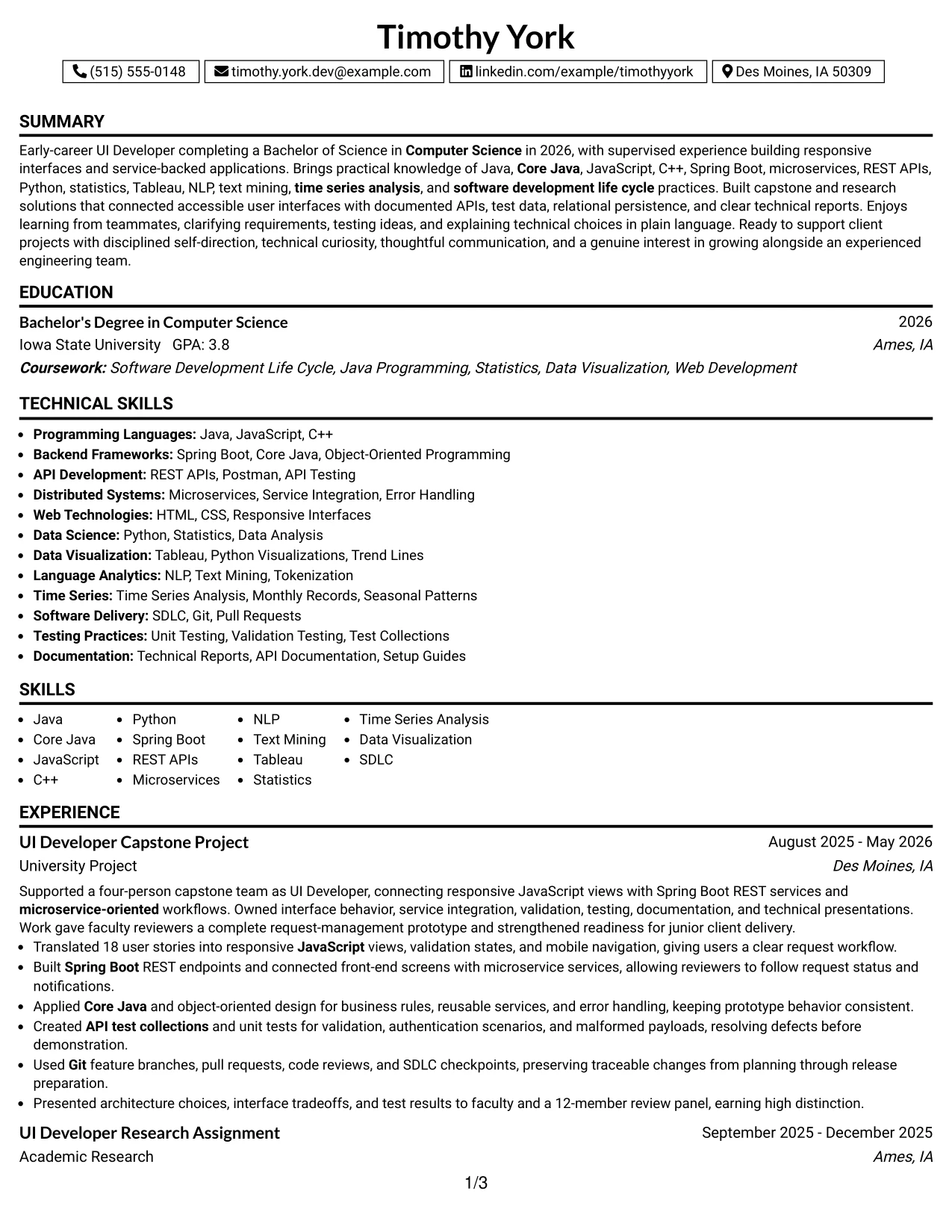
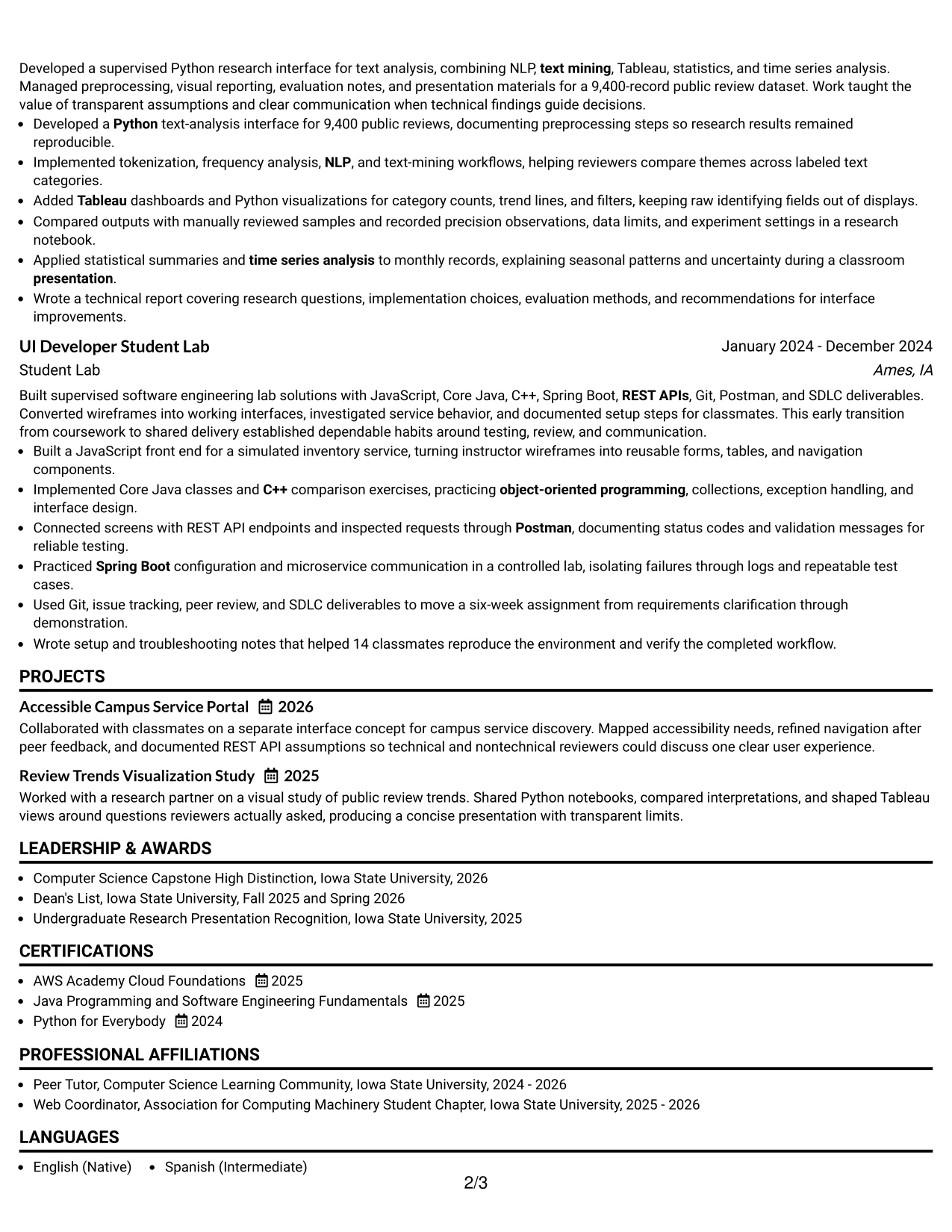
Why the One Column Boxed Contact Header Format Works for a Resume
- A boxed contact header makes essential contact details immediately visible.
- The single-column body gives priority to experience and project evidence.
- Full-width bullets can explain technical decisions, methods, and outcomes clearly.
- The format supports a strong summary followed by relevant proof of capability.
- Education and certifications can appear in a logical sequence after applied work.
- A defined header separates personal details from the substantive resume content.
- Conventional text structure supports digital parsing and recruiter review.
Best For
- Applications where contact details must be confirmed at a glance.
- Resumes that should lead with capstone, research, or lab evidence.
- Candidates who want a clear boundary between contact information and qualifications.
- Documents with detailed bullets covering interfaces, APIs, testing, and analysis.
- Applicants using measurable project facts to establish technical readiness.
- ATS-focused submissions that benefit from one-column content flow.
- Resume versions where a strong header improves page-level organization.
#10 Plain Two Column Format Resume Example
Content is balanced between applied evidence and a concise qualification snapshot. Plain Two Column Format can place capstone, research, lab, and project results in one area while using the other for education, certifications, skills, honors, and activities.
A four-item resume snapshot can quickly frame the strongest facts: a 2026 Computer Science degree, 18 translated user stories, a 9,400-record research dataset, and support for 14 classmates. The keyword section then reinforces alignment with Entry Level UI Developer requirements.
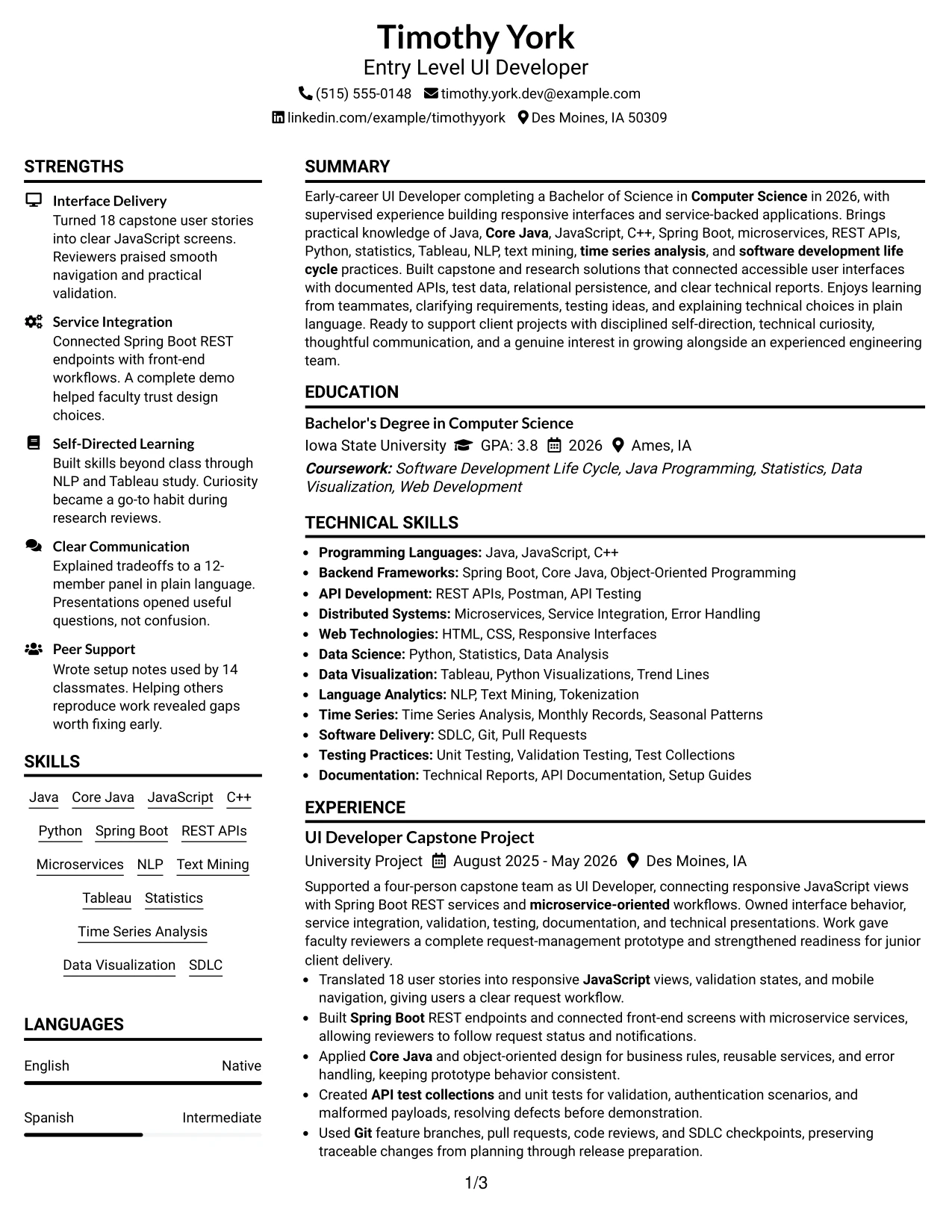
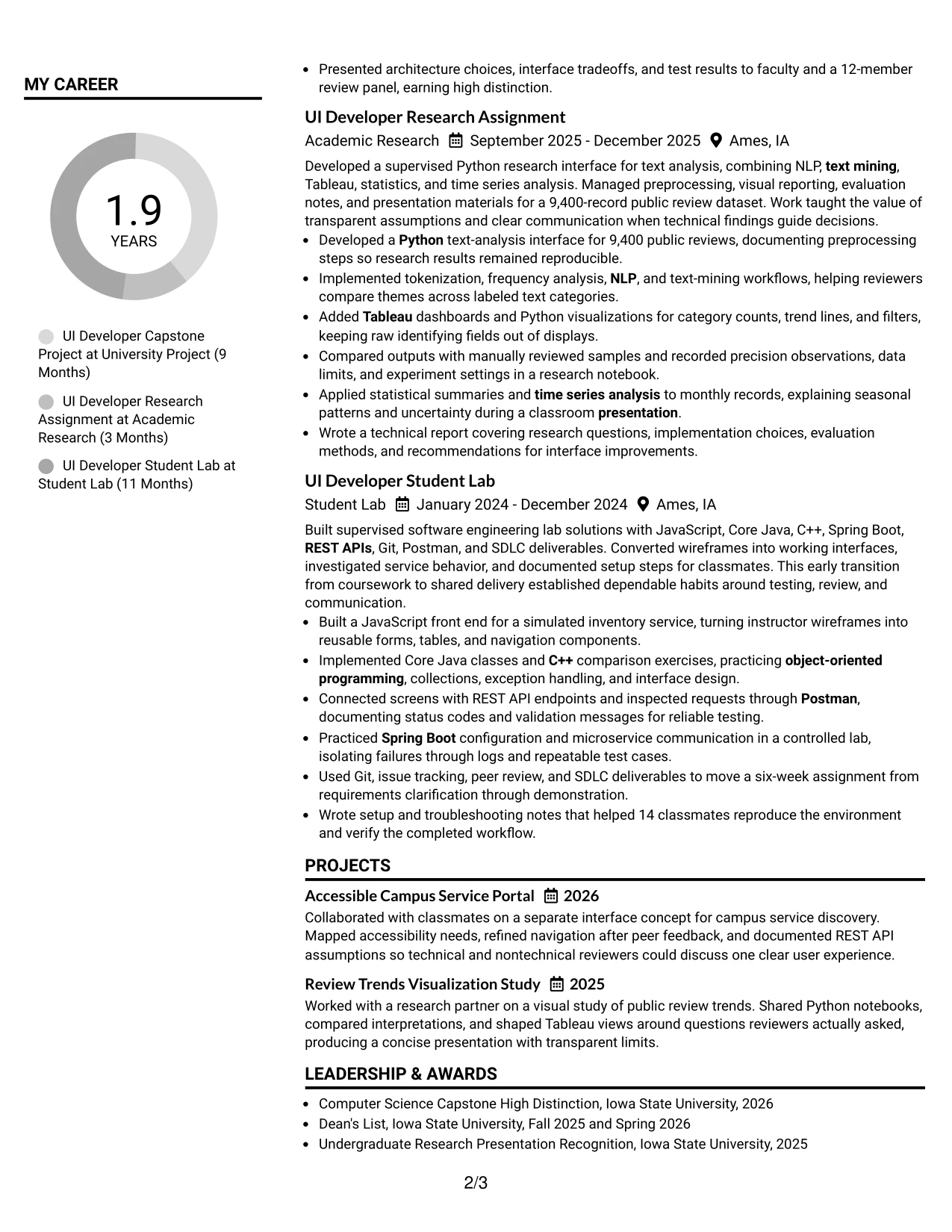
Resume Snapshot
- Bachelor’s degree in Computer Science, 2026
- Translated 18 user stories into responsive JavaScript views
- Developed analysis for a 9,400-record public review dataset
- Created setup notes used by 14 classmates
Why the Plain Two Column Format Works for a Resume
- Two columns balance detailed experience with fast-reference qualification content.
- A snapshot gives reviewers immediate access to the strongest evidence.
- A dedicated keyword area supports alignment with ATS and job requirements.
- Plain styling keeps attention on measurable project results and technical methods.
- Education and certifications can remain visible without extending the experience narrative.
- The format supports both a quick scan and a deeper review of project bullets.
- Clear separation helps organize programming, API, testing, and data analysis terms.
Resume Keywords
- Entry Level UI Developer
- Bachelor’s degree in Computer Science
- Java programming
- Core Java
- JavaScript
- Spring Boot
- microservices
- REST APIs
- Python
- statistics
- data visualization tools
- NLP
- text mining
- Tableau
- time series analysis
- software development life cycle
#11 Colored Two Column Format Resume Example
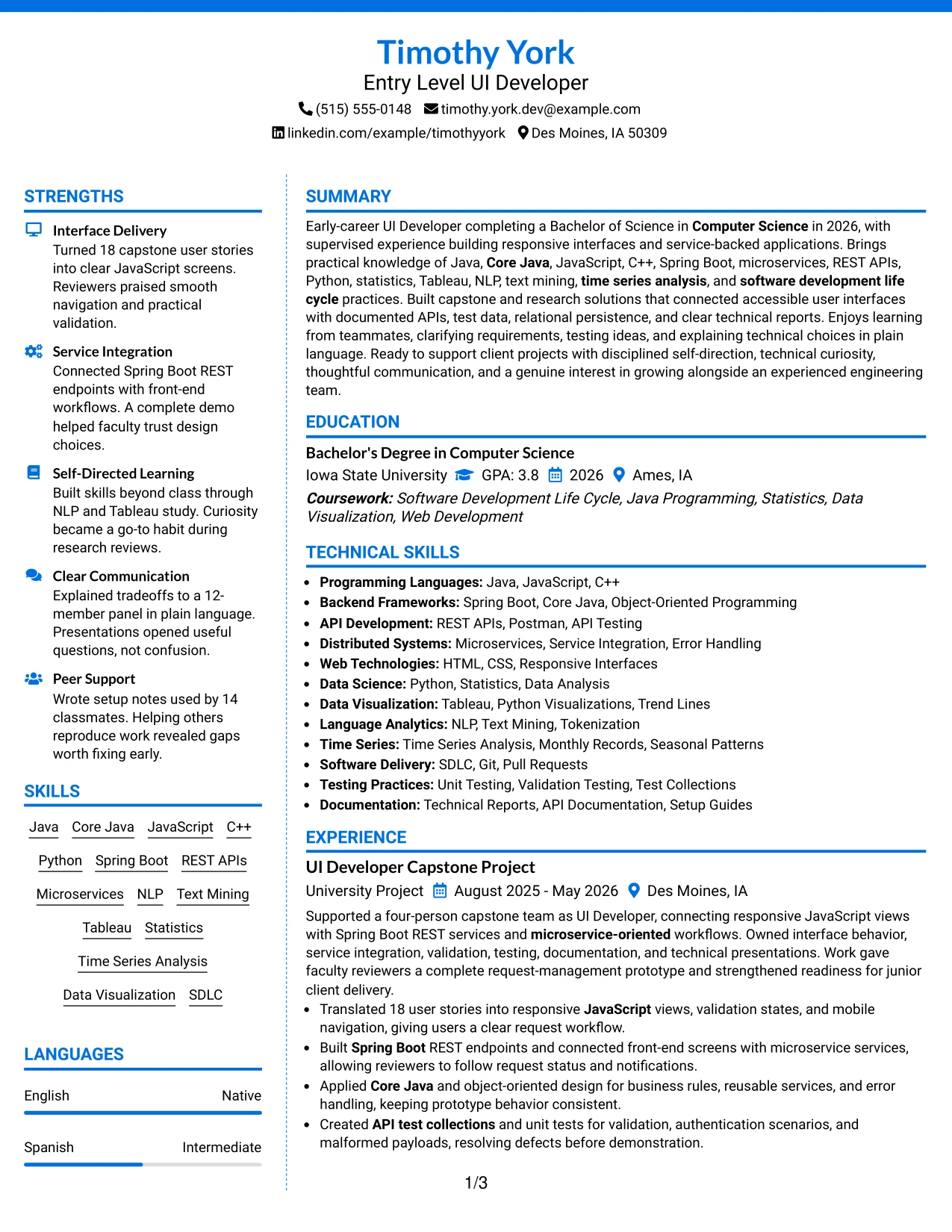
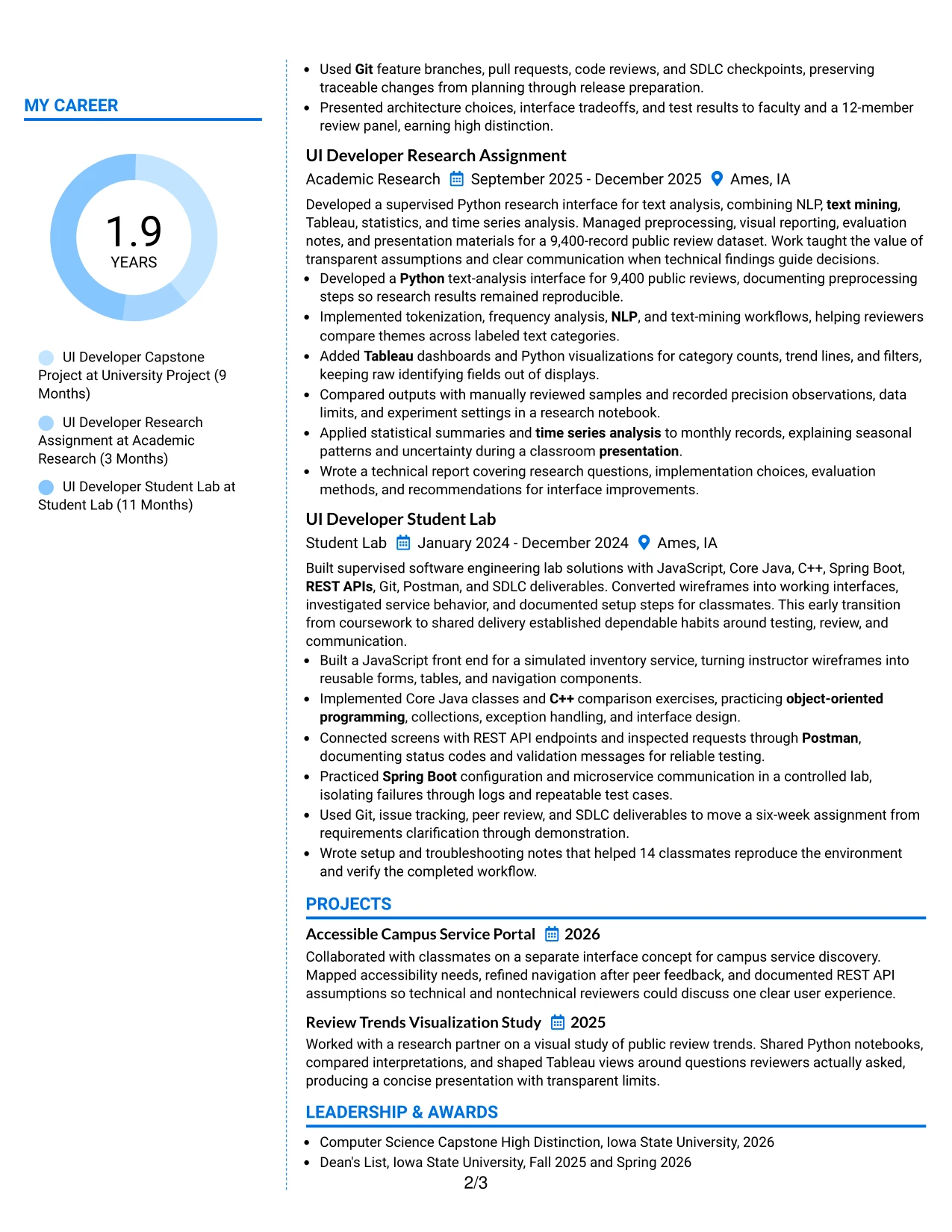
For applications that need a clear visual fit, Colored Two Column Format separates core evidence from supporting qualifications with controlled color accents. The main column can present interface delivery, service integration, research, and testing, while the sidebar organizes skills, education, and certifications.
The result is a resume that feels structured without losing substance. Technical keywords remain easy to find, and measurable proof—18 user stories, a 9,400-record dataset, a 12-member review panel, and 14 classmates—can anchor the experience sections.
Why the Colored Two Column Format Works for a Resume
- Color accents can guide the eye toward major sections without replacing clear labels.
- The main column gives measurable achievements enough room to stand out.
- A sidebar keeps skills, education, and certifications compact and accessible.
- The format supports quick comparison between job keywords and applied project evidence.
- Two columns help prevent a broad technical profile from becoming a long undifferentiated list.
- Controlled visual contrast can improve navigation during a digital review.
- The structure keeps technical detail, academic recognition, and project outcomes connected.
Best For
- Resumes that need visual guidance while retaining a conventional information structure.
- Candidates presenting measurable project outcomes across several technical areas.
- Applications where skills and credentials should remain visible beside experience.
- Documents combining interface delivery, API work, testing, and data analysis.
- Applicants seeking a polished layout with clear separation between content groups.
- Digital resume reviews where color can support section navigation.
- Candidates who want technical breadth presented in a balanced, readable format.
#12 One Column Shaded Contact Header Format Resume Example
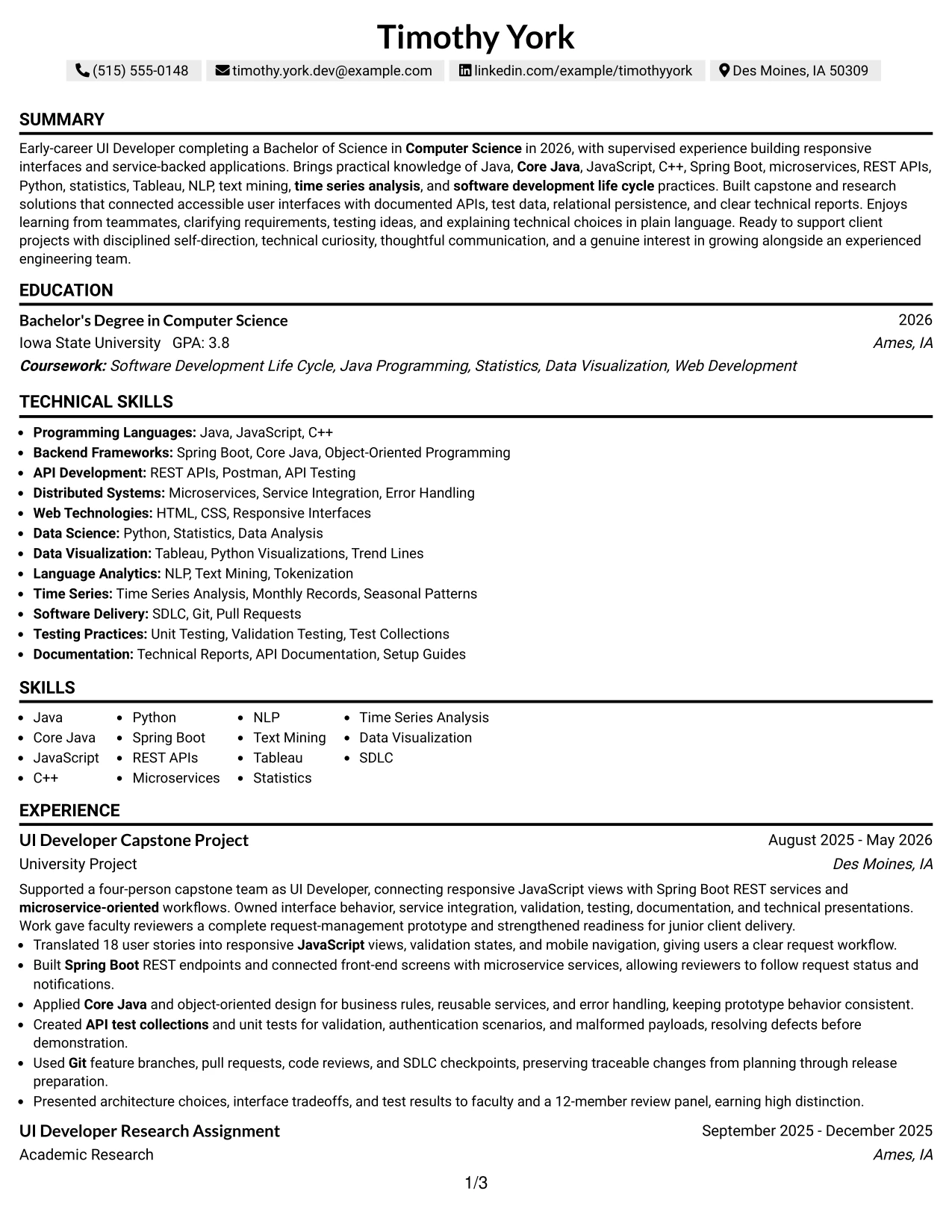
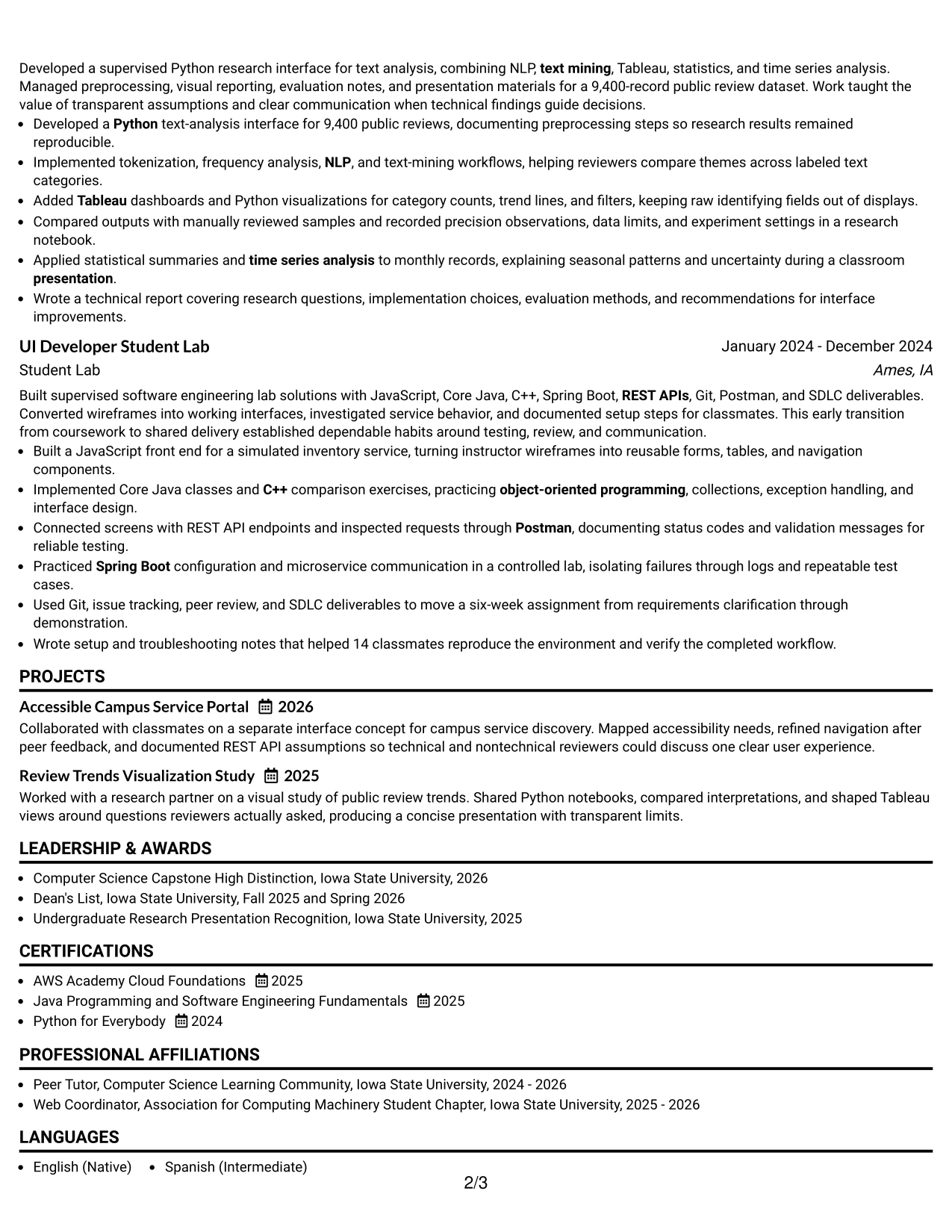
A restrained visual hierarchy gives the contact details a clear starting point while keeping the rest of the resume easy to scan. The one-column structure supports a focused presentation of the Entry Level UI Developer target, Computer Science degree, technical skills, projects, and supervised experience.
Shaded labels create useful separation without competing with the content. Strong resume evidence remains visible through quantified work, including 18 user stories, a 9,400-record dataset, a 12-member review panel, and support that helped 14 classmates reproduce a lab environment.
Why the One Column Shaded Contact Header Format Works for a Resume
- A single reading path helps ATS software and recruiters process sections in a predictable order.
- The shaded contact header gives the target role and contact details immediate visibility.
- Clear section breaks make education, experience, projects, certifications, and skills easy to locate.
- Full-width bullets provide room for technical terms such as Java, Spring Boot, REST APIs, and microservices.
- The format supports measurable results without forcing achievements into narrow side columns.
- A centered header adds polish while keeping the body practical and text focused.
- The simple structure works well when portfolio links, technical documentation, and project evidence need room to breathe.
Best For
- Resumes that need a direct one-column reading path from summary through skills and experience
- ATS-focused applications where standard section order and full-width text support reliable parsing
- Candidates presenting academic projects as evidence of technical readiness
- Applications that require several programming languages, frameworks, and API terms
- Resumes with detailed bullet points and measurable project outcomes
- Applicants who want contact details and the target role visible before technical sections
- Documents that combine education, certifications, projects, and supervised experience without visual crowding
#13 Boxed Contact Header with Job Title Format Resume Example
The Boxed Contact Header with Job Title Format organizes the resume around a defined target at the top, followed by orderly sections for summary, experience, education, projects, and technical skills. Its one-column structure gives each section a consistent width and a dependable place in the review sequence.
A contained header separates identity and contact information from the evidence below. That separation helps the reader move quickly from the Entry Level UI Developer title to Java and JavaScript experience, Spring Boot service integration, research work, certifications, and measurable project results.
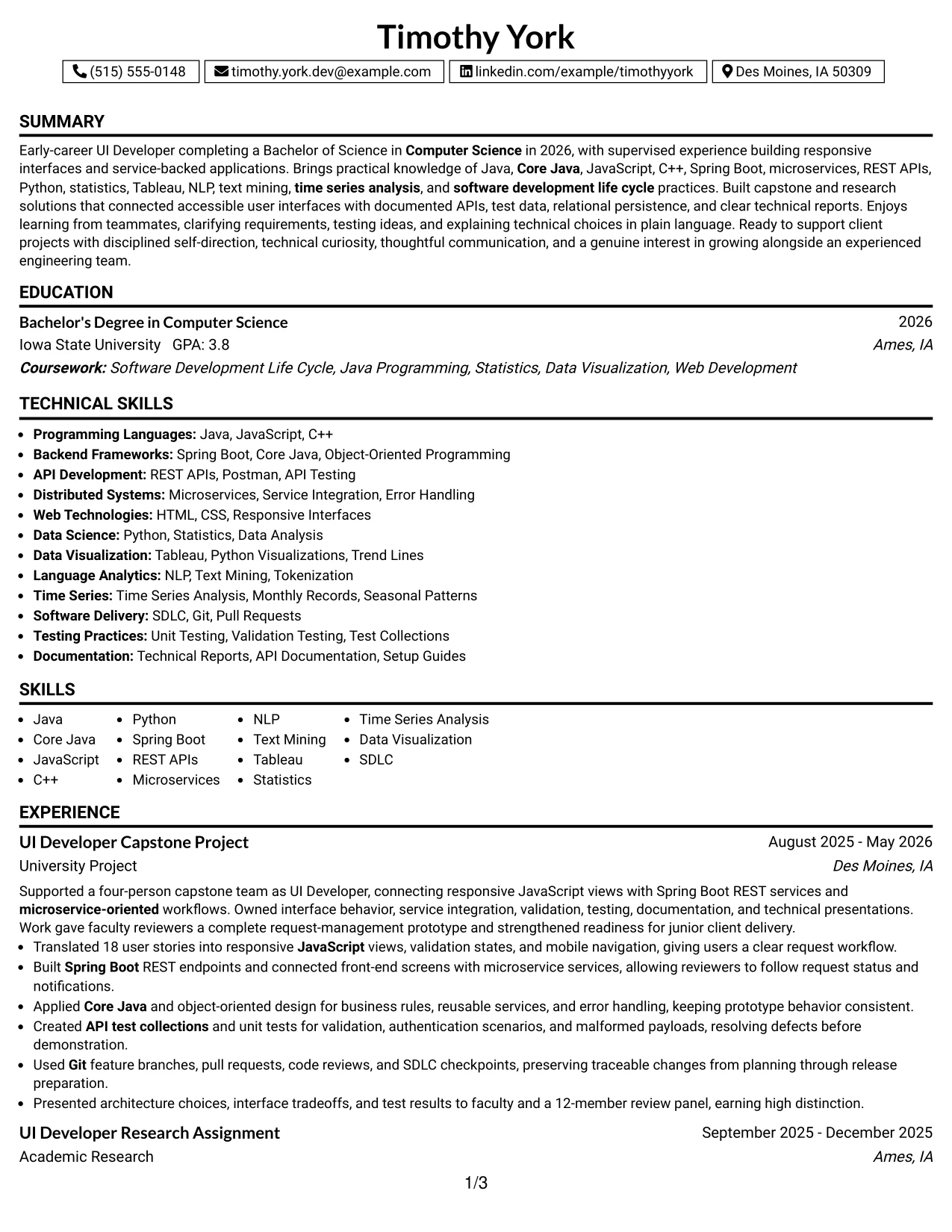
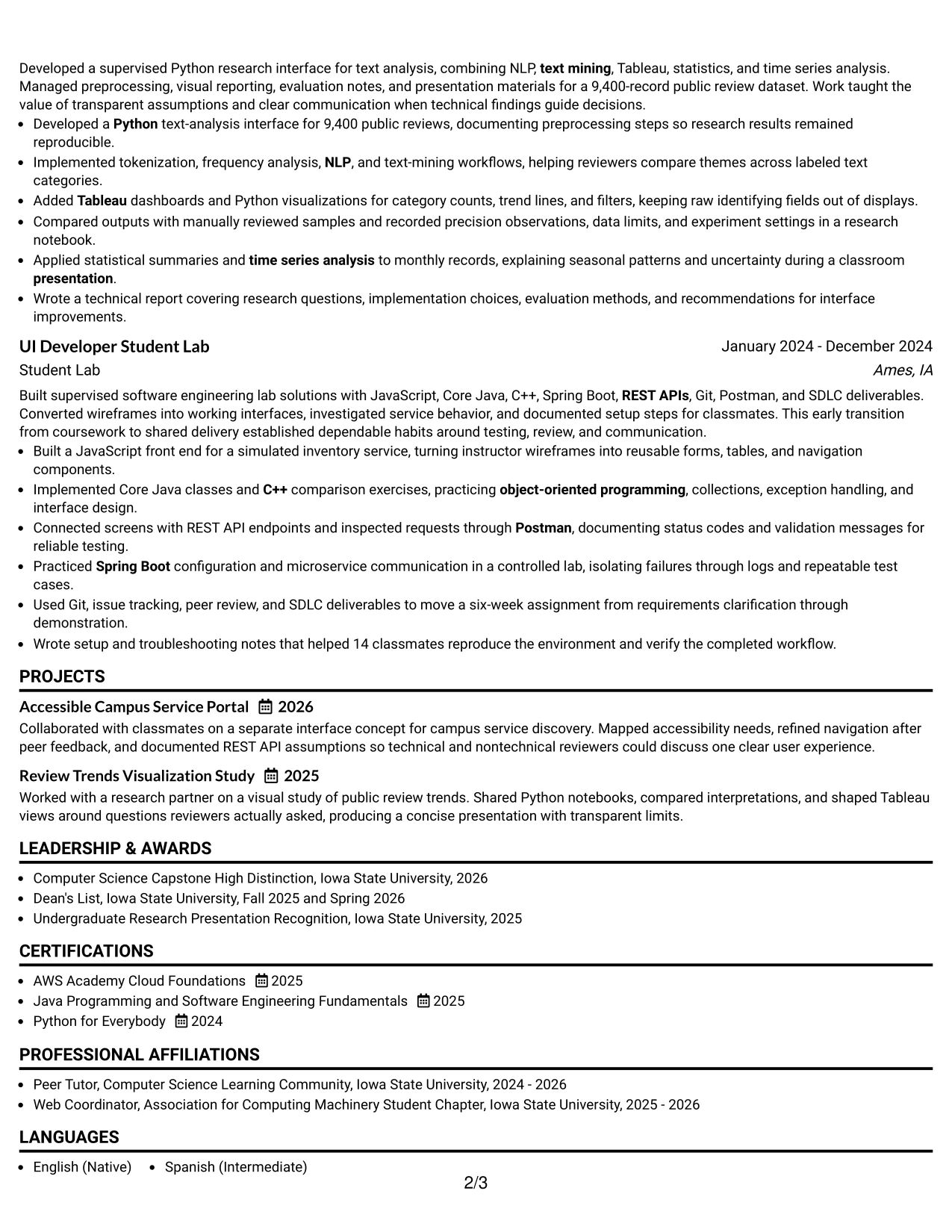
Why the Boxed Contact Header with Job Title Format Works for a Resume
- The boxed header makes the target role easy to identify during an initial scan.
- A consistent one-column structure reduces visual interruptions between resume sections.
- Standard labels help ATS systems recognize education, experience, skills, and certifications.
- Full-width bullets preserve context around testing, documentation, and service integration work.
- The layout gives technical keywords enough surrounding detail to remain credible.
- A clear hierarchy helps reviewers distinguish academic assignments from project outcomes.
- The format supports a focused resume without requiring complex visual navigation.
Best For
- Targeted resumes where the desired role should appear prominently above the evidence
- ATS submissions that benefit from familiar headings and a linear content order
- Candidates with several related academic or supervised experiences to organize clearly
- Documents that need a visible distinction between contact information and resume content
- Applications combining technical skills with certifications, honors, and leadership activities
- Readers who prefer complete-width bullets over compressed sidebar summaries
- Resumes that must present a concise profile while preserving project detail
#14 Stylish Two Column Designer Format Resume Example
Recruiters can move through a focused main column for the summary, experience, and projects while using the side column for skills, education, certifications, and activities. This two-column approach gives the resume a deliberate route through both evidence and supporting details.
The design accommodates substantial technical content without making every section compete for the same space. Detailed bullets can explain JavaScript interfaces, REST API work, Python text analysis, testing, and presentations, while compact side content keeps the core accomplishments prominent.
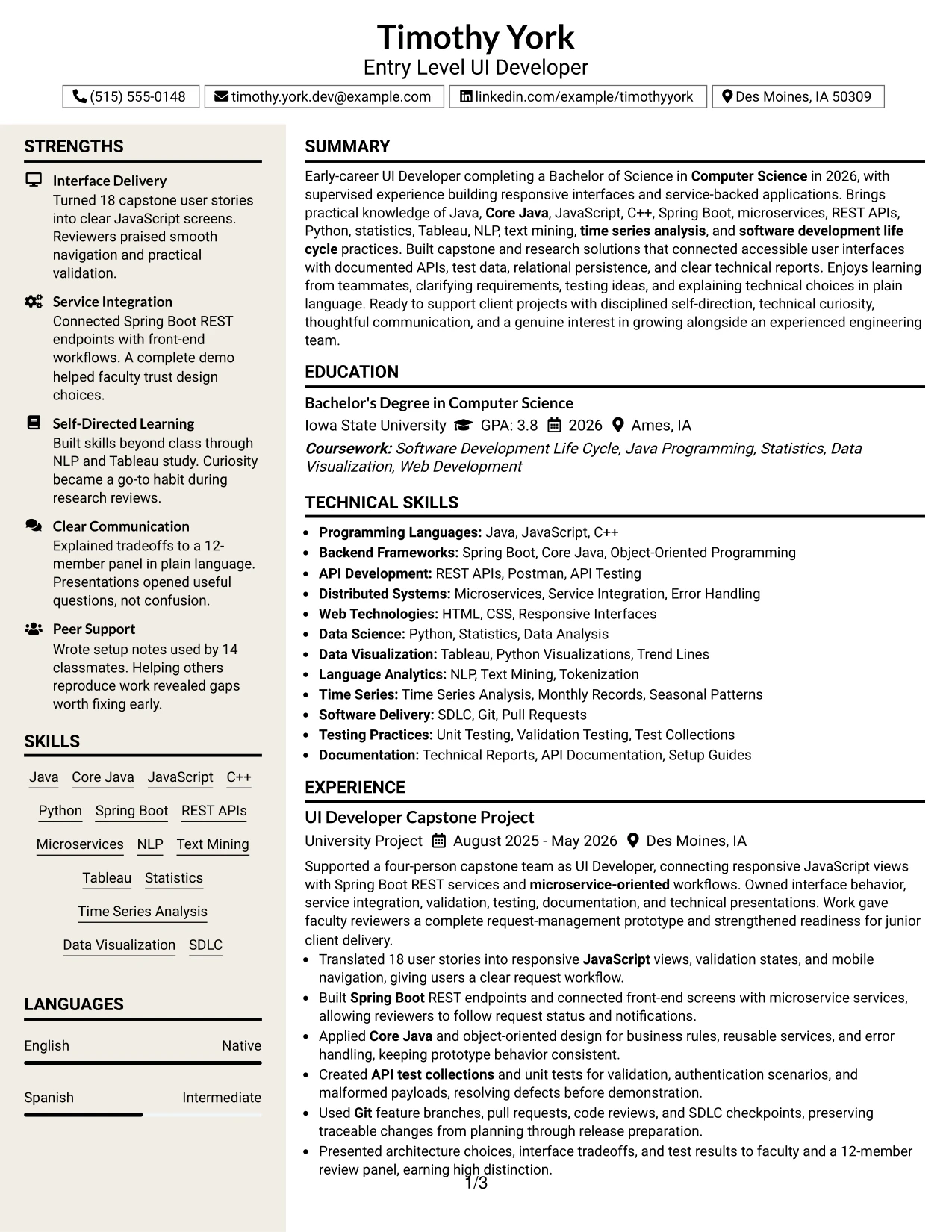
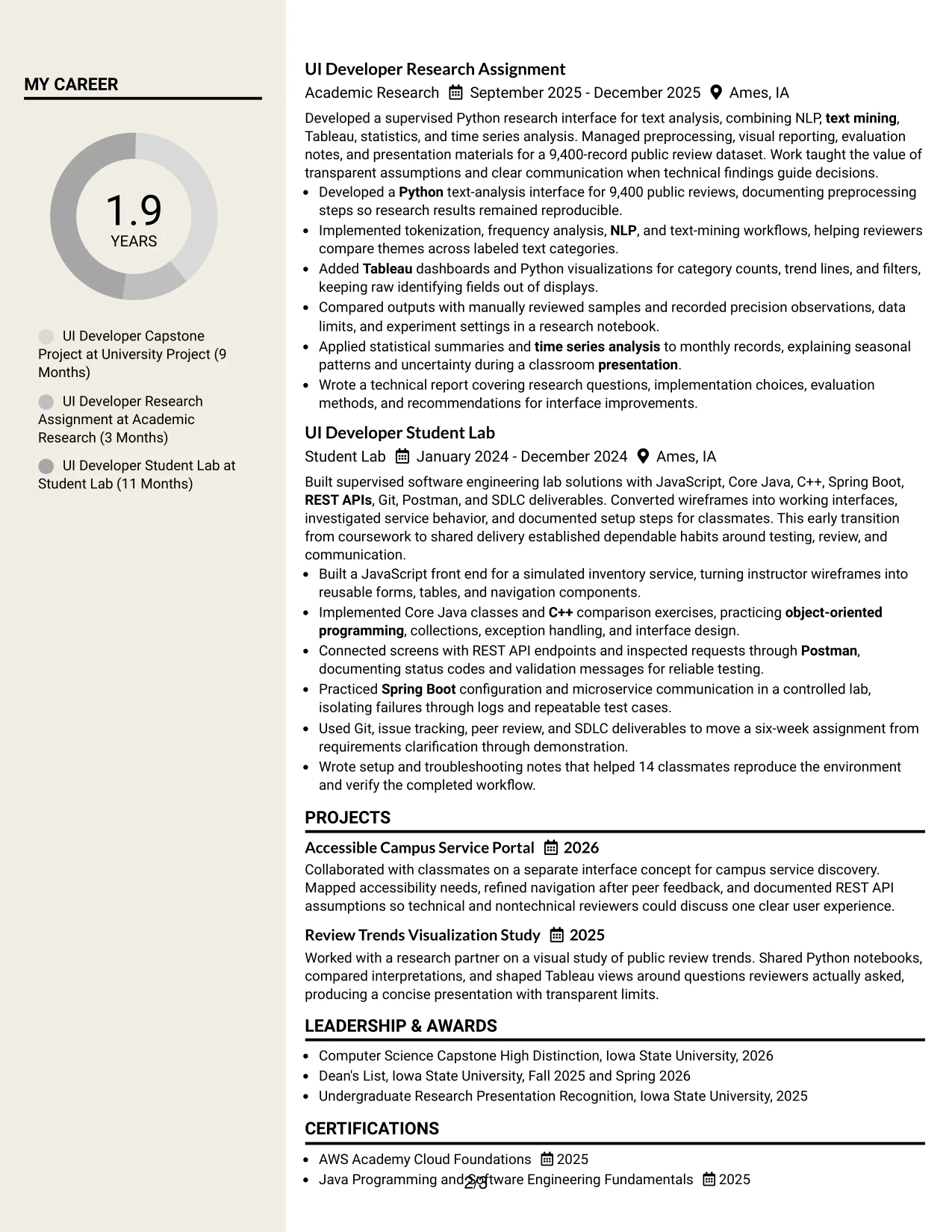
Why the Stylish Two Column Designer Format Works for a Resume
- Two columns separate detailed achievements from supporting qualifications.
- The main column gives project and experience bullets enough width for clear explanations.
- A sidebar can group Java, Python, Spring Boot, Tableau, certifications, and activities for rapid review.
- Distinct visual zones help readers find both technical evidence and academic preparation.
- The structure supports a larger content set without repeating the same information.
- Short labels and compact lists make secondary qualifications easy to compare.
- The format can present portfolio projects alongside experience while preserving a clear primary column.
Best For
- Resumes with enough verified content to support both a detailed main column and a focused sidebar
- Candidates who need to show projects, education, certifications, and technical skills together
- Applications where recruiters may scan qualifications first and read accomplishments next
- Documents with varied evidence, including interfaces, APIs, research, testing, and presentations
- Applicants who want activities and honors visible without interrupting experience bullets
- Resume versions that benefit from grouping tools and methods apart from narrative achievements
- Readers comfortable with a structured two-column path for high information volume
#15 Modern Icon Format Resume Example
The strongest evidence receives priority through concise sections and clear visual markers. Experience bullets show how the candidate translated 18 user stories, connected Spring Boot REST services, tested validation scenarios, and explained architecture decisions to a 12-member review panel.
Icons can guide the eye toward major resume areas, but the text remains the primary source of meaning. The format therefore supports technical keywords, measurable outcomes, education, certifications, projects, and documented work without depending on decoration alone.
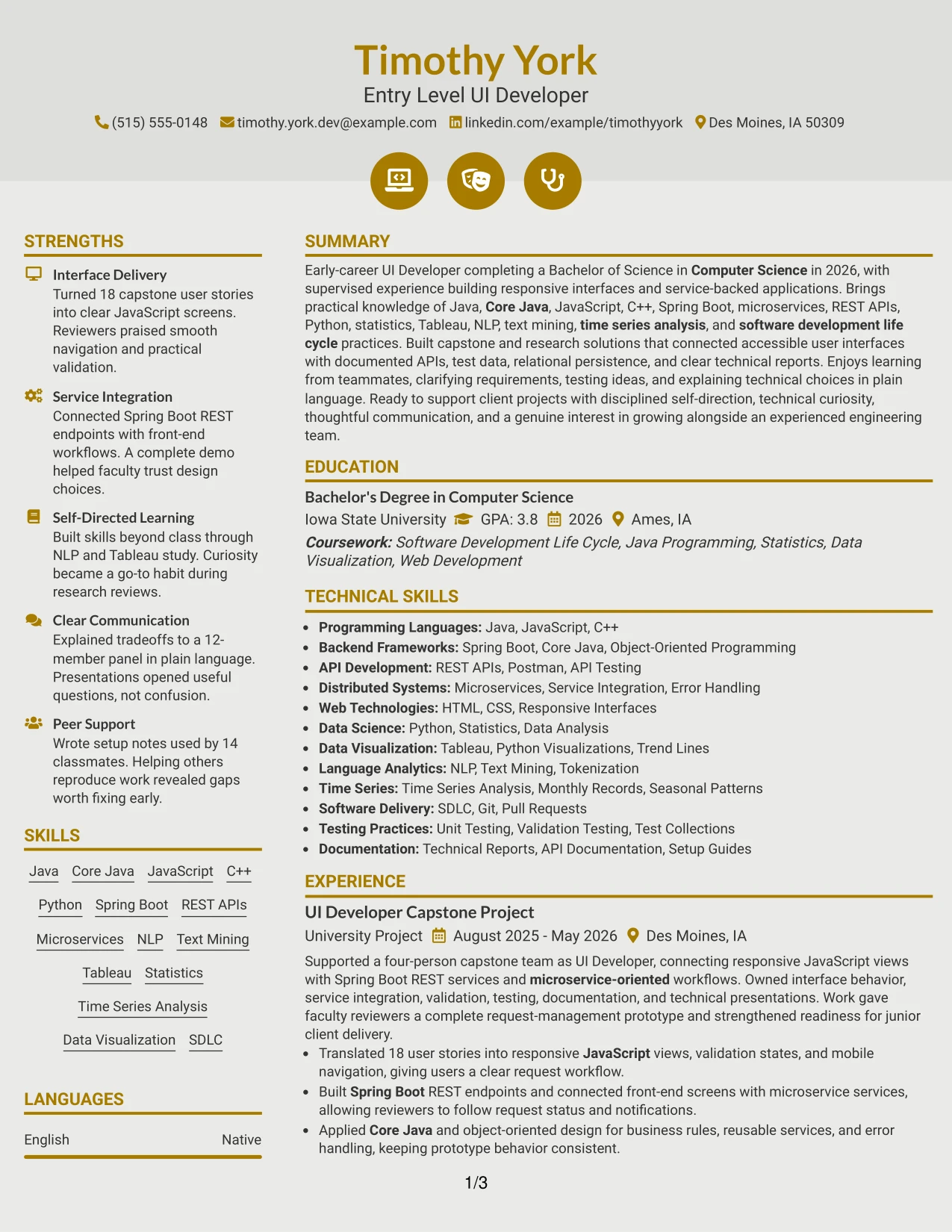
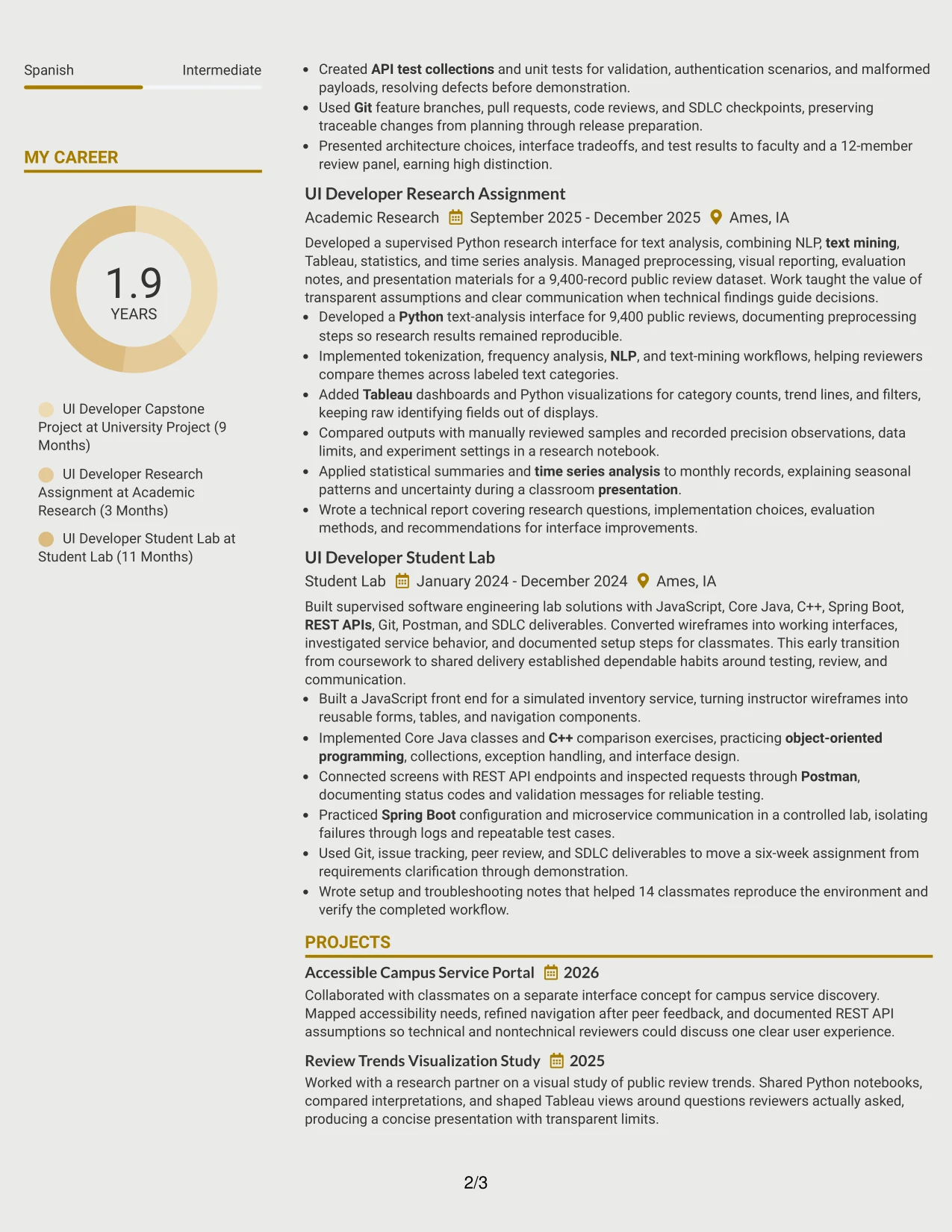
Why the Modern Icon Format Works for a Resume
- Visual markers help readers locate major sections during a fast review.
- Concise bullets keep measurable accomplishments more prominent than decorative elements.
- The format can highlight technical evidence such as API testing, unit testing, and service integration.
- Clear text labels preserve section meaning for ATS parsing and accessibility.
- A modern hierarchy gives project work and academic research equal room to demonstrate capability.
- Icons can separate supporting details such as certifications, activities, and skills from core experience.
- The approach works best when each visual cue reinforces a specific resume section.
Best For
- Resumes that need visual signposts while keeping accomplishment text central
- Candidates whose strongest evidence comes from projects, research, or technical assignments
- Applications with several distinct evidence types, such as testing, analysis, documentation, and presentations
- Readers who scan for skills first and then verify them in experience bullets
- Documents that use measurable outputs to prove readiness rather than relying on broad claims
- Applicants seeking a contemporary presentation with controlled visual detail
- Resume versions that need clear separation between core experience and supporting qualifications
#16 Plain Professional Layout with Job Title & Shaded Labels Resume Example
Content is balanced across a clean page so the target role, summary, skills, and experience receive appropriate emphasis. Shaded labels provide structure, while the plain professional treatment keeps attention on the Entry Level UI Developer qualifications rather than visual effects.
The resume can move from academic preparation into applied evidence with minimal friction. Education and certifications establish the Computer Science foundation, while capstone, research, and lab bullets document Java, JavaScript, Python, Spring Boot, REST APIs, testing, and technical communication.
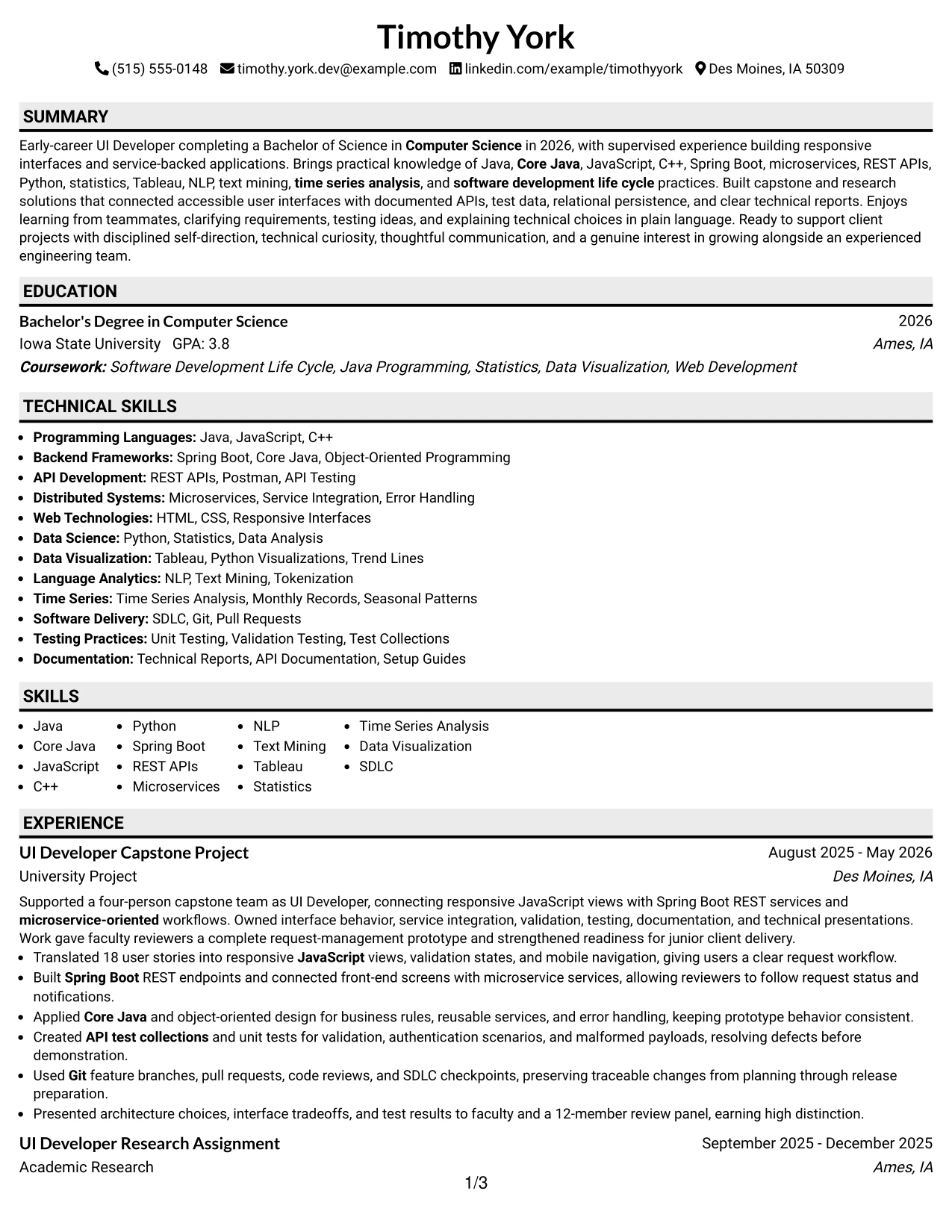
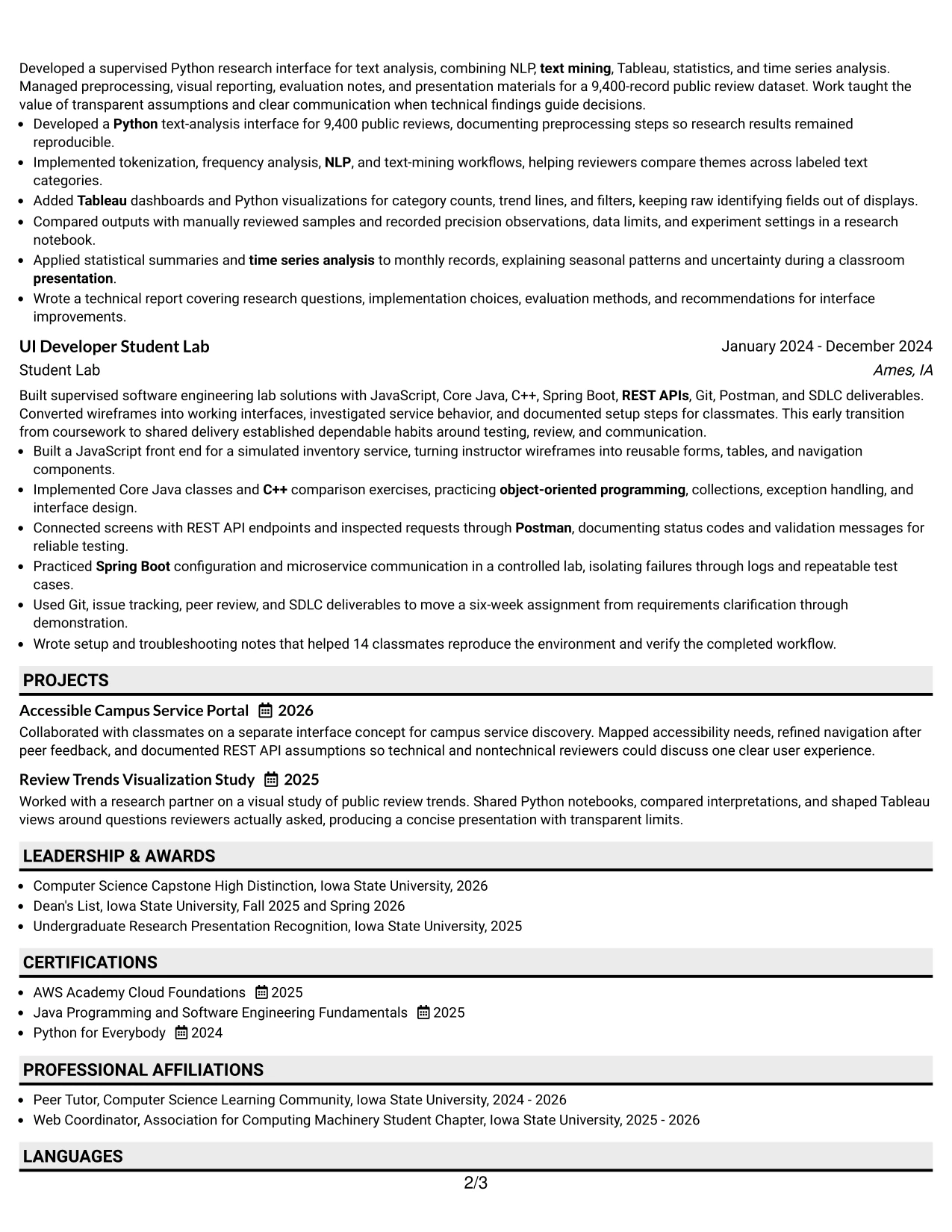
Why the Plain Professional Layout with Job Title & Shaded Labels Works for a Resume
- Shaded labels create a stable framework for standard resume sections.
- The visible job title helps align the document with a specific application.
- A plain presentation keeps ATS-readable text at the center of the page.
- Full-width content supports detailed bullets with tools, methods, and outcomes together.
- The structure gives education and certifications appropriate visibility for an early-career profile.
- Consistent spacing helps reviewers compare experience entries without visual distraction.
- The format is suitable for applications that value clarity, documentation, and technical detail.
Best For
- Applications that need a clear target title and conventional resume organization
- ATS submissions where readable labels and uncomplicated page structure matter
- Early-career resumes using education, projects, and supervised work as primary evidence
- Documents that must show technical breadth without creating a crowded visual impression
- Candidates presenting certifications and honors alongside applied academic work
- Resume versions intended for repeated use across closely related technical opportunities
- Readers who value direct section labels and practical evidence over elaborate design
#17 Classic One Column Resume Format Resume Example
For a straightforward application review, a classic one-column resume presents information in a familiar top-to-bottom sequence. The reader can move from the professional summary to experience, education, projects, certifications, skills, and activities without adjusting to side panels or complex visual groupings.
That predictable sequence supports a strong early-career case. Coursework and certifications establish technical preparation, while capstone, research, and lab work provide specific proof through responsive interfaces, REST APIs, NLP, Tableau, testing, documentation, and presentations.
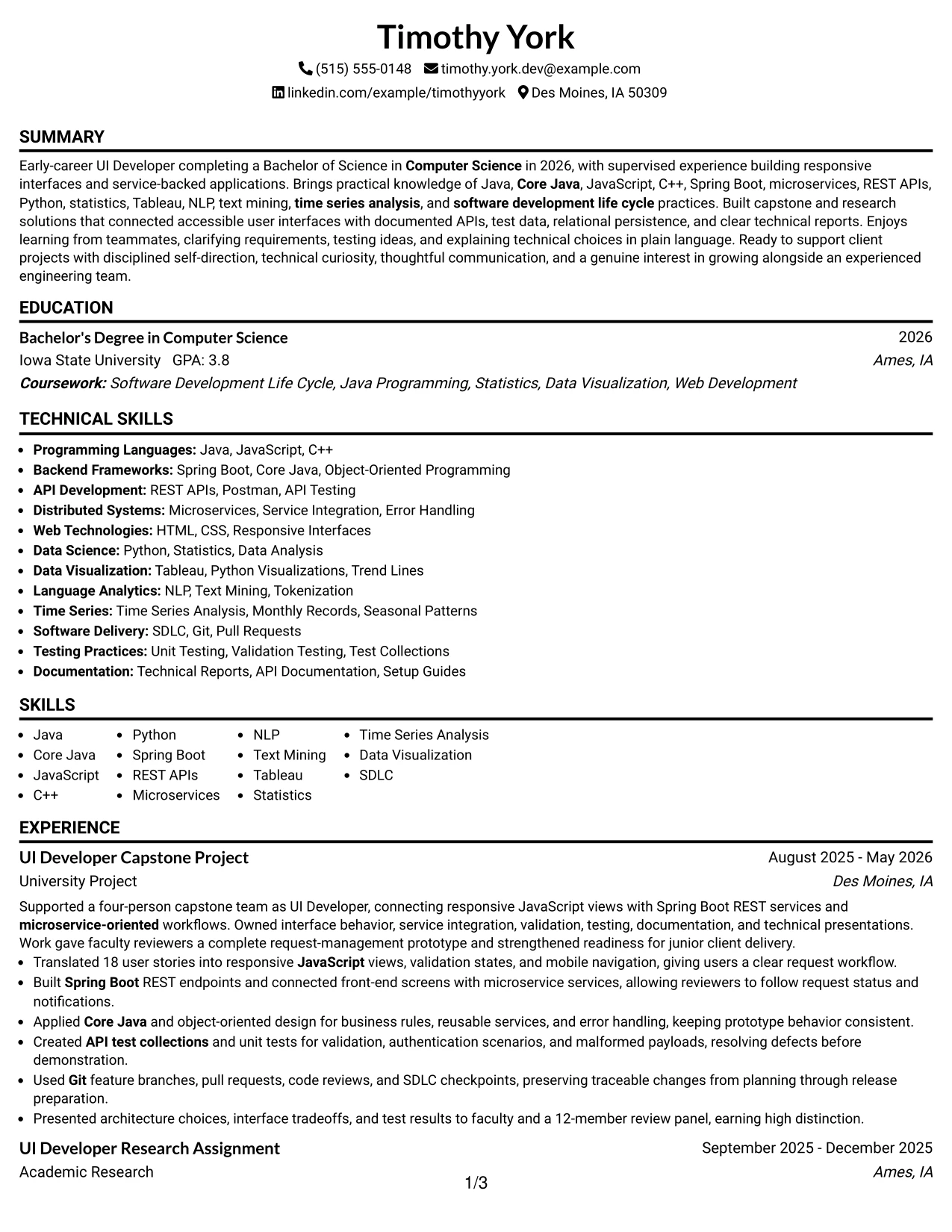
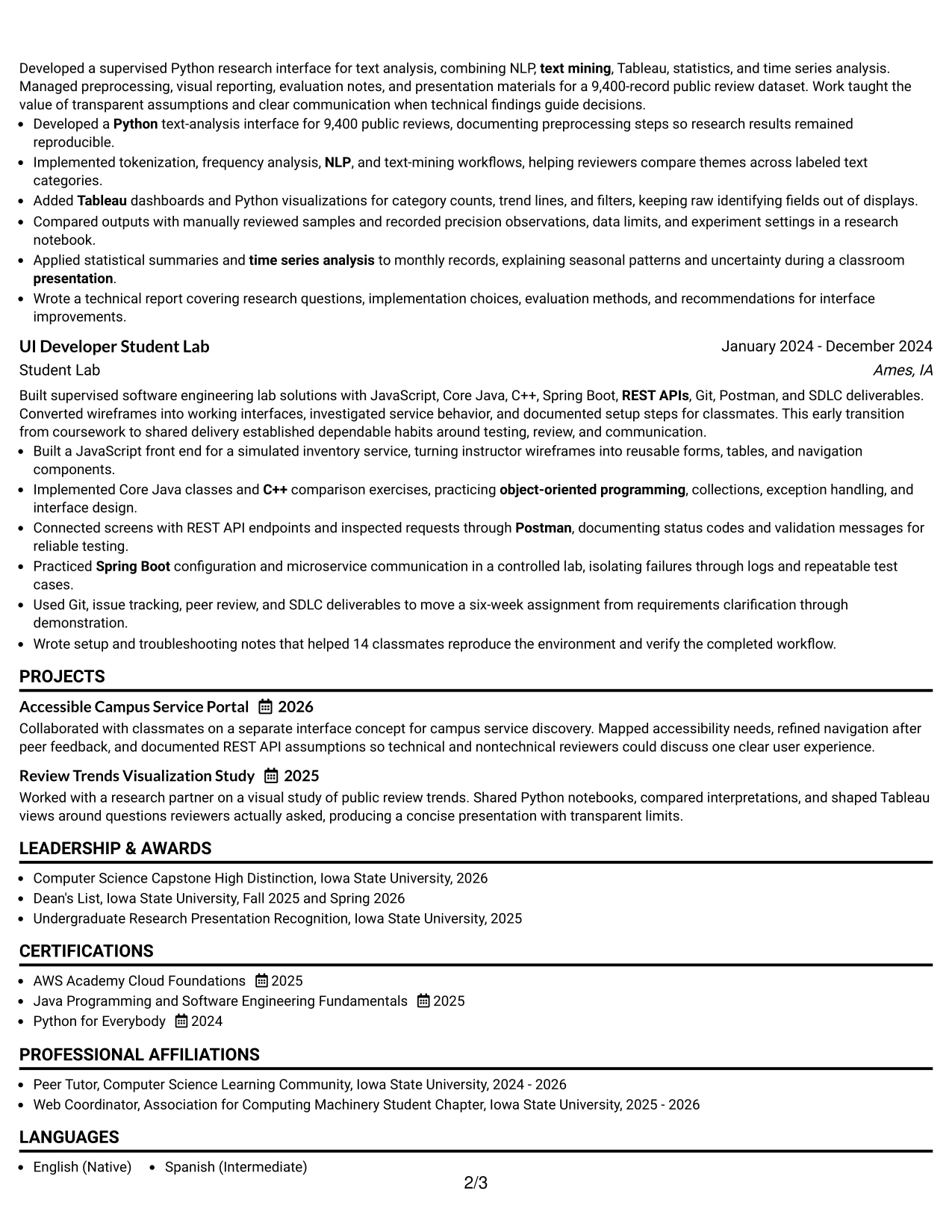
Why the Classic One Column Resume Format Works for a Resume
- A familiar sequence helps recruiters find core sections quickly.
- One-column text is generally straightforward for ATS systems to parse.
- The format gives every experience bullet the same full-width reading area.
- Projects can sit naturally beside education and certifications without competing with a sidebar.
- Technical keywords remain connected to the achievements that demonstrate them.
- Simple spacing keeps the document usable in both digital and printed reviews.
- The structure makes it easy to update dates, bullets, skills, and credentials as qualifications grow.
Best For
- Applications requiring a conventional resume that can be reviewed quickly
- ATS-first submissions where a linear structure reduces parsing risk
- Candidates whose academic projects and coursework provide important qualification evidence
- Documents that need a dependable order for summary, experience, education, and skills
- Resume versions shared across technical roles with similar qualification requirements
- Applicants who want accomplishments to carry the visual emphasis
- Readers who prefer familiar formatting over multi-column navigation
#18 One Column Format with Photo Resume Example
A polished visual impression combines a prominent photo area with a disciplined one-column reading path. When a photo is appropriate for the application and region, it can support recognition while the resume keeps the Entry Level UI Developer title, summary, technical skills, education, and experience easy to find.
The photo remains secondary to qualification evidence. Full-width bullets show responsive interface work, Spring Boot and REST API integration, Python research, testing, documentation, and presentations, giving reviewers substantive reasons to assess the profile.
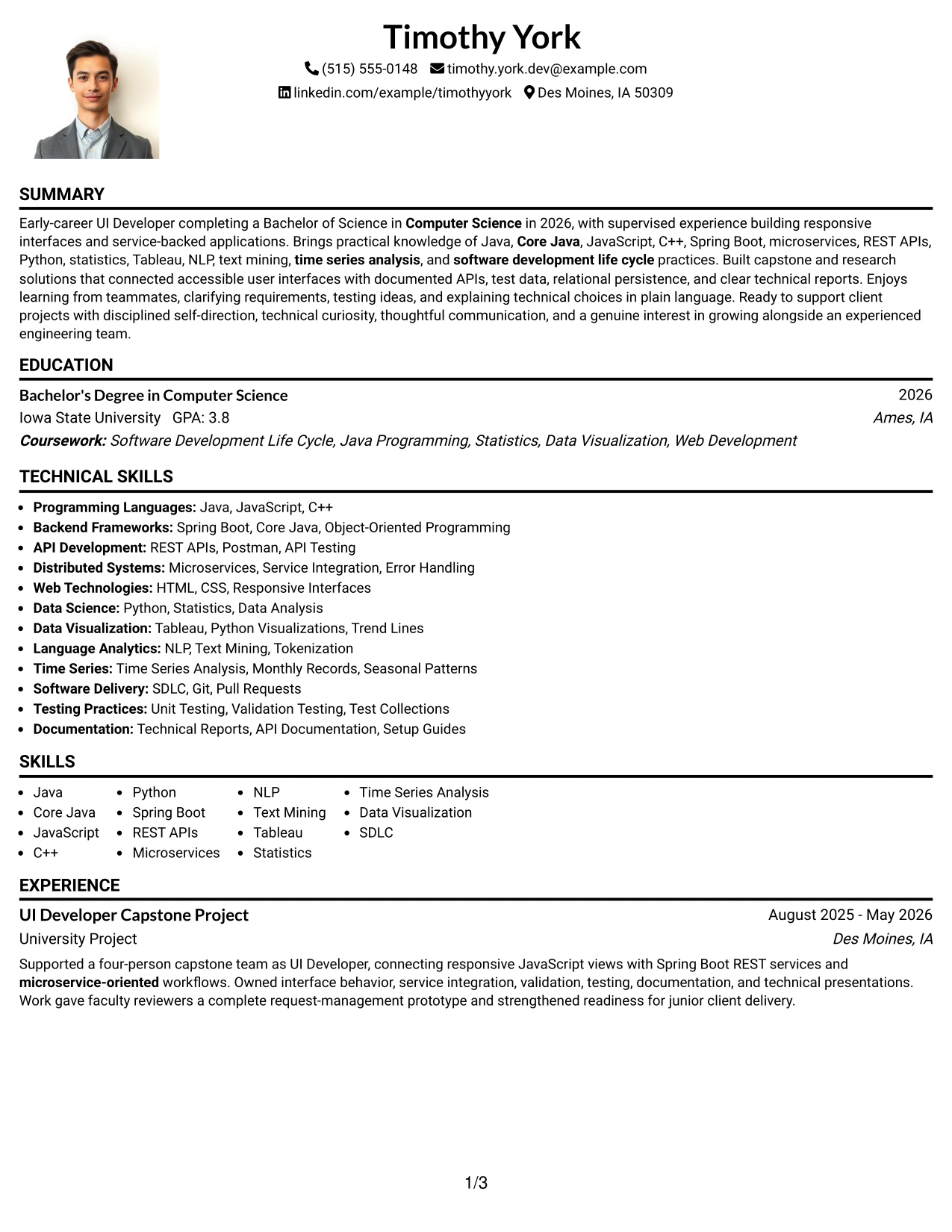
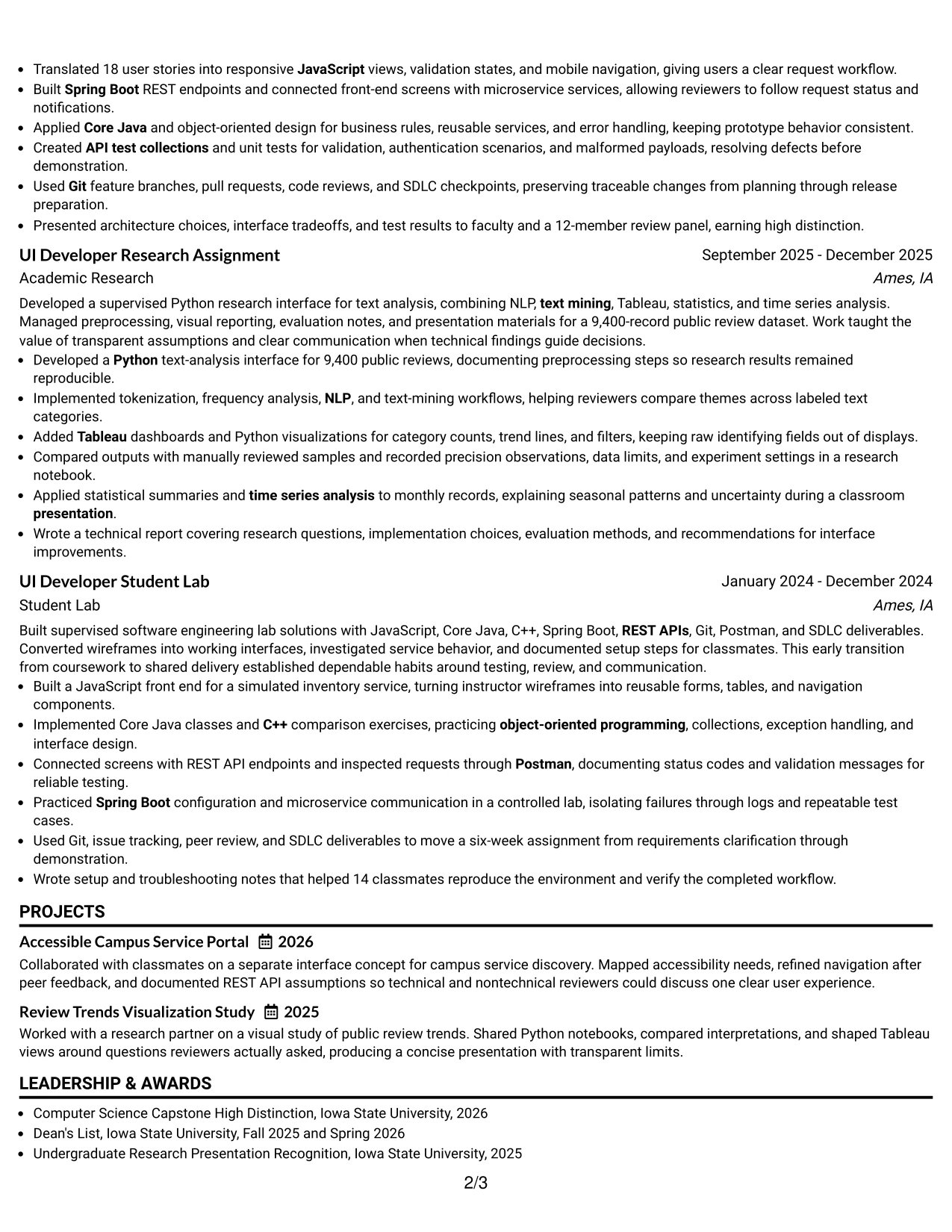
Why the One Column Format with Photo Works for a Resume
- The single column keeps resume content readable beside the photo area.
- A visible target title connects the personal presentation to the application purpose.
- Full-width bullets give technical achievements enough context and detail.
- The format can support applications or regions where a photo is accepted and useful.
- Standard section labels help readers locate education, experience, projects, and skills.
- The photo should remain visually subordinate to measurable results and technical evidence.
- A consistent hierarchy prevents personal presentation from overshadowing qualifications.
Best For
- Applications in settings where including a professional photo is accepted and relevant
- Candidates who want personal recognition paired with a conventional one-column resume
- Documents that need a clear target title above substantial technical evidence
- Resumes with full-width bullets covering projects, research, testing, and documentation
- Readers who prefer a single path through education, experience, skills, and certifications
- Application contexts where visual identity and qualification details are reviewed together
- Candidates able to provide a suitable professional photo that follows local application expectations
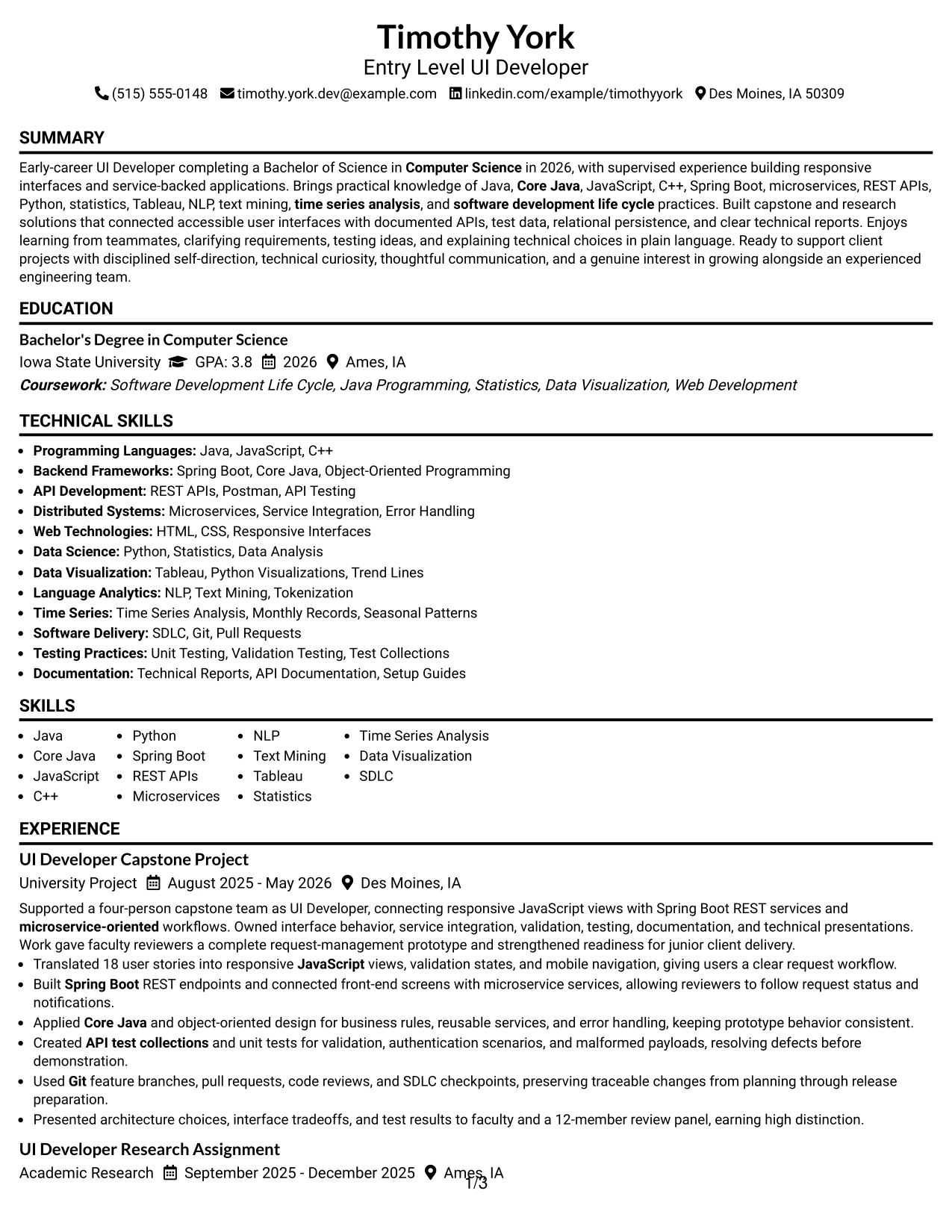
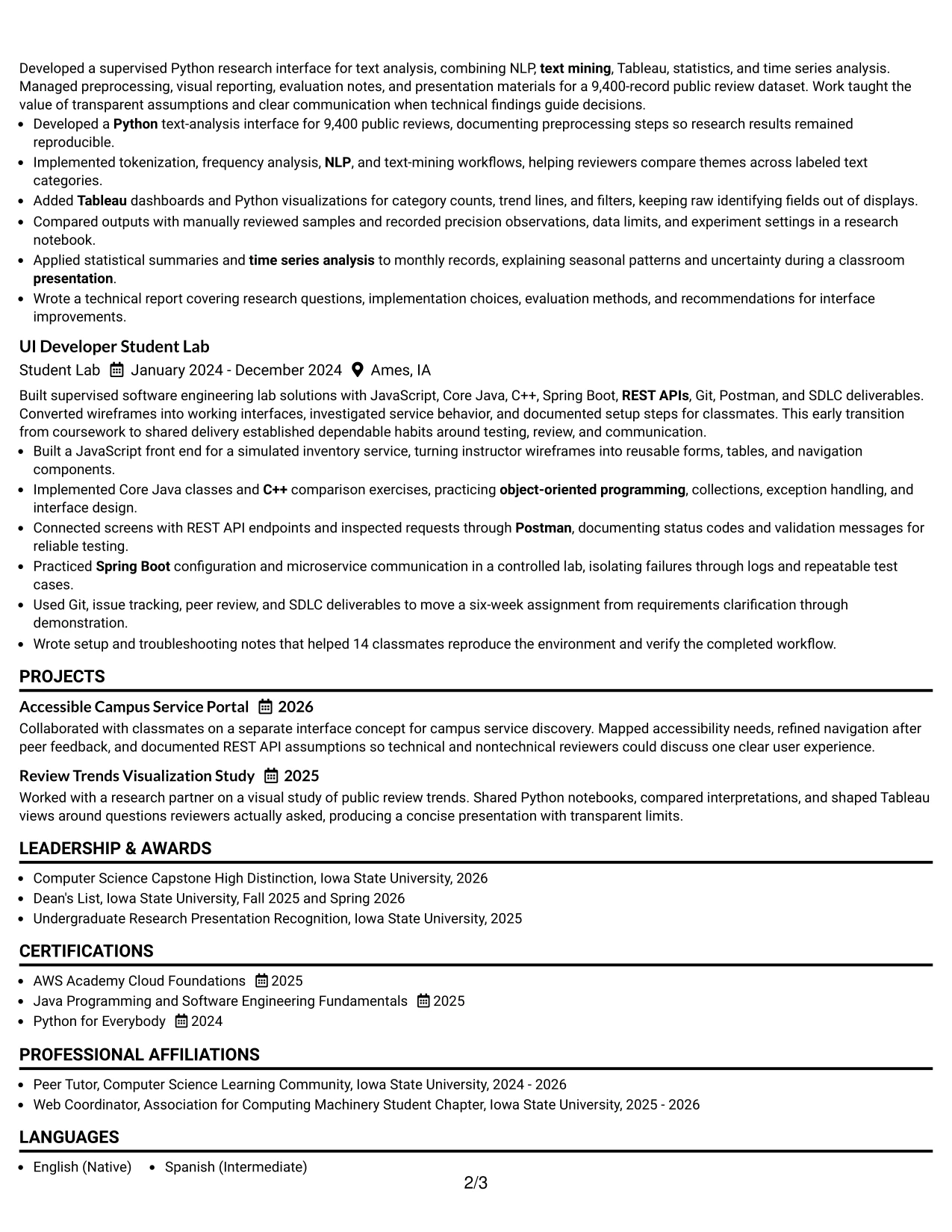
#19 Minimal Header Format Resume Example
The Minimal Header Format establishes the resume structure with only the information needed at the top, then moves directly into the evidence. The compact header leaves more room for experience bullets, projects, skills, education, certifications, and honors while keeping the page calm and readable.
This economy is useful for a technical profile with several relevant keywords. Java, Core Java, JavaScript, C++, Python, Spring Boot, microservices, REST APIs, Tableau, NLP, and time series analysis can appear alongside the project results that substantiate them.
Why the Minimal Header Format Works for a Resume
- A compact header preserves page space for qualification evidence.
- The clean top section makes the target role and contact details easy to confirm.
- One-column organization supports predictable ATS extraction.
- Technical skills can be placed near the evidence that proves their use.
- Minimal styling keeps dates, titles, bullets, and credentials easy to compare.
- The layout works well when several projects or academic experiences need room.
- A restrained header reduces distraction during rapid digital review.
Best For
- Resumes that need to maximize space for experience bullets and project descriptions
- ATS-oriented applications where a compact header and linear sections improve readability
- Candidates with broad technical keyword coverage to organize without visual clutter
- Documents where dates, titles, and accomplishments must be compared quickly
- Applications that include research, certifications, honors, and activities in addition to experience
- Readers who prefer an understated presentation with strong information density
- Resume versions that may be updated often as projects and credentials expand
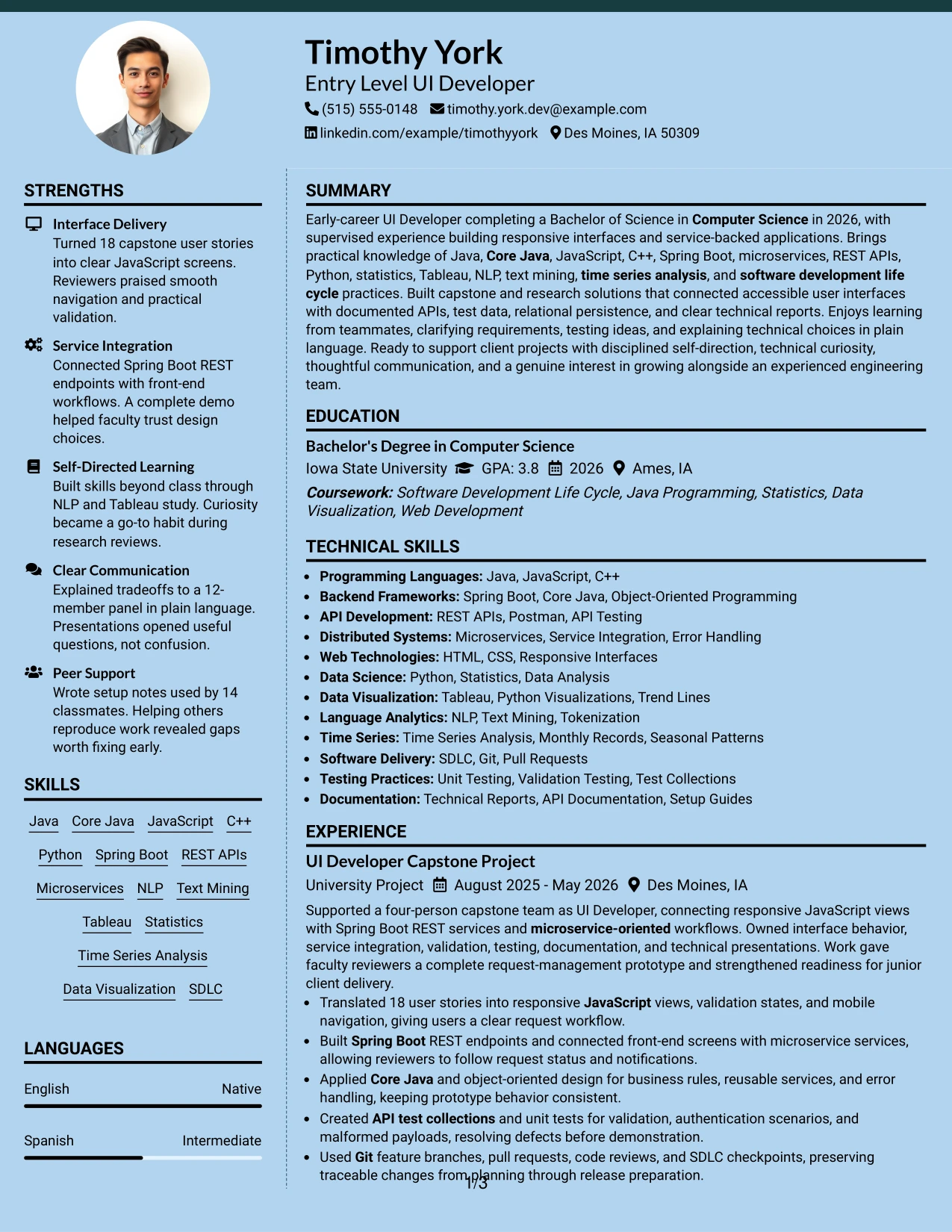
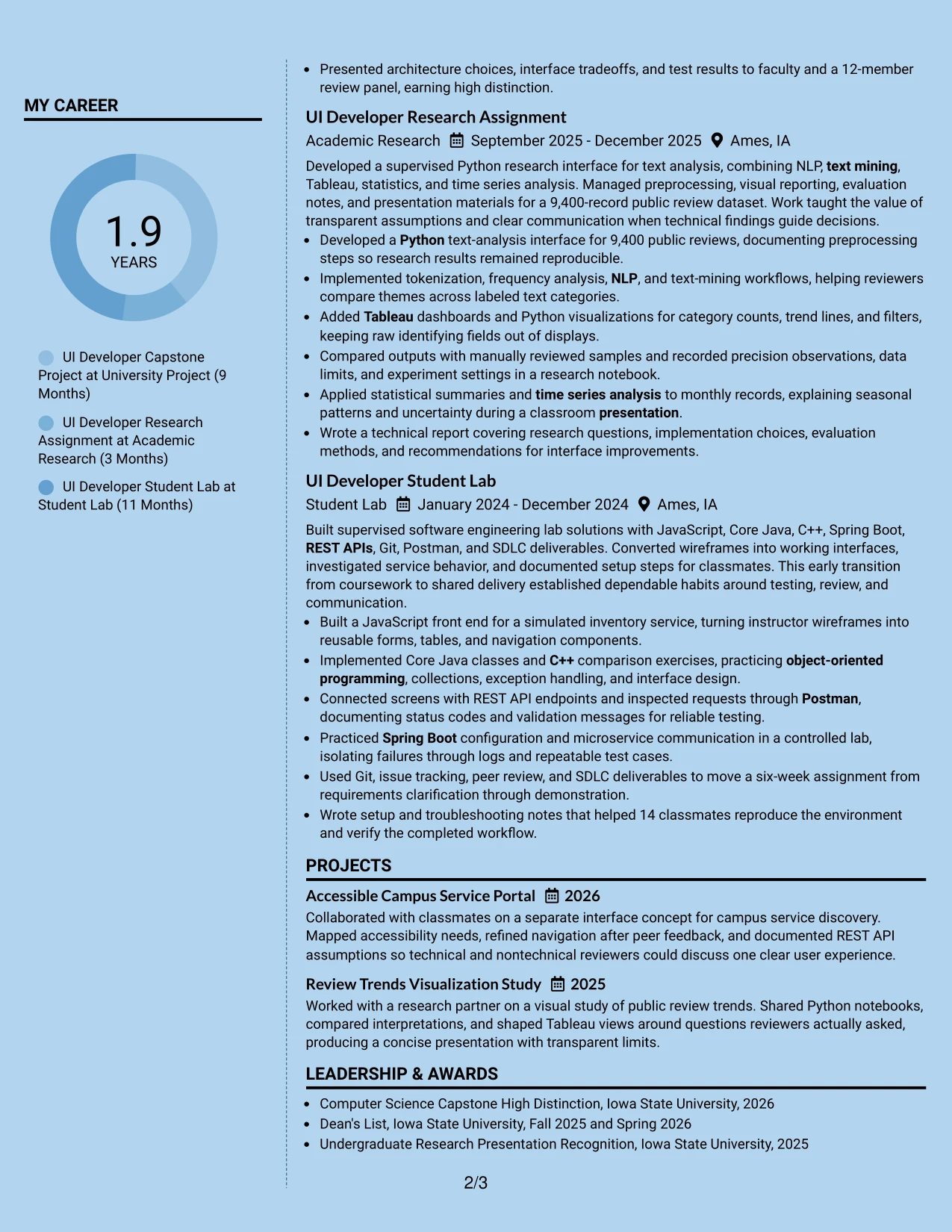
#20 Modern Full Background Two Column Format Resume Example
Readers can use the side column to confirm contact details, skills, education, certifications, and activities before moving into the main column for summary, experience, and projects. This navigation pattern helps a reviewer understand both the qualification inventory and the evidence behind it.
The full-background treatment gives the page a strong contemporary presence, while the two-column structure handles meaningful content volume. Timothy York's resume evidence can show 18 user stories, a 9,400-record dataset, API testing, and support for 14 classmates without reducing the detail needed for context.
Why the Modern Full Background Two Column Format Works for a Resume
- The side column provides a quick qualification index before detailed review.
- The main column gives experience and project bullets space to explain actions and results.
- Two-column navigation supports a larger set of skills, certifications, and activities.
- The full-background design creates a distinctive visual hierarchy for digital presentation.
- Strong contrast between zones can guide attention from summary to evidence.
- The format keeps supporting details available without interrupting the main career story.
- Text must remain readable and clearly separated so visual styling does not weaken ATS or accessibility.
Best For
- Digital resume presentations where a distinctive two-column hierarchy is appropriate
- Candidates with substantial content across skills, projects, education, and supervised experience
- Applications where a quick sidebar qualification index supports deeper review
- Documents that need to display measurable evidence without removing supporting credentials
- Portfolio-oriented resumes that benefit from a contemporary visual frame around technical work
- Readers who scan compact facts first and then study detailed accomplishment bullets
- Candidates willing to confirm contrast, export quality, and ATS readability before submission
#21 Dark Mode Two Column Format Resume Example
The evidence takes center stage in the main column, where project and experience bullets can explain interface delivery, service integration, research methods, testing, and communication. A secondary column can hold skills, education, certifications, and activities for quick confirmation.
Dark Mode Two Column Format adds a strong digital visual character, but resume meaning still comes from precise text. The design should preserve readable contrast while presenting Java, Spring Boot, REST APIs, Python, Tableau, NLP, statistics, and SDLC evidence in an organized sequence.
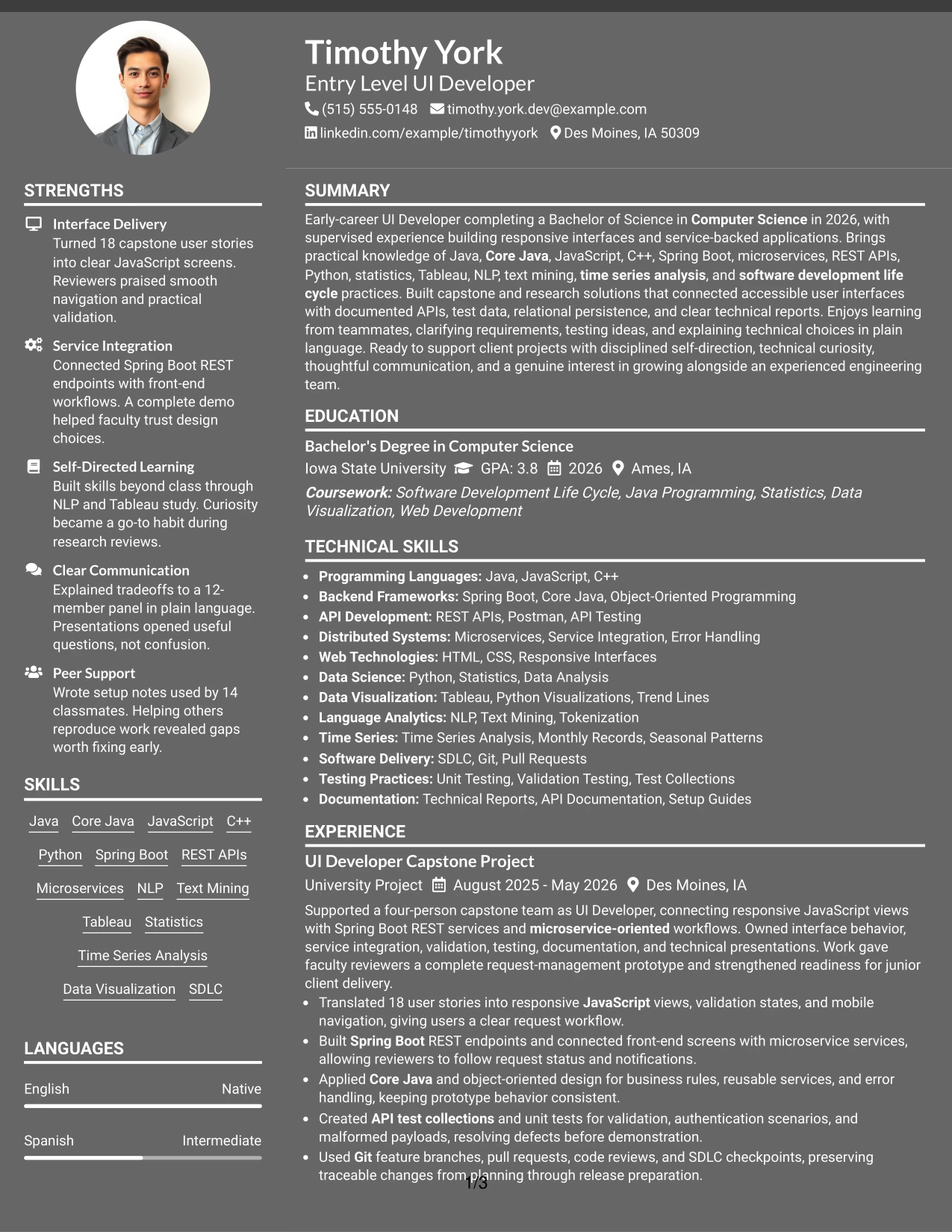
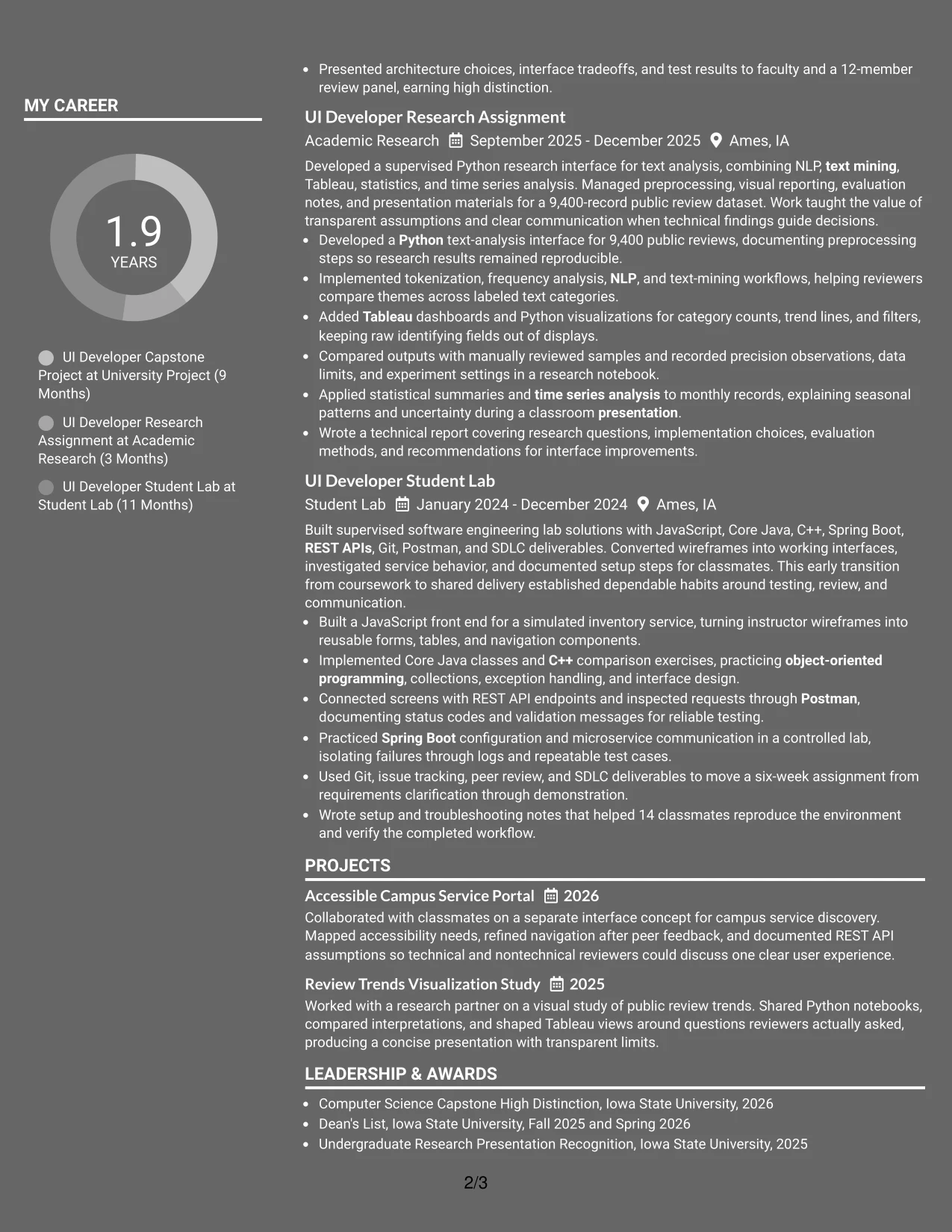
Why the Dark Mode Two Column Format Works for a Resume
- The main column gives high-value achievements priority during review.
- A secondary column can summarize technical skills and credentials without burying experience.
- Two-column grouping supports both rapid keyword checks and deeper evidence review.
- A dark visual treatment can distinguish a digital portfolio resume from plain templates.
- Readable contrast and selectable text remain essential for accessibility and ATS use.
- The format can show both interface development and analytical work in separate evidence groups.
- Consistent section labels prevent the visual theme from obscuring resume hierarchy.
Best For
- Digital-first applications where a distinctive dark presentation supports the document purpose
- Resumes with two clear evidence groups, such as interface delivery and data analysis
- Candidates who need a side column for skills, education, certifications, and activities
- Portfolio-linked documents that can use stronger visual identity without replacing written proof
- Readers who want technical keywords available at a glance beside detailed accomplishments
- Applications where contrast, export testing, and text accessibility can be checked carefully
- Applicants presenting varied evidence while keeping the strongest results in the main column
#22 Dark Mode Box Header Format Resume Example
Content is balanced between a strong boxed header and a readable single-column body. The header can identify the Entry Level UI Developer target and contact details, while the sections below present the summary, experience, education, projects, certifications, skills, and activities in a controlled sequence.
The dark theme creates a confident digital impression, but the page remains effective only when contrast and spacing protect readability. Shaded or boxed labels can direct attention to measurable evidence such as 18 user stories, a 9,400-record research dataset, and 14 classmates supported through technical documentation.
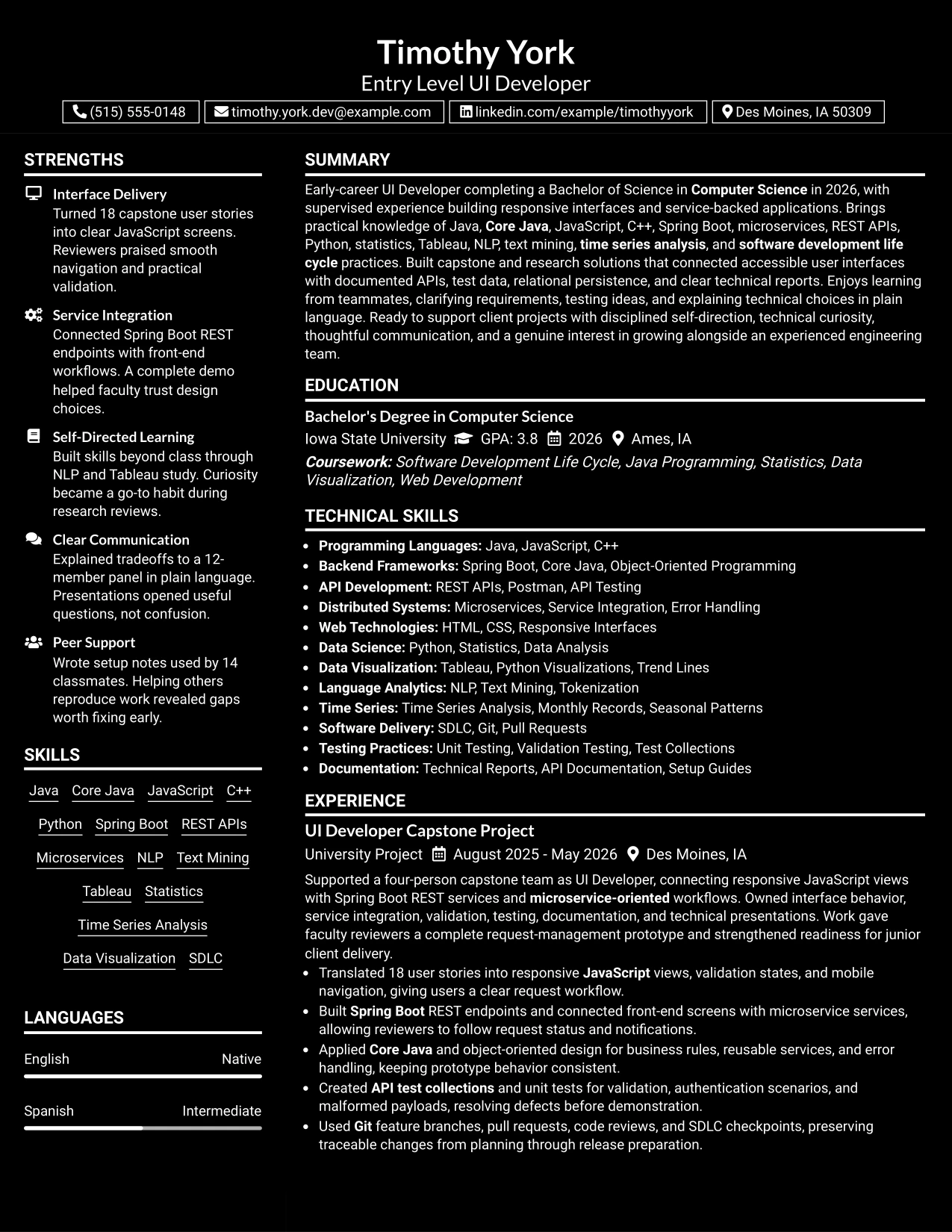
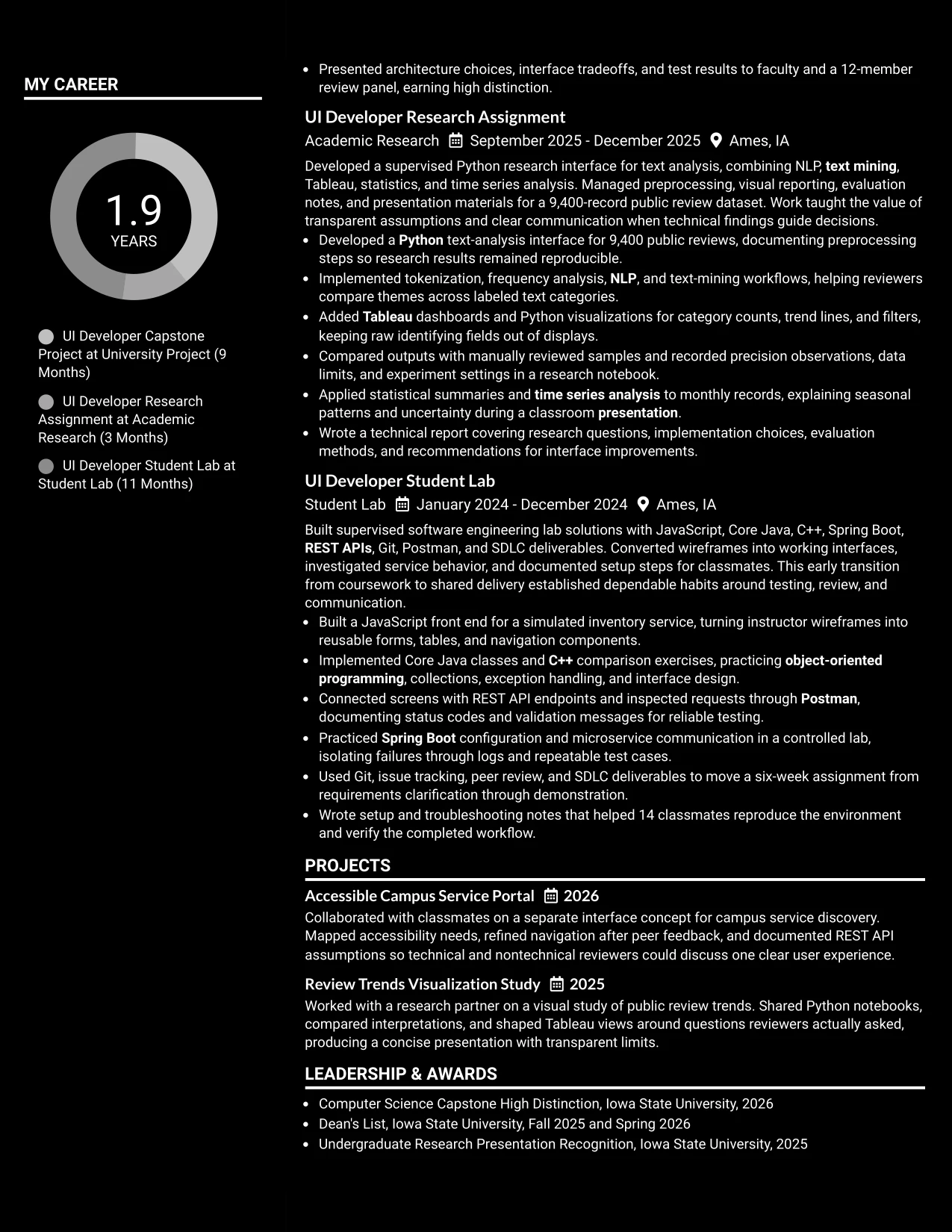
Why the Dark Mode Box Header Format Works for a Resume
- The boxed header gives the target title a strong first point of reference.
- A single-column body keeps resume sections in a familiar review order.
- Dark styling can create visual distinction for a digital technical resume.
- Full-width bullets preserve detail around tools, methods, and measurable outcomes.
- Clear labels help ATS systems and readers identify education, experience, skills, and projects.
- Balanced spacing keeps the header from overwhelming the qualification evidence.
- Contrast, selectable text, and export checks should be confirmed before submission.
Best For
- Digital applications that call for a distinctive header with a conventional content body
- Resumes where the target role should be immediately visible above the evidence
- Candidates using projects and supervised work to demonstrate technical readiness
- Documents that need full-width bullets for APIs, testing, research, and documentation
- Applications combining technical skills with education, certifications, honors, and activities
- Readers who want a strong visual entry point followed by simple one-column scanning
- Applicants prepared to verify contrast and ATS readability in the final exported file
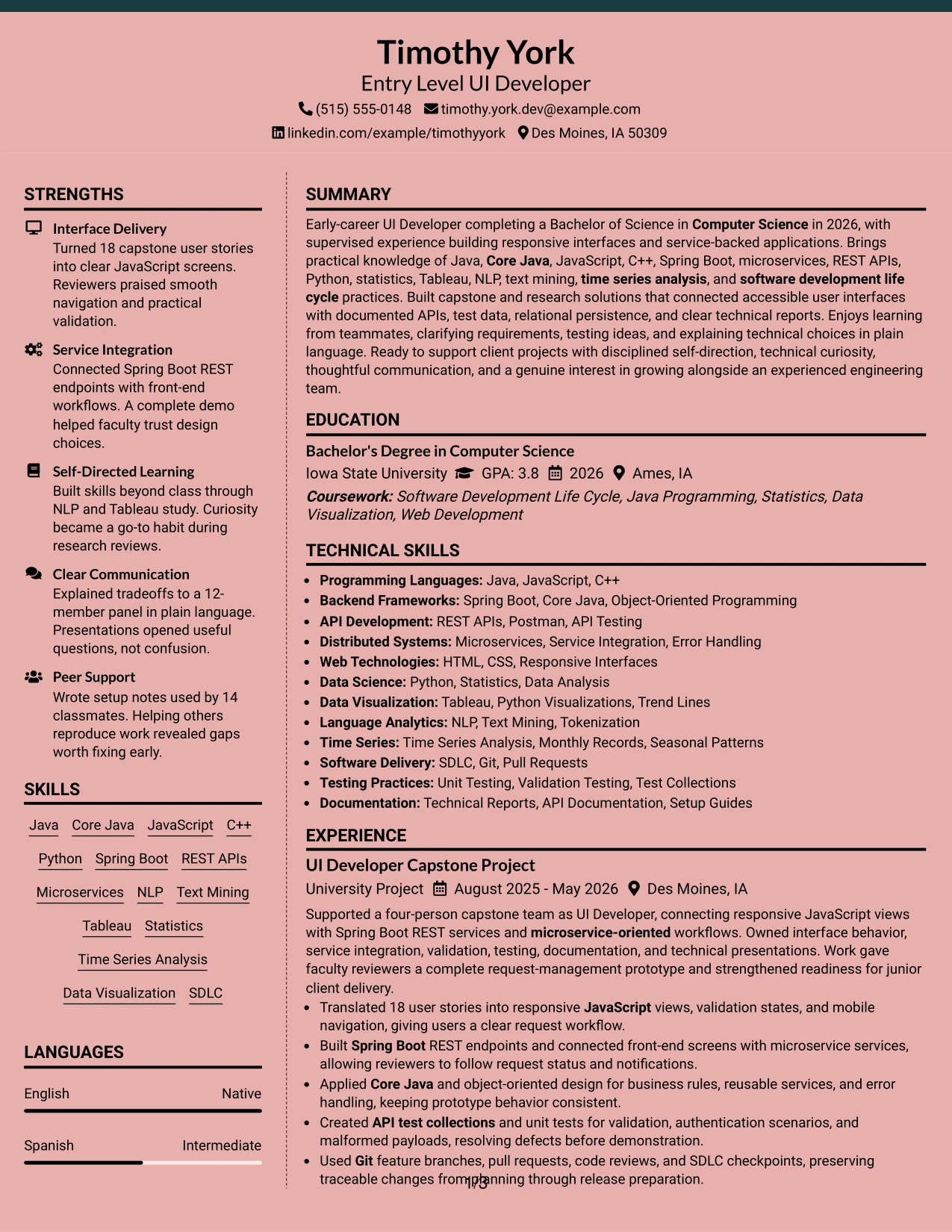
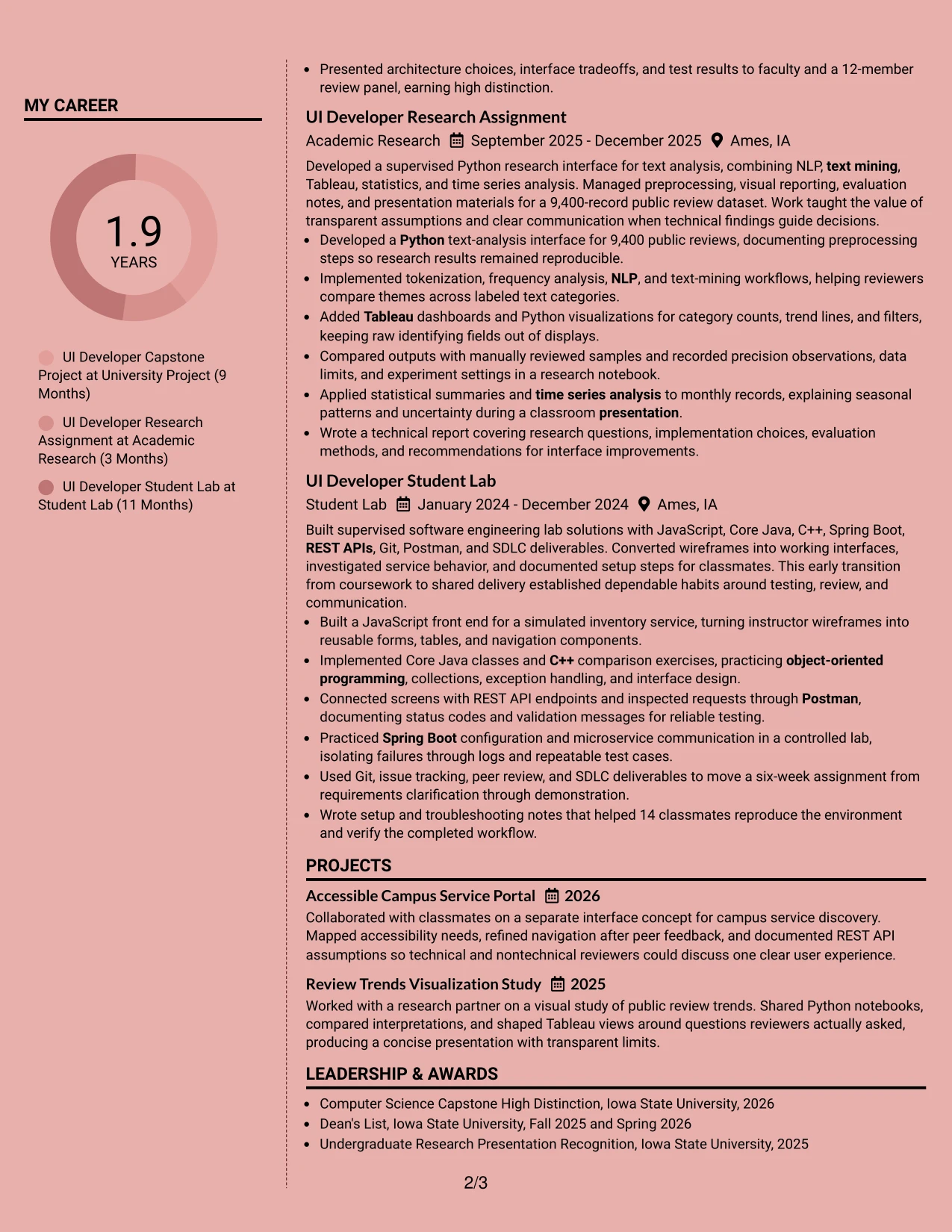
#23 Elegant Full Background Two Column Format Resume Example
For an Entry Level UI Developer resume, a two-column structure can separate technical evidence from supporting details without reducing scanability. The primary column can carry the professional summary, project and academic experience, and measurable results such as 18 user stories, 9,400 public reviews, and support for 14 classmates. A narrower column can group Java, JavaScript, Spring Boot, REST APIs, education, certifications, and honors.
The full background treatment adds polish while the clear column split keeps sections easy to locate. Strong section labels, short bullets, and familiar keywords help ATS systems and reviewers identify Core Java, microservices, Python, Tableau, NLP, text mining, time series analysis, and SDLC experience. The format also gives portfolio projects and technical documentation enough room to support the main experience section.
Why the Elegant Full Background Two Column Format Works for a Resume
- Creates a clear hierarchy between detailed experience and supporting qualifications.
- Uses two columns to organize skills, education, certifications, and honors efficiently.
- Keeps achievement bullets visible, including 18 user stories and a 12-member review panel.
- Supports ATS-friendly section headings and recognizable technical keywords.
- Provides space for project, research, and lab experience without making each entry feel crowded.
- Makes service integration, unit testing, and SDLC practices easy to find during a quick review.
- Balances a polished visual presentation with practical resume readability.
Best For
- Resumes that need a strong distinction between experience and supporting information.
- Technical candidates presenting projects, research, and coursework in one document.
- Applicants who want measurable results to remain prominent beside a broad skills section.
- Readers who prefer a structured page with predictable movement between columns.
- Applications that benefit from visible education, certifications, and honors without interrupting experience bullets.
- Resumes combining programming, API development, data analysis, and documentation evidence.
- Candidates building a polished portfolio companion while keeping the main resume easy to scan.
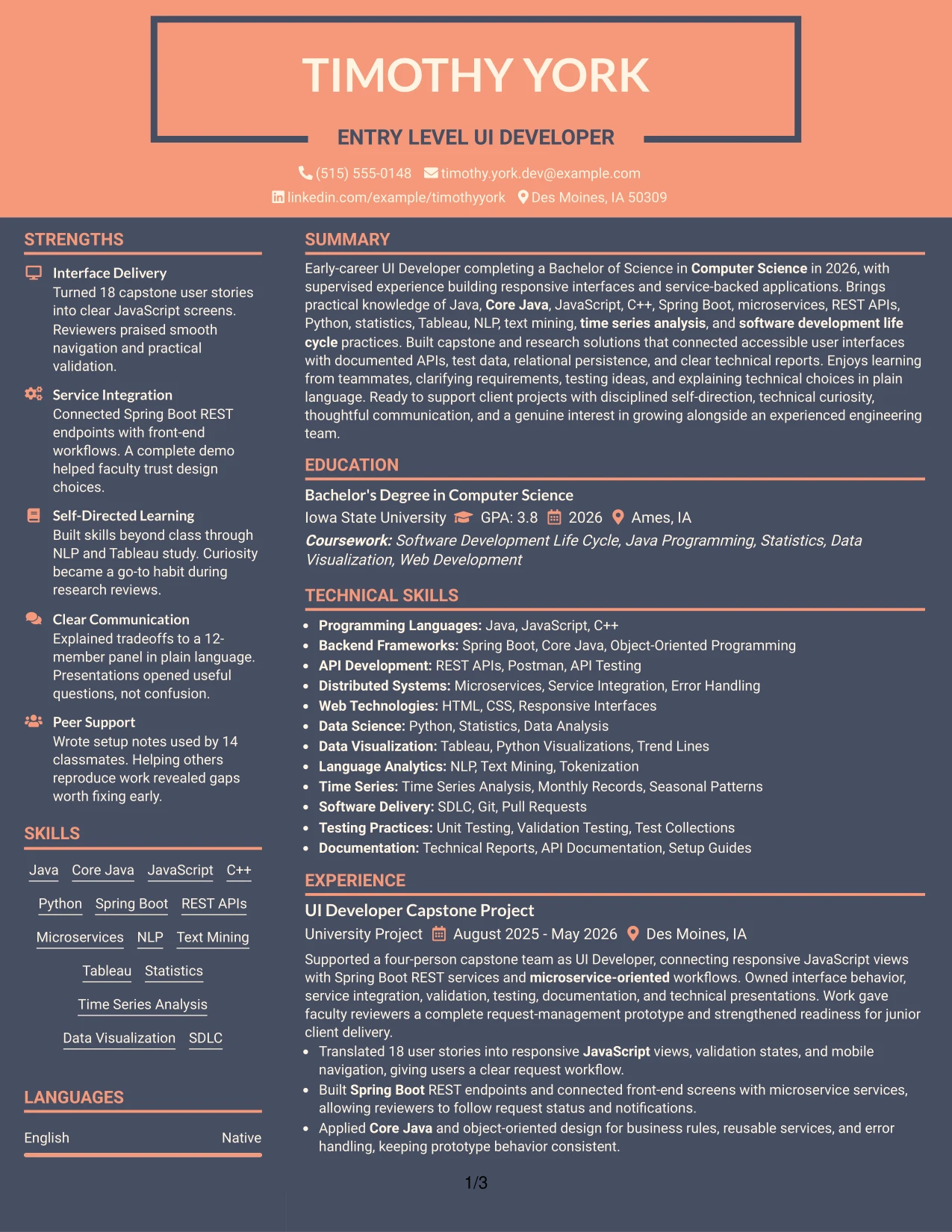
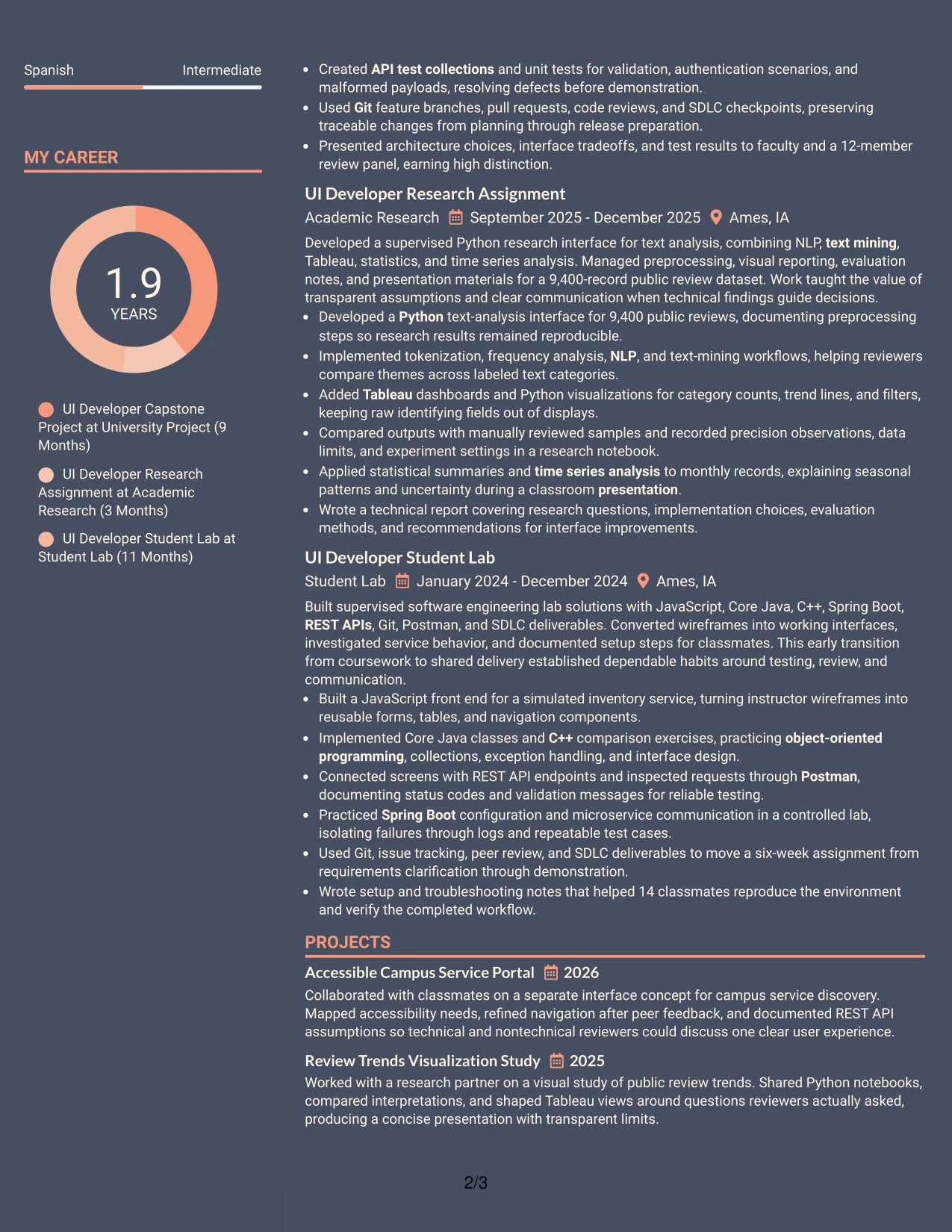
#24 Creative Two Tone Format Resume Example
A restrained visual hierarchy helps a creative resume remain professional while drawing attention to the evidence most relevant to an Entry Level UI Developer role. The two-tone treatment can distinguish the header and section markers from the body, while the single-column flow keeps the summary, experience, projects, education, and certifications in a natural order.
Clear contrast should support—not replace—the content. Short bullets can show responsive JavaScript views, Spring Boot REST endpoints, API test collections, Python analysis, and Tableau dashboards. A focused skills section reinforces keywords such as Core Java, C++, microservices, NLP, text mining, and software development life cycle practices without turning the page into a dense keyword block.
Why the Creative Two Tone Format Works for a Resume
- Adds visual distinction while preserving a straightforward single-column reading path.
- Keeps the professional summary connected to project and academic evidence.
- Gives technical keywords consistent placement for faster reviewer recognition.
- Uses color contrast to separate sections without relying on complex graphics.
- Allows responsive interface work and data analysis to appear in one coherent experience sequence.
- Supports concise bullets that connect tools to testing, documentation, and presentation results.
- Maintains a professional tone for a technical resume with a distinctive visual identity.
Best For
- Applicants who want a noticeable visual identity without sacrificing a conventional resume sequence.
- Technical resumes that combine interface delivery with research or data visualization.
- Candidates presenting a broad toolset through short, well-grouped skills lists.
- Applications where project evidence should appear directly after the summary.
- Readers who value visual section cues but still review content from top to bottom.
- Portfolios that need a resume with personality while retaining clear ATS-readable text.
- Resumes where color can guide attention to results, tools, and certifications.
#25 Bold Color Header Professional Format Resume Example
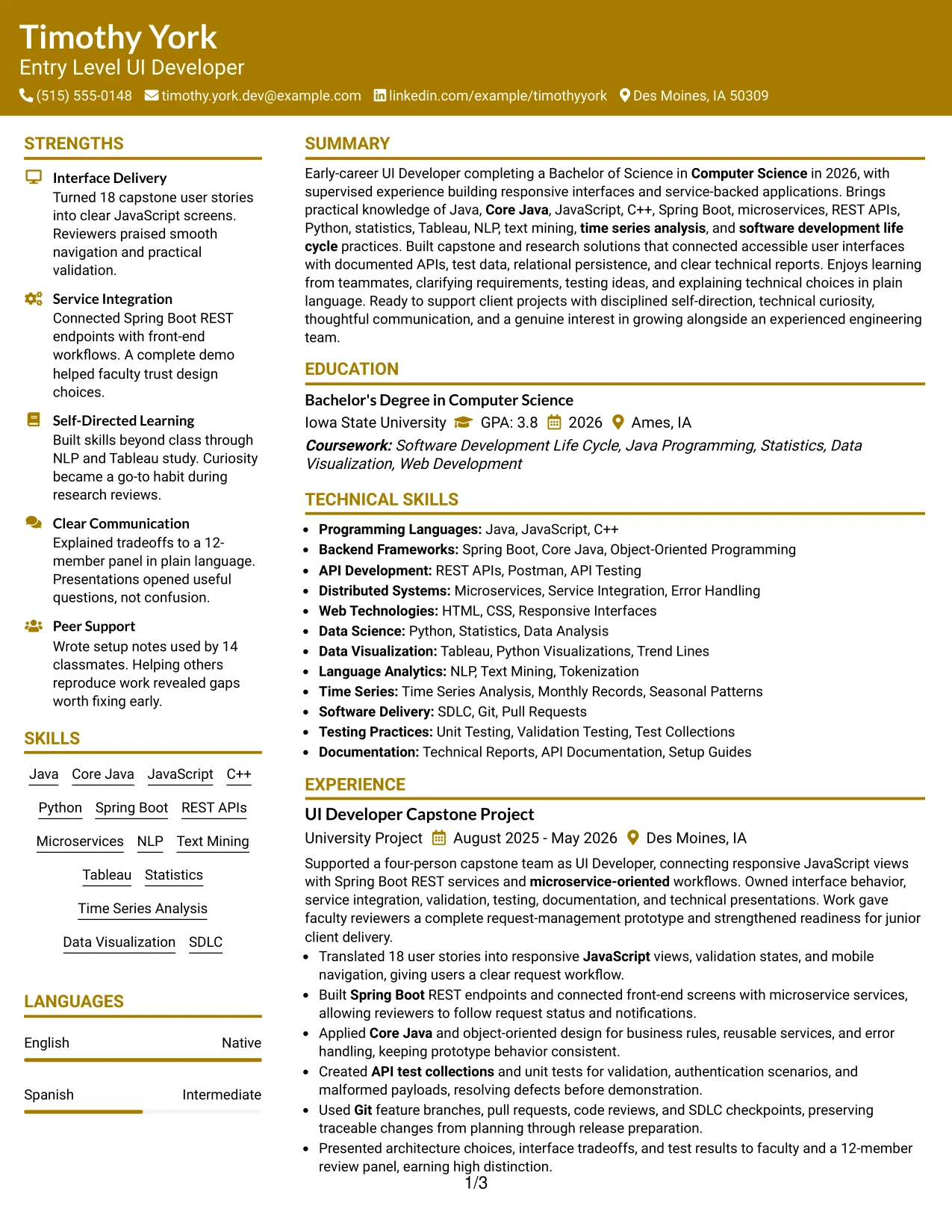
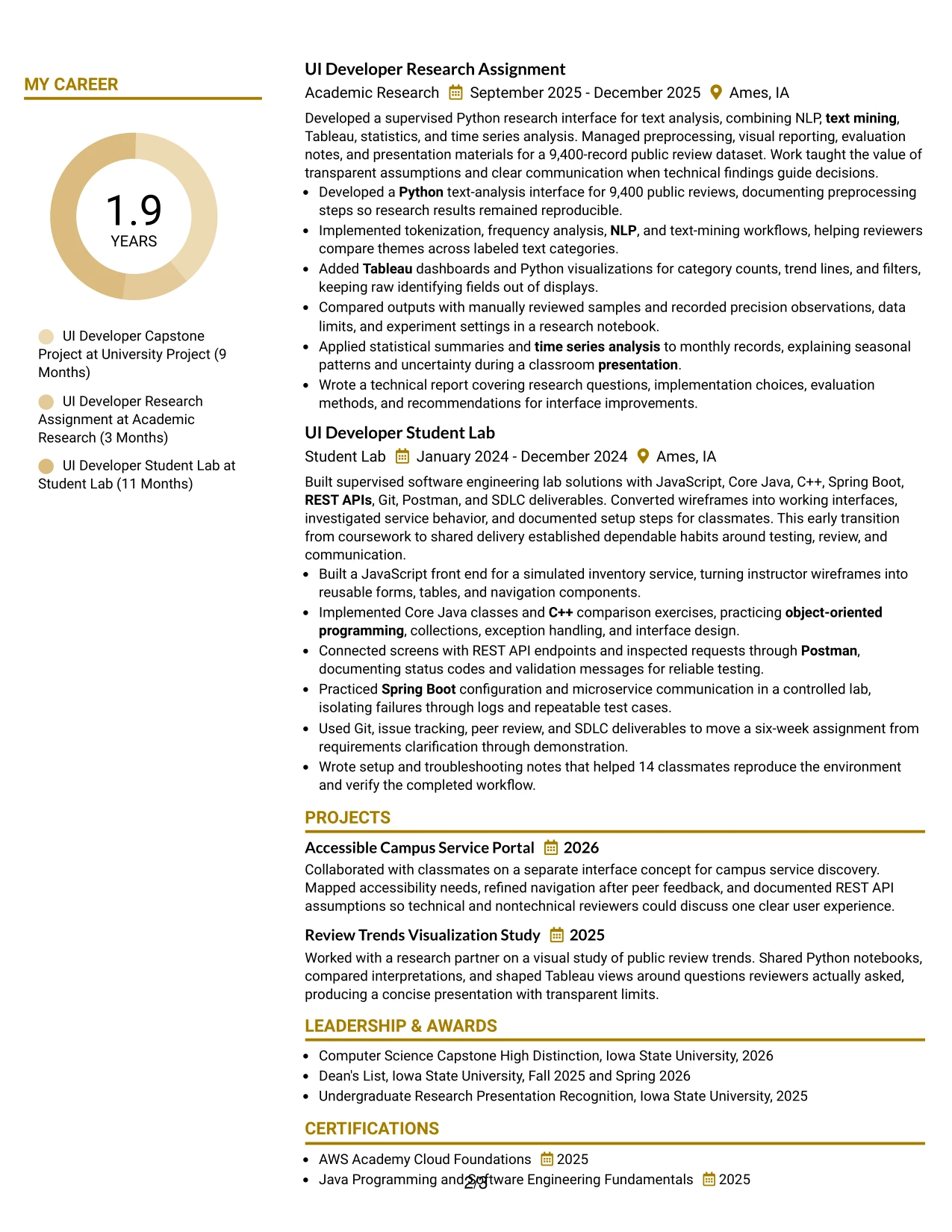
The Bold Color Header Professional Format places the document identity and target role at the top, then presents the resume in a direct sequence: summary, skills, experience, projects, education, certifications, and honors. This structure gives the Entry Level UI Developer title immediate context while leaving the strongest technical evidence in the main body.
A prominent header can improve orientation, but the resume still depends on disciplined section hierarchy. Bullets should lead with action and show outcomes, such as translating 18 user stories, resolving defects before demonstration, and helping 14 classmates reproduce a workflow. Grouped skills can reinforce Java programming, JavaScript, C++, Spring Boot, microservices, REST APIs, Python, statistics, Tableau, and SDLC terms for efficient ATS parsing.
Why the Bold Color Header Professional Format Works for a Resume
- Makes the target role and contact information easy to identify immediately.
- Uses a conventional section order that supports recruiter and ATS scanning.
- Places measurable project outcomes inside the experience bullets rather than hiding them in prose.
- Creates a strong visual entry point without adding unnecessary design elements.
- Keeps technical skills grouped so related programming and service terms can be read together.
- Supports a clear transition from academic experience to projects, education, and certifications.
- Presents an early-career profile with professional structure and credible technical detail.
Best For
- Resumes that need immediate role identification at the top of the page.
- Applicants whose strongest evidence comes from projects, labs, and academic assignments.
- Documents requiring a highly predictable hierarchy for ATS and rapid review.
- Candidates with many technical keywords that need clean grouping by relevance.
- Applications where measurable results should be easy to locate in each experience entry.
- Readers who prefer a strong header followed by a traditional single-column sequence.
- Technical resumes that must balance a polished first impression with detailed evidence.
#26 Photo Header Color Sidebar Format Resume Example
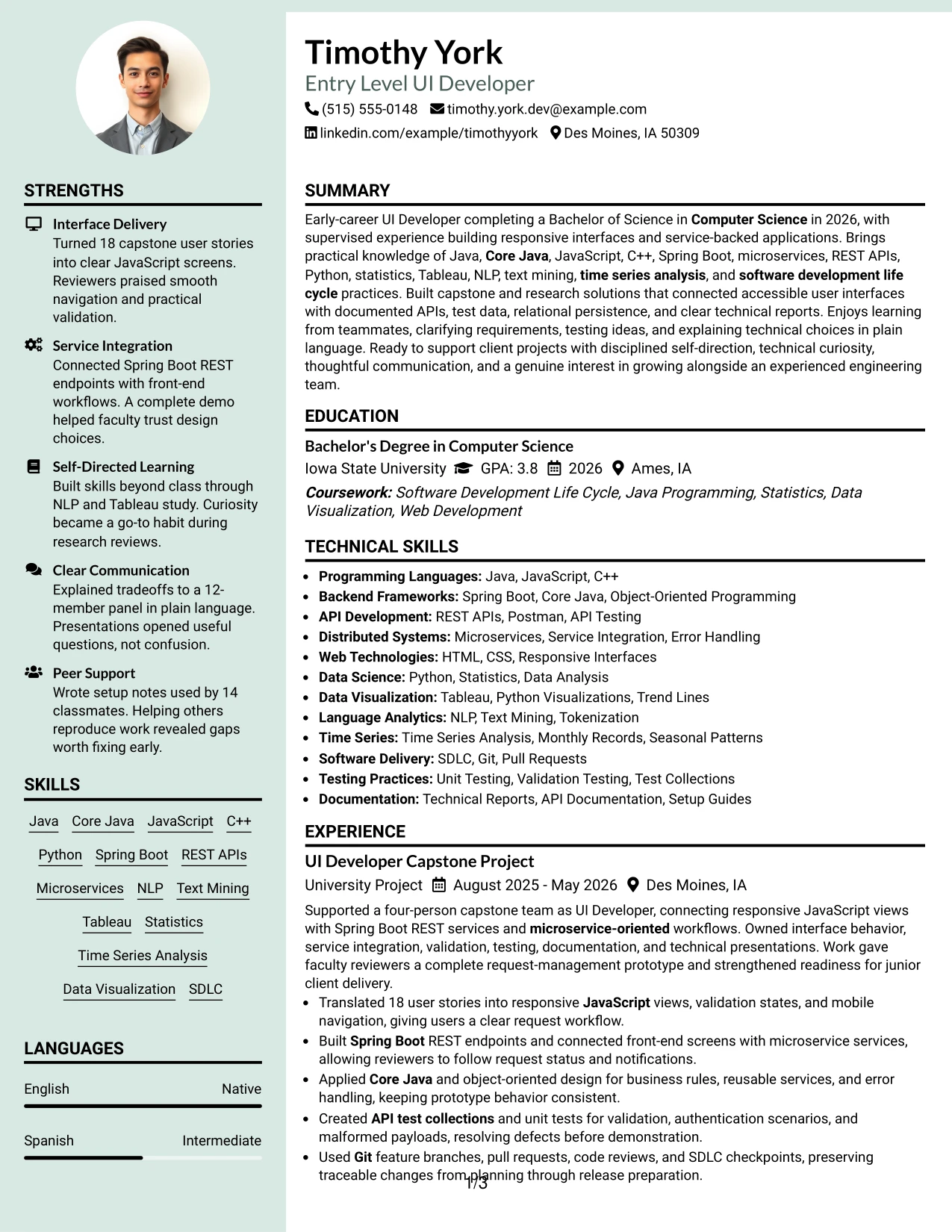
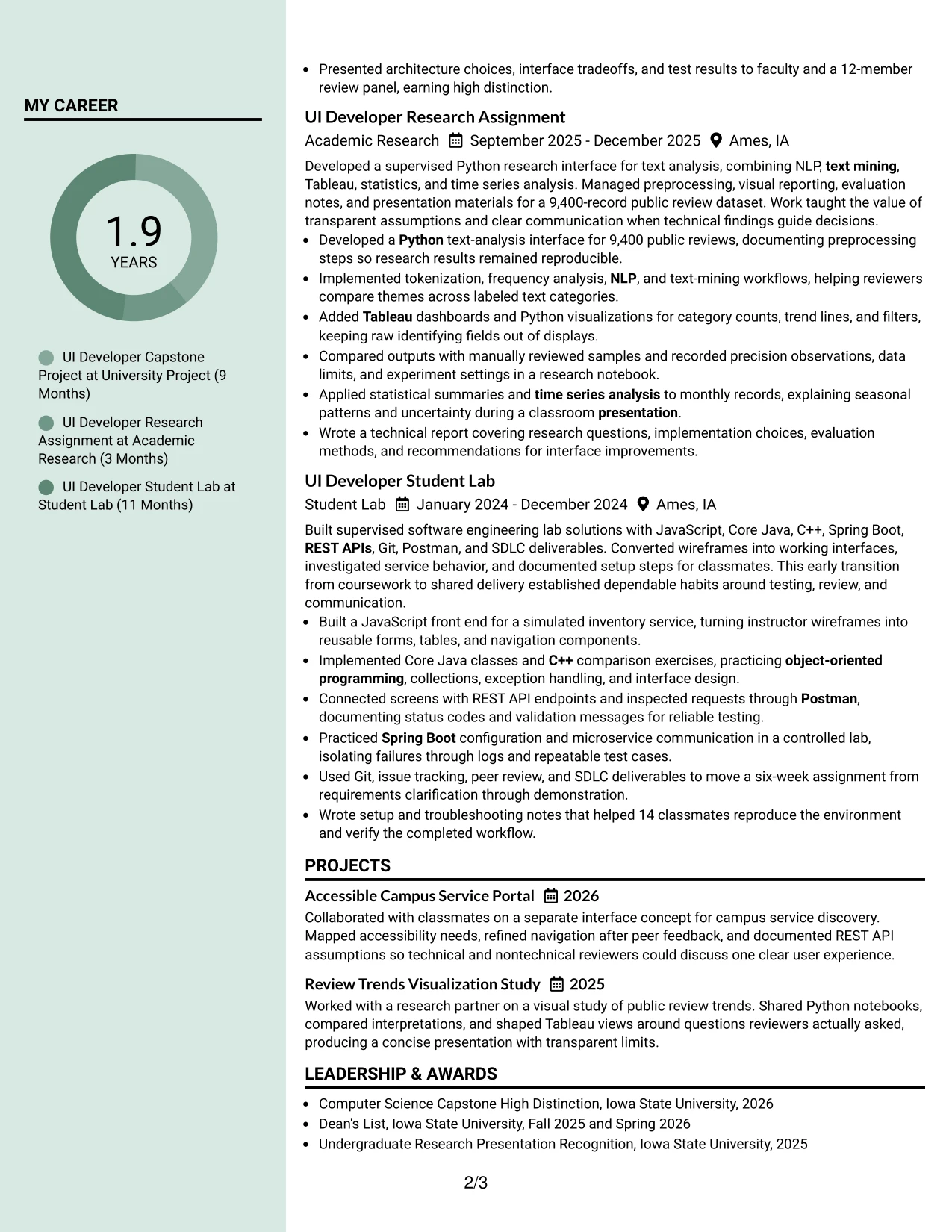
Readers can move from the header to the summary, then through the main experience entries while using the color sidebar for skills, education, certifications, and honors. In this resume, that path lets reviewers see UI development evidence first, followed by Java, JavaScript, Spring Boot, REST APIs, Python, Tableau, and related technical keywords.
The header photo can add a personal visual element when it is appropriate for the application and professionally presented. It should remain secondary to the written content. The main column has room for capstone, research, and lab bullets, including 18 user stories, a 9,400-record dataset, API testing, technical reports, and communication with a 12-member review panel.
Why the Photo Header Color Sidebar Format Works for a Resume
- Creates a guided reading path from identity and summary to detailed experience.
- Uses the sidebar for compact information such as skills, education, and certifications.
- Leaves the main column available for substantial project and research bullets.
- Keeps measurable evidence visible instead of compressing it into a short profile.
- Provides a consistent place for Java, Spring Boot, REST APIs, Python, and Tableau keywords.
- Uses color to distinguish supporting content from the core experience narrative.
- Can support a polished presentation when photo use fits the application context.
Best For
- Applications where a professionally presented photo is suitable and useful.
- Resumes with enough project and research detail to require a spacious main column.
- Candidates who want supporting qualifications separated from experience evidence.
- Documents that combine software delivery with data analysis and technical reporting.
- Readers who review the main career story first and reference skills alongside it.
- Candidates needing visible space for education, certifications, awards, and activities.
- Resume presentations where color navigation can improve movement across a detailed page.
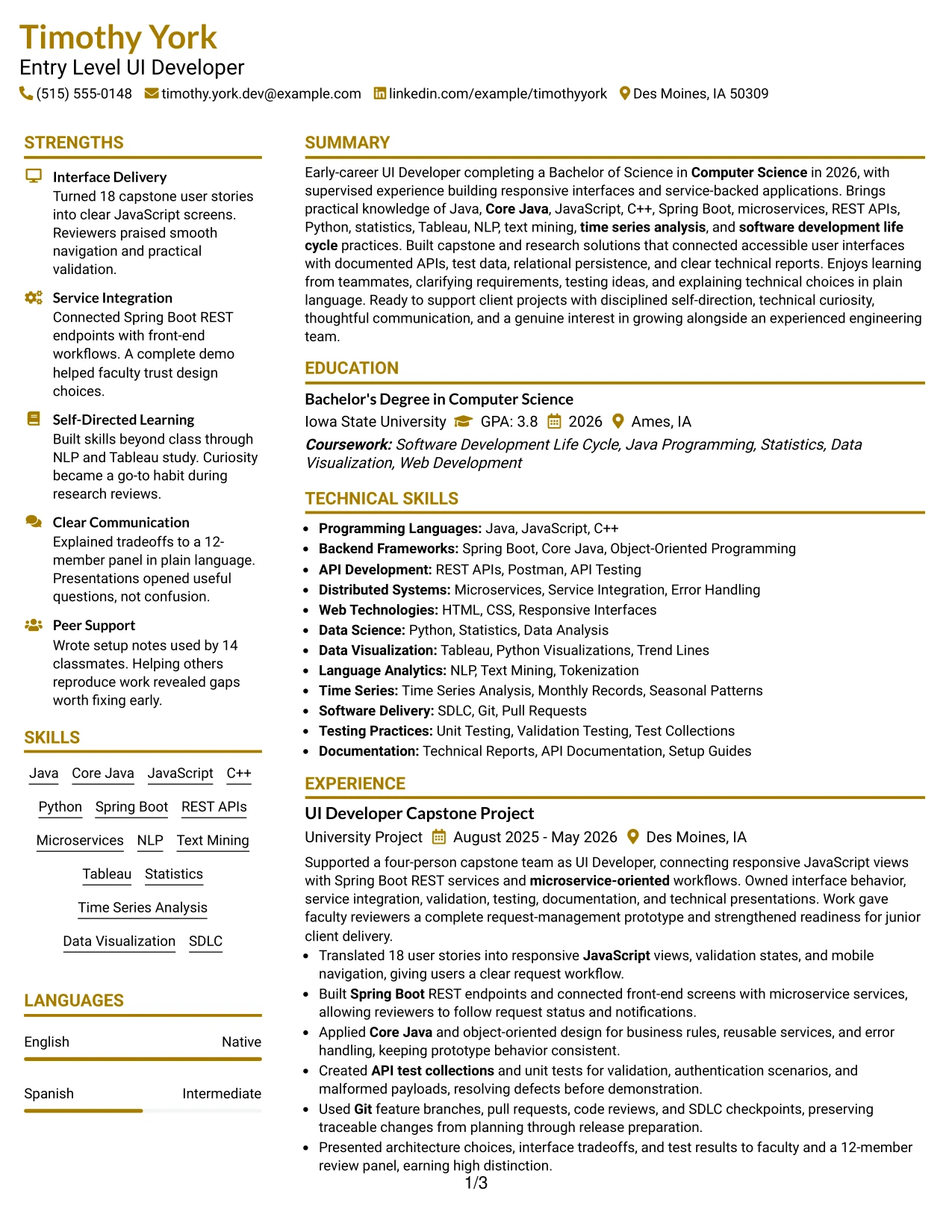
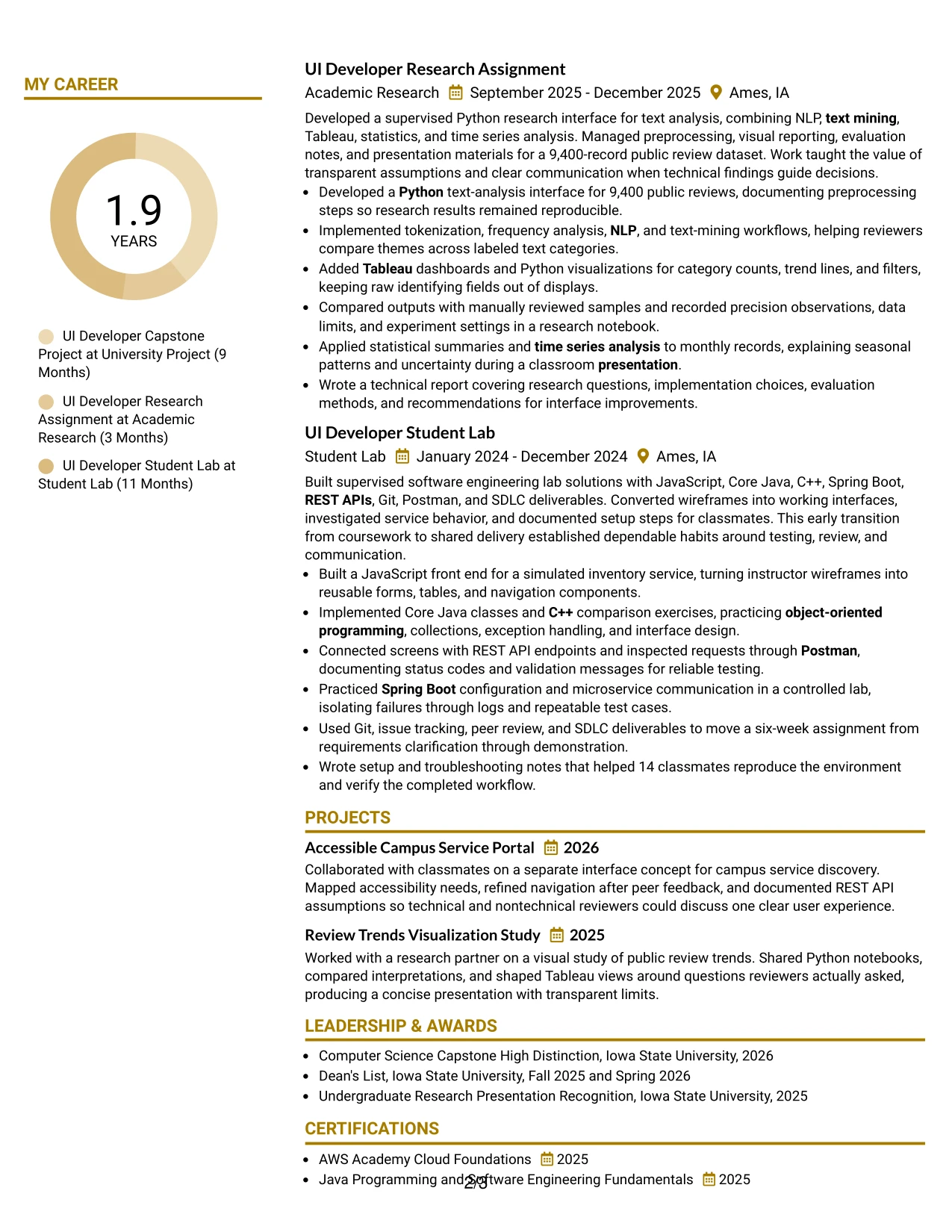
#27 Top Left Header Color Accent Format Resume Example
The strongest evidence should appear early: responsive interface delivery, service integration, testing, and documented technical results. A top-left header then establishes the target role and contact details before the resume moves into a focused summary, skills, experience, projects, education, and certifications.
A restrained color accent can direct attention to section labels while leaving the evidence in readable text. Bullets such as building Spring Boot REST endpoints, creating API test collections, analyzing 9,400 public reviews, and writing reproducible documentation give the technical keywords practical context. This approach supports both ATS parsing and human review.
Why the Top Left Header Color Accent Format Works for a Resume
- Prioritizes relevant technical evidence near the beginning of the document.
- Uses a simple accent to guide attention without overwhelming the content.
- Connects tools to outcomes through specific project and research bullets.
- Supports clear ATS parsing with standard sections and plain text keywords.
- Makes testing, documentation, and service integration visible as working practices.
- Gives projects and education a logical place after practical evidence.
- Keeps the resume focused on proof of capability rather than decorative design.
Best For
- Resumes that need technical evidence to lead the review.
- Applicants showing capability through capstone, research, and lab work.
- Documents where API integration and testing should receive clear emphasis.
- Candidates using quantified scope, such as records analyzed or user stories completed.
- Applications requiring a restrained visual treatment with strong content priority.
- Readers who scan from the upper-left corner and follow a direct section sequence.
- ATS-conscious resumes that still benefit from a small visual accent.
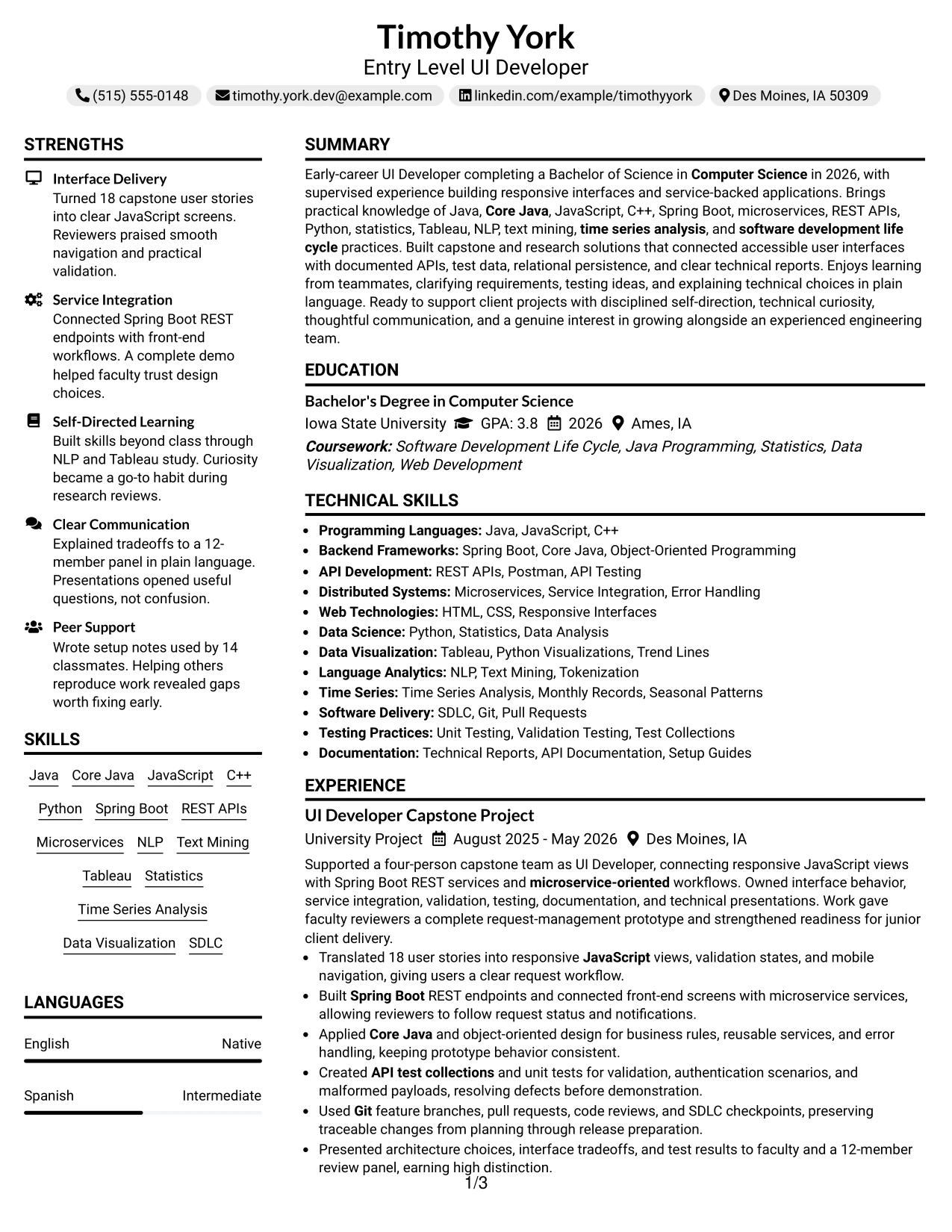
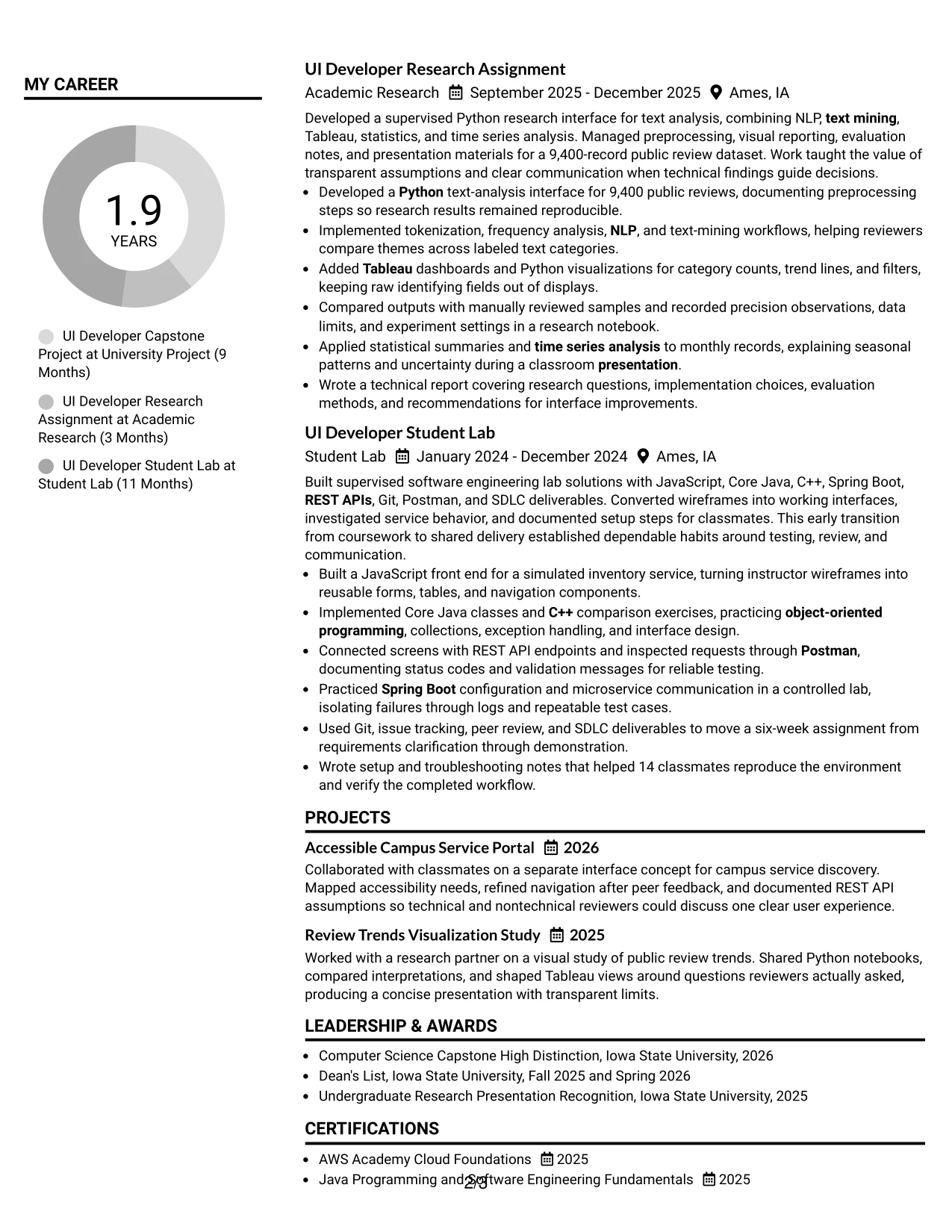
#28 Centered Header Classic Two Column Format Resume Example
Balanced distribution gives the resume room for both detailed evidence and compact supporting sections. A centered header can introduce the Entry Level UI Developer target, while two columns divide experience and projects from skills, education, certifications, awards, and activities. That arrangement is useful when the application requires both technical depth and a complete academic profile.
Classic bullets keep each entry readable and easy to compare. The experience column can show JavaScript interfaces, microservice workflows, unit testing, Git, and presentations, while the supporting column carries Python, Tableau, NLP, text mining, statistics, time series analysis, and software development life cycle keywords. The result is a complete resume that remains organized during a quick review.
Why the Centered Header Classic Two Column Format Works for a Resume
- Balances experience detail with education, skills, and supporting credentials.
- Creates a centered starting point before the reader enters the two-column content.
- Keeps classic bullet formatting familiar to reviewers and ATS tools.
- Provides room for both software development and data analysis evidence.
- Allows awards, activities, and certifications to remain visible without extending every experience entry.
- Supports clear comparison between project scope, tools, and outcomes.
- Works well when a complete academic profile matters alongside technical experience.
Best For
- Applications needing both substantial experience bullets and a complete academic record.
- Candidates combining software projects with research, visualization, and analysis work.
- Resumes that benefit from a centered identity block and balanced page proportions.
- Applicants who want certifications, awards, and activities visible without crowding the main story.
- Readers comparing technical tools with the projects where they were applied.
- Documents with enough content to justify two columns but still requiring classic readability.
- Portfolio submissions that need a complete, well-balanced resume companion.
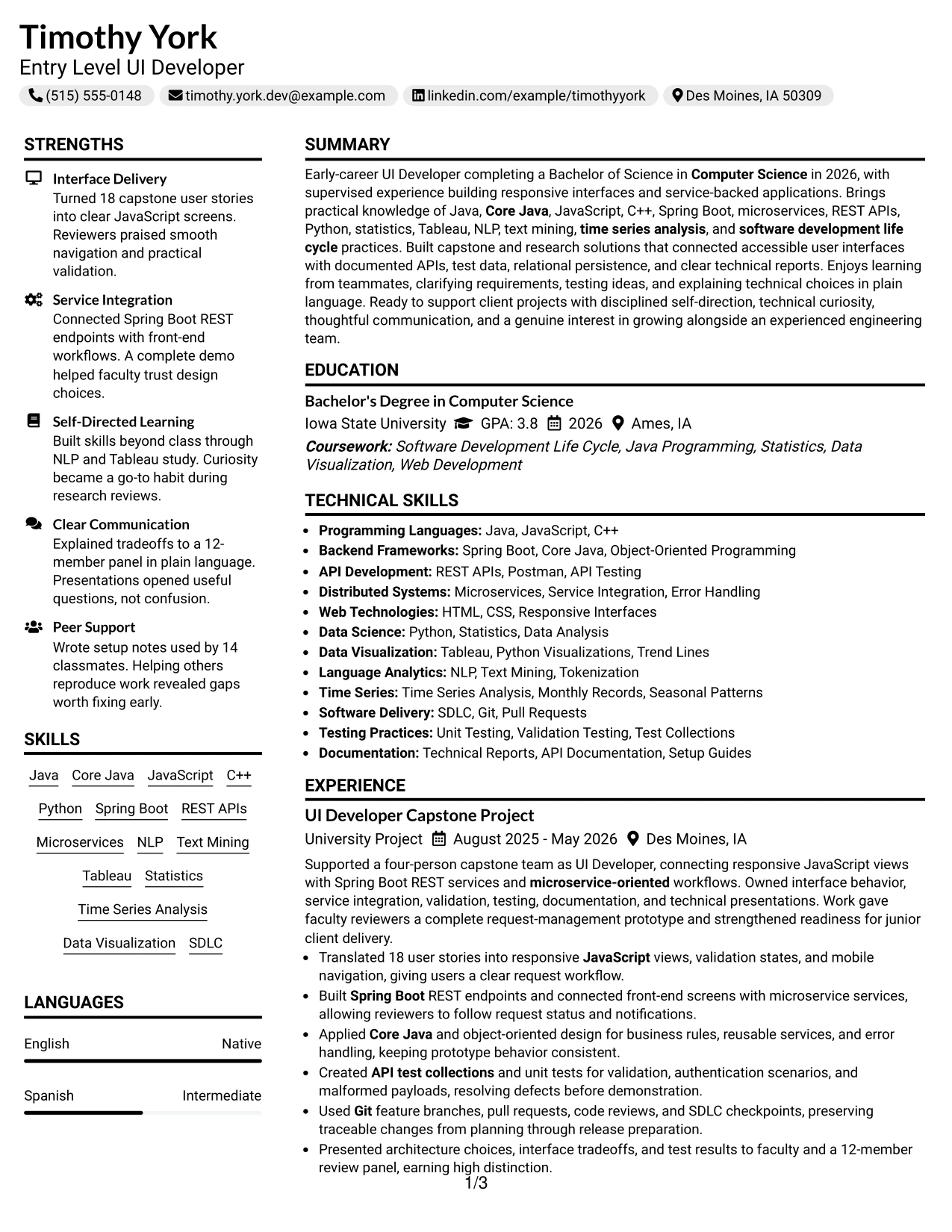
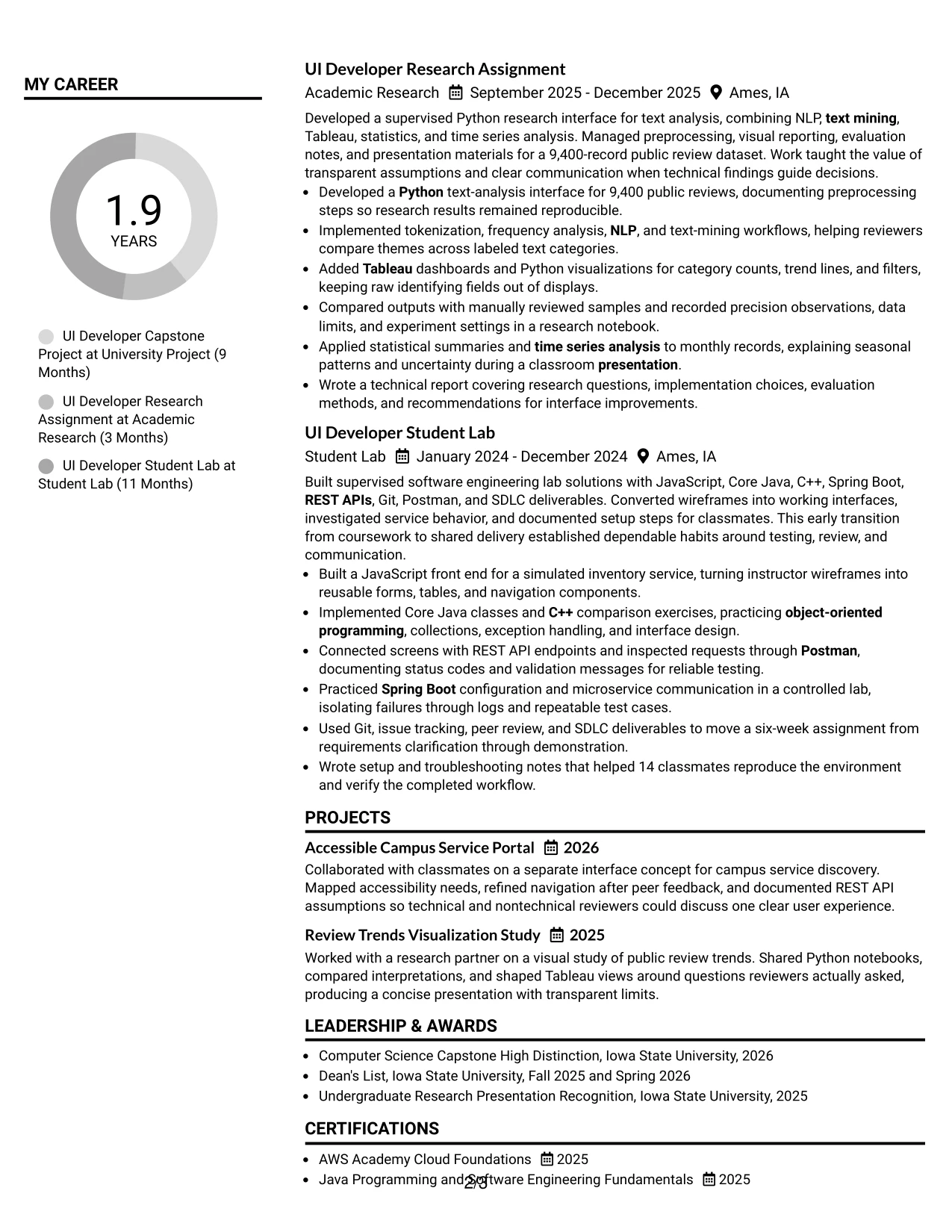
#29 Left Aligned Header Clean Two Column Format Resume Example
For a practical application, the resume should help reviewers connect the target role with evidence in seconds. A left-aligned header supports that goal by creating a direct start point, while two columns organize the summary, experience, projects, skills, education, certifications, and honors without forcing every section into one long stack.
The clean presentation is especially effective when bullets carry both technical detail and measurable scope. Examples include 18 user stories, a four-person capstone team, 9,400 public reviews, and setup notes used by 14 classmates. Clear labels and consistent spacing then make Java, Core Java, JavaScript, C++, Spring Boot, REST APIs, microservices, Python, and Tableau easy to locate.
Why the Left Aligned Header Clean Two Column Format Works for a Resume
- Starts the document at a familiar left-aligned reading point.
- Uses two columns to reduce unnecessary vertical repetition.
- Shows project scope through team size, dataset size, and user reach.
- Keeps technical tools close to the experience that demonstrates them.
- Supports clear section labels for ATS parsing and human review.
- Creates a clean presentation without competing visual details.
- Makes a broad academic and technical profile easier to review in one page structure.
Best For
- Applications needing a direct, conventional starting point for resume review.
- Candidates with multiple project settings that need separate, readable entries.
- Documents that must show technical tools alongside the evidence behind them.
- Applicants using team size, dataset size, or user reach to add measurable context.
- Readers who prefer clean spacing and left-to-right information discovery.
- Resumes combining front-end, backend, testing, and data analysis content.
- Portfolio-ready applications that need structure without visual excess.
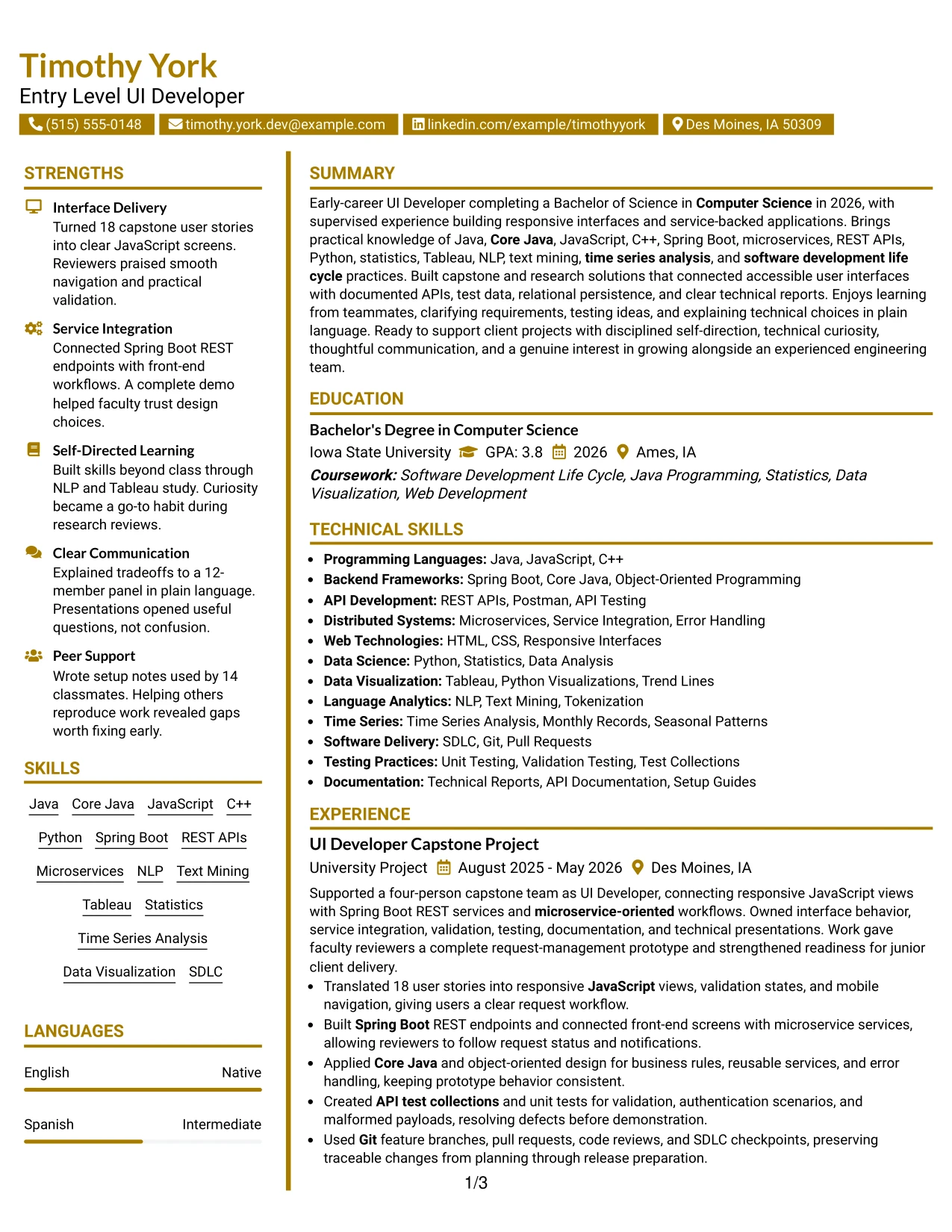
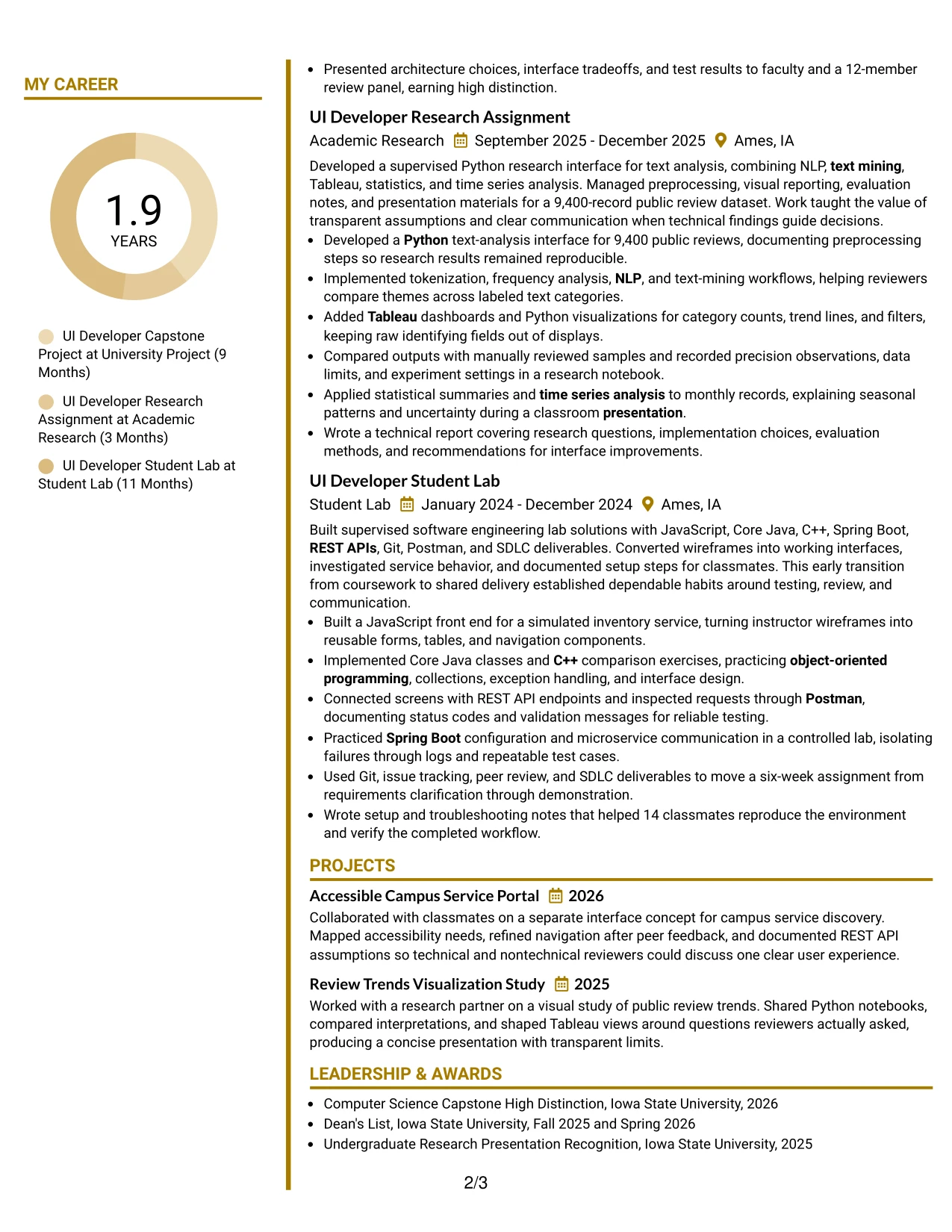
#30 Accent Divider Modern Two Column Format Resume Example
A modern resume should make role alignment visible through evidence, not decoration. Accent dividers can separate experience, skills, education, projects, and certifications while the two-column structure keeps the page compact. Timothy York's document can use that hierarchy to connect responsive JavaScript interfaces and Spring Boot services with the Entry Level UI Developer target.
Square markers or dividers should remain subordinate to the text. The resume gains strength from specific proof: 18 translated user stories, defects resolved before demonstration, a 9,400-record research dataset, and documentation that helped 14 classmates reproduce a workflow. Keywords including Core Java, C++, microservices, REST APIs, NLP, Tableau, and SDLC then appear in meaningful context.
Why the Accent Divider Modern Two Column Format Works for a Resume
- Separates related resume sections with clear modern markers.
- Connects the target role to concrete interface, service, and research evidence.
- Uses two columns to keep technical keywords and academic details accessible.
- Makes measurable results stand out within otherwise concise bullets.
- Preserves a professional reading path despite the contemporary visual treatment.
- Supports portfolio-oriented content such as projects, API work, and technical reports.
- Keeps design accents secondary to ATS-readable text and credible accomplishments.
Best For
- Applicants seeking a current presentation for a technical portfolio.
- Resumes that need visible separation between experience, skills, and academic details.
- Candidates aligning interface work, backend services, and analysis evidence to one role.
- Documents with measurable project scope that benefits from strong visual signposts.
- Readers comfortable with modern markers but still dependent on clear text hierarchy.
- Applications where projects and supporting certifications should remain easy to find.
- Technical resumes that need a distinctive structure without excessive visual complexity.
#31 Shaded Labels Clean Two Column Format Resume Example
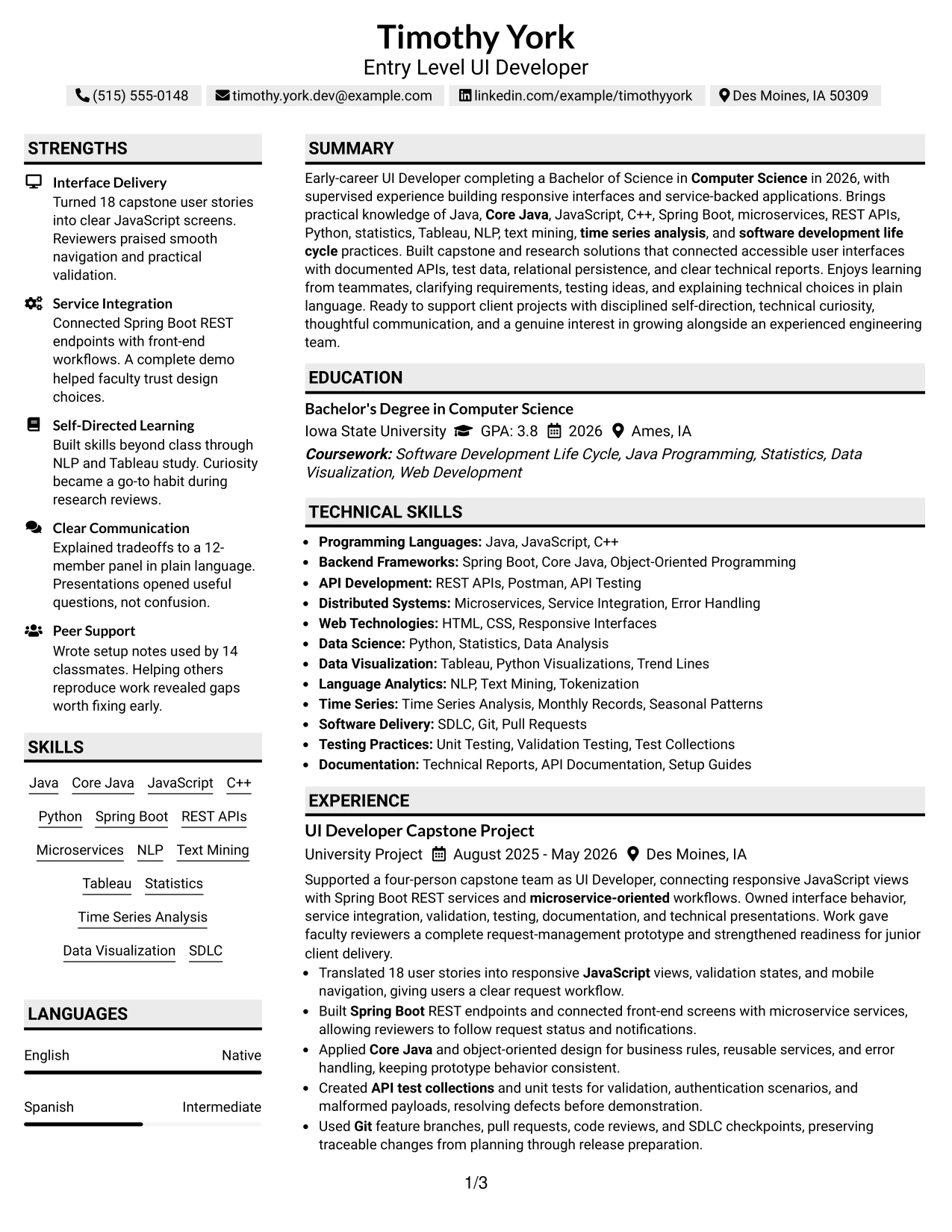
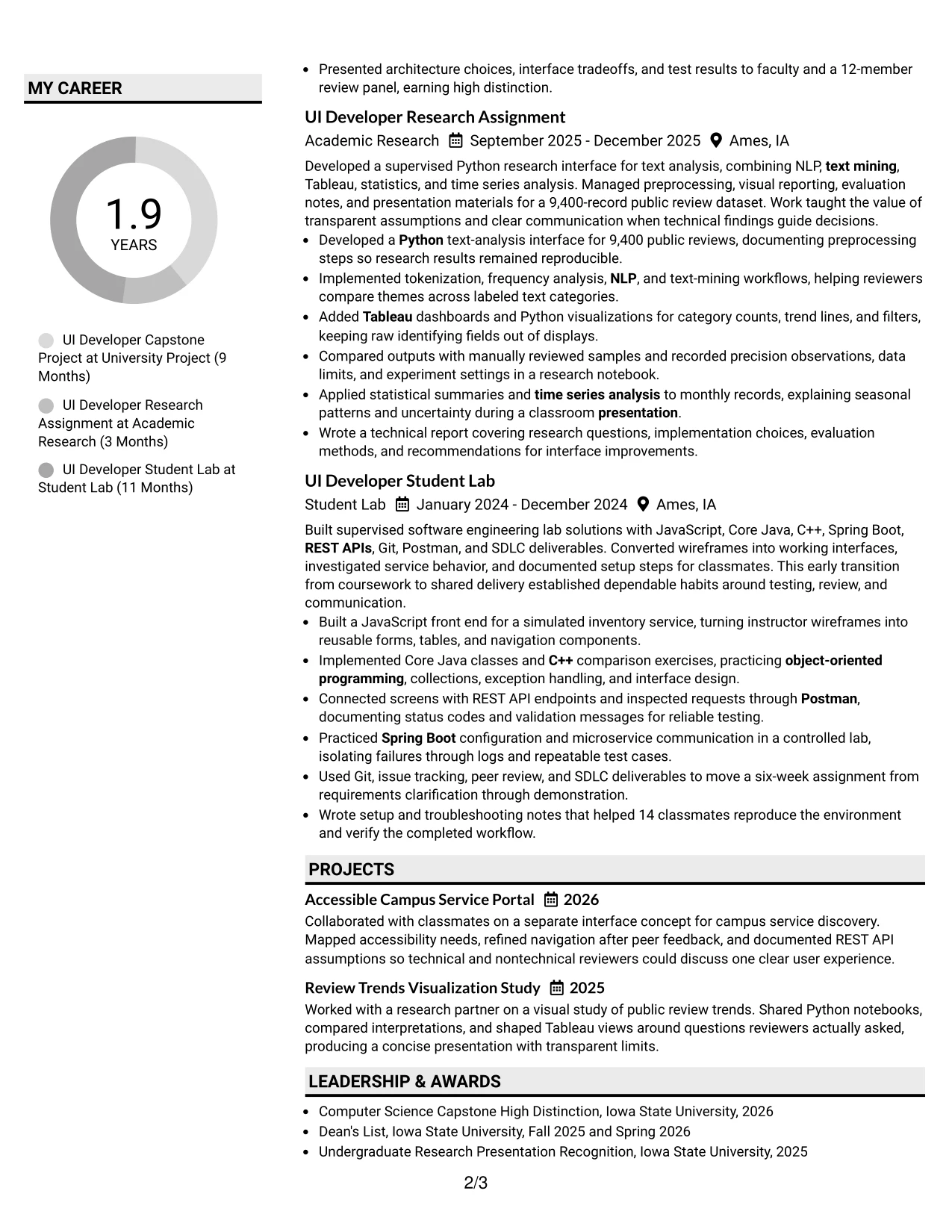
The Shaded Labels Clean Two Column Format organizes the resume through consistent section labels and a stable content pattern. Experience and projects can occupy the primary column, while skills, education, certifications, awards, and activities sit in supporting areas. This arrangement gives the Entry Level UI Developer resume a clear structure without making the page feel crowded.
Shaded labels help reviewers locate evidence quickly, but the bullets carry the credibility. They can show JavaScript front-end work, Core Java design, REST API testing with Postman, Spring Boot configuration, Python text analysis, Tableau visualization, and technical documentation. Standard headings and exact keywords also support ATS review.
Why the Shaded Labels Clean Two Column Format Works for a Resume
- Uses consistent labels to make every resume section easy to locate.
- Separates detailed experience from compact supporting information.
- Keeps technical tools tied to specific examples instead of listing them without context.
- Supports ATS review through standard headings and readable text.
- Makes testing, configuration, documentation, and presentation evidence visible.
- Provides space for projects, awards, and activities without weakening the main experience sequence.
- Combines a clean appearance with a practical two-column information structure.
Best For
- Resumes that need strong labels for fast section-by-section scanning.
- Candidates with varied evidence across software projects, research, and lab assignments.
- Applicants who want supporting credentials separated from detailed work examples.
- Documents where API testing, documentation, and presentation should be easy to verify.
- Readers reviewing technical skills alongside the projects that demonstrate them.
- ATS-conscious applications that can still use subtle visual grouping.
- Candidates needing a tidy format for education, certifications, awards, and activities.
#32 Photo Header Color Accent International Format Resume Example
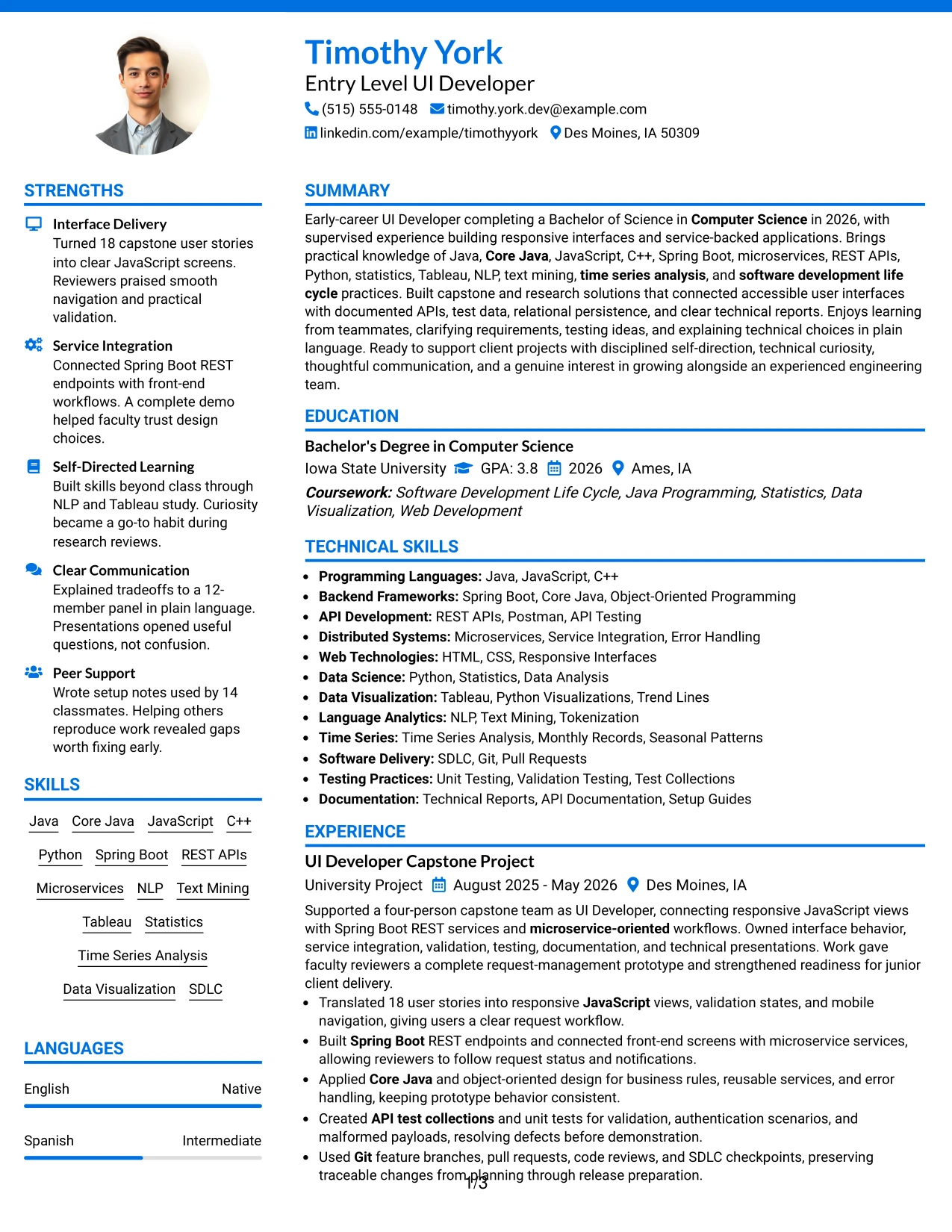
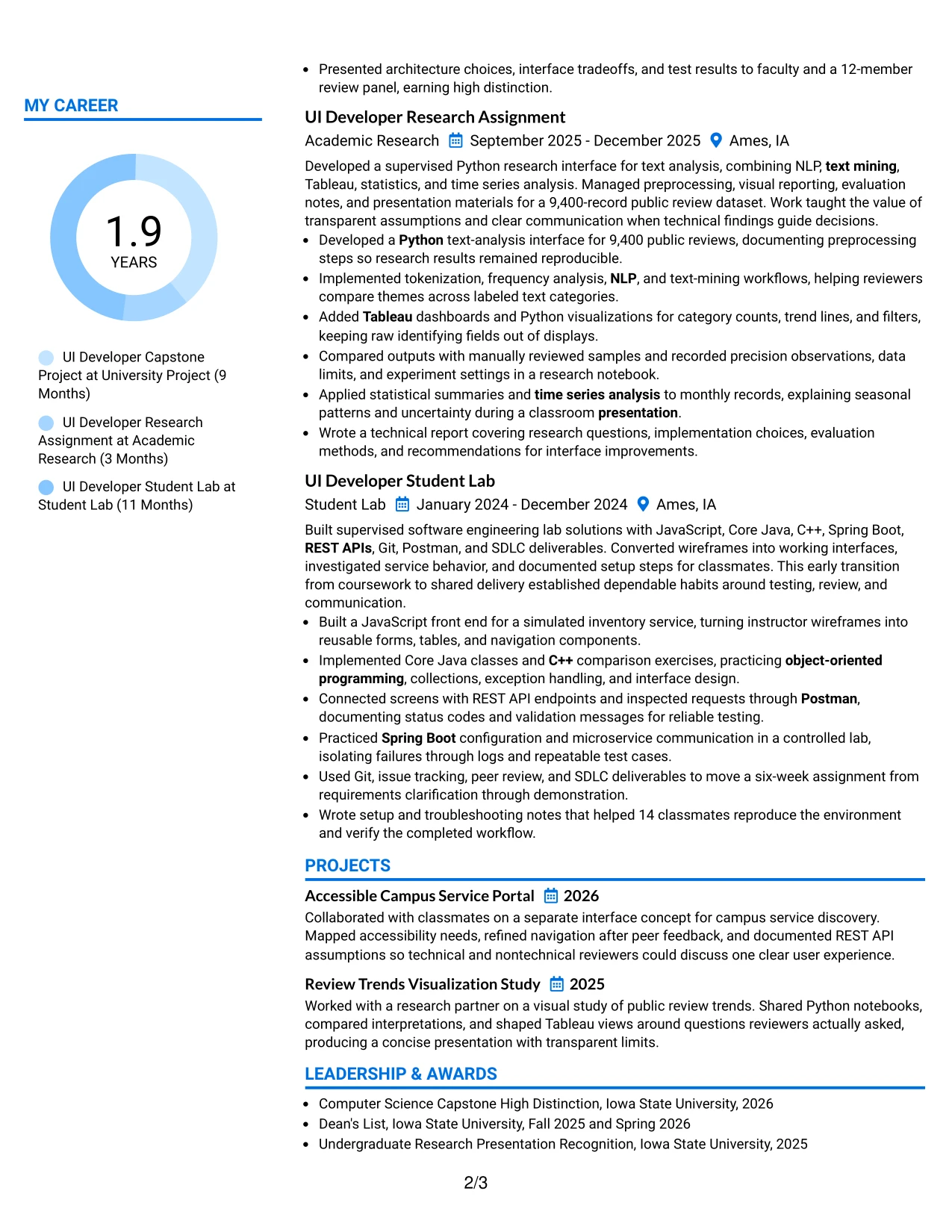
Readers can begin with the header, confirm the target role and contact details, and then follow the main column through the summary, experience, projects, education, and certifications. A separate skills area can present Java, JavaScript, C++, Spring Boot, REST APIs, Python, Tableau, NLP, and time series analysis in a compact format.
Color accents can distinguish sections across a detailed resume, while the photo header may provide a personal introduction when it suits the application and local expectations. The written content remains central: capstone delivery, research with 9,400 public reviews, technical reporting, API testing, and communication with faculty and student reviewers provide the strongest evidence.
Why the Photo Header Color Accent International Format Works for a Resume
- Creates a clear reader path from personal header information to detailed evidence.
- Uses color accents to distinguish sections across a content-rich resume.
- Provides room for experience, projects, education, and certifications in a single-column flow.
- Groups a wide technical range without interrupting the main career narrative.
- Keeps measurable research and project scope visible to reviewers.
- Can accommodate a professionally presented photo when the application context supports it.
- Supports clear communication of both software delivery and data analysis capabilities.
Best For
- Applications where a professional photo is accepted and adds useful context.
- Candidates presenting a broad technical profile across development and analysis.
- Resumes with enough content to need clear color-based section navigation.
- Applicants combining academic projects, research, certifications, and activities.
- Readers who want the full experience story before reviewing a compact skills area.
- International-facing applications where personal presentation conventions may vary.
- Portfolio submissions that need a polished, information-rich resume format.
#33 Large Profile Photo International Two Column Format Resume Example
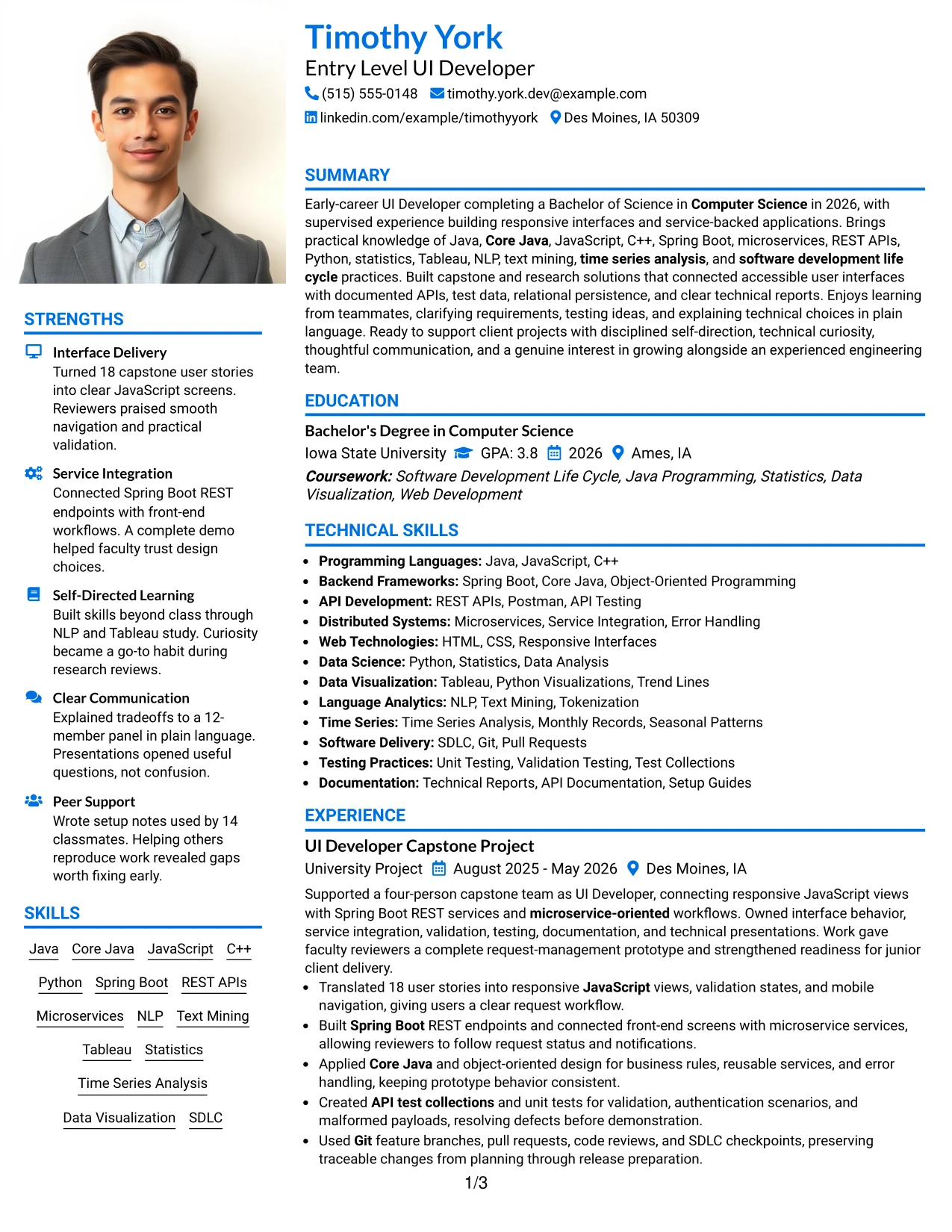
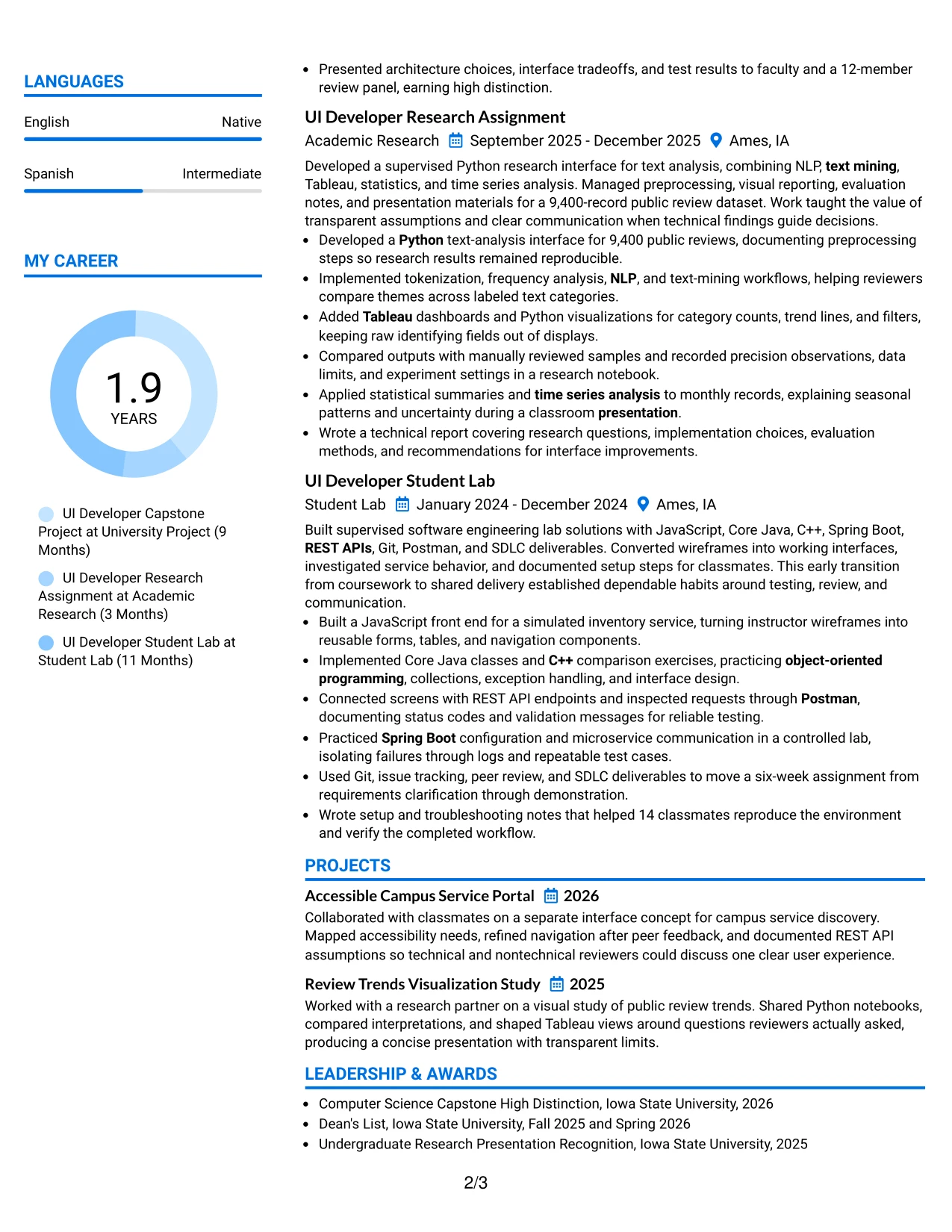
The strongest evidence should lead the written content, with detailed experience and project results given enough space beside supporting information. A large profile photo occupies a clear visual area, while the two-column structure can place the summary, UI development work, research, and projects opposite skills, education, certifications, awards, and activities.
The photo should remain professionally appropriate for the application and never replace technical proof. The resume can emphasize 18 user stories, Spring Boot REST integration, unit testing, a 9,400-record dataset, Tableau dashboards, and documentation used by 14 classmates. Clear keywords such as Java, Core Java, JavaScript, C++, Python, microservices, NLP, text mining, and SDLC strengthen alignment with the target role.
Why the Large Profile Photo International Two Column Format Works for a Resume
- Gives primary experience and project evidence a dedicated reading area.
- Uses the second column for skills, education, certifications, awards, and activities.
- Makes measurable technical scope easy to see beside the visual header.
- Supports a broad keyword set without forcing all content into one narrow sequence.
- Creates a polished presentation for applications where a profile photo is suitable.
- Keeps interface delivery, service integration, research, and documentation distinct.
- Balances personal presentation with ATS-conscious text and standard resume sections.
Best For
- Applications where a large professional photo is accepted and purposeful.
- Candidates with strong project evidence that needs a dedicated content column.
- Resumes combining software development, research, and data visualization.
- Applicants who need to display extensive skills and credentials beside experience.
- International-facing materials where visual profile conventions may be relevant.
- Portfolio submissions that benefit from a prominent personal presentation area.
- Readers who want technical results separated clearly from supporting qualifications.
Why Build Your Entry Level UI Developer Resume with ResumeInMinutes
ResumeInMinutes helps you turn coursework, capstone delivery, research, lab work, technical tools, and project outcomes into a structured resume for an Entry Level UI Developer role. The format keeps important evidence visible and makes targeted revisions easier.
- Professional resume layouts
- ATS-friendly section structure
- Role-specific keyword guidance
- Project and skills organization
- Free PDF resume previews
- Resume customization support
A well-organized resume can show how you build responsive interfaces, connect front-end screens to APIs, test application behavior, document technical decisions, and explain results. These details give reviewers a practical view of your readiness for Entry Level UI Developer work.
See Also
- 33 AI Automation Engineer / Full-Stack Developer Resume Templates with Example 2026 (ATS-Optimized)
- 33 AI Engineer / Applied AI Developer Resume Templates with Example 2026 (ATS-Optimized)
- 33 AI Engineer, Developer Experience Resume Templates with Example 2026 (ATS-Optimized)
- 33 AI Hyper Automation Developer Resume Templates with Example 2026 (ATS-Optimized)
- 33 AI/ML Engineer Intern, Cloud & Developer Infra Resume Templates with Example 2026 (ATS-Optimized)
- 7 AI Solutions Developer Resume Templates with Example
- 33 Associate - Java Developer Resume Templates with Example 2026 (ATS-Optimized)
- 33 Associate JavaScript Frontend Developer Resume Templates with Example 2026 (ATS-Optimized)
- 30+ Entry Level UI Developer Cover Letter Templates with Example 2026
- 30+ AI Automation Engineer / Full-Stack Developer Cover Letter Templates with Example 2026
Frequently Asked Questions
Are these Entry Level UI Developer resume templates ATS-friendly?
Yes. The templates use clear headings, readable sections, and relevant terms such as Java, JavaScript, Spring Boot, REST APIs, microservices, testing, and software development life cycle.
Are these 33 different resumes?
No. The guide presents one Entry Level UI Developer resume example in 33 different layouts and design themes.
What should an Entry Level UI Developer resume include?
Include a focused summary, technical skills, experience or supervised project work, education, projects, certifications, and achievement-based bullets. Highlight interface development, service integration, testing, documentation, and communication when supported by your background.
Can I download the resume templates as PDFs?
Yes. Each resume style provides a free PDF download so you can preview the format and select a layout for your Entry Level UI Developer resume.
Which resume style is best for an Entry Level UI Developer?
A clean one-column or simple two-column layout is usually effective because it supports ATS parsing and quick review. Choose the format that gives your technical skills, projects, and results the clearest hierarchy.
How can I show UI development experience when my background is project-based?
Describe capstone work, research assignments, labs, and other supervised projects as evidence. State what you built, name the relevant tools, explain your contribution, and include accurate scope or results such as user stories, records analyzed, tests completed, or reviewers supported.
Should I include a photo on my resume?
Include a photo only when it is customary or expected in your country, region, or industry. For U.S. applications, a no-photo resume is generally the safer option.
Can I customize these resume templates?
Yes. ResumeInMinutes allows you to edit the resume content, layout, design style, and PDF format for your Entry Level UI Developer application.




