
7 Geotechnical Engineering Intern/Co-op Cover Letter Templates with Example
This practical guide helps you write a Geotechnical Engineering Intern/Co-op cover letter, with seven layouts to help you present your role fit clearly.
What Makes a Great Geotechnical Engineering Intern/Co-op Cover Letter in 2026
A strong letter connects your interest in geotechnical work to the role’s field investigation, analysis, and reporting needs. Keep the opening direct and use the body to show how your experience fits.
Use specific evidence, such as supervised site characterization, field documentation, construction observation, calculations, or technical reporting. Explain why that work interests you and connect it to the employer’s project needs.
The featured example moves from role fit to specific field and reporting evidence, then closes with motivation and a clear next step. Adapt this focused progression while choosing a presentation that suits the employer and communication context.
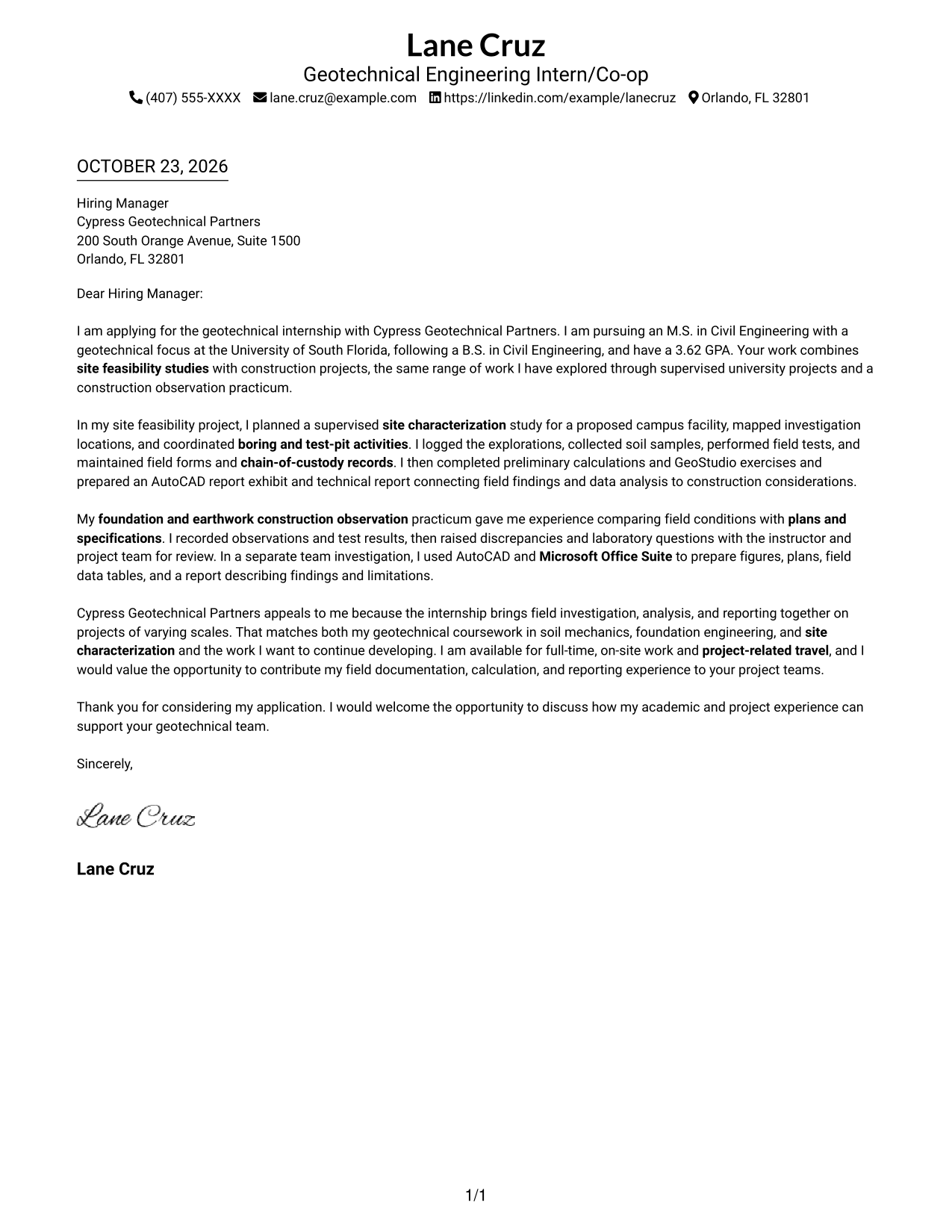
#1 Simple One Column Format Cover Letter Example
A single-column letter keeps sender details in the header and carries the message in one continuous body, giving the opening, supporting points, and close a direct reading path.
Why This Format Works
- Sender details sit in the header, apart from the letter's persuasive message.
- One continuous column carries the opening, supporting points, and close in sequence.
- Without internal headings, the letter reads as one connected conversation.
Best For
- Single-column letter layouts
- Header-based contact details
- Continuous paragraph arguments
- Text-first application materials
- A direct reading order
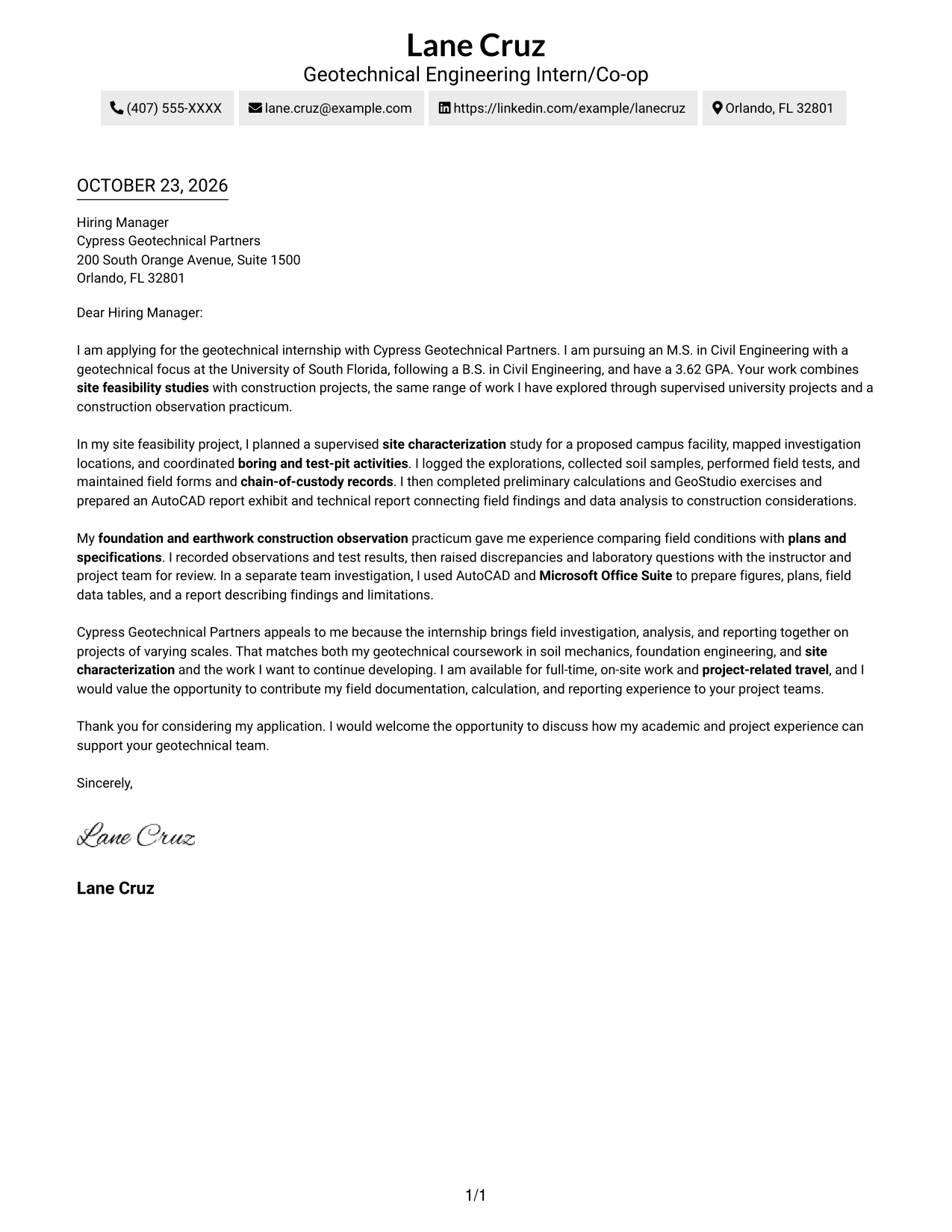
#2 Two Column Format Cover Letter Example
A two-column arrangement places contact details beside one continuous letter body, keeping the message in its own reading area.
Why This Format Works
- Contact details occupy a sidebar, separate from the letter's persuasive content.
- The main text stays in one column, keeping the argument's paragraph order intact.
- A photo-free page keeps the visual focus on written correspondence.
Best For
- Sidebar contact details
- One-column letter text
- Photo-free correspondence
- Separate contact and message areas
- Letters with a clear paragraph sequence
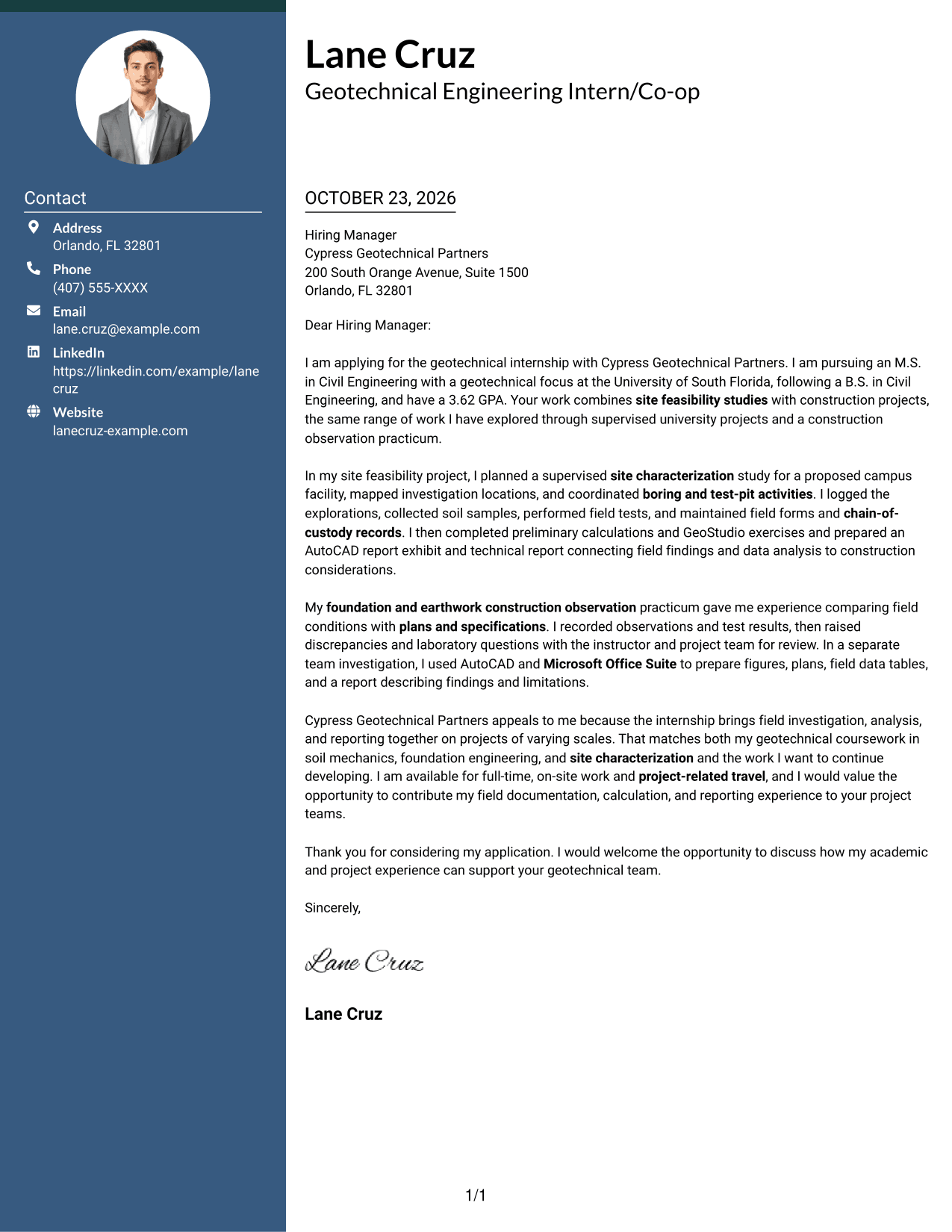
#3 Photo Header Two Column Format Cover Letter Example
Contact details sit beside one continuous letter body in this two-column format, with a photo included as a visible personal detail.
Why This Format Works
- The sidebar keeps sender contact details distinct from the main letter text.
- A single letter column preserves the natural order of the message.
- The included photo adds a personal visual element alongside the written letter.
Best For
- Photo-inclusive letter layouts
- Sidebar contact information
- One-column letter body
- Personal visual presentation
- Continuous written arguments
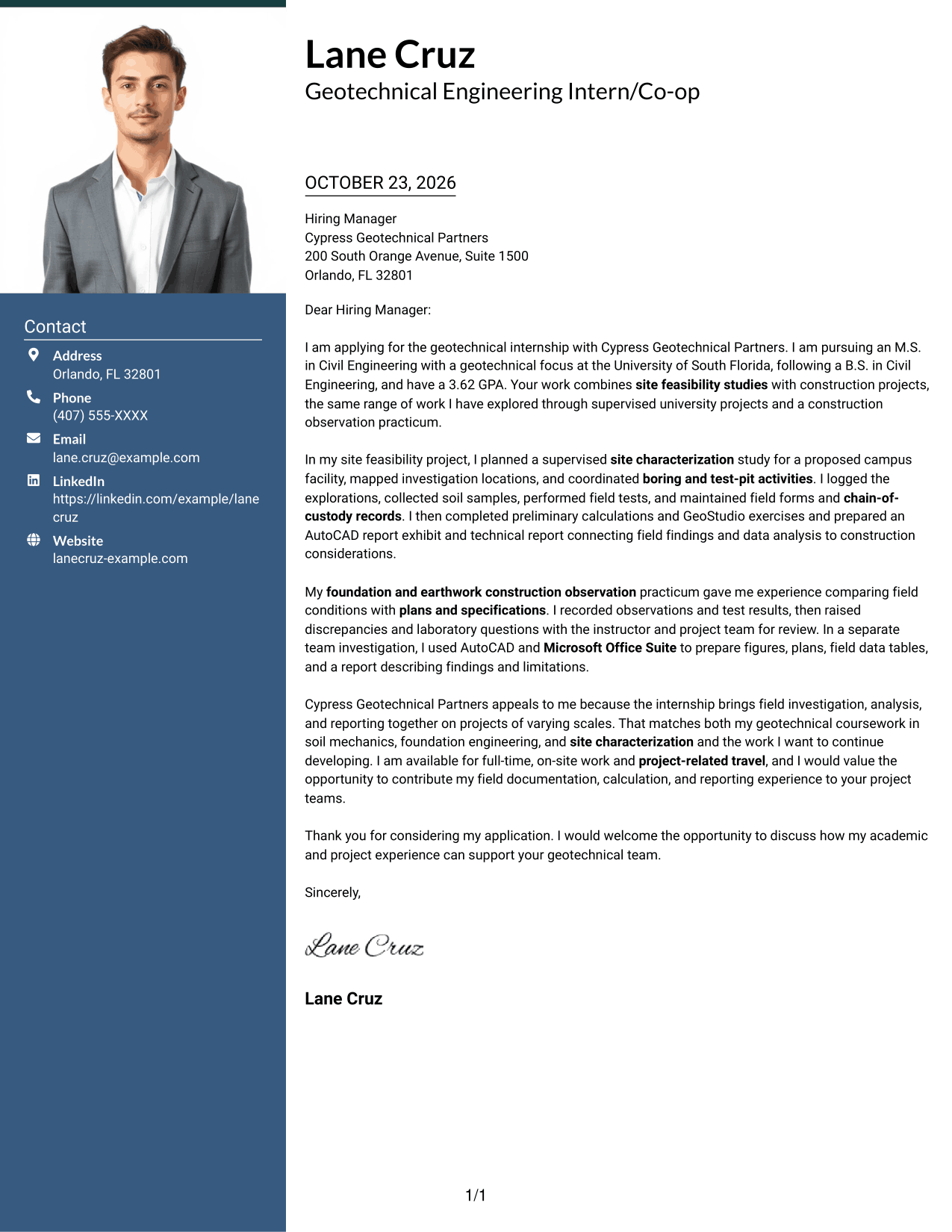
#4 One Column Format with Photo Cover Letter Example
The continuous letter body uses a single column, while the included photo adds a personal visual element to the page.
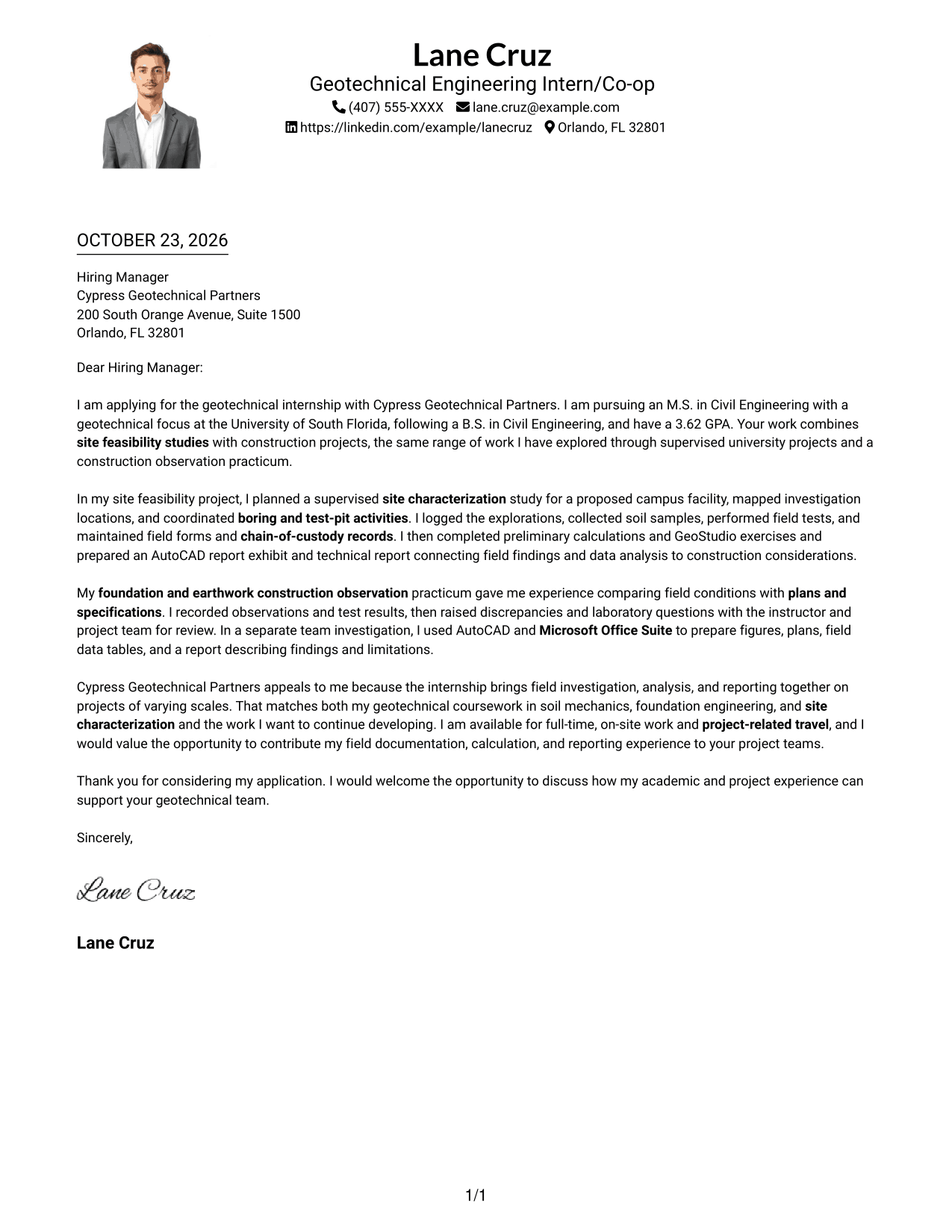
Why This Format Works
- A single text column carries the message from opening to close without parallel body content.
- The included photo adds a personal visual element alongside the written letter.
- Sender details remain in the header, apart from the continuous letter body.
Best For
- Single-column correspondence
- Photo-inclusive pages
- Header-based sender details
- A continuous letter argument
- Written messages with a personal visual element
#5 Simple Two Column Format Cover Letter Example
A contact sidebar sits beside the uninterrupted letter text in this two-column layout, separating sender information from the message.
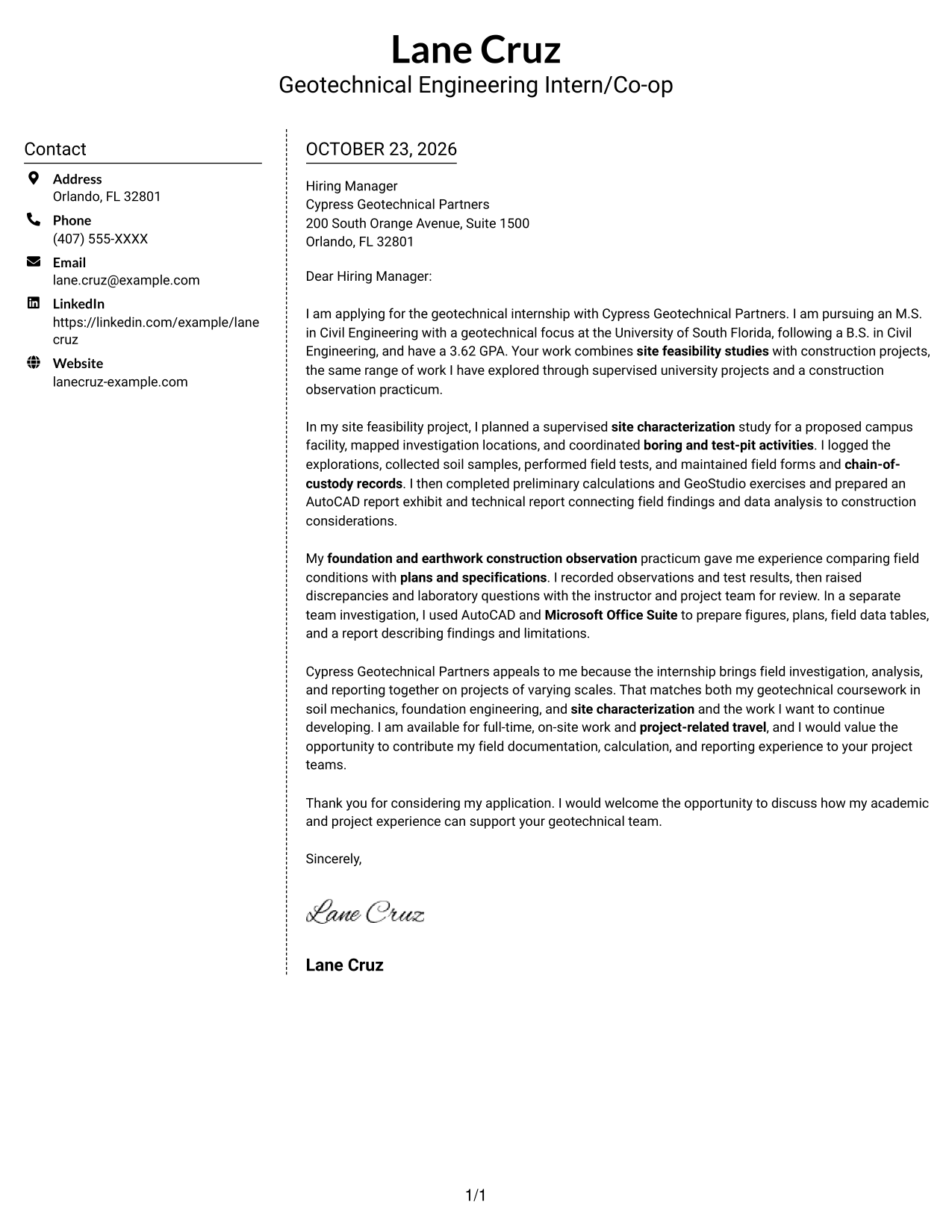
Why This Format Works
- The sidebar separates sender details from the letter's persuasive content.
- One continuous body keeps the opening, supporting points, and close together.
- A photo-free presentation suits readers who prefer written content without a portrait.
Best For
- Contact details in a sidebar
- Continuous letter paragraphs
- Photo-free applications
- Separate sender and message areas
- Text-focused correspondence
#6 Modern Icon Format Cover Letter Example
This two-column format places contact details in a sidebar, where icons act as contact cues rather than labels for the letter's ideas.
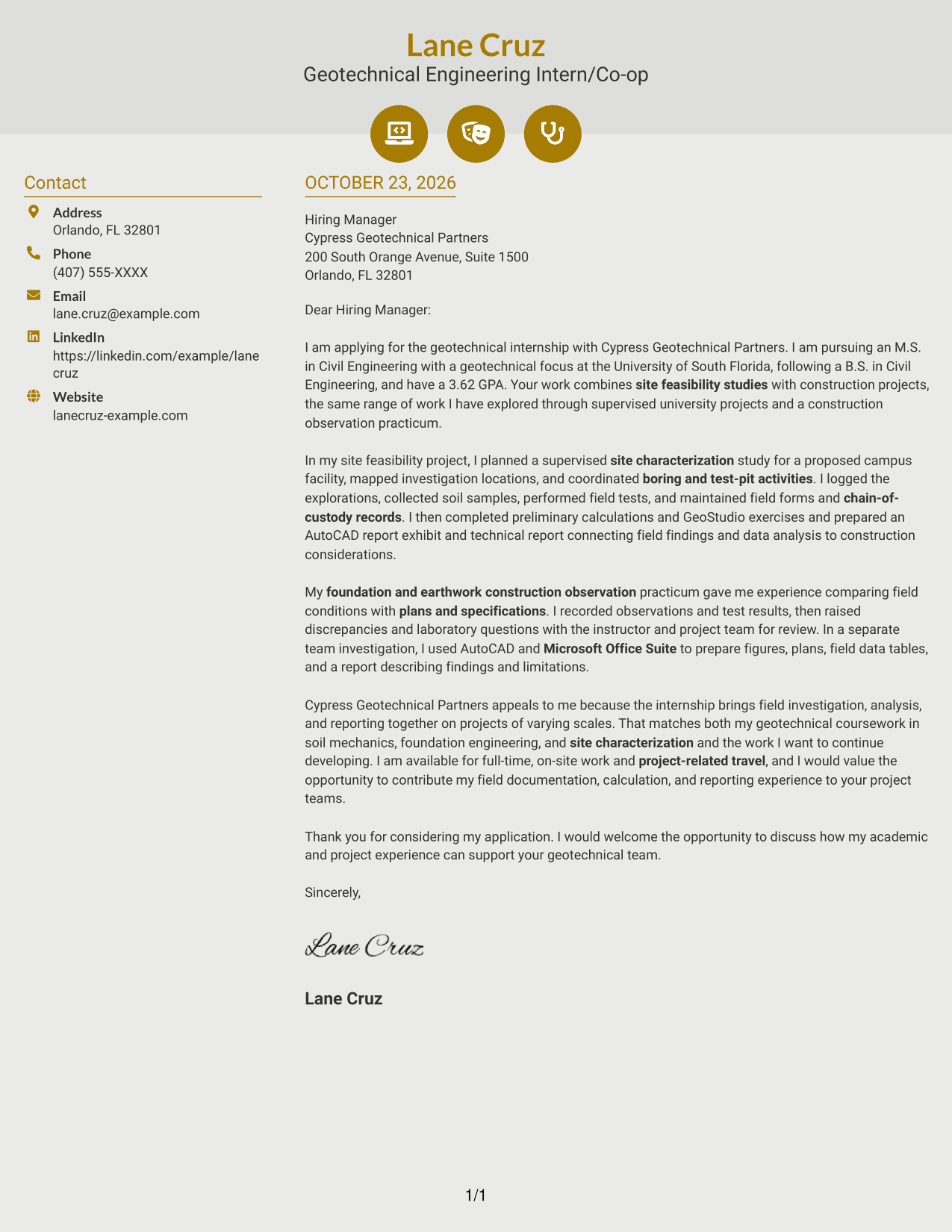
Why This Format Works
- Contact cues help readers identify sender details in the sidebar.
- The letter remains a single continuous body, without argument-stage headings.
- Decorative icons stay with contact details rather than implying stages in the argument.
Best For
- Icon-marked contact details
- Two-column letter layouts
- One continuous letter body
- A clear distinction between contacts and message
- Photo-free document presentation
#7 Creative Two Tone Format Cover Letter Example
A contact sidebar and a single continuous letter body form the two-column structure, keeping contact information distinct from the written message.
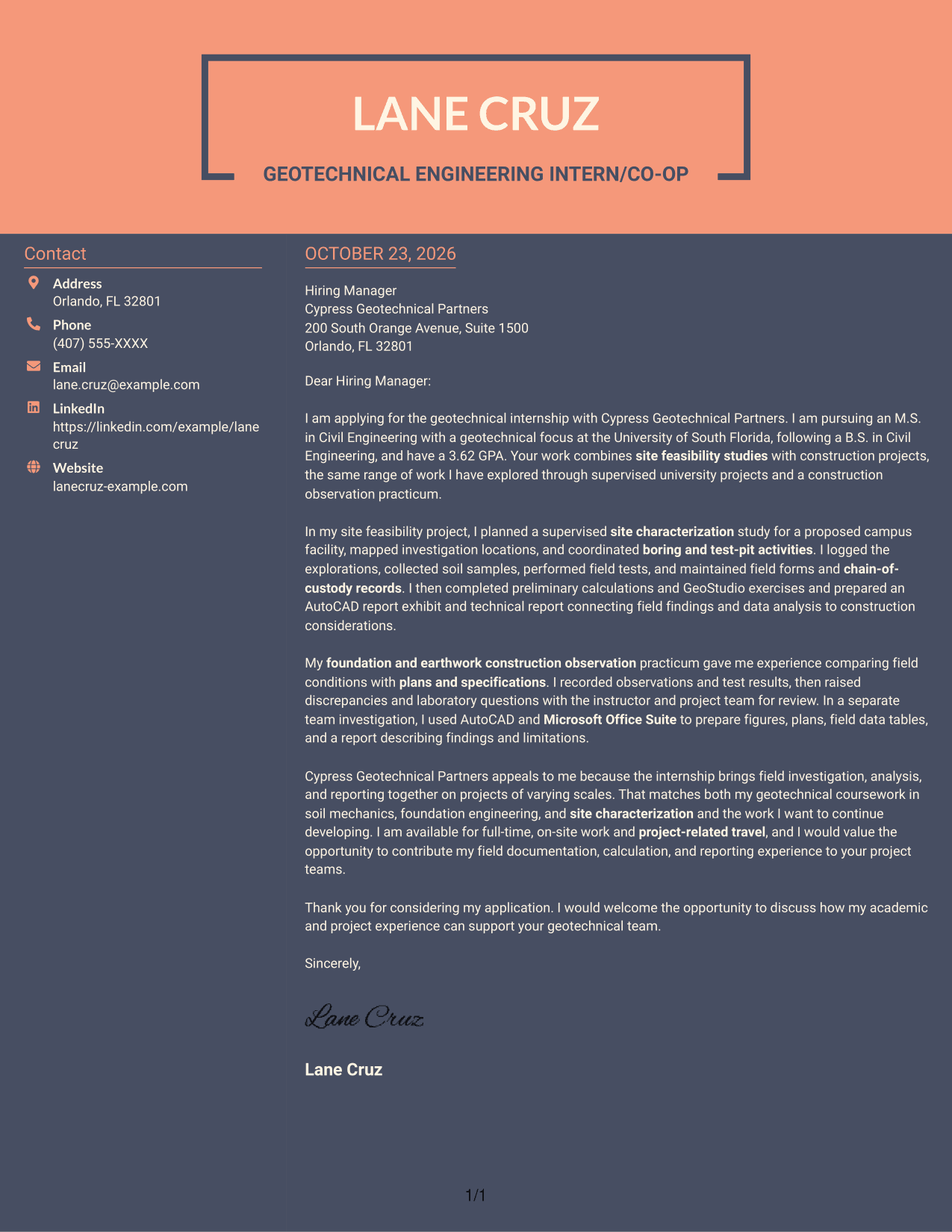
Why This Format Works
- The sidebar gives sender contact details a separate place beside the letter.
- One uninterrupted text column keeps the letter's paragraphs in a natural sequence.
- The photo-free layout keeps the page centered on written correspondence.
Best For
- Sidebar-based contact details
- A continuous letter body
- Photo-free written applications
- Distinct contact and message areas
- Readers who prefer a set paragraph order
See Also
- 7 Geotechnical Engineering Intern/Co-op Resume Templates with Example
- 33 Chemical Engineering Co-op Resume Templates with Example 2026 (ATS-Optimized)
- 33 Civil Engineering Co-op Resume Templates with Example 2026 (ATS-Optimized)
- 33 Civil/Structural Engineering Co-op Student Resume Templates with Example 2026
- 33 Electrical Engineering Co-op Resume Templates with Example 2026 (ATS-Optimized)
- 33 Electrical Engineering Intern/Co-op Resume Templates with Example 2026 (ATS-Optimized)
- 7 Engineering Co-Op Resume Templates with Example
- 7 Industrial Engineering Co-op Resume Templates with Example
- 30+ Chemical Engineering Co-op Cover Letter Templates with Example 2026
- 30+ Civil Engineering Co-op Cover Letter Templates with Example 2026
Frequently Asked Questions
What should a Geotechnical Engineering Intern/Co-op cover letter emphasize?
Connect your interest in the role to relevant geotechnical study and experience. Explain how field investigations, construction observations, calculations, or technical reporting have prepared you to contribute, using only examples that reflect your background.
How can I describe supervised field experience?
State what you did, such as logging borings or test pits, collecting samples, performing field tests, or keeping field records. Make clear that the work was supervised when that applies.
Should I mention software and technical tools?
Include tools that relate to your actual experience and the position. For example, a letter may explain how AutoCAD supported report figures or how introductory GeoStudio exercises supported analysis, if those details are accurate for you.
How should I show interest in an employer?
Refer to a specific part of the employer’s work that genuinely interests you, such as the mix of site feasibility studies and construction projects. Then connect that interest to the work you hope to contribute to and develop.
Can I compare the cover letter examples before editing?
Use the PNG image previews to compare how the letter is presented, then open an example in the editor to view or customize it.




