
US English


7 Hurricane Relief Call Center Representative Resume Templates with Example
By Ria · Last Updated On October 27, 2026
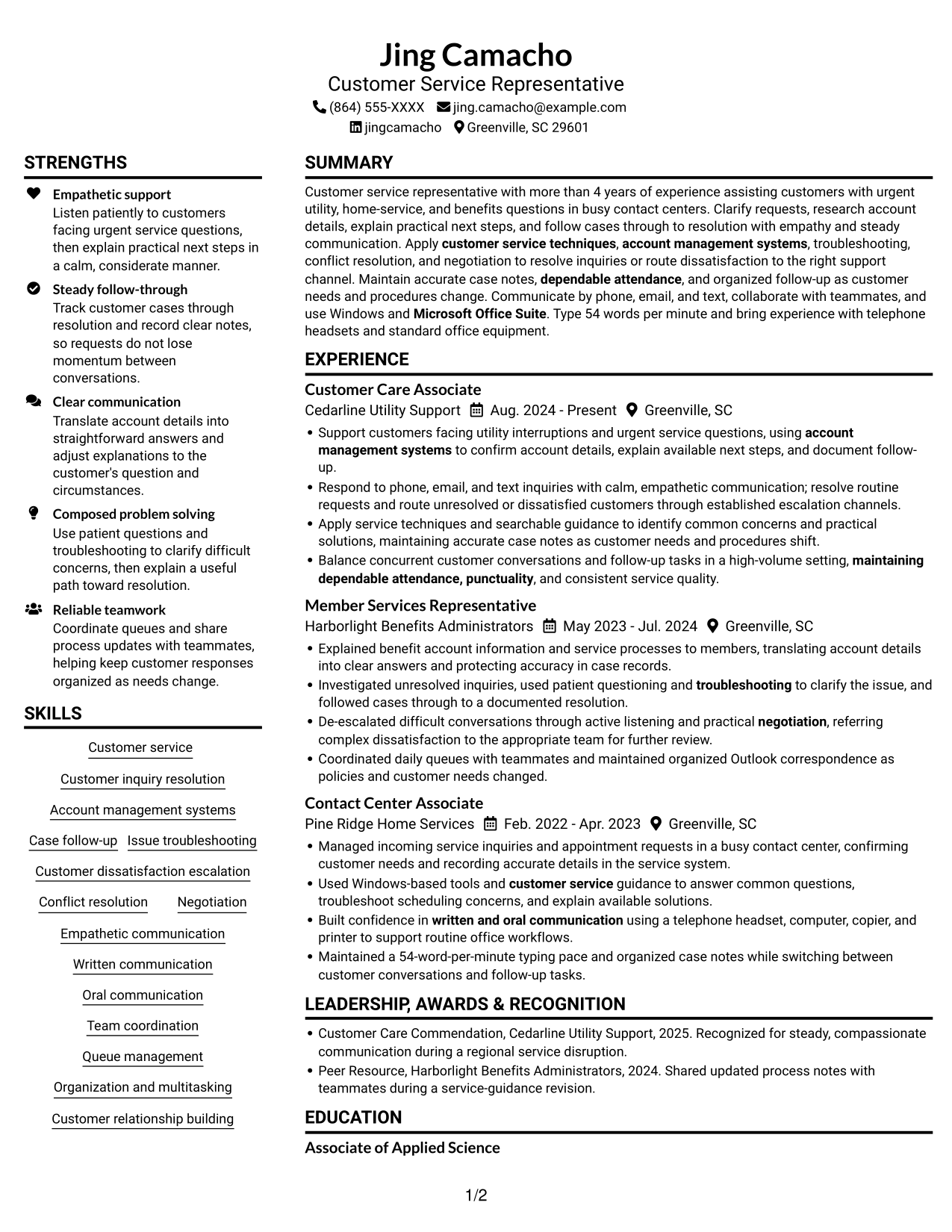
Resume example — page 1

This practical guide shows you how to build a Hurricane Relief Call Center Representative resume that is clear, focused, and easy to review. You will learn how to organize relevant customer support evidence and choose a format that presents it well.

A strong resume for this role highlights calm customer service during urgent situations, clear written and oral communication, careful case notes, and steady follow-up. Include relevant experience with account management systems, troubleshooting, escalation, Microsoft Office Suite, and Windows when supported by your background.

The resume example is presented in 7 layouts, so you can compare the image previews and open an example in the editor. The guidance also explains how to use role-related keywords and describe service work with clear, specific bullet points.

What Makes a Great Hurricane Relief Call Center Representative Resume in 2026

A strong resume puts customer support experience, troubleshooting, and reliable follow-up where readers can find them quickly. Use clear headings and short bullet points to make each section easy to scan.

Match your wording to the role with accurate terms such as customer service techniques, account management systems, case follow-up, and escalation. Add specific details, such as a verified typing speed or a documented service recognition, when they apply.

Note: Resume examples are for educational purposes only. Use only information that accurately reflects your experience and qualifications. References to real organizations do not imply affiliation or endorsement.

#1 Plain Two Column Format Resume Example

Choose the Plain Two Column Format when you want reviewers to scan experience and supporting details in two clear areas.
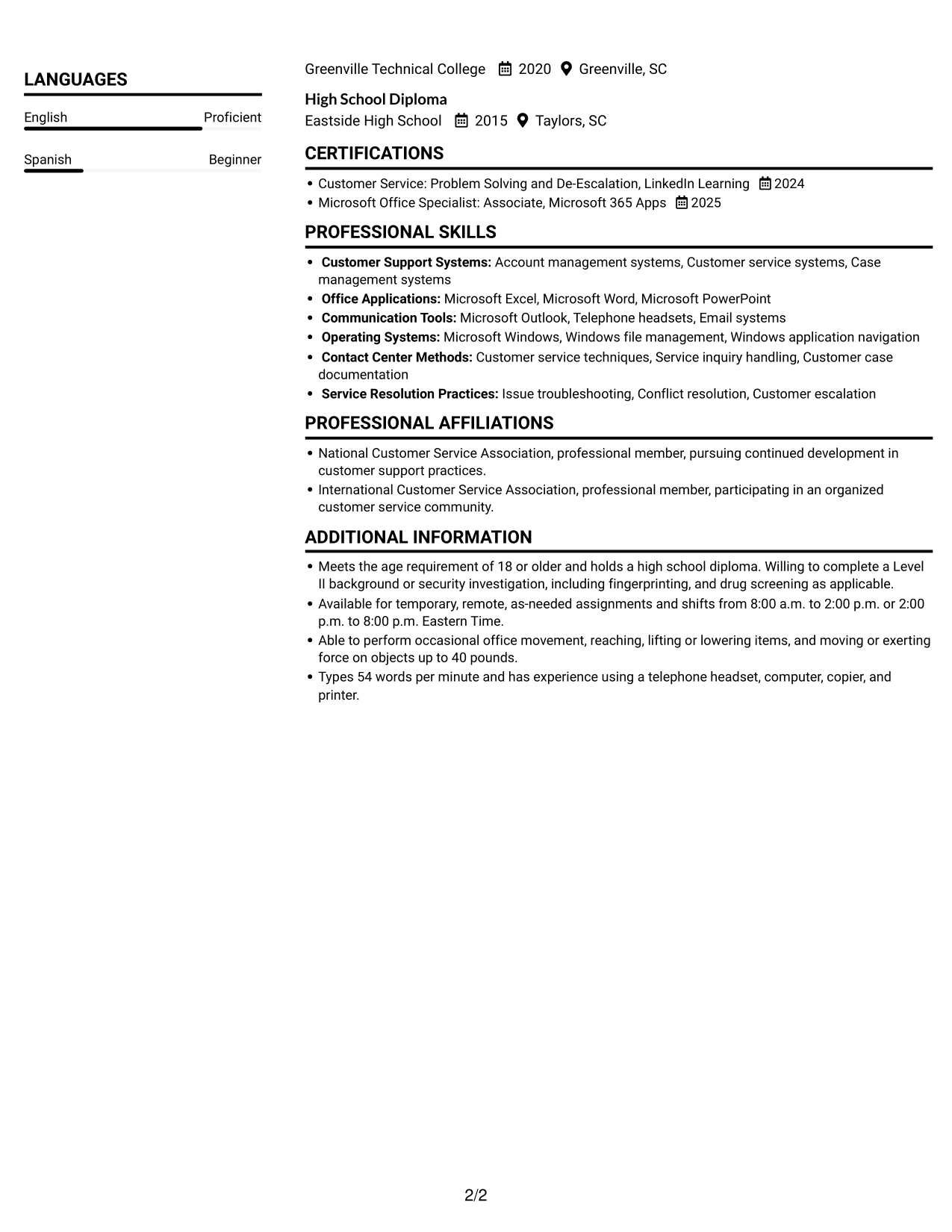
 
Resume example — page 1   Resume example — page 2

Resume Snapshot

  • More than 4 years supporting customers in high-volume contact centers
  • Experience with urgent utility, home-service, and benefits inquiries
  • 54 words per minute, with phone, email, and text support
  • Associate of Applied Science and High School Diploma

Why This Format Works

  • Two-column reading gives reviewers a clear way to scan resume sections.
  • Career history and supporting information remain easy to compare during review.
  • Skills and education can each retain a visible place in the organized resume.

Best For

  • Two-column reading preference
  • Several resume sections to scan
  • Experience with supporting details
  • Quick access to education and credentials
  • A concise route through career history

Resume Keywords

  • Customer Service
  • Listen patiently to customers facing urgent service questions, then explain practical next steps in a calm, considerate manner.
  • customer service techniques
  • Account management systems
  • Customer inquiry resolution
  • Investigated unresolved inquiries, used patient questioning and troubleshooting to clarify the issue
  • Case follow-up
  • Customer dissatisfaction escalation
  • written and oral communication
  • empathy
  • Listen patiently to customers
  • Respond to phone, email, and text inquiries
  • follow cases through to resolution with empathy and steady communication
  • De-escalated difficult conversations through active listening and practical negotiation
  • Organization
See all keywords
 

#2 Simple One Column Format Resume Example

If a familiar reading path matters, the Simple One Column Format keeps every resume section moving from top to bottom.
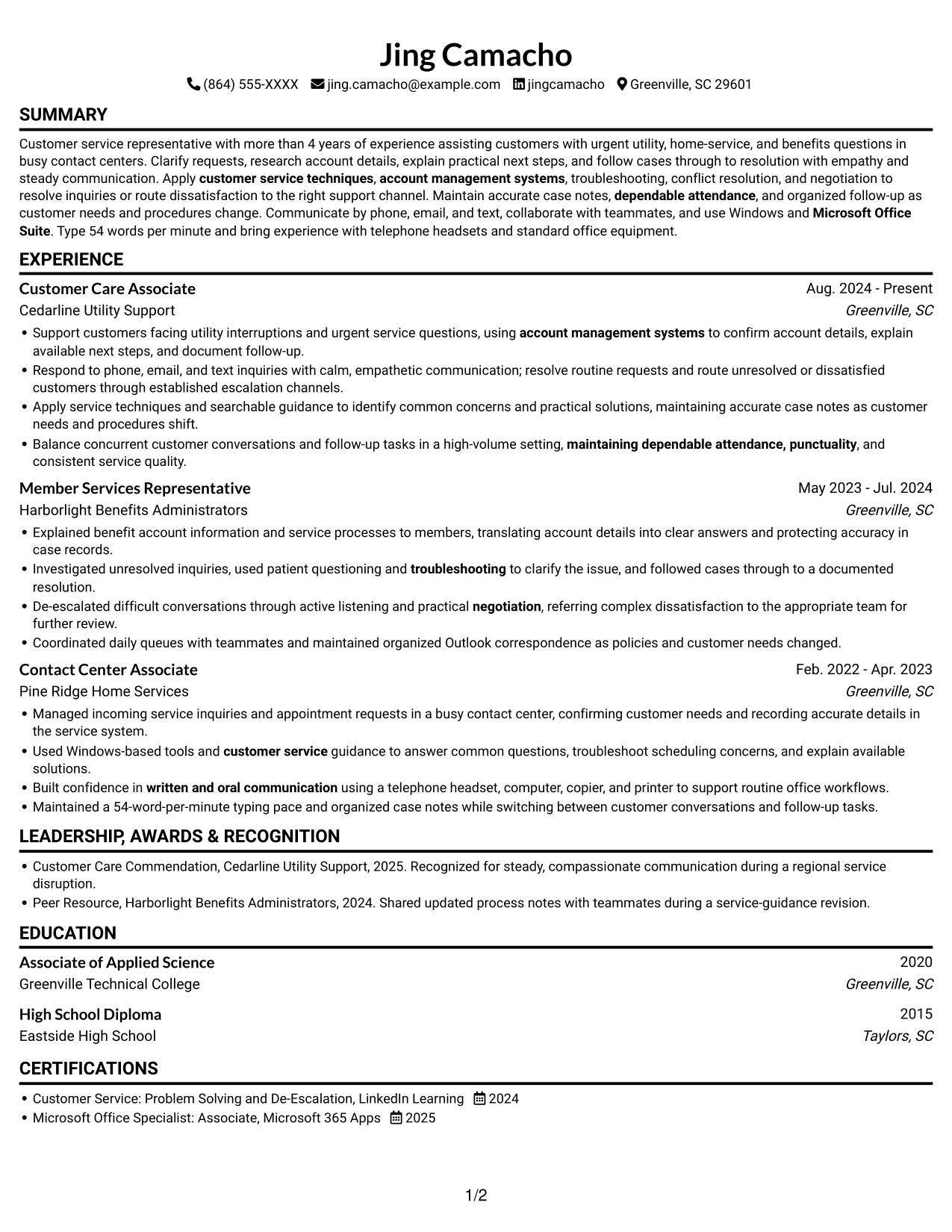
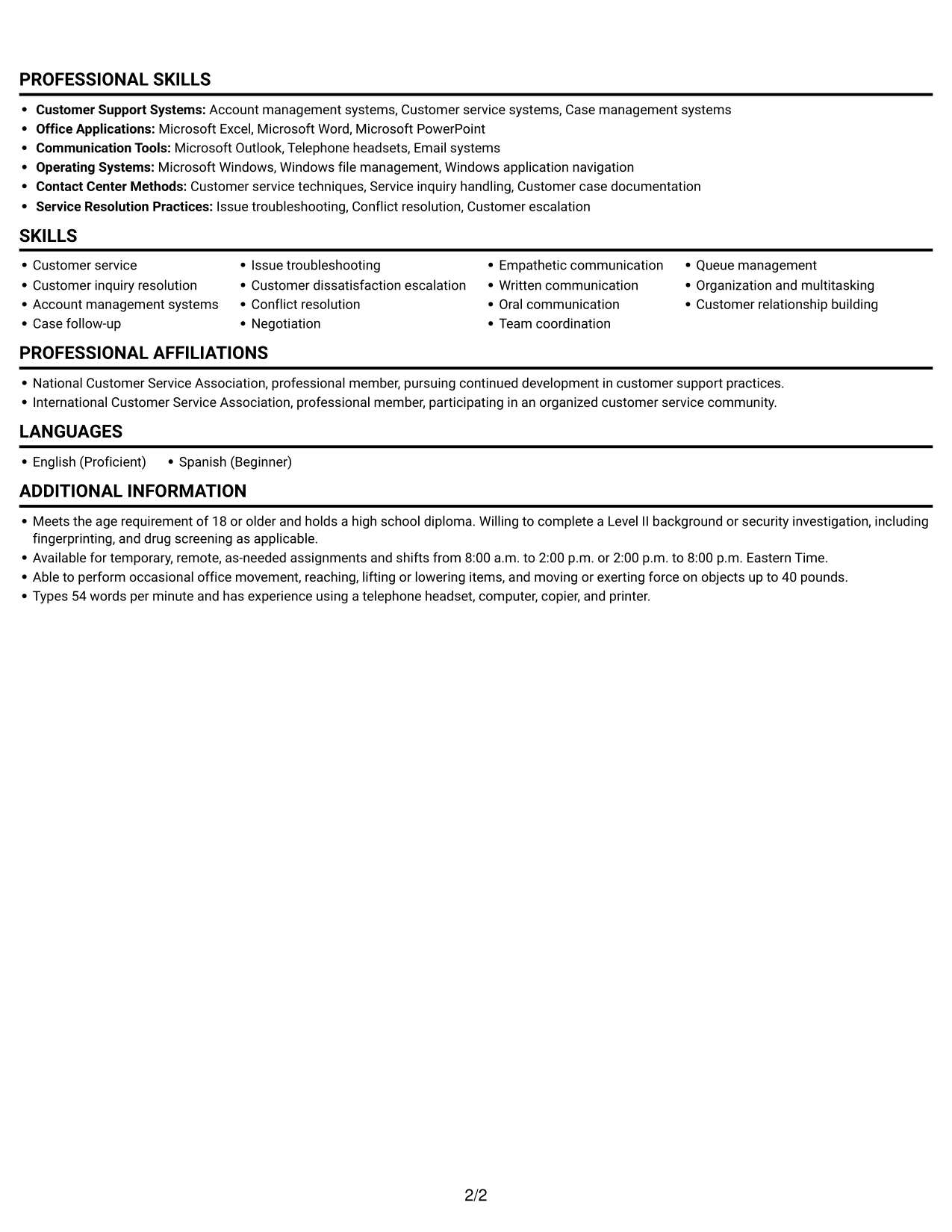
 
Resume example — page 1   Resume example — page 2

Why This Format Works

  • A single text column offers ATS software a straightforward route through resume sections.
  • Chronological work entries help reviewers follow career progression from role to role.
  • Skills, education, and credentials remain within one continuous section order.

Best For

  • Single-column reading preference
  • Top-to-bottom resume review
  • Chronological work histories
  • ATS text-parsing workflows
  • Sections in a familiar order
 

#3 Clean Two Column Sidebar Format Resume Example

The Clean Two Column Sidebar Format gives resume content a two-column structure, useful when reviewers need to move among distinct sections.
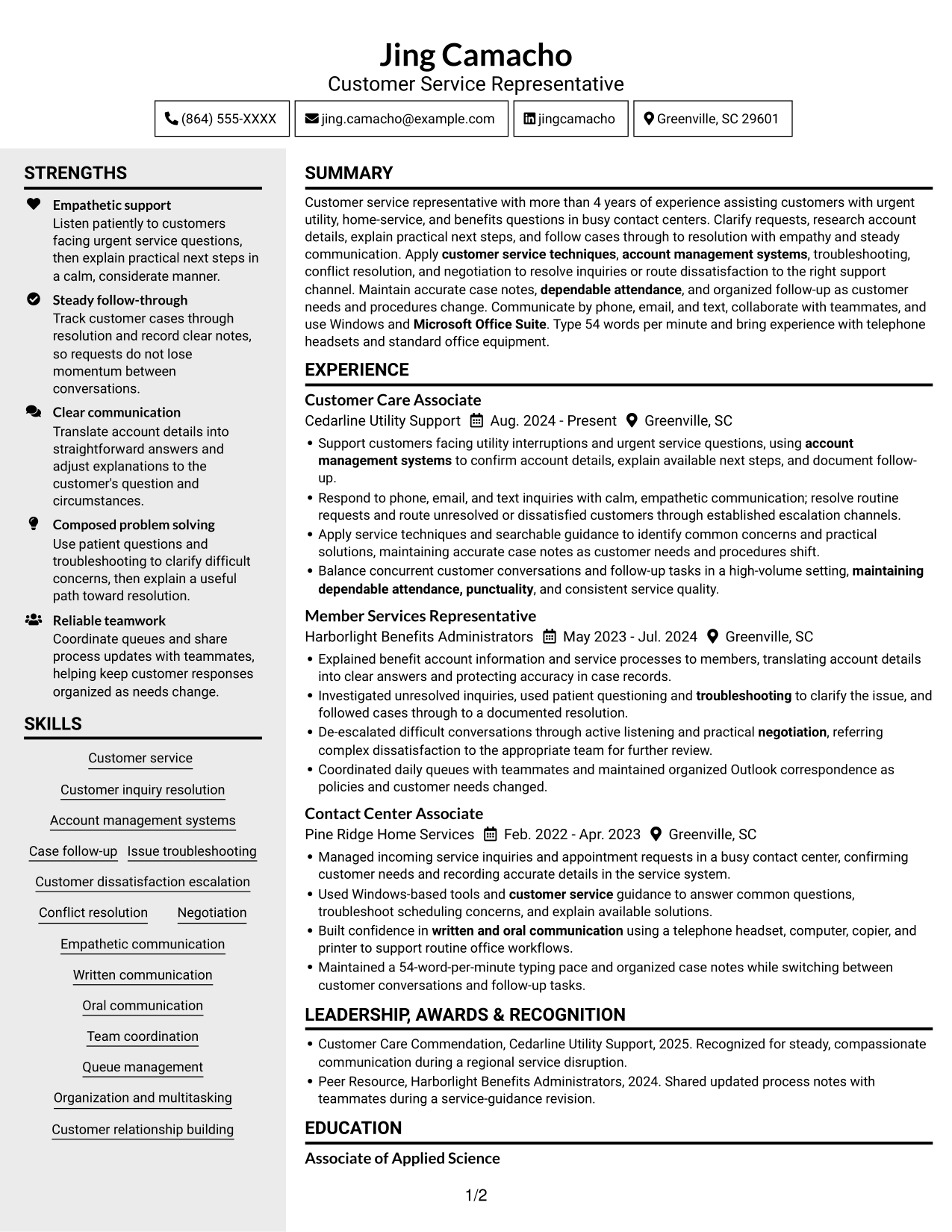
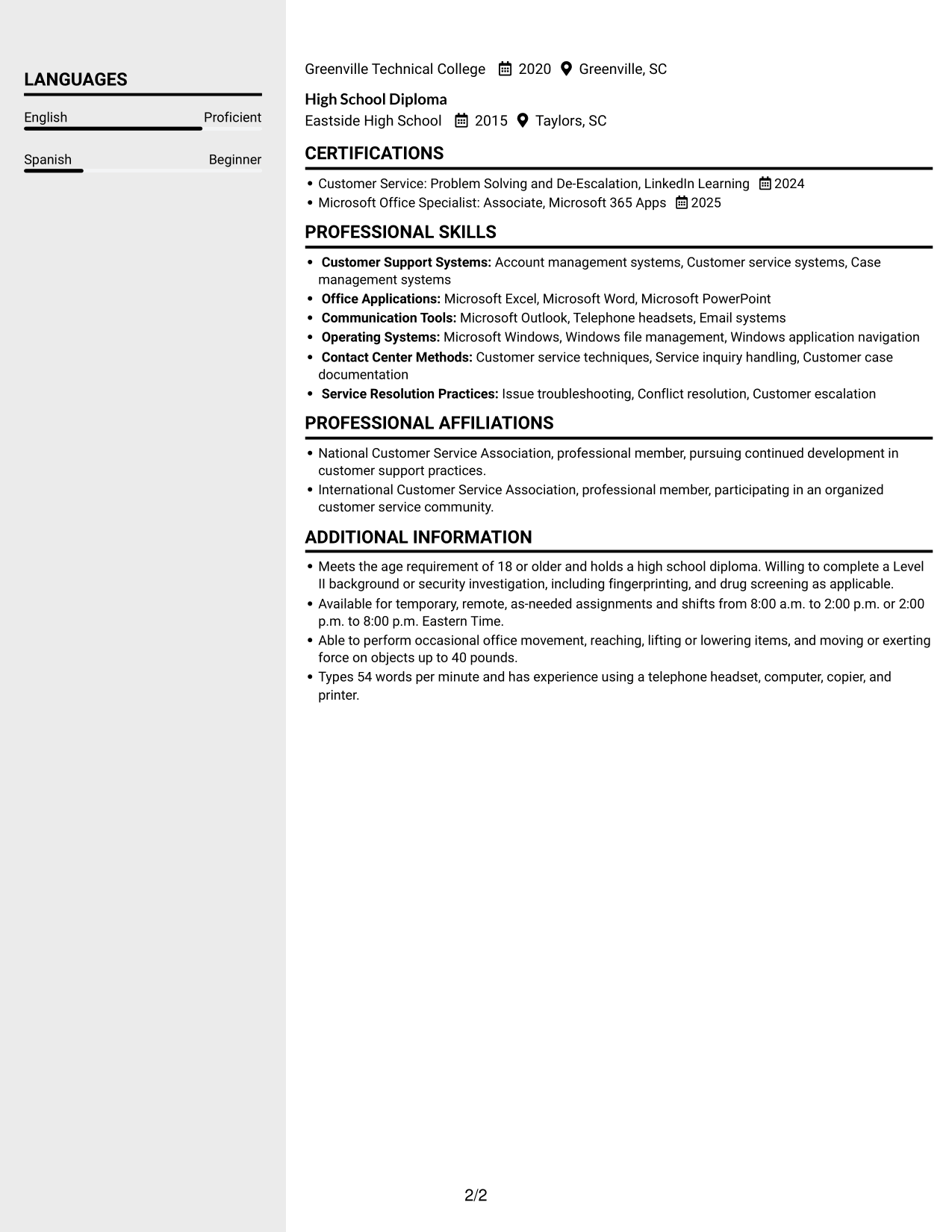
 
Resume example — page 1   Resume example — page 2

Why This Format Works

  • Two columns help reviewers move between work history and supporting resume sections.
  • Section separation makes education and credentials easier to locate during a scan.
  • Career entries stay readable without placing every category in one text stream.

Best For

  • Sidebar-style two-column reading
  • Multiple resume categories
  • Separate review of history and credentials
  • A clear route among sections
  • Supporting details beside career history
 

#4 Two Column Format Resume Example

For a direct comparison of resume sections, the Two Column Format offers a two-column reading arrangement.
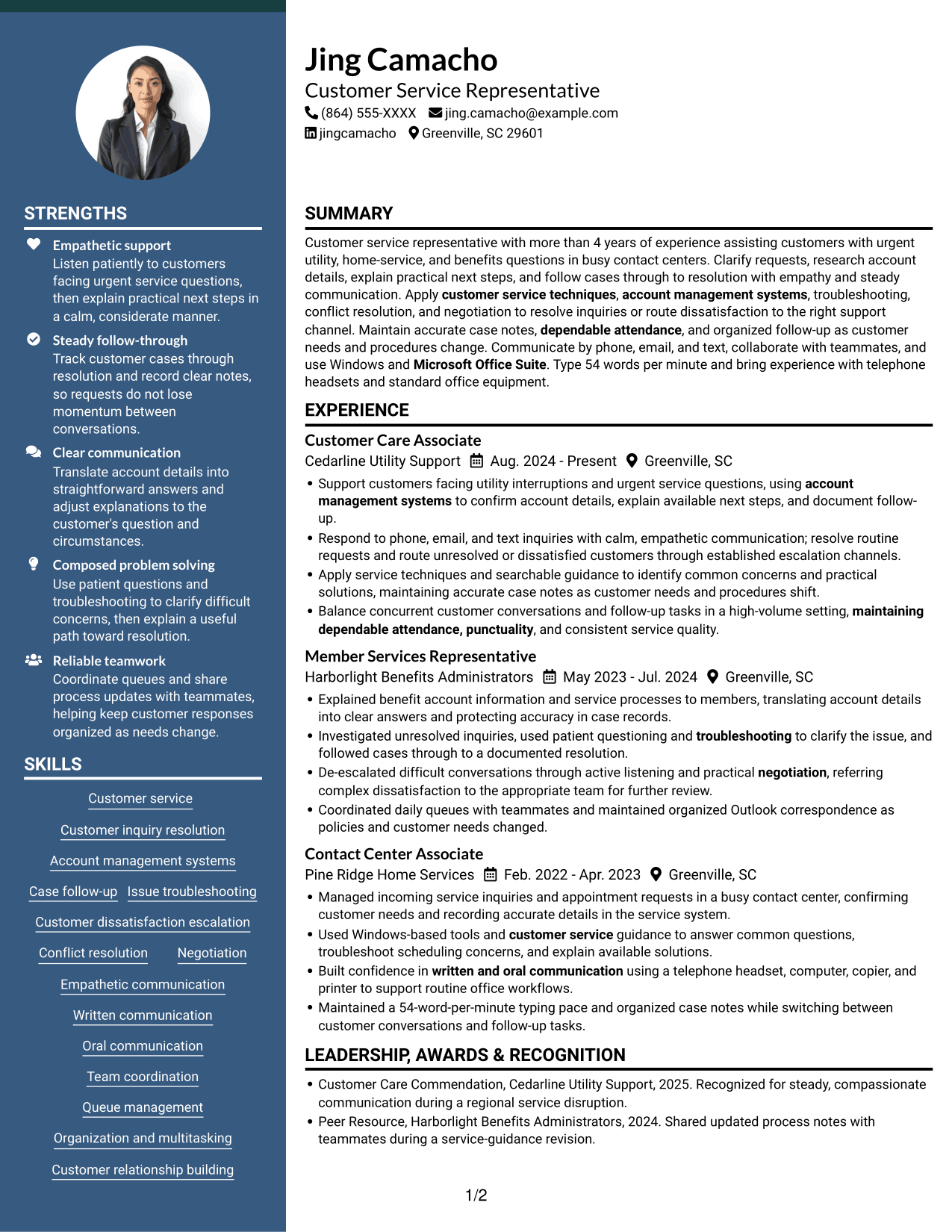
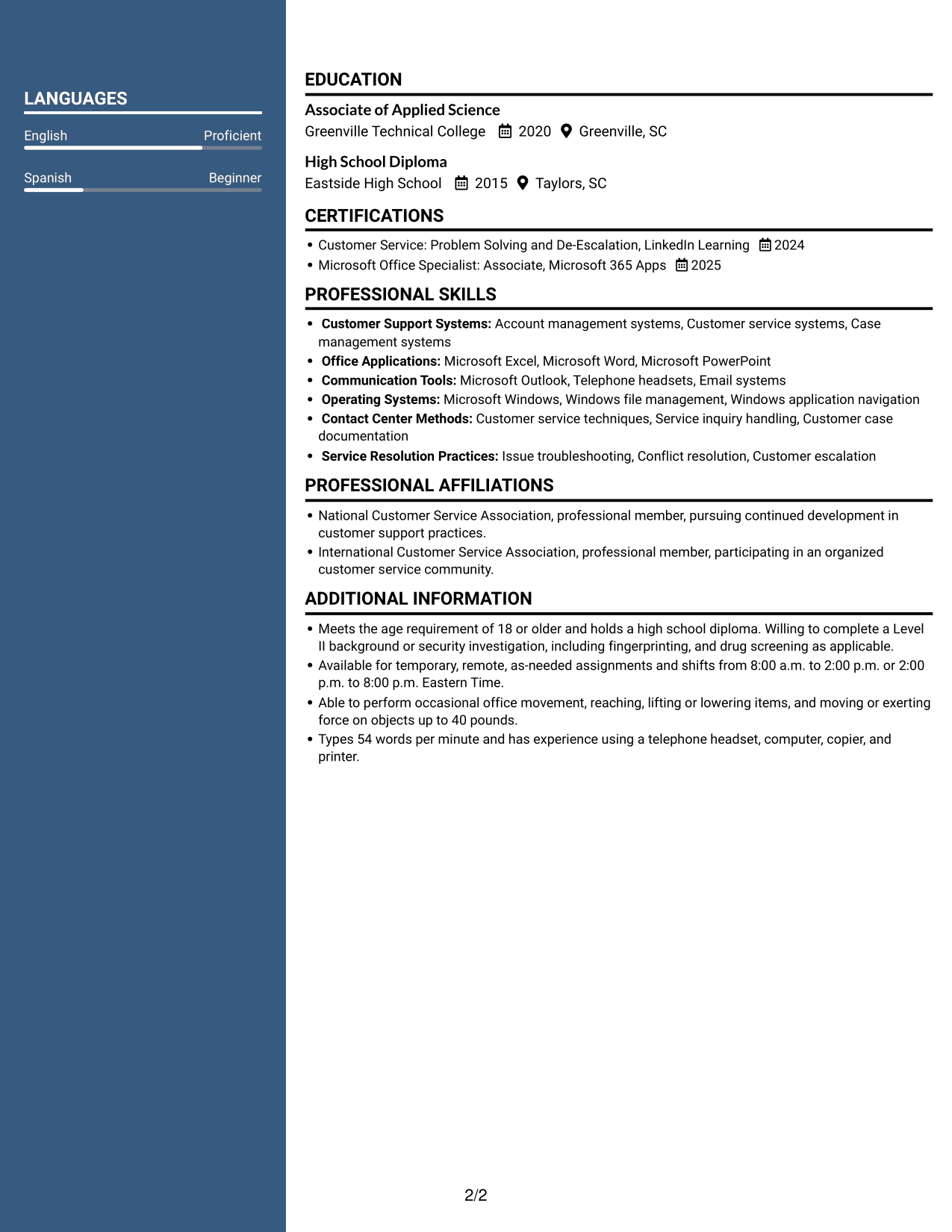
 
Resume example — page 1   Resume example — page 2

Why This Format Works

  • Two-column reading offers a direct way to scan experience and supporting categories.
  • Clear sections help reviewers check career progression without losing sight of education.
  • Skills and credentials remain accessible within the same resume structure.

Best For

  • Two-column resume navigation
  • Distinct career and education sections
  • Review across several resume categories
  • Skills within a multi-section resume
  • A structured scan of qualifications


#5 Photo Header Two Column Format Resume Example

The Photo Header Two Column Format pairs a header portrait with a two-column body, a practical choice when a personal image is preferred.
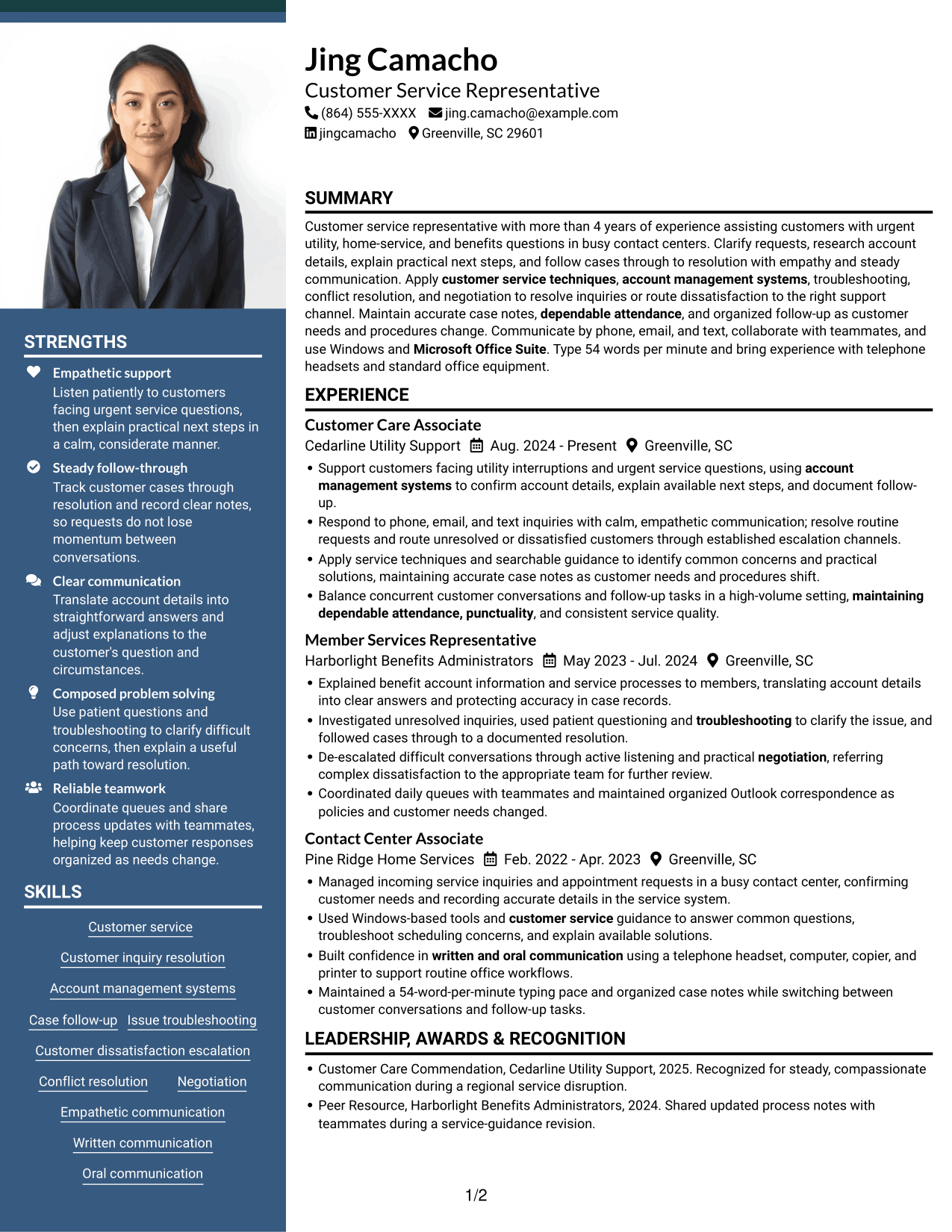
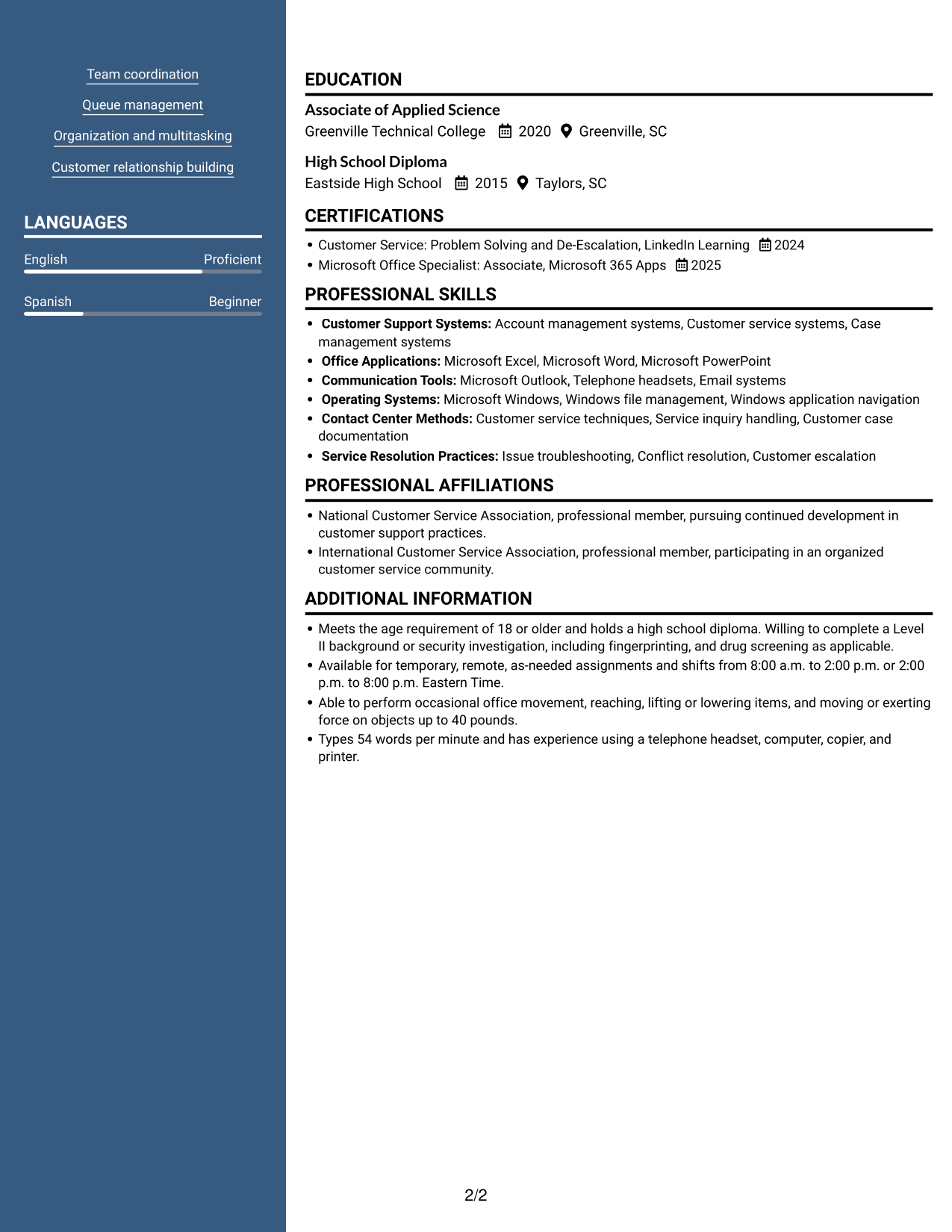
 
Resume example — page 1   Resume example — page 2

Why This Format Works

  • The header portrait offers a personal visual reference without changing the two-column body.
  • Career history and supporting sections can be scanned as separate content areas.
  • Education and credentials remain within the same organized resume for quick review.

Best For

  • Resume with a header portrait
  • Two-column resume review
  • Career and education sections
  • Several supporting qualifications
  • Detailed work histories
 

#6 Colored Two Column Format Resume Example

The Colored Two Column Format places resume information in two columns, helping reviewers scan career details and supporting sections efficiently.
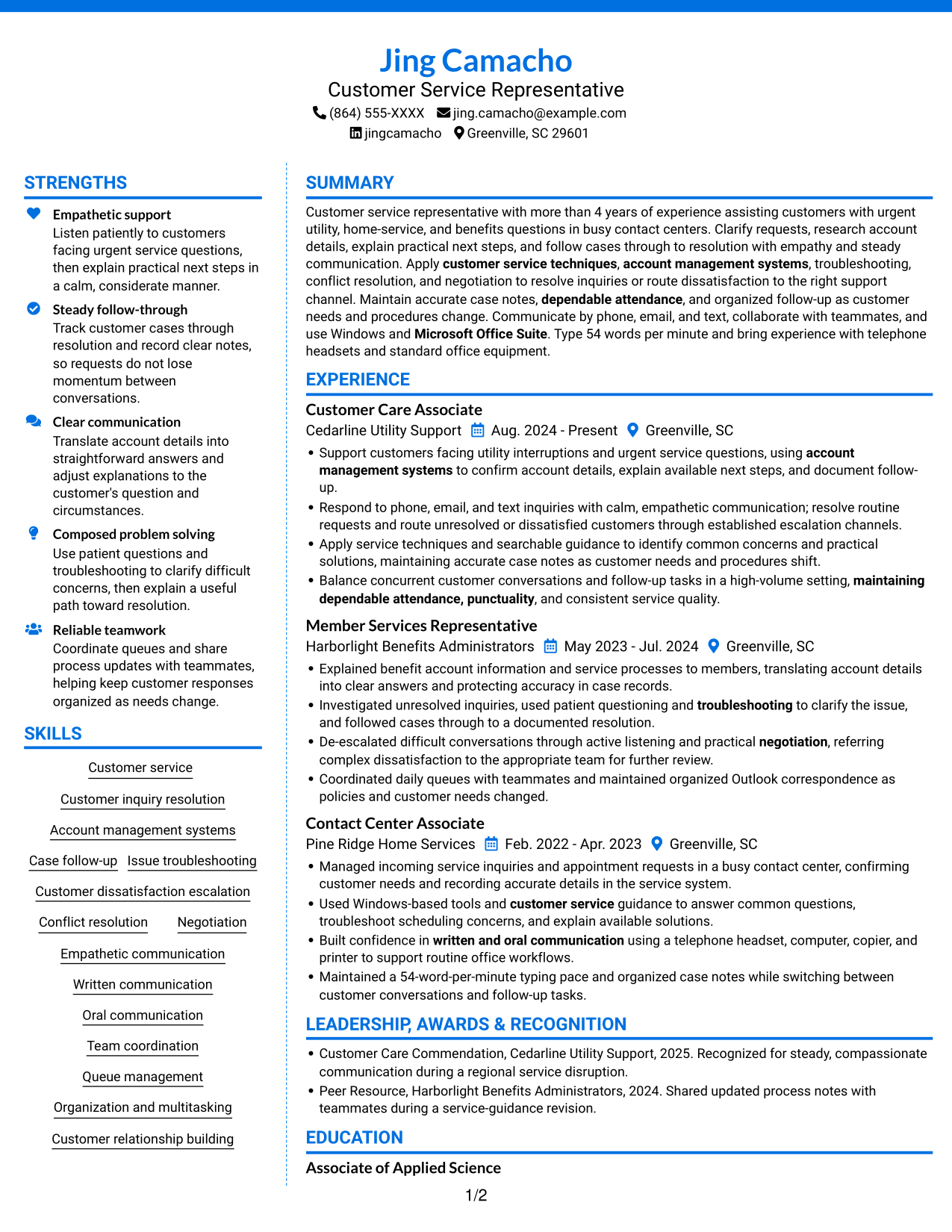
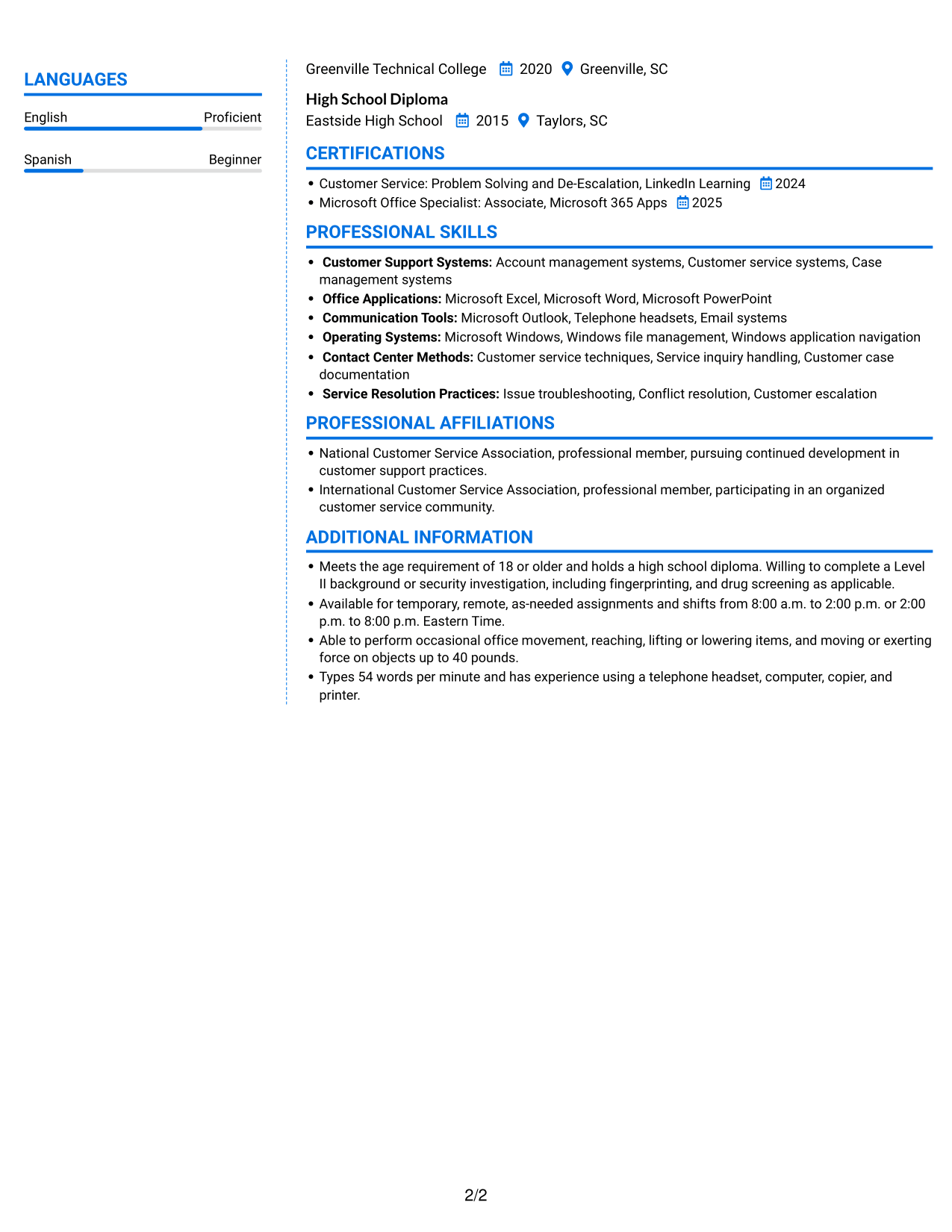
 
Resume example — page 1   Resume example — page 2

Why This Format Works

  • Two-column organization gives reviewers a clear route among resume sections.
  • Career history can be scanned without treating supporting details as a long text list.
  • Skills and education remain easy to find within the document structure.

Best For

  • Two-column document organization
  • Section-to-section resume review
  • Work history with supporting details
  • Skills and education in one document
  • Clear separation of resume categories
 

#7 Stylish Two Column Designer Format Resume Example

Choose the Stylish Two Column Designer Format for its two-column organization when a resume has several sections to navigate.
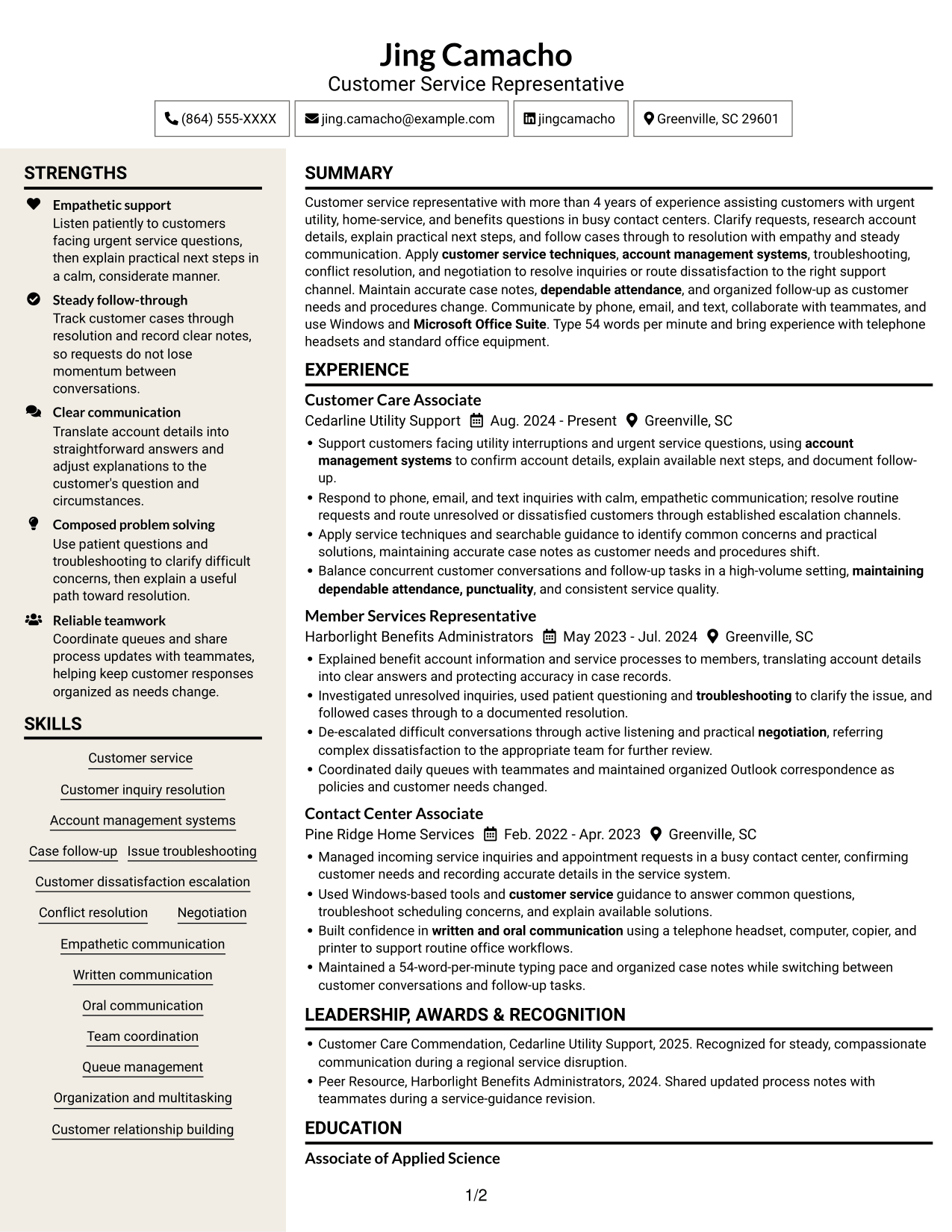
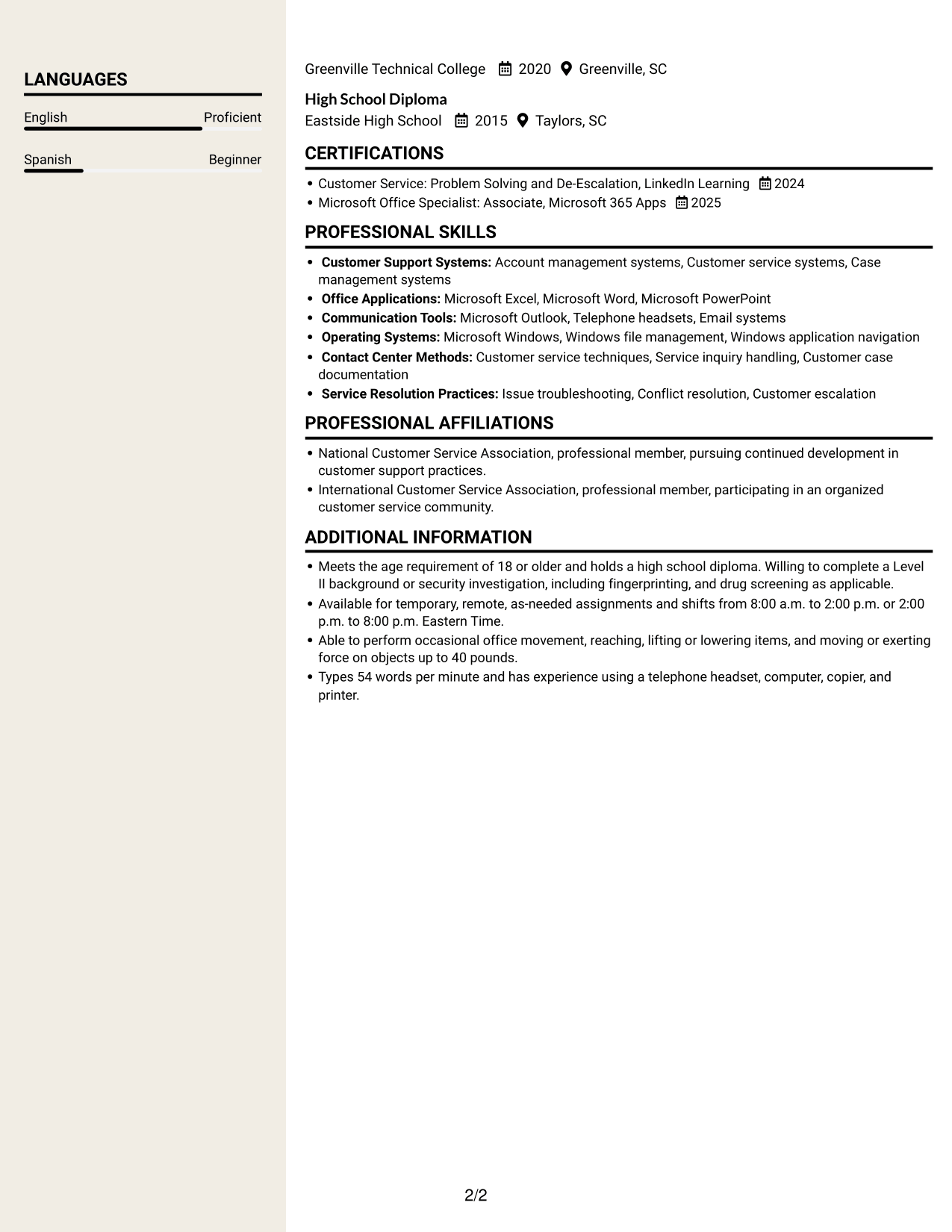
 
Resume example — page 1   Resume example — page 2

Why This Format Works

  • Two-column reading keeps experience and supporting resume details accessible during review.
  • A clear section structure helps reviewers locate education and credentials.
  • Skills remain part of the same clearly arranged resume, not a separate document.

Best For

  • Two-column section navigation
  • Several details to review
  • Career history plus supporting qualifications
  • Skills and credentials in a resume
  • Parallel content areas


Why Build Your Hurricane Relief Call Center Representative Resume with ResumeInMinutes

ResumeInMinutes helps you organize your customer support experience, skills, tools, and credentials into a resume that is easy to read. Compare the image previews, then open an example in the editor to customize its content and layout.

  • Resume layouts to compare
  • Clear section structure
  • Role-related keyword guidance
  • Organized skills and experience
  • Image previews of resume examples
  • Resume customization in the editor

Focus each section on how you handle service questions, clarify concerns, document cases, and follow through. Clear evidence helps readers understand the value you can bring to hurricane relief customer support.


See Also


Frequently Asked Questions

Are these Hurricane Relief Call Center Representative resume templates ATS-friendly?

The layouts use clear headings and readable sections that support quick review. Include relevant terms such as customer service, account management systems, troubleshooting, case follow-up, and escalation when they match your experience.

Do the examples show different resumes or different layouts?

They show one Hurricane Relief Call Center Representative resume example in different layouts. Use the image previews to compare the designs, then open an example in the editor.

What should a Hurricane Relief Call Center Representative resume include?

Include a focused summary, relevant experience, skills, education, and certifications. Highlight customer support, clear communication, troubleshooting, accurate case notes, and follow-up. Add tools and measurable details only when they reflect your background.

Which resume style works well for this role?

A simple layout with clear section headings and easy-to-read bullet points works well for customer support experience. Choose a design that gives your skills and relevant accomplishments room to stand out without making the page hard to scan.

How can I show that I am ready for hurricane relief customer support?

Use examples that show calm service during urgent requests, thoughtful troubleshooting, accurate documentation, and dependable follow-through. If relevant, include experience supporting customers by phone, email, and text.

Should I include a photo on my resume?

For U.S. applications, a resume without a photo is usually the safer choice. Use the space for relevant skills, experience, and other details that support your application.


ATS Score 95%

How we calculate this score

  • Keywords: 60% of the total. AI extracts keywords from your job description. If you do not provide one, a standard job description for the title matching your resume is used. This is not a match to a specific vacancy.
  • Text-based resume: 20%. The text resume assessed here receives 100 for this part.
  • Resume quality: 20%. We start at 100 and subtract points for issues found by our resume checks, down to a minimum of zero.
  • Keyword coverage = round(100 × confirmed matches ÷ total keywords). Exact matches and supported equivalents verified by AI receive full credit; unsupported keywords receive none. Live text checks use the saved equivalents and do not request a new AI review. Without keywords, no overall ATS score is available.
  • Final score = 60% of keyword coverage + 20% of the text score + 20% of the quality score, rounded to a whole number. Without keywords, no overall ATS score is available.

What this score means

Our scores are estimates, not employer ratings. They may contain errors and do not guarantee accurate parsing, a ranking, an interview, or a job. Check your document against the employer’s requirements. You are responsible for relying on this score.

Terms and Conditions

Score weights: Keywords 60% · Text based resume 20% · Resume quality 20%

Keyword coverage: 32 of 35 (91%) · Resume quality: 100%

Resume quality 100% · Weight 20% · Issues (0)

Details
  • ✓Name present: Jing Camacho
  • ✓Email format: jing.camacho@example.com
  • ✓Phone format: (864) 555-XXXX
  • ✓Experience 1: Job title: Customer Care Associate
  • ✓Experience 1: Company name: Cedarline Utility Support
  • ✓Experience 1: Work location: Greenville, SC
  • ✓Experience 1: Employment dates: Aug. 2024 - Present
  • ✓Experience 1: Description or achievements: Present
  • ✓Experience 2: Job title: Member Services Representative
  • ✓Experience 2: Company name: Harborlight Benefits Administrators
  • ✓Experience 2: Work location: Greenville, SC
  • ✓Experience 2: Employment dates: May 2023 - Jul. 2024
  • ✓Experience 2: Description or achievements: Present
  • ✓Experience 3: Job title: Contact Center Associate
  • ✓Experience 3: Company name: Pine Ridge Home Services
  • ✓Experience 3: Work location: Greenville, SC
  • ✓Experience 3: Employment dates: Feb. 2022 - Apr. 2023
  • ✓Experience 3: Description or achievements: Present
  • ✓No placeholder fields
  • ✓No repeated achievement bullets
  • ✓No empty bullets

No issues found by the current checks.

Text Based Resume 100% · Weight 20%

Parsed text
Jing Camacho
Customer Service Representative
(864) 555-XXXX
jingcamacho
jing.camacho@example.com
Greenville, SC 29601
STRENGTHS
Empathetic support
Listen patiently to customers facing urgent service questions, then explain practical next steps in a calm, considerate manner.
Steady follow-through
Track customer cases through resolution and record clear notes, so requests do not lose momentum between conversations.
Clear communication
Translate account details into straightforward answers and adjust explanations to the customer's question and circumstances.
Composed problem solving
Use patient questions and troubleshooting to clarify difficult concerns, then explain a useful path toward resolution.
Reliable teamwork
Coordinate queues and share process updates with teammates, helping keep customer responses organized as needs change.
SUMMARY
Customer service representative with more than 4 years of experience assisting customers with urgent utility, home-service, and benefits questions in busy contact centers. Clarify requests, research account details, explain practical next steps, and follow cases through to resolution with empathy and steady communication. Apply customer service techniques, account management systems, troubleshooting, conflict resolution, and negotiation to resolve inquiries or route dissatisfaction to the right support channel. Maintain accurate case notes, dependable attendance, and organized follow-up as customer needs and procedures change. Communicate by phone, email, and text, collaborate with teammates, and use Windows and Microsoft Office Suite. Type 54 words per minute and bring experience with telephone headsets and standard office equipment.
EXPERIENCE
Customer Care Associate
Cedarline Utility Support
Aug. 2024 - Present
Greenville, SC
Support customers facing utility interruptions and urgent service questions, using account management systems to confirm account details, explain available next steps, and document follow-up.
Respond to phone, email, and text inquiries with calm, empathetic communication; resolve routine requests and route unresolved or dissatisfied customers through established escalation channels.
Apply service techniques and searchable guidance to identify common concerns and practical solutions, maintaining accurate case notes as customer needs and procedures shift.
Balance concurrent customer conversations and follow-up tasks in a high-volume setting, maintaining dependable attendance, punctuality, and consistent service quality.
Member Services Representative
Harborlight Benefits Administrators
May 2023 - Jul. 2024
Greenville, SC
Explained benefit account information and service processes to members, translating account details into clear answers and protecting accuracy in case records.
Investigated unresolved inquiries, used patient questioning and troubleshooting to clarify the issue, and followed cases through to a documented resolution.
De-escalated difficult conversations through active listening and practical negotiation, referring complex dissatisfaction to the appropriate team for further review.
Coordinated daily queues with teammates and maintained organized Outlook correspondence as policies and customer needs changed.
Contact Center Associate
Pine Ridge Home Services
Feb. 2022 - Apr. 2023
Greenville, SC
Managed incoming service inquiries and appointment requests in a busy contact center, confirming customer needs and recording accurate details in the service system.
Used Windows-based tools and customer service guidance to answer common questions, troubleshoot scheduling concerns, and explain available solutions.
Built confidence in written and oral communication using a telephone headset, computer, copier, and printer to support routine office workflows.
Maintained a 54-word-per-minute typing pace and organized case notes while switching between customer conversations and follow-up tasks.
SKILLS
Case follow-up
Customer dissatisfaction escalation
Conflict resolution
Account management systems
Customer relationship building
Organization and multitasking
Customer inquiry resolution
Empathetic communication
Written communication
Oral communication
Queue management
Team coordination
Customer service
Issue troubleshooting
Negotiation
LEADERSHIP, AWARDS & RECOGNITION
Customer Care Commendation, Cedarline Utility Support, 2025. Recognized for steady, compassionate communication during a regional service disruption.
Peer Resource, Harborlight Benefits Administrators, 2024. Shared updated process notes with teammates during a service-guidance revision.
EDUCATION
Associate of Applied Science
Greenville Technical College
2020
Greenville, SC
High School Diploma
Eastside High School
2015
Taylors, SC
LANGUAGES
English
Proficient
Spanish
Beginner
CERTIFICATIONS
Customer Service: Problem Solving and De-Escalation, LinkedIn Learning
2024
Microsoft Office Specialist: Associate, Microsoft 365 Apps
2025
PROFESSIONAL SKILLS
Customer Support Systems: Account management systems, Customer service systems, Case management systems
Office Applications: Microsoft Excel, Microsoft Word, Microsoft PowerPoint
Communication Tools: Microsoft Outlook, Telephone headsets, Email systems
Operating Systems: Microsoft Windows, Windows file management, Windows application navigation
Contact Center Methods: Customer service techniques, Service inquiry handling, Customer case documentation
Service Resolution Practices: Issue troubleshooting, Conflict resolution, Customer escalation
PROFESSIONAL AFFILIATIONS
National Customer Service Association, professional member, pursuing continued development in customer support practices.
International Customer Service Association, professional member, participating in an organized customer service community.
ADDITIONAL INFORMATION
Meets the age requirement of 18 or older and holds a high school diploma. Willing to complete a Level II background or security investigation, including fingerprinting, and drug screening as applicable.
Available for temporary, remote, as-needed assignments and shifts from 8:00 a.m. to 2:00 p.m. or 2:00 p.m. to 8:00 p.m. Eastern Time.
Able to perform occasional office movement, reaching, lifting or lowering items, and moving or exerting force on objects up to 40 pounds.
Types 54 words per minute and has experience using a telephone headset, computer, copier, and printer.

Matched keywords (32)

  • Customer Service
  • Listen patiently to customers facing urgent service questions, then explain practical next steps in a calm, considerate manner.Original keyword in JD: Compassionate customer support
  • customer service techniques
  • Account management systems
  • Customer inquiry resolution
  • Investigated unresolved inquiries, used patient questioning and troubleshooting to clarify the issueOriginal keyword in JD: Customer concern troubleshooting
  • Case follow-up
  • Customer dissatisfaction escalation
  • written and oral communication
  • empathy
  • Listen patiently to customersOriginal keyword in JD: Patience
  • Respond to phone, email, and text inquiriesOriginal keyword in JD: Responsiveness
  • follow cases through to resolution with empathy and steady communicationOriginal keyword in JD: Conscientious follow-through
  • De-escalated difficult conversations through active listening and practical negotiationOriginal keyword in JD: Interpersonal skills
  • Organization
  • teamwork
  • Microsoft Office Suite
  • Microsoft Windows, Windows file management, Windows application navigationOriginal keyword in JD: Windows operating systems
  • Types 54 words per minuteOriginal keyword in JD: Typing speed of at least 20 WPM
  • maintaining dependable attendance, punctualityOriginal keyword in JD: Reliability and punctuality
  • multitasking
  • Maintain accurate case notes, dependable attendance, and organized follow-up as customer needs and procedures change.Original keyword in JD: Adaptability to changing or ambiguous needs
  • problem solving
  • Conflict resolution
  • Negotiation
  • High School DiplomaOriginal keyword in JD: High school diploma OR equivalent
  • Meets the age requirement of 18 or olderOriginal keyword in JD: At least 18 years of age
  • Level II background or security investigation
  • fingerprinting
  • drug screening
  • moving or exerting force on objects up to 40 poundsOriginal keyword in JD: Ability to lift or move up to 40 pounds
  • has experience using a telephone headset, computer, copier, and printer.Original keyword in JD: Telephone headset and standard office equipment

Missing keywords (3)

  • Customer and teammate relationship building
  • Focus and self-management
  • Fast-paced environment adaptability
Disclaimer: All names, images, contact information, employment histories, achievements, security clearances, military credentials, and other qualifications shown in this content are fictional and used for illustrative purposes only. Any resemblance to actual persons, living or deceased, is purely coincidental.

Resume and cover-letter examples and recommendations in this article reflect general best practices and professional experience and are provided for guidance only. Results may vary based on role, industry, region, and hiring organization.

Content Accuracy and Verification: To the fullest extent permitted by applicable law, we do not represent or warrant that resume or cover-letter guidance, examples, recommendations, or related information are accurate, complete, current, error-free, or suitable for any particular purpose. You are responsible for independently reviewing and verifying the information before relying on it.

ATS and Cover-Letter Scores: ATS scores are estimates calculated using our own formula, informed by publicly available guidance on resume formatting and keyword matching. They are not scores issued or endorsed by an ATS provider or employer. Cover-letter scores are also our own assessments. Parsing, weighting, screening criteria, and results vary between systems, employers, job descriptions, and document formats. No score guarantees successful parsing, a particular ranking, an interview, or employment. Use scores as general guidance and independently check your documents against the employer’s requirements. To the fullest extent permitted by applicable law, we accept no liability for errors in scores or parsing, or losses arising from reliance on these assessments. Nothing in this notice excludes liability or limits consumer rights that cannot lawfully be excluded or limited.

Terms and Conditions
 
> JP 1 1
PDF Footer and Margins Setup
The margins are applied to the document, and the footer shows up in the preview and the PDF

Footer Font Settings

Are you applying for a specific job
so we can tailor your resume to it?
Are you applying for a specific job
so we can tailor your cover letter to it?

Your data stays private and is never used for training.Privacy Policy

Type your details as text to generate a personalized resume Type your details as text to generate a personalized cover letter
Website link found! Ready to create resume from:

Your data stays private and is never used for training.Privacy Policy

Drag the into the box to verify you're human.
Drop here

My Resumes

Displaying {number_of_files} files (out of {total_of_all_files} total)
Name File Type Last Modified: Description:

Rename File

Filename already exists!

Delete Files

Warning: This action is irreversible. Once you click submit, the files will be permanently deleted.

Heading text
Upload From Computer Upload
Select From Existing
LinkedIn
Drag & Drop files anywhere in this tab, or

Uploaded Files

Delete Name Last Updated Use This File
Select this to use the file for generating your resume and cover letter. Only one source—uploaded file, selected file, or LinkedIn text—can be used.

My Files

Resumes or cover letters you create will appear here. No files available yet.
Delete Name Last Updated Use This File
Select this to use the file for generating your resume and cover letter. Only one source—uploaded file, selected file, or LinkedIn text—can be used.

Add LinkedIn Profile PDF

You can download your LinkedIn profile as a PDF by opening linkedin.com in a web browser, clicking your profile photo, selecting the “More” or “Resources” button, and choosing “Save to PDF.” You can then attach the PDF using the Upload From Computer tab.

Paste Your LinkedIn Profile Text

If you have copied the LinkedIn profile text, paste it below. See how to copy your profile from LinkedIn

Select this to use the LinkedIn profile text for generating your resume and cover letter. Only one source—uploaded file, selected file, or LinkedIn text—can be used.

Try these controls

<
>


