7 Industrial Engineering Co-op Resume Templates with Example
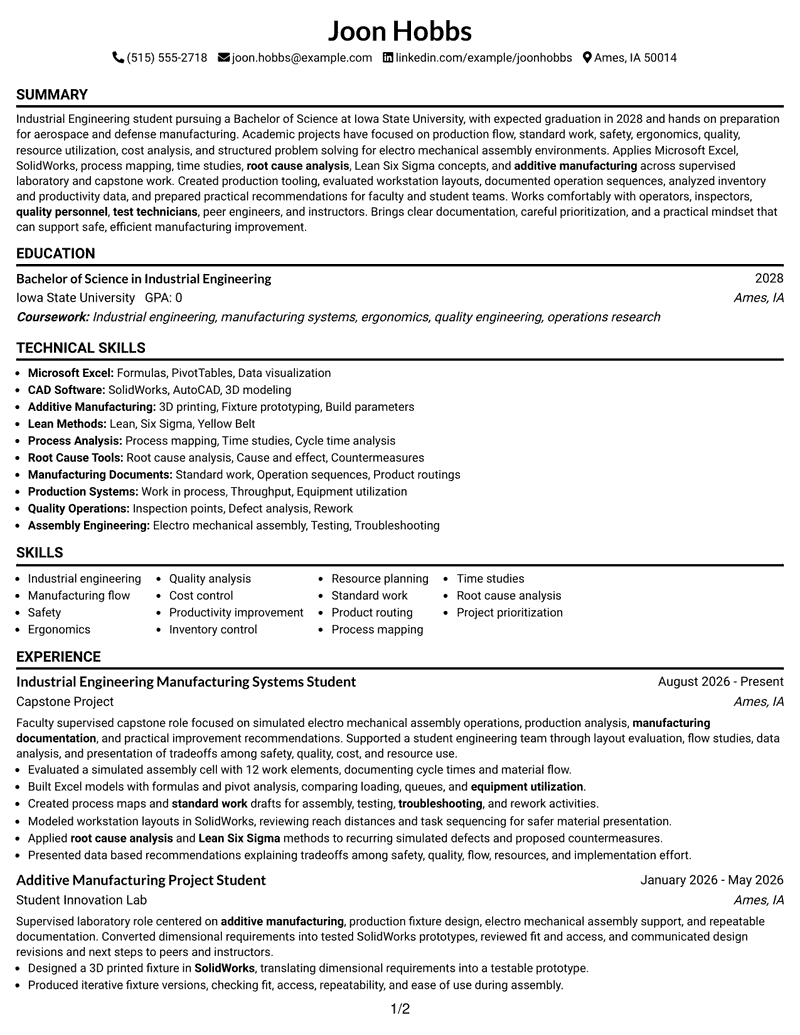
This guide shows you how to build an Industrial Engineering Co-op resume that is clear, focused, and easy to review. You will learn how to organize evidence so recruiters can quickly understand your preparation for manufacturing work.
Strong resumes for this role connect projects and experience with practical evidence in production flow, standard work, ergonomics, quality, resource use, cost analysis, and structured problem solving. Relevant tools and methods can include Microsoft Excel, SolidWorks, additive manufacturing, process mapping, time studies, root-cause analysis, and Lean Six Sigma concepts.
The same resume is presented in 7 ATS-friendly layouts so you can compare reading order, section organization, photo choices, and visual structure before selecting a format.
What Makes a Great Industrial Engineering Co-op Resume in 2026
A strong Industrial Engineering Co-op resume makes education, projects, manufacturing experience, and technical skills easy to scan. It uses concise bullets that show what you studied, built, analyzed, documented, or improved.
Match useful terms from the job posting when your background supports them, such as Excel, SolidWorks, process mapping, time studies, standard work, product routing, equipment utilization, and root-cause analysis.
The examples shown below are intentionally detailed to demonstrate a range of experiences, skills, accomplishments and relevant keywords. We prefer detailed resumes as they provide more context to the hiring managers and also help the ATS systems identify relevant qualifications and score your resume better for a match. But the length of a resume is an individual choice. If you want a one page resume, just keep the most relevant experience and information for the job. Note: Resume examples are for educational purposes only. Use only information that accurately reflects your experience and qualifications. References to real organizations do not imply affiliation or endorsement.
#1 Simple One Column Format Resume Example
A simple one-column flow gives recruiters a direct reading path through each resume section.
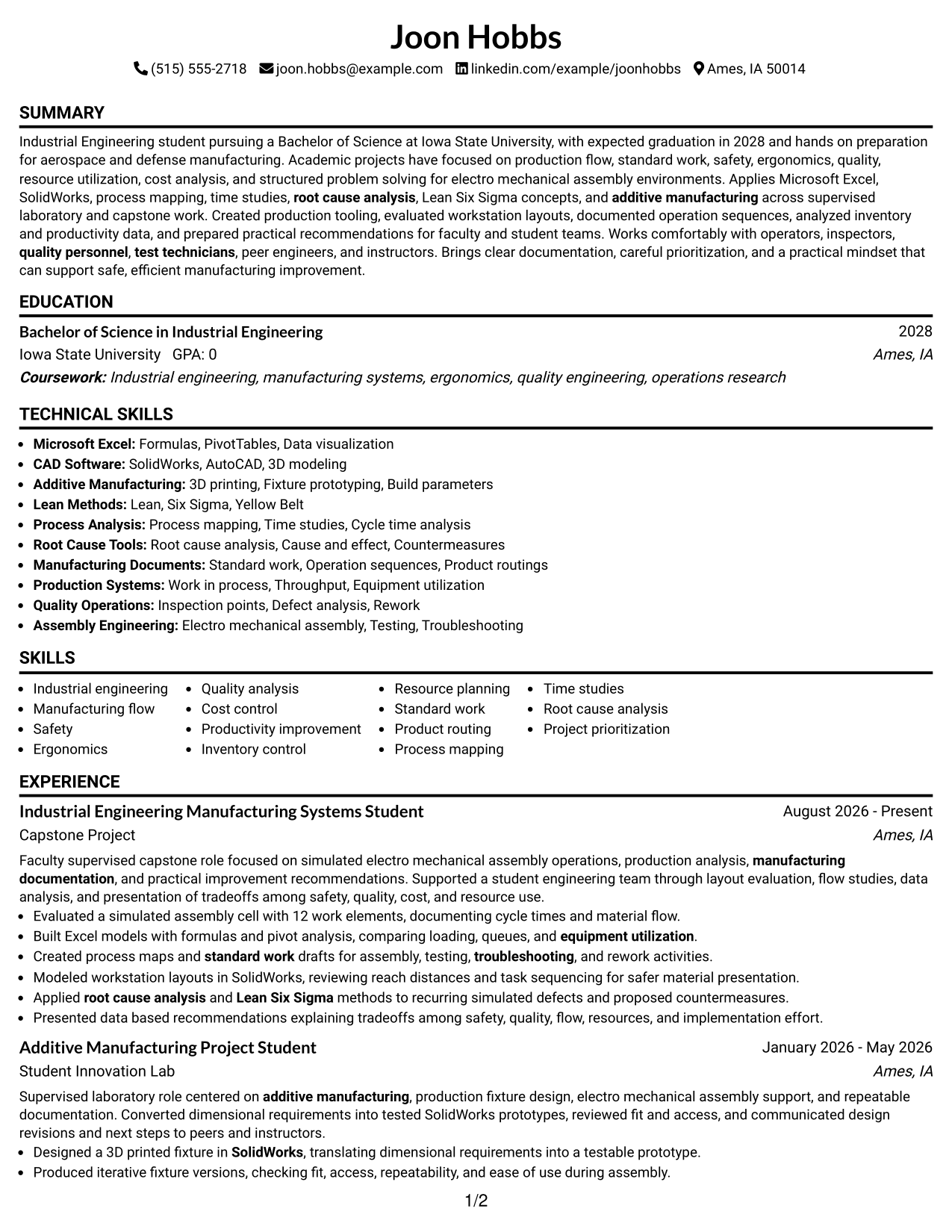
Why This Format Works
- Linear reading order keeps experience and project evidence easy to follow.
- Full-width sections give education and credentials clear space without competing columns.
- Consistent section flow helps reviewers move from skills to supporting achievements.
Best For
- Straightforward recruiter scanning
- Project-heavy student resumes
- Clear chronological reading
- Longer achievement bullets
- Traditional U.S. applications
Resume Keywords
- Industrial Engineering
- aerospace
- defense
- manufacturing
- operators
- inspectors
- quality personnel
- test technicians
- tooling
- additive manufacturing
- 3D printing
- layouts
- Testing
- Troubleshooting
- assembly
#2 Plain One Column with Shaded Labels Resume Example
Shaded section labels break up the one-column page so recruiters can locate major resume sections faster.
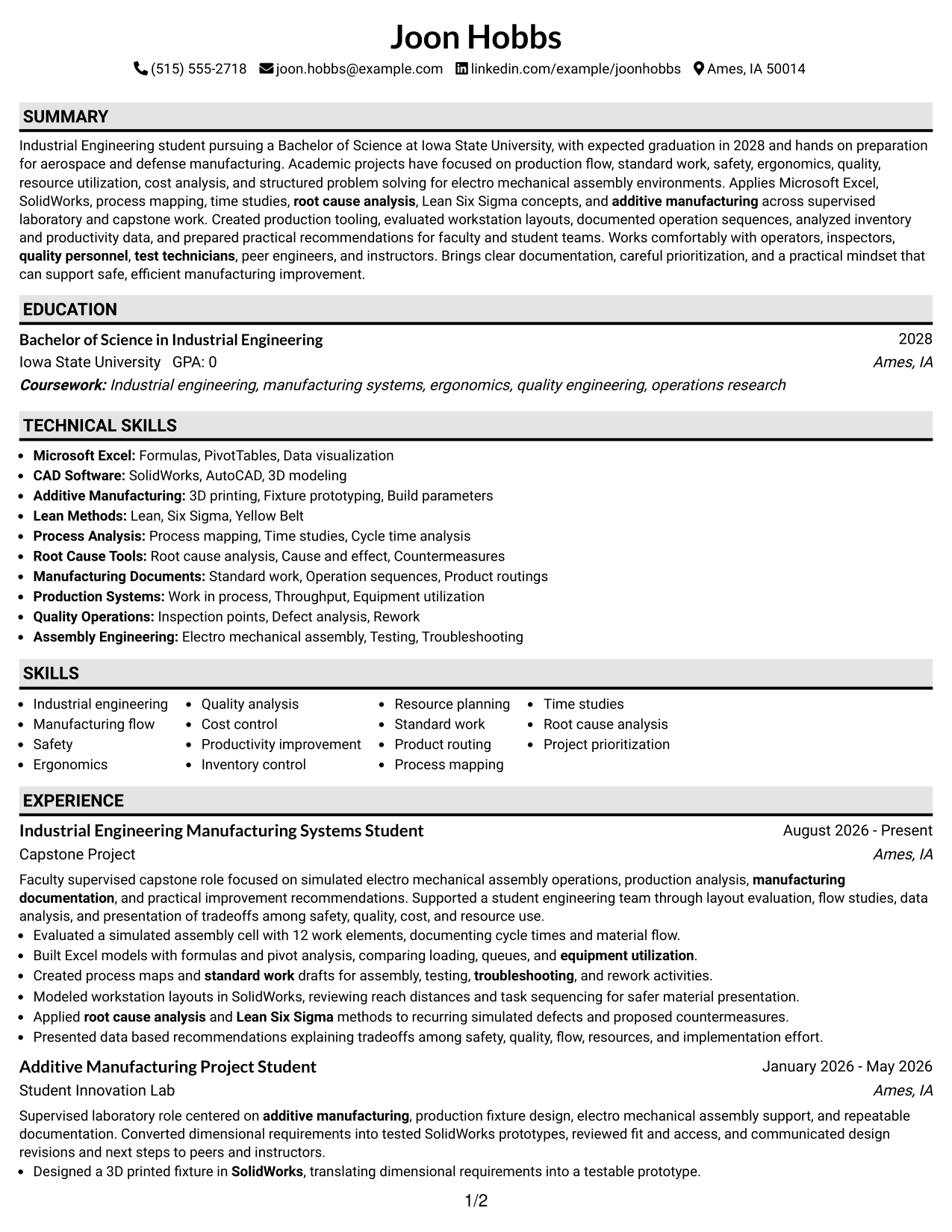
Why This Format Works
- Shaded labels create visible breaks between experience, education, skills, and credentials.
- One-column structure preserves a simple top-to-bottom review of achievements.
- Clear section boundaries help dense project material feel easier to navigate.
Best For
- Section-heavy resumes
- Fast visual navigation
- Detailed project descriptions
- Readers who prefer clear labels
- Conservative formatting with light contrast
#3 One Column Format with Photo Right Resume Example
A right-side photo adds personal identification while the one-column body keeps recruiter scanning direct.
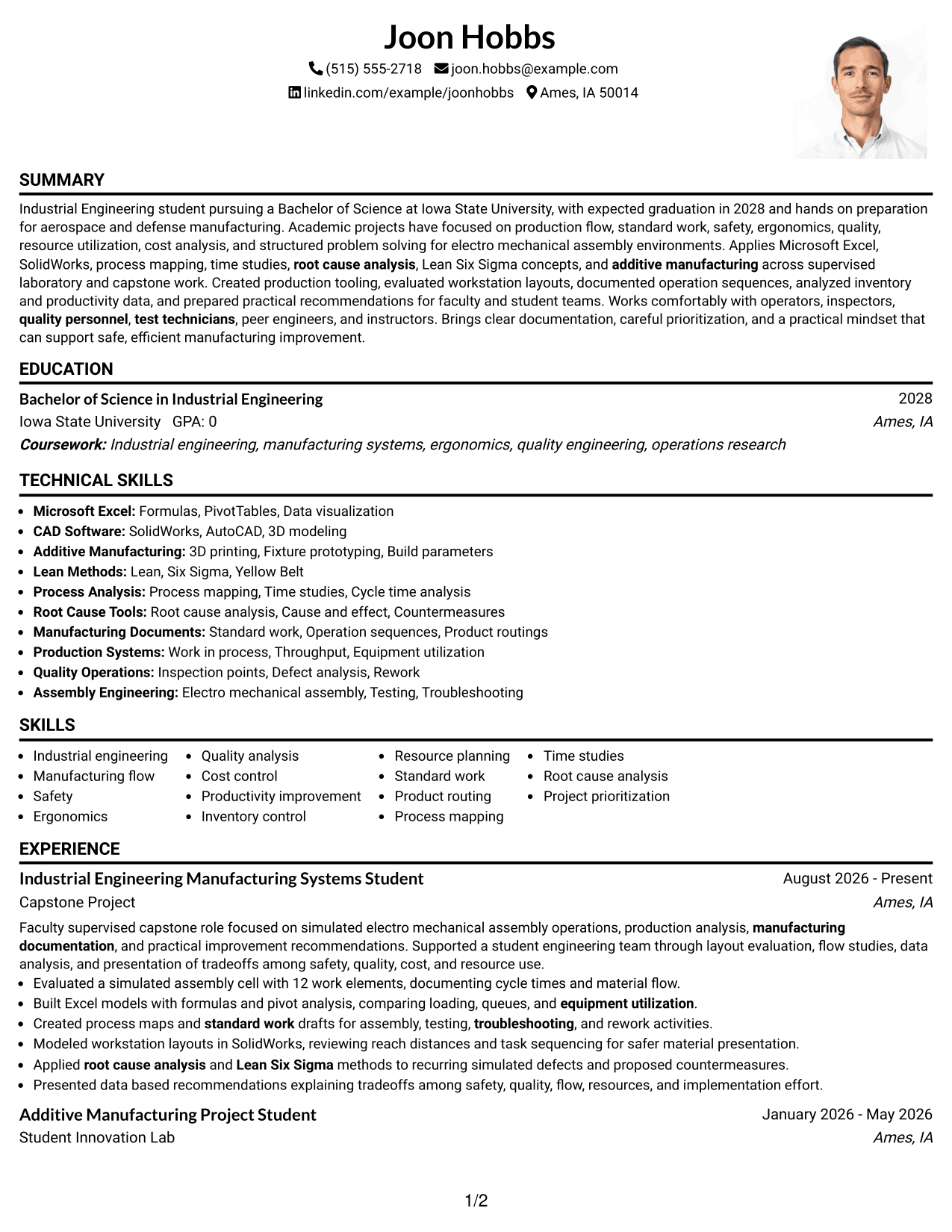
Why This Format Works
- Single-column body keeps experience and education in one predictable reading path.
- Photo stays in the header area without changing the main content sequence.
- Full-width sections leave room for project achievements and supporting credentials.
Best For
- Markets where resume photos are customary
- Applications requesting personal identification
- Direct top-to-bottom reading
- Resumes with substantial project detail
- Readers who want a visual header
#4 Clean Two Column Sidebar Format Resume Example
A clean two-column sidebar separates quick-reference details from the main career evidence for efficient recruiter scanning.
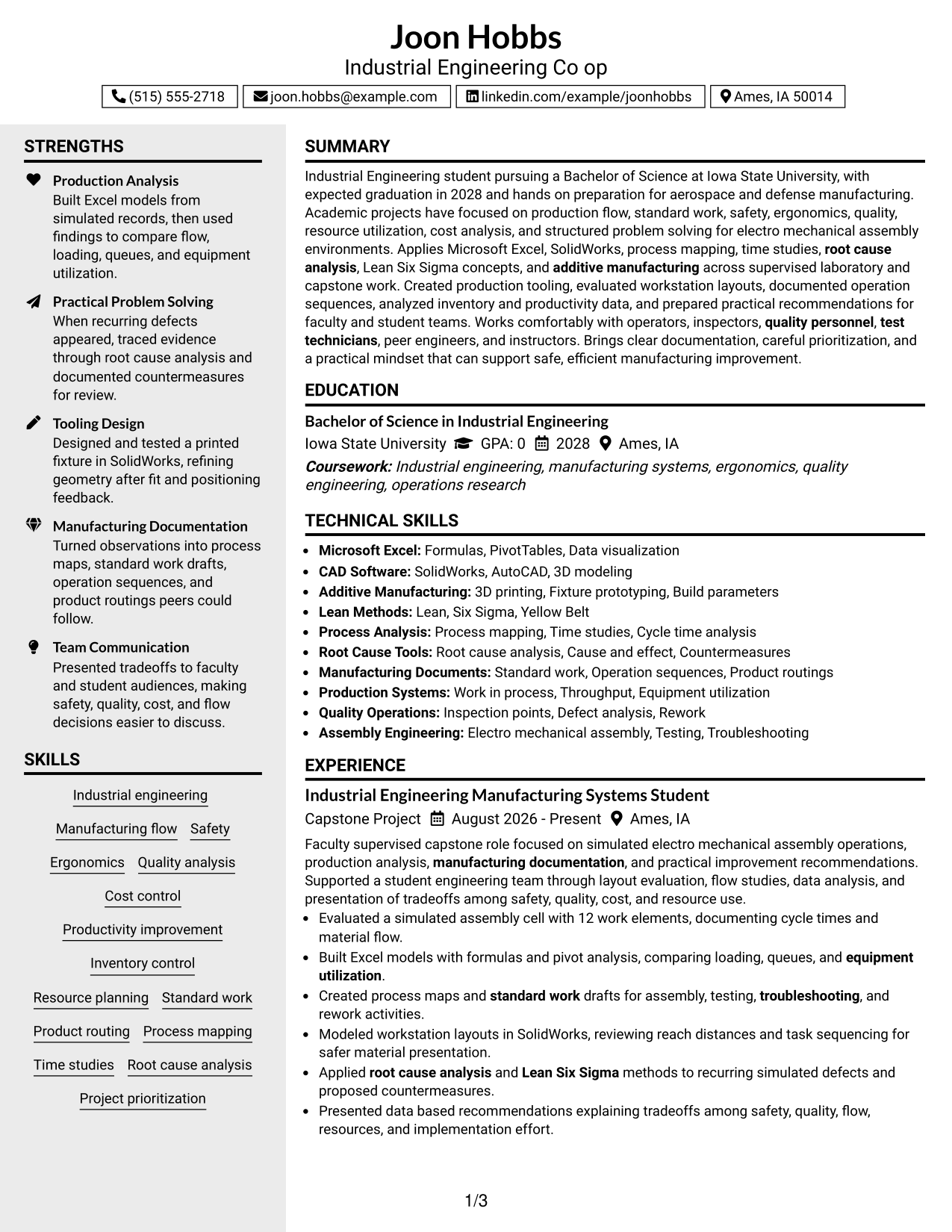
Why This Format Works
- Sidebar organization separates compact skills and credentials from longer experience content.
- Main column gives achievements and projects a stable reading area.
- Parallel sections let reviewers check qualifications without interrupting experience flow.
Best For
- Compact skills lists
- Multiple credentials and activities
- Balanced detail across sections
- Quick qualification checks
- Two-column information grouping
#5 Two Column Format Resume Example
This two-column structure lets recruiters compare core resume information across parallel sections without losing hierarchy.
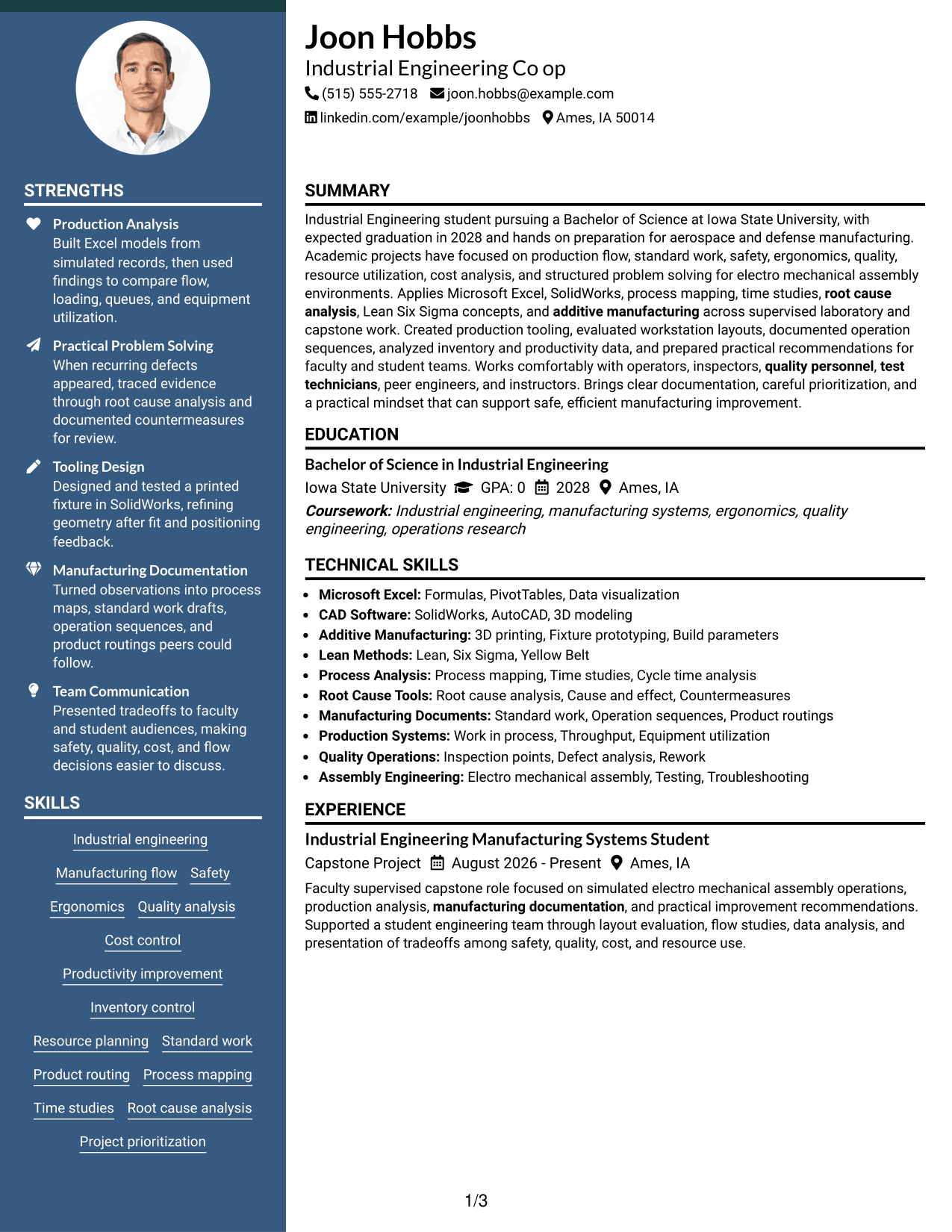
Why This Format Works
- Parallel columns make skills and supporting qualifications available beside deeper experience.
- Section hierarchy keeps projects, education, and achievements visually distinct during review.
- Balanced column use can reduce long vertical runs of compact information.
Best For
- Mixed technical and academic content
- Resumes with several skill groups
- Side-by-side qualification review
- Moderate information density
- Readers comparing sections quickly
#6 Photo Header Two Column Format Resume Example
A photo header gives the resume a strong identity area while two columns organize the remaining content for quick review.
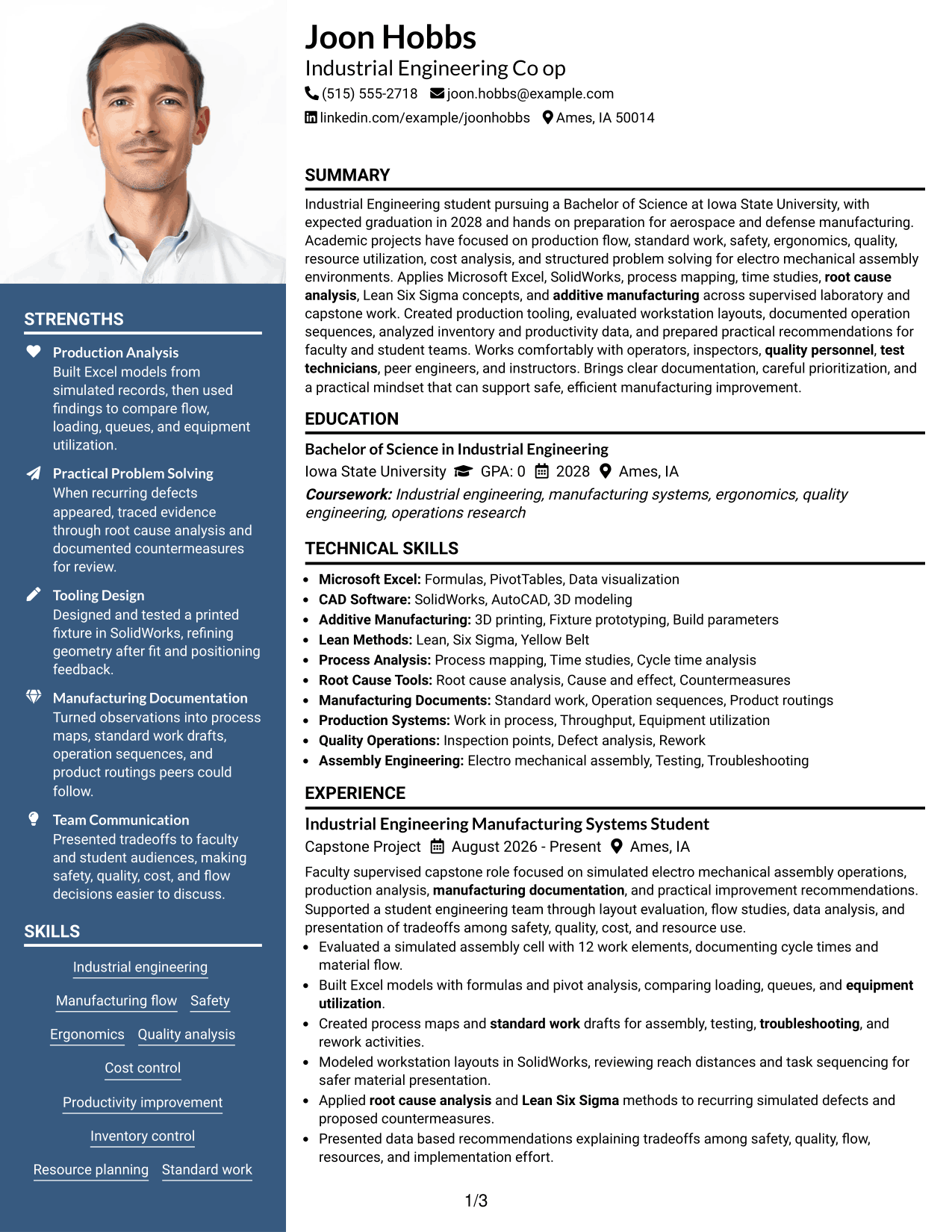
Why This Format Works
- Two-column body separates detailed experience from shorter skills and credential sections.
- Header photo identifies the applicant without determining the order of career evidence.
- Distinct content areas help reviewers locate education, projects, and achievements efficiently.
Best For
- Regions where professional photos are expected
- Applications with photo-friendly norms
- Strong separation of content types
- Resumes balancing projects and credentials
- Readers who value compact navigation
#7 Simple Two Column Format Resume Example
A simple two-column layout groups supporting information compactly while keeping the main evidence easy for recruiters to scan.
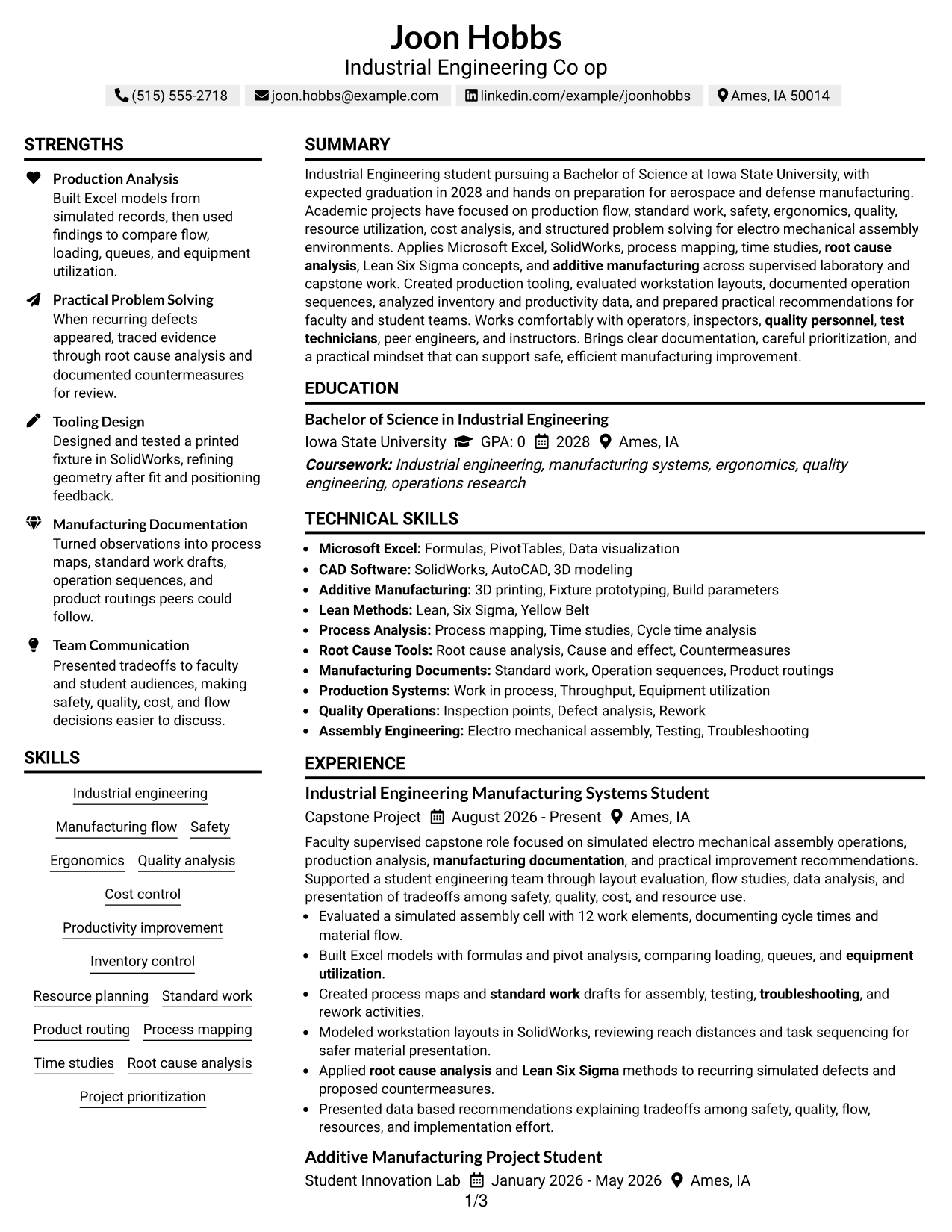
Why This Format Works
- Two columns create clear separation between primary experience and supporting resume details.
- Compact grouping gives skills, education, and credentials defined places during review.
- Simple visual structure keeps attention on achievements rather than decorative elements.
Best For
- Practical two-column organization
- Resumes with broad supporting details
- Clean comparison of qualifications
- Minimal visual decoration
- Readers prioritizing content over styling
See Also
- 33 Chemical Engineering Co-op Resume Templates with Example 2026 (ATS-Optimized)
- 33 Civil Engineering Co-op Resume Templates with Example 2026 (ATS-Optimized)
- 33 Civil/Structural Engineering Co-op Student Resume Templates with Example 2026
- 33 Electrical Engineering Co-op Resume Templates with Example 2026 (ATS-Optimized)
- 33 Electrical Engineering Intern/Co-op Resume Templates with Example 2026 (ATS-Optimized)
- 7 Engineering Co-Op Resume Templates with Example
- 7 Geotechnical Engineering Intern/Co-op Resume Templates with Example
- 7 Intern/Co-op - Midstream Engineering Project Support Resume Templates with Example
- 30+ Industrial Engineering Co-Op Cover Letter Templates with Example 2026
- 30+ Chemical Engineering Co-op Cover Letter Templates with Example 2026
Frequently Asked Questions
Are these Industrial Engineering Co-op resume templates ATS-friendly?
They use clear resume sections and readable structure that can support ATS review. Keep headings simple and use job keywords only when they match your real education, projects, skills, or experience.
Are these different Industrial Engineering Co-op resumes?
No. The examples show the same Industrial Engineering Co-op resume in different visual formats, which makes it easier to compare how each layout presents the same evidence.
What should an Industrial Engineering Co-op resume include?
Include a focused summary, education, relevant project or work experience, technical skills, tools, certifications, and concise achievement bullets. Manufacturing studies, process analysis, documentation, safety, quality, ergonomics, and resource use can be especially relevant when supported by your background.
How can a student show strong experience for an industrial engineering co-op?
Use capstone work, laboratory projects, course simulations, student teams, and hands-on design work. Explain the task, method, evidence, and result without presenting classroom work as full-scale production experience.
Which skills should I prioritize for an Industrial Engineering Co-op resume?
Prioritize skills that match both your background and the posting. Examples from this resume include Microsoft Excel, SolidWorks, additive manufacturing, process mapping, time studies, standard work, Lean Six Sigma concepts, and root-cause analysis.
Should I include manufacturing projects on my resume?
Yes, when they show relevant engineering work. Projects can demonstrate production analysis, tooling design, process flow, ergonomics, documentation, cost thinking, inventory analysis, and practical problem solving.
Should I include a photo on my U.S. co-op resume?
For most U.S. applications, a no-photo resume is the safer choice. Use a photo only when it is appropriate for the country, region, or application context.
Can I customize these resume templates?
Yes. Adjust the text, section order, layout, and PDF style while keeping all facts accurate and tailoring keywords to the Industrial Engineering Co-op posting.