US English


7 Inside Plant (ISP) Fiber Optic Engineer - High-Tech Connectivity Resume Templates with Example
By Ria · Last Updated On October 14, 2026
Resume example — page 1

This guide shows you how to create an Inside Plant (ISP) Fiber Optic Engineer resume that clearly presents relevant design work and technical strengths. You will learn how to organize your evidence and review professional formats for this role.

A strong resume makes fiber pathways, building entrance systems, telecommunications spaces, and passive connectivity easy to understand. Use specific examples to show how you plan routes, manage capacity, coordinate with other disciplines, and support projects through testing and closeout.

The example is presented in 7 layouts so you can compare image previews and see how section order and page design affect readability. The guide also covers ATS-friendly headings, role-specific keywords, and ways to describe your experience with tools such as AutoCAD, Civil 3D, Revit, and Bluebeam.

What Makes a Great Inside Plant (ISP) Fiber Optic Engineer Resume in 2026

A strong resume uses clear sections and focused bullet points to show fiber design, pathway coordination, and project delivery. Keep key information easy to scan, including relevant skills, experience, education, and certifications.

Use accurate terms for route diversity, capacity planning, OSP-to-ISP coordination, cable schedules, riser diagrams, and termination details. Name tools and standards you have used, such as AutoCAD, Civil 3D, Revit, TIA, BICSI, NEC, and NFPA.

The examples shown below are intentionally detailed to demonstrate a range of experiences, skills, accomplishments and relevant keywords. We prefer detailed resumes as they provide more context to the hiring managers and also help the ATS systems identify relevant qualifications and score your resume better for a match. But the length of a resume is an individual choice. If you want a one page resume, just keep the most relevant experience and information for the job. Note: Resume examples are for educational purposes only. Use only information that accurately reflects your experience and qualifications. References to real organizations do not imply affiliation or endorsement.

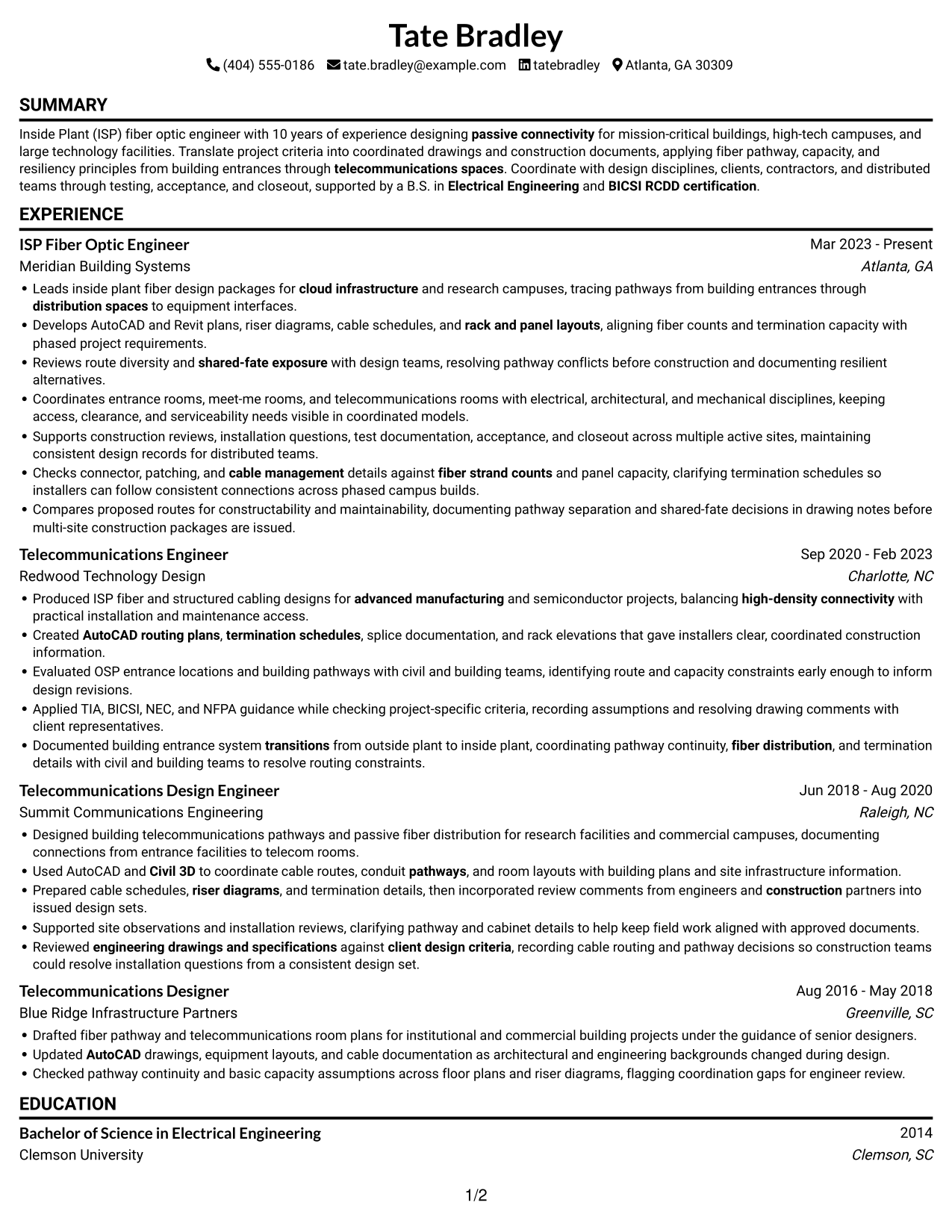
#1 Simple One Column Format Resume Example

A single column keeps resume content in one vertical reading path, making it straightforward to review from section to section.
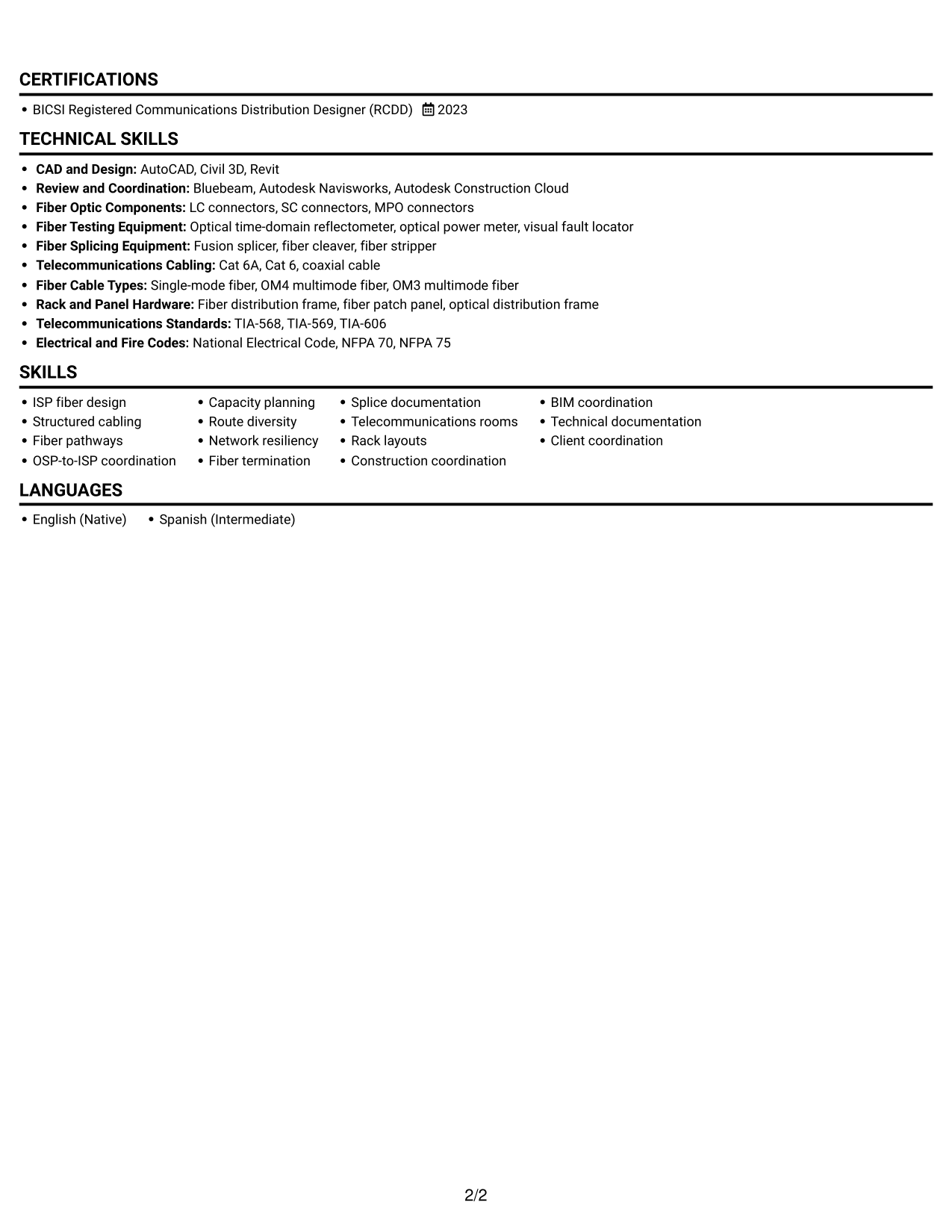
 
Resume example — page 1   Resume example — page 2

Why This Format Works

  • Experience entries can follow a clear sequence, helping reviewers trace career progression.
  • Skills and technical tools remain easy to locate within the resume’s section structure.
  • Education and certification details can be reviewed apart from achievement bullets.

Best For

  • Single-path resume reading
  • Chronological work histories
  • Technical detail in distinct sections
  • Skill and credential review
  • Resume-first recruiter screening

Resume Keywords

  • Leads inside plant fiber design packages for cloud infrastructure and research campuses, tracing pathways from building entrances through distribution spaces to equipment interfaces.
  • Documented building entrance system transitions from outside plant to inside plant, coordinating pathway continuity, fiber distribution, and termination details with civil and building teams to resolve routing constraints.
  • Used AutoCAD and Civil 3D to coordinate cable routes, conduit pathways, and room layouts with building plans and site infrastructure information.
  • AutoCAD
  • Civil 3D
  • structured cabling
  • telecommunications spaces
  • fiber distribution, and termination
  • Capacity planning
  • route diversity
  • Network resiliency
  • Checks connector, patching, and cable management details against fiber strand counts and panel capacity, clarifying termination schedules so installers can follow consistent connections across phased campus builds.
  • Fiber Splicing
  • cable management
  • passive connectivity
See all keywords
 

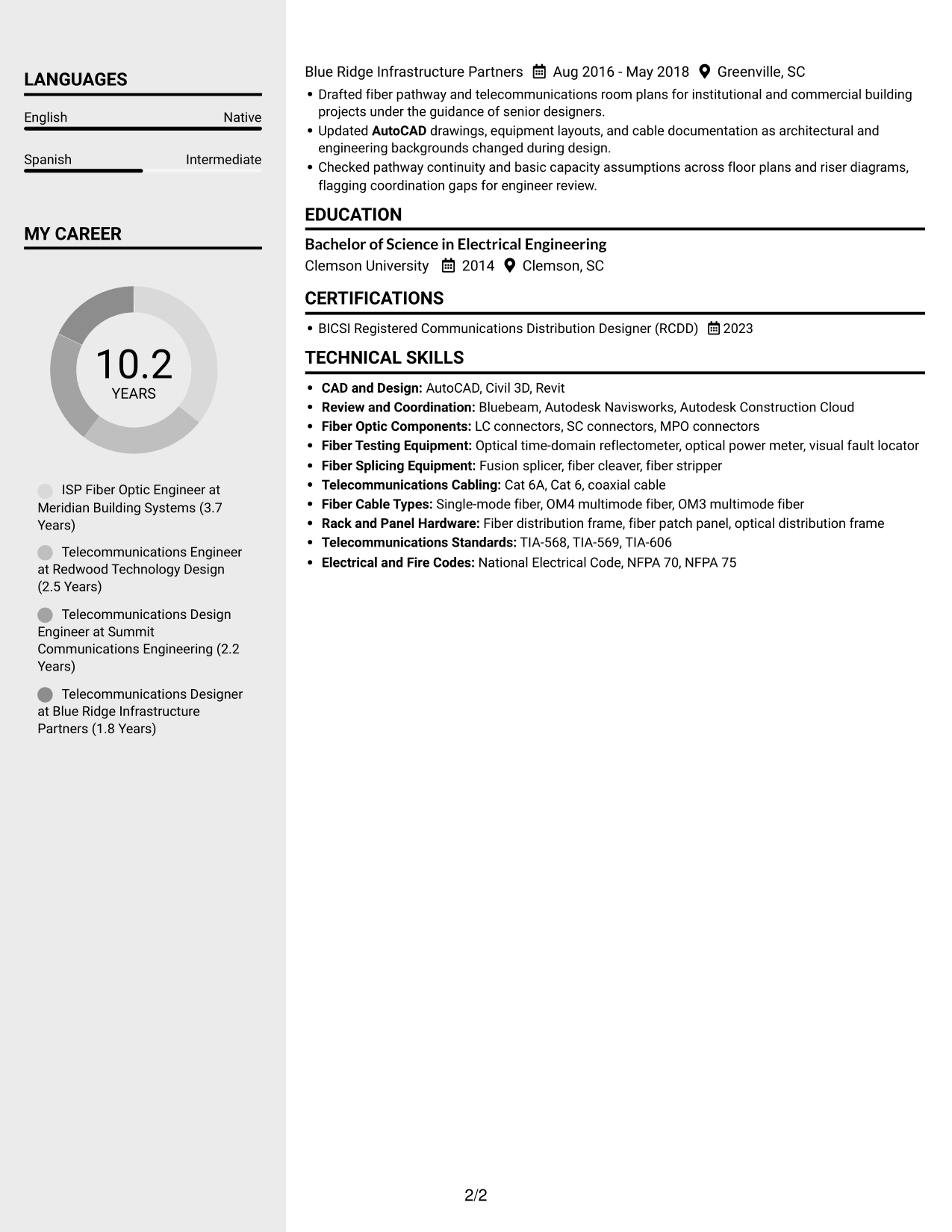
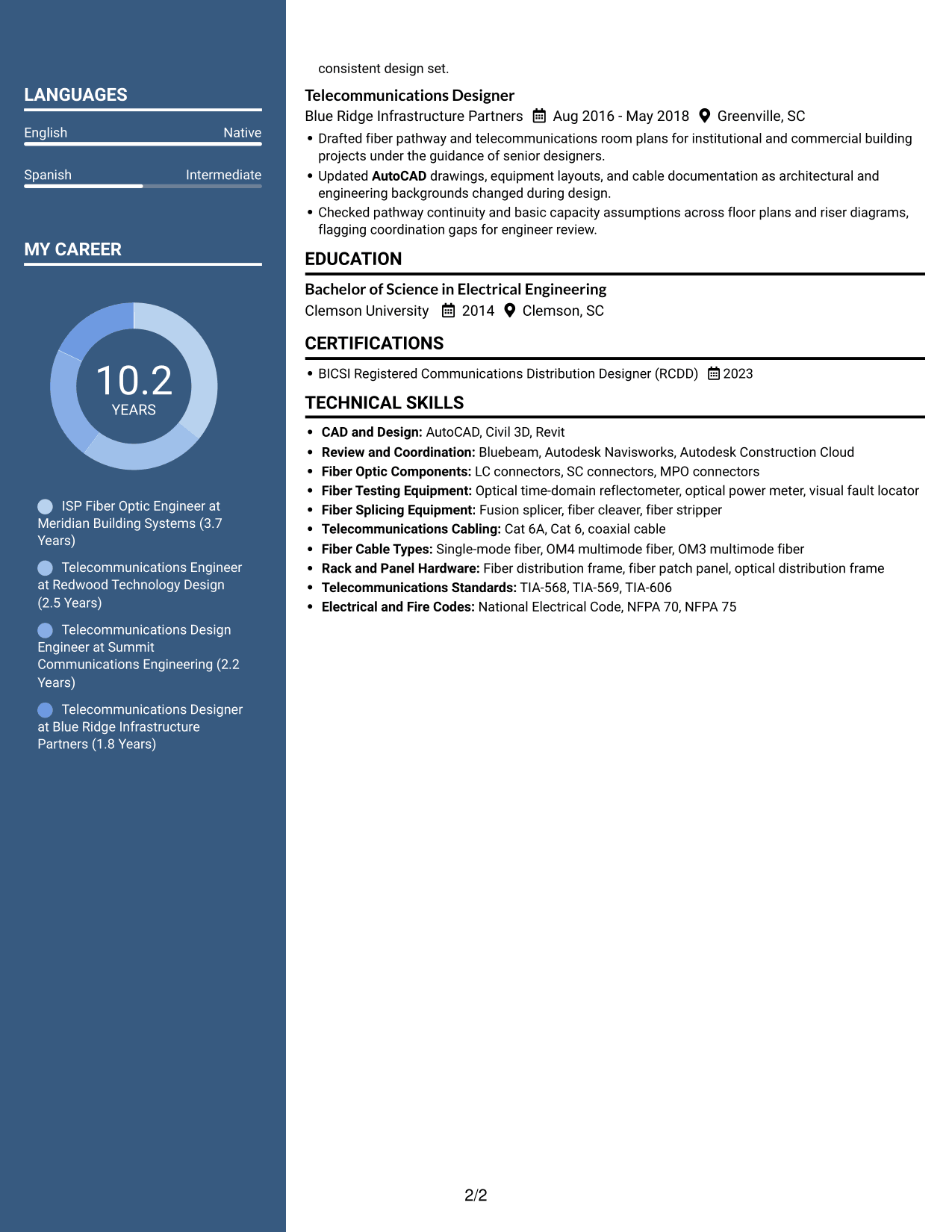
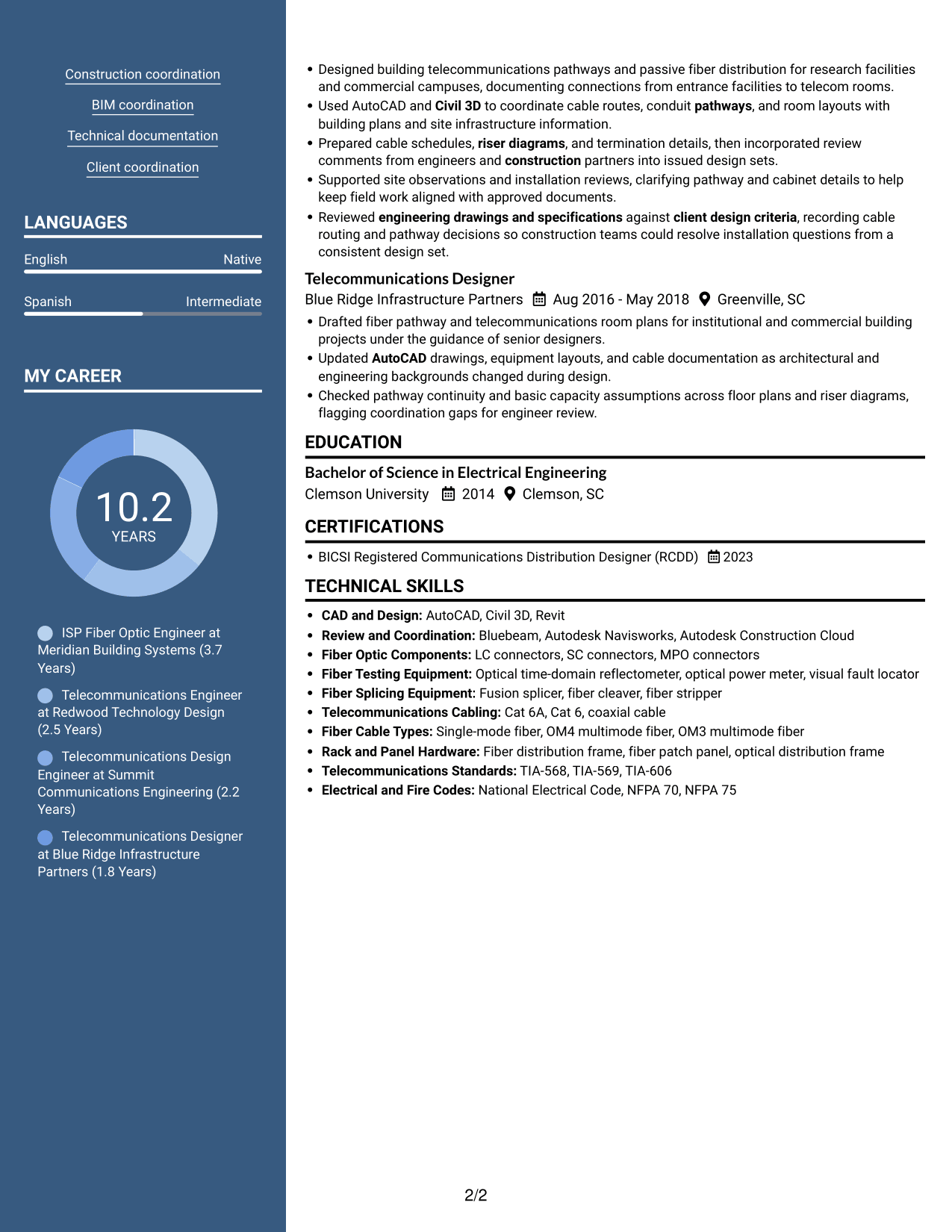
#2 Simple Two Column Format Resume Example

Two columns place resume content side by side, giving reviewers parallel areas to scan.
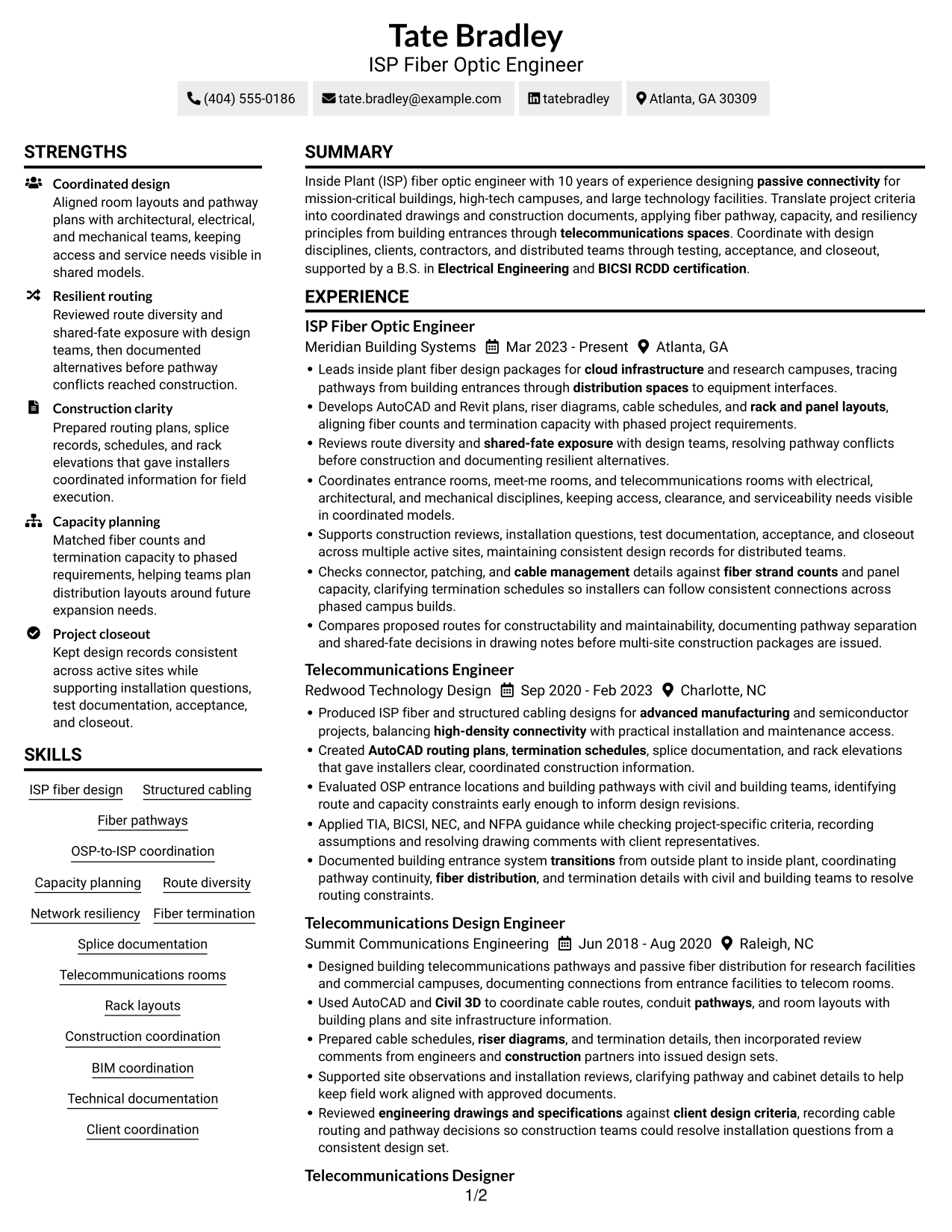
 
Resume example — page 1   Resume example — page 2

Why This Format Works

  • Parallel content areas help reviewers distinguish experience details from supporting resume sections.
  • A clear reading order can keep career progression easy to follow across multiple roles.
  • Skills, education, and credentials can be scanned without interrupting experience review.

Best For

  • Side-by-side section review
  • Experience with supporting sections
  • Career histories spanning several roles
  • Skills and education scanning
  • Dense technical resume content

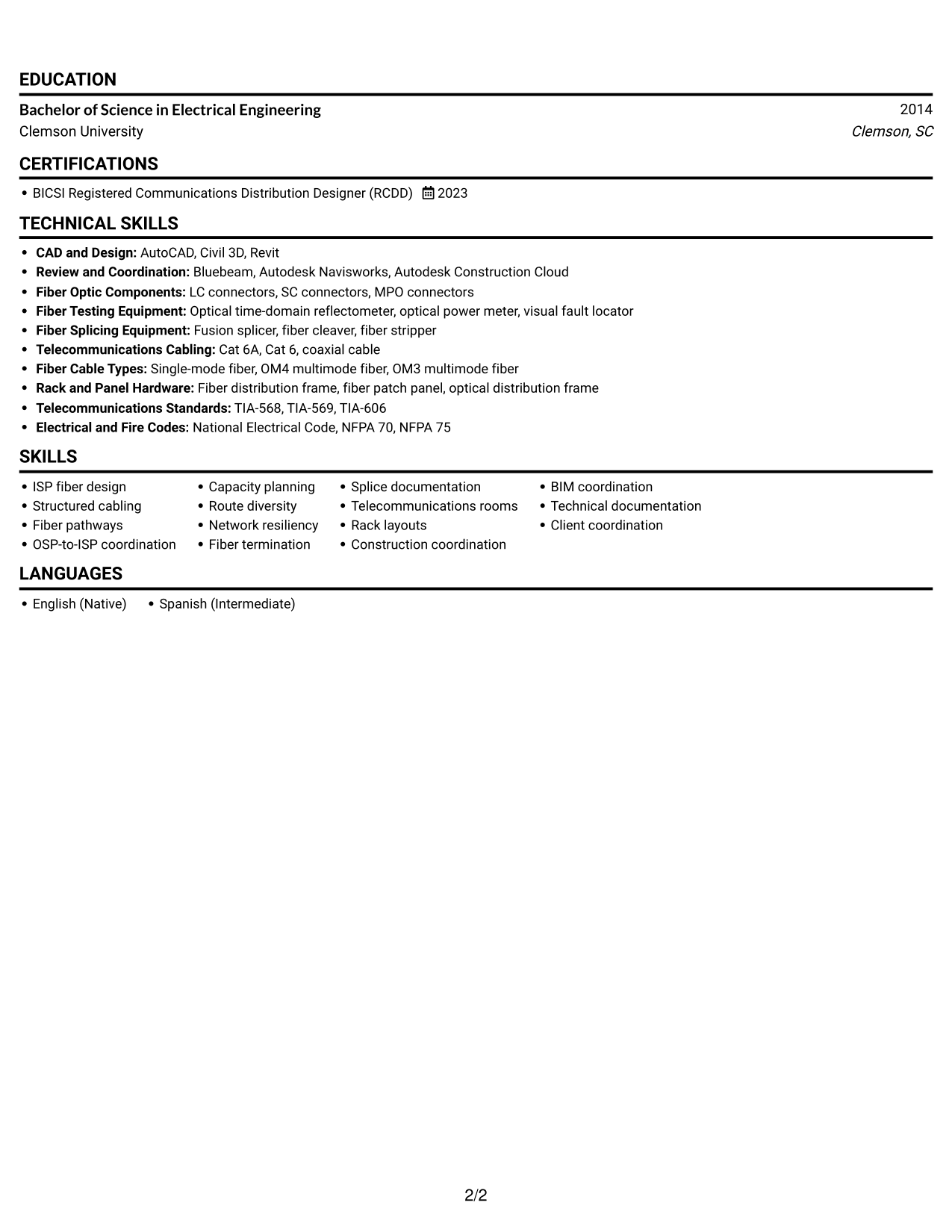
#3 Plain One Column with Shaded Labels Resume Example

The one-column structure gives resume sections a direct top-to-bottom sequence for review.
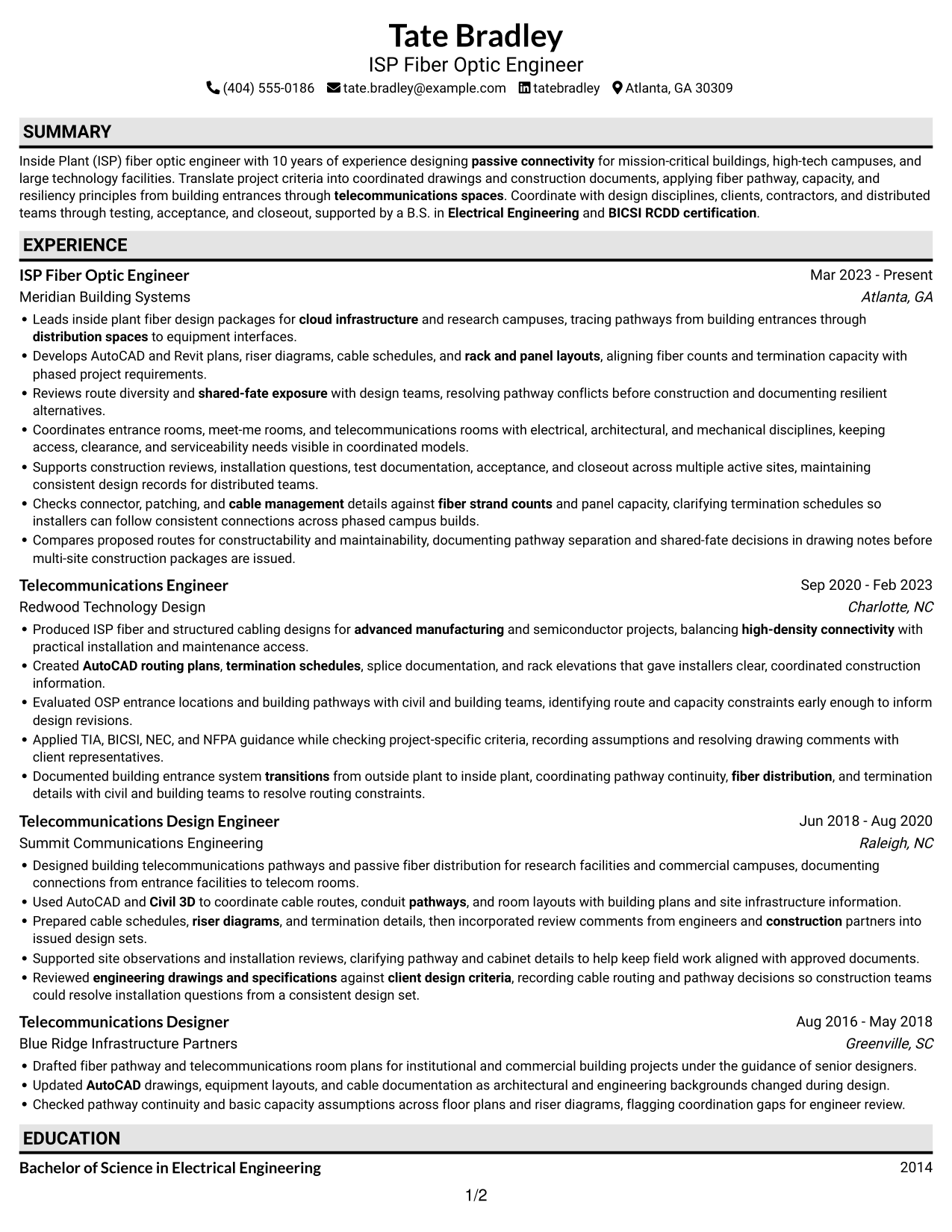
 
Resume example — page 1   Resume example — page 2

Why This Format Works

  • A continuous column lets reviewers move from summary to work history in sequence.
  • Role entries can show career progression without requiring readers to switch between columns.
  • Technical skills and education stay within the same vertical path as experience.

Best For

  • Top-to-bottom section review
  • Sequential work-history reading
  • Detailed technical summaries
  • Education and career history
  • Text-focused application materials
 

#4 One Column Format with Photo Right Resume Example

A one-column body pairs a photo with a direct reading path through the resume text.
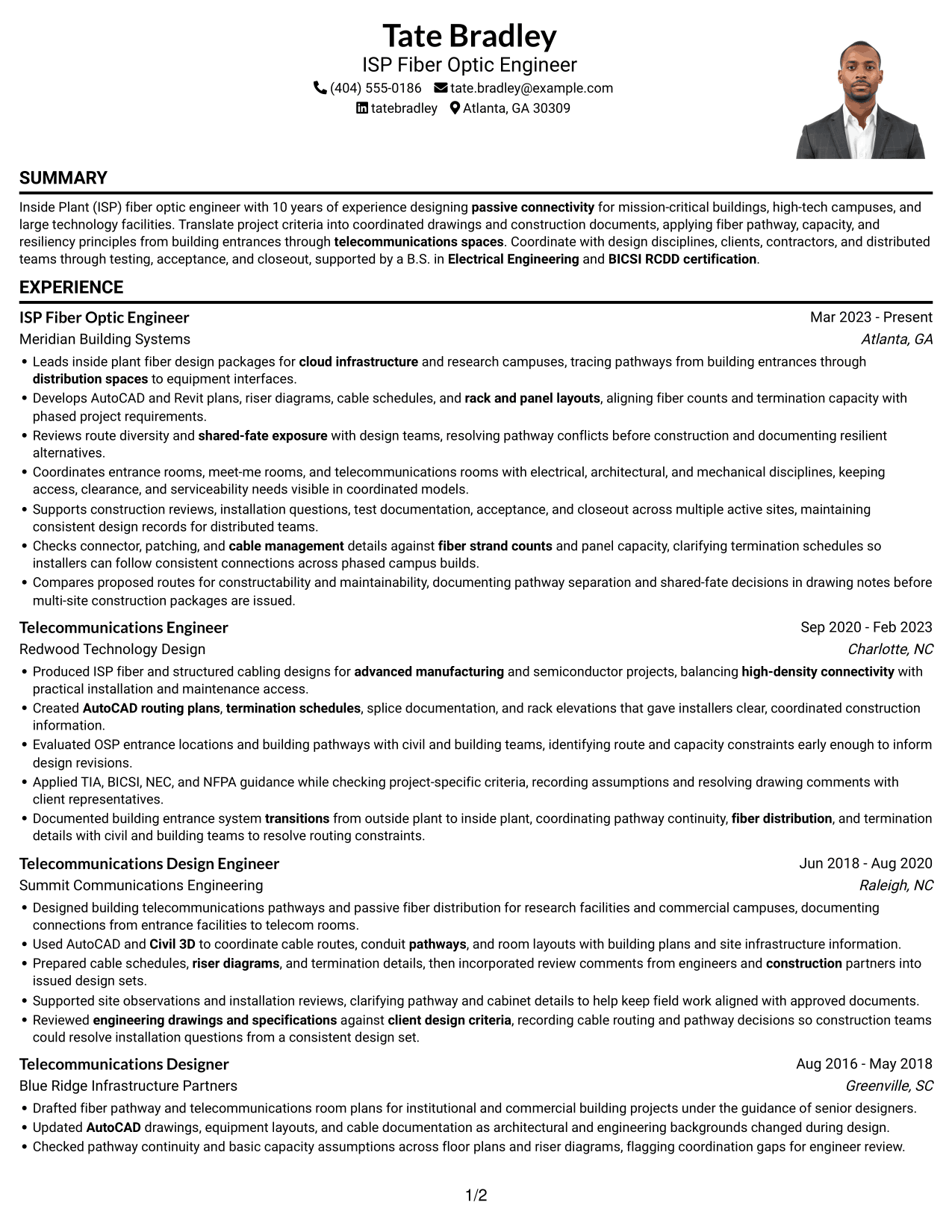
 
Resume example — page 1   Resume example — page 2

Why This Format Works

  • The single body column keeps experience entries in a familiar top-to-bottom order.
  • Section divisions help reviewers locate skills and credentials without splitting the main reading path.
  • Career history stays in one text flow, while the photo serves as a visual element.

Best For

  • Portrait-inclusive resume submissions
  • Single-column reading preference
  • Career histories with several roles
  • Technical details in a clear sequence
  • Text and portrait presentation
 

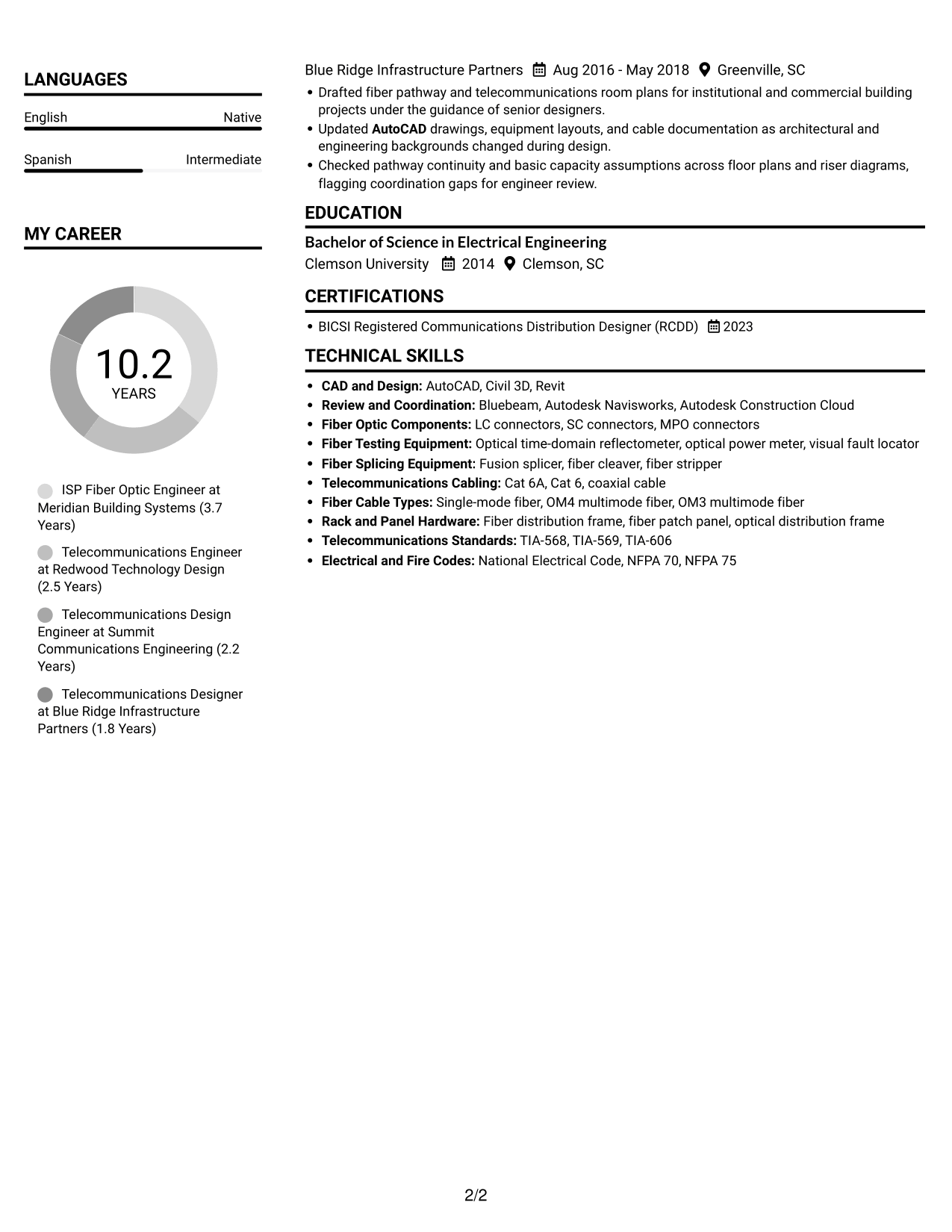
#5 Clean Two Column Sidebar Format Resume Example

Two columns give the resume distinct areas for readers to navigate across its content.
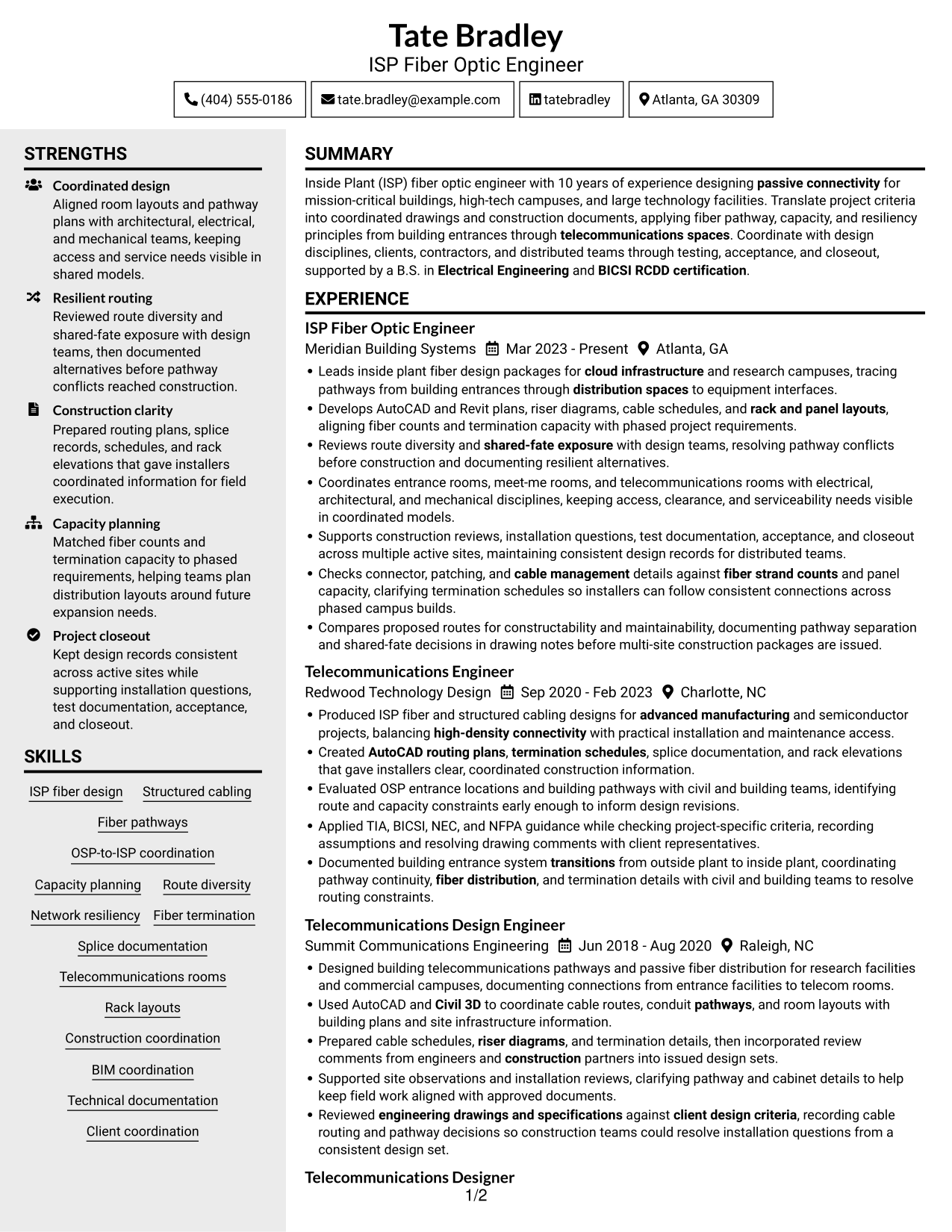
 
Resume example — page 1   Resume example — page 2

Why This Format Works

  • Separate content areas help reviewers locate experience, skills, and education by section.
  • The two-column arrangement supports review of role history alongside other resume details.
  • Section-based reading can make technical credentials easier to find among varied content.

Best For

  • Resume sections needing clear separation
  • Concurrent experience and skills review
  • Multi-role career summaries
  • Quick section-level navigation
  • Technical details across varied sections


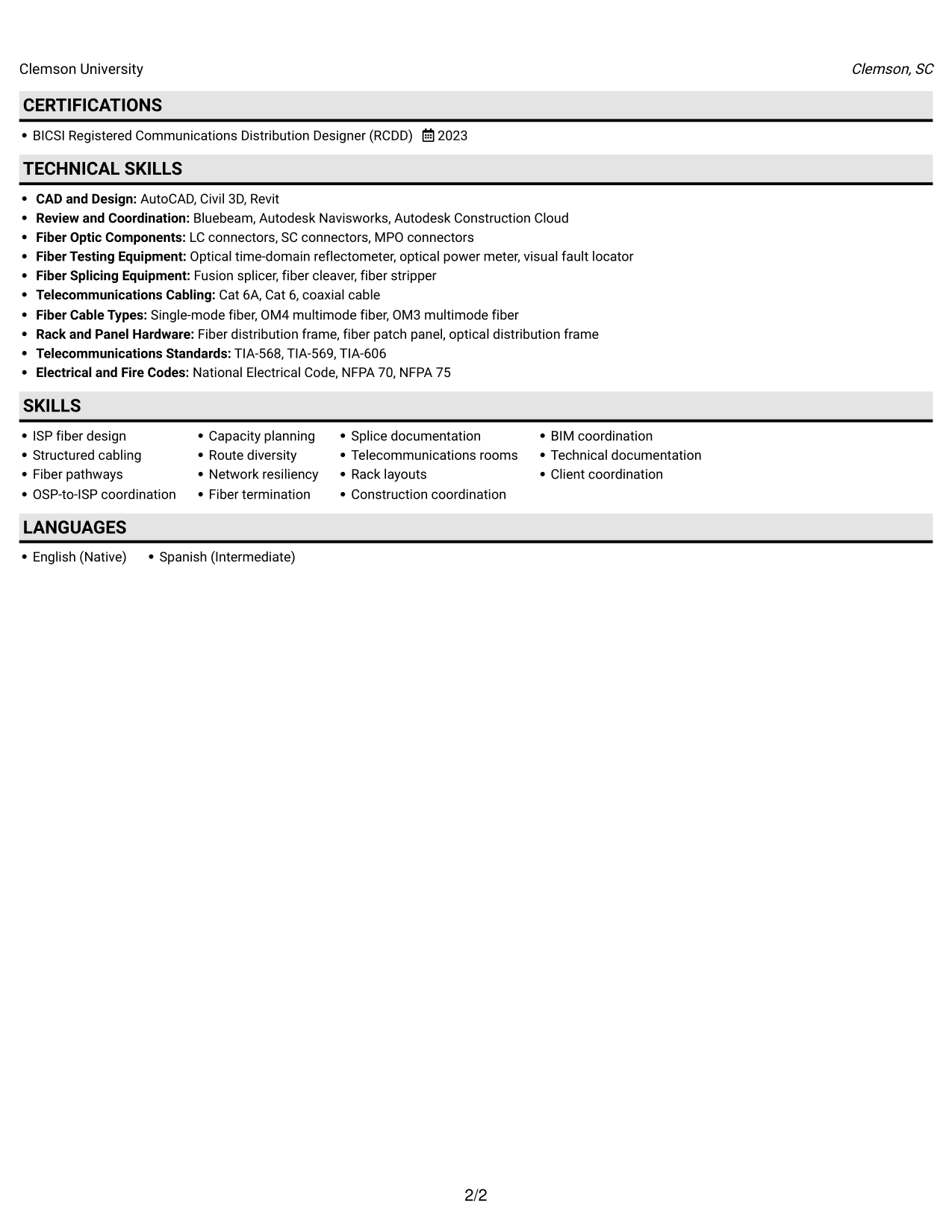
#6 Two Column Format Resume Example

The two-column layout offers a parallel way to review resume sections and supporting details.
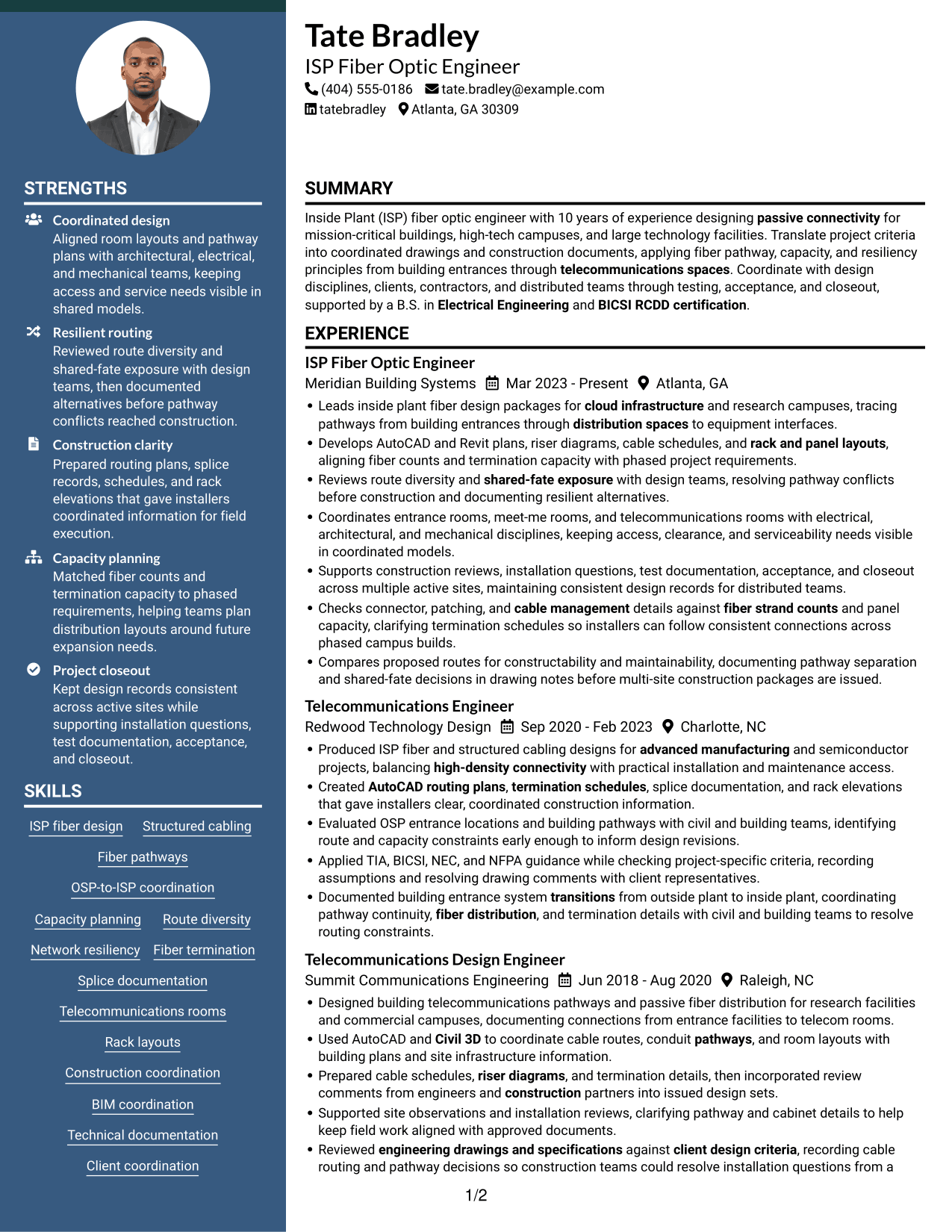
 
Resume example — page 1   Resume example — page 2

Why This Format Works

  • Side-by-side areas give reviewers more than one clear route through resume sections.
  • Career entries remain distinct from supporting details during a focused review.
  • Skills and credentials can be found without reading every experience bullet first.

Best For

  • Parallel section navigation
  • Resumes with varied content
  • Career history and technical details
  • Focused section-level review
  • Multi-role experience records
 

#7 Photo Header Two Column Format Resume Example

Two columns combine a photo with a split layout for reviewing resume content.
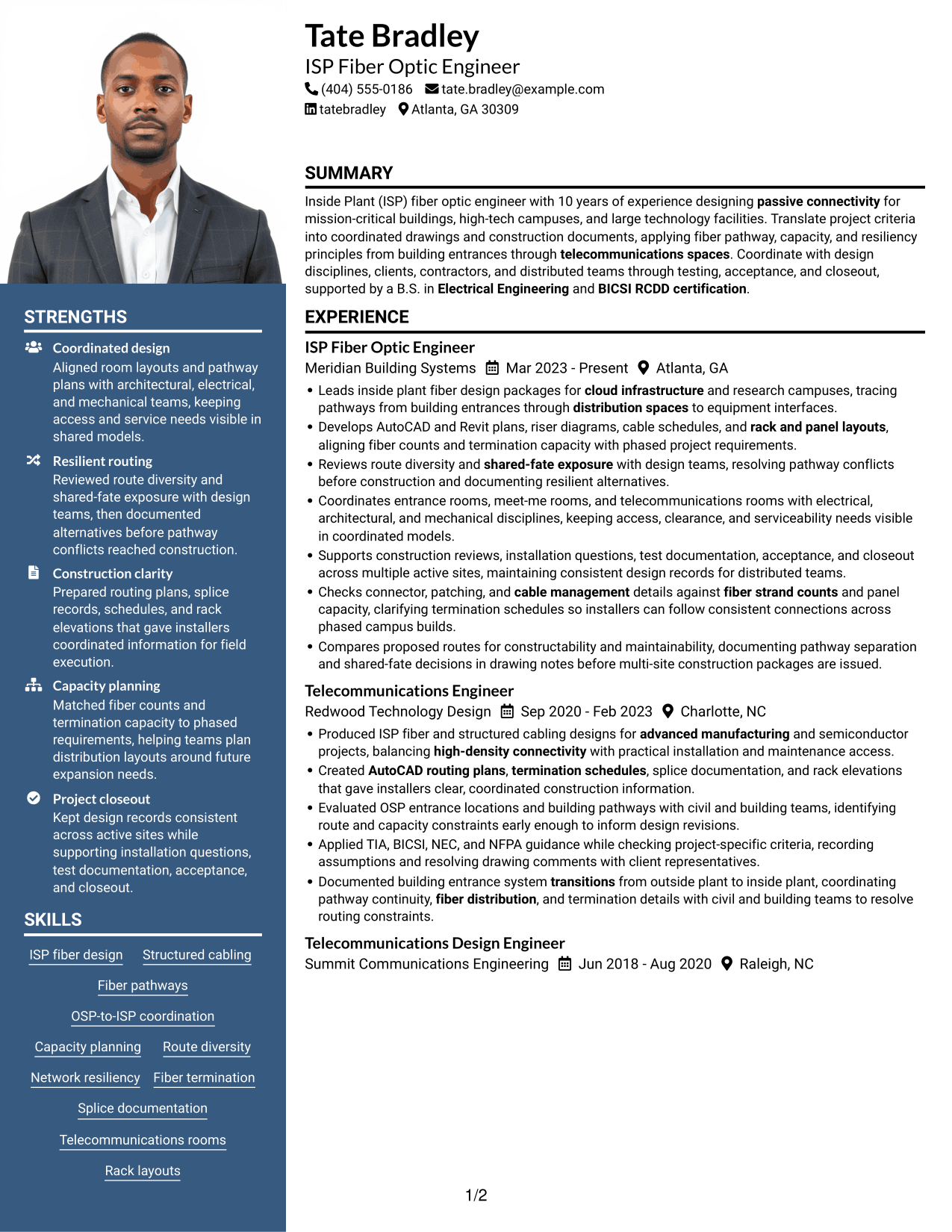
 
Resume example — page 1   Resume example — page 2

Why This Format Works

  • Two content areas give experience and supporting resume sections distinct places in the reading order.
  • Section separation helps reviewers move between career history, education, and credentials.
  • The photo adds a visible personal image while leaving resume text available for review.

Best For

  • Two-column resume structure
  • Portrait-inclusive submissions
  • Concurrent section review
  • Career history with technical detail
  • Photo-forward document preference


Why Build Your Inside Plant (ISP) Fiber Optic Engineer Resume with ResumeInMinutes

ResumeInMinutes lets you view resume examples in the editor and customize the content and layout. Use the image previews to compare how each design presents technical skills, work history, and education.

  • ATS-friendly section structure
  • Role-specific keyword guidance
  • Clear skills and tools sections
  • Experience and achievement organization
  • Resume image previews
  • Example editing in the editor

Keep your resume focused on the work most relevant to inside plant fiber design. Show how you coordinate pathways and rooms, document design decisions, and help teams move from planning to construction review and closeout.


See Also


Frequently Asked Questions

Are these Inside Plant (ISP) Fiber Optic Engineer resume templates ATS-friendly?

Use clear section headings, a readable layout, and terms that match your actual work. Relevant terms may include ISP fiber design, route diversity, OSP-to-ISP coordination, AutoCAD, Civil 3D, cable schedules, and telecommunications rooms.

What does the resume example show?

It shows one resume in different layouts. Compare the image previews to see how each design arranges experience, skills, education, and certifications.

What should an Inside Plant (ISP) Fiber Optic Engineer resume include?

Include a focused summary, relevant experience, technical skills, education, and certifications. Add specific examples of fiber routing, pathway and room coordination, capacity planning, design documentation, and project support when they match your background.

Which resume layout works well for this role?

A simple layout with clear headings and a logical section order is a sound choice. Make sure your experience, fiber design skills, tools, and certifications are easy to find and that the page remains readable.

How can I show fiber design work clearly?

Describe the task, the design records or tools you used, and the result. Include details such as pathway plans, riser diagrams, termination schedules, route diversity reviews, or construction coordination when they reflect your experience.

Should I include a photo on my resume?

Include a photo only when it is customary or expected in your country, region, or field. For U.S. applications, a resume without a photo is generally the safer choice.


ATS Score 96%

How we calculate this score

  • Keywords: 60% of the total. AI extracts keywords from your job description. If you do not provide one, a standard job description for the title matching your resume is used. This is not a match to a specific vacancy.
  • Text-based resume: 20%. The text resume assessed here receives 100 for this part.
  • Resume quality: 20%. We start at 100 and subtract points for issues found by our resume checks, down to a minimum of zero.
  • Keyword coverage = 100 × (confirmed matches + 0.8 × possible matches) ÷ total keywords, rounded and capped at 100. Possible matches still need checking. Saved generation audits use their saved keyword percentage.
  • Final score = 60% of keyword coverage + 20% of the text score + 20% of the quality score, rounded to a whole number. Without keywords, no overall ATS score is available.

What this score means

Our scores are estimates, not employer ratings. They may contain errors and do not guarantee accurate parsing, a ranking, an interview, or a job. Check your document against the employer’s requirements. You are responsible for relying on this score.

Terms and Conditions

Score weights: Keywords 60% · Text based resume 20% · Resume quality 20%

Keywords: 45 matched + 3 possible of 51 (93%) · Resume quality: 100%

Resume quality 100% · Weight 20% · Issues (0)

Details
  • ✓Name present: Tate Bradley
  • ✓Email format: tate.bradley@example.com
  • ✓Phone format: (404) 555-0186
  • ✓Experience 1: Job title: ISP Fiber Optic Engineer
  • ✓Experience 1: Company name: Meridian Building Systems
  • ✓Experience 1: Work location: Atlanta, GA
  • ✓Experience 1: Employment dates: Mar 2023 - Present
  • ✓Experience 1: Description or achievements: Present
  • ✓Experience 2: Job title: Telecommunications Engineer
  • ✓Experience 2: Company name: Redwood Technology Design
  • ✓Experience 2: Work location: Charlotte, NC
  • ✓Experience 2: Employment dates: Sep 2020 - Feb 2023
  • ✓Experience 2: Description or achievements: Present
  • ✓Experience 3: Job title: Telecommunications Design Engineer
  • ✓Experience 3: Company name: Summit Communications Engineering
  • ✓Experience 3: Work location: Raleigh, NC
  • ✓Experience 3: Employment dates: Jun 2018 - Aug 2020
  • ✓Experience 3: Description or achievements: Present
  • ✓Experience 4: Job title: Telecommunications Designer
  • ✓Experience 4: Company name: Blue Ridge Infrastructure Partners
  • ✓Experience 4: Work location: Greenville, SC
  • ✓Experience 4: Employment dates: Aug 2016 - May 2018
  • ✓Experience 4: Description or achievements: Present
  • ✓No placeholder fields
  • ✓No repeated achievement bullets
  • ✓No empty bullets

No issues found by the current checks.

Text Based Resume 100% · Weight 20%

Parsed text
Tate Bradley
(404) 555-0186
tate.bradley@example.com
tatebradley
Atlanta, GA 30309
SUMMARY
Inside Plant (ISP) fiber optic engineer with 10 years of experience designing passive connectivity for mission-critical buildings, high-tech campuses, and large technology facilities. Translate project criteria into coordinated drawings and construction documents, applying fiber pathway, capacity, and resiliency principles from building entrances through telecommunications spaces. Coordinate with design disciplines, clients, contractors, and distributed teams through testing, acceptance, and closeout, supported by a B.S. in Electrical Engineering and BICSI RCDD certification.
EXPERIENCE
ISP Fiber Optic Engineer
Meridian Building Systems
Mar 2023 - Present
Atlanta, GA
Leads inside plant fiber design packages for cloud infrastructure and research campuses, tracing pathways from building entrances through distribution spaces to equipment interfaces.
Develops AutoCAD and Revit plans, riser diagrams, cable schedules, and rack and panel layouts, aligning fiber counts and termination capacity with phased project requirements.
Reviews route diversity and shared-fate exposure with design teams, resolving pathway conflicts before construction and documenting resilient alternatives.
Coordinates entrance rooms, meet-me rooms, and telecommunications rooms with electrical, architectural, and mechanical disciplines, keeping access, clearance, and serviceability needs visible in coordinated models.
Supports construction reviews, installation questions, test documentation, acceptance, and closeout across multiple active sites, maintaining consistent design records for distributed teams.
Checks connector, patching, and cable management details against fiber strand counts and panel capacity, clarifying termination schedules so installers can follow consistent connections across phased campus builds.
Compares proposed routes for constructability and maintainability, documenting pathway separation and shared-fate decisions in drawing notes before multi-site construction packages are issued.
Telecommunications Engineer
Redwood Technology Design
Sep 2020 - Feb 2023
Charlotte, NC
Produced ISP fiber and structured cabling designs for advanced manufacturing and semiconductor projects, balancing high-density connectivity with practical installation and maintenance access.
Created AutoCAD routing plans, termination schedules, splice documentation, and rack elevations that gave installers clear, coordinated construction information.
Evaluated OSP entrance locations and building pathways with civil and building teams, identifying route and capacity constraints early enough to inform design revisions.
Applied TIA, BICSI, NEC, and NFPA guidance while checking project-specific criteria, recording assumptions and resolving drawing comments with client representatives.
Documented building entrance system transitions from outside plant to inside plant, coordinating pathway continuity, fiber distribution, and termination details with civil and building teams to resolve routing constraints.
Telecommunications Design Engineer
Summit Communications Engineering
Jun 2018 - Aug 2020
Raleigh, NC
Designed building telecommunications pathways and passive fiber distribution for research facilities and commercial campuses, documenting connections from entrance facilities to telecom rooms.
Used AutoCAD and Civil 3D to coordinate cable routes, conduit pathways, and room layouts with building plans and site infrastructure information.
Prepared cable schedules, riser diagrams, and termination details, then incorporated review comments from engineers and construction partners into issued design sets.
Supported site observations and installation reviews, clarifying pathway and cabinet details to help keep field work aligned with approved documents.
Reviewed engineering drawings and specifications against client design criteria, recording cable routing and pathway decisions so construction teams could resolve installation questions from a consistent design set.
Telecommunications Designer
Blue Ridge Infrastructure Partners
Aug 2016 - May 2018
Greenville, SC
Drafted fiber pathway and telecommunications room plans for institutional and commercial building projects under the guidance of senior designers.
Updated AutoCAD drawings, equipment layouts, and cable documentation as architectural and engineering backgrounds changed during design.
Checked pathway continuity and basic capacity assumptions across floor plans and riser diagrams, flagging coordination gaps for engineer review.
EDUCATION
Bachelor of Science in Electrical Engineering
Clemson University
2014
Clemson, SC
CERTIFICATIONS
BICSI Registered Communications Distribution Designer (RCDD)
2023
TECHNICAL SKILLS
CAD and Design: AutoCAD, Civil 3D, Revit
Review and Coordination: Bluebeam, Autodesk Navisworks, Autodesk Construction Cloud
Fiber Optic Components: LC connectors, SC connectors, MPO connectors
Fiber Testing Equipment: Optical time-domain reflectometer, optical power meter, visual fault locator
Fiber Splicing Equipment: Fusion splicer, fiber cleaver, fiber stripper
Telecommunications Cabling: Cat 6A, Cat 6, coaxial cable
Fiber Cable Types: Single-mode fiber, OM4 multimode fiber, OM3 multimode fiber
Rack and Panel Hardware: Fiber distribution frame, fiber patch panel, optical distribution frame
Telecommunications Standards: TIA-568, TIA-569, TIA-606
Electrical and Fire Codes: National Electrical Code, NFPA 70, NFPA 75
SKILLS
ISP fiber design
Structured cabling
Fiber pathways
OSP-to-ISP coordination
Capacity planning
Route diversity
Network resiliency
Fiber termination
Splice documentation
Telecommunications rooms
Rack layouts
Construction coordination
BIM coordination
Technical documentation
Client coordination
LANGUAGES
English (Native)
Spanish (Intermediate)

Matched keywords (45)

  • Leads inside plant fiber design packages for cloud infrastructure and research campuses, tracing pathways from building entrances through distribution spaces to equipment interfaces.Original keyword in JD: Fiber optic infrastructure
  • Leads inside plant fiber design packages for cloud infrastructure and research campuses, tracing pathways from building entrances through distribution spaces to equipment interfaces.Original keyword in JD: Telecommunications infrastructure design
  • Documented building entrance system transitions from outside plant to inside plant, coordinating pathway continuity, fiber distribution, and termination details with civil and building teams to resolve routing constraints.Original keyword in JD: OSP-to-ISP transitions
  • Used AutoCAD and Civil 3D to coordinate cable routes, conduit pathways, and room layouts with building plans and site infrastructure information.Original keyword in JD: Fiber pathways and cable routing
  • AutoCAD
  • Civil 3D
  • structured cabling
  • telecommunications spaces
  • fiber distribution, and termination
  • Capacity planning
  • route diversity
  • Network resiliency
  • Checks connector, patching, and cable management details against fiber strand counts and panel capacity, clarifying termination schedules so installers can follow consistent connections across phased campus builds.Original keyword in JD: Fiber cable and strand counts
  • Checks connector, patching, and cable management details against fiber strand counts and panel capacity, clarifying termination schedules so installers can follow consistent connections across phased campus builds.Original keyword in JD: Fiber connectors and patching
  • Fiber Splicing
  • cable management
  • passive connectivity
  • Created AutoCAD routing plans, termination schedules, splice documentation, and rack elevations that gave installers clear, coordinated construction information.Original keyword in JD: Fiber routing plans
  • Prepared cable schedules, riser diagrams, and termination details, then incorporated review comments from engineers and construction partners into issued design sets.Original keyword in JD: Riser and connectivity diagrams
  • Created AutoCAD routing plans, termination schedules, splice documentation, and rack elevations that gave installers clear, coordinated construction information.Original keyword in JD: Cable and termination schedules
  • rack and panel layouts
  • engineering drawings and specifications
  • Technical documentation
  • Coordinates entrance rooms, meet-me rooms, and telecommunications rooms with electrical, architectural, and mechanical disciplines, keeping access, clearance, and serviceability needs visible in coordinated models.Original keyword in JD: Cross-discipline coordination
  • Construction coordination
  • constructability
  • maintainability
  • Reviews route diversity and shared-fate exposure with design teams, resolving pathway conflicts before construction and documenting resilient alternatives.Original keyword in JD: Shared-fate exposure assessment
  • client design criteria
  • Applied TIA, BICSI, NEC, and NFPA guidance while checking project-specific criteria, recording assumptions and resolving drawing comments with client representatives.Original keyword in JD: TIA standards
  • Applied TIA, BICSI, NEC, and NFPA guidance while checking project-specific criteria, recording assumptions and resolving drawing comments with client representatives.Original keyword in JD: BICSI standards
  • Applied TIA, BICSI, NEC, and NFPA guidance while checking project-specific criteria, recording assumptions and resolving drawing comments with client representatives.Original keyword in JD: NEC standards
  • Applied TIA, BICSI, NEC, and NFPA guidance while checking project-specific criteria, recording assumptions and resolving drawing comments with client representatives.Original keyword in JD: NFPA standards
  • Created AutoCAD routing plans, termination schedules, splice documentation, and rack elevations that gave installers clear, coordinated construction information.Original keyword in JD: Technical communication
  • Reviews route diversity and shared-fate exposure with design teams, resolving pathway conflicts before construction and documenting resilient alternatives.Original keyword in JD: Problem-solving
  • Supports construction reviews, installation questions, test documentation, acceptance, and closeout across multiple active sites, maintaining consistent design records for distributed teams.Original keyword in JD: Multi-site project delivery
  • Produced ISP fiber and structured cabling designs for advanced manufacturing and semiconductor projects, balancing high-density connectivity with practical installation and maintenance access.Original keyword in JD: High-density fiber systems
  • Leads inside plant fiber design packages for cloud infrastructure and research campuses, tracing pathways from building entrances through distribution spaces to equipment interfaces.Original keyword in JD: Cloud and hyperscale infrastructure
  • Produced ISP fiber and structured cabling designs for advanced manufacturing and semiconductor projects, balancing high-density connectivity with practical installation and maintenance access.Original keyword in JD: Advanced manufacturing and semiconductor facilities
  • Leads inside plant fiber design packages for cloud infrastructure and research campuses, tracing pathways from building entrances through distribution spaces to equipment interfaces.Original keyword in JD: Research and technology campuses
  • Electrical EngineeringOriginal keyword in JD: Electrical Engineering OR Telecommunications Engineering OR Engineering Technology OR related technical discipline degree OR equivalent telecommunications and fiber infrastructure design experience
  • BICSI RCDD certificationOriginal keyword in JD: BICSI RCDD certification OR Professional Engineer (PE) license
  • Revit
  • BIM coordination
  • Bluebeam

Missing keywords (3)

  • splice records
  • Project closeout
  • Racks and cabinets

Possible matches (3)

  • Inside Plant (ISP) fiber design80% credit: 1.57 percentage points of 1.96 possible.
  • Building entrance systems80% credit: 1.57 percentage points of 1.96 possible.
  • Testing and acceptance80% credit: 1.57 percentage points of 1.96 possible.
Disclaimer: All names, images, contact information, employment histories, achievements, security clearances, military credentials, and other qualifications shown in this content are fictional and used for illustrative purposes only. Any resemblance to actual persons, living or deceased, is purely coincidental.

Resume and cover-letter examples and recommendations in this article reflect general best practices and professional experience and are provided for guidance only. Results may vary based on role, industry, region, and hiring organization.

Content Accuracy and Verification: To the fullest extent permitted by applicable law, we do not represent or warrant that resume or cover-letter guidance, examples, recommendations, or related information are accurate, complete, current, error-free, or suitable for any particular purpose. You are responsible for independently reviewing and verifying the information before relying on it.

ATS and Cover-Letter Scores: ATS scores are estimates calculated using our own formula, informed by publicly available guidance on resume formatting and keyword matching. They are not scores issued or endorsed by an ATS provider or employer. Cover-letter scores are also our own assessments. Parsing, weighting, screening criteria, and results vary between systems, employers, job descriptions, and document formats. No score guarantees successful parsing, a particular ranking, an interview, or employment. Use scores as general guidance and independently check your documents against the employer’s requirements. To the fullest extent permitted by applicable law, we accept no liability for errors in scores or parsing, or losses arising from reliance on these assessments. Nothing in this notice excludes liability or limits consumer rights that cannot lawfully be excluded or limited.

Terms and Conditions
 
> JP 1 1
PDF Footer and Margins Setup
The margins are applied to the document, and the footer shows up in the preview and the PDF

Footer Font Settings

Are you applying for a specific job
so we can tailor your resume to it?
Are you applying for a specific job
so we can tailor your cover letter to it?
Type your details as text to generate a personalized resume Type your details as text to generate a personalized cover letter
Website link found! Ready to create resume from:
Drag the into the box to verify you're human.
Drop here

My Resumes

Displaying {number_of_files} files (out of {total_of_all_files} total)
Name File Type Last Modified: Description:

Rename File

Filename already exists!

Delete Files

Warning: This action is irreversible. Once you click submit, the files will be permanently deleted.

Heading text
Upload From Computer Upload
Select From Existing
LinkedIn
Drag & Drop files anywhere in this tab, or

Uploaded Files

Delete Name Last Updated Use This File
Select this to use the file for generating your resume and cover letter. Only one source—uploaded file, selected file, or LinkedIn text—can be used.

My Files

Resumes or cover letters you create will appear here. No files available yet.
Delete Name Last Updated Use This File
Select this to use the file for generating your resume and cover letter. Only one source—uploaded file, selected file, or LinkedIn text—can be used.

Add LinkedIn Profile PDF

You can download your LinkedIn profile as a PDF by opening linkedin.com in a web browser, clicking your profile photo, selecting the “More” or “Resources” button, and choosing “Save to PDF.” You can then attach the PDF using the Upload From Computer tab.

Paste Your LinkedIn Profile Text

If you have copied the LinkedIn profile text, paste it below. See how to copy your profile from LinkedIn

Select this to use the LinkedIn profile text for generating your resume and cover letter. Only one source—uploaded file, selected file, or LinkedIn text—can be used.

Try these controls

<
>