
US English


7 Junior Architect - Sustainable Building Design Resume Templates with Example
By Ria · Last Updated On October 21, 2026
Resume example — page 1

This guide shows you how to create a clear, focused Junior Architect - Sustainable Building Design resume. It explains how to present relevant project work and organize your information so readers can review it quickly.

For this role, connect architectural design and documentation to clear evidence from project work. Useful resume details can include Revit and AutoCAD drawings, construction documents, site research, visualizations, budget materials, and sustainable design work.

The example is presented in 7 layouts, so you can compare how different page designs organize the same resume content and choose a format that suits your information.

What Makes a Great Junior Architect - Sustainable Building Design Resume in 2026

A strong resume uses clear section headings and concise bullets to show design, coordination, and documentation work. Place the most relevant experience, education, and skills where readers can find them easily.

Use accurate keywords such as sustainable design, construction documents, site research, Revit, AutoCAD, Bluebeam, and permit assessment. Support each skill with a specific task or project example where possible.

Note: Resume examples are for educational purposes only. Use only information that accurately reflects your experience and qualifications. References to real organizations do not imply affiliation or endorsement.

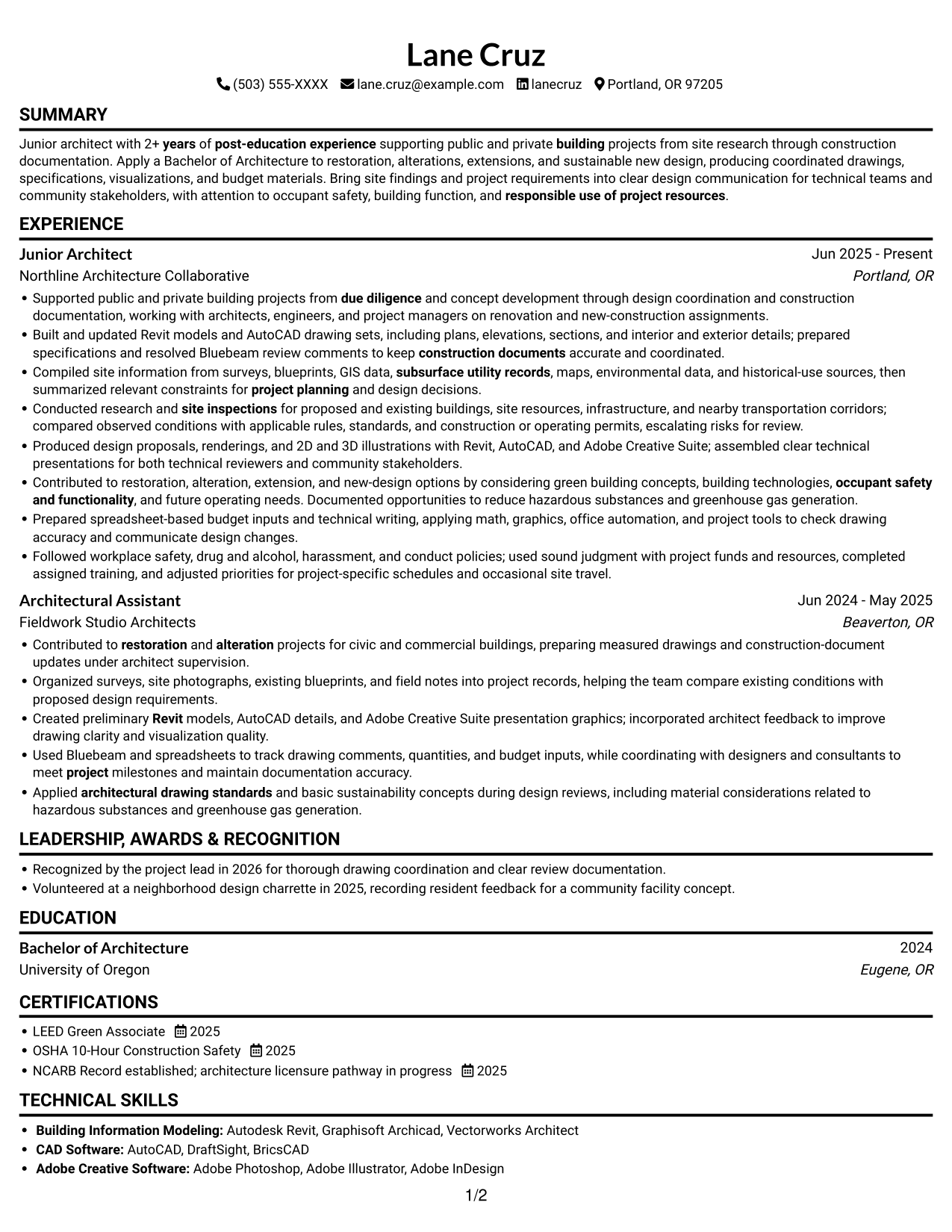
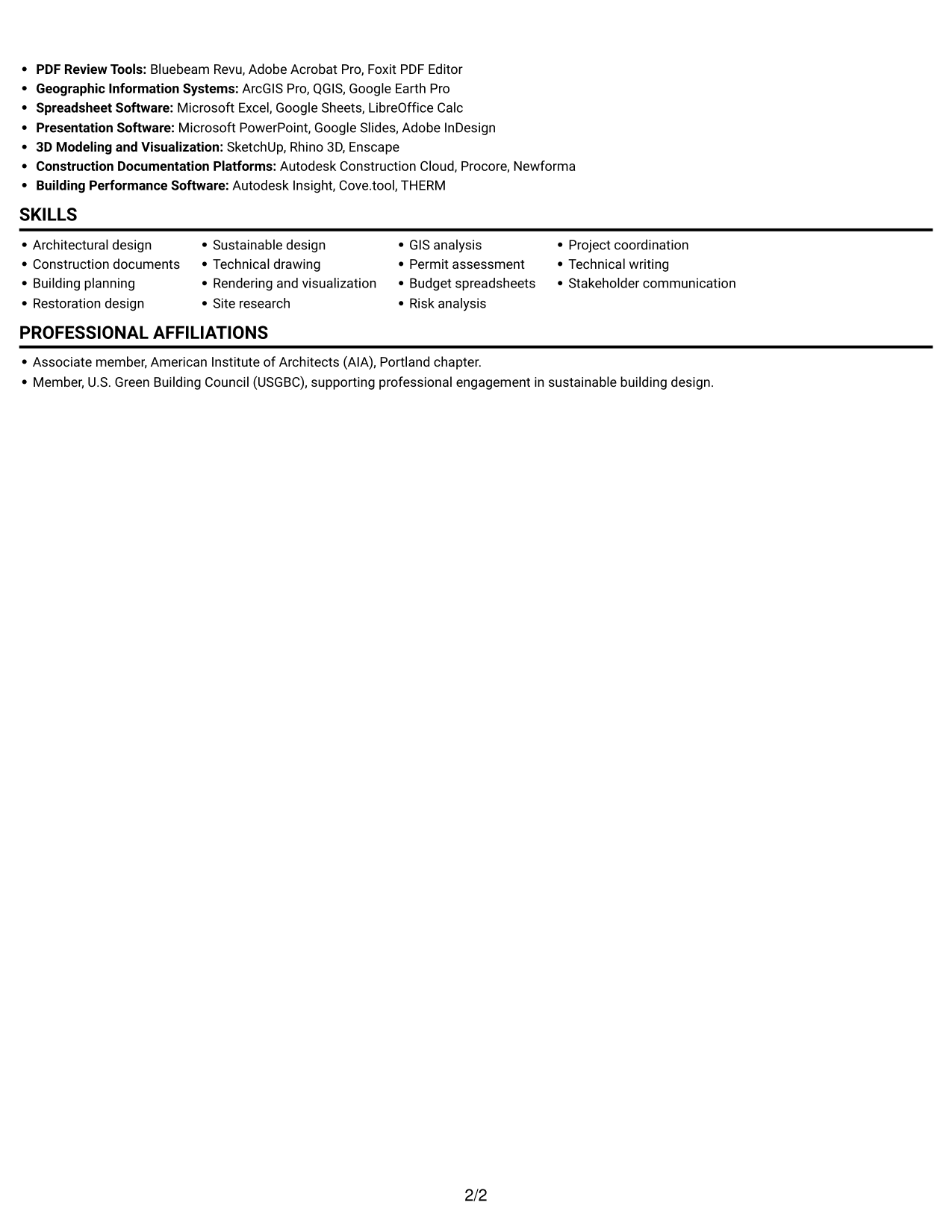
#1 Simple One Column Format Resume Example

The Simple One Column Format keeps the resume in one vertical reading path, which suits reviewers who prefer to follow sections in order.
 
Resume example — page 1   Resume example — page 2

Why This Format Works

  • Experience and education remain in one reading path, making career dates easier to compare.
  • A continuous vertical sequence keeps section changes easy to follow during a full review.
  • Project evidence and supporting qualifications share one clear reading order.

Best For

  • Single-column reading preference
  • Straightforward experience chronology
  • Resumes with several section types
  • Detailed project descriptions
  • Readers avoiding parallel columns

Resume Keywords

  • Bachelor of Architecture
  • 2+ years of post-education experience supporting public and private building projects
  • architecture licensure pathway in progress
  • Apply a Bachelor of Architecture to restoration, alterations, extensions, and sustainable new design, producing coordinated drawings, specifications, visualizations, and budget materials.
  • prepared specifications and resolved Bluebeam review comments to keep construction documents accurate and coordinated.
  • Applied architectural drawing standards and basic sustainability concepts during design reviews
  • Building planning
  • architectural drawing standards
  • Technical drawing
  • Rendering and visualization
  • Produced design proposals, renderings, and 2D and 3D illustrations
  • Revit
  • from due diligence and concept development through design coordination and construction documentation
  • Compiled site information from surveys, blueprints, GIS data, subsurface utility records, maps, environmental data, and historical-use sources, then summarized relevant constraints for project planning and design decisions.
  • concept development
See all keywords
 

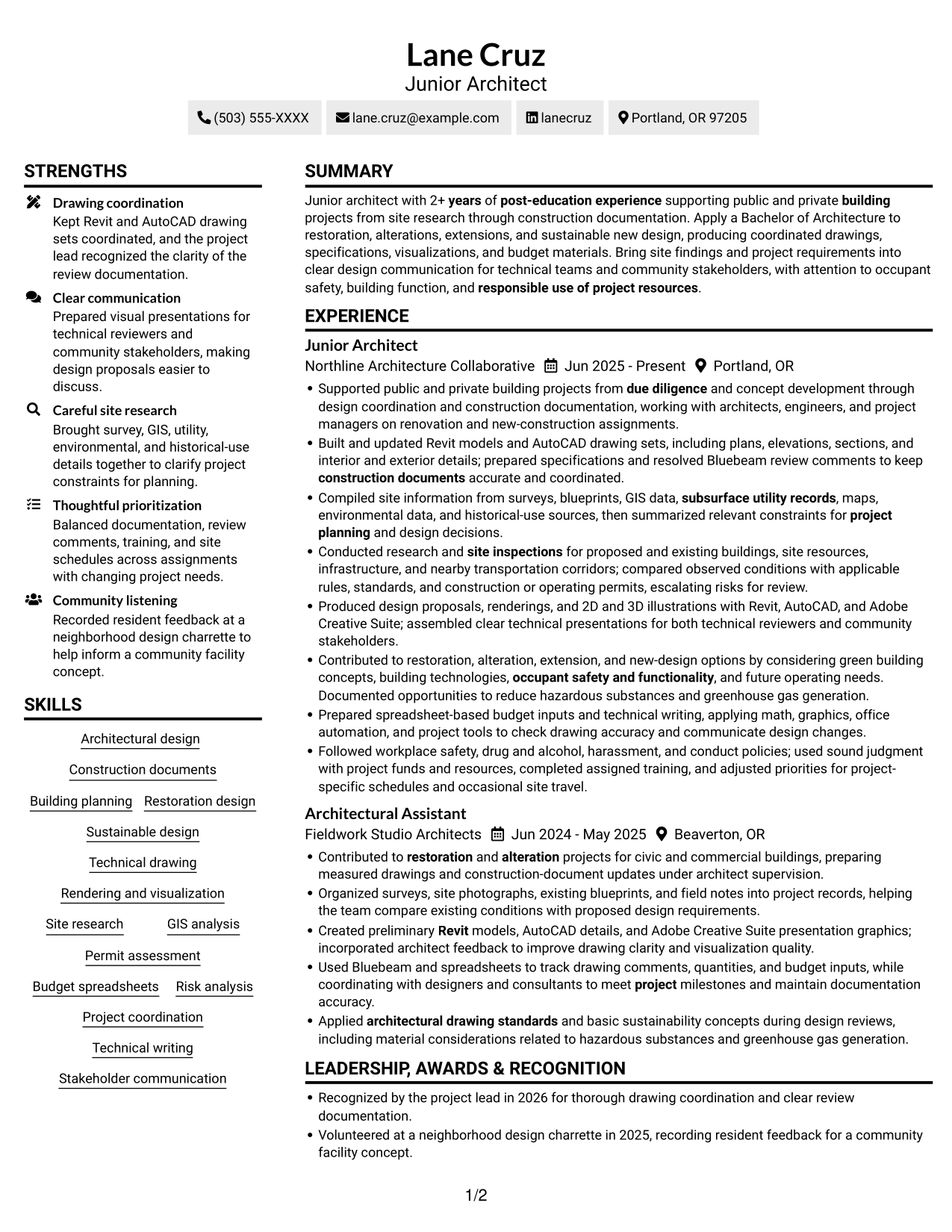
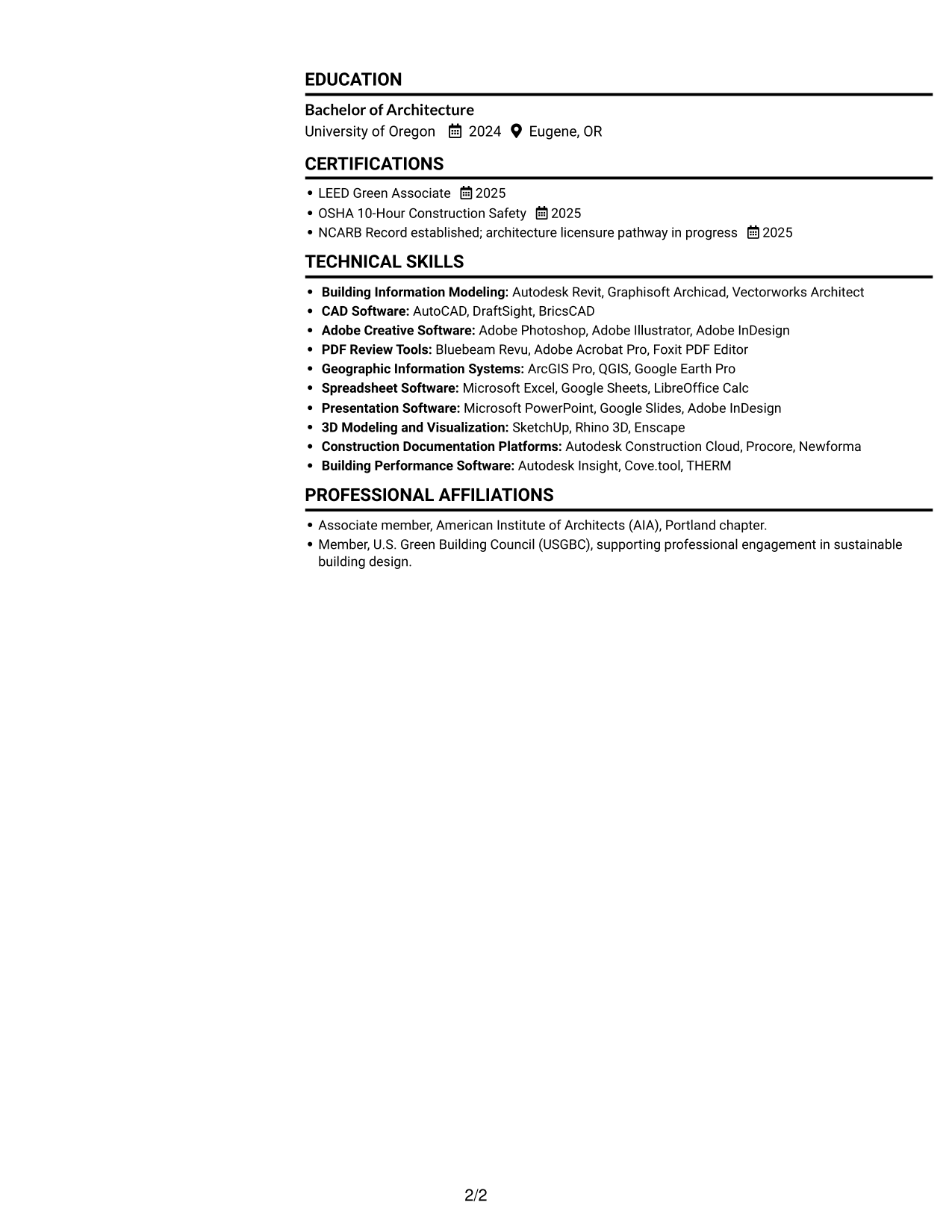
#2 Simple Two Column Format Resume Example

The Simple Two Column Format gives the resume body two reading lanes, helping reviewers scan separate groups of information without following one long vertical sequence.
 
Resume example — page 1   Resume example — page 2

Why This Format Works

  • Parallel columns let reviewers compare section groups without following one long vertical sequence.
  • Separate reading lanes can distinguish skills and credentials from other resume details.
  • The two-column structure offers a compact view of varied resume content.

Best For

  • Parallel section organization
  • Compact information grouping
  • Quick comparison of resume sections
  • Varied content types
  • Readers comfortable with two reading lanes

#3 Plain One Column with Shaded Labels Resume Example

The Plain One Column with Shaded Labels format presents resume content in a single vertical column, making it easy to read each section from top to bottom.
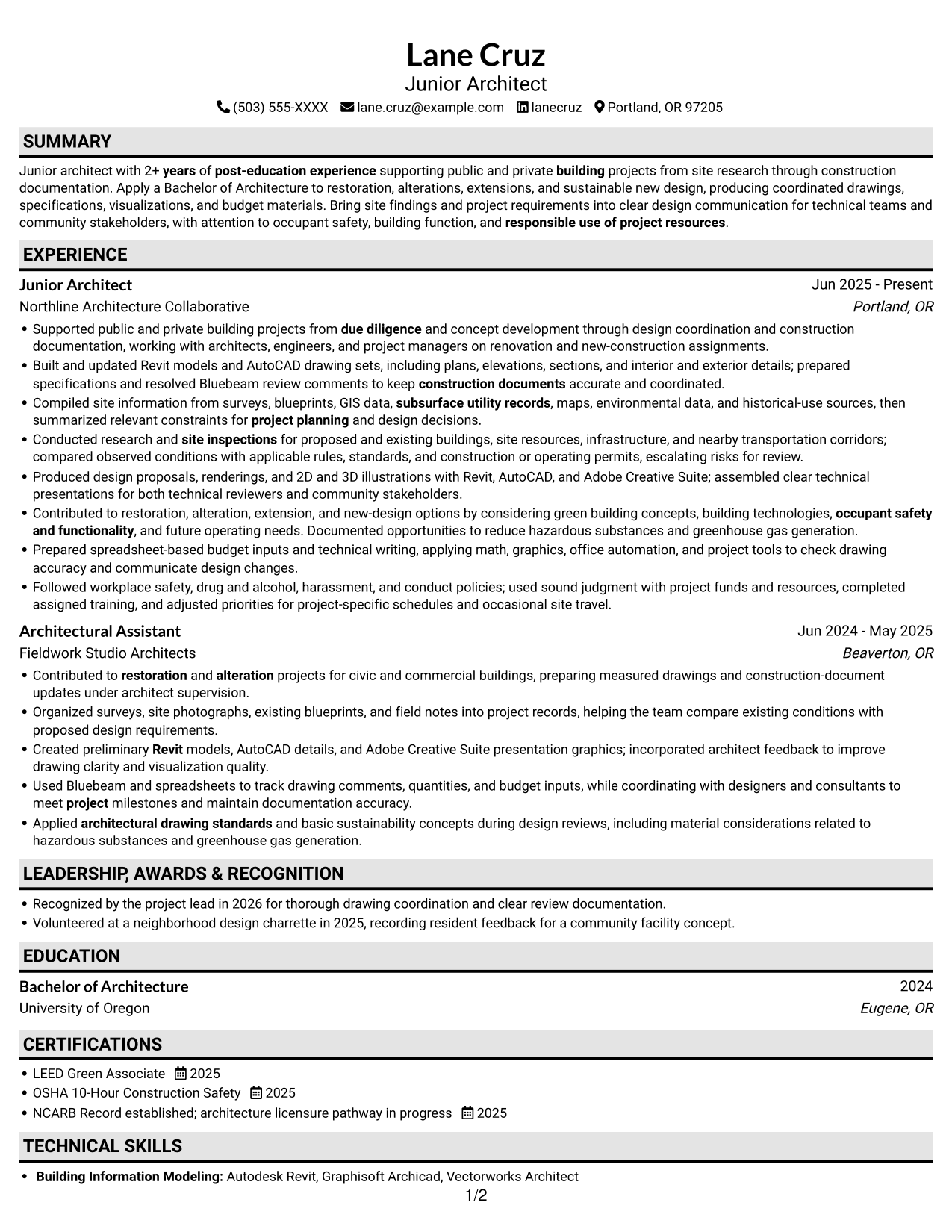
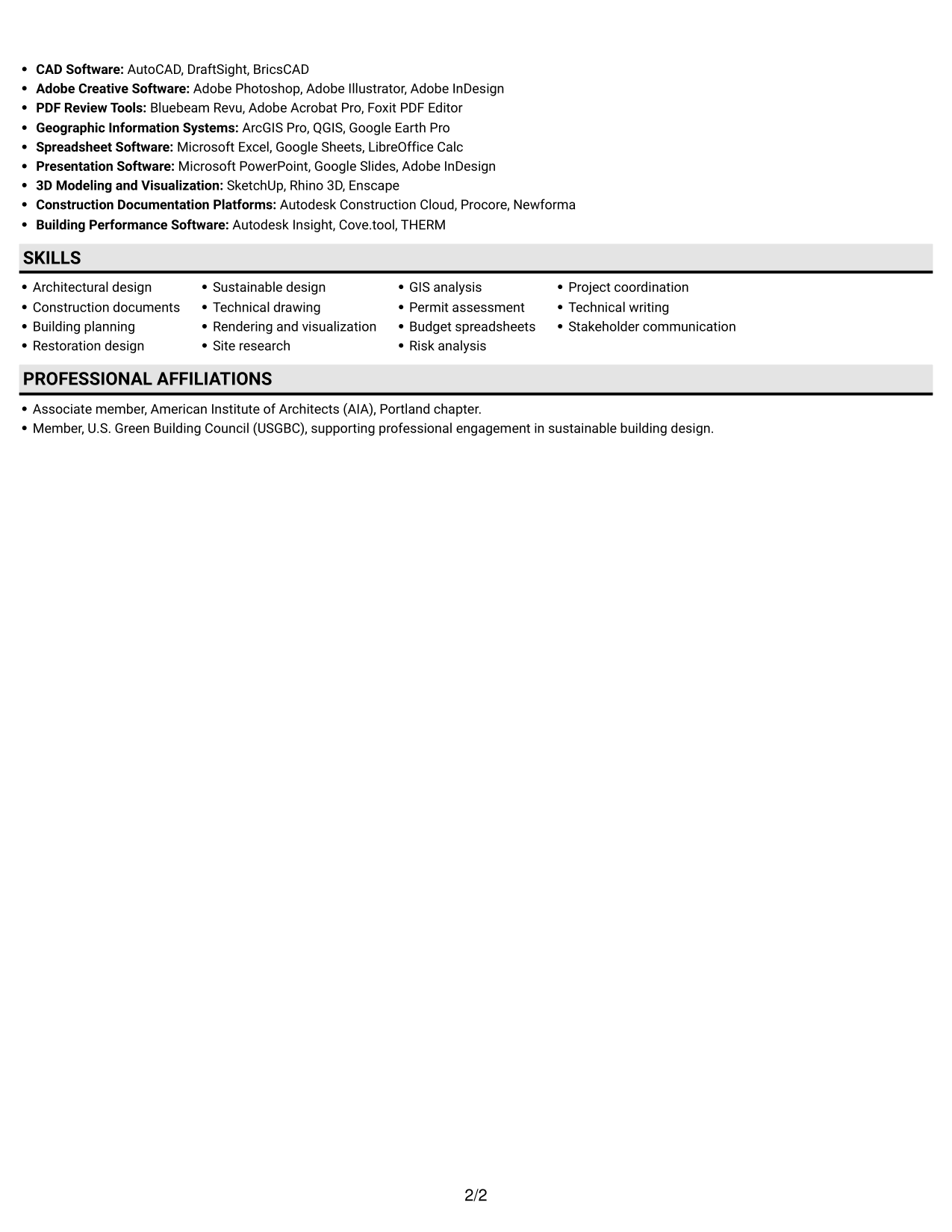
 
Resume example — page 1   Resume example — page 2

Why This Format Works

  • The vertical arrangement keeps each section's heading close to its supporting details.
  • Experience entries follow one reading direction, helping reviewers compare roles in sequence.
  • Education and credentials can be reviewed without shifting between columns.

Best For

  • Top-to-bottom section review
  • Experience entries compared in sequence
  • Education and credentials
  • Resumes with detailed entries
  • Readers who prefer one reading lane
 

#4 One Column Format with Photo Right Resume Example

The One Column Format with Photo Right pairs a single vertical text path with a portrait on the right, keeping the resume content in sequence while adding a visible profile image.
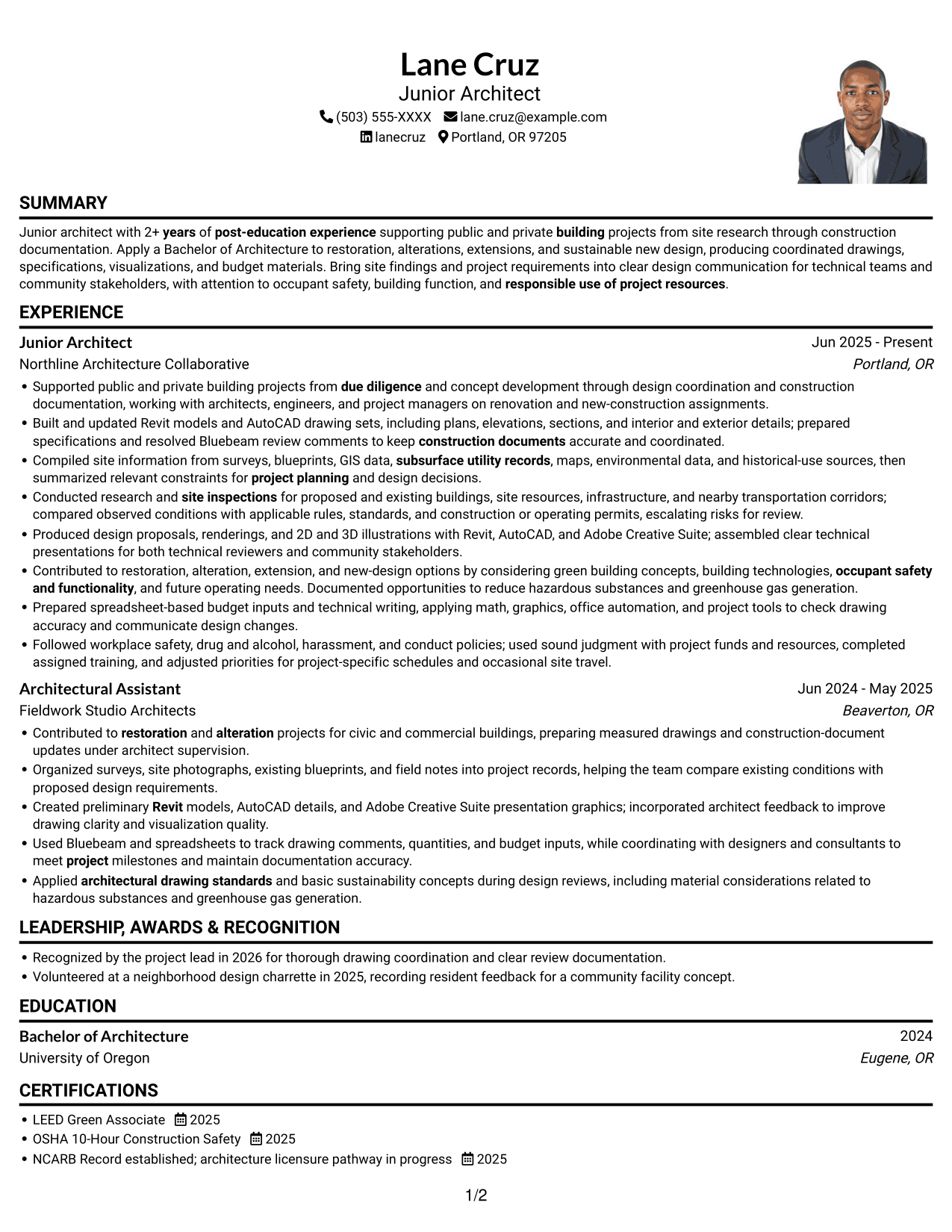
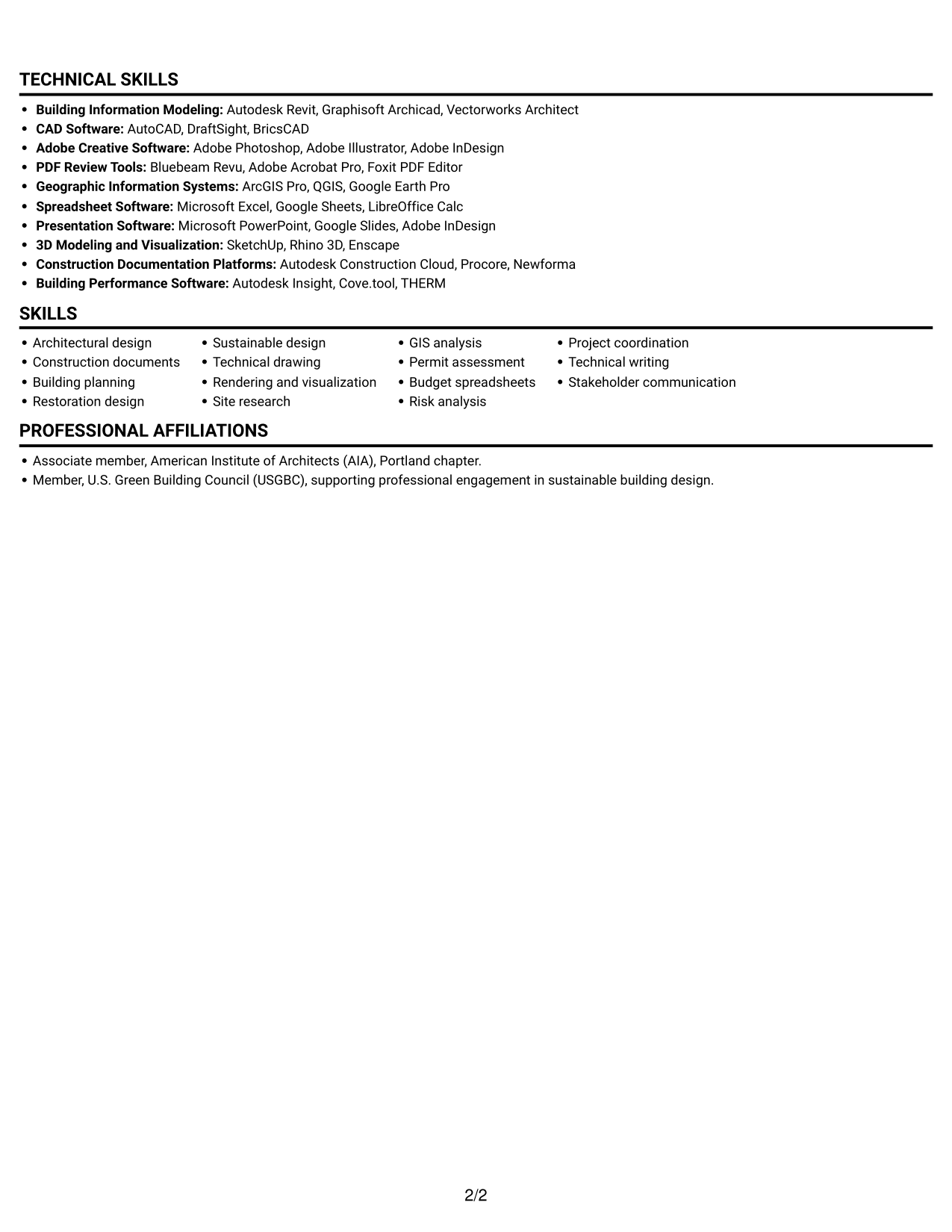
 
Resume example — page 1   Resume example — page 2

Why This Format Works

  • Text stays in one sequence, helping reviewers follow work history and education.
  • A single reading path lets readers move through project descriptions without crossing columns.
  • The right-side portrait adds a visual profile element while leaving the text order clear.

Best For

  • One-column text preference
  • Portrait included in the resume
  • Sequential work history review
  • Project descriptions with detail
  • A visible profile image
 

#5 Clean Two Column Sidebar Format Resume Example

The Clean Two Column Sidebar Format uses two body columns to organize resume information side by side, giving reviewers a compact view of the document's sections.
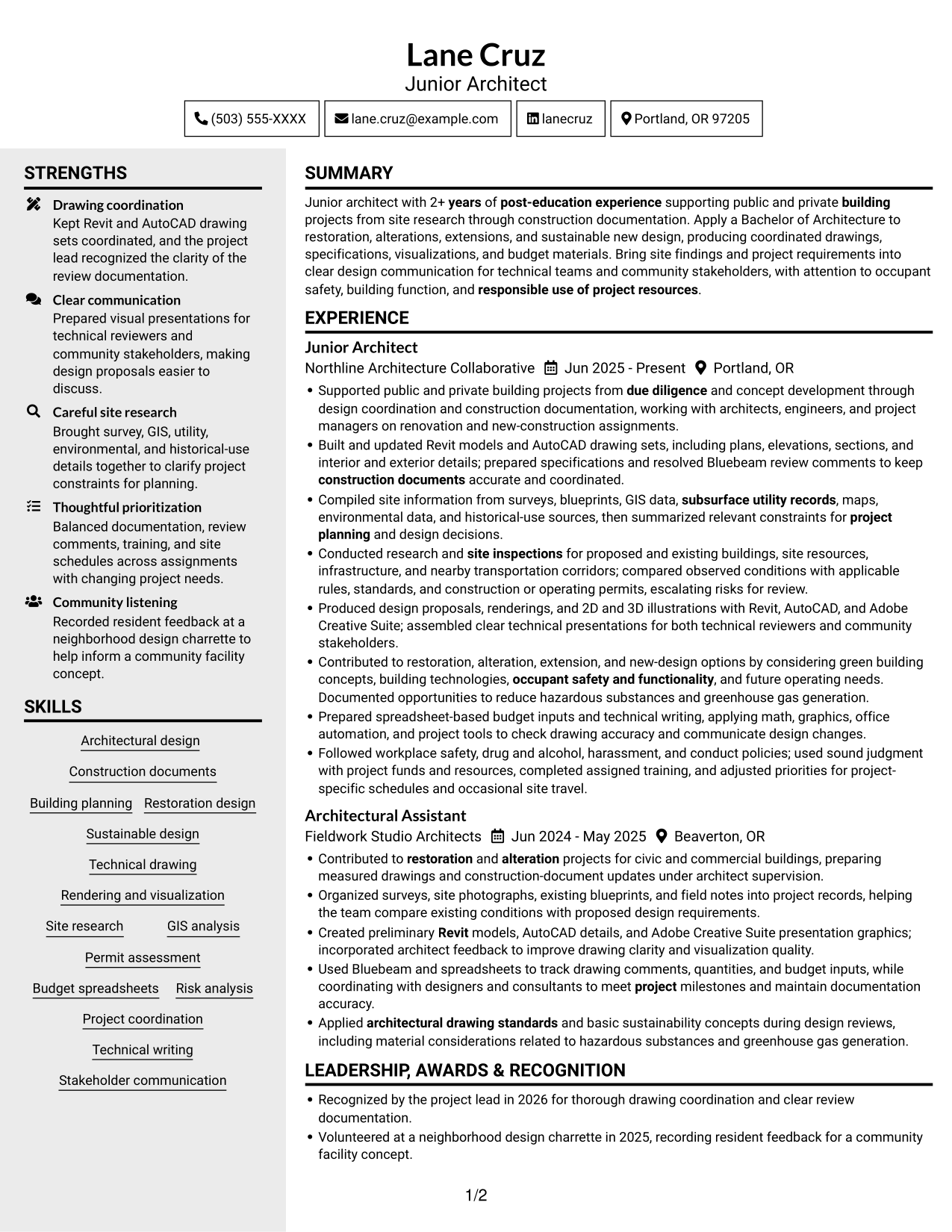
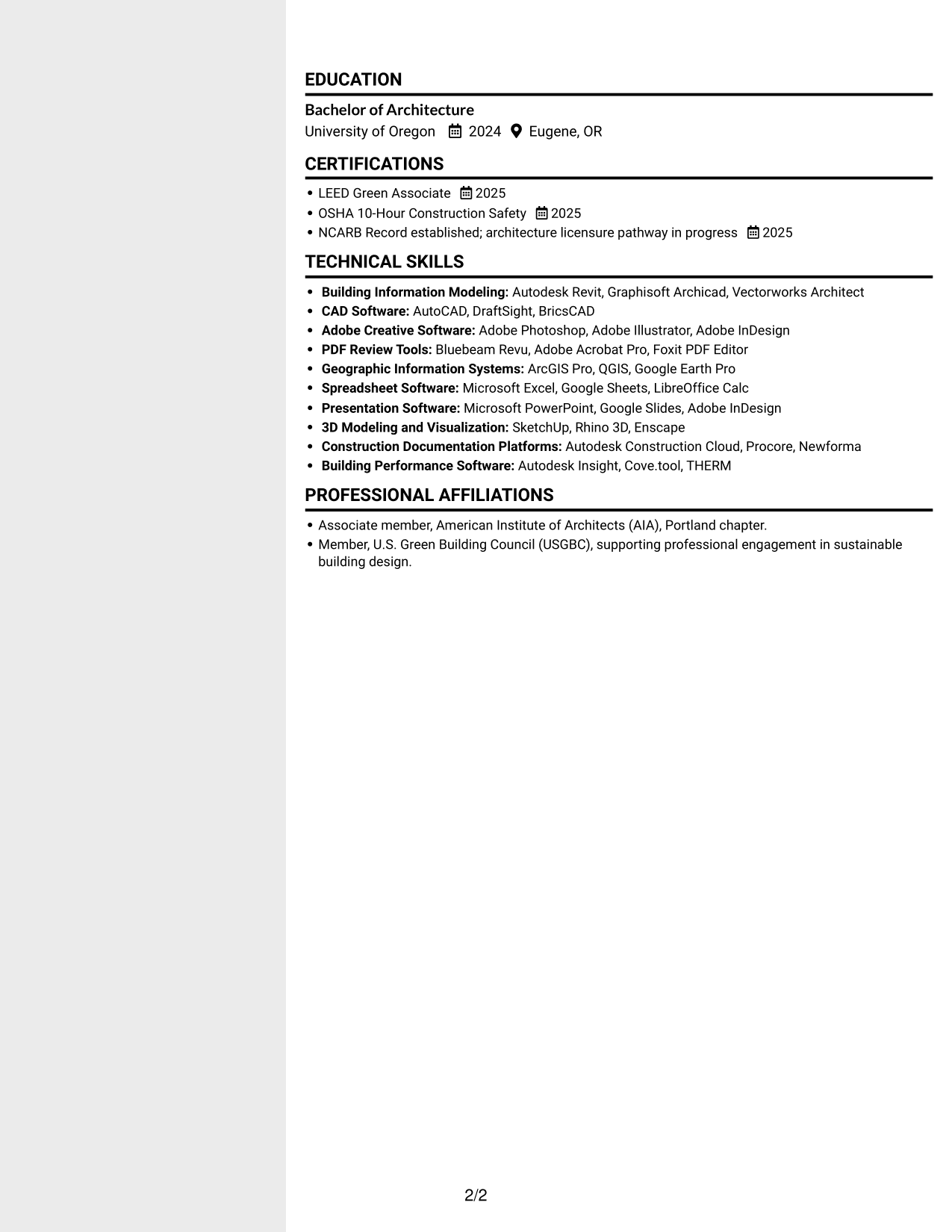
 
Resume example — page 1   Resume example — page 2

Why This Format Works

  • Two columns make separate groups of resume details visible at the same time.
  • The side-by-side reading structure offers an alternative to a long single-column sequence.
  • Skills, education, and experience can remain distinct within the overall layout.

Best For

  • Side-by-side section organization
  • Compact resume content
  • Several kinds of supporting details
  • Skills alongside career history
  • Readers who prefer parallel sections


#6 Two Column Format Resume Example

The Two Column Format arranges the resume body in two columns, giving reviewers a clear way to move between parallel groups of information.
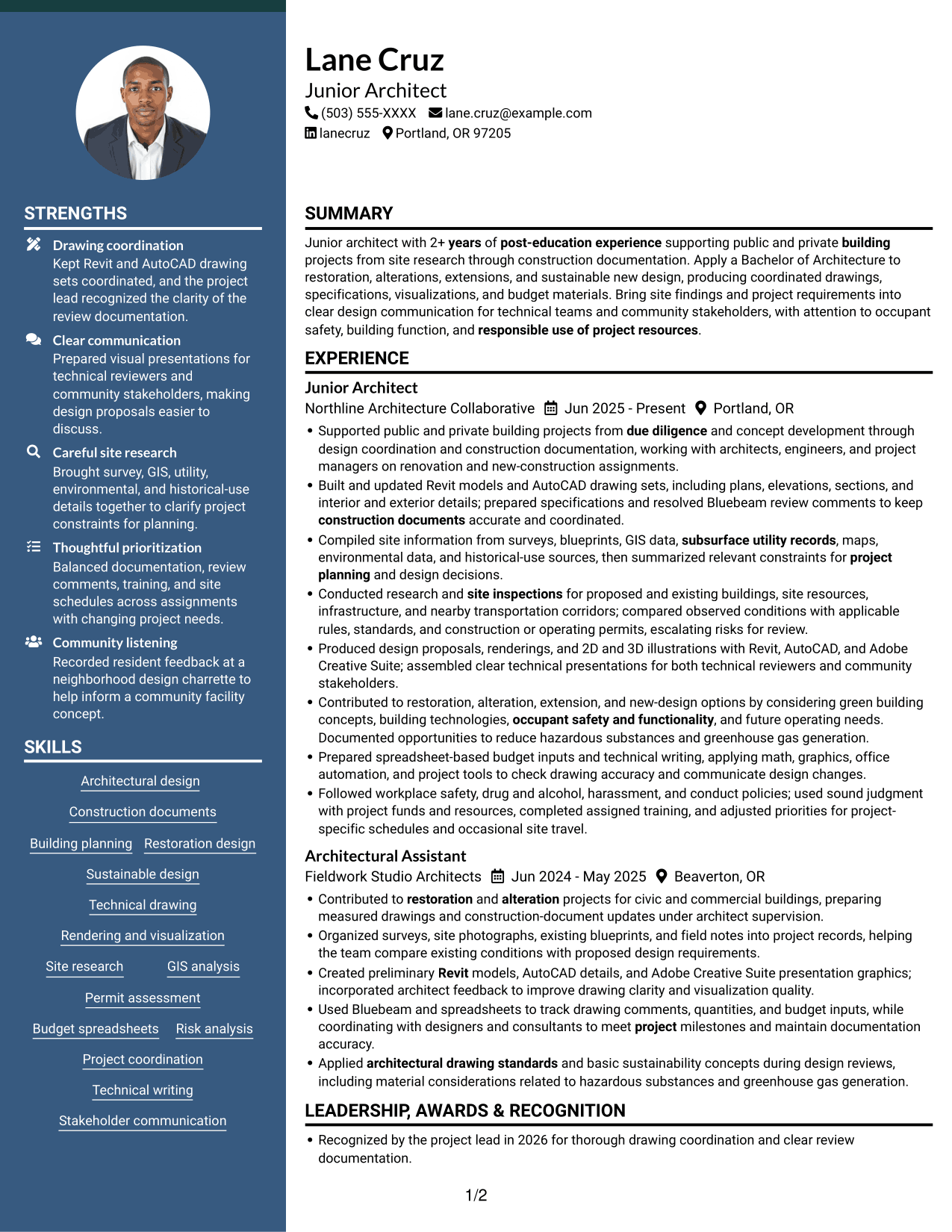
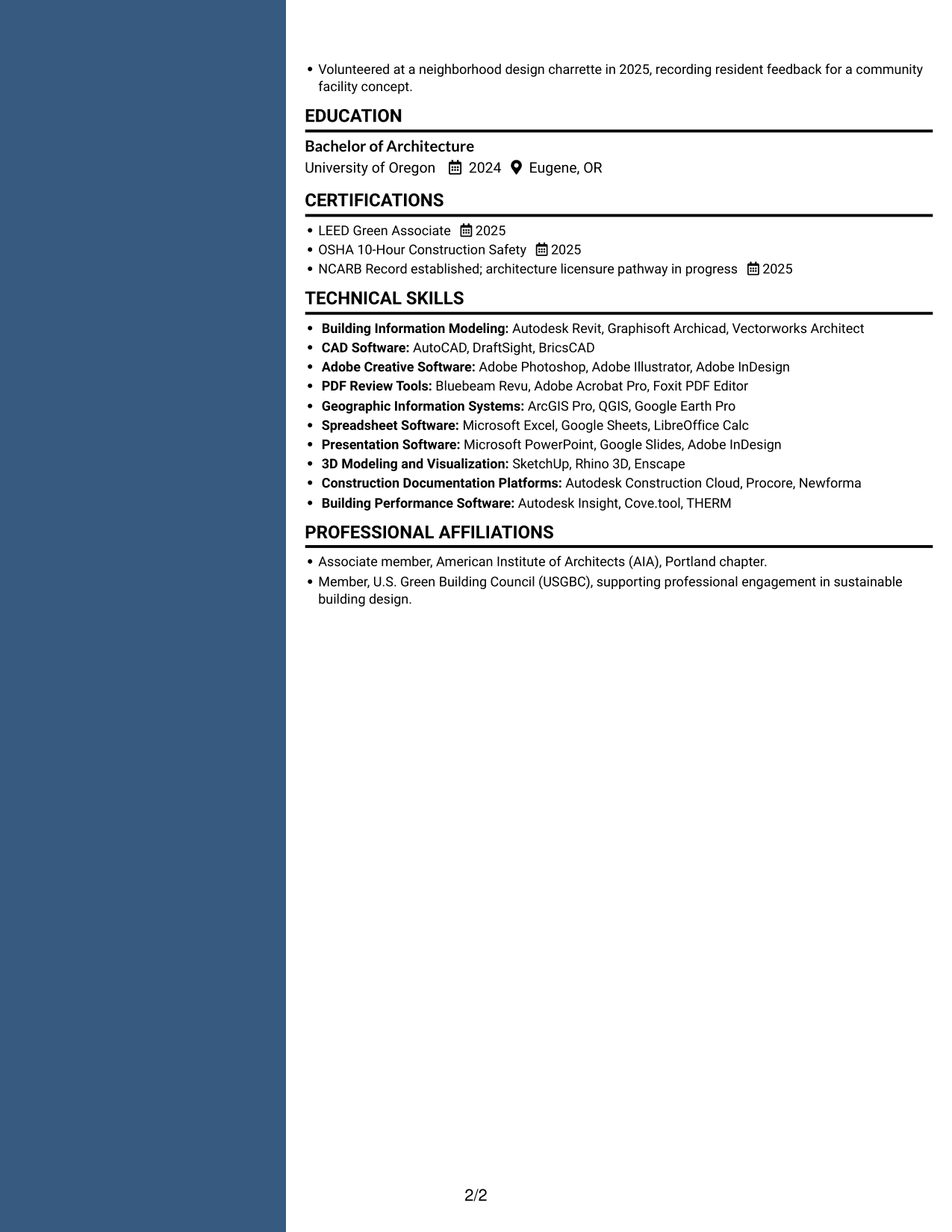
 
Resume example — page 1   Resume example — page 2

Why This Format Works

  • Parallel columns let reviewers move between resume sections without one long vertical scan.
  • The layout can keep career details and supporting qualifications visually distinct.
  • A two-column body supports a compact view of experience, education, and skills.

Best For

  • Parallel reading preference
  • Compact view of resume sections
  • Experience with supporting qualifications
  • Multiple content categories
  • Readers scanning grouped information
 

#7 Photo Header Two Column Format Resume Example

The Photo Header Two Column Format places a portrait in the header above a two-column resume body, combining a visible profile image with parallel section organization.
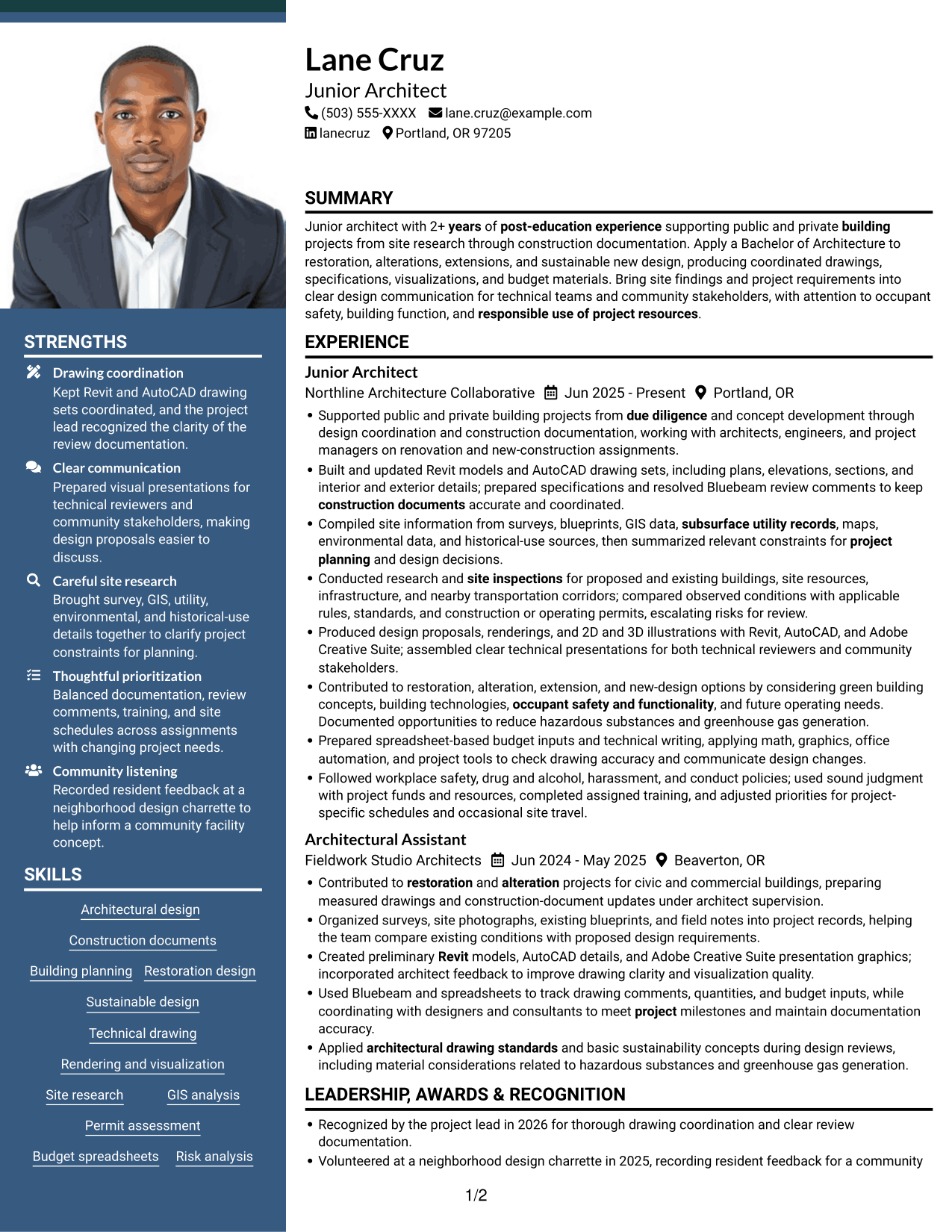
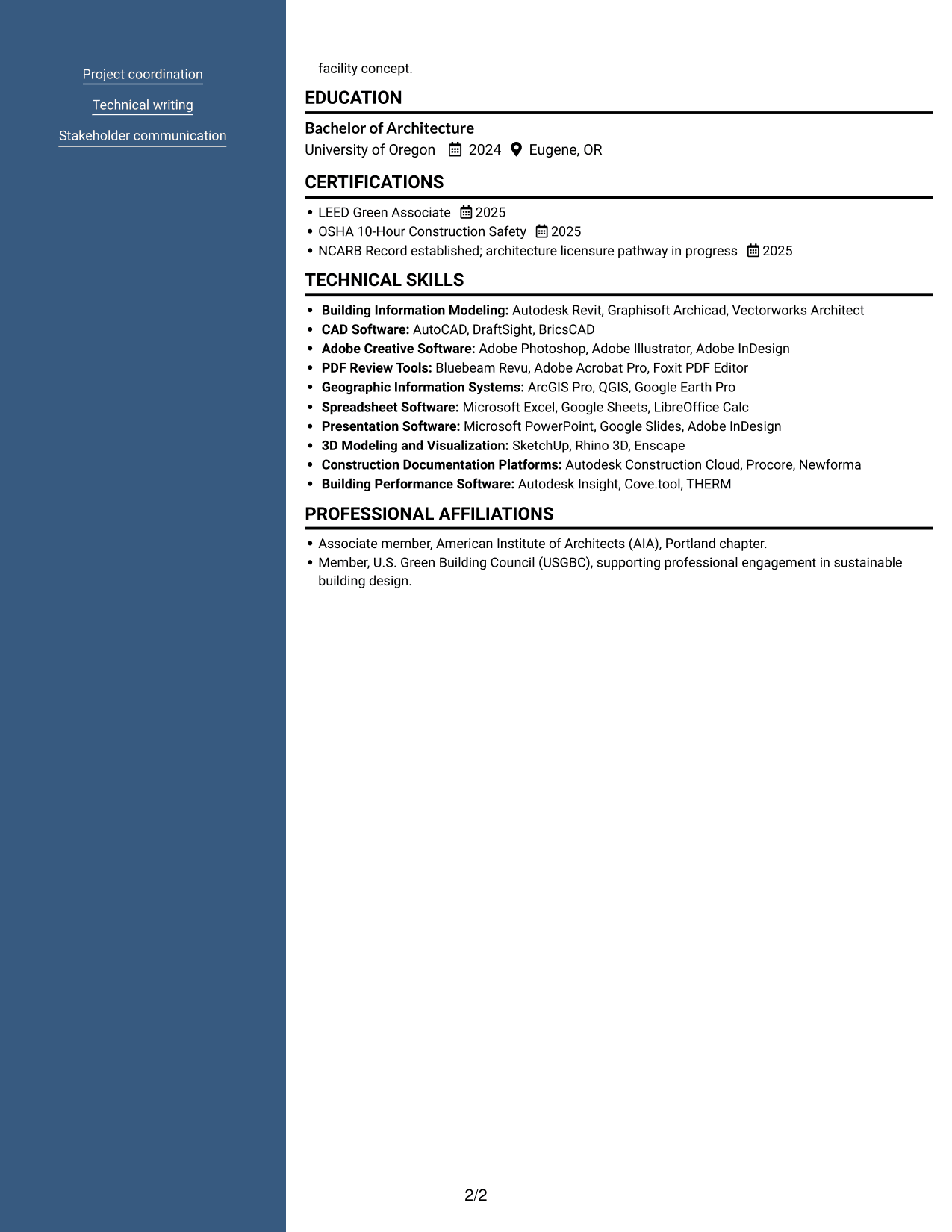
 
Resume example — page 1   Resume example — page 2

Why This Format Works

  • The two-column body gives reviewers parallel paths through resume content.
  • A header portrait adds a clear visual profile without changing the body's reading structure.
  • Experience, skills, and education can be reviewed within the same compact layout.

Best For

  • Portrait in the resume header
  • Two-column body organization
  • Compact section review
  • Several resume content categories
  • Readers who prefer a visible profile image


Why Build Your Junior Architect - Sustainable Building Design Resume with ResumeInMinutes

ResumeInMinutes lets you compare resume layouts and open an example in the editor. Use the structure to arrange your own experience, education, technical skills, and certifications clearly.

  • Clear resume layouts
  • Readable section structure
  • ATS-focused organization
  • Skills and experience sections
  • Project evidence and achievements
  • Resume customization support

Keep the content focused on architectural design, sustainable building practices, and the work you can support. Review each section for accuracy, clear wording, and relevant details.


See Also


Frequently Asked Questions

Are these Junior Architect - Sustainable Building Design resume layouts ATS-friendly?

The layouts use clear headings and organized sections to support easy reading. Include relevant terms such as construction documents, site research, sustainable design, Revit, AutoCAD, and permit assessment where they accurately match your experience.

Are these different resume examples?

This guide presents one Junior Architect - Sustainable Building Design resume example in several page layouts. Compare how each design arranges the same information.

What should a Junior Architect - Sustainable Building Design resume include?

Include a focused summary, relevant experience, education, technical skills, and certifications. Use concise bullets to describe drawing coordination, site research, design work, construction documents, and sustainable building tasks you have completed.

Which resume style works well for this architecture role?

Choose a clean layout with readable headings and enough room for experience and technical skills. A simple one-column design can make the section order easy to follow, while a two-column design can group skills beside experience.

How can I show sustainable building design experience?

Describe the design or research task, the project stage, and your contribution. Mention green building concepts, site findings, or material considerations only when they reflect work you have actually done.

Should I include a photo on my resume?

For U.S. applications, a resume without a photo is generally the safer choice. Use a photo only when it is customary or required in the relevant region or field.


ATS Score 86%

How we calculate this score

  • Keywords: 60% of the total. AI extracts keywords from your job description. If you do not provide one, a standard job description for the title matching your resume is used. This is not a match to a specific vacancy.
  • Text-based resume: 20%. The text resume assessed here receives 100 for this part.
  • Resume quality: 20%. We start at 100 and subtract points for issues found by our resume checks, down to a minimum of zero.
  • Keyword coverage = round(100 × confirmed matches ÷ total keywords). Exact matches and supported equivalents verified by AI receive full credit; unsupported keywords receive none. Live text checks use the saved equivalents and do not request a new AI review. Without keywords, no overall ATS score is available.
  • Final score = 60% of keyword coverage + 20% of the text score + 20% of the quality score, rounded to a whole number. Without keywords, no overall ATS score is available.

What this score means

Our scores are estimates, not employer ratings. They may contain errors and do not guarantee accurate parsing, a ranking, an interview, or a job. Check your document against the employer’s requirements. You are responsible for relying on this score.

Terms and Conditions

Score weights: Keywords 60% · Text based resume 20% · Resume quality 20%

Keyword coverage: 33 of 43 (77%) · Resume quality: 100%

Resume quality 100% · Weight 20% · Issues (0)

Details
  • ✓Name present: Lane Cruz
  • ✓Email format: lane.cruz@example.com
  • ✓Phone format: (503) 555-XXXX
  • ✓Experience 1: Job title: Junior Architect
  • ✓Experience 1: Company name: Northline Architecture Collaborative
  • ✓Experience 1: Work location: Portland, OR
  • ✓Experience 1: Employment dates: Jun 2025 - Present
  • ✓Experience 1: Description or achievements: Present
  • ✓Experience 2: Job title: Architectural Assistant
  • ✓Experience 2: Company name: Fieldwork Studio Architects
  • ✓Experience 2: Work location: Beaverton, OR
  • ✓Experience 2: Employment dates: Jun 2024 - May 2025
  • ✓Experience 2: Description or achievements: Present
  • ✓No placeholder fields
  • ✓No repeated achievement bullets
  • ✓No empty bullets

No issues found by the current checks.

Text Based Resume 100% · Weight 20%

Parsed text
Lane Cruz
(503) 555-XXXX
lane.cruz@example.com
lanecruz
Portland, OR 97205
SUMMARY
Junior architect with 2+ years of post-education experience supporting public and private building projects from site research through construction documentation. Apply a Bachelor of Architecture to restoration, alterations, extensions, and sustainable new design, producing coordinated drawings, specifications, visualizations, and budget materials. Bring site findings and project requirements into clear design communication for technical teams and community stakeholders, with attention to occupant safety, building function, and responsible use of project resources.
EXPERIENCE
Junior Architect
Jun 2025 - Present
Northline Architecture Collaborative
Portland, OR
Supported public and private building projects from due diligence and concept development through design coordination and construction documentation, working with architects, engineers, and project managers on renovation and new-construction assignments.
Built and updated Revit models and AutoCAD drawing sets, including plans, elevations, sections, and interior and exterior details; prepared specifications and resolved Bluebeam review comments to keep construction documents accurate and coordinated.
Compiled site information from surveys, blueprints, GIS data, subsurface utility records, maps, environmental data, and historical-use sources, then summarized relevant constraints for project planning and design decisions.
Conducted research and site inspections for proposed and existing buildings, site resources, infrastructure, and nearby transportation corridors; compared observed conditions with applicable rules, standards, and construction or operating permits, escalating risks for review.
Produced design proposals, renderings, and 2D and 3D illustrations with Revit, AutoCAD, and Adobe Creative Suite; assembled clear technical presentations for both technical reviewers and community stakeholders.
Contributed to restoration, alteration, extension, and new-design options by considering green building concepts, building technologies, occupant safety and functionality, and future operating needs. Documented opportunities to reduce hazardous substances and greenhouse gas generation.
Prepared spreadsheet-based budget inputs and technical writing, applying math, graphics, office automation, and project tools to check drawing accuracy and communicate design changes.
Followed workplace safety, drug and alcohol, harassment, and conduct policies; used sound judgment with project funds and resources, completed assigned training, and adjusted priorities for project-specific schedules and occasional site travel.
Architectural Assistant
Jun 2024 - May 2025
Fieldwork Studio Architects
Beaverton, OR
Contributed to restoration and alteration projects for civic and commercial buildings, preparing measured drawings and construction-document updates under architect supervision.
Organized surveys, site photographs, existing blueprints, and field notes into project records, helping the team compare existing conditions with proposed design requirements.
Created preliminary Revit models, AutoCAD details, and Adobe Creative Suite presentation graphics; incorporated architect feedback to improve drawing clarity and visualization quality.
Used Bluebeam and spreadsheets to track drawing comments, quantities, and budget inputs, while coordinating with designers and consultants to meet project milestones and maintain documentation accuracy.
Applied architectural drawing standards and basic sustainability concepts during design reviews, including material considerations related to hazardous substances and greenhouse gas generation.
LEADERSHIP, AWARDS & RECOGNITION
Recognized by the project lead in 2026 for thorough drawing coordination and clear review documentation.
Volunteered at a neighborhood design charrette in 2025, recording resident feedback for a community facility concept.
EDUCATION
Bachelor of Architecture
2024
University of Oregon
Eugene, OR
CERTIFICATIONS
LEED Green Associate
2025
OSHA 10-Hour Construction Safety
2025
NCARB Record established; architecture licensure pathway in progress
2025
TECHNICAL SKILLS
Building Information Modeling: Autodesk Revit, Graphisoft Archicad, Vectorworks Architect
CAD Software: AutoCAD, DraftSight, BricsCAD
Adobe Creative Software: Adobe Photoshop, Adobe Illustrator, Adobe InDesign
PDF Review Tools: Bluebeam Revu, Adobe Acrobat Pro, Foxit PDF Editor
Geographic Information Systems: ArcGIS Pro, QGIS, Google Earth Pro
Spreadsheet Software: Microsoft Excel, Google Sheets, LibreOffice Calc
Presentation Software: Microsoft PowerPoint, Google Slides, Adobe InDesign
3D Modeling and Visualization: SketchUp, Rhino 3D, Enscape
Construction Documentation Platforms: Autodesk Construction Cloud, Procore, Newforma
Building Performance Software: Autodesk Insight, Cove.tool, THERM
SKILLS
Architectural design
Construction documents
Building planning
Restoration design
Sustainable design
Technical drawing
Rendering and visualization
Site research
GIS analysis
Permit assessment
Budget spreadsheets
Risk analysis
Project coordination
Technical writing
Stakeholder communication
PROFESSIONAL AFFILIATIONS
Associate member, American Institute of Architects (AIA), Portland chapter.
Member, U.S. Green Building Council (USGBC), supporting professional engagement in sustainable building design.

Matched keywords (33)

  • Bachelor of ArchitectureOriginal keyword in JD: Bachelor's degree in Architecture or a closely related discipline OR equivalent experience
  • 2+ years of post-education experience supporting public and private building projectsOriginal keyword in JD: 1-3 years of relevant post-education experience
  • architecture licensure pathway in progressOriginal keyword in JD: Architecture licensure process started or intended
  • Apply a Bachelor of Architecture to restoration, alterations, extensions, and sustainable new design, producing coordinated drawings, specifications, visualizations, and budget materials.Original keyword in JD: Architectural design and documentation
  • prepared specifications and resolved Bluebeam review comments to keep construction documents accurate and coordinated.Original keyword in JD: Construction documents and specifications
  • Applied architectural drawing standards and basic sustainability concepts during design reviewsOriginal keyword in JD: Architectural principles and practices
  • Building planning
  • architectural drawing standards
  • Technical drawing
  • Rendering and visualization
  • Produced design proposals, renderings, and 2D and 3D illustrationsOriginal keyword in JD: 2D and 3D visualization
  • RevitOriginal keyword in JD: Revit OR AutoCAD OR Adobe OR Bluebeam OR Creative Suite
  • from due diligence and concept development through design coordination and construction documentationOriginal keyword in JD: Project due diligence
  • Compiled site information from surveys, blueprints, GIS data, subsurface utility records, maps, environmental data, and historical-use sources, then summarized relevant constraints for project planning and design decisions.Original keyword in JD: Site research and analysis
  • concept development
  • design proposals
  • site inspections
  • Compiled site information from surveys, blueprints, GIS data, subsurface utility records, maps, environmental data, and historical-use sources, then summarized relevant constraints for project planning and design decisions.Original keyword in JD: GIS data analysis
  • Compiled site information from surveys, blueprints, GIS data, subsurface utility records, maps, environmental data, and historical-use sources, then summarized relevant constraints for project planning and design decisions.Original keyword in JD: Survey and blueprint analysis
  • subsurface utility records
  • Compiled site information from surveys, blueprints, GIS data, subsurface utility records, maps, environmental data, and historical-use sourcesOriginal keyword in JD: Environmental and historical-use research
  • compared observed conditions with applicable rules, standards, and construction or operating permitsOriginal keyword in JD: Permit and standards assessment
  • summarized relevant constraints for project planning and design decisions.Original keyword in JD: Design analysis
  • Contributed to restoration and alteration projects for civic and commercial buildingsOriginal keyword in JD: Restoration and alteration design
  • Contributed to restoration, alteration, extension, and new-design optionsOriginal keyword in JD: New construction design
  • sustainable building design
  • occupant safety and functionality
  • technical writing
  • Budget spreadsheets
  • summarized relevant constraints for project planning and design decisions.Original keyword in JD: Analytical judgment
  • coordinating with designers and consultants to meet project milestonesOriginal keyword in JD: Cross-functional project coordination
  • assembled clear technical presentations for both technical reviewers and community stakeholders.Original keyword in JD: Technical and nontechnical communication
  • responsible use of project resourcesOriginal keyword in JD: Ethical stewardship of project resources

Missing keywords (10)

  • Prioritization and multitasking
  • U.S. work authorization
  • Construction coordination
  • Risk mitigation
  • Green building practices
  • Building technologies and modeling approaches
  • Structural integrity
  • Future-ready building operations
  • Attention to detail and accuracy
  • Independent and team collaboration
Disclaimer: All names, images, contact information, employment histories, achievements, security clearances, military credentials, and other qualifications shown in this content are fictional and used for illustrative purposes only. Any resemblance to actual persons, living or deceased, is purely coincidental.

Resume and cover-letter examples and recommendations in this article reflect general best practices and professional experience and are provided for guidance only. Results may vary based on role, industry, region, and hiring organization.

Content Accuracy and Verification: To the fullest extent permitted by applicable law, we do not represent or warrant that resume or cover-letter guidance, examples, recommendations, or related information are accurate, complete, current, error-free, or suitable for any particular purpose. You are responsible for independently reviewing and verifying the information before relying on it.

ATS and Cover-Letter Scores: ATS scores are estimates calculated using our own formula, informed by publicly available guidance on resume formatting and keyword matching. They are not scores issued or endorsed by an ATS provider or employer. Cover-letter scores are also our own assessments. Parsing, weighting, screening criteria, and results vary between systems, employers, job descriptions, and document formats. No score guarantees successful parsing, a particular ranking, an interview, or employment. Use scores as general guidance and independently check your documents against the employer’s requirements. To the fullest extent permitted by applicable law, we accept no liability for errors in scores or parsing, or losses arising from reliance on these assessments. Nothing in this notice excludes liability or limits consumer rights that cannot lawfully be excluded or limited.

Terms and Conditions
 
> JP 1 1
PDF Footer and Margins Setup
The margins are applied to the document, and the footer shows up in the preview and the PDF

Footer Font Settings

Are you applying for a specific job
so we can tailor your resume to it?
Are you applying for a specific job
so we can tailor your cover letter to it?

Your data stays private and is never used for training.Privacy Policy

Type your details as text to generate a personalized resume Type your details as text to generate a personalized cover letter
Website link found! Ready to create resume from:

Your data stays private and is never used for training.Privacy Policy

Drag the into the box to verify you're human.
Drop here

My Resumes

Displaying {number_of_files} files (out of {total_of_all_files} total)
Name File Type Last Modified: Description:

Rename File

Filename already exists!

Delete Files

Warning: This action is irreversible. Once you click submit, the files will be permanently deleted.

Heading text
Upload From Computer Upload
Select From Existing
LinkedIn
Drag & Drop files anywhere in this tab, or

Uploaded Files

Delete Name Last Updated Use This File
Select this to use the file for generating your resume and cover letter. Only one source—uploaded file, selected file, or LinkedIn text—can be used.

My Files

Resumes or cover letters you create will appear here. No files available yet.
Delete Name Last Updated Use This File
Select this to use the file for generating your resume and cover letter. Only one source—uploaded file, selected file, or LinkedIn text—can be used.

Add LinkedIn Profile PDF

You can download your LinkedIn profile as a PDF by opening linkedin.com in a web browser, clicking your profile photo, selecting the “More” or “Resources” button, and choosing “Save to PDF.” You can then attach the PDF using the Upload From Computer tab.

Paste Your LinkedIn Profile Text

If you have copied the LinkedIn profile text, paste it below. See how to copy your profile from LinkedIn

Select this to use the LinkedIn profile text for generating your resume and cover letter. Only one source—uploaded file, selected file, or LinkedIn text—can be used.

Try these controls

<
>


