
33 Junior Digital Sales Representative Resume Templates with Example 2026 (ATS-Optimized)
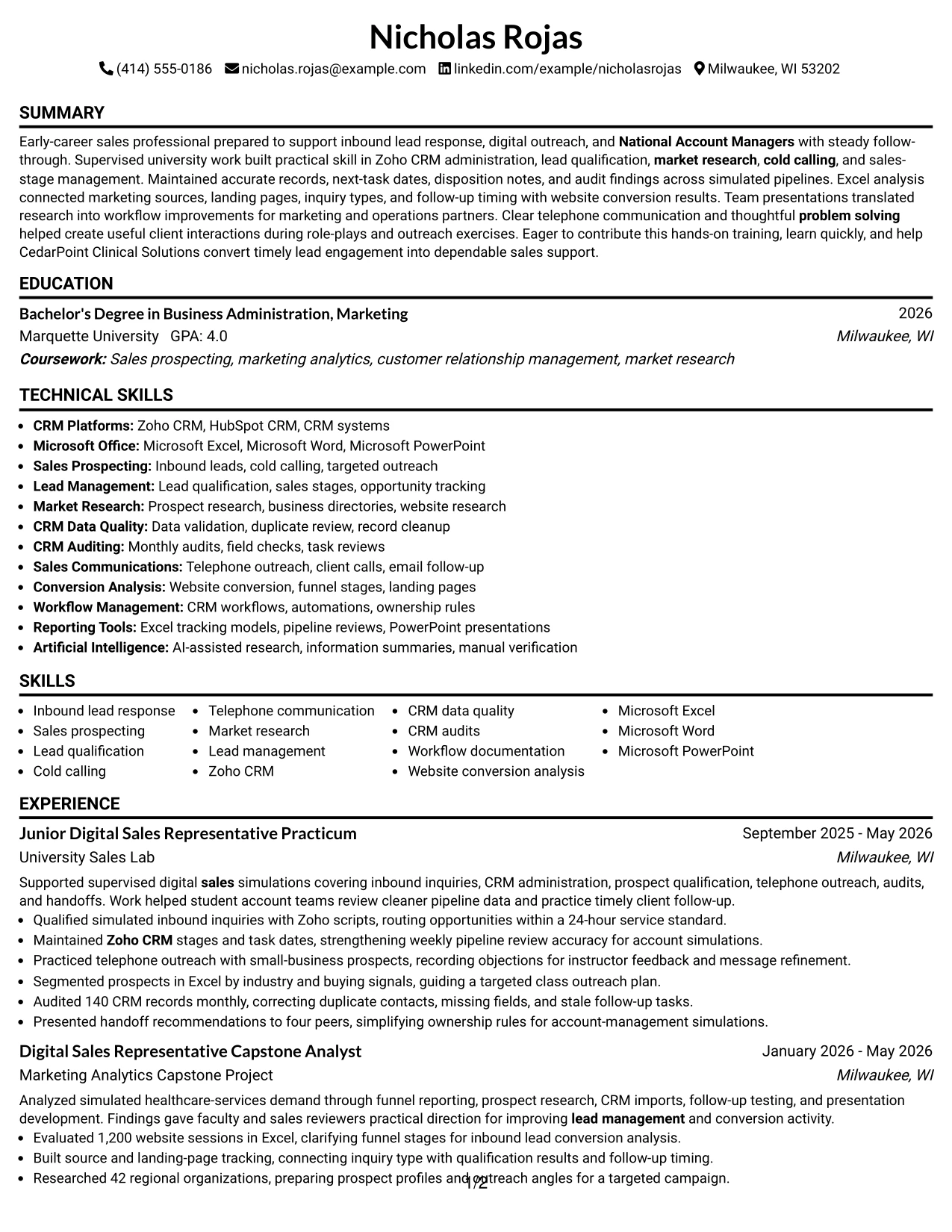
This guide shows you how to build a clear, focused Junior Digital Sales Representative resume that is easy to adapt and review. You will learn how to organize your evidence so your sales support, CRM, and communication strengths are easy to find.
Strong resumes for this role connect daily sales activities with useful evidence. Show how you handled inbound lead response, qualified prospects, maintained accurate CRM records, researched markets, supported outreach, and improved follow-up workflows.
The complete Junior Digital Sales Representative resume example is presented in 33 ATS-friendly resume layouts. Use the examples to compare structure, section order, keyword placement, measurable bullet points, and free PDF formats.
What Makes a Great Junior Digital Sales Representative Resume in 2026
An effective resume is easy to scan, evidence-based, and focused on sales support. It gives clear space to lead response, prospect qualification, CRM accuracy, communication, and measurable work such as record audits or lead volume handled.
Use keywords that match the role, including Zoho CRM, inbound leads, sales prospecting, cold calling, lead management, market research, CRM data quality, website conversion, Microsoft Excel, and monthly CRM audits.
The examples shown below are intentionally detailed to demonstrate a range of experiences, skills, accomplishments and relevant keywords. We prefer detailed resumes as they provide more context to the hiring managers and also help the ATS systems identify relevant qualifications and score your resume better for a match. But the length of a resume is an individual choice. If you want a one page resume, just keep the most relevant experience and information for the job. Note: Resume examples are created for educational purposes; references to real organizations do not imply affiliation or endorsement.
#1 Simple One Column Format Resume Example
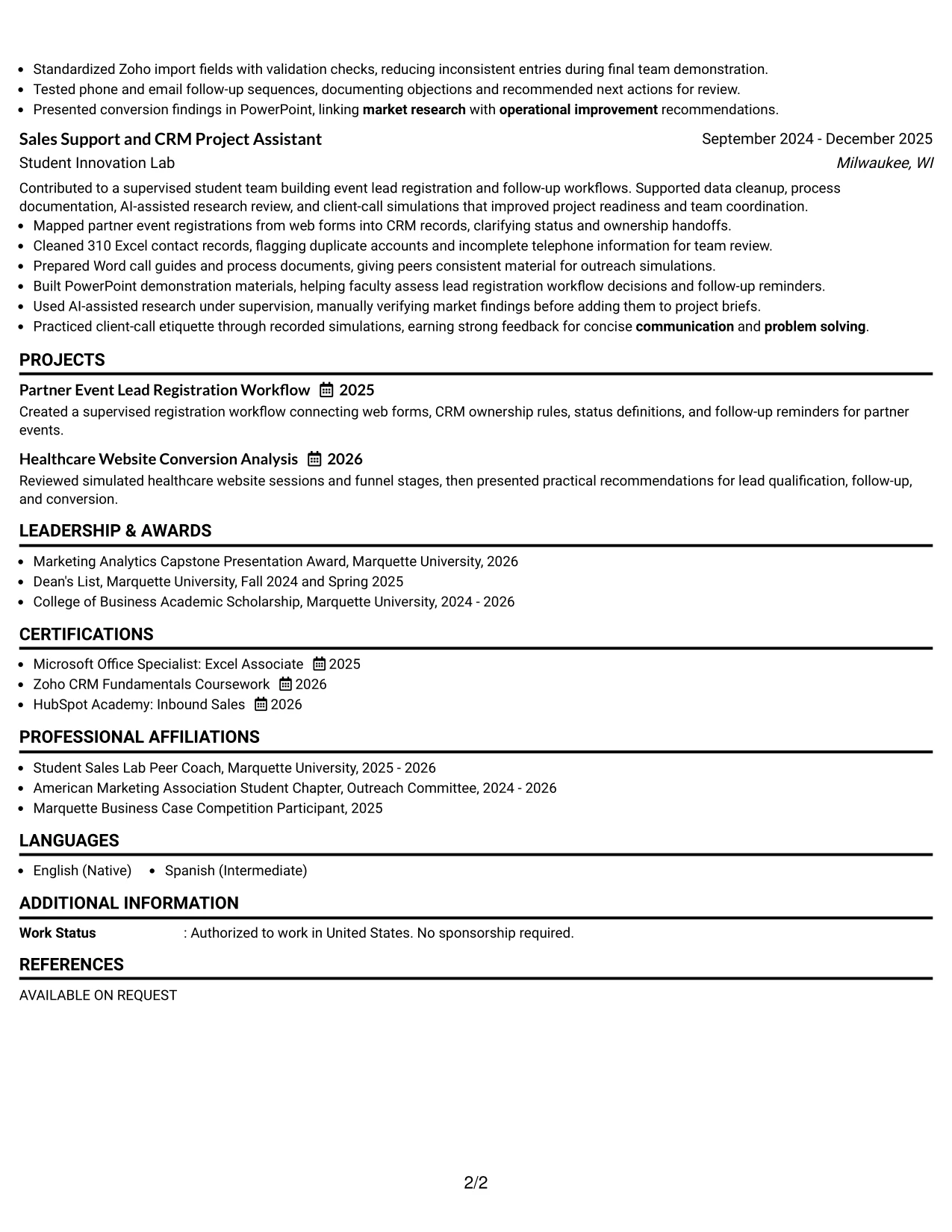
Simple One Column Format gives the resume a clear top-to-bottom path. The contact details, summary, experience, education, certifications, projects, and skills can appear in a logical order that supports quick review.
For this Junior Digital Sales Representative resume, one column keeps important evidence together: 24-hour lead response, Zoho CRM work, 140-record audits, 1,200 website sessions, and research on 42 organizations. Standard headings and direct bullet points also support ATS parsing.
Why the Simple One Column Format Works for a Resume
- A single reading path helps recruiters scan sections in the intended order.
- Standard headings make experience, education, skills, and certifications easier for ATS tools to identify.
- Full-width bullets give measurable results such as 140 CRM records and 1,200 website sessions enough space.
- The summary can connect inbound lead response, sales prospecting, and Zoho CRM experience without crowding.
- Projects can sit beside related education and experience in a clear sequence.
- The format supports detailed tools and keywords, including Microsoft Excel, PowerPoint, and lead qualification.
- Consistent spacing makes sales-stage updates, market research, and CRM audits easy to find.
Best For
- Resumes that need a direct top-to-bottom review path
- ATS-focused applications using standard section headings
- Candidates presenting experience, projects, education, and certifications in one sequence
- Documents with several measurable results that need full-width bullet space
- Applications where CRM, sales, and research keywords must be easy to locate
- Readers who prefer a familiar structure with no side panel
- Resumes combining supervised work with academic projects
- Candidates who want a clean format for future experience additions
Resume Keywords
- Auditing
- cold calling
- communication
- CRM systems
- Data Quality
- Lead Management
- market research
- marketing
- Microsoft Office
- operational improvement
- problem solving
- sales
- Sales prospecting
- sales support
- website conversion
#2 Plain One Column with Shaded Labels Resume Example
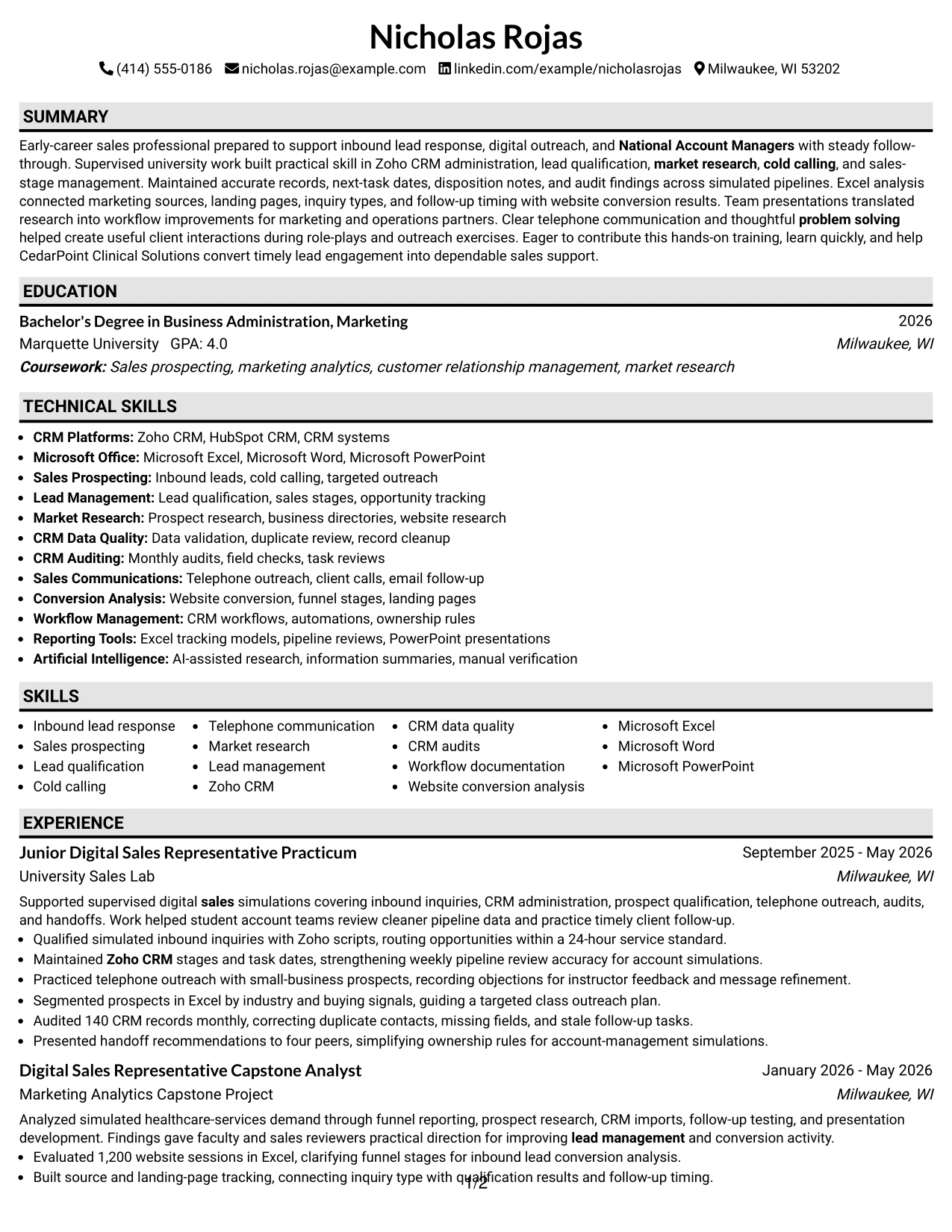
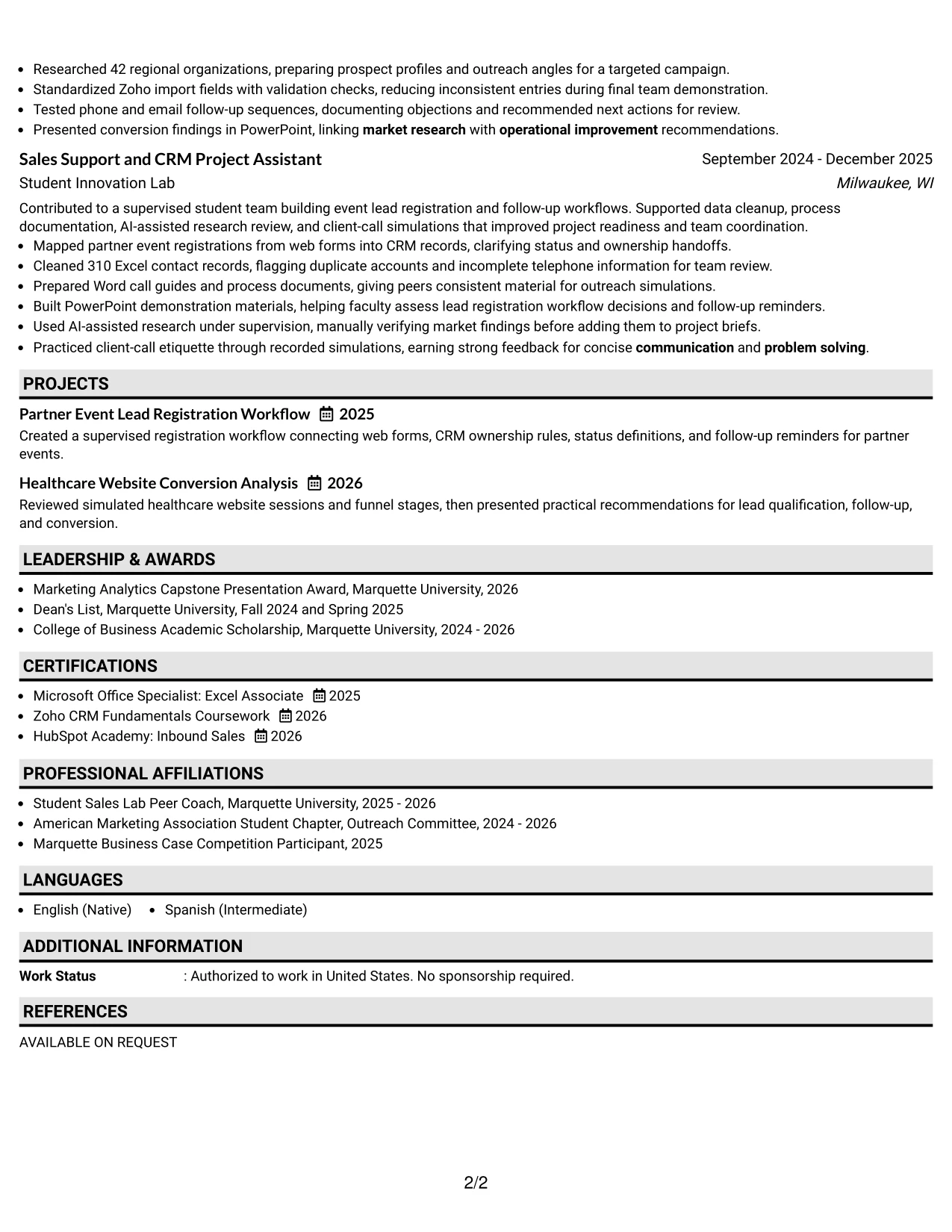
A recruiter moves down this resume through clearly labeled sections, with each shaded label marking a new type of information. That navigation helps separate the summary, experience, projects, education, certifications, and skills without adding visual clutter.
The structure can hold a useful amount of content while keeping each block distinct. Here, bullets show lead qualification, CRM data quality, telephone outreach, market research, and website conversion analysis in a readable order.
Why the Plain One Column with Shaded Labels Works for a Resume
- Shaded labels give each resume section a visible starting point.
- The one-column path keeps dates, employers, projects, and accomplishments easy to follow.
- Plain styling leaves more room for detailed bullets and relevant keywords.
- Experience entries can show both supervised practice and project-based evidence clearly.
- The summary can state the target role and strongest qualifications before the work history.
- Skills and tools remain close to the main content instead of being separated in a narrow panel.
- ATS-friendly text can remain prominent while labels improve human scanning.
Best For
- Resumes with several experience and project entries to organize
- Applications that need generous space for accomplishment bullets
- Readers who scan by section label before reading details
- Documents combining CRM work, market research, and sales communication evidence
- ATS submissions that benefit from a simple single-column text order
- Candidates who want visual separation without decorative complexity
- Resumes where certifications and education need their own clear blocks
- Applications that may add more projects or training later
#3 One Column Format with Photo Right Resume Example
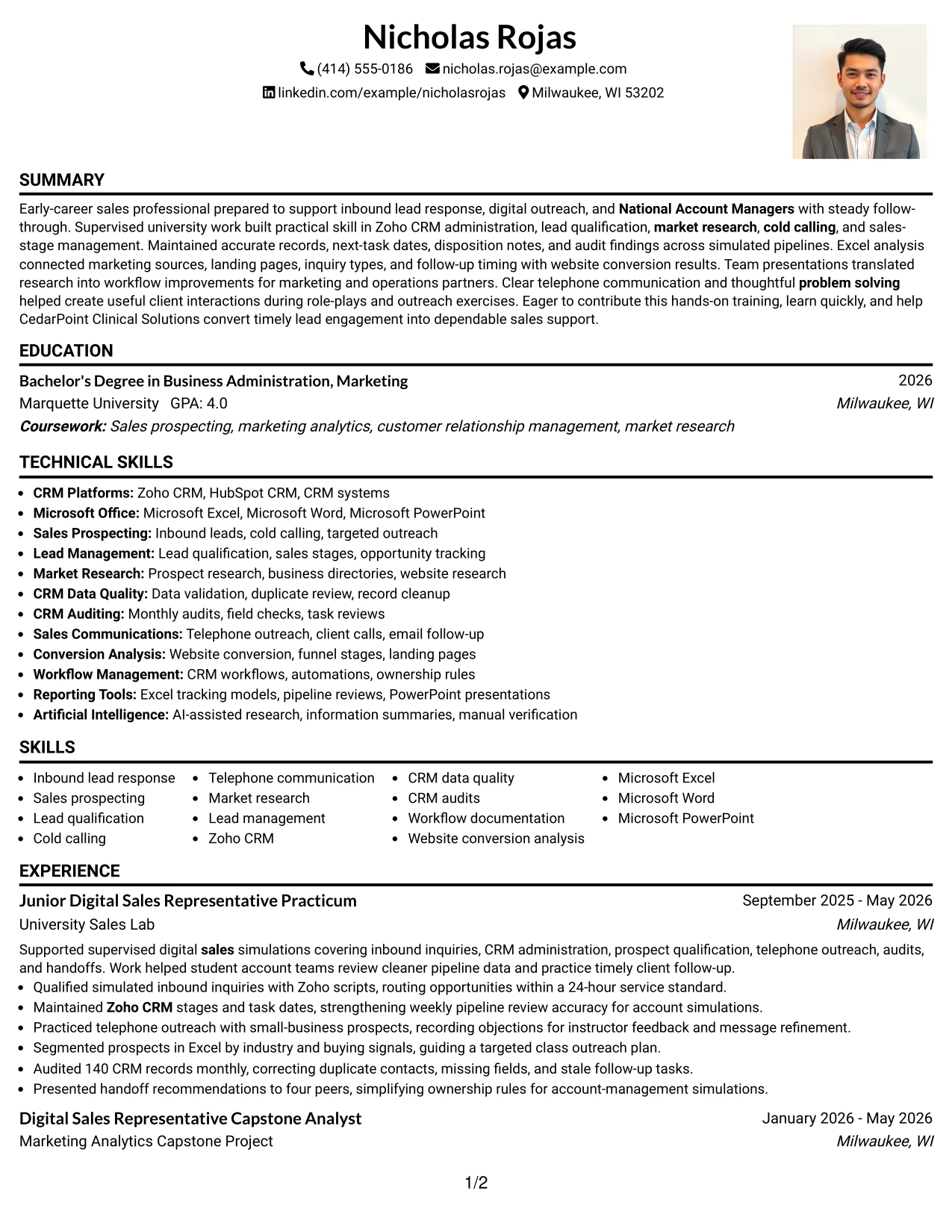
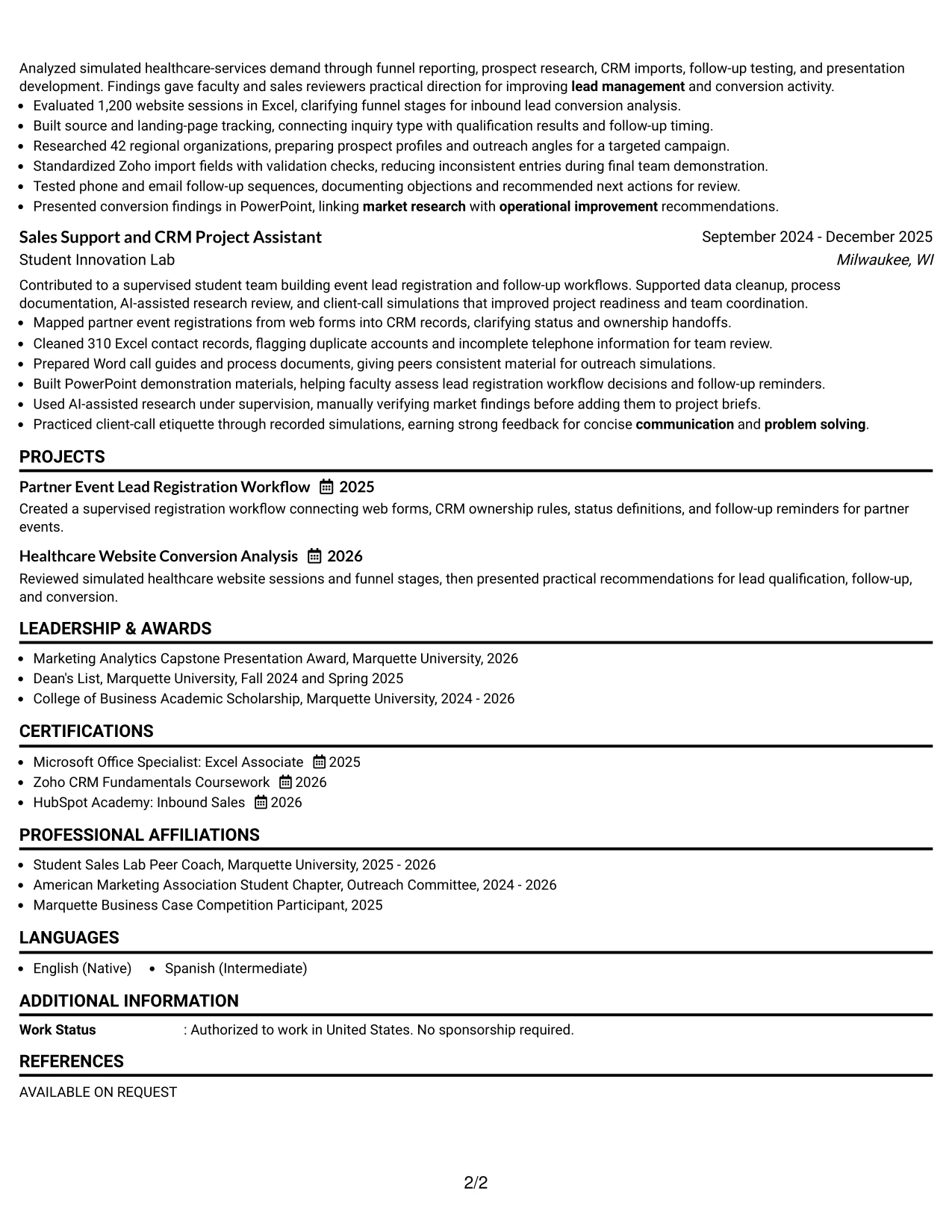
Inbound lead response, CRM administration, and measurable project work receive priority on this resume. The main column gives those achievements room, while the right-side photo area adds a personal visual element without replacing professional evidence.
The resume can present a summary, experience, projects, education, certifications, and skills in one continuous evidence sequence. Bullets such as the 24-hour response standard, 310 cleaned records, and 42 researched organizations show practical preparation for digital sales.
Why the One Column Format with Photo Right Works for a Resume
- The main text column keeps accomplishments more important than visual decoration.
- A right-side photo area creates a defined place for a professional personal image when appropriate.
- One-column reading supports clear ATS extraction of headings, dates, and bullet points.
- Full-width experience entries can explain CRM administration and sales support in detail.
- Measured evidence gives the resume substance, including 310 records cleaned and 42 organizations researched.
- Projects can demonstrate website conversion analysis and partner event lead registration.
- The layout keeps certifications and software skills visible after the experience evidence.
Best For
- Applications where a professional personal image is appropriate for the local hiring context
- Resumes that need a strong evidence-first reading order
- Candidates with project results that require full-width bullet space
- Documents combining sales simulations, academic analysis, and CRM support
- Applications where a defined image area should not interrupt the main text
- Readers who want experience and measurable evidence to lead the review
- Resumes using standard headings alongside a more personal presentation
- Candidates able to provide a suitable professional image when needed
#4 Clean Two Column Sidebar Format Resume Example
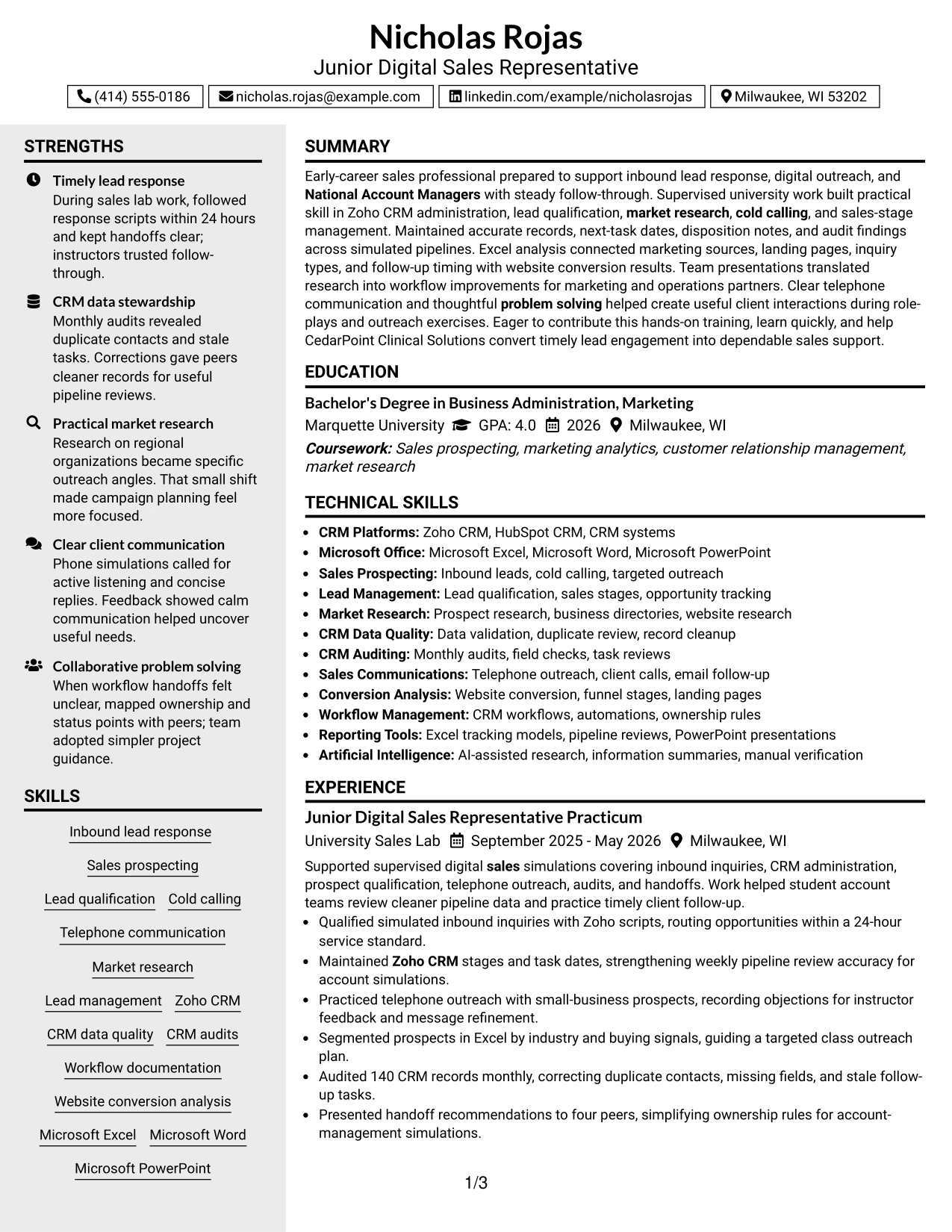
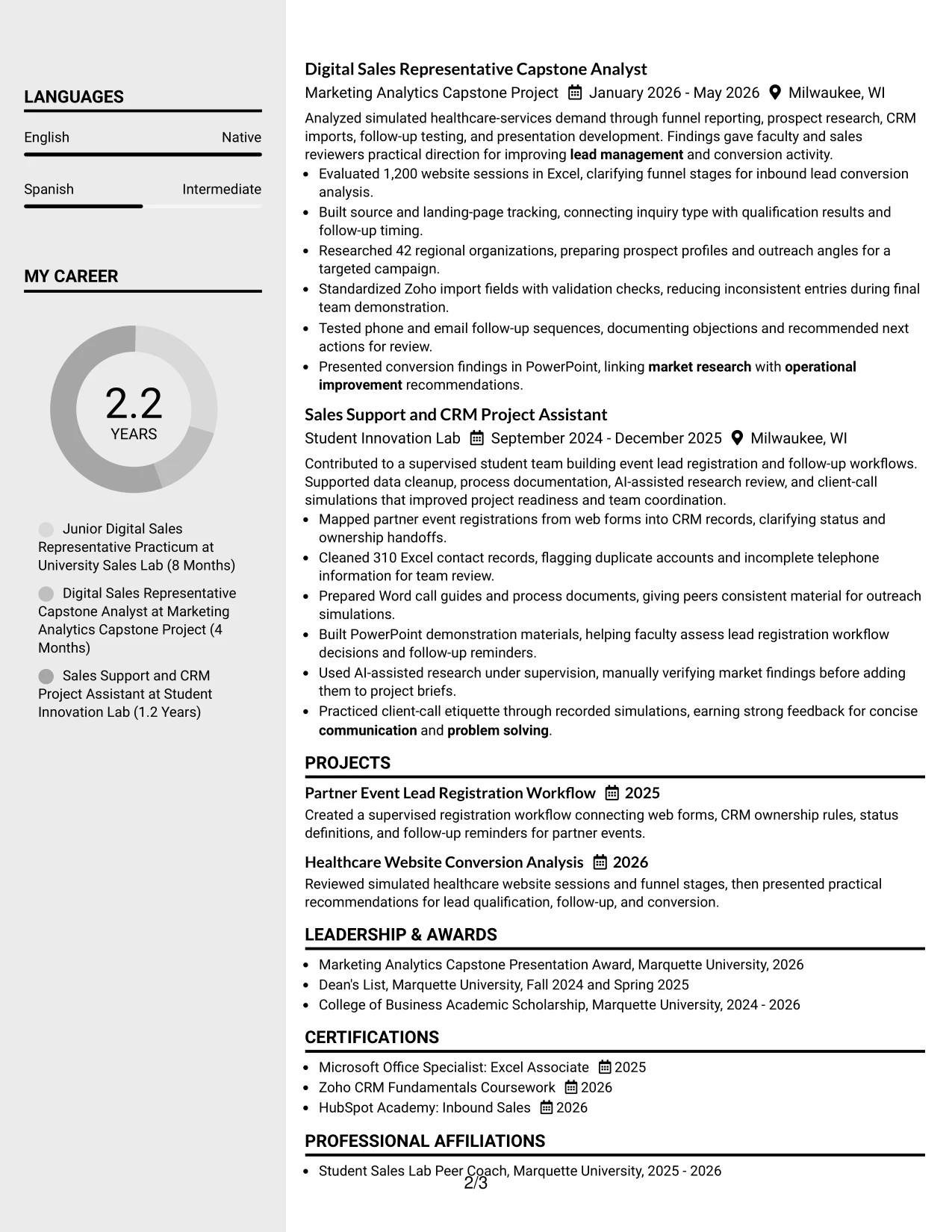
Content is balanced between a main experience area and a compact sidebar. The main column can carry accomplishment bullets, while the sidebar groups contact details, skills, certifications, or tools for fast reference.
For a Junior Digital Sales Representative application, this balance supports both detailed evidence and quick qualification. A reviewer can see Zoho CRM, Microsoft Office, lead management, and CRM auditing at a glance, then read the supporting results in the main column.
Why the Clean Two Column Sidebar Format Works for a Resume
- The main column provides room for detailed experience and project bullets.
- The sidebar makes core skills and tools available during a quick first scan.
- Separate areas reduce the chance that contact details or certifications interrupt accomplishment evidence.
- Short skill labels can include Zoho CRM, Microsoft Excel, cold calling, and market research.
- The main section can show how work supported lead response and operational improvement.
- A sidebar helps organize education, certifications, and affiliations without creating long blocks.
- The two-column structure suits applications that need both fast qualification and supporting detail.
Best For
- Applications reviewed quickly for core tools and qualifications
- Resumes that need a compact skills and certifications reference area
- Candidates with detailed experience bullets and a separate keyword group
- Sales support applications balancing communication evidence with CRM terms
- Documents where education and affiliations should remain visible but secondary
- Readers who compare a short skill list with fuller accomplishment details
- Resumes needing clear separation between evidence and supporting information
- Applications with enough content to justify two distinct reading zones
#5 Two Column Format Resume Example
For an application that combines experience, projects, skills, and education, two columns can distribute information without making the resume feel lengthy. One area can carry the strongest work evidence while the other keeps qualifications easy to locate.
This format fits the supplied resume because sales lab work, capstone analysis, and innovation projects provide several evidence types. The reader can connect lead qualification, Excel tracking, CRM workflows, and client communication with the relevant sections quickly.
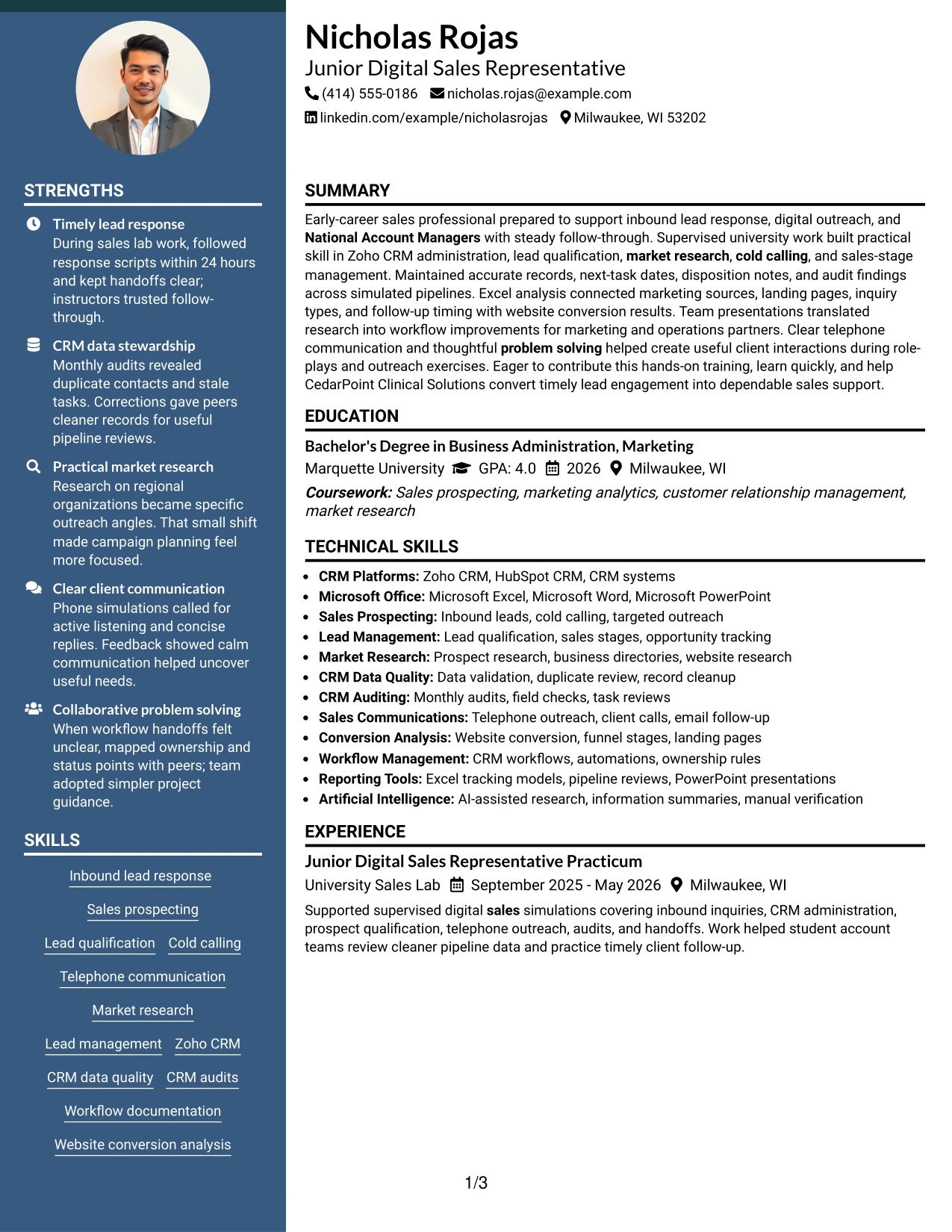
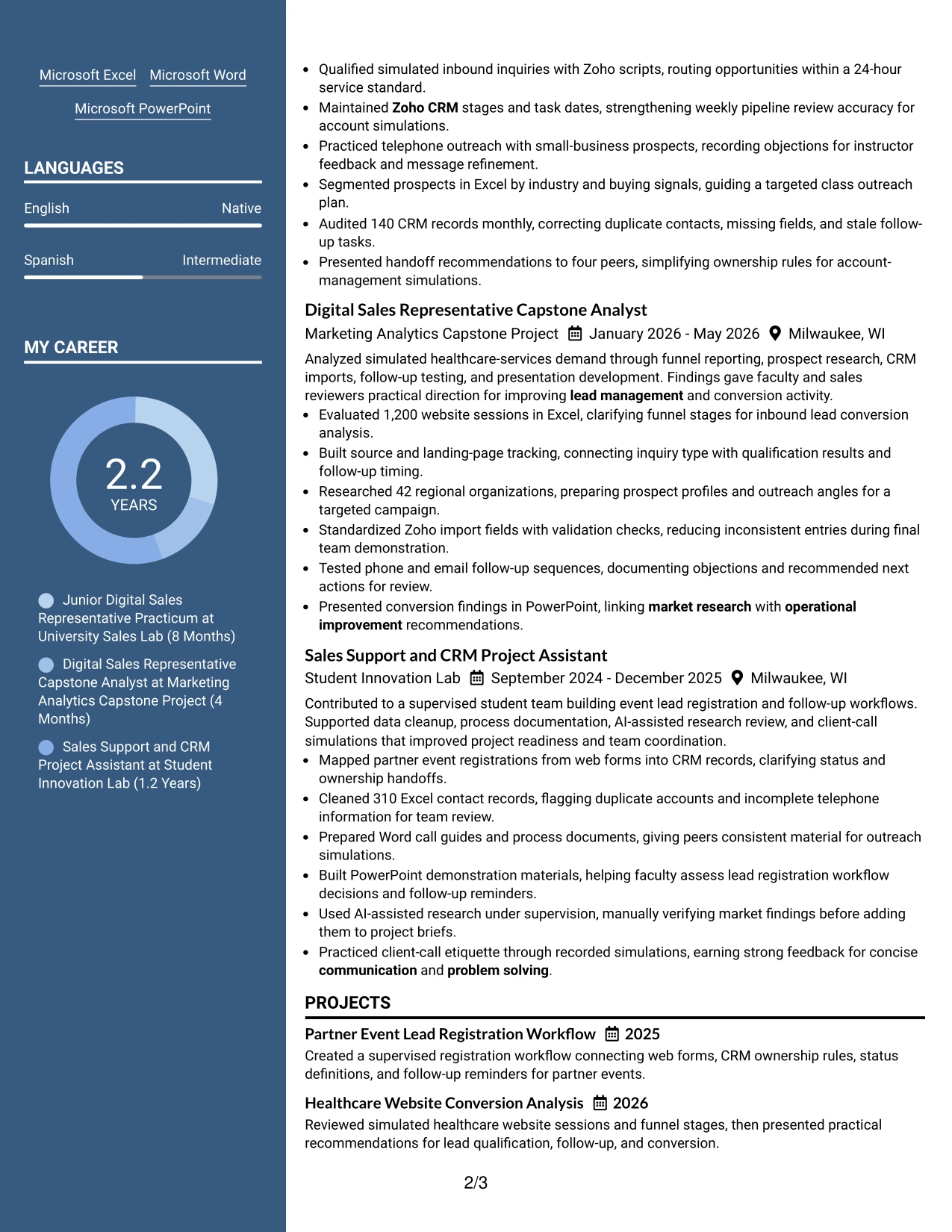
Why the Two Column Format Works for a Resume
- Two columns help separate detailed accomplishments from compact qualification details.
- The format can show experience and projects without forcing every section into one long stack.
- Skills such as cold calling, Zoho CRM, and website conversion remain easy to locate.
- Education and certifications can occupy a focused area while work evidence stays prominent.
- The layout supports both fast keyword checks and closer reading of results.
- Related tools can sit near the sections that demonstrate their use.
- Balanced spacing helps present academic projects as relevant evidence rather than filler.
Best For
- Applications with a mix of work history, projects, skills, and education
- Candidates who need to show several kinds of relevant evidence in limited space
- Resumes pairing detailed accomplishments with a quick qualification summary
- Readers who scan one area first and return to the other for proof
- Documents that connect tools such as Excel and Zoho CRM to actual tasks
- Applications where projects deserve similar visibility to supervised experience
- Candidates with certifications and activities that support the main evidence
- Resumes needing a balanced presentation without a long single-column page
#6 Photo Header Two Column Format Resume Example
A restrained header establishes the resume's visual hierarchy, while the two-column body separates evidence from supporting qualifications. The photo header can add a personal introduction when it suits the application and local expectations.
The main content can feature the sales lab, capstone, and innovation lab results. A supporting column can gather Zoho CRM, Microsoft Office, certifications, and activities so the reader sees role alignment without losing the measurable work behind it.
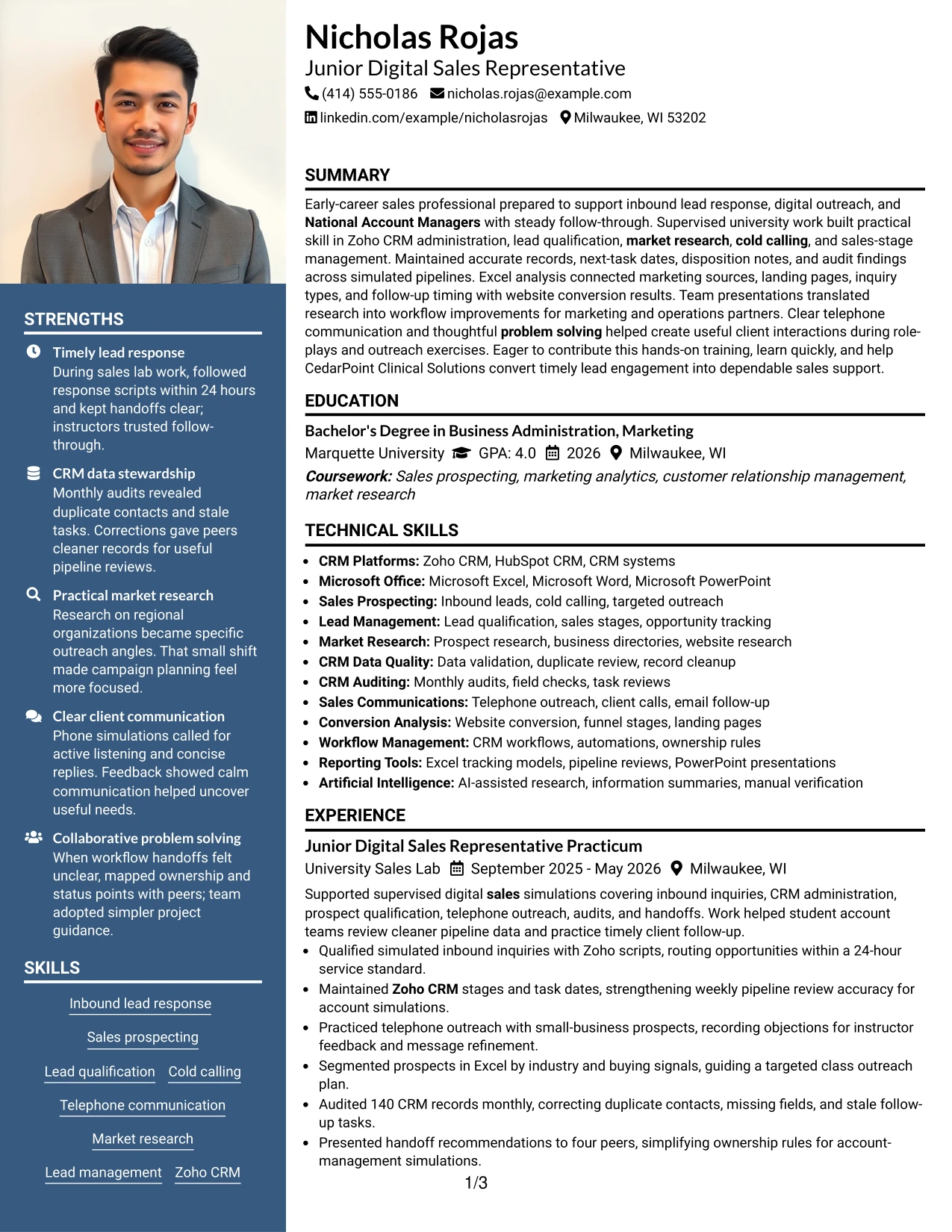
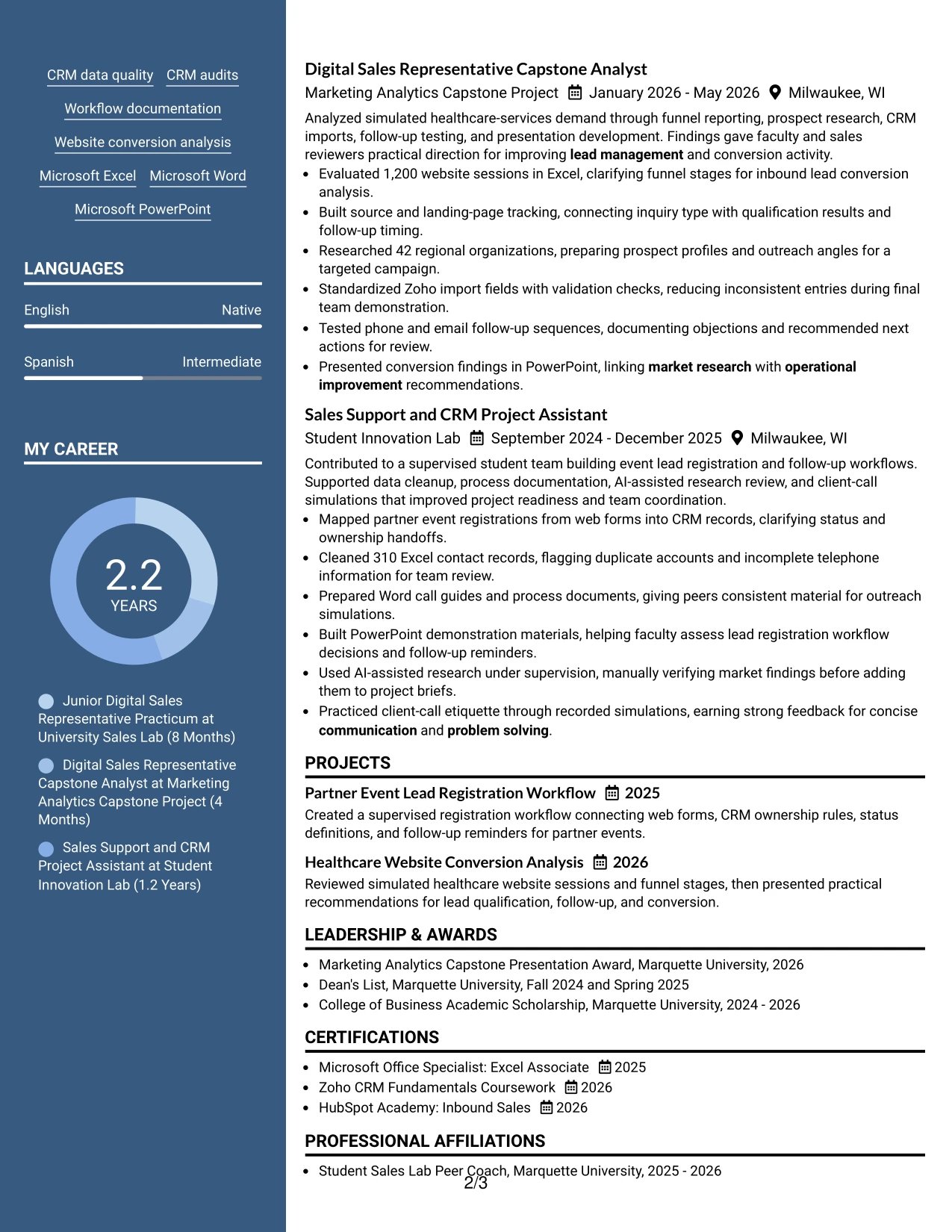
Why the Photo Header Two Column Format Works for a Resume
- The header gives contact details and identity a defined first position.
- A professional photo can support a personal presentation when appropriate for the application context.
- Two columns separate accomplishment evidence from skills, certifications, and activities.
- The main area can show timely lead response, CRM audits, and conversion analysis.
- The supporting area can reinforce alignment with Zoho CRM and Microsoft Office requirements.
- The layout gives project work a clear place beside supervised sales experience.
- Consistent hierarchy helps the reader move from role target to proof and then to supporting details.
Best For
- Applications where a professional image is suitable and adds useful context
- Resumes that need a strong header before a two-part information structure
- Candidates presenting both detailed evidence and a compact qualifications panel
- Sales applications where CRM and communication terms must remain easy to find
- Documents combining project work, certifications, and practical training
- Readers who want role alignment visible before reviewing full accomplishment bullets
- Candidates with a polished personal presentation and well-supported evidence
- Applications where a two-column hierarchy can keep supporting details concise
#7 Simple Two Column Format Resume Example
Simple Two Column Format divides the resume into two direct information zones. One can carry experience and project evidence, while the other presents skills, education, certifications, and activities in a compact list.
The result supports quick scanning without removing useful detail. For this resume, the arrangement can connect 86 simulated inquiries, 140 audited CRM records, and a 1,200-session analysis with the tools and qualifications used to complete that work.
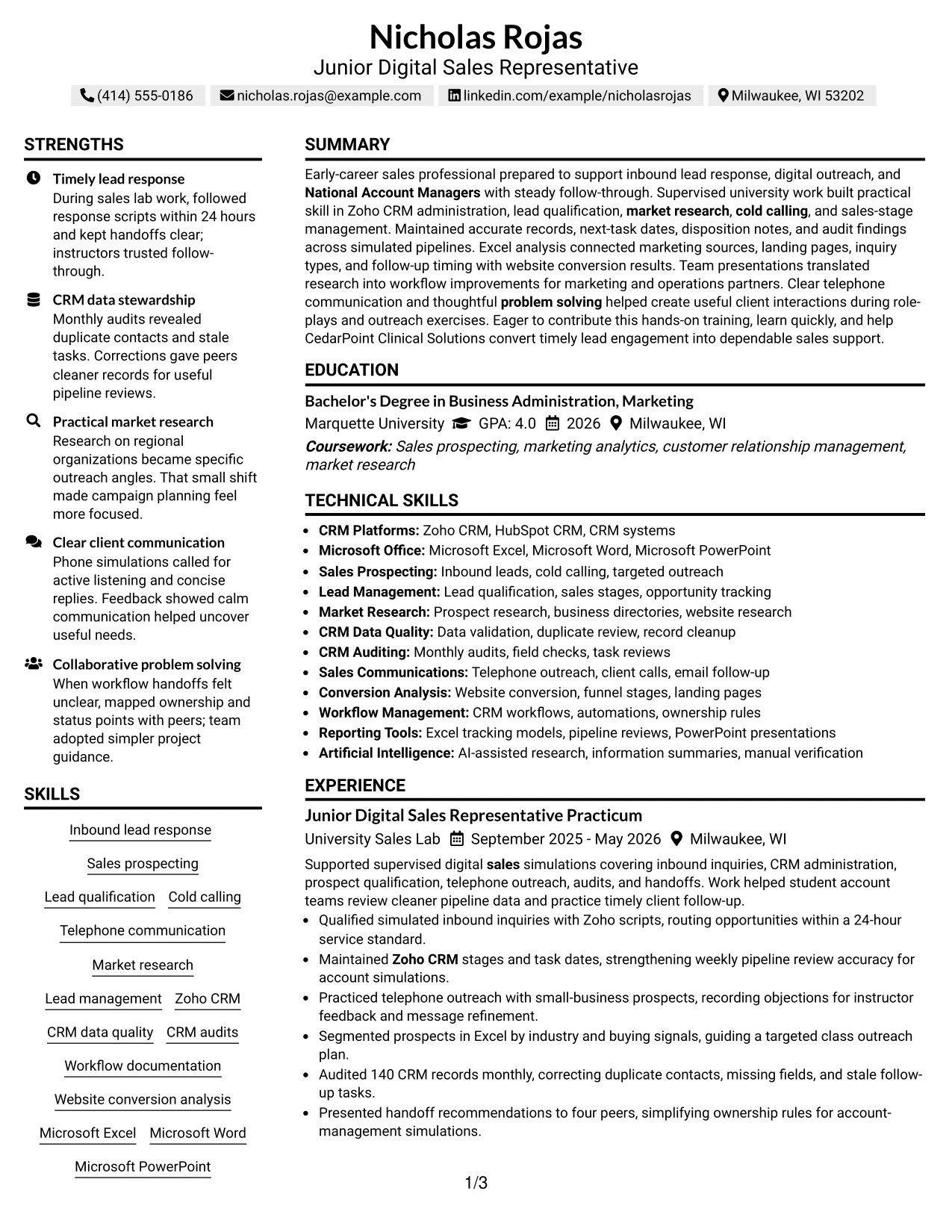
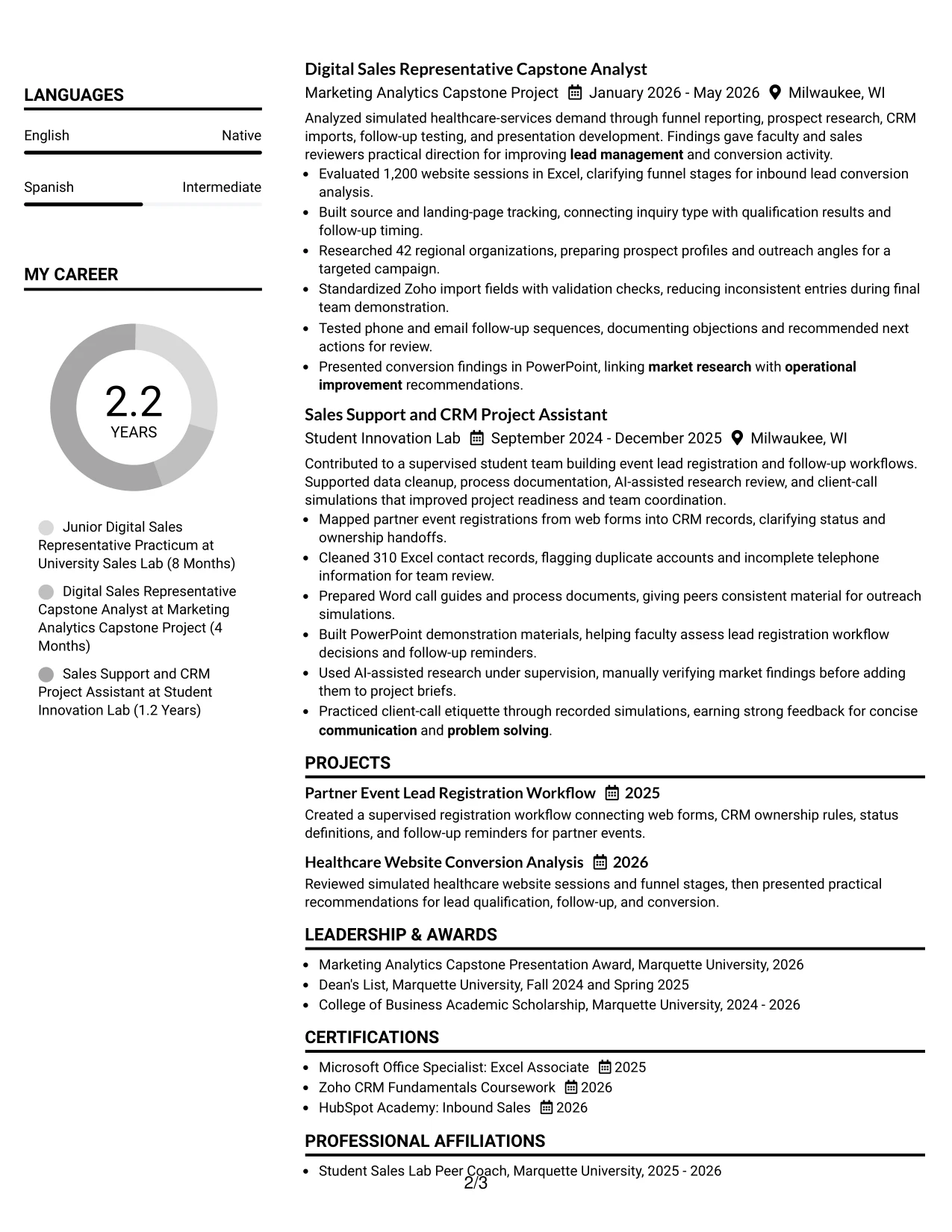
Why the Simple Two Column Format Works for a Resume
- Two clear zones let readers find either accomplishments or qualifications quickly.
- The main area can preserve strong bullets with numbers and specific actions.
- A compact area can group Zoho CRM, Microsoft Office, certifications, and education.
- Simple visual markers help separate sections without competing with the text.
- The format supports both ATS-readable wording and efficient human review.
- Projects can remain visible instead of being hidden below a long experience section.
- The structure makes the connection between tools and sales evidence easier to understand.
Best For
- Resumes needing fast access to both accomplishments and qualifications
- Applications with a moderate amount of experience and project content
- Candidates who want skills and certifications visible beside work evidence
- Documents using measurable bullets such as 86 inquiries and 140 audited records
- Readers who prefer simple separation over dense visual design
- Applications where project work should remain near the main experience story
- ATS-conscious resumes that still need efficient human navigation
- Candidates organizing CRM, research, communication, and software evidence together
#8 Text/Fang Style Resume Example
Readers move through this text-led resume in a steady sequence, with each section carrying its own details rather than relying on strong visual decoration. That approach gives experience, projects, education, and skills room to explain the candidate's preparation.
The format suits a content-rich resume with several related examples. Bullets can cover inbound leads, prospect research, follow-up testing, record cleanup, workflow documentation, and client-call simulations while keeping the language direct and searchable.
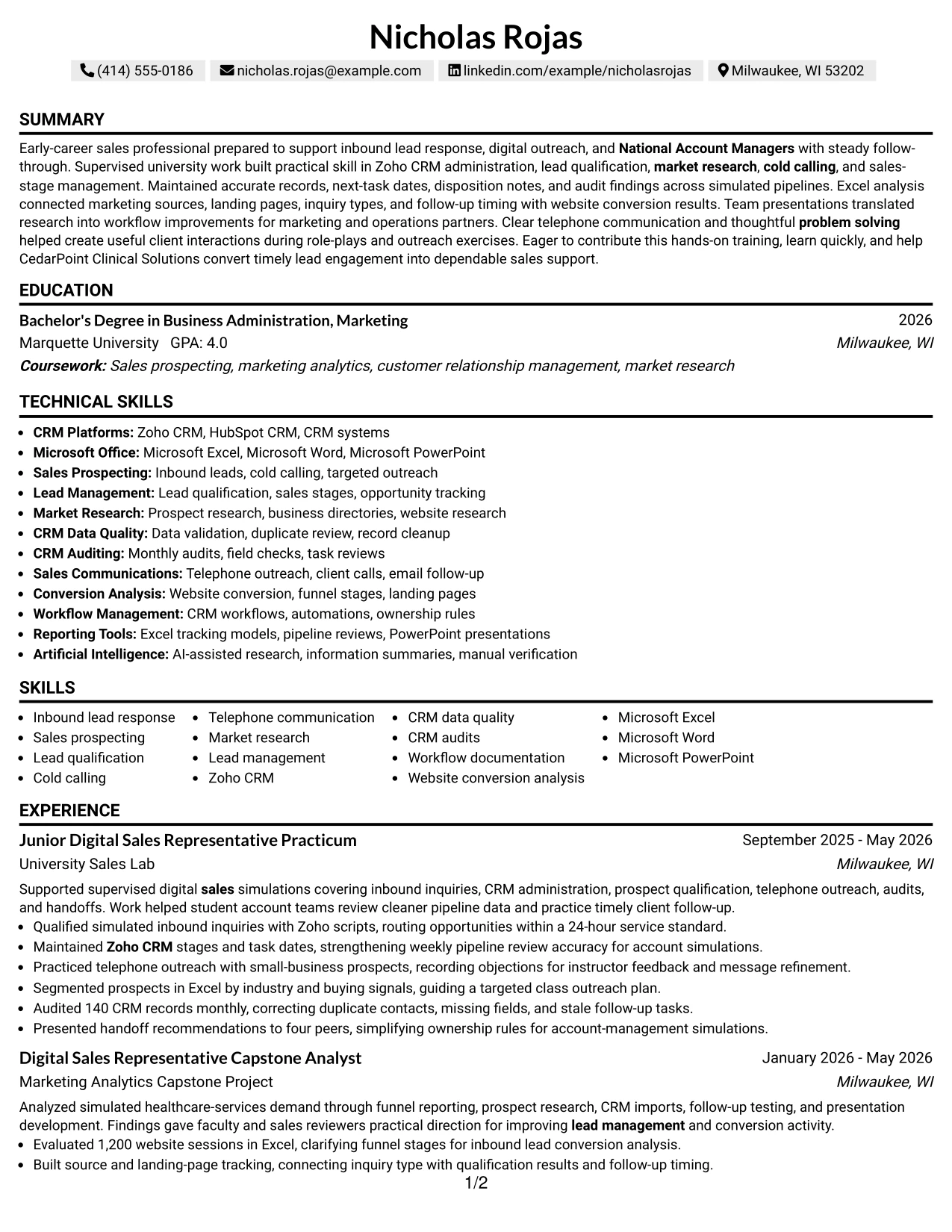
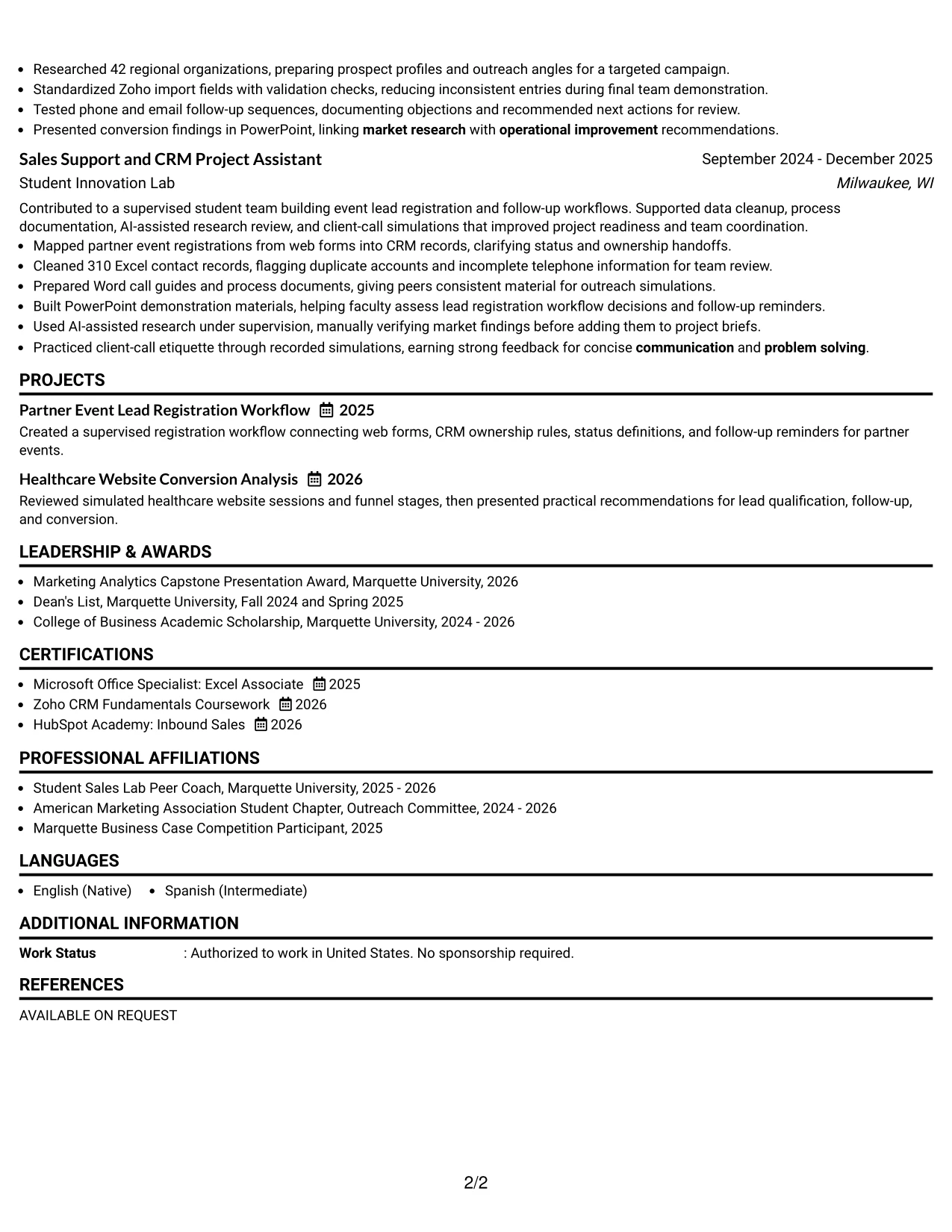
Why the Text/Fang Style Works for a Resume
- A text-led structure gives complex experience enough room for explanation.
- The sequence supports careful review of dates, organizations, roles, and project details.
- Longer evidence areas can show how research led to outreach or workflow recommendations.
- Skills and tools can be written in searchable terms instead of decorative labels.
- The format works well when academic projects provide important evidence alongside experience.
- Bullets can preserve specific results such as 310 cleaned records and 42 researched organizations.
- Clear text hierarchy supports ATS parsing while giving human readers useful context.
Best For
- Content-rich resumes with several related projects and experience entries
- Candidates whose strongest proof comes from detailed actions and outcomes
- Applications where academic work adds meaningful evidence to the work history
- Readers who prefer explanatory text over compact visual panels
- Documents needing room for research, follow-up, and workflow details
- ATS applications requiring searchable skills and standard text sections
- Resumes that must show both process knowledge and measurable activity
- Candidates with varied evidence that benefits from a steady reading sequence
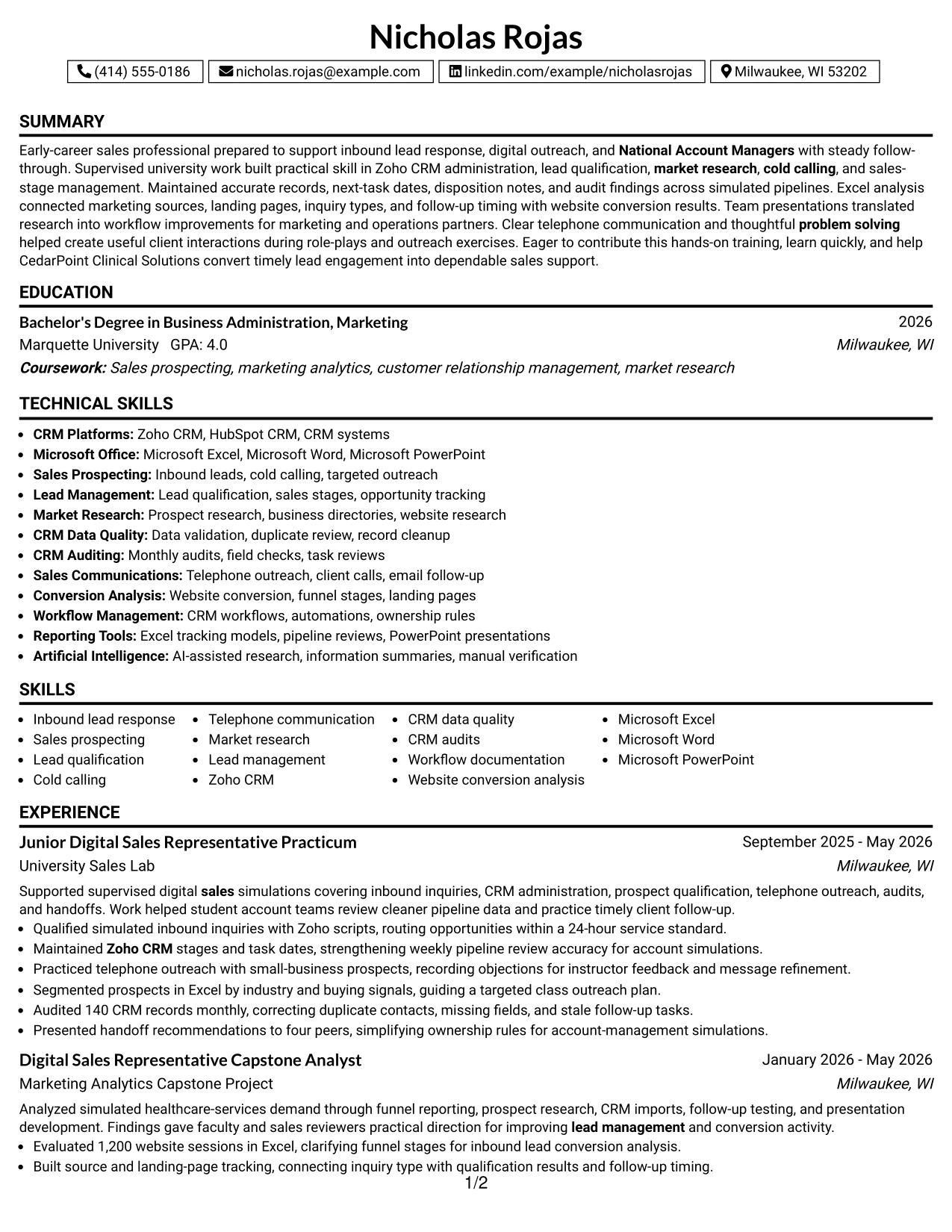
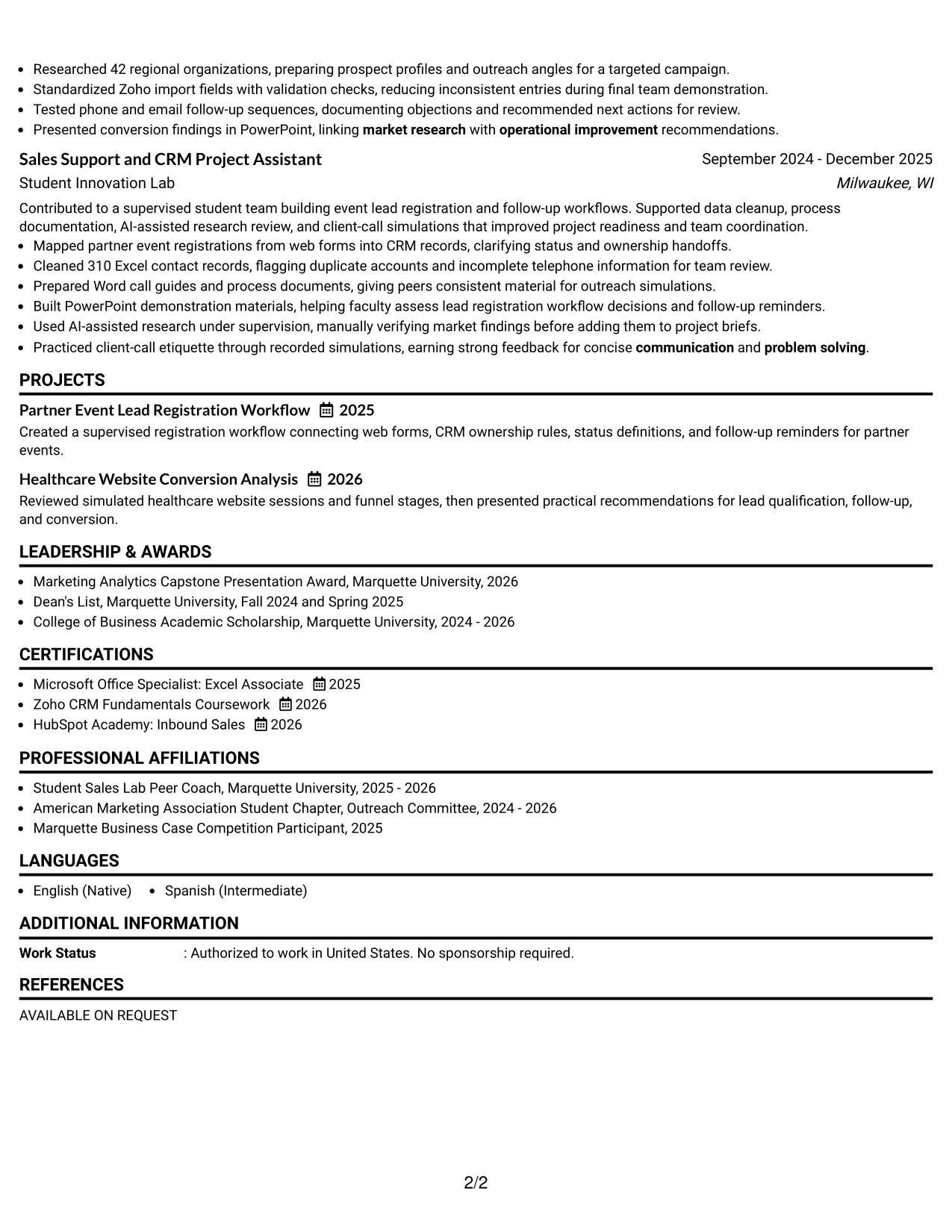
#9 One Column Boxed Contact Header Format Resume Example
Lead response, CRM accuracy, and sales support evidence receive priority below a clearly defined contact header. The boxed header keeps contact information easy to confirm, while the single column gives the professional summary and experience sections a consistent path.
This arrangement makes practical evidence easy to connect to the target role. The resume can show the 24-hour service standard, monthly audits, targeted research, and website conversion work before moving to education, certifications, and skills.
Why the One Column Boxed Contact Header Format Works for a Resume
- A defined contact header makes essential contact information easy to locate.
- The single column gives priority to the summary and evidence rather than scattered sections.
- Experience bullets can explain CRM maintenance, prospecting, and sales-stage updates clearly.
- Measured examples help establish credibility, including monthly audits and 1,200 website sessions.
- The format keeps education, certifications, and skills in a predictable closing sequence.
- A boxed header creates visual order without taking space from the main work history.
- Standard text sections remain suitable for ATS review and recruiter scanning.
Best For
- Applications where contact details must be confirmed immediately
- Resumes that place a professional summary directly above evidence
- Candidates with strong measurable examples to present in one continuous column
- Documents needing a clear separation between identity details and work history
- ATS-focused submissions using familiar headings and readable bullet points
- Readers who prefer one uninterrupted path through accomplishments
- Applications combining practical sales support with academic project evidence
- Candidates who want a defined starting point without a complex sidebar
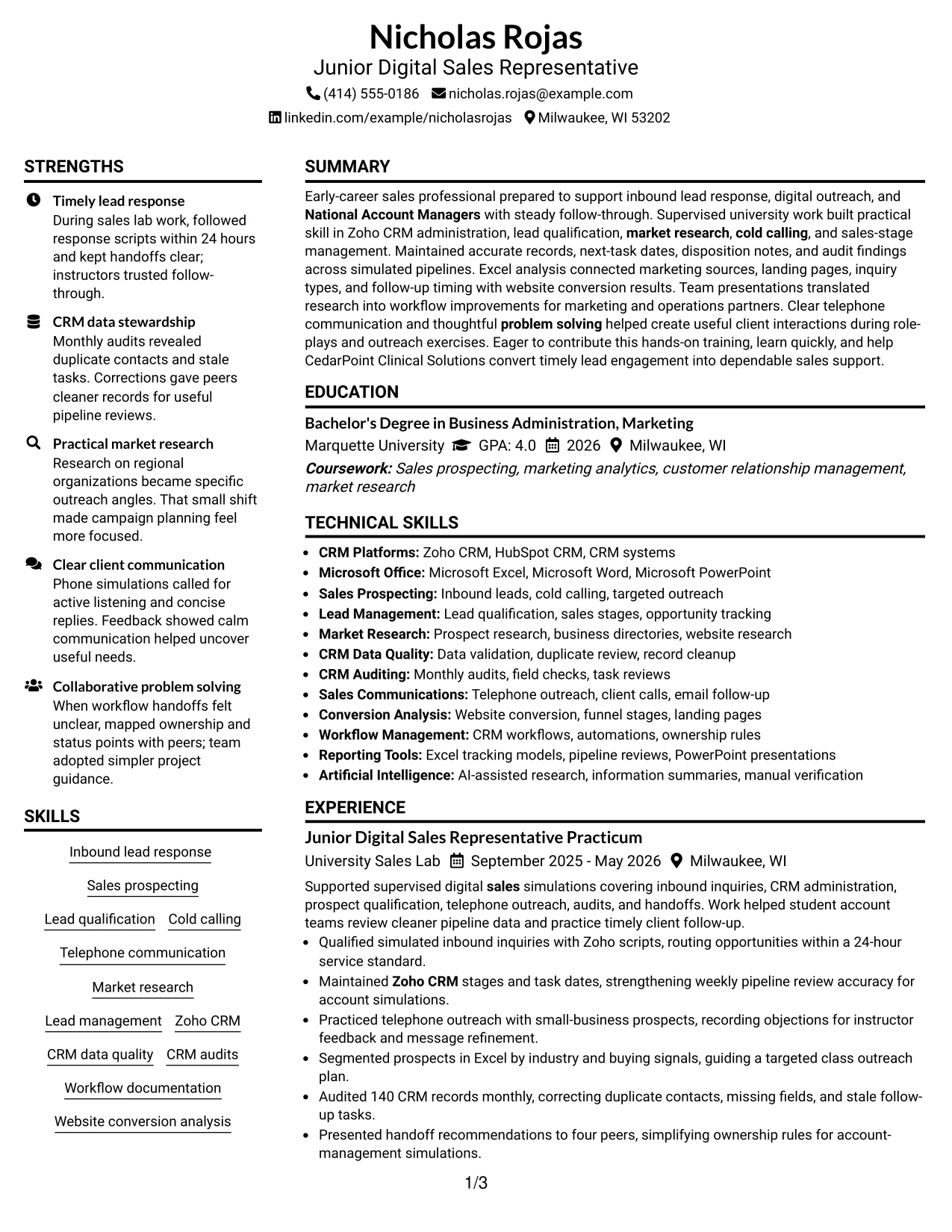
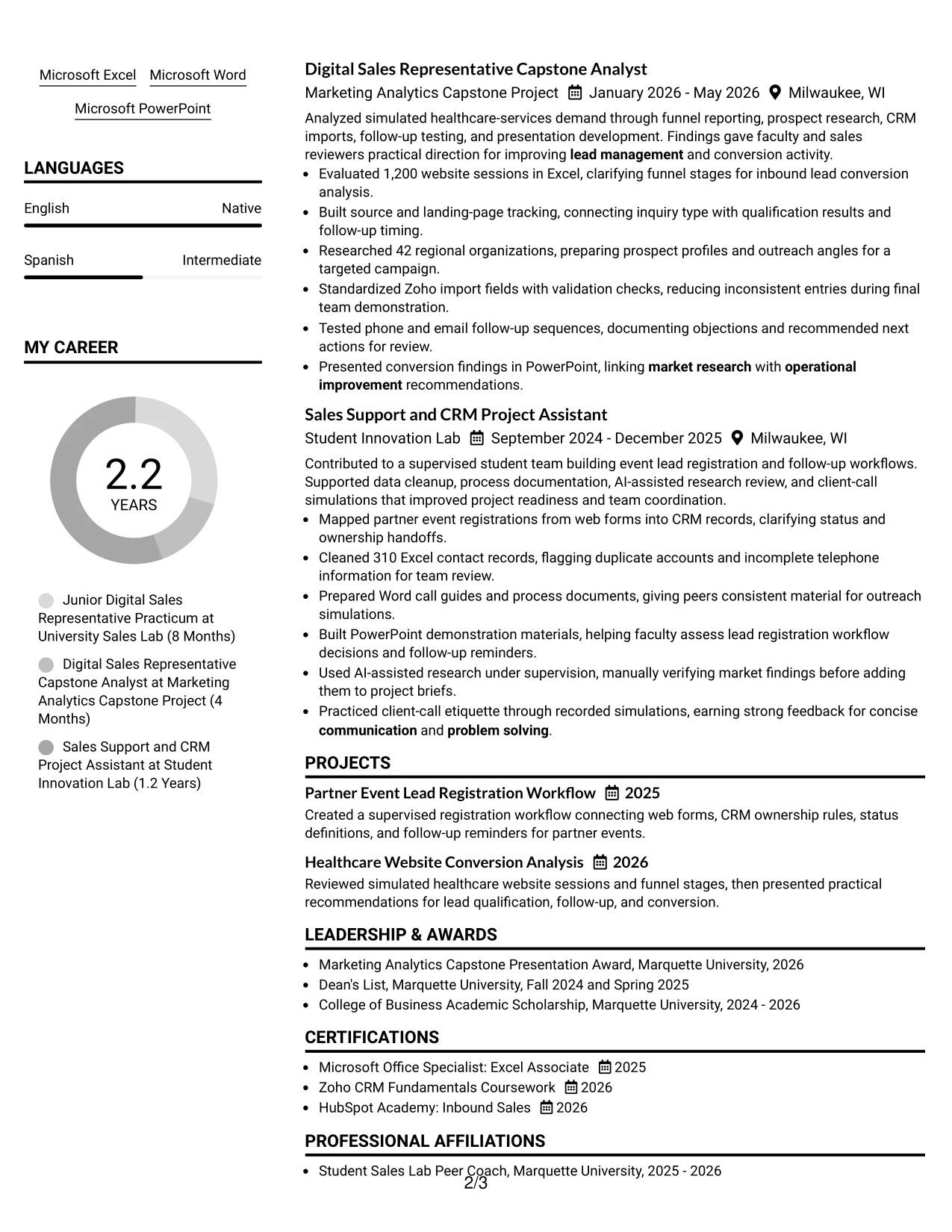
#10 Plain Two Column Format Resume Example
Balanced content distribution helps the reader compare practical experience with supporting qualifications. A main area can carry work and project evidence, while a second area presents a concise snapshot of the target role, tools, education, and certifications.
For Nicholas Rojas's Junior Digital Sales Representative resume, this structure makes the most relevant preparation visible early. It can place lead response, Zoho CRM, market research, and website conversion analysis near a short keyword group that supports ATS review.
Resume Snapshot
- Target role: Junior Digital Sales Representative
- Core tools: Zoho CRM, Microsoft Excel, Microsoft Word, and Microsoft PowerPoint
- Evidence: 86 simulated inquiries, 140 CRM records audited, and 1,200 website sessions analyzed
- Training: Bachelor of Business Administration in Marketing, Excel certification, and Zoho CRM coursework
Why the Plain Two Column Format Works for a Resume
- Two columns create a practical balance between evidence and quick-reference information.
- A short snapshot can state the target role, tools, evidence, and training near the top.
- The main area has room for experience bullets and project descriptions.
- The supporting area can hold skills, certifications, education, or keywords without hiding them.
- Plain styling keeps the format readable for both ATS tools and human reviewers.
- The arrangement helps connect measurable activity with the tools used to complete it.
- A concise keyword group can reinforce lead management, CRM, sales, and market research terms.
#11 Colored Two Column Format Resume Example
A restrained color hierarchy helps separate the main evidence area from supporting qualifications while keeping the resume professional. The two-column structure can place experience and projects in one area and skills, education, or certifications in the other.
That visual fit works for a resume that must show both practical sales preparation and organized tool knowledge. The content can connect CRM data quality, cold calling, market research, workflow documentation, and client communication to specific project results.
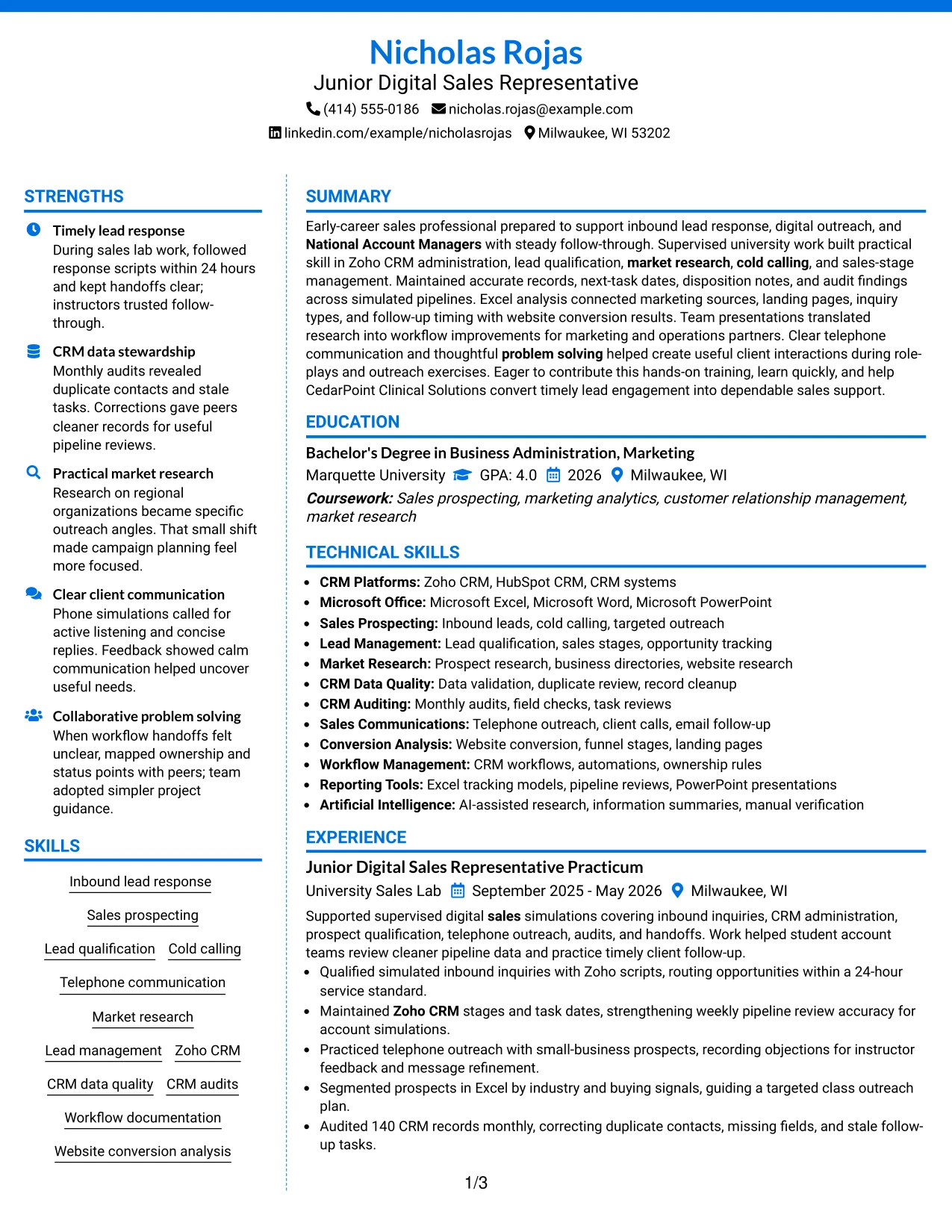
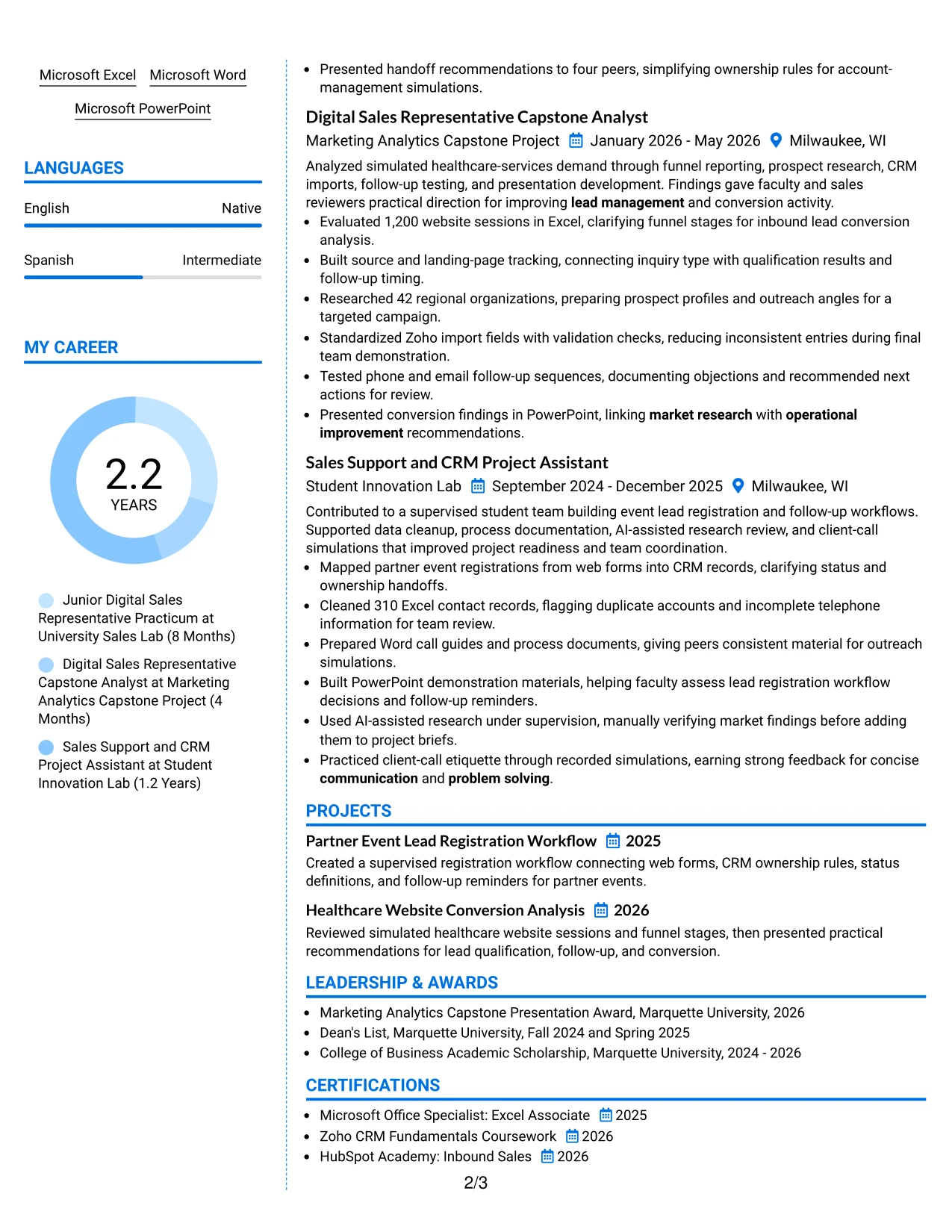
Why the Colored Two Column Format Works for a Resume
- Subtle color grouping helps readers distinguish primary evidence from supporting details.
- The main column can give experience and project accomplishments the strongest space.
- The second column can organize skills, certifications, education, and activities.
- Color should support hierarchy without replacing standard headings or readable text.
- The format helps related terms such as CRM data quality and workflow documentation stay visible.
- Measurable bullets can explain the work behind the skills rather than listing claims alone.
- A balanced two-column structure supports quick review while preserving a professional resume flow.
Best For
- Applications where restrained color can improve section recognition
- Candidates who need to balance detailed evidence with compact qualifications
- Resumes presenting CRM, communication, research, and workflow strengths together
- Readers who benefit from clear visual grouping during an initial scan
- Documents with enough content to support two coordinated information areas
- Applications where projects and certifications should remain visible beside experience
- Candidates wanting a polished presentation without sacrificing standard resume structure
- Resumes that pair measurable accomplishments with an organized skills reference
#12 One Column Shaded Contact Header Format Resume Example
A restrained visual hierarchy gives the contact details and target role a clear starting point. The single-column flow then presents the summary, experience, projects, education, certifications, and skills in an order that supports quick resume review.
For a Junior Digital Sales Representative resume, this structure keeps important evidence easy to find: 24-hour lead response, Zoho CRM administration, 140-record audits, 1,200-session conversion analysis, and research on 42 organizations. Shaded labels separate sections without taking attention away from measurable results and role-specific keywords.
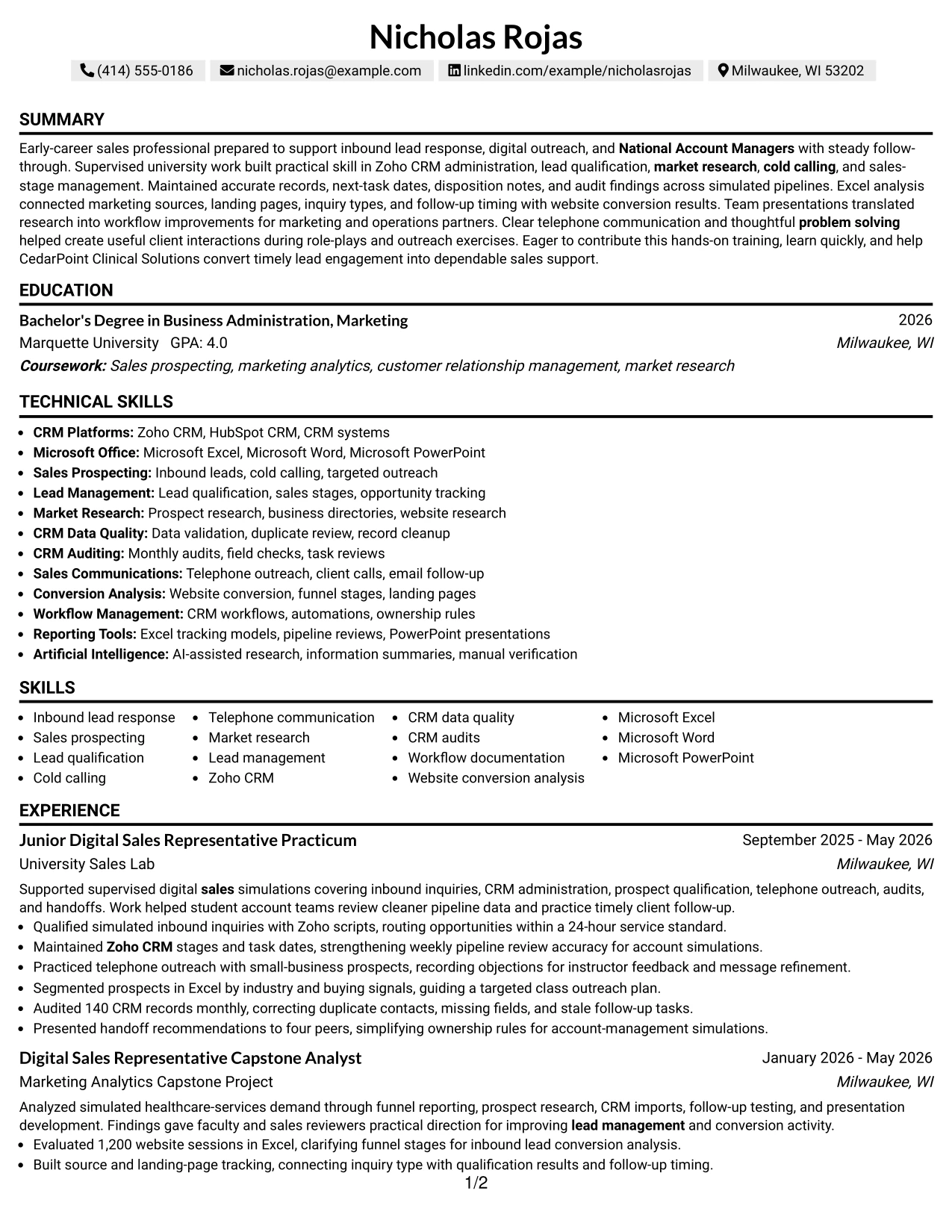
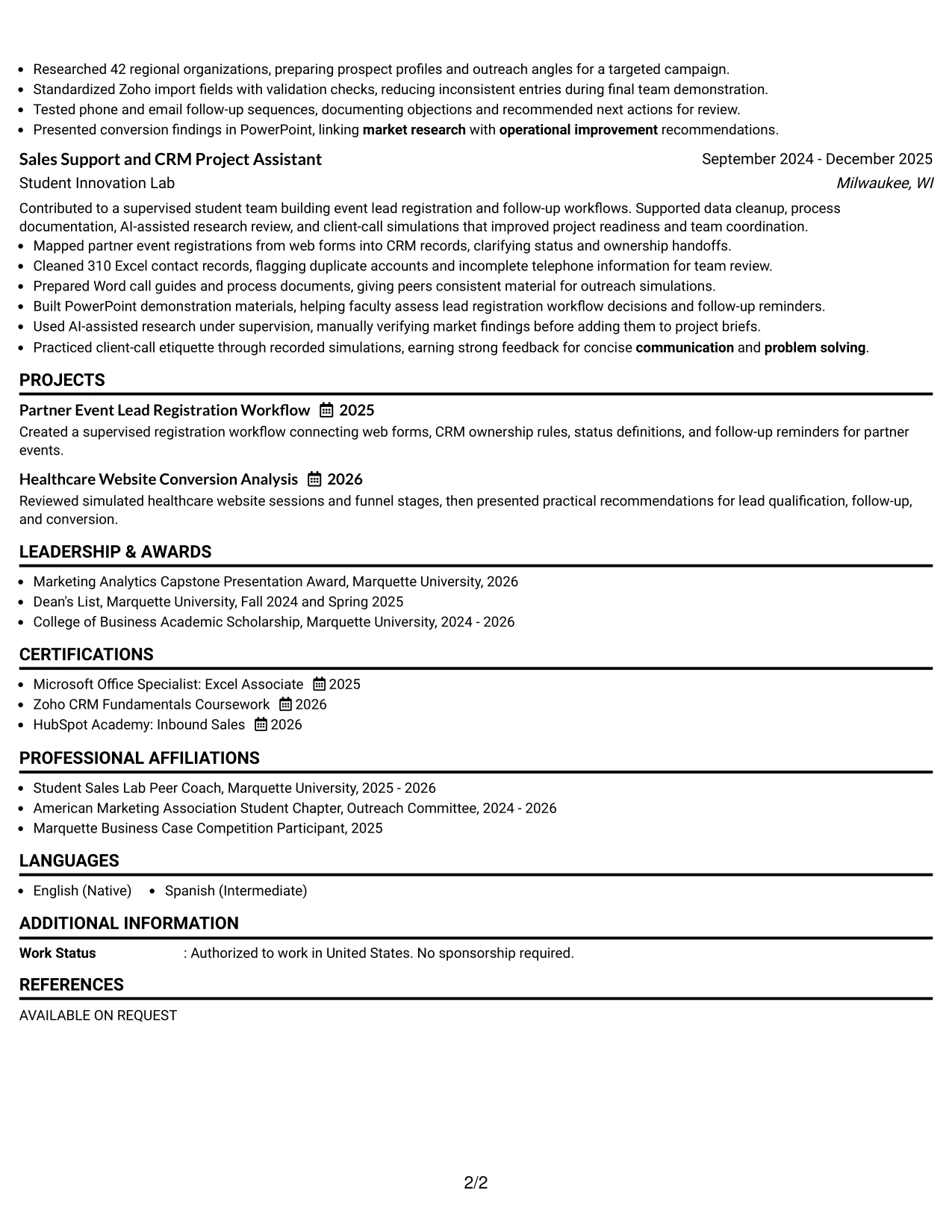
Why the One Column Shaded Contact Header Format Works for a Resume
- The centered contact header makes the name, location, phone, email, and LinkedIn details easy to locate.
- A one-column structure supports reliable ATS parsing from top to bottom.
- Shaded section labels create clear boundaries between summary, experience, education, and skills.
- The layout gives sales keywords such as lead qualification, Zoho CRM, and market research a logical home.
- Full-width bullets leave enough room for measurable evidence, including 86 inquiries and 310 cleaned records.
- Projects and certifications can appear in the same reading path as formal experience.
- The restrained styling keeps attention on qualifications rather than decoration.
Best For
- Resumes that need a clear one-column reading path from summary to skills
- Applicants who want role alignment visible near the top of the page
- Documents with several measurable results that need full-width bullet lines
- ATS-focused applications requiring predictable section order
- Resumes combining practicum work, academic projects, and certifications
- Readers who prefer shaded labels as visual signposts
- Applications where keywords must remain easy to scan in context
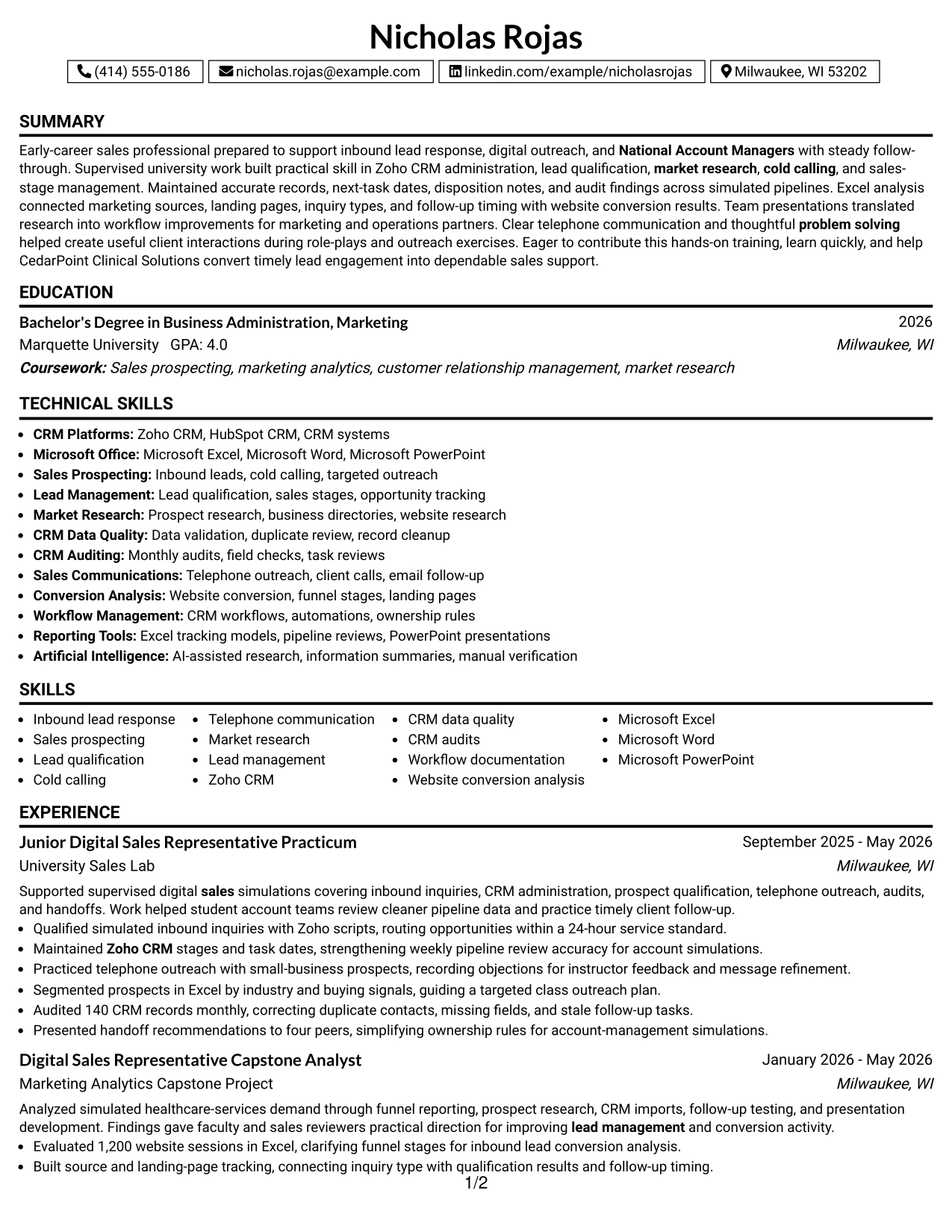
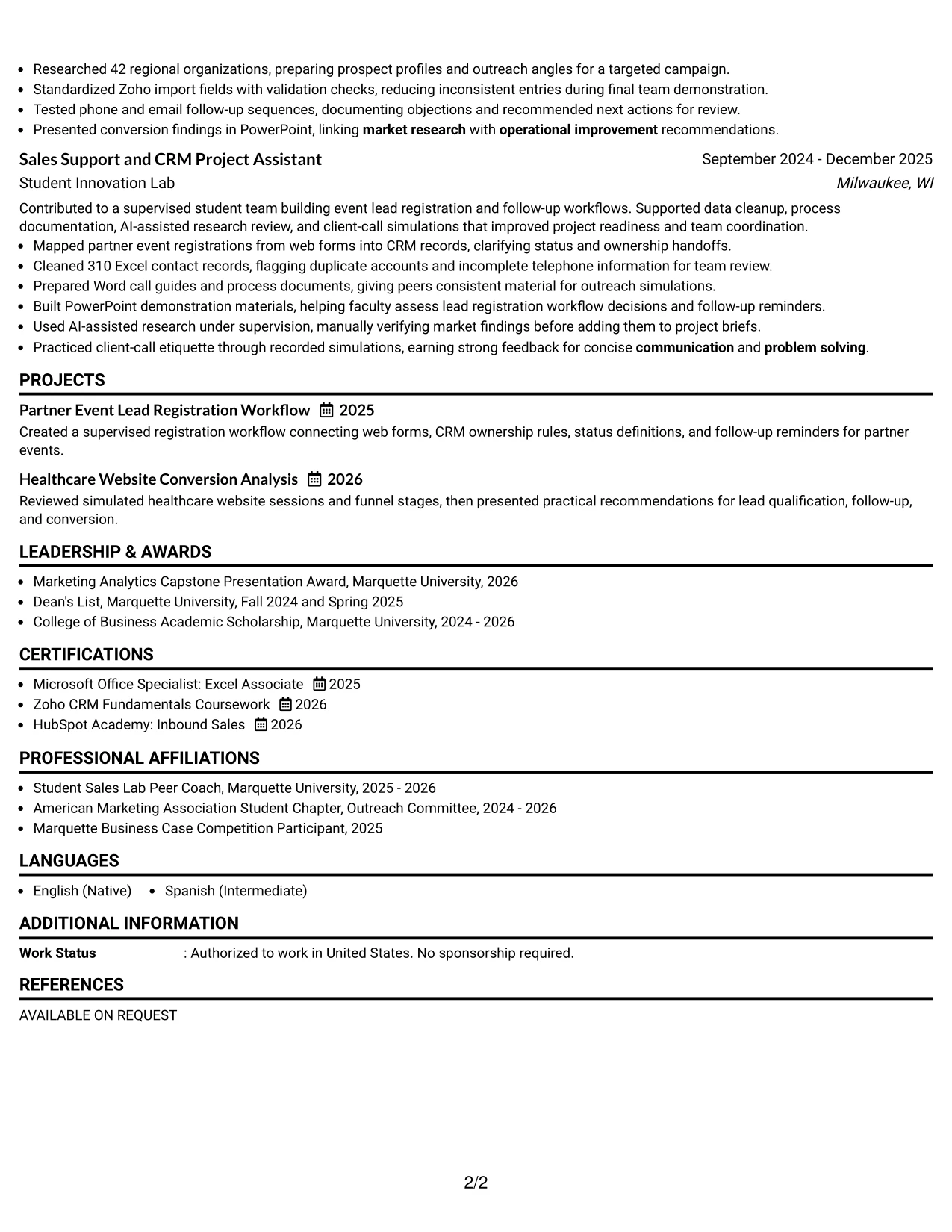
#13 Boxed Contact Header with Job Title Format Resume Example
The Boxed Contact Header with Job Title Format places the target role beside the contact information, then uses a consistent one-column sequence for the rest of the resume. The boxed top area helps readers confirm the application focus before reviewing the summary and supporting evidence.
Here, the resume can move from lead-response training to CRM administration, market research, conversion analysis, and education without forcing the reader to search across columns. Distinct section blocks also give certifications, projects, and skills enough separation for both ATS systems and human review.
Why the Boxed Contact Header with Job Title Format Works for a Resume
- The boxed header confirms the target role before the reader reaches the body of the resume.
- A consistent one-column order reduces visual jumps during a fast scan.
- Separate blocks make the summary, experience, projects, and education easy to identify.
- The format gives key phrases such as sales prospecting and CRM data quality clear placement.
- Full-width experience bullets can show actions, tools, and results together.
- Certifications and technical skills remain visible without competing with employment details.
- The structure works well when ATS readability is more important than visual complexity.
Best For
- Applications that need the target role stated prominently at the top
- One-page resumes with a straightforward top-to-bottom review pattern
- Candidates combining academic projects with supervised practical experience
- Documents where section blocks help readers find certifications quickly
- ATS submissions that benefit from stable headings and linear content
- Resumes with detailed bullets requiring the full page width
- Readers who want the application focus confirmed before reviewing evidence
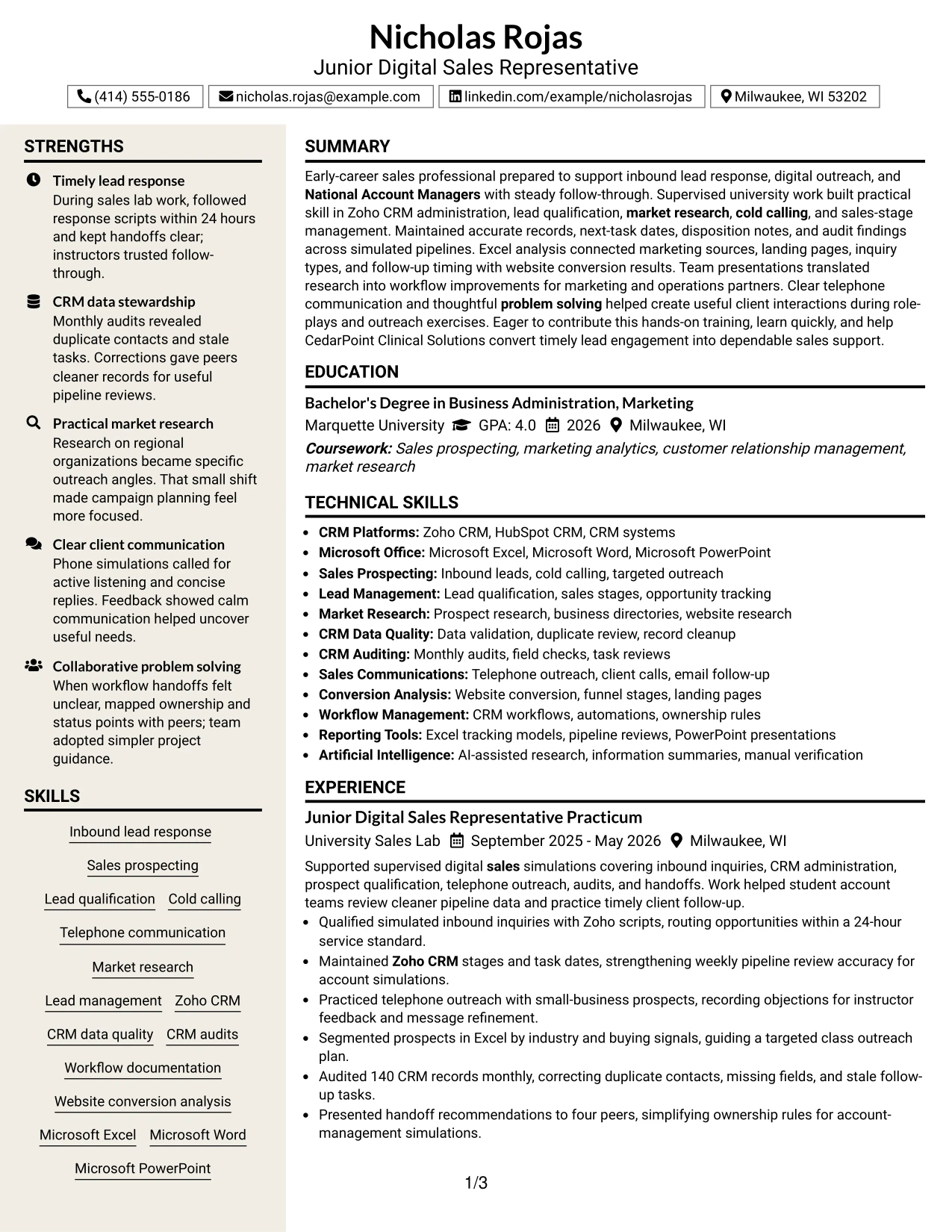
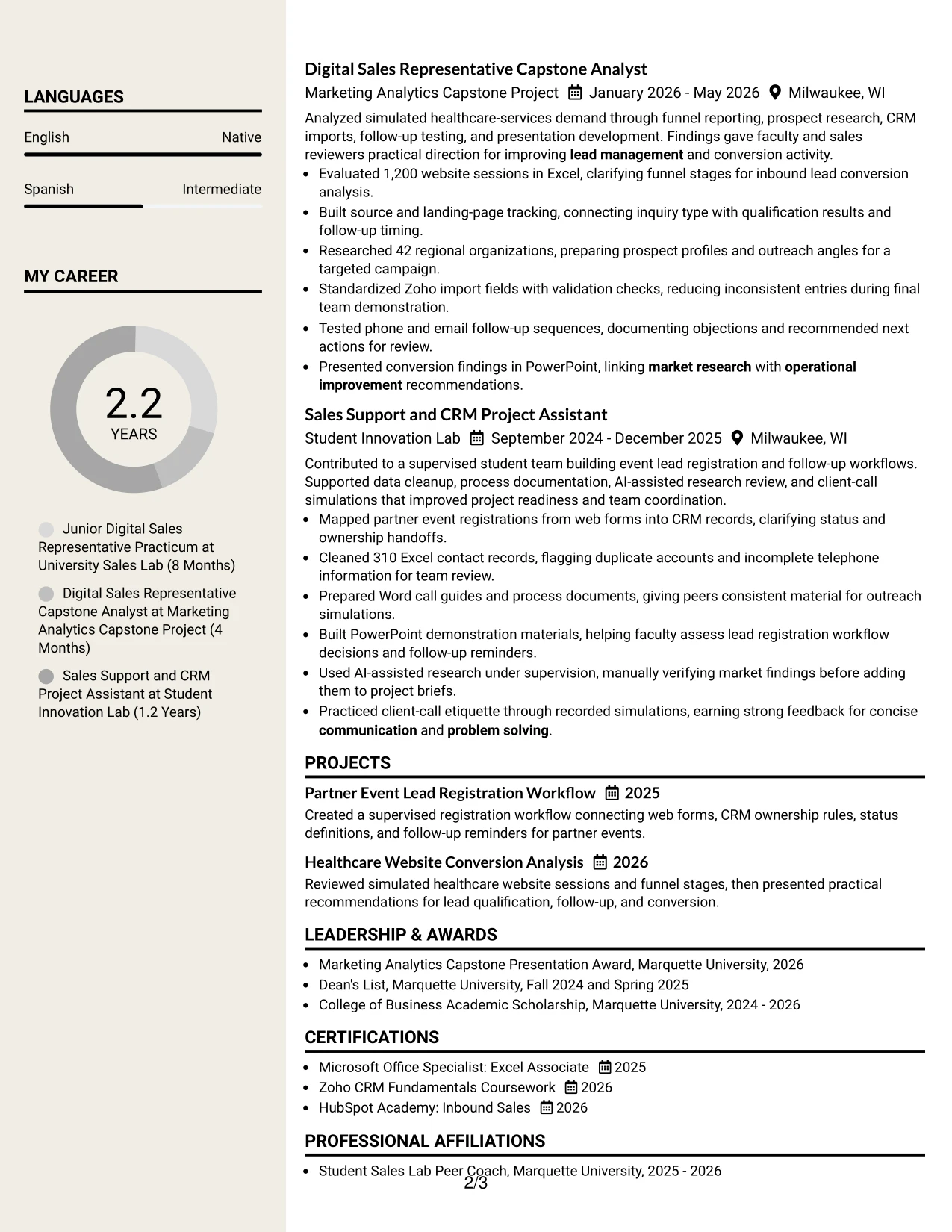
#14 Stylish Two Column Designer Format Resume Example
Readers can begin with the contact block and summary, then use the sidebar to locate skills, tools, certifications, and education while the main column carries experience and project evidence. This navigation pattern makes a longer resume feel easier to review.
The two-column design is useful for grouping Zoho CRM, Microsoft Office, lead management, and conversion analysis away from the fuller achievement bullets. The main area can hold the 86-inquiry practicum, 1,200-session analysis, 42 researched organizations, and 310 cleaned records without reducing the detail needed for credibility.
Why the Stylish Two Column Designer Format Works for a Resume
- A sidebar gives readers a fast route to skills, tools, education, and certifications.
- The main column preserves space for detailed experience and project bullets.
- Grouped keywords remain visible while the reader reviews supporting evidence.
- The format can hold several projects without making every section compete for the same line width.
- Two areas help separate qualifications from examples of applied work.
- The layout supports a substantial evidence set, including datasets, record audits, and outreach exercises.
- Clear visual grouping helps readers return to a specific section during a second review.
Best For
- Resumes with enough content to justify separate skills and experience areas
- Applicants presenting both practical experience and multiple academic projects
- Documents that need tools and certifications visible during experience review
- Applications where a sidebar can group CRM, Excel, and communication skills
- Candidates with several evidence points that would crowd a single narrow column
- Readers who compare a qualification list with detailed supporting bullets
- Resume versions intended for careful human review after ATS screening
#15 Modern Icon Format Resume Example
The strongest evidence receives priority: timely inbound response, accurate CRM work, targeted research, and conversion analysis. The Modern Icon Format uses small visual markers to guide the eye, while the written sections carry the facts that establish readiness for the target role.
That balance lets the resume show both operational detail and communication ability. Bullets can connect Zoho CRM stages, next-task dates, monthly audits, Excel tracking, phone outreach, and workflow improvements to specific supervised projects rather than leaving them as unsupported skill claims.
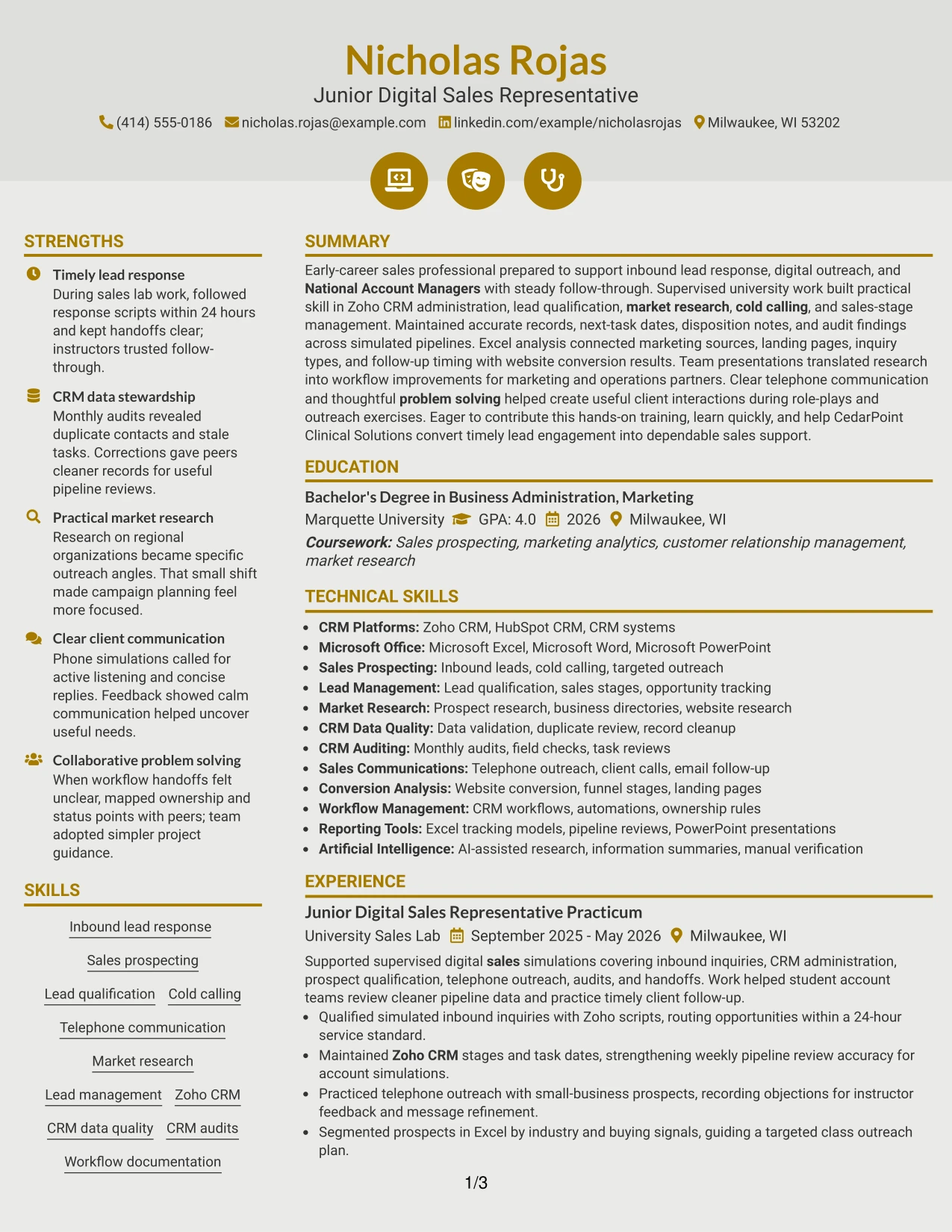
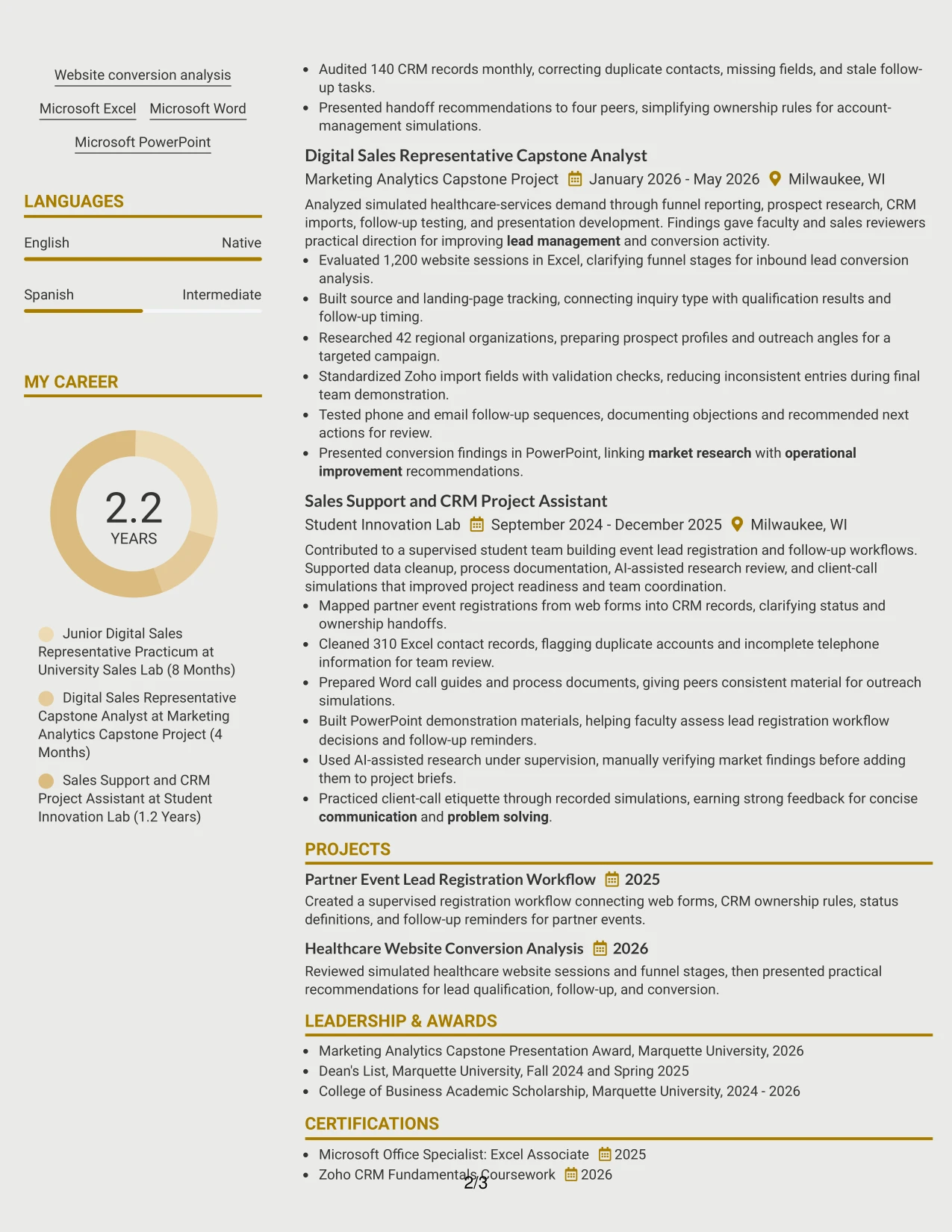
Why the Modern Icon Format Works for a Resume
- Visual markers help readers distinguish major sections during a quick review.
- The written content remains responsible for showing actions, tools, and outcomes.
- Experience bullets can connect skills to supervised work instead of listing them without context.
- The format gives timely lead response and CRM accuracy strong visibility.
- Project evidence such as funnel analysis and prospect research can sit beside core experience.
- Icons can guide navigation without replacing standard section headings or keywords.
- A clear evidence-first order supports review of both technical and communication strengths.
Best For
- Resumes where evidence should appear before broad descriptive claims
- Applicants showing how CRM, Excel, and outreach skills were applied
- Documents with several project examples that need quick visual signposts
- Applications that balance operational accuracy with client communication
- Readers who scan for actions and results before reviewing education
- Role-focused resumes that need practical evidence near the top
- Candidates using standard headings with a modest visual aid for navigation
#16 Plain Professional Layout with Job Title & Shaded Labels Resume Example
Content is balanced across a direct header, a focused summary, and clearly spaced sections for experience, projects, education, certifications, and skills. Shaded labels add structure while leaving enough white space for the reader to absorb each group of information.
This practical arrangement suits an application that must show both readiness and detail. The resume can present the 24-hour service standard, monthly CRM audits, 1,200-session analysis, 42 prospect profiles, and Microsoft Office certification without making the page feel crowded.
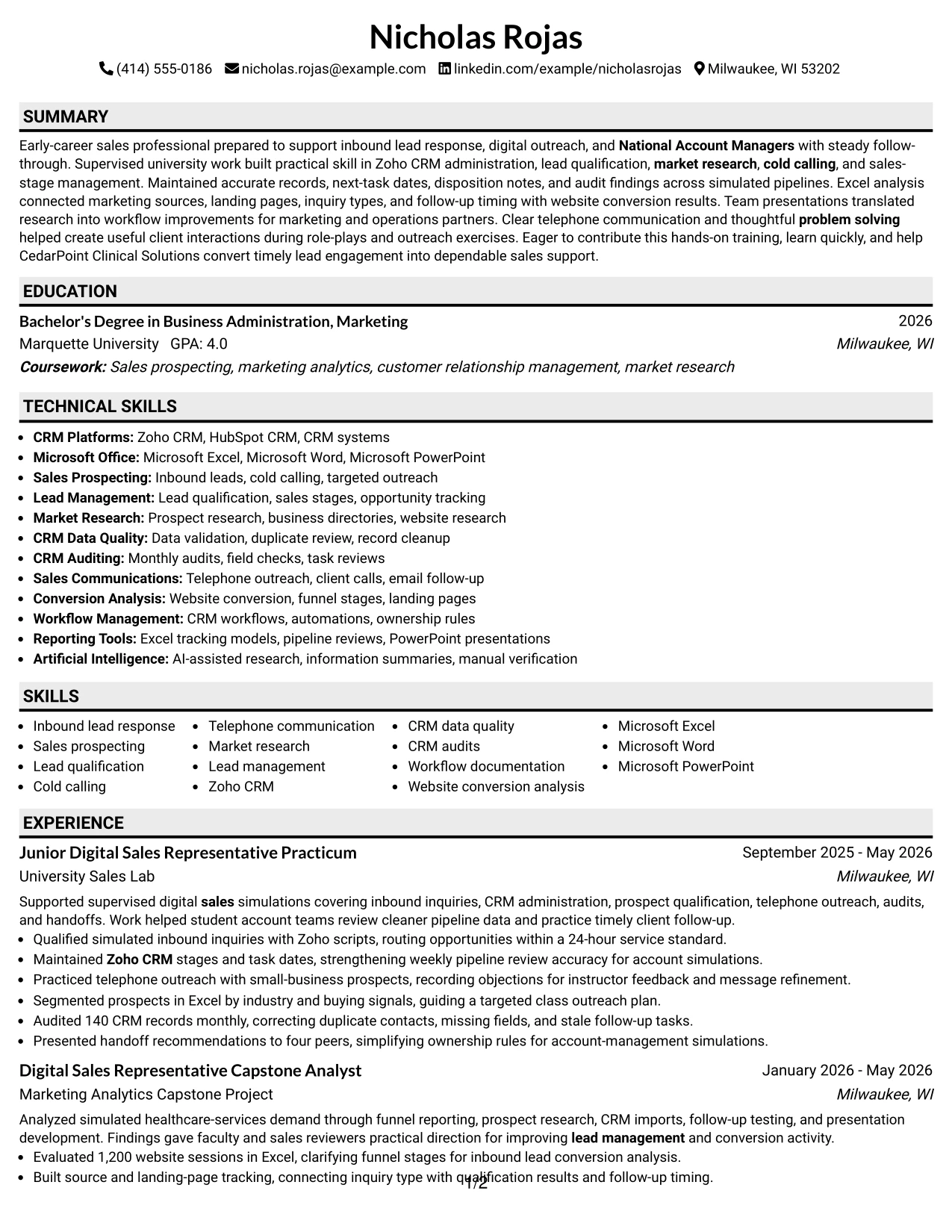
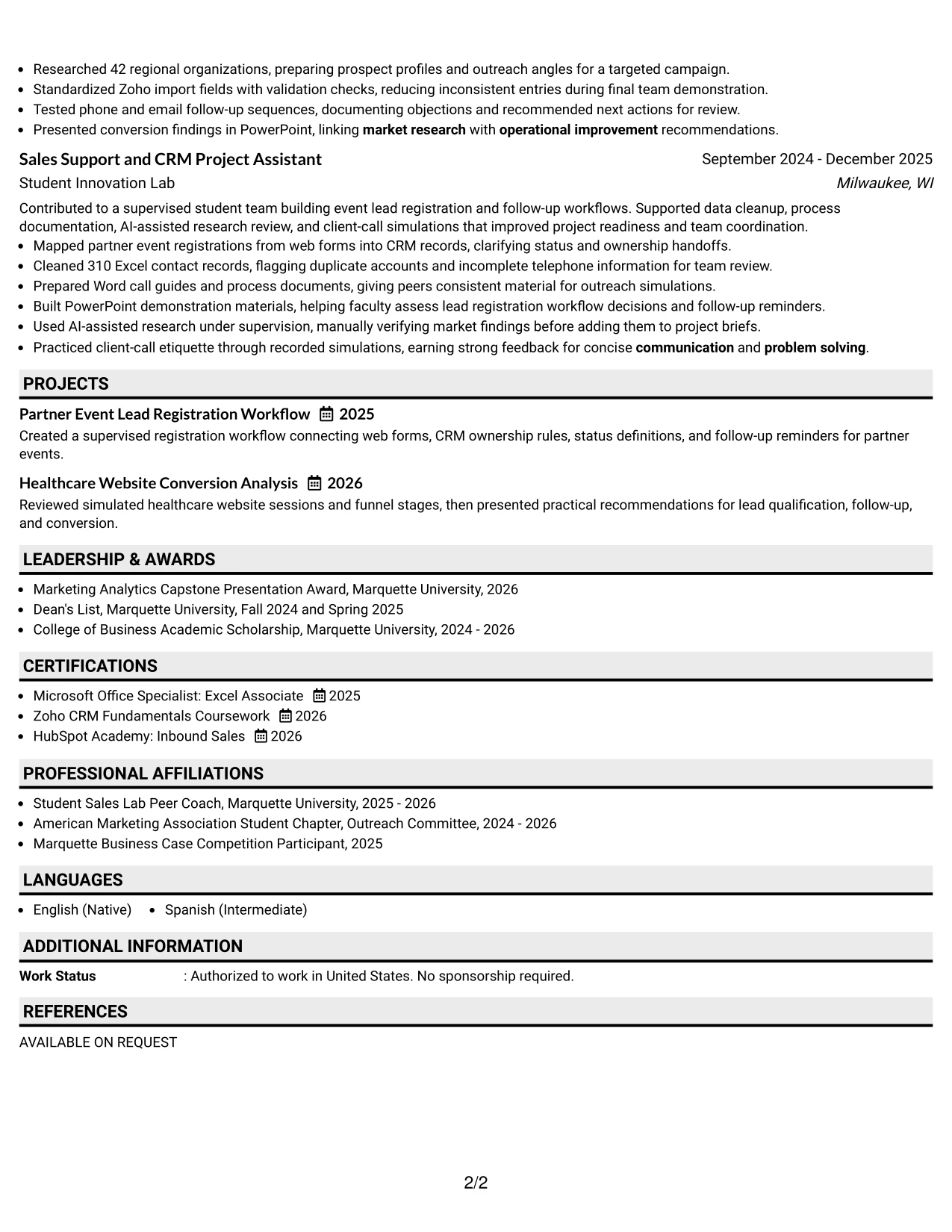
Why the Plain Professional Layout with Job Title & Shaded Labels Works for a Resume
- The job title in the header makes the application context clear immediately.
- Shaded labels divide sections without adding distracting design elements.
- Balanced spacing improves readability across summary, experience, projects, and education.
- The layout leaves room for detailed bullets with tools and measurable results.
- CRM audits and data-quality work can be explained without being buried in a skills list.
- Certifications and Microsoft Office tools remain easy to find for role-specific review.
- A plain structure supports both ATS processing and careful human scanning.
Best For
- Applications that need a direct connection between the header and target role
- Resumes with detailed bullets but a preference for calm visual spacing
- Candidates showing readiness through projects, certifications, and supervised work
- Documents where measurable results should remain readable at normal page size
- ATS-conscious submissions using familiar labels and a linear structure
- Readers who value practical organization over decorative design
- Applications that must balance sales evidence, CRM detail, and education
#17 Classic One Column Resume Format Resume Example
For an application that needs dependable review across systems and people, a classic one-column resume provides a familiar path from summary to experience, projects, education, certifications, and skills. The reader does not need to learn a new visual system before assessing the evidence.
The format gives each accomplishment room to stand on its own. Lead qualification, Zoho CRM maintenance, cold calling practice, Excel analysis, and workflow documentation can appear in concise bullets that connect directly to the Junior Digital Sales Representative role.
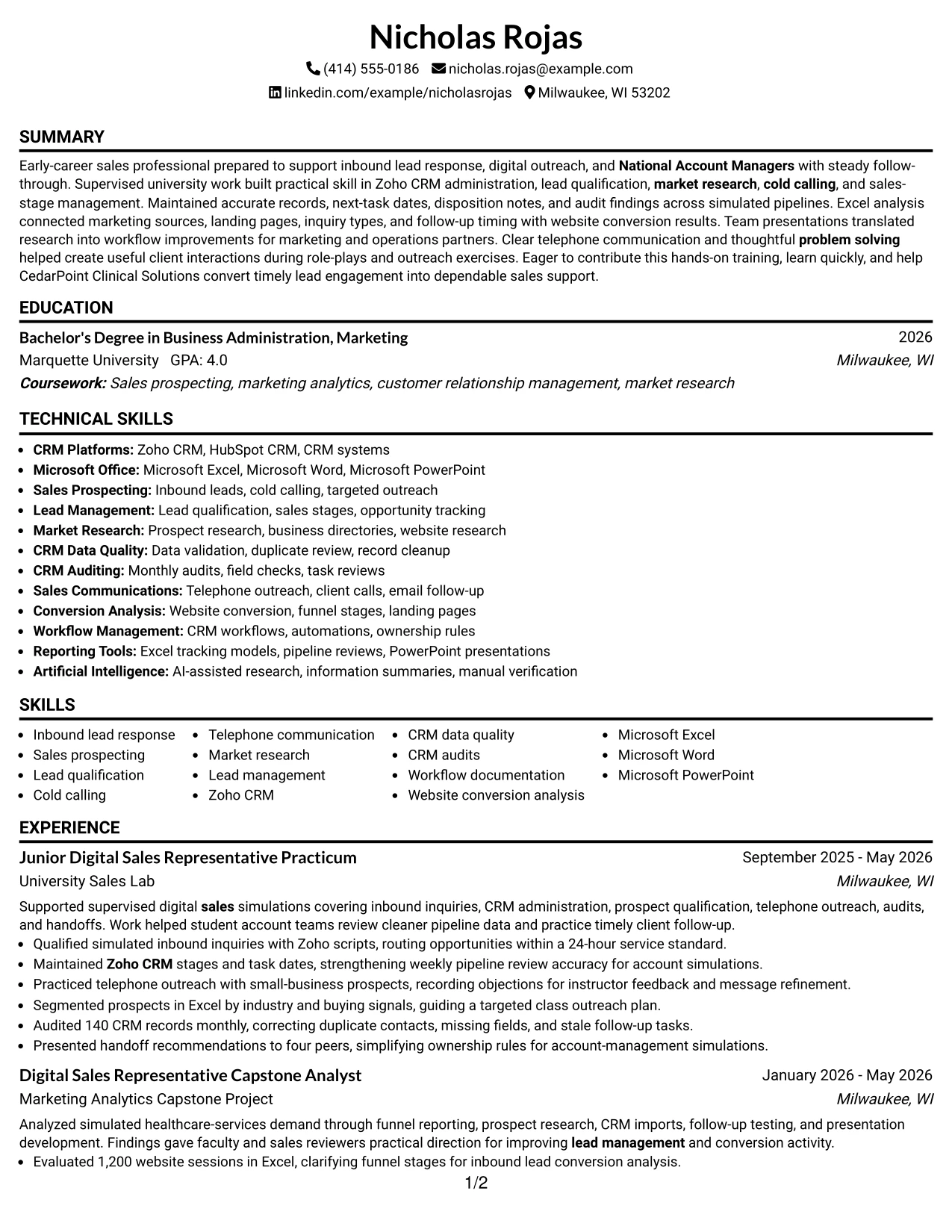
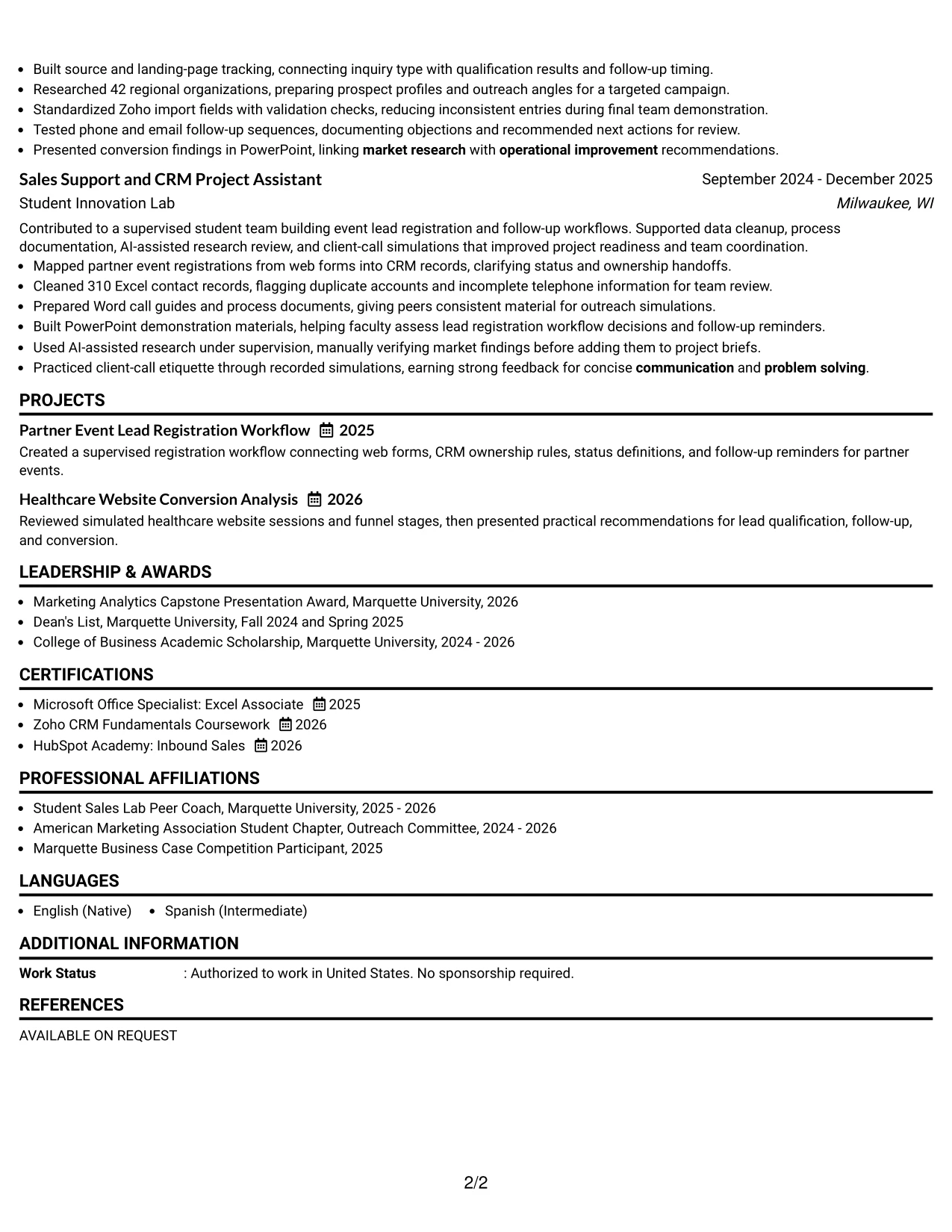
Why the Classic One Column Resume Format Works for a Resume
- A familiar sequence lets reviewers find standard resume sections quickly.
- One-column formatting supports consistent ATS reading and straightforward text extraction.
- Each bullet can state an action, tool, and result without competing with a sidebar.
- The format presents practical sales training alongside education and certifications.
- Keywords such as lead management and market research appear in natural context.
- Projects can reinforce experience without changing the document's basic structure.
- The classic presentation keeps attention on evidence, clarity, and relevance.
Best For
- Applications submitted through standard ATS platforms
- Resumes that need a familiar structure for different types of reviewers
- Applicants with experience, projects, education, and certifications to order clearly
- Documents where each achievement needs a full-width bullet
- Role applications that depend on keyword context rather than visual effects
- Candidates seeking a dependable format for online and printed review
- Readers who prefer direct movement from summary to supporting evidence
#18 One Column Format with Photo Resume Example
A clean one-column hierarchy keeps the professional identity area distinct from the resume evidence below it. Where a photo is appropriate for the application context, it can sit in the header without interrupting the sequence of summary, experience, projects, education, and skills.
The written content should still do the main work. For this resume, that means giving clear space to inbound lead response, Zoho CRM records, monthly audits, market research, conversion analysis, and client-call practice. The photo is secondary to role alignment and documented preparation.
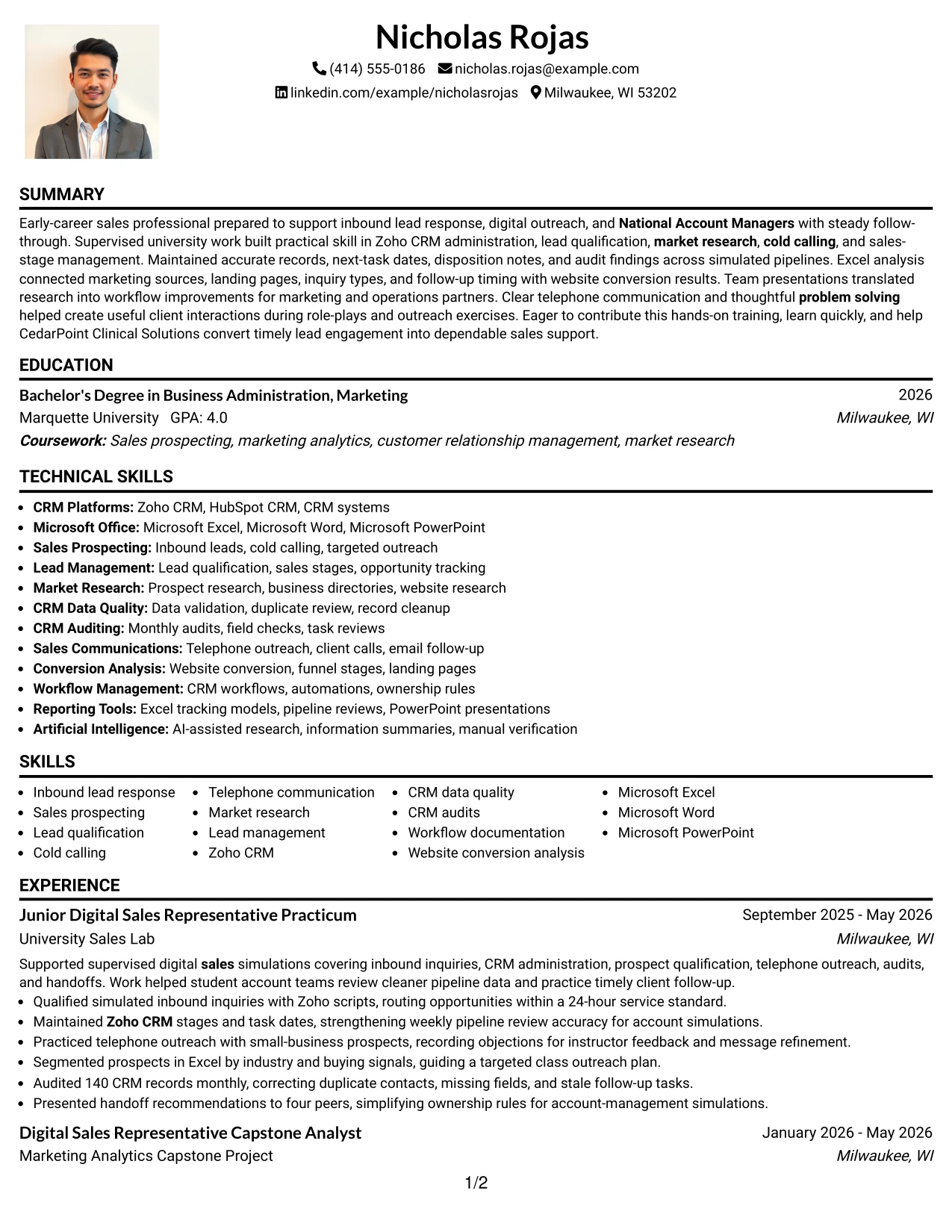
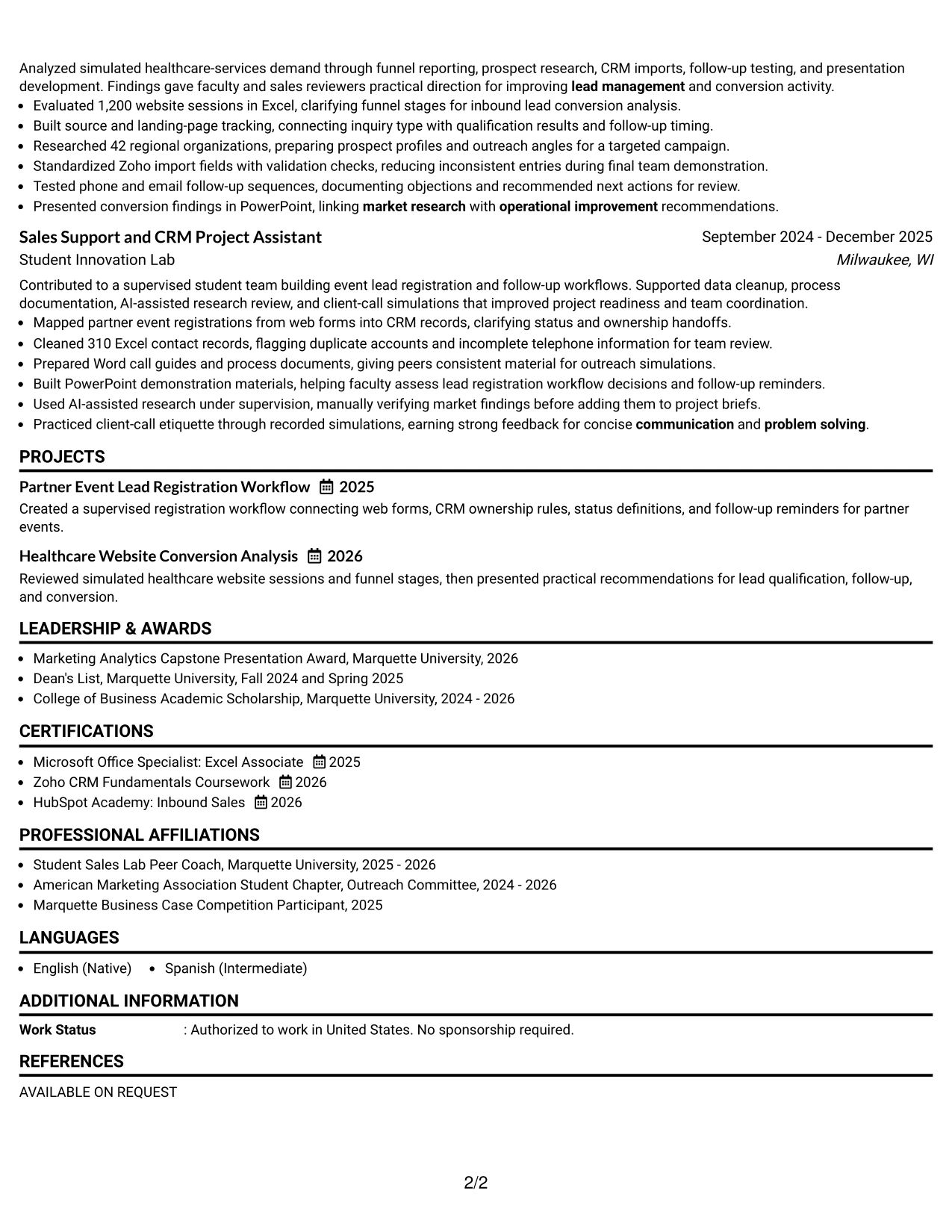
Why the One Column Format with Photo Works for a Resume
- The one-column structure keeps the reading order simple after the header.
- A photo can support professional identity when the application context permits it.
- The layout prevents the photo from taking space away from achievement bullets.
- Full-width sections give CRM, research, and communication evidence room to develop.
- Projects and certifications remain part of the main qualification story.
- Standard headings preserve ATS-friendly organization beneath the visual header.
- The strongest emphasis stays on relevant preparation and documented results.
Best For
- Applications where a photo is accepted and adds useful professional context
- Candidates who want visual identity separated from the main resume evidence
- One-page documents requiring a simple path through experience and skills
- Resumes with full-width bullets covering CRM, research, and outreach work
- Applications where projects and certifications support the main qualification story
- Readers who prefer a single organized column after the header
- Role-focused documents that keep visual elements secondary to evidence
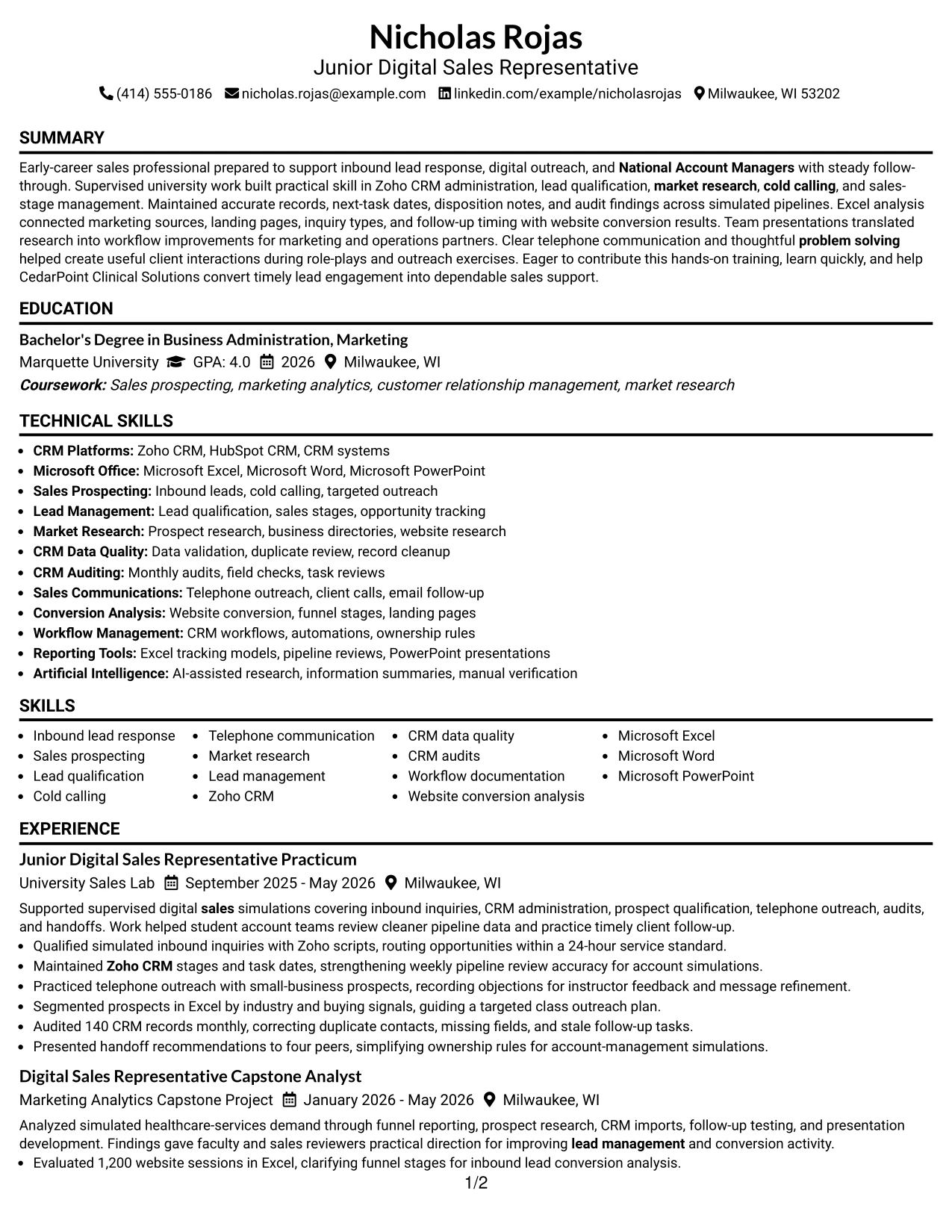
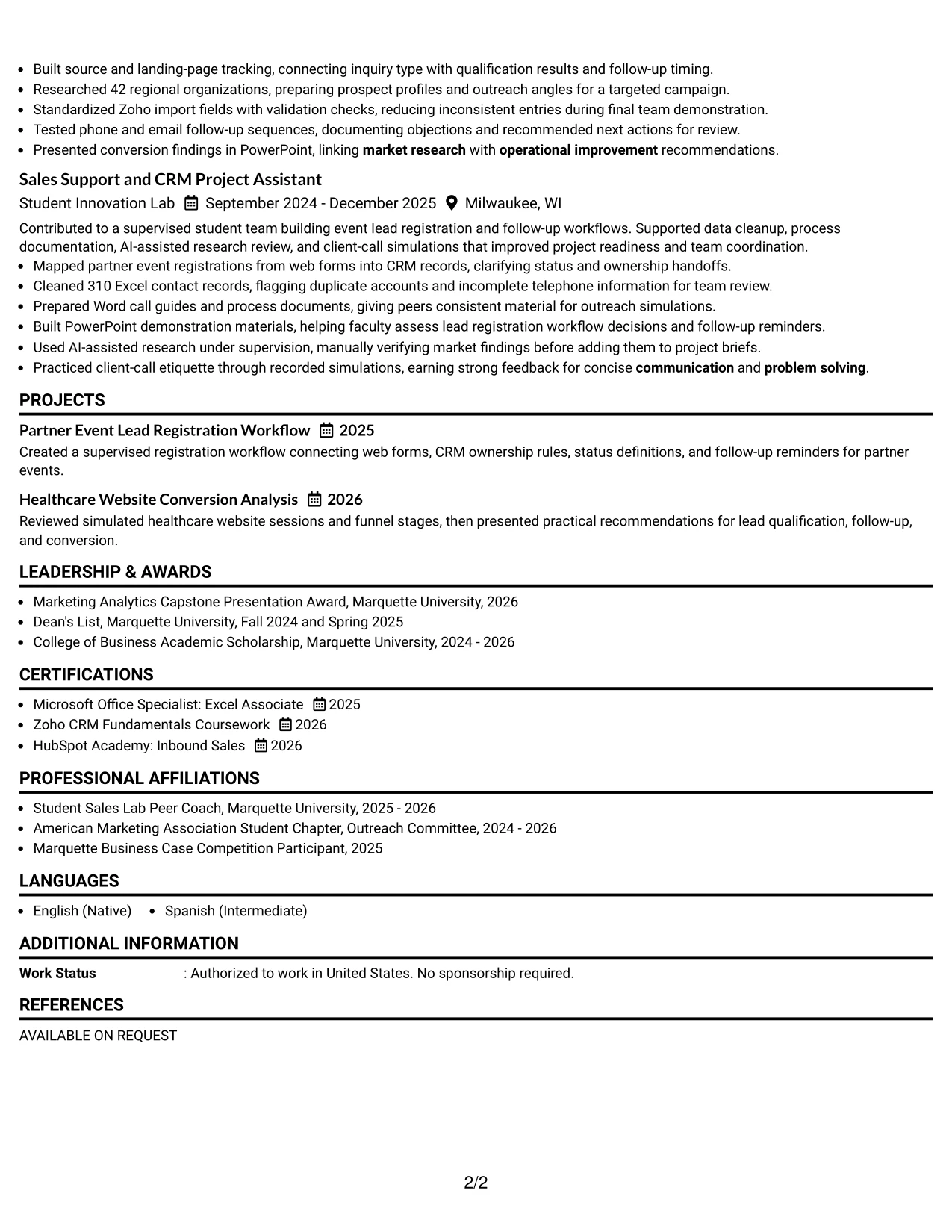
#19 Minimal Header Format Resume Example
The Minimal Header Format establishes the document's purpose with only the essential contact and role details before moving into the resume content. Its simple structure helps the reader reach the summary, experience, projects, education, and skills without delay.
That direct path is useful when the resume must communicate qualifications quickly. Full-width bullets can show Zoho CRM administration, lead qualification, targeted outreach, Excel tracking, and data cleanup, while the understated header keeps attention on the work rather than on extra visual elements.
Why the Minimal Header Format Works for a Resume
- A compact header lets readers reach the qualifications with little visual delay.
- The one-column order supports predictable ATS parsing.
- Simple headings make summary, experience, projects, education, and skills easy to locate.
- Full-width bullets provide room for clear actions and measurable evidence.
- Role-specific terms can appear naturally in the summary and experience sections.
- The format keeps certifications and tools visible without adding competing panels.
- Minimal presentation helps reviewers focus on preparation and results.
Best For
- Applications where the resume content should begin quickly below the header
- ATS submissions needing a simple, predictable document structure
- Applicants with strong bullets that deserve most of the page's visual attention
- Documents combining practicum work, academic projects, and certifications
- Readers who prefer minimal navigation and familiar section headings
- Resumes with role-specific keywords woven into summary and experience
- Online applications where clean text structure is more useful than decoration
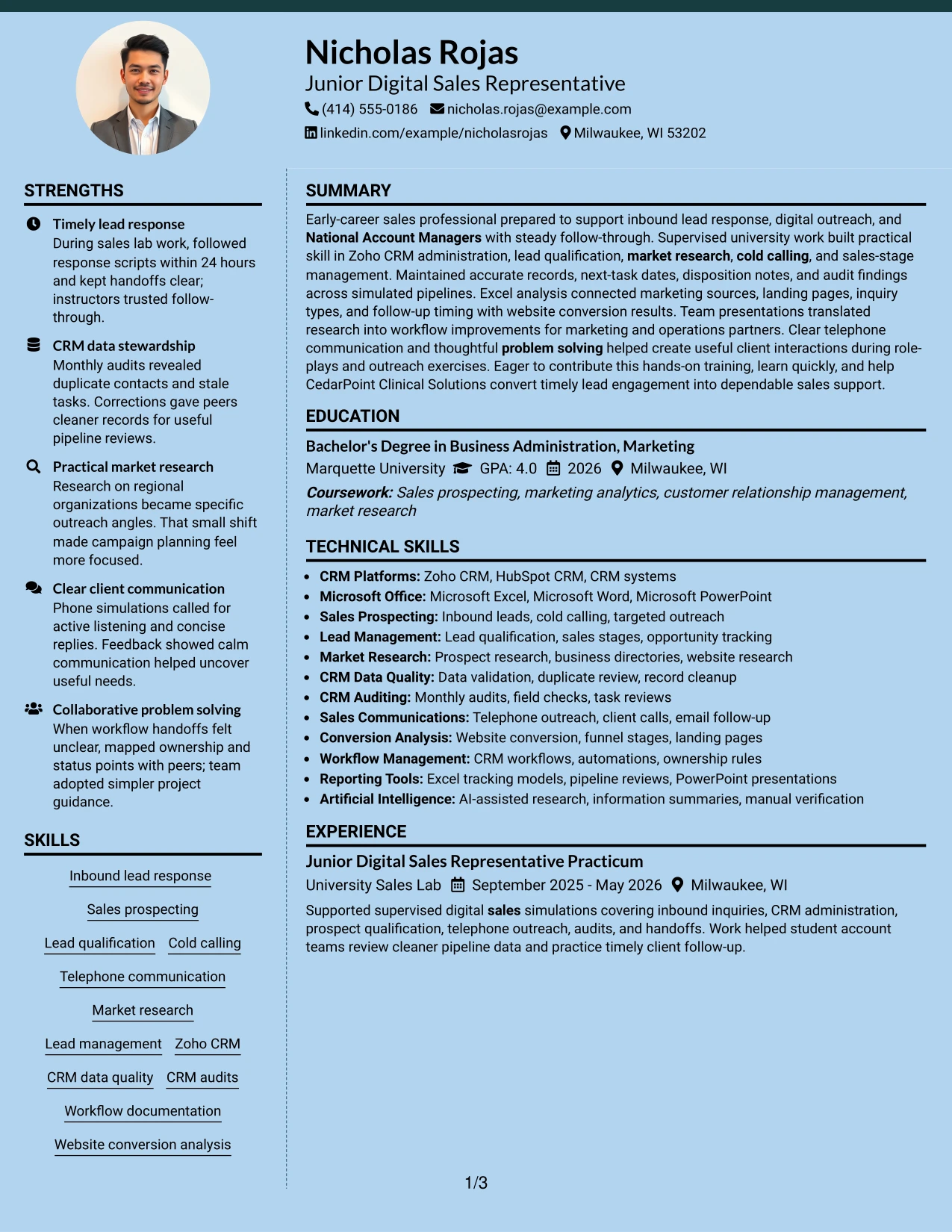
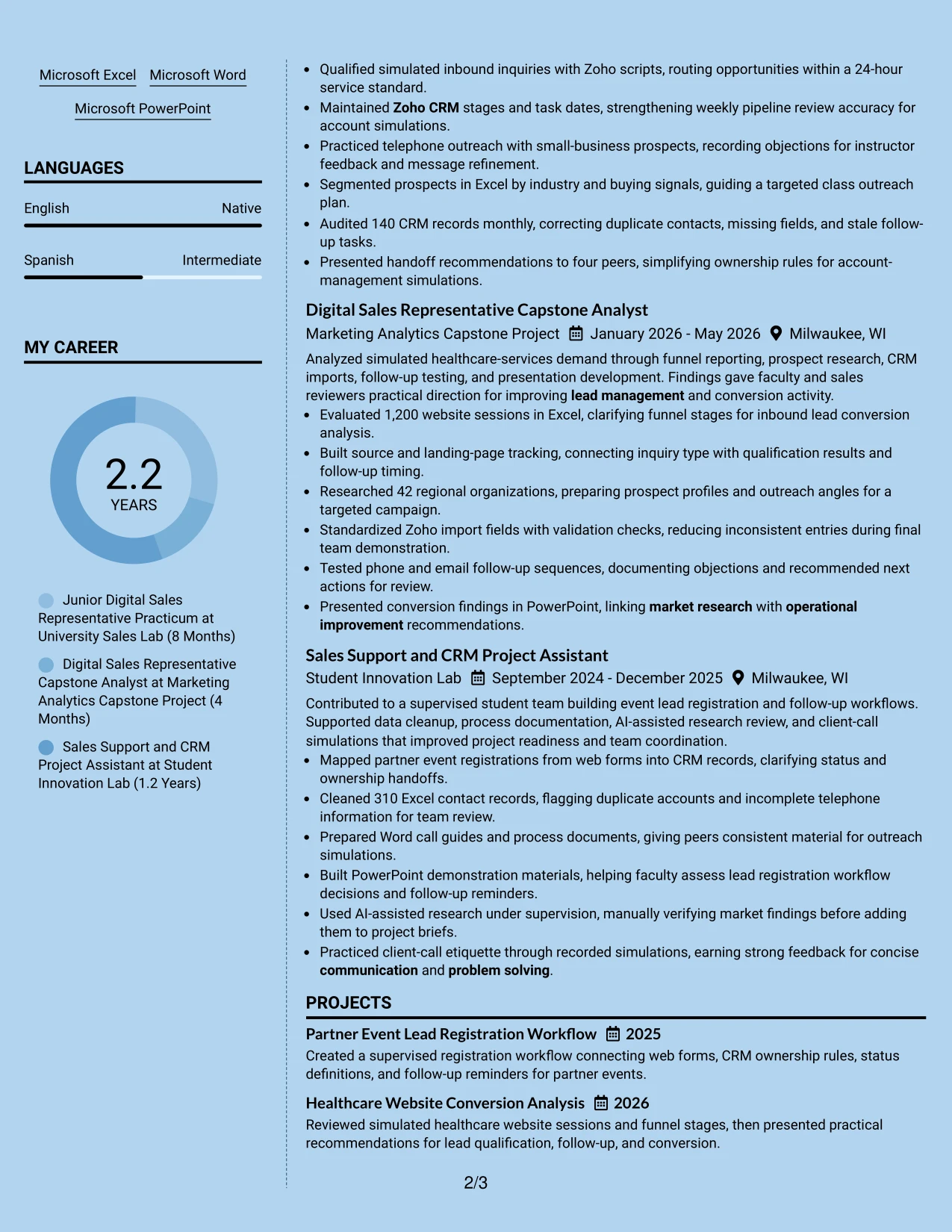
#20 Modern Full Background Two Column Format Resume Example
A reader can use the two-column structure to move between a focused qualification area and the fuller record of experience and projects. One side can hold skills, tools, certifications, and education, while the main side carries the evidence that explains how those qualifications were used.
For Nicholas Rojas's resume, that division supports both breadth and detail: Zoho CRM, Microsoft Excel, lead management, and website conversion can remain visible while bullets describe 86 inquiries, 140 audited records, 1,200 sessions, and 42 researched organizations. Strong contrast should guide navigation without weakening text clarity.
Why the Modern Full Background Two Column Format Works for a Resume
- Two columns separate quick-reference qualifications from detailed proof of work.
- The sidebar can keep tools, certifications, and education visible during experience review.
- The main column has room for achievement bullets and project explanations.
- The format supports a broad evidence set without forcing every item into one stream.
- Grouped skills help readers connect Zoho CRM and Excel to the bullets that demonstrate use.
- Projects can add depth while the primary experience remains easy to follow.
- Strong visual contrast can guide navigation when text remains clear and readable.
Best For
- Resumes with substantial content across skills, projects, education, and experience
- Applicants who want quick-reference qualifications visible beside detailed evidence
- Documents that need to present several tools without shortening achievement bullets
- Applications combining CRM administration, market research, and conversion analysis
- Readers who compare a skills group with supporting examples in the main column
- Candidates with multiple projects that add useful context to practical training
- Carefully reviewed resumes where two-column grouping improves information retrieval
#21 Dark Mode Two Column Format Resume Example
The evidence receives priority, with the main column carrying experience and projects while a secondary column organizes skills, tools, education, and certifications. Dark styling can create strong section contrast, but the resume still depends on readable text and familiar headings.
This arrangement gives practical proof enough room to show CRM data quality, phone outreach, market research, funnel analysis, and workflow documentation. A reviewer can see the qualifications at a glance, then examine the bullets that support them through supervised sales and academic work.
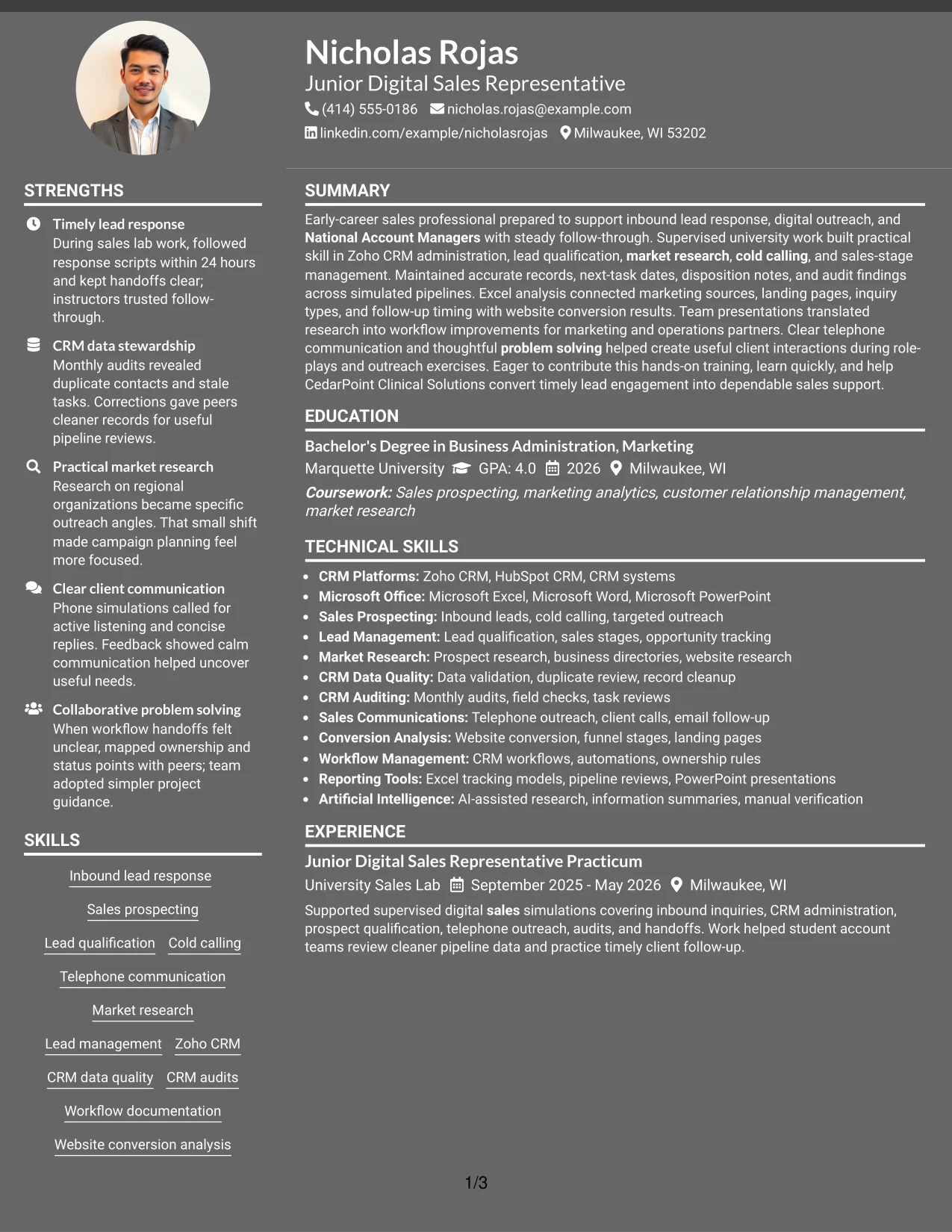
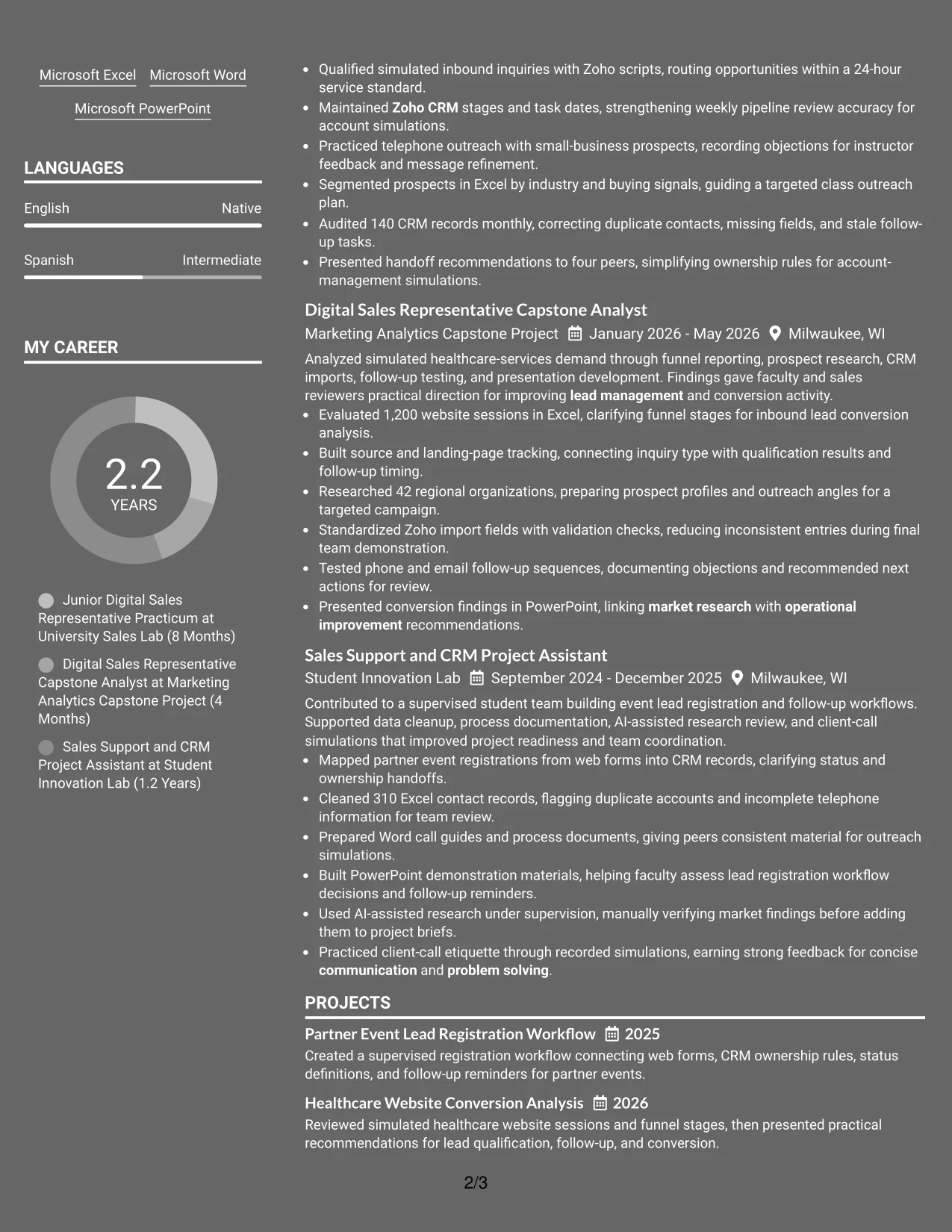
Why the Dark Mode Two Column Format Works for a Resume
- The main column puts experience and project evidence at the center of review.
- A secondary column keeps skills, tools, education, and certifications available for reference.
- Strong contrast can separate qualification groups from detailed bullets.
- The format supports evidence such as record audits, prospect research, and funnel analysis.
- Standard labels help preserve navigation even with a distinctive visual treatment.
- Short skill groups can reinforce longer bullets without repeating every detail.
- Readable contrast and consistent spacing remain essential for digital resume review.
Best For
- Documents where practical evidence should dominate the visual hierarchy
- Applicants presenting detailed projects alongside a compact qualification column
- Resumes that need CRM, research, and communication skills visible at a glance
- Applications reviewed digitally where clear contrast supports section navigation
- Candidates with measurable records, datasets, and workflow examples to present
- Readers who want a quick skills reference before studying experience bullets
- Resume versions using a distinctive look while retaining standard content order
#22 Dark Mode Box Header Format Resume Example
Content is balanced between a strong boxed header and a clean single-column body. The header establishes the target role and contact details, while the sections below provide a measured path through the summary, experience, projects, education, certifications, and skills.
This application context calls for clear evidence rather than visual overload. The resume can use the body to explain inbound lead response, Zoho CRM updates, monthly audits, targeted research, and website conversion analysis, with dark styling limited to navigation and emphasis.
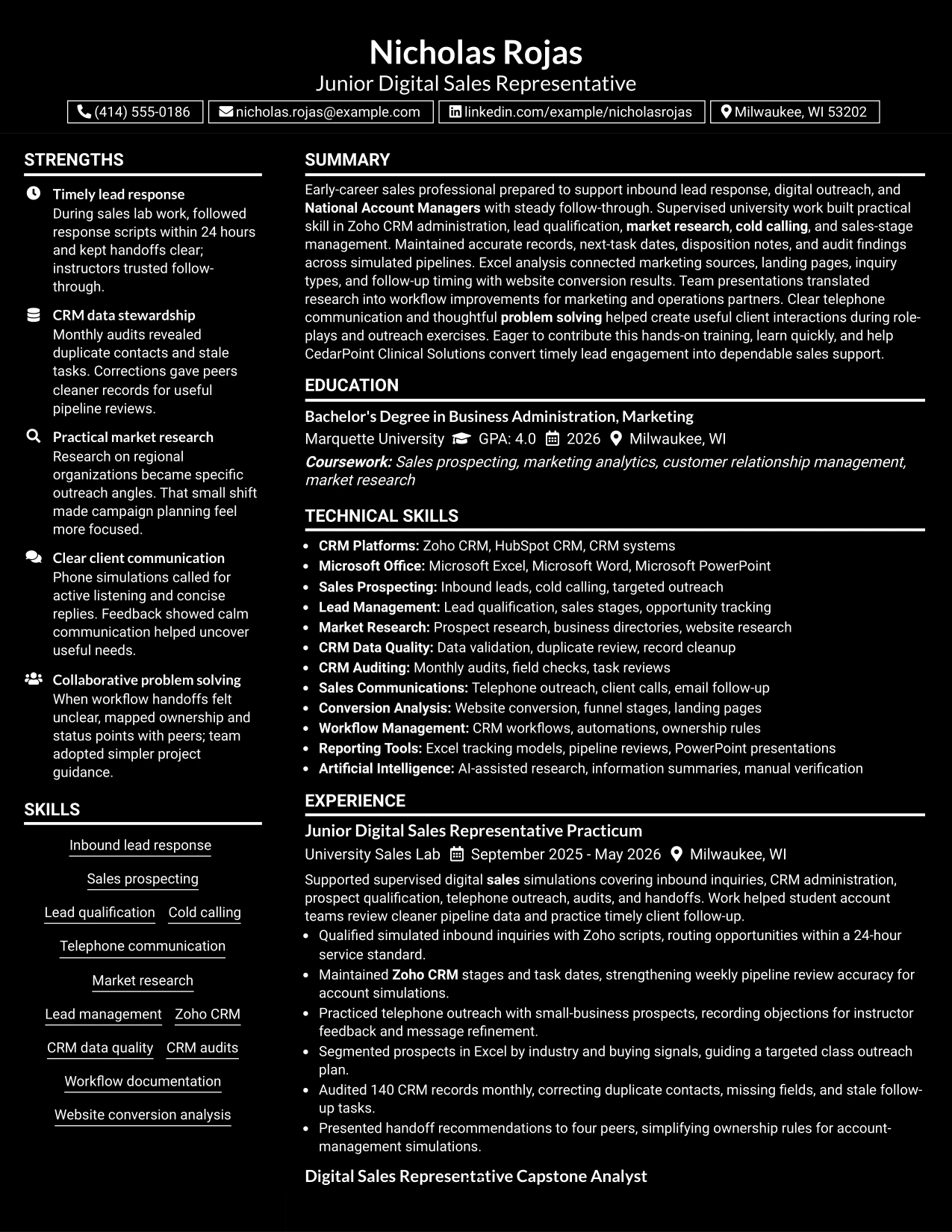
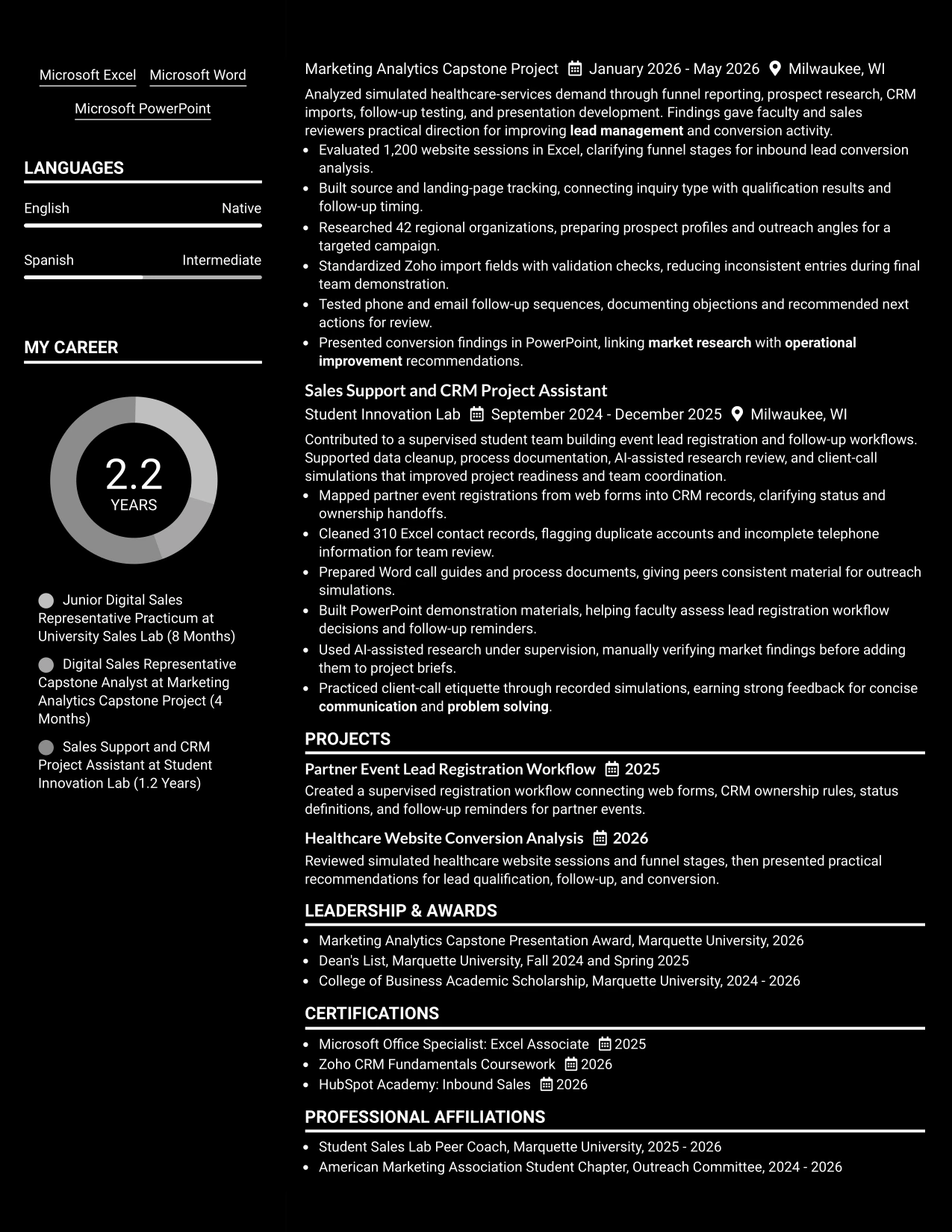
Why the Dark Mode Box Header Format Works for a Resume
- The boxed header makes the target role and contact details easy to confirm.
- A single-column body preserves a familiar order for ATS and human review.
- Dark accents can mark section changes without taking over the page.
- Full-width bullets give measurable sales and CRM evidence enough space.
- Projects and certifications can follow experience without competing for sidebar space.
- The format supports a clear distinction between summary, skills, and detailed history.
- Balanced use of contrast keeps the document professional and readable on screen.
Best For
- Applications that need a strong role-and-contact header with a simple body
- Resumes requiring a linear structure for ATS processing and human scanning
- Applicants presenting detailed CRM, research, and conversion bullets
- Documents where dark accents should guide navigation rather than replace headings
- Candidates combining practical training with projects and certifications
- Readers who want a clear application context before reviewing the resume body
- Digital resume submissions where contrast and section spacing aid review
#23 Elegant Full Background Two Column Format Resume Example
For a resume that must show both practical training and organized sales evidence, the Elegant Full Background Two Column Format creates a clear working map. One column can carry the professional summary, skills, tools, and certifications, while the wider area presents experience, projects, education, and results. That division helps a reader find Zoho CRM, Excel analysis, lead qualification, and the 24-hour response standard without losing the career story.
Use the space carefully: keep achievement bullets in the main column and place supporting details in the narrower column. Strong entries can show the 1,200-session analysis, 42 researched organizations, 140-record CRM audits, and 310 cleaned contact records. Simple headings and consistent dates also support quick review and help ATS systems identify core sections.
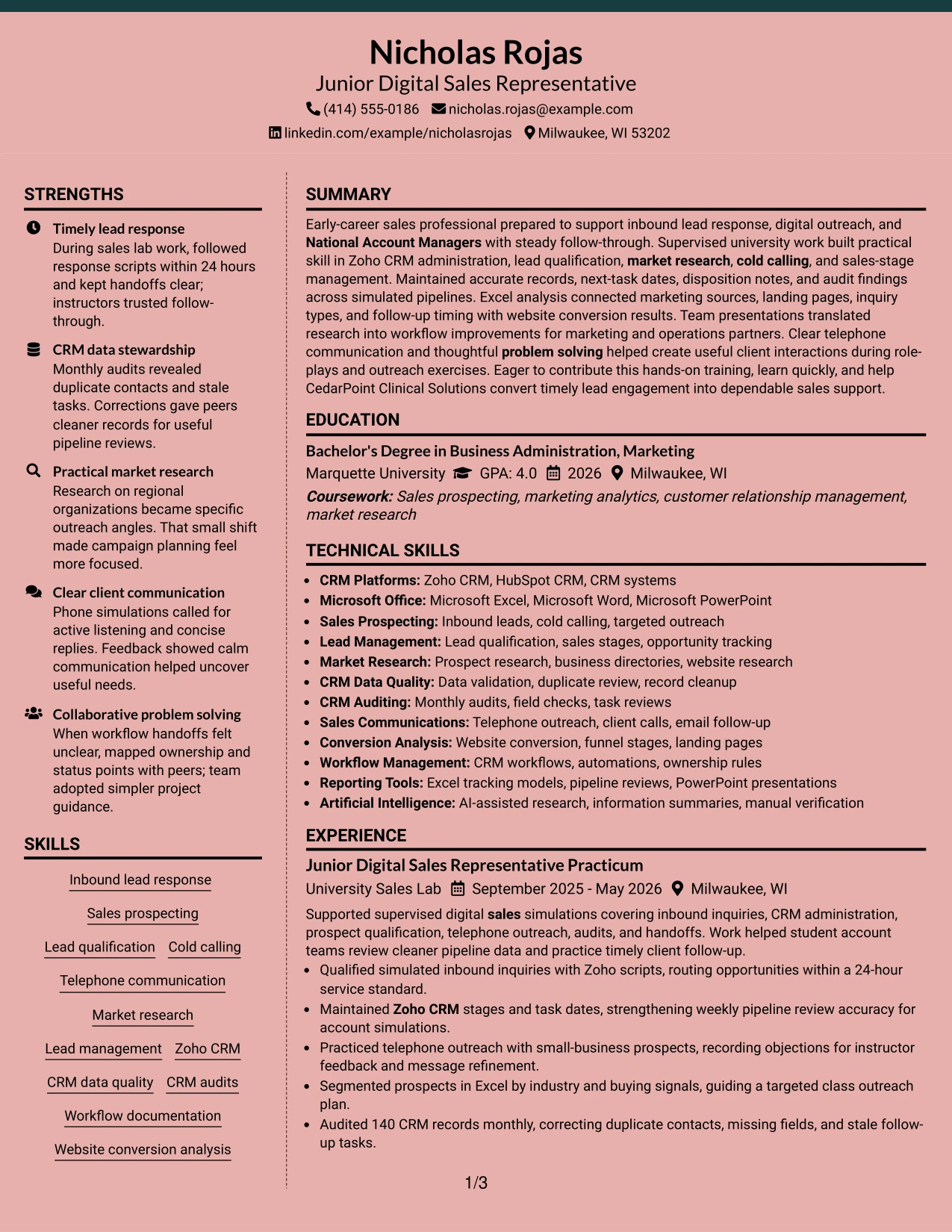
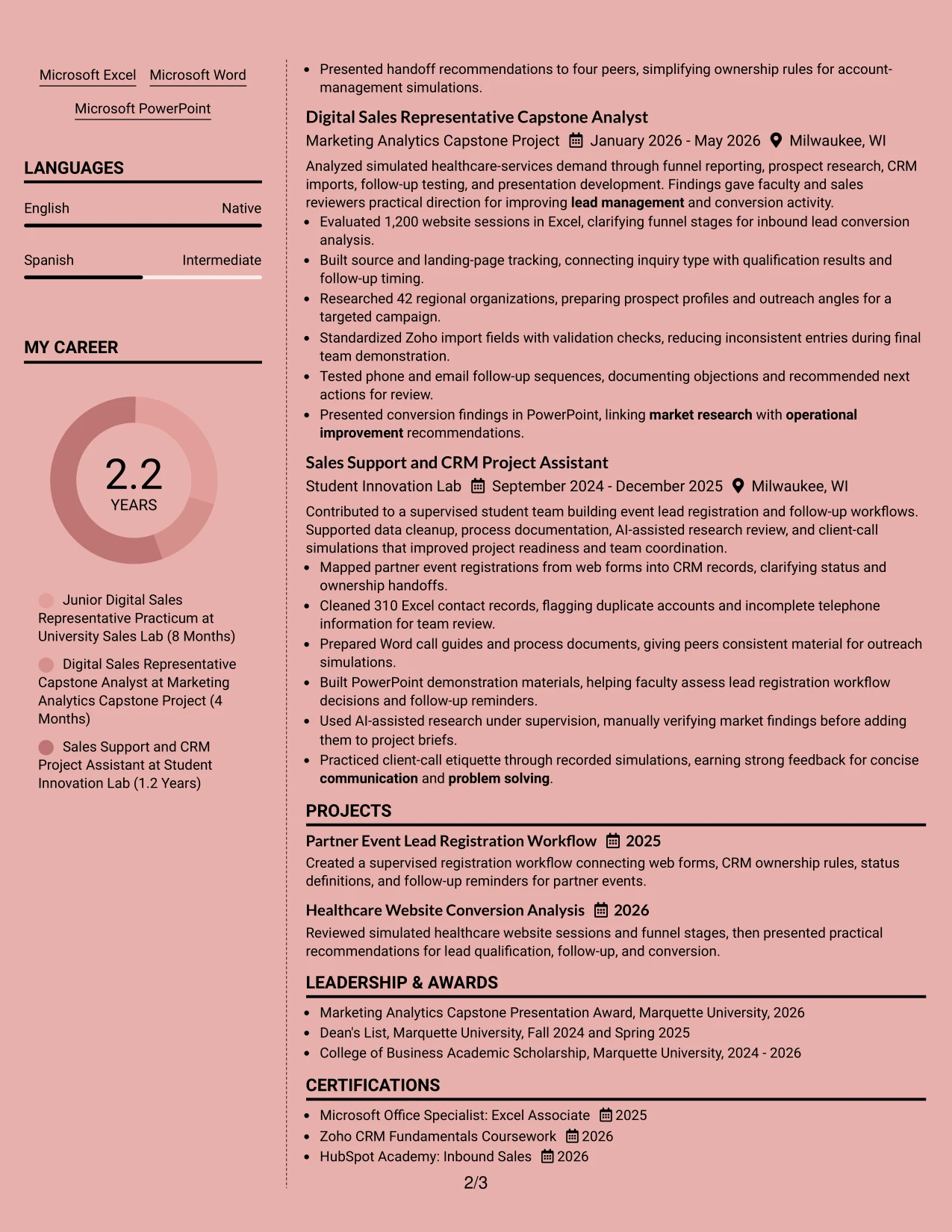
Why the Elegant Full Background Two Column Format Works for a Resume
- Separates summary and skills from detailed experience for faster scanning.
- Gives CRM administration, market research, and sales support clear placement.
- Makes measurable evidence such as 1,200 sessions and 310 records easy to notice.
- Supports a balanced presentation of projects, education, certifications, and activities.
- Keeps tool names such as Zoho CRM and Microsoft Excel visible without crowding the experience section.
- Creates a useful hierarchy for both human review and ATS section parsing.
- Works well when a resume needs depth but still benefits from controlled visual organization.
Best For
- Resumes that need two distinct information zones without a crowded reading path.
- Candidates combining practicum work, projects, education, and certifications.
- Applications where CRM tools and sales keywords must remain easy to locate.
- Readers who want a compact skills area beside fuller achievement bullets.
- Documents that include several measurable activities across supervised projects.
- A polished presentation of early-career evidence with clear section boundaries.
- Resume reviews where visual balance matters alongside ATS-friendly headings.
#24 Creative Two Tone Format Resume Example
A restrained visual hierarchy gives this resume a confident first impression while keeping the evidence easy to inspect. The Creative Two Tone Format can distinguish headings from body text, but the content should remain the focus: inbound lead response, sales prospecting, CRM data quality, and website conversion analysis should appear in familiar resume sections.
The strongest bullets connect action with useful evidence. Examples include routing inquiries within 24 hours, auditing 140 practice records, researching 42 organizations, and building a tracking model for 1,200 website sessions. A single-column structure keeps dates, employers, projects, and certifications in a natural sequence for both recruiters and ATS tools.
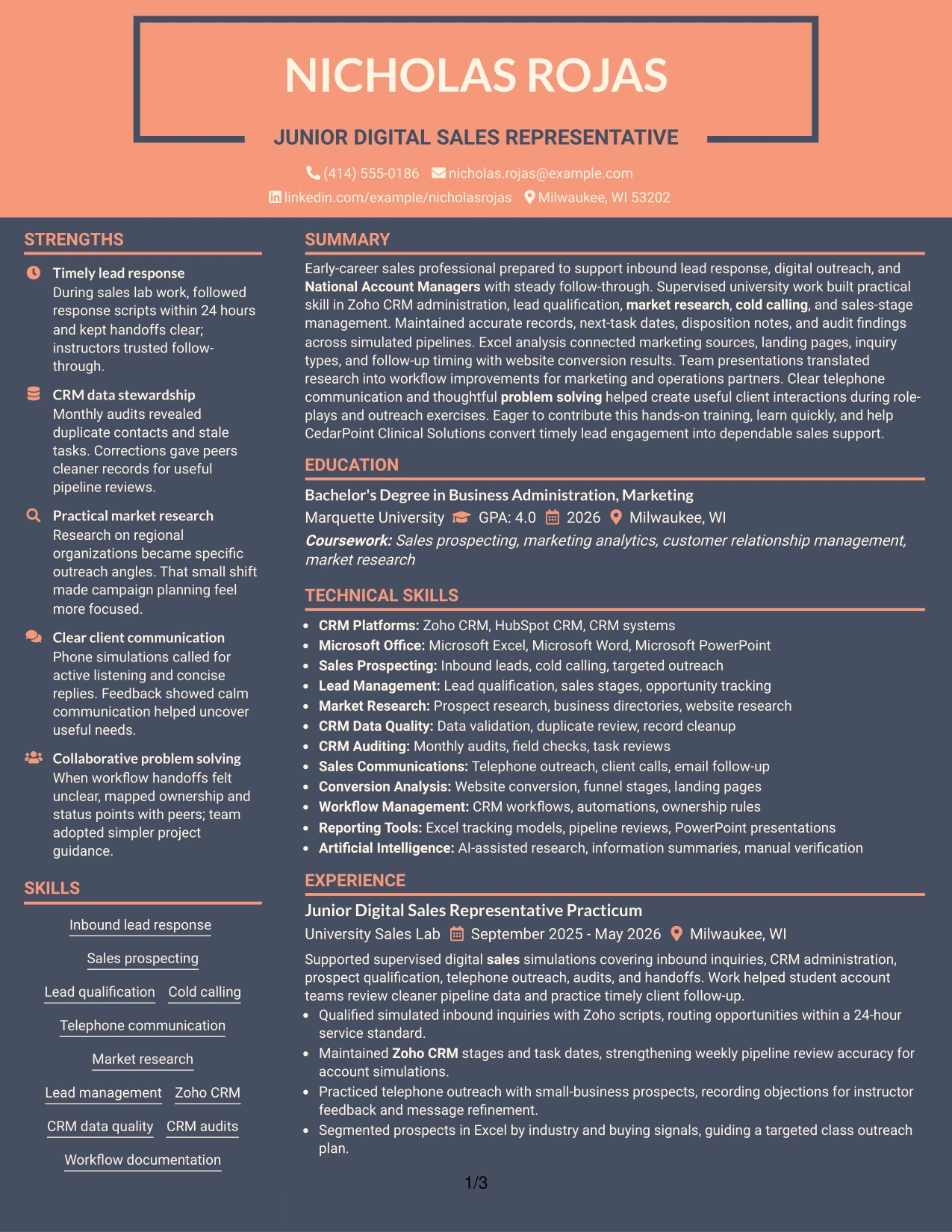
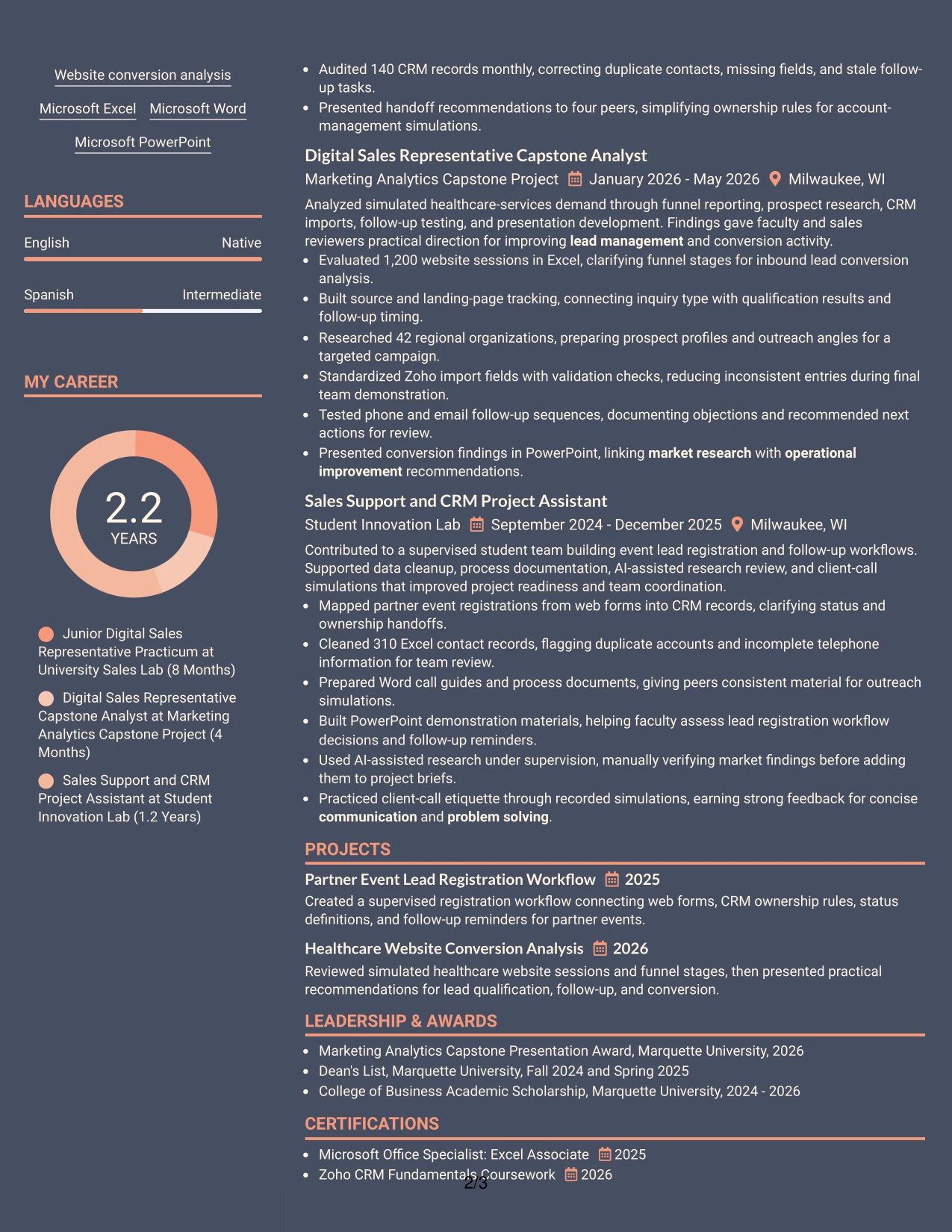
Why the Creative Two Tone Format Works for a Resume
- Uses visual contrast to guide attention without replacing standard resume structure.
- Keeps the professional summary and skills easy to find at the top.
- Gives quantified bullets room to explain actions and outcomes.
- Presents sales, CRM, research, and communication evidence in one steady reading flow.
- Supports clear separation between supervised experience and academic projects.
- Allows important tools to stand out while preserving readable body text.
- Maintains a professional appearance for applications that value organized presentation.
Best For
- Resumes that need a modest visual distinction while remaining easy to scan.
- Candidates with related sales, research, and CRM evidence across several settings.
- Applications where a single-column sequence should show steady development.
- Readers who prefer standard sections with a little visual energy.
- Documents that use numbers and concise bullets as the main proof of capability.
- Role searches requiring both keyword visibility and a polished presentation.
- Resumes that must balance creative formatting with straightforward ATS reading.
#25 Bold Color Header Professional Format Resume Example
The Bold Color Header Professional Format places the resume's identity and target role in a strong opening position, then gives the reader a predictable path through summary, skills, experience, projects, education, and certifications. That structure suits a resume built around practical sales preparation and clear tool knowledge.
Use the bold header to establish the target role, not to replace evidence. Below it, concise bullets can show 24-hour inquiry routing, Zoho CRM stage updates, Excel segmentation, monthly audits, and presentation work. Standard section labels and plain text keywords help ATS systems read the document even when the visual header is prominent.
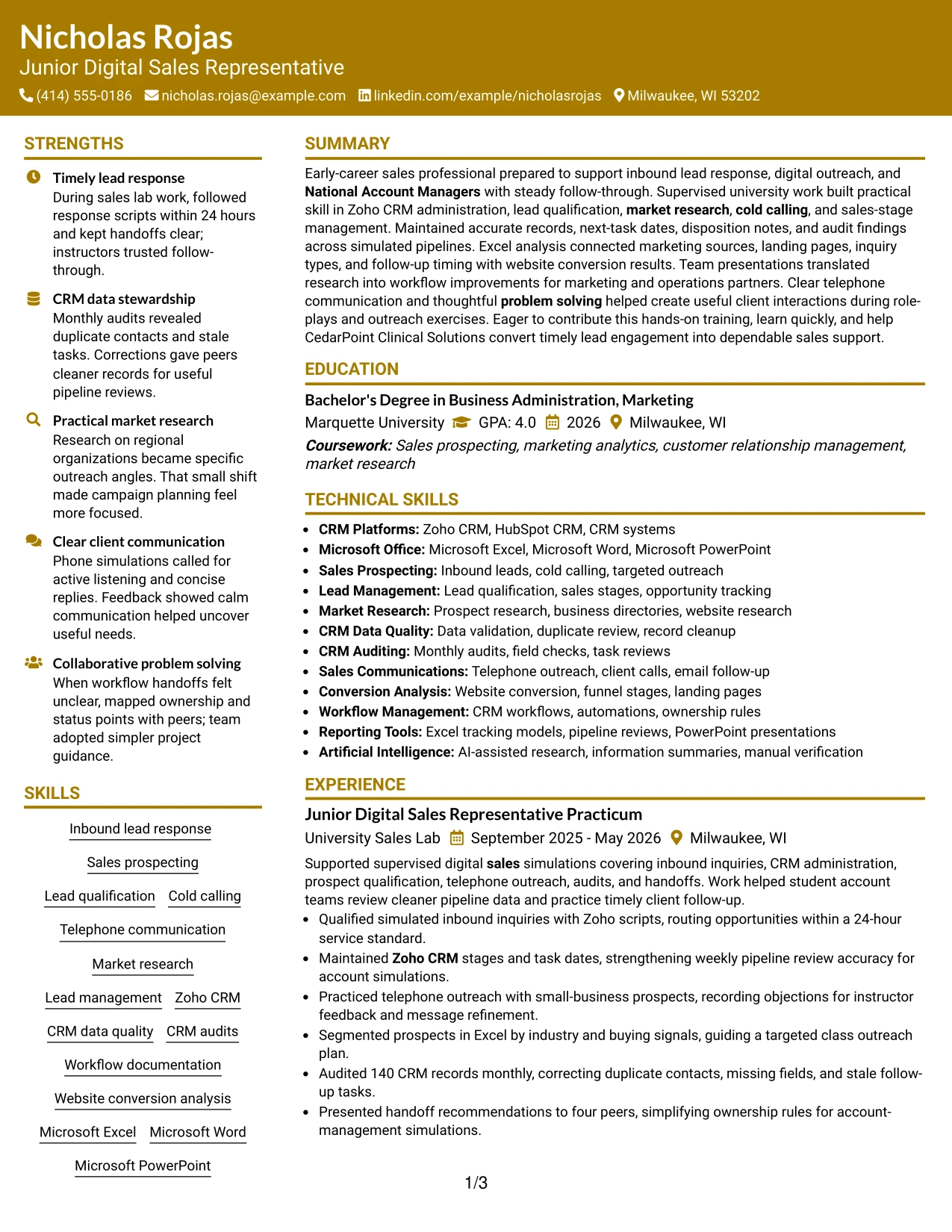
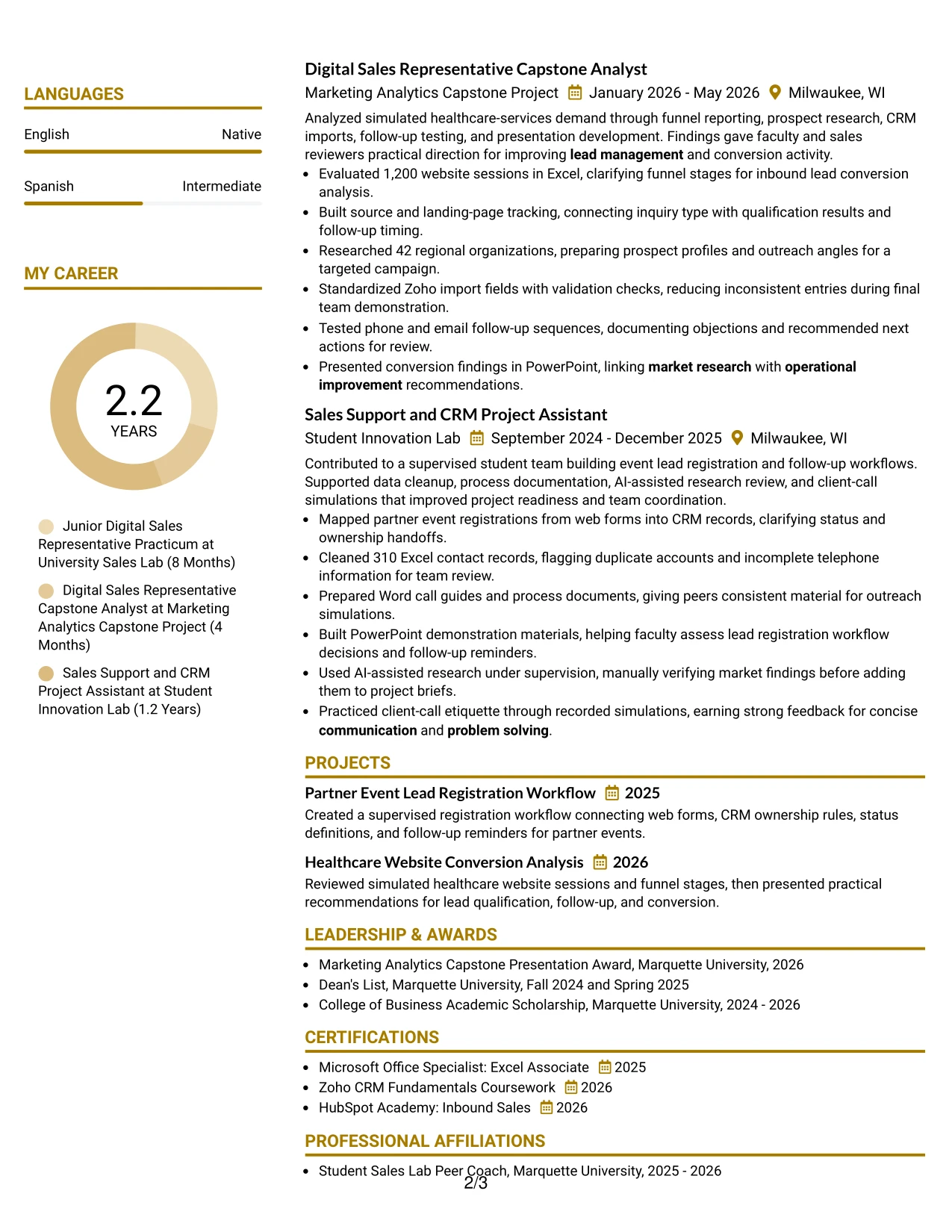
Why the Bold Color Header Professional Format Works for a Resume
- Makes the target role visible before the reader reaches detailed sections.
- Creates a strong hierarchy for summary, skills, experience, and education.
- Supports quick scanning of Zoho CRM, Microsoft Office, and sales keywords.
- Gives quantified achievements a clear place beneath each relevant experience entry.
- Keeps project work distinct from practicum and support experience.
- Combines a confident first impression with conventional resume organization.
- Helps the document remain readable when reviewed quickly or parsed by an ATS.
Best For
- Resumes that need the target role and professional summary to stand out immediately.
- Applications where a clear top section should lead into detailed evidence.
- Candidates presenting multiple CRM, research, and communication keywords.
- Documents that depend on strong section order rather than decorative elements.
- Resume readers who scan from the header directly to recent experience.
- Applications requiring visible education, certifications, and project information.
- A professional format for showing readiness through supervised and academic work.
#26 Photo Header Color Sidebar Format Resume Example
Readers can move from the header to the summary, then through the sidebar details and the main experience area. In this Photo Header Color Sidebar Format, the photo header can support personal presentation, while the text must still carry the evidence. The sidebar is useful for skills, certifications, languages, and contact details; the main column can explain lead response, CRM work, research, projects, and measurable results.
Keep the photo secondary to the resume content. The most useful bullets show how the candidate handled 86 simulated inquiries, maintained 140 CRM records, researched 42 organizations, and analyzed 1,200 website sessions. Clear section labels and ordinary keyword phrasing help preserve ATS readability despite the visual treatment.
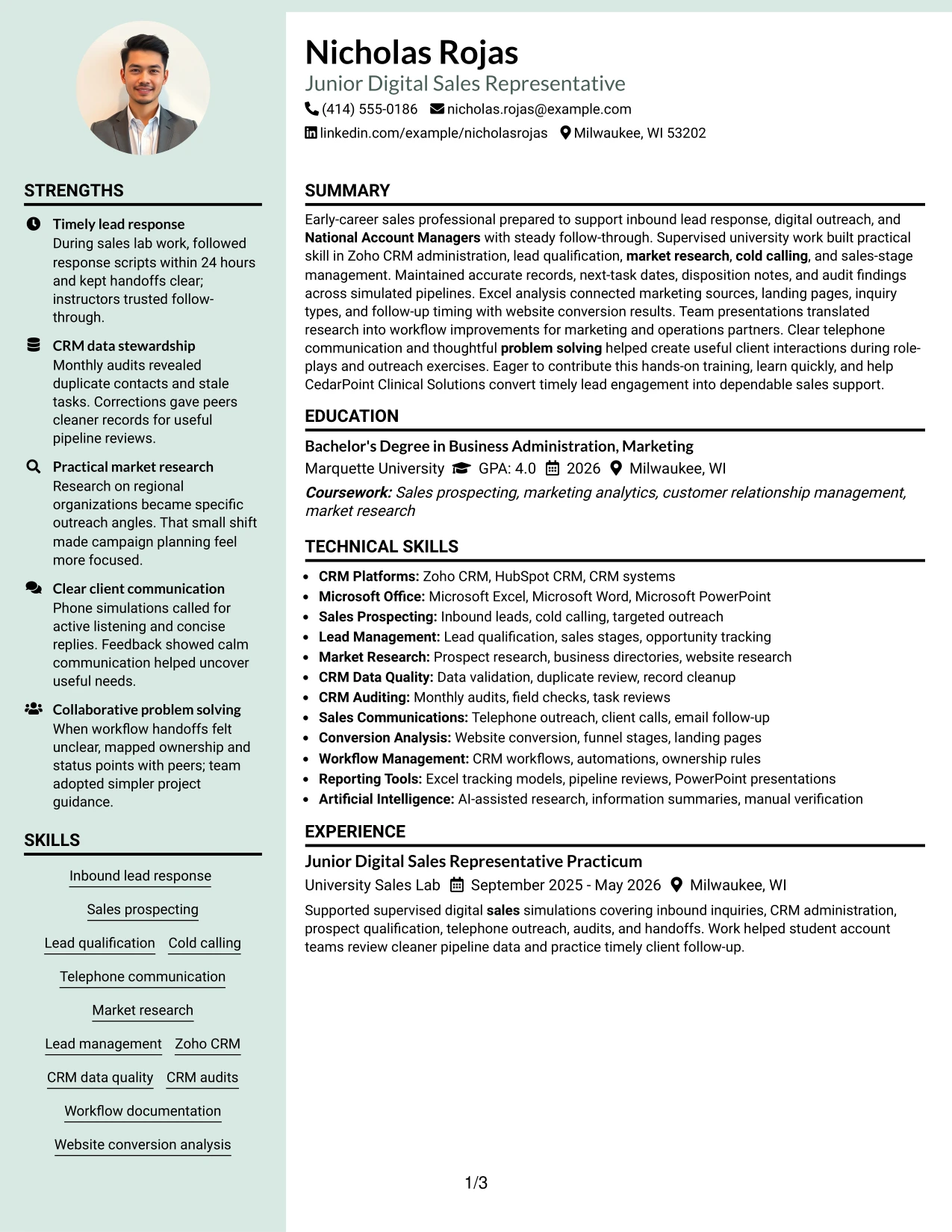
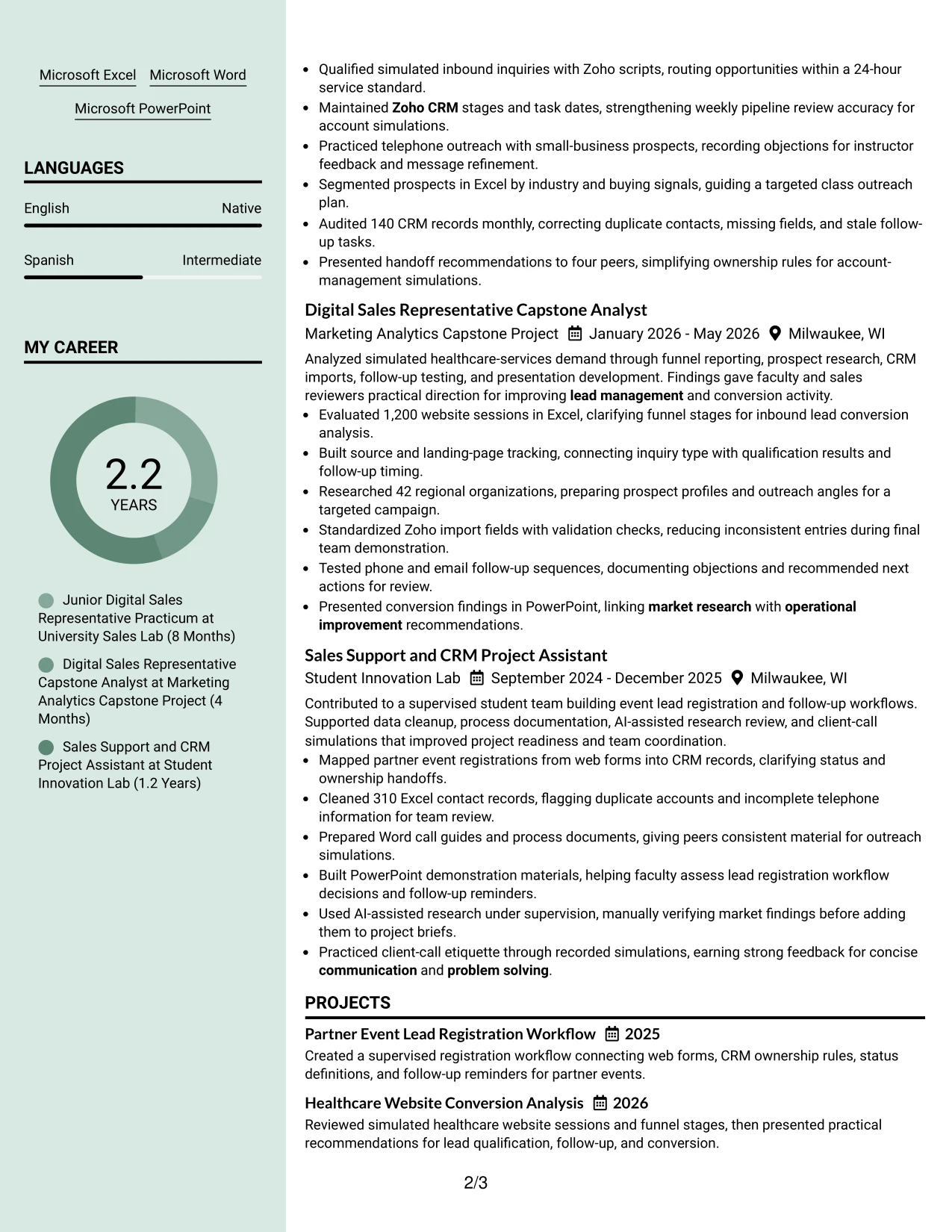
Why the Photo Header Color Sidebar Format Works for a Resume
- Provides a compact sidebar for skills, certifications, languages, and contact details.
- Leaves the main reading area available for detailed experience bullets.
- Makes a larger set of supporting qualifications easier to group.
- Allows CRM, sales, research, and Microsoft Office terms to remain visible together.
- Gives projects and practicum work enough room for measurable evidence.
- Creates a clear route from the header to recent experience and education.
- Can present a polished personal profile while keeping accomplishments central.
Best For
- Resumes that contain many supporting details alongside a fuller experience section.
- Candidates who need a dedicated area for tools, certifications, and languages.
- Applications where project evidence should remain separate from skill lists.
- Readers who prefer a main achievement column with quick-reference information nearby.
- Documents combining quantified activities, education, awards, and affiliations.
- Use cases where a personal visual element is appropriate to the application setting.
- Resume layouts that need content volume without forcing every section into one column.
#27 Top Left Header Color Accent Format Resume Example
Timely lead response, accurate CRM records, and practical market research deserve priority in this resume. The Top Left Header Color Accent Format gives those evidence types a direct route into the summary and experience sections, where each claim can be supported by a concise bullet.
A strong version pairs role-specific keywords with proof: inquiries routed within 24 hours, a monthly audit of 140 records, research on 42 organizations, and analysis of a 1,200-session dataset. The color accent should guide attention to headings and dates, while standard wording keeps skills, tools, education, and certifications easy for ATS systems to identify.
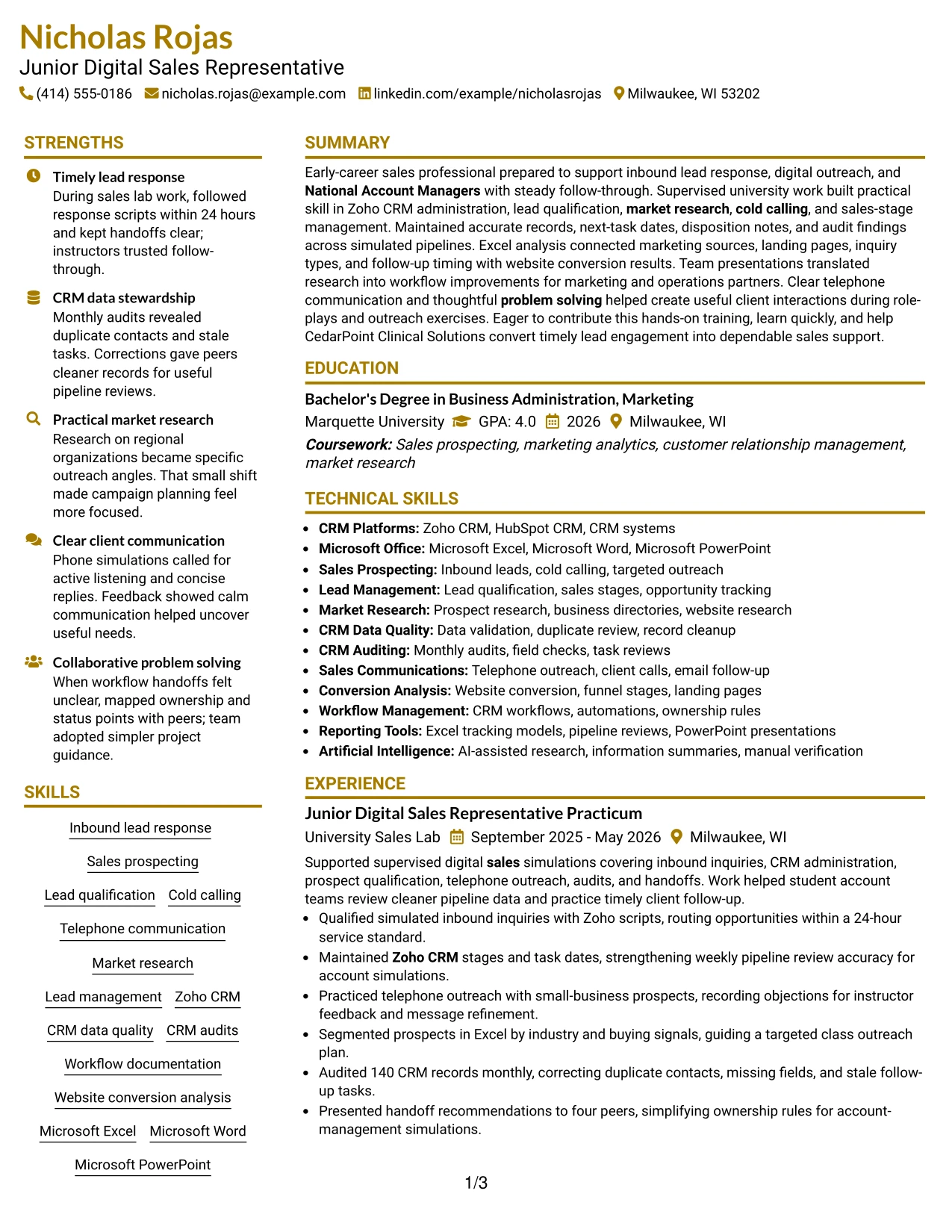
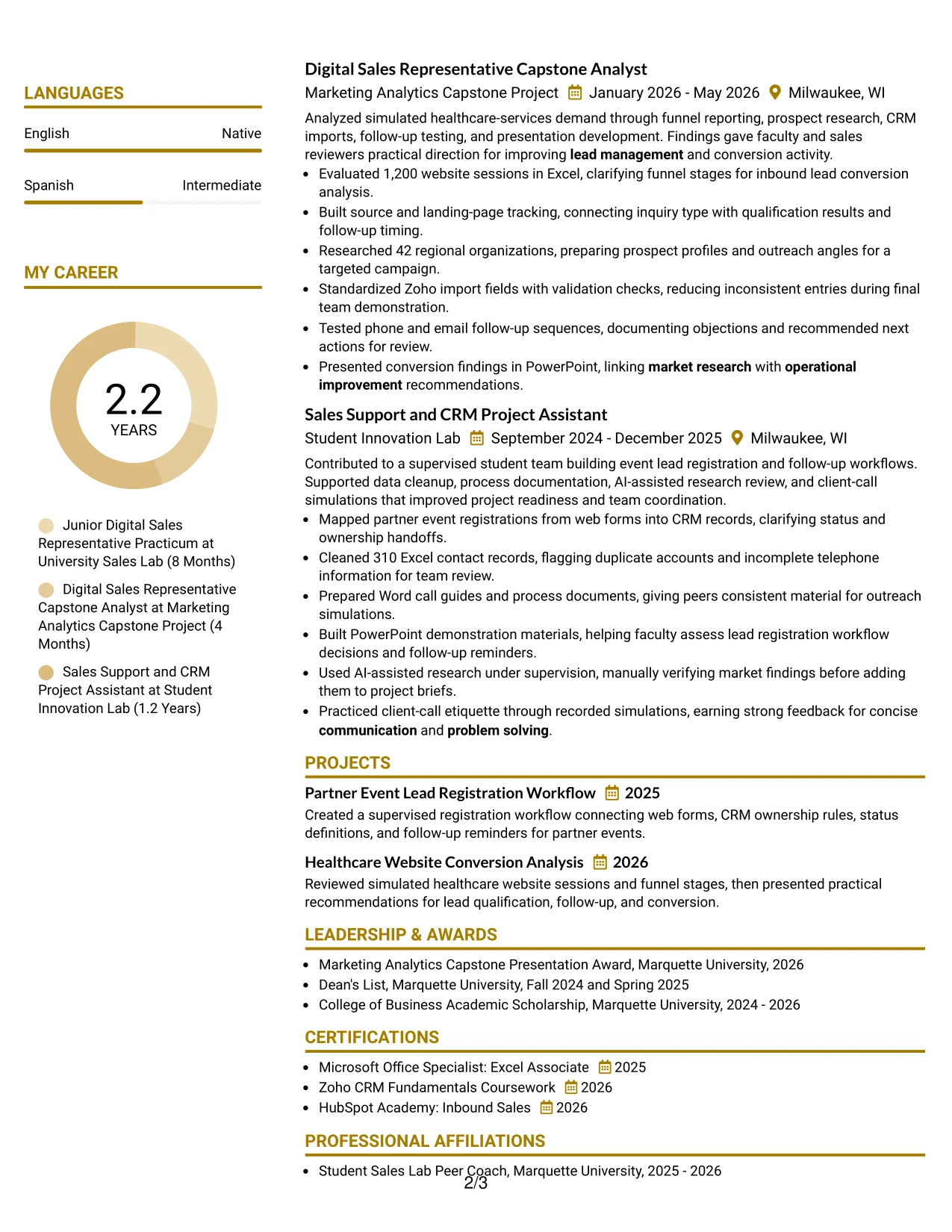
Why the Top Left Header Color Accent Format Works for a Resume
- Puts the most relevant sales evidence near the start of the reading path.
- Connects role keywords with specific examples rather than isolated skill lists.
- Makes response timing, record accuracy, and research volume easy to verify.
- Keeps project results visible beside formal experience.
- Uses a simple accent to separate sections without obscuring text.
- Supports clear entries for Zoho CRM, Excel, phone outreach, and PowerPoint.
- Balances visual emphasis with predictable ATS-friendly content order.
Best For
- Resumes led by clear evidence of timely service and organized follow-through.
- Candidates whose strongest proof comes from projects, practicums, and measured activities.
- Applications where CRM accuracy and lead qualification should appear early.
- Readers who want achievements connected directly to the target role.
- Documents with several evidence types, including data cleanup and presentation work.
- Resume reviews that reward concise bullets with numbers and defined actions.
- A clean format for showing readiness without relying on long paragraphs.
#28 Centered Header Classic Two Column Format Resume Example
Content is balanced between a focused reference column and a fuller achievement column in the Centered Header Classic Two Column Format. That distribution can keep contact details, skills, certifications, and education concise while giving experience and projects enough room for complete bullets.
For an application involving inbound leads and CRM support, the main column should carry the evidence: 86 simulated inquiries, 140 audited records, 310 cleaned contacts, and a 1,200-session conversion analysis. The centered header creates a formal entry point, while consistent bullet style and standard section names keep the resume practical to review.
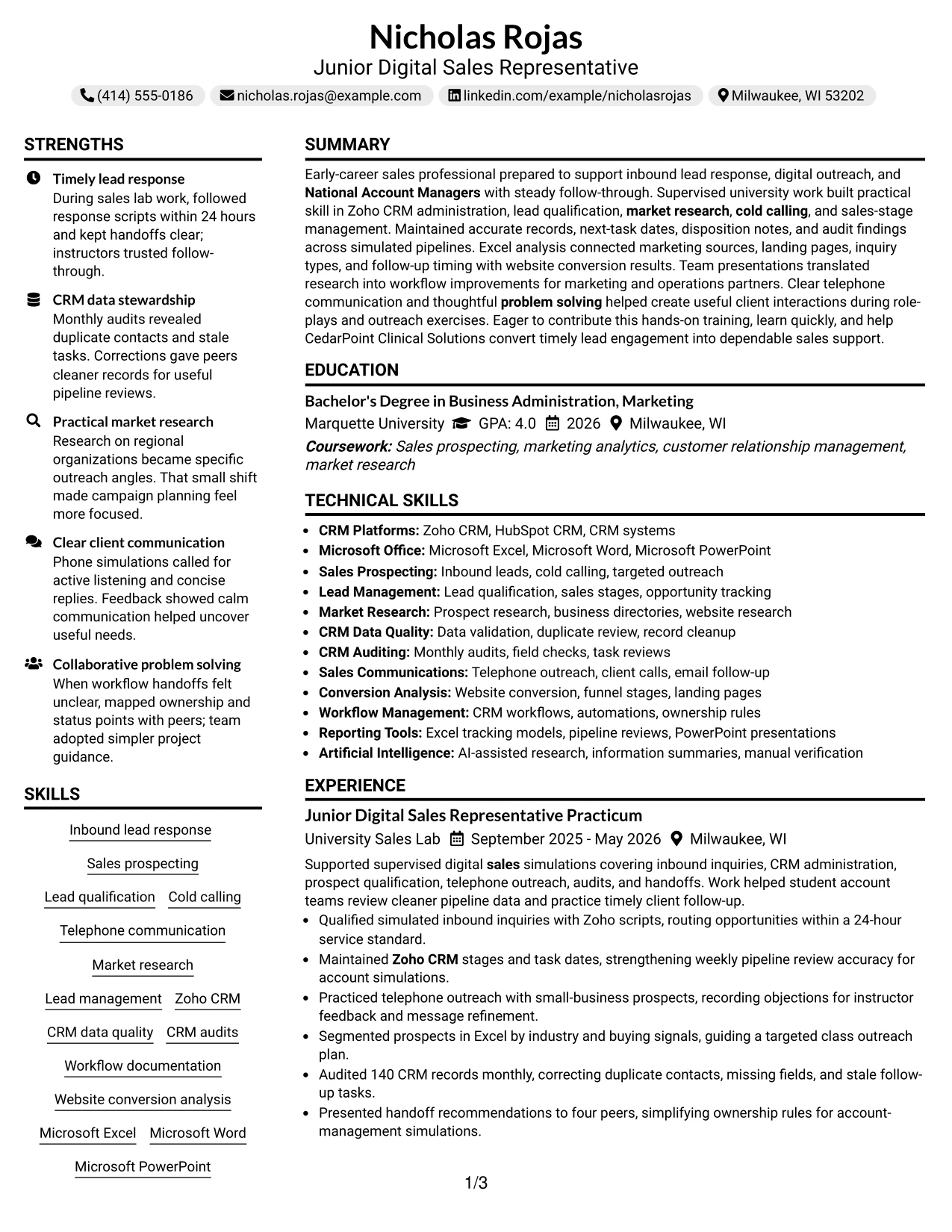
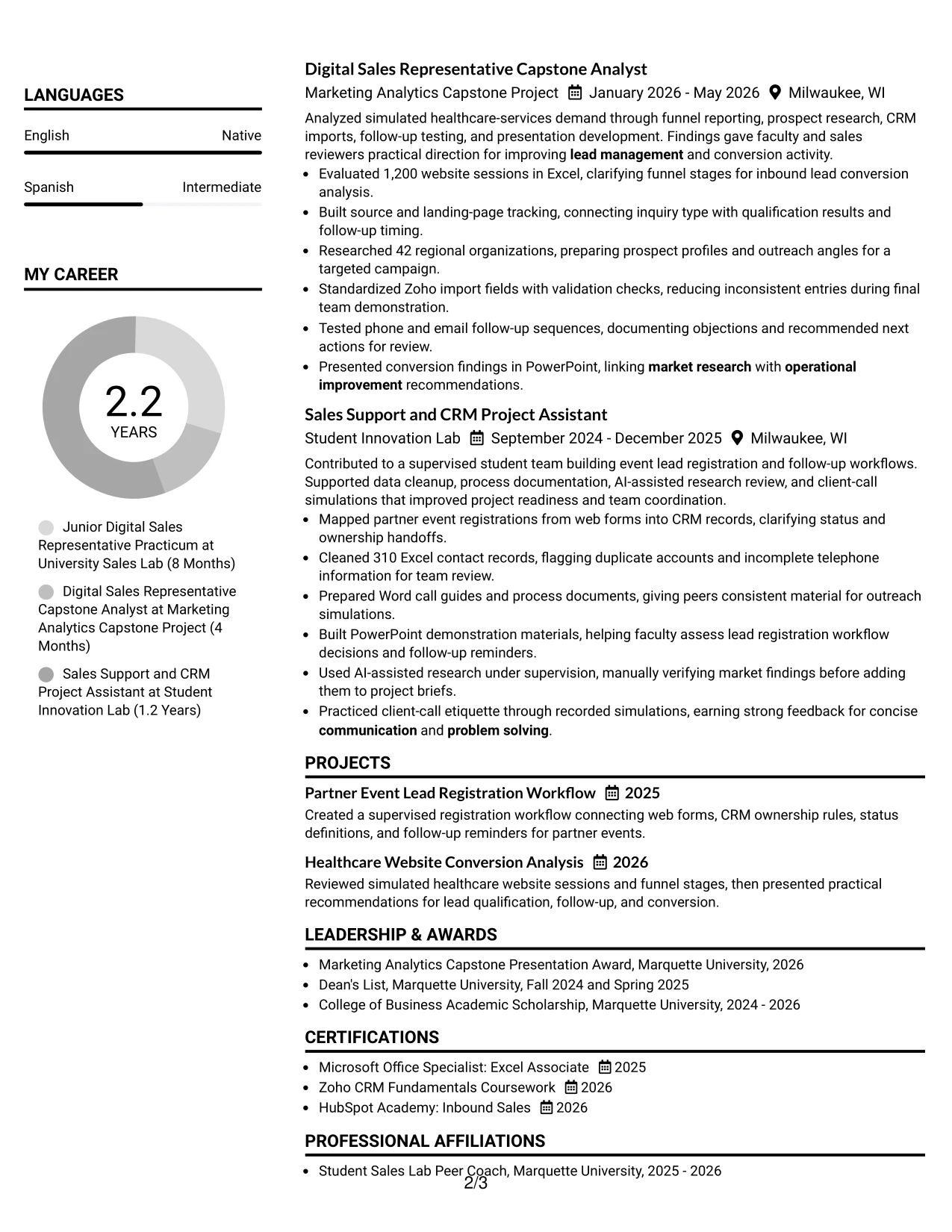
Why the Centered Header Classic Two Column Format Works for a Resume
- Balances quick-reference information against detailed work evidence.
- Gives experience bullets room to include actions, tools, and results.
- Keeps education and certifications visible without interrupting the main chronology.
- Supports a centered identity block followed by orderly resume sections.
- Makes large evidence sets easier to summarize in a compact document.
- Allows sales and CRM keywords to appear in both skills and experience context.
- Offers a classic presentation for applications with several information categories.
Best For
- Resumes that need a formal opening with balanced content below it.
- Candidates combining detailed project work with compact education and certification entries.
- Applications where a reference column can hold tools, languages, and skills.
- Readers who want achievement bullets separated from supporting qualifications.
- Documents containing both data evidence and client communication examples.
- Use cases requiring a polished structure for on-site professional review.
- Resume content that benefits from clear division without excessive visual decoration.
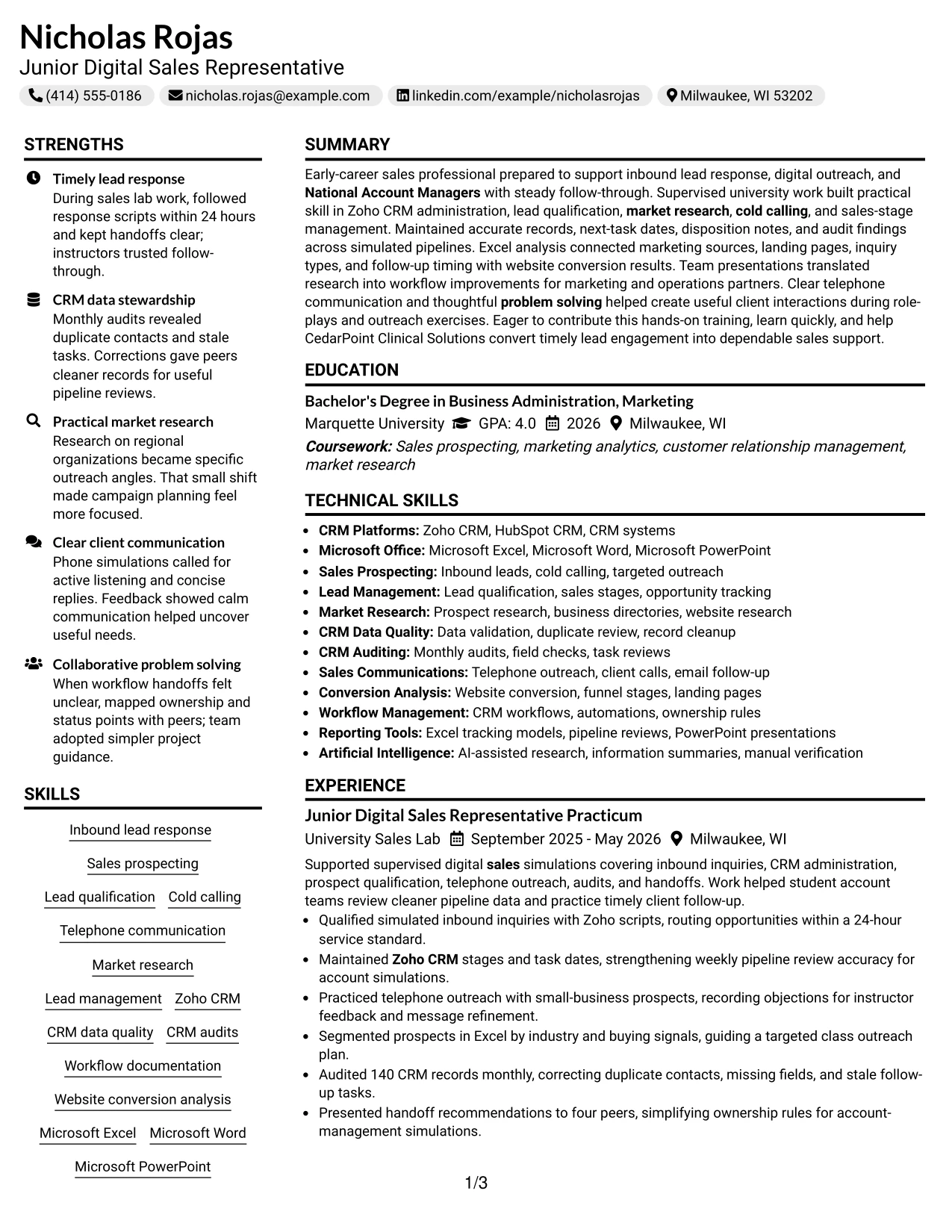
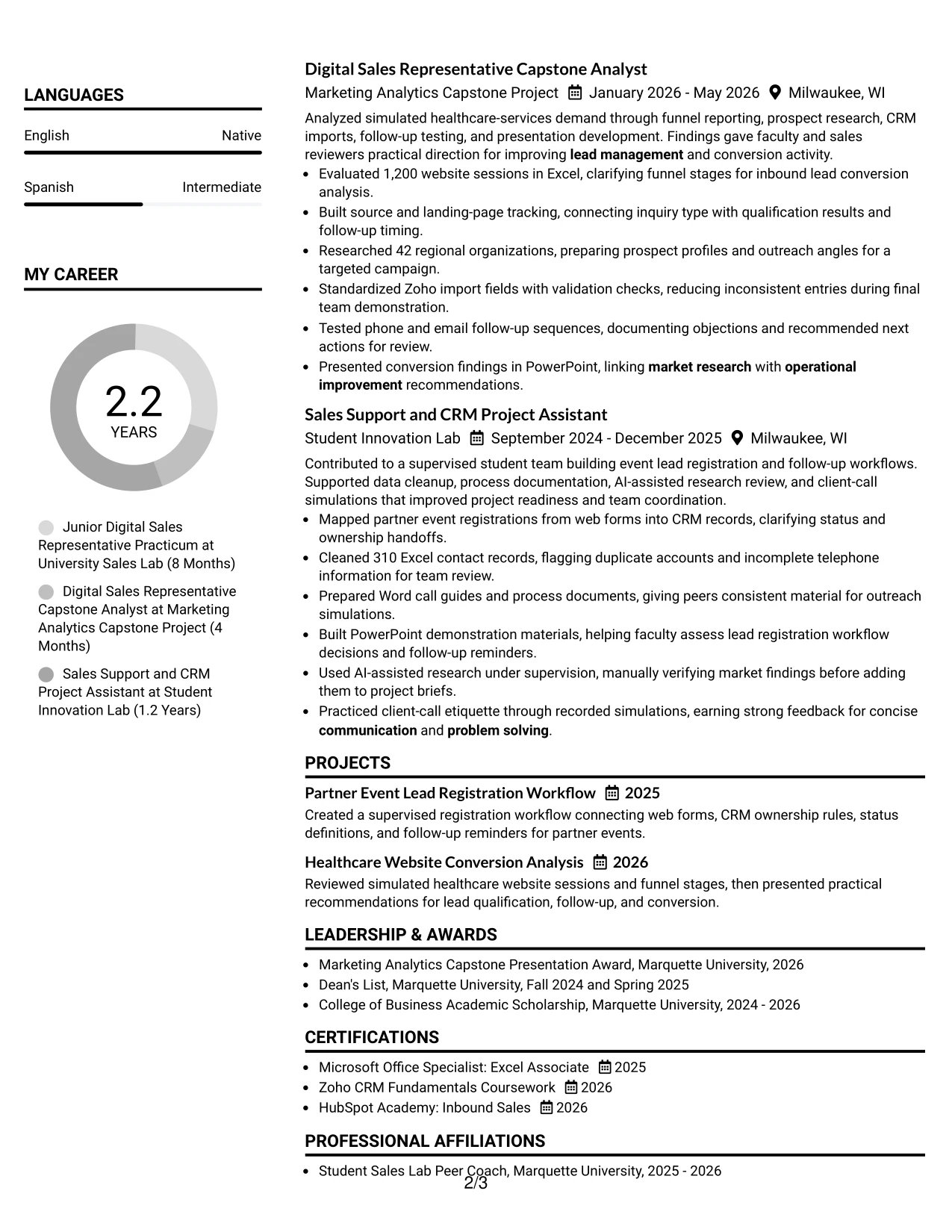
#29 Left Aligned Header Clean Two Column Format Resume Example
For a practical application, the Left Aligned Header Clean Two Column Format gives the reader a quick starting point and a direct route to the most relevant qualifications. A narrow area can hold skills, tools, certifications, and education, while the main area presents experience, projects, and measurable outcomes in date order.
The resume should use that structure to connect digital sales preparation with evidence. Bullets can cover inbound qualification, Zoho CRM administration, cold calling practice, market research, workflow documentation, and website conversion analysis. A clean left-aligned header and consistent spacing keep the document professional without making the reader search for core facts.
Why the Left Aligned Header Clean Two Column Format Works for a Resume
- Creates an immediate entry point for the target role and summary.
- Keeps supporting keywords visible in a compact secondary column.
- Gives the main column room for complete achievement bullets.
- Works well for resumes with multiple projects and supervised experiences.
- Makes tools, certifications, and education easy to reference during review.
- Supports a clean reading path for both digital and printed copies.
- Reduces visual clutter while preserving useful detail about sales preparation.
Best For
- Applications that need quick access to skills beside fuller work history.
- Candidates with several related projects that require separate descriptions.
- Readers who prefer a direct left-aligned entry point and orderly sections.
- Documents where tools and certifications should stay visible throughout review.
- Resume searches combining lead management, research, and communication evidence.
- Use cases requiring a clean presentation for on-site or digital screening.
- Content that benefits from a compact reference column and a detailed main column.
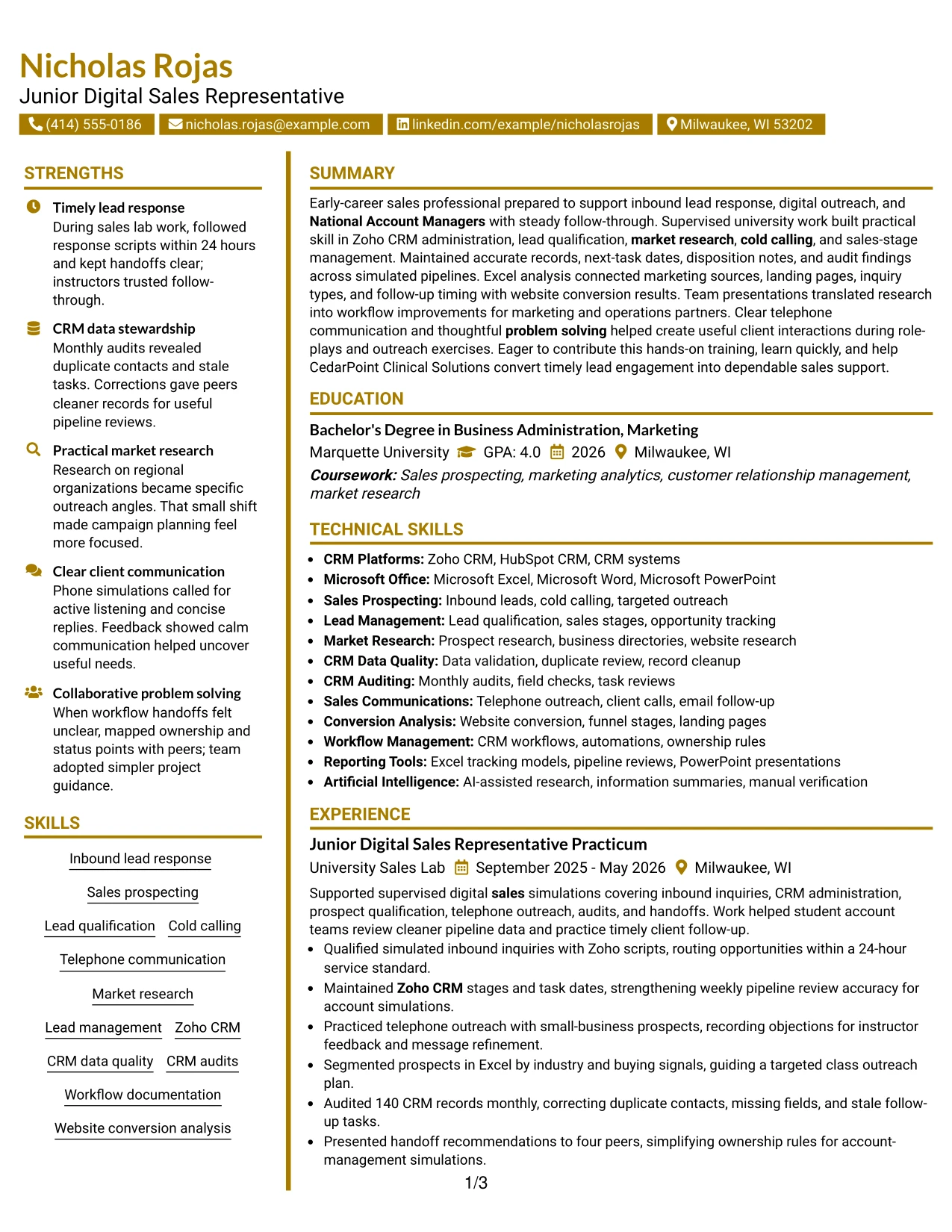
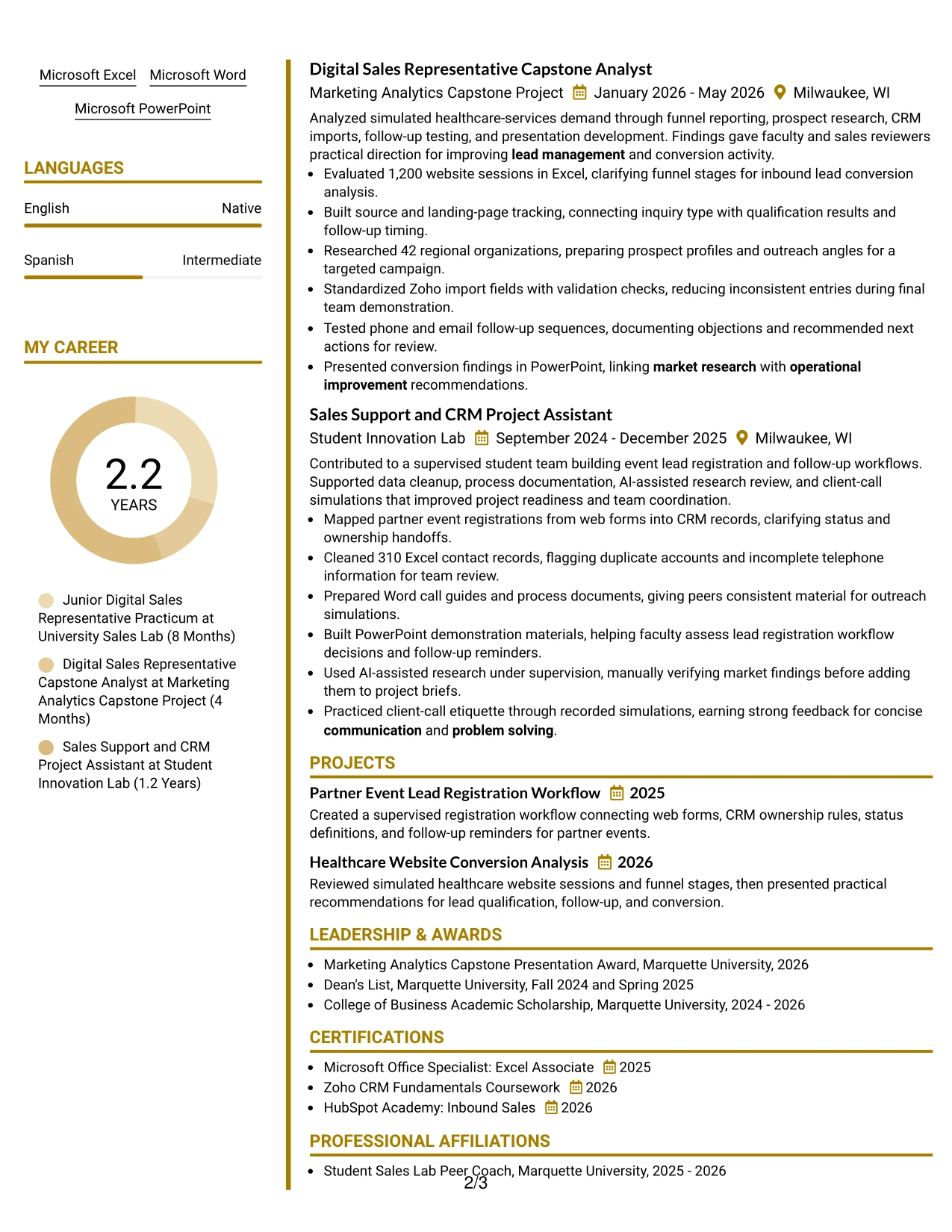
#30 Accent Divider Modern Two Column Format Resume Example
Clear visual markers can make this resume feel current while preserving a practical reading order. The Accent Divider Modern Two Column Format uses section breaks to separate skills and supporting details from the experience and project evidence. That helps the reader follow the connection between sales preparation, CRM work, and operational improvement.
Nicholas Rojas's resume can place concise qualifications in one column and use the other for bullets about 24-hour lead routing, 140-record audits, 42 prospect profiles, and follow-up testing. The divider should support the content, not compete with it. Plain headings, dates, and role titles keep the document easy to scan.
Why the Accent Divider Modern Two Column Format Works for a Resume
- Uses dividers to make section changes visible during a fast review.
- Supports a strong connection between skills and related experience bullets.
- Keeps measurable sales and CRM evidence from blending into long text blocks.
- Makes project work easy to distinguish from formal education and activities.
- Provides space for tools, certifications, and languages without overloading the main column.
- Gives a modern finish while retaining familiar resume mechanics.
- Helps the reader locate lead response, auditing, research, and presentation evidence.
Best For
- Resumes that benefit from clear visual separation between related content groups.
- Candidates showing a mix of sales support, data quality, and research work.
- Applications where project evidence needs its own visible section.
- Readers who scan by headings, dividers, dates, and short achievement bullets.
- Documents that need modern organization without sacrificing standard resume language.
- Use cases where a two-column layout must handle both keywords and proof.
- Professionals who want a structured format for a developing sales record.
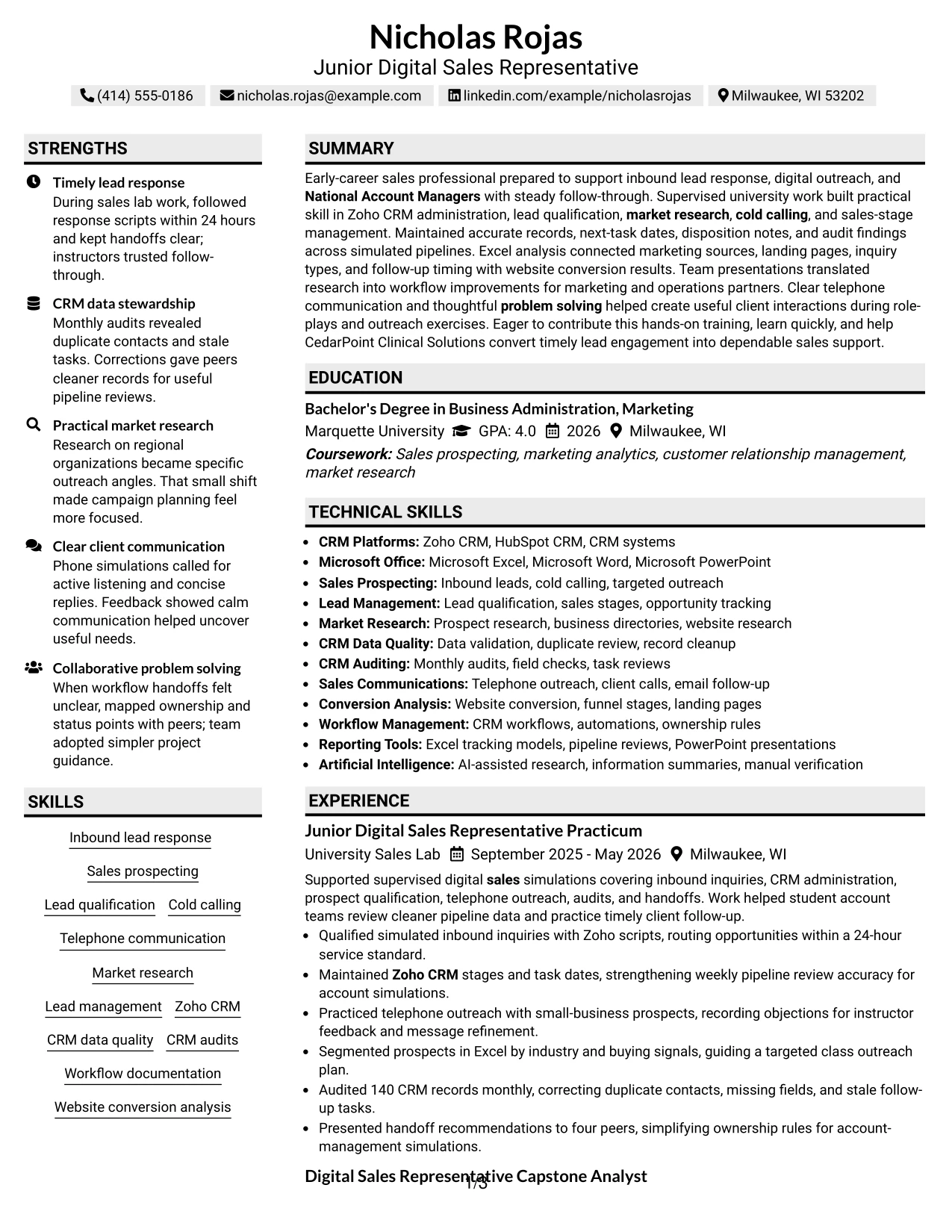
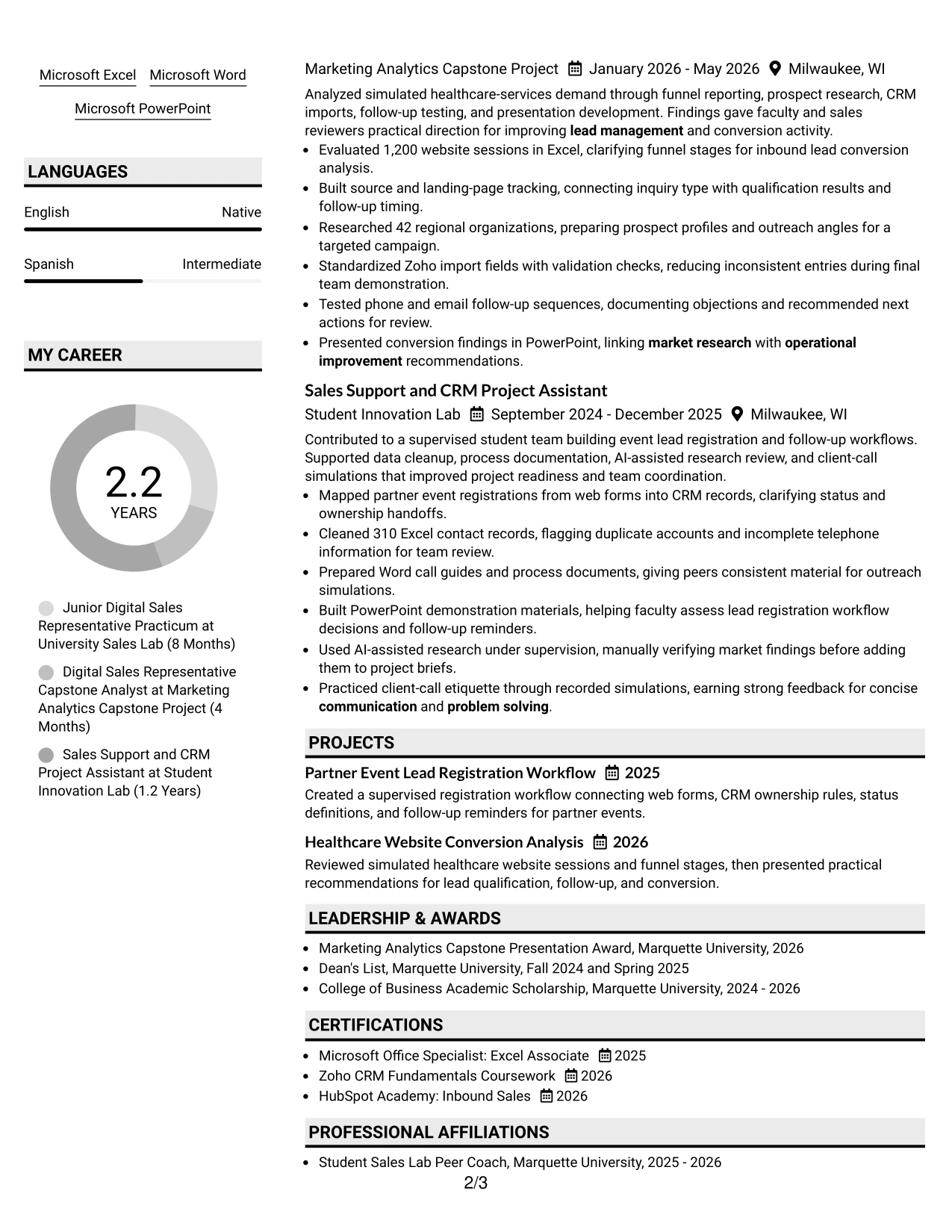
#31 Shaded Labels Clean Two Column Format Resume Example
The Shaded Labels Clean Two Column Format organizes the resume through clear section labels, making each category easy to identify. Summary, skills, experience, projects, education, certifications, and activities can sit in a logical sequence, with the two columns preventing supporting information from taking attention away from achievement bullets.
Use the labels to frame evidence rather than repeat keywords. Under experience, bullets can show CRM stage updates, next task dates, telephone outreach, Excel segmentation, and workflow improvements. Under projects, the resume can highlight 1,200 website sessions, 42 researched organizations, and a partner event registration workflow.
Why the Shaded Labels Clean Two Column Format Works for a Resume
- Makes every resume section recognizable through strong, consistent labels.
- Supports rapid scanning of skills, experience, projects, and education.
- Keeps detailed bullets separate from compact supporting information.
- Shows technical tools in context rather than as an isolated keyword block.
- Provides a clean place for certifications, awards, and leadership activities.
- Helps measurable results stand out under the correct experience or project heading.
- Offers structure that remains understandable in digital and printed review.
Best For
- Resumes with many categories that need unmistakable section boundaries.
- Candidates combining academic projects, practicum work, awards, and certifications.
- Applications where ATS terms should appear under familiar, readable headings.
- Readers who use labels to locate evidence before reading full bullets.
- Documents that need a clean balance between reference details and achievement content.
- Use cases involving substantial CRM, research, and Microsoft Office information.
- Resume reviews where organized content matters as much as visual polish.
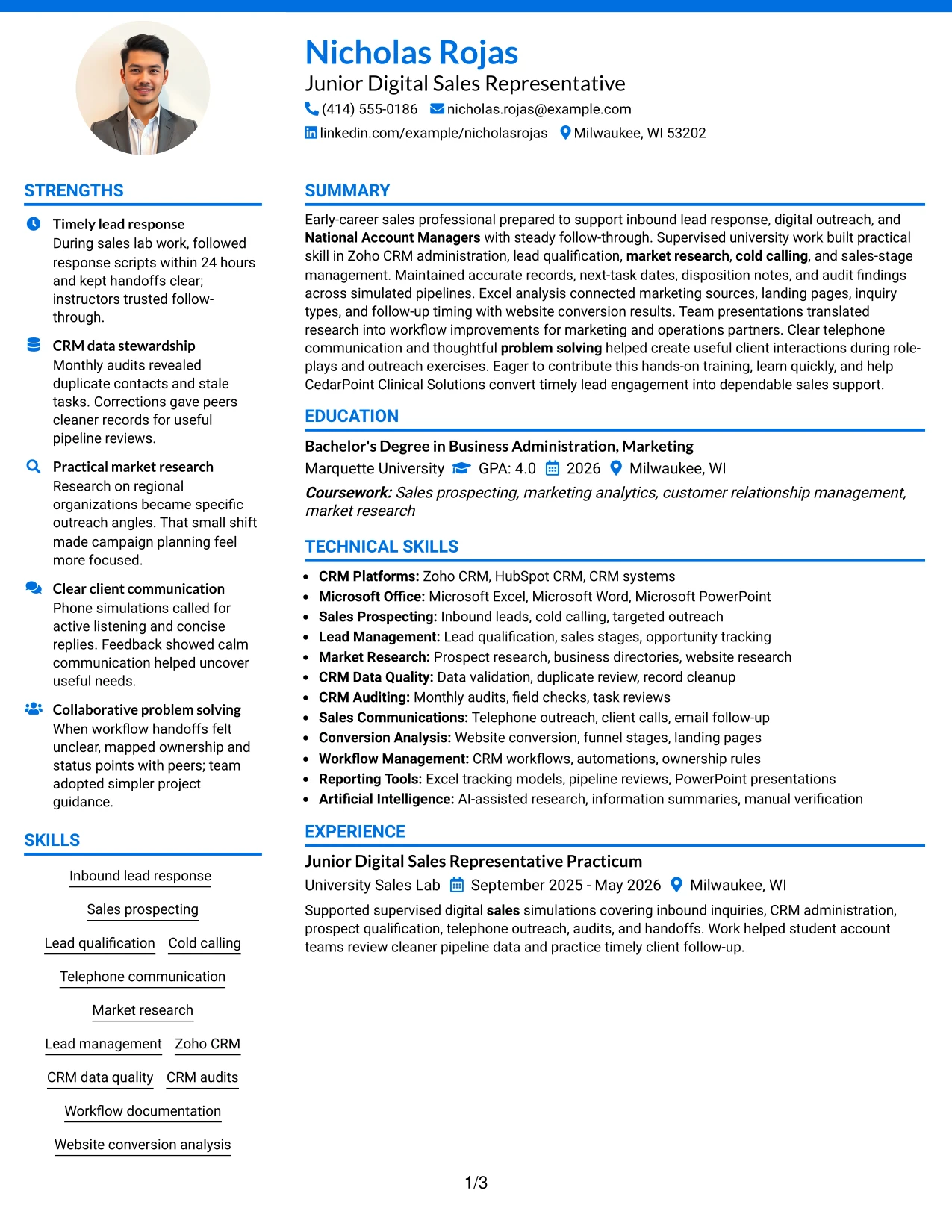
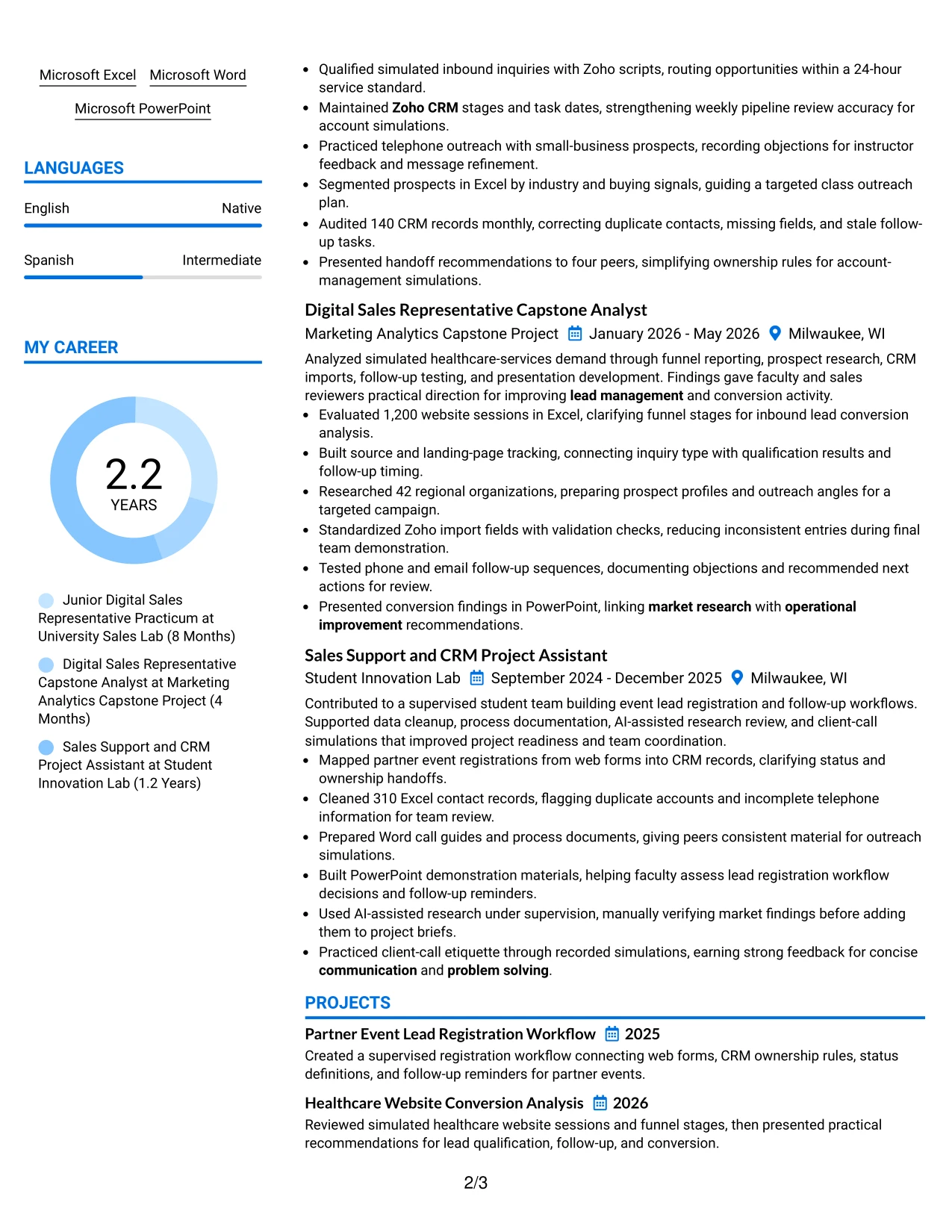
#32 Photo Header Color Accent International Format Resume Example
The reader can begin with the photo header, move through the summary and skills, and then review experience, projects, and education in a clear sequence. The Photo Header Color Accent International Format gives personal presentation a visible place while using color accents to separate content areas. The written resume should still lead with role relevance, tools, and evidence.
A strong version can show inbound lead response, Zoho CRM, market research, telephone communication, and Microsoft Office near the top. Detailed entries then support those terms with 24-hour routing, 140-record audits, 42 organization profiles, and a 1,200-session analysis. Language information can be included as a separate, clearly labeled section.
Why the Photo Header Color Accent International Format Works for a Resume
- Creates a clear route from personal header information to professional evidence.
- Provides visible space for skills, languages, certifications, and contact details.
- Uses accents to distinguish sections without hiding standard resume keywords.
- Allows detailed project and experience bullets to follow a predictable order.
- Supports a broad content set while keeping each category easy to locate.
- Makes client communication, CRM work, and research evidence available at a glance.
- Can present an international-style profile while preserving practical resume structure.
Best For
- Resumes that need room for languages and other supporting qualifications.
- Candidates with a broad mix of tools, projects, certifications, and affiliations.
- Applications where a personal visual element fits the review context.
- Readers who want a clear route from profile details to detailed achievements.
- Documents that must present both concise skills and fuller project evidence.
- Use cases requiring visible separation of contact, language, and professional sections.
- Resume layouts where color helps organize substantial content without long text blocks.
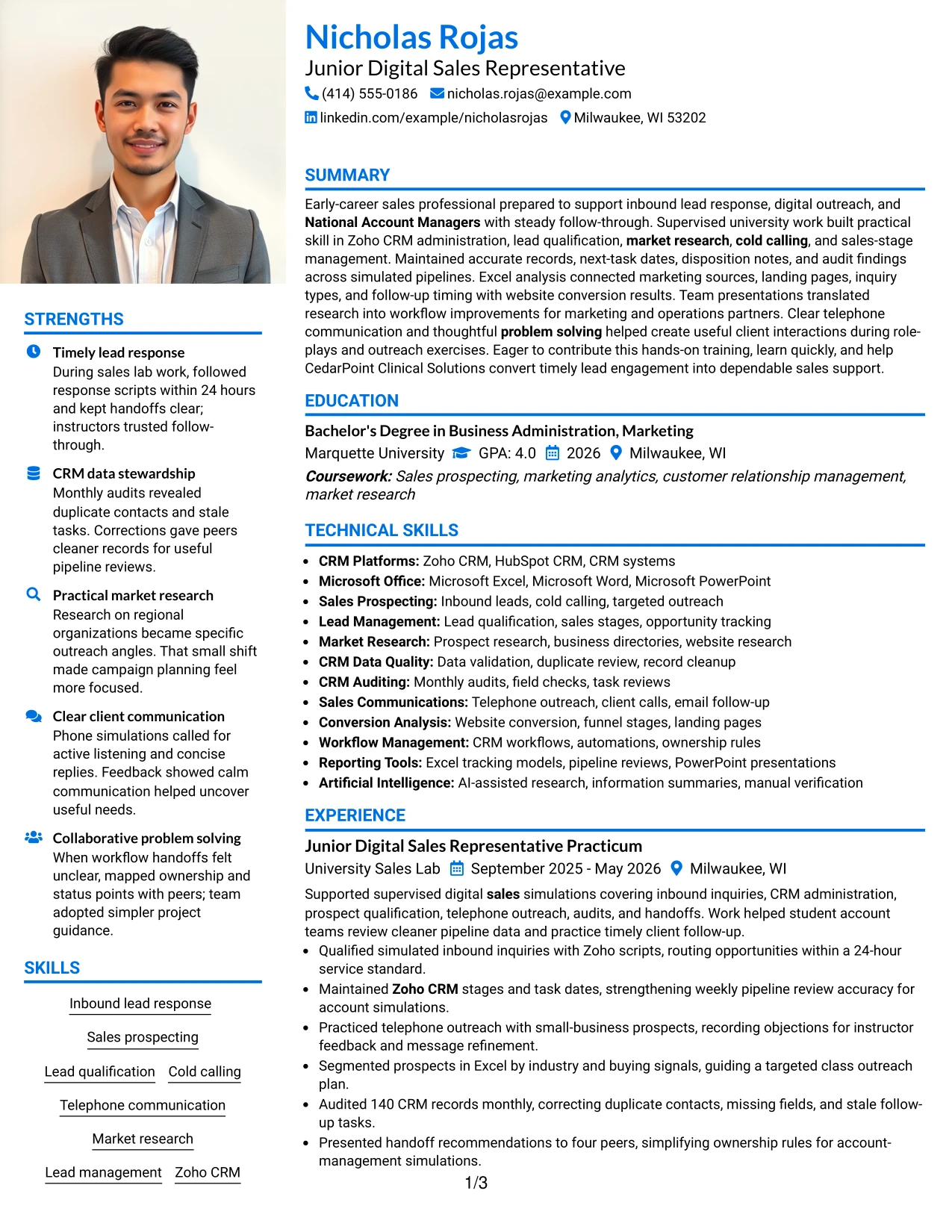
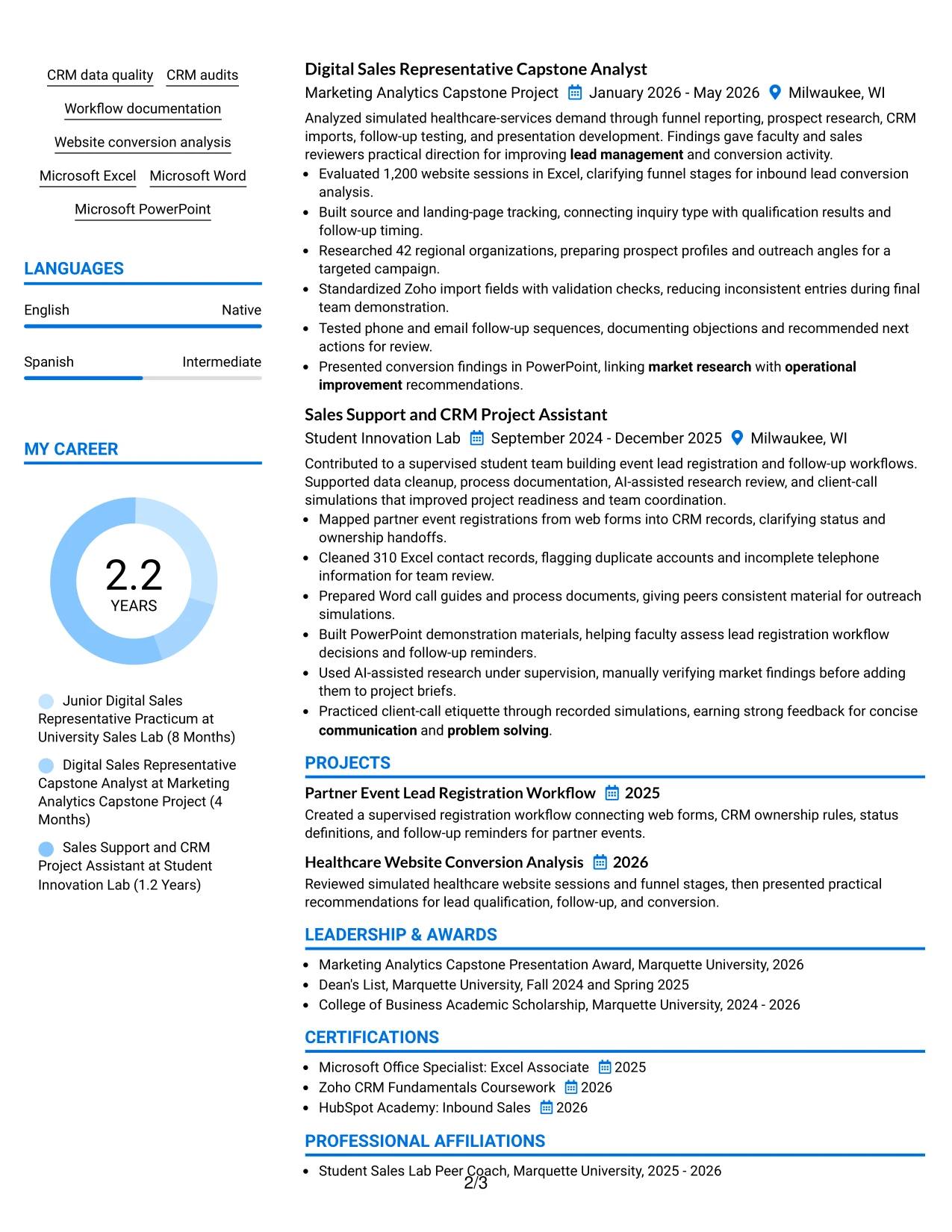
#33 Large Profile Photo International Two Column Format Resume Example
Lead qualification, CRM accuracy, and measurable project work receive priority in this resume. The Large Profile Photo International Two Column Format can place a strong profile area beside a structured body, but the written evidence must remain easy to evaluate. Experience bullets should show what was done, which tools were used, and what review or workflow need the work supported.
The two-column arrangement can place summary, skills, languages, and certifications in one area while giving experience and projects the larger space. Useful proof includes routing inquiries within 24 hours, auditing 140 records, cleaning 310 contacts, researching 42 organizations, and evaluating 1,200 website sessions. Consistent headings protect ATS readability and keep the profile element from overpowering the resume.
Why the Large Profile Photo International Two Column Format Works for a Resume
- Gives the profile area a strong visual position while preserving detailed resume sections.
- Allows skills, languages, and certifications to be grouped beside experience.
- Provides room for evidence-heavy bullets and project descriptions.
- Makes CRM, sales prospecting, research, and communication terms easy to find.
- Supports clear presentation of both supervised work and academic achievement.
- Keeps measurable activity visible instead of reducing the resume to a profile summary.
- Uses two-column organization to manage broad content with a defined reading path.
Best For
- Resumes that need a substantial profile area alongside detailed evidence.
- Candidates with many supporting qualifications and several documented projects.
- Applications where languages and international-style profile details are relevant.
- Readers who want quick reference information beside fuller achievement history.
- Documents featuring multiple measurable datasets, audits, and research activities.
- Use cases where a large personal visual element is suitable and professionally accepted.
- Resume layouts that must hold substantial content without making the main column crowded.
Why Build Your Junior Digital Sales Representative Resume with ResumeInMinutes
ResumeInMinutes helps you turn sales practice, projects, education, and supervised experience into a resume with a clear order and useful evidence. You can adjust the content while keeping the document simple to scan and aligned with ATS requirements.
- ATS-friendly section structure
- Keyword-focused resume content
- CRM and sales skills organization
- Achievement-focused bullet points
- Free PDF resume previews
- Resume customization support
Use the formats to present inbound lead response, Zoho CRM administration, telephone outreach, market research, conversion analysis, workflow documentation, certifications, and education in a practical order for this target role.
See Also
- 7 Entry-Level Digital Marketing Business Development Representative Resume Templates with Example
- 33 Advanced Worker – Area Sales Representative Resume Templates with Example 2026 (ATS-Optimized)
- 7 Clinical Sales Representative - Monarch Resume Templates with Example
- 33 Emergency Services Sales Representative Resume Templates with Example 2026 (ATS-Optimized)
- 33 Entry Level Sales Representative Resume Templates with Example 2026 (ATS-Optimized)
- 33 Inbound Sales Representative Resume Templates with Example 2026 (ATS-Optimized)
- 7 Outside Sales Representative Resume Templates with Example
- 7 Regional Sales Support Representative Resume Templates with Example
- 30+ Emergency Services Sales Representative Cover Letter Templates with Example 2026
- 30+ Inbound Sales Representative Cover Letter Templates with Example 2026
Frequently Asked Questions
Are these Junior Digital Sales Representative resume templates ATS-friendly?
Yes. The templates use readable headings and organized sections. You can include relevant terms such as inbound leads, Zoho CRM, sales qualification, market research, CRM data quality, Microsoft Office, and website conversion.
Are these 33 different resumes?
No. The guide presents one Junior Digital Sales Representative resume example in different layouts and design themes. Choose the format that makes your evidence easiest to review.
What should a Junior Digital Sales Representative resume include?
Include a focused summary, relevant experience or projects, education, sales and CRM skills, certifications, and achievement bullets. Show evidence of lead response, prospecting, qualification, record accuracy, research, and follow-up.
Can I download the resume templates as PDFs?
Yes. Each resume style provides a free PDF download so you can preview the structure and select a format for your application.
Which resume style works best for a Junior Digital Sales Representative?
A clean one-column or straightforward two-column format usually works well. It gives ATS software and readers a clear path through your summary, experience, skills, education, projects, and certifications.
How can I show sales experience from projects or supervised work?
Describe the activity, the tool or method used, and the result. For example, explain how you qualified inbound inquiries, audited CRM records, researched prospects, analyzed website sessions, or improved a handoff workflow.
Should I include a photo on my resume?
For applications in the United States, a no-photo resume is generally the safer choice. Use a photo only when it is expected or customary in the relevant country, region, or field.
Can I customize these resume templates?
Yes. You can change the resume text, section emphasis, layout, design style, and PDF format to match your Junior Digital Sales Representative application.




