
7 Logistics Support Resume Templates with Example
This practical guide shows you how to build a Logistics Support resume that is clear, focused, and easy to review. You will learn how to organize your evidence and compare professional formats without losing important details.
Strong resumes for this role connect hands-on warehouse work with accurate records. Useful evidence includes shipping and receiving, inventory control, order fulfillment, equipment tracking, delivery research, customer updates, and procedure documentation, supported by tools such as Microsoft Excel, ServiceNow, and FedEx workflows.
The same complete resume is presented in 7 ATS-friendly resume layouts so you can compare reading order, section balance, and visual structure. Each example includes format notes and free PDF downloads to help you choose a layout that fits your content.
What Makes a Great Logistics Support Resume in 2026
A strong Logistics Support resume is easy to scan and shows reliable warehouse execution, accurate records, and clear customer communication.
Use direct keywords such as shipping and receiving, inventory control, order fulfillment, record keeping, Microsoft Excel, ServiceNow, FedEx, delivery research, and material handling where they match your actual experience.
The examples shown below are intentionally detailed to demonstrate a range of experiences, skills, accomplishments and relevant keywords. We prefer detailed resumes as they provide more context to the hiring managers and also help the ATS systems identify relevant qualifications and score your resume better for a match. But the length of a resume is an individual choice. If you want a one page resume, just keep the most relevant experience and information for the job. Note: Resume examples are for educational purposes only. Use only information that accurately reflects your experience and qualifications. References to real organizations do not imply affiliation or endorsement.
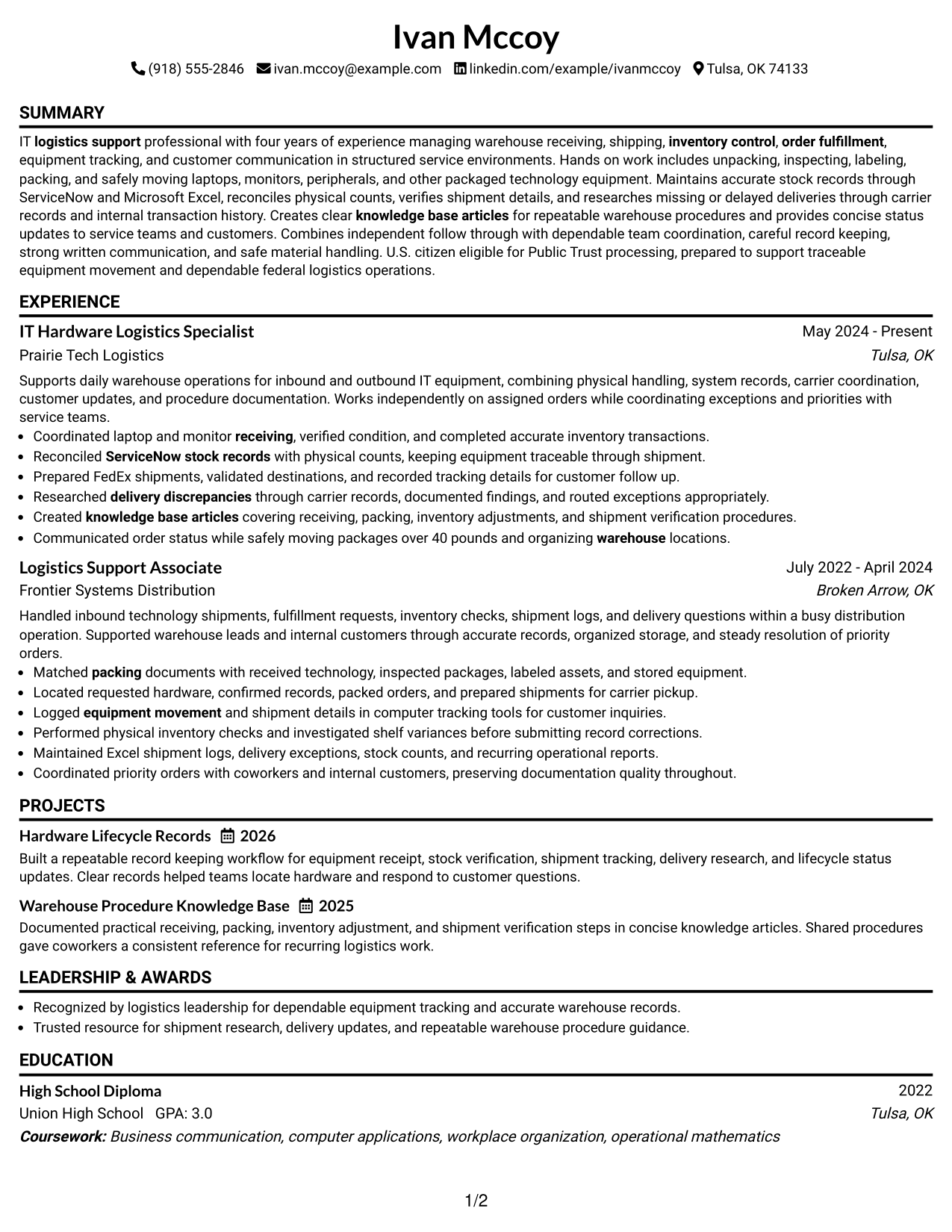
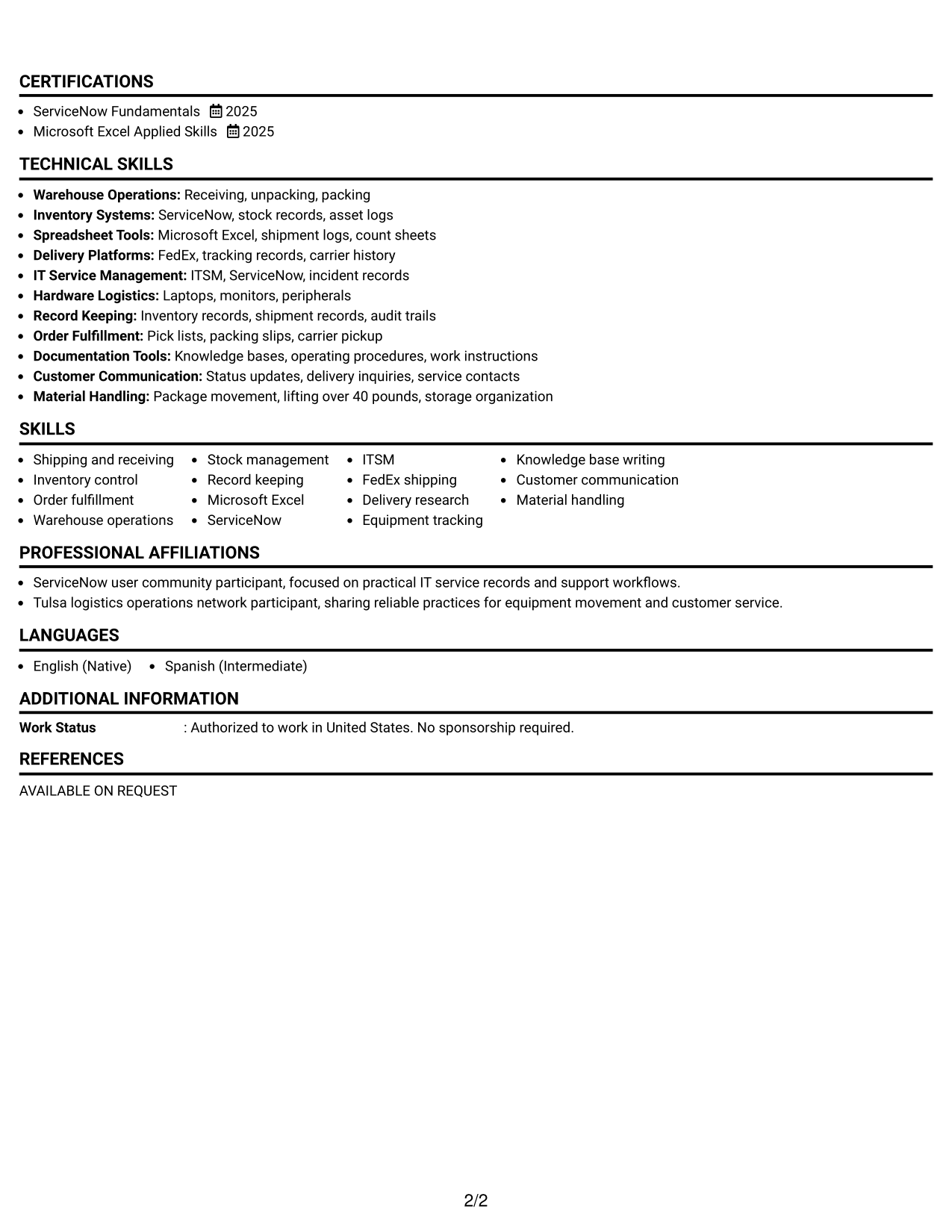
#1 Simple One Column Format Resume Example
The Simple One Column Format gives recruiters a direct top-to-bottom reading order for fast review.
Why This Format Works
- Experience sections follow a clear sequence that makes career progression easy to trace.
- Skills and credentials stay in the same reading path as supporting evidence.
- Straight section flow helps reviewers compare achievements without switching between columns.
Best For
- Direct top-to-bottom reading
- Detailed experience sections
- Clear career progression
- Simple ATS-oriented structure
- Logistics Support applications
Resume Keywords
- shipping and receiving
- inventory control
- order fulfillment
- record keeping
- Microsoft Excel
- ServiceNow
- FedEx shipping
- delivery research
- equipment tracking
- knowledge base writing
- customer communication
- material handling
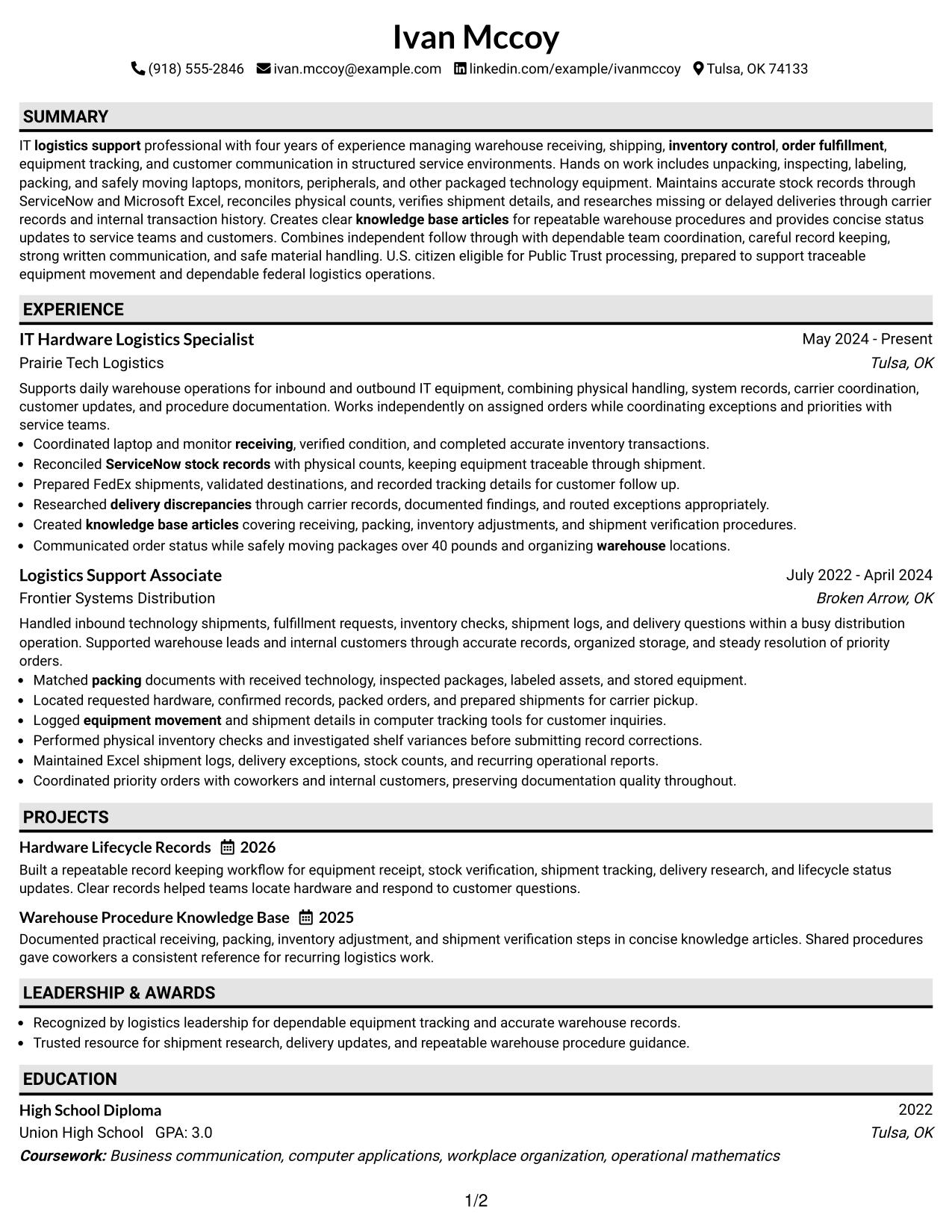
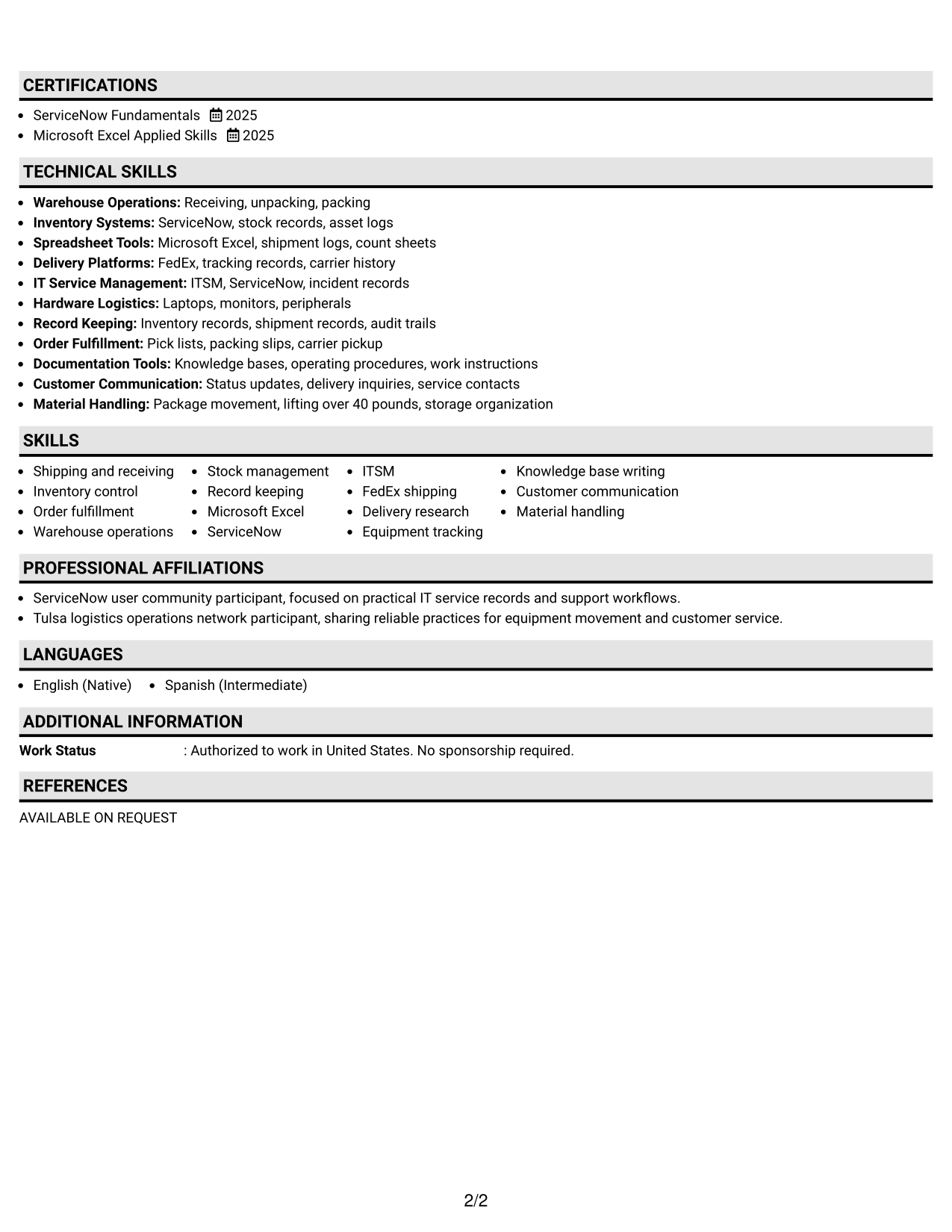
#2 Plain One Column with Shaded Labels Resume Example
The Plain One Column with Shaded Labels uses visible section labels to help recruiters find major resume areas quickly.
Why This Format Works
- Shaded labels separate experience, skills, education, and credentials without changing reading order.
- Clear section breaks help reviewers return to specific evidence during comparison.
- One-column organization keeps achievements and supporting details moving in a predictable sequence.
Best For
- Quick section lookup
- Strong section separation
- Longer supporting details
- Traditional resume readers
- Applications needing clear labels
#3 One Column Format with Photo Right Resume Example
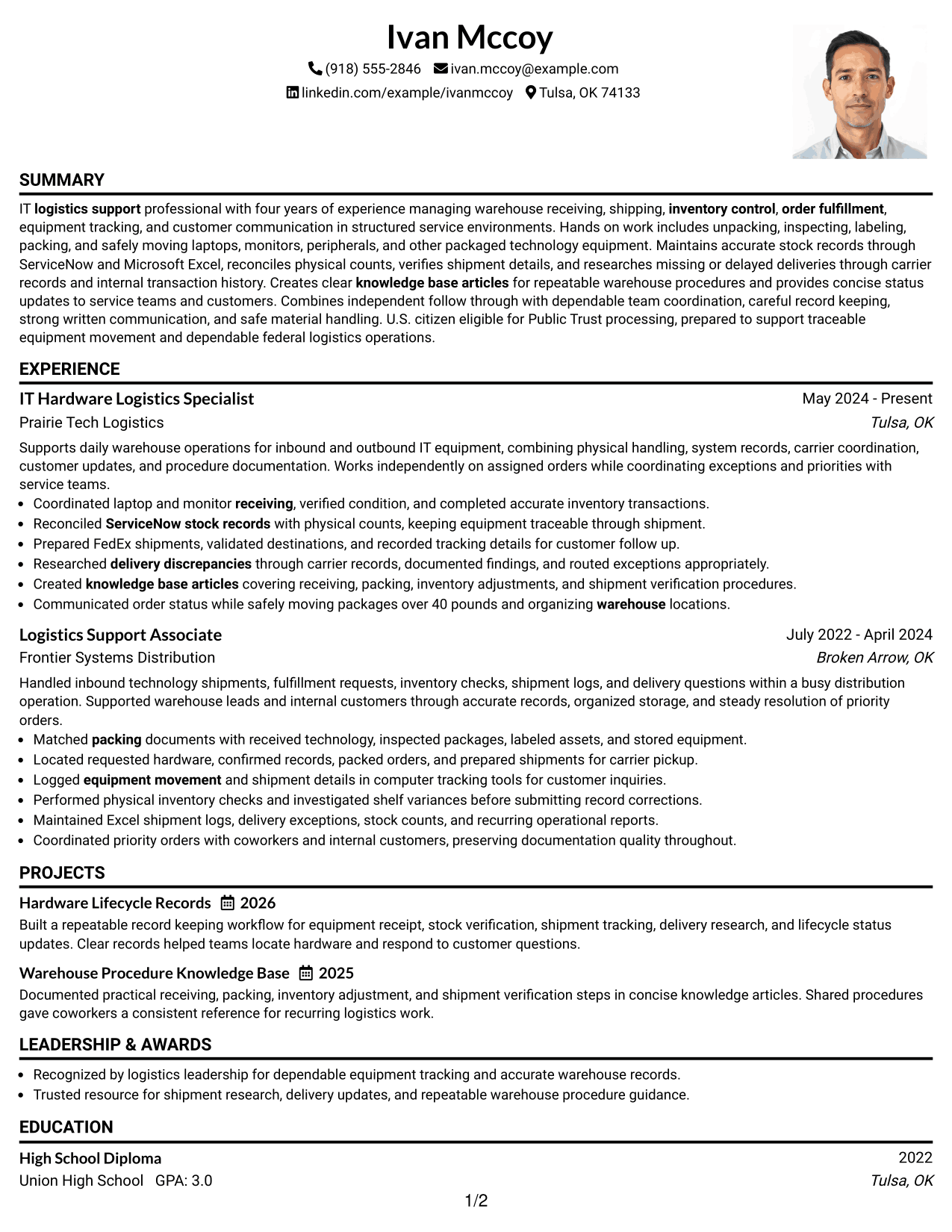
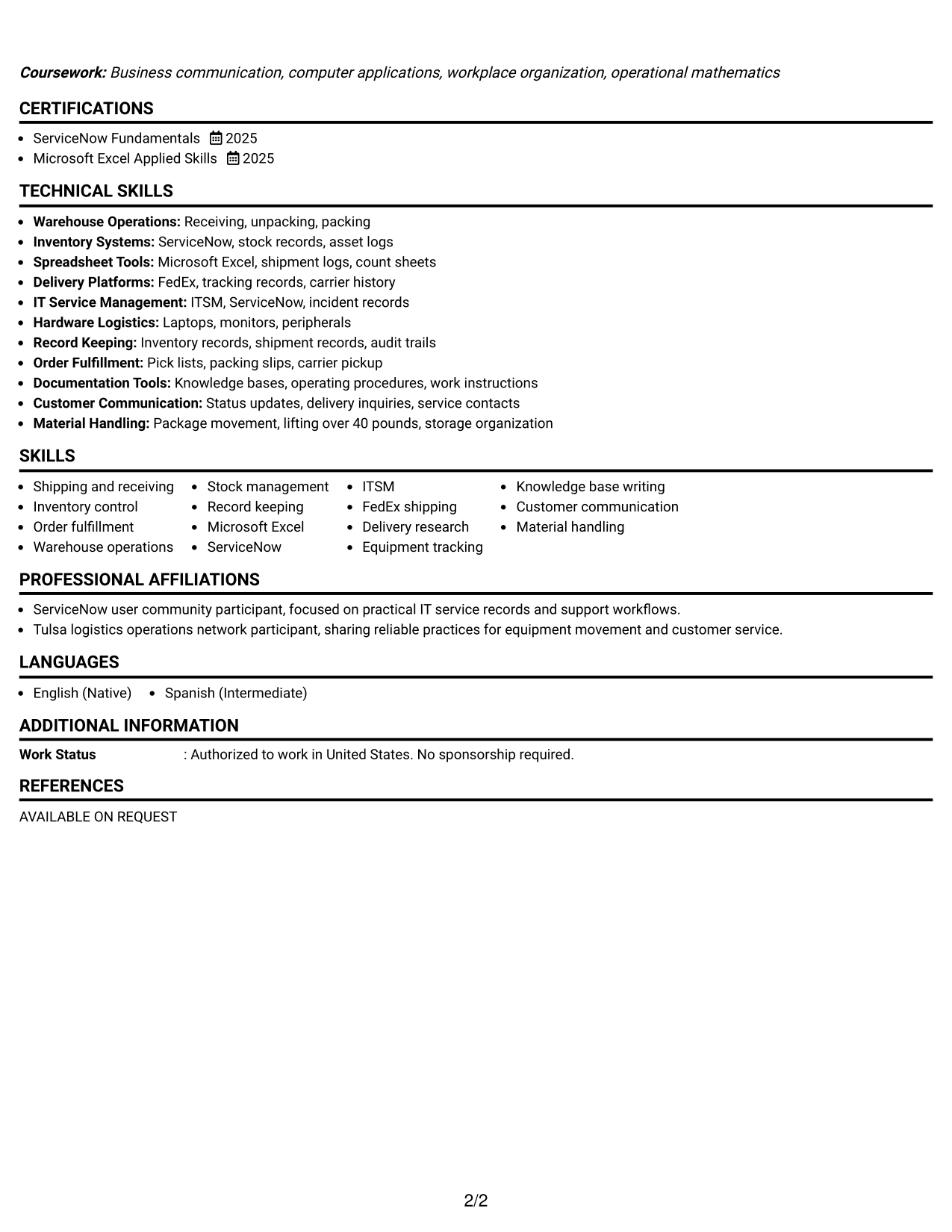
The One Column Format with Photo Right keeps the resume body linear while placing a profile photo in the header area.
Why This Format Works
- Linear body order keeps experience and achievements easy to follow from top to bottom.
- Separate section spacing lets skills and education remain distinct within one reading path.
- The photo stays outside the main evidence flow, so content order remains consistent.
Best For
- Markets where photos are customary
- Linear experience review
- Visible personal identification
- Single-path section reading
- Balanced profile and content
#4 Clean Two Column Sidebar Format Resume Example
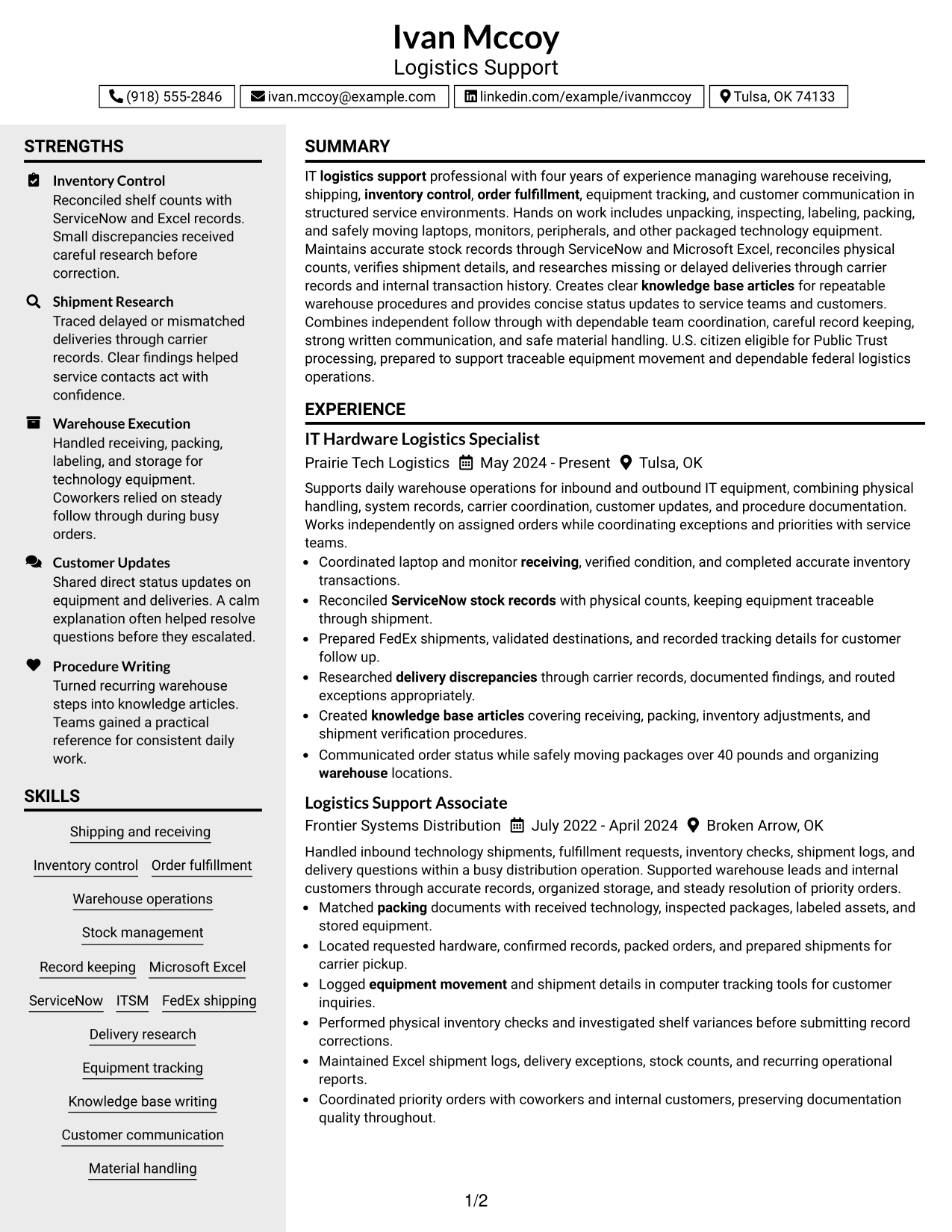
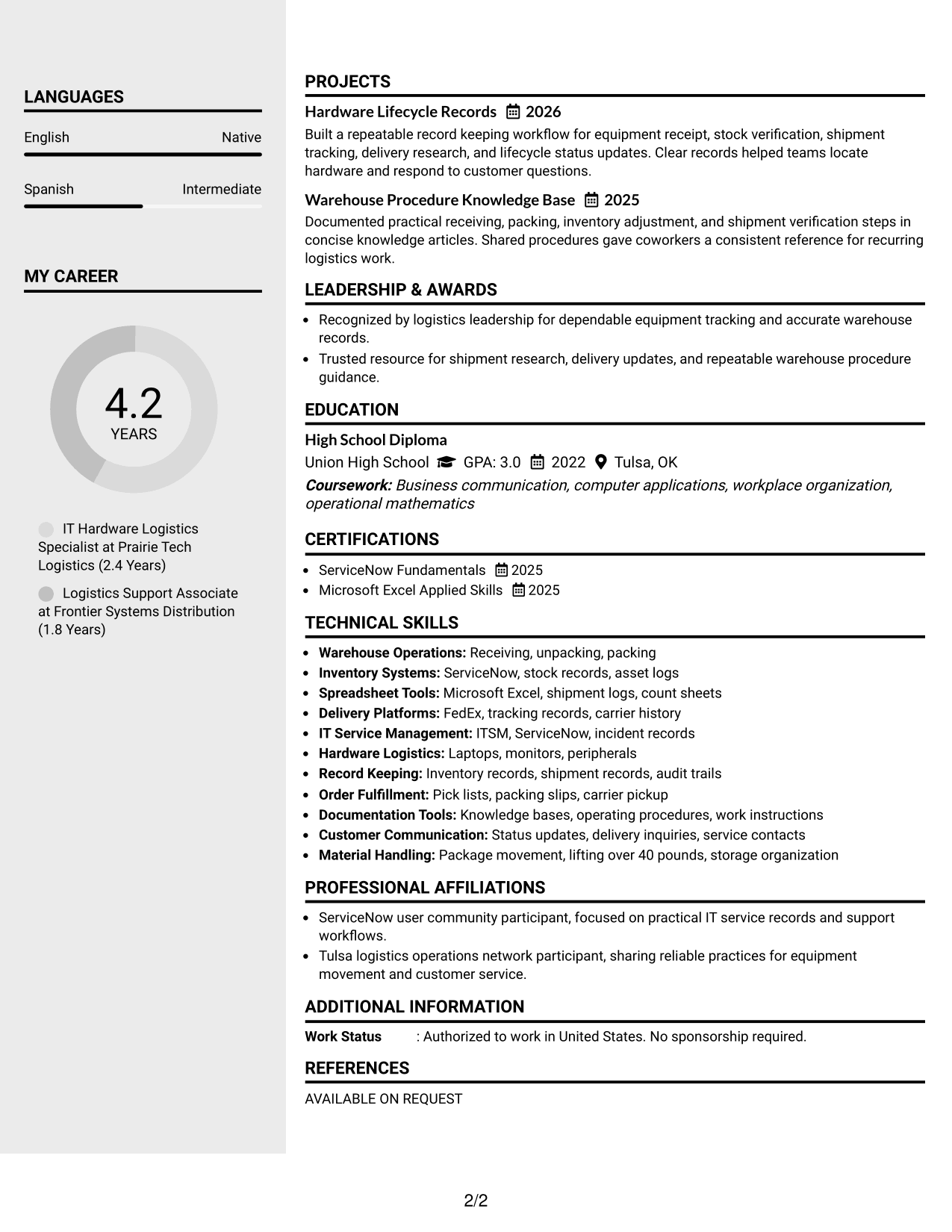
The Clean Two Column Sidebar Format separates supporting details from the main content so recruiters can scan two clear information areas.
Why This Format Works
- Two-column structure separates core experience from supporting skills and credentials for quicker navigation.
- A defined sidebar gives secondary information its own visual area without interrupting experience.
- Parallel sections help reviewers locate qualifications while preserving space for achievement-focused content.
Best For
- Compact supporting information
- Prominent skills sections
- Separated credentials
- Experience with many supporting details
- Readers comparing qualifications quickly
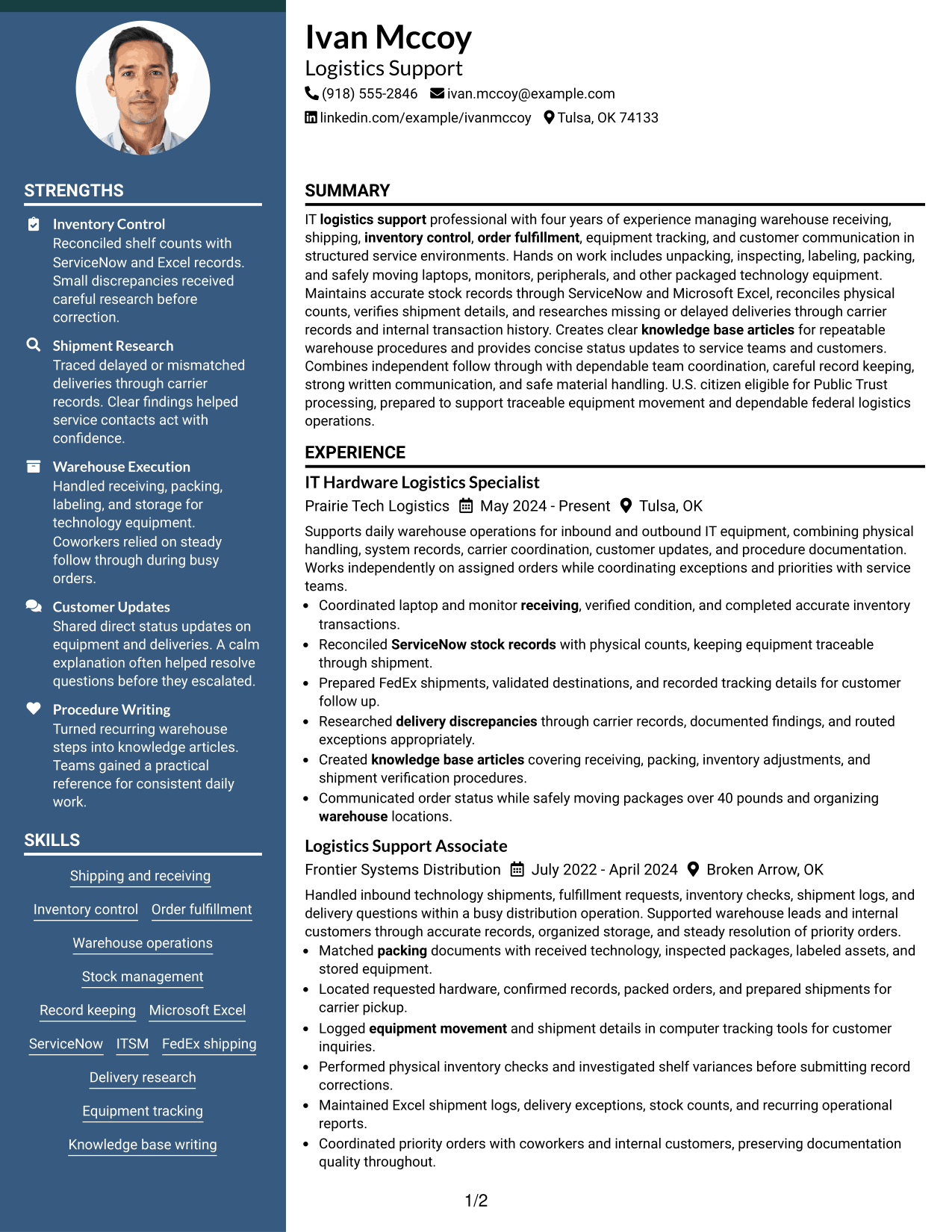
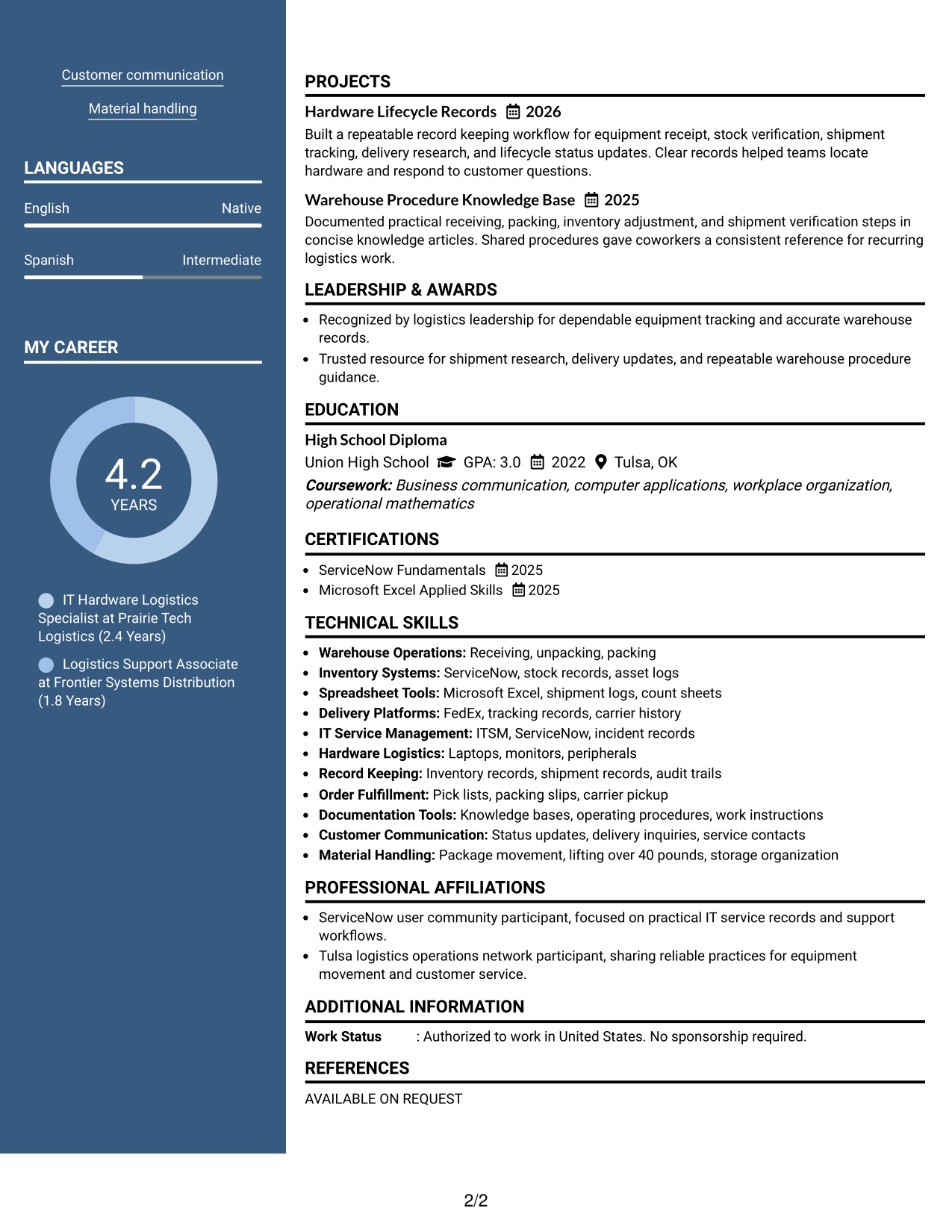
#5 Two Column Format Resume Example
The Two Column Format gives recruiters parallel sections for faster comparison of main experience and supporting resume content.
Why This Format Works
- Parallel columns let experience and supporting sections share space without becoming one long stream.
- Section separation makes skills, education, and credentials easier to locate during a quick review.
- Balanced content areas suit resumes that carry several distinct kinds of evidence.
Best For
- Balanced section density
- Mixed experience and credentials
- Broad skills coverage
- Side-by-side content scanning
- Resumes with several evidence types
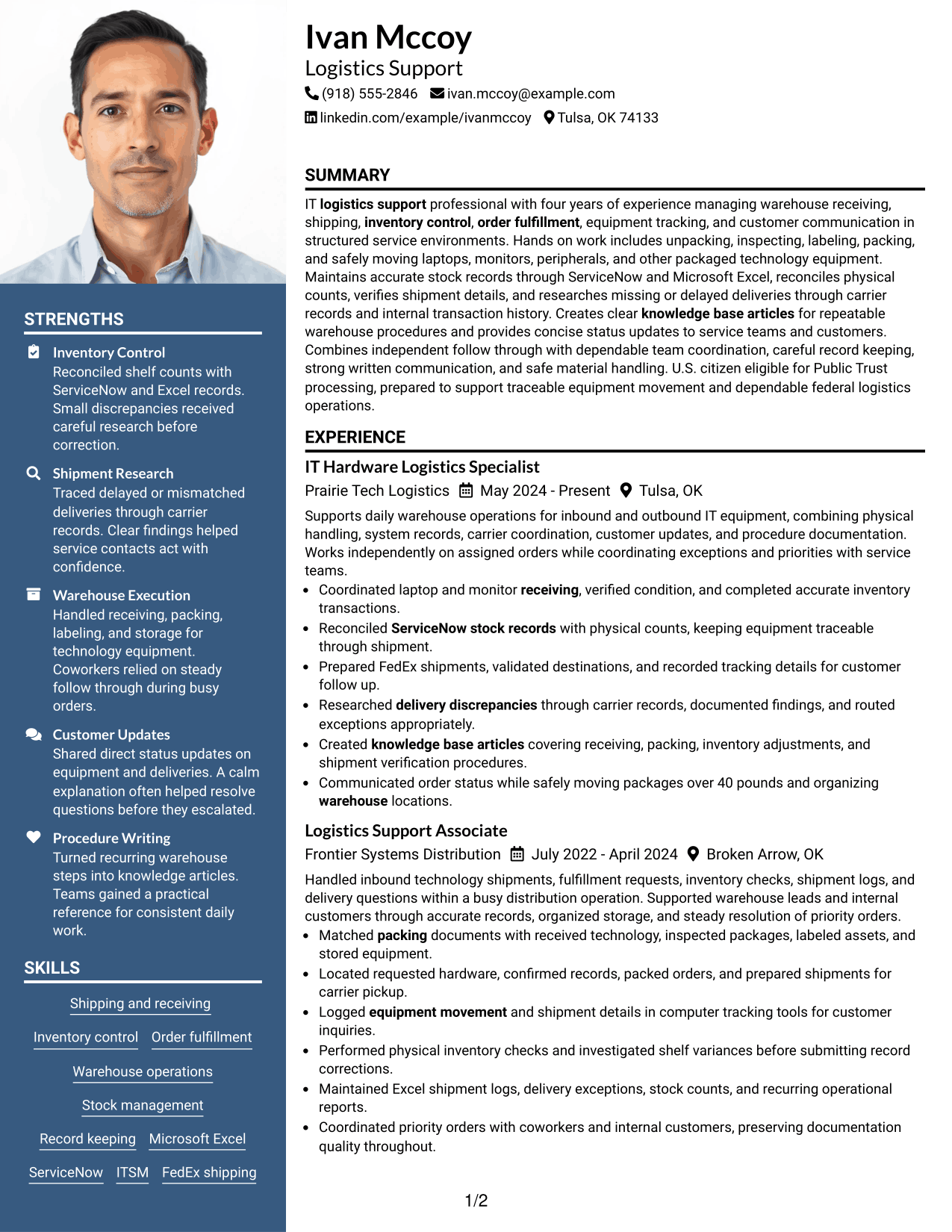
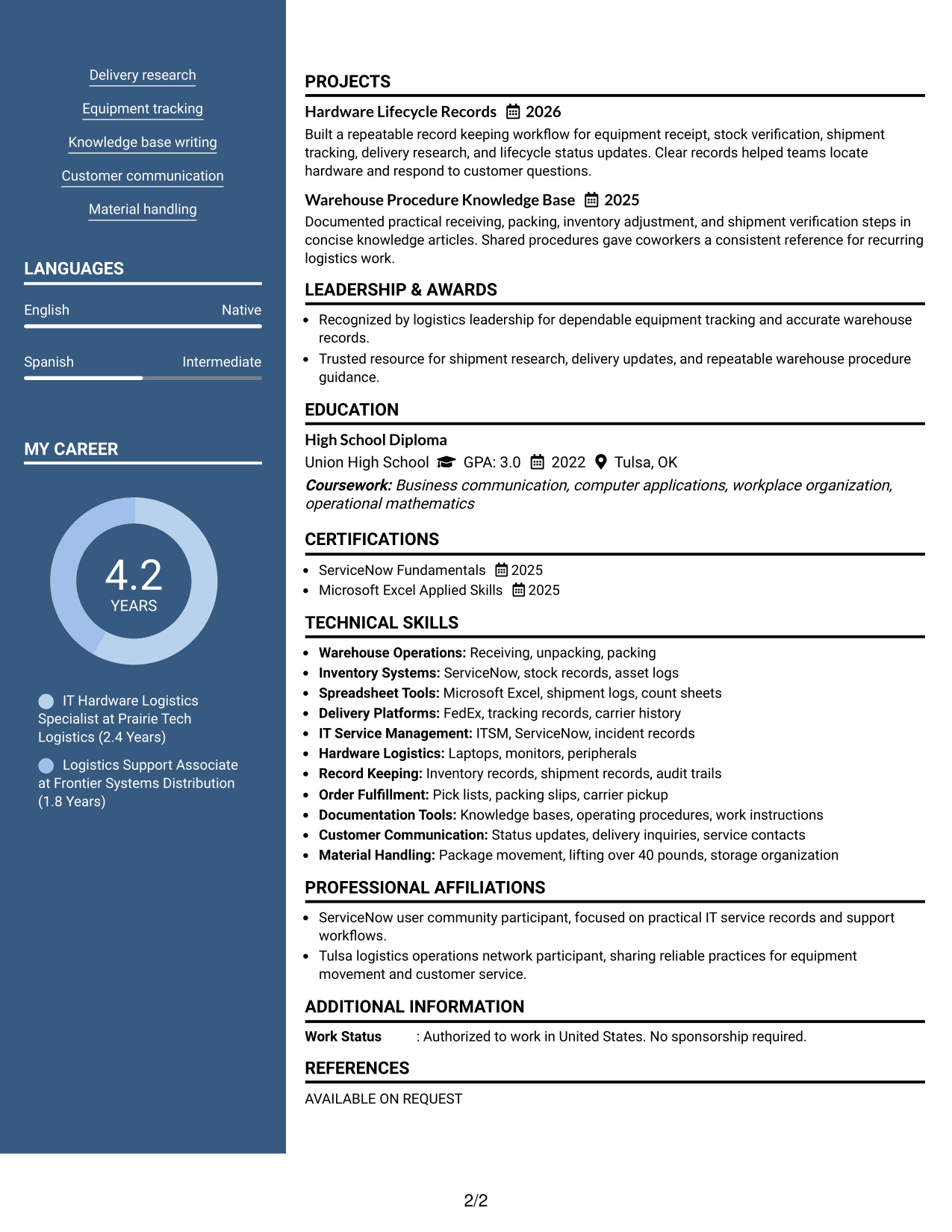
#6 Photo Header Two Column Format Resume Example
The Photo Header Two Column Format combines a visible profile photo with two body columns that help recruiters separate major content groups.
Why This Format Works
- Two body columns divide experience from supporting qualifications for faster section-level review.
- Distinct content areas keep achievements, skills, education, and credentials from blending together.
- The header photo provides identification while the body columns handle resume organization.
Best For
- Regions where resume photos are normal
- Two-area content organization
- Visible profile presentation
- Experience plus supporting qualifications
- Applications using photo-based resumes
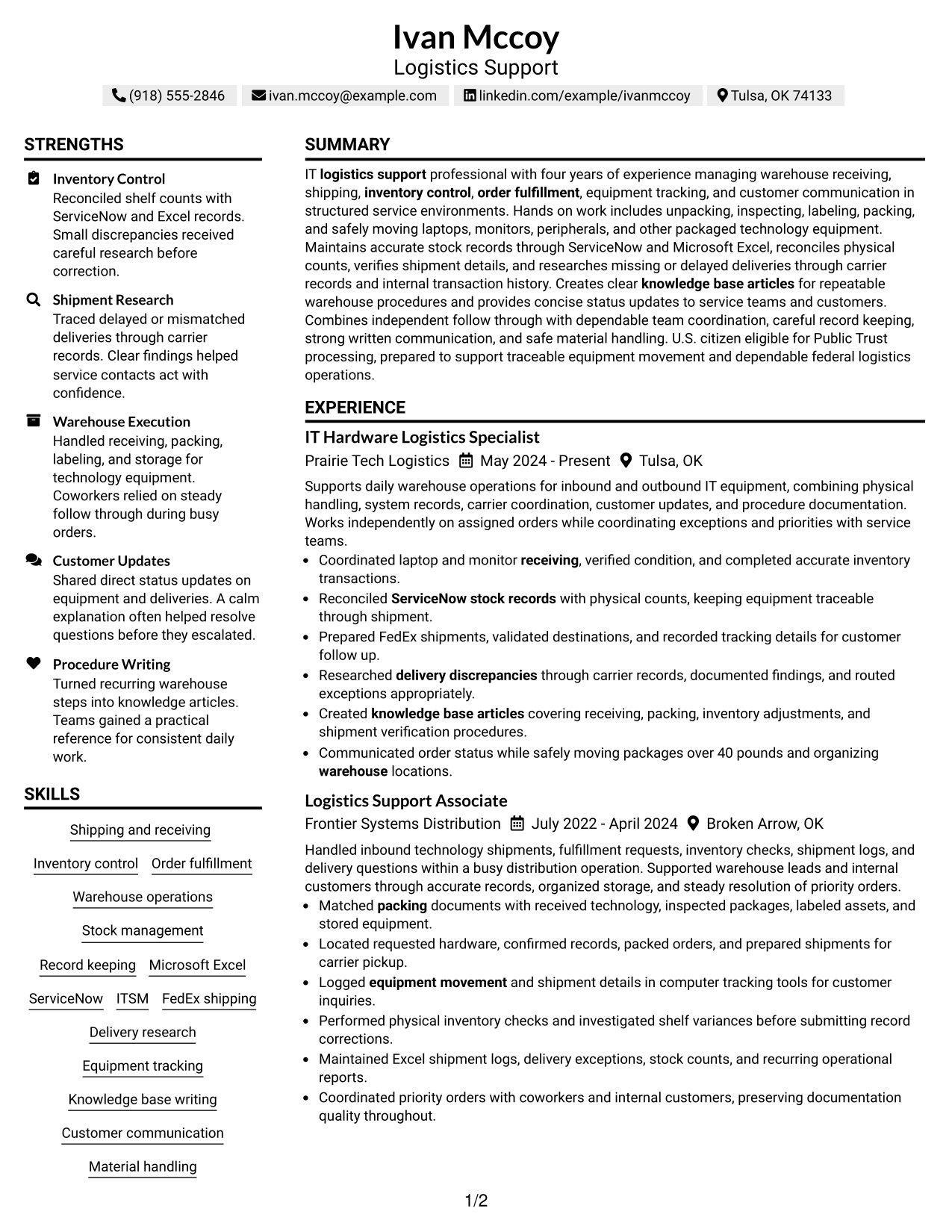
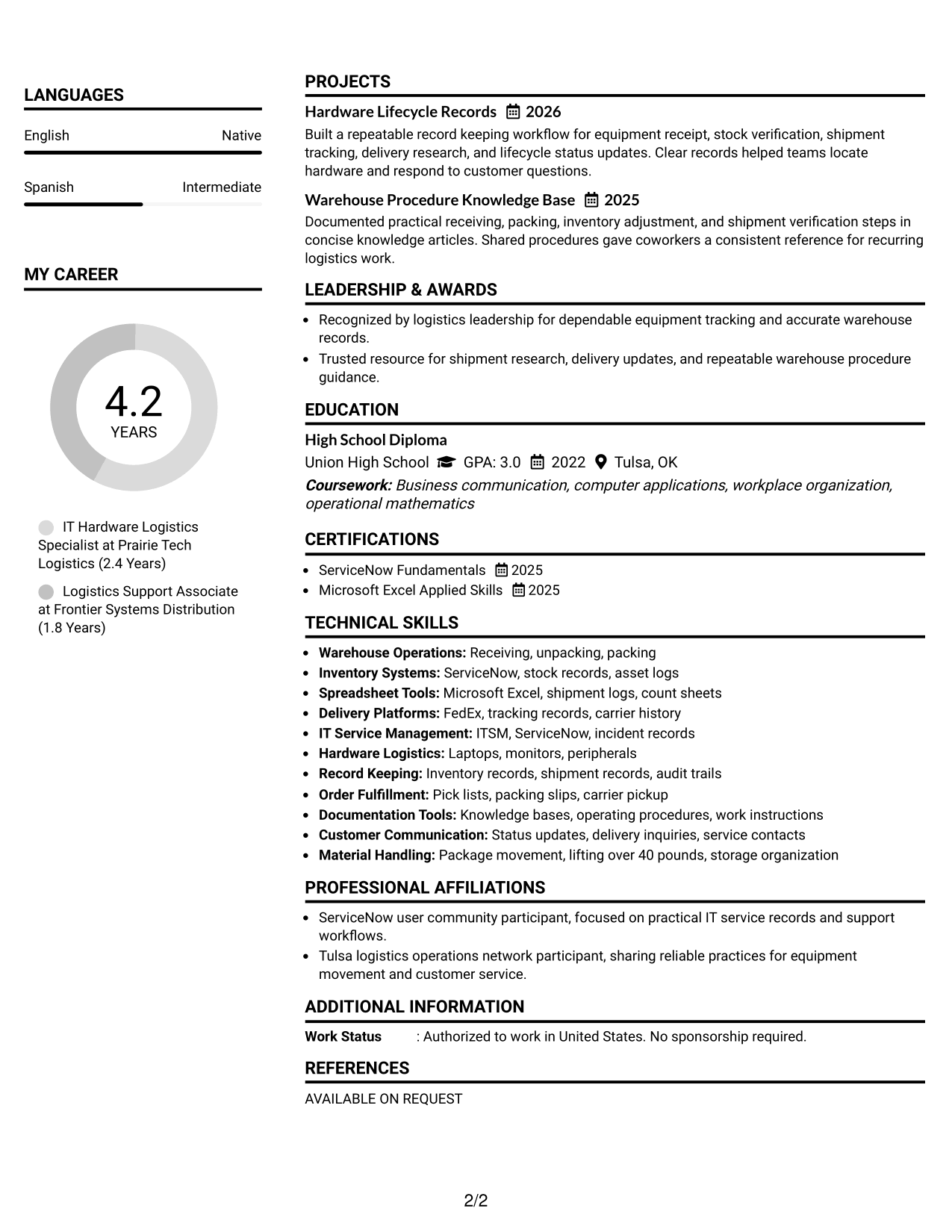
#7 Simple Two Column Format Resume Example
The Simple Two Column Format keeps visual treatment restrained while giving recruiters two clear paths for scanning resume sections.
Why This Format Works
- Simple two-column organization keeps experience prominent while giving supporting sections separate space.
- Clear boundaries help reviewers move between achievements, skills, education, and credentials efficiently.
- Restrained styling keeps attention on section order rather than decorative elements.
Best For
- Clean two-column reading
- Content-first presentation
- Experience-led resumes
- Supporting sections needing separation
- Reviewers who prefer low decoration
Why Build Your Logistics Support Resume with ResumeInMinutes
ResumeInMinutes helps you organize warehouse operations, system records, shipment research, customer communication, skills, education, and certifications into clear resume sections.
- ATS-friendly section structure
- Keyword-focused resume content
- Experience and skills organization
- Tools and certification sections
- Free PDF resume previews
- Resume customization support
You can adjust the wording and visual format while keeping the resume focused on traceable equipment movement, dependable order handling, and accurate logistics records.
See Also
- 7 Depot Logistics Operator - Federal Systems Support Resume Templates with Example
- 33 Lead Logistics Analyst Resume Templates with Example 2026 (ATS-Optimized)
- 7 Logistics Analyst Resume Templates with Example
- 7 Logistics Coordinator - International Programs Resume Templates with Example
- 7 Logistics Principal Resume Templates with Example
- 7 Logistics Technician - Aftermarket Parts Resume Templates with Example
- 7 Senior Logistics Analyst Resume Templates with Example
- 7 IT Platform Engineer Resume Templates with Example
- 7 Governance Engineer II Resume Templates with Example
- 7 Product Support 2 ID - Machine Repair Resume Templates with Example
Frequently Asked Questions
Are these Logistics Support resume templates ATS-friendly?
Yes. The formats use clear section structure and readable headings. For better matching, include accurate terms from the job posting, such as shipping and receiving, inventory control, record keeping, Microsoft Excel, ServiceNow, FedEx, and order fulfillment.
Are these different Logistics Support resumes?
No. The guide shows the same Logistics Support resume in different visual formats so you can compare structure and readability without changing the underlying qualifications.
What should a Logistics Support resume include?
Include a focused summary, relevant logistics experience, clear achievement bullets, skills, education, certifications, and useful tools. Show receiving, shipping, inventory, tracking, delivery research, documentation, and customer communication when those details match your background.
Can I download the resume templates as PDFs?
Yes. Each resume style provides a free PDF download so you can review the format before choosing one for your application.
Which resume style is best for Logistics Support?
A simple one-column format works well when you want a direct reading order. A two-column format can help separate skills or supporting details from experience, as long as the structure remains clear and easy to scan.
How should I show warehouse and record-keeping work?
Use short experience bullets that connect the task to the result or control. For example, describe how you verified incoming equipment, reconciled stock records, prepared shipments, researched delivery problems, or documented repeatable procedures.
Should I include a photo on my resume?
For U.S. applications, a no-photo resume is generally the safer choice. A photo may be suitable in countries where it is customary, so follow local hiring expectations.
Can I customize these resume templates?
Yes. You can edit the resume text, section order, visual style, and PDF format while keeping the content aligned with the Logistics Support role you are targeting.




