
US English


7 Medical Coding Supervisor - Inpatient, Outpatient and Pro Fee Resume Templates with Example
By Ria · Last Updated On October 14, 2026
Resume example — page 1

This guide shows you how to create a clear, focused resume for a Medical Coding Supervisor - Inpatient, Outpatient and Pro Fee role. You will learn how to organize your experience and present evidence that helps readers assess your coding leadership.

Strong resumes connect clinical documentation review with accurate ICD-10-CM, ICD-10-PCS, and CPT coding. They also show how you train coders, review quality, manage queues, and use tools such as Epic and Excel to support daily work.

Explore one resume example presented in 7 layouts. The guide explains how each format organizes key details and how you can compare the image previews before opening an example in the editor.

What Makes a Great Medical Coding Supervisor Resume in 2026

A strong resume puts coding scope, team leadership, quality review, and queue oversight where readers can find them quickly. Use clear sections and specific bullet points to show how you handle inpatient, outpatient, and professional fee work.

Include relevant terms such as ICD-10-CM, ICD-10-PCS, CPT, RHIA, Coding Clinic guidance, payer rules, Epic, and Excel reporting when they match your background. Support them with concrete examples of training, reviews, or turnaround coordination.

Note: Resume examples are for educational purposes only. Use only information that accurately reflects your experience and qualifications. References to real organizations do not imply affiliation or endorsement.

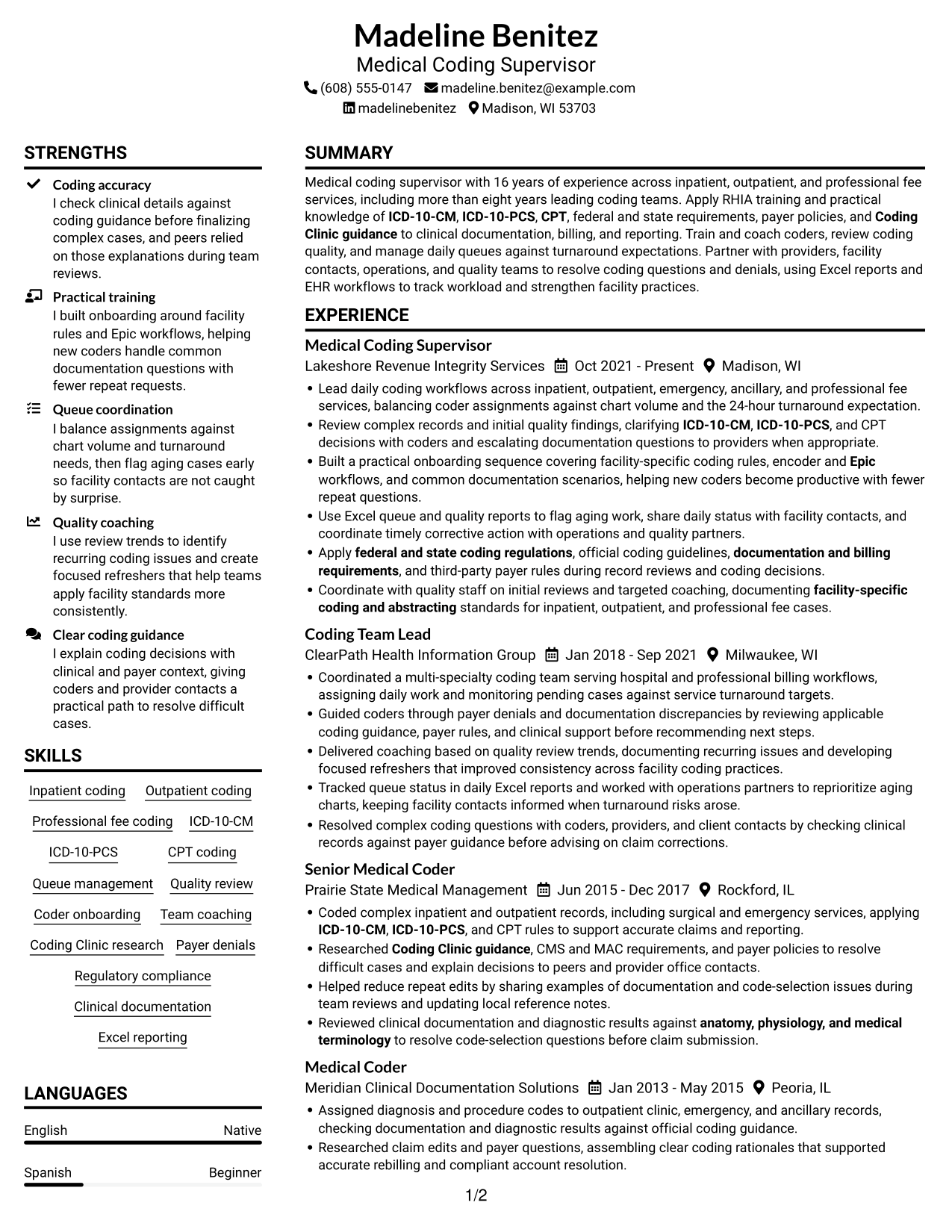
#1 Plain Two Column Format Resume Example

Plain Two Column Format arranges resume content in two columns, helping reviewers move among experience, skills, and credentials.
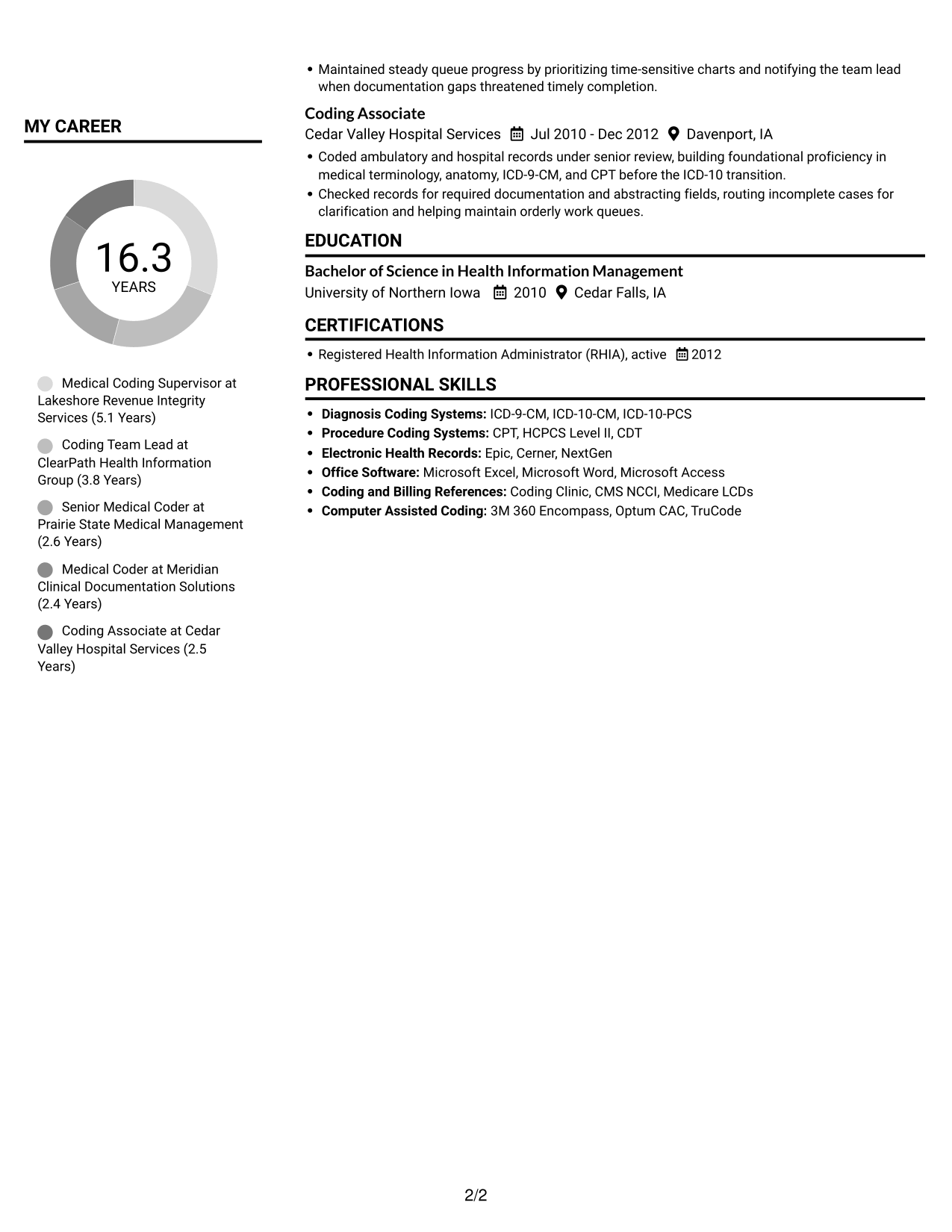
 
Resume example — page 1   Resume example — page 2

Resume Snapshot

  • 16 years across inpatient, outpatient, and professional fee coding
  • More than eight years in coding team leadership
  • Active RHIA credential, earned 2012
  • BS in Health Information Management, University of Northern Iowa

Why This Format Works

  • Two-column reading gives reviewers a clear route among major resume sections.
  • Grouped content helps readers compare career history with skills and education.
  • Section separation makes credentials easier to revisit after reviewing experience.

Best For

  • Resumes with several distinct sections
  • Career histories paired with supporting details
  • Quick recruiter scans
  • Multiple education and credential details
  • Concise section-by-section review

Resume Keywords

  • ICD-10-CM
  • ICD-10-PCS
  • CPT
  • facility-specific coding and abstracting
  • federal and state coding regulations
  • official coding guidelines
  • documentation and billing requirements
  • third-party payer rules
  • Coding Clinic guidance
  • Epic
  • anatomy, physiology, and medical terminology
  • RHIA
 

#2 Simple One Column Format Resume Example

Simple One Column Format keeps resume sections in a vertical sequence, giving reviewers a direct path from summary through experience.
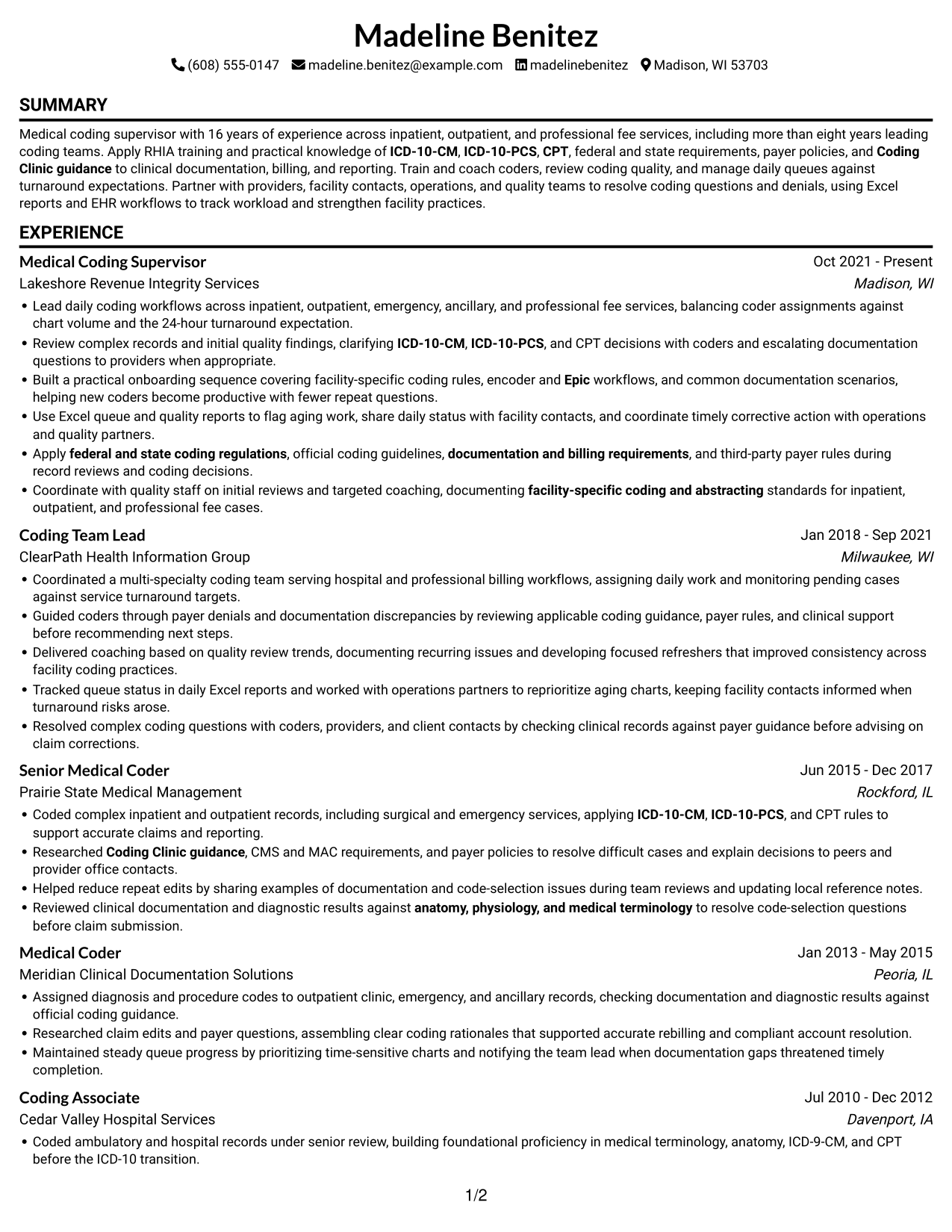
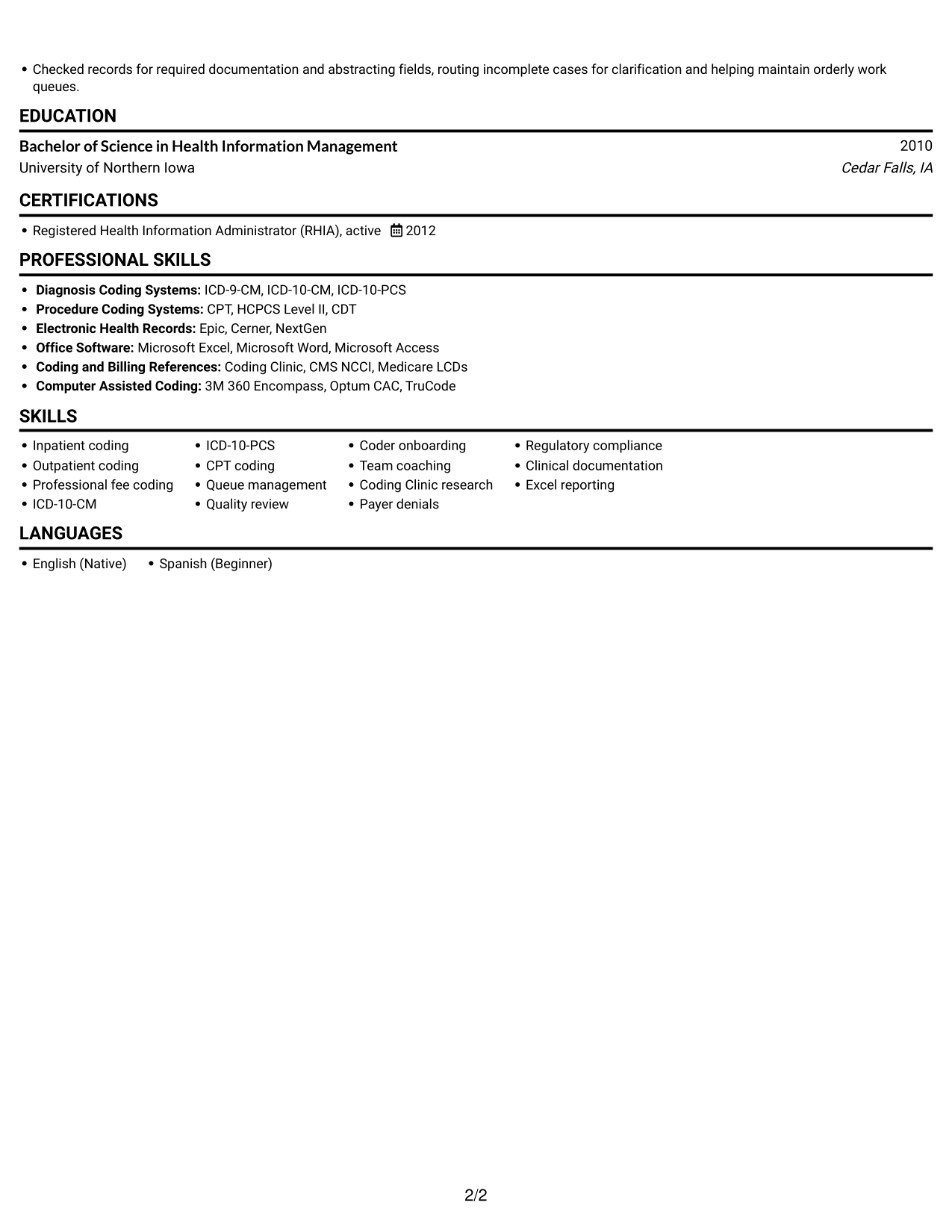
 
Resume example — page 1   Resume example — page 2

Why This Format Works

  • A vertical sequence gives reviewers a predictable path through the resume.
  • Role dates and details can be followed in one continuous reading flow.
  • Skills, education, and credentials remain within the same scan.

Best For

  • Top-to-bottom resume review
  • Chronological career histories
  • Text-first resume presentation
  • A simple section sequence
  • Linear recruiter review
 

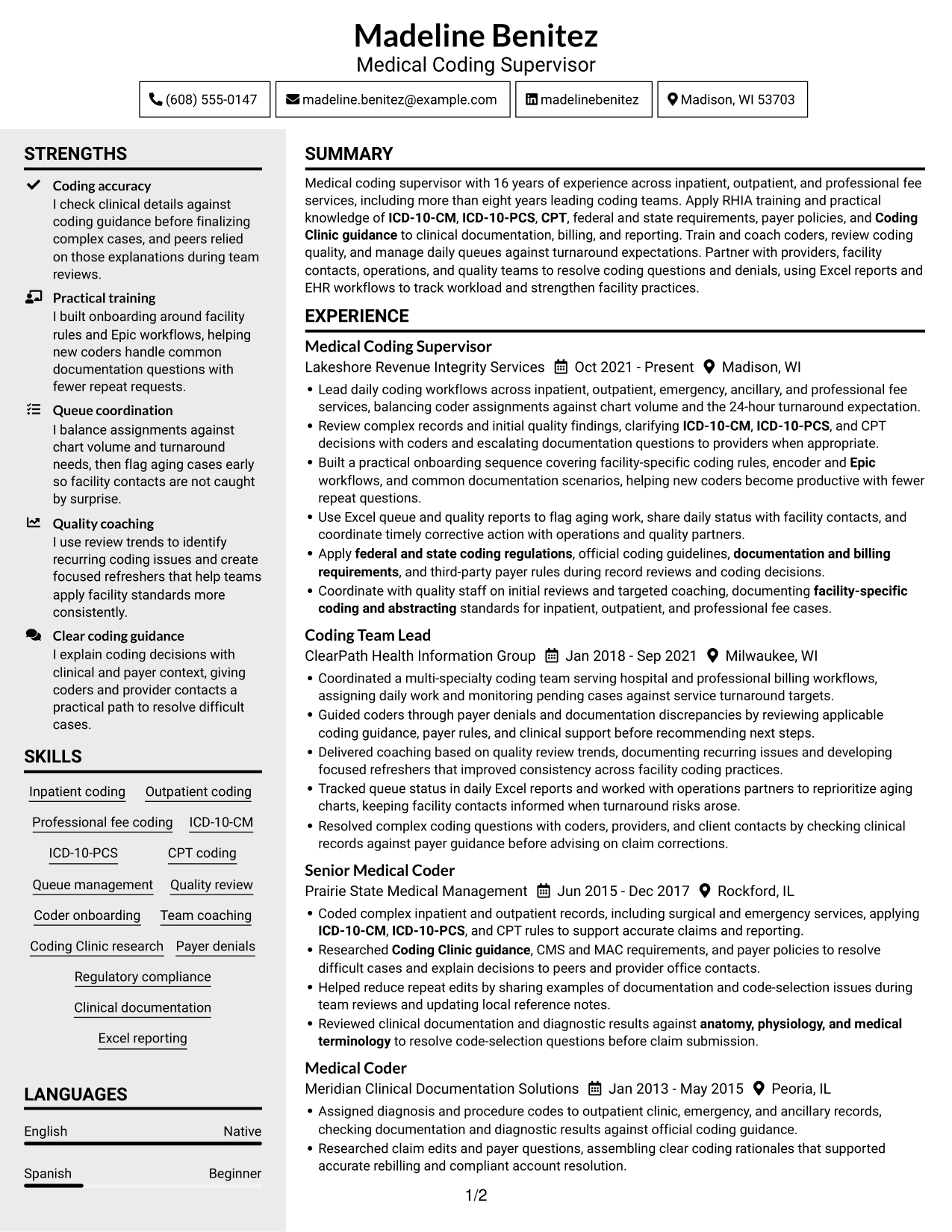
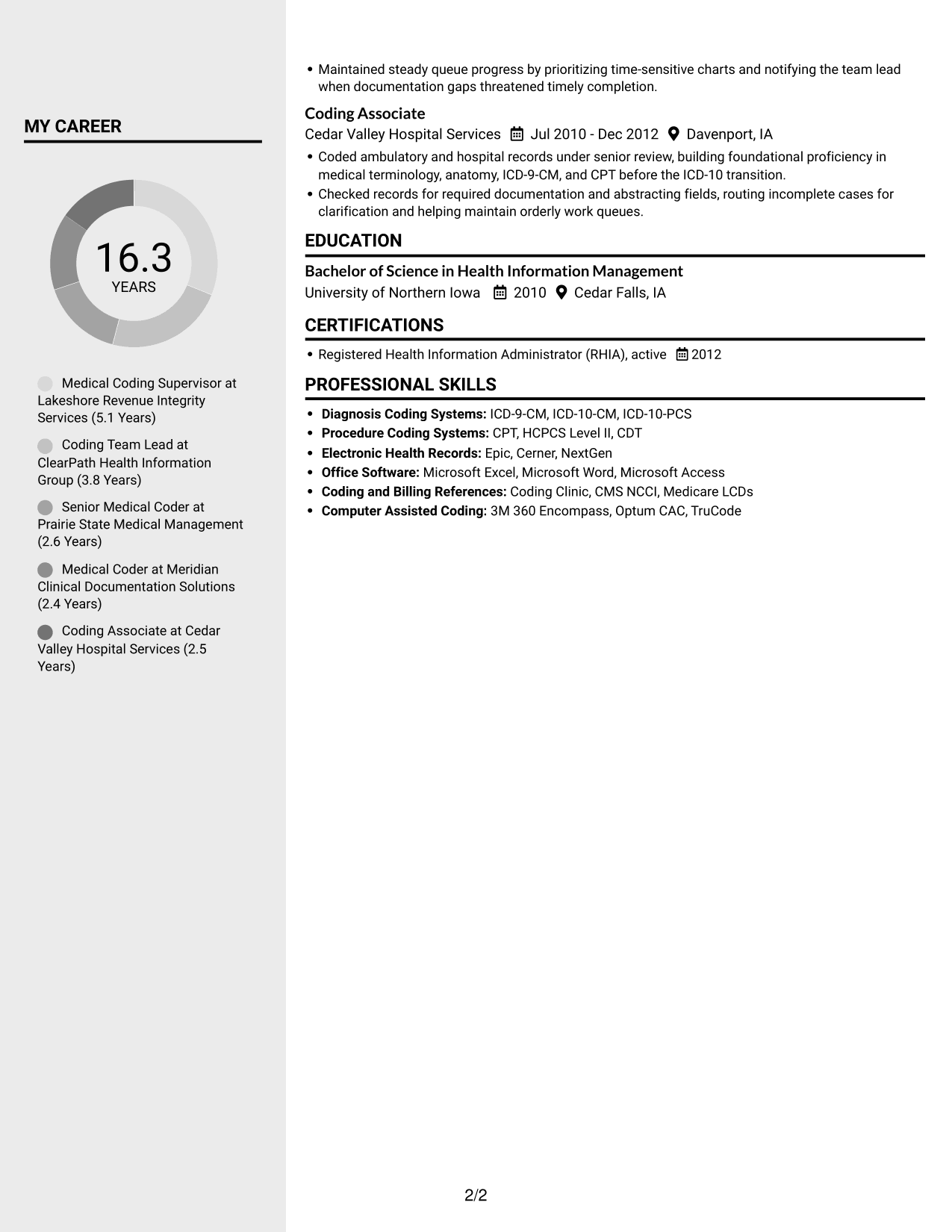
#3 Clean Two Column Sidebar Format Resume Example

Clean Two Column Sidebar Format uses two columns to make resume sections easier to navigate during a quick review.
 
Resume example — page 1   Resume example — page 2

Why This Format Works

  • The two-column reading order helps reviewers locate supporting sections quickly.
  • Career history can be reviewed alongside education and credentials.
  • Separate content areas make a broad set of resume details easier to navigate.

Best For

  • Resumes with varied section content
  • Quick access to supporting details
  • Career history alongside credentials
  • Readers comparing multiple resume sections
  • Organized skills and education details
 

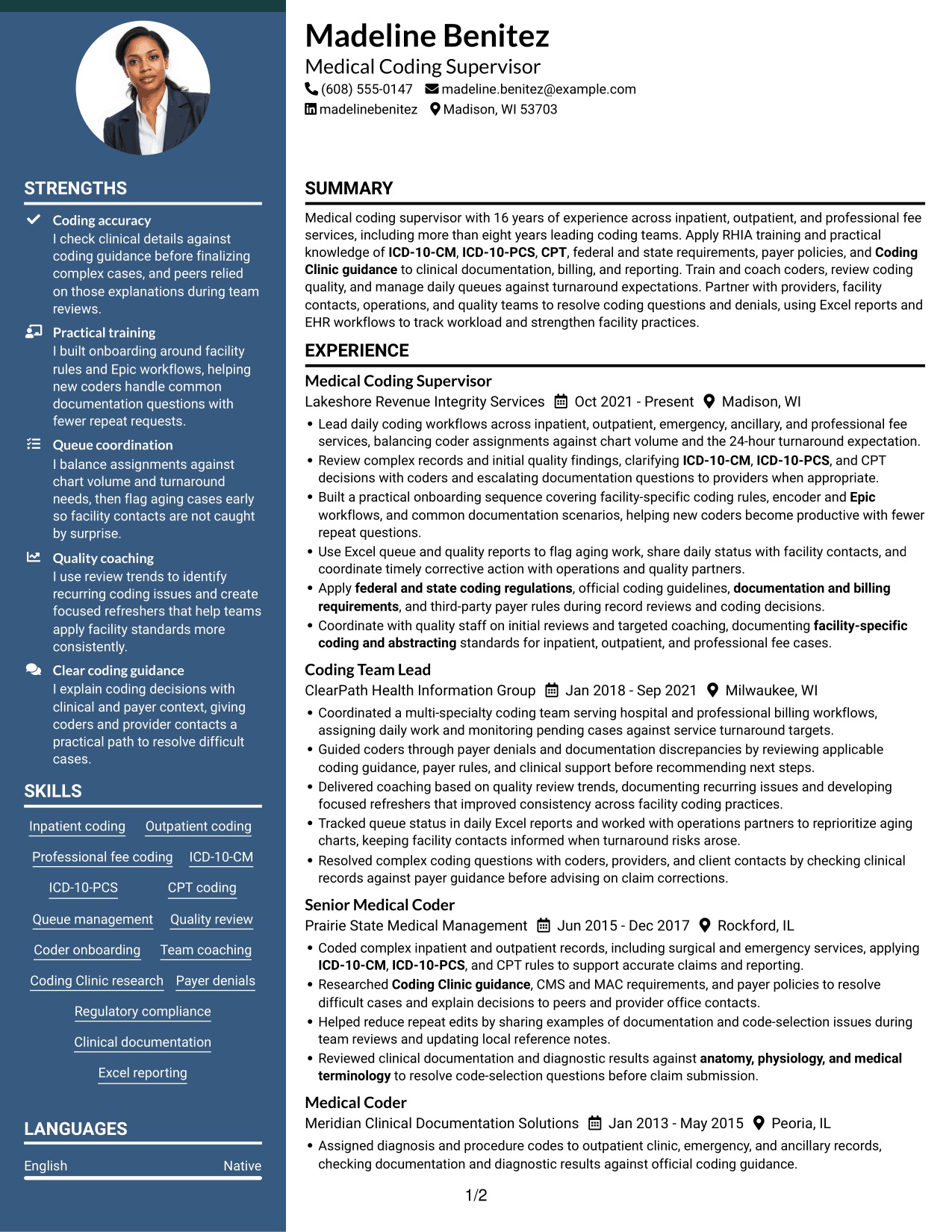
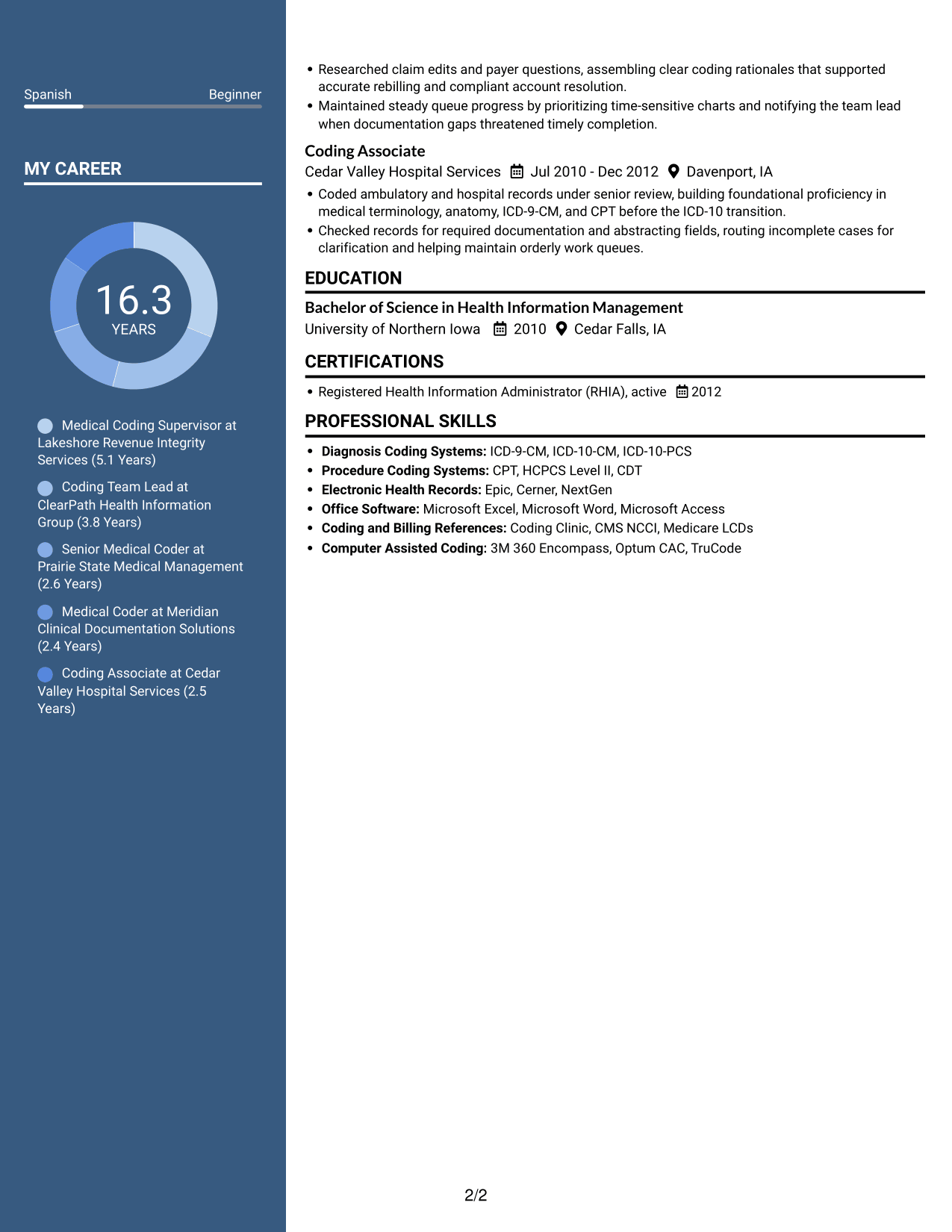
#4 Two Column Format Resume Example

Two Column Format places resume content across two columns, offering reviewers a clear way to move between career details and supporting sections.
 
Resume example — page 1   Resume example — page 2

Why This Format Works

  • Two columns let reviewers move between experience and other resume sections.
  • The reading order supports a focused review of career progression.
  • Skills and education are easier to find apart from detailed work history.

Best For

  • Career progression with supporting sections
  • Resume reviews that compare section details
  • Work history with several roles
  • Skills and education alongside experience
  • Readers seeking clear content groupings


#5 Photo Header Two Column Format Resume Example

Photo Header Two Column Format pairs a portrait with a two-column resume, combining a personal visual element with clear content organization.
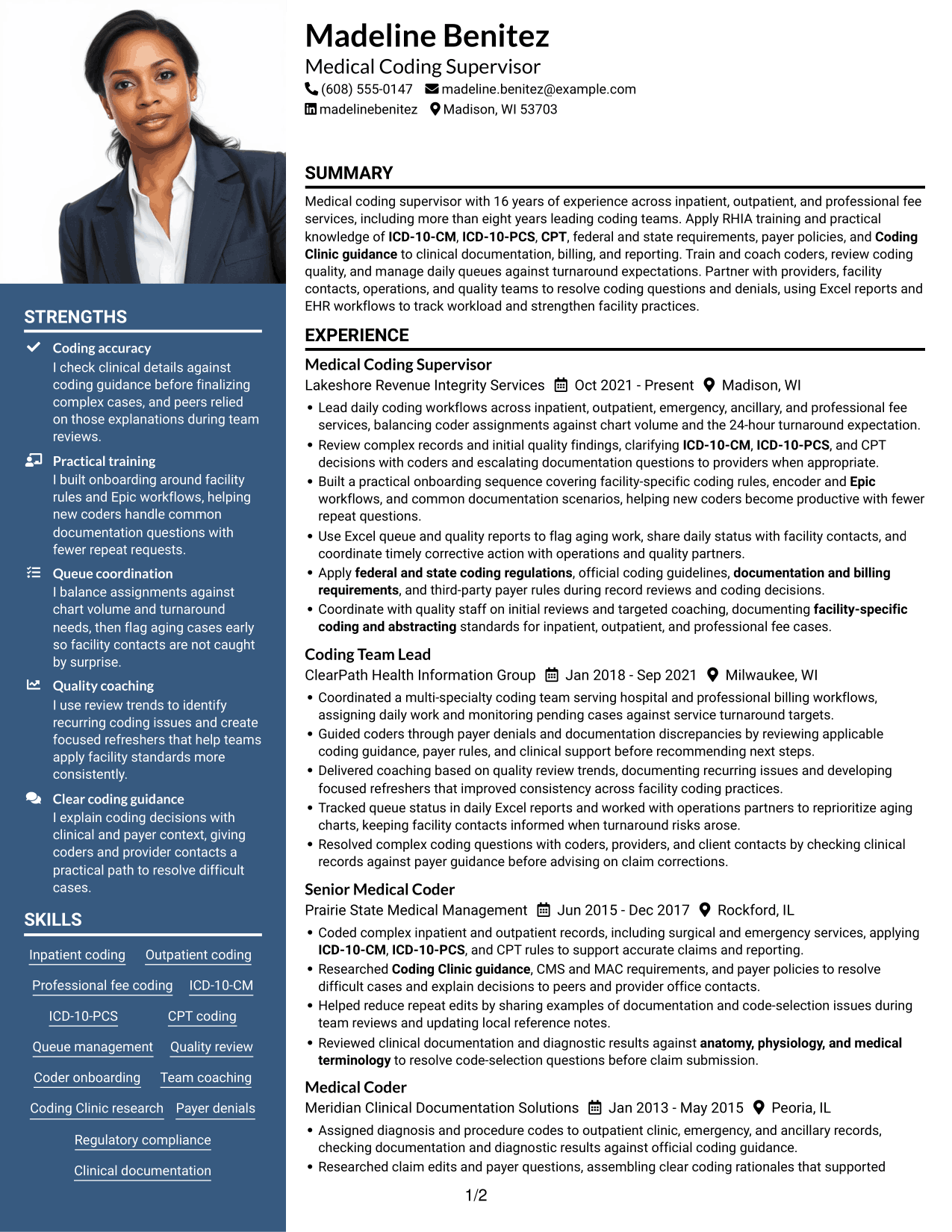
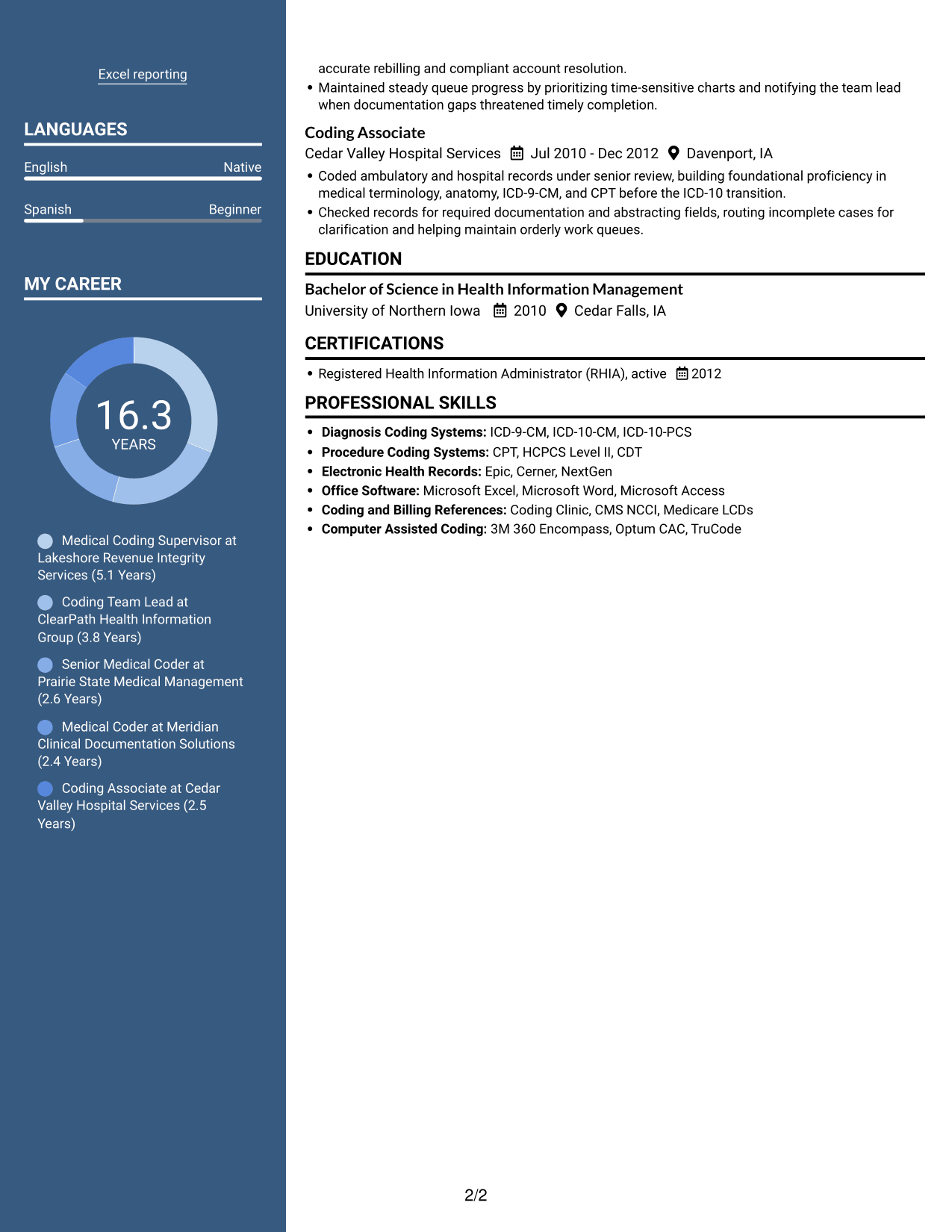
 
Resume example — page 1   Resume example — page 2

Why This Format Works

  • Two-column organization helps reviewers find experience and supporting sections.
  • Career history and credentials can be reviewed as distinct content groups.
  • The reading order gives reviewers a direct route through the resume.

Best For

  • Resume layouts with a portrait
  • Career histories with supporting sections
  • Readers who prefer grouped resume content
  • Experience alongside education and credentials
  • A visual introduction with organized details
 

#6 Colored Two Column Format Resume Example

Colored Two Column Format organizes the resume in two columns, helping reviewers move between career history and related sections.
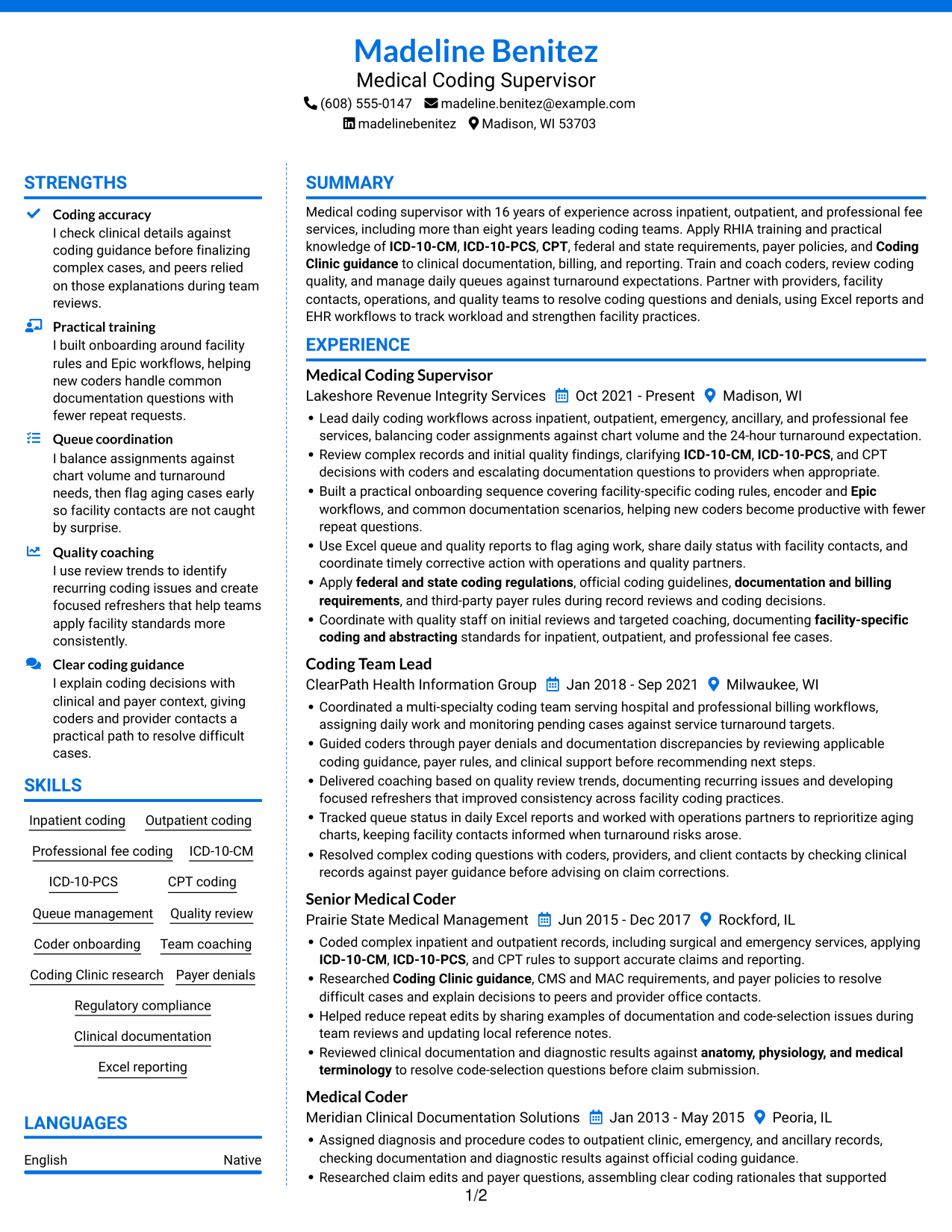
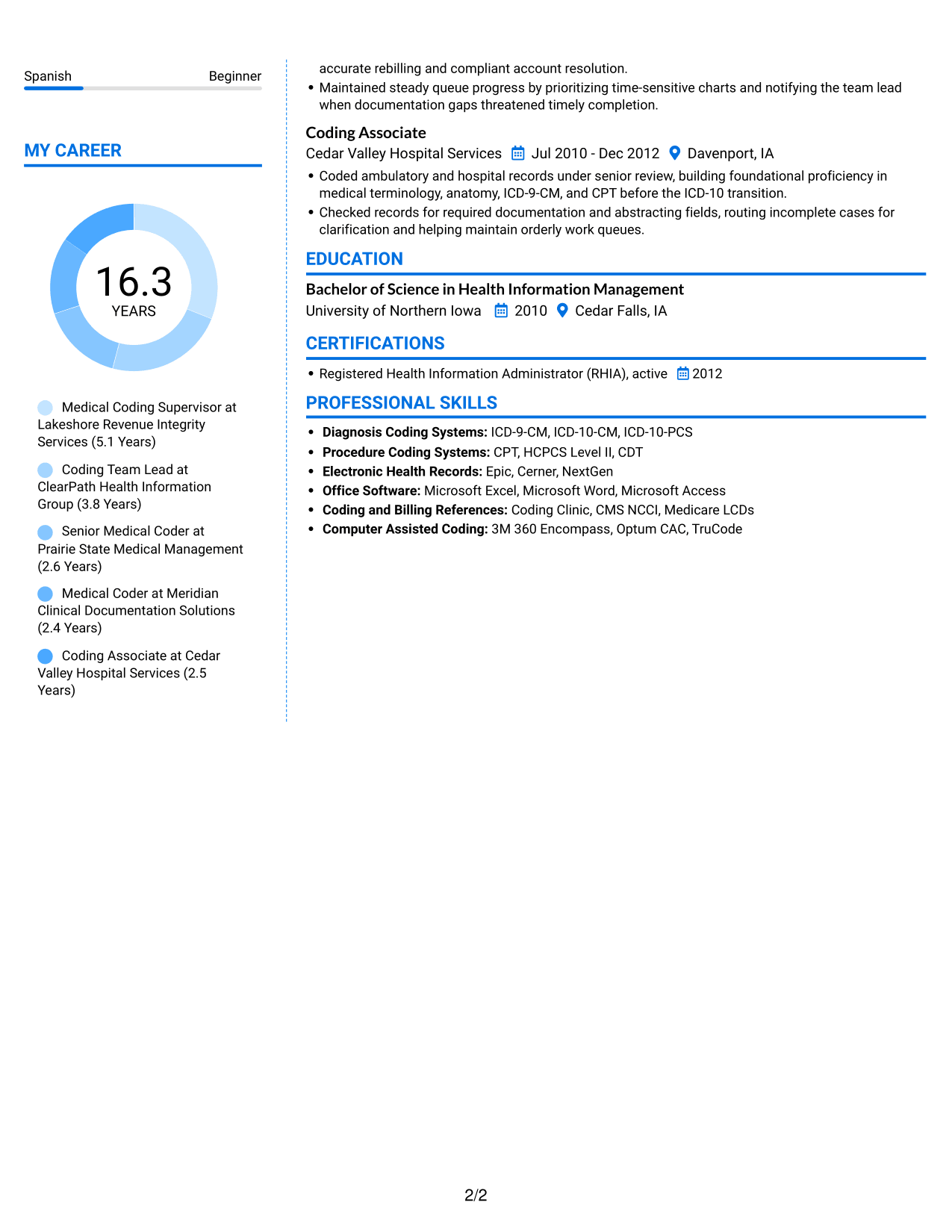
 
Resume example — page 1   Resume example — page 2

Why This Format Works

  • Two-column organization gives reviewers a clear route through resume sections.
  • Experience can be followed without losing sight of supporting information.
  • Education and credentials are easier to locate during a focused review.

Best For

  • Grouped resume sections
  • Career history with related details
  • Readers scanning for credentials
  • Work experience beside supporting information
  • Focused review of education and skills
 

#7 Stylish Two Column Designer Format Resume Example

Stylish Two Column Designer Format presents resume sections in two columns, giving reviewers a compact way to move through experience and supporting information.
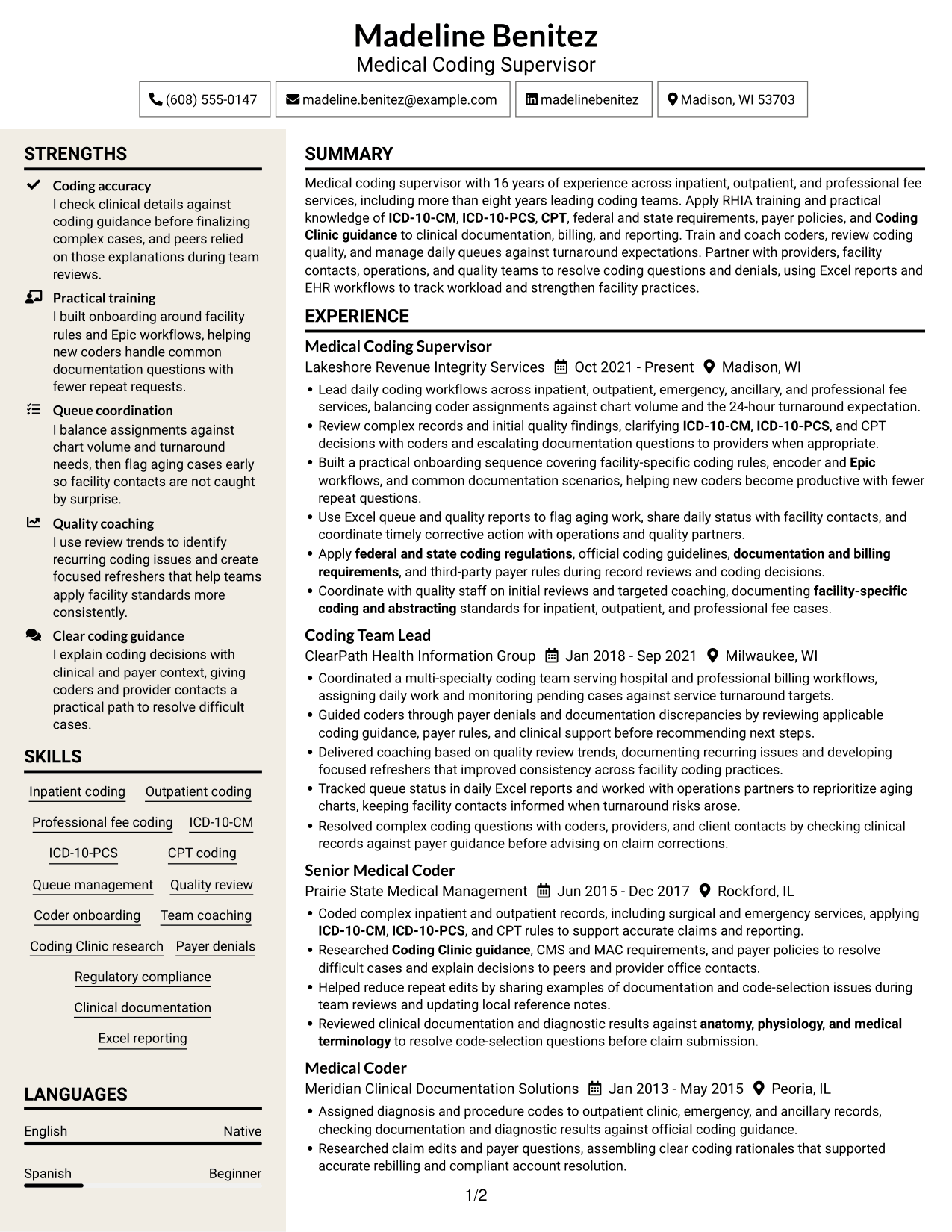
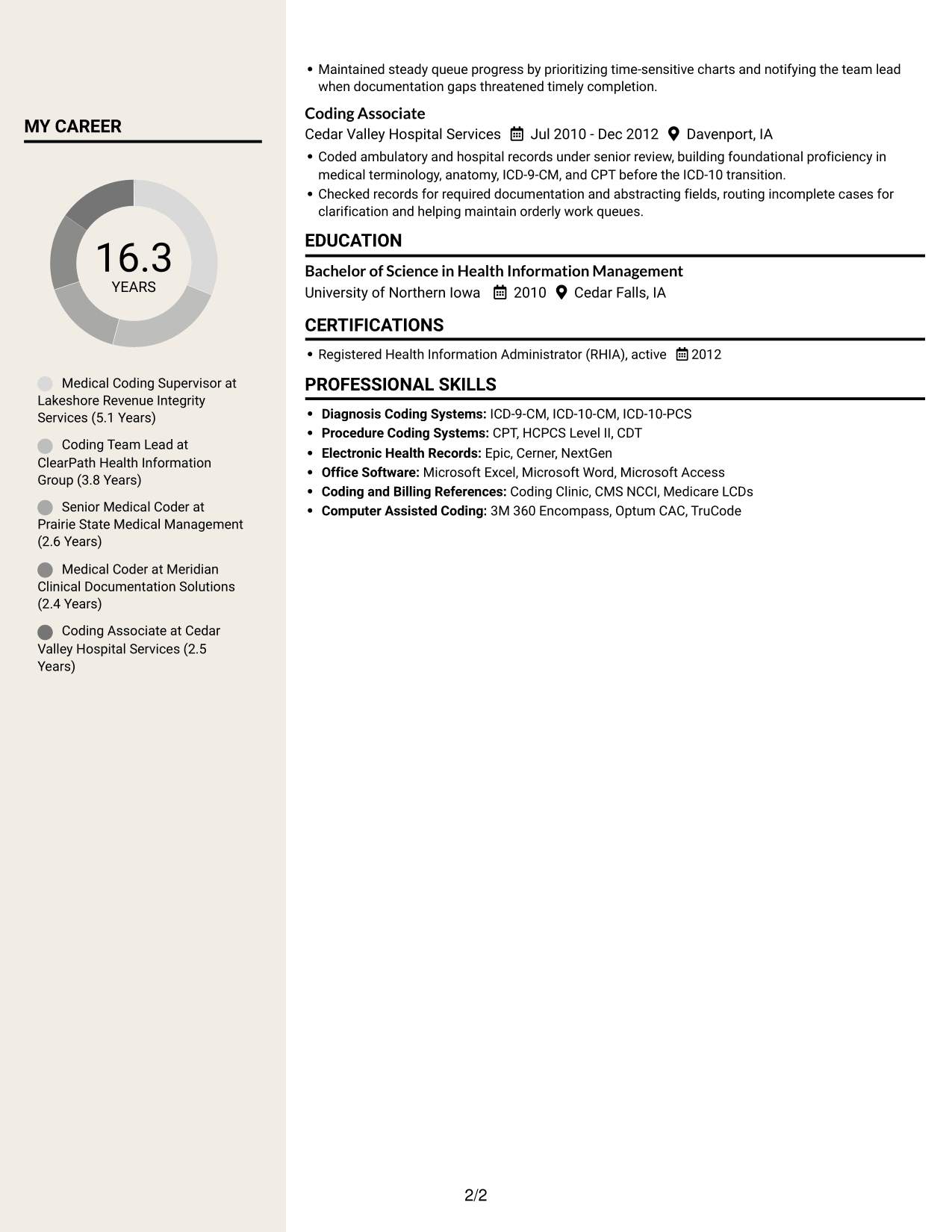
 
Resume example — page 1   Resume example — page 2

Why This Format Works

  • The two-column reading path helps reviewers move among resume sections.
  • Career progression remains easy to follow beside supporting information.
  • Skills, education, and credentials can be checked without one long text sequence.

Best For

  • Compact review of multiple sections
  • Career histories with varied supporting details
  • Readers moving between experience and credentials
  • Skills and education alongside work history
  • Resume content needing clear groupings


Compare Medical Coding Supervisor Resume Examples

Review the image previews to see how each layout arranges experience, skills, education, and credentials. When a format suits your needs, open its example in the editor to customize the resume.

  • Clear resume sections
  • Readable experience details
  • Space for coding skills
  • Organized education and credentials
  • Easy-to-review image previews
  • Examples available in the editor

Choose a layout that makes coding accuracy, team guidance, quality work, and daily operations easy to scan. Keep each resume detail relevant to the Medical Coding Supervisor role.


See Also


Frequently Asked Questions

How can I make a Medical Coding Supervisor resume easy for ATS software to read?

Use standard section headings, a simple layout, and clear text. Include relevant terms such as ICD-10-CM, ICD-10-PCS, CPT, coding quality review, queue management, RHIA, and Epic when they accurately describe your background.

Do the examples show different resumes or different layouts?

They show one Medical Coding Supervisor resume example in several visual layouts. Compare the image previews to see how each presents experience, skills, education, and credentials.

What should a Medical Coding Supervisor resume include?

Include a focused summary, relevant work experience, coding and leadership skills, education, and current credentials. Use bullet points to explain quality reviews, coder training, queue oversight, and work across inpatient, outpatient, and professional fee coding.

Which resume layout works well for this role?

Choose a layout with clear headings and readable work history. A simple one-column or two-column format can make coding skills and leadership evidence easy to find. Keep the page uncluttered so both people and ATS software can scan it.

How should I describe coding leadership and results?

Use concise bullet points that name the work and its impact. Describe how you assigned queues, coached coders, reviewed quality, resolved coding questions, or supported turnaround expectations. Add measurable results only when you can verify them.

Should I include a photo on my resume?

For U.S. applications, a resume without a photo is usually a suitable choice. Focus the space on coding expertise, leadership, work history, education, and credentials.


ATS Score 88%

How we calculate this score

  • Keywords: 60% of the total. AI extracts keywords from your job description. If you do not provide one, a standard job description for the title matching your resume is used. This is not a match to a specific vacancy.
  • Text-based resume: 20%. The text resume assessed here receives 100 for this part.
  • Resume quality: 20%. We start at 100 and subtract points for issues found by our resume checks, down to a minimum of zero.
  • Keyword coverage = 100 × (confirmed matches + 0.8 × possible matches) ÷ total keywords, rounded and capped at 100. Possible matches still need checking. Saved generation audits use their saved keyword percentage.
  • Final score = 60% of keyword coverage + 20% of the text score + 20% of the quality score, rounded to a whole number. Without keywords, no overall ATS score is available.

What this score means

Our scores are estimates, not employer ratings. They may contain errors and do not guarantee accurate parsing, a ranking, an interview, or a job. Check your document against the employer’s requirements. You are responsible for relying on this score.

Terms and Conditions

Score weights: Keywords 60% · Text based resume 20% · Resume quality 20%

Keywords: 12 matched + 13 possible of 28 (80%) · Resume quality: 100%

Resume quality 100% · Weight 20% · Issues (0)

Details
  • ✓Name present: Madeline Benitez
  • ✓Email format: madeline.benitez@example.com
  • ✓Phone format: (608) 555-0147
  • ✓Experience 1: Job title: Medical Coding Supervisor
  • ✓Experience 1: Company name: Lakeshore Revenue Integrity Services
  • ✓Experience 1: Work location: Madison, WI
  • ✓Experience 1: Employment dates: Oct 2021 - Present
  • ✓Experience 1: Description or achievements: Present
  • ✓Experience 2: Job title: Coding Team Lead
  • ✓Experience 2: Company name: ClearPath Health Information Group
  • ✓Experience 2: Work location: Milwaukee, WI
  • ✓Experience 2: Employment dates: Jan 2018 - Sep 2021
  • ✓Experience 2: Description or achievements: Present
  • ✓Experience 3: Job title: Senior Medical Coder
  • ✓Experience 3: Company name: Prairie State Medical Management
  • ✓Experience 3: Work location: Rockford, IL
  • ✓Experience 3: Employment dates: Jun 2015 - Dec 2017
  • ✓Experience 3: Description or achievements: Present
  • ✓Experience 4: Job title: Medical Coder
  • ✓Experience 4: Company name: Meridian Clinical Documentation Solutions
  • ✓Experience 4: Work location: Peoria, IL
  • ✓Experience 4: Employment dates: Jan 2013 - May 2015
  • ✓Experience 4: Description or achievements: Present
  • ✓Experience 5: Job title: Coding Associate
  • ✓Experience 5: Company name: Cedar Valley Hospital Services
  • ✓Experience 5: Work location: Davenport, IA
  • ✓Experience 5: Employment dates: Jul 2010 - Dec 2012
  • ✓Experience 5: Description or achievements: Present
  • ✓No placeholder fields
  • ✓No repeated achievement bullets
  • ✓No empty bullets

No issues found by the current checks.

Text Based Resume 100% · Weight 20%

Parsed text
Madeline Benitez
Medical Coding Supervisor
(608) 555-0147
madelinebenitez
madeline.benitez@example.com
Madison, WI 53703
STRENGTHS
Coding accuracy
I check clinical details against coding guidance before finalizing complex cases, and peers relied on those explanations during team reviews.
Practical training
I built onboarding around facility rules and Epic workflows, helping new coders handle common documentation questions with fewer repeat requests.
Queue coordination
I balance assignments against chart volume and turnaround needs, then flag aging cases early so facility contacts are not caught by surprise.
Quality coaching
I use review trends to identify recurring coding issues and create focused refreshers that help teams apply facility standards more consistently.
Clear coding guidance
I explain coding decisions with clinical and payer context, giving coders and provider contacts a practical path to resolve difficult cases.
SUMMARY
Medical coding supervisor with 16 years of experience across inpatient, outpatient, and professional fee services, including more than eight years leading coding teams. Apply RHIA training and practical knowledge of ICD-10-CM, ICD-10-PCS, CPT, federal and state requirements, payer policies, and Coding Clinic guidance to clinical documentation, billing, and reporting. Train and coach coders, review coding quality, and manage daily queues against turnaround expectations. Partner with providers, facility contacts, operations, and quality teams to resolve coding questions and denials, using Excel reports and EHR workflows to track workload and strengthen facility practices.
EXPERIENCE
Medical Coding Supervisor
Lakeshore Revenue Integrity Services
Oct 2021 - Present
Madison, WI
Lead daily coding workflows across inpatient, outpatient, emergency, ancillary, and professional fee services, balancing coder assignments against chart volume and the 24-hour turnaround expectation.
Review complex records and initial quality findings, clarifying ICD-10-CM, ICD-10-PCS, and CPT decisions with coders and escalating documentation questions to providers when appropriate.
Built a practical onboarding sequence covering facility-specific coding rules, encoder and Epic workflows, and common documentation scenarios, helping new coders become productive with fewer repeat questions.
Use Excel queue and quality reports to flag aging work, share daily status with facility contacts, and coordinate timely corrective action with operations and quality partners.
Apply federal and state coding regulations, official coding guidelines, documentation and billing requirements, and third-party payer rules during record reviews and coding decisions.
Coordinate with quality staff on initial reviews and targeted coaching, documenting facility-specific coding and abstracting standards for inpatient, outpatient, and professional fee cases.
Coding Team Lead
ClearPath Health Information Group
Jan 2018 - Sep 2021
Milwaukee, WI
Coordinated a multi-specialty coding team serving hospital and professional billing workflows, assigning daily work and monitoring pending cases against service turnaround targets.
Guided coders through payer denials and documentation discrepancies by reviewing applicable coding guidance, payer rules, and clinical support before recommending next steps.
Delivered coaching based on quality review trends, documenting recurring issues and developing focused refreshers that improved consistency across facility coding practices.
Tracked queue status in daily Excel reports and worked with operations partners to reprioritize aging charts, keeping facility contacts informed when turnaround risks arose.
Resolved complex coding questions with coders, providers, and client contacts by checking clinical records against payer guidance before advising on claim corrections.
Senior Medical Coder
Prairie State Medical Management
Jun 2015 - Dec 2017
Rockford, IL
Coded complex inpatient and outpatient records, including surgical and emergency services, applying ICD-10-CM, ICD-10-PCS, and CPT rules to support accurate claims and reporting.
Researched Coding Clinic guidance, CMS and MAC requirements, and payer policies to resolve difficult cases and explain decisions to peers and provider office contacts.
Helped reduce repeat edits by sharing examples of documentation and code-selection issues during team reviews and updating local reference notes.
Reviewed clinical documentation and diagnostic results against anatomy, physiology, and medical terminology to resolve code-selection questions before claim submission.
Medical Coder
Meridian Clinical Documentation Solutions
Jan 2013 - May 2015
Peoria, IL
Assigned diagnosis and procedure codes to outpatient clinic, emergency, and ancillary records, checking documentation and diagnostic results against official coding guidance.
Researched claim edits and payer questions, assembling clear coding rationales that supported accurate rebilling and compliant account resolution.
Maintained steady queue progress by prioritizing time-sensitive charts and notifying the team lead when documentation gaps threatened timely completion.
Coding Associate
Cedar Valley Hospital Services
Jul 2010 - Dec 2012
Davenport, IA
Coded ambulatory and hospital records under senior review, building foundational proficiency in medical terminology, anatomy, ICD-9-CM, and CPT before the ICD-10 transition.
Checked records for required documentation and abstracting fields, routing incomplete cases for clarification and helping maintain orderly work queues.
SKILLS
Inpatient coding
Coding Clinic research
Professional fee coding
Queue management
Coder onboarding
ICD-10-PCS
Clinical documentation
Regulatory compliance
Excel reporting
Outpatient coding
Team coaching
CPT coding
Quality review
Payer denials
ICD-10-CM
LANGUAGES
English
Native
Spanish
Beginner
MY CAREER
16.3Years
Medical Coding Supervisor at Lakeshore Revenue Integrity Services (5.1 Years)
Coding Team Lead at ClearPath Health Information Group (3.8 Years)
Senior Medical Coder at Prairie State Medical Management (2.6 Years)
Medical Coder at Meridian Clinical Documentation Solutions (2.4 Years)
Coding Associate at Cedar Valley Hospital Services (2.5 Years)
EDUCATION
Bachelor of Science in Health Information Management
University of Northern Iowa
2010
Cedar Falls, IA
CERTIFICATIONS
Registered Health Information Administrator (RHIA), active
2012
PROFESSIONAL SKILLS
Diagnosis Coding Systems: ICD-9-CM, ICD-10-CM, ICD-10-PCS
Procedure Coding Systems: CPT, HCPCS Level II, CDT
Electronic Health Records: Epic, Cerner, NextGen
Office Software: Microsoft Excel, Microsoft Word, Microsoft Access
Coding and Billing References: Coding Clinic, CMS NCCI, Medicare LCDs
Computer Assisted Coding: 3M 360 Encompass, Optum CAC, TruCode

Matched keywords (12)

  • ICD-10-CM
  • ICD-10-PCS
  • CPT
  • facility-specific coding and abstracting
  • federal and state coding regulations
  • official coding guidelines
  • documentation and billing requirements
  • third-party payer rules
  • Coding Clinic guidance
  • EpicOriginal keyword in JD: Epic OR Cerner OR NextGen OR Allscripts OR other EHR
  • anatomy, physiology, and medical terminology
  • RHIAOriginal keyword in JD: RHIT OR RHIA OR CCS OR CPC OR COC

Missing keywords (3)

  • People leadership
  • Electronic medical record (EMR) workflows
  • University degree OR relevant experience

Possible matches (13)

  • Inpatient, outpatient, and professional fee medical coding80% credit: 2.86 percentage points of 3.57 possible.
  • Medical coding operations supervision80% credit: 2.86 percentage points of 3.57 possible.
  • Coding queue management80% credit: 2.86 percentage points of 3.57 possible.
  • 24-hour chart turnaround80% credit: 2.86 percentage points of 3.57 possible.
  • Clinical documentation review80% credit: 2.86 percentage points of 3.57 possible.
  • Coding quality review80% credit: 2.86 percentage points of 3.57 possible.
  • Coder training and onboarding80% credit: 2.86 percentage points of 3.57 possible.
  • Coder coaching and performance management80% credit: 2.86 percentage points of 3.57 possible.
  • Payer denial resolution80% credit: 2.86 percentage points of 3.57 possible.
  • Encoder workflows80% credit: 2.86 percentage points of 3.57 possible.
  • Microsoft Excel reporting80% credit: 2.86 percentage points of 3.57 possible.
  • Provider and client communication80% credit: 2.86 percentage points of 3.57 possible.
  • Operations and quality coordination80% credit: 2.86 percentage points of 3.57 possible.
Disclaimer: All names, images, contact information, employment histories, achievements, security clearances, military credentials, and other qualifications shown in this content are fictional and used for illustrative purposes only. Any resemblance to actual persons, living or deceased, is purely coincidental.

Resume and cover-letter examples and recommendations in this article reflect general best practices and professional experience and are provided for guidance only. Results may vary based on role, industry, region, and hiring organization.

Content Accuracy and Verification: To the fullest extent permitted by applicable law, we do not represent or warrant that resume or cover-letter guidance, examples, recommendations, or related information are accurate, complete, current, error-free, or suitable for any particular purpose. You are responsible for independently reviewing and verifying the information before relying on it.

ATS and Cover-Letter Scores: ATS scores are estimates calculated using our own formula, informed by publicly available guidance on resume formatting and keyword matching. They are not scores issued or endorsed by an ATS provider or employer. Cover-letter scores are also our own assessments. Parsing, weighting, screening criteria, and results vary between systems, employers, job descriptions, and document formats. No score guarantees successful parsing, a particular ranking, an interview, or employment. Use scores as general guidance and independently check your documents against the employer’s requirements. To the fullest extent permitted by applicable law, we accept no liability for errors in scores or parsing, or losses arising from reliance on these assessments. Nothing in this notice excludes liability or limits consumer rights that cannot lawfully be excluded or limited.

Terms and Conditions
 
> JP 1 1
PDF Footer and Margins Setup
The margins are applied to the document, and the footer shows up in the preview and the PDF

Footer Font Settings

Are you applying for a specific job
so we can tailor your resume to it?
Are you applying for a specific job
so we can tailor your cover letter to it?
Type your details as text to generate a personalized resume Type your details as text to generate a personalized cover letter
Website link found! Ready to create resume from:
Drag the into the box to verify you're human.
Drop here

My Resumes

Displaying {number_of_files} files (out of {total_of_all_files} total)
Name File Type Last Modified: Description:

Rename File

Filename already exists!

Delete Files

Warning: This action is irreversible. Once you click submit, the files will be permanently deleted.

Heading text
Upload From Computer Upload
Select From Existing
LinkedIn
Drag & Drop files anywhere in this tab, or

Uploaded Files

Delete Name Last Updated Use This File
Select this to use the file for generating your resume and cover letter. Only one source—uploaded file, selected file, or LinkedIn text—can be used.

My Files

Resumes or cover letters you create will appear here. No files available yet.
Delete Name Last Updated Use This File
Select this to use the file for generating your resume and cover letter. Only one source—uploaded file, selected file, or LinkedIn text—can be used.

Add LinkedIn Profile PDF

You can download your LinkedIn profile as a PDF by opening linkedin.com in a web browser, clicking your profile photo, selecting the “More” or “Resources” button, and choosing “Save to PDF.” You can then attach the PDF using the Upload From Computer tab.

Paste Your LinkedIn Profile Text

If you have copied the LinkedIn profile text, paste it below. See how to copy your profile from LinkedIn

Select this to use the LinkedIn profile text for generating your resume and cover letter. Only one source—uploaded file, selected file, or LinkedIn text—can be used.

Try these controls

<
>


