7 North America Import / Export Specialist Resume Templates with Example
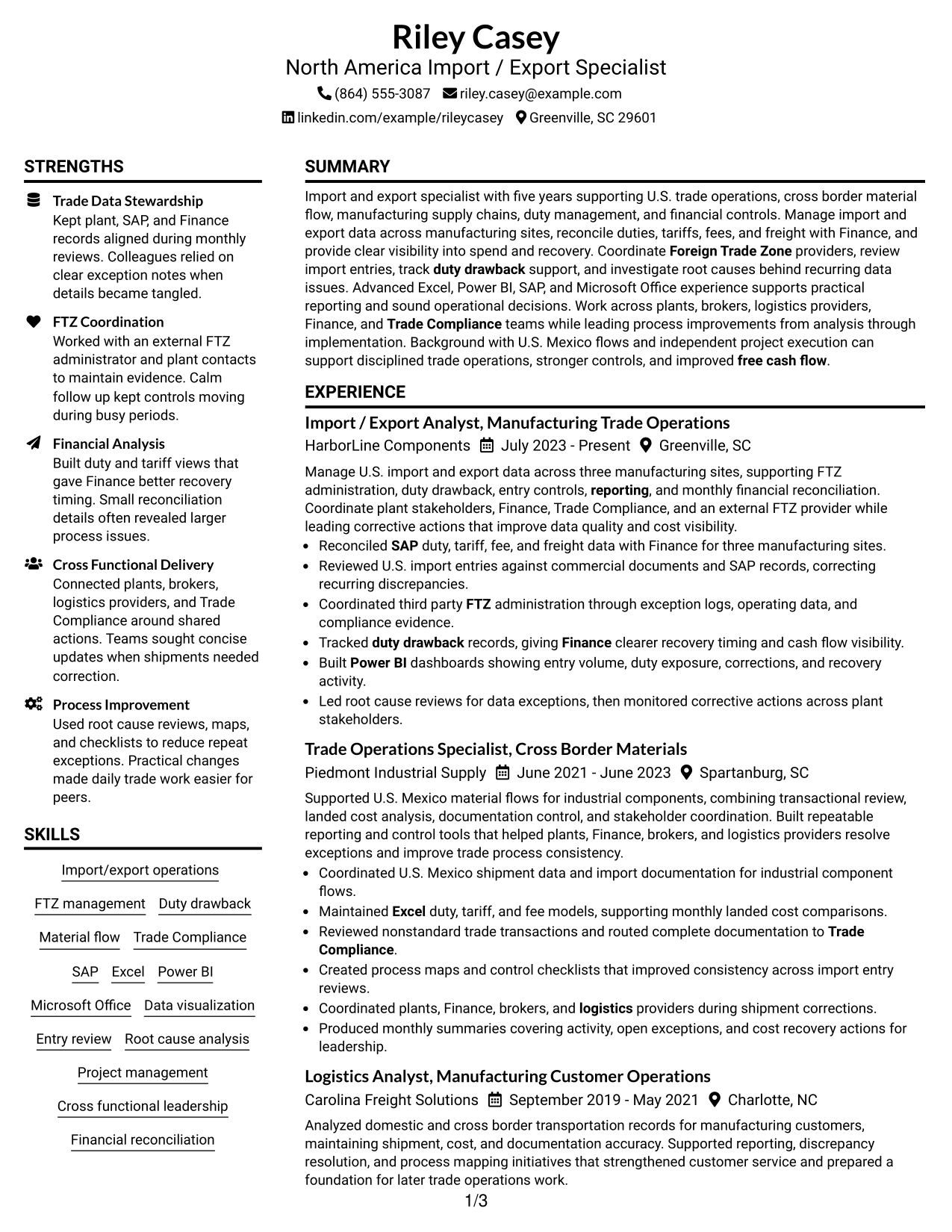
This practical guide shows you how to build a North America Import / Export Specialist resume that is clear, focused, and easy to review. You will see how to organize strong evidence and compare professional resume formats.
Focus the resume on trade operations, duty and tariff visibility, FTZ work, duty drawback, import-entry review, U.S.-Mexico material flow, financial reconciliation, and process improvement. Use direct bullets and clear sections to show how tools such as SAP, Excel, Power BI, and Microsoft Office support sound decisions.
The same complete resume example is presented in 7 layouts so you can compare reading order, section balance, and visual structure while keeping the underlying qualifications consistent.
What Makes a Great North America Import / Export Specialist Resume in 2026
A strong resume is easy to scan and shows clear ownership of trade operations, data quality, financial controls, and process improvement.
Use evidence tied to FTZ management, duty drawback, import entries, U.S.-Mexico material flow, Finance reconciliation, SAP, Excel, Power BI, and cross-functional project work.
The examples shown below are intentionally detailed to demonstrate a range of experiences, skills, accomplishments and relevant keywords. We prefer detailed resumes as they provide more context to the hiring managers and also help the ATS systems identify relevant qualifications and score your resume better for a match. But the length of a resume is an individual choice. If you want a one page resume, just keep the most relevant experience and information for the job. Note: Resume examples are for educational purposes only. Use only information that accurately reflects your experience and qualifications. References to real organizations do not imply affiliation or endorsement.
#1 Plain Two Column Format Resume Example
A balanced two-column structure separates key resume sections so recruiters can scan dense trade experience without losing the main reading path.
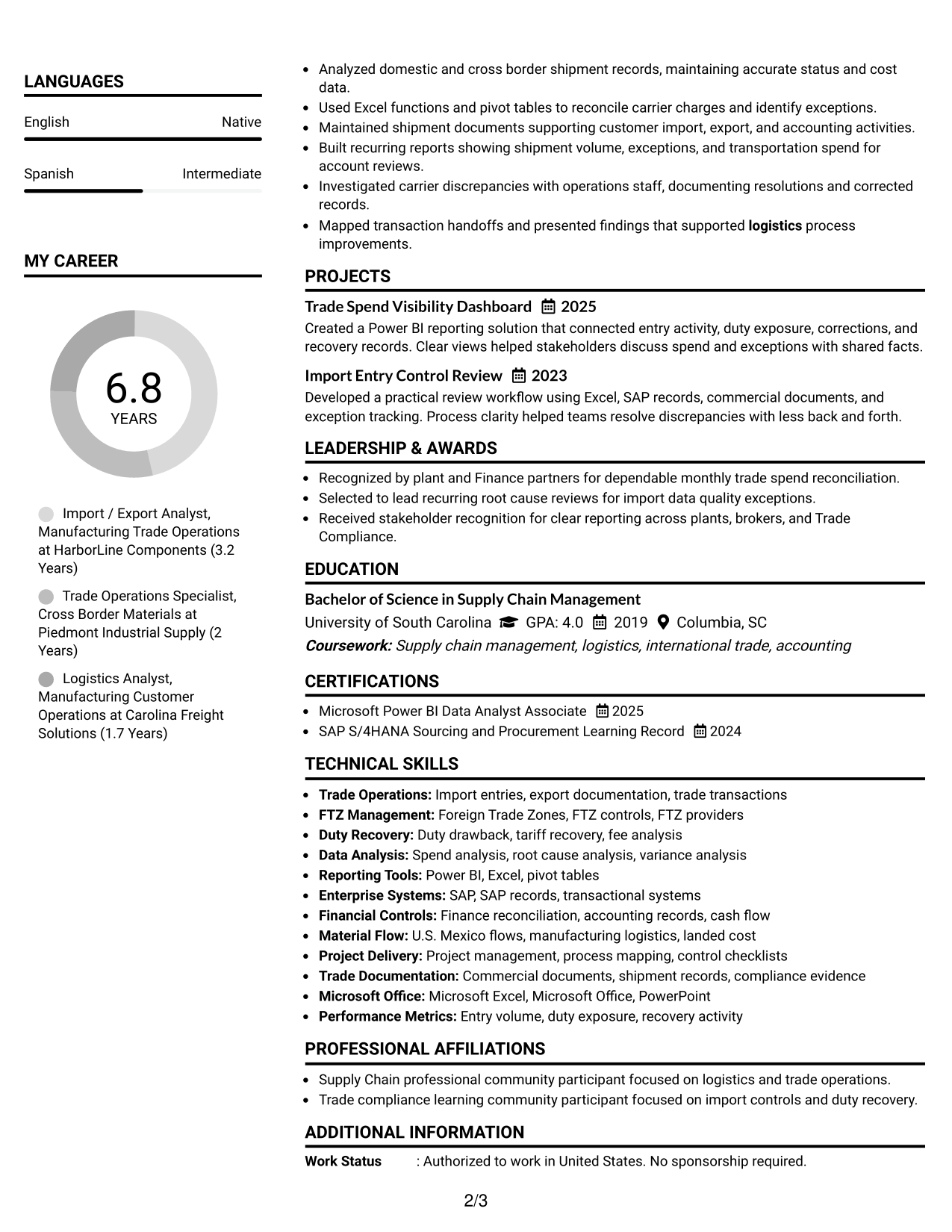
Resume Snapshot
- Five years supporting U.S. trade operations and manufacturing supply chains
- Current responsibility for import and export data across three manufacturing sites
- Hands-on FTZ coordination, duty drawback tracking, and import-entry review
- Advanced Excel, Power BI, SAP, and Microsoft Office experience
Why This Format Works
- Parallel sections help recruiters compare experience and supporting credentials without long scrolling.
- Clear section separation keeps achievements visible while preserving a readable career progression.
- Two-column organization gives skills and education defined space beside detailed experience.
Best For
- Resumes with substantial experience and supporting skills
- Readers comparing career history with credentials
- Applications needing compact section separation
- Professionals with projects and certifications to surface
- North America Import / Export Specialist applications
Resume Keywords
- U.S. import/export
- Foreign Trade Zone
- FTZ management
- Duty drawback
- Trade Compliance
- Import entries
- U.S.-Mexico material flow
- Financial reconciliation
- Root cause analysis
- Project management
- SAP
- Excel
- Power BI
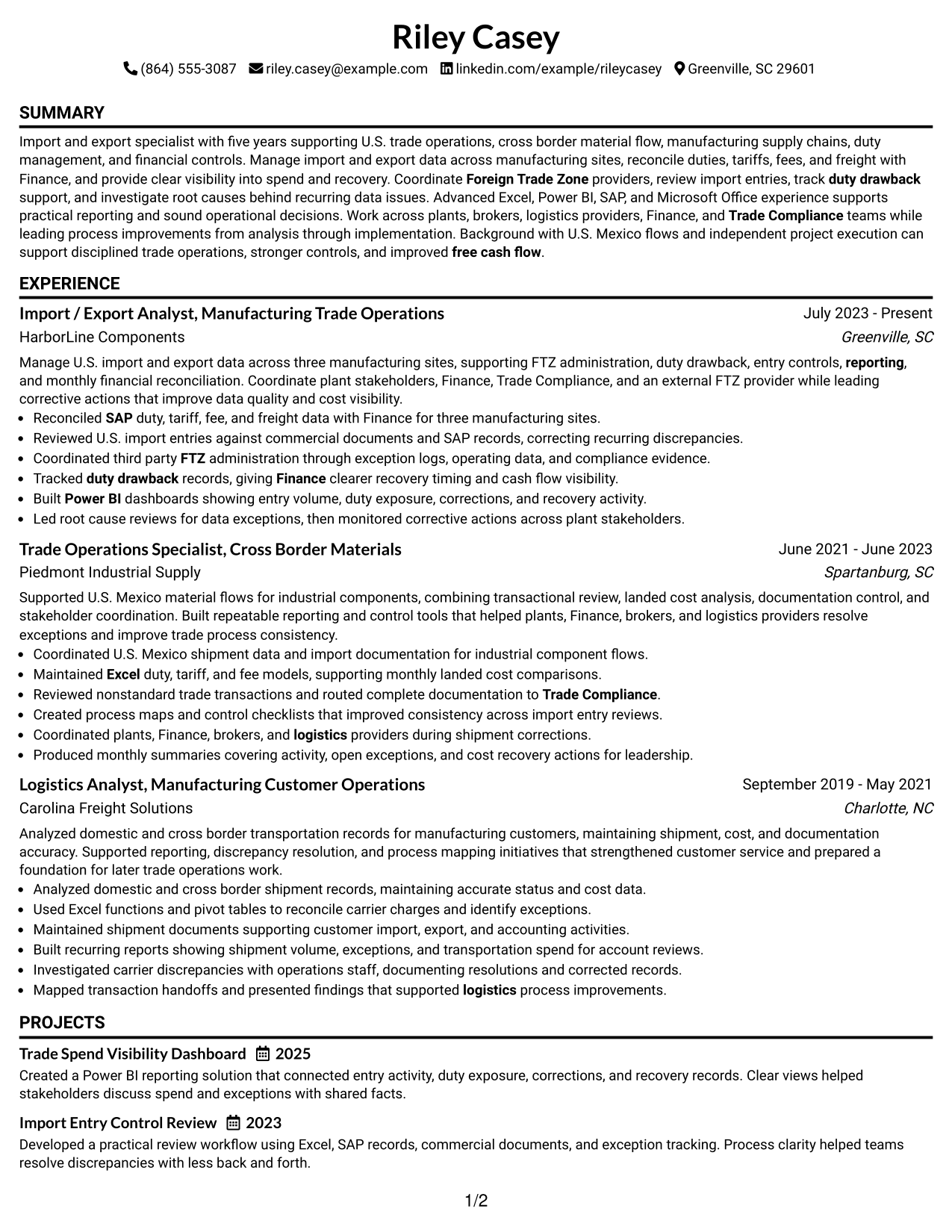
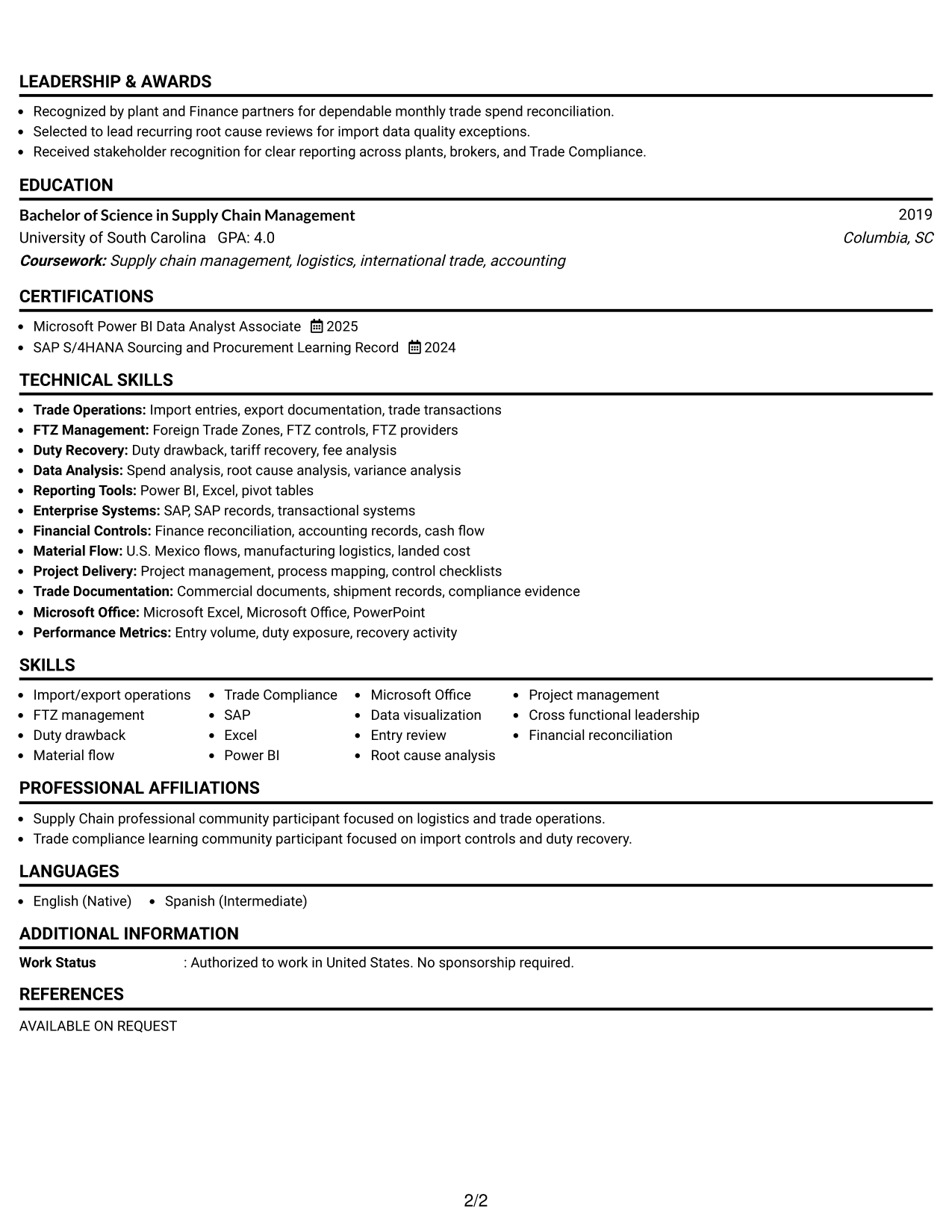
#2 Simple One Column Format Resume Example
A simple one-column flow keeps every section in one reading path, helping recruiters follow experience, skills, and credentials from top to bottom.
Why This Format Works
- One reading path makes career progression easy to follow from role to role.
- Full-width sections give detailed achievements room without competing side content.
- Straight section order helps recruiters move from experience into skills and credentials.
Best For
- Readers who prefer a linear review
- Resumes with detailed experience bullets
- Applications using standard section order
- Content that benefits from full-width space
- Professionals prioritizing straightforward navigation
#3 Clean Two Column Sidebar Format Resume Example
A clean two-column sidebar layout gives recruiters a steady main experience path while keeping supporting resume sections easy to locate.
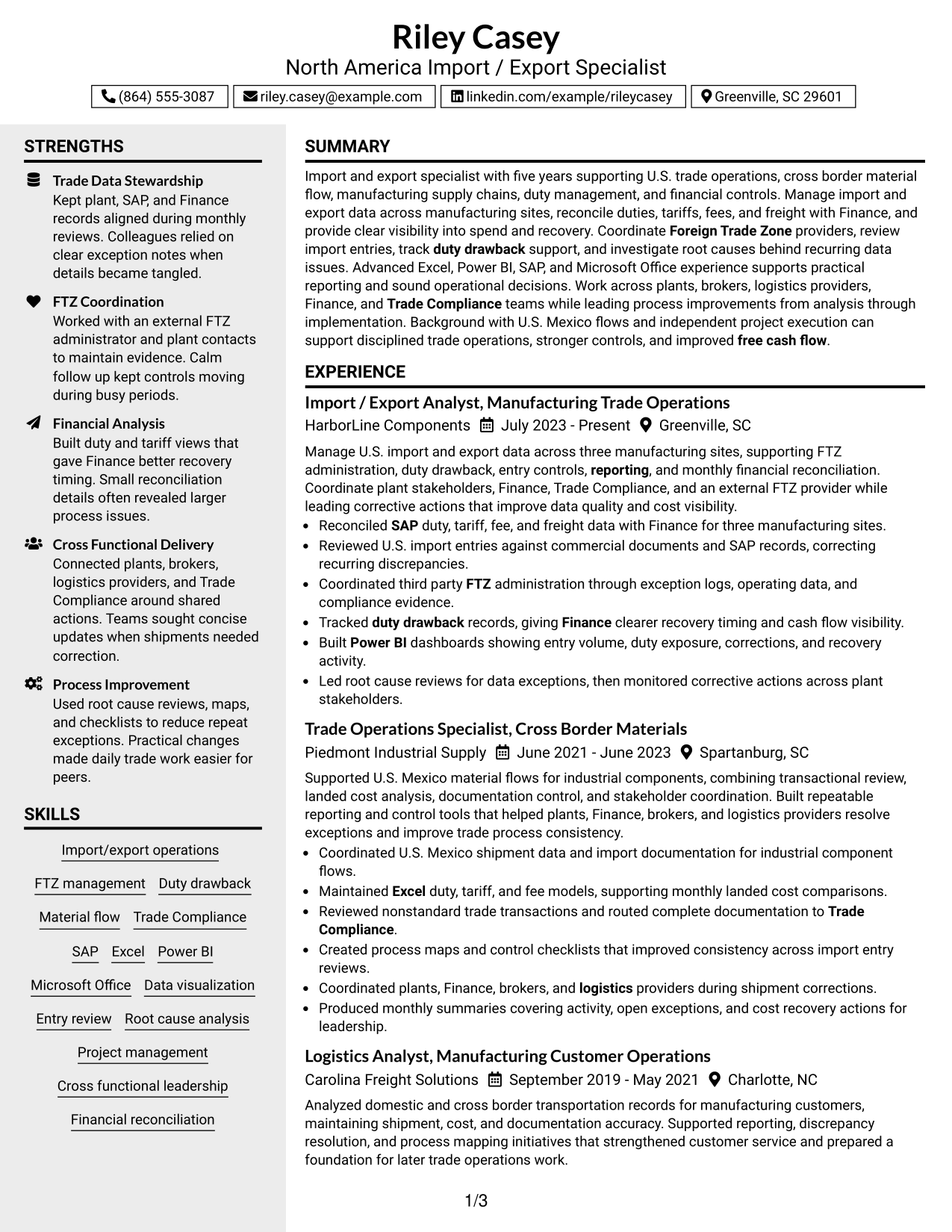
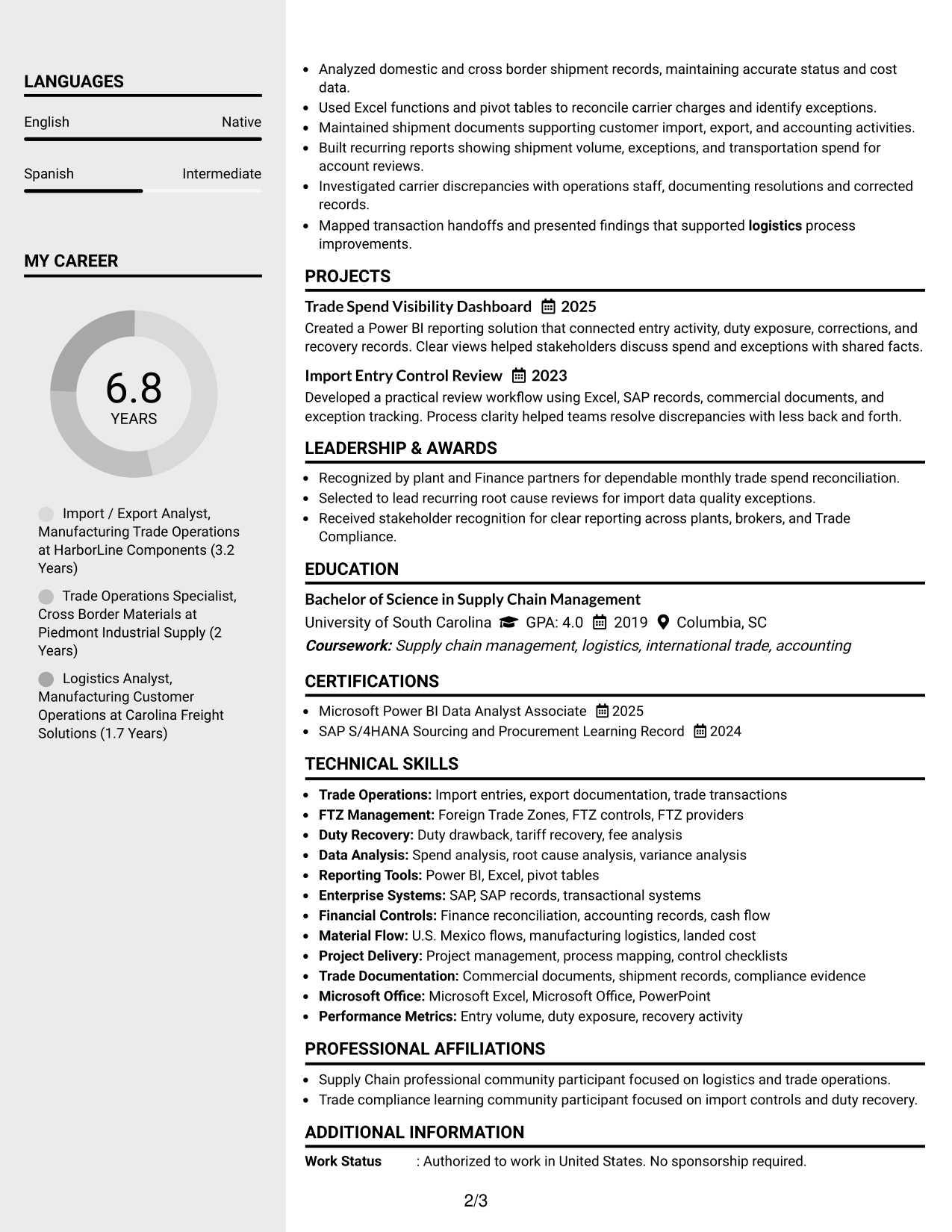
Why This Format Works
- Main-column space keeps experience and achievements connected in a steady reading sequence.
- Sidebar separation makes supporting skills and credentials easier to locate during review.
- Distinct section zones reduce visual mixing between career history and supporting information.
Best For
- Resumes with a strong experience core
- Readers who scan supporting details separately
- Applications balancing history with compact credentials
- Professionals with several supporting skill groups
- Documents needing clear main and secondary zones
#4 Two Column Format Resume Example
A flexible two-column body lets recruiters scan major resume sections side by side while keeping experience, education, and skills clearly separated.
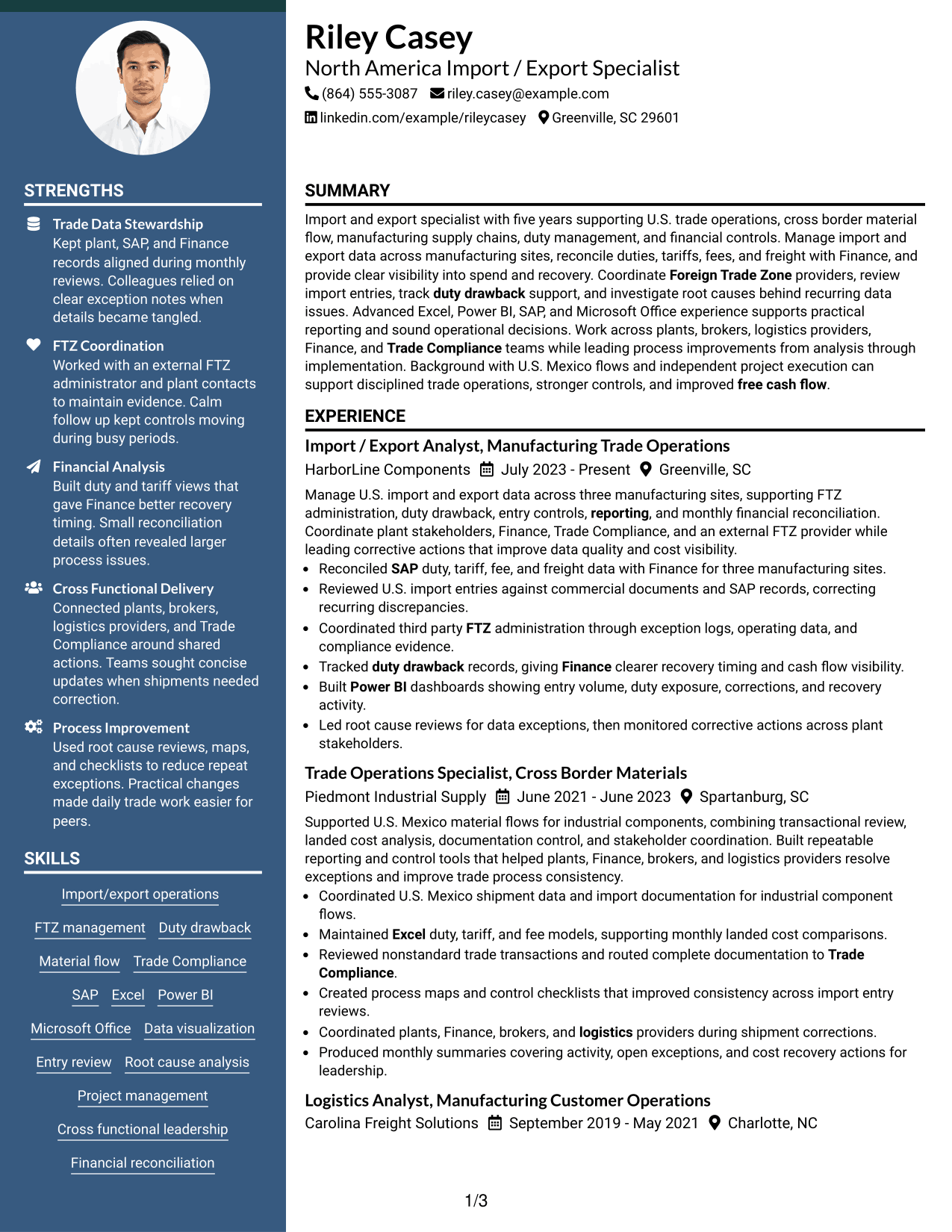
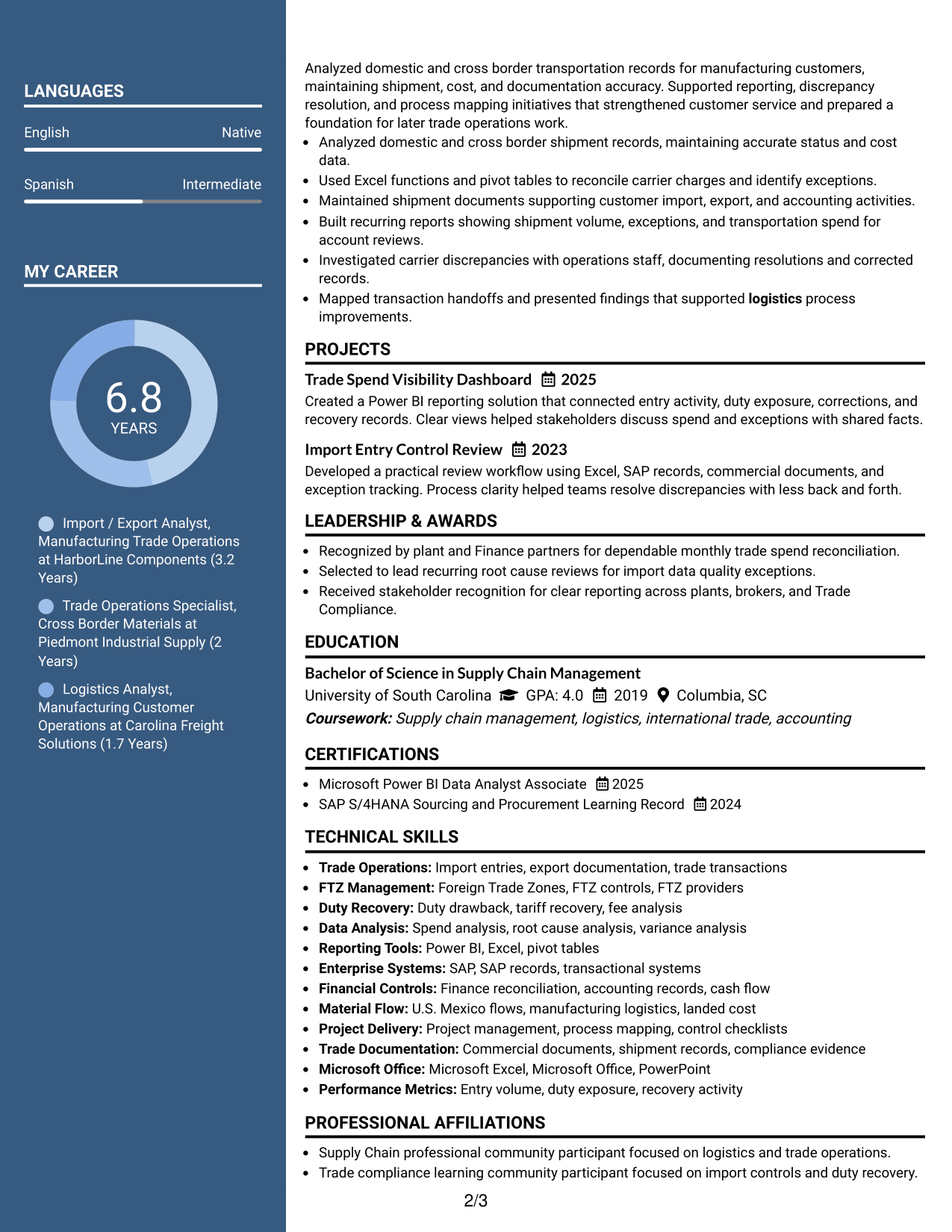
Why This Format Works
- Side-by-side sections shorten visual travel between experience and supporting qualifications.
- Balanced columns keep skills and education visible without interrupting achievement-focused experience.
- Defined content blocks help recruiters compare career evidence with related credentials quickly.
Best For
- Resumes with balanced section volume
- Readers comparing qualifications across sections
- Applications with meaningful education and certifications
- Professionals presenting both experience and projects
- Content that benefits from parallel organization
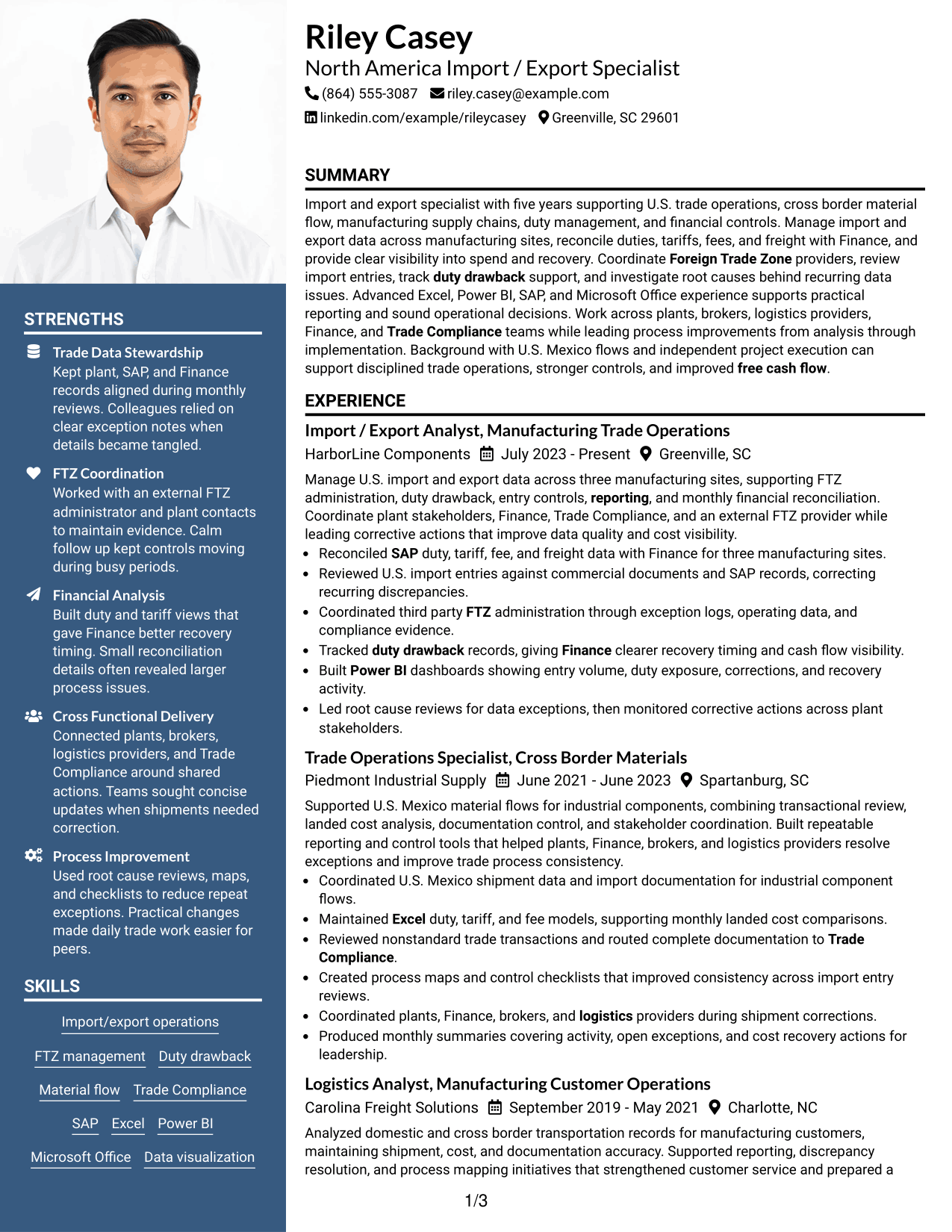
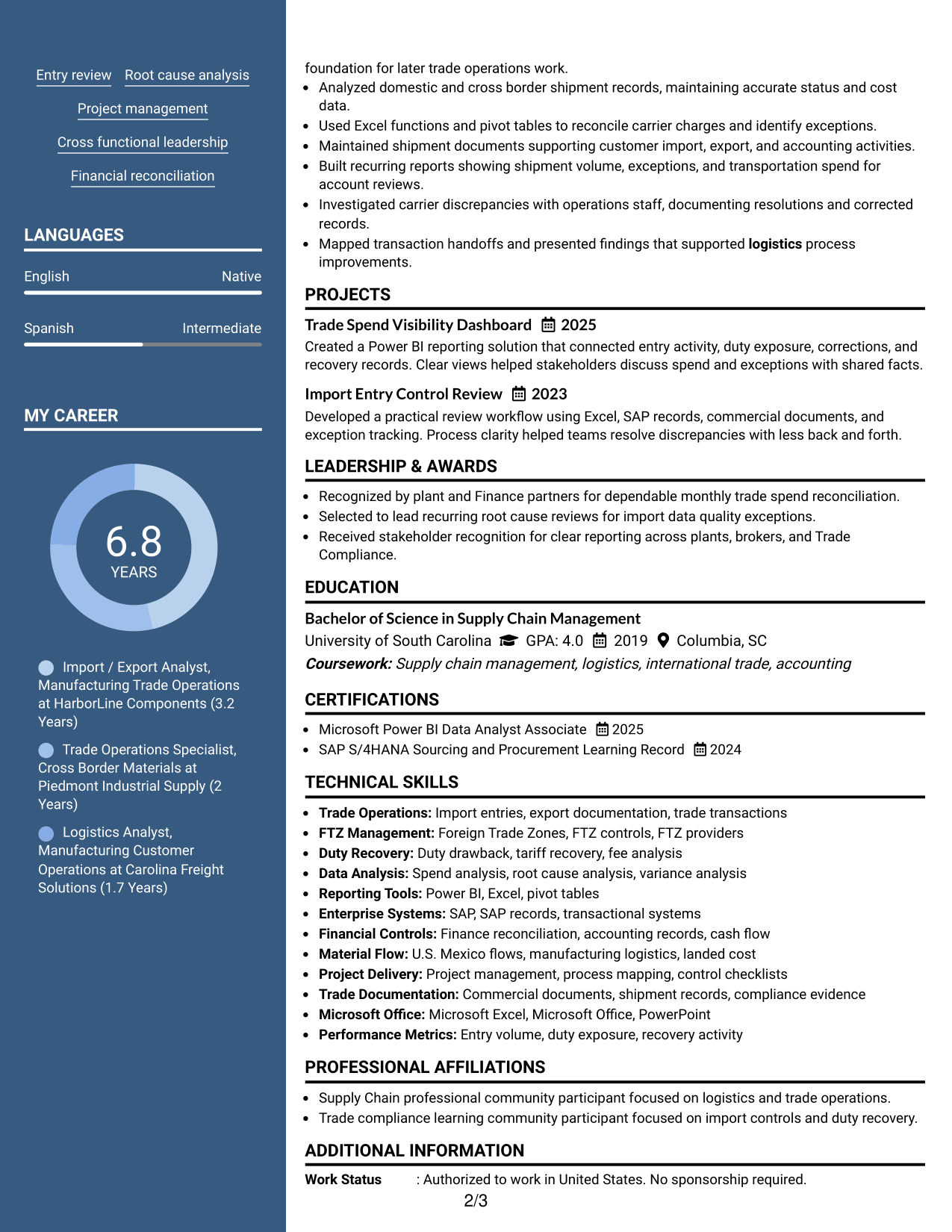
#5 Photo Header Two Column Format Resume Example
A photo header and two-column body create a clear visual entry point while recruiters scan experience and supporting sections in parallel.
Why This Format Works
- Header separation keeps identity details distinct from the resume's main evidence sections.
- Two body columns divide experience from supporting credentials for faster section finding.
- Parallel structure keeps achievements readable while giving skills and education dedicated space.
Best For
- Regions where resume photos are customary
- Readers who value strong header separation
- Resumes balancing experience with supporting credentials
- Applications needing clear contact presentation
- Professionals comfortable using a photo format
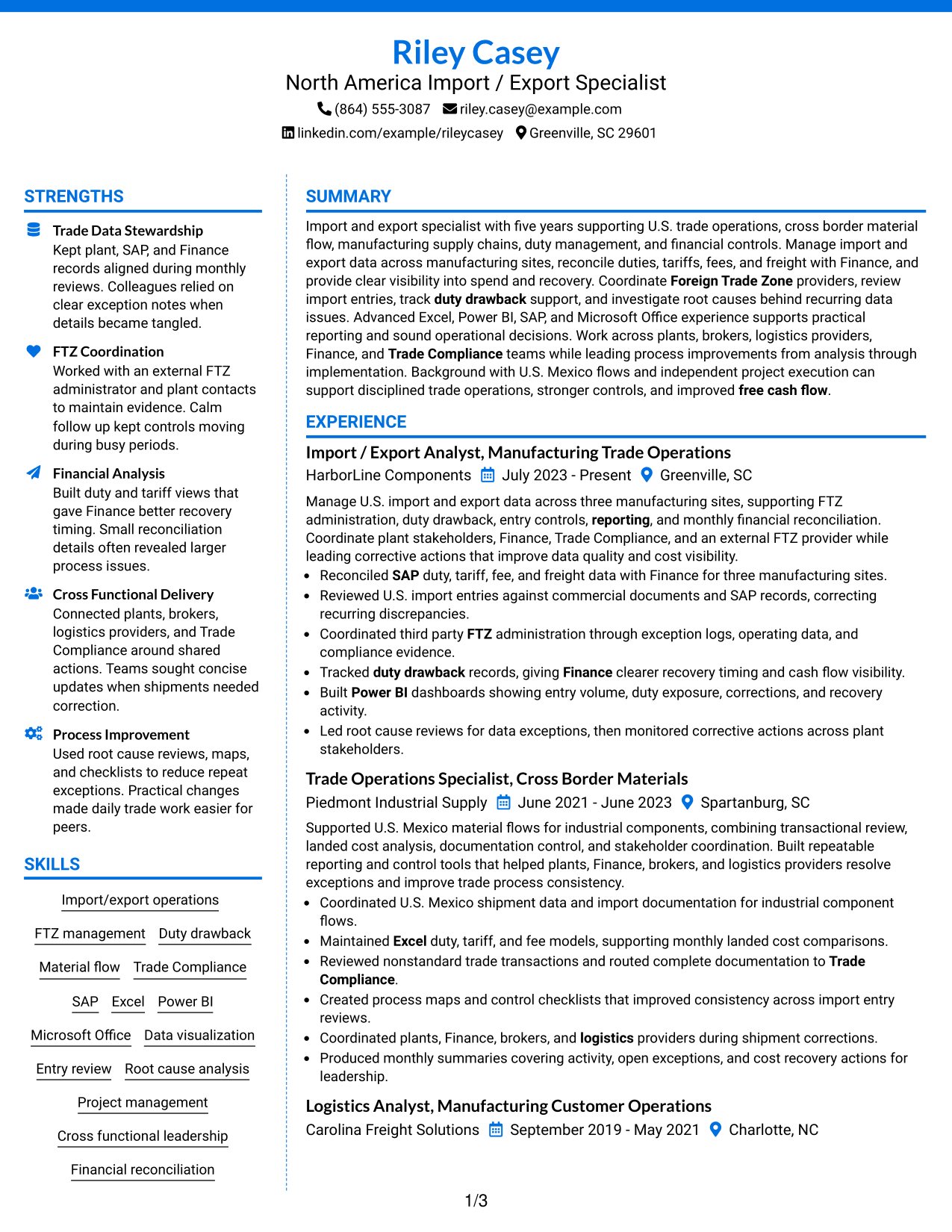
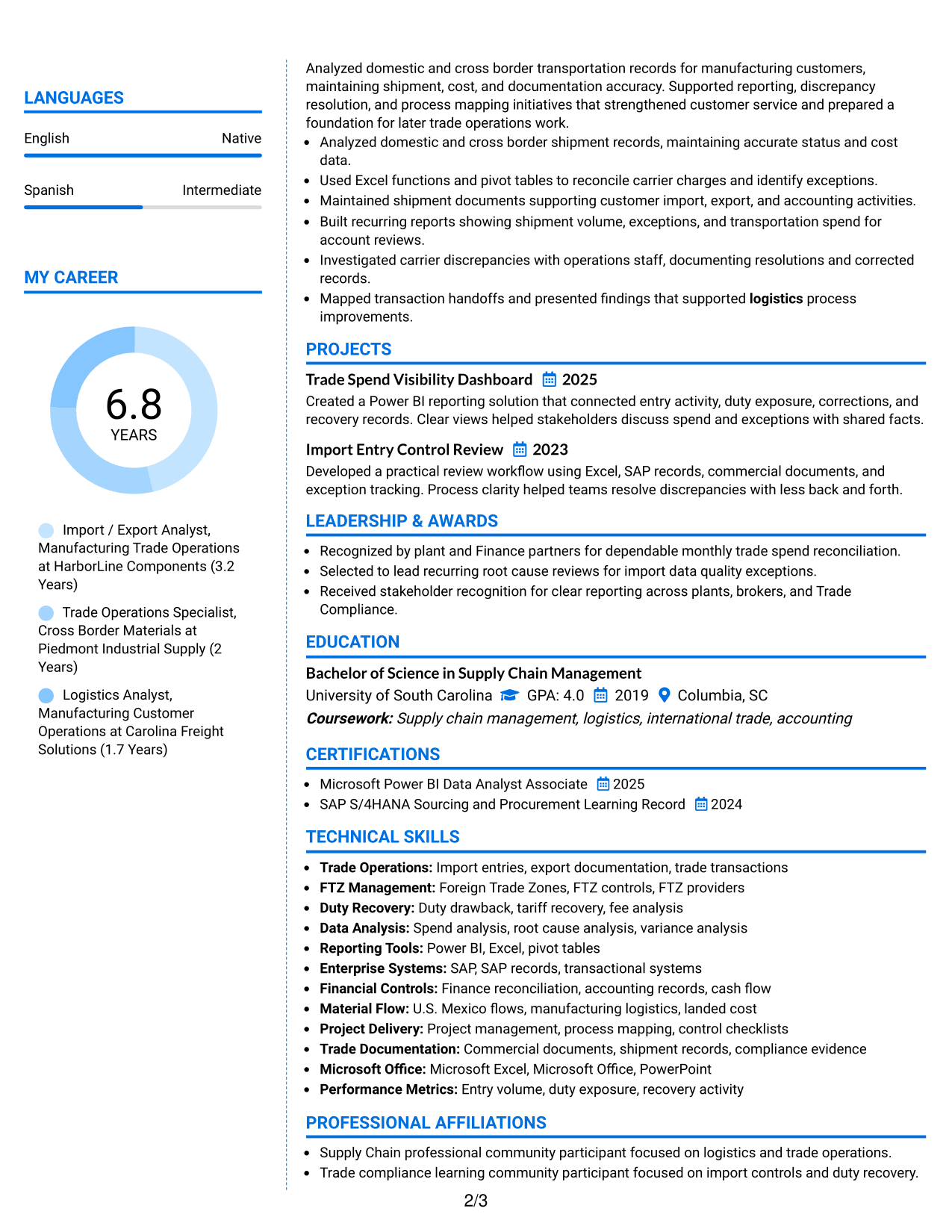
#6 Colored Two Column Format Resume Example
A colored two-column layout uses visual section contrast to help recruiters move between experience, skills, education, and credentials with less searching.
Why This Format Works
- Color contrast strengthens section boundaries without changing the resume's factual content.
- Two-column grouping keeps career history separate from compact supporting information.
- Visible section divisions help recruiters return quickly to achievements, skills, or credentials.
Best For
- Readers who benefit from stronger section cues
- Resumes with several distinct information groups
- Applications allowing restrained visual color
- Professionals wanting clearer section boundaries
- Content that needs quick return points
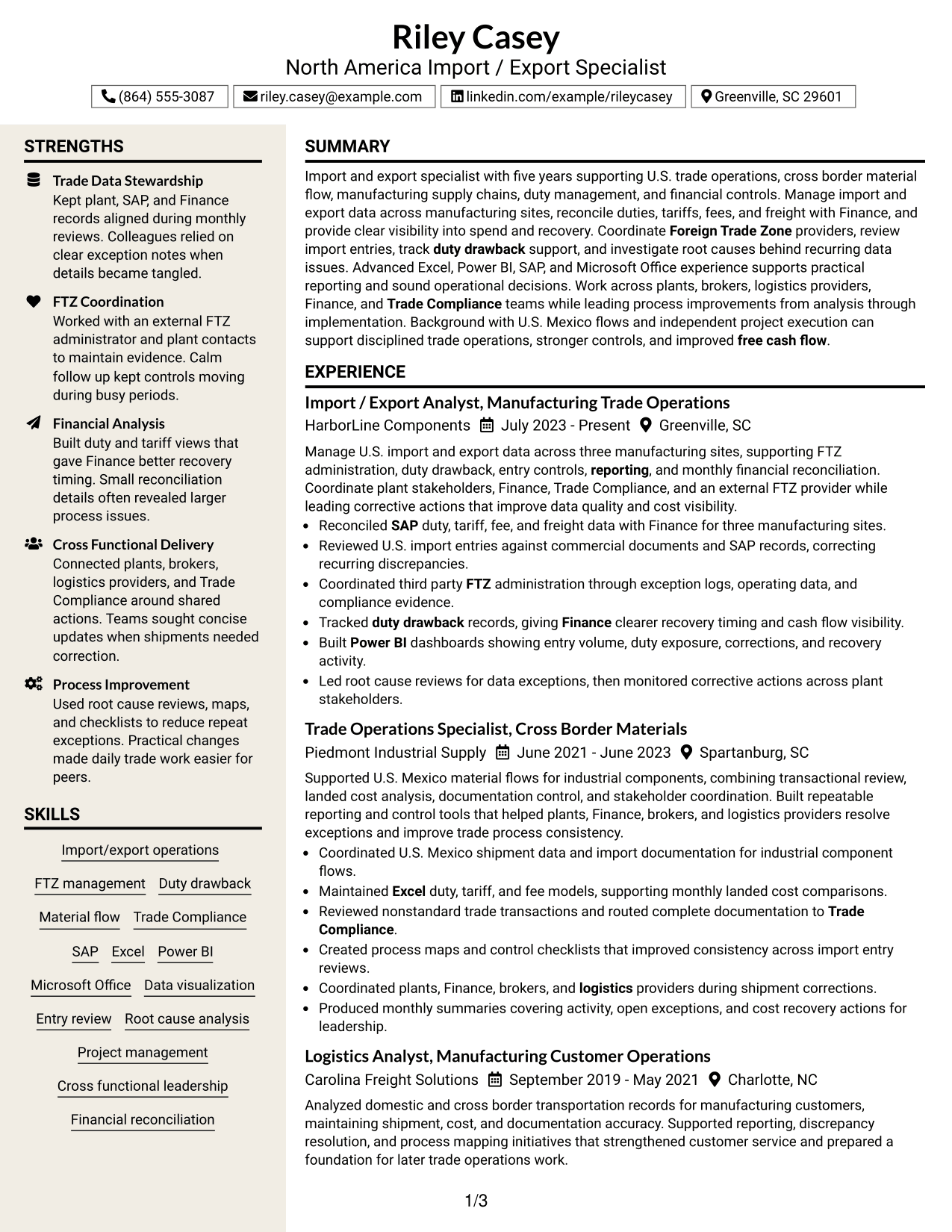
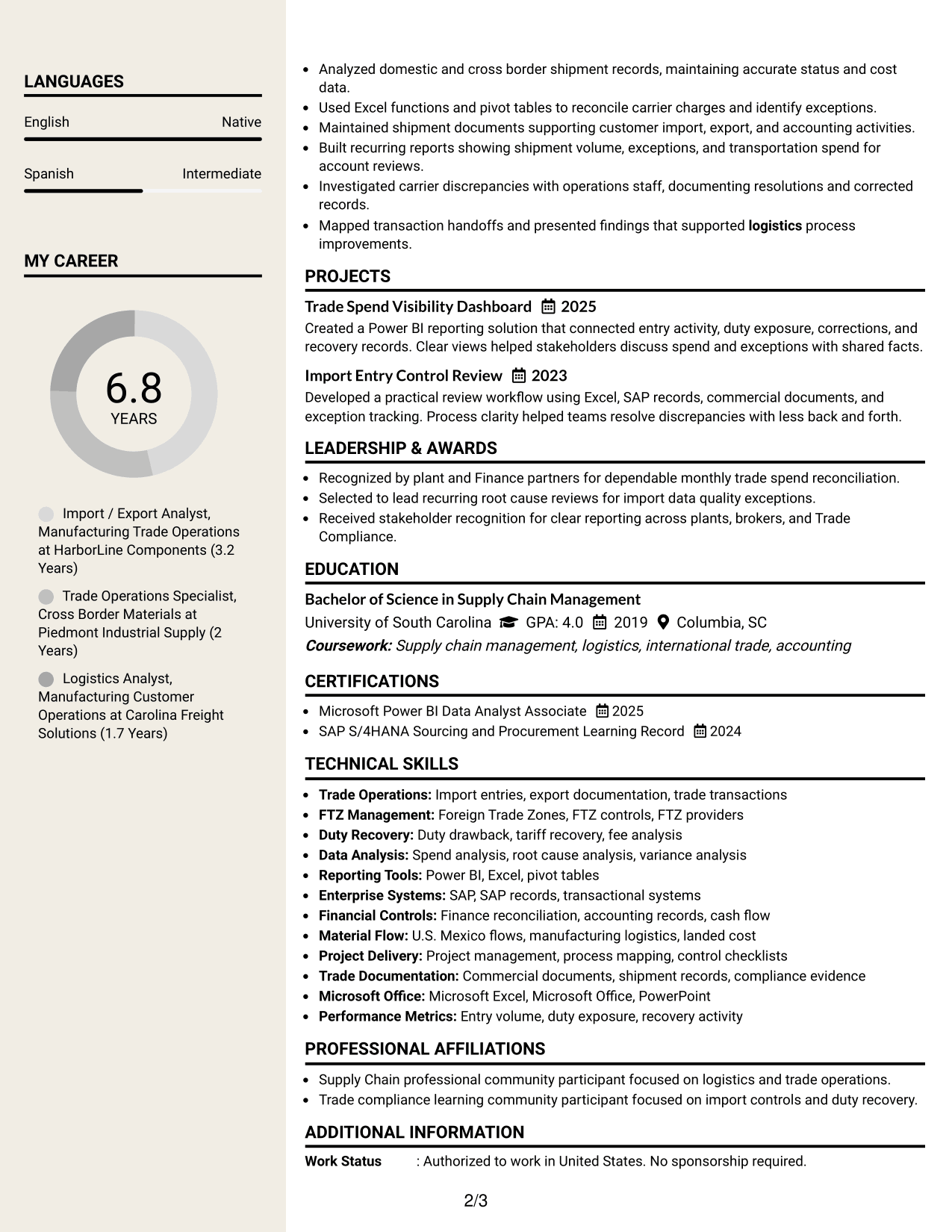
#7 Stylish Two Column Designer Format Resume Example
A stylish two-column designer structure gives recruiters clear section landmarks while keeping experience and supporting qualifications organized in separate areas.
Why This Format Works
- Strong section landmarks help recruiters move among experience, achievements, and credentials.
- Separate content areas keep supporting qualifications from crowding the main career story.
- Structured spacing makes longer experience sections easier to scan without losing context.
Best For
- Applications where polished visual structure fits
- Readers navigating several resume sections
- Professionals with layered experience and credentials
- Resumes needing stronger visual landmarks
- Content with longer career-history sections
Why Build Your North America Import / Export Specialist Resume with ResumeInMinutes
ResumeInMinutes helps you turn detailed trade operations work into a resume with clear sections, focused bullets, and role-relevant evidence that is easier to tailor.
- Clear resume section structure
- ATS-friendly organization
- Role-relevant keyword guidance
- Experience and project organization
- Free PDF resume previews
- Easy resume customization
You can present trade data, duty recovery work, FTZ coordination, reporting, and process improvement in a direct format that supports fast review and careful tailoring.
See Also
- 7 Senior Trades Worker - Facility Management Resume Templates with Example
- 7 Field Metering Specialist Resume Templates with Example
- 7 R&D Cable Intern Resume Templates with Example
- 7 Paralegal Resume Templates with Example
- 7 Engineering Technician 1 Resume Templates with Example
- 7 Mobile Equipment Operator Resume Templates with Example
- 7 Shop Technician - Agricultural Equipment Repair Resume Templates with Example
- 7 Skilled Laborer - Highway Resume Templates with Example
- 7 Senior Public Information Specialist Resume Templates with Example
- 7 Transportation GIS Specialist Resume Templates with Example
Frequently Asked Questions
Are these North America Import / Export Specialist resume templates ATS-friendly?
They use clear sections and readable headings that support ATS parsing. Keep standard labels and include role-relevant terms that are true for your background.
Are these different resumes?
No. This guide shows one complete North America Import / Export Specialist resume in several visual formats so you can compare layout choices without changing the underlying facts.
What should a North America Import / Export Specialist resume include?
Include a focused summary, trade and logistics experience, measurable results when available, education, certifications, tools, and skills tied to import/export operations, FTZ work, duty recovery, reporting, and financial controls.
Can I download the resume templates as PDFs?
Yes. Each resume design includes a free PDF download so you can review the layout before choosing a format.
Which resume style works well for a North America Import / Export Specialist position?
A clear one-column or well-organized two-column format can work well. Choose the layout that keeps experience, skills, education, certifications, and project evidence easy to find.
How can I show duty and trade work without making the resume too technical?
Use short bullets that connect the task to its business value. For example, show how entry review, reconciliation, recovery tracking, or root cause analysis improved visibility, control, or cash-flow support.
Should I include a photo on my resume?
Include a photo only when it is customary or expected in the region where you apply. For most U.S. applications, a no-photo resume is usually the safer choice.
Can I customize these resume templates?
Yes. You can update the resume text, layout, and PDF presentation to match the North America Import / Export Specialist role while keeping every claim accurate.