
US English


7 Operations Planner - Production and Inventory Planning Resume Templates with Example
By Ria · Last Updated On October 17, 2026
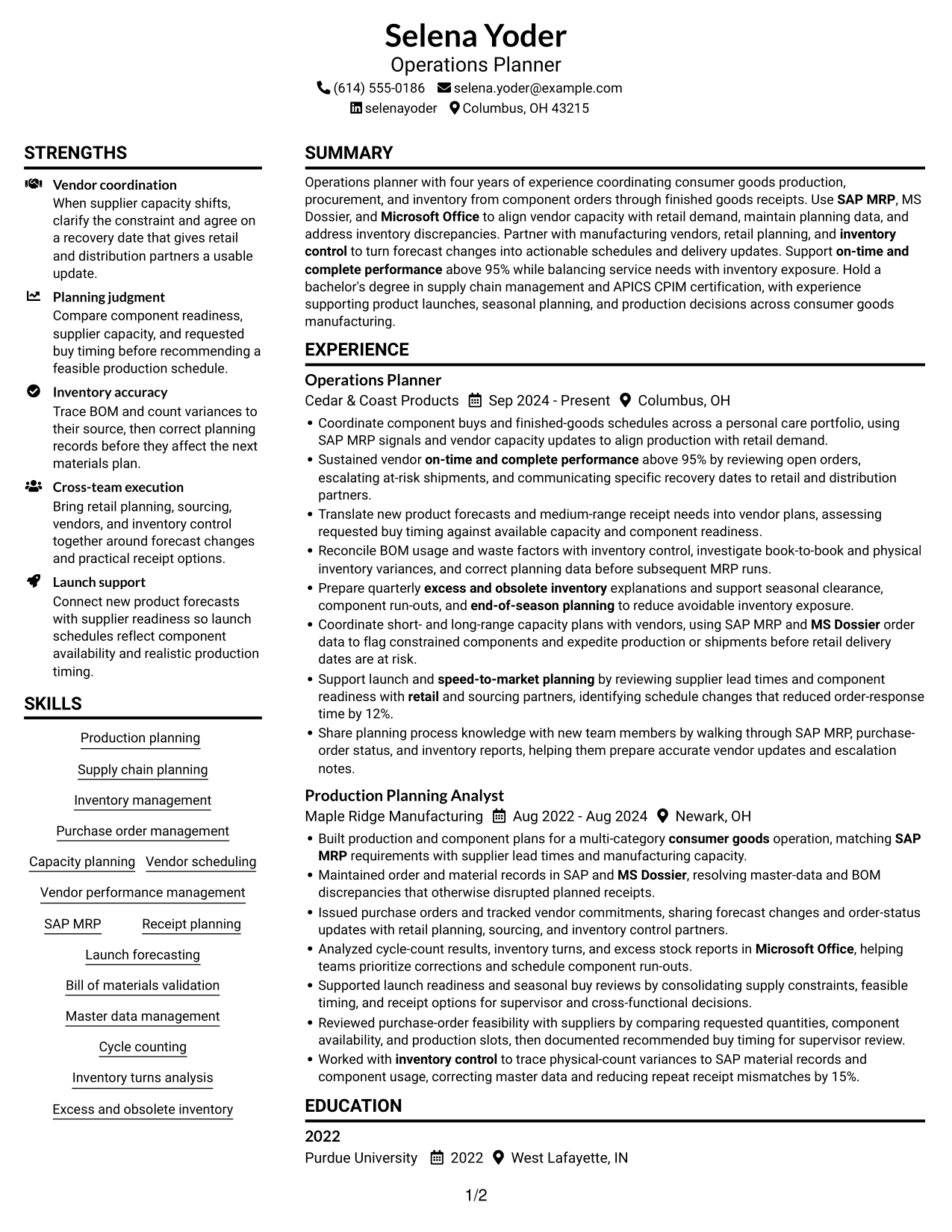
Resume example — page 1

This guide shows you how to create an Operations Planner - Production and Inventory Planning resume that clearly presents your planning strengths. You will learn how to organize relevant experience and choose a professional layout that is easy to review.

Strong resumes connect production schedules, component purchasing, vendor capacity, and inventory control to clear results. Show how you use planning data, coordinate with partners, and respond to supply risks.

The example is presented in 7 layouts so you can compare different ways to arrange the same resume content. The guidance also covers ATS-friendly section choices, role-specific keywords such as SAP MRP and MS Dossier, and how to describe measurable outcomes.

What Makes a Great Operations Planner - Production and Inventory Planning Resume in 2026

A strong resume makes production planning, purchasing, vendor coordination, and inventory work easy to find. Clear section headings and focused achievement bullets help readers see how your work supports reliable supply.

Use relevant terms such as SAP MRP, capacity planning, BOM validation, cycle counts, and on-time and complete performance. Add specific results where you can, such as performance above 95% or a measured improvement in response time.

Note: Resume examples are for educational purposes only. Use only information that accurately reflects your experience and qualifications. References to real organizations do not imply affiliation or endorsement.

#1 Plain Two Column Format Resume Example

The Plain Two Column Format separates resume content across two columns, helping reviewers move between experience and supporting sections.
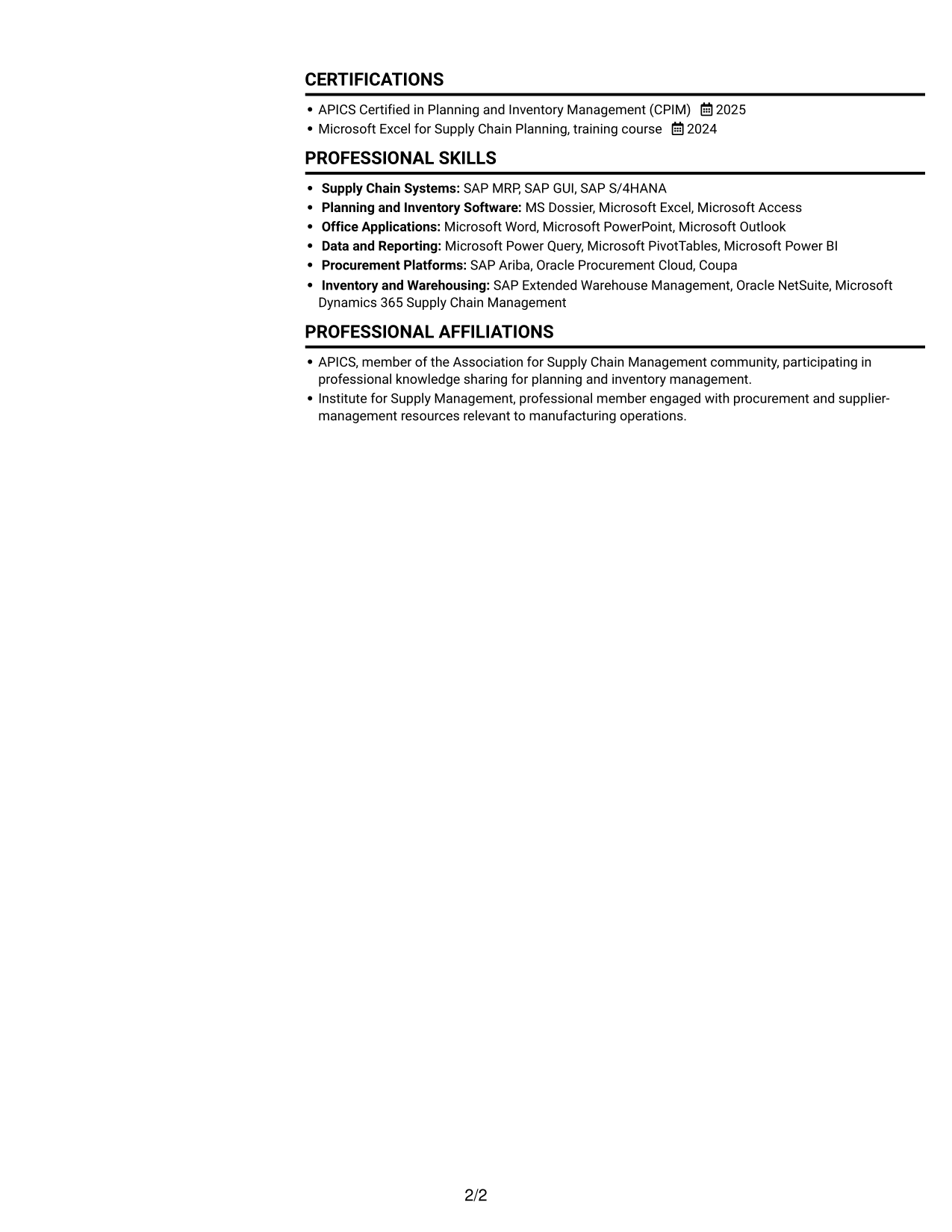
 
Resume example — page 1   Resume example — page 2

Resume Snapshot

  • Four years of operations planning experience in consumer goods.
  • Vendor on-time and complete performance above 95%.
  • SAP MRP, MS Dossier, and Microsoft Office.
  • Bachelor of Science in supply chain management; APICS CPIM certification.

Why This Format Works

  • Role entries remain distinct, helping reviewers follow career progression across dates.
  • Achievement bullets stay with their roles, preserving context during a quick review.
  • Separate columns help reviewers find skills and education apart from work history.

Best For

  • Side-by-side resume review
  • Experience with supporting sections
  • Separate skills and education content
  • Quick access to credentials
  • Resumes with distinct content areas

Resume Keywords

  • Production planning
  • Supply chain planning
  • Inventory management
  • Purchase order management
  • SAP MRP
  • Capacity planning
  • Vendor scheduling
  • Vendor performance management
  • on-time and complete performance
  • Bill of materials validation
  • Master data management
  • inventory control
  • Cycle counting
  • Inventory turns analysis
  • Excess and obsolete inventory
See all keywords
 

#2 Simple One Column Format Resume Example

The Simple One Column Format keeps all resume sections in one vertical path, making dates and bullet points easy to follow in sequence.
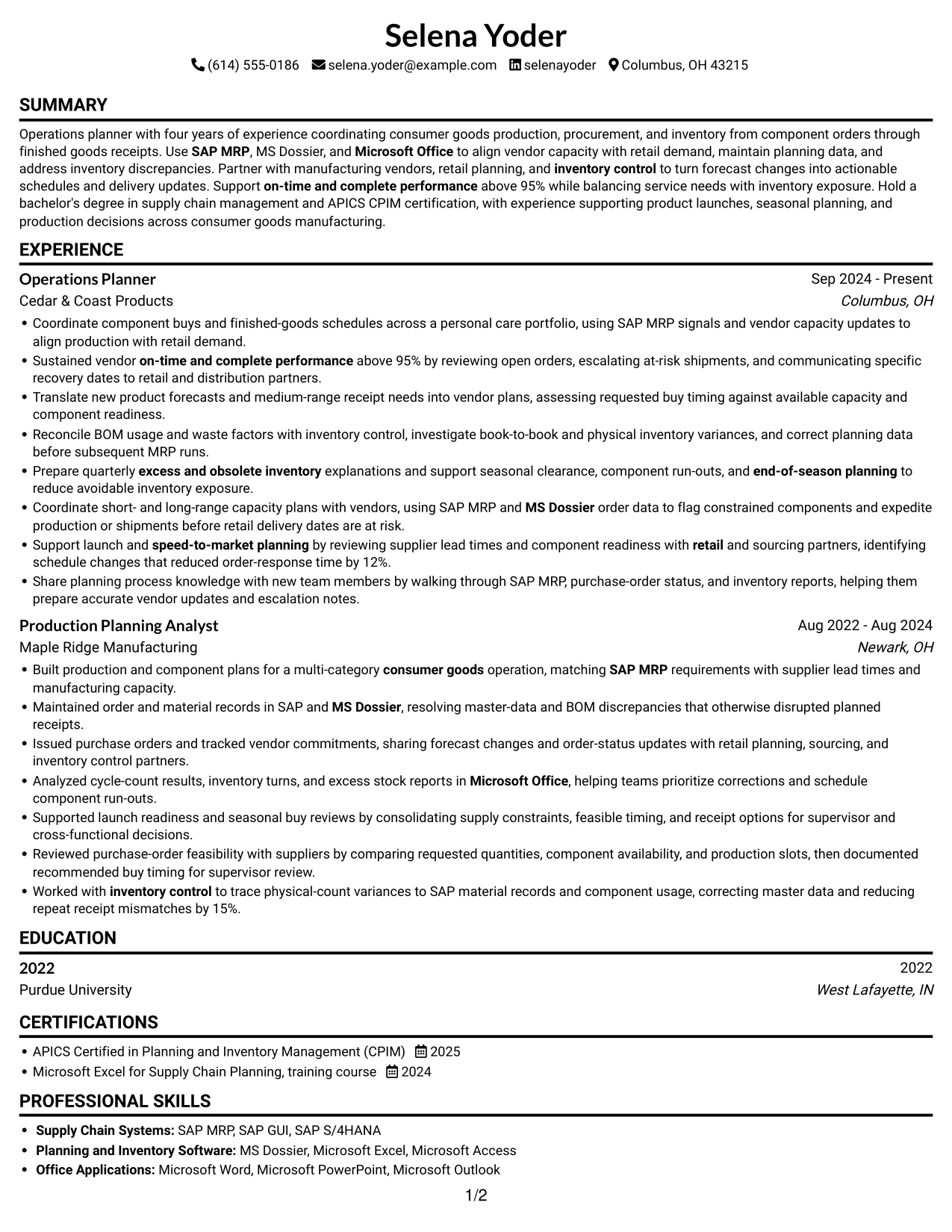
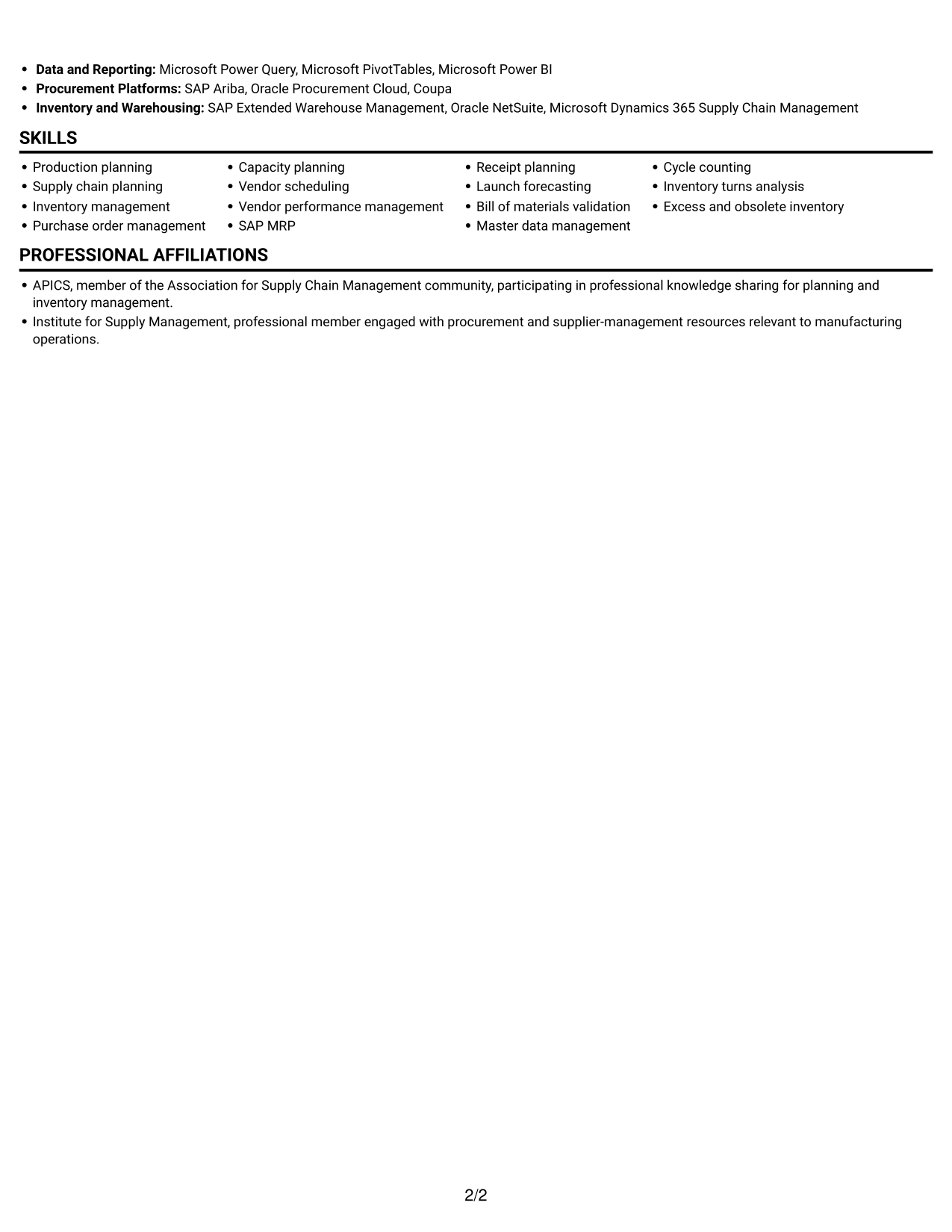
 
Resume example — page 1   Resume example — page 2

Why This Format Works

  • One vertical reading path lets reviewers follow roles and dates in sequence.
  • Experience bullets can run within their section without crossing a column break.
  • Skills, education, and credentials stay within the same top-to-bottom review.

Best For

  • Single-path document reading
  • Detailed experience bullets
  • Sequential role and date review
  • Skills and education in one flow
  • Text-first resume presentation
 

#3 Clean Two Column Sidebar Format Resume Example

The Clean Two Column Sidebar Format uses two columns to distinguish work history from supporting sections for easier reference.
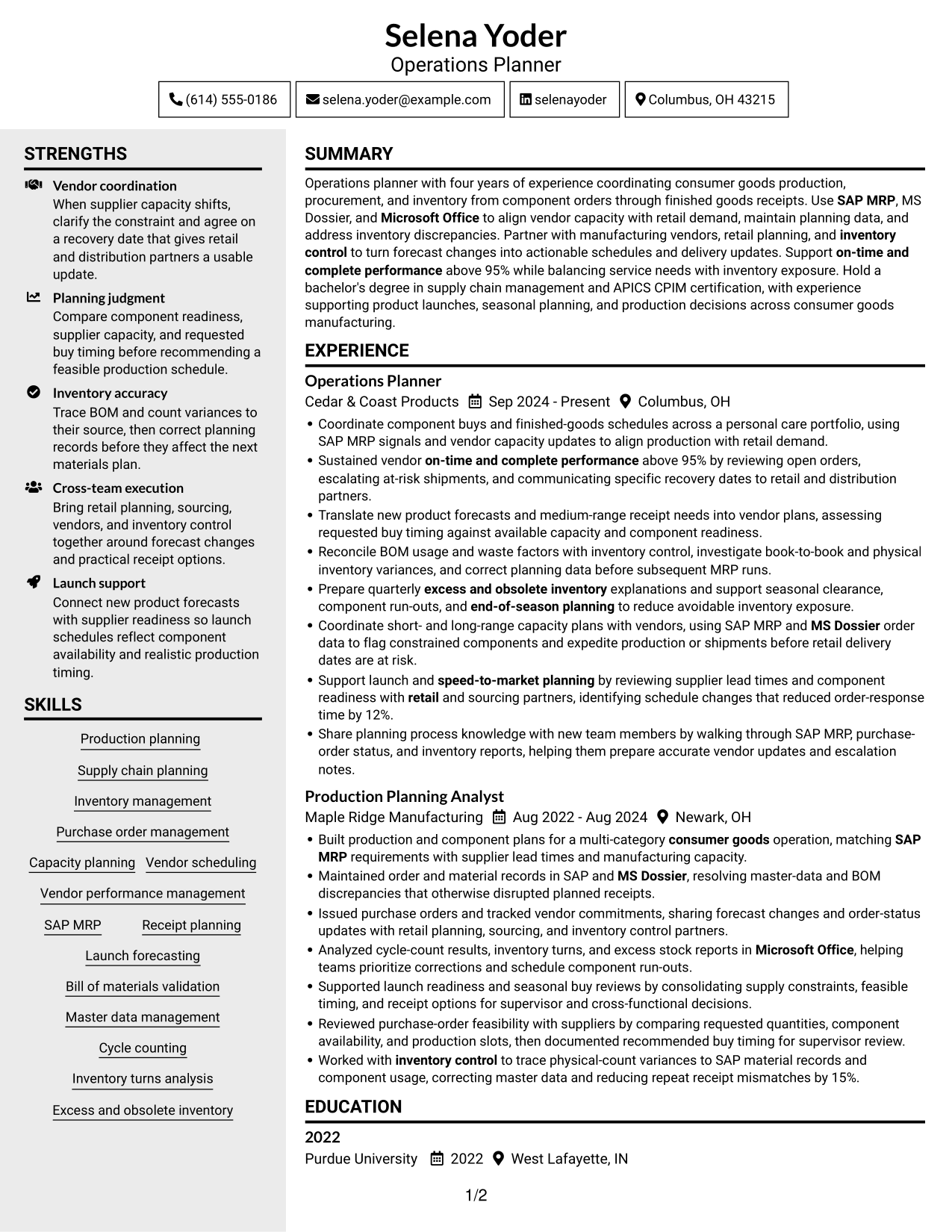
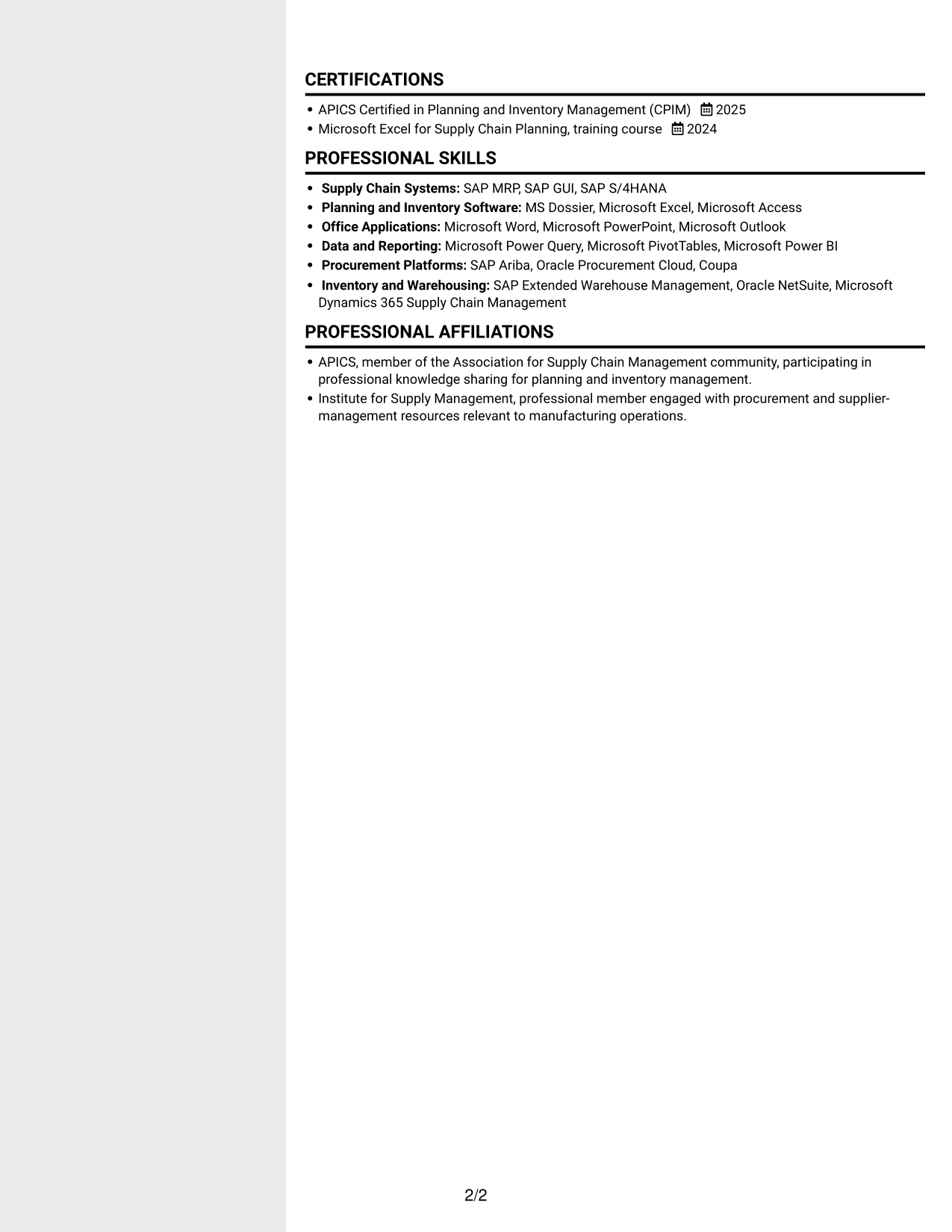
 
Resume example — page 1   Resume example — page 2

Why This Format Works

  • Two-column organization gives work history and supporting sections distinct reading areas.
  • Grouped role entries help reviewers trace progression through dates and achievements.
  • Skills and education can be checked without leaving the resume's main content.

Best For

  • Two-column section review
  • Experience alongside qualifications
  • Frequent reference to skills and education
  • Role history with supporting credentials
  • Resumes with varied section content
 

#4 Two Column Format Resume Example

The Two Column Format arranges resume sections in parallel columns, giving reviewers a clear way to move between experience and related details.
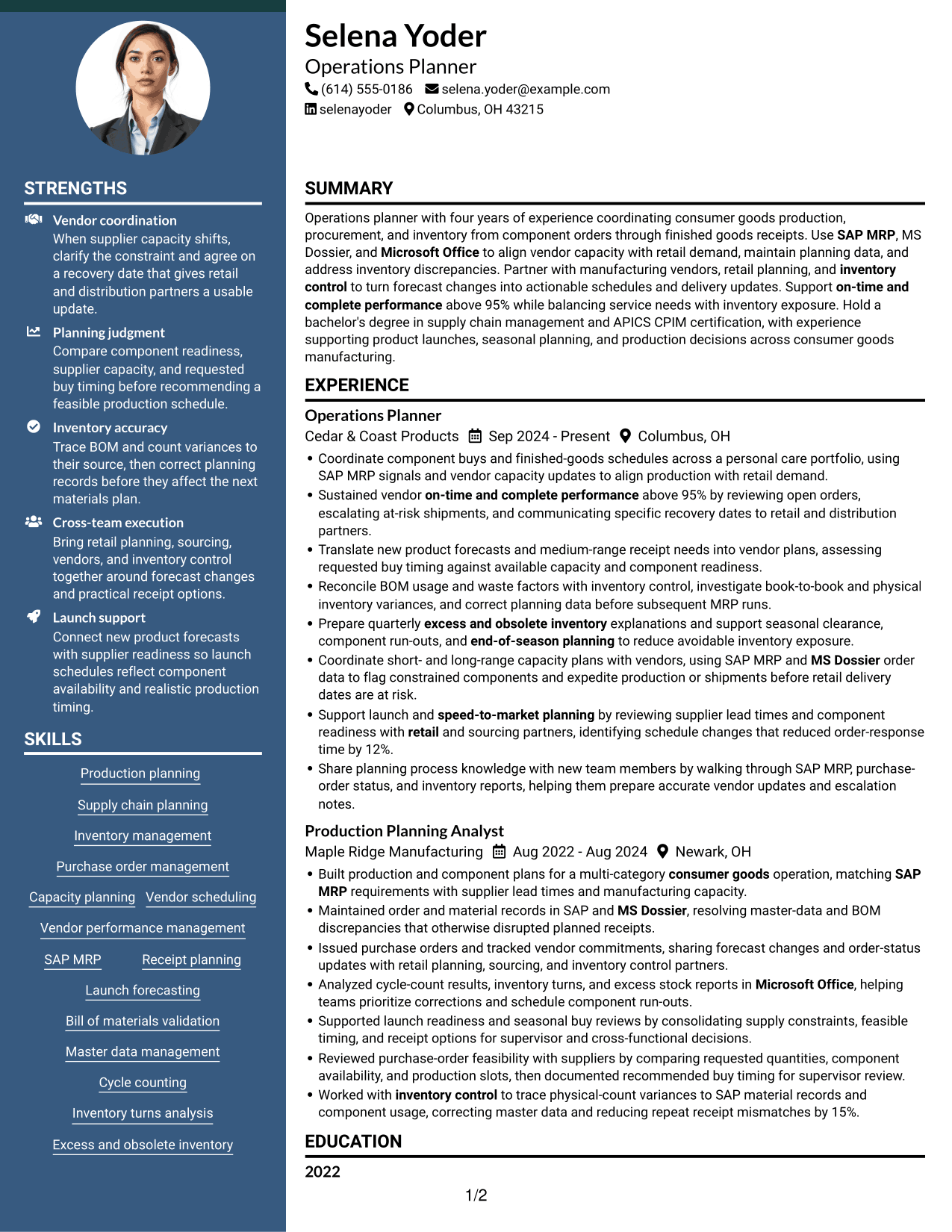
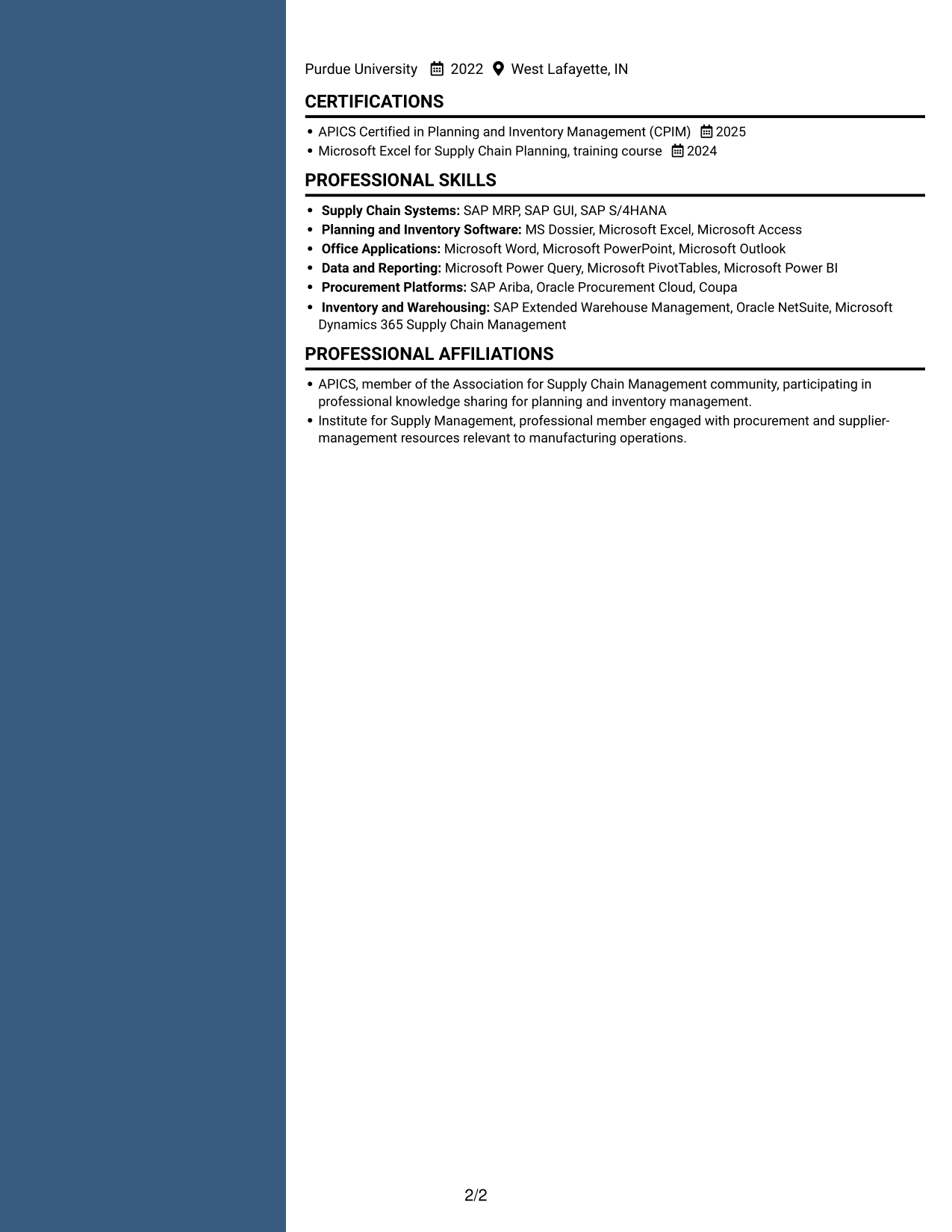
 
Resume example — page 1   Resume example — page 2

Why This Format Works

  • Paired columns give experience and supporting sections separate places in the reading order.
  • Role-by-role grouping keeps achievements connected to the work they describe.
  • Education details remain accessible without requiring a full pass through experience.

Best For

  • Quick comparison across sections
  • Experience with measurable achievements
  • Role history plus education details
  • Skills viewed alongside experience
  • Resumes with several content areas


#5 Photo Header Two Column Format Resume Example

The Photo Header Two Column Format pairs a portrait in the header with two-column resume content for a clear photo-and-document presentation.
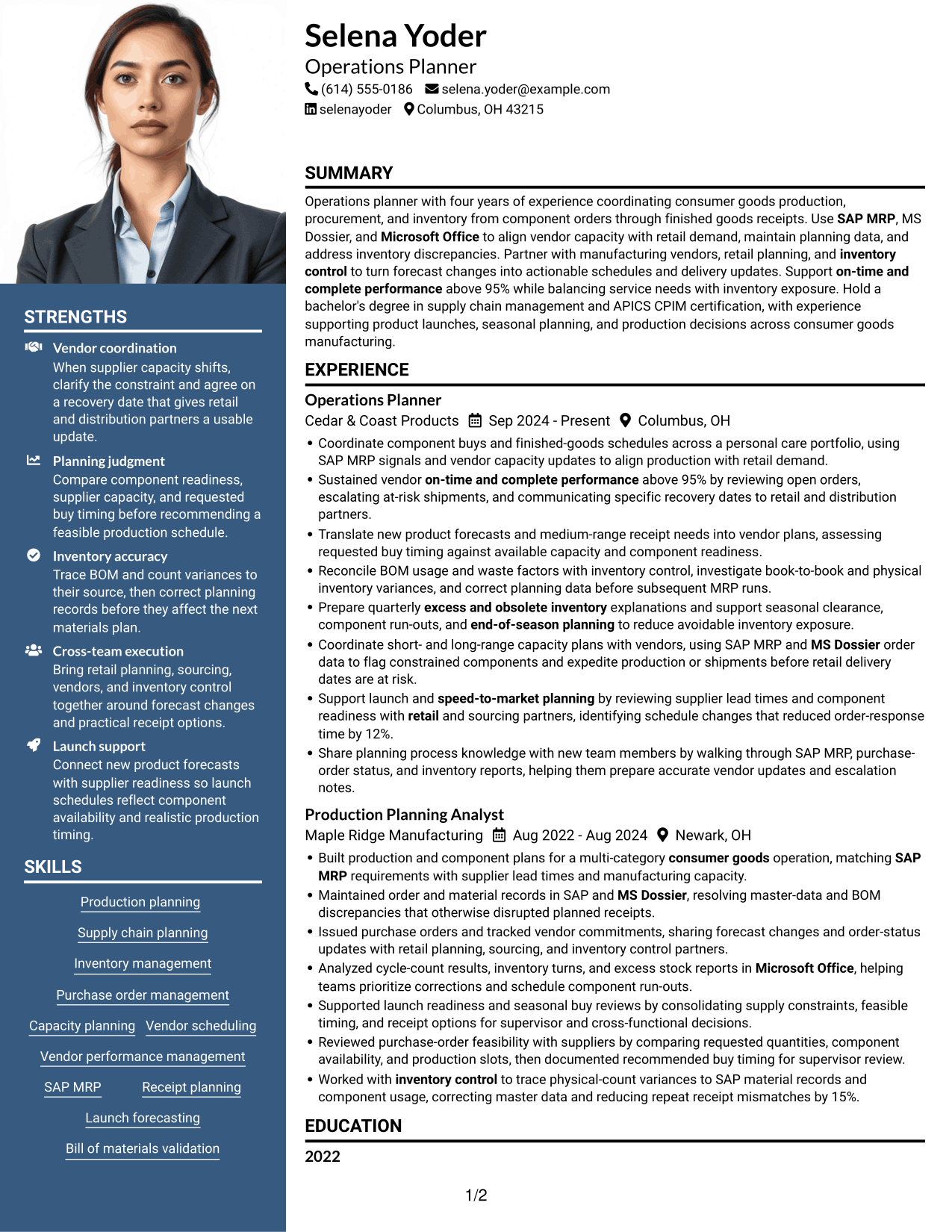
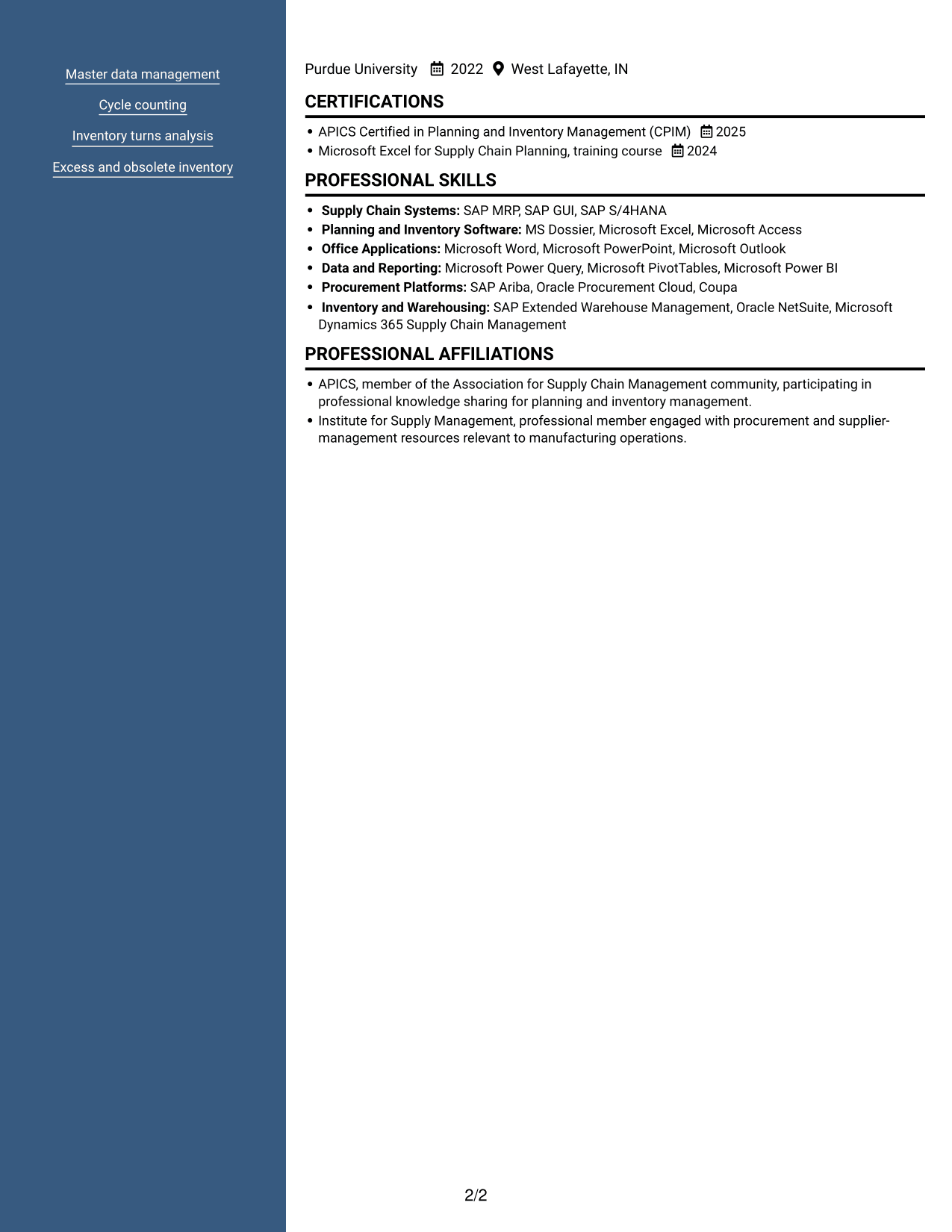
 
Resume example — page 1   Resume example — page 2

Why This Format Works

  • Two-column body organization separates experience from supporting sections for faster reference.
  • Role entries keep achievements attached to the context that explains them.
  • Education and credentials remain findable alongside the full work history.

Best For

  • Resume with a portrait header
  • Two-column section organization
  • Experience and supporting details
  • Quick review of skills and education
  • Photo paired with career details
 

#6 Colored Two Column Format Resume Example

The Colored Two Column Format uses two columns to give reviewers distinct routes through experience and supporting sections.
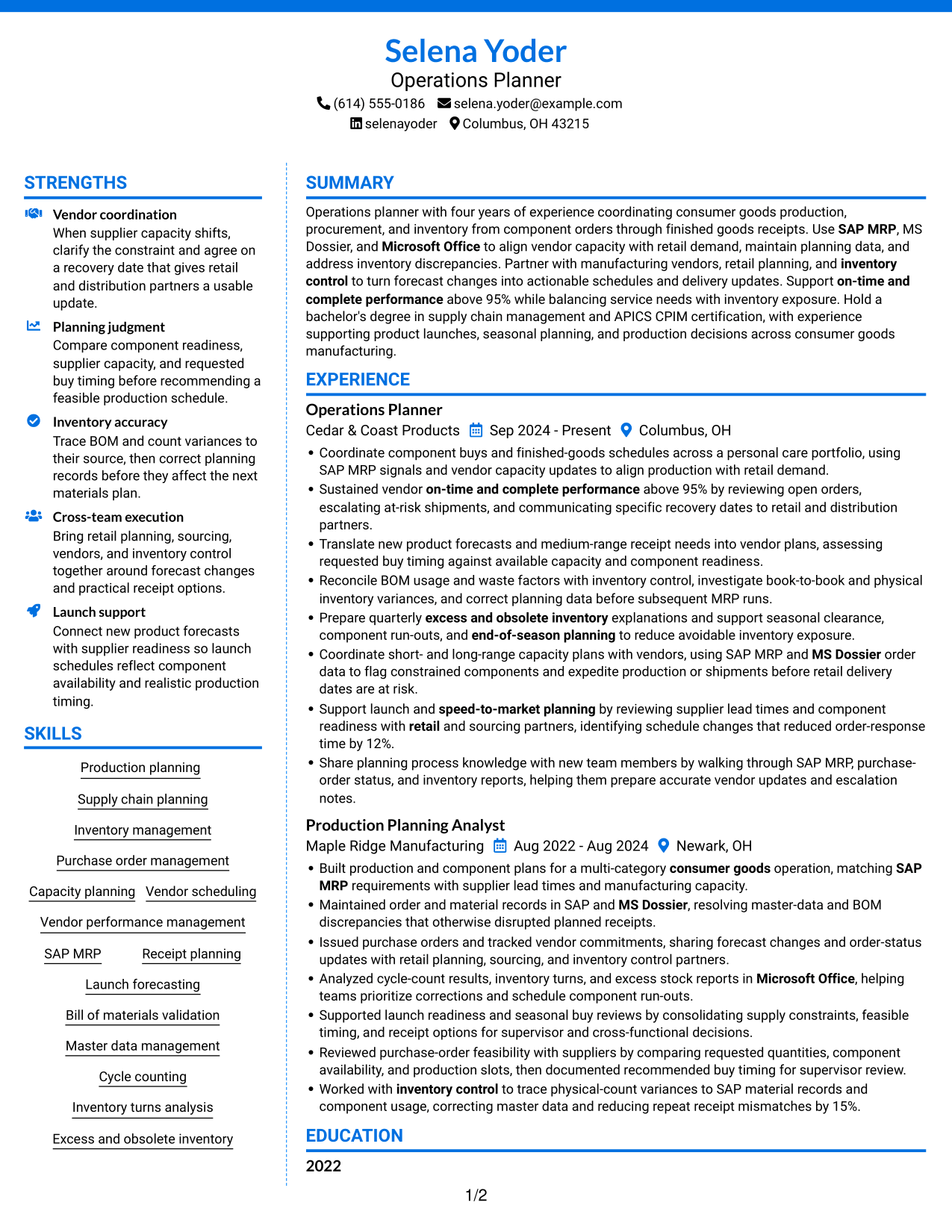
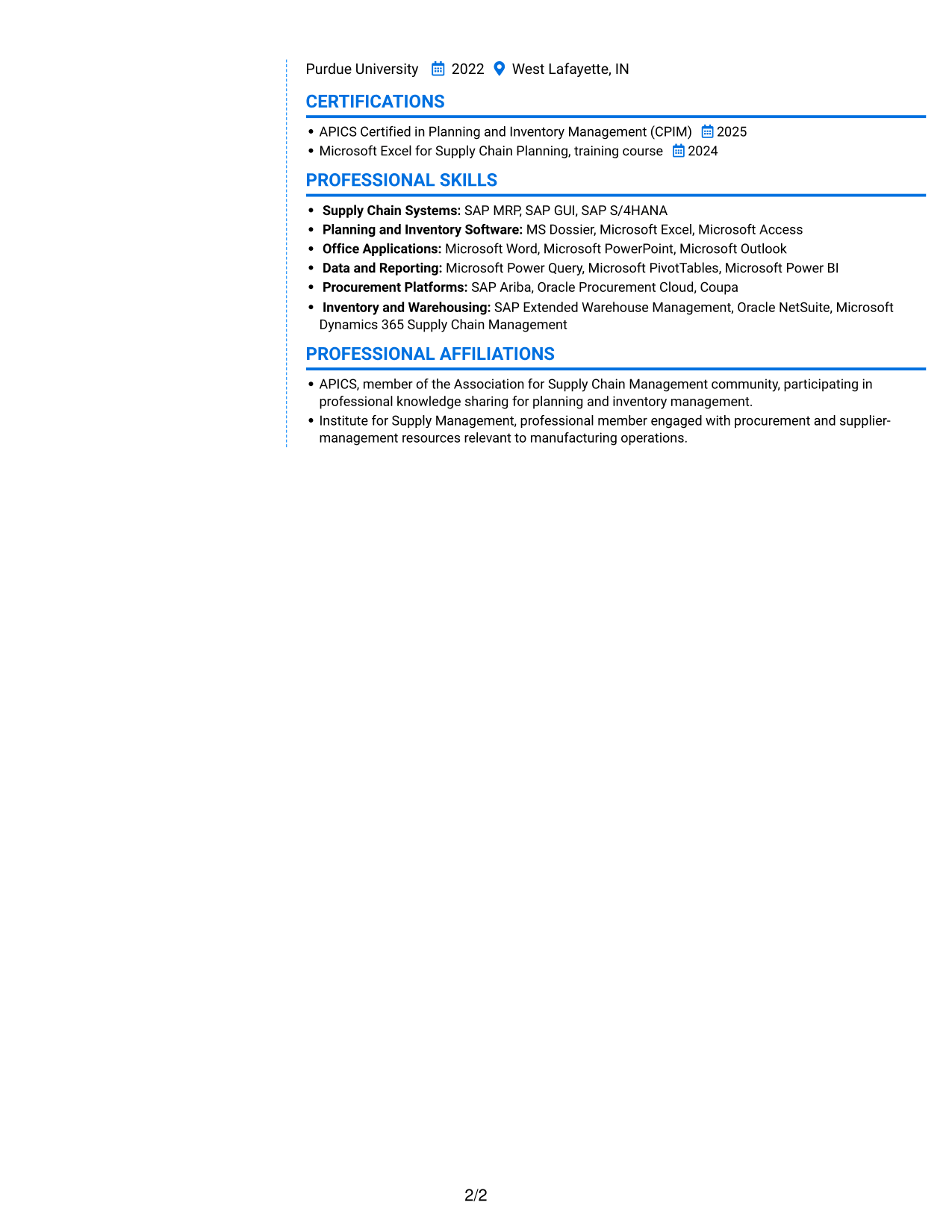
 
Resume example — page 1   Resume example — page 2

Why This Format Works

  • Distinct columns help reviewers move between role history and related qualifications.
  • Work experience stays grouped, making progression and results easier to compare.
  • Education and credentials remain accessible without interrupting the role-by-role review.

Best For

  • Two-column section navigation
  • Experience and skills in distinct areas
  • Education alongside career history
  • Quick review of qualifications
  • Resume sections with varied detail
 

#7 Stylish Two Column Designer Format Resume Example

The Stylish Two Column Designer Format uses two columns to place experience and supporting sections in a layout reviewers can navigate at a glance.
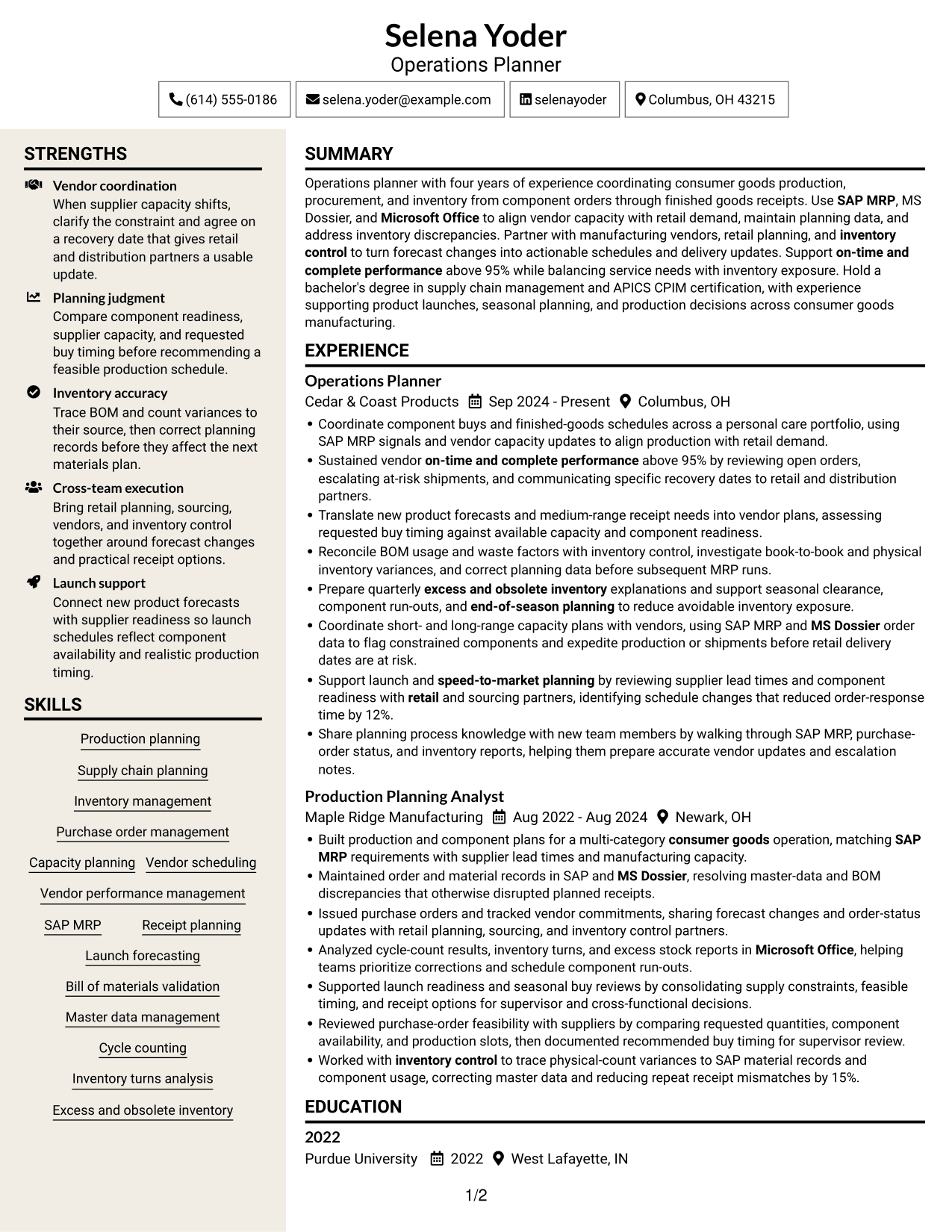
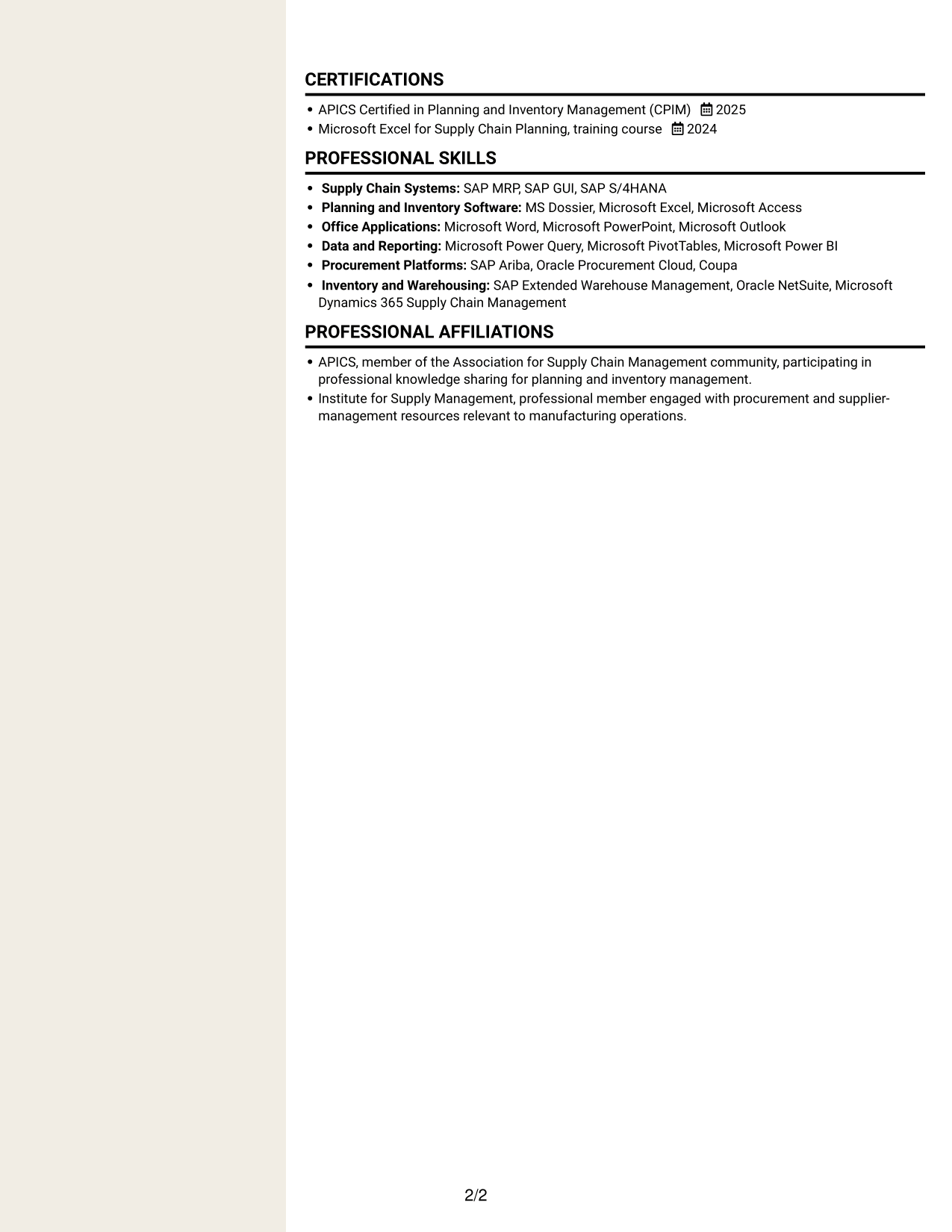
 
Resume example — page 1   Resume example — page 2

Why This Format Works

  • Two columns let reviewers locate supporting sections while tracing work history.
  • Keeping achievements with their roles preserves context across the experience section.
  • Skills and education can be checked apart from detailed role entries.

Best For

  • Two-column resume reading
  • Detailed role entries with results
  • Skills apart from work history
  • Education near experience details
  • Multiple resume sections to review


Why Build Your Operations Planner - Production and Inventory Planning Resume with ResumeInMinutes

ResumeInMinutes helps you arrange your experience, skills, tools, education, and certifications in a clear resume. Use the editor to review an example and customize its content and layout.

  • Professional resume layouts
  • Clear, ATS-friendly section structure
  • Space for role-specific keywords
  • Organized experience and skills
  • Easy-to-review image previews
  • Resume customization in the editor

Choose a layout that presents planning duties and results clearly. Keep the details accurate, and tailor the resume to the position you are pursuing.


See Also


Frequently Asked Questions

Are these Operations Planner - Production and Inventory Planning resume templates ATS-friendly?

The examples use readable headings and organized sections. For stronger ATS parsing, use standard section names and include relevant terms such as production planning, SAP MRP, capacity planning, inventory control, and vendor performance when they match your background.

Do the examples show different resume content or different layouts?

They show the same resume example in different layouts. Compare the image previews, then open an example in the editor to view or customize it.

What should an Operations Planner - Production and Inventory Planning resume include?

Include a focused summary, relevant work experience, skills, education, and certifications. Describe production and receipt planning, purchase orders, vendor coordination, inventory accuracy, and measurable results when they reflect your experience.

Which resume layout works well for production and inventory planning?

Choose a layout with clear headings and an easy-to-follow work history. A simple structure helps readers find planning tools, responsibilities, and results quickly.

How can I show results on an operations planner resume?

Use concise bullets that explain the action and its result. Where accurate, include measures such as vendor on-time and complete performance, reduced response time, improved data accuracy, or fewer receipt mismatches.

Which tools and keywords should I include?

List tools you have used, such as SAP MRP, MS Dossier, and Microsoft Office. Add relevant planning terms such as capacity planning, bill of materials validation, purchase order management, cycle counting, inventory turns, and excess and obsolete inventory.


ATS Score 88%

How we calculate this score

  • Keywords: 60% of the total. AI extracts keywords from your job description. If you do not provide one, a standard job description for the title matching your resume is used. This is not a match to a specific vacancy.
  • Text-based resume: 20%. The text resume assessed here receives 100 for this part.
  • Resume quality: 20%. We start at 100 and subtract points for issues found by our resume checks, down to a minimum of zero.
  • Keyword coverage = 100 × (confirmed matches + 0.8 × possible matches) ÷ total keywords, rounded and capped at 100. Possible matches still need checking. Saved generation audits use their saved keyword percentage.
  • Final score = 60% of keyword coverage + 20% of the text score + 20% of the quality score, rounded to a whole number. Without keywords, no overall ATS score is available.

What this score means

Our scores are estimates, not employer ratings. They may contain errors and do not guarantee accurate parsing, a ranking, an interview, or a job. Check your document against the employer’s requirements. You are responsible for relying on this score.

Terms and Conditions

Score weights: Keywords 60% · Text based resume 20% · Resume quality 20%

Keywords: 25 matched + 12 possible of 43 (80%) · Resume quality: 100%

Resume quality 100% · Weight 20% · Issues (0)

Details
  • ✓Name present: Selena Yoder
  • ✓Email format: selena.yoder@example.com
  • ✓Phone format: (614) 555-0186
  • ✓Experience 1: Job title: Operations Planner
  • ✓Experience 1: Company name: Cedar & Coast Products
  • ✓Experience 1: Work location: Columbus, OH
  • ✓Experience 1: Employment dates: Sep 2024 - Present
  • ✓Experience 1: Description or achievements: Present
  • ✓Experience 2: Job title: Production Planning Analyst
  • ✓Experience 2: Company name: Maple Ridge Manufacturing
  • ✓Experience 2: Work location: Newark, OH
  • ✓Experience 2: Employment dates: Aug 2022 - Aug 2024
  • ✓Experience 2: Description or achievements: Present
  • ✓No placeholder fields
  • ✓No repeated achievement bullets
  • ✓No empty bullets

No issues found by the current checks.

Text Based Resume 100% · Weight 20%

Parsed text
Selena Yoder
Operations Planner
(614) 555-0186
selenayoder
selena.yoder@example.com
Columbus, OH 43215
STRENGTHS
Vendor coordination
When supplier capacity shifts, clarify the constraint and agree on a recovery date that gives retail and distribution partners a usable update.
Planning judgment
Compare component readiness, supplier capacity, and requested buy timing before recommending a feasible production schedule.
Inventory accuracy
Trace BOM and count variances to their source, then correct planning records before they affect the next materials plan.
Cross-team execution
Bring retail planning, sourcing, vendors, and inventory control together around forecast changes and practical receipt options.
Launch support
Connect new product forecasts with supplier readiness so launch schedules reflect component availability and realistic production timing.
SUMMARY
Operations planner with four years of experience coordinating consumer goods production, procurement, and inventory from component orders through finished goods receipts. Use SAP MRP, MS Dossier, and Microsoft Office to align vendor capacity with retail demand, maintain planning data, and address inventory discrepancies. Partner with manufacturing vendors, retail planning, and inventory control to turn forecast changes into actionable schedules and delivery updates. Support on-time and complete performance above 95% while balancing service needs with inventory exposure. Hold a bachelor's degree in supply chain management and APICS CPIM certification, with experience supporting product launches, seasonal planning, and production decisions across consumer goods manufacturing.
EXPERIENCE
Operations Planner
Cedar & Coast Products
Sep 2024 - Present
Columbus, OH
Coordinate component buys and finished-goods schedules across a personal care portfolio, using SAP MRP signals and vendor capacity updates to align production with retail demand.
Sustained vendor on-time and complete performance above 95% by reviewing open orders, escalating at-risk shipments, and communicating specific recovery dates to retail and distribution partners.
Translate new product forecasts and medium-range receipt needs into vendor plans, assessing requested buy timing against available capacity and component readiness.
Reconcile BOM usage and waste factors with inventory control, investigate book-to-book and physical inventory variances, and correct planning data before subsequent MRP runs.
Prepare quarterly excess and obsolete inventory explanations and support seasonal clearance, component run-outs, and end-of-season planning to reduce avoidable inventory exposure.
Coordinate short- and long-range capacity plans with vendors, using SAP MRP and MS Dossier order data to flag constrained components and expedite production or shipments before retail delivery dates are at risk.
Support launch and speed-to-market planning by reviewing supplier lead times and component readiness with retail and sourcing partners, identifying schedule changes that reduced order-response time by 12%.
Share planning process knowledge with new team members by walking through SAP MRP, purchase-order status, and inventory reports, helping them prepare accurate vendor updates and escalation notes.
Production Planning Analyst
Maple Ridge Manufacturing
Aug 2022 - Aug 2024
Newark, OH
Built production and component plans for a multi-category consumer goods operation, matching SAP MRP requirements with supplier lead times and manufacturing capacity.
Maintained order and material records in SAP and MS Dossier, resolving master-data and BOM discrepancies that otherwise disrupted planned receipts.
Issued purchase orders and tracked vendor commitments, sharing forecast changes and order-status updates with retail planning, sourcing, and inventory control partners.
Analyzed cycle-count results, inventory turns, and excess stock reports in Microsoft Office, helping teams prioritize corrections and schedule component run-outs.
Supported launch readiness and seasonal buy reviews by consolidating supply constraints, feasible timing, and receipt options for supervisor and cross-functional decisions.
Reviewed purchase-order feasibility with suppliers by comparing requested quantities, component availability, and production slots, then documented recommended buy timing for supervisor review.
Worked with inventory control to trace physical-count variances to SAP material records and component usage, correcting master data and reducing repeat receipt mismatches by 15%.
SKILLS
Capacity planning
Vendor performance management
SAP MRP
Excess and obsolete inventory
Purchase order management
Master data management
Bill of materials validation
Inventory turns analysis
Inventory management
Supply chain planning
Production planning
Launch forecasting
Cycle counting
Receipt planning
Vendor scheduling
EDUCATION
2022
Purdue University
2022
West Lafayette, IN
CERTIFICATIONS
APICS Certified in Planning and Inventory Management (CPIM)
2025
Microsoft Excel for Supply Chain Planning, training course
2024
PROFESSIONAL SKILLS
Supply Chain Systems: SAP MRP, SAP GUI, SAP S/4HANA
Planning and Inventory Software: MS Dossier, Microsoft Excel, Microsoft Access
Office Applications: Microsoft Word, Microsoft PowerPoint, Microsoft Outlook
Data and Reporting: Microsoft Power Query, Microsoft PivotTables, Microsoft Power BI
Procurement Platforms: SAP Ariba, Oracle Procurement Cloud, Coupa
Inventory and Warehousing: SAP Extended Warehouse Management, Oracle NetSuite, Microsoft Dynamics 365 Supply Chain Management
PROFESSIONAL AFFILIATIONS
APICS, member of the Association for Supply Chain Management community, participating in professional knowledge sharing for planning and inventory management.
Institute for Supply Management, professional member engaged with procurement and supplier-management resources relevant to manufacturing operations.

Matched keywords (25)

  • Production planning
  • Supply chain planning
  • Inventory management
  • Purchase order management
  • SAP MRP
  • Capacity planning
  • Vendor scheduling
  • Vendor performance management
  • on-time and complete performance
  • Bill of materials validation
  • Master data management
  • inventory control
  • Cycle counting
  • Inventory turns analysis
  • Excess and obsolete inventory
  • Launch forecasting
  • Receipt planning
  • speed-to-market planning
  • end-of-season planning
  • Microsoft Office
  • MS Dossier
  • consumer goods
  • manufacturing
  • retail
  • APICS CPIM

Missing keywords (6)

  • Launch coordination
  • Onboarding support
  • Initiative
  • Sound recommendations
  • Results delivery
  • Fast-paced environment

Possible matches (12)

  • Inventory exposure analysis80% credit: 1.86 percentage points of 2.33 possible.
  • Short- and long-range planning80% credit: 1.86 percentage points of 2.33 possible.
  • Lead time reduction80% credit: 1.86 percentage points of 2.33 possible.
  • Production and shipment expediting80% credit: 1.86 percentage points of 2.33 possible.
  • Buy feasibility assessment80% credit: 1.86 percentage points of 2.33 possible.
  • Book-to-book discrepancy investigation80% credit: 1.86 percentage points of 2.33 possible.
  • Physical inventory investigation80% credit: 1.86 percentage points of 2.33 possible.
  • Component run-out planning80% credit: 1.86 percentage points of 2.33 possible.
  • Vendor relationship management80% credit: 1.86 percentage points of 2.33 possible.
  • Cross-functional collaboration80% credit: 1.86 percentage points of 2.33 possible.
  • Process knowledge sharing80% credit: 1.86 percentage points of 2.33 possible.
  • Bachelor's degree in a related field OR equivalent experience80% credit: 1.86 percentage points of 2.33 possible.
Disclaimer: All names, images, contact information, employment histories, achievements, security clearances, military credentials, and other qualifications shown in this content are fictional and used for illustrative purposes only. Any resemblance to actual persons, living or deceased, is purely coincidental.

Resume and cover-letter examples and recommendations in this article reflect general best practices and professional experience and are provided for guidance only. Results may vary based on role, industry, region, and hiring organization.

Content Accuracy and Verification: To the fullest extent permitted by applicable law, we do not represent or warrant that resume or cover-letter guidance, examples, recommendations, or related information are accurate, complete, current, error-free, or suitable for any particular purpose. You are responsible for independently reviewing and verifying the information before relying on it.

ATS and Cover-Letter Scores: ATS scores are estimates calculated using our own formula, informed by publicly available guidance on resume formatting and keyword matching. They are not scores issued or endorsed by an ATS provider or employer. Cover-letter scores are also our own assessments. Parsing, weighting, screening criteria, and results vary between systems, employers, job descriptions, and document formats. No score guarantees successful parsing, a particular ranking, an interview, or employment. Use scores as general guidance and independently check your documents against the employer’s requirements. To the fullest extent permitted by applicable law, we accept no liability for errors in scores or parsing, or losses arising from reliance on these assessments. Nothing in this notice excludes liability or limits consumer rights that cannot lawfully be excluded or limited.

Terms and Conditions
 
> JP 1 1
PDF Footer and Margins Setup
The margins are applied to the document, and the footer shows up in the preview and the PDF

Footer Font Settings

Are you applying for a specific job
so we can tailor your resume to it?
Are you applying for a specific job
so we can tailor your cover letter to it?

Your data stays private and is never used for training.Privacy Policy

Type your details as text to generate a personalized resume Type your details as text to generate a personalized cover letter
Website link found! Ready to create resume from:

Your data stays private and is never used for training.Privacy Policy

Drag the into the box to verify you're human.
Drop here

My Resumes

Displaying {number_of_files} files (out of {total_of_all_files} total)
Name File Type Last Modified: Description:

Rename File

Filename already exists!

Delete Files

Warning: This action is irreversible. Once you click submit, the files will be permanently deleted.

Heading text
Upload From Computer Upload
Select From Existing
LinkedIn
Drag & Drop files anywhere in this tab, or

Uploaded Files

Delete Name Last Updated Use This File
Select this to use the file for generating your resume and cover letter. Only one source—uploaded file, selected file, or LinkedIn text—can be used.

My Files

Resumes or cover letters you create will appear here. No files available yet.
Delete Name Last Updated Use This File
Select this to use the file for generating your resume and cover letter. Only one source—uploaded file, selected file, or LinkedIn text—can be used.

Add LinkedIn Profile PDF

You can download your LinkedIn profile as a PDF by opening linkedin.com in a web browser, clicking your profile photo, selecting the “More” or “Resources” button, and choosing “Save to PDF.” You can then attach the PDF using the Upload From Computer tab.

Paste Your LinkedIn Profile Text

If you have copied the LinkedIn profile text, paste it below. See how to copy your profile from LinkedIn

Select this to use the LinkedIn profile text for generating your resume and cover letter. Only one source—uploaded file, selected file, or LinkedIn text—can be used.

Try these controls

<
>


