
US English


7 Parliamentary Clerk - Legislative Procedure Resume Templates with Example
By Ria · Last Updated On October 20, 2026
Resume example — page 1

This guide shows you how to build a clear, focused resume for a Parliamentary Clerk - Legislative Procedure role. It explains how to organize relevant evidence so readers can find your research, document work, and procedural knowledge quickly.

For this role, strong resume details can include Senate procedure research, committee referral analysis, accurate preparation of floor materials, and careful handling of confidential records. Use specific examples to show how you checked sources, edited documents, supported inquiries, and worked with others.

The examples present one Parliamentary Clerk - Legislative Procedure resume in 7 layouts. Compare the PNG image previews to see how each design organizes the same information, then open an example in the editor to view or customize it.

What Makes a Great Parliamentary Clerk - Legislative Procedure Resume in 2026

A strong resume makes procedural research, accurate document preparation, and sound handling of records easy to verify. Clear headings and concise bullets help readers scan your experience and education.

Use relevant terms where they match your evidence, such as Senate Rules, Senate precedents, legislative history, U.S. Code, committee jurisdiction, Calendar of Business, resolutions, and unanimous consent requests. Add tools or continuity planning details only when you can support them with real examples.

Note: Resume examples are for educational purposes only. Use only information that accurately reflects your experience and qualifications. References to real organizations do not imply affiliation or endorsement.

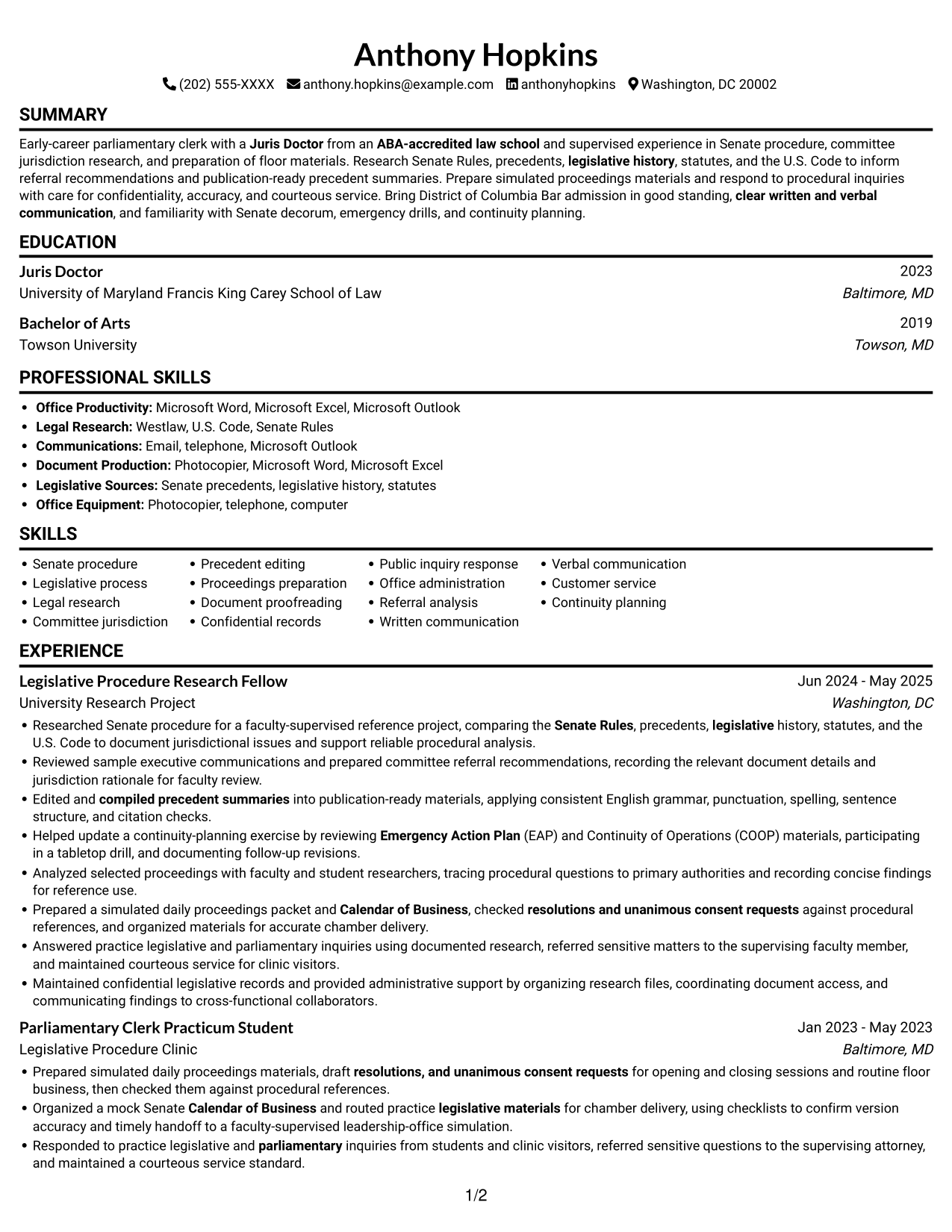
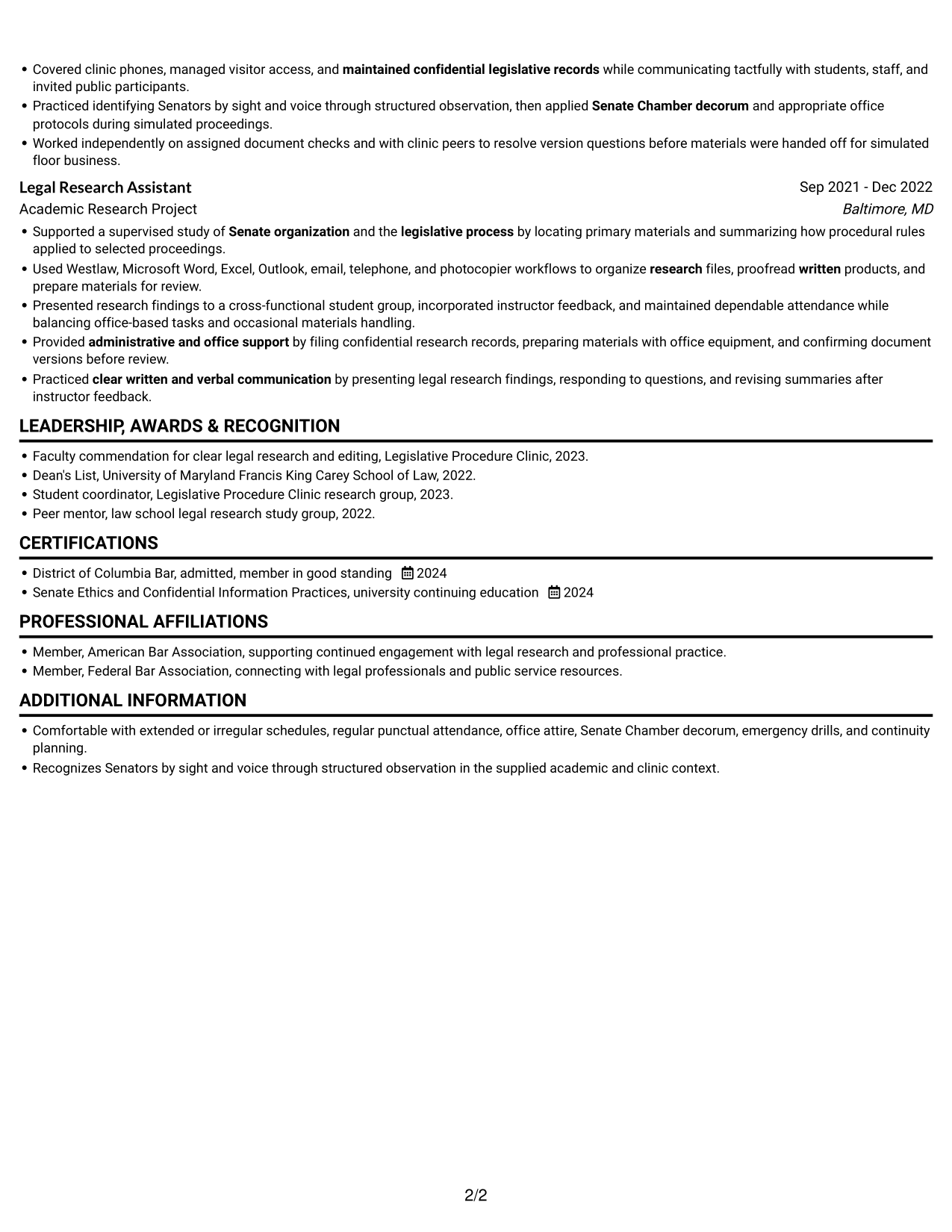
#1 Simple One Column Format Resume Example

A single-column body keeps the resume sections in one vertical reading path, a familiar choice for readers who prefer a clear sequence.
 
Resume example — page 1   Resume example — page 2

Why This Format Works

  • A single reading path lets reviewers follow experience, education, and credentials in sequence.
  • Vertical order keeps research roles and their supporting details within one familiar scan.
  • Clear section progression helps reviewers trace academic preparation alongside career history.

Best For

  • Single-column reading preference
  • Chronological career review
  • Detailed experience and education
  • ATS-focused resume structure
  • Legal research history

Resume Keywords

  • Juris Doctor from an ABA-accredited law school
  • Supported a supervised study of Senate organization and the legislative process by locating primary materials and summarizing how procedural rules applied to selected proceedings.
  • Legislative process
  • Researched Senate procedure for a faculty-supervised reference project, comparing the Senate Rules, precedents, legislative history, statutes, and the U.S. Code to document jurisdictional issues and support reliable procedural analysis.
  • Research Senate Rules, precedents
  • Analyzed selected proceedings with faculty and student researchers
  • document jurisdictional issues and support reliable procedural analysis.
  • Reviewed sample executive communications
  • legislative history, statutes, and the U.S. Code
  • Edited and compiled precedent summaries into publication-ready materials
  • Prepared a simulated daily proceedings packet
  • Calendar of Business
  • resolutions and unanimous consent requests
  • routed practice legislative materials for chamber delivery
  • Responded to practice legislative and parliamentary inquiries from students and clinic visitors
See all keywords
 

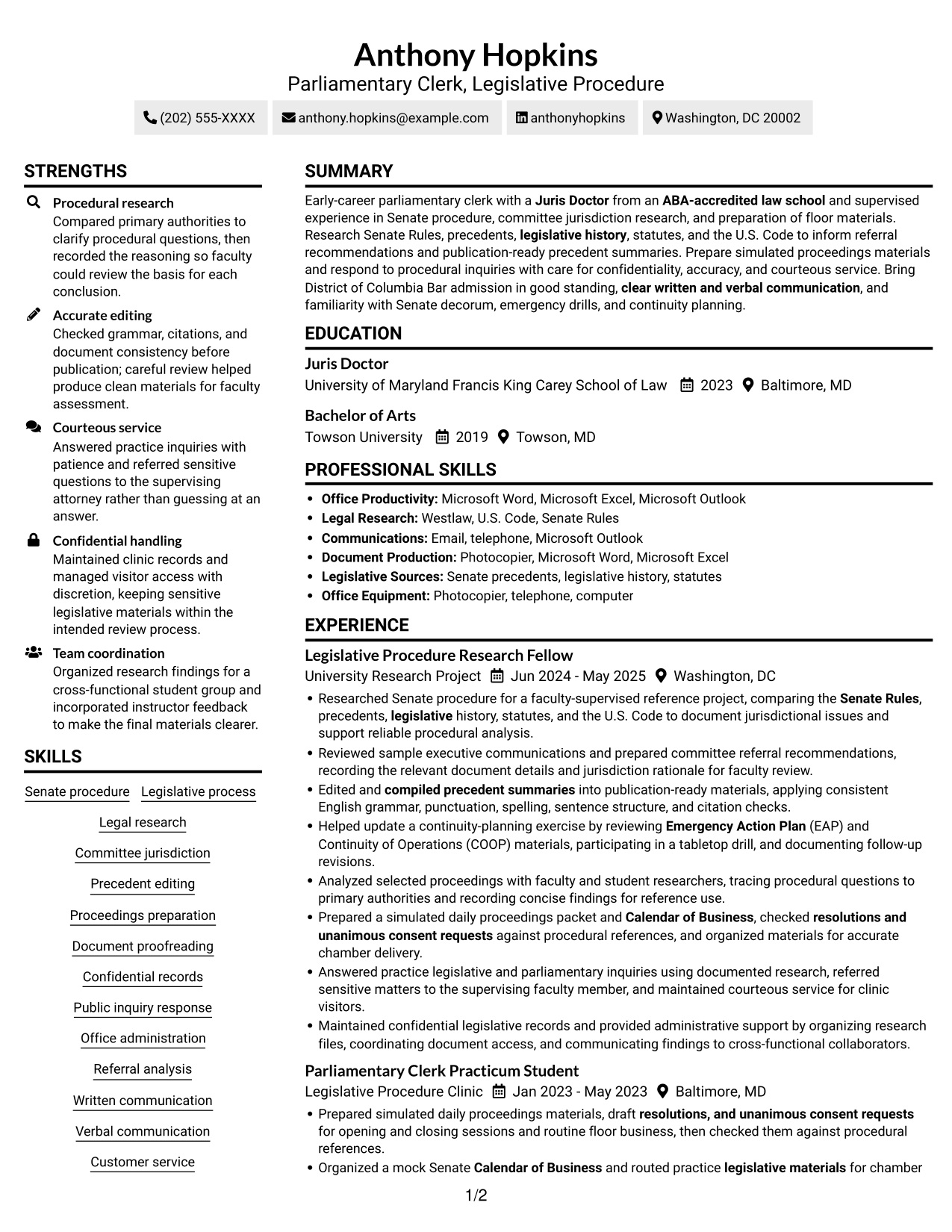
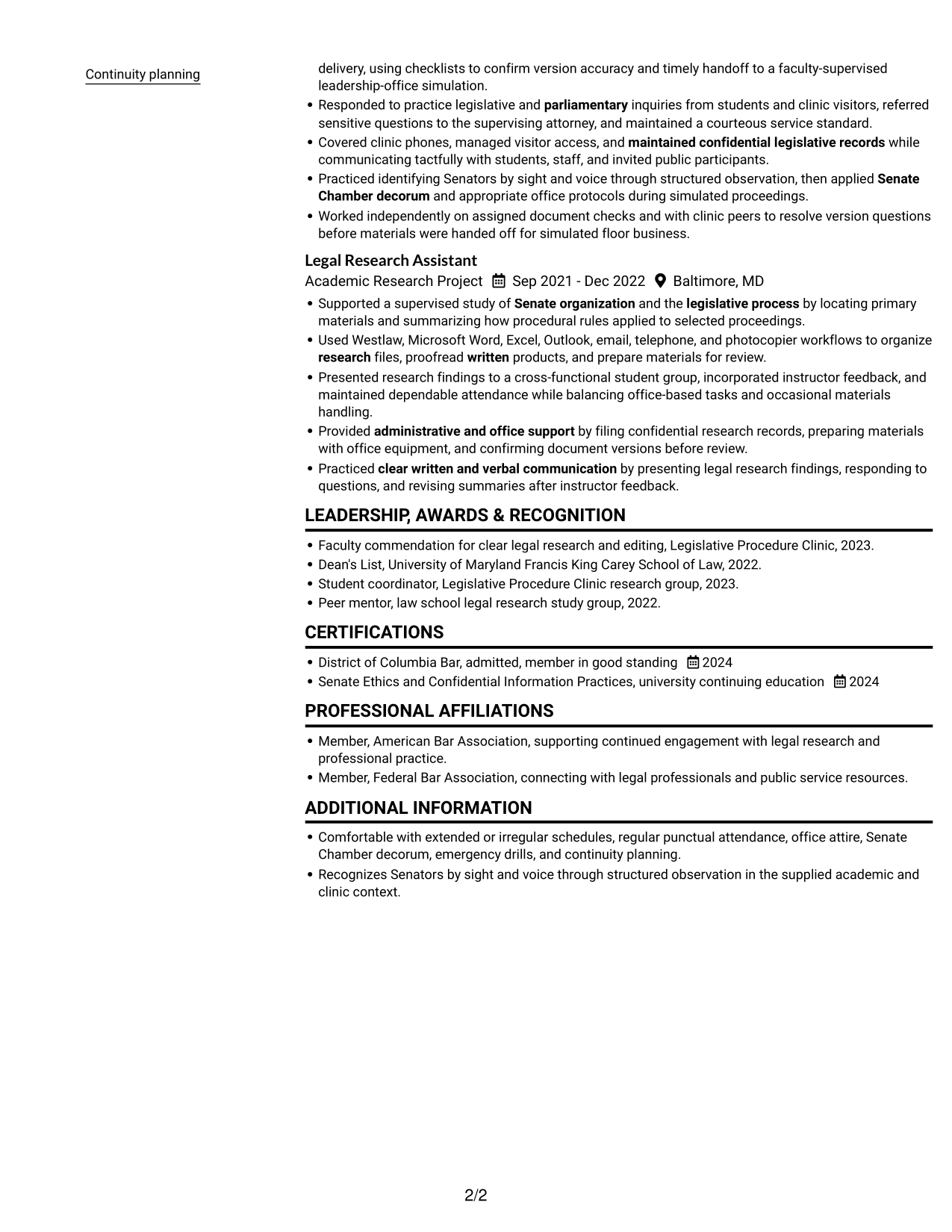
#2 Simple Two Column Format Resume Example

Two body columns place resume information in parallel areas, a useful choice when readers need a compact view of several sections.
 
Resume example — page 1   Resume example — page 2

Why This Format Works

  • Parallel content areas help reviewers move between experience and supporting resume sections.
  • A divided reading path keeps education and career history visually distinct.
  • Compact organization gives detailed research work room without one long vertical list.

Best For

  • Parallel content organization
  • Compact overview of varied sections
  • Readers comparing section groups
  • Career history with supporting details
  • Resumes with concise entries

#3 Plain One Column with Shaded Labels Resume Example

Shaded section labels add visible breaks to a one-column resume, helping readers find each part of the document.
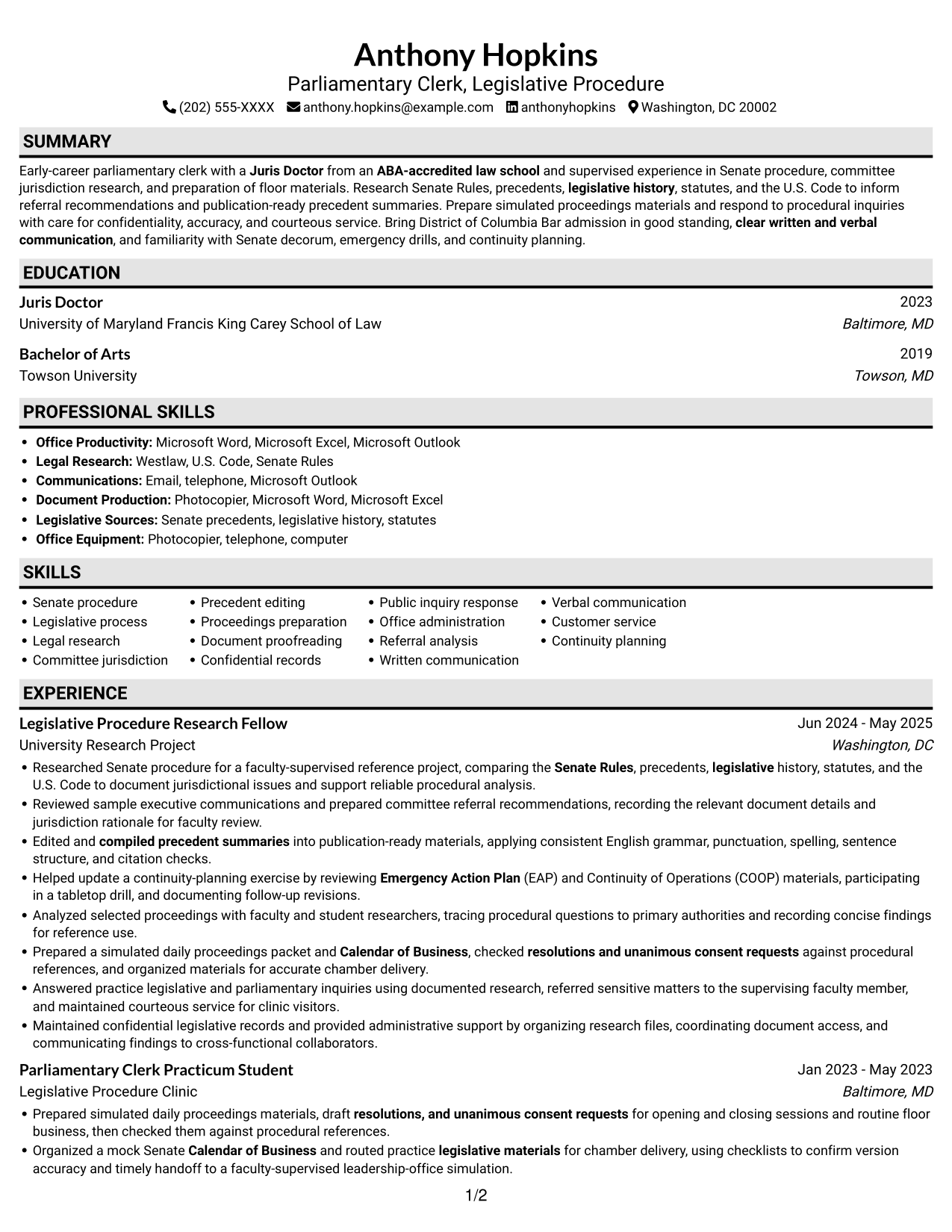
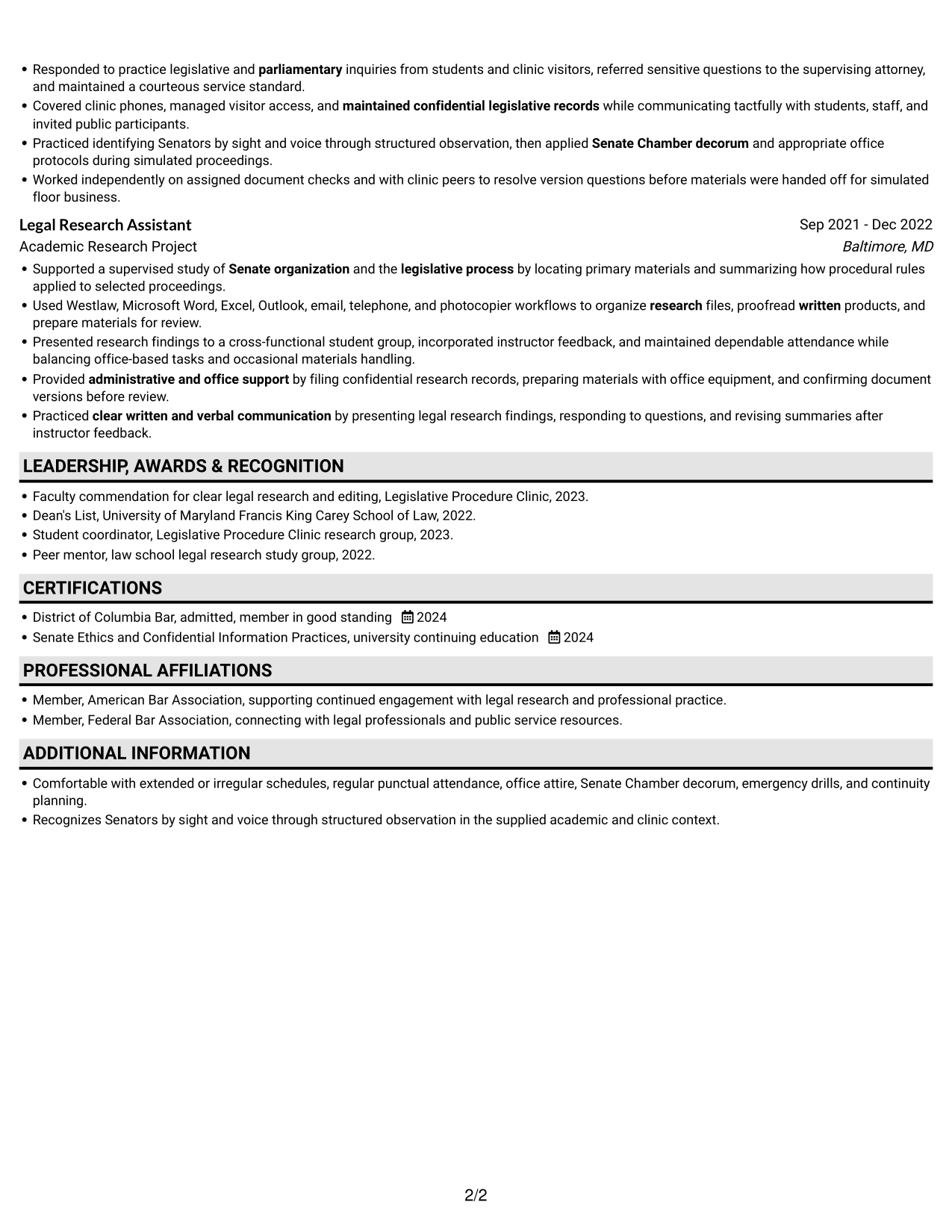
 
Resume example — page 1   Resume example — page 2

Why This Format Works

  • Shaded labels mark transitions between experience, education, and credentials in the vertical sequence.
  • One-column reading order helps reviewers trace dates across research and clinic roles.
  • Visible section labels make skills and academic preparation easier to locate.

Best For

  • Clear section-by-section navigation
  • Longer career histories
  • Quick lookup of education and credentials
  • Resumes with distinct content categories
  • Readers who prefer a vertical sequence
 

#4 One Column Format with Photo Right Resume Example

A right-side photo adds a visible portrait while the resume content stays in one vertical reading path, for readers who want a photo without parallel body columns.
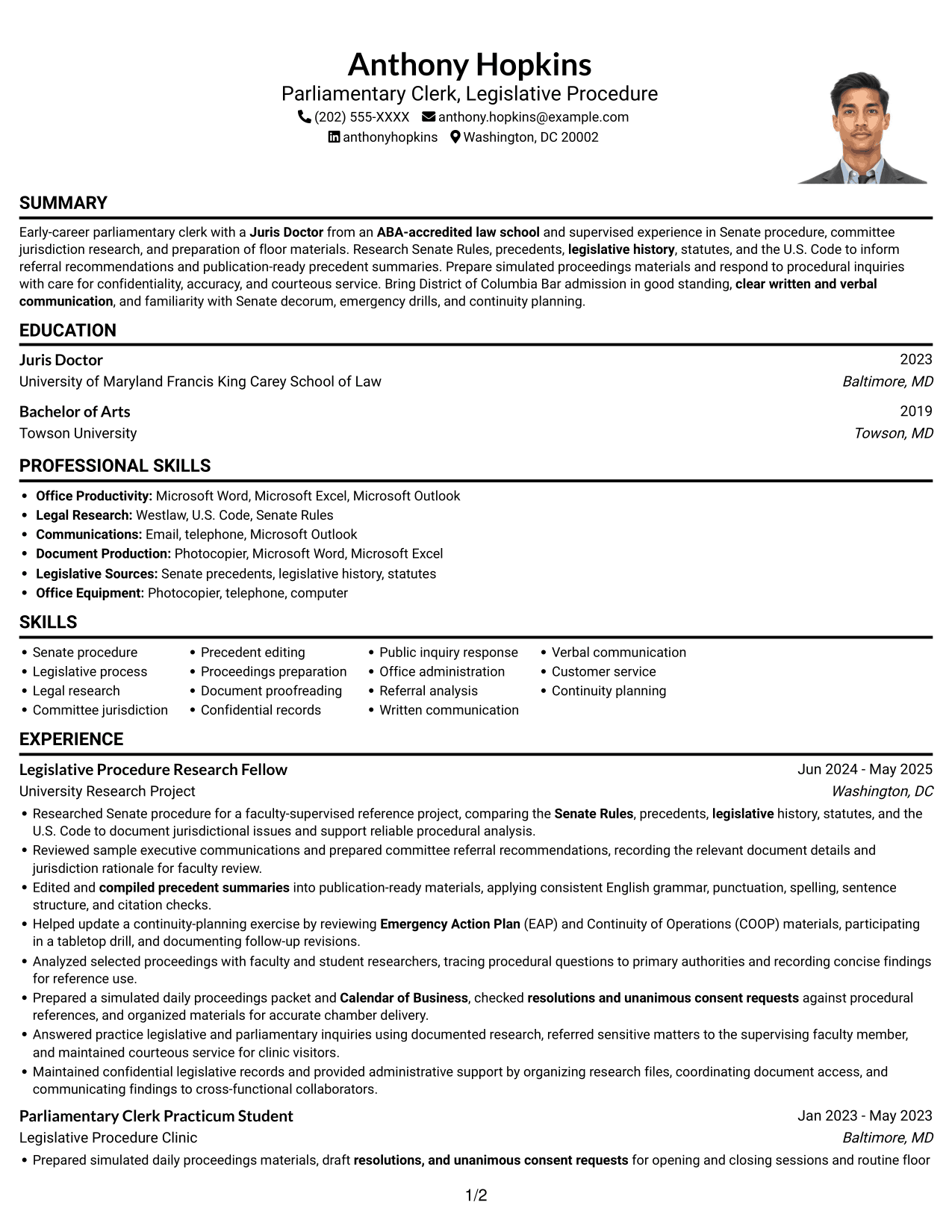
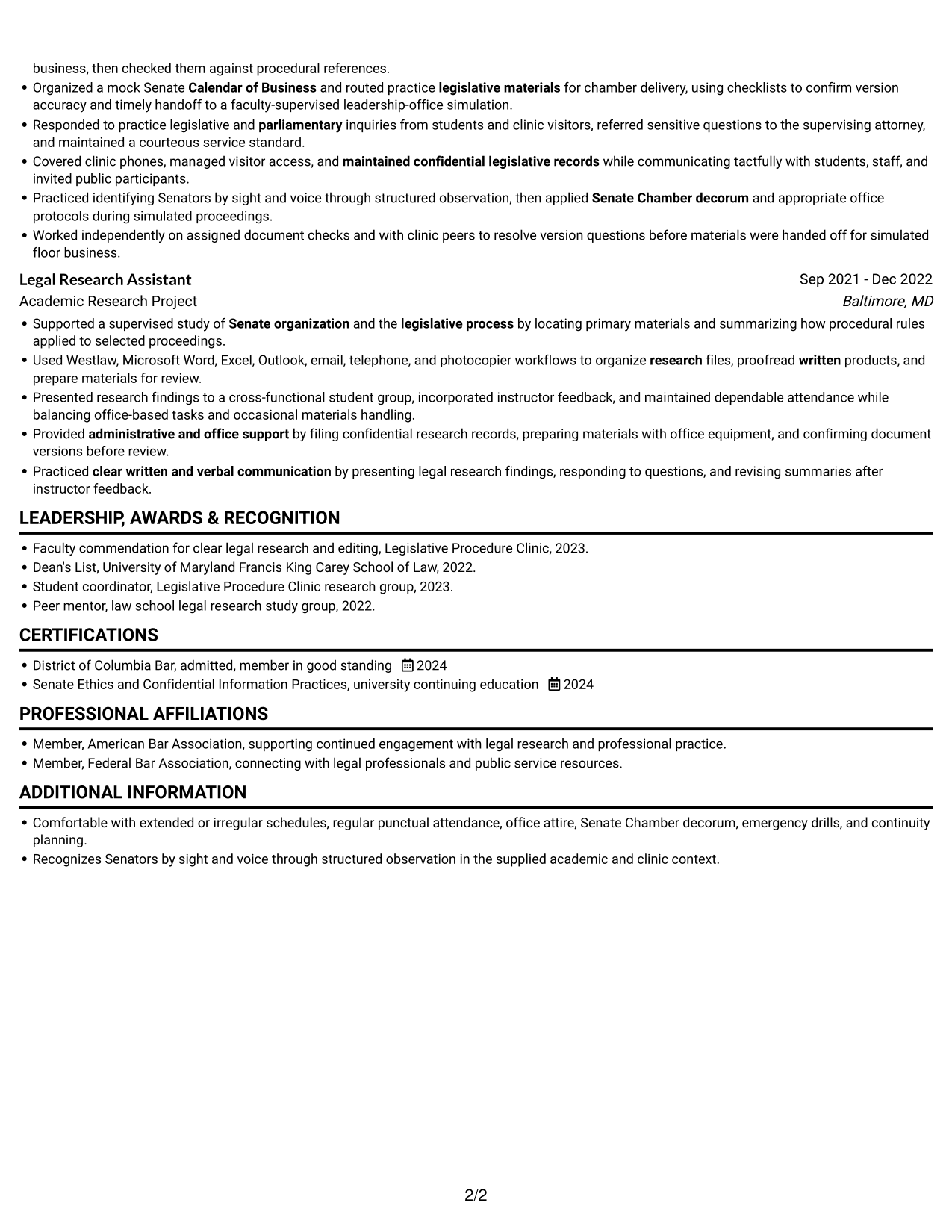
 
Resume example — page 1   Resume example — page 2

Why This Format Works

  • The single-column body keeps experience, education, and credentials in a familiar top-to-bottom order.
  • One continuous section sequence helps reviewers trace research work and academic preparation.
  • The right-side portrait offers photo presentation without splitting resume content into columns.

Best For

  • Photo-forward page preference
  • Single-path content review
  • Concise work and education histories
  • Readers who prefer a visible portrait
  • Clear career progression
 

#5 Clean Two Column Sidebar Format Resume Example

A clean sidebar pairs two body columns, giving the resume distinct reading areas for a compact and orderly overview.
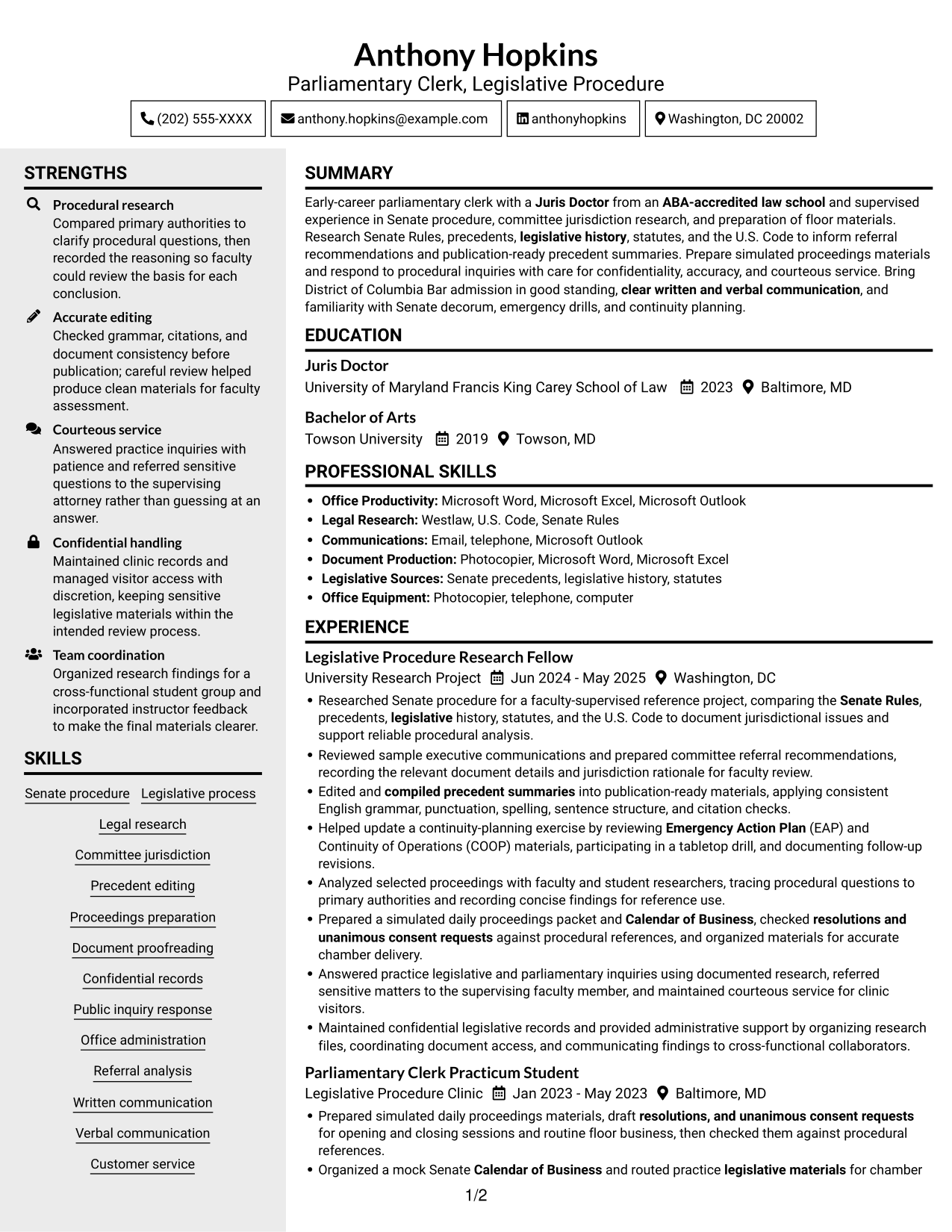
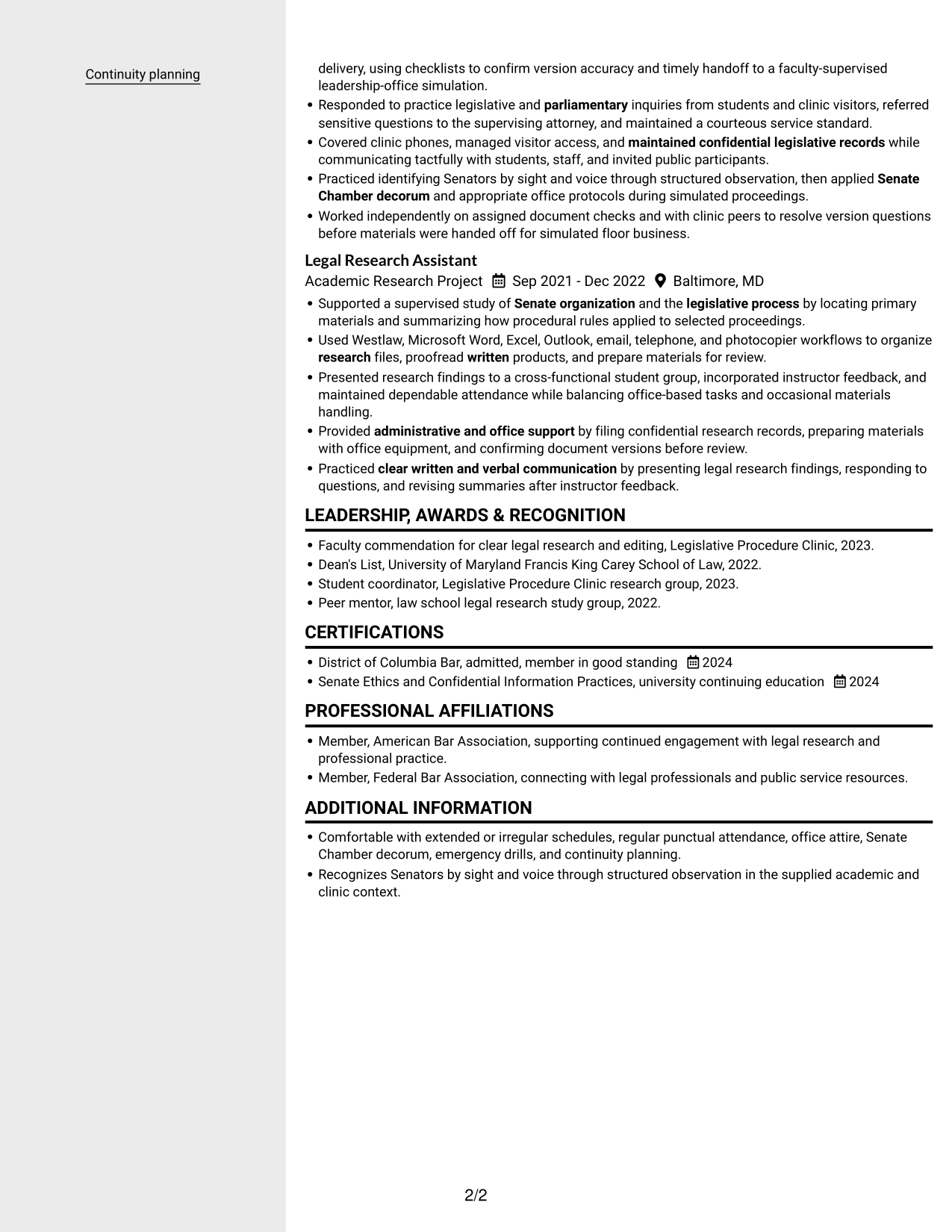
 
Resume example — page 1   Resume example — page 2

Why This Format Works

  • Two columns give career history and supporting details separate areas for quick navigation.
  • The sidebar format keeps the overall resume organization easy to scan.
  • Parallel sections let reviewers move between experience and education while following the reading order.

Best For

  • Sidebar-based content organization
  • Compact resume overviews
  • Clear separation of section groups
  • Career history beside supporting details
  • Readers who value uncluttered pages


#6 Two Column Format Resume Example

Two columns place resume information in parallel areas, which can suit a document with several sections to review.
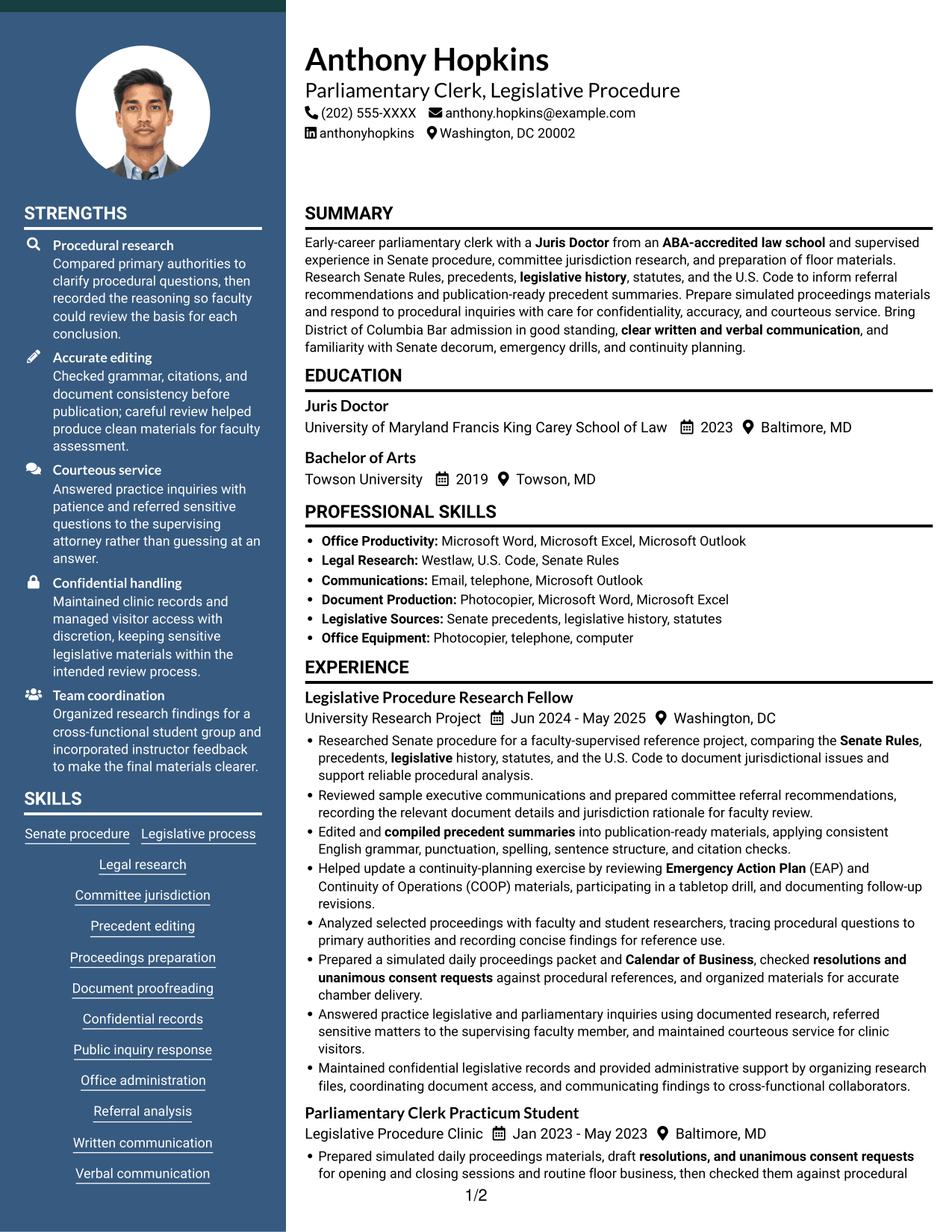
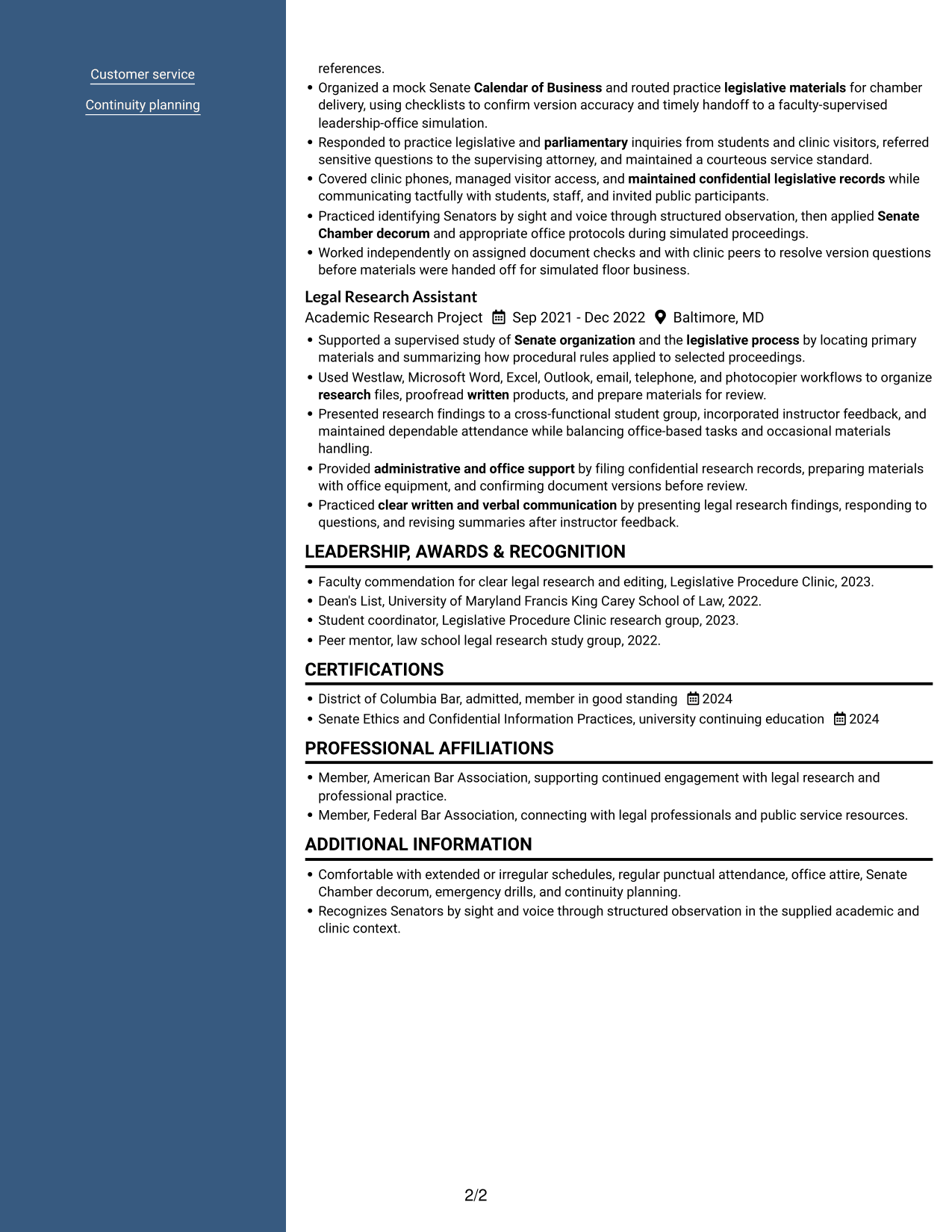
 
Resume example — page 1   Resume example — page 2

Why This Format Works

  • Parallel columns help reviewers locate experience and other resume sections without a long vertical scan.
  • Separate reading areas keep career history distinct from education and credentials.
  • The compact arrangement suits a resume with research, clinic, and academic sections.

Best For

  • Parallel resume sections
  • Compact document organization
  • Readers scanning several content areas
  • Distinct career and education details
  • Research and academic histories
 

#7 Photo Header Two Column Format Resume Example

A photo in the header sits above a two-column body, pairing a visible portrait with compact section organization.
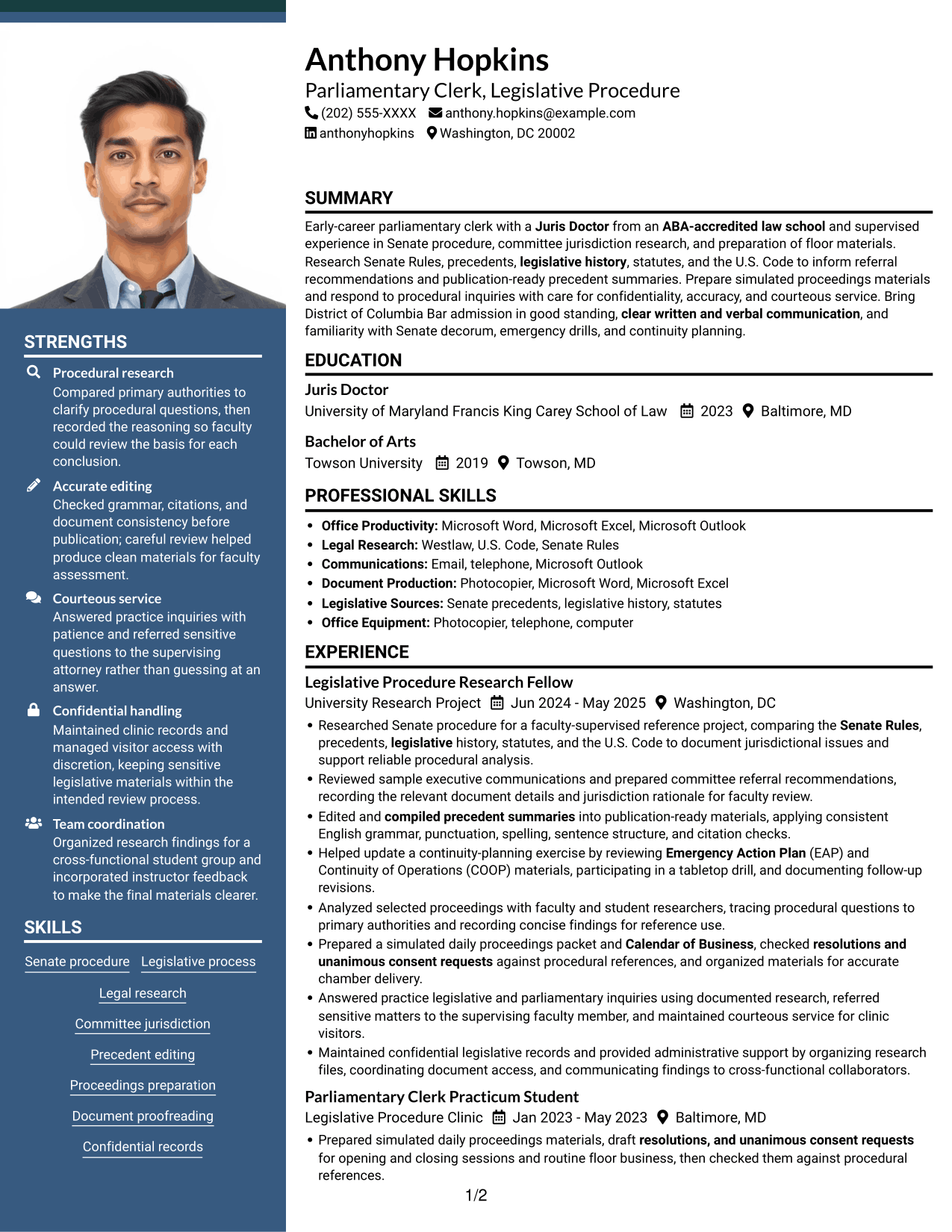
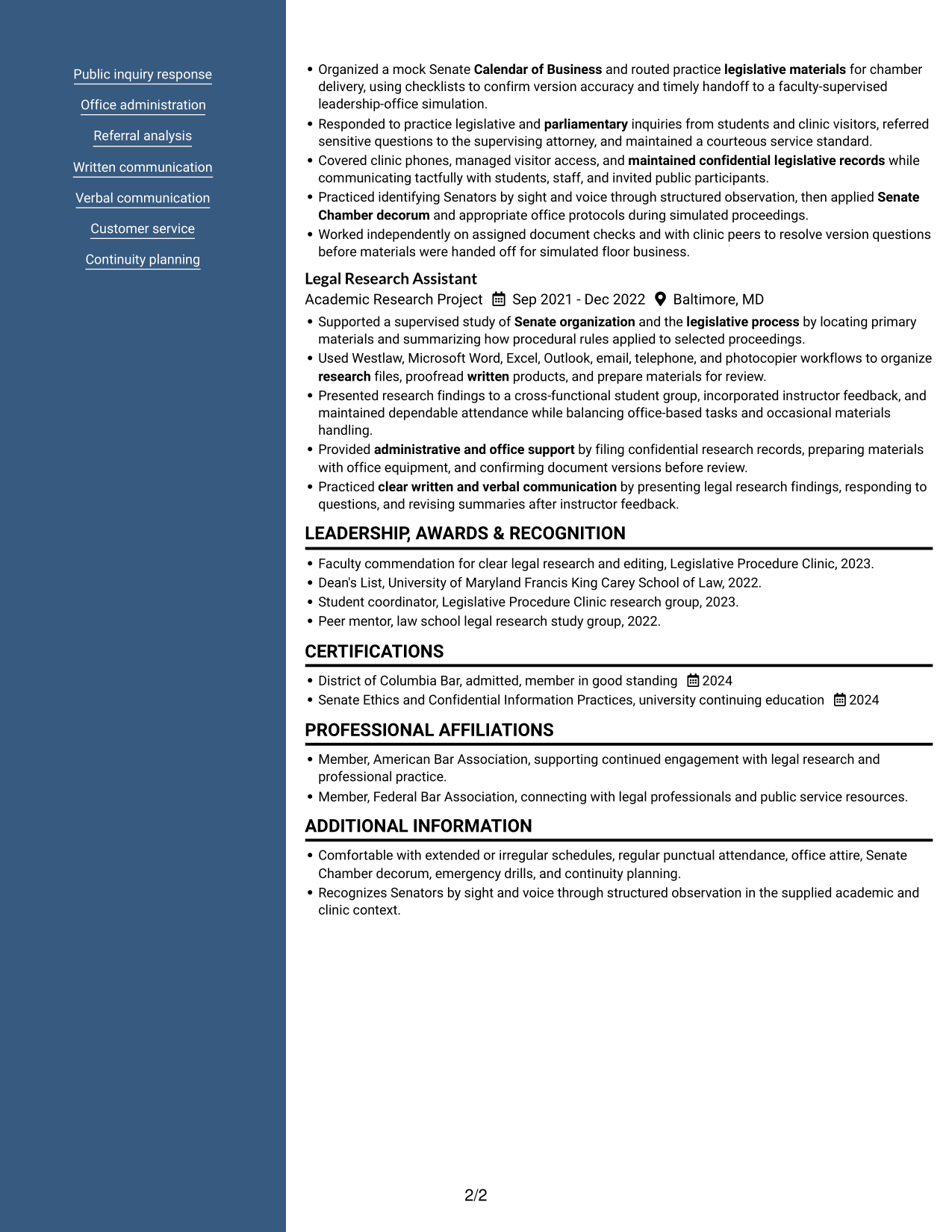
 
Resume example — page 1   Resume example — page 2

Why This Format Works

  • The two body columns let reviewers scan experience alongside other resume sections.
  • Separate reading areas help distinguish career history from education and credentials.
  • A header portrait stays apart from the resume details, keeping content areas clear.

Best For

  • Photo header preference
  • Two-column section organization
  • Compact resume overviews
  • Career history with supporting details
  • Portraits above resume content


Why Build Your Parliamentary Clerk - Legislative Procedure Resume with ResumeInMinutes

ResumeInMinutes helps you organize role-related research, document work, education, skills, and credentials in a resume that is easy to review and update. Choose a design that keeps important details clear, then use the editor to customize your example.

  • Resume layouts for different needs
  • Clear, ATS-conscious section structure
  • Role-relevant keyword guidance
  • Experience and skills organization
  • PNG image previews
  • Resume customization in the editor

Use the image previews to compare how the resume information appears in each design. Open an example in the editor when you are ready to review or customize its layout and content.


See Also


Frequently Asked Questions

Are these Parliamentary Clerk - Legislative Procedure resume templates ATS-friendly?

The designs use clear headings and organized sections to support easy scanning. Include role-related terms such as Senate procedure, committee jurisdiction, precedent research, and Calendar of Business when they accurately describe your experience.

What do the resume examples show?

They show the same Parliamentary Clerk - Legislative Procedure resume content arranged in different layouts. The PNG previews help you compare section order and visual style.

What should a Parliamentary Clerk - Legislative Procedure resume include?

Include a focused summary, education, relevant experience, skills, and applicable licenses or certifications. Use concise bullets to show procedural research, document preparation, committee referral analysis, records handling, or inquiry response where supported by your background.

Which resume style works well for a Parliamentary Clerk - Legislative Procedure role?

A simple one-column design can make headings and experience bullets easy to follow. Choose a layout that keeps dates, role names, and key details clear, and check that the text remains easy to scan.

How can I show relevant experience if I have not held this exact job title?

Use relevant work from research, clinics, education, or other settings when it is accurate. Explain your actions with clear bullets, such as reviewing procedural sources, preparing documents, checking citations, handling records, or responding to questions.

Should I include a photo on my resume?

For U.S. applications, a resume without a photo is generally the safer choice. Use the space for relevant qualifications and evidence of your work instead.


ATS Score 95%

How we calculate this score

  • Keywords: 60% of the total. AI extracts keywords from your job description. If you do not provide one, a standard job description for the title matching your resume is used. This is not a match to a specific vacancy.
  • Text-based resume: 20%. The text resume assessed here receives 100 for this part.
  • Resume quality: 20%. We start at 100 and subtract points for issues found by our resume checks, down to a minimum of zero.
  • Keyword coverage = round(100 × confirmed matches ÷ total keywords). Exact matches and supported equivalents verified by AI receive full credit; unsupported keywords receive none. Live text checks use the saved equivalents and do not request a new AI review. Without keywords, no overall ATS score is available.
  • Final score = 60% of keyword coverage + 20% of the text score + 20% of the quality score, rounded to a whole number. Without keywords, no overall ATS score is available.

What this score means

Our scores are estimates, not employer ratings. They may contain errors and do not guarantee accurate parsing, a ranking, an interview, or a job. Check your document against the employer’s requirements. You are responsible for relying on this score.

Terms and Conditions

Score weights: Keywords 60% · Text based resume 20% · Resume quality 20%

Keyword coverage: 30 of 33 (91%) · Resume quality: 100%

Resume quality 100% · Weight 20% · Issues (0)

Details
  • ✓Name present: Anthony Hopkins
  • ✓Email format: anthony.hopkins@example.com
  • ✓Phone format: (202) 555-XXXX
  • ✓Experience 1: Job title: Legislative Procedure Research Fellow
  • ✓Experience 1: Company name: University Research Project
  • ✓Experience 1: Work location: Washington, DC
  • ✓Experience 1: Employment dates: Jun 2024 - May 2025
  • ✓Experience 1: Description or achievements: Present
  • ✓Experience 2: Job title: Parliamentary Clerk Practicum Student
  • ✓Experience 2: Company name: Legislative Procedure Clinic
  • ✓Experience 2: Work location: Baltimore, MD
  • ✓Experience 2: Employment dates: Jan 2023 - May 2023
  • ✓Experience 2: Description or achievements: Present
  • ✓Experience 3: Job title: Legal Research Assistant
  • ✓Experience 3: Company name: Academic Research Project
  • ✓Experience 3: Work location: Baltimore, MD
  • ✓Experience 3: Employment dates: Sep 2021 - Dec 2022
  • ✓Experience 3: Description or achievements: Present
  • ✓No placeholder fields
  • ✓No repeated achievement bullets
  • ✓No empty bullets

No issues found by the current checks.

Text Based Resume 100% · Weight 20%

Parsed text
Anthony Hopkins
(202) 555-XXXX
anthony.hopkins@example.com
anthonyhopkins
Washington, DC 20002
SUMMARY
Early-career parliamentary clerk with a Juris Doctor from an ABA-accredited law school and supervised experience in Senate procedure, committee jurisdiction research, and preparation of floor materials. Research Senate Rules, precedents, legislative history, statutes, and the U.S. Code to inform referral recommendations and publication-ready precedent summaries. Prepare simulated proceedings materials and respond to procedural inquiries with care for confidentiality, accuracy, and courteous service. Bring District of Columbia Bar admission in good standing, clear written and verbal communication, and familiarity with Senate decorum, emergency drills, and continuity planning.
EDUCATION
Juris Doctor
2023
University of Maryland Francis King Carey School of Law
Baltimore, MD
Bachelor of Arts
2019
Towson University
Towson, MD
PROFESSIONAL SKILLS
Office Productivity: Microsoft Word, Microsoft Excel, Microsoft Outlook
Legal Research: Westlaw, U.S. Code, Senate Rules
Communications: Email, telephone, Microsoft Outlook
Document Production: Photocopier, Microsoft Word, Microsoft Excel
Legislative Sources: Senate precedents, legislative history, statutes
Office Equipment: Photocopier, telephone, computer
SKILLS
Senate procedure
Legislative process
Legal research
Committee jurisdiction
Precedent editing
Proceedings preparation
Document proofreading
Confidential records
Public inquiry response
Office administration
Referral analysis
Written communication
Verbal communication
Customer service
Continuity planning
EXPERIENCE
Legislative Procedure Research Fellow
Jun 2024 - May 2025
University Research Project
Washington, DC
Researched Senate procedure for a faculty-supervised reference project, comparing the Senate Rules, precedents, legislative history, statutes, and the U.S. Code to document jurisdictional issues and support reliable procedural analysis.
Reviewed sample executive communications and prepared committee referral recommendations, recording the relevant document details and jurisdiction rationale for faculty review.
Edited and compiled precedent summaries into publication-ready materials, applying consistent English grammar, punctuation, spelling, sentence structure, and citation checks.
Helped update a continuity-planning exercise by reviewing Emergency Action Plan (EAP) and Continuity of Operations (COOP) materials, participating in a tabletop drill, and documenting follow-up revisions.
Analyzed selected proceedings with faculty and student researchers, tracing procedural questions to primary authorities and recording concise findings for reference use.
Prepared a simulated daily proceedings packet and Calendar of Business, checked resolutions and unanimous consent requests against procedural references, and organized materials for accurate chamber delivery.
Answered practice legislative and parliamentary inquiries using documented research, referred sensitive matters to the supervising faculty member, and maintained courteous service for clinic visitors.
Maintained confidential legislative records and provided administrative support by organizing research files, coordinating document access, and communicating findings to cross-functional collaborators.
Parliamentary Clerk Practicum Student
Jan 2023 - May 2023
Legislative Procedure Clinic
Baltimore, MD
Prepared simulated daily proceedings materials, draft resolutions, and unanimous consent requests for opening and closing sessions and routine floor business, then checked them against procedural references.
Organized a mock Senate Calendar of Business and routed practice legislative materials for chamber delivery, using checklists to confirm version accuracy and timely handoff to a faculty-supervised leadership-office simulation.
Responded to practice legislative and parliamentary inquiries from students and clinic visitors, referred sensitive questions to the supervising attorney, and maintained a courteous service standard.
Covered clinic phones, managed visitor access, and maintained confidential legislative records while communicating tactfully with students, staff, and invited public participants.
Practiced identifying Senators by sight and voice through structured observation, then applied Senate Chamber decorum and appropriate office protocols during simulated proceedings.
Worked independently on assigned document checks and with clinic peers to resolve version questions before materials were handed off for simulated floor business.
Legal Research Assistant
Sep 2021 - Dec 2022
Academic Research Project
Baltimore, MD
Supported a supervised study of Senate organization and the legislative process by locating primary materials and summarizing how procedural rules applied to selected proceedings.
Used Westlaw, Microsoft Word, Excel, Outlook, email, telephone, and photocopier workflows to organize research files, proofread written products, and prepare materials for review.
Presented research findings to a cross-functional student group, incorporated instructor feedback, and maintained dependable attendance while balancing office-based tasks and occasional materials handling.
Provided administrative and office support by filing confidential research records, preparing materials with office equipment, and confirming document versions before review.
Practiced clear written and verbal communication by presenting legal research findings, responding to questions, and revising summaries after instructor feedback.
LEADERSHIP, AWARDS & RECOGNITION
Faculty commendation for clear legal research and editing, Legislative Procedure Clinic, 2023.
Dean's List, University of Maryland Francis King Carey School of Law, 2022.
Student coordinator, Legislative Procedure Clinic research group, 2023.
Peer mentor, law school legal research study group, 2022.
CERTIFICATIONS
District of Columbia Bar, admitted, member in good standing
2024
Senate Ethics and Confidential Information Practices, university continuing education
2024
PROFESSIONAL AFFILIATIONS
Member, American Bar Association, supporting continued engagement with legal research and professional practice.
Member, Federal Bar Association, connecting with legal professionals and public service resources.
ADDITIONAL INFORMATION
Comfortable with extended or irregular schedules, regular punctual attendance, office attire, Senate Chamber decorum, emergency drills, and continuity planning.
Recognizes Senators by sight and voice through structured observation in the supplied academic and clinic context.

Matched keywords (30)

  • Juris Doctor from an ABA-accredited law schoolOriginal keyword in JD: Juris Doctor (J.D.) from an ABA-accredited law school
  • Supported a supervised study of Senate organization and the legislative process by locating primary materials and summarizing how procedural rules applied to selected proceedings.Original keyword in JD: Senate procedure and organization
  • Legislative process
  • Researched Senate procedure for a faculty-supervised reference project, comparing the Senate Rules, precedents, legislative history, statutes, and the U.S. Code to document jurisdictional issues and support reliable procedural analysis.Original keyword in JD: Legal and legislative research
  • Research Senate Rules, precedentsOriginal keyword in JD: Senate Rules and precedents
  • Analyzed selected proceedings with faculty and student researchersOriginal keyword in JD: Proceedings analysis
  • document jurisdictional issues and support reliable procedural analysis.Original keyword in JD: Committee jurisdiction analysis
  • Reviewed sample executive communicationsOriginal keyword in JD: Executive communications review
  • legislative history, statutes, and the U.S. CodeOriginal keyword in JD: Legislative history, statutes, and United States Code
  • Edited and compiled precedent summaries into publication-ready materialsOriginal keyword in JD: Senate precedent preparation for publication
  • Prepared a simulated daily proceedings packetOriginal keyword in JD: Daily proceedings document preparation
  • Calendar of BusinessOriginal keyword in JD: Calendar of Business preparation
  • resolutions and unanimous consent requests
  • routed practice legislative materials for chamber deliveryOriginal keyword in JD: Legislative materials routing and chamber delivery
  • Responded to practice legislative and parliamentary inquiries from students and clinic visitorsOriginal keyword in JD: Legislative and parliamentary inquiry response
  • Maintained confidential legislative recordsOriginal keyword in JD: Legislative records management
  • Maintained confidential legislative recordsOriginal keyword in JD: Confidential information handling
  • Edited and compiled precedent summariesOriginal keyword in JD: Editing and proofreading
  • clear written and verbal communication
  • Customer service
  • administrative and office support
  • Worked independently on assigned document checksOriginal keyword in JD: Independent work
  • Emergency Action Plan (EAP)
  • Continuity of Operations (COOP)
  • Helped update a continuity-planning exercise by reviewing Emergency Action Plan (EAP) and Continuity of Operations (COOP) materials, participating in a tabletop drill, and documenting follow-up revisions.Original keyword in JD: Emergency exercises and drills
  • Used Westlaw, Microsoft Word, Excel, Outlook, email, telephone, and photocopier workflows to organize research files, proofread written products, and prepare materials for review.Original keyword in JD: Computer and common office software proficiency
  • Practiced identifying Senators by sight and voiceOriginal keyword in JD: Senator recognition by sight and voice
  • Senate Chamber decorum
  • regular punctual attendanceOriginal keyword in JD: Regular and punctual attendance
  • District of Columbia Bar, admitted, member in good standingOriginal keyword in JD: U.S. state, territory, or District of Columbia bar admission, preferred

Missing keywords (3)

  • Tact and diplomacy with senior officials
  • Cross-functional collaboration
  • Office equipment proficiency
Disclaimer: All names, images, contact information, employment histories, achievements, security clearances, military credentials, and other qualifications shown in this content are fictional and used for illustrative purposes only. Any resemblance to actual persons, living or deceased, is purely coincidental.

Resume and cover-letter examples and recommendations in this article reflect general best practices and professional experience and are provided for guidance only. Results may vary based on role, industry, region, and hiring organization.

Content Accuracy and Verification: To the fullest extent permitted by applicable law, we do not represent or warrant that resume or cover-letter guidance, examples, recommendations, or related information are accurate, complete, current, error-free, or suitable for any particular purpose. You are responsible for independently reviewing and verifying the information before relying on it.

ATS and Cover-Letter Scores: ATS scores are estimates calculated using our own formula, informed by publicly available guidance on resume formatting and keyword matching. They are not scores issued or endorsed by an ATS provider or employer. Cover-letter scores are also our own assessments. Parsing, weighting, screening criteria, and results vary between systems, employers, job descriptions, and document formats. No score guarantees successful parsing, a particular ranking, an interview, or employment. Use scores as general guidance and independently check your documents against the employer’s requirements. To the fullest extent permitted by applicable law, we accept no liability for errors in scores or parsing, or losses arising from reliance on these assessments. Nothing in this notice excludes liability or limits consumer rights that cannot lawfully be excluded or limited.

Terms and Conditions
 
> JP 1 1
PDF Footer and Margins Setup
The margins are applied to the document, and the footer shows up in the preview and the PDF

Footer Font Settings

Are you applying for a specific job
so we can tailor your resume to it?
Are you applying for a specific job
so we can tailor your cover letter to it?

Your data stays private and is never used for training.Privacy Policy

Type your details as text to generate a personalized resume Type your details as text to generate a personalized cover letter
Website link found! Ready to create resume from:

Your data stays private and is never used for training.Privacy Policy

Drag the into the box to verify you're human.
Drop here

My Resumes

Displaying {number_of_files} files (out of {total_of_all_files} total)
Name File Type Last Modified: Description:

Rename File

Filename already exists!

Delete Files

Warning: This action is irreversible. Once you click submit, the files will be permanently deleted.

Heading text
Upload From Computer Upload
Select From Existing
LinkedIn
Drag & Drop files anywhere in this tab, or

Uploaded Files

Delete Name Last Updated Use This File
Select this to use the file for generating your resume and cover letter. Only one source—uploaded file, selected file, or LinkedIn text—can be used.

My Files

Resumes or cover letters you create will appear here. No files available yet.
Delete Name Last Updated Use This File
Select this to use the file for generating your resume and cover letter. Only one source—uploaded file, selected file, or LinkedIn text—can be used.

Add LinkedIn Profile PDF

You can download your LinkedIn profile as a PDF by opening linkedin.com in a web browser, clicking your profile photo, selecting the “More” or “Resources” button, and choosing “Save to PDF.” You can then attach the PDF using the Upload From Computer tab.

Paste Your LinkedIn Profile Text

If you have copied the LinkedIn profile text, paste it below. See how to copy your profile from LinkedIn

Select this to use the LinkedIn profile text for generating your resume and cover letter. Only one source—uploaded file, selected file, or LinkedIn text—can be used.

Try these controls

<
>


