
7 Patient Care Assistant - Adult Respiratory Unit Resume Templates with Example
This guide shows you how to build a Patient Care Assistant - Adult Respiratory Unit resume that is clear, focused, and easy to review. You will learn how to organize your evidence and compare professional resume formats.
For this role, strong resume content can highlight activities of daily living, patient safety, infection prevention, mobility support, vital signs, patient observation, basic computer skills, and careful escalation under licensed clinical direction. Education and current American Heart Association Basic Life Support for Healthcare Providers certification should be easy to find when they support your qualifications.
The same resume is shown in 7 ATS-friendly resume layouts so you can compare reading order, section structure, and visual organization while keeping the underlying facts consistent.
What Makes a Great Patient Care Assistant - Adult Respiratory Unit Resume in 2026
A strong resume is easy to scan and gives clear proof of patient care readiness. It puts education, supervised care experience, skills, and credentials in a logical order.
Use accurate terms such as activities of daily living, patient safety, infection prevention, mobility assistance, vital signs, clinical escalation, healthcare documentation, CPR, AED, and bedside communication when the resume supports them.
The examples shown below are intentionally detailed to demonstrate a range of experiences, skills, accomplishments and relevant keywords. We prefer detailed resumes as they provide more context to the hiring managers and also help the ATS systems identify relevant qualifications and score your resume better for a match. But the length of a resume is an individual choice. If you want a one page resume, just keep the most relevant experience and information for the job. Note: Resume examples are for educational purposes only. Use only information that accurately reflects your experience and qualifications. References to real organizations do not imply affiliation or endorsement.
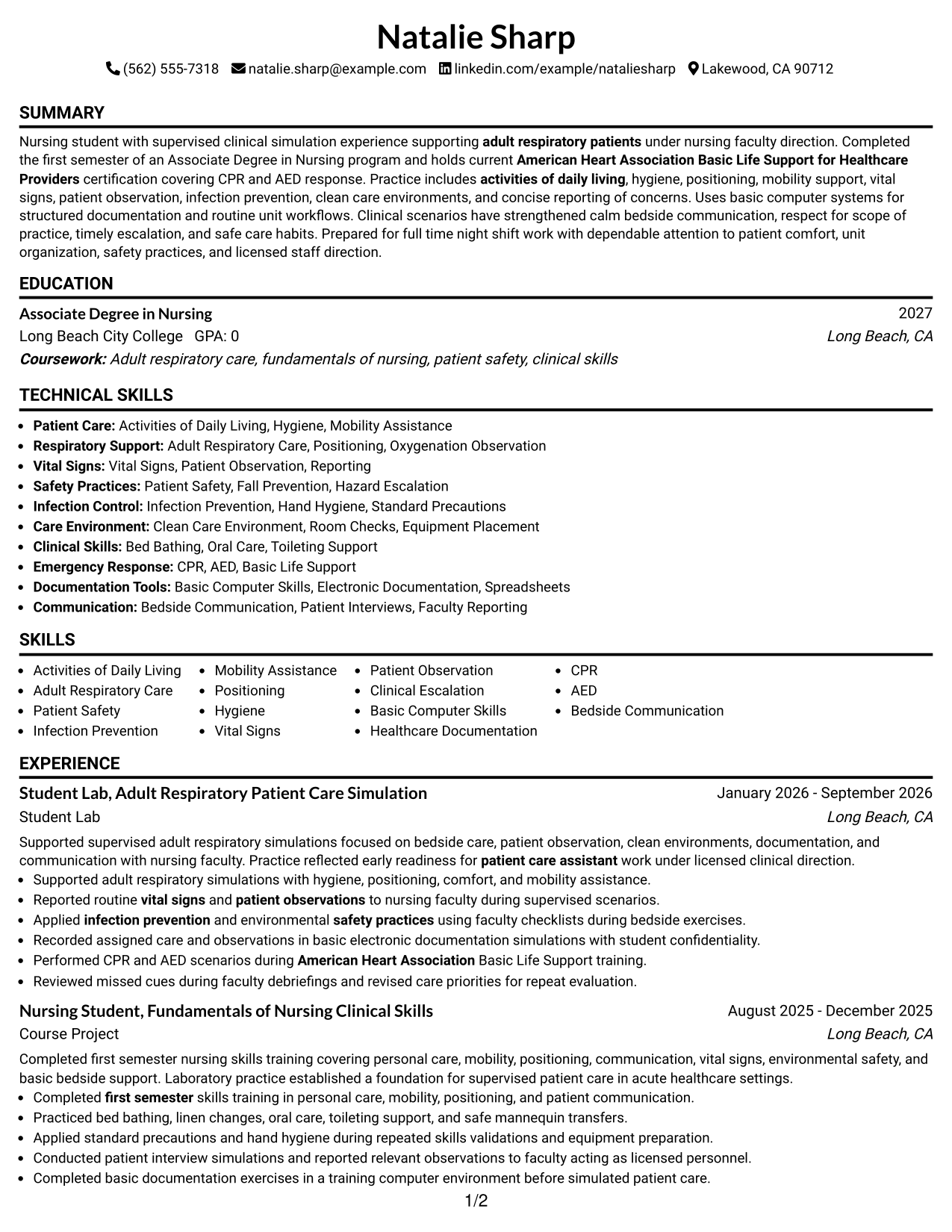
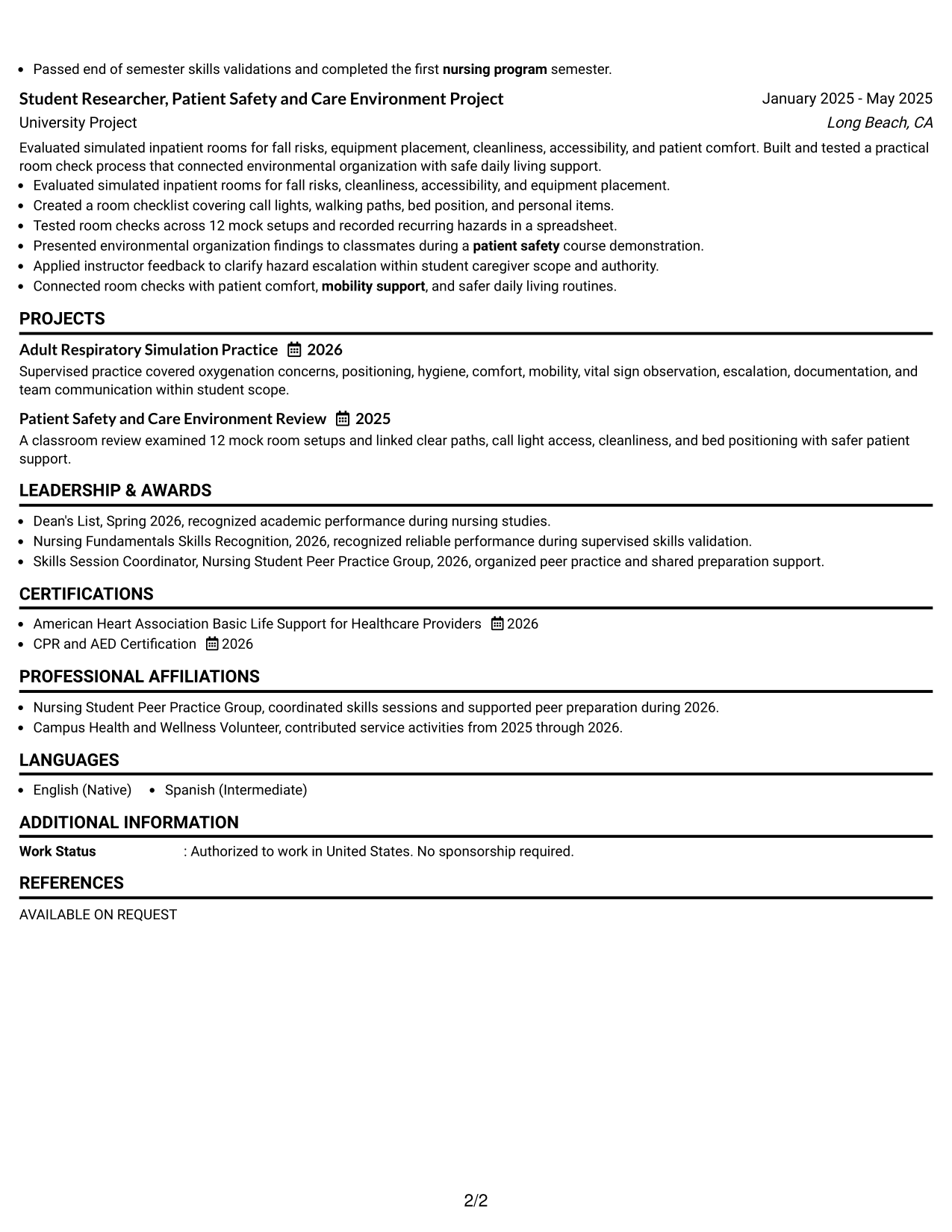
#1 Simple One Column Format Resume Example
A direct one-column reading order helps recruiters scan each resume section from top to bottom without visual detours.
Why This Format Works
- Linear section order keeps experience and education easy to follow.
- Full-width space gives skills and credentials clear room without crowding.
- Simple hierarchy helps recruiters move from summary to supporting evidence.
Best For
- Straightforward chronological reading
- ATS-conscious applications
- Resumes with several evidence sections
- Readers who prefer simple navigation
- Clear education and credential review
Resume Keywords
- Patient Care Assistant
- Adult Respiratory Unit
- activities of daily living
- patient safety
- infection prevention
- mobility assistance
- vital signs
- clinical escalation
- basic computer skills
- healthcare documentation
- American Heart Association
- Basic Life Support for Healthcare Providers
- CPR
- AED
- bedside communication
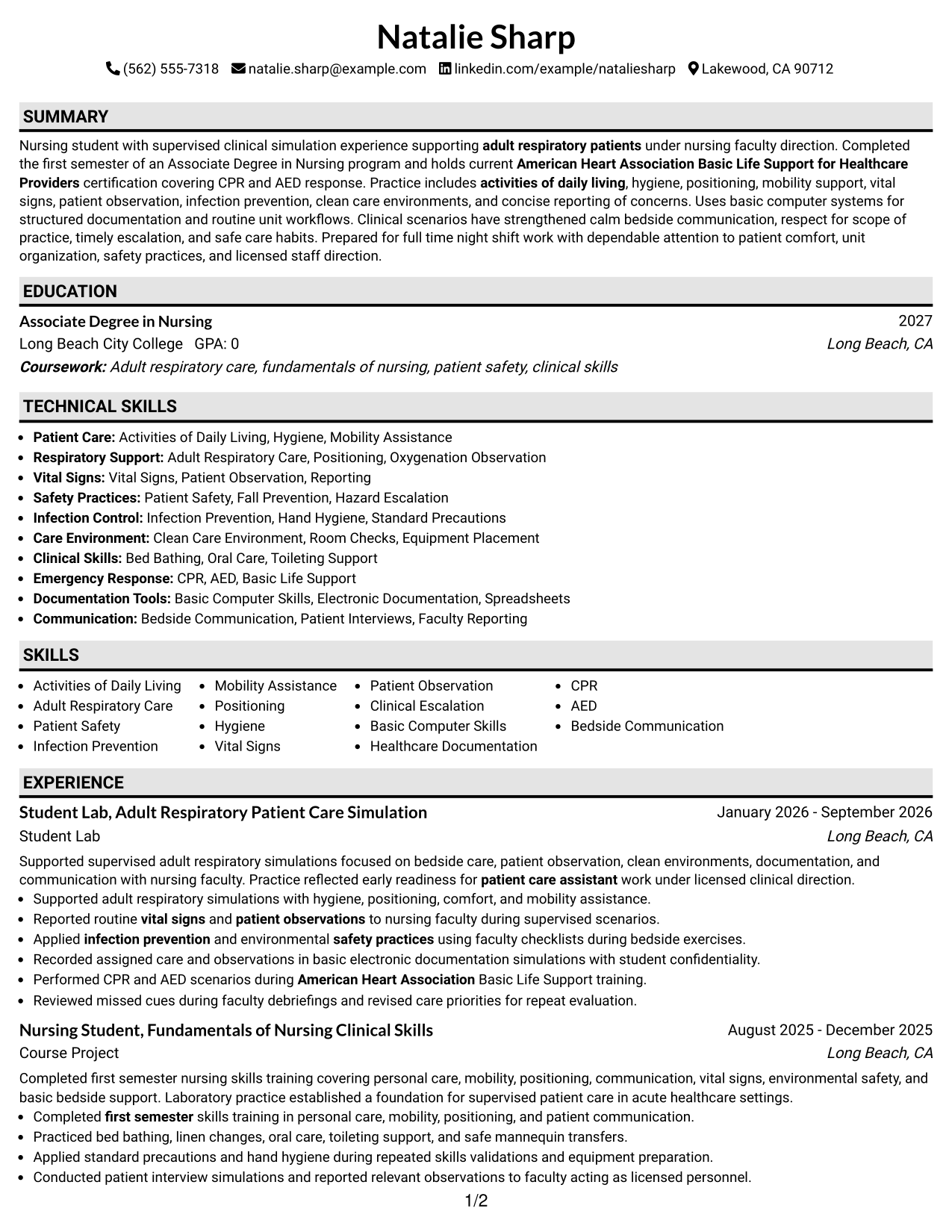
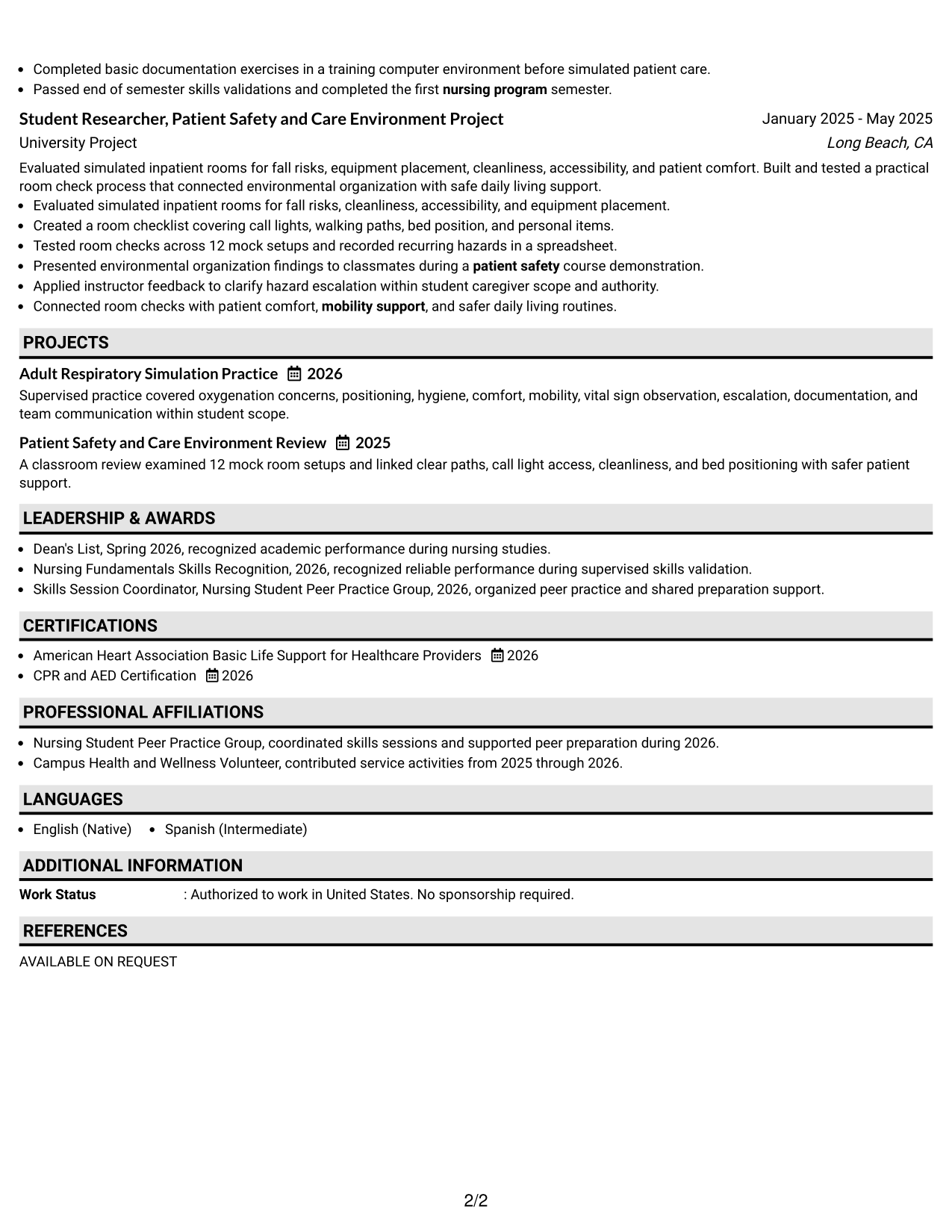
#2 Plain One Column with Shaded Labels Resume Example
Shaded section labels create clear stopping points while the one-column body keeps recruiter scanning in a steady sequence.
Why This Format Works
- Shaded labels separate experience, skills, and education without changing reading order.
- One-column flow keeps longer descriptions aligned in a familiar sequence.
- Visible section breaks make credentials easier to locate during quick review.
Best For
- Strong section separation
- Longer descriptive bullets
- Fast credential lookup
- Applications needing a calm structure
- Readers scanning by section heading
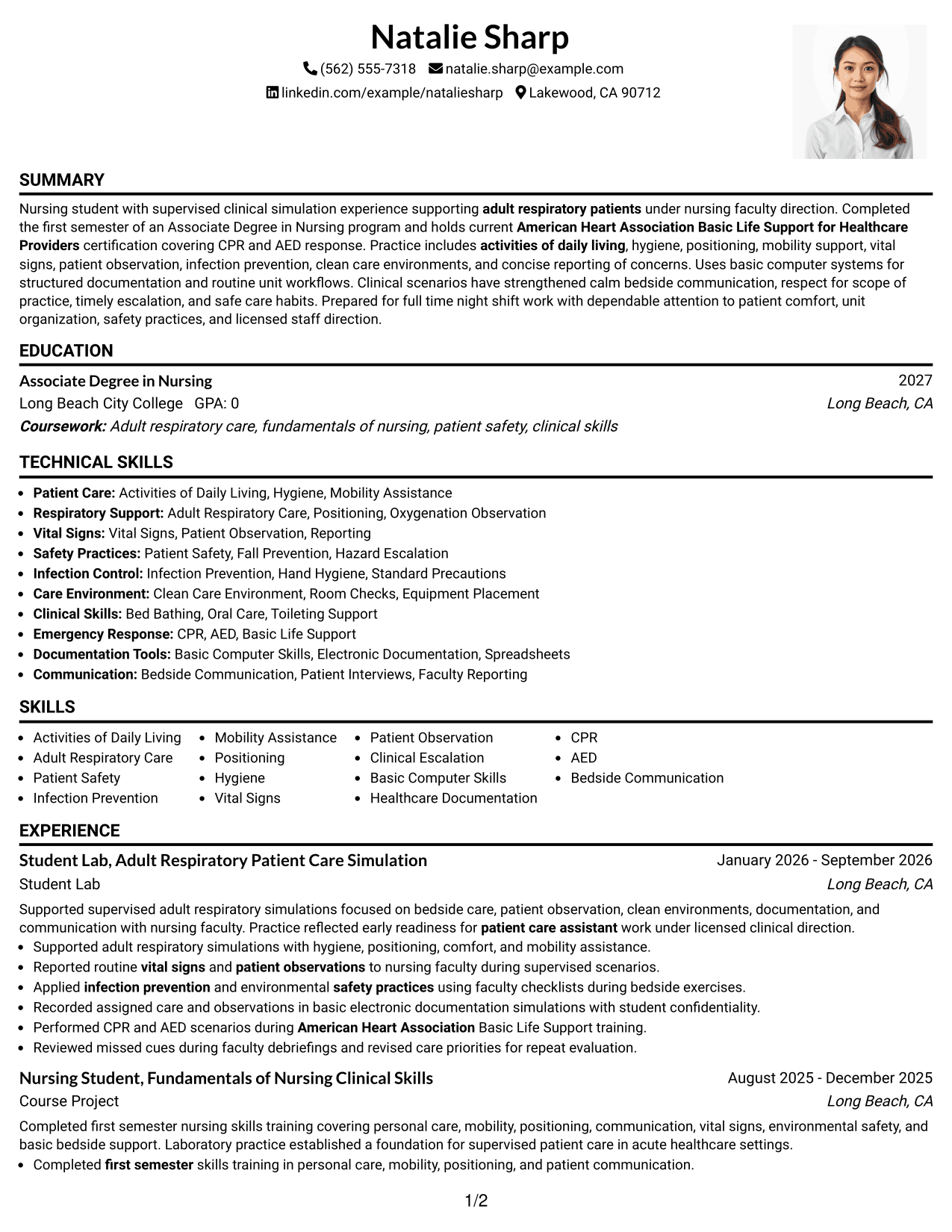
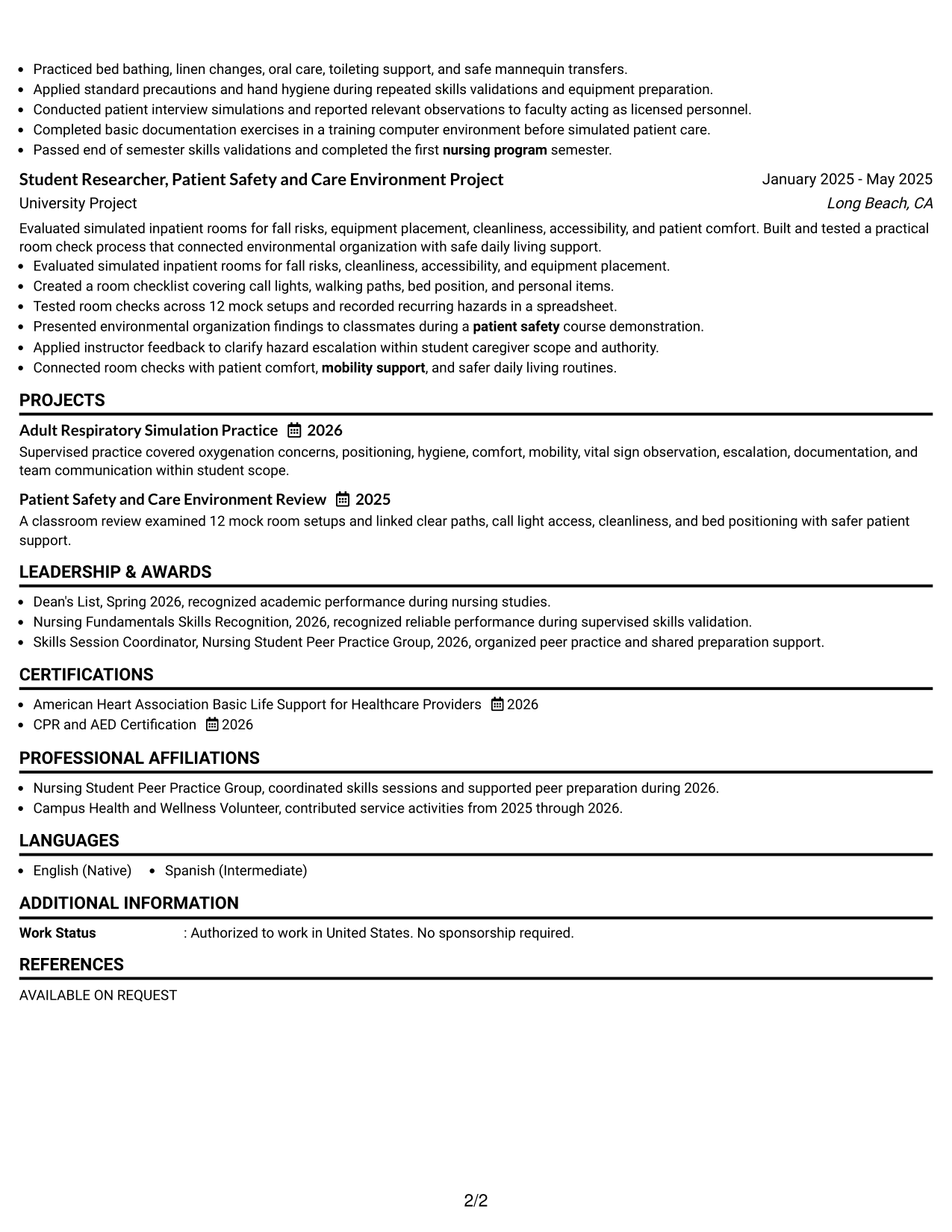
#3 One Column Format with Photo Right Resume Example
A right-side photo adds personal identification in the header while the one-column body preserves a simple recruiter reading path.
Why This Format Works
- Single-column body keeps experience and education in one continuous path.
- Header photo stays separate from the resume's main evidence sections.
- Open body width supports readable skills, achievements, and credential details.
Best For
- Markets where resume photos are customary
- Personal identification in the header
- Continuous body reading
- Applications with detailed section content
- Readers who value generous text width
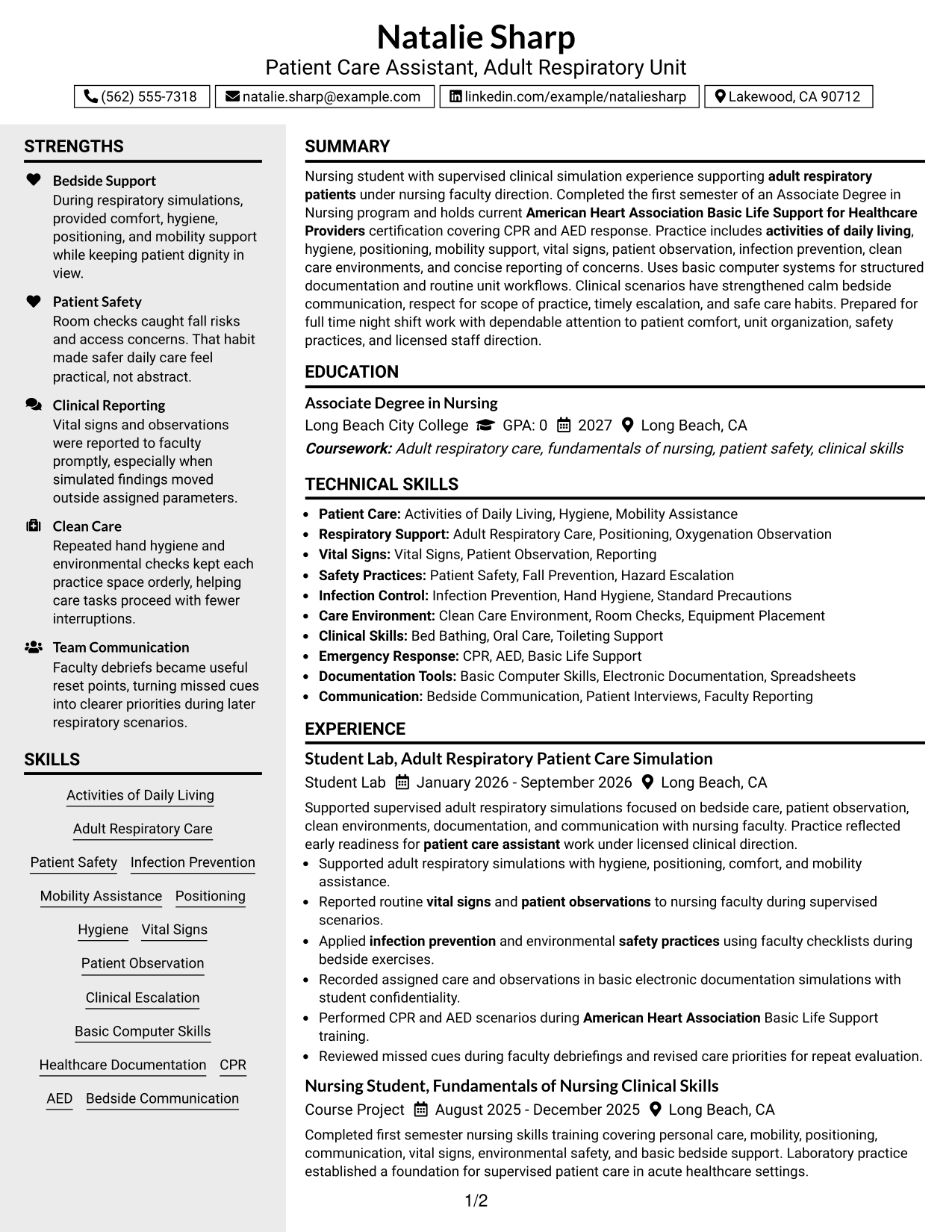
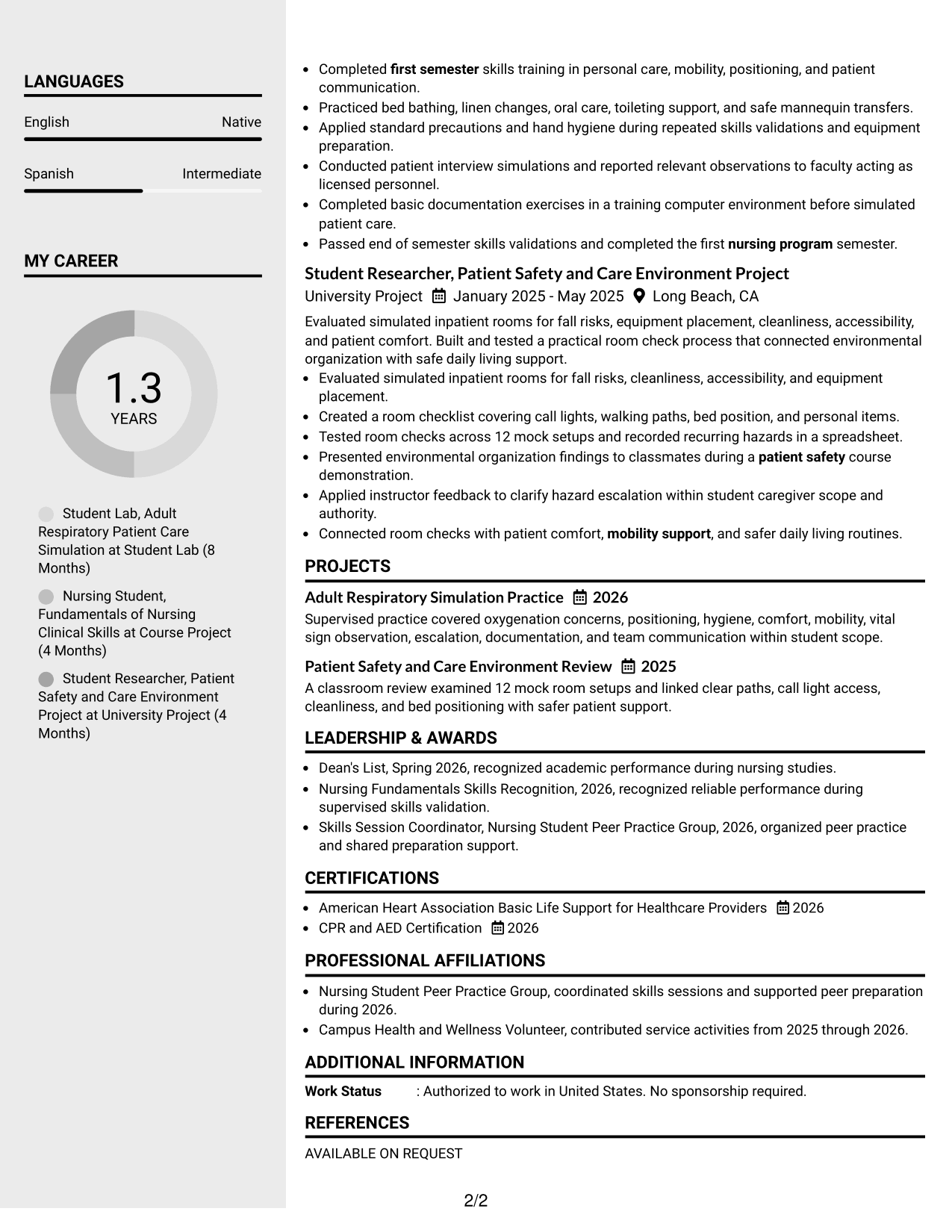
#4 Clean Two Column Sidebar Format Resume Example
A clean sidebar divides supporting details from the main two-column reading area, helping recruiters locate key sections quickly.
Why This Format Works
- Sidebar separation gives skills and credentials their own visual area.
- Main column keeps experience and education connected in a clear sequence.
- Two-column organization reduces searching across several supporting resume sections.
Best For
- Compact supporting information
- Distinct skills and credential areas
- Experience that needs more main-column space
- Readers comparing core and supporting sections
- Balanced two-column organization
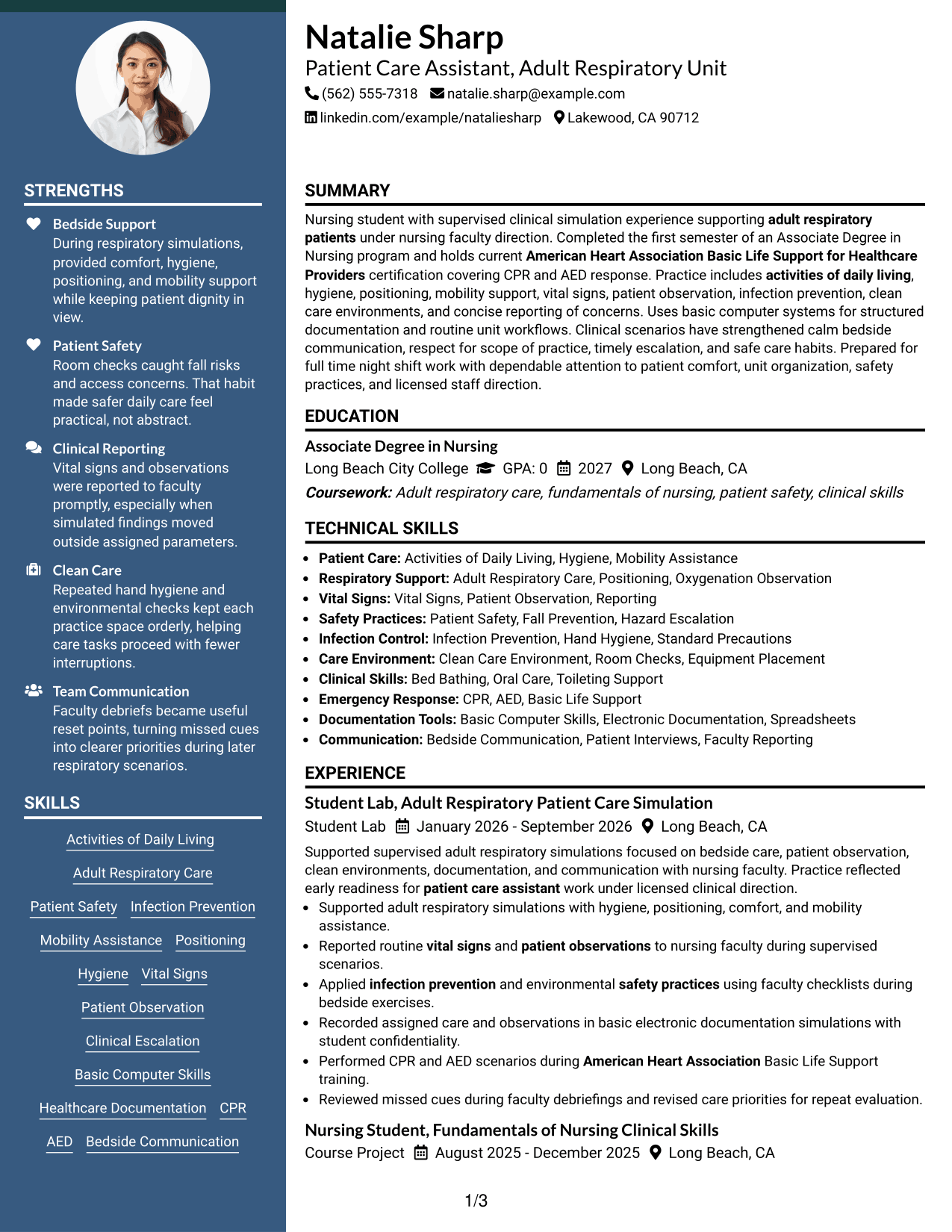
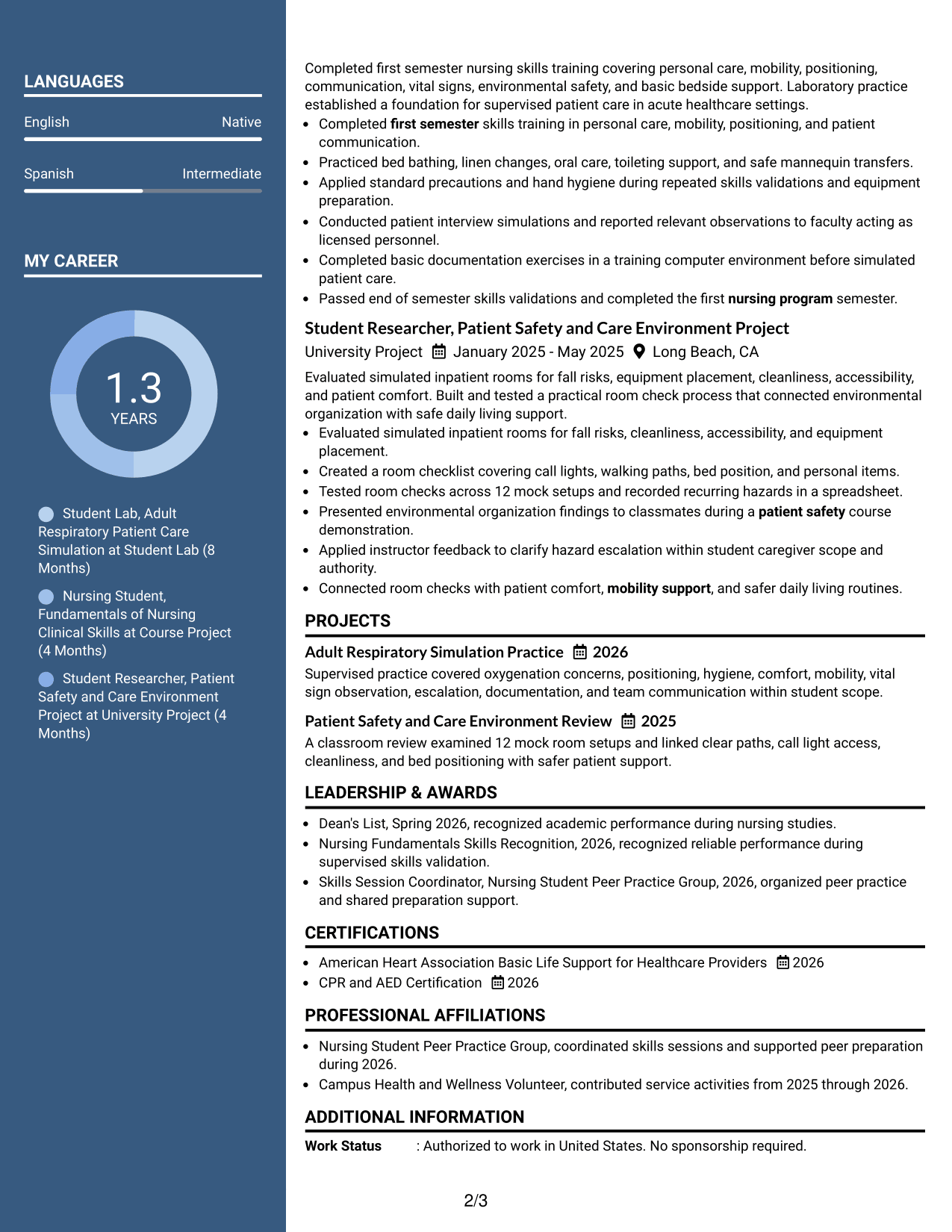
#5 Two Column Format Resume Example
Parallel columns organize the resume into compact information zones so recruiters can compare major sections with less vertical travel.
Why This Format Works
- Parallel columns give experience and supporting qualifications distinct visual zones.
- Compact section grouping helps recruiters compare skills, education, and credentials.
- Shorter vertical runs can make dense resume content easier to navigate.
Best For
- Compact multi-section resumes
- Side-by-side information review
- Balanced evidence density
- Applications with several supporting qualifications
- Readers comfortable with parallel sections
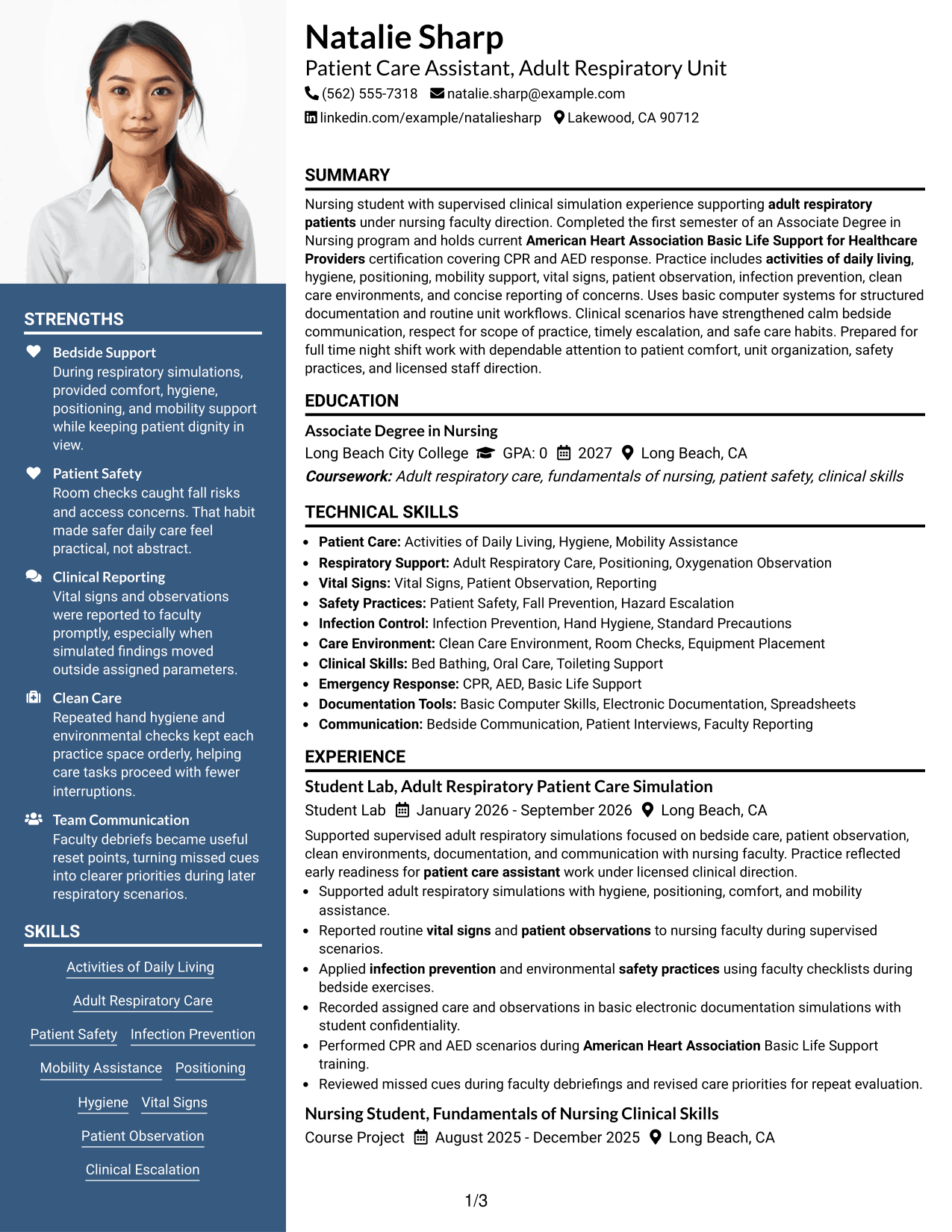
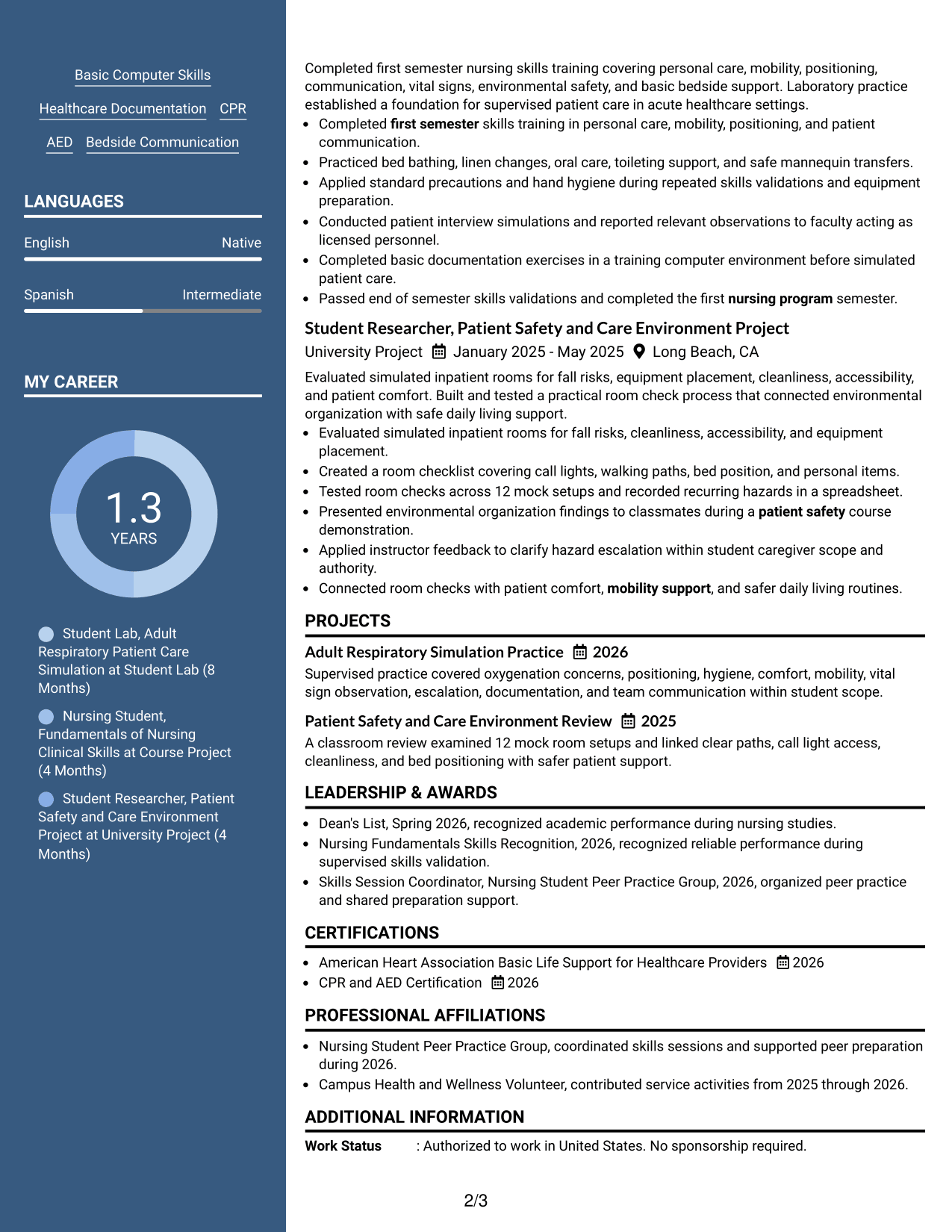
#6 Photo Header Two Column Format Resume Example
A photo-led header identifies the applicant visually, while two body columns help recruiters move between core and supporting sections.
Why This Format Works
- Two body columns separate experience from supporting resume categories clearly.
- Header photo remains distinct from achievements, skills, and credential evidence.
- Column grouping gives education and skills visible boundaries during review.
Best For
- Regions where professional photos are expected
- Two-column section grouping
- Resumes balancing experience and supporting details
- Visual identity kept outside body evidence
- Readers who scan separate content zones
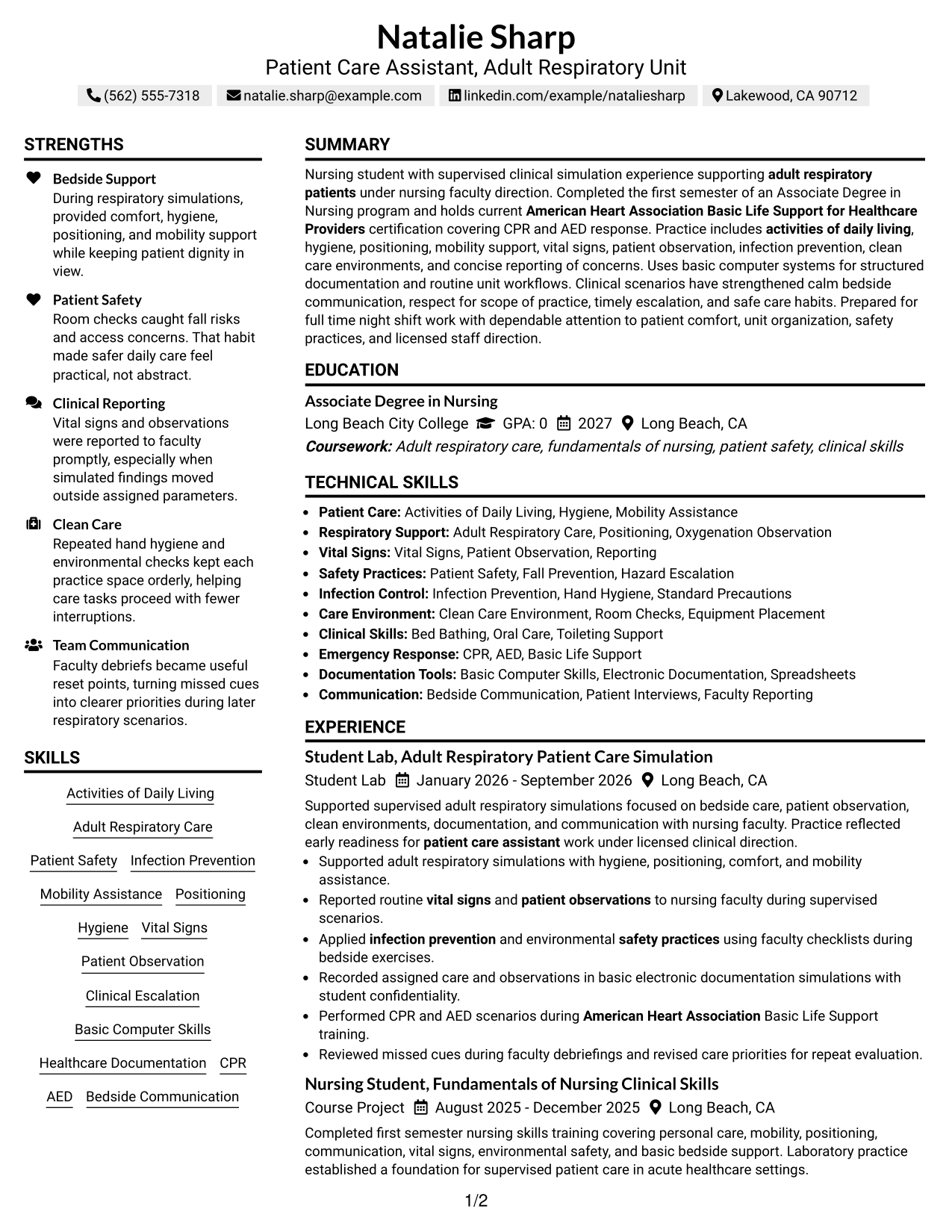
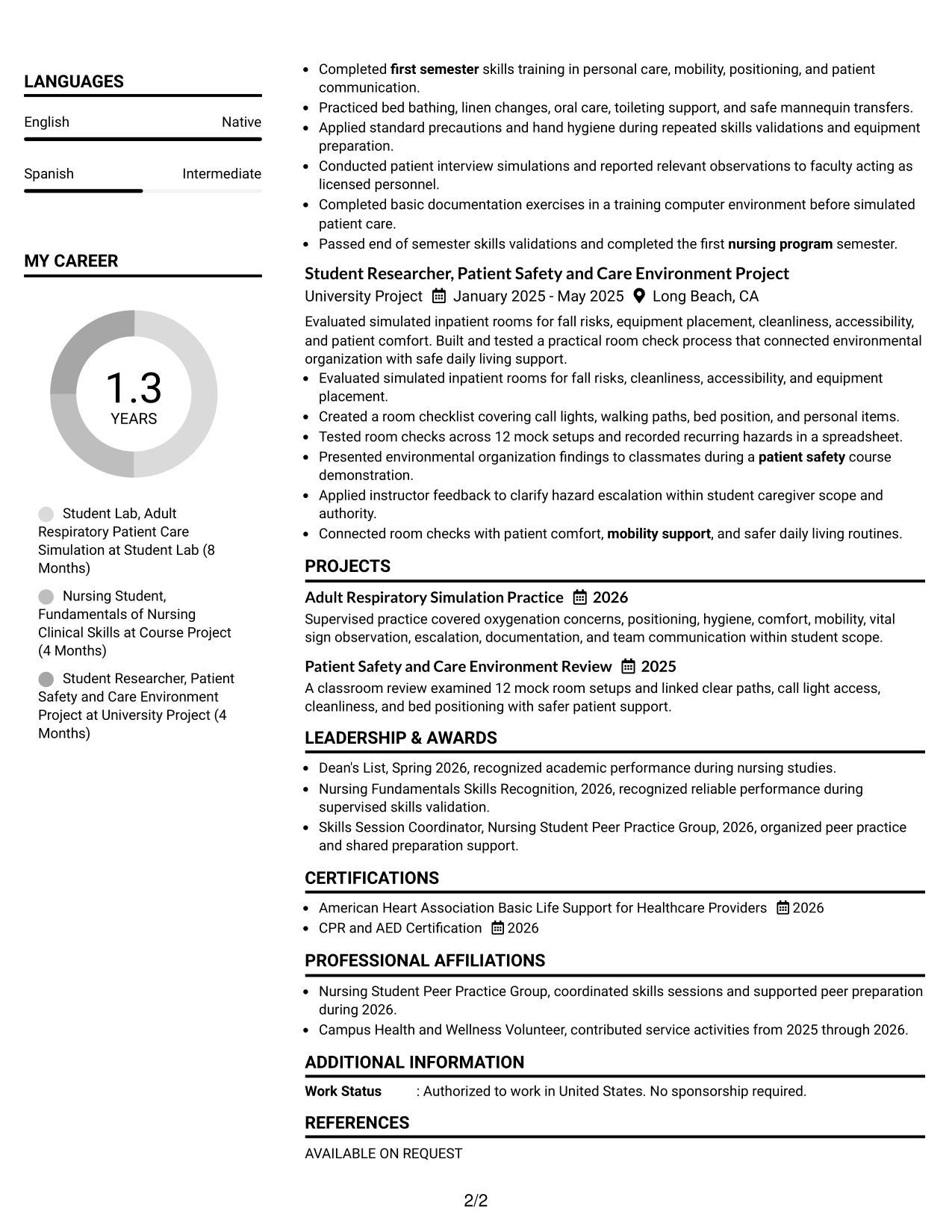
#7 Simple Two Column Format Resume Example
A simple two-column structure keeps the page orderly while giving recruiters separate paths for primary and supporting resume information.
Why This Format Works
- Simple columns distinguish main experience from secondary resume information.
- Clear spacing keeps education, skills, and credentials visually separated.
- Balanced structure supports quick movement between detailed and concise sections.
Best For
- Uncomplicated two-column reading
- Mixed long and short sections
- Separate primary and secondary information
- Readers who want clear spacing
- Resumes needing orderly section balance
See Also
- 33 Medical Assistant/Patient Support Assistant Resume Templates with Example 2026 (ATS-Optimized)
- 33 Assistant-Physician Neurocritical Care Resume Templates with Example 2026 (ATS-Optimized)
- 33 Family Practice/Primary Care Physician Assistant Resume Templates with Example 2026 (ATS-Optimized)
- 33 Locum Tenens Physician Assistant - Urgent Care Resume Templates with Example 2026
- 33 LPN or Medical Assistant Primary Care Resume Templates with Example 2026 (ATS-Optimized)
- 33 Medical Assistant - Immediate Care Resume Templates with Example 2026 (ATS-Optimized)
- 33 Medical Assistant (MA) - Primary Care OB Resume Templates with Example 2026 (ATS-Optimized)
- 7 Medical Assistant - Primary Care Resume Templates with Example
- 30+ Medical Assistant/Patient Support Assistant Cover Letter Templates with Example 2026
- 30+ Assistant-Physician Neurocritical Care Cover Letter Templates with Example 2026
Frequently Asked Questions
Are these Patient Care Assistant - Adult Respiratory Unit resume templates ATS-friendly?
They use clear section structure and readable headings that support ATS parsing. Your results still depend on accurate content, file quality, and the employer's system.
Are these different resumes?
No. The examples use the same Patient Care Assistant - Adult Respiratory Unit resume content in different visual formats.
What should a Patient Care Assistant - Adult Respiratory Unit resume include?
Include a focused summary, relevant experience, education, patient care skills, safety practices, computer or documentation skills, and required credentials that you actually hold.
How can a nursing student show readiness for this role?
Show completed nursing coursework, supervised clinical or simulation practice, activities of daily living, vital-sign observation, safety habits, communication, and scope-aware escalation.
Which keywords are useful for this resume?
Use supported terms from the job description and your background, such as activities of daily living, patient safety, infection prevention, mobility assistance, vital signs, basic computer skills, and Basic Life Support.
Should I include CPR and AED training?
Yes, when current and accurate. For this target role, current American Heart Association Basic Life Support for Healthcare Providers certification is a stated requirement.
Should I include a photo on my resume?
Use a photo only when it is customary or expected in your location and application context. For many U.S. applications, a no-photo resume is the more common choice.
Can I customize these resume templates?
Yes. Adjust the wording, section order, and format while keeping every skill, credential, and achievement accurate to your own background.




