
US English


7 Press Assistant / Press Secretary - Financial Policy Communications Resume Templates with Example
By Ria · Last Updated On October 15, 2026
Resume example — page 1

This guide shows you how to build a Press Assistant / Press Secretary - Financial Policy Communications resume that is clear, focused, and easy to review. You will learn how to present your relevant work and choose a format that supports the role.

A strong resume makes policy communications work easy to scan. Use concise bullets to show press writing, reporter research, hearing support, media monitoring, and digital content work, and include tools such as Cision or Adobe Creative Cloud when they match your experience.

The example is presented in 7 layouts, with PNG image previews to compare and editor links to view or customize the resume.

What Makes a Great Press Assistant / Press Secretary - Financial Policy Communications Resume in 2026

A strong resume uses clear sections and direct bullets to show policy writing, press work, media coordination, and support for hearings and appearances. Put the most relevant experience and skills where a reviewer can find them quickly.

Use accurate terms such as press releases, talking points, media clips, reporter research, social listening, and website content management. Add tools such as Cision only when they reflect your actual experience.

Note: Resume examples are for educational purposes only. Use only information that accurately reflects your experience and qualifications. References to real organizations do not imply affiliation or endorsement.

#1 Plain Two Column Format Resume Example

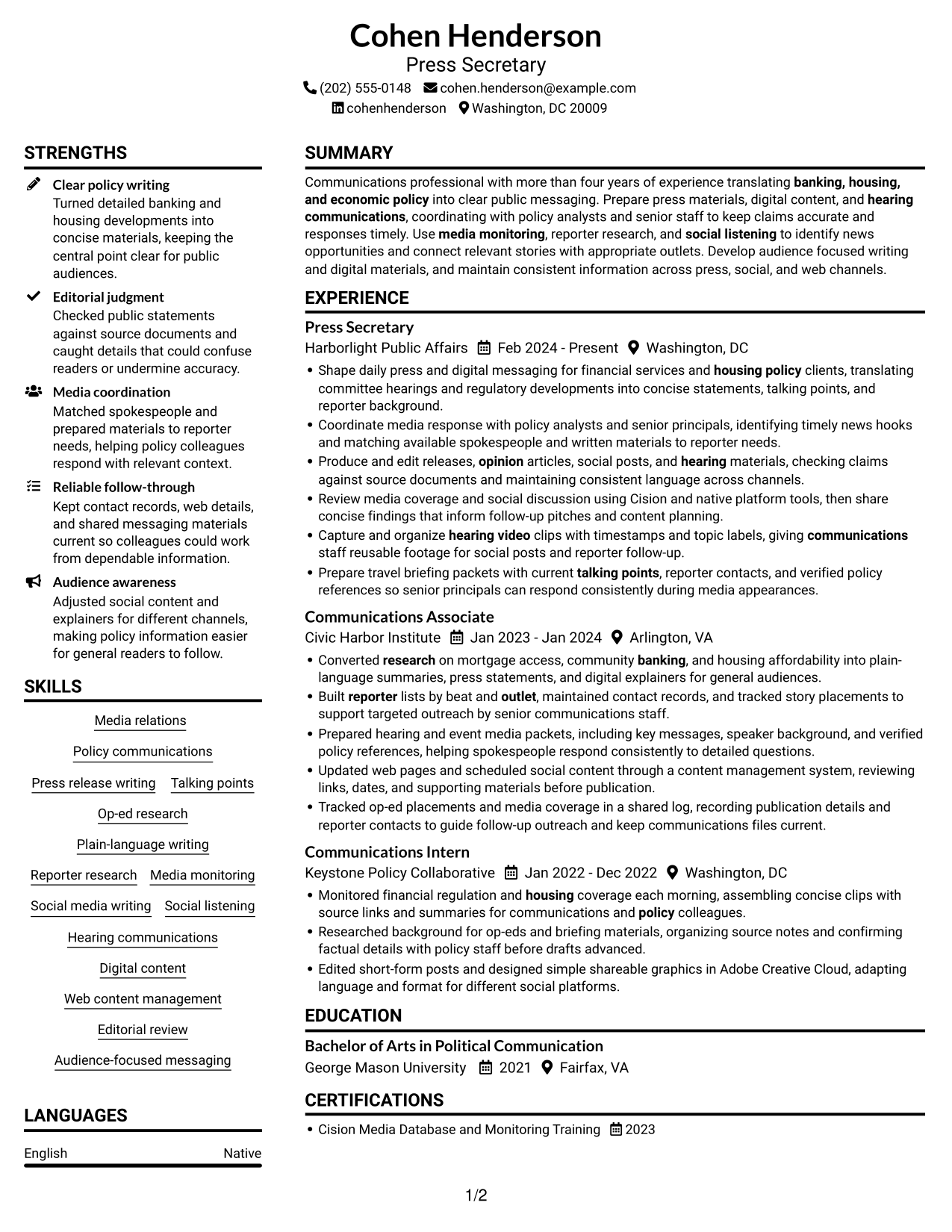
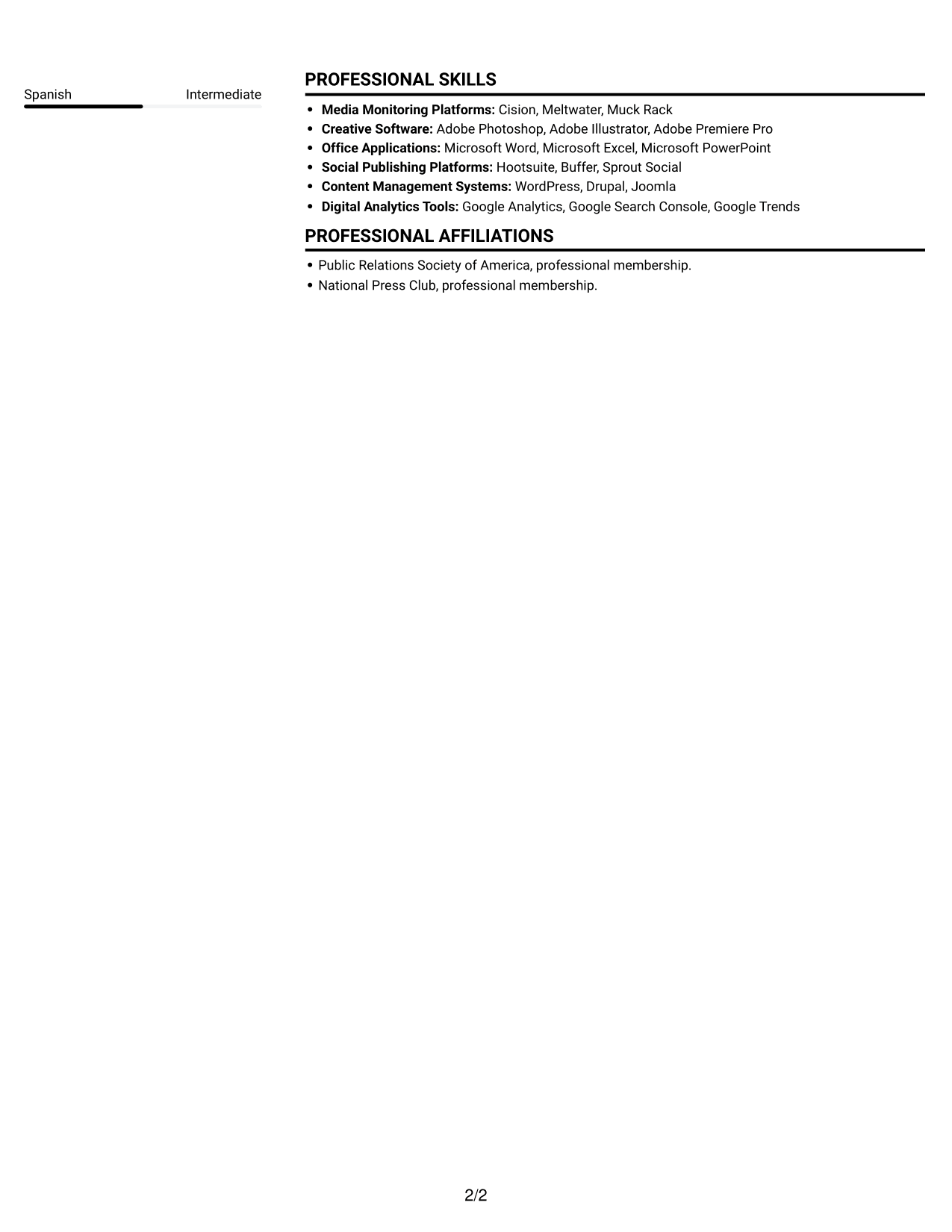
The Plain Two Column Format uses two columns and no photo, so reviewers can scan experience beside supporting resume sections.
 
Resume example — page 1   Resume example — page 2

Resume Snapshot

  • More than four years of policy communications experience
  • Press Secretary at Harborlight Public Affairs, February 2024 to present
  • Bachelor of Arts in Political Communication, George Mason University, 2021
  • Experience includes press materials, media monitoring, reporter research, and digital content

Why This Format Works

  • Two columns give career history and supporting sections separate areas for quick review.
  • Role dates and titles are easier to trace through the work history.
  • Skills and education can be checked without reading each experience bullet.

Best For

  • Experience plus supporting credentials
  • Resumes with several distinct sections
  • Photo-free application materials
  • Side-by-side section review
  • Concise recruiter scanning

Resume Keywords

  • Media relations
  • Produce and edit releases, opinion articles, social posts, and hearing materials
  • Policy communications
  • Talking points
  • Media monitoring
  • Built reporter lists by beat and outlet, maintained contact records, and tracked story placements to support targeted outreach by senior communications staff.
  • Monitored financial regulation and housing coverage each morning, assembling concise clips with source links and summaries for communications and policy colleagues.
  • Social listening
  • Op-ed research
  • Produce and edit releases, opinion articles, social posts, and hearing materials, checking claims against source documents and maintaining consistent language across channels.
  • Hearing communications
  • Audience-focused messaging
  • Capture and organize hearing video clips with timestamps and topic labels, giving communications staff reusable footage for social posts and reporter follow-up.
  • Prepare travel briefing packets with current talking points, reporter contacts, and verified policy references so senior principals can respond consistently during media appearances.
  • housing policy
See all keywords
 

#2 Simple One Column Format Resume Example

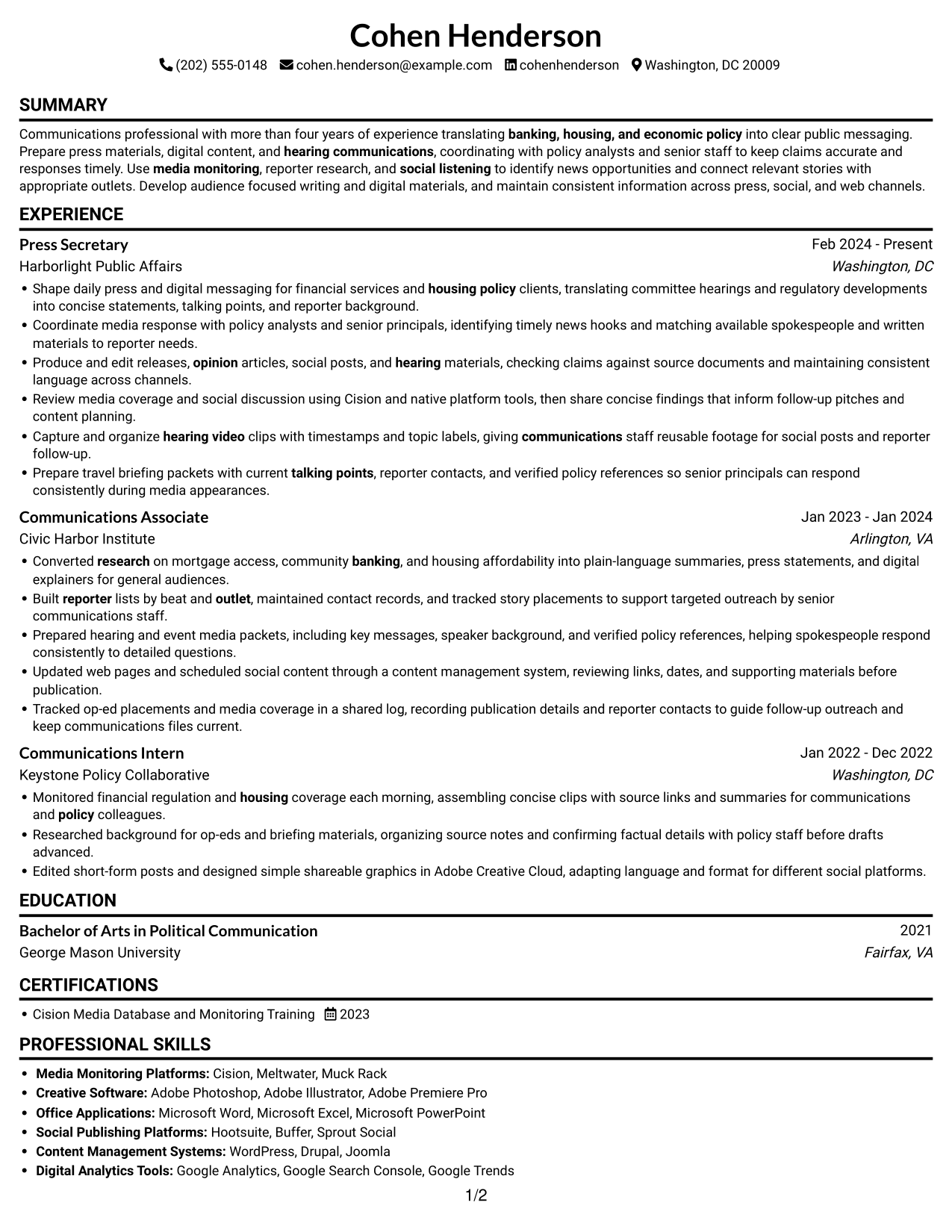
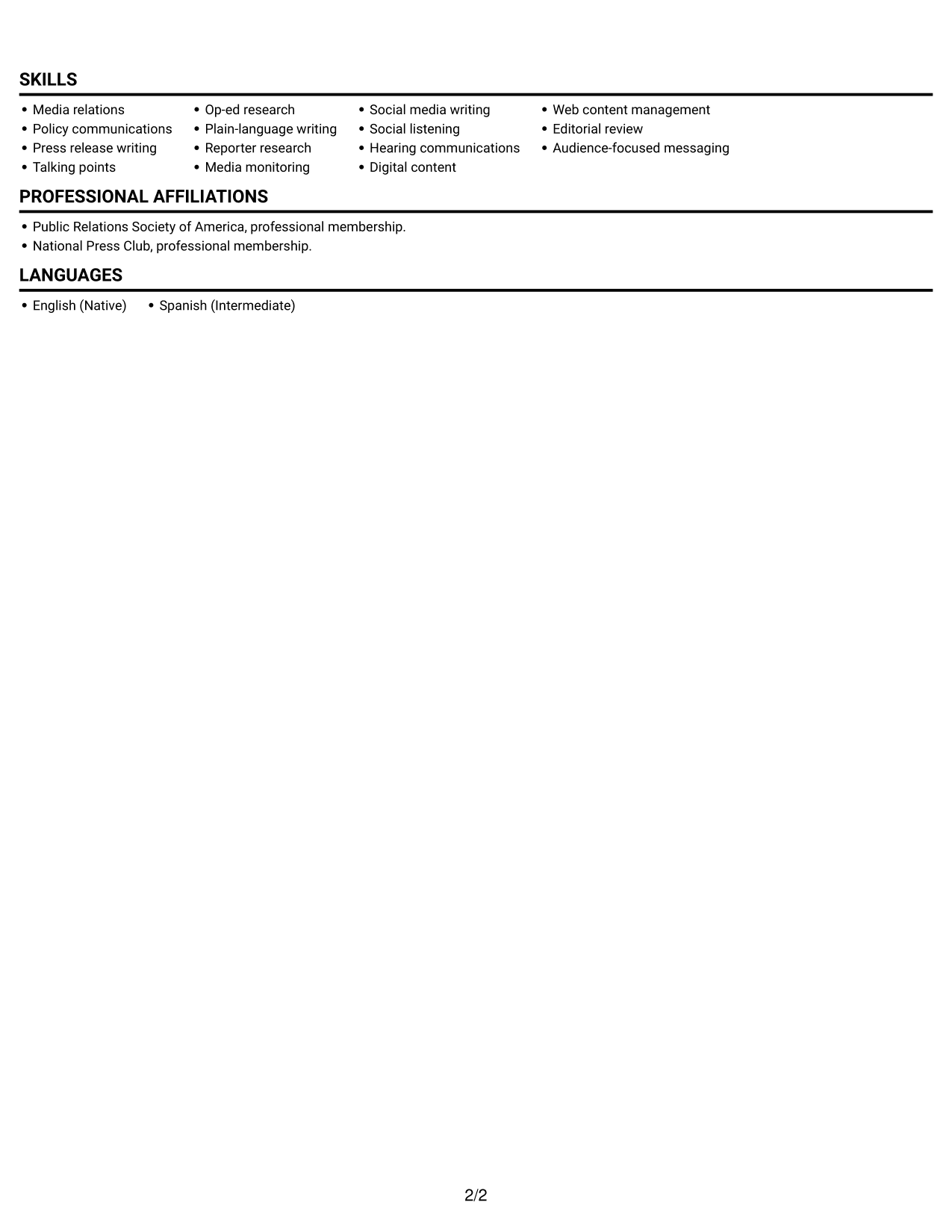
Simple One Column Format keeps the content in one vertical column, giving reviewers a direct route through each resume section.
 
Resume example — page 1   Resume example — page 2

Why This Format Works

  • One vertical reading path helps reviewers follow roles in sequence.
  • Section headings separate education and certifications from detailed experience entries.
  • Skills remain in the same flow as the rest of the resume.

Best For

  • Chronological work histories
  • Text-led resume content
  • No-photo application requirements
  • Detailed experience entries
  • Single-path recruiter review
 

#3 Clean Two Column Sidebar Format Resume Example

Clean Two Column Sidebar Format places resume content across two columns without a photo, helping readers move between work history and supporting details.
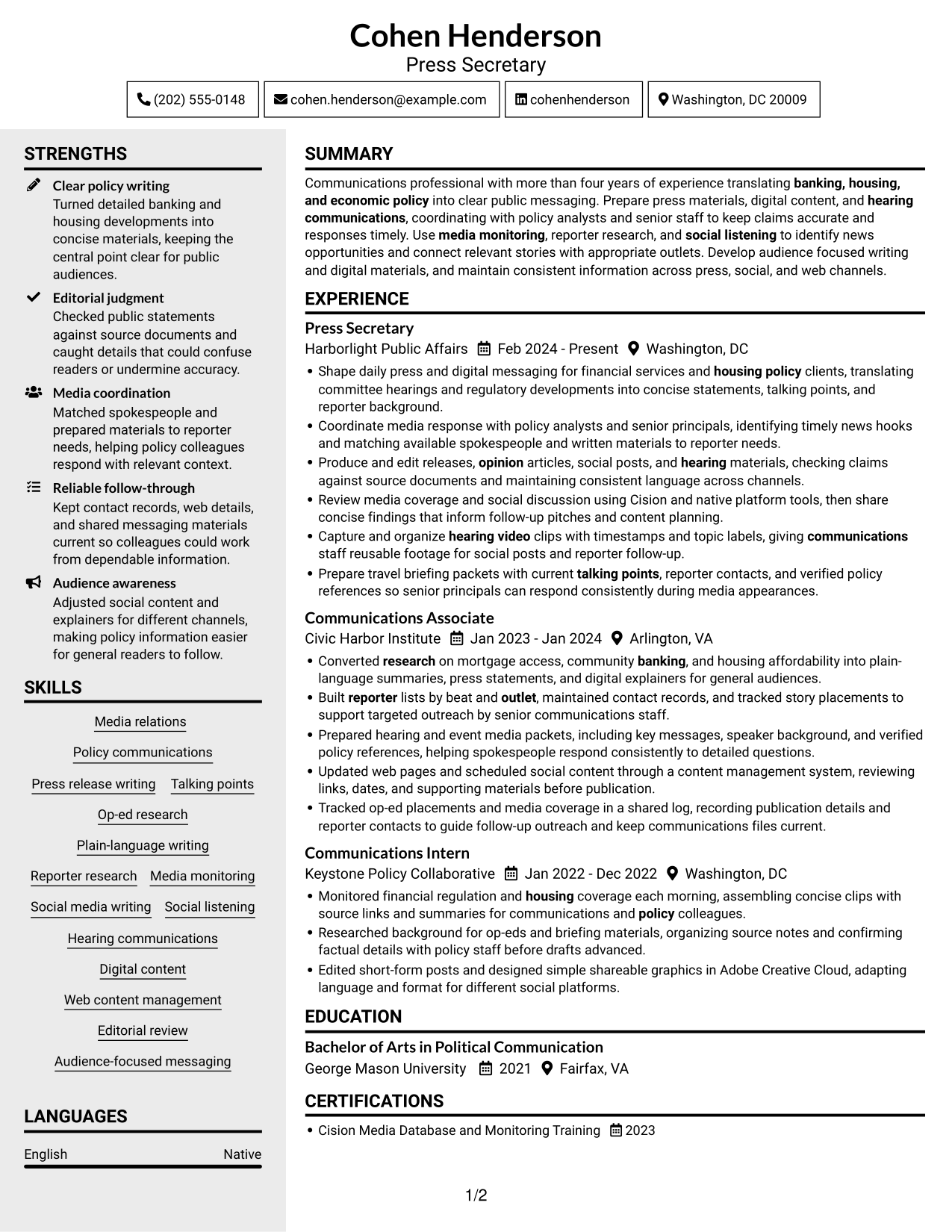
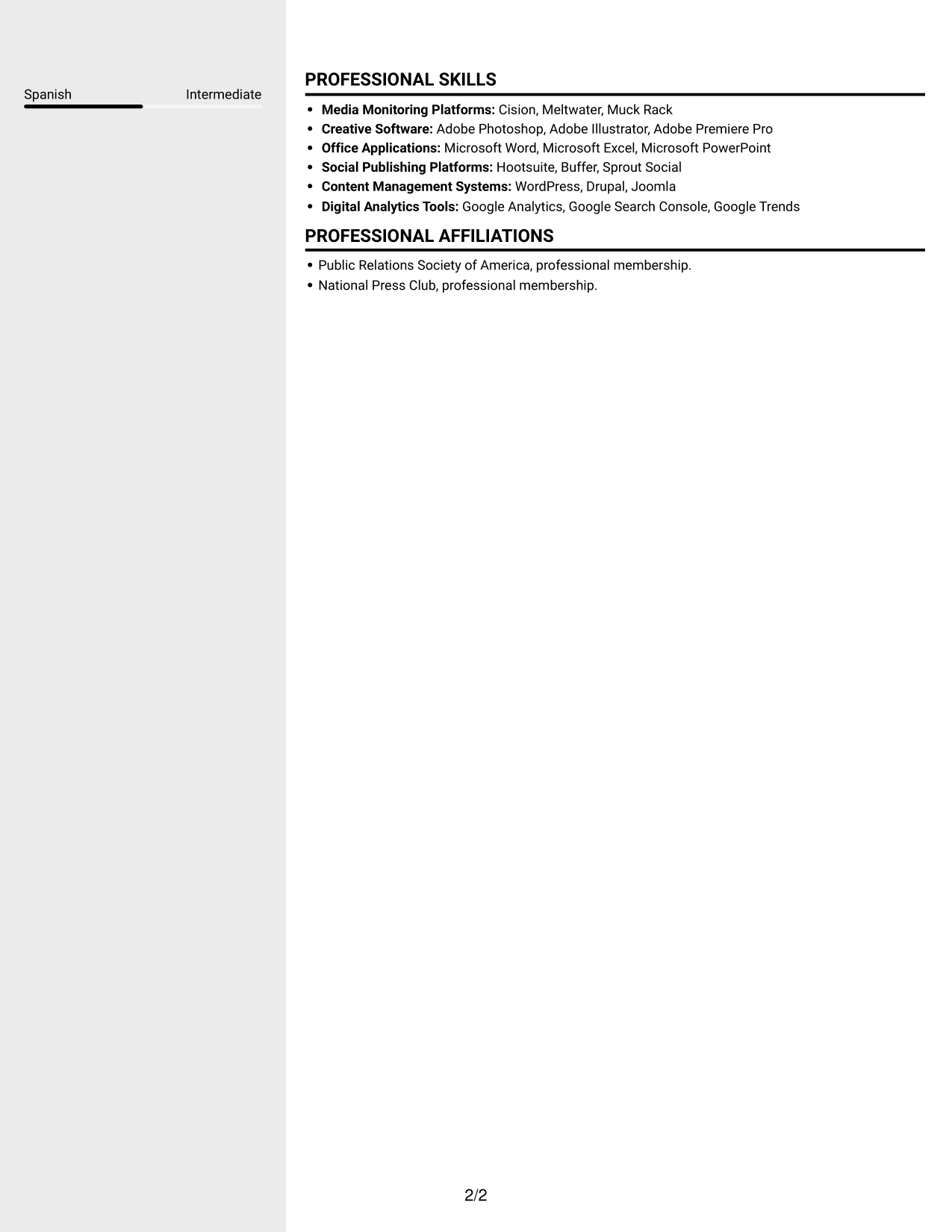
 
Resume example — page 1   Resume example — page 2

Why This Format Works

  • Two-column organization lets work history sit apart from education and skills.
  • Reviewers can move between career progression and supporting sections without losing their place.
  • Separate content areas keep certification details distinct from experience bullets.

Best For

  • Work history with supporting details
  • Several resume sections to review
  • Photo-free application materials
  • Education and skills alongside experience
  • Quick movement between sections
 

#4 Two Column Format Resume Example

Two Column Format sets resume content in two columns and leaves out a photo, a practical choice for readers who prefer section-by-section scanning.
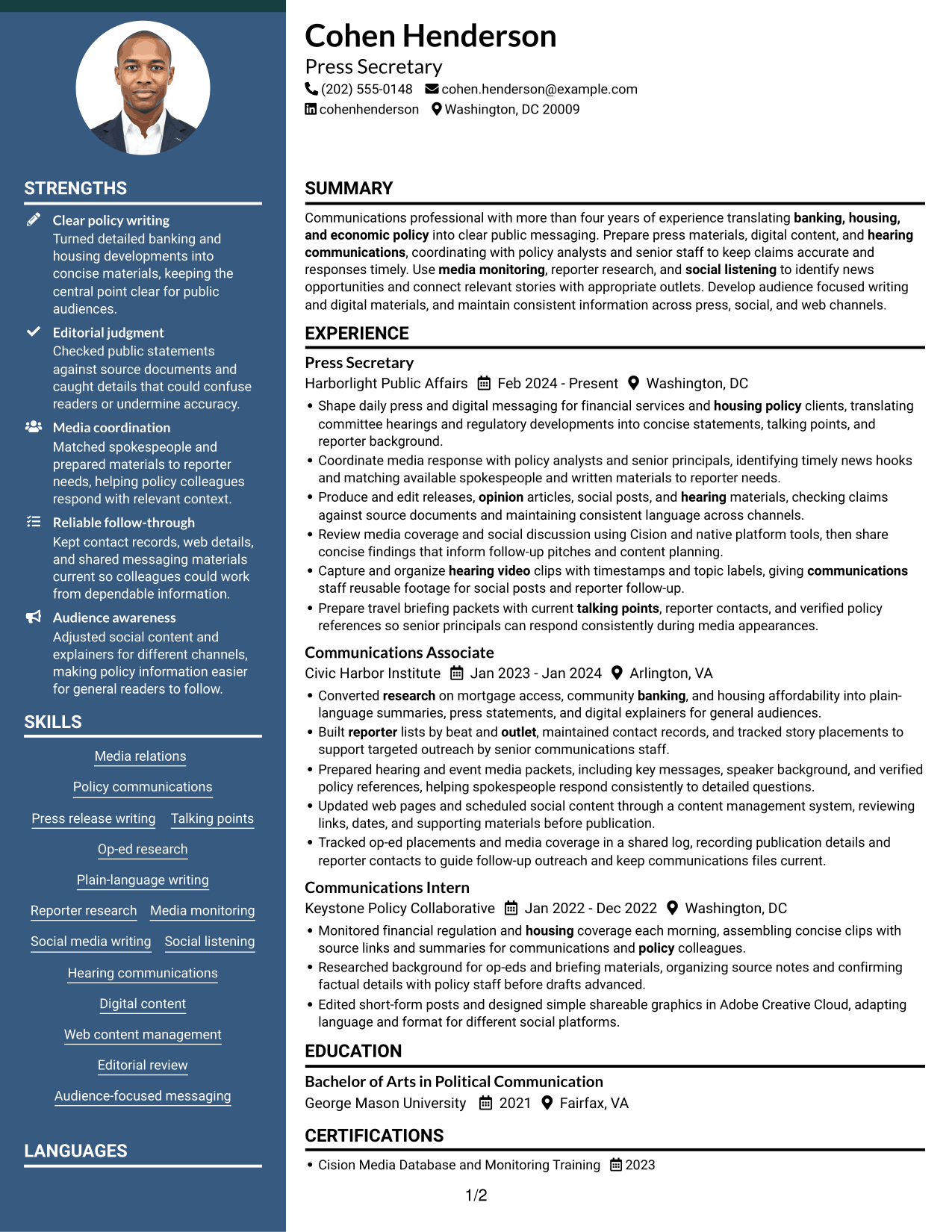
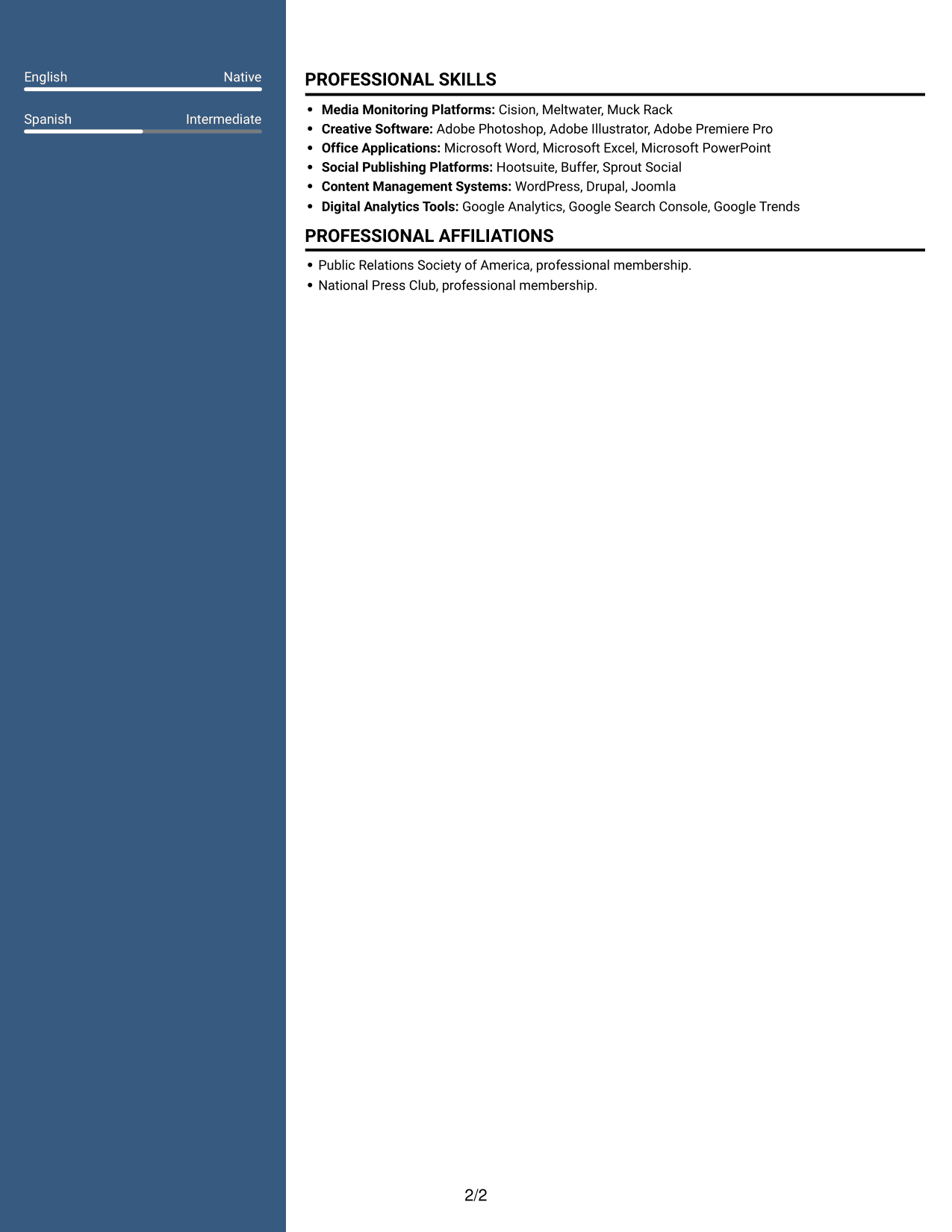
 
Resume example — page 1   Resume example — page 2

Why This Format Works

  • Two columns give reviewers a clear route between work history and supporting sections.
  • Distinct areas make education and credentials easier to locate during a scan.
  • Career progression stays readable without forcing skills into experience bullets.

Best For

  • Section-by-section resume review
  • Work history with clear progression
  • Education and credential details
  • Photo-free applications
  • Skills listed apart from experience


#5 Photo Header Two Column Format Resume Example

Photo Header Two Column Format combines a photo with two-column resume content for readers who want a personal image alongside structured sections.
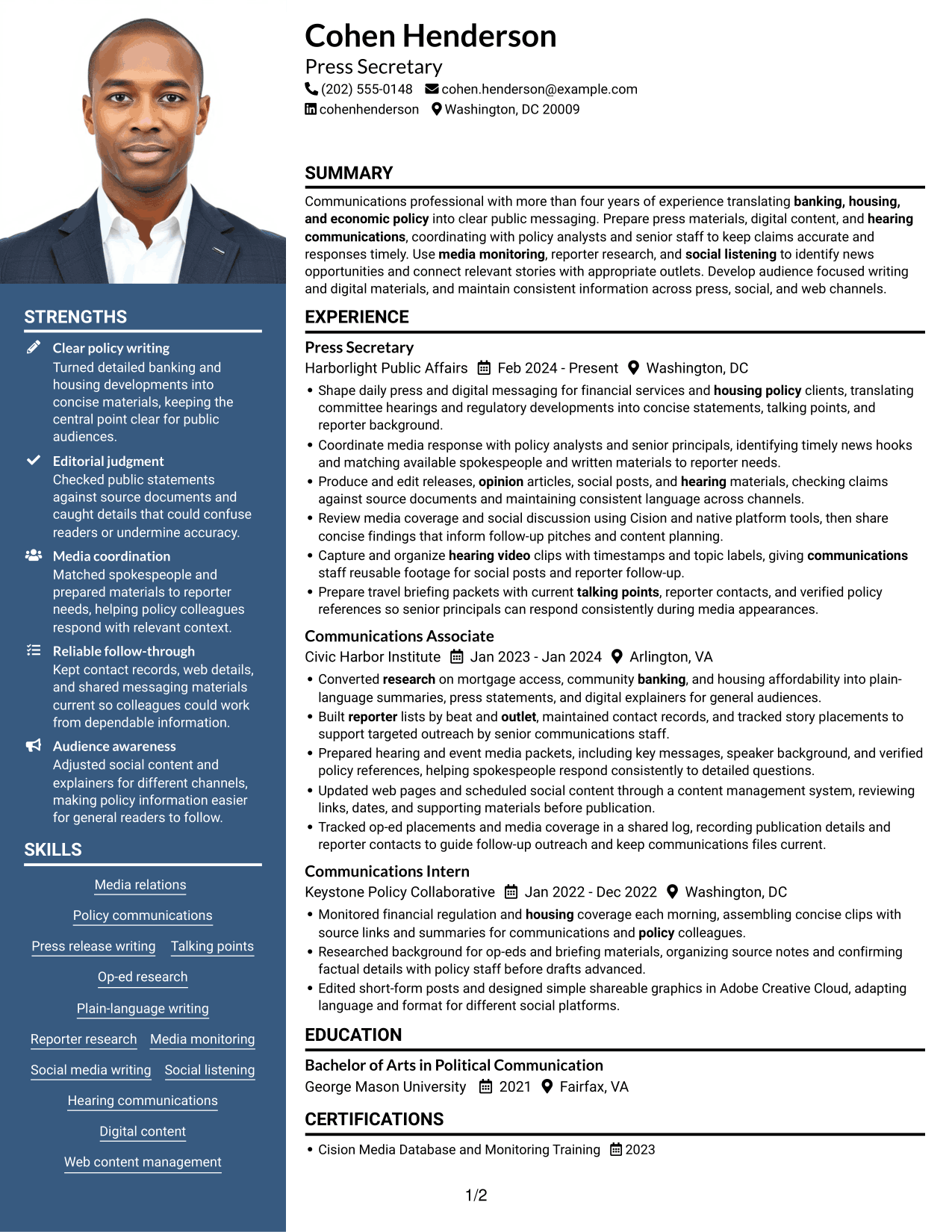
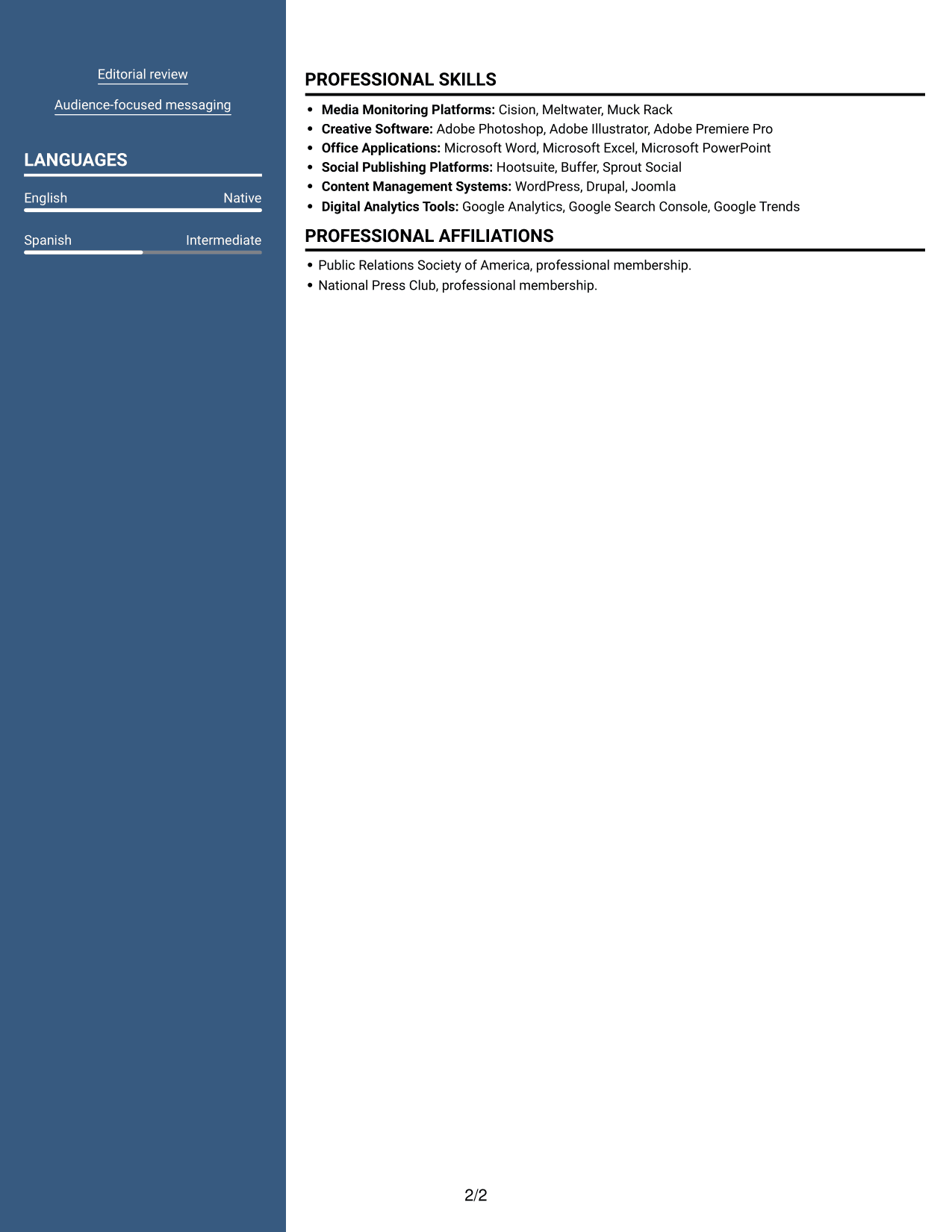
 
Resume example — page 1   Resume example — page 2

Why This Format Works

  • Two columns keep experience and supporting resume sections easy to scan independently.
  • Role details and education retain clear section boundaries for quick reference.
  • The photo adds a visible personal image without changing how work history is organized.

Best For

  • Resumes that include a personal photo
  • Two-column section organization
  • Quick review of experience and education
  • Photo-forward document preferences
  • Supporting sections beside work history
 

#6 Colored Two Column Format Resume Example

Colored Two Column Format organizes the resume in two columns without a photo, offering a compact way to review experience and credentials.
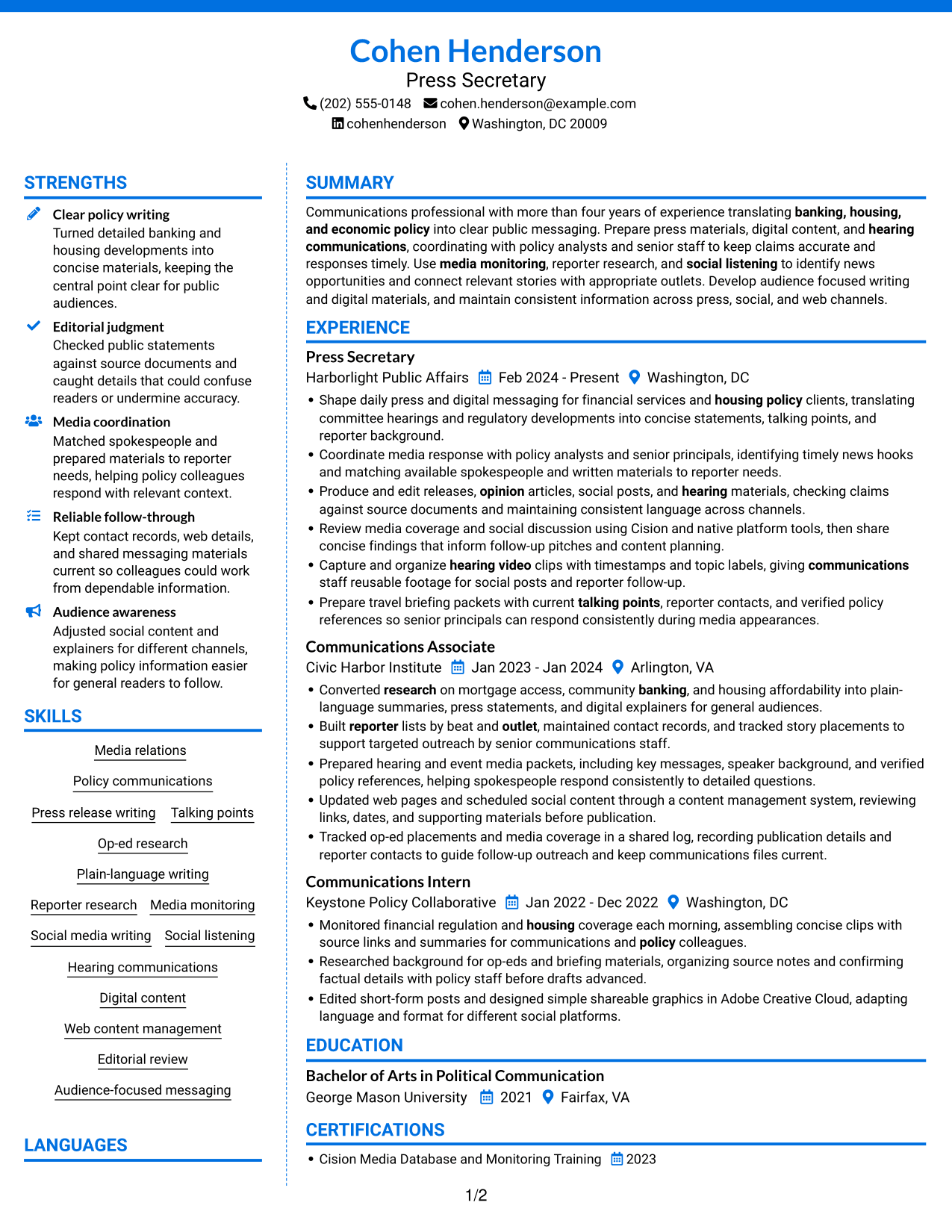
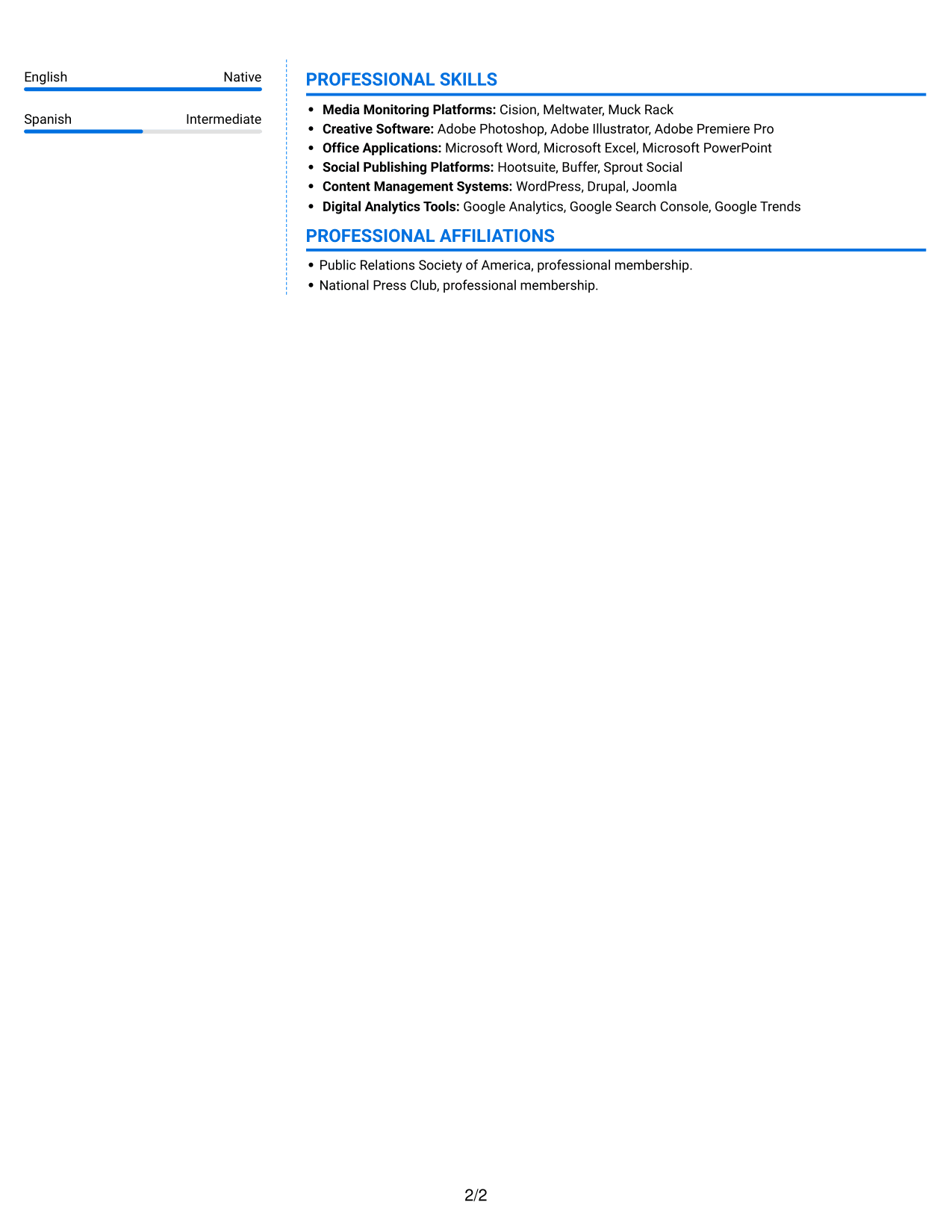
 
Resume example — page 1   Resume example — page 2

Why This Format Works

  • Separate column areas help reviewers compare career history with skills and education.
  • Section divisions make credentials easier to find apart from role details.
  • Experience entries remain distinct, so role progression can be reviewed in order.

Best For

  • Career history with supporting sections
  • Skills and education in the same resume
  • Photo-free document requirements
  • Credentials kept apart from role details
  • Compact section review
 

#7 Stylish Two Column Designer Format Resume Example

Stylish Two Column Designer Format uses two columns and no photo, suiting readers who want supporting sections close to the work history.
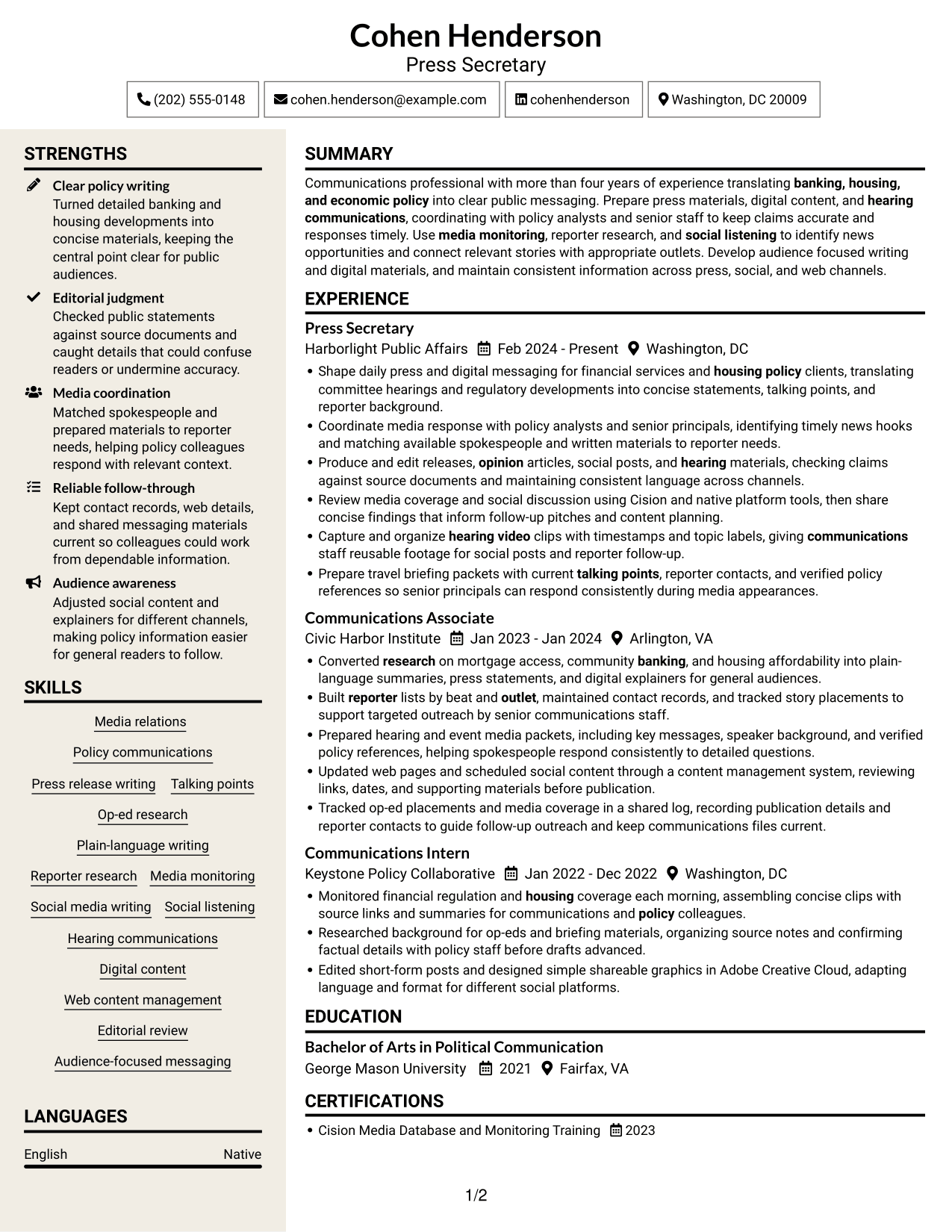
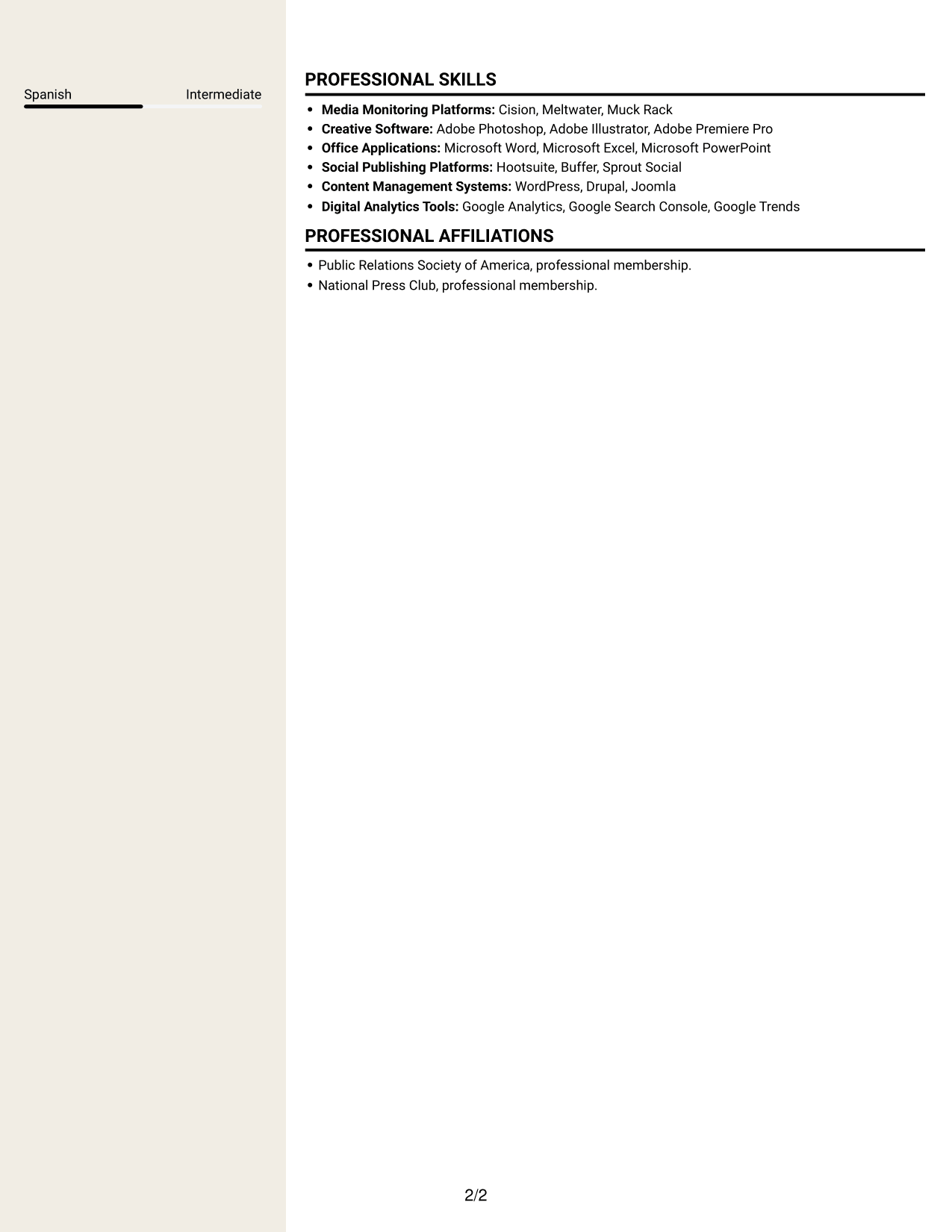
 
Resume example — page 1   Resume example — page 2

Why This Format Works

  • Two-column reading gives work history and supporting sections distinct areas.
  • Reviewers can locate skills and education without scanning every role bullet.
  • Career progression remains grouped in the experience section for straightforward review.

Best For

  • Work history with nearby supporting details
  • Resume sections reviewed side by side
  • Photo-free applications
  • Experience bullets kept apart from skills
  • Fast review of career progression


Why Build Your Financial Policy Communications Resume with ResumeInMinutes

ResumeInMinutes helps you organize your experience, skills, and tools into a resume that is easy to read and tailor for financial policy communications work.

  • Resume format choices
  • Clear section structure
  • Role-focused keyword guidance
  • Organized skills and experience
  • PNG image previews
  • Resume customization in the editor

Use the example to review how press materials, media work, policy research, and digital content can be presented in a focused resume.


See Also


Frequently Asked Questions

Are these Press Assistant / Press Secretary - Financial Policy Communications resume templates ATS-friendly?

The example uses clear sections and readable headings. Include relevant terms such as press releases, talking points, media monitoring, reporter research, and hearing communications where they accurately describe your experience.

Does this guide show one resume in different layouts?

Yes. It shows one resume example in several layout styles. The content stays focused on financial policy communications while the visual arrangement changes.

What should a financial policy communications resume include?

Include a focused summary, relevant experience, education, skills, and certifications. Use concise bullets to describe press materials, policy research, reporter contacts, media coverage, hearing support, and digital content.

Which resume style works well for this role?

Choose a format with clear headings, readable text, and a straightforward section order. This helps reviewers find your writing, media relations, and policy communications experience quickly.

How can I make my resume relevant to financial policy communications?

Connect your experience to banking, housing, or economic policy when those topics are part of your background. Show how you prepared accurate public materials, supported media work, or explained detailed research in clear language.

Can I view or customize the resume example?

Yes. Compare the PNG image previews, then use an editor link to view or customize the example.

ATS Score 85%

How we calculate this score

  • Keywords: 60% of the total. AI extracts keywords from your job description. If you do not provide one, a standard job description for the title matching your resume is used. This is not a match to a specific vacancy.
  • Text-based resume: 20%. The text resume assessed here receives 100 for this part.
  • Resume quality: 20%. We start at 100 and subtract points for issues found by our resume checks, down to a minimum of zero.
  • Keyword coverage = 100 × (confirmed matches + 0.8 × possible matches) ÷ total keywords, rounded and capped at 100. Possible matches still need checking. Saved generation audits use their saved keyword percentage.
  • Final score = 60% of keyword coverage + 20% of the text score + 20% of the quality score, rounded to a whole number. Without keywords, no overall ATS score is available.

What this score means

Our scores are estimates, not employer ratings. They may contain errors and do not guarantee accurate parsing, a ranking, an interview, or a job. Check your document against the employer’s requirements. You are responsible for relying on this score.

Terms and Conditions

Score weights: Keywords 60% · Text based resume 20% · Resume quality 20%

Keywords: 22 matched + 8 possible of 38 (75%) · Resume quality: 100%

Resume quality 100% · Weight 20% · Issues (0)

Details
  • ✓Name present: Cohen Henderson
  • ✓Email format: cohen.henderson@example.com
  • ✓Phone format: (202) 555-0148
  • ✓Experience 1: Job title: Press Secretary
  • ✓Experience 1: Company name: Harborlight Public Affairs
  • ✓Experience 1: Work location: Washington, DC
  • ✓Experience 1: Employment dates: Feb 2024 - Present
  • ✓Experience 1: Description or achievements: Present
  • ✓Experience 2: Job title: Communications Associate
  • ✓Experience 2: Company name: Civic Harbor Institute
  • ✓Experience 2: Work location: Arlington, VA
  • ✓Experience 2: Employment dates: Jan 2023 - Jan 2024
  • ✓Experience 2: Description or achievements: Present
  • ✓Experience 3: Job title: Communications Intern
  • ✓Experience 3: Company name: Keystone Policy Collaborative
  • ✓Experience 3: Work location: Washington, DC
  • ✓Experience 3: Employment dates: Jan 2022 - Dec 2022
  • ✓Experience 3: Description or achievements: Present
  • ✓No placeholder fields
  • ✓No repeated achievement bullets
  • ✓No empty bullets

No issues found by the current checks.

Text Based Resume 100% · Weight 20%

Parsed text
Cohen Henderson
Press Secretary
(202) 555-0148
cohenhenderson
cohen.henderson@example.com
Washington, DC 20009
STRENGTHS
Clear policy writing
Turned detailed banking and housing developments into concise materials, keeping the central point clear for public audiences.
Editorial judgment
Checked public statements against source documents and caught details that could confuse readers or undermine accuracy.
Media coordination
Matched spokespeople and prepared materials to reporter needs, helping policy colleagues respond with relevant context.
Reliable follow-through
Kept contact records, web details, and shared messaging materials current so colleagues could work from dependable information.
Audience awareness
Adjusted social content and explainers for different channels, making policy information easier for general readers to follow.
SUMMARY
Communications professional with more than four years of experience translating banking, housing, and economic policy into clear public messaging. Prepare press materials, digital content, and hearing communications, coordinating with policy analysts and senior staff to keep claims accurate and responses timely. Use media monitoring, reporter research, and social listening to identify news opportunities and connect relevant stories with appropriate outlets. Develop audience focused writing and digital materials, and maintain consistent information across press, social, and web channels.
EXPERIENCE
Press Secretary
Harborlight Public Affairs
Feb 2024 - Present
Washington, DC
Shape daily press and digital messaging for financial services and housing policy clients, translating committee hearings and regulatory developments into concise statements, talking points, and reporter background.
Coordinate media response with policy analysts and senior principals, identifying timely news hooks and matching available spokespeople and written materials to reporter needs.
Produce and edit releases, opinion articles, social posts, and hearing materials, checking claims against source documents and maintaining consistent language across channels.
Review media coverage and social discussion using Cision and native platform tools, then share concise findings that inform follow-up pitches and content planning.
Capture and organize hearing video clips with timestamps and topic labels, giving communications staff reusable footage for social posts and reporter follow-up.
Prepare travel briefing packets with current talking points, reporter contacts, and verified policy references so senior principals can respond consistently during media appearances.
Communications Associate
Civic Harbor Institute
Jan 2023 - Jan 2024
Arlington, VA
Converted research on mortgage access, community banking, and housing affordability into plain-language summaries, press statements, and digital explainers for general audiences.
Built reporter lists by beat and outlet, maintained contact records, and tracked story placements to support targeted outreach by senior communications staff.
Prepared hearing and event media packets, including key messages, speaker background, and verified policy references, helping spokespeople respond consistently to detailed questions.
Updated web pages and scheduled social content through a content management system, reviewing links, dates, and supporting materials before publication.
Tracked op-ed placements and media coverage in a shared log, recording publication details and reporter contacts to guide follow-up outreach and keep communications files current.
Communications Intern
Keystone Policy Collaborative
Jan 2022 - Dec 2022
Washington, DC
Monitored financial regulation and housing coverage each morning, assembling concise clips with source links and summaries for communications and policy colleagues.
Researched background for op-eds and briefing materials, organizing source notes and confirming factual details with policy staff before drafts advanced.
Edited short-form posts and designed simple shareable graphics in Adobe Creative Cloud, adapting language and format for different social platforms.
SKILLS
Reporter research
Social media writing
Press release writing
Audience-focused messaging
Web content management
Hearing communications
Policy communications
Plain-language writing
Media relations
Editorial review
Op-ed research
Digital content
Media monitoring
Social listening
Talking points
EDUCATION
Bachelor of Arts in Political Communication
George Mason University
2021
Fairfax, VA
CERTIFICATIONS
Cision Media Database and Monitoring Training
2023
LANGUAGES
English
Native
Spanish
Intermediate
PROFESSIONAL SKILLS
Media Monitoring Platforms: Cision, Meltwater, Muck Rack
Creative Software: Adobe Photoshop, Adobe Illustrator, Adobe Premiere Pro
Office Applications: Microsoft Word, Microsoft Excel, Microsoft PowerPoint
Social Publishing Platforms: Hootsuite, Buffer, Sprout Social
Content Management Systems: WordPress, Drupal, Joomla
Digital Analytics Tools: Google Analytics, Google Search Console, Google Trends
PROFESSIONAL AFFILIATIONS
Public Relations Society of America, professional membership.
National Press Club, professional membership.

Matched keywords (22)

  • Media relations
  • Produce and edit releases, opinion articles, social posts, and hearing materialsOriginal keyword in JD: Writing and editing
  • Policy communications
  • Talking points
  • Media monitoring
  • Built reporter lists by beat and outlet, maintained contact records, and tracked story placements to support targeted outreach by senior communications staff.Original keyword in JD: Reporter and outlet research
  • Monitored financial regulation and housing coverage each morning, assembling concise clips with source links and summaries for communications and policy colleagues.Original keyword in JD: Daily media clips
  • Social listening
  • Op-ed research
  • Produce and edit releases, opinion articles, social posts, and hearing materials, checking claims against source documents and maintaining consistent language across channels.Original keyword in JD: Opinion writing
  • Hearing communications
  • Audience-focused messaging
  • Capture and organize hearing video clips with timestamps and topic labels, giving communications staff reusable footage for social posts and reporter follow-up.Original keyword in JD: Video capture and organization
  • Prepare travel briefing packets with current talking points, reporter contacts, and verified policy references so senior principals can respond consistently during media appearances.Original keyword in JD: Communications materials management
  • housing policy
  • banking, housing, and economic policyOriginal keyword in JD: Urban affairs
  • translating committee hearings and regulatory developments into concise statements, talking points, and reporter background.Original keyword in JD: Federal legislative communications
  • Converted research on mortgage access, community banking, and housing affordability into plain-language summaries, press statements, and digital explainers for general audiences.Original keyword in JD: Complex policy analysis
  • concise statements, talking points, and reporter background.Original keyword in JD: Concise writing
  • Editorial judgment
  • Coordinate media response with policy analysts and senior principals, identifying timely news hooks and matching available spokespeople and written materials to reporter needs.Original keyword in JD: Cross-functional collaboration
  • Kept contact records, web details, and shared messaging materials current so colleagues could work from dependable information.Original keyword in JD: Dependability

Missing keywords (8)

  • Press releases
  • News opportunity identification
  • Media appearance support
  • Speech communications
  • Graphic content development
  • Policy research
  • Content accuracy
  • Adaptability

Possible matches (8)

  • Plain-language policy writing80% credit: 2.11 percentage points of 2.63 possible.
  • Social media content80% credit: 2.11 percentage points of 2.63 possible.
  • Media coverage tracking80% credit: 2.11 percentage points of 2.63 possible.
  • Digital content development80% credit: 2.11 percentage points of 2.63 possible.
  • Website content management80% credit: 2.11 percentage points of 2.63 possible.
  • Reporter and outlet matching80% credit: 2.11 percentage points of 2.63 possible.
  • Financial policy80% credit: 2.11 percentage points of 2.63 possible.
  • Banking policy80% credit: 2.11 percentage points of 2.63 possible.
Disclaimer: All names, images, contact information, employment histories, achievements, security clearances, military credentials, and other qualifications shown in this content are fictional and used for illustrative purposes only. Any resemblance to actual persons, living or deceased, is purely coincidental.

Resume and cover-letter examples and recommendations in this article reflect general best practices and professional experience and are provided for guidance only. Results may vary based on role, industry, region, and hiring organization.

Content Accuracy and Verification: To the fullest extent permitted by applicable law, we do not represent or warrant that resume or cover-letter guidance, examples, recommendations, or related information are accurate, complete, current, error-free, or suitable for any particular purpose. You are responsible for independently reviewing and verifying the information before relying on it.

ATS and Cover-Letter Scores: ATS scores are estimates calculated using our own formula, informed by publicly available guidance on resume formatting and keyword matching. They are not scores issued or endorsed by an ATS provider or employer. Cover-letter scores are also our own assessments. Parsing, weighting, screening criteria, and results vary between systems, employers, job descriptions, and document formats. No score guarantees successful parsing, a particular ranking, an interview, or employment. Use scores as general guidance and independently check your documents against the employer’s requirements. To the fullest extent permitted by applicable law, we accept no liability for errors in scores or parsing, or losses arising from reliance on these assessments. Nothing in this notice excludes liability or limits consumer rights that cannot lawfully be excluded or limited.

Terms and Conditions
 
> JP 1 1
PDF Footer and Margins Setup
The margins are applied to the document, and the footer shows up in the preview and the PDF

Footer Font Settings

Are you applying for a specific job
so we can tailor your resume to it?
Are you applying for a specific job
so we can tailor your cover letter to it?
Type your details as text to generate a personalized resume Type your details as text to generate a personalized cover letter
Website link found! Ready to create resume from:
Drag the into the box to verify you're human.
Drop here

My Resumes

Displaying {number_of_files} files (out of {total_of_all_files} total)
Name File Type Last Modified: Description:

Rename File

Filename already exists!

Delete Files

Warning: This action is irreversible. Once you click submit, the files will be permanently deleted.

Heading text
Upload From Computer Upload
Select From Existing
LinkedIn
Drag & Drop files anywhere in this tab, or

Uploaded Files

Delete Name Last Updated Use This File
Select this to use the file for generating your resume and cover letter. Only one source—uploaded file, selected file, or LinkedIn text—can be used.

My Files

Resumes or cover letters you create will appear here. No files available yet.
Delete Name Last Updated Use This File
Select this to use the file for generating your resume and cover letter. Only one source—uploaded file, selected file, or LinkedIn text—can be used.

Add LinkedIn Profile PDF

You can download your LinkedIn profile as a PDF by opening linkedin.com in a web browser, clicking your profile photo, selecting the “More” or “Resources” button, and choosing “Save to PDF.” You can then attach the PDF using the Upload From Computer tab.

Paste Your LinkedIn Profile Text

If you have copied the LinkedIn profile text, paste it below. See how to copy your profile from LinkedIn

Select this to use the LinkedIn profile text for generating your resume and cover letter. Only one source—uploaded file, selected file, or LinkedIn text—can be used.

Try these controls

<
>



