
7 Principal Project Execution Lead - Test Equipment Capital Execution Cover Letter Templates with Example
This practical guide helps you create a persuasive Principal Project Execution Lead - Test Equipment Capital Execution cover letter and compare seven layouts.
What Makes a Great Principal Project Execution Lead - Test Equipment Capital Execution Cover Letter in 2026
A strong letter connects capital test equipment work to the role’s full lifecycle, from startup through factory deployment. It should show how you guide scope, budgets, schedules, and execution risks.
Use specific evidence, such as EVM, IMS baselining, EACs, and technical issue resolution, to explain how you support delivery. Then connect that experience to the employer’s needs across engineering, production, and sustainment.
The featured example moves from role interest to capital execution evidence, technical coordination, and a clear close. Adapt this focused progression, choosing a presentation that suits the employer and communication context.
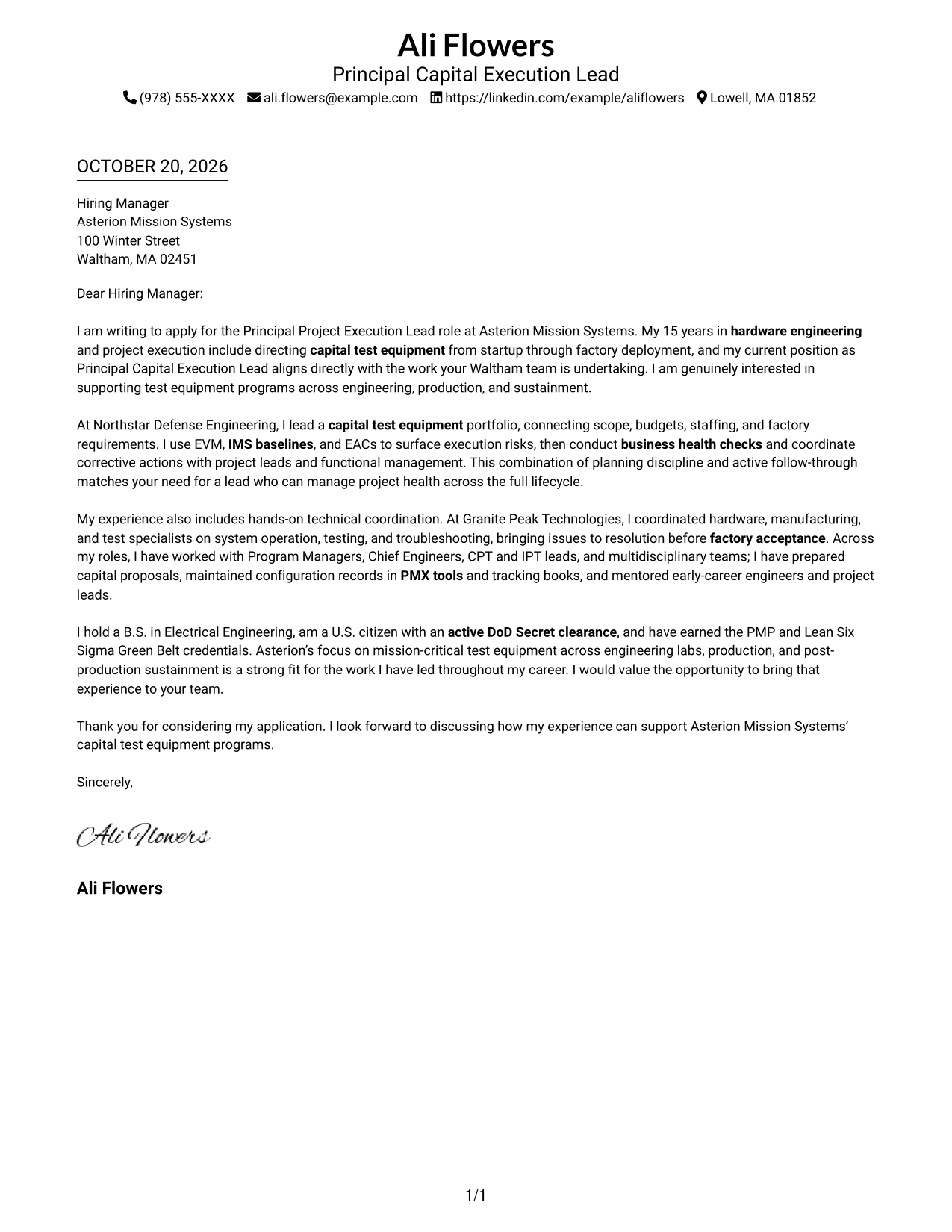
#1 Simple One Column Format Cover Letter Example
Simple One Column Format keeps sender details in the header and the letter in one continuous column, helping reviewers follow the message from opening to closing.
Why This Format Works
- Sender details stay apart from the letter, keeping contact information easy to locate.
- One continuous column lets reviewers follow the message in its written order.
- The letter body uses the full text area without a contact sidebar.
Best For
- Single-column reading preference
- Header-based contact information
- Continuous paragraph format
- Letters without body headings
- Text-centered application materials
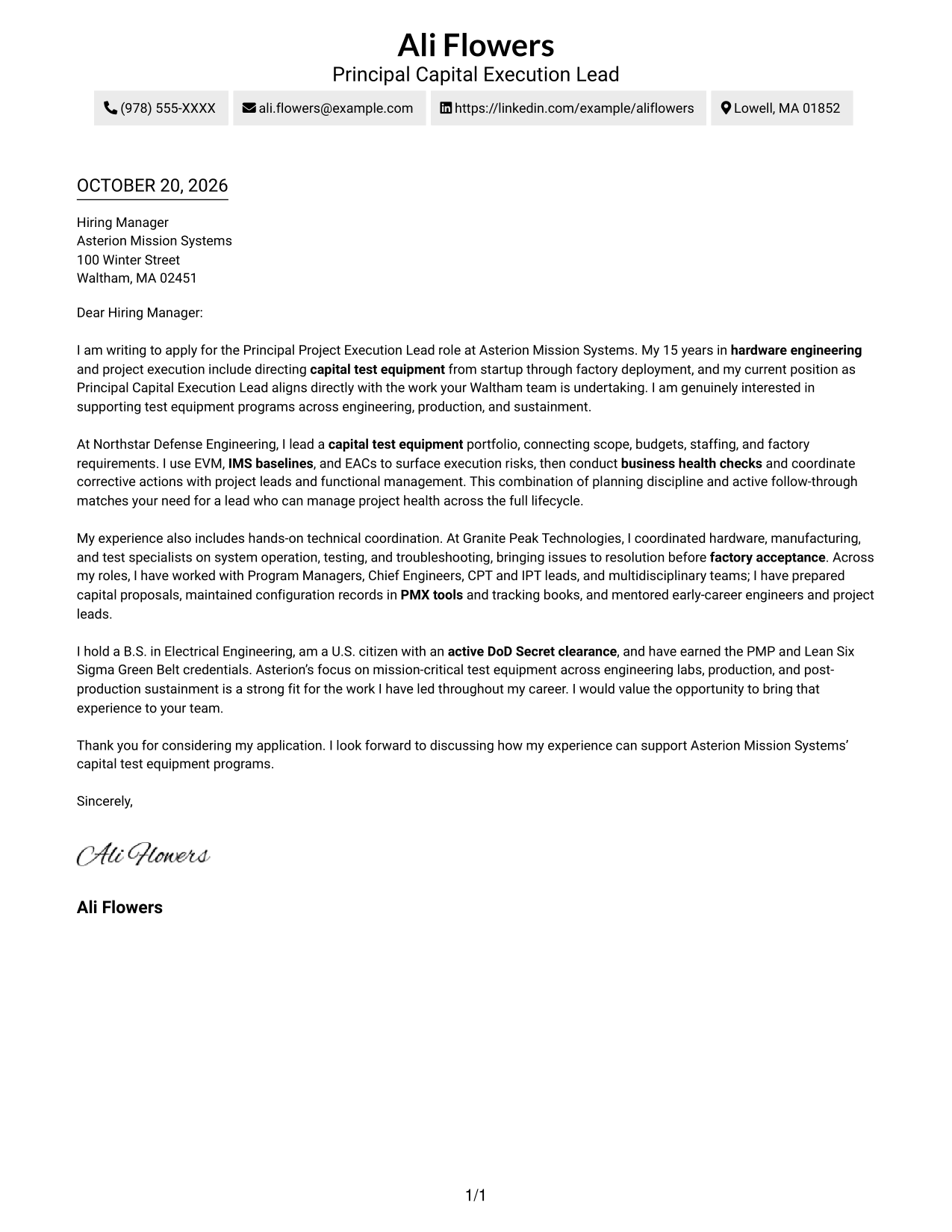
#2 Two Column Format Cover Letter Example
Two Column Format places contact details in a sidebar beside one continuous letter body, separating the sender information while keeping the message in a single reading sequence.
Why This Format Works
- A dedicated contact sidebar separates sender details from the letter's central message.
- The body remains a single sequence, so the argument reads from start to finish.
- Reviewers can find contact information without interrupting the letter's paragraph flow.
Best For
- Contact details beside the letter
- Single-sequence paragraph reading
- Applications with a contact sidebar
- Letters without internal headings
- Clear separation of sender information
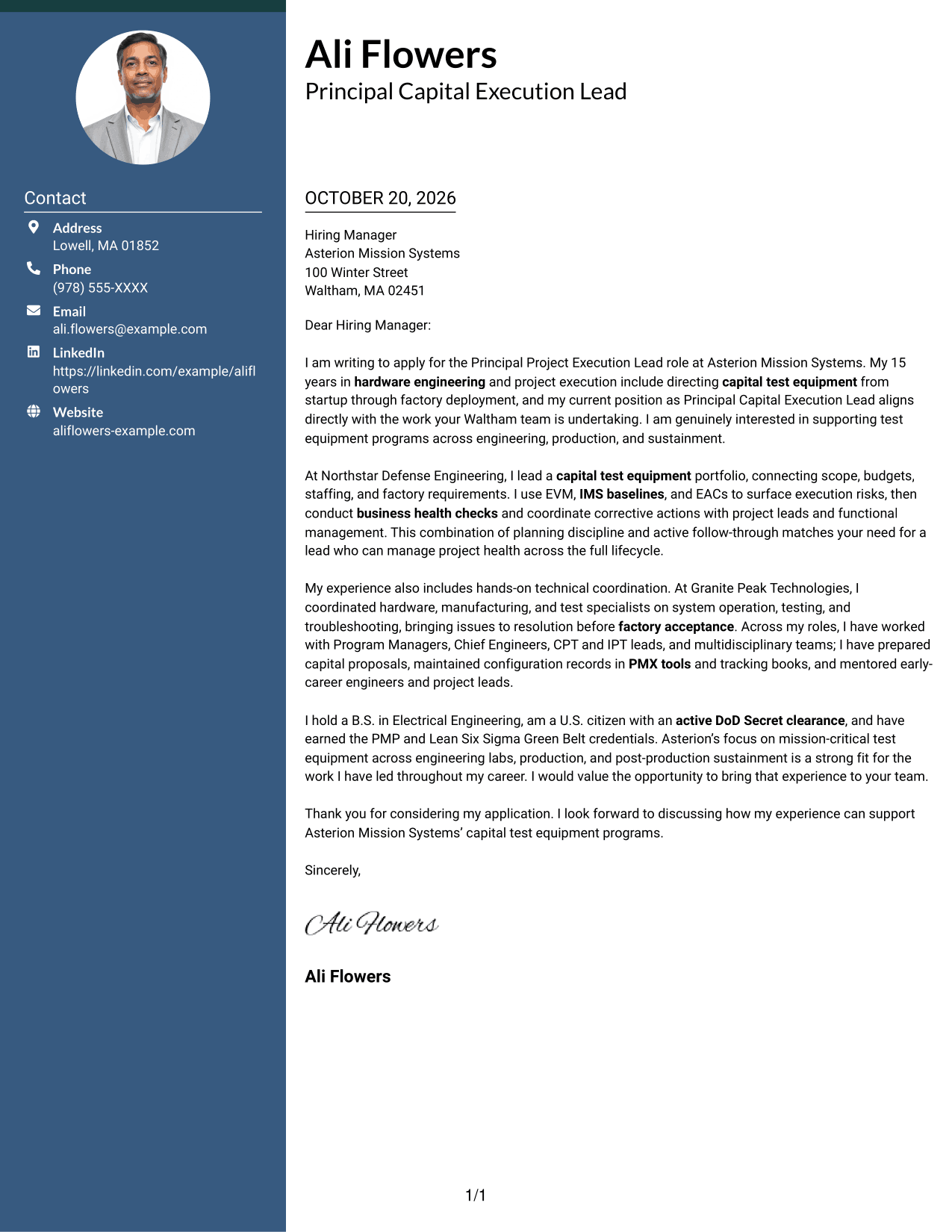
#3 Photo Header Two Column Format Cover Letter Example
Photo Header Two Column Format pairs a photo in the header with a contact sidebar and one continuous letter body, adding a personal visual element while keeping the message together.
Why This Format Works
- The header photo adds a personal visual element without dividing the letter body.
- Contact details sit apart from the message, making them easy to find.
- One body column keeps the opening, supporting points, and closing together.
Best For
- Photo-inclusive letter layouts
- Contact details in a sidebar
- One continuous argument
- Applications with a visual header
- Letters without body section headings
#4 One Column Format with Photo Cover Letter Example
One Column Format with Photo includes a portrait alongside a single-column letter, offering a personal visual element while keeping the message in one reading sequence.
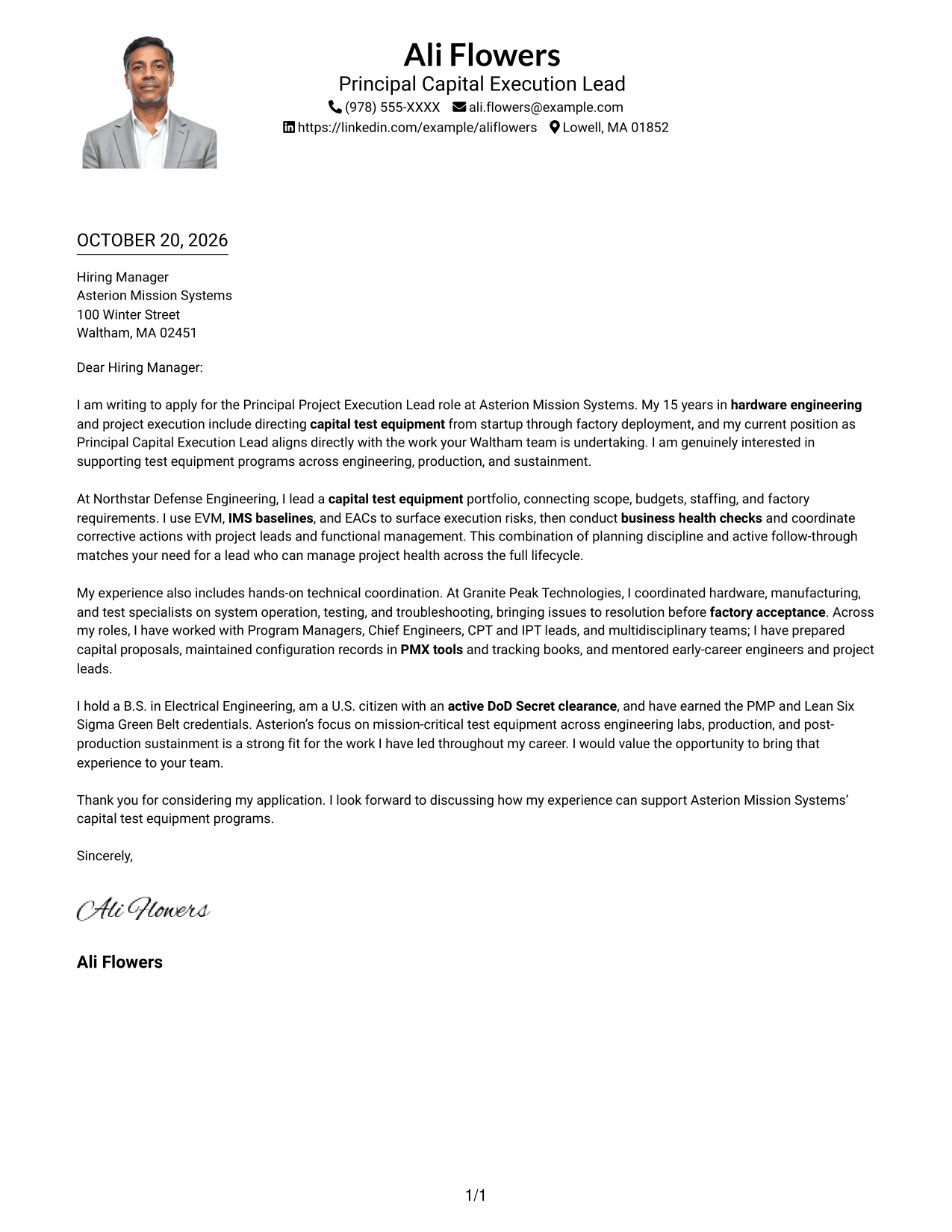
Why This Format Works
- A portrait adds a visual feature while the letter remains in one column.
- The continuous body keeps the opening and closing in the same reading sequence.
- Sender details in the header remain separate from the letter paragraphs.
Best For
- Single-column letter reading
- Portrait-inclusive documents
- Header-based sender information
- Continuous letter paragraphs
- Personal visual presentation
#5 Simple Two Column Format Cover Letter Example
Simple Two Column Format sets sender details in a contact sidebar beside one continuous letter body, giving readers separate places for contact information and the message.
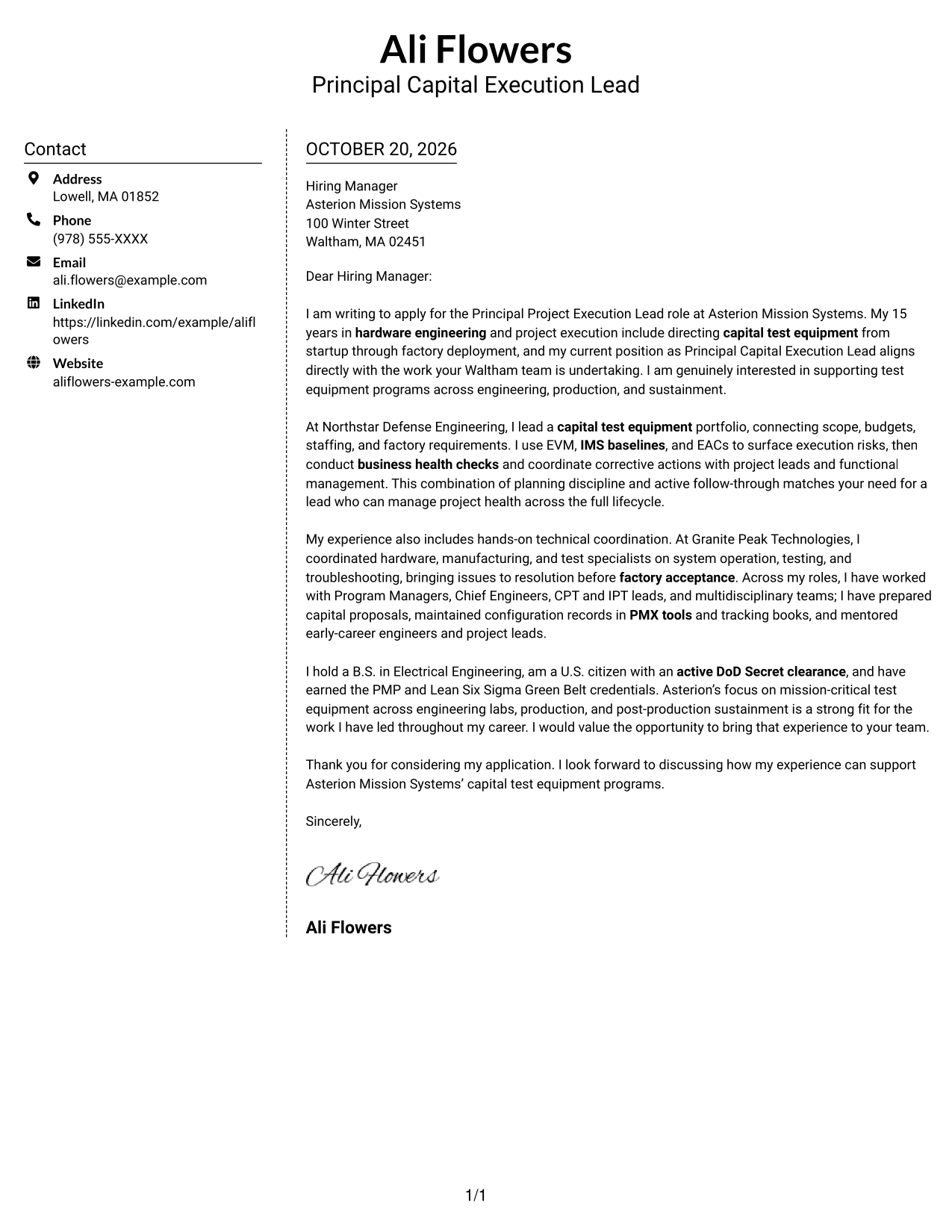
Why This Format Works
- The sidebar gives sender information a distinct place beside the letter.
- The message stays in one continuous body rather than parallel text columns.
- Readers can move from the contact details to the letter without section labels.
Best For
- Separate contact and letter areas
- Continuous body text
- Two-column page organization
- Letters without argument headings
- Contact information that is easy to locate
#6 Modern Icon Format Cover Letter Example
Modern Icon Format uses two columns for contact details and one continuous letter body, with icons serving as cues for contact information rather than labels for the message.
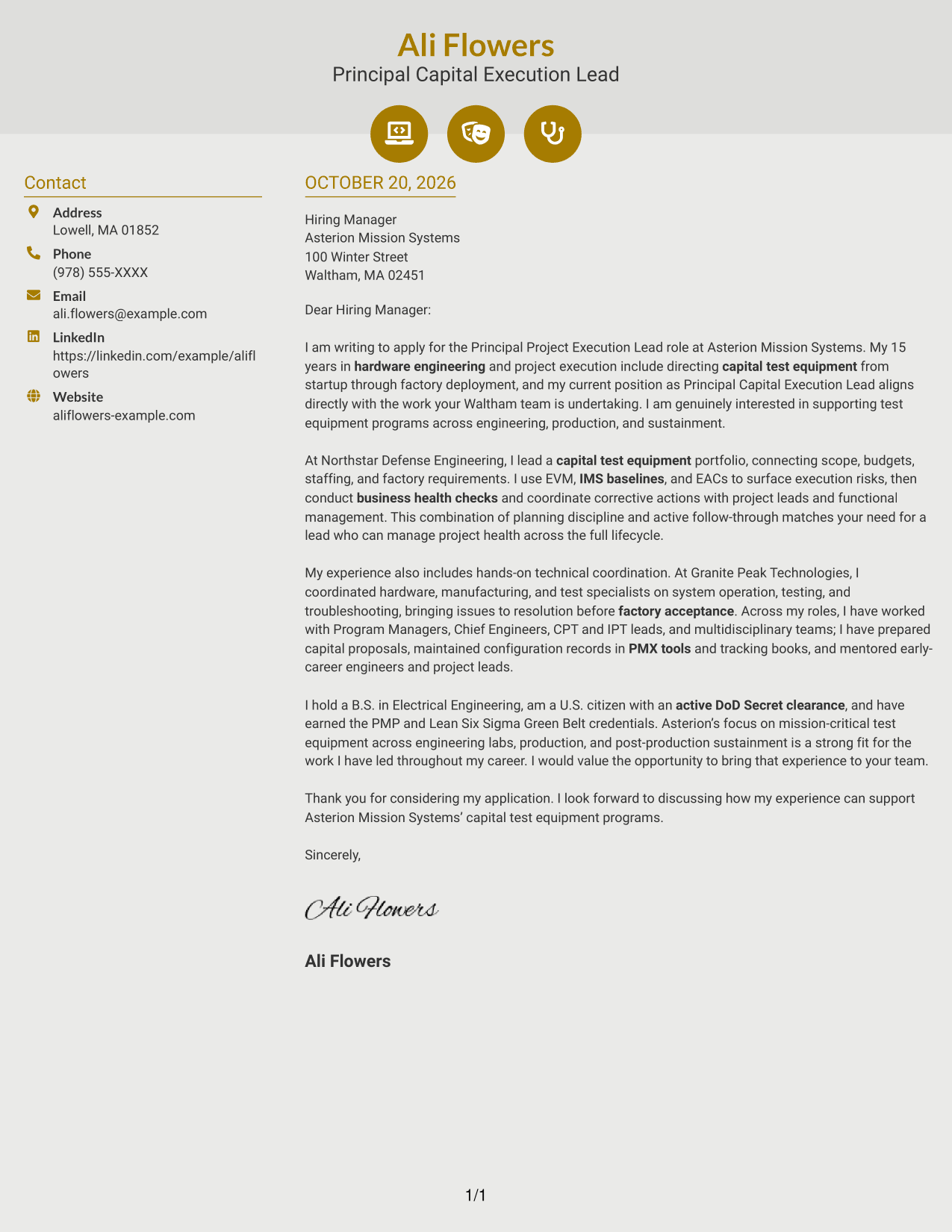
Why This Format Works
- Icons act as cues for contact details, not labels for letter paragraphs.
- A separate sidebar keeps sender information apart from the message itself.
- The letter stays in one body sequence, preserving a natural argument flow.
Best For
- Icon cues for contact details
- Two-column contact organization
- One continuous letter body
- Letters without labeled argument sections
- Quick access to sender information
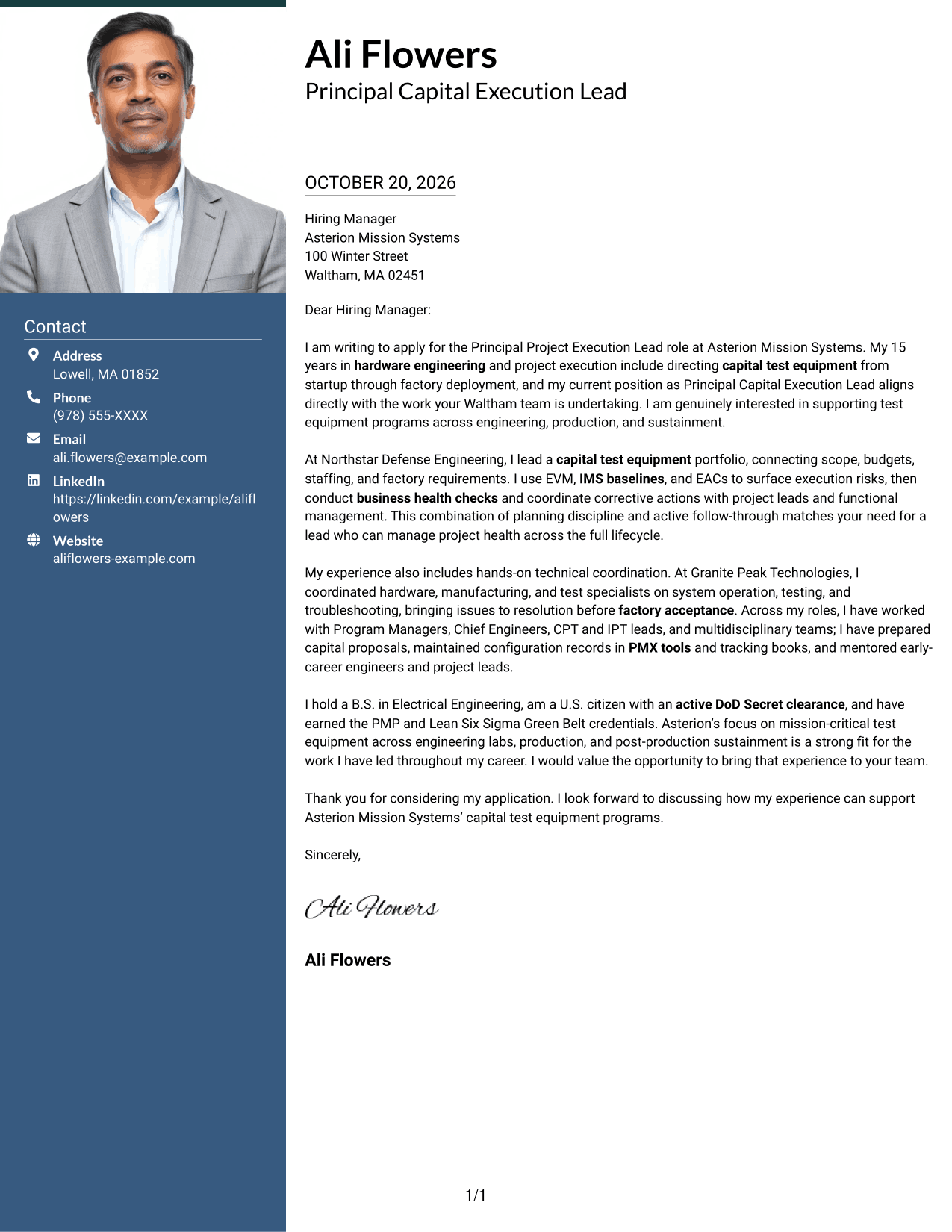
#7 Creative Two Tone Format Cover Letter Example
Creative Two Tone Format places contact details beside a single, continuous letter body, keeping the sender information distinct while the message follows one clear sequence.
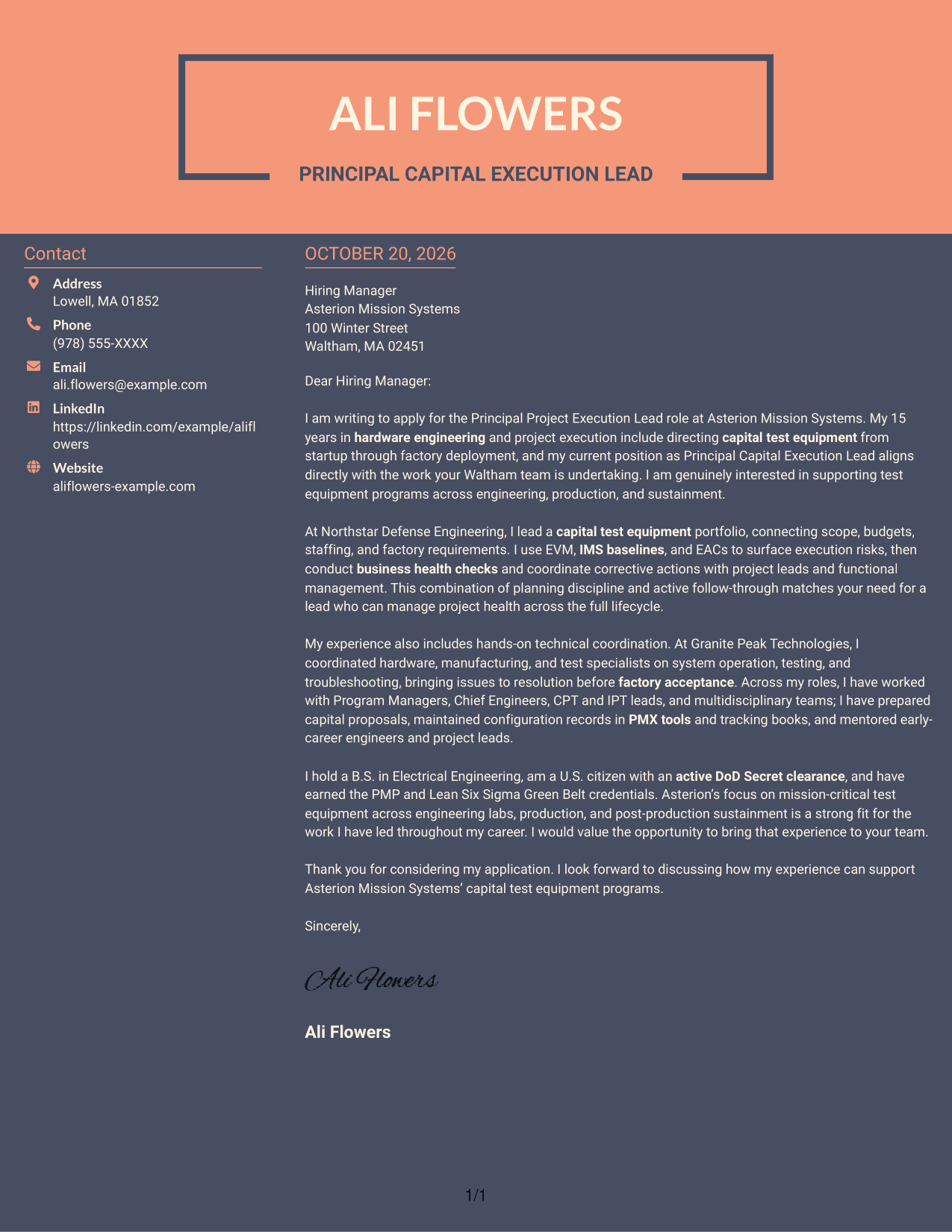
Why This Format Works
- Contact information has its own column, separate from the letter paragraphs.
- A single letter body keeps the message in a familiar reading order.
- The two-column arrangement distinguishes sender details from the application message.
Best For
- Contact information beside the letter
- One-sequence message reading
- Two-column page structure
- Letters without body headings
- Distinct sender and message areas
See Also
- 7 Principal Project Execution Lead - Test Equipment Capital Execution Resume Templates with Example
- 33 Principal Manufacturing Engineer - Manufacturing Execution Systems Resume Templates with Example 2026 (ATS-Optimized)
- 7 Capital Project Manager - Informal Projects Resume Templates with Example
- 7 Project Engineer - Manufacturing Capital Projects Resume Templates with Example
- 7 Senior Engineering Manager, Surgical Vision Capital Projects Resume Templates with Example
- 7 SAP Manufacturing Execution Systems - MES - Manager - Consulting Resume Templates with Example
- 33 Senior Program Manager - Execution Support Resume Templates with Example 2026 (ATS-Optimized)
- 7 Senior Principal Process Engineer - DP Aseptic Biotherapeutic Filling Equipment Resume Templates with Example
- 30+ Senior Program Manager - Execution Support Cover Letter Templates with Example 2026
- 30+ Data Scientist Principal Cover Letter Templates with Example 2026
Frequently Asked Questions
What should this cover letter emphasize?
Focus on relevant capital test equipment work, project execution, and clear communication across technical and program teams. Give specific examples of how you managed scope, schedules, budgets, or execution risks.
How can I show fit for the role?
Connect your evidence to the role’s needs. For example, explain how you used EVM, IMS baselines, EACs, proposals, or business health checks to support project decisions and delivery.
How should I structure the letter?
Open with your interest in the role, use the body to explain relevant execution and technical coordination experience, then close by linking your contribution to the employer’s work in engineering, production, and sustainment.
How can I personalize the letter for an employer?
Refer to the employer’s stated work and explain why it connects to your experience. Keep the connection specific and avoid claims about the organization that you cannot support.
Can I compare the example before opening it in the editor?
Yes. Review the PNG image preview to see the page layout, then use the editor link to view or customize the example.




