
7 Radiology Tech - Radiology Resume Templates with Example
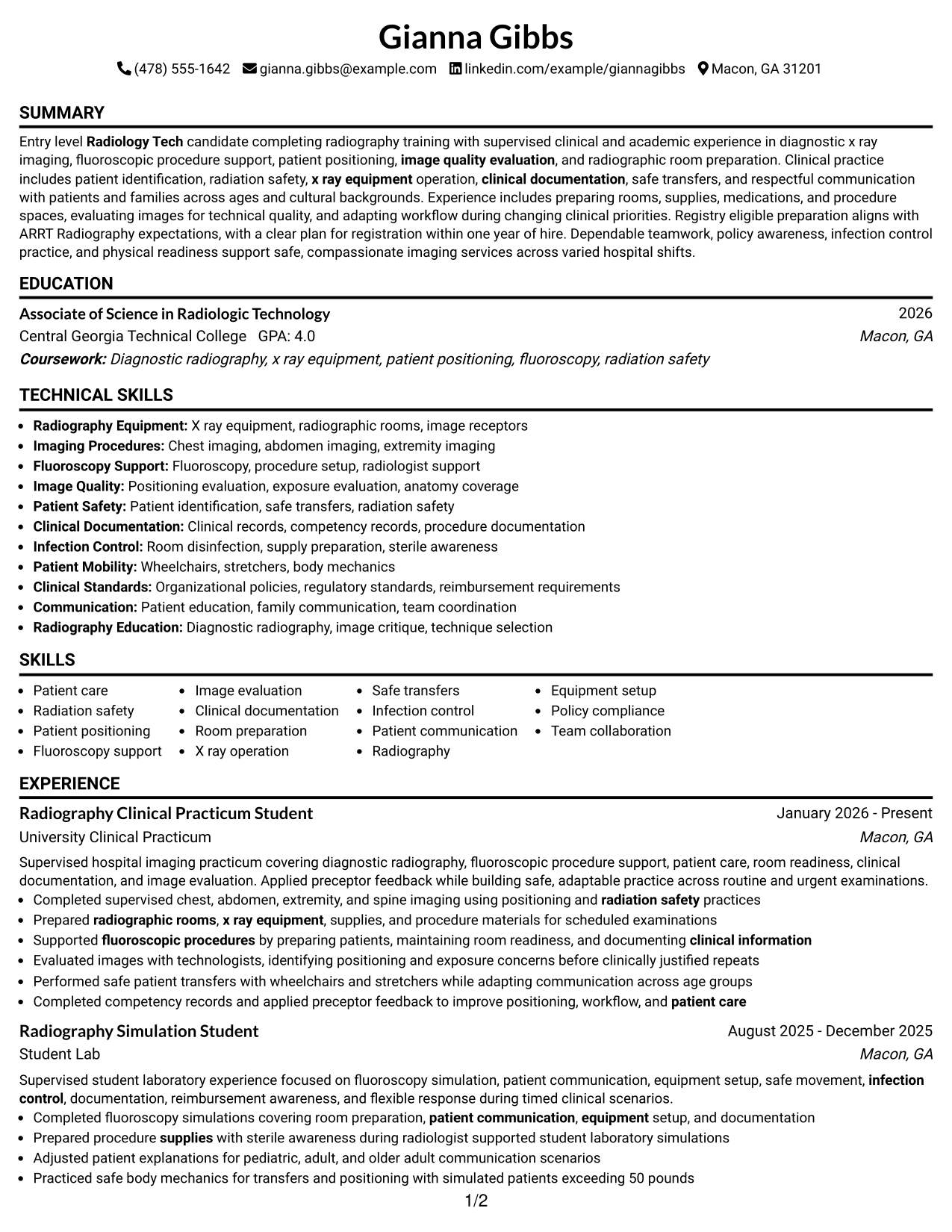
This practical guide shows you how to build a Radiology Tech - Radiology resume that is clear, focused, and easy to review. You will learn how to organize your evidence so recruiters can quickly understand your clinical preparation and readiness for hospital imaging work.
Strong resumes for this role connect supervised radiography experience with patient care, radiation safety, patient positioning, fluoroscopy support, image quality review, clinical documentation, and safe transfers. They also make ARRT registry eligibility, education, and BLS certification easy to find while using job-relevant terms naturally.
The same complete resume appears in 7 ATS-friendly resume layouts, so you can compare reading order, section organization, and visual structure before choosing a format. Each example includes practical notes and free PDF downloads.
What Makes a Great Radiology Tech - Radiology Resume in 2026
A strong resume is easy to scan and shows relevant clinical training, patient care, safety practice, education, and credentials with clear section headings and concise bullets.
Use accurate terms such as radiography, ARRT, radiation safety, patient positioning, fluoroscopy support, image evaluation, clinical documentation, x ray equipment, safe transfers, and infection control when they match your experience.
The examples shown below are intentionally detailed to demonstrate a range of experiences, skills, accomplishments and relevant keywords. We prefer detailed resumes as they provide more context to the hiring managers and also help the ATS systems identify relevant qualifications and score your resume better for a match. But the length of a resume is an individual choice. If you want a one page resume, just keep the most relevant experience and information for the job. Note: Resume examples are for educational purposes only. Use only information that accurately reflects your experience and qualifications. References to real organizations do not imply affiliation or endorsement.
#1 Simple One Column Format Resume Example
A direct one-column reading order lets recruiters scan summary, experience, skills, education, and credentials without switching columns.
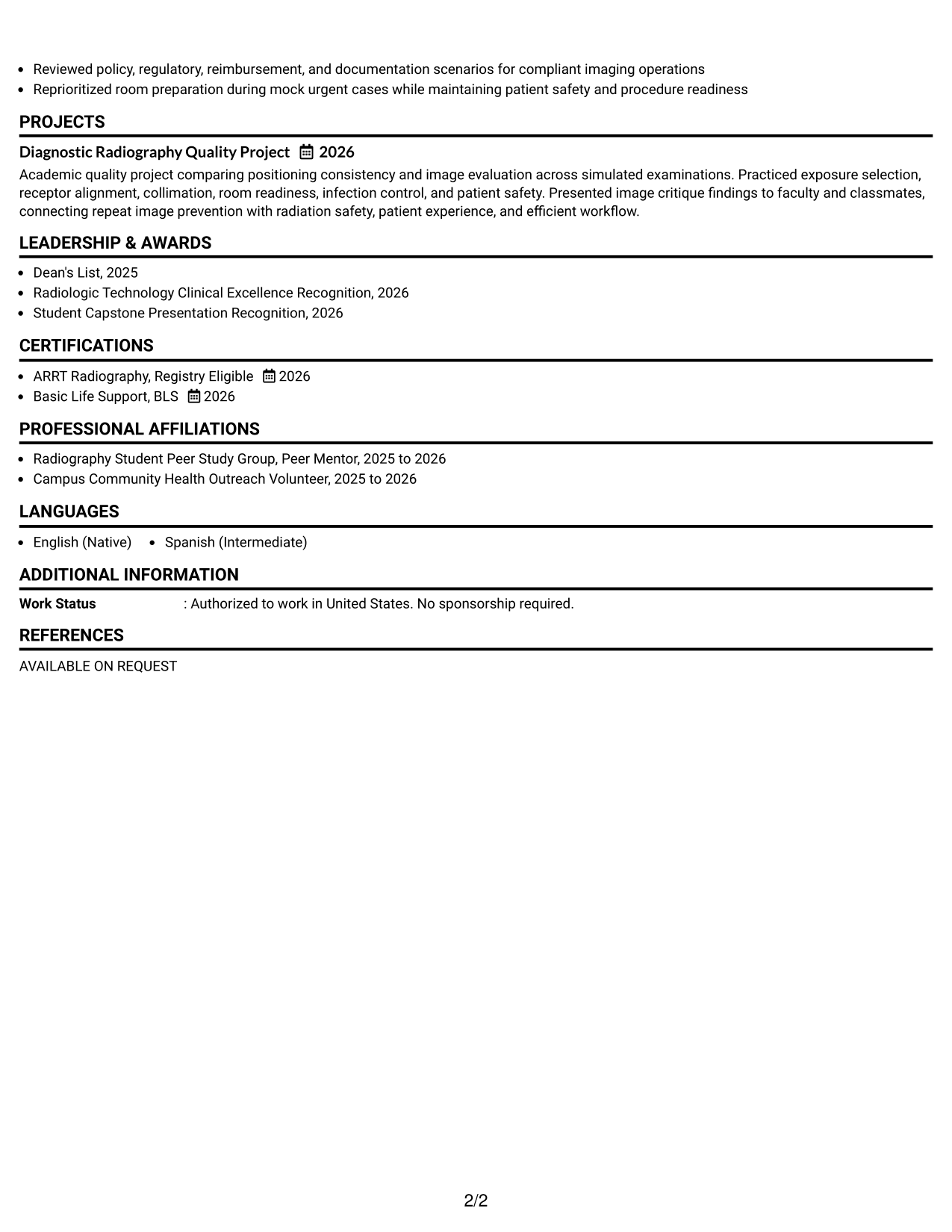
Why This Format Works
- Linear reading keeps clinical experience and education in a predictable sequence.
- Full-width sections give achievement bullets enough space for clear, concise evidence.
- Credentials remain easy to locate after recruiters review experience and skills.
Best For
- Straightforward recruiter scanning
- ATS-conscious applications
- Clinical training with several sections
- Readers who prefer linear order
- Entry-level radiography evidence
Resume Keywords
- Radiology Tech
- Radiography
- ARRT
- registry eligibility
- patient care
- radiation safety
- patient positioning
- fluoroscopy support
- image quality evaluation
- clinical documentation
- x ray equipment
- safe transfers
- infection control
#2 Plain One Column with Shaded Labels Resume Example
Shaded section labels break up the one-column flow so recruiters can find major resume sections with less visual searching.
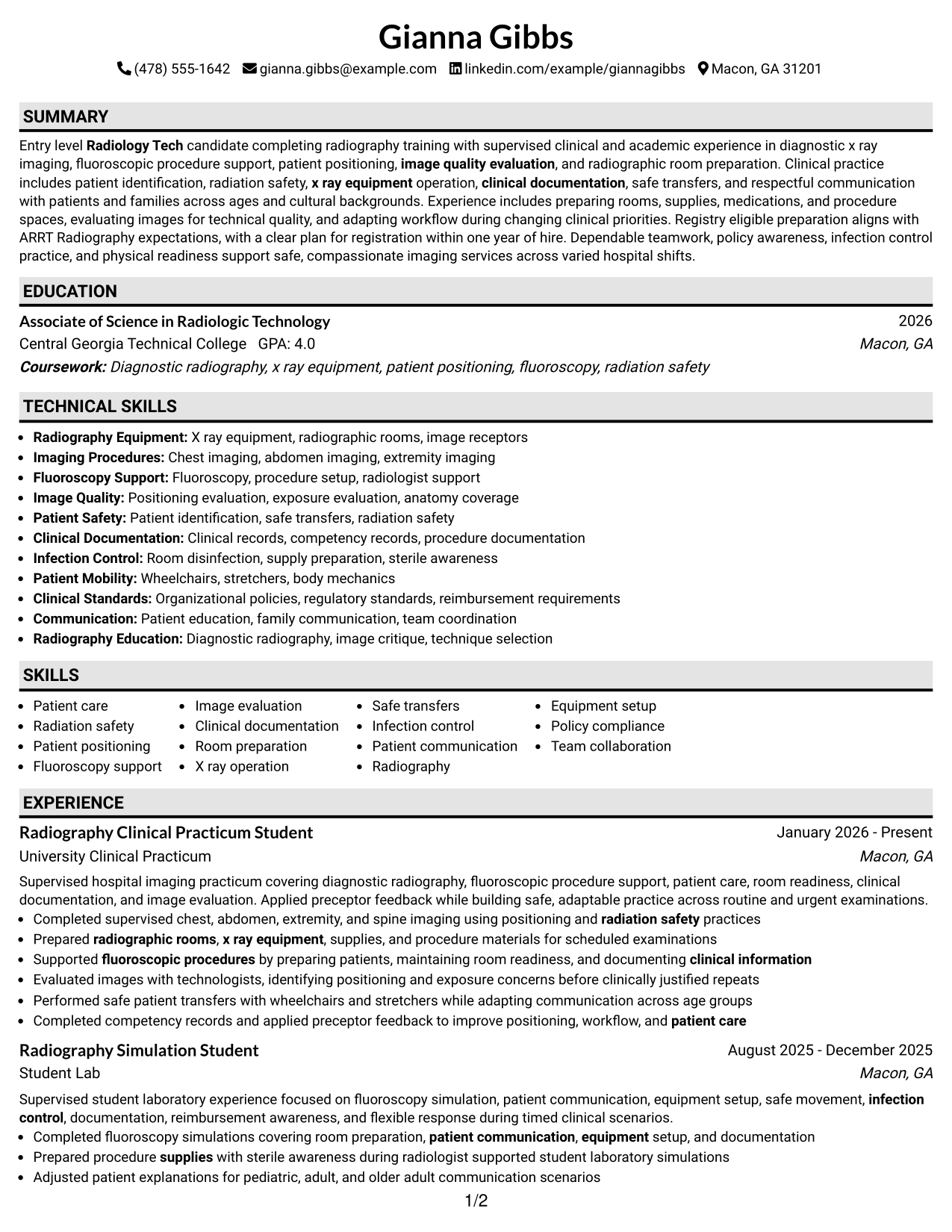
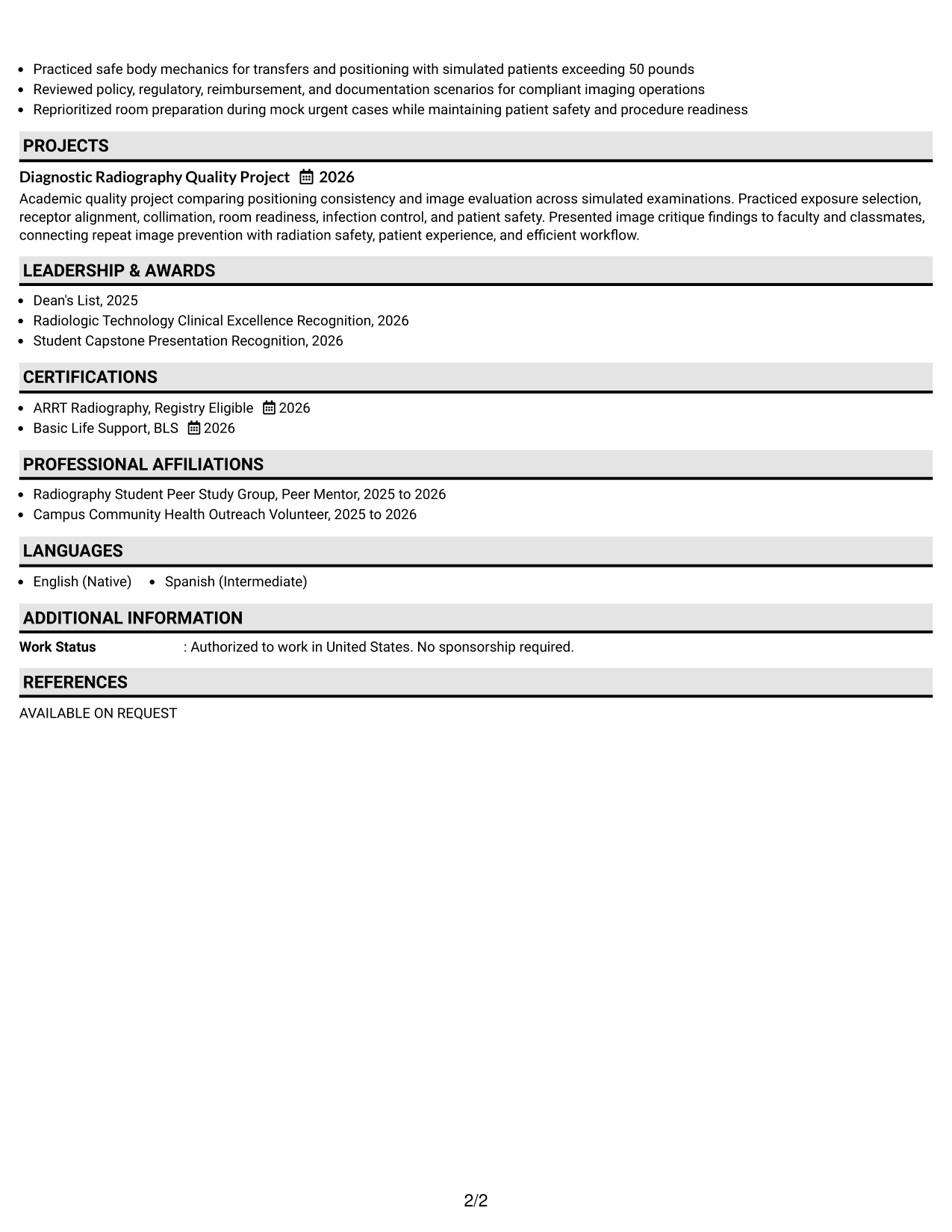
Why This Format Works
- Shaded labels separate experience, skills, education, and credentials without extra columns.
- Single-column flow preserves a simple reading path through training and achievements.
- Clear section breaks help recruiters return quickly to supporting qualifications.
Best For
- Longer one-column resumes
- Clear section separation
- Fast return to key sections
- Training plus project evidence
- Readers who value visible labels
#3 One Column Format with Photo Right Resume Example
A right-side photo adds personal identification while the one-column body keeps recruiter scanning focused on the resume sections below.
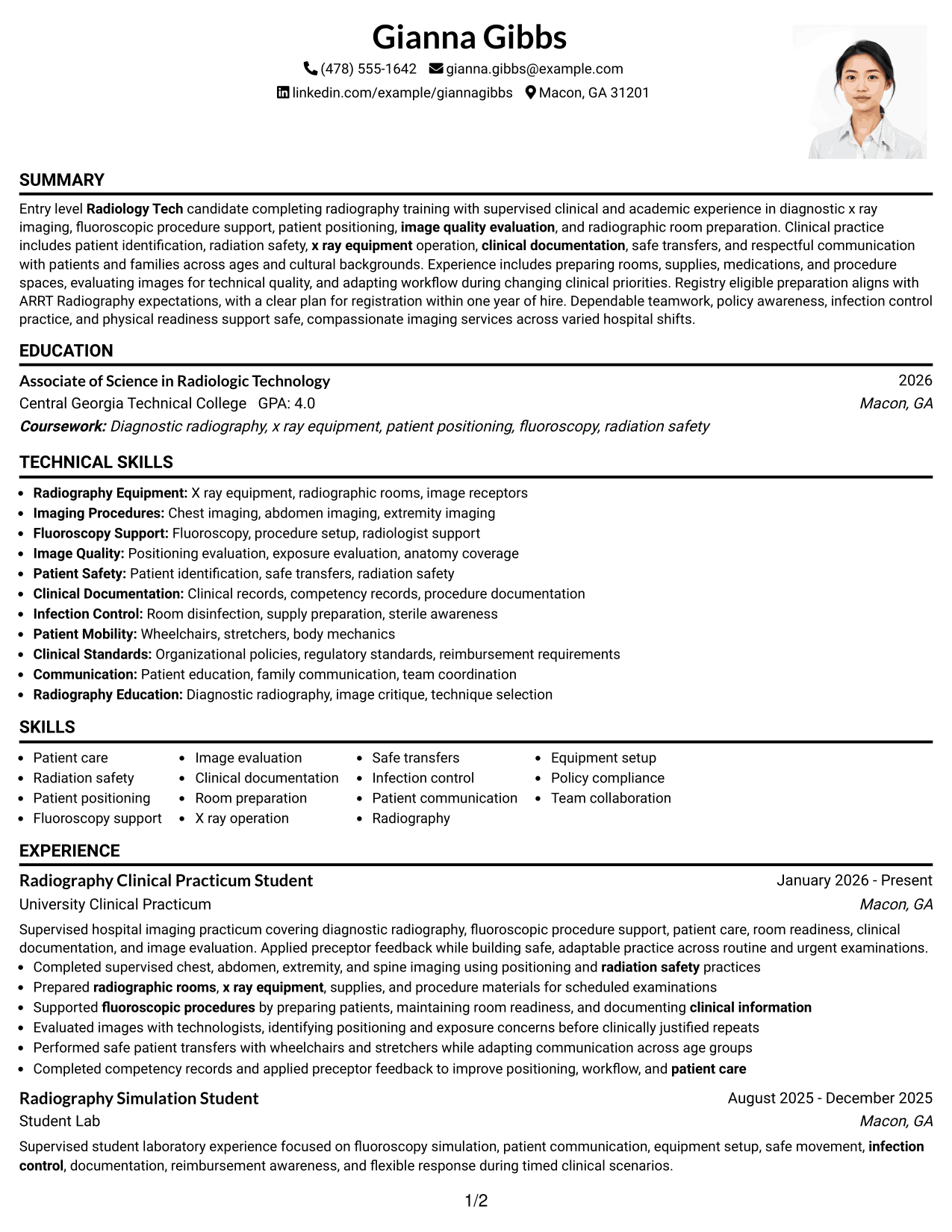
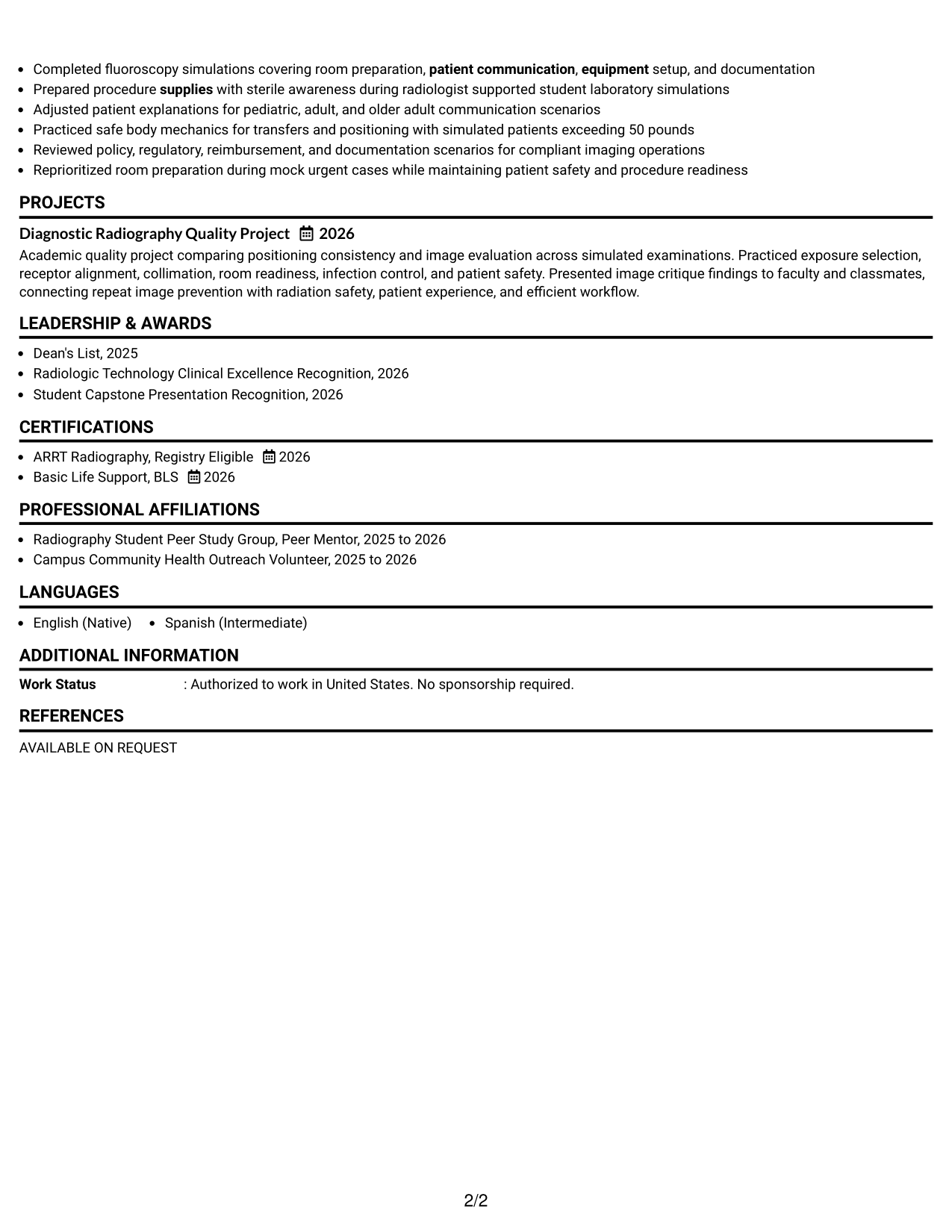
Why This Format Works
- One-column body keeps experience and achievements in a steady reading order.
- Photo stays in the header area without creating parallel body columns.
- Full-width content leaves room for skills, education, and credential details.
Best For
- Markets where resume photos are expected
- Personal identification with linear content
- Experience needing full-width bullet space
- Documents with several credential details
- Readers who prefer one main flow
#4 Clean Two Column Sidebar Format Resume Example
A clear two-column structure gives recruiters separate visual areas for quick-reference details and the resume’s main evidence.
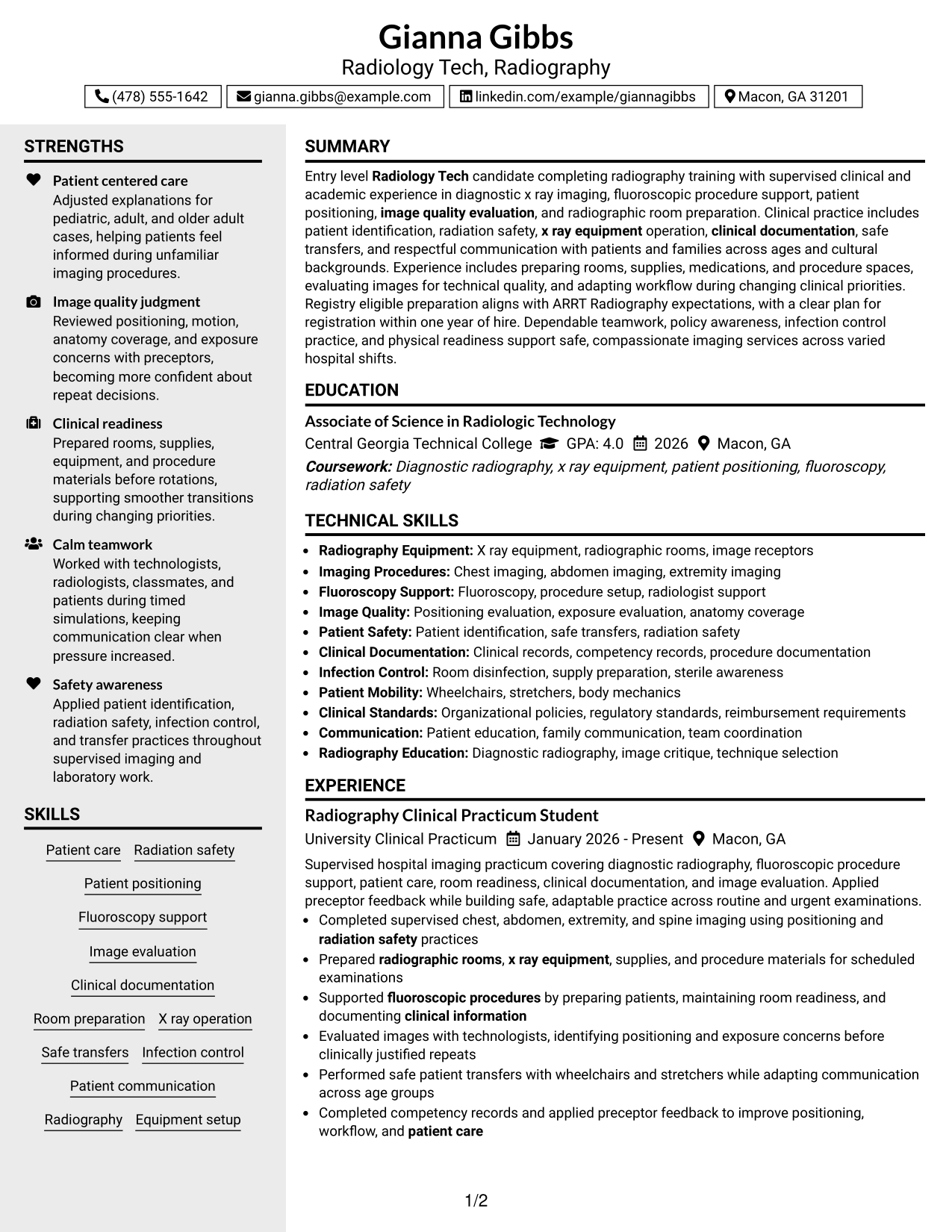
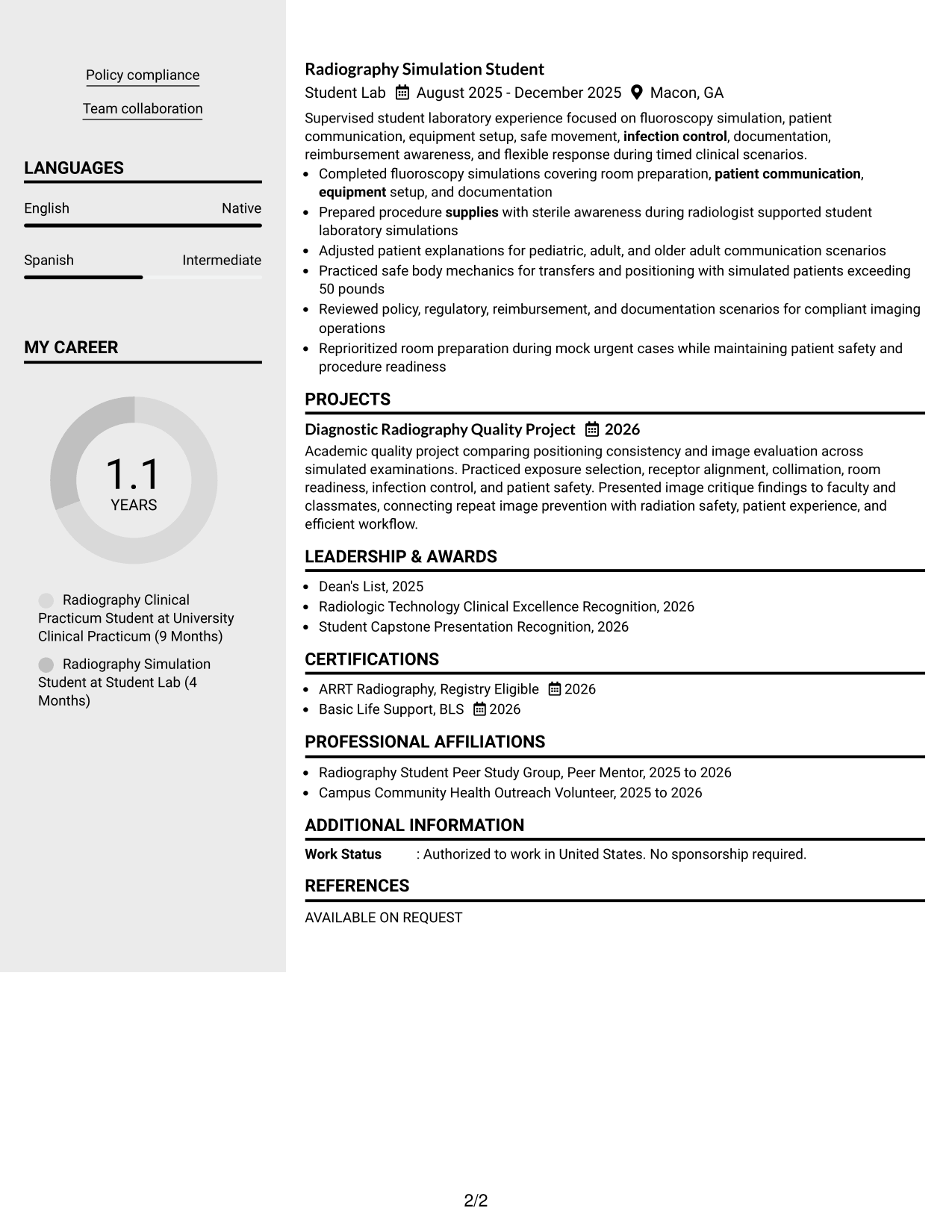
Why This Format Works
- Two columns separate compact qualifications from longer experience and achievement content.
- Sidebar structure helps skills and credentials remain visible during a broader review.
- Main content area supports a clear sequence for experience and education.
Best For
- Compact skills and credential summaries
- Balanced detail across two columns
- Applications needing quick reference
- Experience that benefits from a main column
- Readers comparing qualifications and history
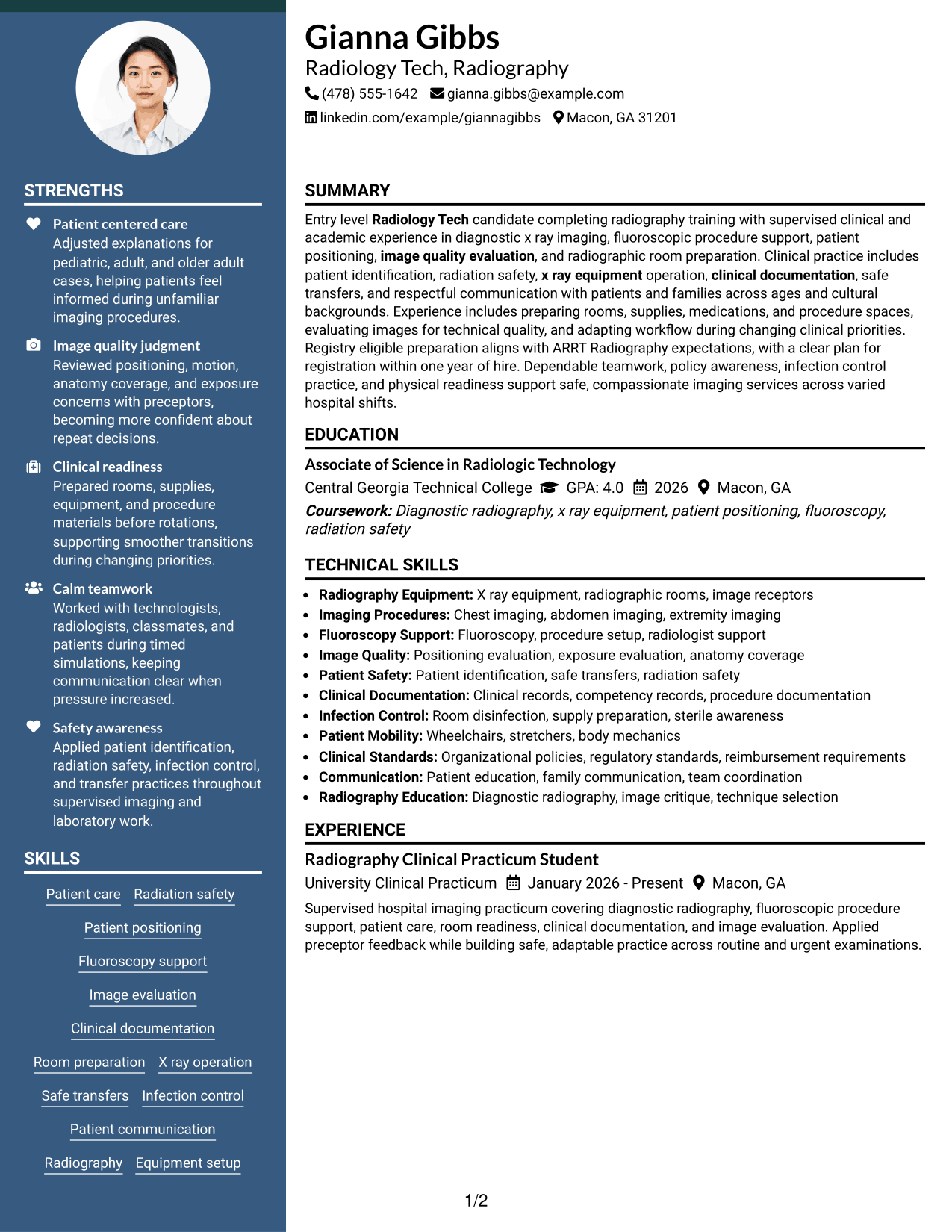
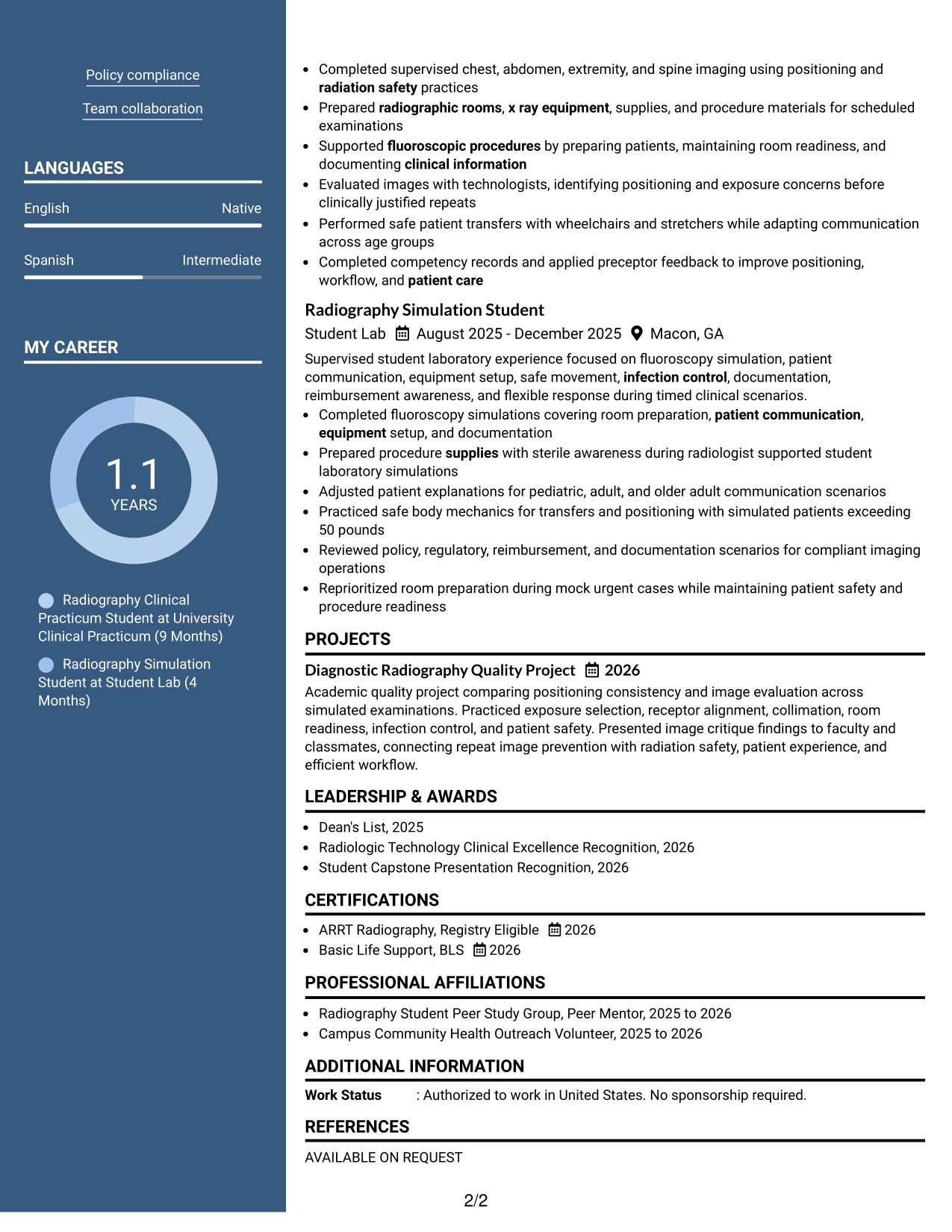
#5 Two Column Format Resume Example
Two parallel columns help recruiters compare supporting qualifications with the main career evidence without losing clear section boundaries.
Why This Format Works
- Parallel columns use horizontal space to separate supporting details from core evidence.
- Distinct section areas make skills, education, and experience easier to compare.
- Shorter content groups reduce scrolling between achievements and related qualifications.
Best For
- Resume content with balanced section volume
- Side-by-side qualification review
- Mixed clinical and academic evidence
- Readers who compare sections quickly
- Applications with concise experience entries
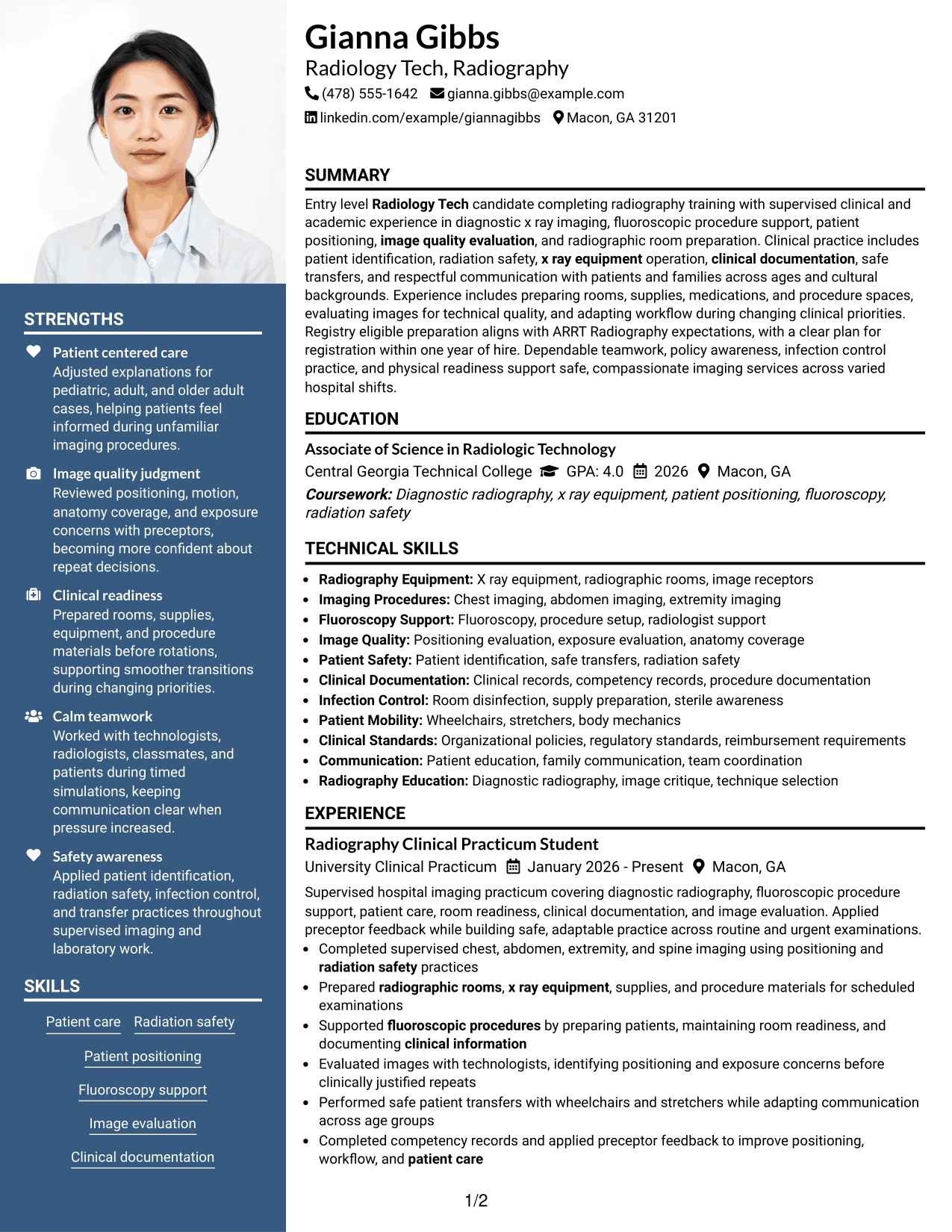
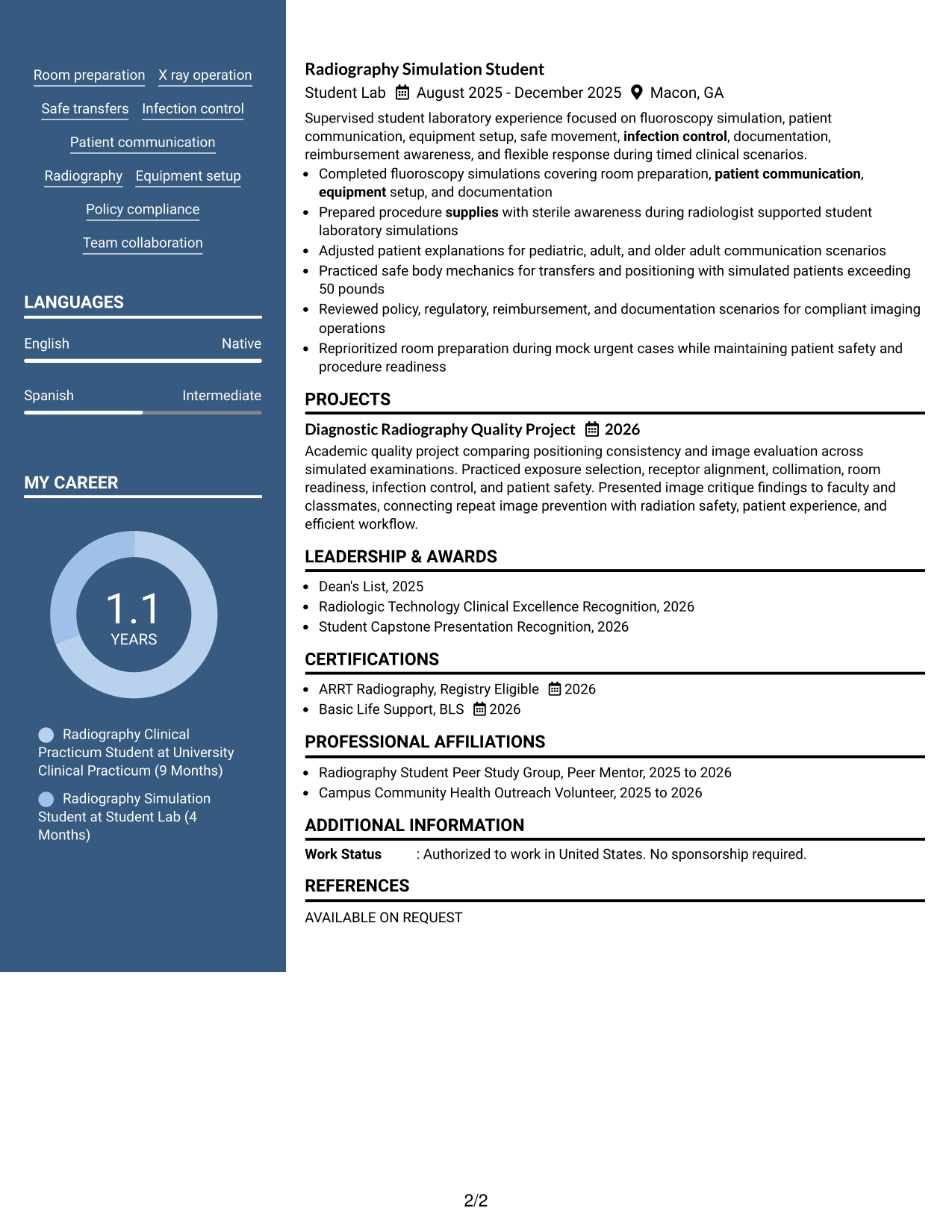
#6 Photo Header Two Column Format Resume Example
A photo-led header introduces the resume visually, while the two-column body helps recruiters scan qualifications and experience in separate areas.
Why This Format Works
- Two-column body divides supporting qualifications from longer experience and achievement sections.
- Header photo identifies the applicant without controlling the body reading order.
- Separate body areas help education, skills, and credentials stay easy to revisit.
Best For
- Regions where professional photos are common
- Two-column resumes with visible identity
- Qualifications needing separate visual groups
- Experience sections with supporting side content
- Readers revisiting education and credentials
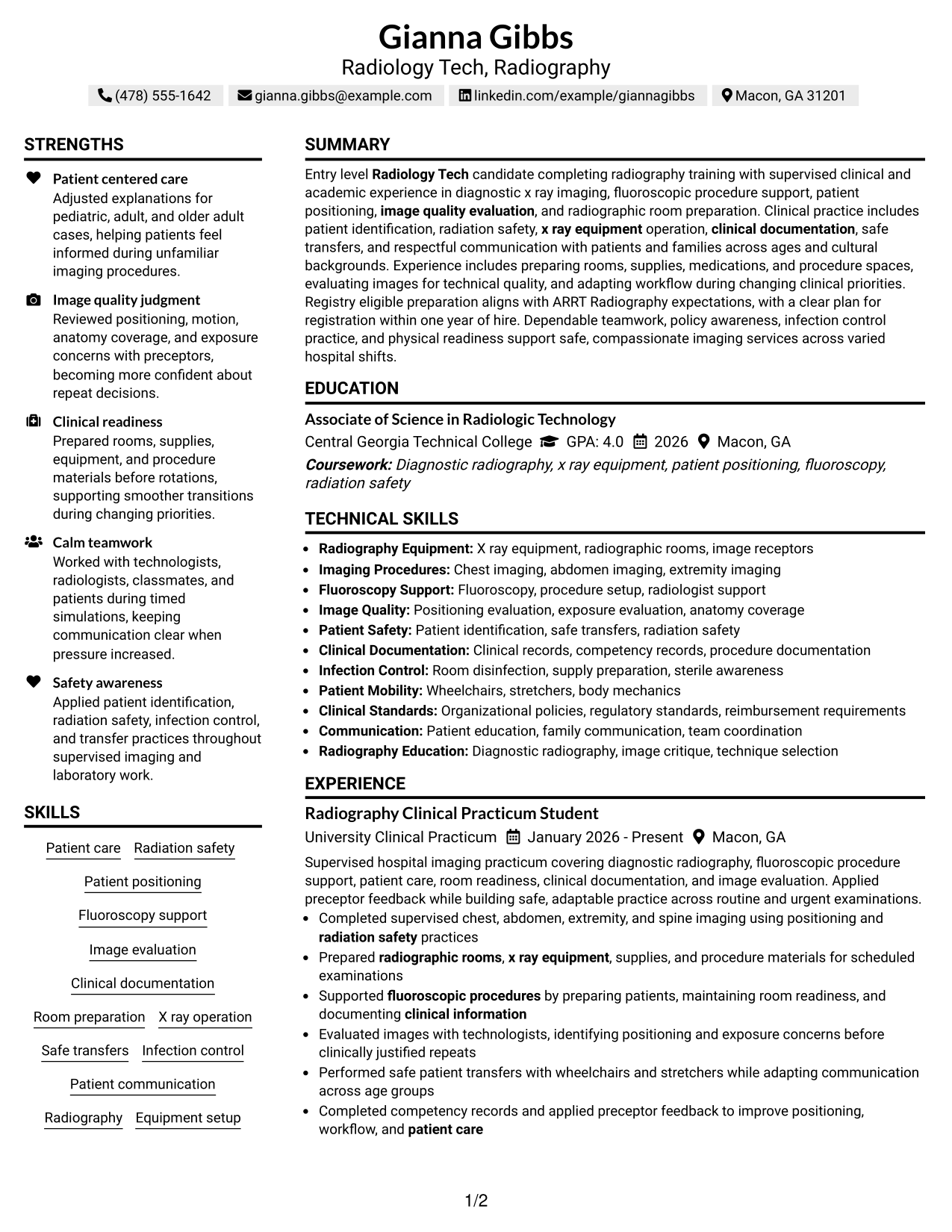
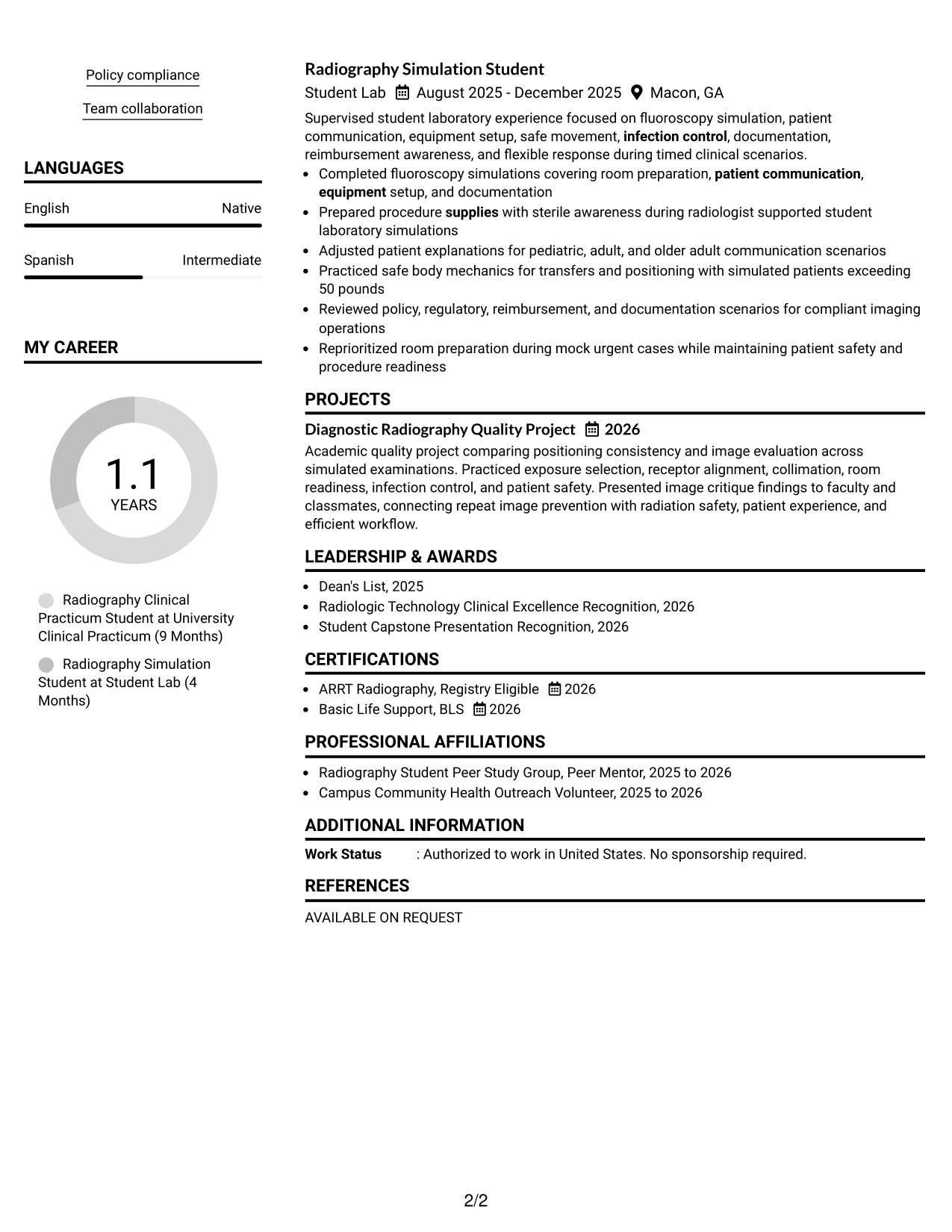
#7 Simple Two Column Format Resume Example
A simple two-column arrangement helps recruiters scan dense resume information by keeping related sections grouped in a clean visual structure.
Why This Format Works
- Simple columns group skills and credentials apart from detailed experience content.
- Consistent section blocks help recruiters follow education and achievements without clutter.
- Balanced spacing supports quick movement between concise details and longer entries.
Best For
- Information-dense resumes
- Compact qualification groups
- Clinical experience with supporting details
- Readers who scan across grouped sections
- Clean structure without a photo
See Also
- 7 CNC Machinist Tech - Lathe - Aerospace Resume Templates with Example
- 7 Director, HCC Data Mgmt. & Tech Ops Resume Templates with Example
- 7 Instructional Tech - Before & After School Program Resume Templates with Example
- 33 Lead Cybersecurity Engineer (Cyber Network Analysis Tech 3) Resume Templates with Example 2026 (ATS-Optimized)
- 7 Maintenance Tech I Resume Templates with Example
- 7 Maintenance Tech - Property Maintenance Resume Templates with Example
- 33 Medical Laboratory Tech Lead Resume Templates with Example 2026 (ATS-Optimized)
- 7 Senior Fullstack Engineer, Tech Foundations Resume Templates with Example
- 30+ Lead Cybersecurity Engineer (Cyber Network Analysis Tech 3) Cover Letter Templates with Example 2026
- 30+ Medical Laboratory Tech Lead Cover Letter Templates with Example 2026
Frequently Asked Questions
Are these Radiology Tech - Radiology resume templates ATS-friendly?
They use clear sections and readable headings that support ATS scanning. Your results still depend on using accurate job-relevant wording and standard resume content.
Are these different Radiology Tech - Radiology resumes?
No. The guide shows one complete resume in multiple visual formats so you can compare organization and readability without changing the underlying candidate information.
What should a Radiology Tech - Radiology resume include?
Include a focused summary, supervised clinical experience, radiography skills, education, projects when relevant, certifications or registry status, and concise bullets that show safe patient care and imaging practice.
How should a new graduate show ARRT status?
State your exact status clearly. If you are registry eligible, use that wording and do not present yourself as fully registered until you have earned the credential.
Which skills are useful for this resume?
Relevant skills may include radiation safety, patient positioning, fluoroscopy support, image evaluation, clinical documentation, room preparation, x ray operation, safe transfers, infection control, and patient communication when supported by your training.
How can limited paid experience be presented well?
Use supervised clinical practicums, laboratory simulations, academic projects, competency records, and relevant activities as evidence. Describe what you practiced, supported, evaluated, prepared, or documented without overstating independent responsibility.
Should I include a photo on a U.S. radiology resume?
For most U.S. applications, a no-photo resume is the safer choice. Use a photo only when local norms or a specific application process clearly calls for one.
Can I customize these resume templates?
Yes. You can adjust the text and design while keeping your facts accurate, your most relevant qualifications easy to find, and your section labels clear.




