
7 Registered Nurse - Progressive Care Unit Cover Letter Templates with Example
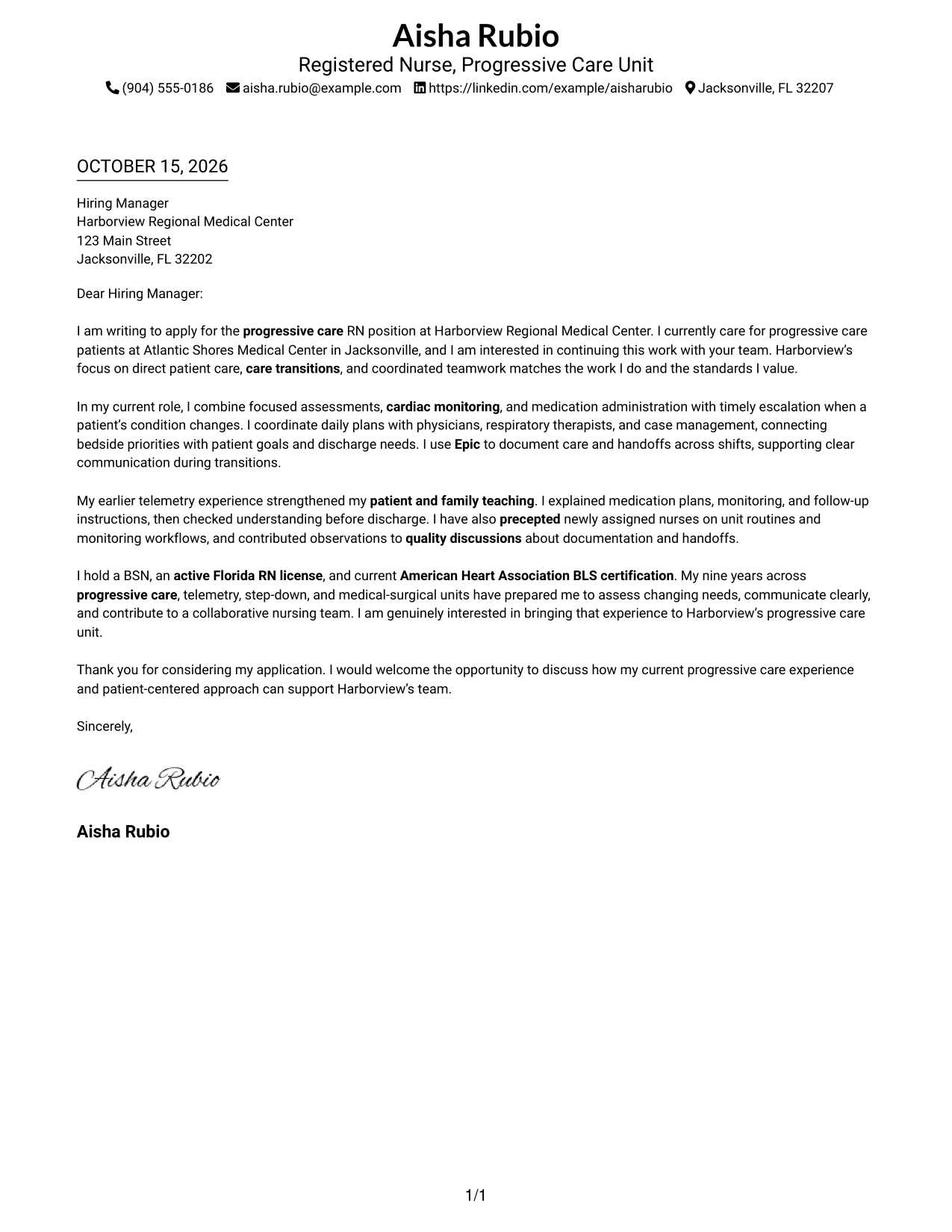
This practical guide to a Registered Nurse - Progressive Care Unit cover letter shows how seven layouts can help you present your clinical fit clearly.
What Makes a Great Registered Nurse - Progressive Care Unit Cover Letter in 2026
A strong letter connects your clinical judgment and direct patient care to the needs of a progressive care unit. A clear opening, focused body, and confident closing help the reader understand your interest and fit.
Use relevant examples, such as responding to changing patient needs, explaining care to patients and families, or coordinating handoffs. Show how your approach supports safe care and teamwork, and explain why the role and employer interest you.
The featured Registered Nurse - Progressive Care Unit example follows a focused progression from role interest to clinical evidence and a clear closing, which you can adapt while choosing a presentation that suits the employer and communication context.
#1 Simple One Column Format Cover Letter Example
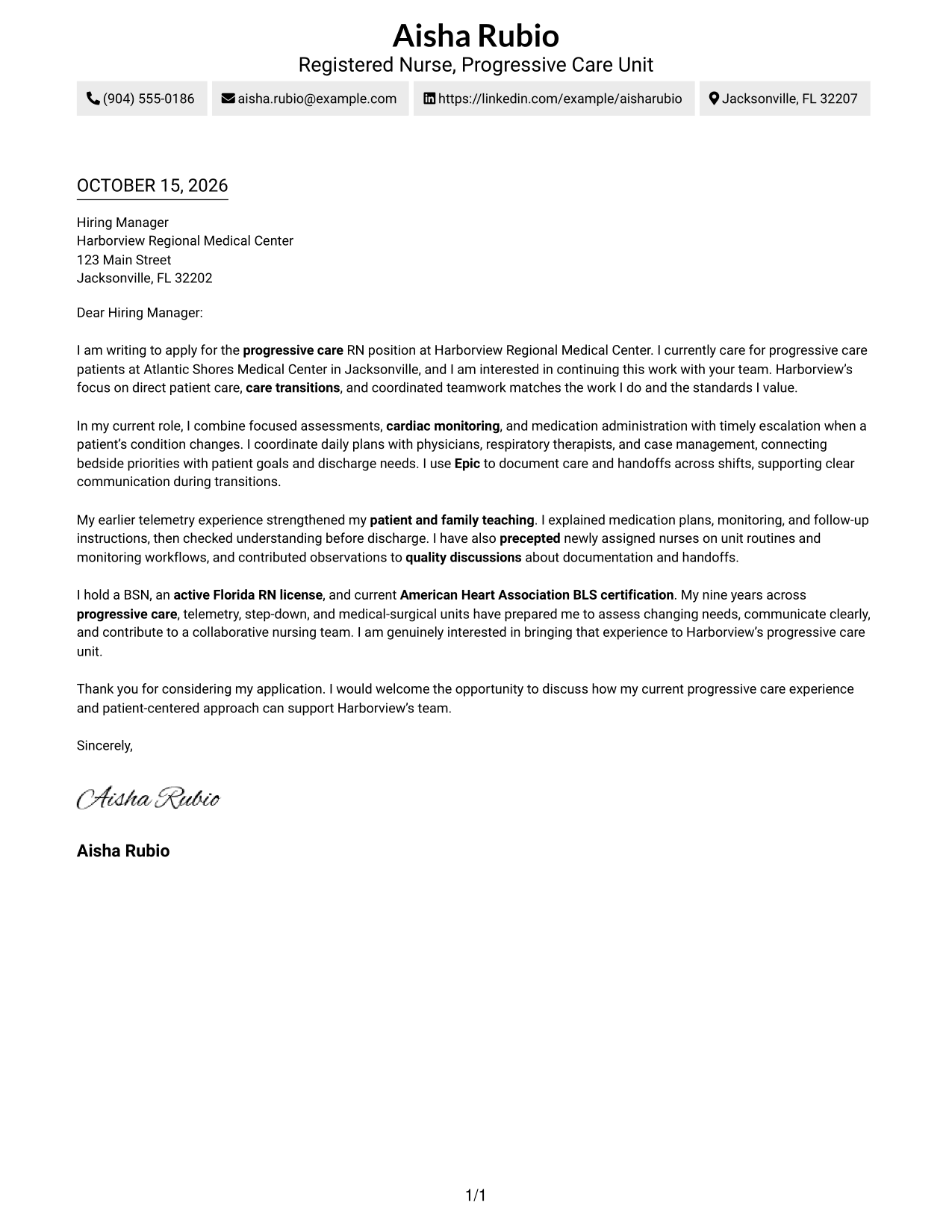
The single-column layout places sender details in the header, keeping the letter's presentation straightforward.
Why This Format Works
- Sender details stay apart from the message, so contact information is easy to find.
- Continuous paragraphs let readers follow motivation, evidence, and closing in order.
- Without body headings, the letter keeps a direct tone from greeting through sign-off.
Best For
- One-column letter layouts
- Header-based contact details
- Direct paragraph-by-paragraph reading
- Text-focused applications
- Letters without a photo
#2 Two Column Format Cover Letter Example
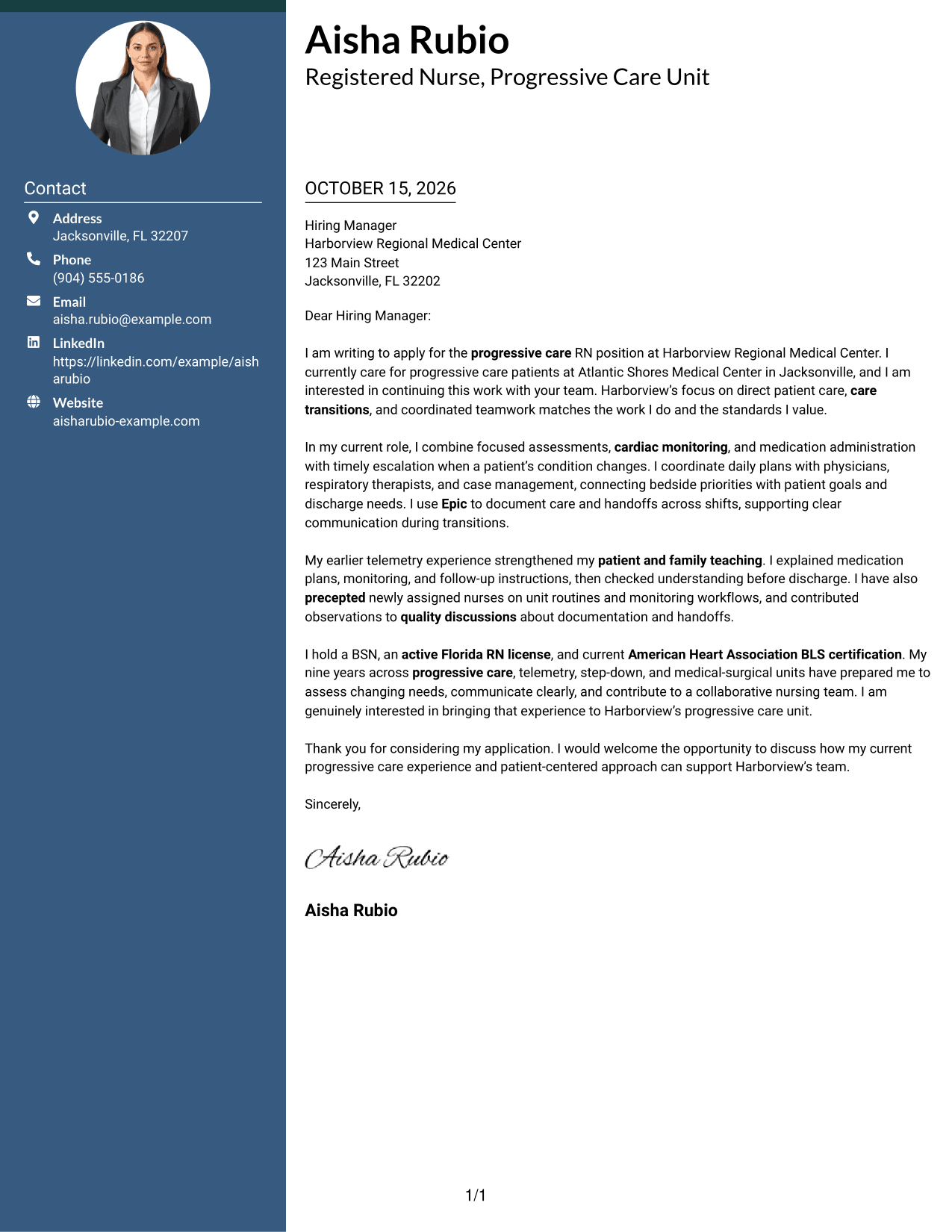
A contact sidebar sits beside one continuous letter body, separating practical details from the message while keeping the paragraphs together.
Why This Format Works
- The contact sidebar keeps practical details separate from the letter's appeal.
- Unbroken paragraphs preserve a natural progression from interest through the closing.
- Readers can refer to sender information without interrupting the message's sequence.
Best For
- Separate contact and message areas
- Letters with complete contact details
- Continuous persuasive paragraphs
- Quick reference to sender information
- Two-column reading preferences
#3 Photo Header Two Column Format Cover Letter Example
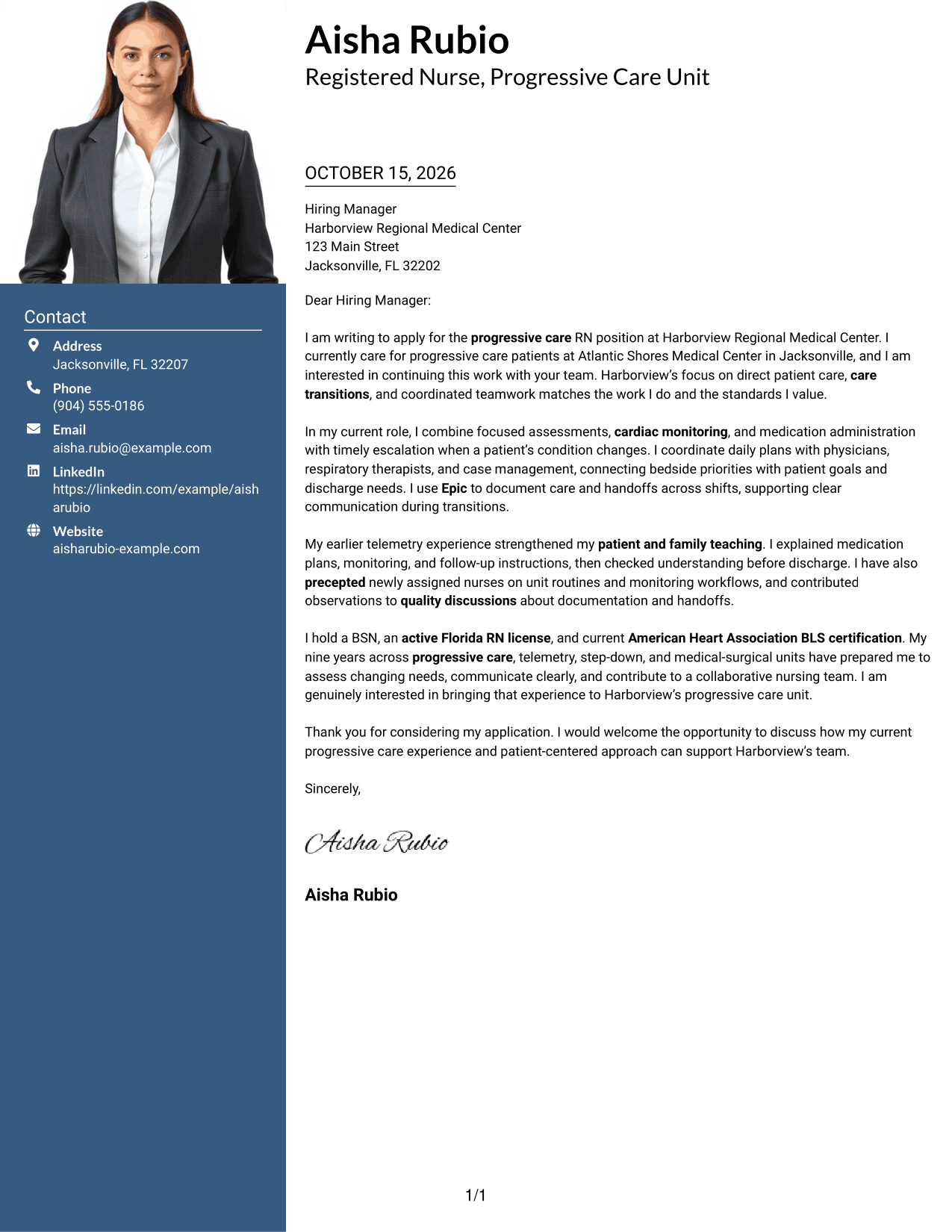
A two-column layout includes a photo and a separate contact area, while the letter remains together in one continuous body.
Why This Format Works
- The contact area keeps address and communication details apart from the message.
- One continuous body connects the letter's motivation, supporting details, and closing.
- A photo adds a personal visual element without dividing the letter's paragraphs.
Best For
- Two-column letters with a photo
- Separate contact and message areas
- Personal visual presentation
- Continuous letter paragraphs
- At-a-glance contact details
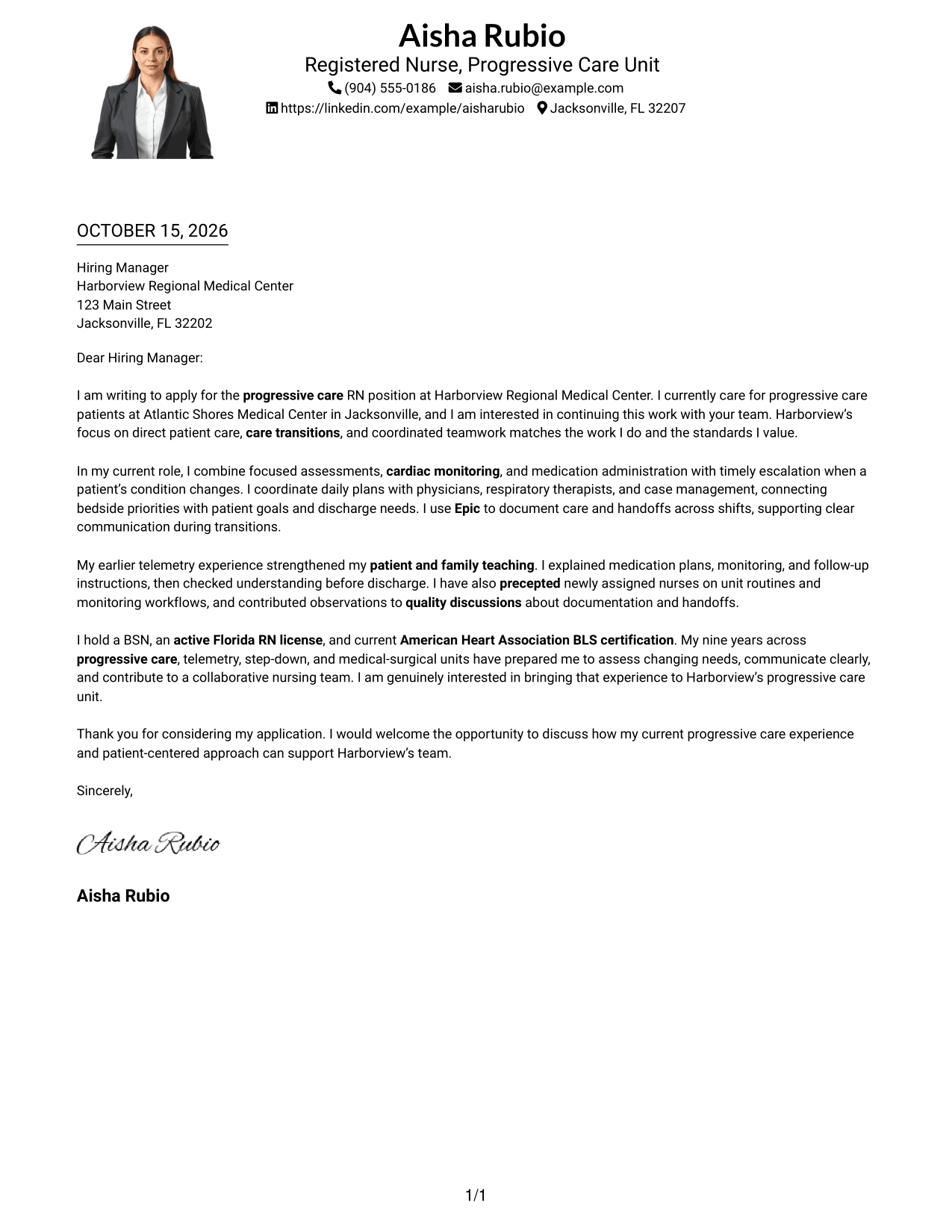
#4 One Column Format with Photo Cover Letter Example
The one-column layout includes a photo and keeps the letter in a single reading path, for a direct presentation.
Why This Format Works
- Sender details in the header make contact information easy to locate.
- A single reading path keeps the letter's paragraphs in their intended order.
- Without body headings, the prose retains the direct style of a personal letter.
Best For
- Single-column reading preference
- Photo-inclusive correspondence
- Header-led contact information
- Letters without body headings
- Direct opening-to-closing flow
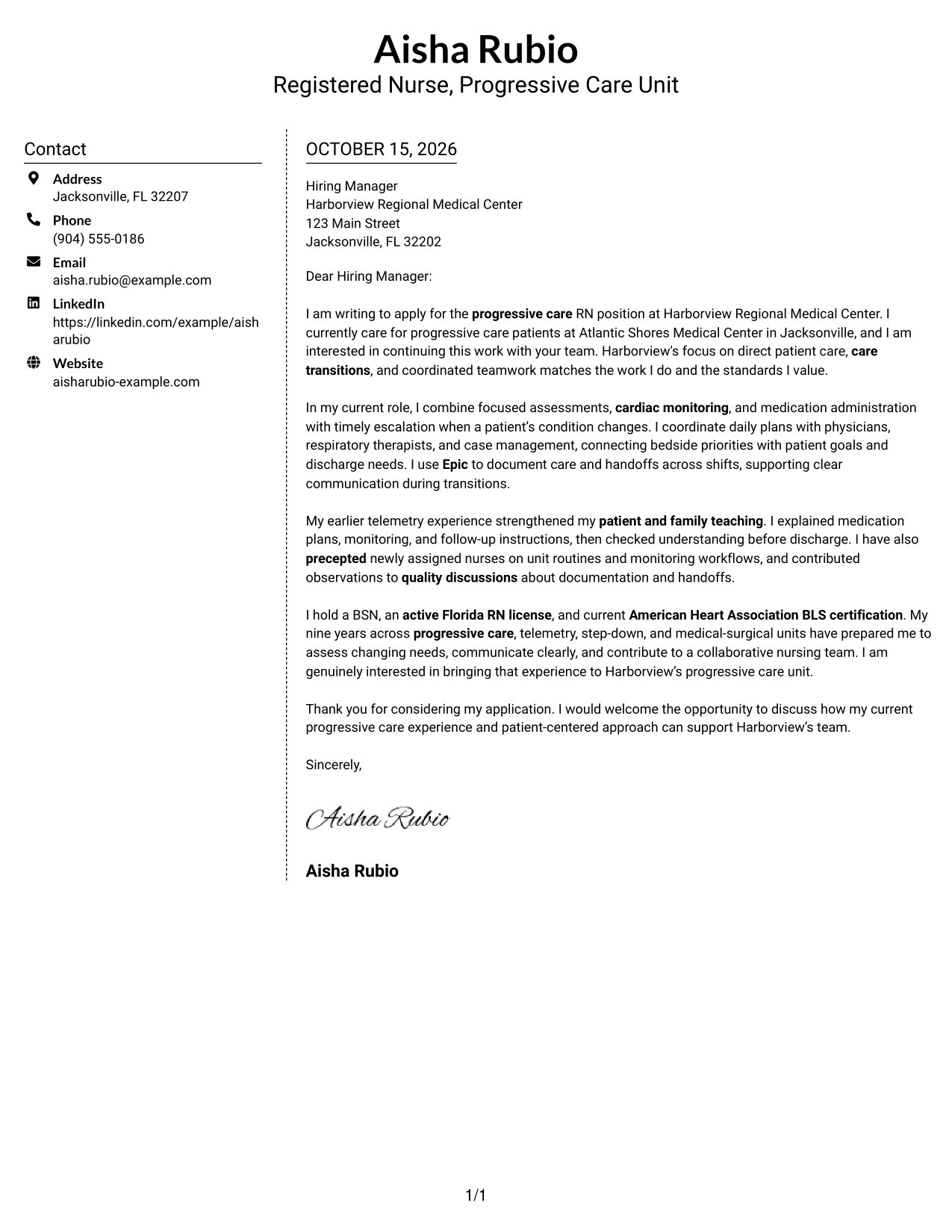
#5 Simple Two Column Format Cover Letter Example
The two-column layout gives contact details their own sidebar and keeps the letter's opening, supporting paragraphs, and closing in one body.
Why This Format Works
- A dedicated sidebar separates sender details from the letter's main message.
- The continuous body keeps the explanation and closing connected for the reader.
- The two areas make contact information and letter text easy to distinguish.
Best For
- Distinct contact and message areas
- Letters with a continuous argument
- Separate sender information
- Two-column page organization
- Text-only correspondence
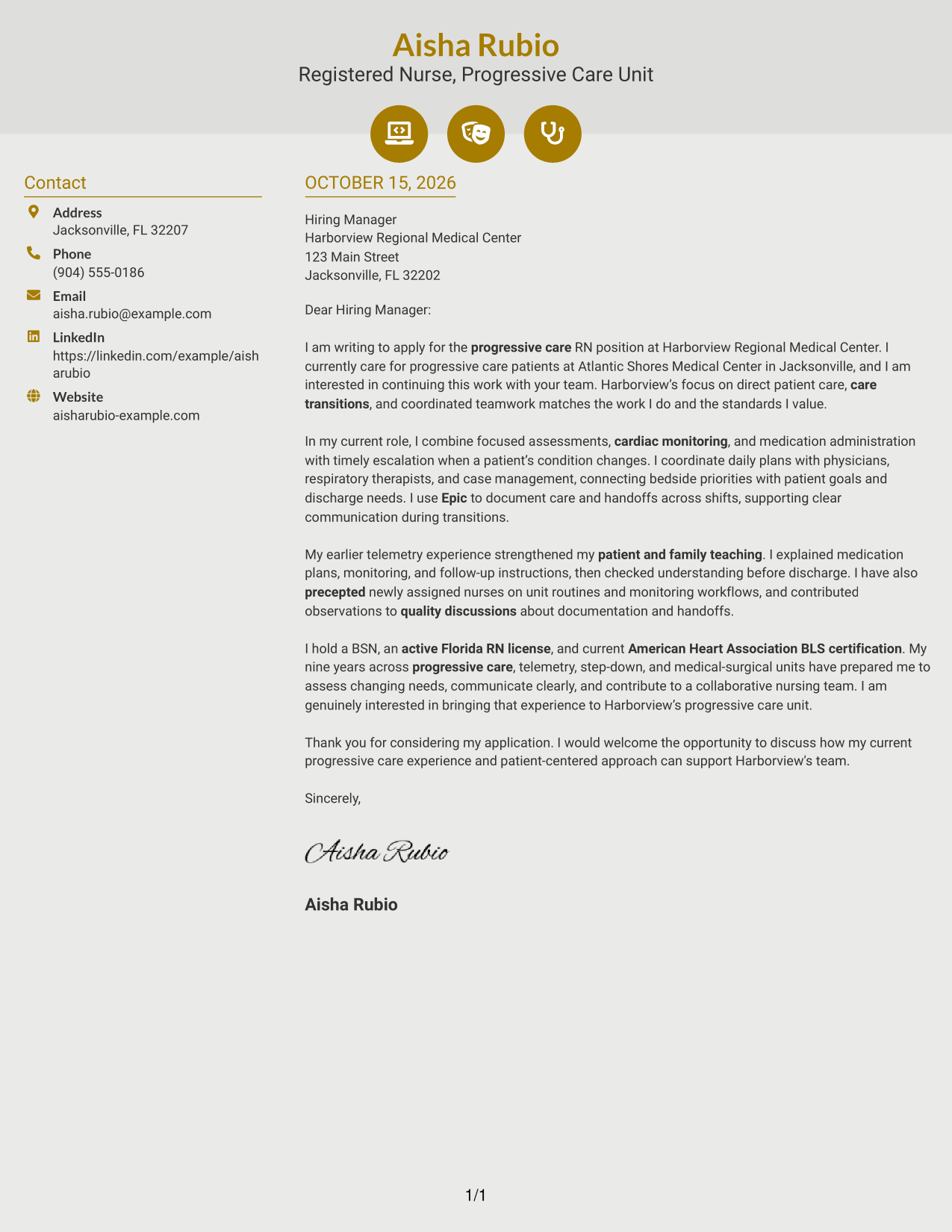
#6 Modern Icon Format Cover Letter Example
Contact icons provide visual cues in the sidebar of this two-column layout, while the letter itself stays in one continuous body.
Why This Format Works
- Icons help readers identify contact details without labeling parts of the letter.
- The sidebar keeps practical sender information apart from the persuasive message.
- One continuous body preserves the connection between the opening and closing.
Best For
- Icon-cued contact details
- Separate sender and message areas
- Continuous letter paragraphs
- Quick contact information checks
- Two-column correspondence
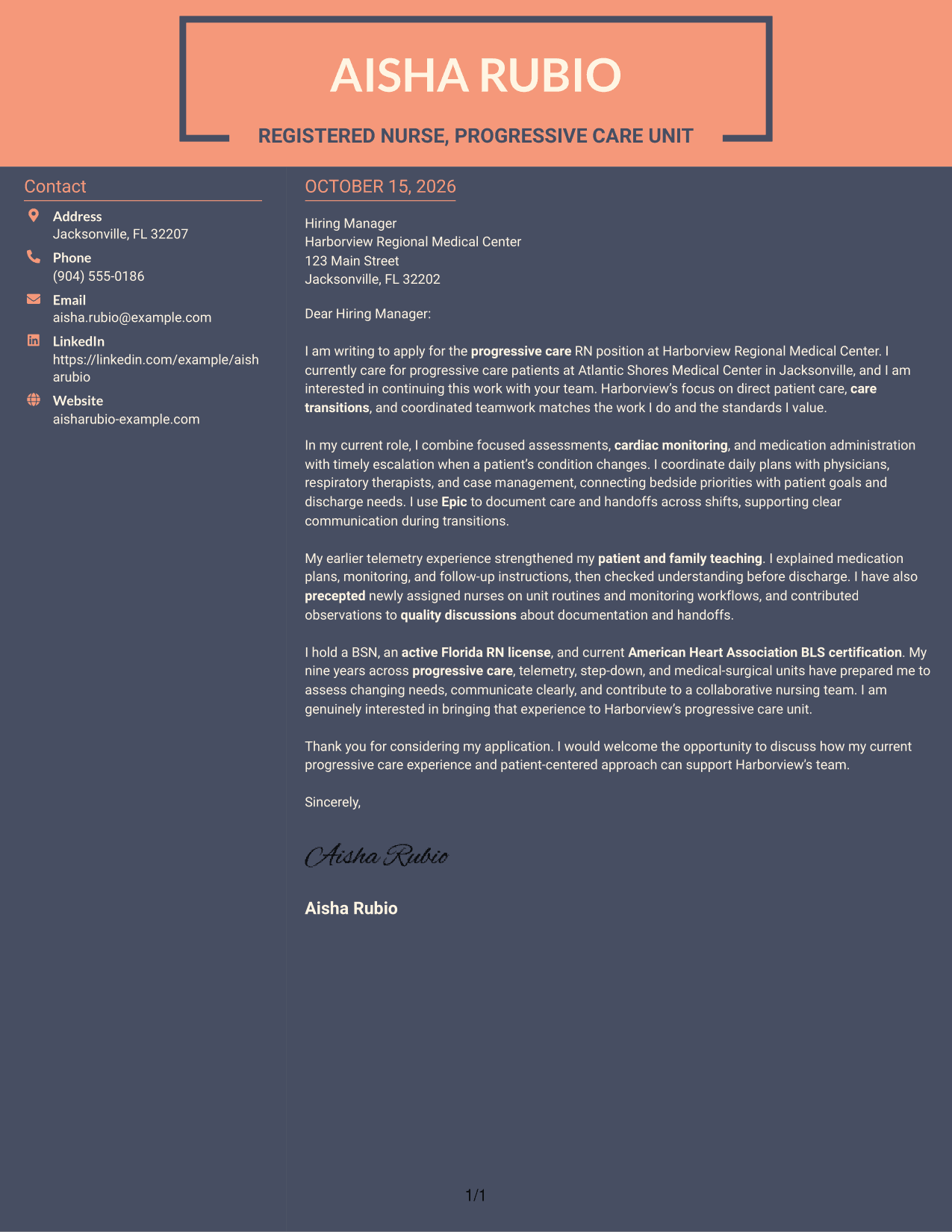
#7 Creative Two Tone Format Cover Letter Example
The two-column layout places contact information apart from the continuous letter body, giving each a clear place on the page.
Why This Format Works
- Separate areas distinguish contact details from the text of the letter.
- The body remains continuous, so readers can follow the message from start to finish.
- Contact information stays easy to find beside the letter's paragraphs.
Best For
- Two-column letter layouts
- No-photo contact sidebars
- Clear separation of contact and message
- Continuous paragraph reading
- Compact contact information
See Also
- 7 Registered Nurse - Progressive Care Unit (PCU) Resume Templates with Example
- 7 Registered Nurse - Progressive Care Unit Resume Templates with Example
- 7 Registered Nurse - Cardiac Progressive Care Resume Templates with Example
- 7 Registered Nurse - Oncology Progressive Care Resume Templates with Example
- 7 Neonatal Intensive Care Unit Registered Nurse Resume Templates with Example
- 33 Pediatric Intensive Care Unit (PICU) Registered Nurse Resume Templates with Example 2026 (ATS-Optimized)
- 33 Registered Nurse - Full Time - Intensive Care Unit (ICU) Resume Templates with Example 2026
- 33 Registered Nurse - Intensive Care Unit Resume Templates with Example 2026 (ATS-Optimized)
- 7 Registered Nurse - Progressive Care Unit (PCU) Cover Letter Templates with Example
- 7 Registered Nurse - Cardiac Progressive Care Cover Letter Templates with Example
Frequently Asked Questions
What should the opening paragraph of a progressive care nurse cover letter say?
Name the Registered Nurse - Progressive Care Unit role and state why it interests you. Then connect that interest to the kind of direct care and teamwork the unit needs.
What evidence can I include in the body of the letter?
Choose a few relevant examples, such as assessing patients with changing needs, communicating handoffs, teaching patients and families, or coordinating care transitions. Describe your own experience accurately and connect it to the position.
How can I show that I am a good fit for this role?
Explain how your approach to patient safety, clear communication, and team coordination fits progressive care. If applicable to your background, you can also mention experience with cardiac monitoring, Epic, precepting, and quality improvement.
Should I mention my nursing degree, license, and BLS certification?
Yes, when they apply to your background and the position. This featured letter names a BSN, an active Florida RN license, and current American Heart Association BLS certification.
Can I view or customize the cover letter example?
The page includes a PNG image preview. Use the View in Editor link to open the example or the customization link to work with it in the editor.




