
7 RN Diabetes Educator Cover Letter Templates with Example
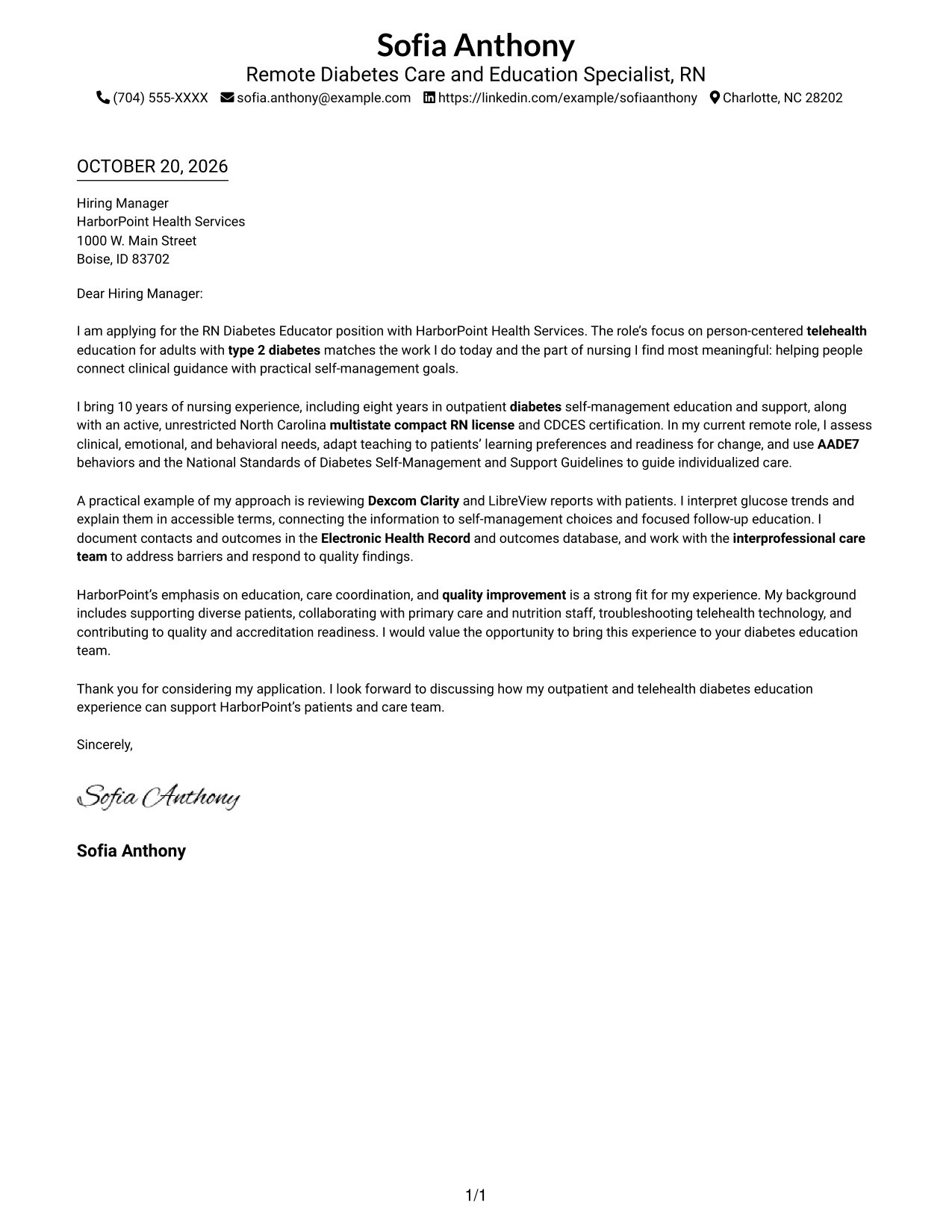
This practical guide presents seven RN Diabetes Educator cover letter layouts to help you create a clear, role-focused application.
What Makes a Great RN Diabetes Educator Cover Letter in 2026
A strong RN Diabetes Educator cover letter explains your interest in person-centered diabetes education and connects your experience to telehealth, individualized teaching, and patient goals.
Use a clear example, such as explaining glucose trends or tailoring education, to show how you support patients. Then connect your approach to the employer’s focus on care coordination and quality.
The featured example moves from role interest to relevant credentials, a practical patient-education example, employer alignment, and a concise close. Adapt that focused progression while choosing a presentation that suits the employer and the communication context.
#1 Simple One Column Format Cover Letter Example
A one-column page keeps sender details in the header and the letter body together, a familiar choice for readers who prefer one direct reading path.
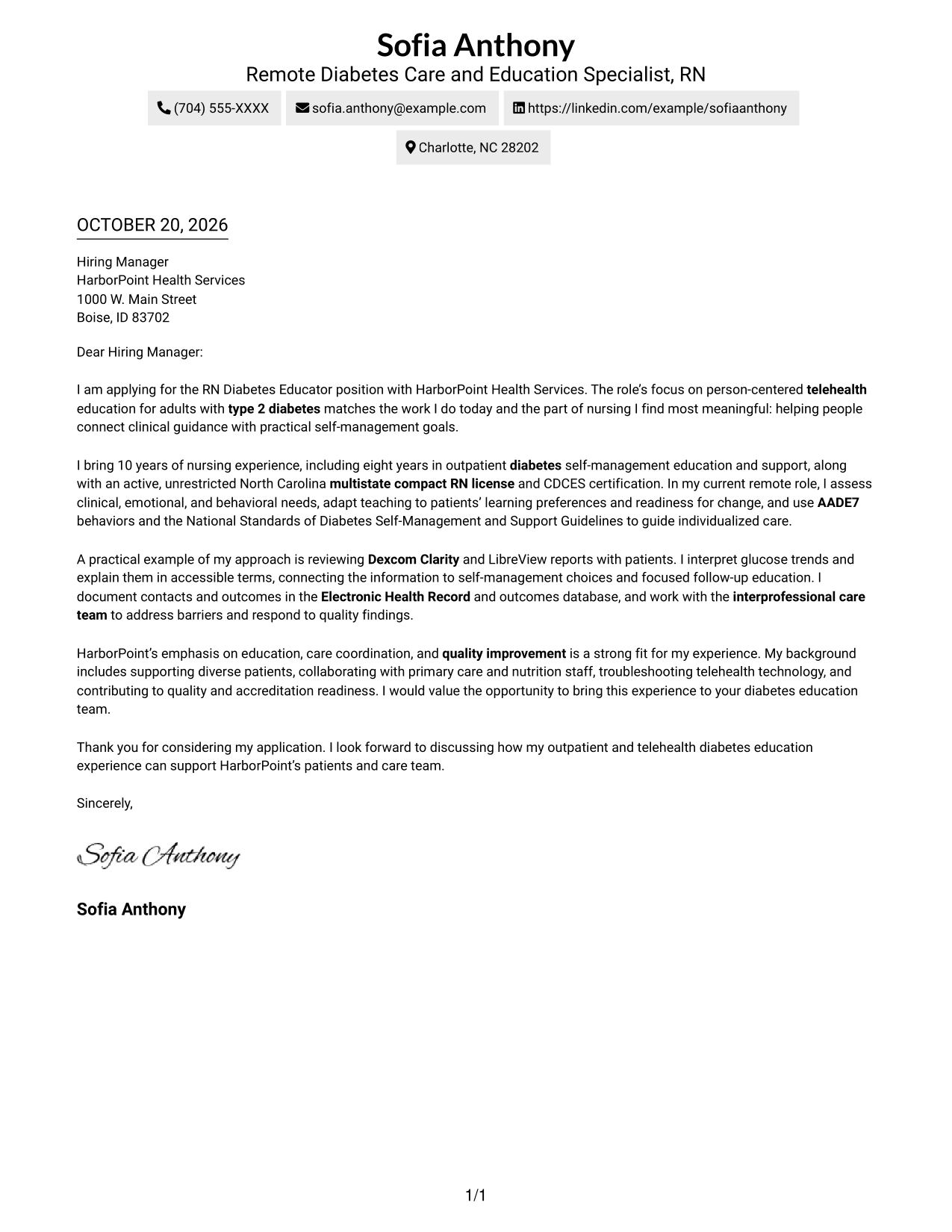
Why This Format Works
- Sender details sit in the header, so the letter body stays visually unified.
- Paragraph order carries readers from interest through evidence to the closing request.
- Without section labels, the letter can make its case in natural prose.
Best For
- One-column page preference
- Header contact presentation
- Uninterrupted letter prose
- Paragraph-based persuasion
- Traditional business correspondence
#2 Two Column Format Cover Letter Example
A contact sidebar sits beside the continuous letter body, giving contact details their own place while the message stays in one reading column.
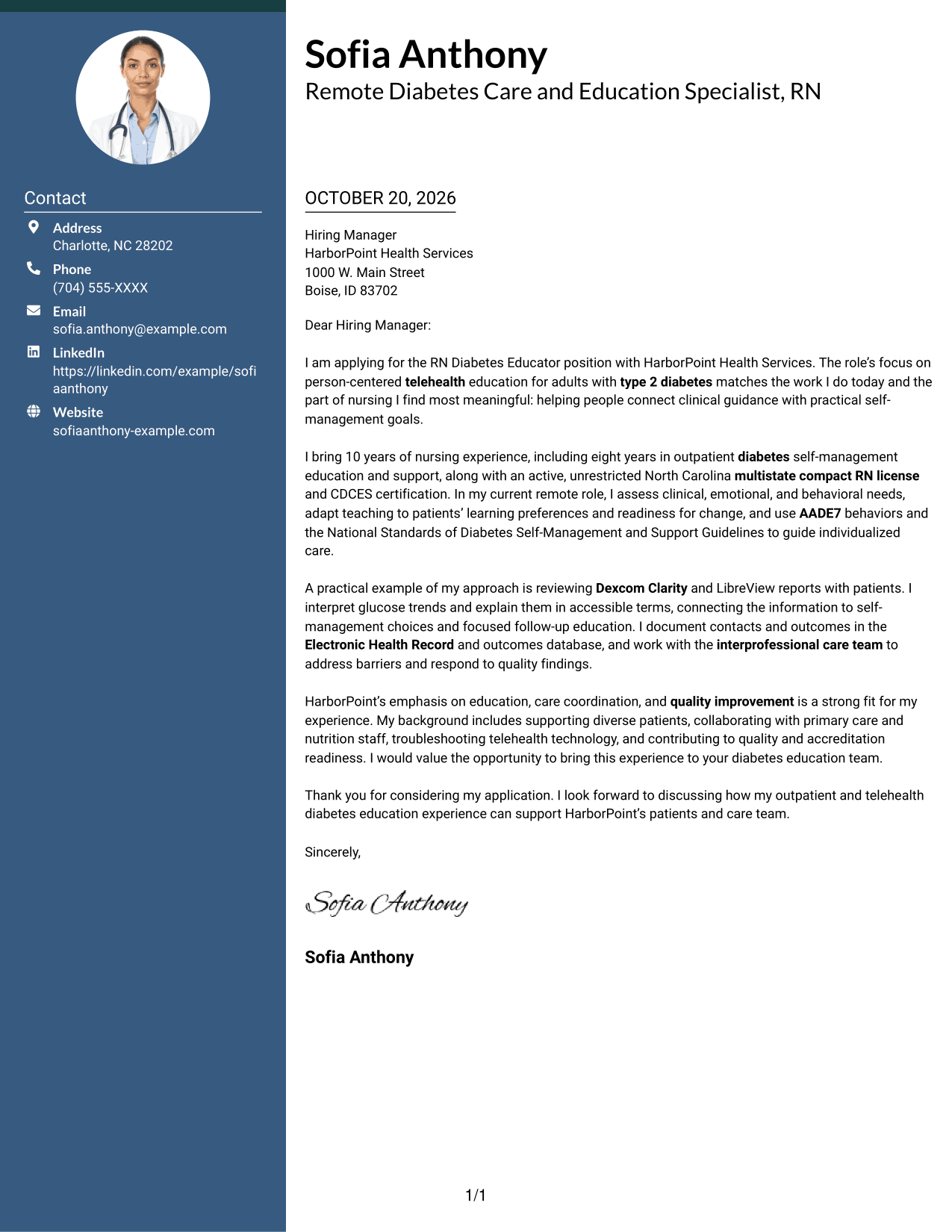
Why This Format Works
- Contact details have a dedicated sidebar, separate from the message itself.
- One body column keeps the opening, supporting points, and close in sequence.
- Paragraphs retain their natural spacing within the letter body.
Best For
- Separate contact sidebar
- Single-column letter body
- Quick sender-detail lookup
- Letter-first review
- Uninterrupted paragraph flow
#3 Photo Header Two Column Format Cover Letter Example
A photo in the header adds a personal visual element, while the contact sidebar stays separate from the single-column letter body.
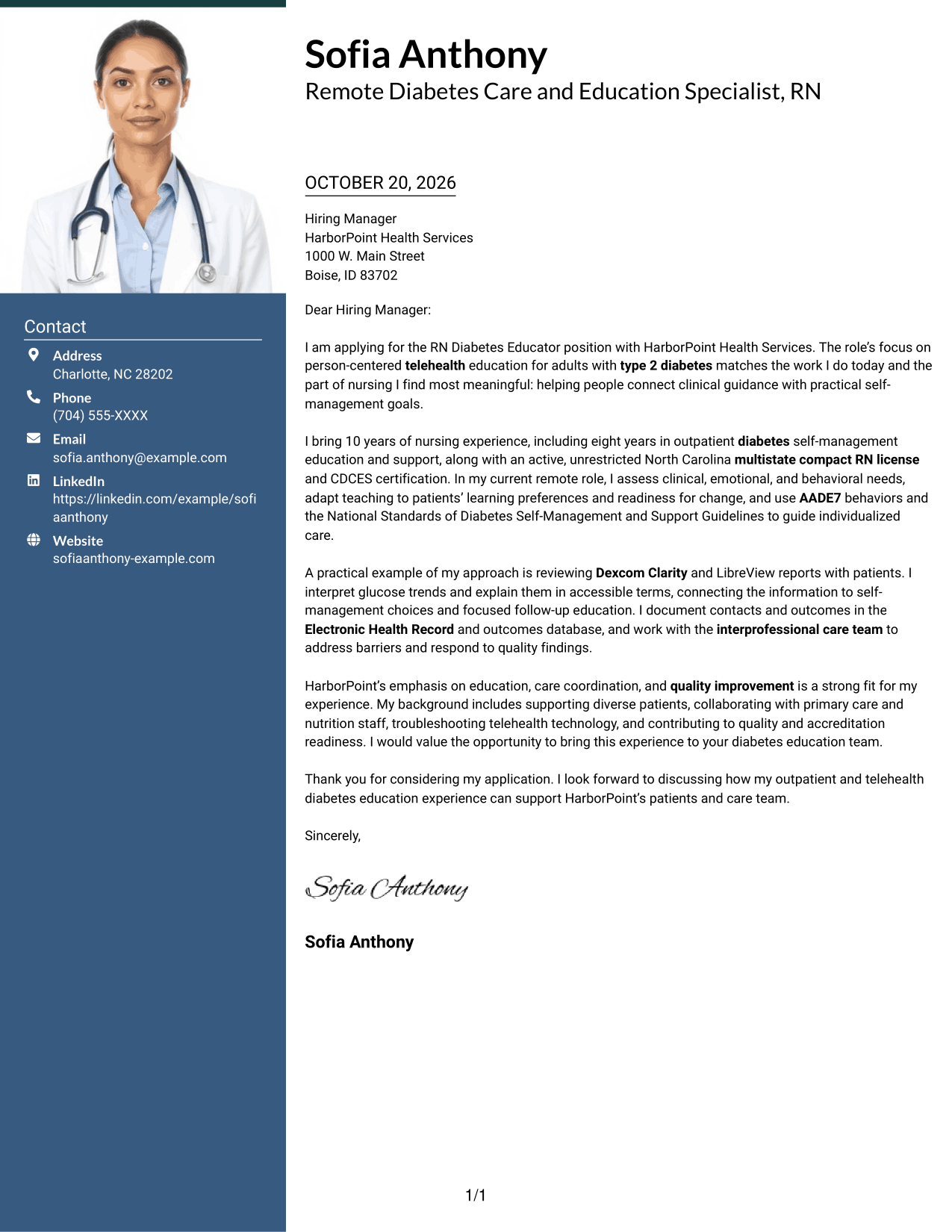
Why This Format Works
- The photo and sidebar add visual identity without splitting the letter body.
- One continuous body lets the opening and supporting case read in order.
- Separate contact space keeps the message focused on motivation and role fit.
Best For
- Photo-inclusive correspondence
- Sidebar contact organization
- Single-column letter text
- Photo-presenting application materials
- Continuous application narratives
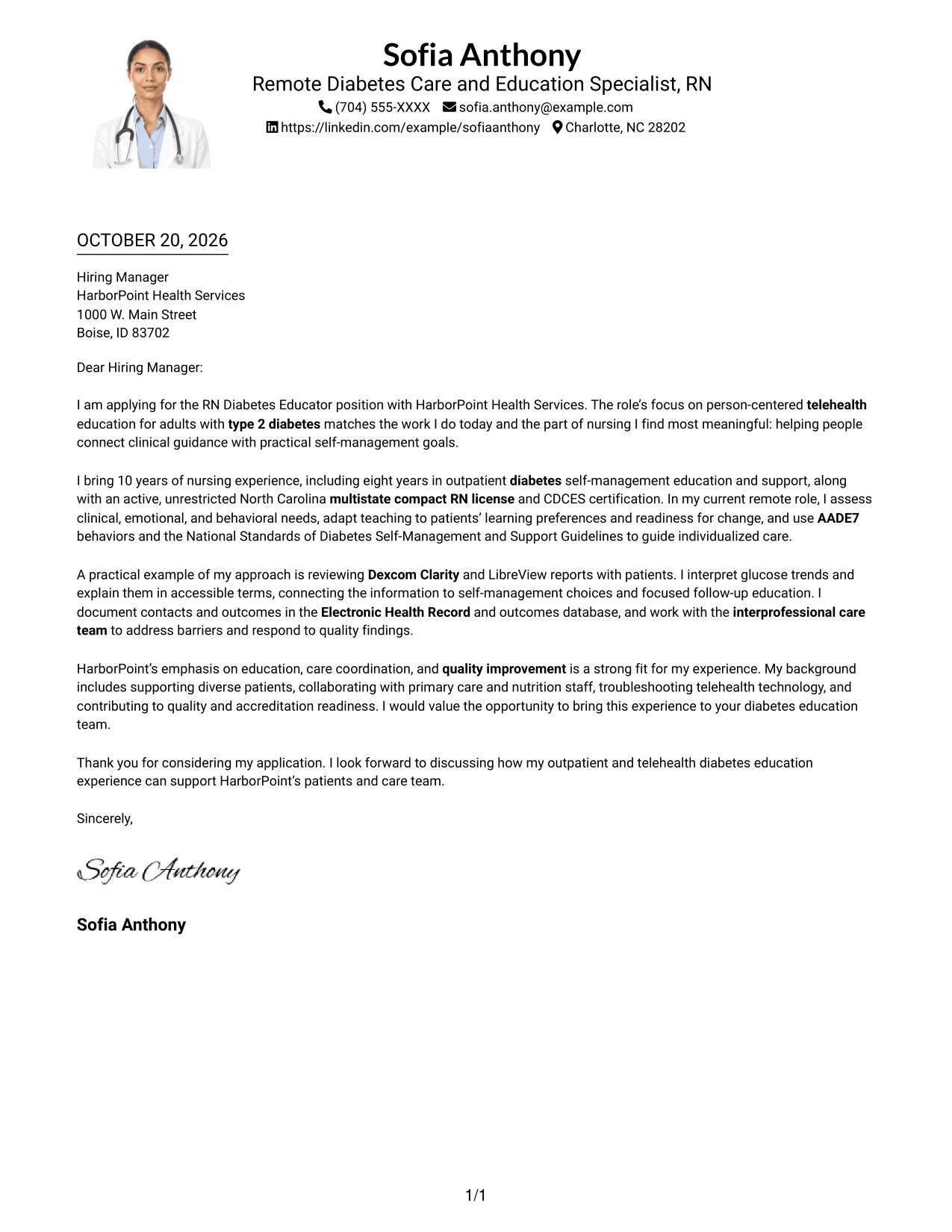
#4 One Column Format with Photo Cover Letter Example
This one-column letter includes a photo while keeping the message in a direct reading path from its opening through its closing.
Why This Format Works
- The single-column body keeps the letter's paragraphs in a direct sequence.
- A photo adds a visual element without dividing the message into columns.
- Header contact details remain apart from the application message.
Best For
- Single-column reading preference
- Photo in the page design
- Direct letter reading order
- Header contact information
- Paragraph-led persuasion
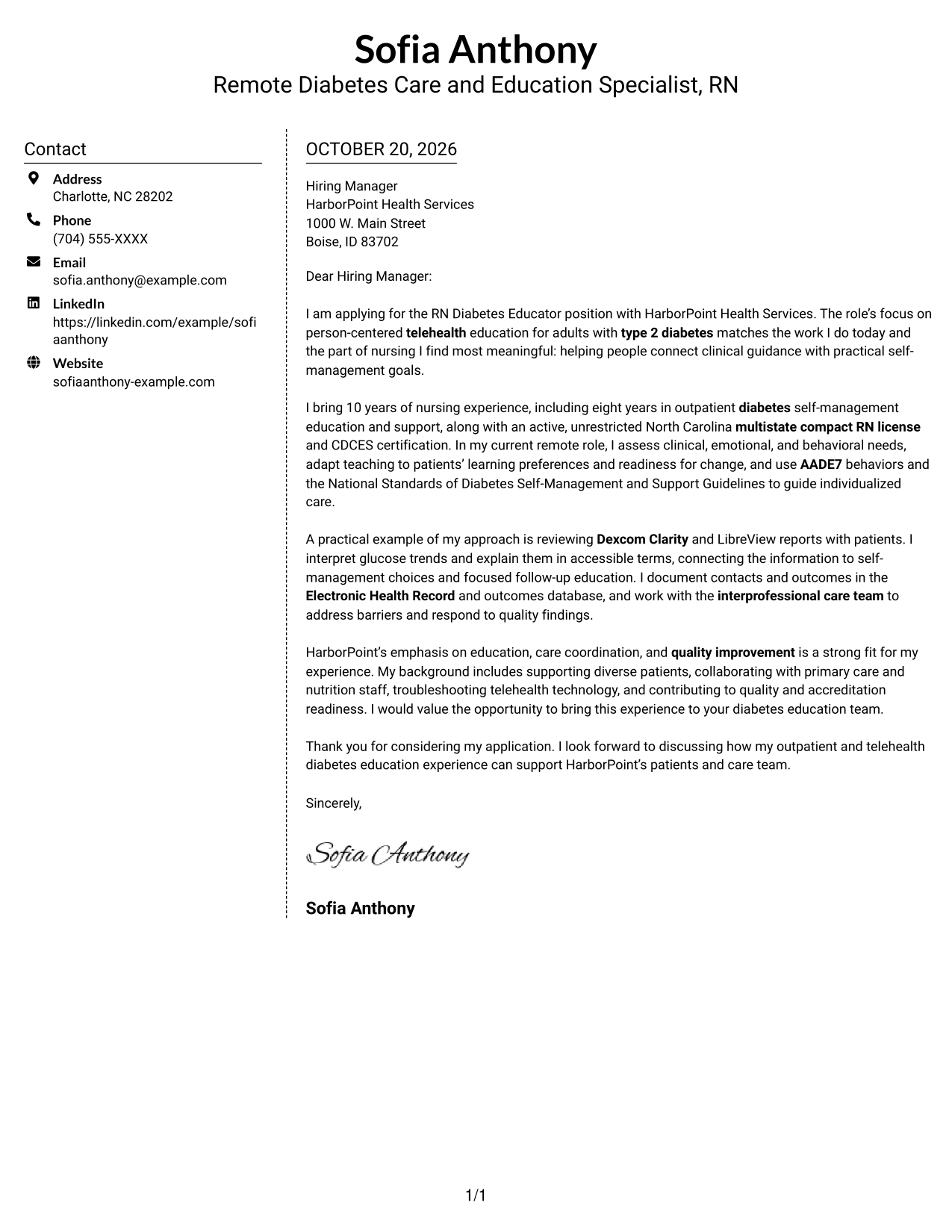
#5 Simple Two Column Format Cover Letter Example
A contact sidebar gives sender details a separate area beside the letter, while the body itself remains one uninterrupted column.
Why This Format Works
- Contact details occupy a sidebar, leaving the letter's argument in one column.
- Readers can follow the message from opening to close without switching body columns.
- Paragraph-based prose supports a clear explanation of motivation, evidence, and fit.
Best For
- Sidebar contact details
- Continuous letter body
- Two-area page organization
- Paragraph-led role alignment
- One-column message reading
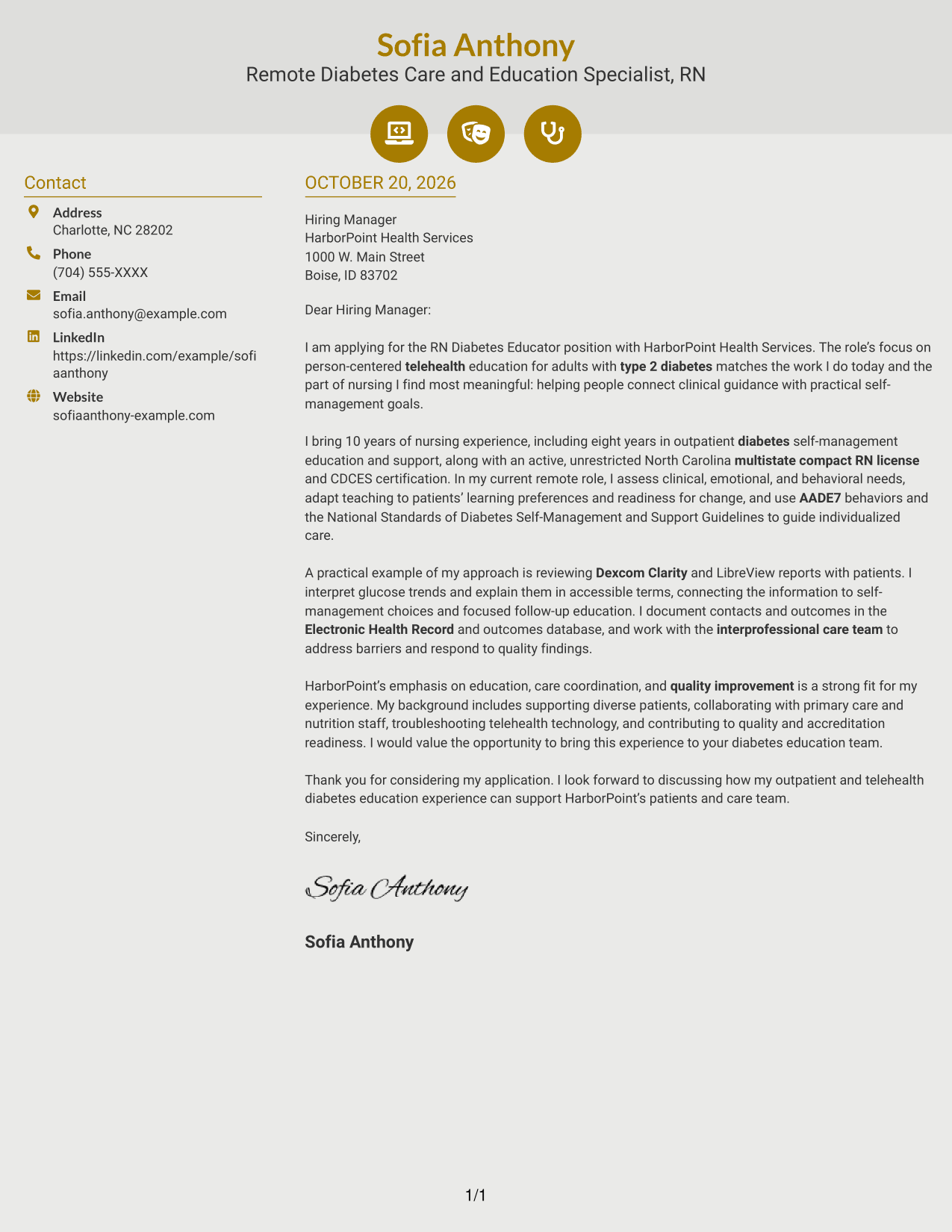
#6 Modern Icon Format Cover Letter Example
Contact icons provide visual cues beside the continuous letter body, helping readers distinguish sender details from the message.
Why This Format Works
- Contact icons provide visual cues for sender details, not argument stages.
- Sidebar contact information stays distinct from the uninterrupted letter text.
- One body column keeps motivation and supporting points in their written order.
Best For
- Icon-cued contact details
- Sidebar and letter separation
- One-column message flow
- Visual contact navigation
- Paragraph-led application letters
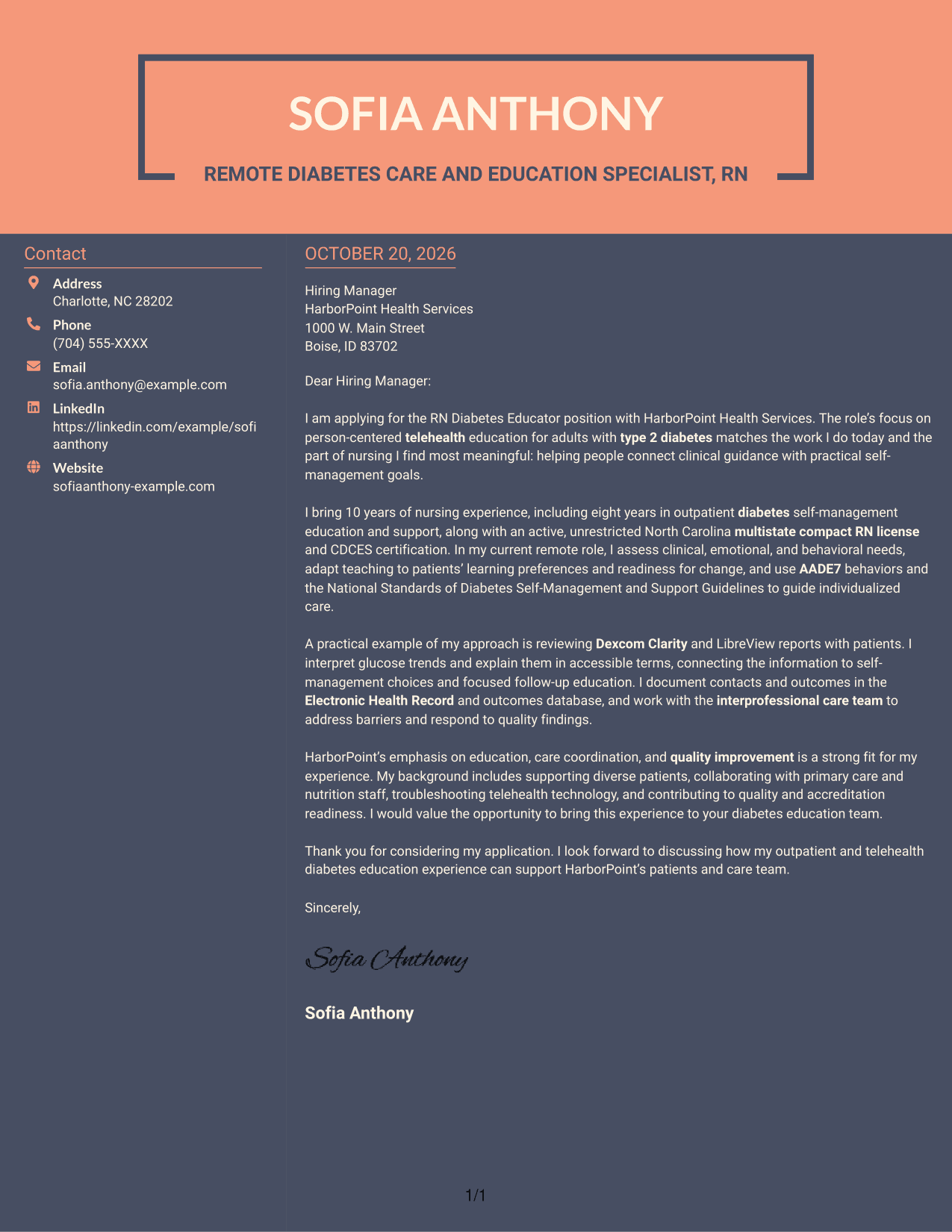
#7 Creative Two Tone Format Cover Letter Example
A contact sidebar sits beside one continuous letter column, keeping sender information separate while the application message stays together.
Why This Format Works
- The contact sidebar offers a separate place for sender information.
- A single body column keeps the persuasive message in its written order.
- Side-by-side areas help readers distinguish contact details from letter content.
Best For
- Separate contact information
- Single-column letter argument
- Side-by-side page organization
- Continuous persuasive prose
- Clear sender-detail access
Why Use ResumeInMinutes for an RN Diabetes Educator Cover Letter
ResumeInMinutes lets you review a cover letter image preview and open an example in the editor to customize its wording and presentation.
- Cover letter writing styles
- Clear, readable formatting
- Role-focused customization
- Guided cover letter creation
- Professional examples
- Editor access
Shape your letter around patient-centered diabetes education, clear communication, and the specific needs of the RN Diabetes Educator position.
See Also
- 7 RN Diabetes Educator Resume Templates with Example
- 33 RN-Nurse Educator Surgical Services Resume Templates with Example 2026 (ATS-Optimized)
- 7 Network Diabetes Program Manager Resume Templates with Example
- 7 Clinical Documentation Educator Resume Templates with Example
- 33 Clinical Nurse Educator Resume Templates with Example 2026 (ATS-Optimized)
- 33 Flex Nurse Educator Resume Templates with Example 2026 (ATS-Optimized)
- 33 Medtech Clinical Nurse Educator Resume Templates with Example 2026 (ATS-Optimized)
- 33 Nurse Educator Resume Templates with Example 2026 (ATS-Optimized)
- 30+ RN-Nurse Educator Surgical Services Cover Letter Templates with Example 2026
- 7 Clinical Documentation Educator Cover Letter Templates with Example
Frequently Asked Questions
What should an RN Diabetes Educator cover letter emphasize?
Show how you assess patient needs, adapt diabetes education to individual goals, and communicate clinical information clearly. Include relevant examples of telehealth education, glucose data review, or care-team collaboration when they reflect your experience.
How can I make my cover letter specific to a diabetes educator role?
Connect your experience and motivation to the position’s focus on adults with type 2 diabetes, self-management support, and person-centered care. Use a brief example to make that connection clear.
How should I describe continuous glucose monitor experience?
Briefly explain how you review glucose information and use it to guide patient education or follow-up. Name a platform only if you have used it and can describe your role accurately.
What is a good way to close an RN Diabetes Educator cover letter?
Restate your interest in the position, connect your background to the care team’s work, and thank the hiring manager for considering your application.
Can I preview the cover letter before customizing it?
Yes. Review the PNG image preview, then use the editor link to open and customize the example.




