7 Sales Associate Resume Templates with Example
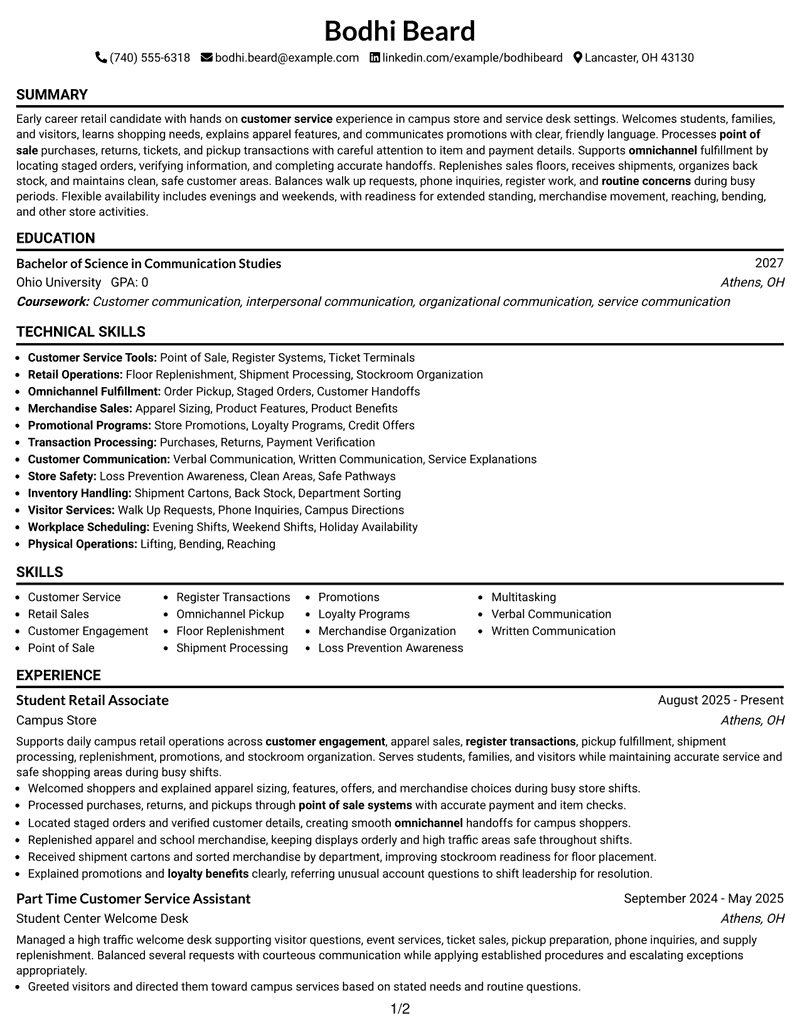
This guide shows you how to build a Sales Associate resume that is clear, focused, and easy to scan. You will learn how to organize the right evidence and compare practical resume formats.
Strong resumes for this role connect customer service with daily retail operations. Useful evidence can include point of sale work, accurate register transactions, omnichannel pickup, floor replenishment, shipment processing, promotions, merchandise organization, and safe customer areas.
The same complete resume is presented in 7 ATS-friendly layouts so you can compare reading order, section structure, and visual emphasis without changing the underlying qualifications. Each example includes format guidance and free PDF access.
What Makes a Great Sales Associate Resume in 2026
A strong Sales Associate resume is easy to scan, focused on customer service, and built around clear retail evidence. Short bullets should show how you support shoppers, transactions, fulfillment, and store readiness.
Match the wording of the job when it is accurate for your background. Useful terms can include customer engagement, point of sale, omnichannel pickup, floor replenishment, shipment processing, promotions, loyalty programs, and loss prevention awareness.
The examples shown below are intentionally detailed to demonstrate a range of experiences, skills, accomplishments and relevant keywords. We prefer detailed resumes as they provide more context to the hiring managers and also help the ATS systems identify relevant qualifications and score your resume better for a match. But the length of a resume is an individual choice. If you want a one page resume, just keep the most relevant experience and information for the job. Note: Resume examples are for educational purposes only. Use only information that accurately reflects your experience and qualifications. References to real organizations do not imply affiliation or endorsement.
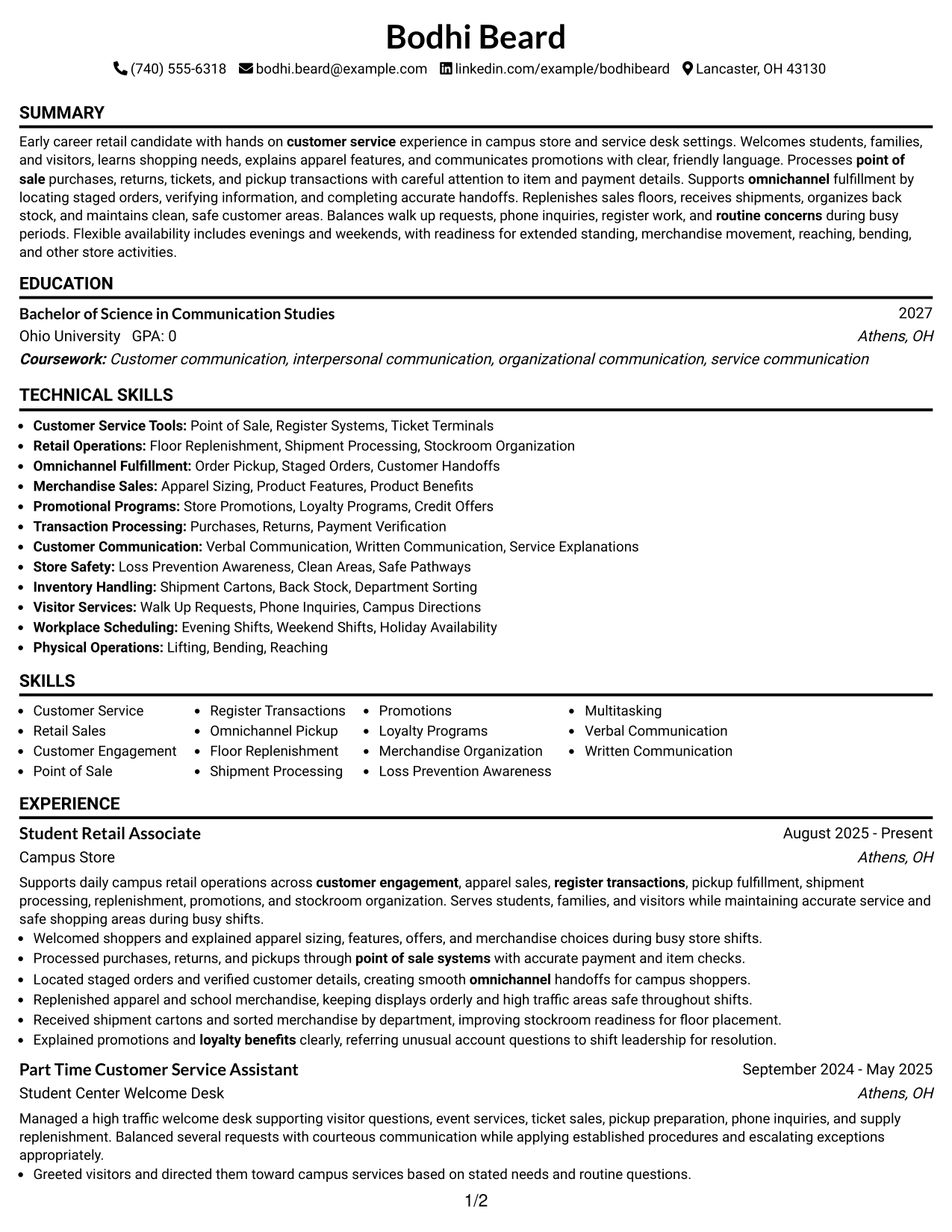
#1 Simple One Column Format Resume Example
A simple one-column reading order helps recruiters scan the resume from summary through experience, skills, and education without switching paths.
Why This Format Works
- Linear reading order keeps experience and education easy to follow.
- Full-width sections give achievement bullets enough room for clear detail.
- Simple section breaks help recruiters locate skills and credentials quickly.
Best For
- Straightforward recruiter scanning
- Text-heavy experience bullets
- Clear chronological reading
- ATS-conscious applications
- Sales Associate resumes with varied duties
Resume Keywords
- customer service
- Customer Engagement
- Product Features
- Product Benefits
- routine concerns
- point of sale
- Register Transactions
- omnichannel
- sales floors
- Written Communication
- bending
- reaching
- weekends
- Holiday
- Part Time
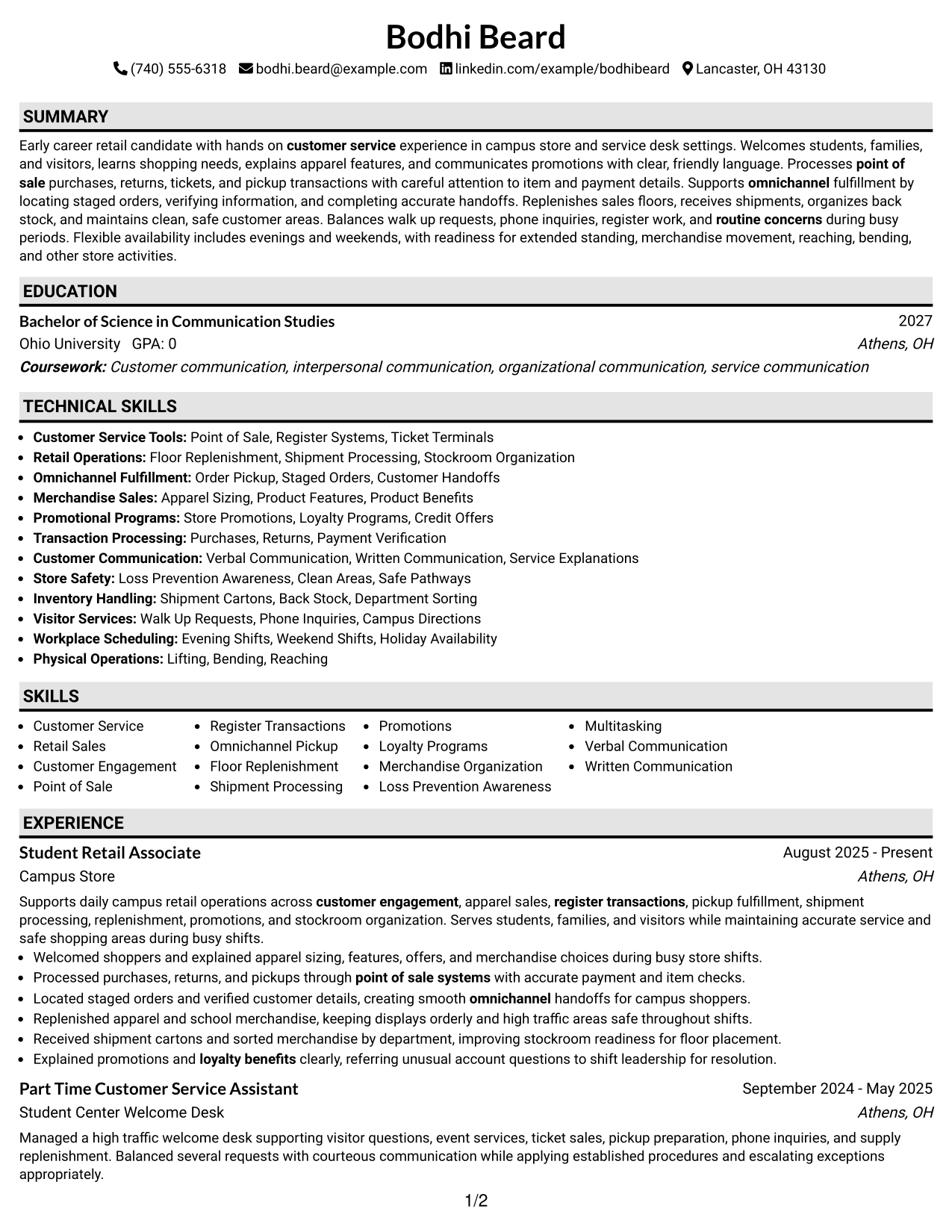
#2 Plain One Column with Shaded Labels Resume Example
Shaded section labels create clear stops in a one-column flow, helping recruiters move quickly between major resume sections.
Why This Format Works
- Shaded labels separate experience, skills, and education at a glance.
- One continuous flow keeps career details in a predictable sequence.
- Visible section boundaries reduce searching when reviewers revisit credentials.
Best For
- Strong section separation
- Fast return scanning
- Moderate content volume
- Traditional reading order
- Resumes with several supporting sections
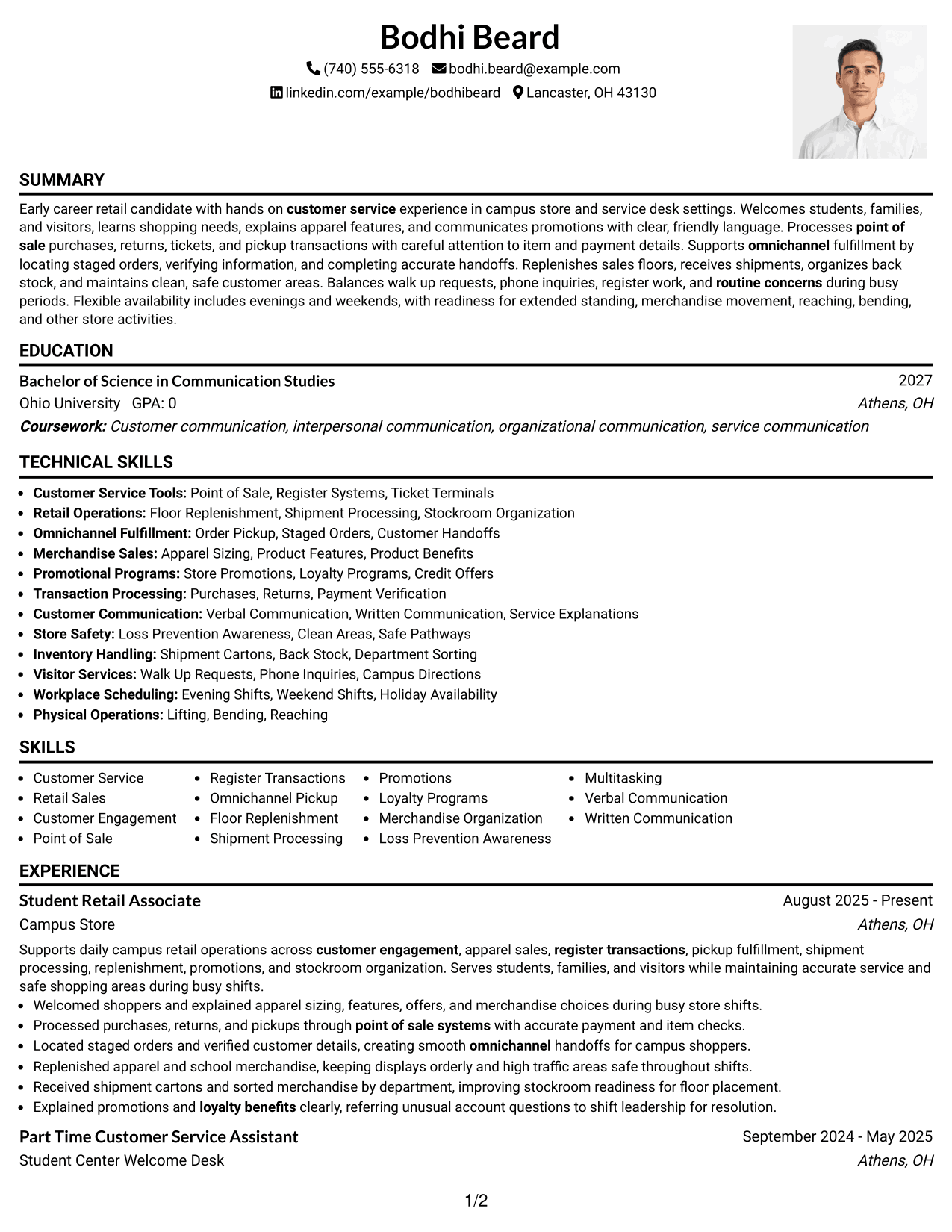
#3 One Column Format with Photo Right Resume Example
A right-side photo in the header keeps the one-column body intact, so recruiters can scan resume sections in a direct top-to-bottom order.
Why This Format Works
- Header photo stays separate from the main experience reading path.
- Single-column body gives achievements and skills consistent horizontal space.
- Direct top-to-bottom order keeps education and credentials easy to trace.
Best For
- Markets where resume photos are customary
- Direct body reading
- Balanced header identity
- Experience with detailed bullets
- Applications needing visible personal identification
#4 Clean Two Column Sidebar Format Resume Example
A clean two-column sidebar separates supporting details from the main content, helping recruiters scan experience while keeping skills and credentials nearby.
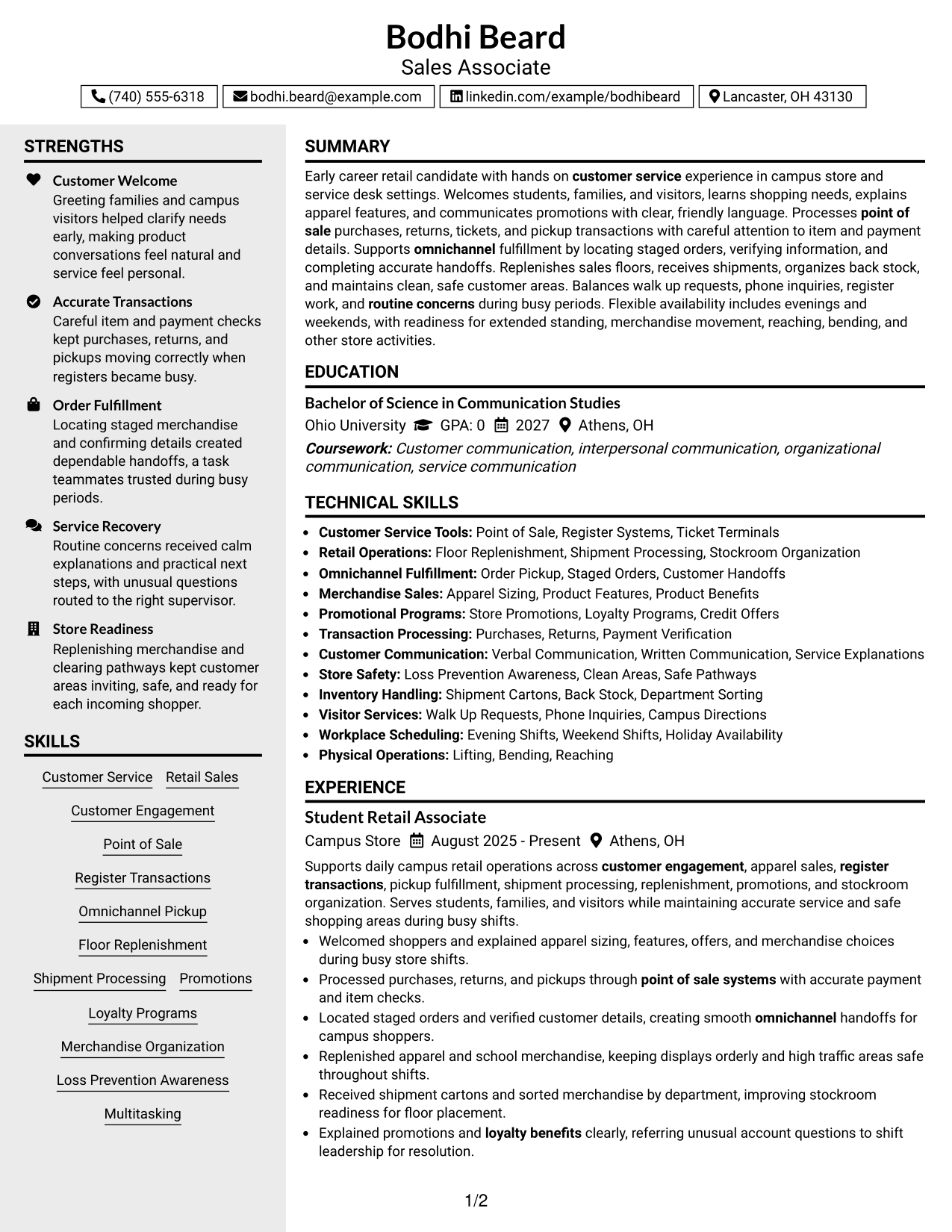
Why This Format Works
- Main column gives experience a clear path for sequential reading.
- Sidebar keeps skills and credentials visible without interrupting achievement bullets.
- Parallel sections help reviewers compare core history with supporting qualifications.
Best For
- Compact skills visibility
- Experience-led resumes
- Multiple supporting credentials
- Side-by-side information review
- Balanced use of page width
#5 Two Column Format Resume Example
Two balanced columns divide the resume into clear information zones, giving recruiters faster access to both experience and supporting sections.
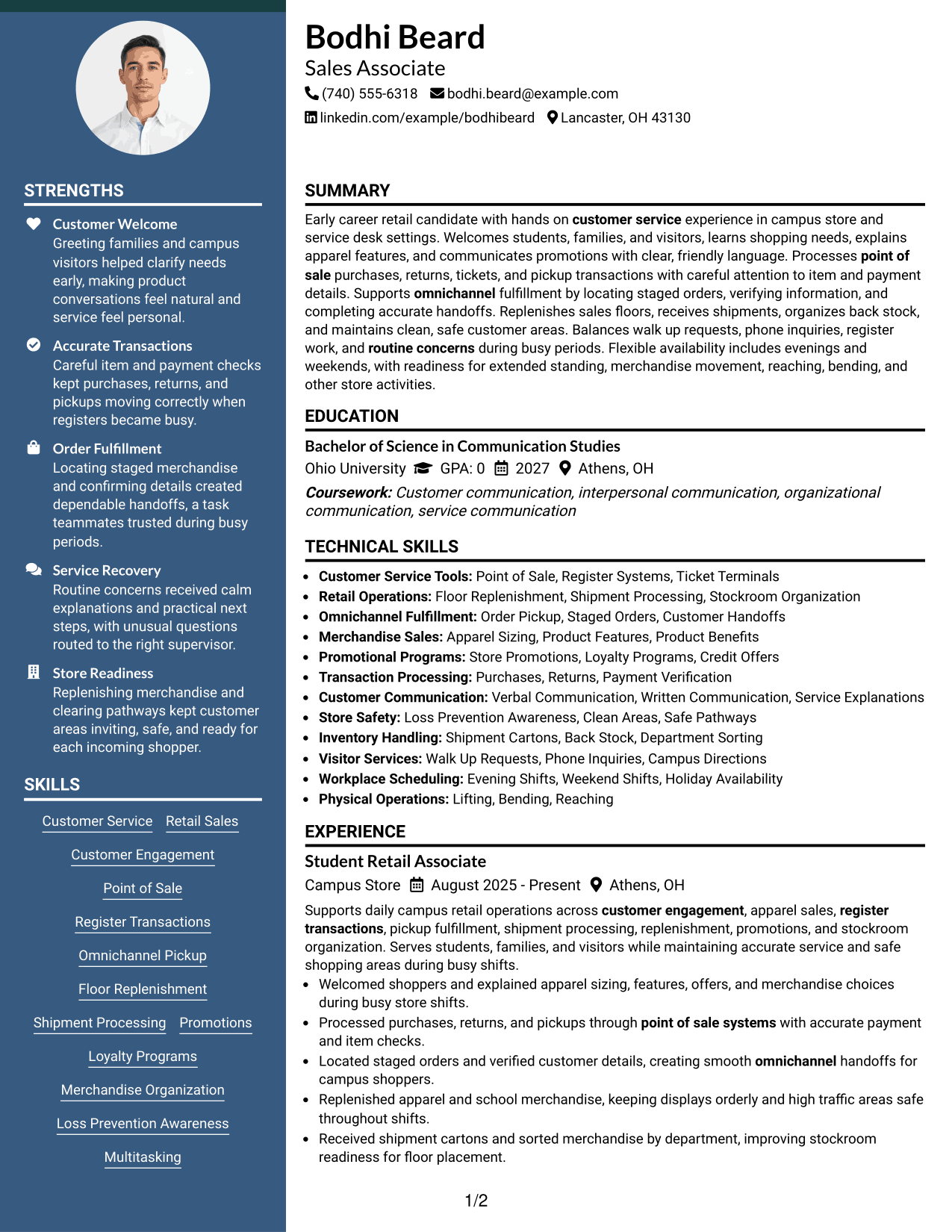
Why This Format Works
- Balanced columns reduce long vertical runs across several resume sections.
- Experience remains distinct while supporting sections stay easy to reference.
- Separated information zones make education, skills, and credentials easier to compare.
Best For
- Broad information sets
- Quick cross-section comparison
- Space-efficient organization
- Resumes with equal content priorities
- Recruiters reviewing skills beside experience
#6 Photo Header Two Column Format Resume Example
A photo header sits above a two-column body, keeping personal identification separate while recruiters scan experience and supporting sections in parallel.
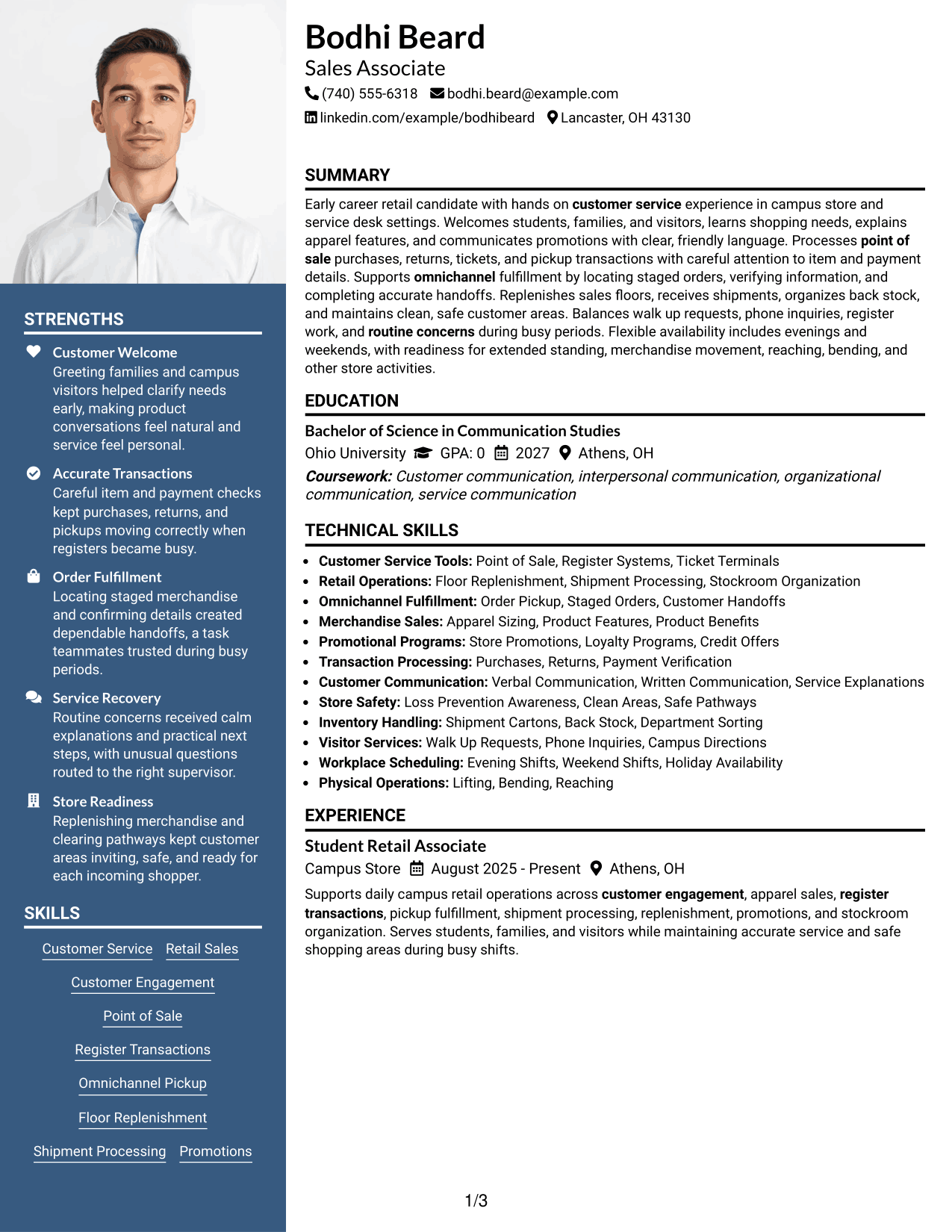
Why This Format Works
- Photo header leaves the two-column body free for resume content.
- Primary and supporting columns create distinct paths for experience and skills.
- Section separation helps reviewers locate education and credentials without backtracking.
Best For
- Regions where photos are expected
- Parallel content scanning
- Experience plus supporting details
- Distinct header identification
- Resumes with several section types
#7 Simple Two Column Format Resume Example
A simple two-column structure groups the resume into two readable streams, helping recruiters find experience, skills, education, and credentials with less vertical searching.
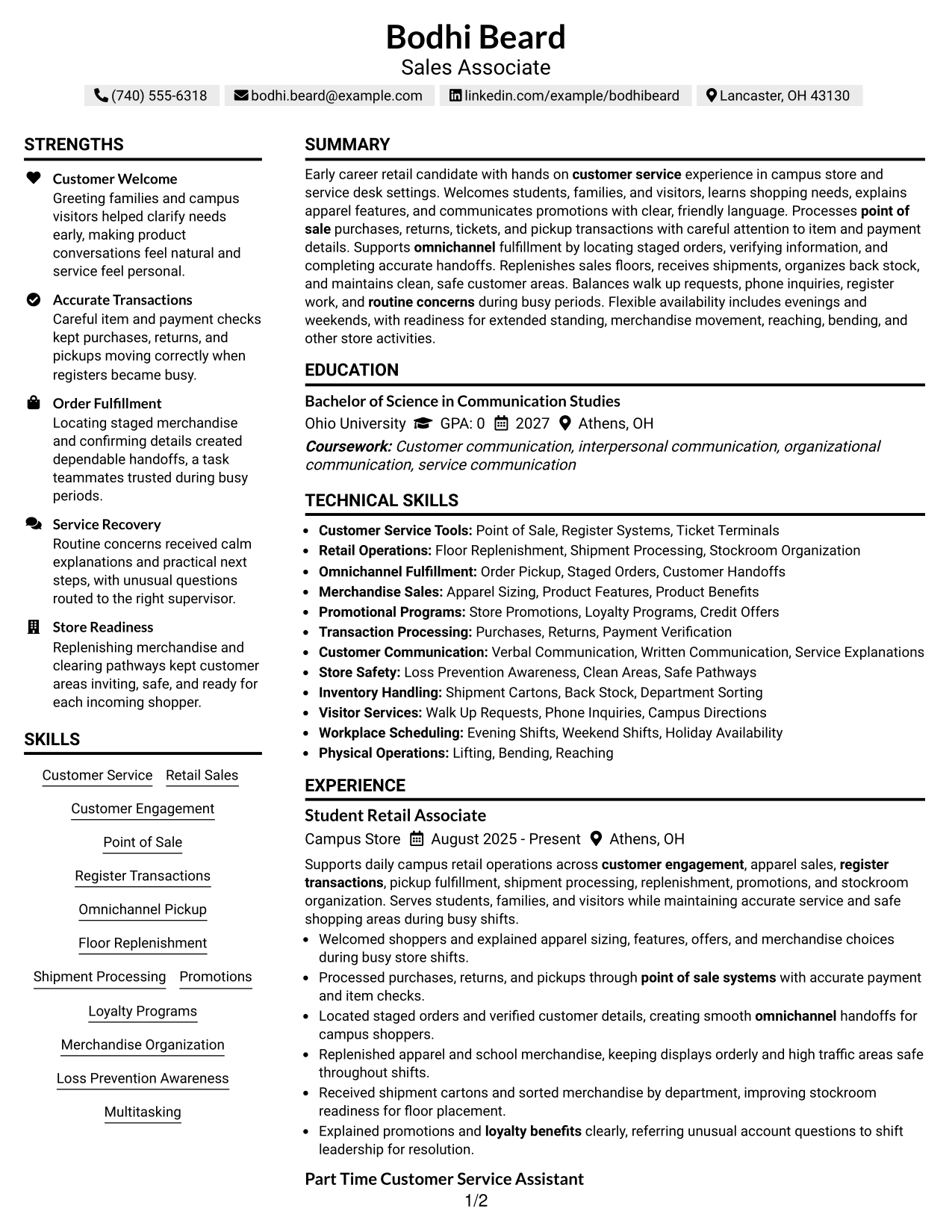
Why This Format Works
- Two readable streams shorten the distance between major resume sections.
- Clear grouping lets experience stand apart from secondary qualifications.
- Compact organization keeps skills, education, and credentials easy to revisit.
Best For
- Quick section navigation
- Mixed primary and secondary content
- Compact resume organization
- Readers comparing qualifications
- Layouts with limited decorative elements
See Also
- 7 Account Development Associate - Fence and Building Products Sales Resume Templates with Example
- 33 Advanced Worker – Area Sales Representative Resume Templates with Example 2026 (ATS-Optimized)
- 7 Area Director - Dental Implant Sales Resume Templates with Example
- 7 Area Sales Leader - Monarch Urology Resume Templates with Example
- 7 Assistant General Manager - Retail Sales Leadership Resume Templates with Example
- 33 Automotive Sales Associate Resume Templates with Example
- 7 Business Intelligence Analyst - Sales, Purchasing, and Inventory Resume Templates with Example
- 33 Cashier/Sales Associate Resume Templates with Example 2026 (ATS-Optimized)
- 7 Account Development Associate - Fence and Building Products Sales Cover Letter Templates with Example
- 7 Area Director - Dental Implant Sales Cover Letter Templates with Example
Frequently Asked Questions
Are these Sales Associate resume templates ATS-friendly?
They use clear resume sections and readable headings that support ATS scanning. Your best results still depend on accurate keywords, simple formatting, and content that matches your real experience.
Are the examples based on different resumes?
No. The guide uses one complete Sales Associate resume and shows how the same content works across different visual formats.
What should a Sales Associate resume include?
Include a focused summary, relevant experience, retail and customer service skills, education, and useful credentials or activities. Use clear bullets that show service, transaction accuracy, fulfillment, replenishment, and store support when those duties match your background.
Which keywords are useful for a Sales Associate resume?
Use terms that are both relevant to the job and true for you. Examples from this resume include customer service, retail sales, customer engagement, point of sale, register transactions, omnichannel pickup, shipment processing, promotions, loyalty programs, and merchandise organization.
Can I download the resume templates as PDFs?
Yes. Each resume style provides a free PDF download so you can review the format before choosing a layout.
Which resume format works well for retail experience?
A clear one-column format can make reading order simple, while a well-organized two-column format can separate supporting details from the main experience. Choose the structure that keeps your strongest evidence easy to find.
Should I include a photo on a U.S. Sales Associate resume?
For most U.S. applications, a no-photo resume is the safer choice. Use a photo only when local practice or a specific application process clearly calls for one.
Can I customize these resume templates?
Yes. You can adjust the resume text and visual format while keeping your claims accurate and aligned with the Sales Associate role.