
7 Sales Lot Attendant-Porter Resume Templates with Example
This guide shows you how to build a Sales Lot Attendant-Porter resume that is clear, focused, and easy to review. You will learn how to organize practical evidence and compare 7 ATS-friendly layouts without changing the underlying resume.
For this role, strong evidence can include safe vehicle movement, manual and automatic transmission practice, vehicle cleaning, basic fluid checks, lot upkeep, customer transportation, documentation review, and calm customer service. Place these details in clear sections so a recruiter can connect your preparation to daily lot work.
Use concise bullets for experience and projects, then support them with education, licenses, certifications, skills, and computer abilities. Keep job-description terms only when your background supports them, and describe supervised coursework or simulations accurately instead of presenting them as paid experience.
What Makes a Great Sales Lot Attendant-Porter Resume in 2026
A strong resume is easy to scan and shows safe vehicle handling, reliable customer service, organized work habits, and practical automotive preparation.
Use supported terms such as vehicle movement, manual and automatic transmissions, vehicle cleaning, basic fluid checks, documentation review, safety procedures, customer transportation, and basic computer skills.
The examples shown below are intentionally detailed to demonstrate a range of experiences, skills, accomplishments and relevant keywords. We prefer detailed resumes as they provide more context to the hiring managers and also help the ATS systems identify relevant qualifications and score your resume better for a match. But the length of a resume is an individual choice. If you want a one page resume, just keep the most relevant experience and information for the job. Note: Resume examples are for educational purposes only. Use only information that accurately reflects your experience and qualifications. References to real organizations do not imply affiliation or endorsement.
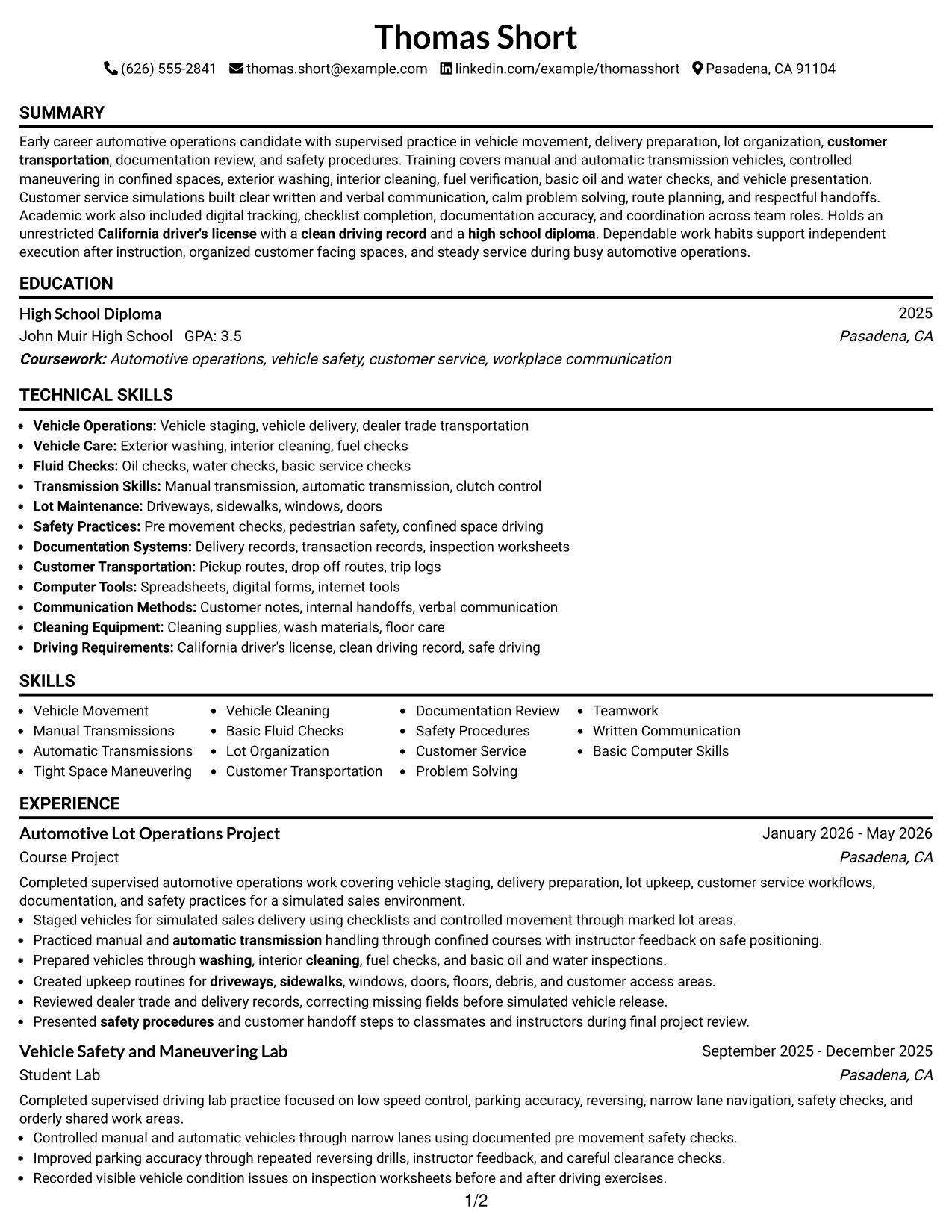
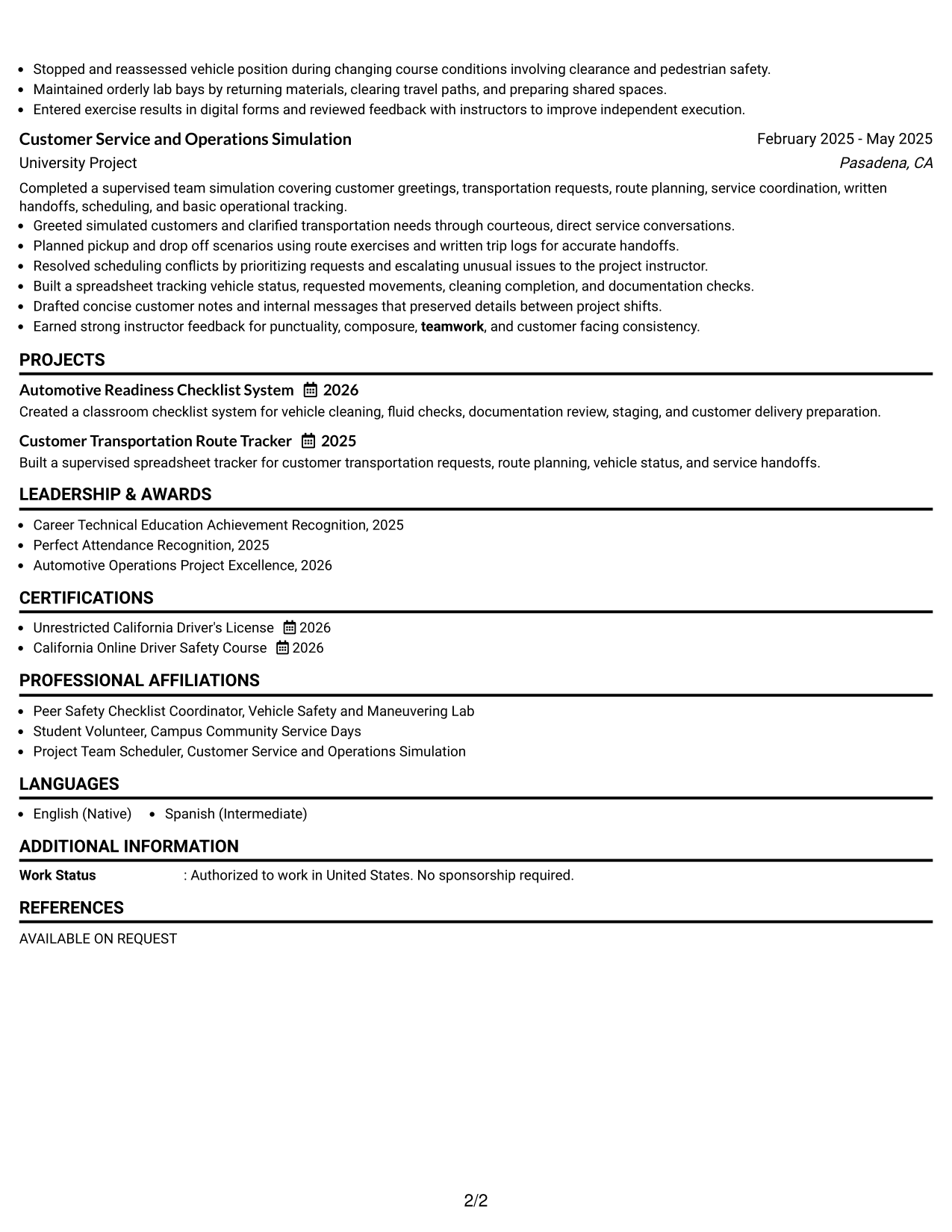
#1 Simple One Column Format Resume Example
The Simple One Column Format keeps every resume section in a straight reading order, helping recruiters scan the document from top to bottom.
Why This Format Works
- Straight section order makes experience and projects easy to follow.
- Full-width space gives achievement bullets room to stay clear and concise.
- Education, skills, and credentials remain visible without competing body columns.
Best For
- Simple recruiter scanning
- Clear chronological reading
- Project-based experience
- Detailed achievement bullets
- ATS-conscious applications
Resume Keywords
- Sales Lot Attendant
- Porter
- Vehicle Movement
- Manual Transmissions
- Automatic Transmissions
- Tight Space Maneuvering
- Vehicle Cleaning
- Basic Fluid Checks
- Lot Organization
- Customer Transportation
- Documentation Review
- Safety Procedures
- Customer Service
- Problem Solving
- Basic Computer Skills
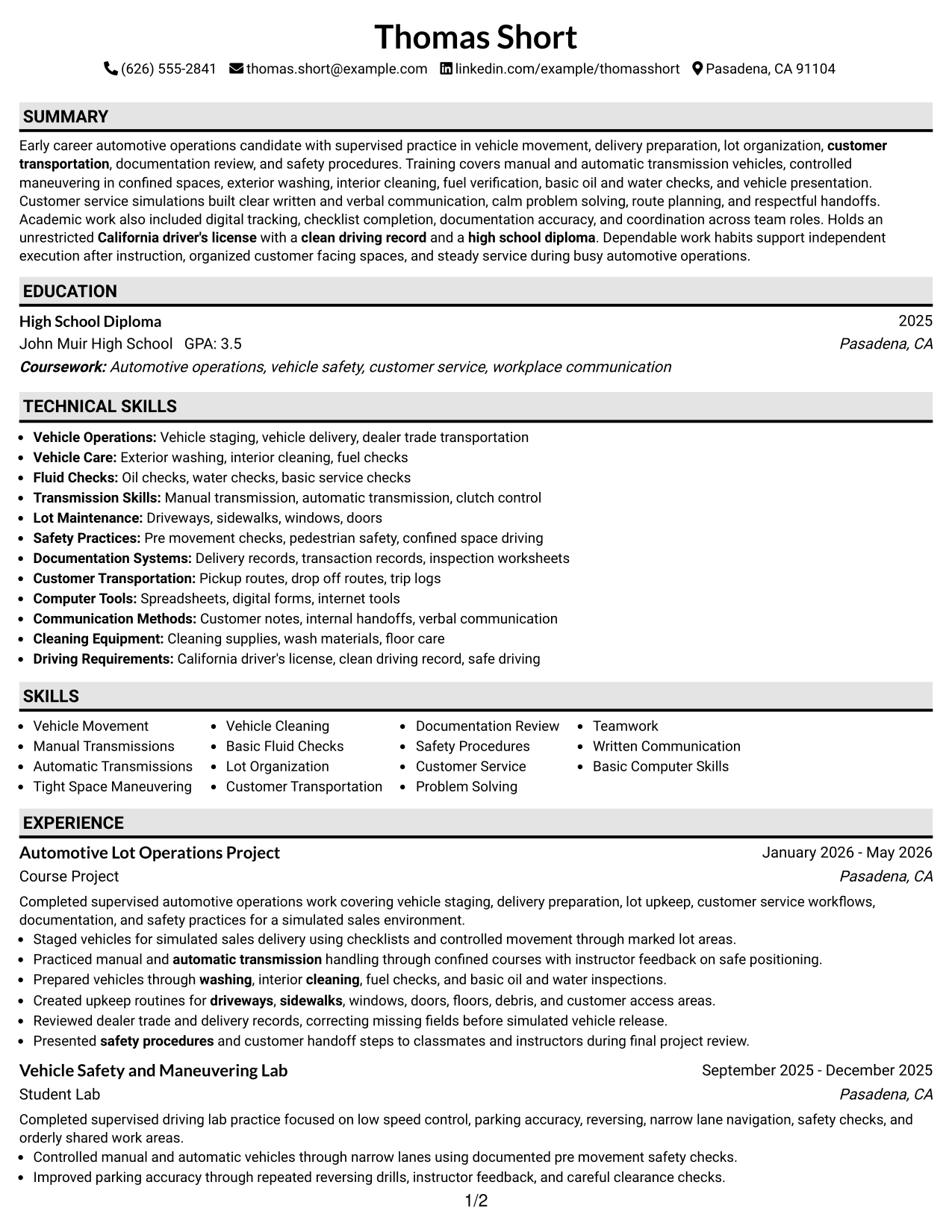
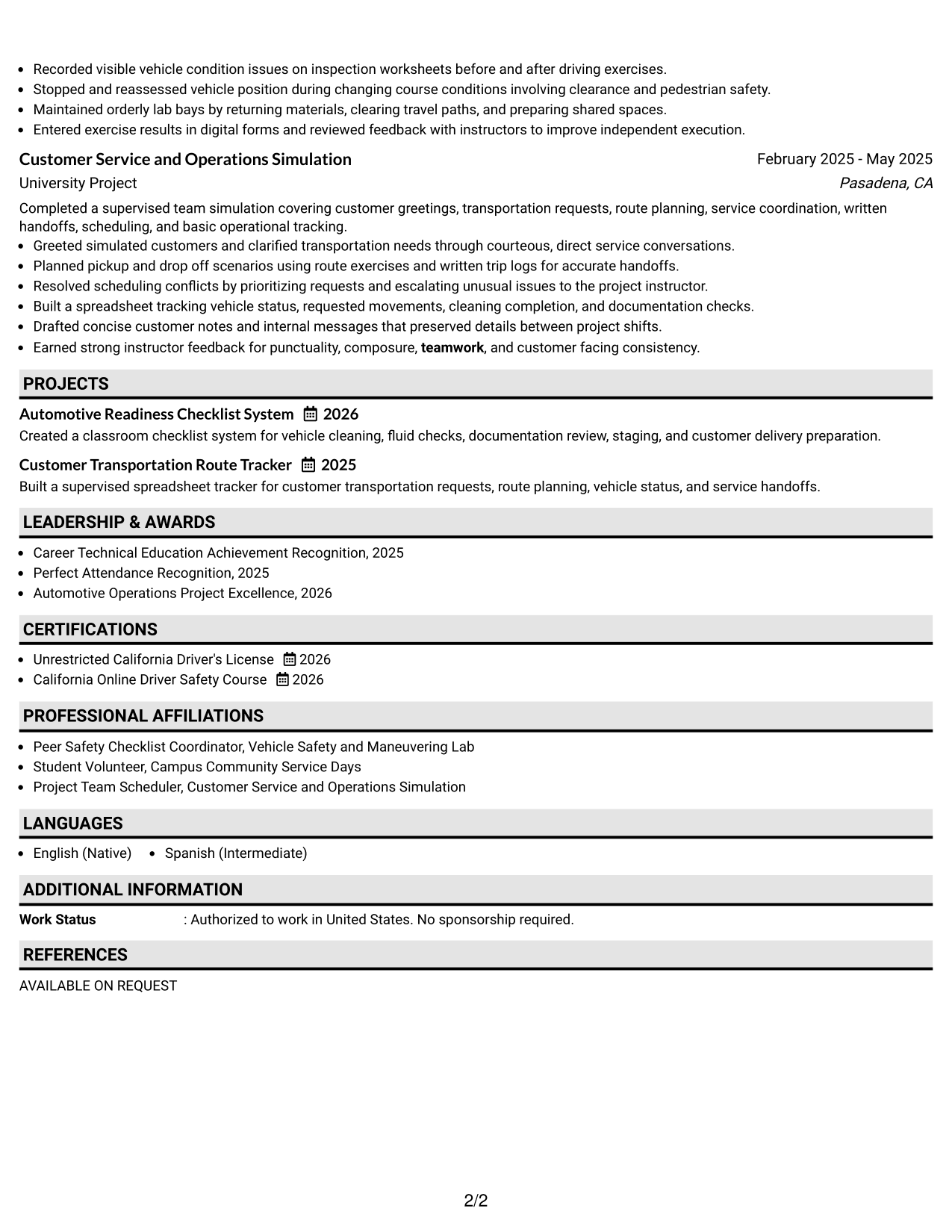
#2 Plain One Column with Shaded Labels Resume Example
The Plain One Column with Shaded Labels uses a single reading path with visible section labels, helping recruiters find major resume areas quickly.
Why This Format Works
- Shaded labels separate experience, education, skills, and credentials at a glance.
- One-column flow keeps project details in a predictable reading sequence.
- Clear section breaks help shorter evidence blocks remain easy to locate.
Best For
- Fast section finding
- Mixed project and lab experience
- Readers who prefer strong labels
- Compact credential sections
- Simple visual separation
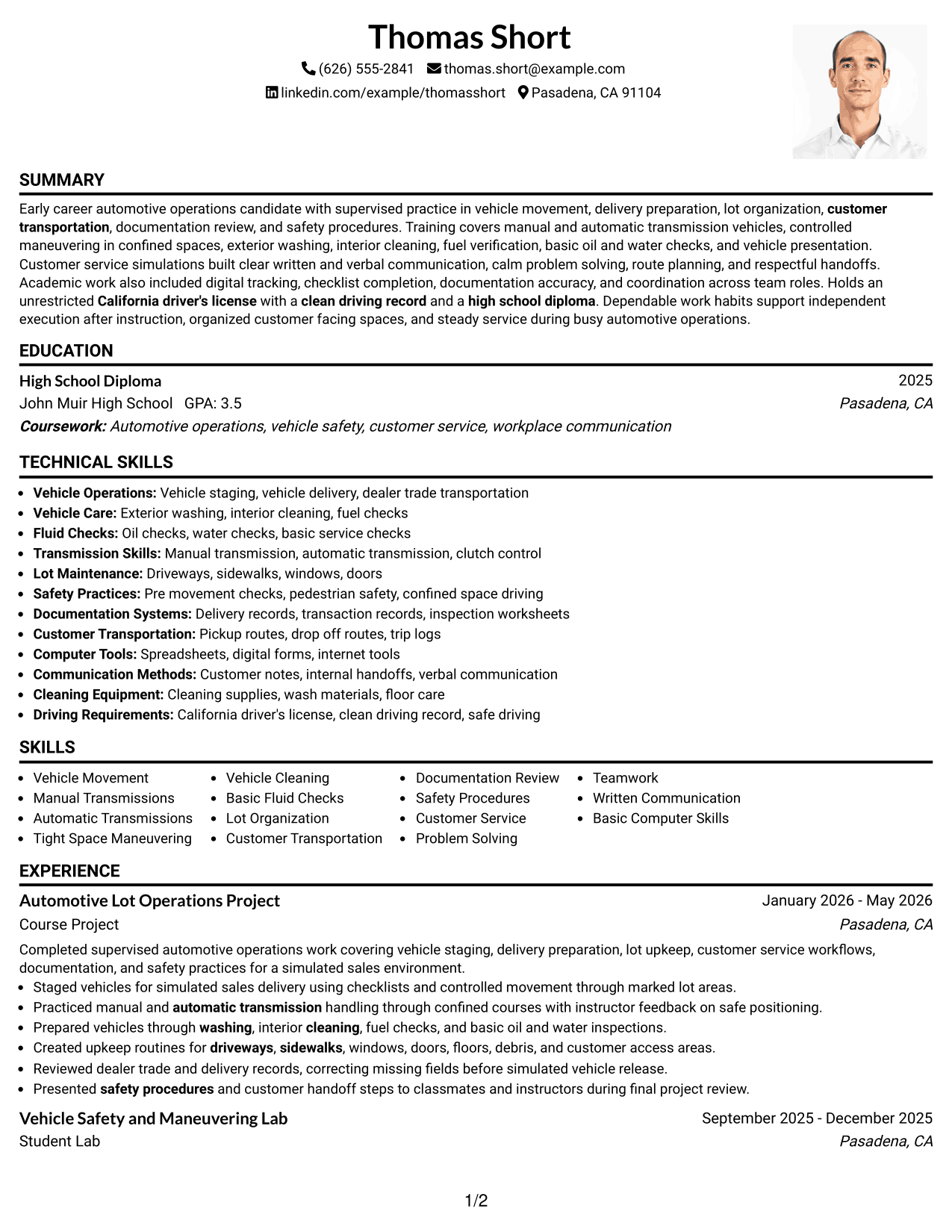
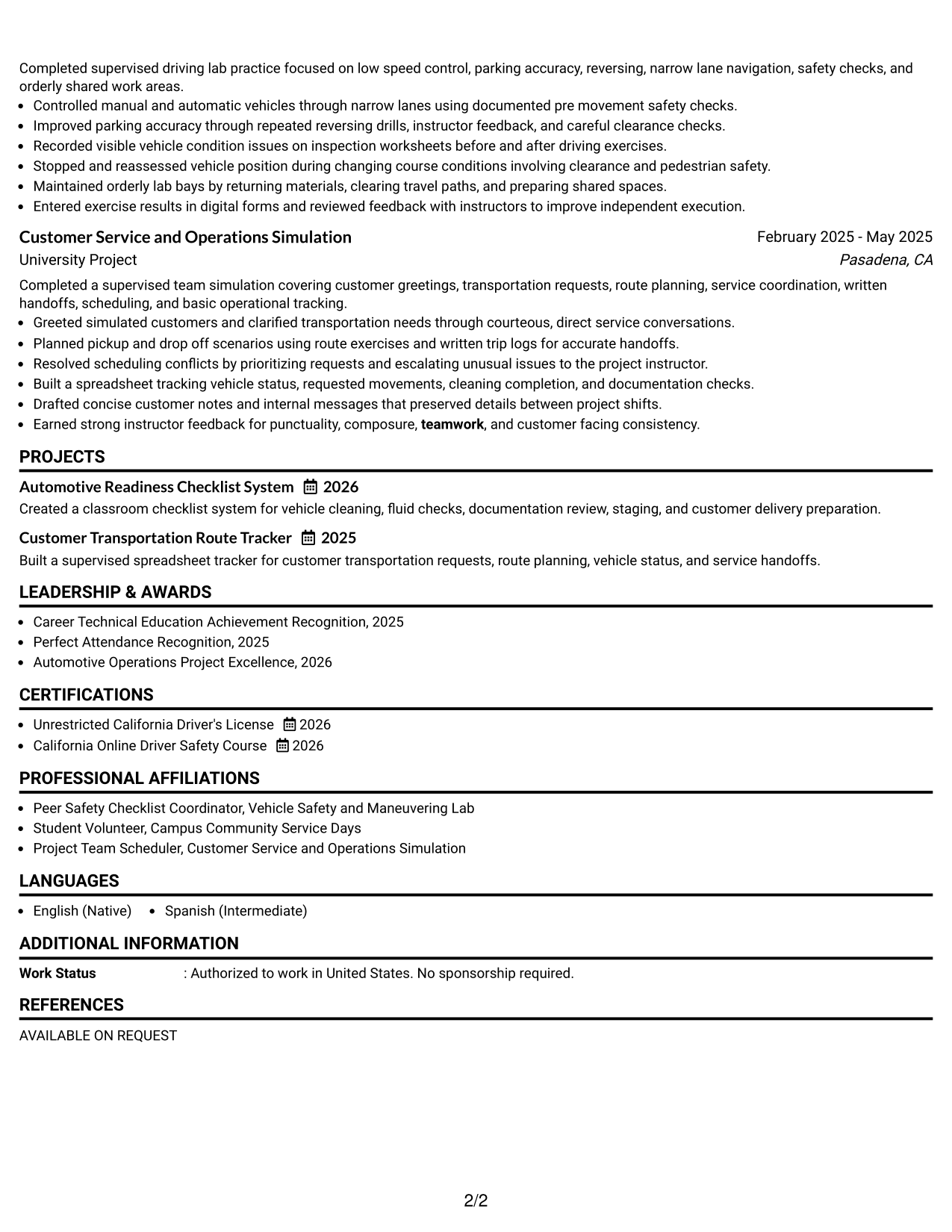
#3 One Column Format with Photo Right Resume Example
The One Column Format with Photo Right keeps the resume body in one reading path while a right-side photo adds personal identification.
Why This Format Works
- Single-column body keeps experience and project evidence moving in clear order.
- Right-side photo stays separate from the resume's main content sequence.
- Full-width sections preserve room for skills, education, and credential details.
Best For
- Markets where resume photos are expected
- Straightforward body reading
- Experience with several project entries
- Visible personal identification
- Full-width section content
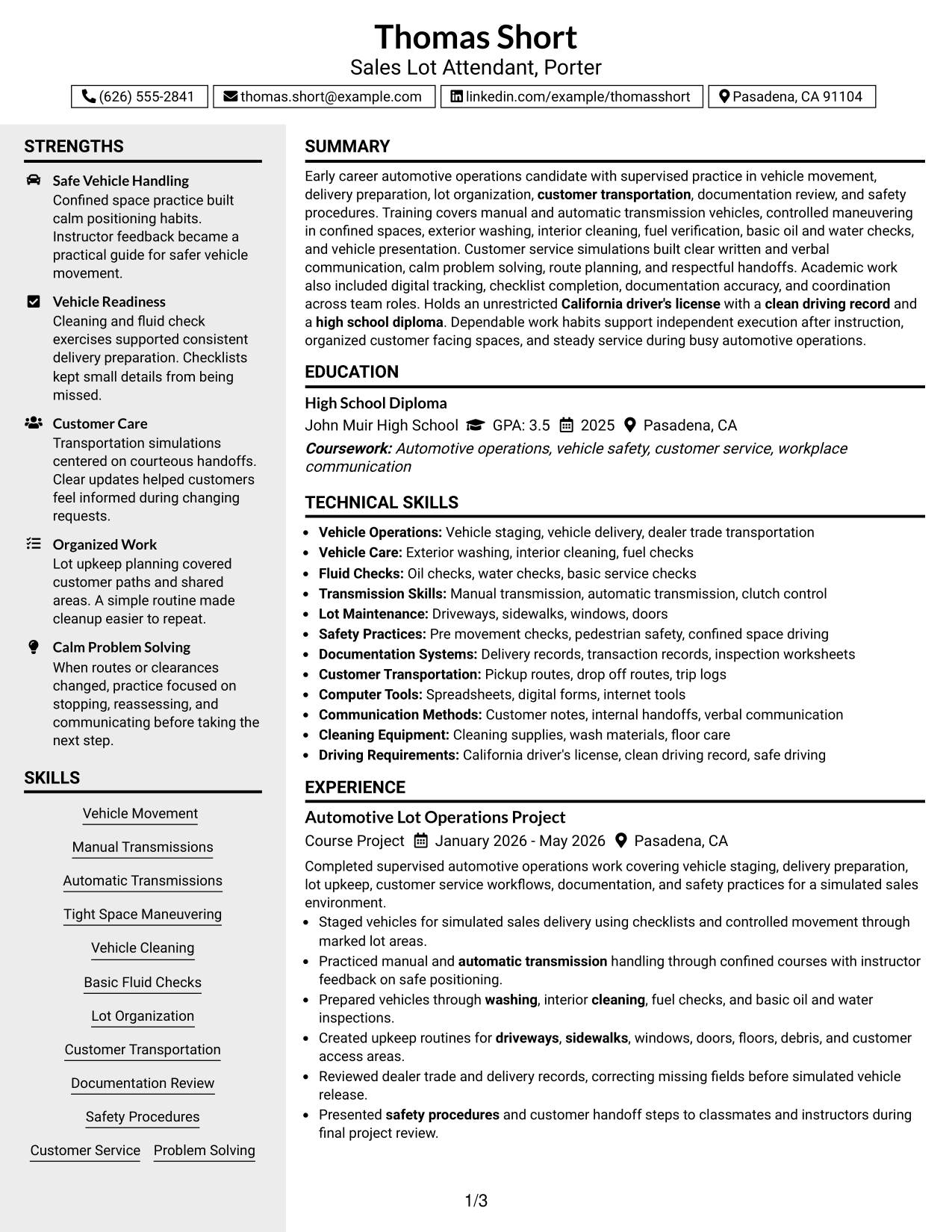
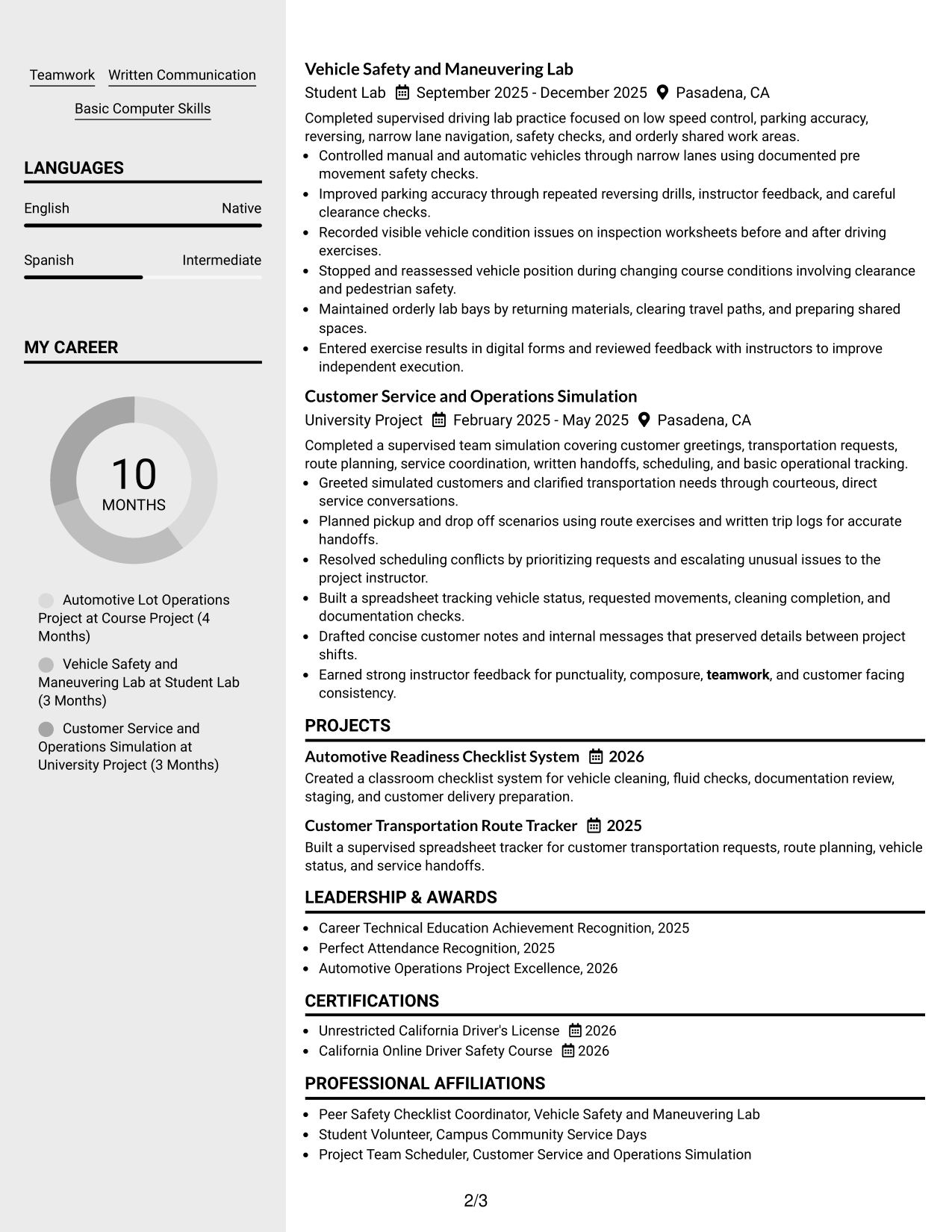
#4 Clean Two Column Sidebar Format Resume Example
The Clean Two Column Sidebar Format separates supporting details from the main resume content, helping recruiters scan major evidence and quick-reference information in parallel.
Why This Format Works
- Sidebar separation gives skills and credentials a distinct quick-reference area.
- Main column can keep experience and project evidence in connected sequence.
- Parallel sections help recruiters compare core history with supporting qualifications.
Best For
- Skills-heavy supporting information
- Several credentials and activities
- Parallel review of qualifications
- Compact secondary details
- Clear main-content focus
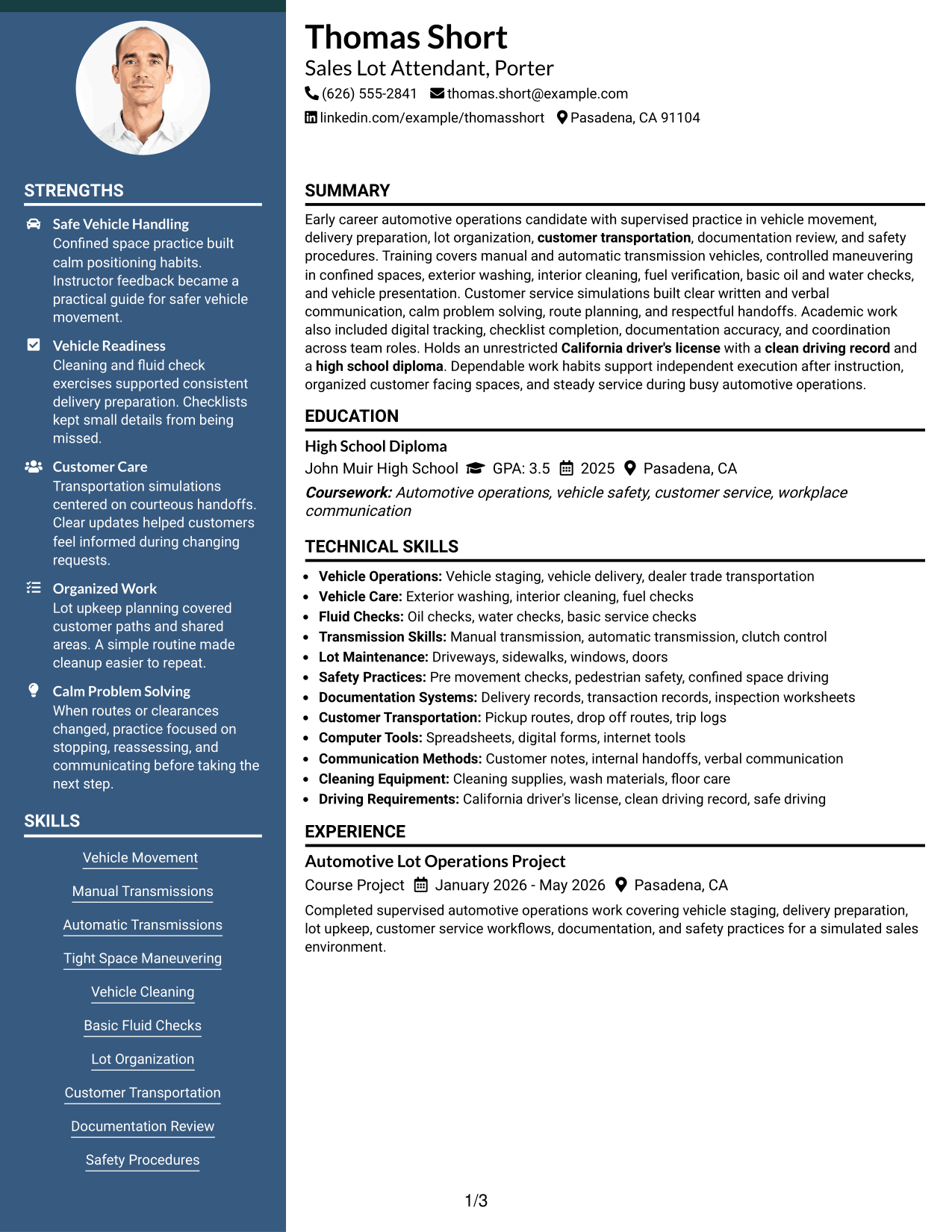
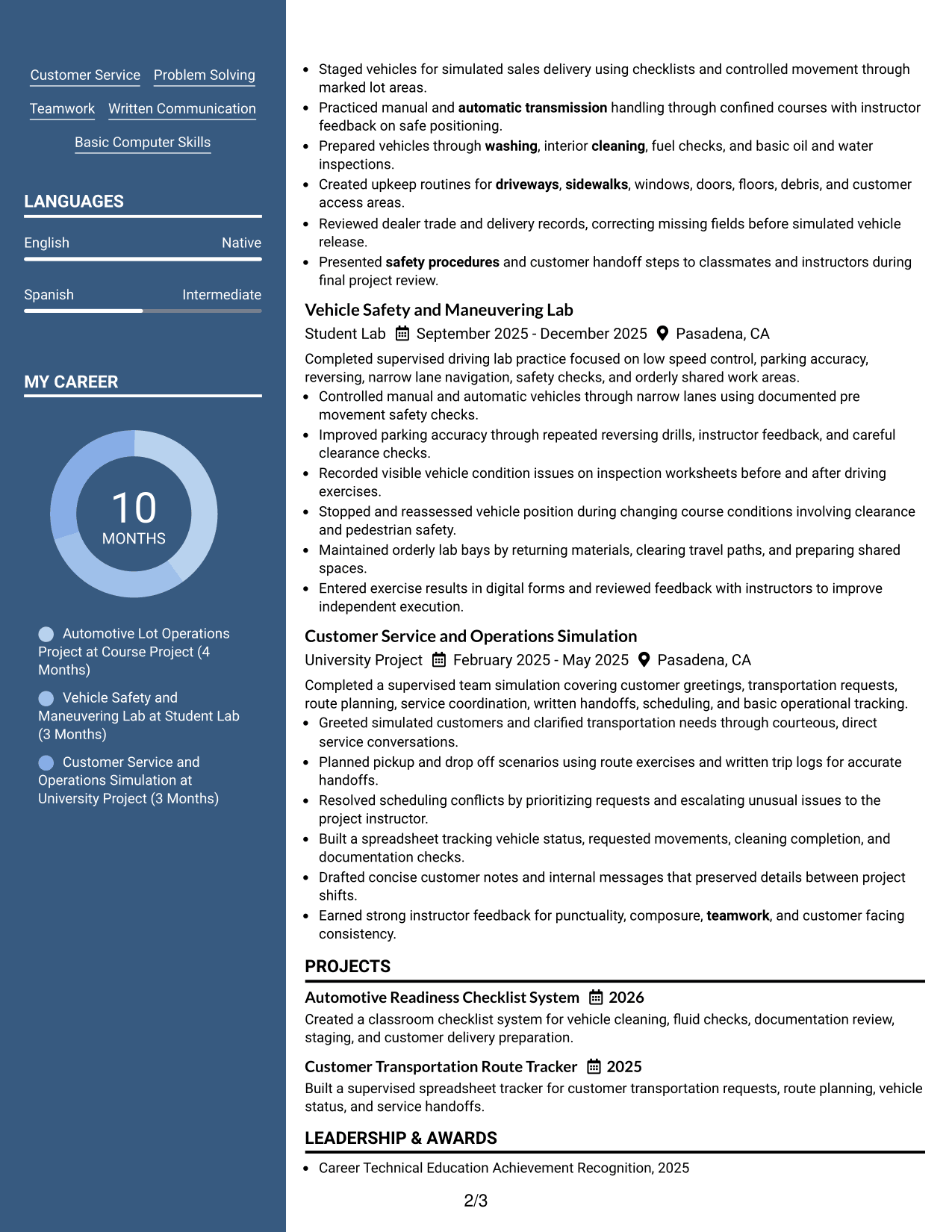
#5 Two Column Format Resume Example
The Two Column Format divides resume information into parallel areas, helping recruiters compare experience evidence with supporting sections without a long vertical scan.
Why This Format Works
- Two body columns reduce long vertical movement across multiple resume sections.
- Parallel organization supports quick comparison of experience, skills, and education.
- Balanced space can keep projects and credentials distinct without hiding either.
Best For
- Balanced content across sections
- Multiple short project entries
- Quick side-by-side review
- Moderate skills and credential lists
- Readers comfortable with parallel columns
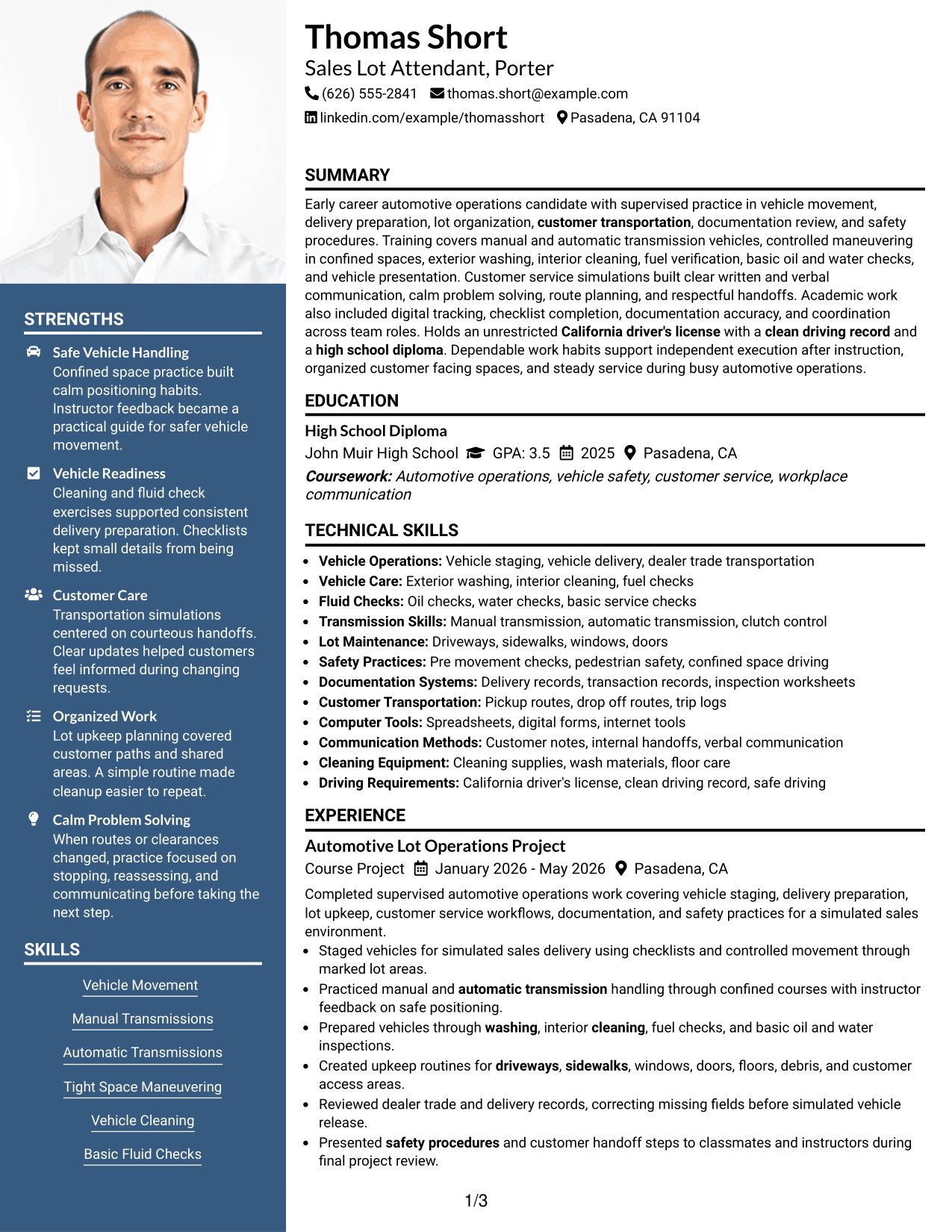
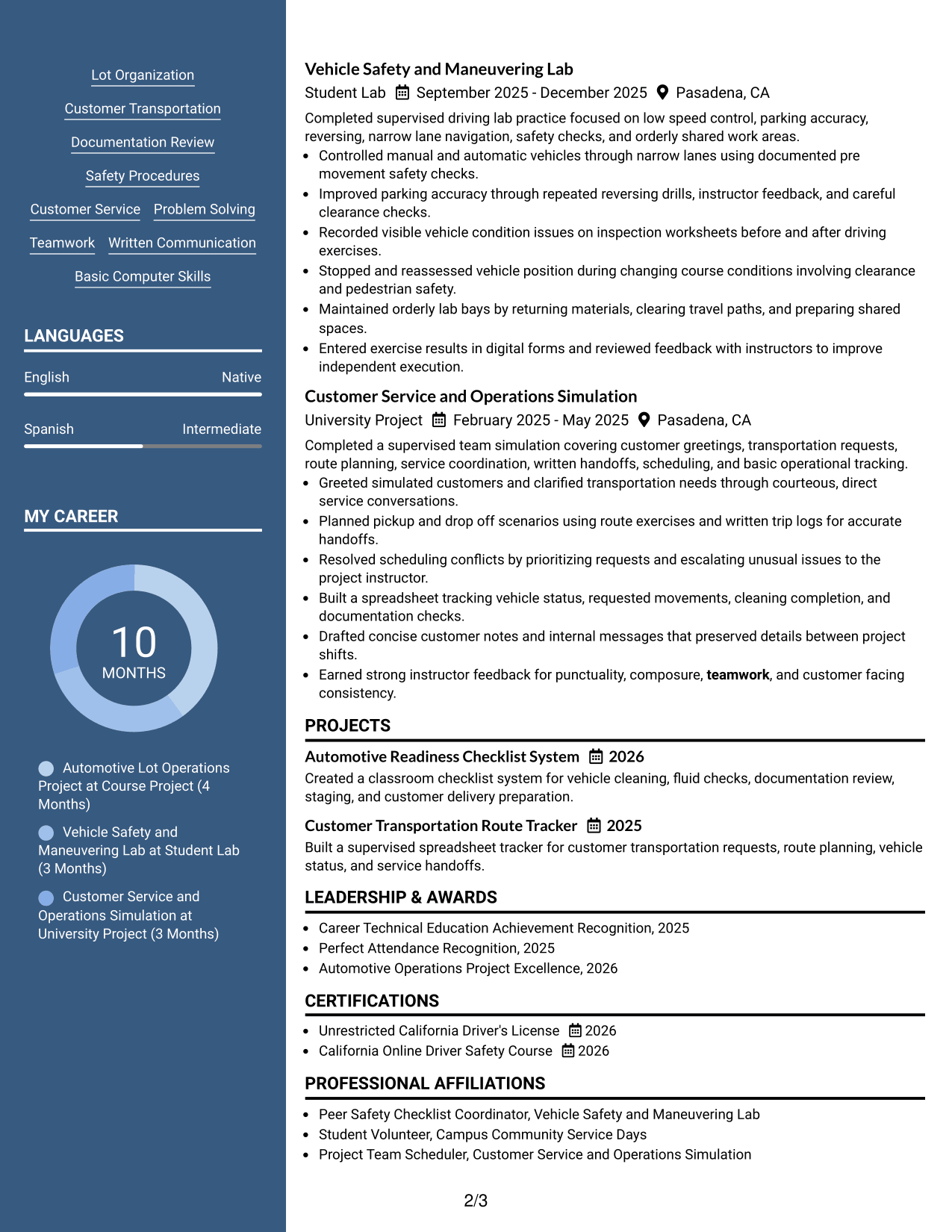
#6 Photo Header Two Column Format Resume Example
The Photo Header Two Column Format combines a photo-led header with a two-column body, helping recruiters identify the document owner and scan grouped resume sections.
Why This Format Works
- Two-column body separates major resume categories for quicker visual navigation.
- Photo header identifies the person without changing the body reading structure.
- Grouped columns can distinguish experience evidence from supporting qualifications.
Best For
- Regions where photos are customary
- Applications needing quick visual navigation
- Separated primary and supporting content
- Several concise resume sections
- Photo-based professional presentation
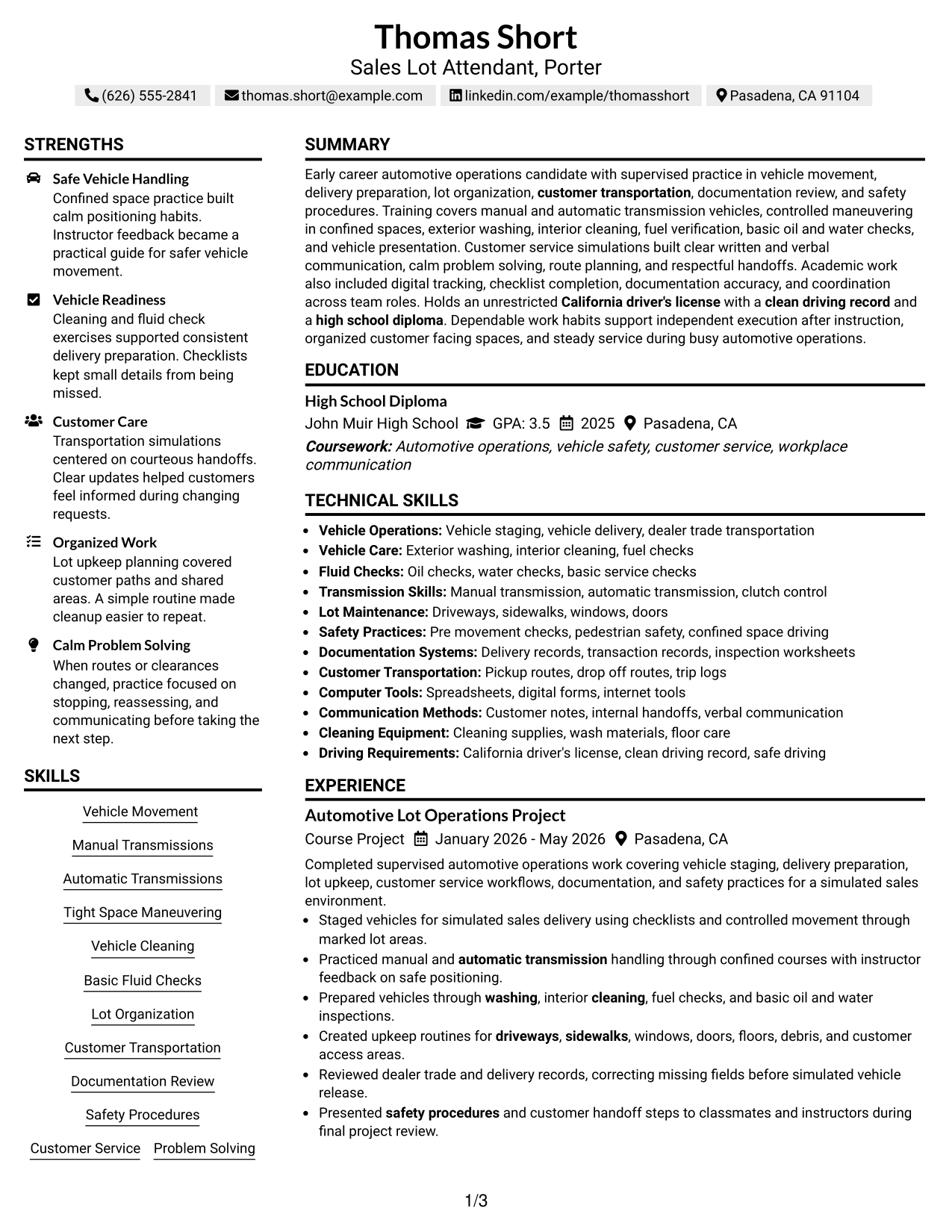
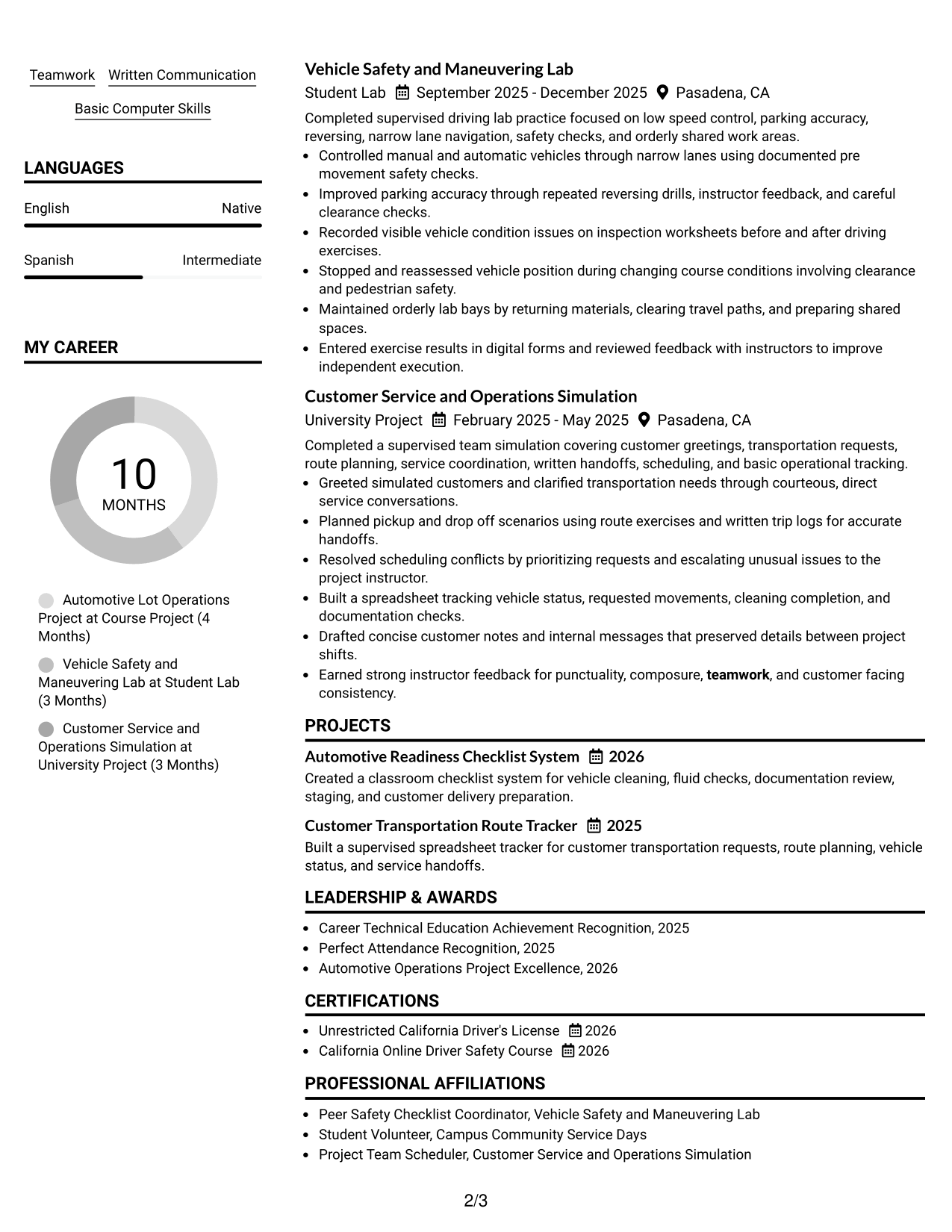
#7 Simple Two Column Format Resume Example
The Simple Two Column Format uses an uncomplicated two-column body, helping recruiters move between core experience and supporting resume details with little visual distraction.
Why This Format Works
- Simple columns keep experience and supporting sections easy to distinguish.
- Compact organization helps education, skills, and credentials share space efficiently.
- Limited visual decoration keeps attention on resume content and section order.
Best For
- Low-distraction two-column reading
- Concise experience descriptions
- Several supporting resume sections
- Compact education and skills
- Straightforward professional styling
Why Build Your Sales Lot Attendant-Porter Resume with ResumeInMinutes
ResumeInMinutes can help you turn coursework, supervised projects, licenses, skills, and customer-service practice into a resume with clear section order and concise bullets.
- ATS-friendly section structure
- Role-focused keyword guidance
- Project and experience organization
- Skills and license placement
- Free PDF resume previews
- Easy resume customization
Choose the structure that makes your strongest evidence easy to find, then keep every claim accurate to your own training, projects, licenses, and work history.
See Also
- 7 Auto Service Lot Attendant-Porter Resume Templates with Example
- 33 Dishwasher, Food Porter and Prep Cook Resume Templates with Example 2026 (ATS-Optimized)
- 7 Dining Room Attendant Resume Templates with Example
- 7 Front Gate Attendant Resume Templates with Example
- 7 Hospital Attendant - Patient Transport Resume Templates with Example
- 7 Recycle Center Attendant Resume Templates with Example
- 33 Advanced Worker – Area Sales Representative Resume Templates with Example 2026 (ATS-Optimized)
- 7 Area Sales Leader - Monarch Urology Resume Templates with Example
- 30+ Dishwasher, Food Porter and Prep Cook Cover Letter Templates with Example 2026
- 30+ Cashier/Sales Associate Cover Letter Templates with Example 2026
Frequently Asked Questions
Are these Sales Lot Attendant-Porter resume templates ATS-friendly?
Yes. They use clear resume sections and readable structure. For stronger ATS matching, add only supported terms such as vehicle movement, lot organization, customer service, documentation review, and safety procedures.
Are these 7 different resumes?
No. The guide shows one Sales Lot Attendant-Porter resume in different layouts so you can compare how the same content is organized.
What should a Sales Lot Attendant-Porter resume include?
Include a focused summary, relevant experience or projects, vehicle-handling skills, customer-service evidence, education, a current driver's license, useful certifications, and basic computer skills when supported.
Can I download the resume templates as PDFs?
Yes. Each resume style provides a free PDF preview so you can review the format before choosing a layout.
Which resume style is best for a Sales Lot Attendant-Porter application?
A clear one-column format is useful when you want a simple reading order. A two-column format can work well when you need compact space for skills, education, licenses, and project evidence.
Can I build a strong resume without prior paid automotive experience?
Yes. If accurate, you can use supervised coursework, driving labs, projects, customer-service simulations, licenses, and safety training as evidence. Label each activity honestly so recruiters understand the context.
Should I include a photo on my resume?
For U.S. applications, a no-photo resume is generally the safer choice. Use a photo only when it is customary or expected for the location where you are applying.
Can I customize these resume templates?
Yes. You can adjust the text and layout for your Sales Lot Attendant-Porter application while keeping your facts, dates, licenses, and experience accurate.




