
US English


7 Sales Manager - Strategic Accounts Resume Templates with Example
By Ria · Last Updated On October 16, 2026
Resume example — page 1

This guide shows you how to build a clear, focused Sales Manager - Strategic Accounts resume. You will learn how to present team leadership and enterprise sales work so recruiters can quickly see your value.

Strong resumes for this role connect sales team development with account strategy, revenue goals, and deal outcomes. Use concise bullets to show how you coach sellers, manage pipelines and forecasts, and work with partners such as Customer Success, Product, and Solution Engineering.

The resume example is presented in 7 layouts, with PNG image previews you can compare before opening an example in the editor. The guidance also covers resume structure, ATS-friendly wording, and ways to show results without adding claims you cannot support.

What Makes a Great Sales Manager - Strategic Accounts Resume in 2026

A strong resume makes team leadership, enterprise account work, and sound deal judgment easy to find. Clear headings and focused bullets help recruiters scan your scope and results.

Use terms that match your real work, such as SaaS sales, account planning, seller coaching, Salesforce, pipeline management, and forecasting. Add specific team or revenue measures only when you can verify them.

Note: Resume examples are for educational purposes only. Use only information that accurately reflects your experience and qualifications. References to real organizations do not imply affiliation or endorsement.

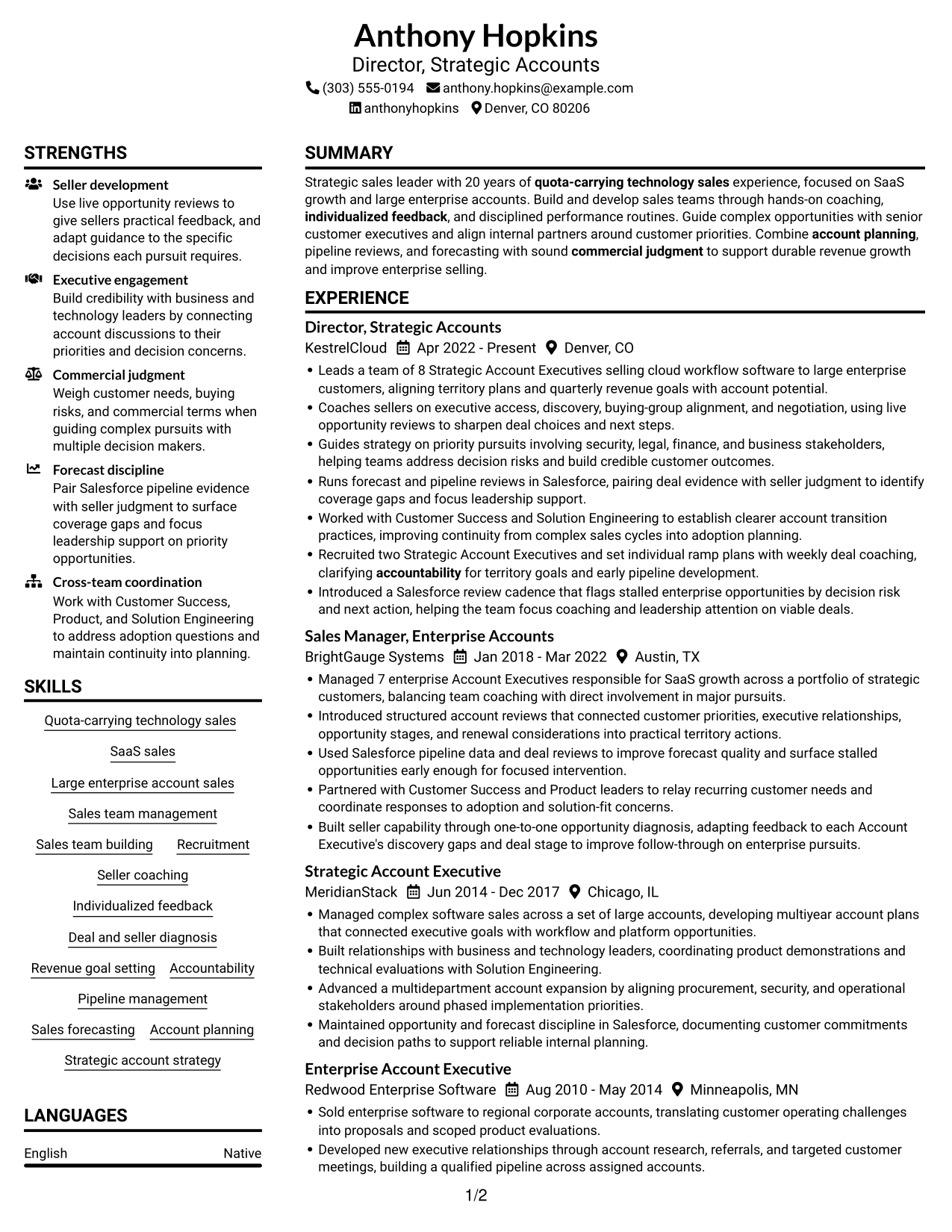
#1 Plain Two Column Format Resume Example

The Plain Two Column Format uses two content columns, helping reviewers compare career history with supporting sections.
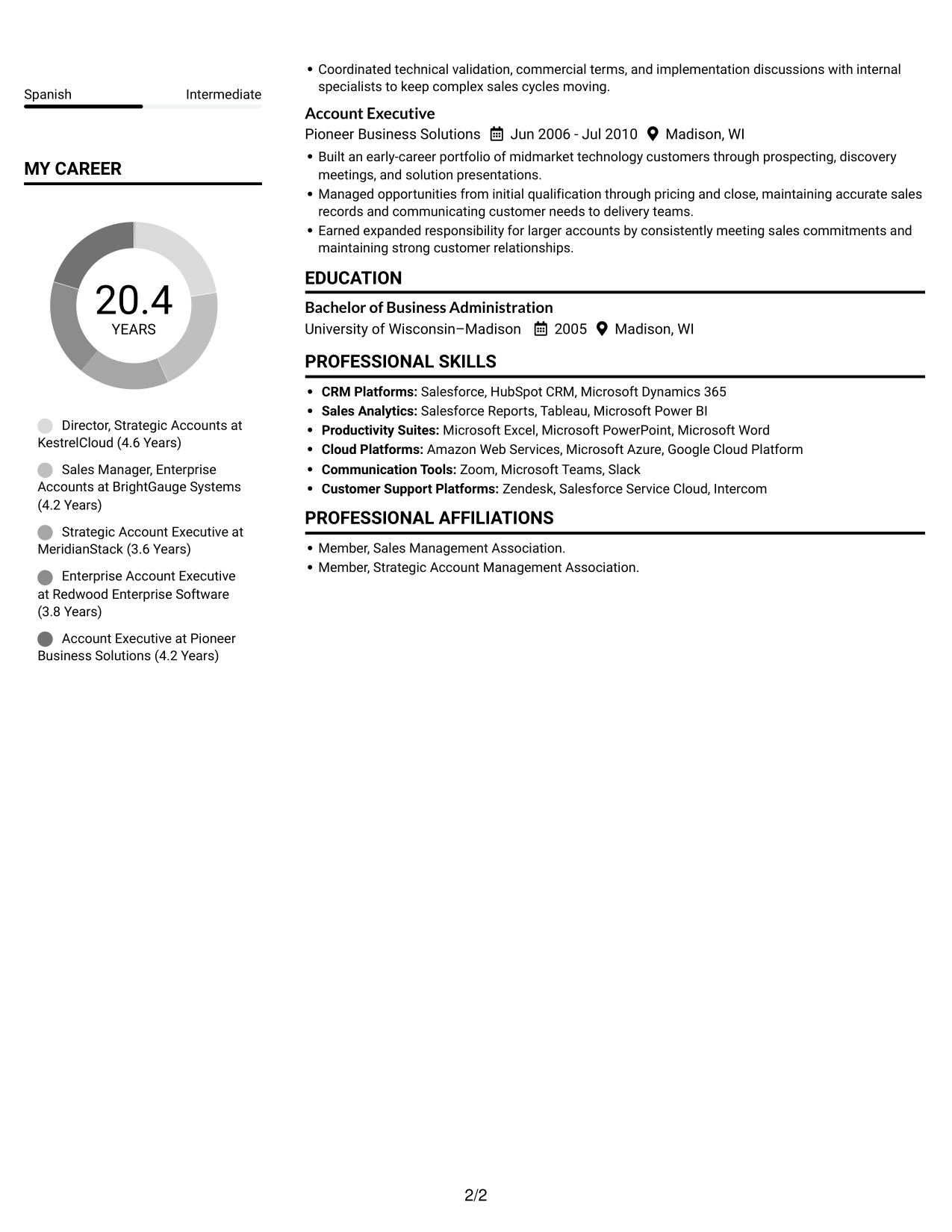
 
Resume example — page 1   Resume example — page 2

Resume Snapshot

  • 20 years of quota-carrying technology sales experience
  • Led teams of 8 and 7 Account Executives
  • Salesforce forecasting and pipeline reviews
  • Bachelor of Business Administration in Marketing

Why This Format Works

  • Dated roles show career progression in a sequence reviewers can follow.
  • Skills and employment details stay distinct, making each section easier to locate.
  • Education and professional memberships remain easy to distinguish from work history.

Best For

  • Resumes with several distinct sections
  • Readers comparing experience and skills
  • Career histories with dated role changes
  • Education and memberships alongside work history
  • Sales leadership resumes with detailed experience

Resume Keywords

  • Quota-carrying technology sales
  • SaaS sales
  • Large enterprise account sales
  • Sales team management
  • Sales team building
  • Recruitment
  • Seller coaching
  • Individualized feedback
  • Deal and seller diagnosis
  • Revenue goal setting
  • Accountability
  • Pipeline management
  • Sales forecasting
  • Account planning
  • Strategic account strategy
See all keywords
 

#2 Simple One Column Format Resume Example

The Simple One Column Format keeps resume content in one vertical path, supporting a direct, top-to-bottom review.
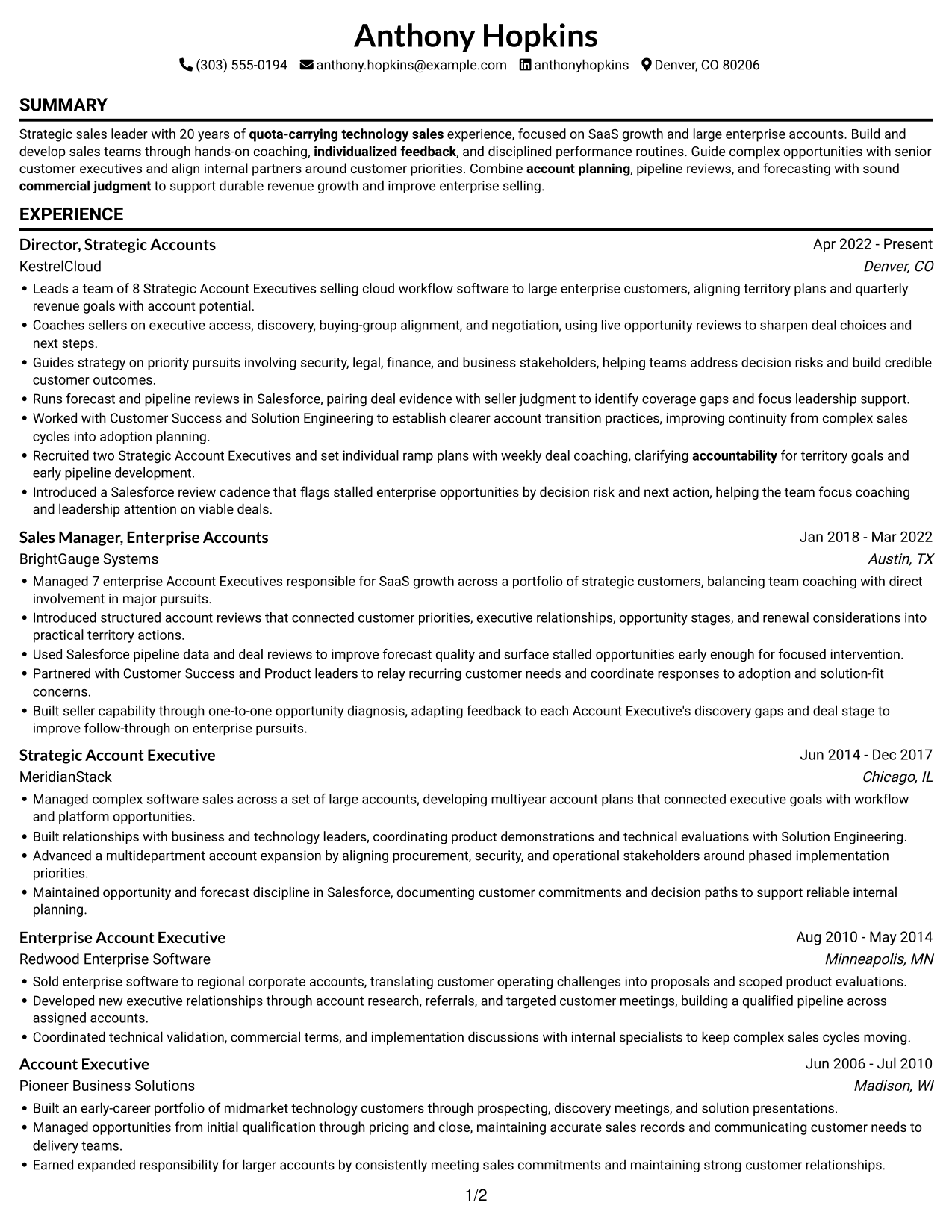
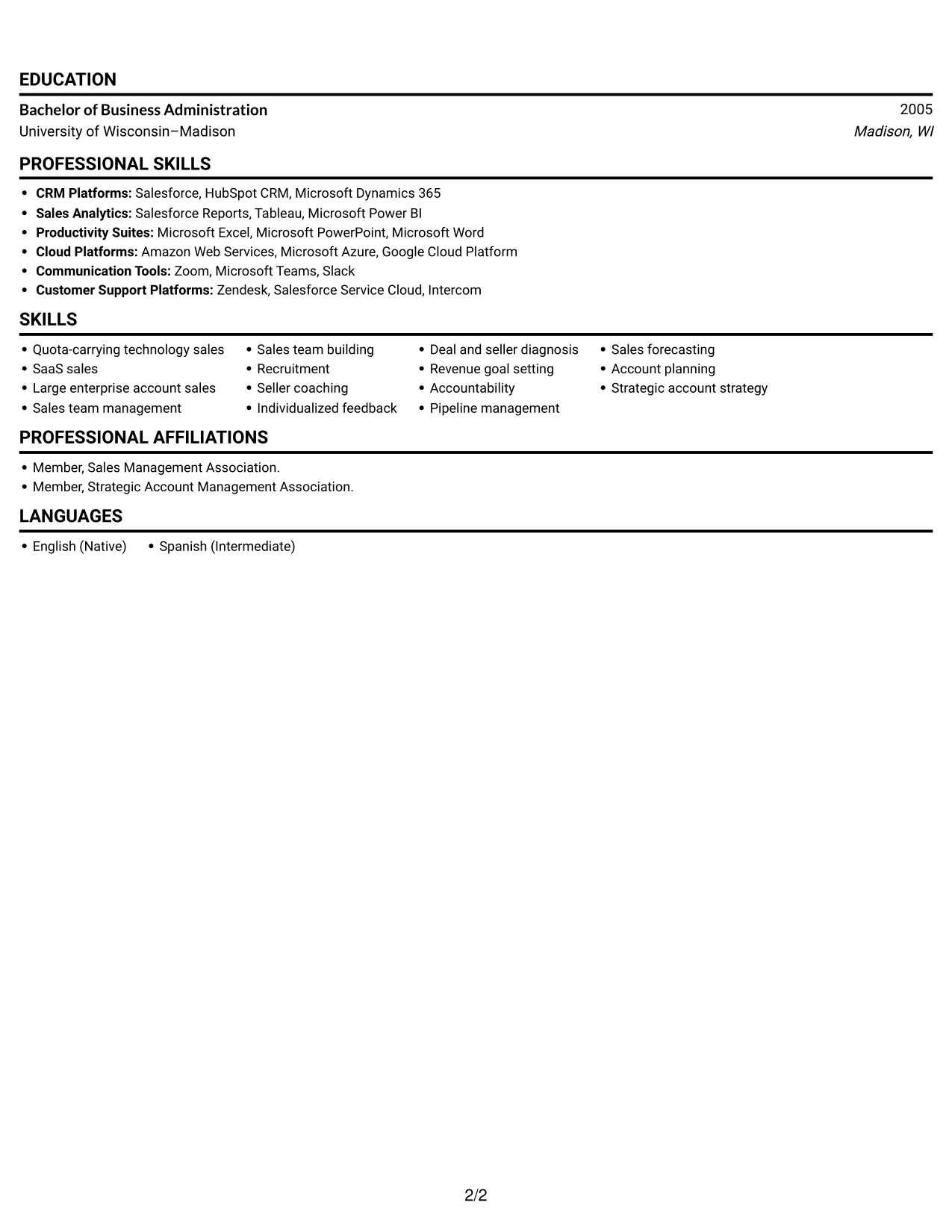
 
Resume example — page 1   Resume example — page 2

Why This Format Works

  • Grouped experience entries keep employers, roles, and dates easy to scan.
  • Separate skills and education sections give supporting qualifications clear labels.
  • The dated work history lets reviewers trace leadership experience across earlier roles.

Best For

  • Straightforward top-to-bottom resume review
  • Career histories with several employers
  • Readers who prefer one reading path
  • Experience and skills in one sequence
  • Applications with education and memberships
 

#3 Clean Two Column Sidebar Format Resume Example

The Clean Two Column Sidebar Format separates resume content into two columns, letting reviewers move between experience and other sections.
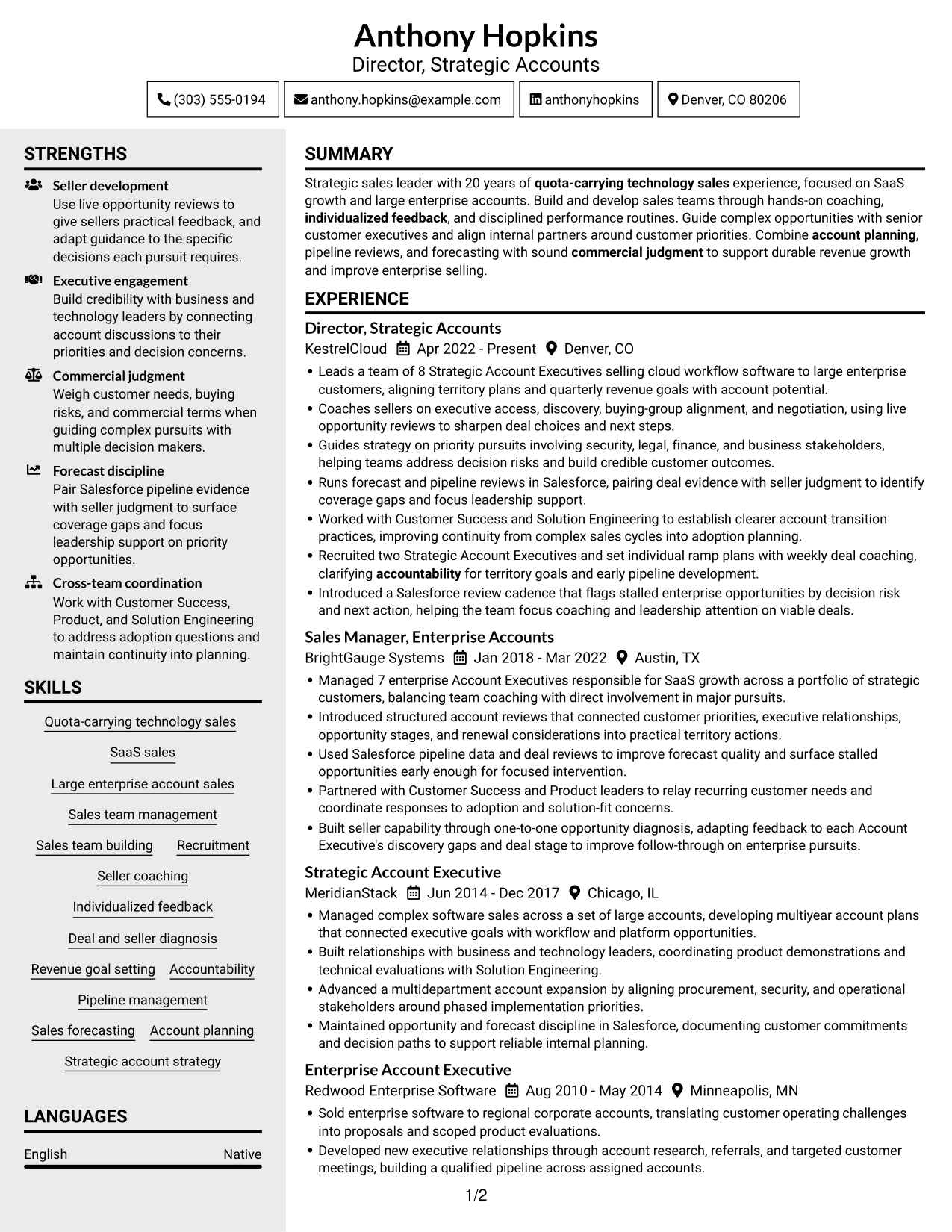
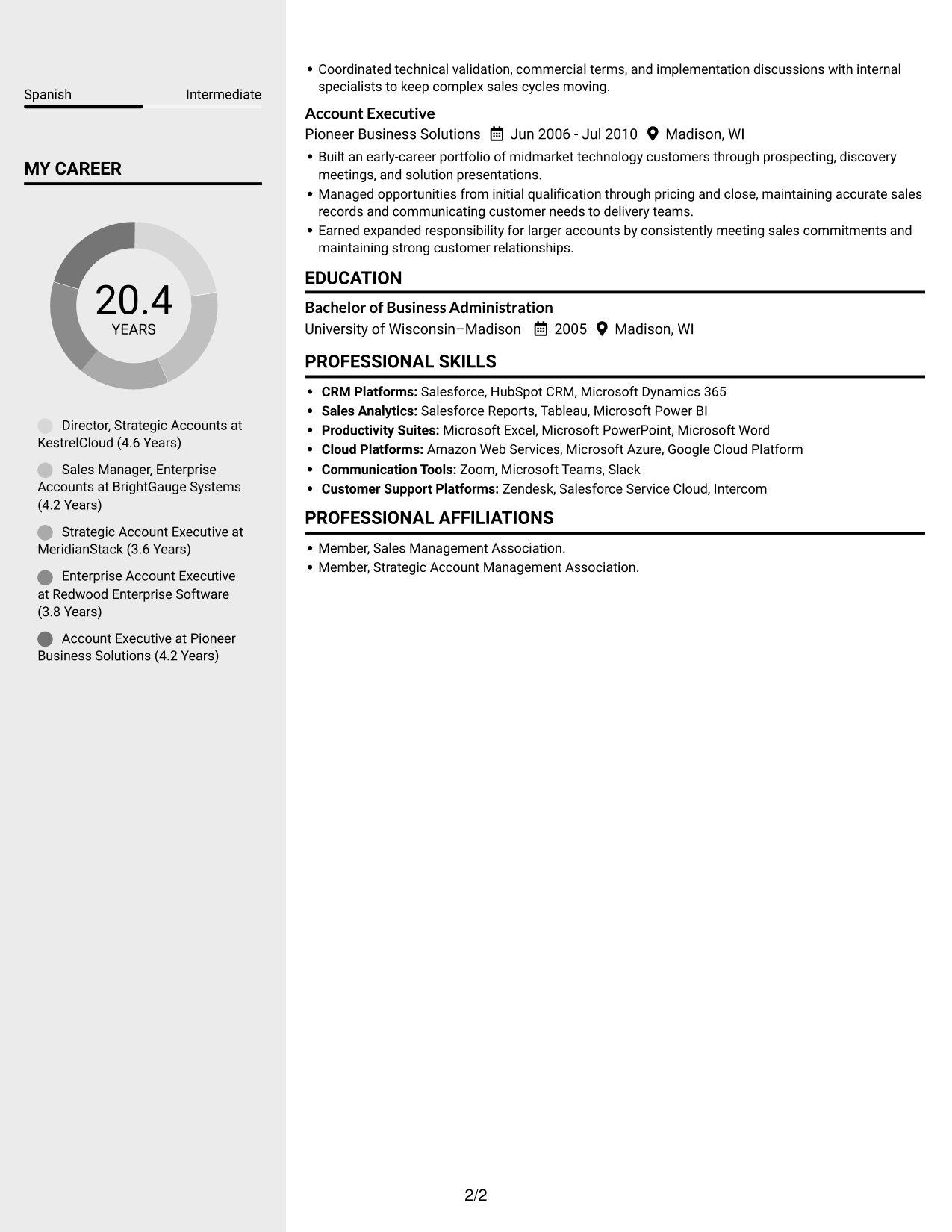
 
Resume example — page 1   Resume example — page 2

Why This Format Works

  • Career history remains easy to follow across the dated roles.
  • Distinct content areas help reviewers locate skills without losing the work history.
  • Education and professional memberships are easy to identify as supporting credentials.

Best For

  • Resumes with experience and supporting details
  • Readers moving between career history and skills
  • Several dated roles across multiple employers
  • Education paired with professional memberships
  • Sales management experience with varied responsibilities
 

#4 Two Column Format Resume Example

The Two Column Format gives resume sections two parallel content areas, helping reviewers compare work history with qualifications.
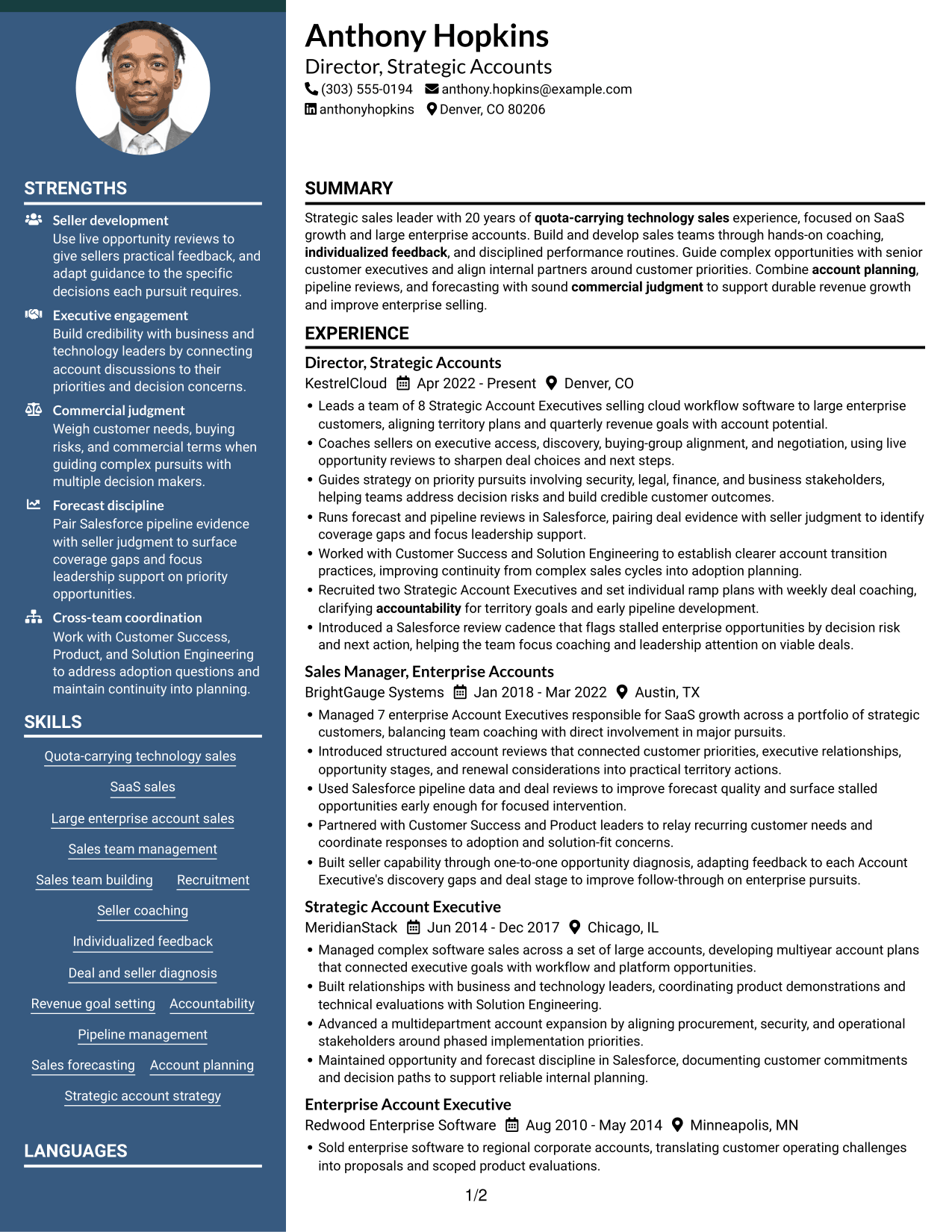
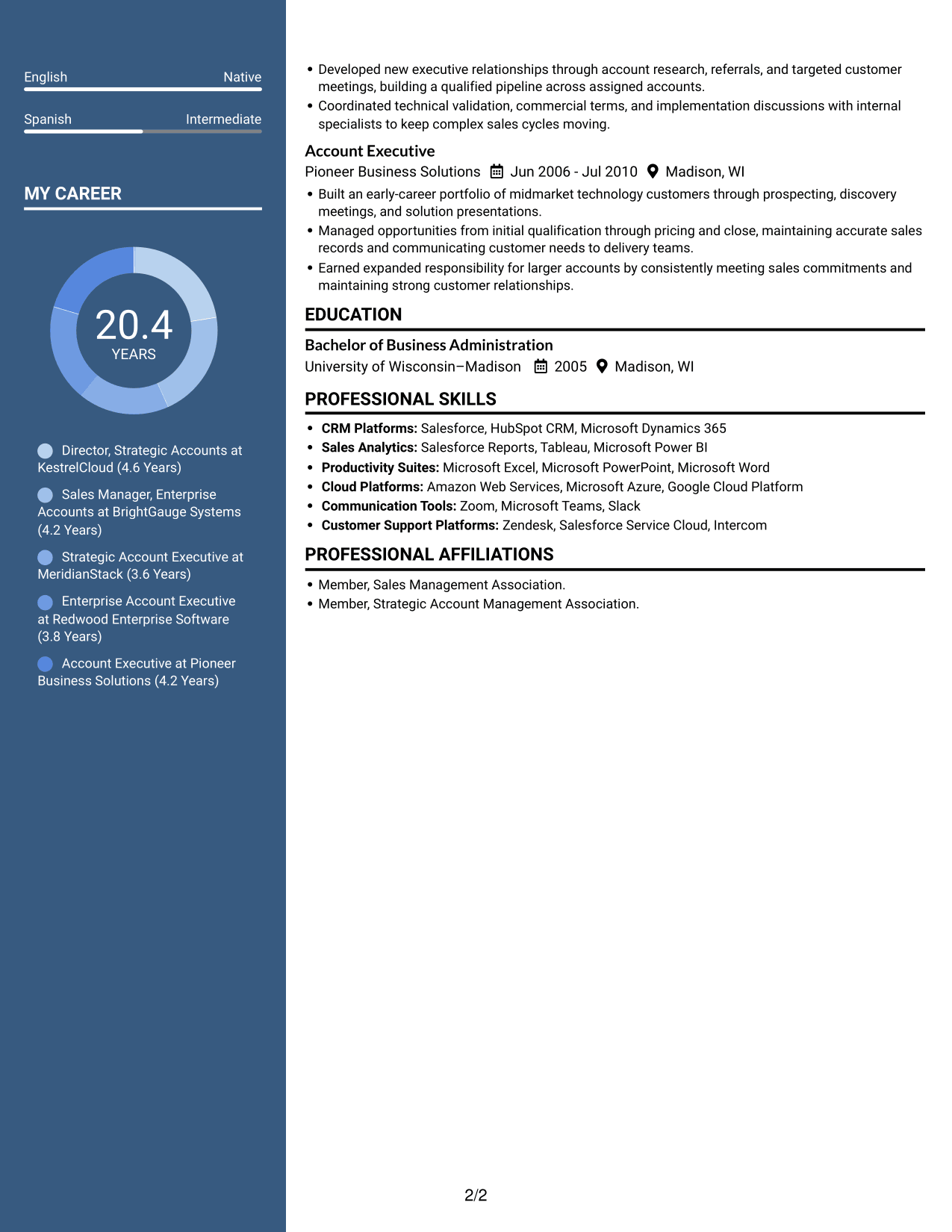
 
Resume example — page 1   Resume example — page 2

Why This Format Works

  • Dated positions make changes in responsibility clear across the career history.
  • A separate area for skills helps reviewers find core capabilities quickly.
  • Education and memberships remain distinct from the detailed employment record.

Best For

  • Resumes with multiple sections to review
  • Readers comparing skills with work history
  • Career records with clear date ranges
  • Education and memberships beside experience
  • Detailed sales leadership backgrounds


#5 Photo Header Two Column Format Resume Example

The Photo Header Two Column Format combines two content columns with a photo, for readers who want a portrait included alongside organized resume sections.
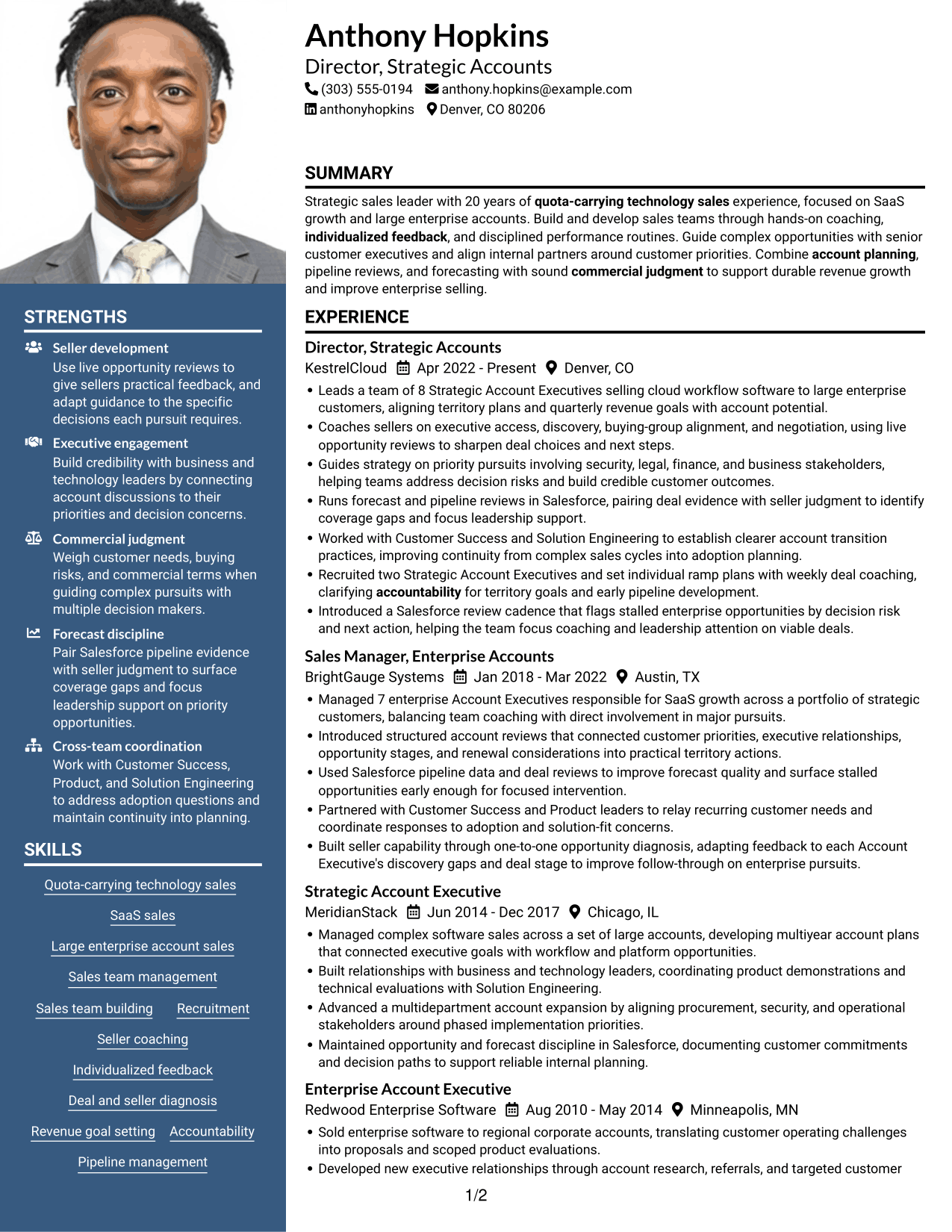
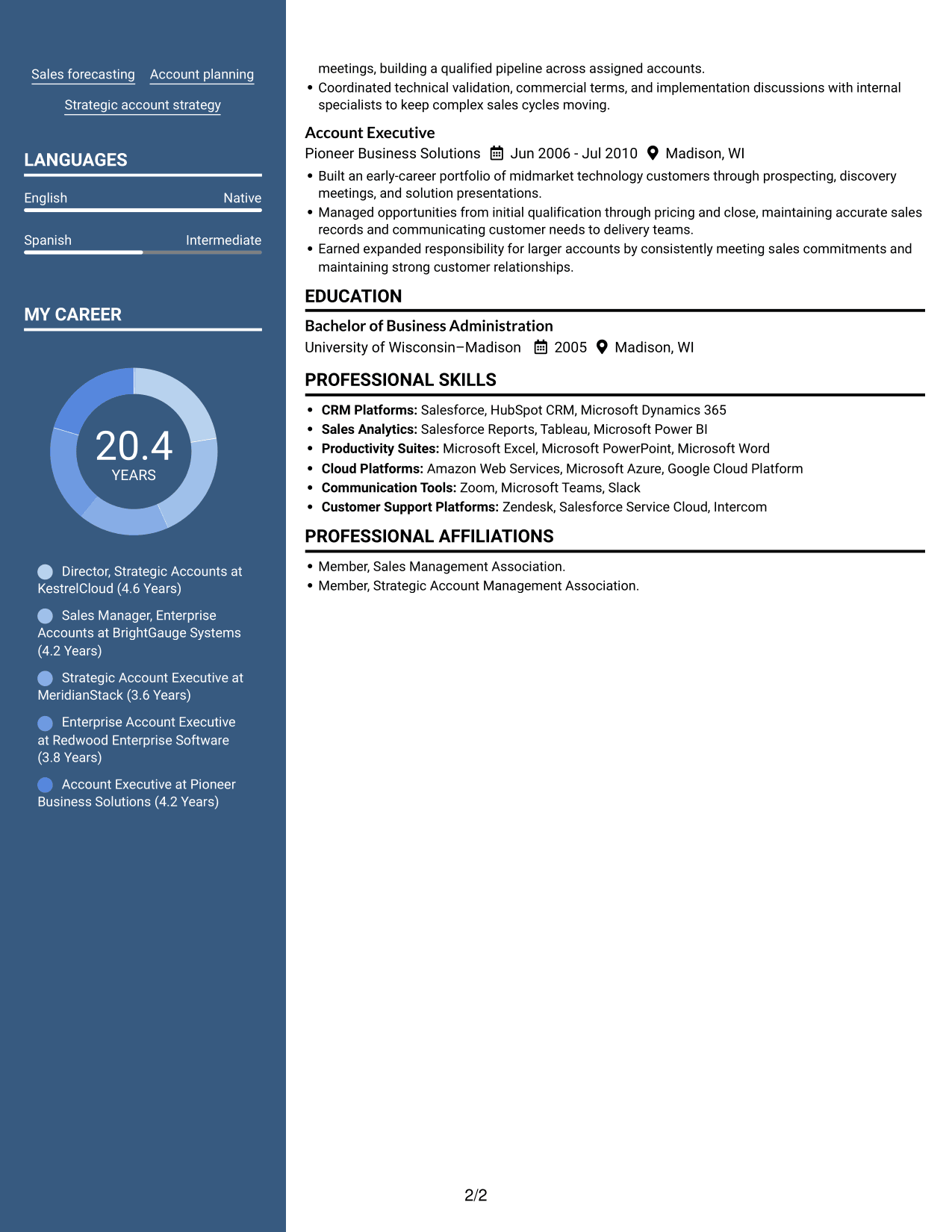
 
Resume example — page 1   Resume example — page 2

Why This Format Works

  • The dated experience entries help reviewers follow career progression across employers.
  • Distinct sections keep skills separate from the details of each role.
  • Education and professional memberships remain identifiable as supporting credentials.

Best For

  • Resumes that include a professional photo
  • Readers who prefer two content columns
  • Career histories with several dated roles
  • Skills and education alongside work history
  • Sales leadership resumes with detailed experience
 

#6 Colored Two Column Format Resume Example

The Colored Two Column Format organizes resume content in two columns, giving reviewers a clear way to move among distinct sections.
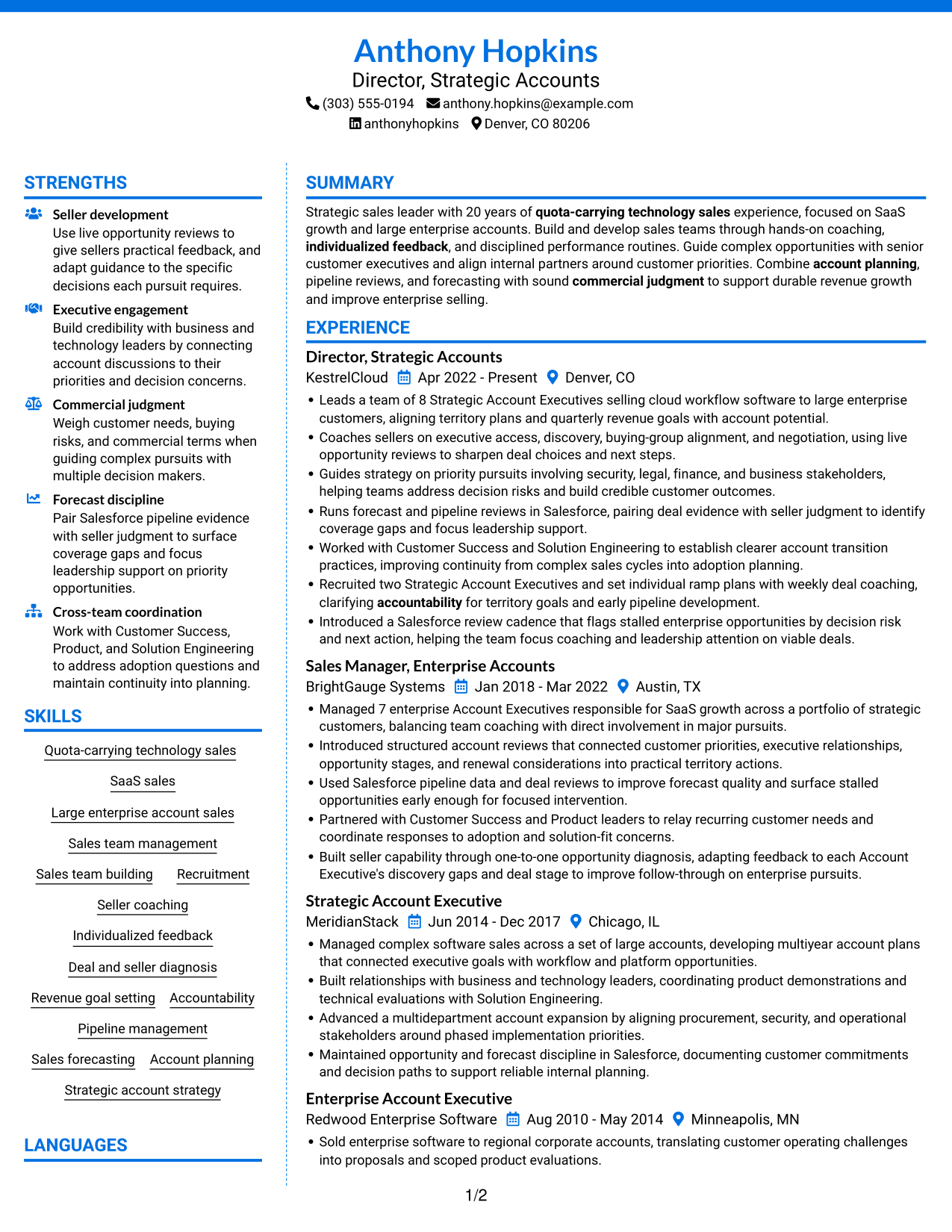
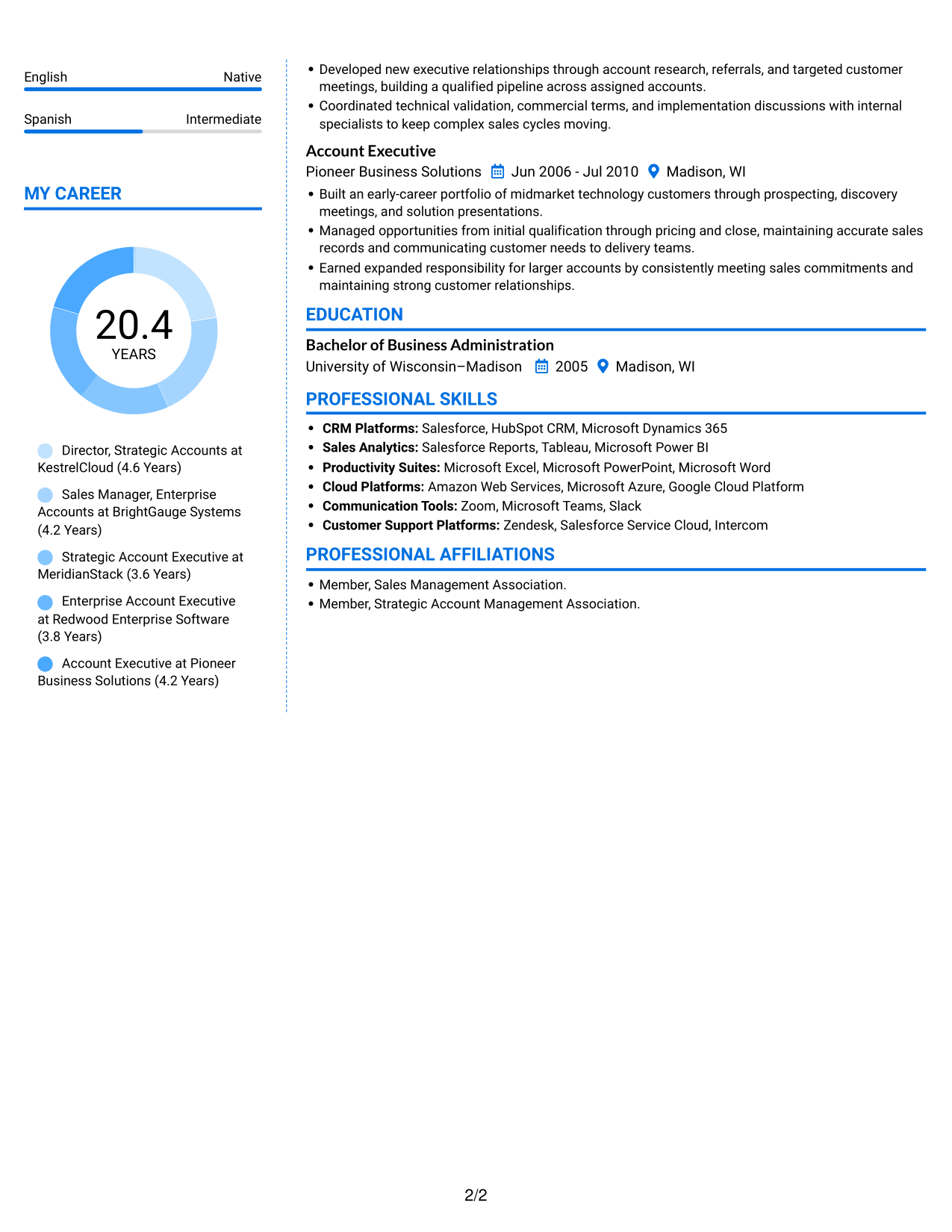
 
Resume example — page 1   Resume example — page 2

Why This Format Works

  • The dated work history lets reviewers track progression through successive roles.
  • Skills and employment details stay separate, so each content group is easier to find.
  • Education and memberships read as clear additions to the professional record.

Best For

  • Resumes with distinct content sections
  • Readers reviewing experience and skills together
  • Work histories spanning several dated roles
  • Education and memberships with employment details
  • Strategic account sales leadership experience
 

#7 Stylish Two Column Designer Format Resume Example

The Stylish Two Column Designer Format places resume information in two columns, offering a structured option for reviewers who want sections easy to navigate.
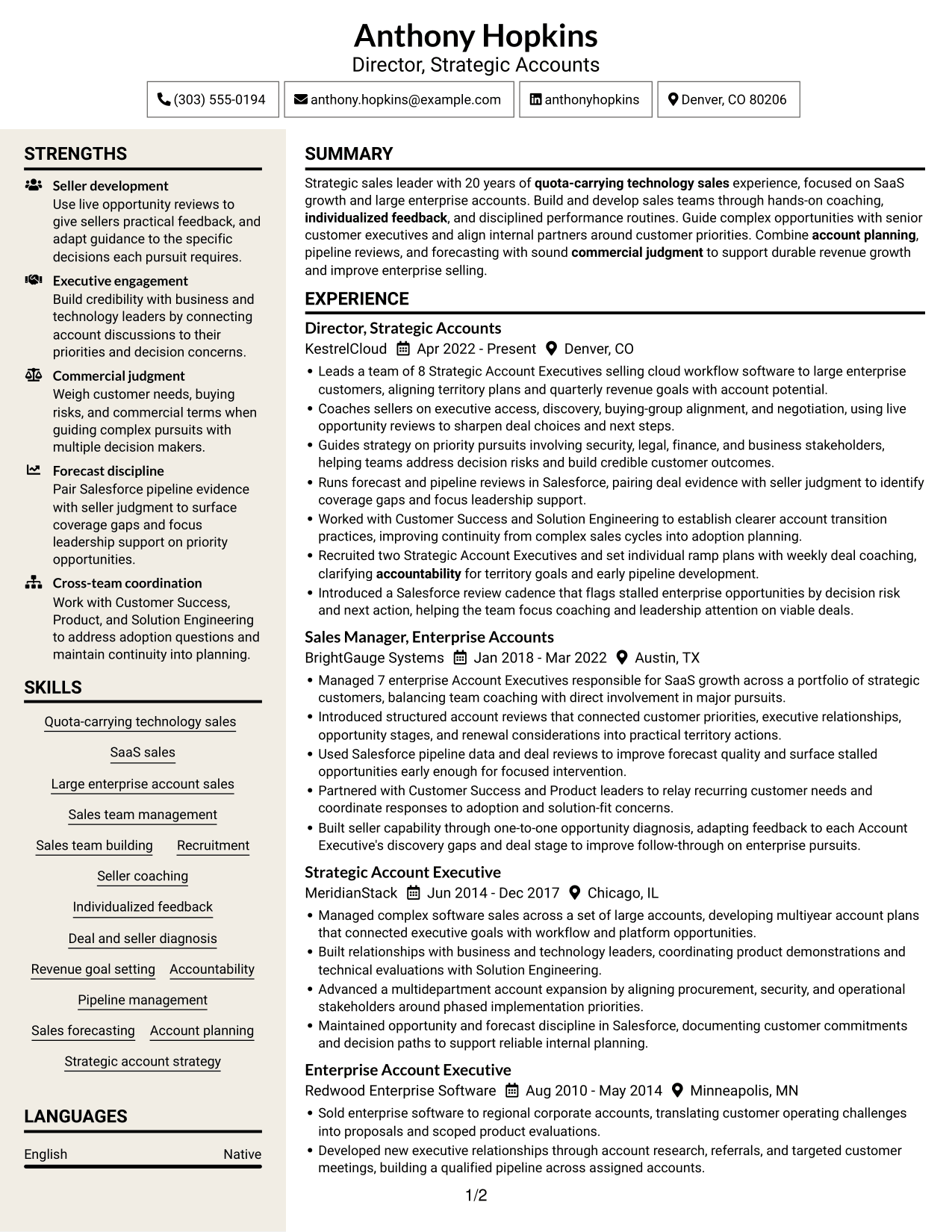
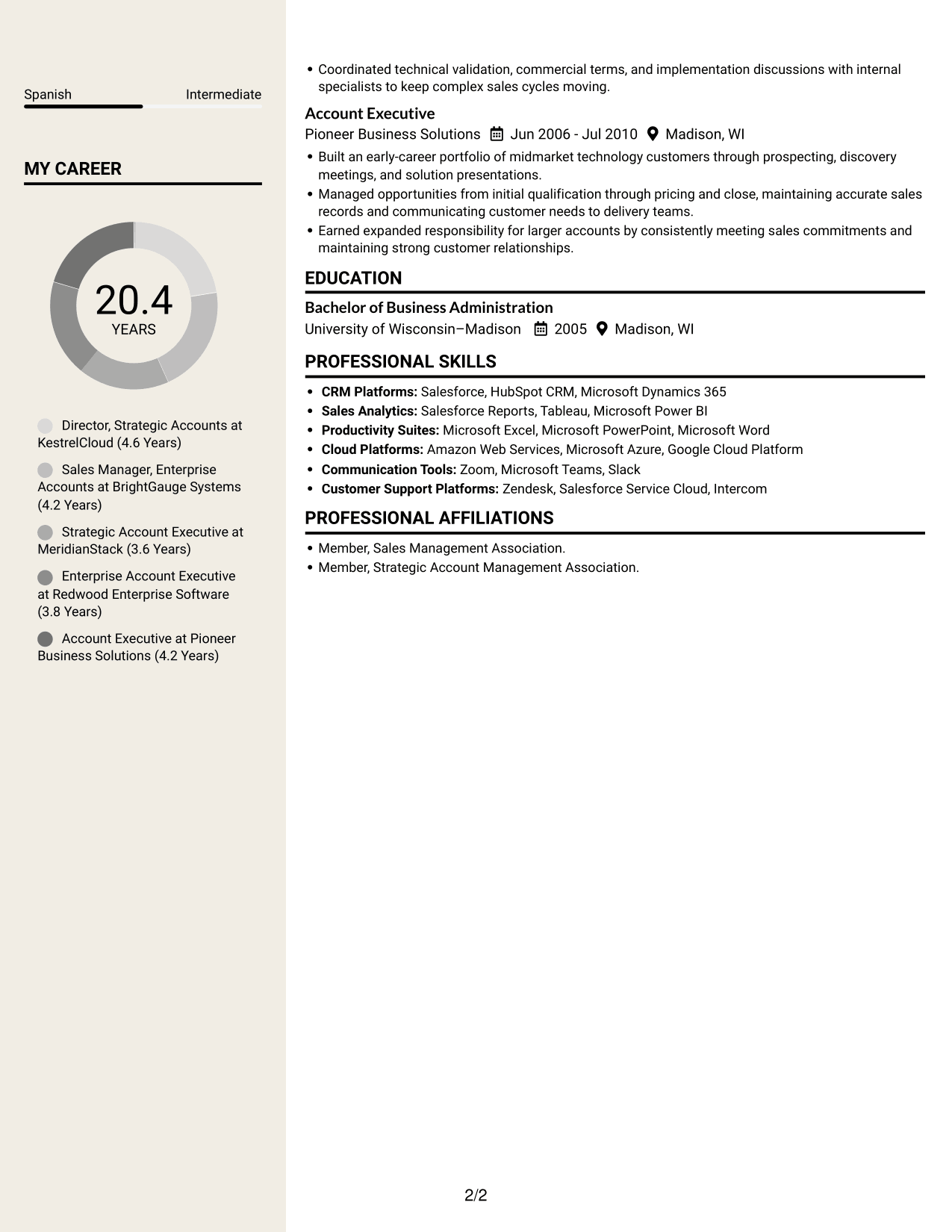
 
Resume example — page 1   Resume example — page 2

Why This Format Works

  • Role dates give reviewers a clear sequence for understanding career history.
  • Separate content areas help keep professional skills distinct from employment details.
  • Education and memberships are visible as separate parts of the resume.

Best For

  • Readers who prefer two-column organization
  • Resumes combining work history and skills
  • Career histories with several role changes
  • Education and memberships with experience
  • Sales management resumes with broad responsibilities


Why Build Your Sales Manager - Strategic Accounts Resume with ResumeInMinutes

ResumeInMinutes offers resume examples and layouts that can help you organize your experience, skills, and results. Review the image previews, then open an example in the editor to view or customize it.

  • Several resume layouts
  • Clear resume sections
  • Space for role-related keywords
  • Organized skills and experience
  • PNG image previews
  • Examples you can view in the editor

Keep the focus on the parts of your background that show how you guide sellers, plan strategic accounts, and move complex enterprise opportunities forward.


See Also


Frequently Asked Questions

Are these Sales Manager - Strategic Accounts resume templates ATS-friendly?

They use familiar resume sections and clear headings that are easier for applicant tracking systems to read. Include accurate terms for your work, such as enterprise sales, SaaS, account planning, coaching, and forecasting.

Are these different resume examples or layouts?

This guide shows one Sales Manager - Strategic Accounts resume example in different layouts. Compare the PNG previews to see how each presents the same information, then open an example in the editor.

What should a Sales Manager - Strategic Accounts resume include?

Include a focused summary, relevant experience, education, and skills. Use experience bullets to show team size, coaching, account planning, forecasting, and measurable results when those details are supported by your work history.

Which resume layout works well for this role?

A simple layout with clear headings helps recruiters find leadership scope, enterprise sales experience, and results. Choose a design that keeps those details easy to scan and uses a standard section order.

How can I show sales leadership and deal coaching?

Describe who you led, how you coached sellers, and what sales routines you managed. Add examples of account reviews, pipeline work, or complex deal guidance, and include verified outcomes where possible.

Should I include a photo on my resume?

For most U.S. applications, a resume without a photo is a safe choice. Focus the space on your experience, skills, and results.


ATS Score 88%

How we calculate this score

  • Keywords: 60% of the total. AI extracts keywords from your job description. If you do not provide one, a standard job description for the title matching your resume is used. This is not a match to a specific vacancy.
  • Text-based resume: 20%. The text resume assessed here receives 100 for this part.
  • Resume quality: 20%. We start at 100 and subtract points for issues found by our resume checks, down to a minimum of zero.
  • Keyword coverage = 100 × (confirmed matches + 0.8 × possible matches) ÷ total keywords, rounded and capped at 100. Possible matches still need checking. Saved generation audits use their saved keyword percentage.
  • Final score = 60% of keyword coverage + 20% of the text score + 20% of the quality score, rounded to a whole number. Without keywords, no overall ATS score is available.

What this score means

Our scores are estimates, not employer ratings. They may contain errors and do not guarantee accurate parsing, a ranking, an interview, or a job. Check your document against the employer’s requirements. You are responsible for relying on this score.

Terms and Conditions

Score weights: Keywords 60% · Text based resume 20% · Resume quality 20%

Keywords: 16 matched + 5 possible of 25 (80%) · Resume quality: 100%

Resume quality 100% · Weight 20% · Issues (0)

Details
  • ✓Name present: Anthony Hopkins
  • ✓Email format: anthony.hopkins@example.com
  • ✓Phone format: (303) 555-0194
  • ✓Experience 1: Job title: Director, Strategic Accounts
  • ✓Experience 1: Company name: KestrelCloud
  • ✓Experience 1: Work location: Denver, CO
  • ✓Experience 1: Employment dates: Apr 2022 - Present
  • ✓Experience 1: Description or achievements: Present
  • ✓Experience 2: Job title: Sales Manager, Enterprise Accounts
  • ✓Experience 2: Company name: BrightGauge Systems
  • ✓Experience 2: Work location: Austin, TX
  • ✓Experience 2: Employment dates: Jan 2018 - Mar 2022
  • ✓Experience 2: Description or achievements: Present
  • ✓Experience 3: Job title: Strategic Account Executive
  • ✓Experience 3: Company name: MeridianStack
  • ✓Experience 3: Work location: Chicago, IL
  • ✓Experience 3: Employment dates: Jun 2014 - Dec 2017
  • ✓Experience 3: Description or achievements: Present
  • ✓Experience 4: Job title: Enterprise Account Executive
  • ✓Experience 4: Company name: Redwood Enterprise Software
  • ✓Experience 4: Work location: Minneapolis, MN
  • ✓Experience 4: Employment dates: Aug 2010 - May 2014
  • ✓Experience 4: Description or achievements: Present
  • ✓Experience 5: Job title: Account Executive
  • ✓Experience 5: Company name: Pioneer Business Solutions
  • ✓Experience 5: Work location: Madison, WI
  • ✓Experience 5: Employment dates: Jun 2006 - Jul 2010
  • ✓Experience 5: Description or achievements: Present
  • ✓No placeholder fields
  • ✓No repeated achievement bullets
  • ✓No empty bullets

No issues found by the current checks.

Text Based Resume 100% · Weight 20%

Parsed text
Anthony Hopkins
Director, Strategic Accounts
(303) 555-0194
anthonyhopkins
anthony.hopkins@example.com
Denver, CO 80206
STRENGTHS
Seller development
Use live opportunity reviews to give sellers practical feedback, and adapt guidance to the specific decisions each pursuit requires.
Executive engagement
Build credibility with business and technology leaders by connecting account discussions to their priorities and decision concerns.
Commercial judgment
Weigh customer needs, buying risks, and commercial terms when guiding complex pursuits with multiple decision makers.
Forecast discipline
Pair Salesforce pipeline evidence with seller judgment to surface coverage gaps and focus leadership support on priority opportunities.
Cross-team coordination
Work with Customer Success, Product, and Solution Engineering to address adoption questions and maintain continuity into planning.
SUMMARY
Strategic sales leader with 20 years of quota-carrying technology sales experience, focused on SaaS growth and large enterprise accounts. Build and develop sales teams through hands-on coaching, individualized feedback, and disciplined performance routines. Guide complex opportunities with senior customer executives and align internal partners around customer priorities. Combine account planning, pipeline reviews, and forecasting with sound commercial judgment to support durable revenue growth and improve enterprise selling.
EXPERIENCE
Director, Strategic Accounts
KestrelCloud
Apr 2022 - Present
Denver, CO
Leads a team of 8 Strategic Account Executives selling cloud workflow software to large enterprise customers, aligning territory plans and quarterly revenue goals with account potential.
Coaches sellers on executive access, discovery, buying-group alignment, and negotiation, using live opportunity reviews to sharpen deal choices and next steps.
Guides strategy on priority pursuits involving security, legal, finance, and business stakeholders, helping teams address decision risks and build credible customer outcomes.
Runs forecast and pipeline reviews in Salesforce, pairing deal evidence with seller judgment to identify coverage gaps and focus leadership support.
Worked with Customer Success and Solution Engineering to establish clearer account transition practices, improving continuity from complex sales cycles into adoption planning.
Recruited two Strategic Account Executives and set individual ramp plans with weekly deal coaching, clarifying accountability for territory goals and early pipeline development.
Introduced a Salesforce review cadence that flags stalled enterprise opportunities by decision risk and next action, helping the team focus coaching and leadership attention on viable deals.
Sales Manager, Enterprise Accounts
BrightGauge Systems
Jan 2018 - Mar 2022
Austin, TX
Managed 7 enterprise Account Executives responsible for SaaS growth across a portfolio of strategic customers, balancing team coaching with direct involvement in major pursuits.
Introduced structured account reviews that connected customer priorities, executive relationships, opportunity stages, and renewal considerations into practical territory actions.
Used Salesforce pipeline data and deal reviews to improve forecast quality and surface stalled opportunities early enough for focused intervention.
Partnered with Customer Success and Product leaders to relay recurring customer needs and coordinate responses to adoption and solution-fit concerns.
Built seller capability through one-to-one opportunity diagnosis, adapting feedback to each Account Executive's discovery gaps and deal stage to improve follow-through on enterprise pursuits.
Strategic Account Executive
MeridianStack
Jun 2014 - Dec 2017
Chicago, IL
Managed complex software sales across a set of large accounts, developing multiyear account plans that connected executive goals with workflow and platform opportunities.
Built relationships with business and technology leaders, coordinating product demonstrations and technical evaluations with Solution Engineering.
Advanced a multidepartment account expansion by aligning procurement, security, and operational stakeholders around phased implementation priorities.
Maintained opportunity and forecast discipline in Salesforce, documenting customer commitments and decision paths to support reliable internal planning.
Enterprise Account Executive
Redwood Enterprise Software
Aug 2010 - May 2014
Minneapolis, MN
Sold enterprise software to regional corporate accounts, translating customer operating challenges into proposals and scoped product evaluations.
Developed new executive relationships through account research, referrals, and targeted customer meetings, building a qualified pipeline across assigned accounts.
Coordinated technical validation, commercial terms, and implementation discussions with internal specialists to keep complex sales cycles moving.
Account Executive
Pioneer Business Solutions
Jun 2006 - Jul 2010
Madison, WI
Built an early-career portfolio of midmarket technology customers through prospecting, discovery meetings, and solution presentations.
Managed opportunities from initial qualification through pricing and close, maintaining accurate sales records and communicating customer needs to delivery teams.
Earned expanded responsibility for larger accounts by consistently meeting sales commitments and maintaining strong customer relationships.
SKILLS
Revenue goal setting
Sales forecasting
Sales team building
Quota-carrying technology sales
Large enterprise account sales
Strategic account strategy
Sales team management
Deal and seller diagnosis
Individualized feedback
Pipeline management
Seller coaching
SaaS sales
Account planning
Accountability
Recruitment
LANGUAGES
English
Native
Spanish
Intermediate
MY CAREER
20.4Years
Director, Strategic Accounts at KestrelCloud (4.6 Years)
Sales Manager, Enterprise Accounts at BrightGauge Systems (4.2 Years)
Strategic Account Executive at MeridianStack (3.6 Years)
Enterprise Account Executive at Redwood Enterprise Software (3.8 Years)
Account Executive at Pioneer Business Solutions (4.2 Years)
EDUCATION
Bachelor of Business Administration
University of Wisconsin–Madison
2005
Madison, WI
PROFESSIONAL SKILLS
CRM Platforms: Salesforce, HubSpot CRM, Microsoft Dynamics 365
Sales Analytics: Salesforce Reports, Tableau, Microsoft Power BI
Productivity Suites: Microsoft Excel, Microsoft PowerPoint, Microsoft Word
Cloud Platforms: Amazon Web Services, Microsoft Azure, Google Cloud Platform
Communication Tools: Zoom, Microsoft Teams, Slack
Customer Support Platforms: Zendesk, Salesforce Service Cloud, Intercom
PROFESSIONAL AFFILIATIONS
Member, Sales Management Association.
Member, Strategic Account Management Association.

Matched keywords (16)

  • Quota-carrying technology sales
  • SaaS sales
  • Large enterprise account sales
  • Sales team management
  • Sales team building
  • Recruitment
  • Seller coaching
  • Individualized feedback
  • Deal and seller diagnosis
  • Revenue goal setting
  • Accountability
  • Pipeline management
  • Sales forecasting
  • Account planning
  • Strategic account strategy
  • Commercial judgment

Missing keywords (4)

  • Deal strategy
  • Internal stakeholder alignment
  • Cross-functional collaboration
  • Clear communication

Possible matches (5)

  • Senior customer executive relationships80% credit: 3.20 percentage points of 4.00 possible.
  • Sales operating routines80% credit: 3.20 percentage points of 4.00 possible.
  • Enterprise sales process improvement80% credit: 3.20 percentage points of 4.00 possible.
  • Strategic sales organization growth80% credit: 3.20 percentage points of 4.00 possible.
  • Customer needs resolution80% credit: 3.20 percentage points of 4.00 possible.
Disclaimer: All names, images, contact information, employment histories, achievements, security clearances, military credentials, and other qualifications shown in this content are fictional and used for illustrative purposes only. Any resemblance to actual persons, living or deceased, is purely coincidental.

Resume and cover-letter examples and recommendations in this article reflect general best practices and professional experience and are provided for guidance only. Results may vary based on role, industry, region, and hiring organization.

Content Accuracy and Verification: To the fullest extent permitted by applicable law, we do not represent or warrant that resume or cover-letter guidance, examples, recommendations, or related information are accurate, complete, current, error-free, or suitable for any particular purpose. You are responsible for independently reviewing and verifying the information before relying on it.

ATS and Cover-Letter Scores: ATS scores are estimates calculated using our own formula, informed by publicly available guidance on resume formatting and keyword matching. They are not scores issued or endorsed by an ATS provider or employer. Cover-letter scores are also our own assessments. Parsing, weighting, screening criteria, and results vary between systems, employers, job descriptions, and document formats. No score guarantees successful parsing, a particular ranking, an interview, or employment. Use scores as general guidance and independently check your documents against the employer’s requirements. To the fullest extent permitted by applicable law, we accept no liability for errors in scores or parsing, or losses arising from reliance on these assessments. Nothing in this notice excludes liability or limits consumer rights that cannot lawfully be excluded or limited.

Terms and Conditions
 
> JP 1 1
PDF Footer and Margins Setup
The margins are applied to the document, and the footer shows up in the preview and the PDF

Footer Font Settings

Are you applying for a specific job
so we can tailor your resume to it?
Are you applying for a specific job
so we can tailor your cover letter to it?

Your data stays private and is never used for training.Privacy Policy

Type your details as text to generate a personalized resume Type your details as text to generate a personalized cover letter
Website link found! Ready to create resume from:

Your data stays private and is never used for training.Privacy Policy

Drag the into the box to verify you're human.
Drop here

My Resumes

Displaying {number_of_files} files (out of {total_of_all_files} total)
Name File Type Last Modified: Description:

Rename File

Filename already exists!

Delete Files

Warning: This action is irreversible. Once you click submit, the files will be permanently deleted.

Heading text
Upload From Computer Upload
Select From Existing
LinkedIn
Drag & Drop files anywhere in this tab, or

Uploaded Files

Delete Name Last Updated Use This File
Select this to use the file for generating your resume and cover letter. Only one source—uploaded file, selected file, or LinkedIn text—can be used.

My Files

Resumes or cover letters you create will appear here. No files available yet.
Delete Name Last Updated Use This File
Select this to use the file for generating your resume and cover letter. Only one source—uploaded file, selected file, or LinkedIn text—can be used.

Add LinkedIn Profile PDF

You can download your LinkedIn profile as a PDF by opening linkedin.com in a web browser, clicking your profile photo, selecting the “More” or “Resources” button, and choosing “Save to PDF.” You can then attach the PDF using the Upload From Computer tab.

Paste Your LinkedIn Profile Text

If you have copied the LinkedIn profile text, paste it below. See how to copy your profile from LinkedIn

Select this to use the LinkedIn profile text for generating your resume and cover letter. Only one source—uploaded file, selected file, or LinkedIn text—can be used.

Try these controls

<
>


