
7 Security Officer - Emergency Dispatch Desk Cover Letter Templates with Example
Use this practical guide to shape a focused Security Officer - Emergency Dispatch Desk cover letter, compare seven layouts, and learn how to present your fit.
What Makes a Great Security Officer - Emergency Dispatch Desk Cover Letter in 2026
A strong letter connects calm dispatch communication, sound call prioritization, and accurate incident records to the needs of a campus safety desk. It should make your interest in supporting officers and the campus community clear.
Use specific evidence, such as monitoring alarms, coordinating officer responses, or documenting a clear handoff. Show how your experience aligns with the employer’s needs without claiming skills or training you do not have.
The featured Security Officer - Emergency Dispatch Desk example moves from role interest to relevant dispatch evidence and a clear closing, giving you a focused progression to adapt while choosing a presentation that suits the employer and communication context.
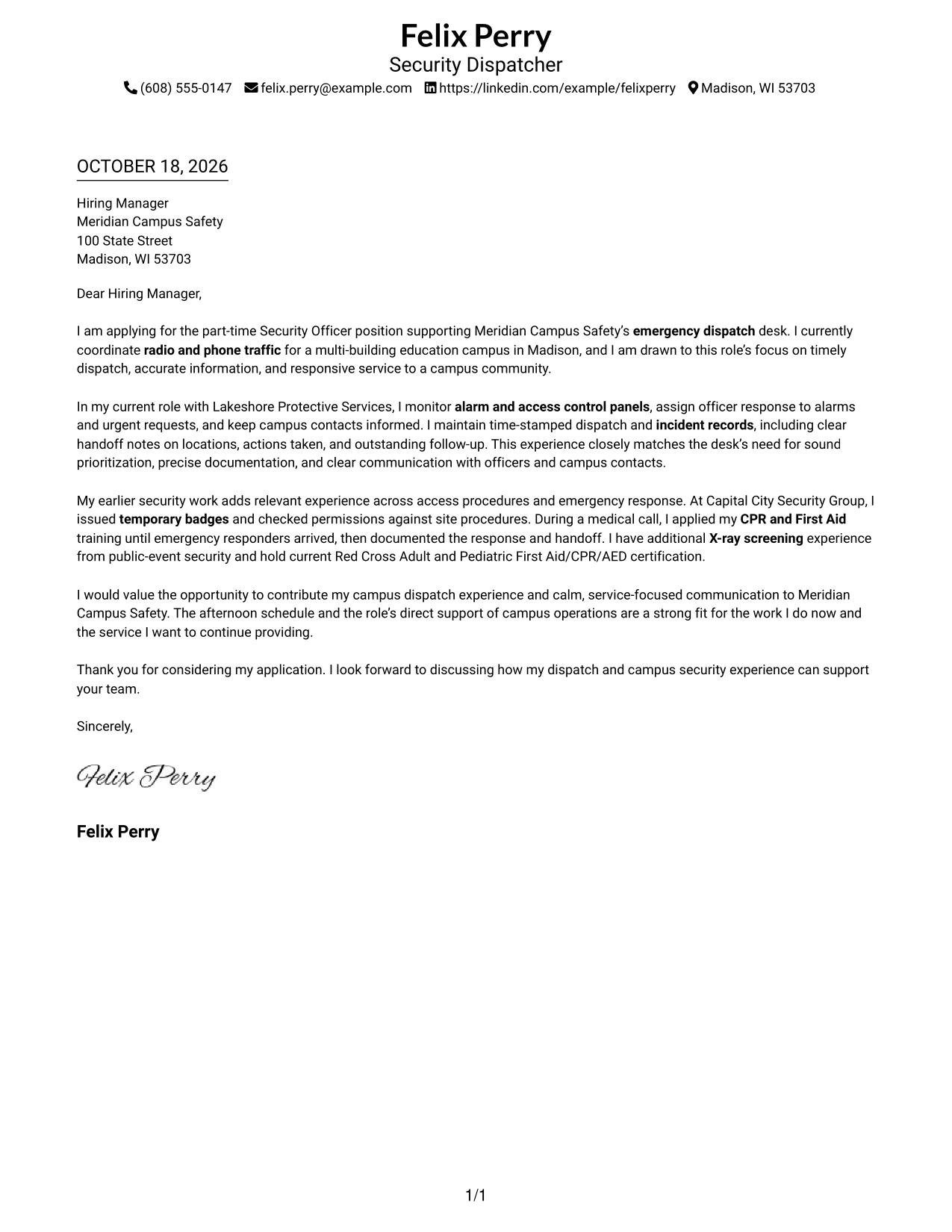
#1 Simple One Column Format Cover Letter Example
The Simple One Column Format places sender details in the header above a continuous letter body, making it a good choice for readers who prefer one clear reading path.
Why This Format Works
- Sender details remain in the header, while the letter follows one reading path.
- Paragraph breaks distinguish the opening, supporting points, and closing without body headings.
- A single text column avoids splitting the application message across parallel body areas.
Best For
- Single-column reading preference
- Header contact information
- Paragraph-based persuasion
- Photo-free letter layouts
- Letters without body headings
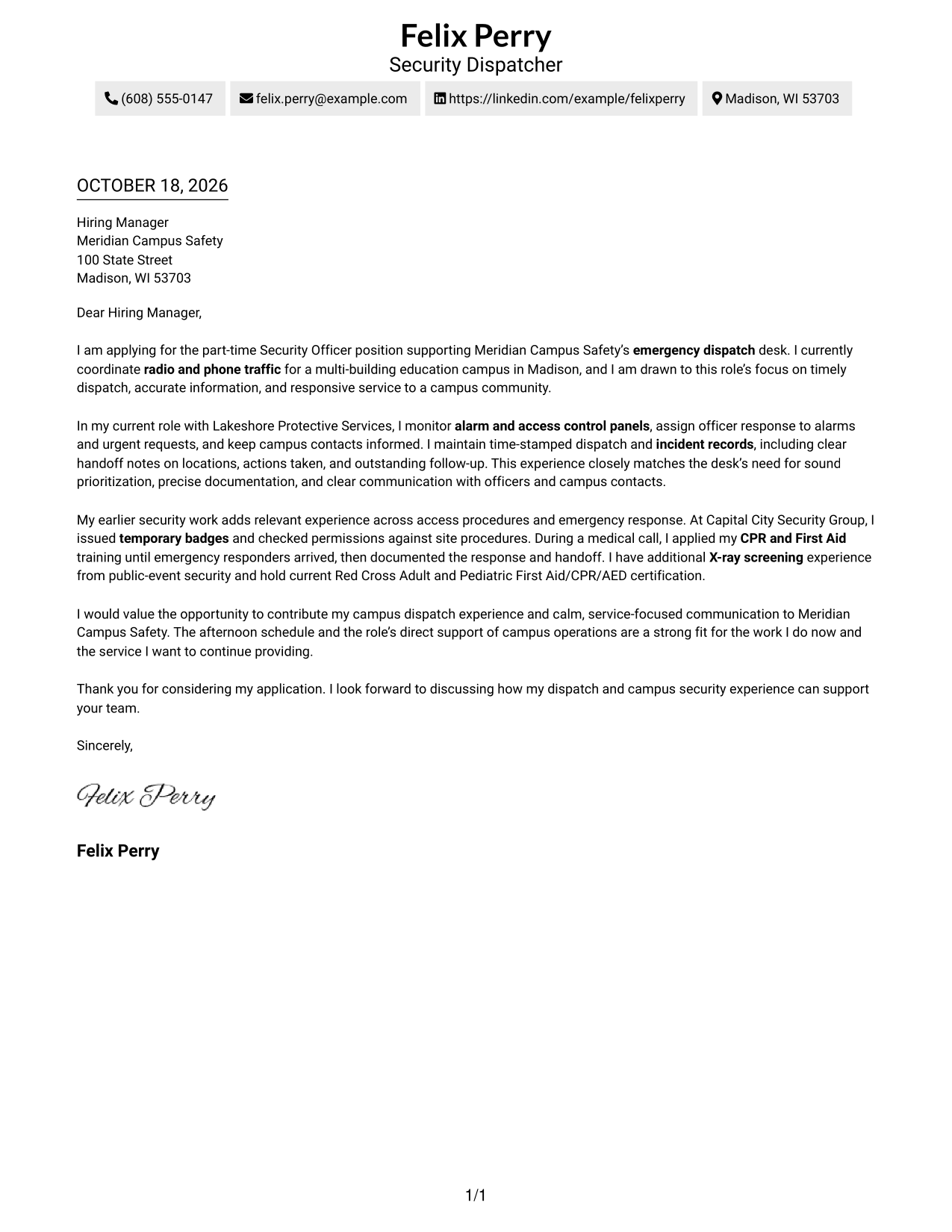
#2 Two Column Format Cover Letter Example
The Two Column Format places contact details in a sidebar beside one continuous letter body, helping readers find sender information without dividing the message.
Why This Format Works
- Contact details sit in a sidebar, apart from the letter's continuous body.
- One body column keeps the opening, supporting evidence, and closing in sequence.
- Paragraph breaks make each part of the message easier to follow without formal body headings.
Best For
- Sidebar-based contact lookup
- Single-column letter reading
- Photo-free correspondence
- Unheaded persuasive letters
- Paragraph-led application messages
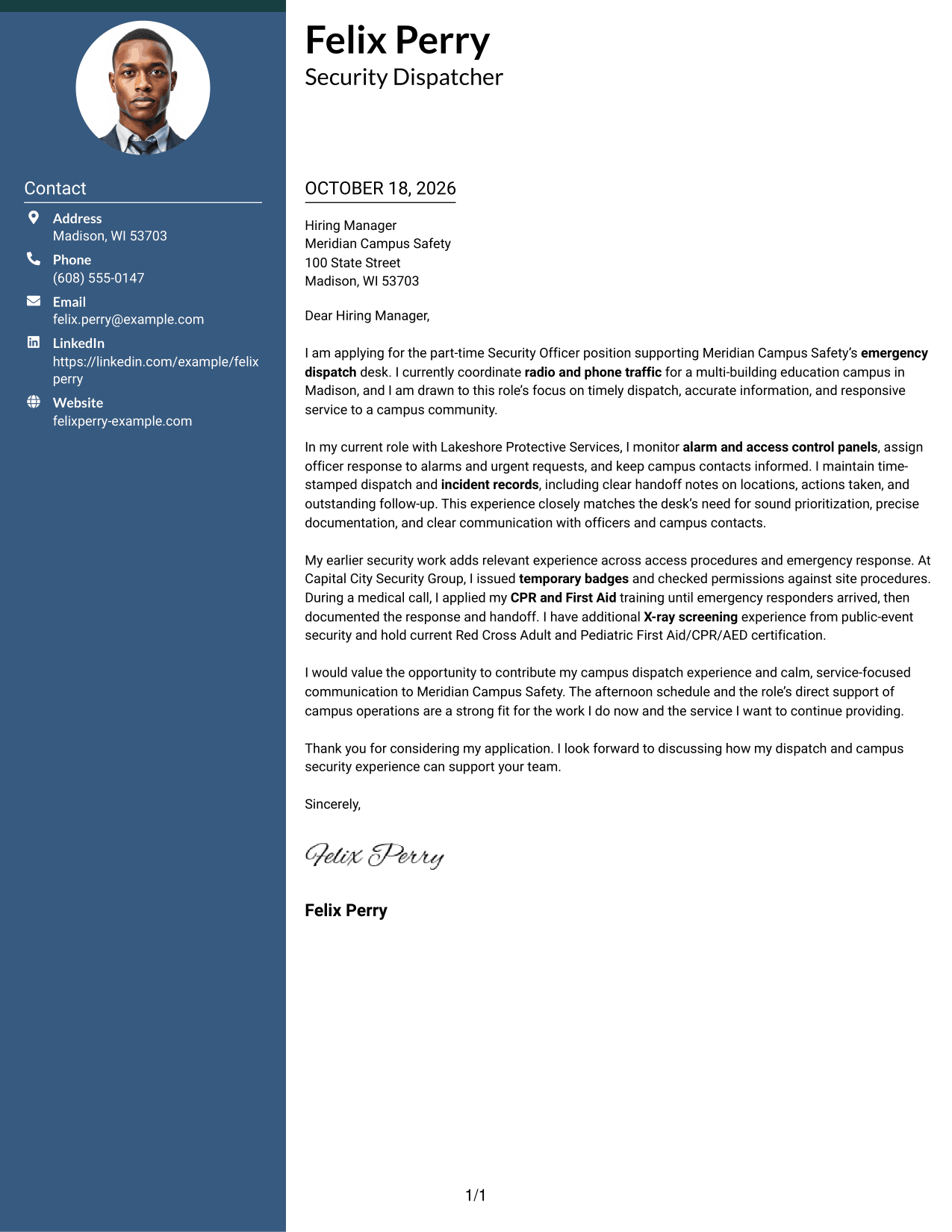
#3 Photo Header Two Column Format Cover Letter Example
The Photo Header Two Column Format pairs a portrait with a contact sidebar and one continuous letter body, for readers who prefer a visible personal element.
Why This Format Works
- Contact details occupy a sidebar, keeping sender information apart from the letter body.
- One continuous body lets the opening, evidence, and closing read in sequence.
- The portrait offers a personal visual choice without changing the letter's argument.
Best For
- Portrait-inclusive correspondence
- Sidebar contact lookup
- Unheaded persuasive letters
- Single-column message reading
- Continuous letter paragraphs
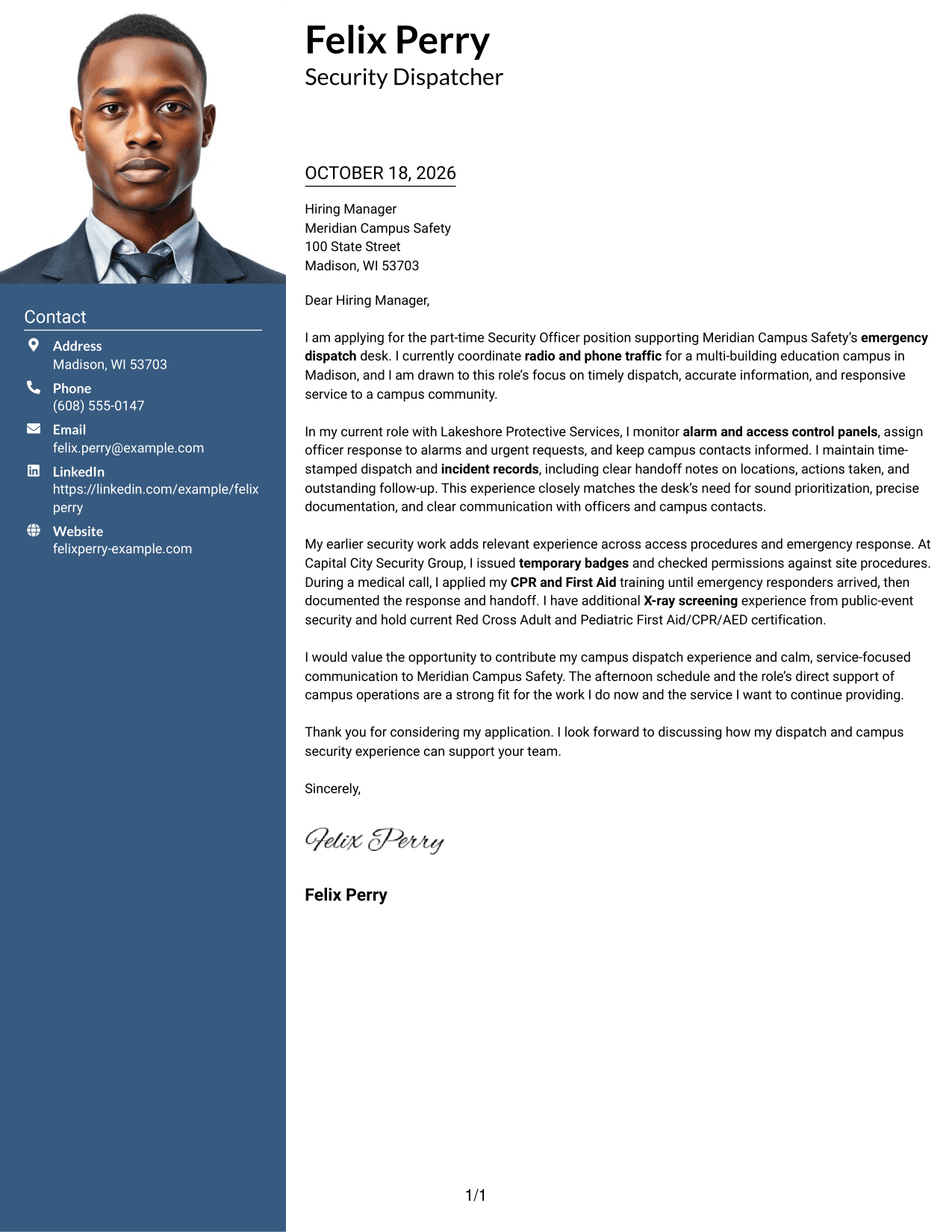
#4 One Column Format with Photo Cover Letter Example
The One Column Format with Photo includes a portrait alongside a single-column letter, suiting readers who want a personal visual element with a direct reading order.
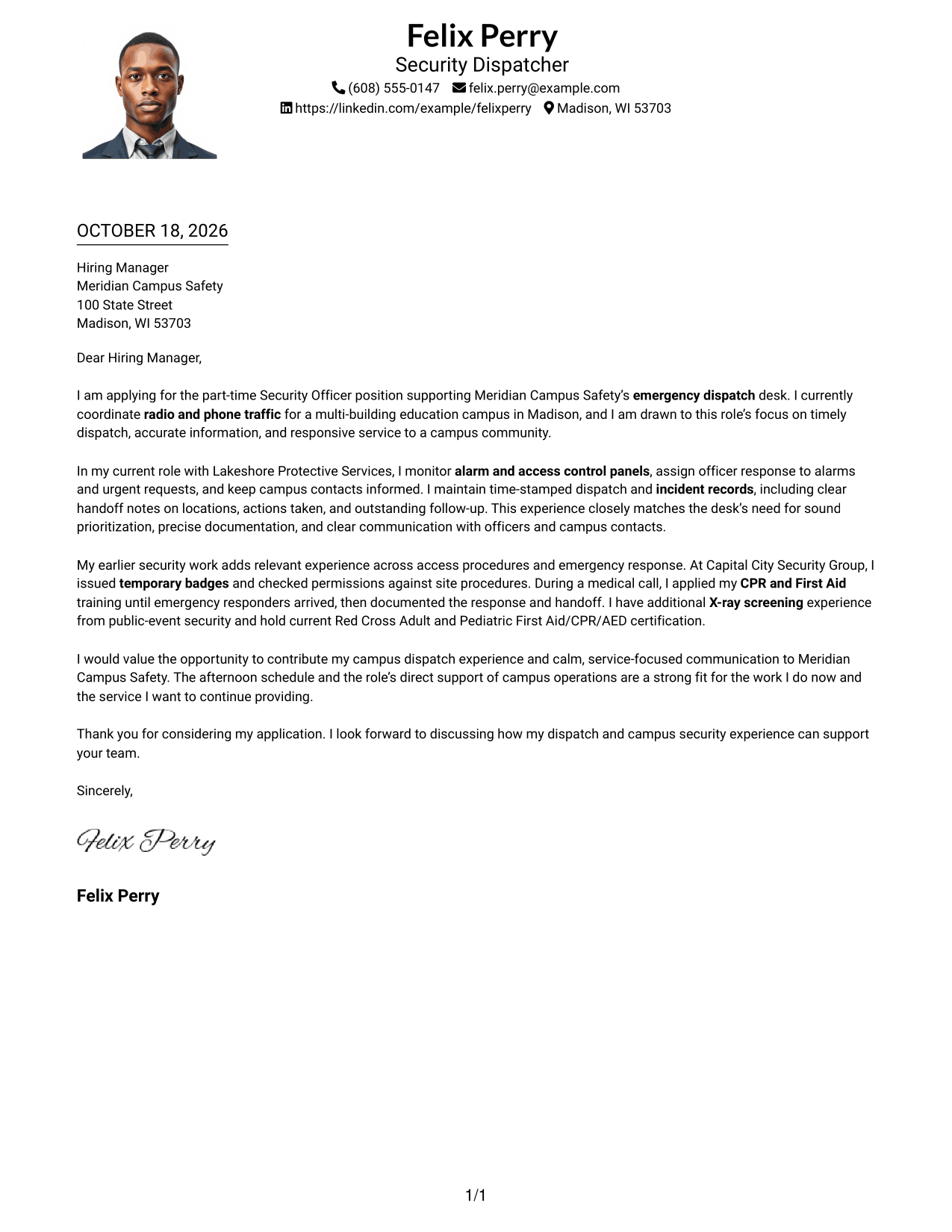
Why This Format Works
- One body column gives the message a direct reading order from greeting to closing.
- Header-based sender details keep contact information separate from the letter paragraphs.
- Paragraph breaks distinguish the message's opening, supporting evidence, and closing.
Best For
- Portrait-inclusive letters
- Single-column reading
- Header contact details
- Unheaded letter bodies
- Paragraph-led persuasion
#5 Simple Two Column Format Cover Letter Example
The Simple Two Column Format sets contact information beside a single continuous letter body, a useful option when readers want clear separation between sender details and the message.
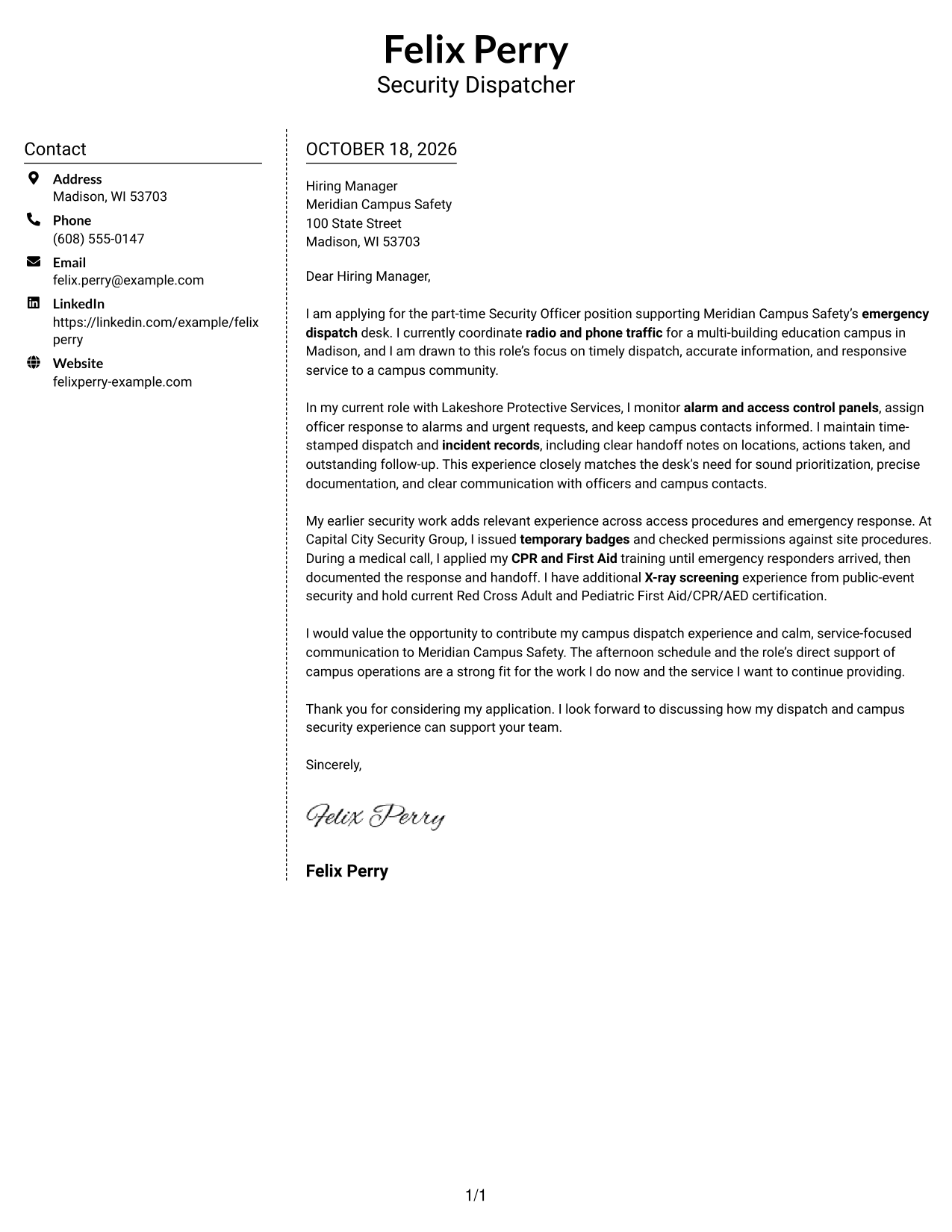
Why This Format Works
- Contact information has its own column, leaving the letter argument together in the main body.
- Readers can follow the message from interest to supporting evidence and closing in order.
- Paragraph-based writing keeps the persuasive case together without body section labels.
Best For
- Sidebar contact details
- Single-column message reading
- Photo-free correspondence
- Continuous persuasive letters
- Paragraph-based applications
#6 Modern Icon Format Cover Letter Example
The Modern Icon Format uses two columns for contact details and the continuous letter body, with icons serving as contact cues rather than labels for the message.
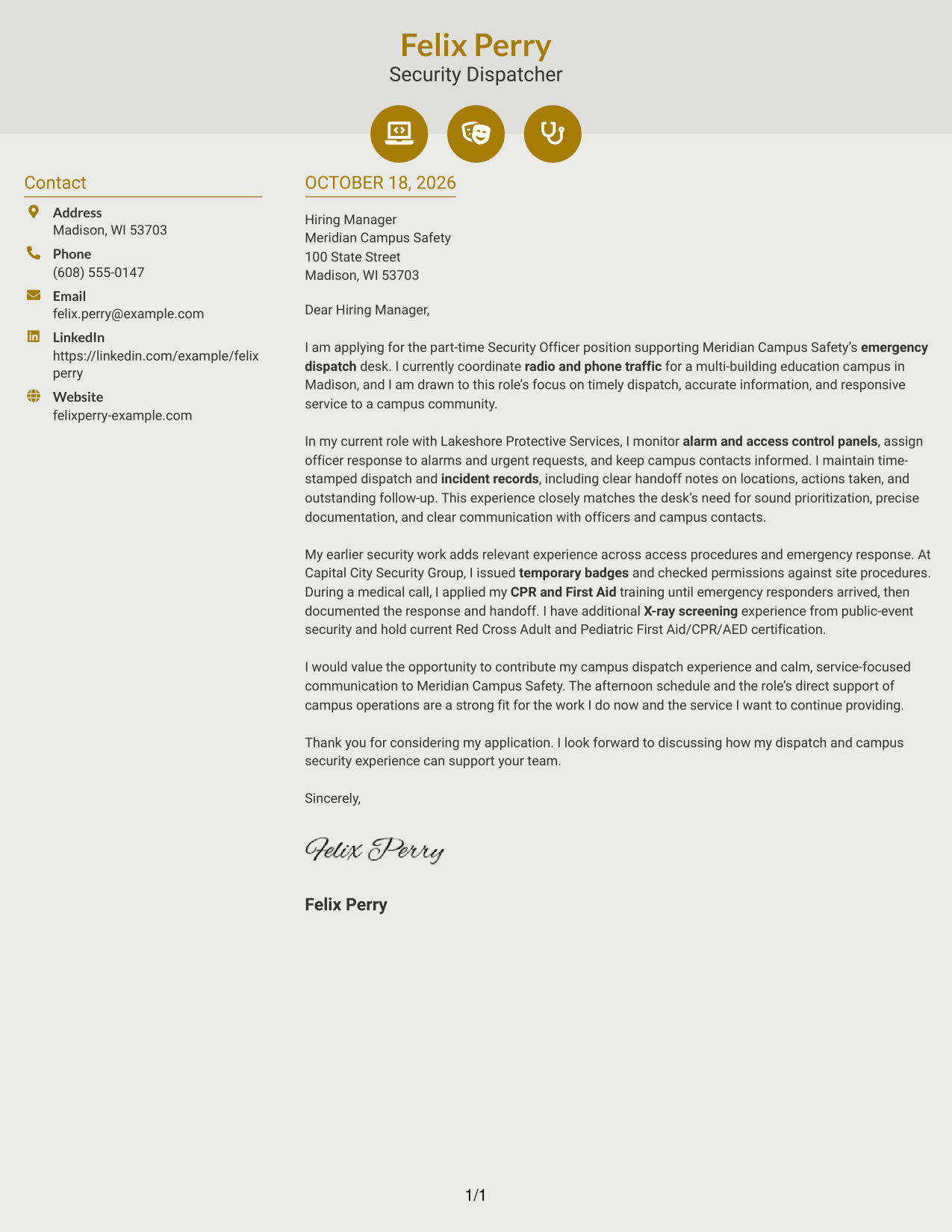
Why This Format Works
- Contact icons help readers identify sender details without labeling parts of the argument.
- The contact sidebar and letter body occupy separate columns, keeping their roles distinct.
- Opening, evidence, and closing remain in one continuous body column.
Best For
- Icon-cued contact details
- Two-column letter layouts
- Photo-free correspondence
- Unheaded body paragraphs
- Continuous application messages
#7 Creative Two Tone Format Cover Letter Example
The Creative Two Tone Format places contact details in a sidebar beside one continuous letter body, suiting readers who want separate contact and message areas.
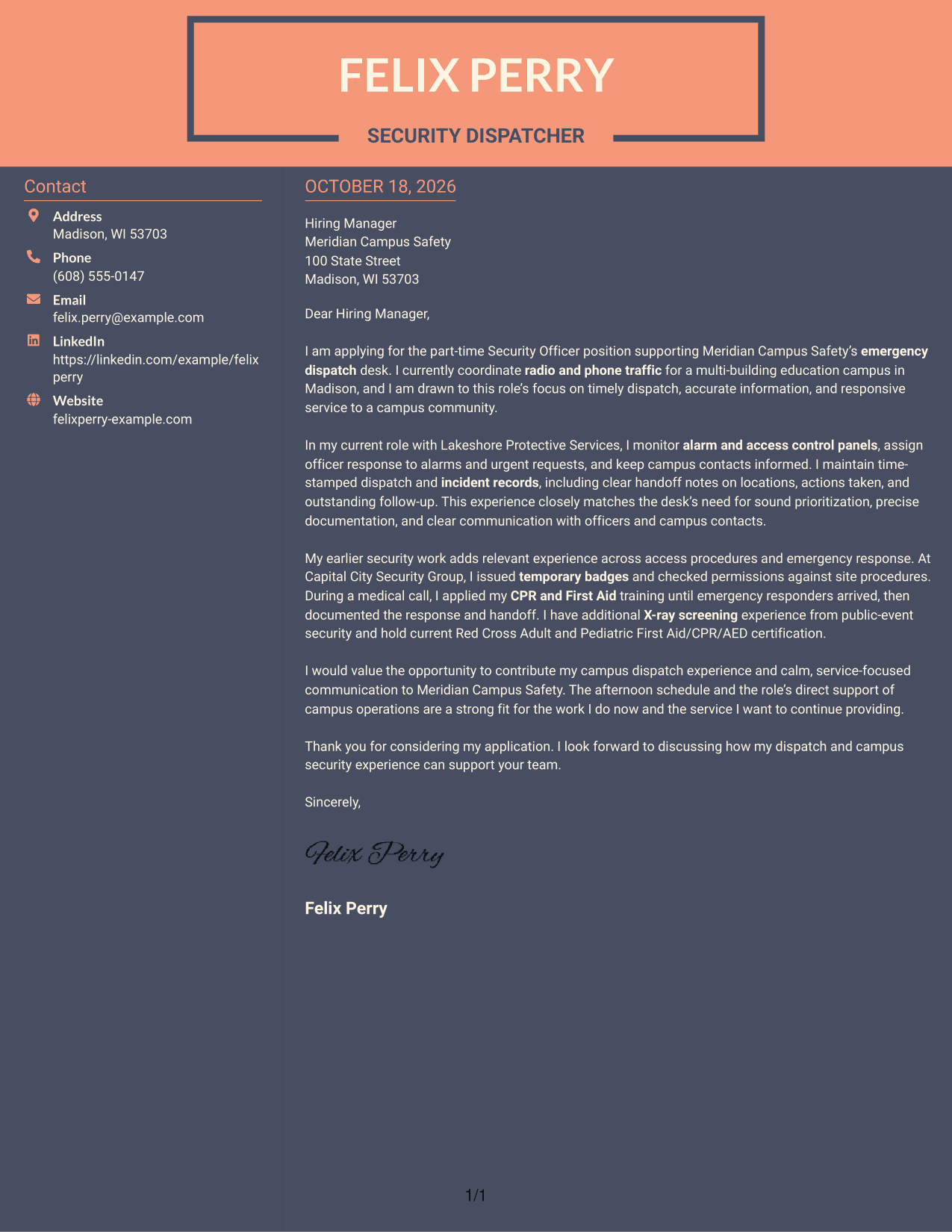
Why This Format Works
- Separate contact and letter columns keep sender details apart from the message itself.
- One letter-body column preserves the sequence from role interest through the closing request.
- Paragraph breaks give the opening, supporting details, and closing distinct reading pauses.
Best For
- Two-column letter layouts
- Sidebar contact details
- Photo-free correspondence
- Continuous message body
- Unheaded application letters
See Also
- 7 Security Officer - Emergency Dispatch Desk Resume Templates with Example
- 7 Security Officer - Dispatch Radio Operations Resume Templates with Example
- 7 Armed Security Officer Resume Templates with Example
- 7 Correctional Officer - Hospital Security Team Resume Templates with Example
- 33 Data Center Security Officer Resume Templates with Example 2026 (ATS-Optimized)
- 7 Security Officer - Commercial Property Patrol Resume Templates with Example
- 7 Security Officer - Credential Screening Resume Templates with Example
- 7 Security Officer - Entry Examination Resume Templates with Example
- 7 Security Officer - Dispatch Radio Operations Cover Letter Templates with Example
- 7 Armed Security Officer Cover Letter Templates with Example
Frequently Asked Questions
What should a Security Officer - Emergency Dispatch Desk cover letter emphasize?
Connect your interest in the role to relevant dispatch duties, such as assessing calls, routing officers, monitoring alarm or access control systems, and keeping clear incident records. Choose examples that accurately reflect your own background.
How can I show that I communicate well during urgent incidents?
Describe how you gather key details, share concise updates, and escalate concerns through the right channels. A specific example of coordinating with officers or emergency responders can make this evidence clear.
How should I organize the letter?
Open with your interest in the emergency dispatch desk role. Use the body to link your most relevant experience to the work, then close by restating your interest and inviting a conversation.
How can I tailor my letter to a campus safety employer?
Refer to the employer’s stated focus on timely dispatch, accurate records, and service to the campus community. Explain how your supported experience relates to those needs, and include a genuine reason for your interest when you have one.
How do I compare the cover letter previews and open an example?
Review the PNG image previews to compare how each letter is presented. Use the editor link to open an example and customize it for the Security Officer - Emergency Dispatch Desk role.




