
US English


7 Security Officer - Logistics Screening Resume Templates with Example
By Ria · Last Updated On October 17, 2026
Resume example — page 1

This guide shows you how to build a clear, focused Security Officer - Logistics Screening resume. You will learn how to present your experience in a way that helps recruiters review your qualifications quickly.

For this role, make screening, access control, patrols, and incident response easy to find. Use short experience bullets to explain how you check credentials, handle people and packages, report concerns, and support safe site operations.

The example is presented in 7 layouts. Compare the image previews, then choose a format that makes your experience, skills, education, and certifications clear.

What Makes a Great Security Officer - Logistics Screening Resume in 2026

A strong resume puts screening, access control, patrols, and incident response near the top. Use clear headings and brief bullet points so recruiters can find your relevant experience fast.

Include role-specific terms such as credential verification, package and vehicle screening, X-ray screening, perimeter patrols, and incident documentation when they match your background. Support each skill with a concrete example where possible.

Note: Resume examples are for educational purposes only. Use only information that accurately reflects your experience and qualifications. References to real organizations do not imply affiliation or endorsement.

#1 Plain Two Column Format Resume Example

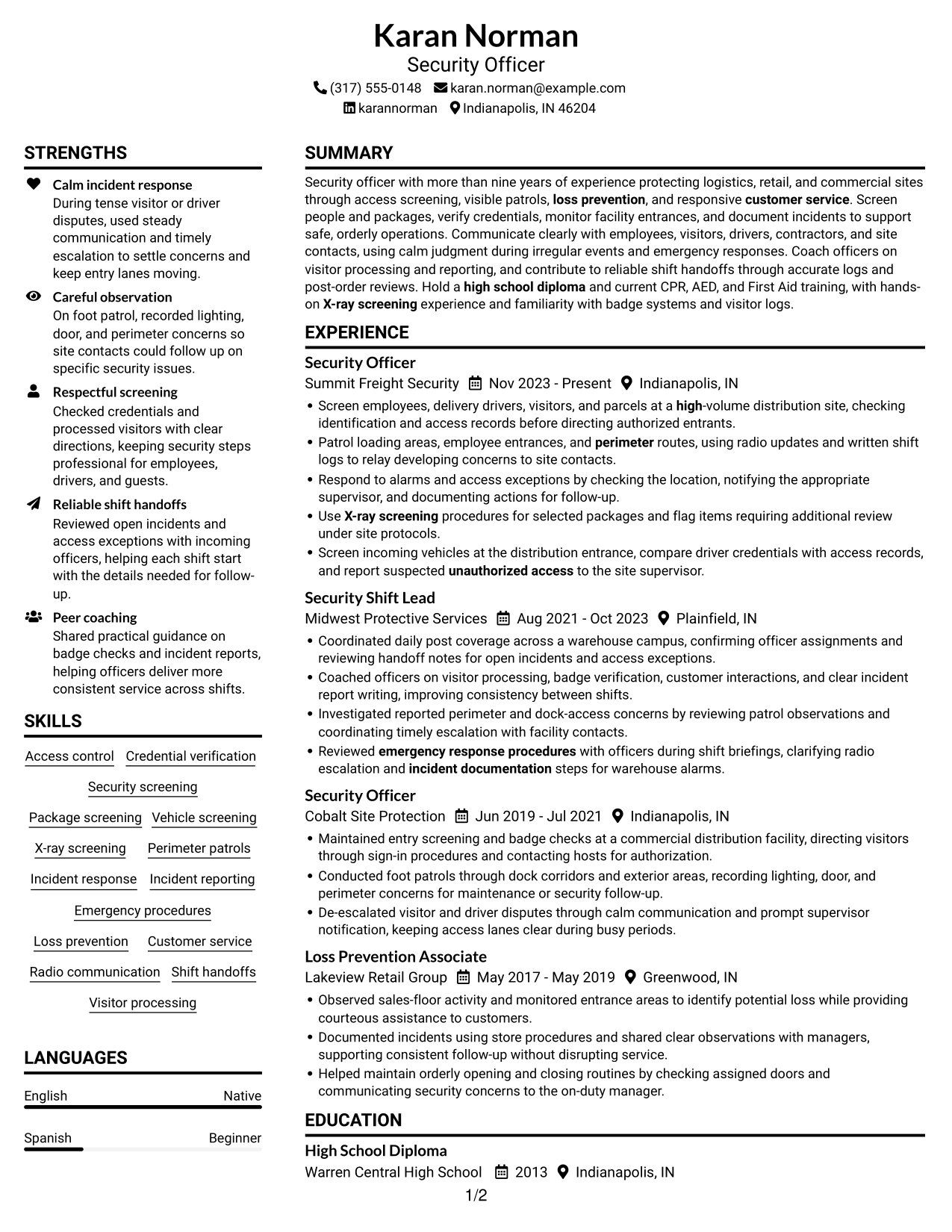
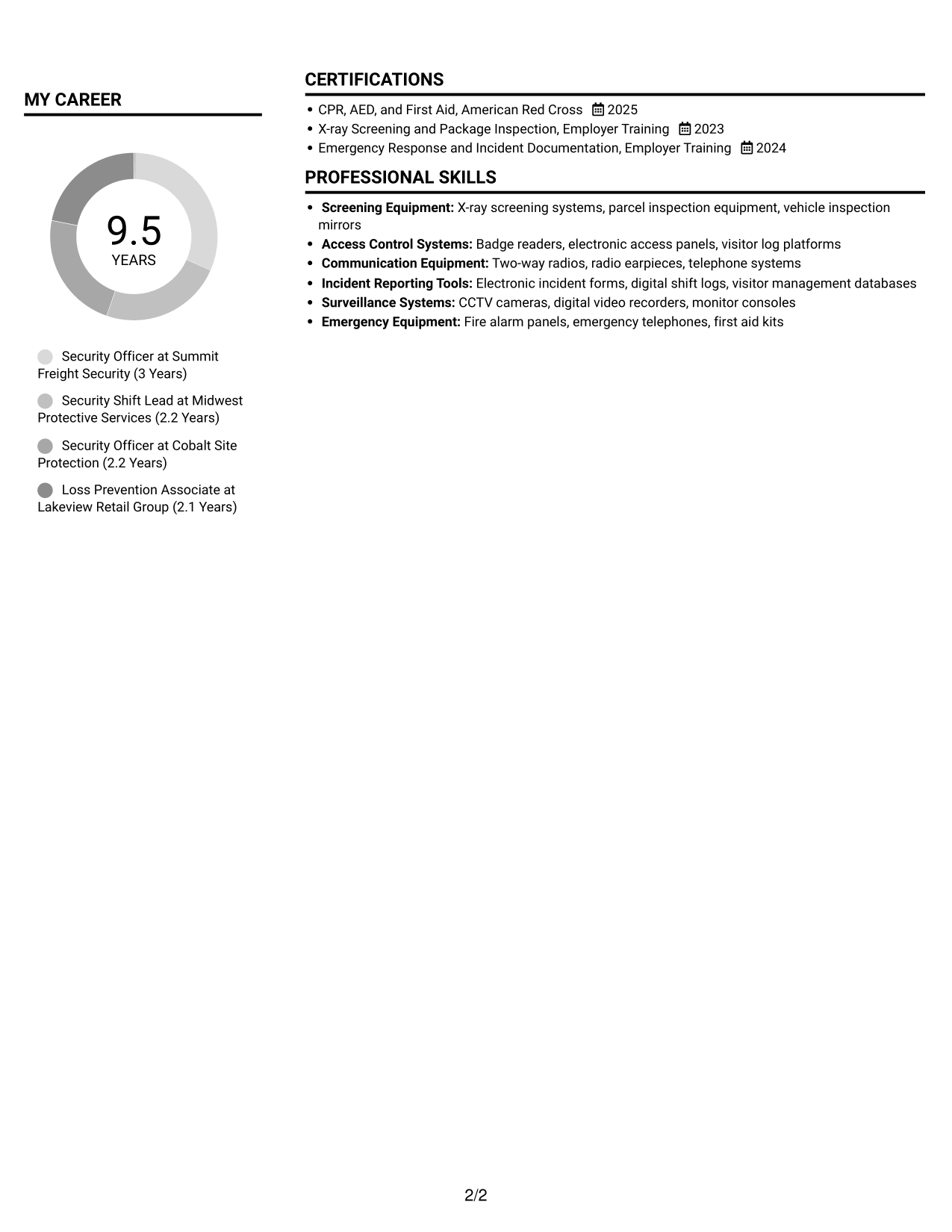
The Plain Two Column Format uses two content columns, a practical choice when readers need to view separate resume sections together.
 
Resume example — page 1   Resume example — page 2

Resume Snapshot

  • More than nine years in security across logistics, retail, and commercial sites.
  • Experience includes people, package, and vehicle screening, patrols, and incident response.
  • High school diploma, current CPR, AED, and First Aid training.
  • Hands-on X-ray screening exposure and experience coaching officers.

Why This Format Works

  • Career history can sit apart from supporting details, keeping role progression easy to follow.
  • Skills and credentials are easier to locate when sections occupy separate areas.
  • Education details can be found without scanning every employment bullet.

Best For

  • Side-by-side section review
  • Resumes with several content areas
  • Experience plus supporting qualifications
  • Readers comparing resume sections
  • Concise skills and credential summaries

Resume Keywords

  • Security screening
  • Access control
  • Patrol loading areas, employee entrances, and perimeter routes
  • Credential verification
  • Screen employees, delivery drivers, visitors, and parcels at a high-volume distribution site
  • incident response
  • incident documentation
  • emergency response procedures
  • X-ray screening
  • Customer service
  • Loss prevention
  • report suspected unauthorized access to the site supervisor
  • high school diploma
 

#2 Simple One Column Format Resume Example

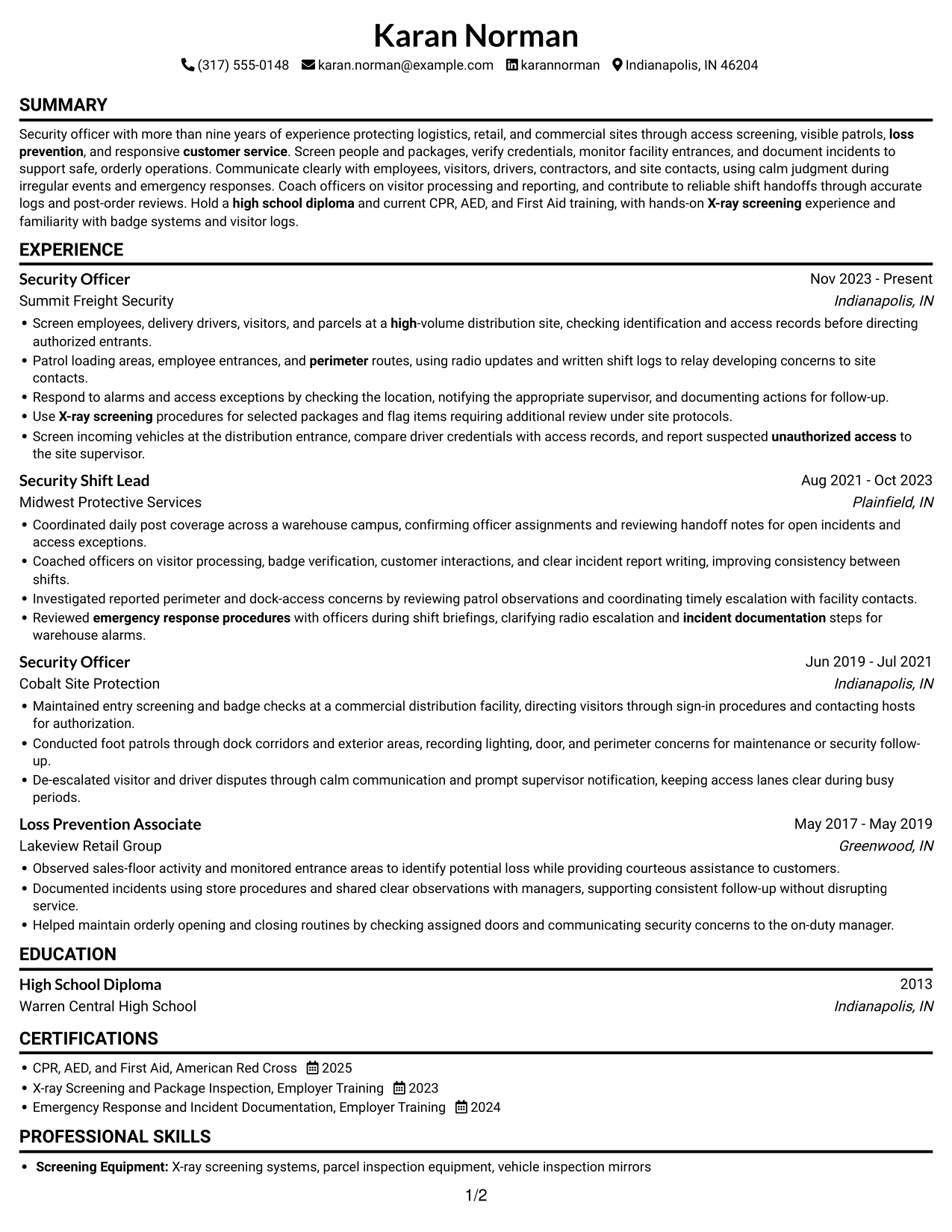
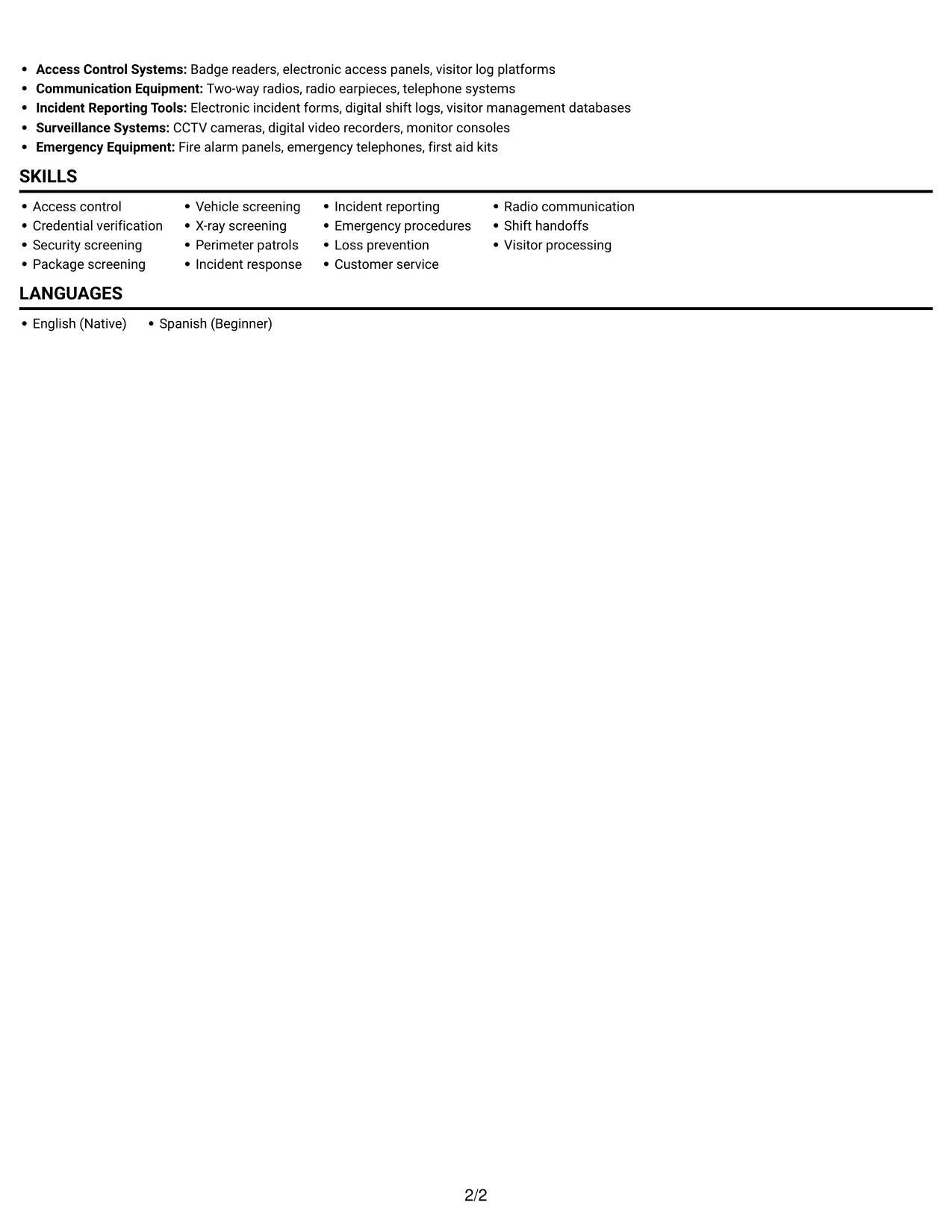
The Simple One Column Format keeps the resume in a single vertical path, a practical choice for readers who prefer a direct section-by-section review.
 
Resume example — page 1   Resume example — page 2

Why This Format Works

  • One vertical reading path helps reviewers follow experience from role to role.
  • Section headings can mark transitions between employment, skills, education, and credentials.
  • Experience bullets stay in sequence without competing with a parallel content column.

Best For

  • Single vertical reading order
  • Chronological work histories
  • Section-by-section resume review
  • Readers who prefer linear scanning
  • Resumes with concise supporting sections
 

#3 Clean Two Column Sidebar Format Resume Example

The Clean Two Column Sidebar Format places resume content in two columns, making it a practical option for readers who want section groups visible at the same time.
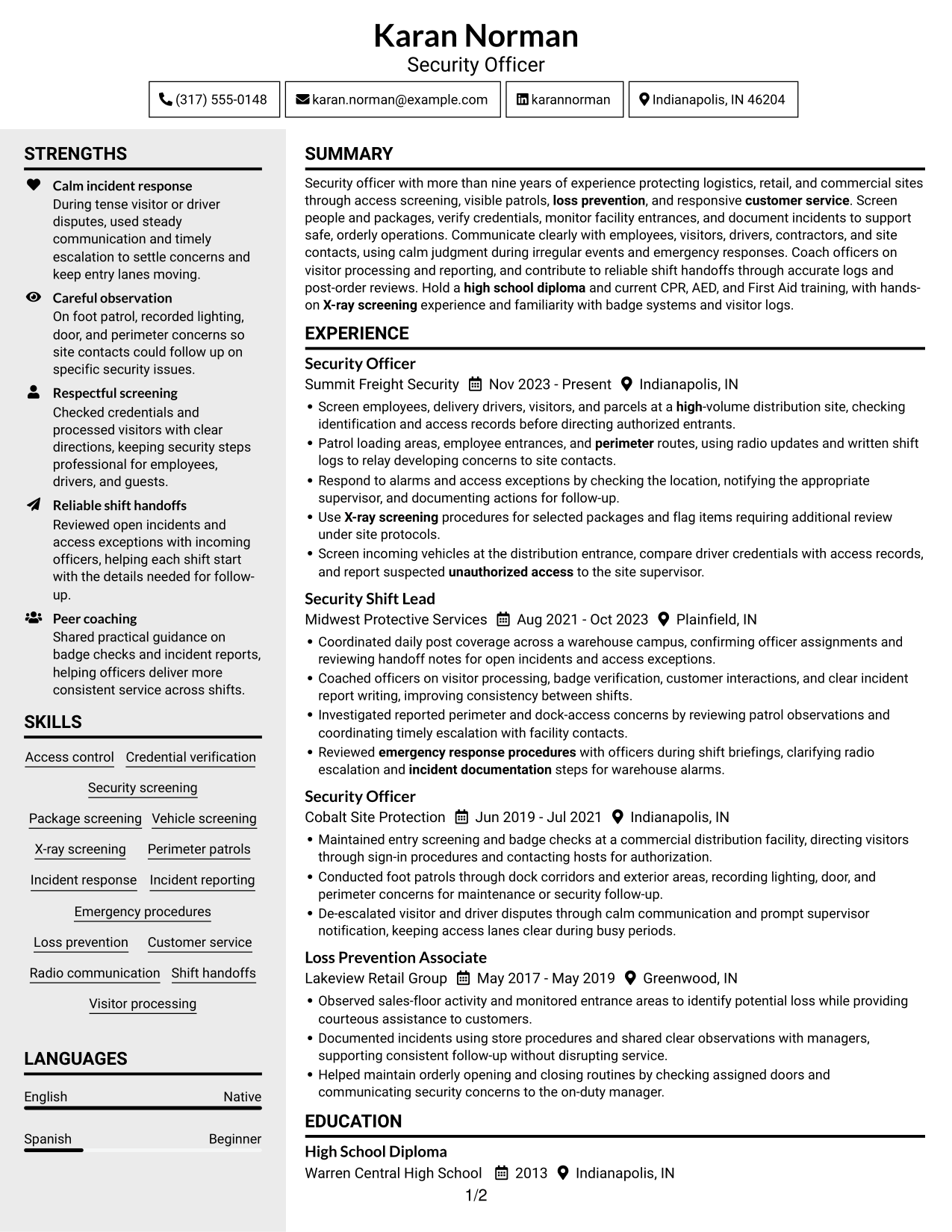
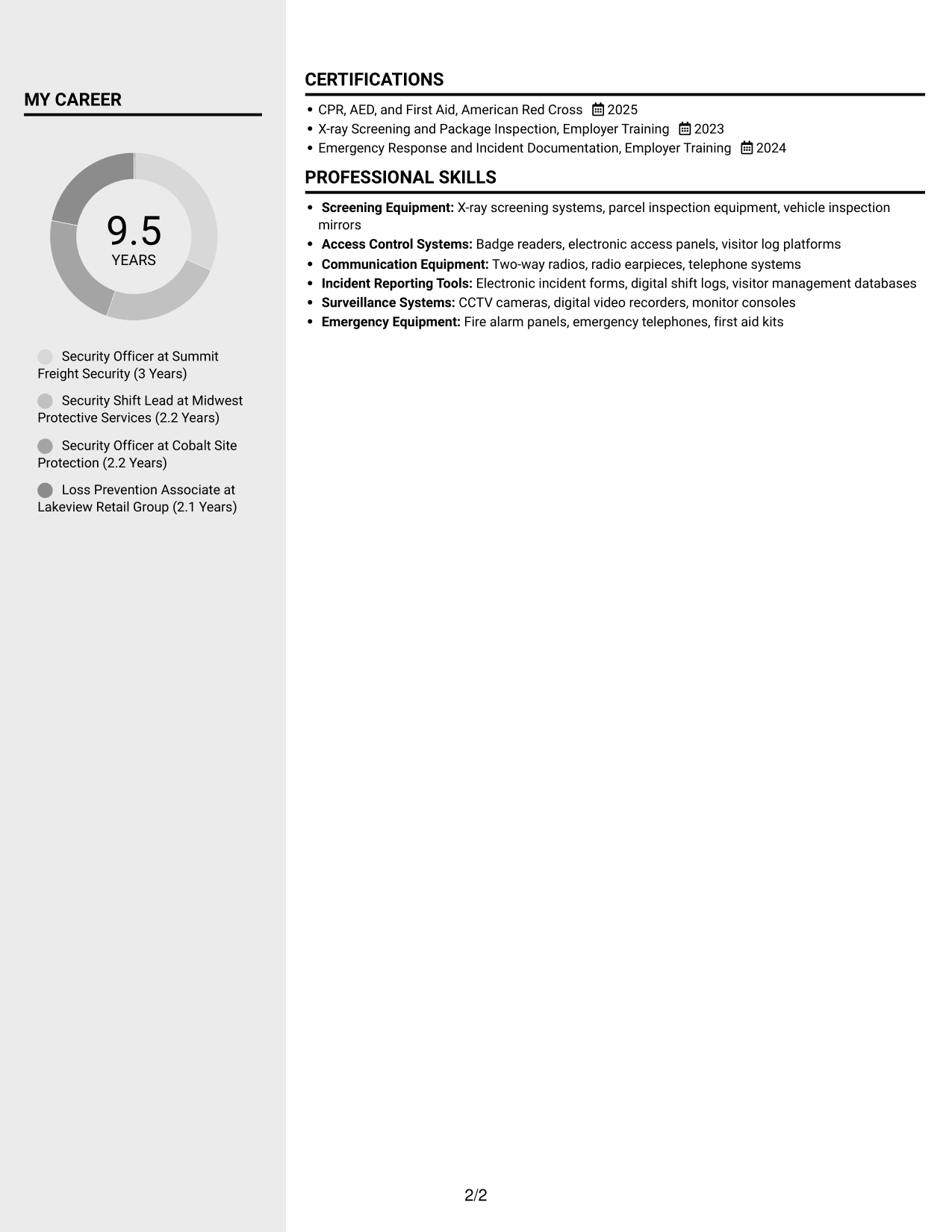
 
Resume example — page 1   Resume example — page 2

Why This Format Works

  • Distinct content areas help reviewers move between experience and supporting qualifications.
  • Employment entries can retain a clear sequence while other sections stay separate.
  • Skills and education are easier to locate without reading every duty bullet.

Best For

  • Distinct resume section groups
  • Experience with supporting qualifications
  • Quick movement between content areas
  • Skills and education sections
  • Reviewers scanning detailed work history
 

#4 Two Column Format Resume Example

The Two Column Format presents resume material side by side, a useful choice when readers want to review several sections without following one long vertical sequence.
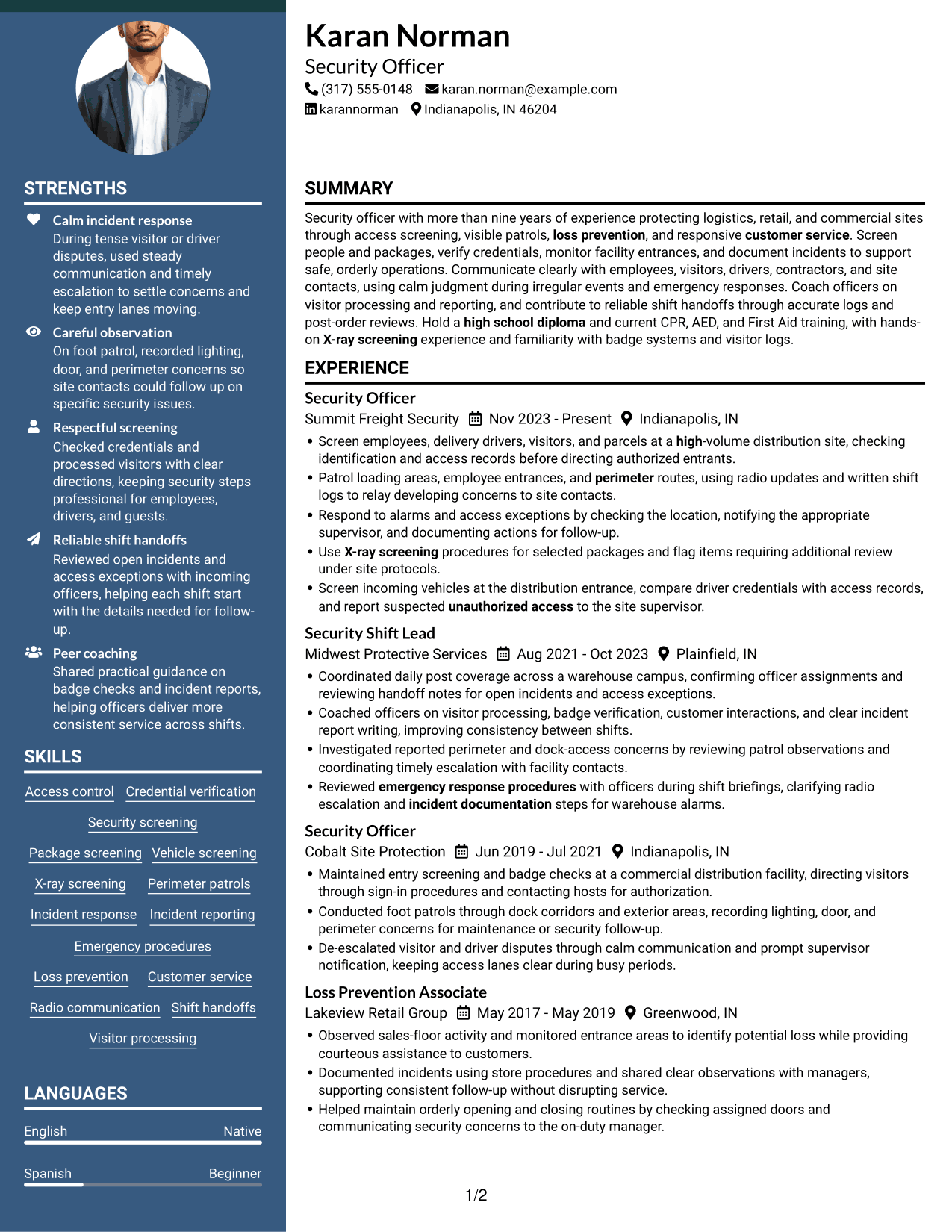
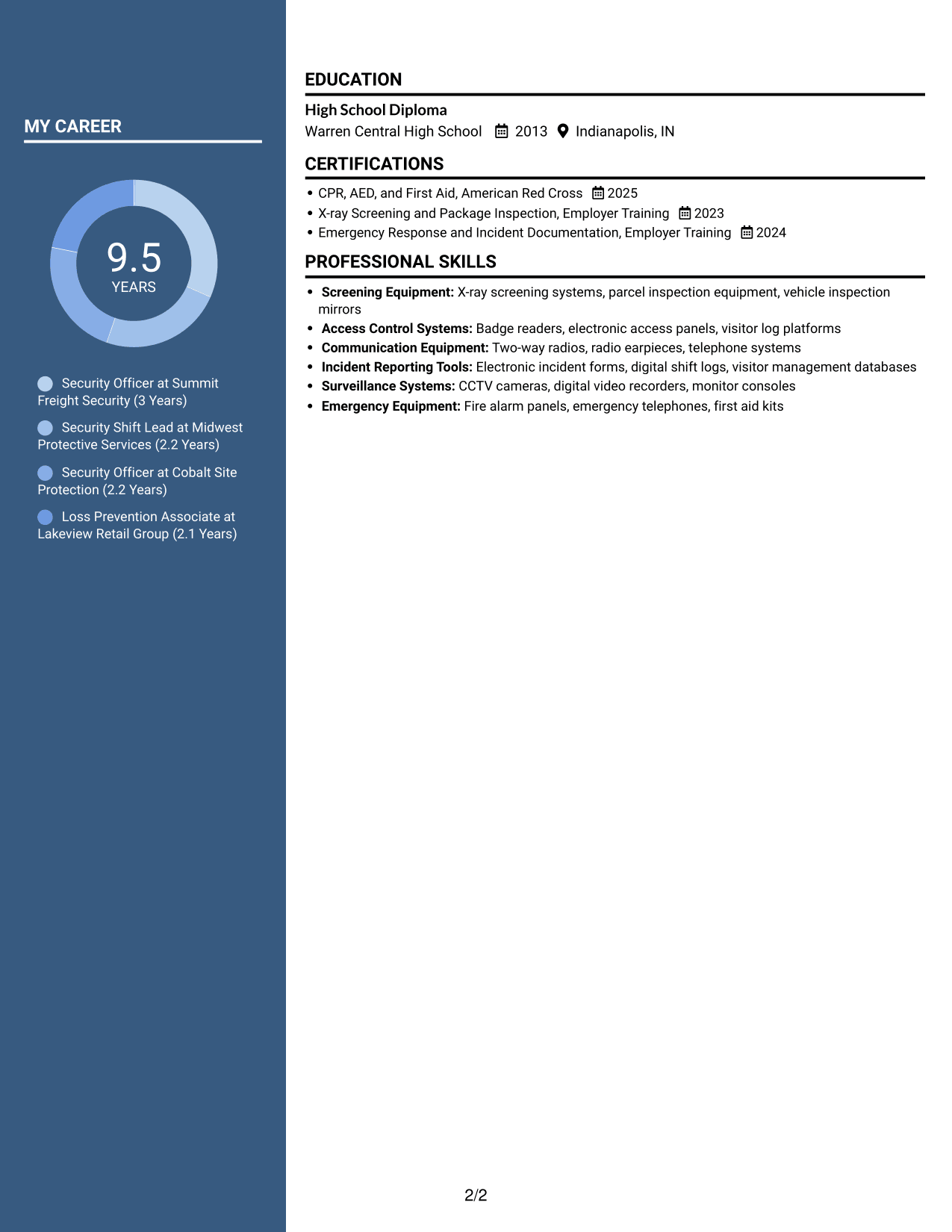
 
Resume example — page 1   Resume example — page 2

Why This Format Works

  • Two columns let reviewers scan section groups without losing the resume's overall structure.
  • Work history remains distinct from supporting details, helping role changes stand out.
  • Skills, education, and credentials appear as separate resume topics.

Best For

  • Side-by-side resume review
  • Career history with separate details
  • Several clearly divided content areas
  • Readers comparing sections at a glance
  • Skills and credentials alongside experience


#5 Photo Header Two Column Format Resume Example

The Photo Header Two Column Format combines a header portrait with two content columns, a practical choice when a visible photo and side-by-side sections suit the presentation.
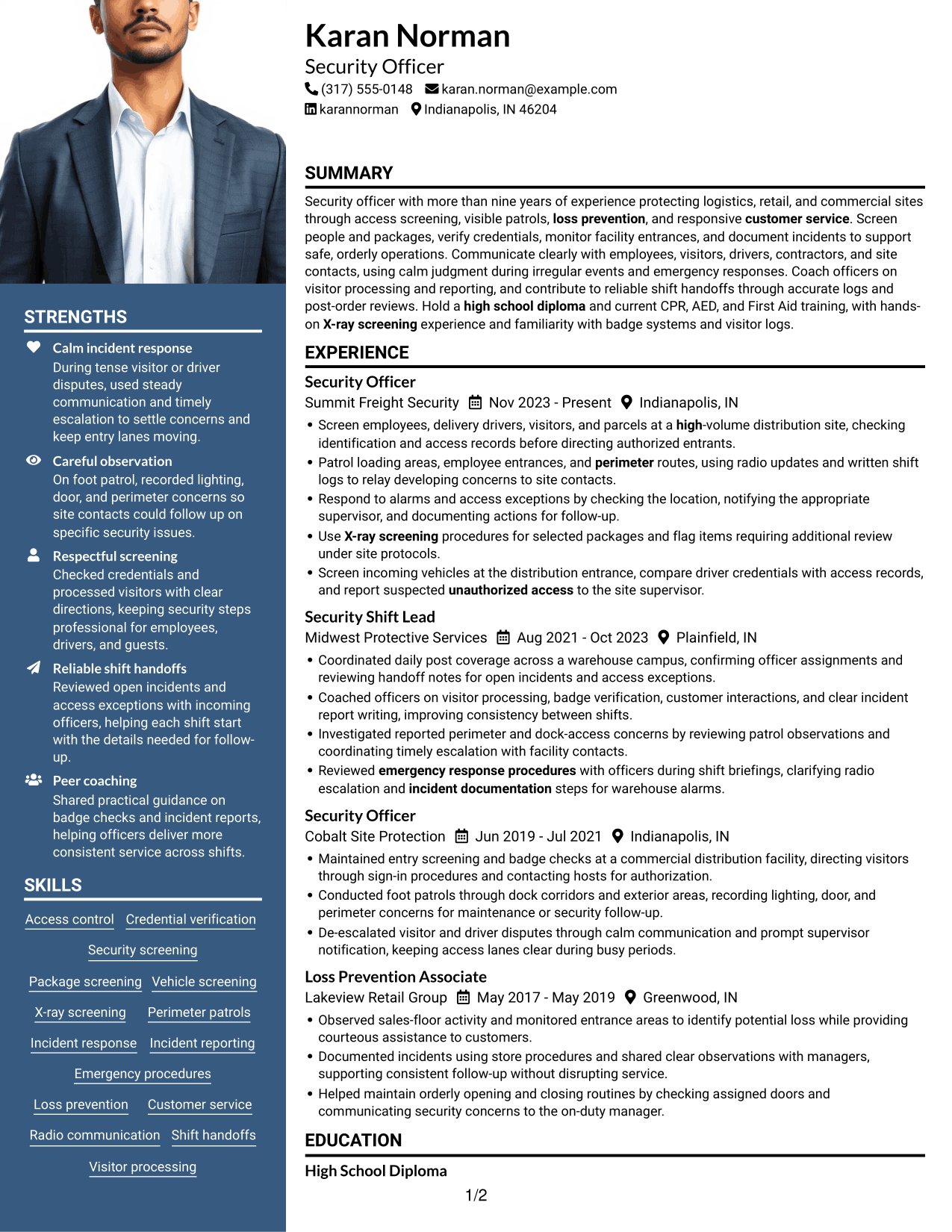
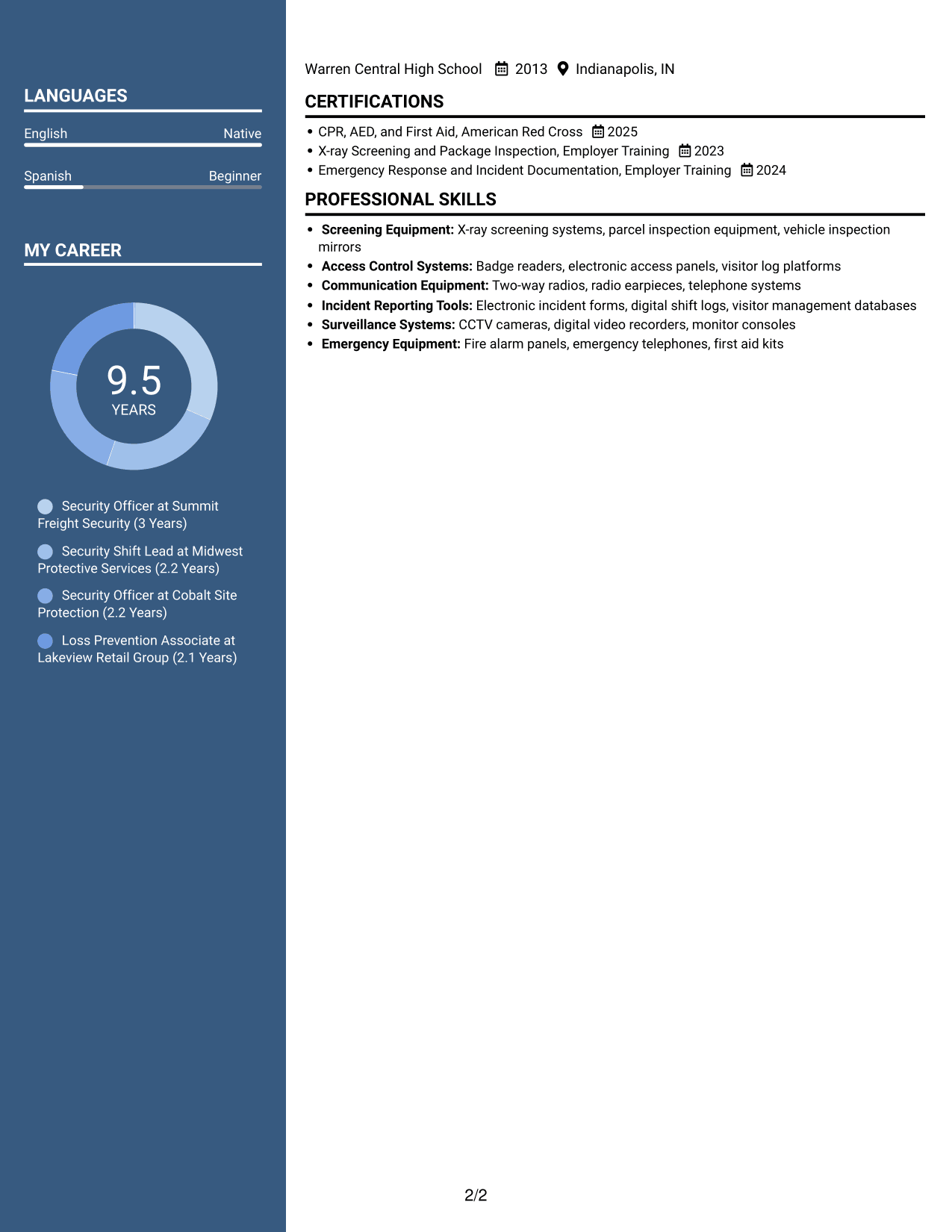
 
Resume example — page 1   Resume example — page 2

Why This Format Works

  • Two columns separate content groups, while the header portrait offers a clear visual identifier.
  • The side-by-side body helps reviewers move between experience and supporting sections.
  • Distinct section areas keep education and credentials from blending into work history.

Best For

  • Header portrait preference
  • Side-by-side content organization
  • Resumes with a visible photo
  • Experience and supporting details together
  • Distinct education and credential sections
 

#6 Colored Two Column Format Resume Example

The Colored Two Column Format arranges the resume in two columns, a practical choice for readers who prefer to scan related section groups side by side.
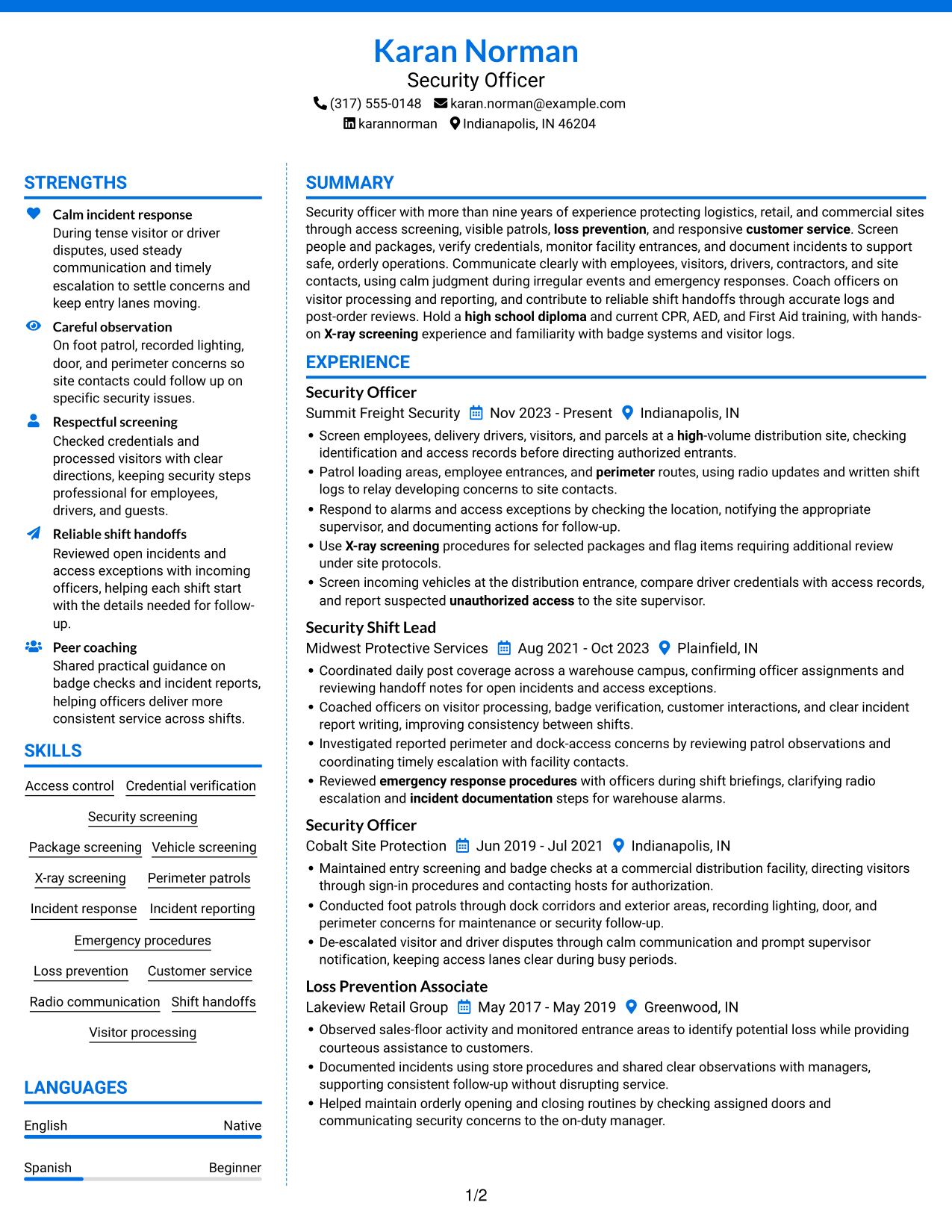
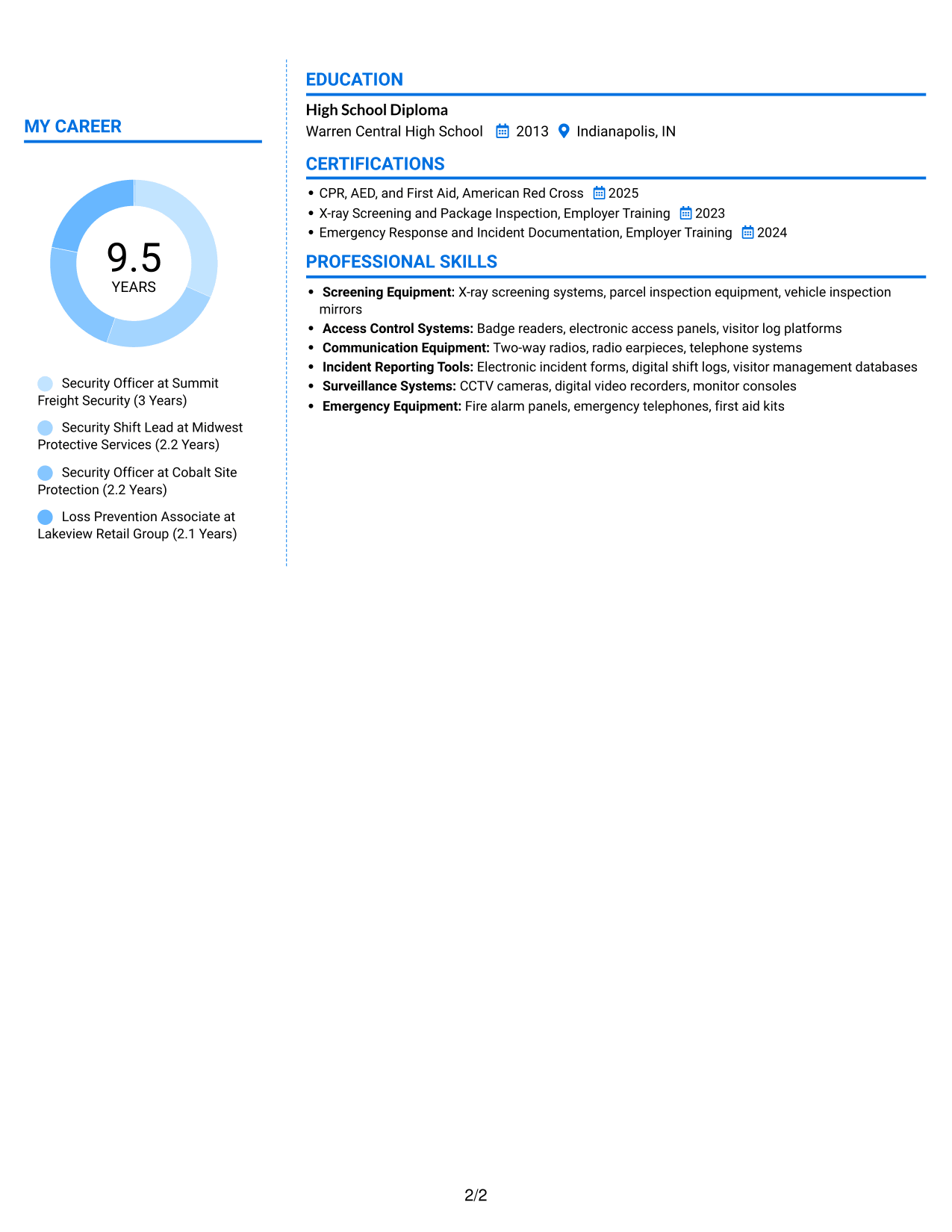
 
Resume example — page 1   Resume example — page 2

Why This Format Works

  • Side-by-side sections let reviewers compare experience details with supporting resume information.
  • Career progression stays distinct from skills and education content for easier review.
  • Section breaks help credentials remain distinct from employment entries.

Best For

  • Side-by-side content organization
  • Experience with separate supporting sections
  • Readers moving between resume topics
  • Distinct skills and credential areas
  • Resumes with multiple section groups
 

#7 Stylish Two Column Designer Format Resume Example

The Stylish Two Column Designer Format uses two content columns, a practical choice for readers who want experience and supporting sections in view together.
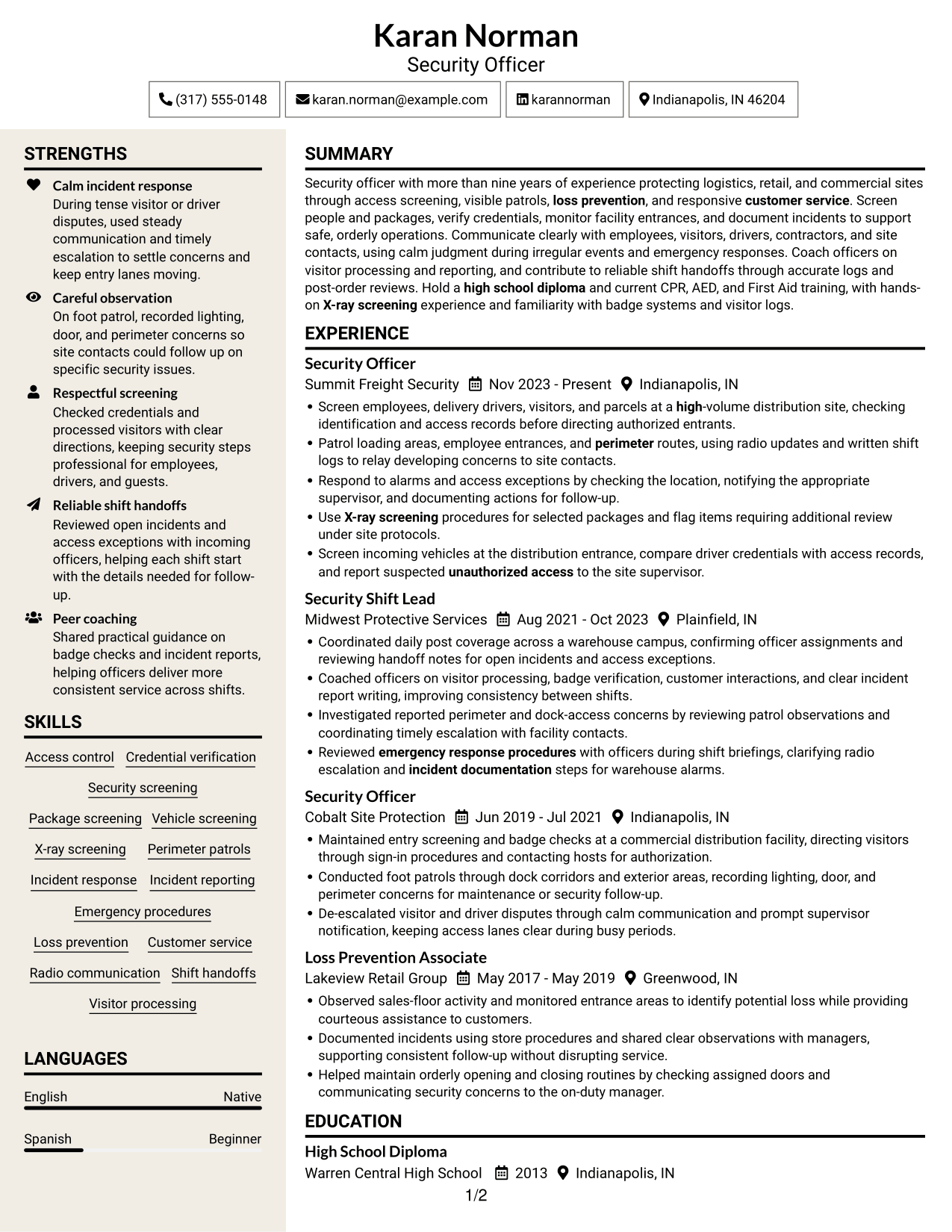
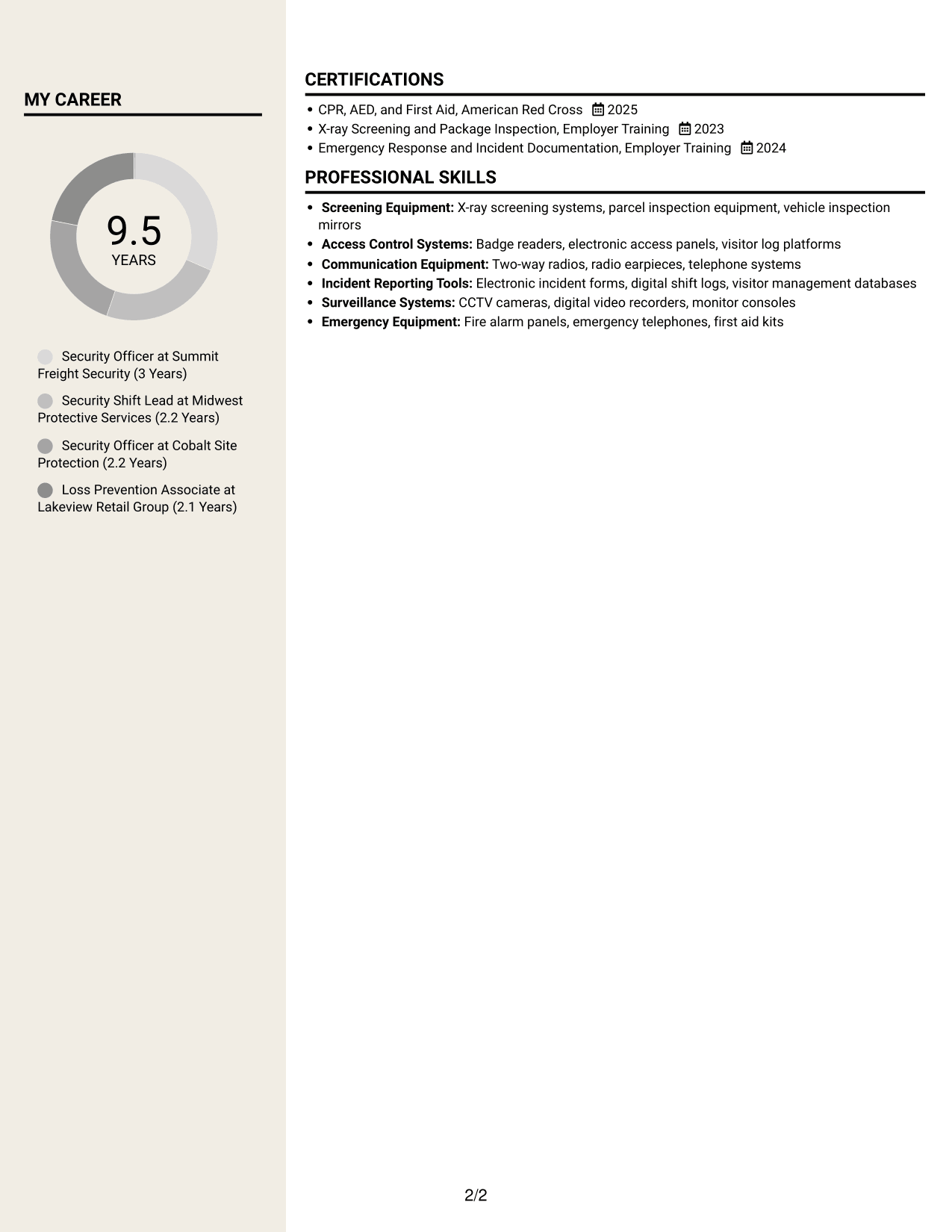
 
Resume example — page 1   Resume example — page 2

Why This Format Works

  • Two content columns give section groups room to remain distinct during a quick review.
  • Reviewers can follow employment entries while keeping supporting qualifications in view.
  • Separate areas help skills and credentials stand apart from experience details.

Best For

  • Two-column section comparison
  • Resumes with concise content groups
  • Readers scanning experience and qualifications
  • Separate work history and supporting details
  • Skills and education in distinct sections


Why Build Your Security Officer - Logistics Screening Resume with ResumeInMinutes

ResumeInMinutes lets you compare resume image previews and open an example in the editor. Use a clear layout to organize your experience, screening skills, certifications, and education.

  • Clear resume layouts
  • Readable section structure
  • Role-focused keyword guidance
  • Organized experience and skills
  • Resume image previews
  • Examples to customize in the editor

Keep each bullet direct. Show what you screened, monitored, or reported, and name the procedures or equipment you used when they are relevant to your experience.


See Also


Frequently Asked Questions

Are these Security Officer - Logistics Screening resume templates ATS-friendly?

The examples use clear headings and readable sections. Include relevant terms such as access control, credential verification, package screening, X-ray screening, patrols, and incident reporting when they accurately describe your experience.

Do these examples show different resume designs?

They show the same target resume topic in different layouts. Compare the image previews to see which design presents your experience and skills most clearly.

What should a Security Officer - Logistics Screening resume include?

Include a focused summary, work experience, skills, education, and relevant certifications. Describe access checks, screening, patrols, incident response, and reporting with specific examples from your background.

Which resume style works well for a Security Officer - Logistics Screening position?

Choose a simple layout with clear headings and easy-to-scan experience bullets. Make screening, access control, patrol duties, and incident reporting easy to find.

How can I show relevant experience on my resume?

Write direct bullets that explain your actions and the work involved. For example, describe credential checks, visitor or package screening, patrol observations, incident reports, and shift handoffs when they reflect your experience.

Should I include a photo on my resume?

For U.S. applications, a resume without a photo is usually the safer choice. Focus on relevant duties, skills, education, and certifications instead.


ATS Score 99%

How we calculate this score

  • Keywords: 60% of the total. AI extracts keywords from your job description. If you do not provide one, a standard job description for the title matching your resume is used. This is not a match to a specific vacancy.
  • Text-based resume: 20%. The text resume assessed here receives 100 for this part.
  • Resume quality: 20%. We start at 100 and subtract points for issues found by our resume checks, down to a minimum of zero.
  • Keyword coverage = 100 × (confirmed matches + 0.8 × possible matches) ÷ total keywords, rounded and capped at 100. Possible matches still need checking. Saved generation audits use their saved keyword percentage.
  • Final score = 60% of keyword coverage + 20% of the text score + 20% of the quality score, rounded to a whole number. Without keywords, no overall ATS score is available.

What this score means

Our scores are estimates, not employer ratings. They may contain errors and do not guarantee accurate parsing, a ranking, an interview, or a job. Check your document against the employer’s requirements. You are responsible for relying on this score.

Terms and Conditions

Score weights: Keywords 60% · Text based resume 20% · Resume quality 20%

Keywords: 13 matched + 1 possible of 14 (99%) · Resume quality: 100%

Resume quality 100% · Weight 20% · Issues (0)

Details
  • ✓Name present: Karan Norman
  • ✓Email format: karan.norman@example.com
  • ✓Phone format: (317) 555-0148
  • ✓Experience 1: Job title: Security Officer
  • ✓Experience 1: Company name: Summit Freight Security
  • ✓Experience 1: Work location: Indianapolis, IN
  • ✓Experience 1: Employment dates: Nov 2023 - Present
  • ✓Experience 1: Description or achievements: Present
  • ✓Experience 2: Job title: Security Shift Lead
  • ✓Experience 2: Company name: Midwest Protective Services
  • ✓Experience 2: Work location: Plainfield, IN
  • ✓Experience 2: Employment dates: Aug 2021 - Oct 2023
  • ✓Experience 2: Description or achievements: Present
  • ✓Experience 3: Job title: Security Officer
  • ✓Experience 3: Company name: Cobalt Site Protection
  • ✓Experience 3: Work location: Indianapolis, IN
  • ✓Experience 3: Employment dates: Jun 2019 - Jul 2021
  • ✓Experience 3: Description or achievements: Present
  • ✓Experience 4: Job title: Loss Prevention Associate
  • ✓Experience 4: Company name: Lakeview Retail Group
  • ✓Experience 4: Work location: Greenwood, IN
  • ✓Experience 4: Employment dates: May 2017 - May 2019
  • ✓Experience 4: Description or achievements: Present
  • ✓No placeholder fields
  • ✓No repeated achievement bullets
  • ✓No empty bullets

No issues found by the current checks.

Text Based Resume 100% · Weight 20%

Parsed text
Karan Norman
Security Officer
(317) 555-0148
karannorman
karan.norman@example.com
Indianapolis, IN 46204
STRENGTHS
Calm incident response
During tense visitor or driver disputes, used steady communication and timely escalation to settle concerns and keep entry lanes moving.
Careful observation
On foot patrol, recorded lighting, door, and perimeter concerns so site contacts could follow up on specific security issues.
Respectful screening
Checked credentials and processed visitors with clear directions, keeping security steps professional for employees, drivers, and guests.
Reliable shift handoffs
Reviewed open incidents and access exceptions with incoming officers, helping each shift start with the details needed for follow-up.
Peer coaching
Shared practical guidance on badge checks and incident reports, helping officers deliver more consistent service across shifts.
SUMMARY
Security officer with more than nine years of experience protecting logistics, retail, and commercial sites through access screening, visible patrols, loss prevention, and responsive customer service. Screen people and packages, verify credentials, monitor facility entrances, and document incidents to support safe, orderly operations. Communicate clearly with employees, visitors, drivers, contractors, and site contacts, using calm judgment during irregular events and emergency responses. Coach officers on visitor processing and reporting, and contribute to reliable shift handoffs through accurate logs and post-order reviews. Hold a high school diploma and current CPR, AED, and First Aid training, with hands-on X-ray screening experience and familiarity with badge systems and visitor logs.
EXPERIENCE
Security Officer
Summit Freight Security
Nov 2023 - Present
Indianapolis, IN
Screen employees, delivery drivers, visitors, and parcels at a high-volume distribution site, checking identification and access records before directing authorized entrants.
Patrol loading areas, employee entrances, and perimeter routes, using radio updates and written shift logs to relay developing concerns to site contacts.
Respond to alarms and access exceptions by checking the location, notifying the appropriate supervisor, and documenting actions for follow-up.
Use X-ray screening procedures for selected packages and flag items requiring additional review under site protocols.
Screen incoming vehicles at the distribution entrance, compare driver credentials with access records, and report suspected unauthorized access to the site supervisor.
Security Shift Lead
Midwest Protective Services
Aug 2021 - Oct 2023
Plainfield, IN
Coordinated daily post coverage across a warehouse campus, confirming officer assignments and reviewing handoff notes for open incidents and access exceptions.
Coached officers on visitor processing, badge verification, customer interactions, and clear incident report writing, improving consistency between shifts.
Investigated reported perimeter and dock-access concerns by reviewing patrol observations and coordinating timely escalation with facility contacts.
Reviewed emergency response procedures with officers during shift briefings, clarifying radio escalation and incident documentation steps for warehouse alarms.
Security Officer
Cobalt Site Protection
Jun 2019 - Jul 2021
Indianapolis, IN
Maintained entry screening and badge checks at a commercial distribution facility, directing visitors through sign-in procedures and contacting hosts for authorization.
Conducted foot patrols through dock corridors and exterior areas, recording lighting, door, and perimeter concerns for maintenance or security follow-up.
De-escalated visitor and driver disputes through calm communication and prompt supervisor notification, keeping access lanes clear during busy periods.
Loss Prevention Associate
Lakeview Retail Group
May 2017 - May 2019
Greenwood, IN
Observed sales-floor activity and monitored entrance areas to identify potential loss while providing courteous assistance to customers.
Documented incidents using store procedures and shared clear observations with managers, supporting consistent follow-up without disrupting service.
Helped maintain orderly opening and closing routines by checking assigned doors and communicating security concerns to the on-duty manager.
SKILLS
Access control
Package screening
Radio communication
Incident response
Loss prevention
X-ray screening
Emergency procedures
Security screening
Visitor processing
Credential verification
Customer service
Perimeter patrols
Incident reporting
Vehicle screening
Shift handoffs
LANGUAGES
English
Native
Spanish
Beginner
EDUCATION
High School Diploma
Warren Central High School
2013
Indianapolis, IN
CERTIFICATIONS
CPR, AED, and First Aid, American Red Cross
2025
X-ray Screening and Package Inspection, Employer Training
2023
Emergency Response and Incident Documentation, Employer Training
2024
MY CAREER
9.5Years
Security Officer at Summit Freight Security (3 Years)
Security Shift Lead at Midwest Protective Services (2.2 Years)
Security Officer at Cobalt Site Protection (2.2 Years)
Loss Prevention Associate at Lakeview Retail Group (2.1 Years)
PROFESSIONAL SKILLS
Screening Equipment: X-ray screening systems, parcel inspection equipment, vehicle inspection mirrors
Access Control Systems: Badge readers, electronic access panels, visitor log platforms
Communication Equipment: Two-way radios, radio earpieces, telephone systems
Incident Reporting Tools: Electronic incident forms, digital shift logs, visitor management databases
Surveillance Systems: CCTV cameras, digital video recorders, monitor consoles
Emergency Equipment: Fire alarm panels, emergency telephones, first aid kits

Matched keywords (13)

  • Security screening
  • Access control
  • Patrol loading areas, employee entrances, and perimeter routesOriginal keyword in JD: Facility and perimeter patrols
  • Credential verification
  • Screen employees, delivery drivers, visitors, and parcels at a high-volume distribution siteOriginal keyword in JD: People, package, and vehicle screening
  • incident response
  • incident documentation
  • emergency response procedures
  • X-ray screening
  • Customer service
  • Loss prevention
  • report suspected unauthorized access to the site supervisorOriginal keyword in JD: Unauthorized access detection
  • high school diplomaOriginal keyword in JD: High school diploma or equivalent

Missing keywords (0)

No missing keywords.

Possible matches (1)

  • Ability to lift more than 20 pounds80% credit: 5.71 percentage points of 7.14 possible.
Disclaimer: All names, images, contact information, employment histories, achievements, security clearances, military credentials, and other qualifications shown in this content are fictional and used for illustrative purposes only. Any resemblance to actual persons, living or deceased, is purely coincidental.

Resume and cover-letter examples and recommendations in this article reflect general best practices and professional experience and are provided for guidance only. Results may vary based on role, industry, region, and hiring organization.

Content Accuracy and Verification: To the fullest extent permitted by applicable law, we do not represent or warrant that resume or cover-letter guidance, examples, recommendations, or related information are accurate, complete, current, error-free, or suitable for any particular purpose. You are responsible for independently reviewing and verifying the information before relying on it.

ATS and Cover-Letter Scores: ATS scores are estimates calculated using our own formula, informed by publicly available guidance on resume formatting and keyword matching. They are not scores issued or endorsed by an ATS provider or employer. Cover-letter scores are also our own assessments. Parsing, weighting, screening criteria, and results vary between systems, employers, job descriptions, and document formats. No score guarantees successful parsing, a particular ranking, an interview, or employment. Use scores as general guidance and independently check your documents against the employer’s requirements. To the fullest extent permitted by applicable law, we accept no liability for errors in scores or parsing, or losses arising from reliance on these assessments. Nothing in this notice excludes liability or limits consumer rights that cannot lawfully be excluded or limited.

Terms and Conditions
 
> JP 1 1
PDF Footer and Margins Setup
The margins are applied to the document, and the footer shows up in the preview and the PDF

Footer Font Settings

Are you applying for a specific job
so we can tailor your resume to it?
Are you applying for a specific job
so we can tailor your cover letter to it?

Your data stays private and is never used for training.Privacy Policy

Type your details as text to generate a personalized resume Type your details as text to generate a personalized cover letter
Website link found! Ready to create resume from:

Your data stays private and is never used for training.Privacy Policy

Drag the into the box to verify you're human.
Drop here

My Resumes

Displaying {number_of_files} files (out of {total_of_all_files} total)
Name File Type Last Modified: Description:

Rename File

Filename already exists!

Delete Files

Warning: This action is irreversible. Once you click submit, the files will be permanently deleted.

Heading text
Upload From Computer Upload
Select From Existing
LinkedIn
Drag & Drop files anywhere in this tab, or

Uploaded Files

Delete Name Last Updated Use This File
Select this to use the file for generating your resume and cover letter. Only one source—uploaded file, selected file, or LinkedIn text—can be used.

My Files

Resumes or cover letters you create will appear here. No files available yet.
Delete Name Last Updated Use This File
Select this to use the file for generating your resume and cover letter. Only one source—uploaded file, selected file, or LinkedIn text—can be used.

Add LinkedIn Profile PDF

You can download your LinkedIn profile as a PDF by opening linkedin.com in a web browser, clicking your profile photo, selecting the “More” or “Resources” button, and choosing “Save to PDF.” You can then attach the PDF using the Upload From Computer tab.

Paste Your LinkedIn Profile Text

If you have copied the LinkedIn profile text, paste it below. See how to copy your profile from LinkedIn

Select this to use the LinkedIn profile text for generating your resume and cover letter. Only one source—uploaded file, selected file, or LinkedIn text—can be used.

Try these controls

<
>


