
7 Senior Customer Order Management Representative - Pharmaceutical Orders Cover Letter Templates with Example
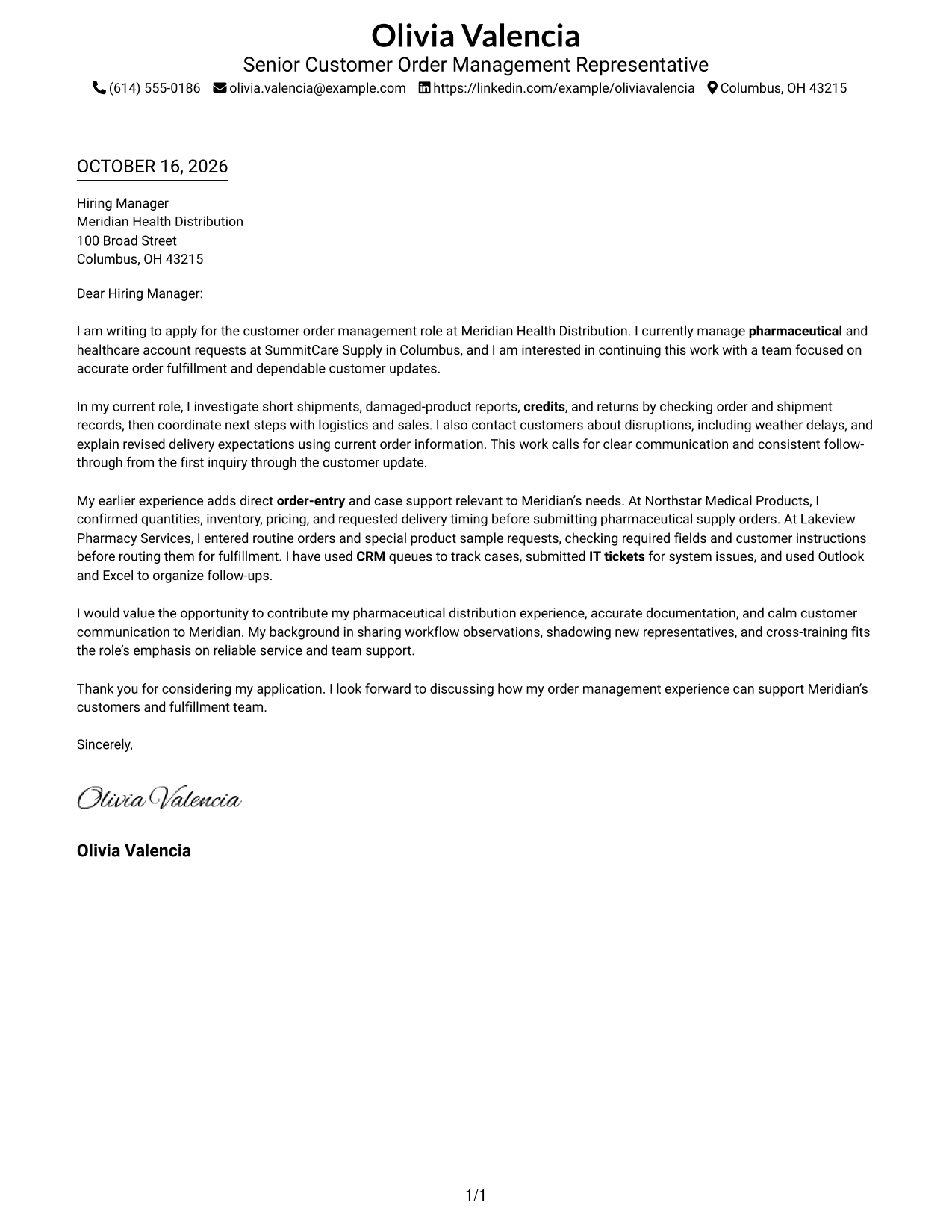
This practical guide to a Senior Customer Order Management Representative - Pharmaceutical Orders cover letter shows how seven layouts can help you present a clear case for your fit.
What Makes a Great Senior Customer Order Management Representative - Pharmaceutical Orders Cover Letter in 2026
A strong letter links pharmaceutical order service to accurate fulfillment, clear customer updates, and steady case follow-through. Make your interest in this work clear from the opening.
Use specific evidence, such as researching shipment issues or coordinating case steps with internal teams. Connect that evidence to the employer’s service needs without claiming experience you do not have.
The featured example moves from a clear statement of interest to relevant order and case evidence, then closes with a direct connection to the employer’s needs. Adapt this focused progression while choosing a presentation that fits the employer and the communication context.
#1 Simple One Column Format Cover Letter Example
The Simple One Column Format keeps sender details in the header and the letter in one uninterrupted column, a direct choice for readers who prefer a clear path through the message.
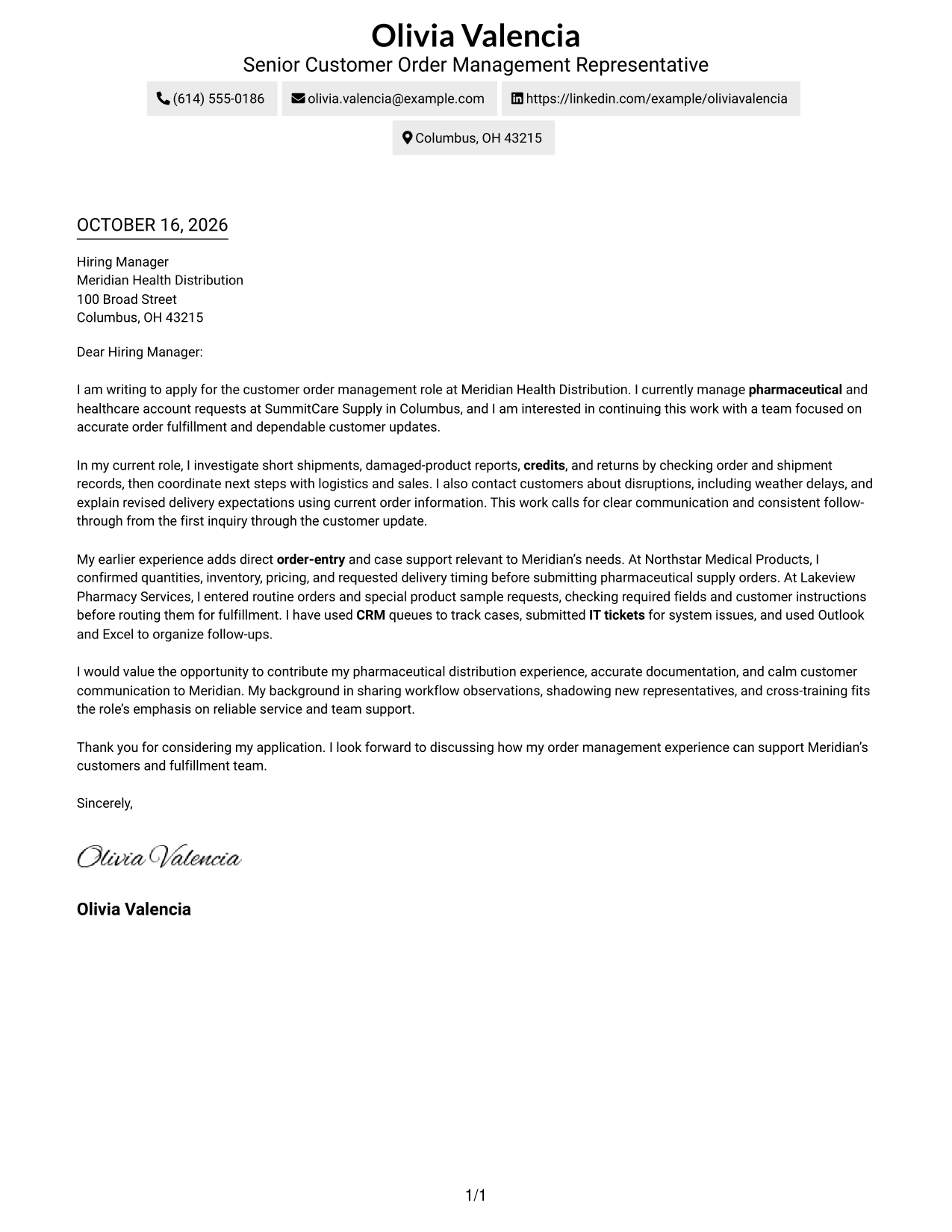
Why This Format Works
- Sender details remain in the header, separate from the letter's argument.
- One body column keeps motivation, supporting evidence, and closing in sequence.
- Without a sidebar, the letter's paragraphs hold the main visual focus.
Best For
- One-column letter preference
- Header-based contact information
- Paragraph-led applications
- Text-focused correspondence
- Photo-free page design
#2 Two Column Format Cover Letter Example
The Two Column Format places a contact sidebar beside one continuous letter body, keeping sender information distinct from the message for readers who prefer a separate contact area.
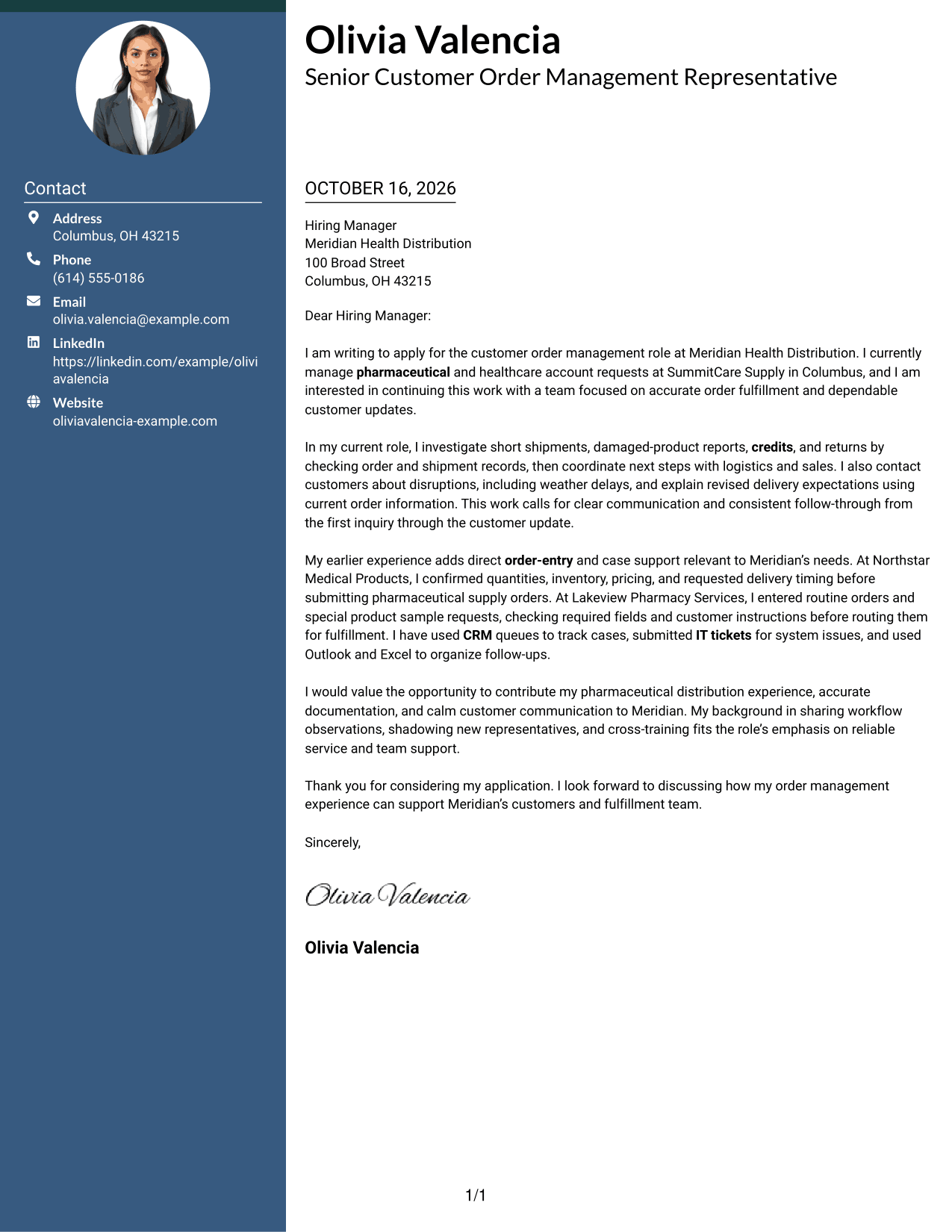
Why This Format Works
- Contact details sit in a sidebar, apart from the letter's main message.
- One continuous body lets the reader follow the argument from opening to close.
- Separate columns distinguish sender information from the recipient-facing letter.
Best For
- Two-column page preference
- Sidebar contact information
- Letters with continuous prose
- Applications with several supporting paragraphs
- Contact details beside the message
#3 Photo Header Two Column Format Cover Letter Example
The Photo Header Two Column Format includes a photo and a contact sidebar beside the continuous letter body, adding a personal visual detail while keeping the message in one sequence.
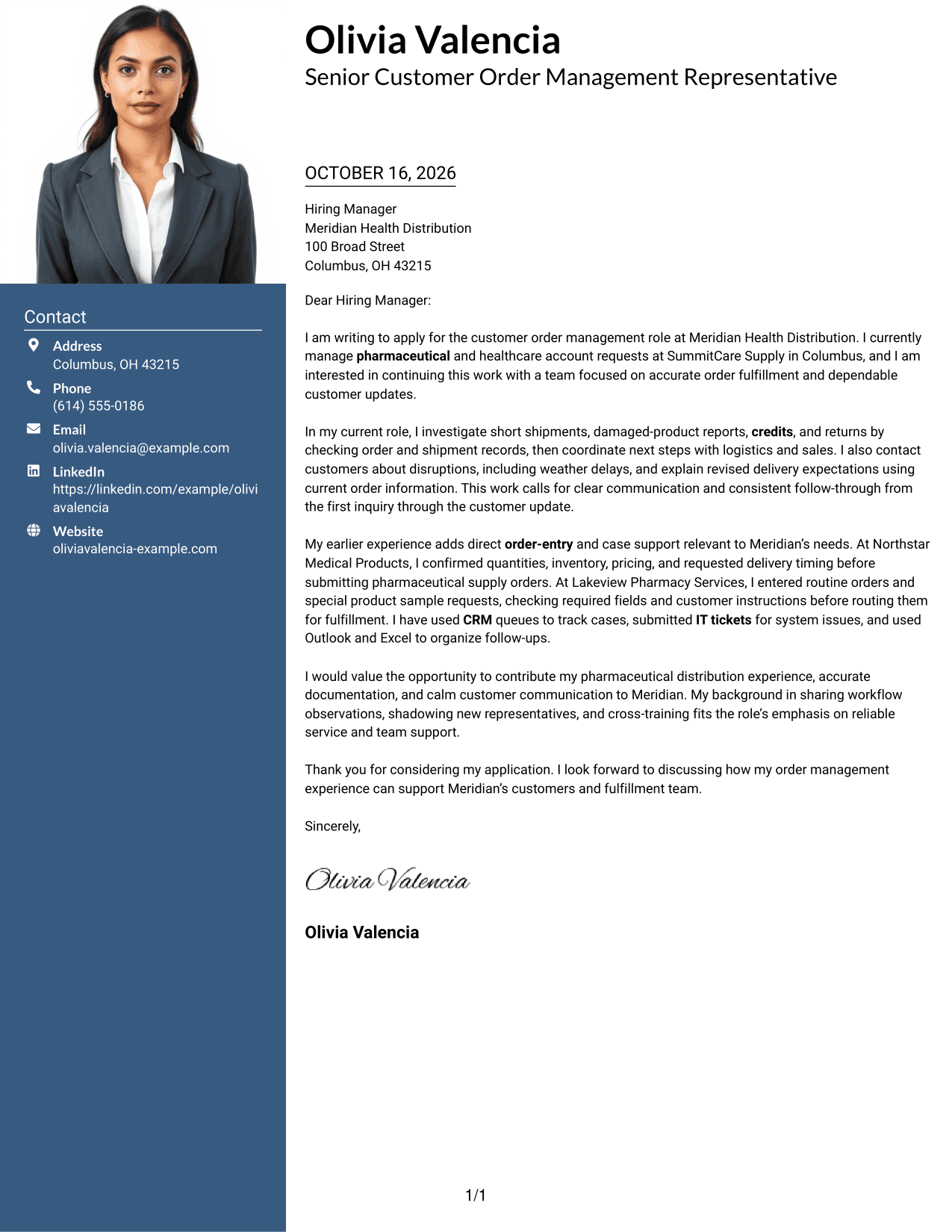
Why This Format Works
- The sidebar keeps contact information outside the argument, while the body stays continuous.
- A single letter-body column preserves the order of motivation, examples, and closing.
- The photo adds a personal visual detail while the letter remains the focus.
Best For
- Photo-inclusive correspondence
- Contact sidebar preference
- One-column letter argument
- Applications with a visible sender portrait
- Continuous paragraph structure
#4 One Column Format with Photo Cover Letter Example
The One Column Format with Photo includes a photo while keeping the letter in one column, offering a personal visual touch without dividing the message.
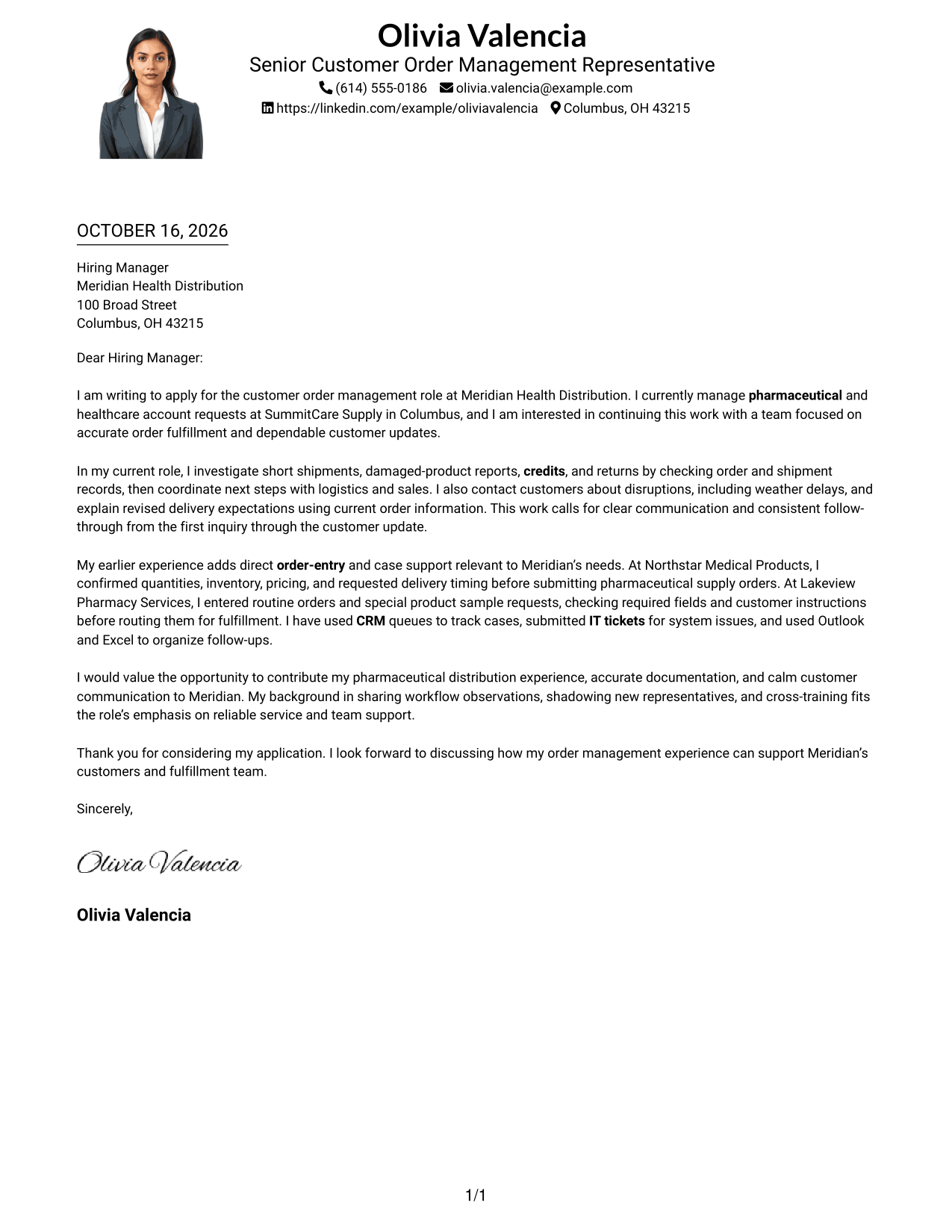
Why This Format Works
- One-column paragraphs keep the letter's argument in a direct reading order.
- Sender details stay in the header rather than beside the message.
- The included photo adds a visual point of distinction without interrupting the body.
Best For
- Single-column letter preference
- Photo-inclusive page design
- Header-based sender information
- Paragraph-led persuasion
- One continuous message
#5 Simple Two Column Format Cover Letter Example
The Simple Two Column Format places contact details in a sidebar beside one continuous letter body, keeping the sender's information apart from the message.
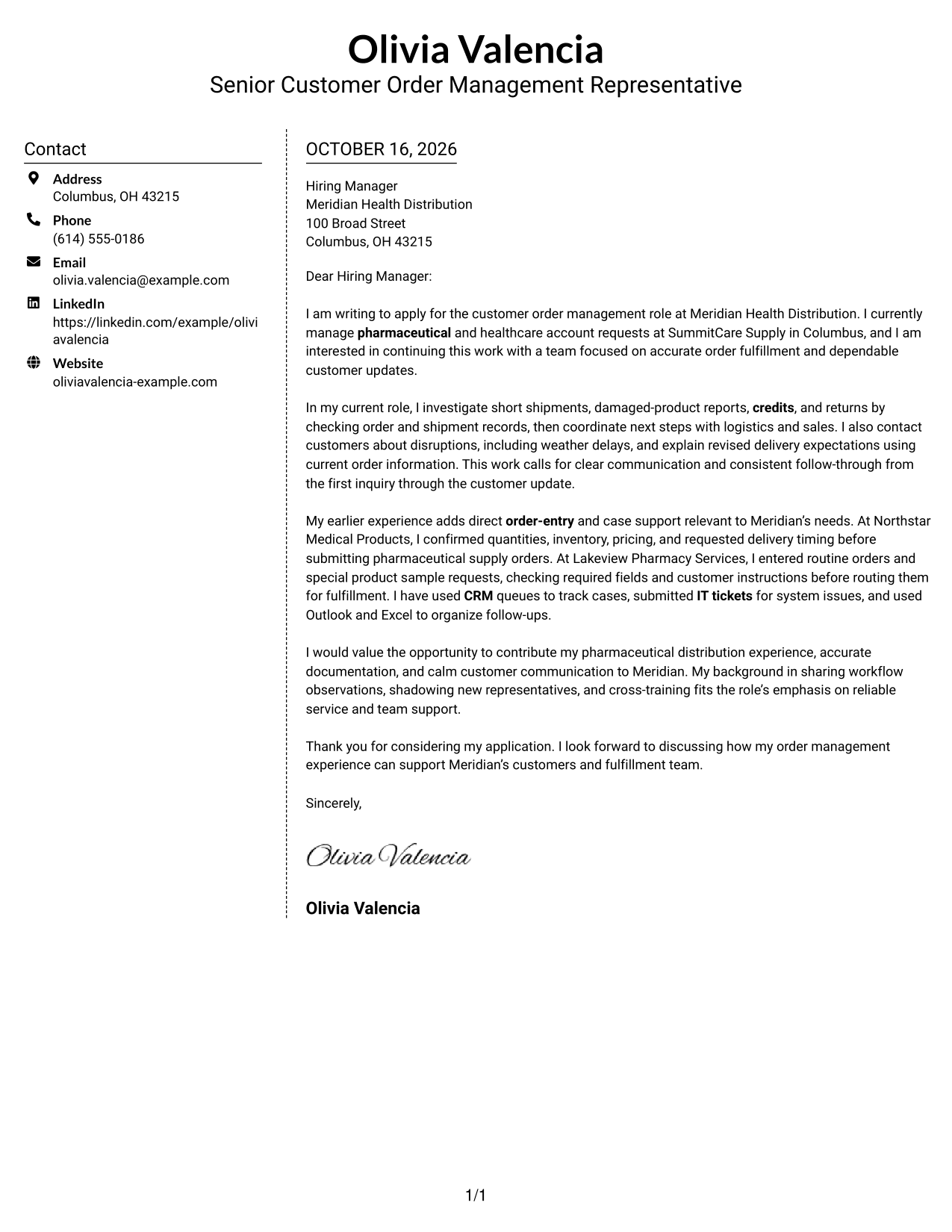
Why This Format Works
- Contact information occupies a sidebar, leaving the letter's argument in one body column.
- Readers can follow the paragraphs in order without parallel argument sections.
- The side-by-side arrangement separates practical contact details from persuasive copy.
Best For
- Simple two-column layout
- Separate sender and message areas
- Single-body letter text
- Paragraph-based case for fit
- Photo-free sender presentation
#6 Modern Icon Format Cover Letter Example
The Modern Icon Format uses a contact sidebar with icons for contact details, adding visual cues to the header area while leaving the letter body continuous.
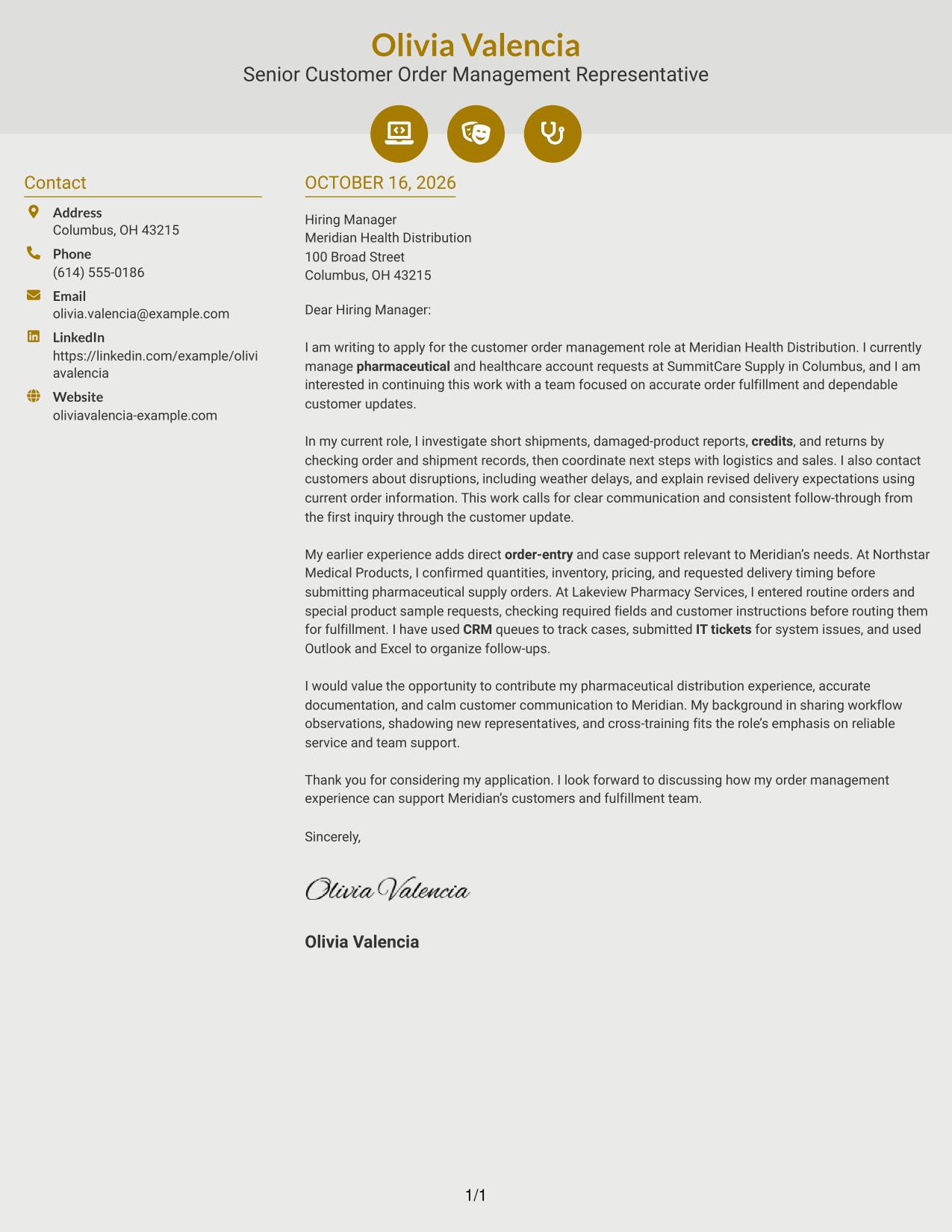
Why This Format Works
- Contact icons cue sender details, not the stages of the letter's argument.
- The sidebar keeps those details apart from the continuous letter body.
- One body column lets opening, evidence, and closing remain in sequence.
Best For
- Icon-cued contact details
- Two-column letter layout
- Continuous argument paragraphs
- Visually marked sender information
- Text-led application letters
#7 Creative Two Tone Format Cover Letter Example
The Creative Two Tone Format places a contact sidebar beside one continuous letter body, keeping contact information apart from the message for readers who prefer a two-column page.
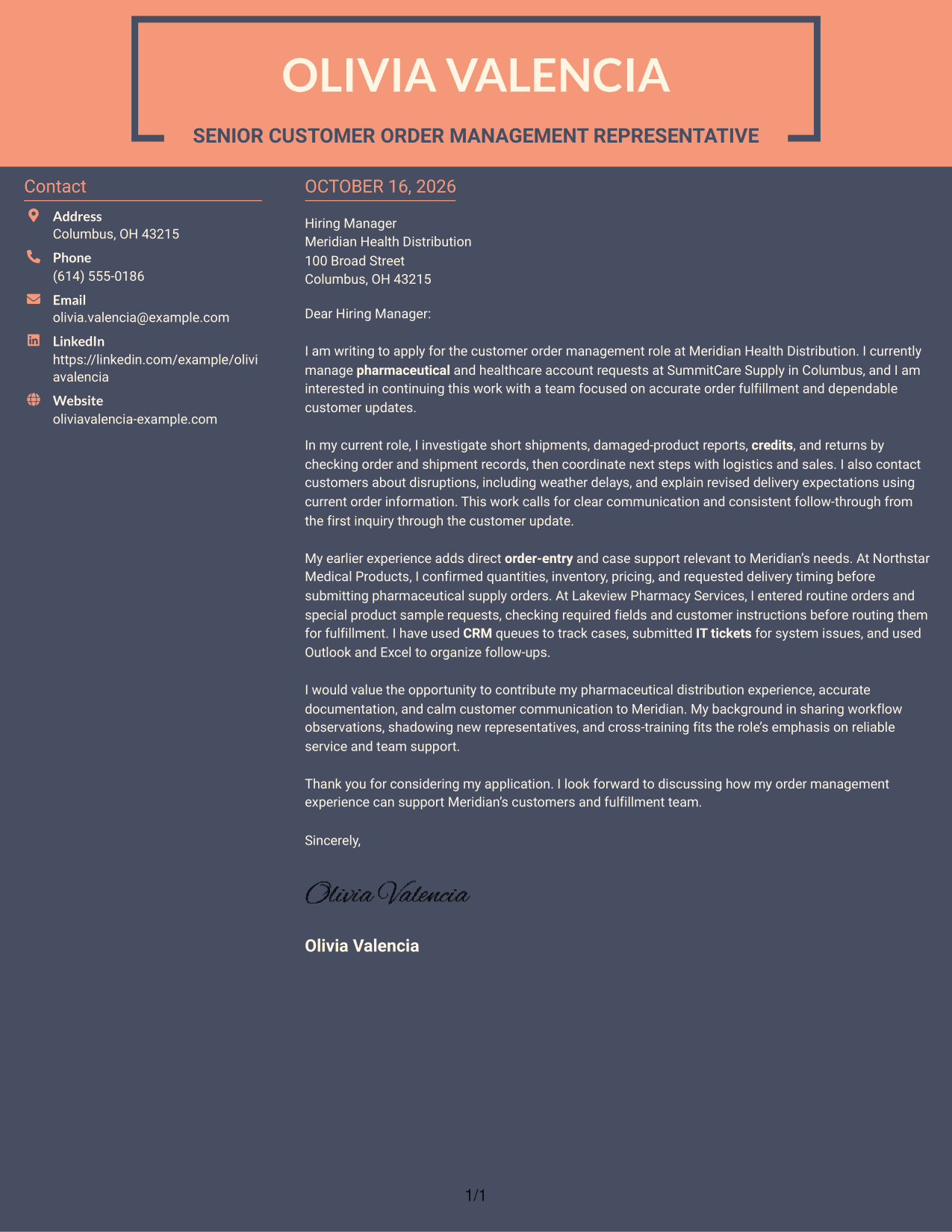
Why This Format Works
- Sender details have a separate sidebar, while the letter remains one continuous text.
- Readers can follow the case for fit without parallel body columns.
- Contact information and letter paragraphs have distinct places on the page.
Best For
- Two-column page preference
- Sidebar contact information
- Uninterrupted message text
- Applications with a clear case for fit
- Distinct sender details
See Also
- 7 Senior Customer Order Management Representative - Pharmaceutical Orders Resume Templates with Example
- 33 BDC Customer Service Representative Resume Templates with Example 2026 (ATS-Optimized)
- 33 Bi-Lingual Medical Billing Customer Service Support Representative Resume Templates with Example 2026
- 33 Call Center Customer Service Representative Resume Templates with Example 2026 (ATS-Optimized)
- 33 Cashier / Customer Service Representative Resume Templates with Example 2026 (ATS-Optimized)
- 33 CDHP and COBRA Customer Service Representative Resume Templates with Example 2026
- 33 Commercial Customer Service Representative Resume Templates with Example 2026 (ATS-Optimized)
- 33 Customer Relations Representative Resume Templates with Example 2026 (ATS-Optimized)
- 30+ BDC Customer Service Representative Cover Letter Templates with Example 2026
- 30+ Bi-Lingual Medical Billing Customer Service Support Representative Cover Letter Templates with Example 2026
Frequently Asked Questions
What should the opening paragraph say for this role?
State the role you are applying for and give a clear reason for your interest. Show that you understand the job’s focus on accurate pharmaceutical orders and dependable customer updates.
What experience is useful to discuss in this cover letter?
Choose relevant examples of order entry, CRM case notes, shipment-delay updates, returns, credits, or coordination with sales and logistics. Explain what you did and how it helped move the customer’s request forward.
How can I show that I understand the employer’s needs?
Link your own supported experience to the role’s stated work, such as investigating order issues, recording case progress, and keeping customers informed. Do not present job requirements as experience you have gained.
How should I close a pharmaceutical order management cover letter?
Briefly restate the value you can bring, such as careful documentation and clear customer communication, then thank the reader and express interest in discussing the role.
How do I choose a cover letter layout?
Compare the PNG preview images to see how each presentation handles the letter’s opening, evidence, and closing. Open an example in the editor to view or customize it, and choose a clear style suited to the employer and communication context.




