
US English


7 Senior Threat Analyst - Security Operations Resume Templates with Example
By Ria · Last Updated On October 17, 2026
Resume example — page 1

This guide shows you how to build a Senior Threat Analyst - Security Operations resume that presents your evidence clearly and helps readers find key details quickly. You will learn how to organize your experience and compare professional resume formats.

For this role, connect investigation work to clear findings and outcomes. Show how you use SIEM tools such as Splunk, QRadar, and Anvilogic, and include relevant work with KQL, Snort, Windows security, incident timelines, and client reporting.

Explore one Senior Threat Analyst - Security Operations resume example presented in 7 layouts. Compare the PNG image previews, then open an example in the editor to view or customize it.

What Makes a Great Senior Threat Analyst - Security Operations Resume in 2026

A strong resume makes investigation work easy to review, with clear sections, focused skills, and bullets that show actions and results. Keep the summary brief and put the most relevant security operations experience where readers can find it.

Use specific evidence, such as investigations across 15 client environments, and include accurate terms like SIEM detection tuning, false-positive triage, CVSS, Active Directory, and incident reporting where they fit your experience.

Note: Resume examples are for educational purposes only. Use only information that accurately reflects your experience and qualifications. References to real organizations do not imply affiliation or endorsement.

#1 Plain Two Column Format Resume Example

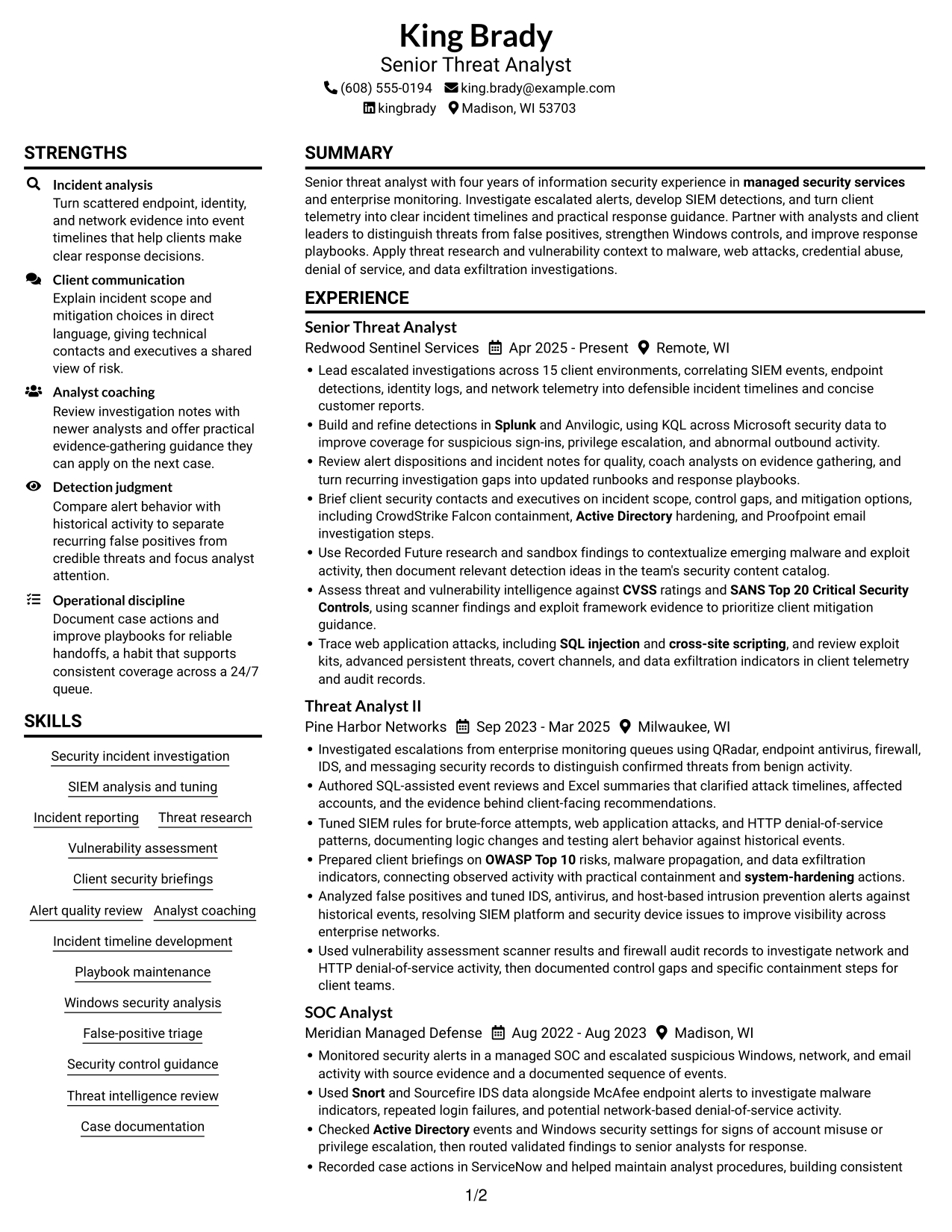
The two-column body gives career history and supporting sections separate areas, a practical choice when reviewers need to move between both.
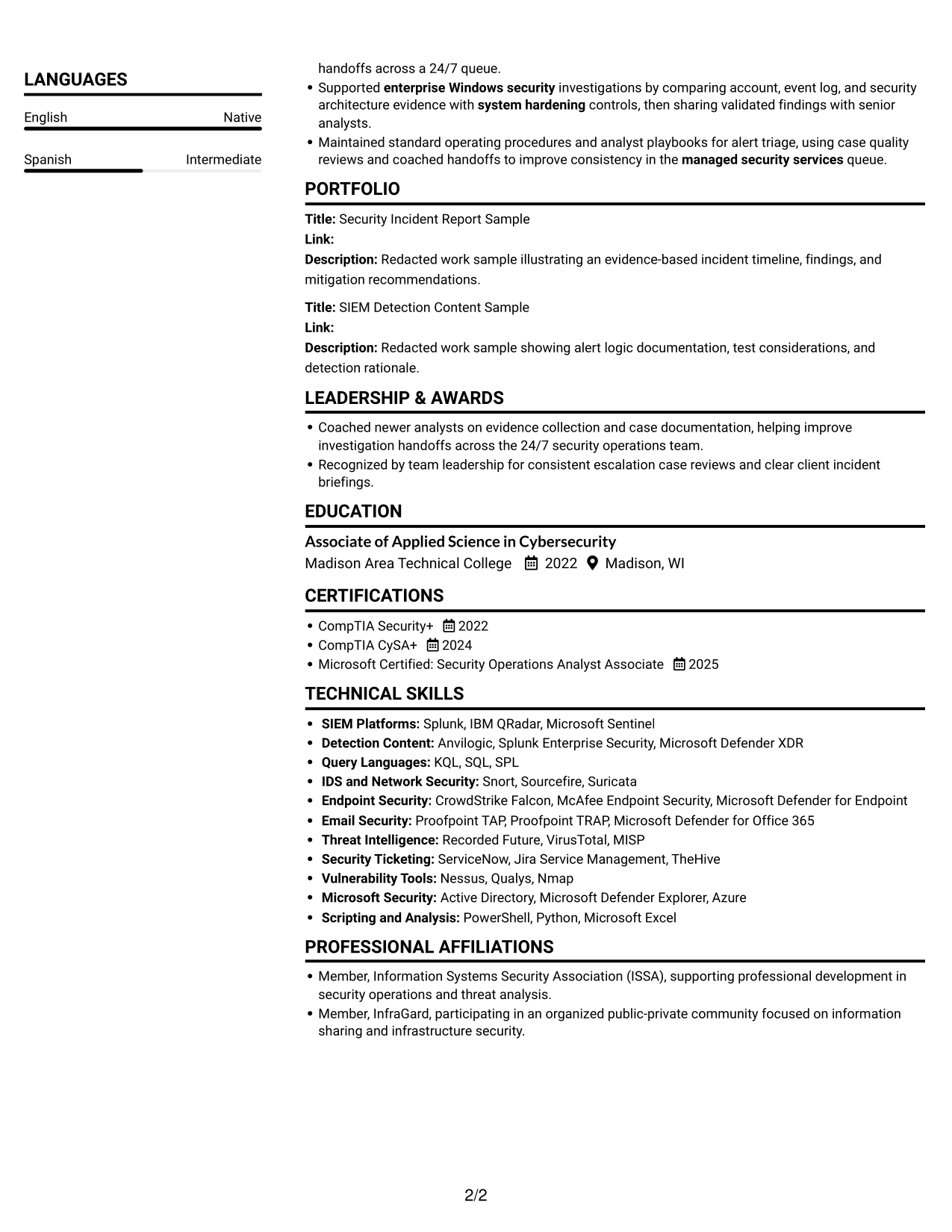
 
Resume example — page 1   Resume example — page 2

Resume Snapshot

  • Four years of information security experience
  • Escalation investigations, SIEM detection work, and client reporting
  • Associate of Applied Science in Cybersecurity, 2022
  • CompTIA Security+, CompTIA CySA+, and Microsoft Security Operations Analyst Associate

Why This Format Works

  • Work history dates stay easy to follow within the wider resume structure.
  • Skills have a distinct area, so they do not interrupt experience details.
  • Education and certifications remain identifiable as supporting qualifications.

Best For

  • Resumes with several content sections
  • Side-by-side section review
  • Experience plus supporting qualifications
  • Skills and credentials in one document
  • Clear separation of career history and education

Resume Keywords

  • SIEM analysis
  • managed security services
  • enterprise Windows security
  • Active Directory
  • system-hardening
  • CVSS
  • SANS Top 20 Critical Security Controls
  • OWASP Top 10
  • SQL injection
  • cross-site scripting
  • Alert quality review
  • Microsoft Excel
  • Splunk
  • Snort
  • PowerShell
 

#2 Simple One Column Format Resume Example

A single-column body gives each resume section a clear place in one reading path, a practical choice for a familiar, orderly review.
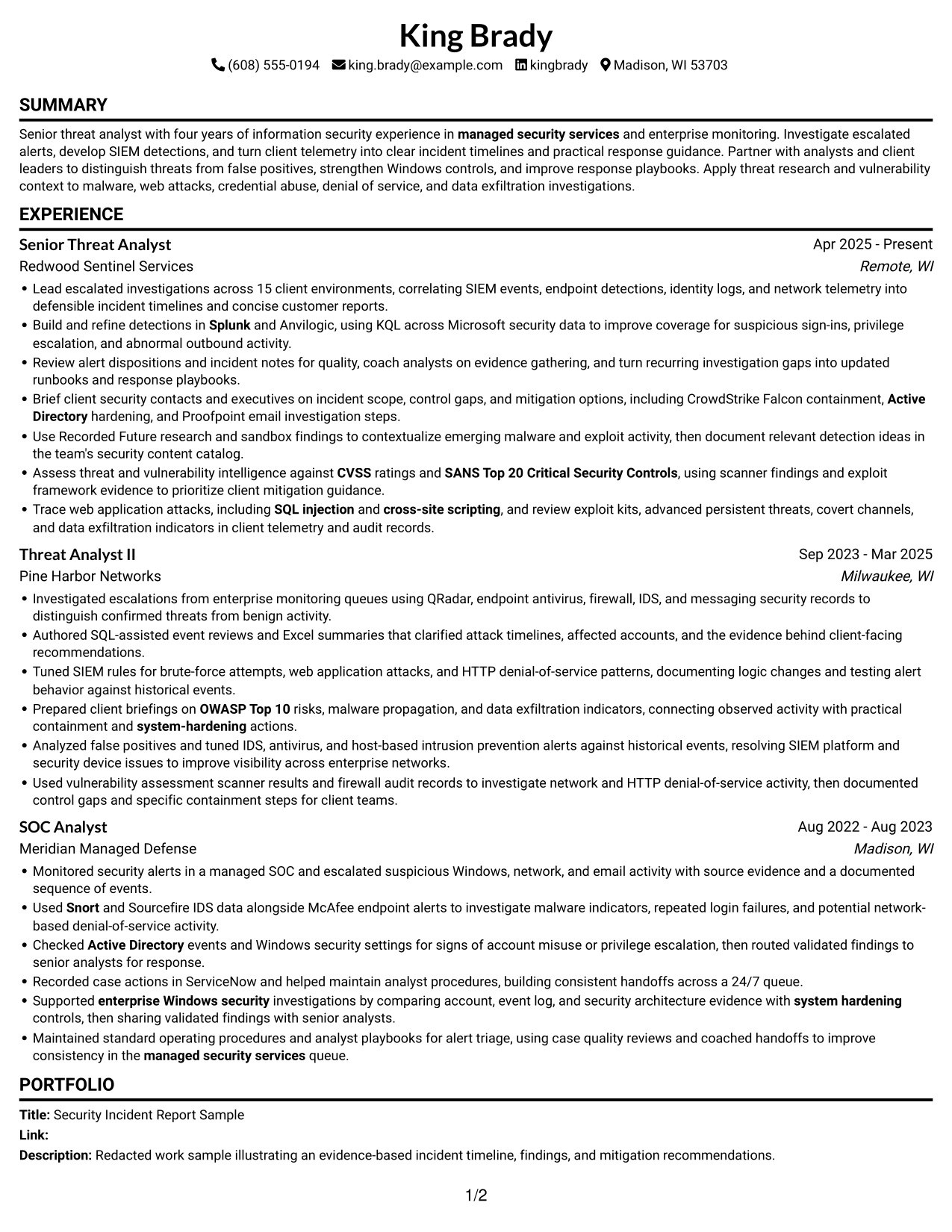
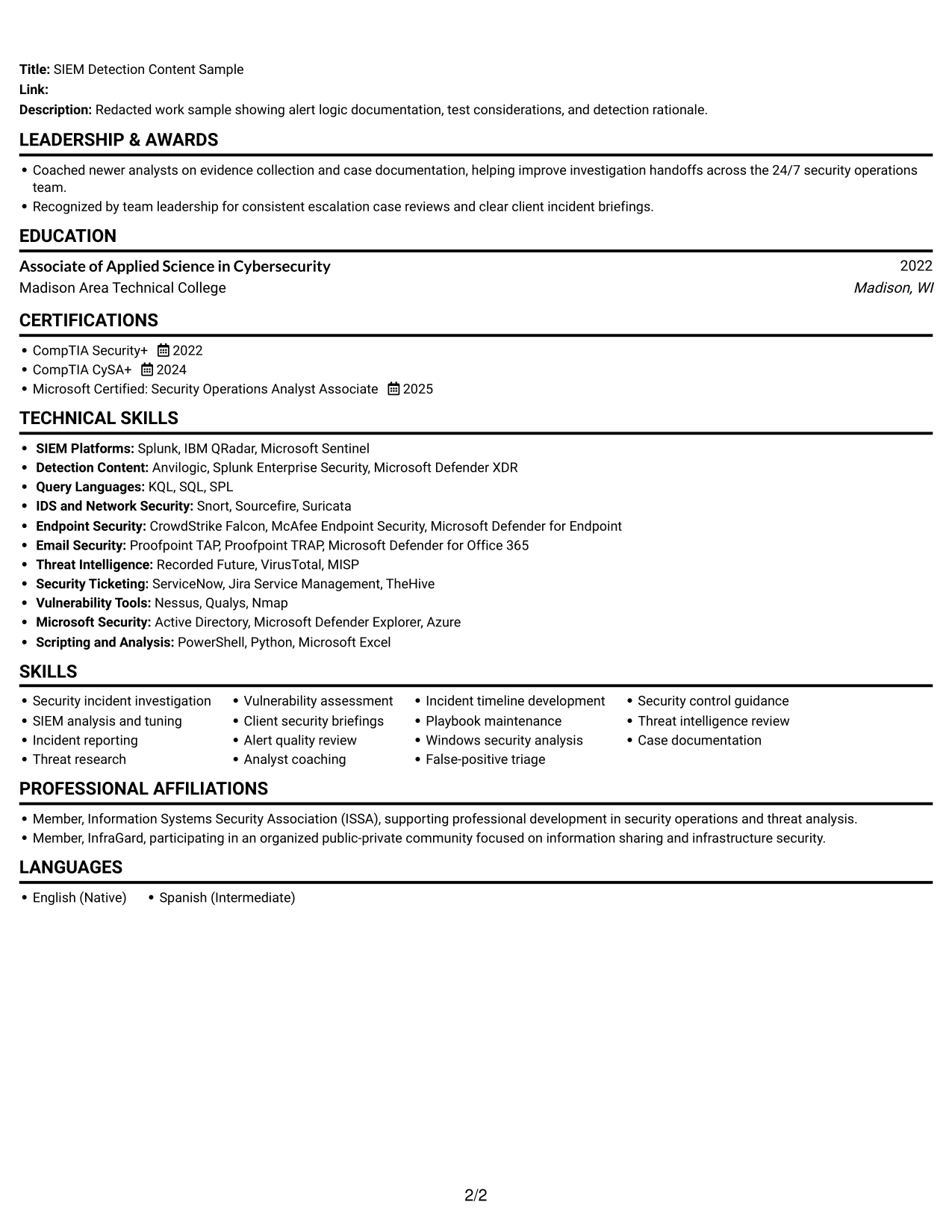
 
Resume example — page 1   Resume example — page 2

Why This Format Works

  • One vertical reading path keeps experience dates in their natural order.
  • Clear section breaks separate work history from skills and education.
  • A straightforward flow gives ATS and recruiters a familiar route through credentials.

Best For

  • Straight-through recruiter review
  • ATS-focused resume submissions
  • Chronological experience histories
  • Traditional section-by-section reading
  • Compact skills and education details
 

#3 Clean Two Column Sidebar Format Resume Example

The two-column body gives the resume a clear division between content areas, useful when readers need to shift between career history and qualifications.
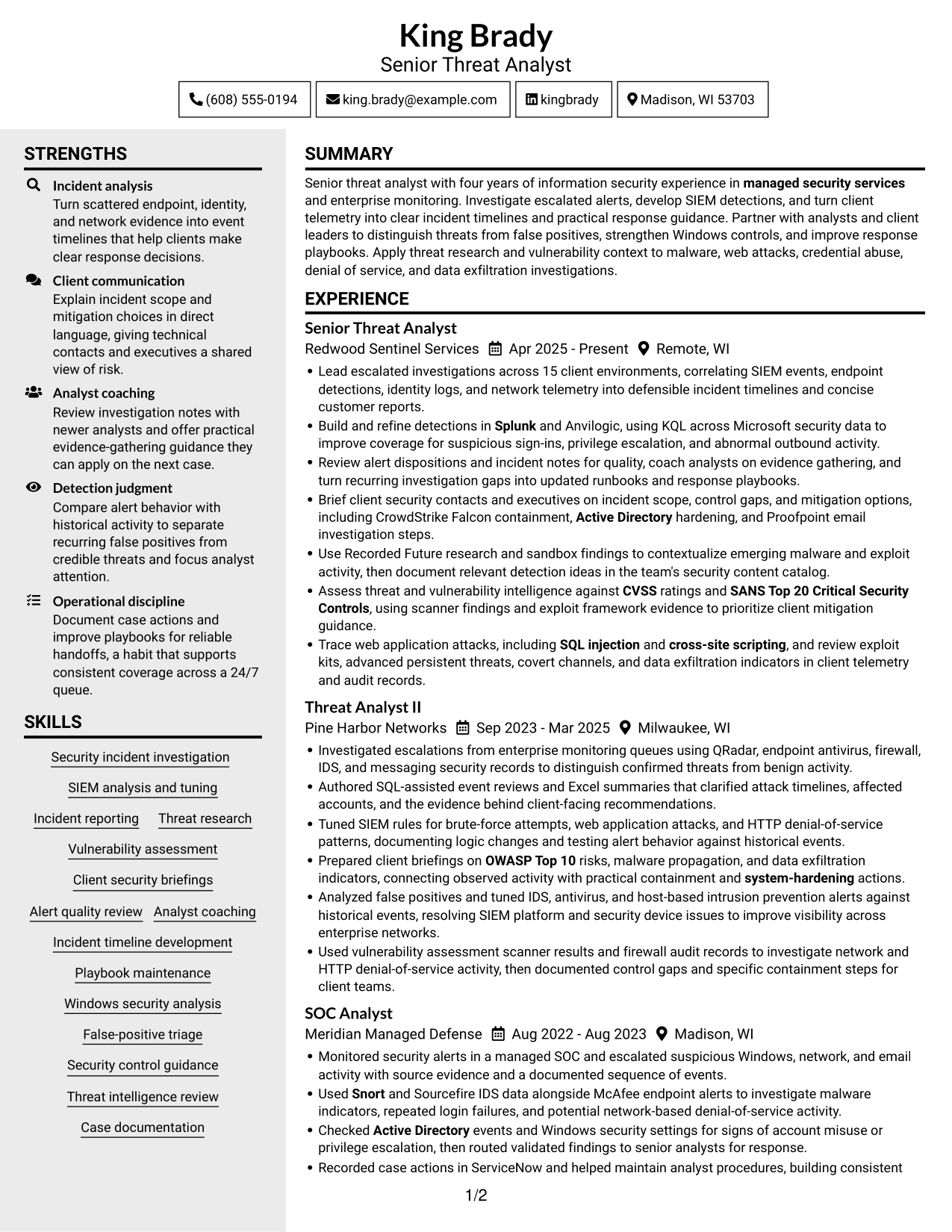
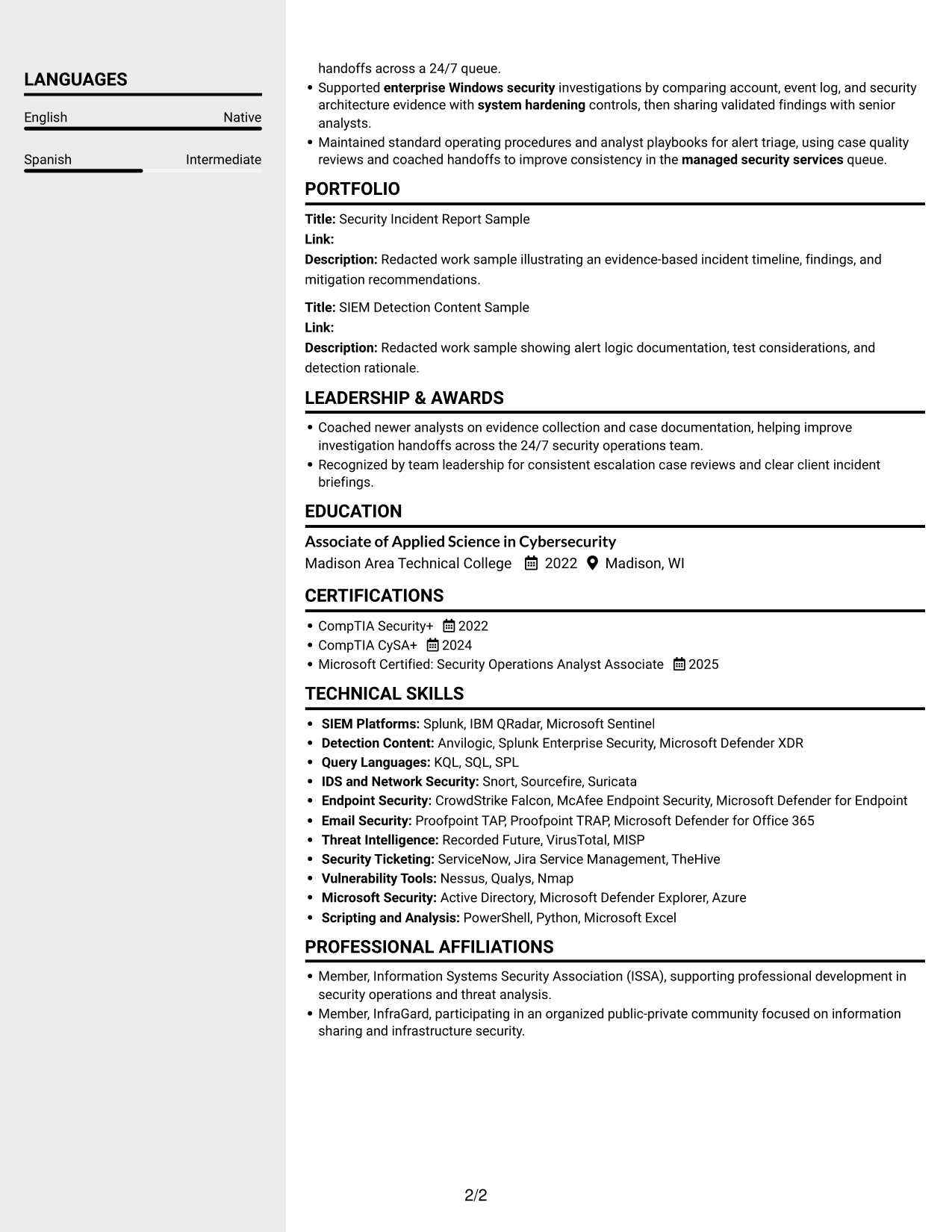
 
Resume example — page 1   Resume example — page 2

Why This Format Works

  • Parallel content areas help reviewers shift between career history and qualifications.
  • Experience dates remain readable alongside education and certification details.
  • Skills can be reviewed as a distinct group instead of interrupting work history.

Best For

  • Parallel review of qualifications
  • Experience with separate supporting sections
  • Resumes with distinct skills and education groups
  • Detailed career histories
  • Readers comparing work history and credentials
 

#4 Two Column Format Resume Example

Two columns give experience and supporting qualifications separate areas, a useful choice when a resume has several sections to revisit.
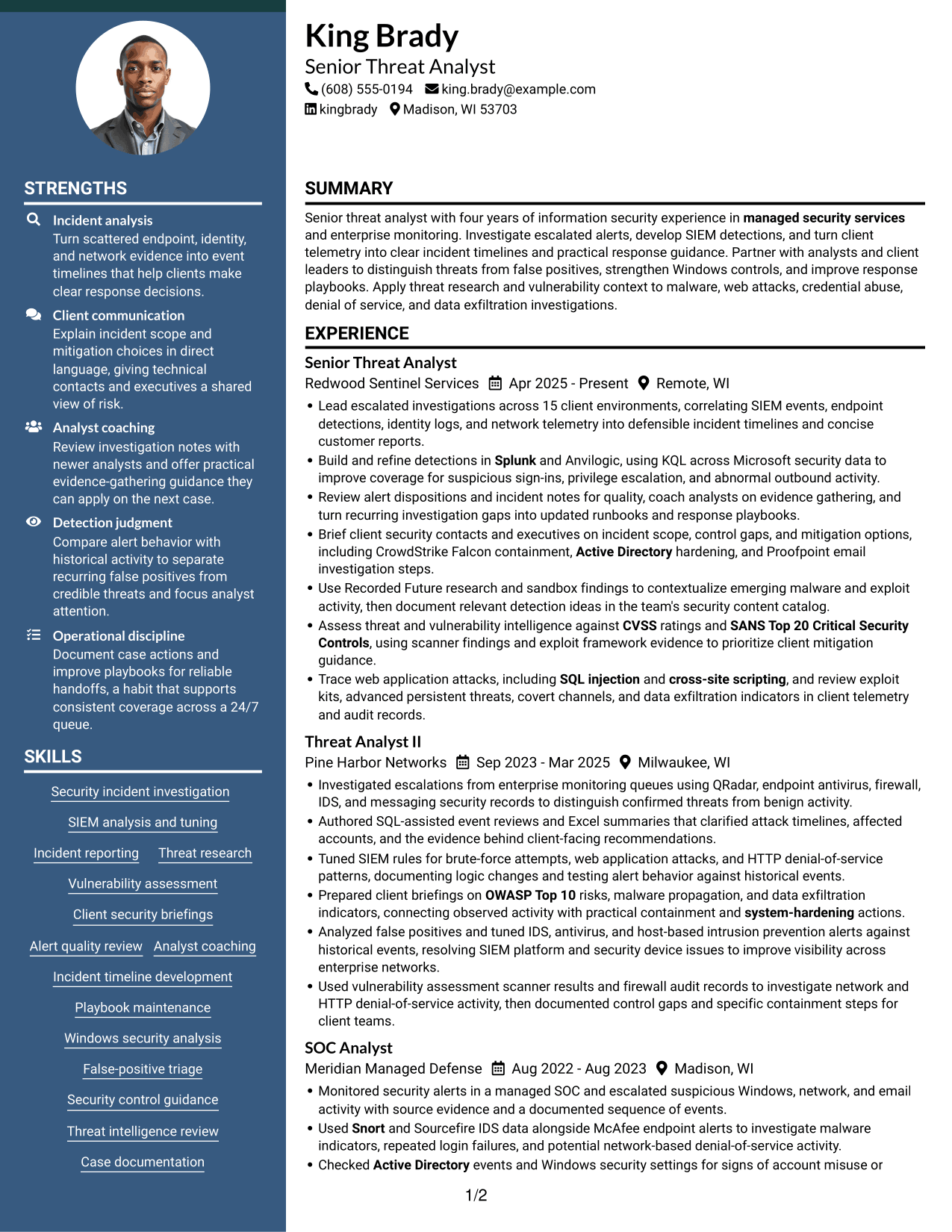
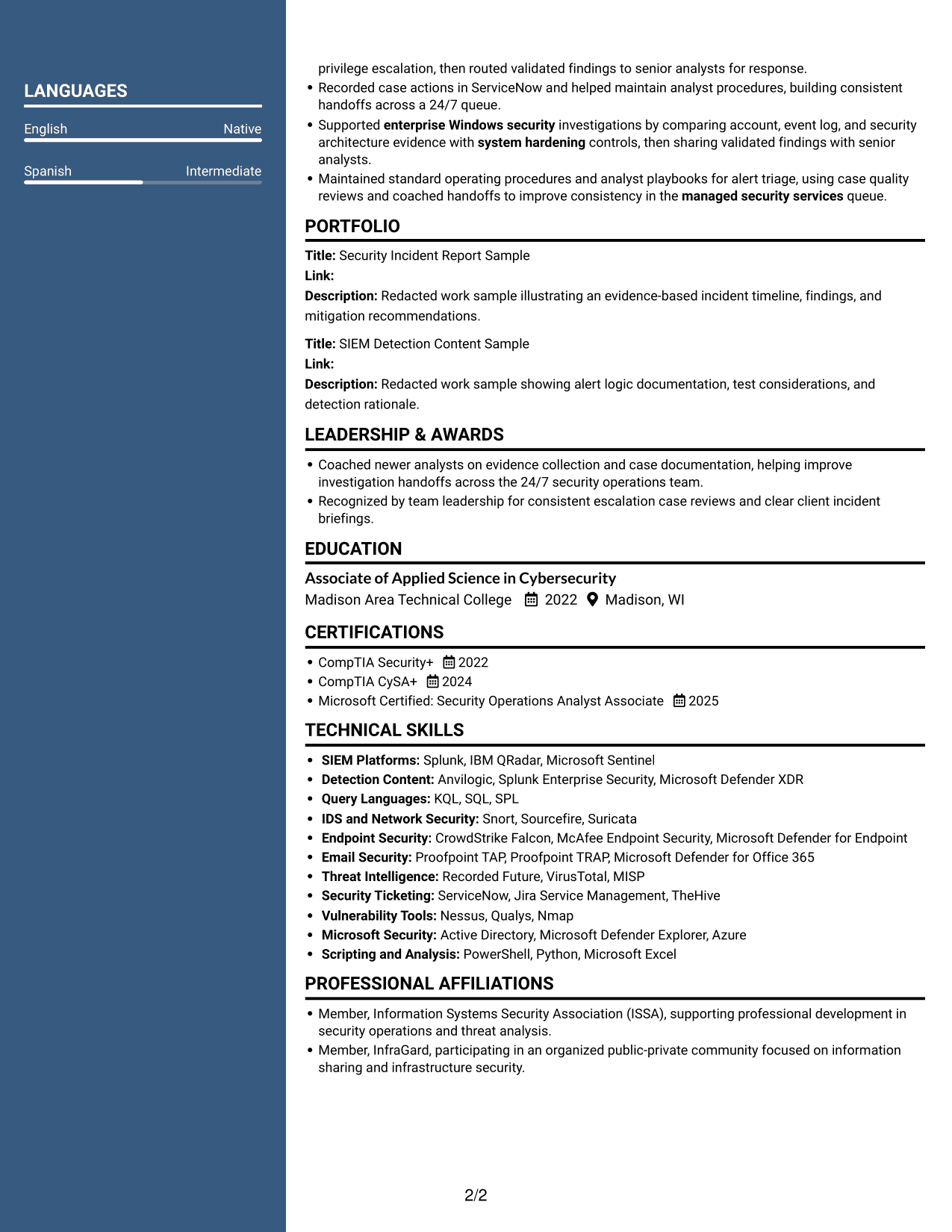
 
Resume example — page 1   Resume example — page 2

Why This Format Works

  • Separate content areas help reviewers locate career progression and supporting sections.
  • Experience entries can keep a clear sequence alongside education and credentials.
  • Skills are easier to scan apart from detailed work history.

Best For

  • Two-area resume reading
  • Career histories with several entries
  • Supporting qualifications alongside experience
  • Skills, education, and certifications together
  • Repeated visits to key resume sections


#5 Photo Header Two Column Format Resume Example

A portrait in the header adds a personal visual cue, while the two-column body keeps resume content organized for readers who want both features.
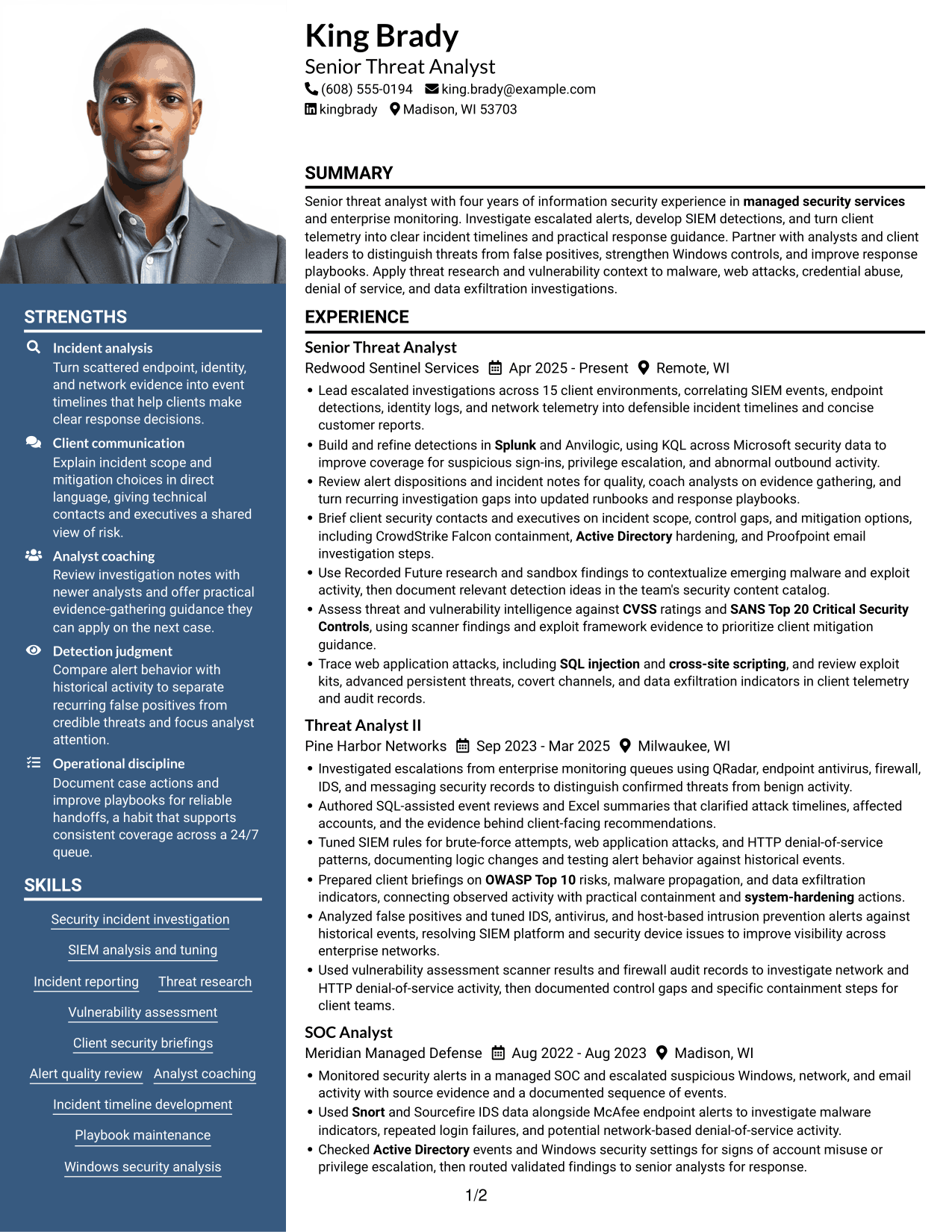
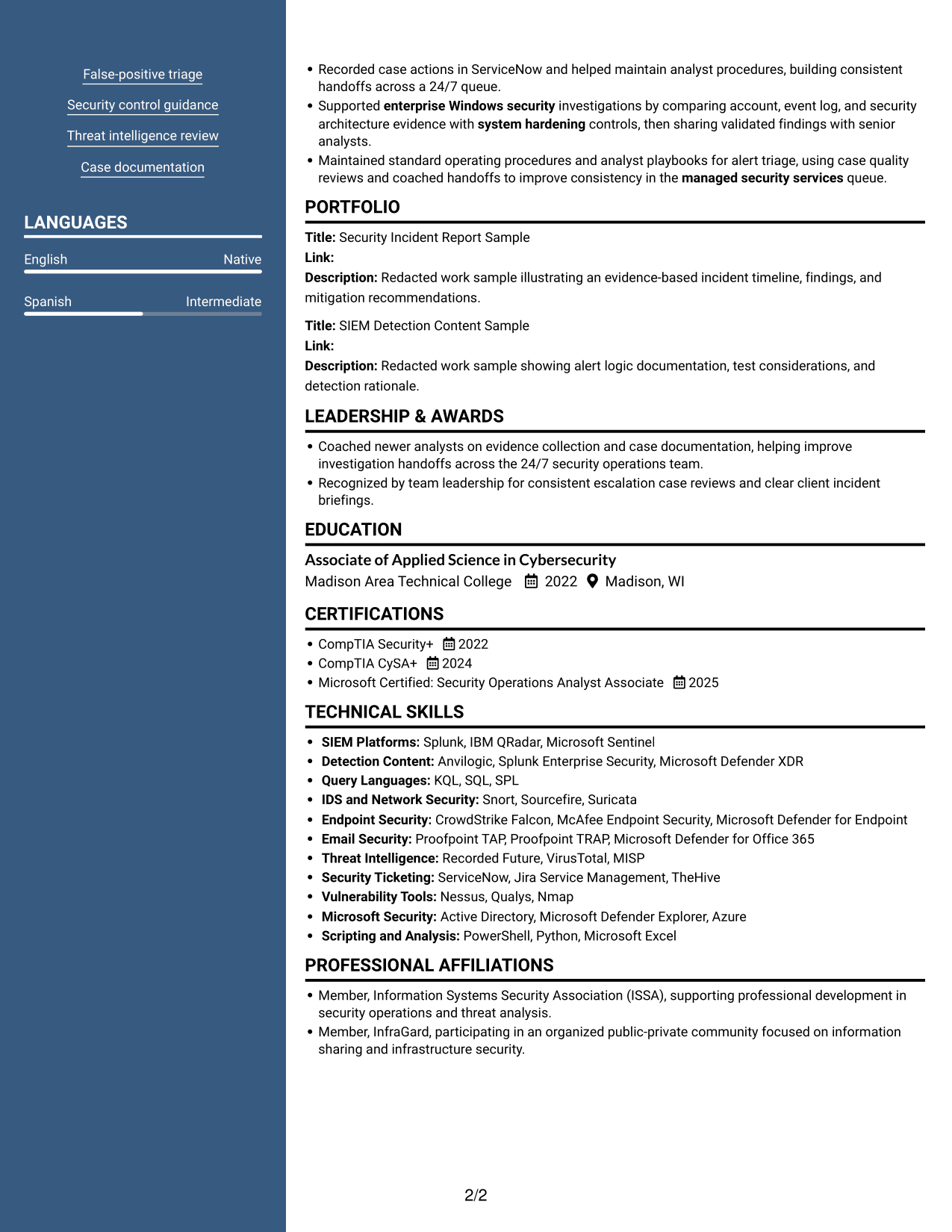
 
Resume example — page 1   Resume example — page 2

Why This Format Works

  • Two content areas organize experience and qualifications beneath the photo header.
  • Career dates remain easy to follow without crowding supporting sections.
  • Skills and credentials stay distinct for readers comparing qualifications.

Best For

  • Resumes that use a portrait
  • Two-column content organization
  • Career details with supporting qualifications
  • A photo in the resume header
  • Movement between resume sections
 

#6 Colored Two Column Format Resume Example

The two-column arrangement gives resume sections separate areas, a practical choice when reviewers need to move between experience and supporting qualifications.
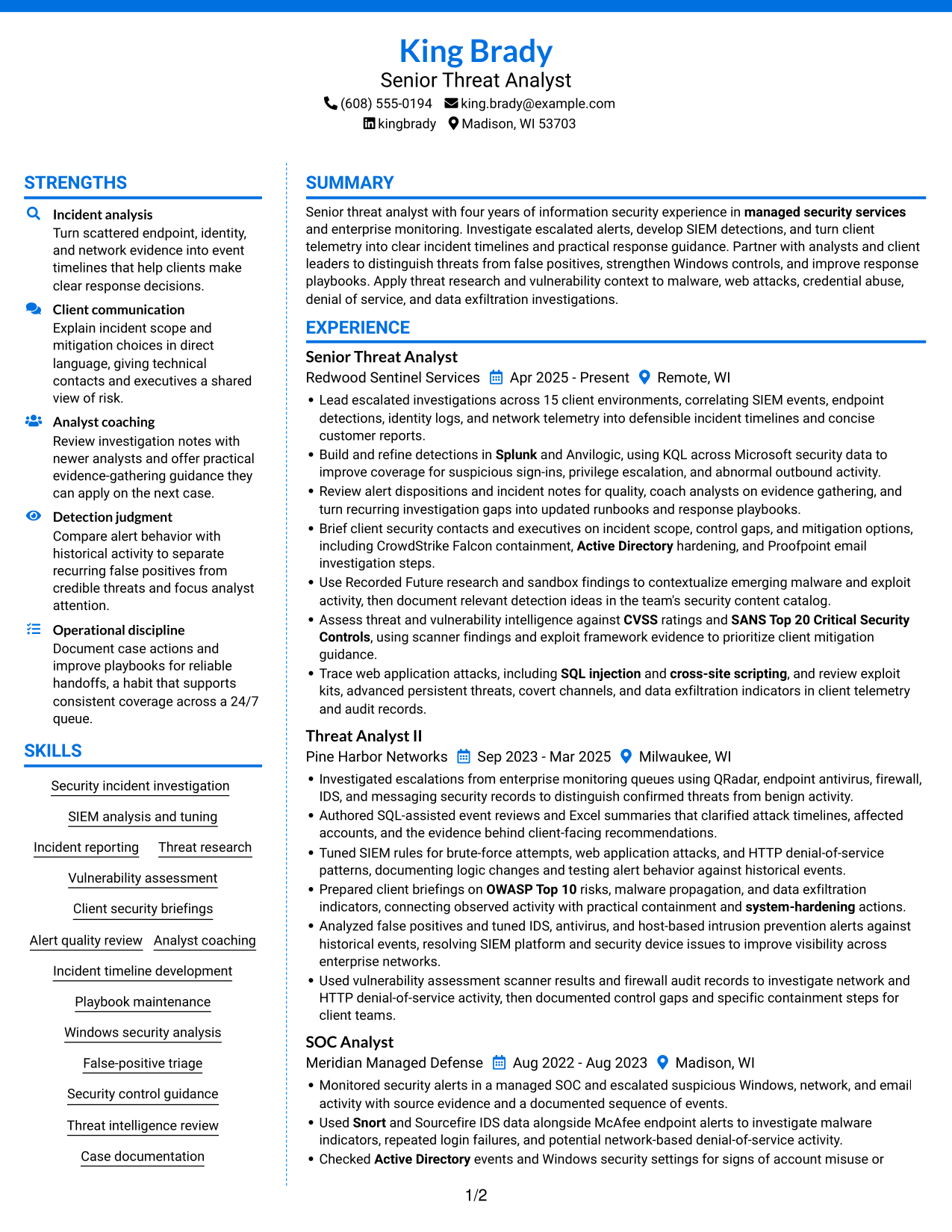
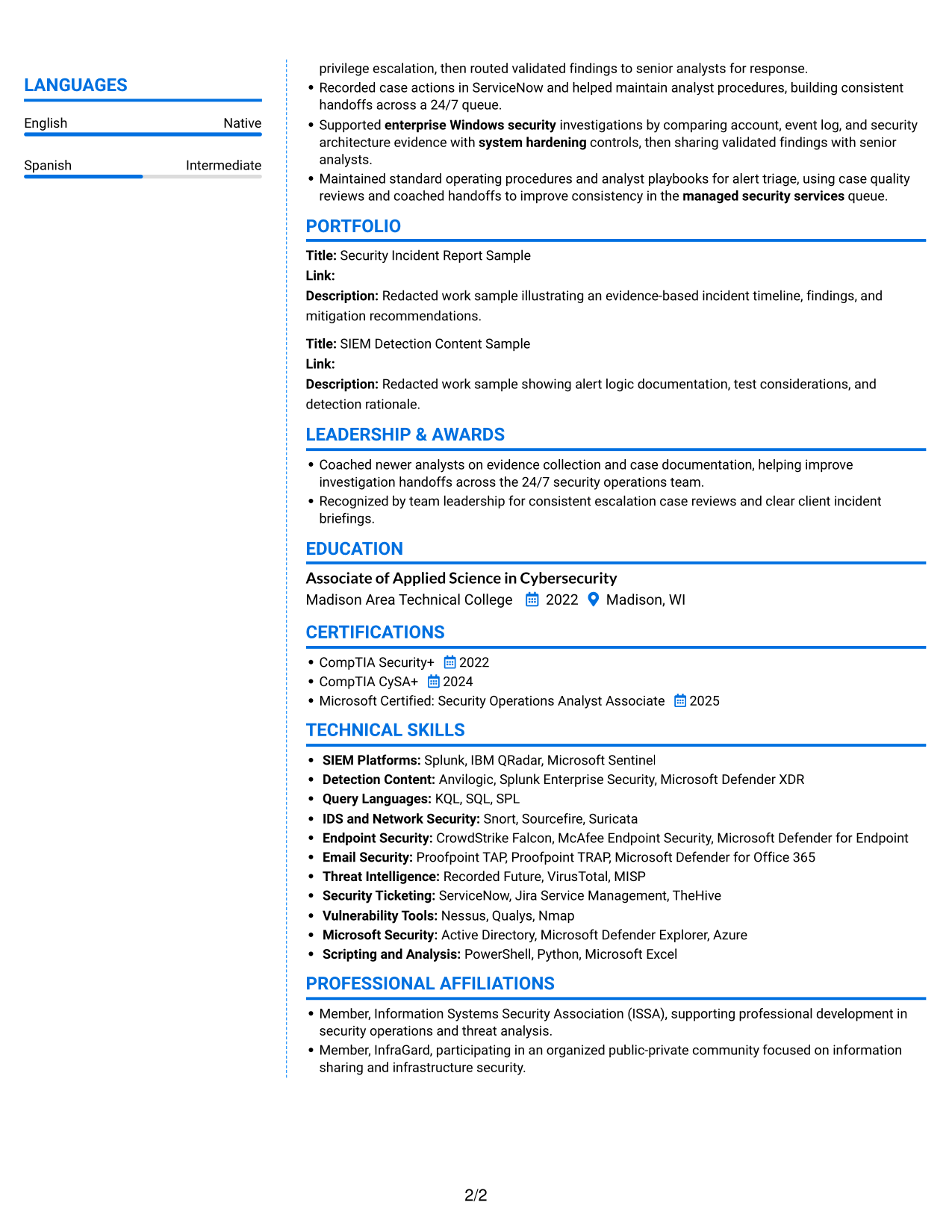
 
Resume example — page 1   Resume example — page 2

Why This Format Works

  • Separate areas help reviewers move from career history to education without losing section order.
  • Skills can be scanned apart from detailed experience entries.
  • Two-column reading keeps certifications visible as a qualification group.

Best For

  • Resumes with broad section coverage
  • Separate review of experience and skills
  • Education and certification details
  • Two-column reading preference
  • Career histories with supporting credentials
 

#7 Stylish Two Column Designer Format Resume Example

The two-column body gives experience and other resume sections distinct areas, a useful option for readers who want a clear way to revisit details.
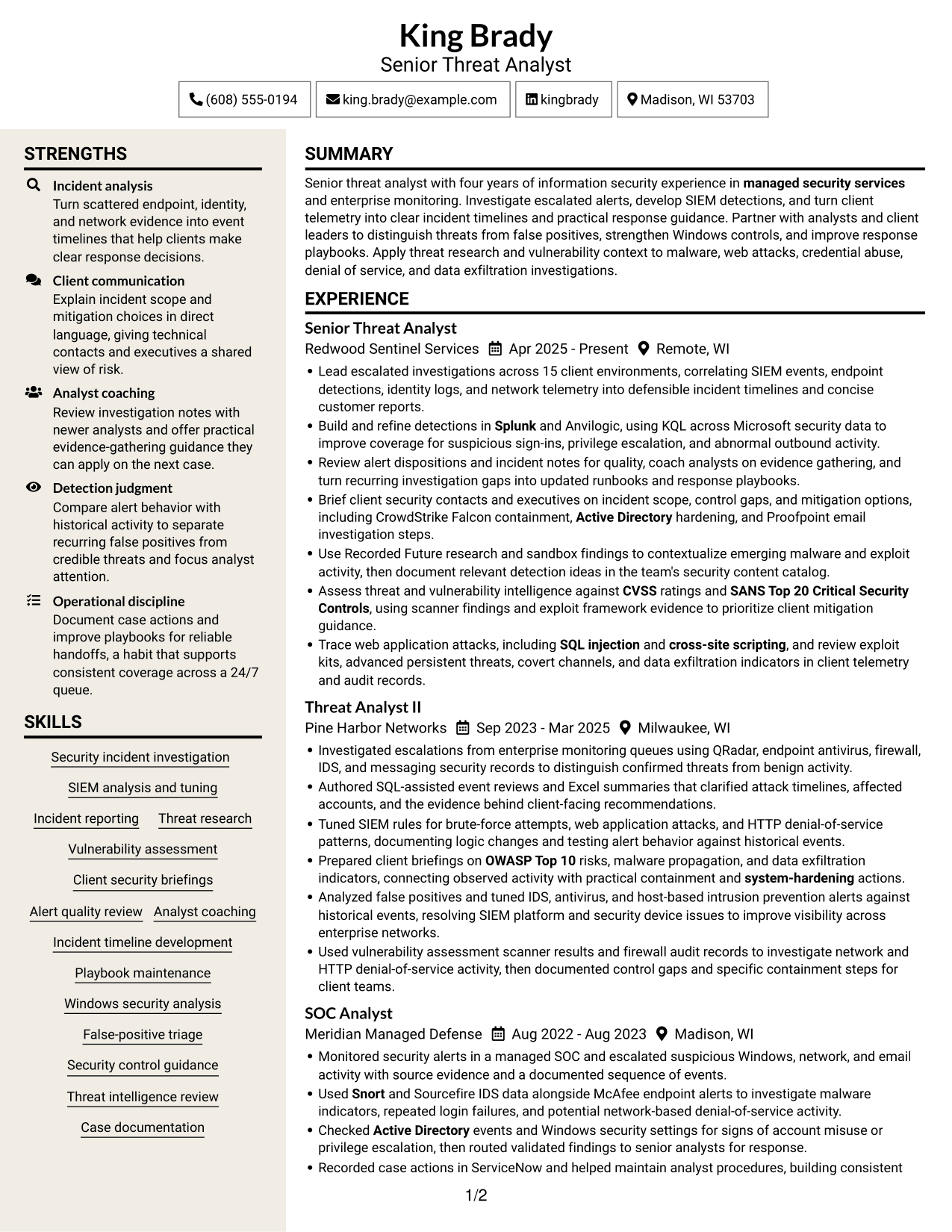
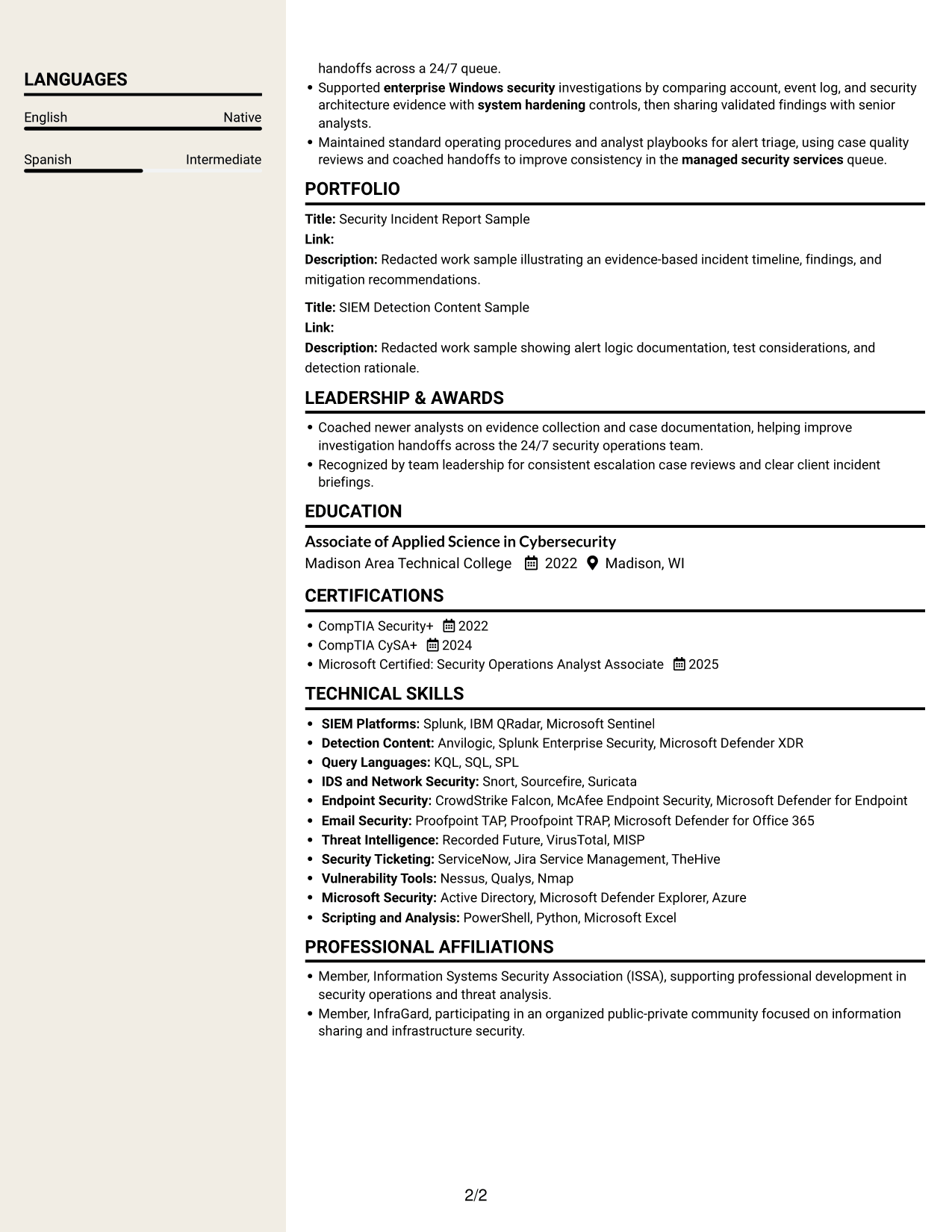
 
Resume example — page 1   Resume example — page 2

Why This Format Works

  • Distinct columns give experience and supporting qualifications separate places in the reading order.
  • Work history remains easy to trace beside the resume's other sections.
  • Grouped skills help reviewers find capability information without scanning every experience entry.

Best For

  • Resumes with multiple content groups
  • Side-by-side section navigation
  • Detailed experience with other qualifications
  • Distinct skills and education sections
  • Reviewers who revisit career details


Why Use ResumeInMinutes for Your Senior Threat Analyst - Security Operations Resume

ResumeInMinutes can help you organize your security operations experience, technical skills, certifications, and measurable results in a clear resume layout.

  • Resume layouts to compare
  • Clear, ATS-aware section structure
  • Space for relevant security keywords
  • Organized skills and tools
  • PNG image previews
  • Options to view or customize an example in the editor

Use the image previews to compare how each layout presents resume details. Open an example in the editor when you are ready to view or customize its structure.


See Also


Frequently Asked Questions

Are these Senior Threat Analyst - Security Operations resume templates ATS-friendly?

They use resume sections and readable headings that can help applicant tracking systems and people scan your information. Use standard section names and include role-relevant terms, such as SIEM analysis, incident reporting, threat research, and detection tuning, when they match your experience.

Are these separate resume examples?

This guide shows one resume example in different layouts. The content stays focused on senior threat analysis and security operations.

What should a Senior Threat Analyst - Security Operations resume include?

Include a focused summary, relevant experience, technical skills, education, and certifications. Use concise bullets to describe escalated investigations, SIEM content, incident timelines, alert quality work, and client guidance.

Which resume layout works well for this role?

Choose a layout with clear headings and a simple reading order. Make sure experience, skills, and certifications are easy to find, and check that the design remains readable in its image preview.

How can I show the impact of security investigations?

Describe the evidence you reviewed, the action you took, and the result. When you have accurate figures, include them, such as the number of client environments covered or detections improved.

How do I compare the resume examples?

Review the PNG image previews to see how each layout organizes its content. Use the editor link to open an example and view or customize it.

Should I include a photo on my resume?

For most U.S. applications, a resume without a photo is a suitable choice. Focus the space on your experience, skills, education, and certifications.


ATS Score 88%

How we calculate this score

  • Keywords: 60% of the total. AI extracts keywords from your job description. If you do not provide one, a standard job description for the title matching your resume is used. This is not a match to a specific vacancy.
  • Text-based resume: 20%. The text resume assessed here receives 100 for this part.
  • Resume quality: 20%. We start at 100 and subtract points for issues found by our resume checks, down to a minimum of zero.
  • Keyword coverage = 100 × (confirmed matches + 0.8 × possible matches) ÷ total keywords, rounded and capped at 100. Possible matches still need checking. Saved generation audits use their saved keyword percentage.
  • Final score = 60% of keyword coverage + 20% of the text score + 20% of the quality score, rounded to a whole number. Without keywords, no overall ATS score is available.

What this score means

Our scores are estimates, not employer ratings. They may contain errors and do not guarantee accurate parsing, a ranking, an interview, or a job. Check your document against the employer’s requirements. You are responsible for relying on this score.

Terms and Conditions

Score weights: Keywords 60% · Text based resume 20% · Resume quality 20%

Keywords: 15 matched + 31 possible of 50 (80%) · Resume quality: 100%

Resume quality 100% · Weight 20% · Issues (0)

Details
  • ✓Name present: King Brady
  • ✓Email format: king.brady@example.com
  • ✓Phone format: (608) 555-0194
  • ✓Experience 1: Job title: Senior Threat Analyst
  • ✓Experience 1: Company name: Redwood Sentinel Services
  • ✓Experience 1: Work location: Remote, WI
  • ✓Experience 1: Employment dates: Apr 2025 - Present
  • ✓Experience 1: Description or achievements: Present
  • ✓Experience 2: Job title: Threat Analyst II
  • ✓Experience 2: Company name: Pine Harbor Networks
  • ✓Experience 2: Work location: Milwaukee, WI
  • ✓Experience 2: Employment dates: Sep 2023 - Mar 2025
  • ✓Experience 2: Description or achievements: Present
  • ✓Experience 3: Job title: SOC Analyst
  • ✓Experience 3: Company name: Meridian Managed Defense
  • ✓Experience 3: Work location: Madison, WI
  • ✓Experience 3: Employment dates: Aug 2022 - Aug 2023
  • ✓Experience 3: Description or achievements: Present
  • ✓No placeholder fields
  • ✓No repeated achievement bullets
  • ✓No empty bullets

No issues found by the current checks.

Text Based Resume 100% · Weight 20%

Parsed text
King Brady
Senior Threat Analyst
(608) 555-0194
kingbrady
king.brady@example.com
Madison, WI 53703
STRENGTHS
Incident analysis
Turn scattered endpoint, identity, and network evidence into event timelines that help clients make clear response decisions.
Client communication
Explain incident scope and mitigation choices in direct language, giving technical contacts and executives a shared view of risk.
Analyst coaching
Review investigation notes with newer analysts and offer practical evidence-gathering guidance they can apply on the next case.
Detection judgment
Compare alert behavior with historical activity to separate recurring false positives from credible threats and focus analyst attention.
Operational discipline
Document case actions and improve playbooks for reliable handoffs, a habit that supports consistent coverage across a 24/7 queue.
SUMMARY
Senior threat analyst with four years of information security experience in managed security services and enterprise monitoring. Investigate escalated alerts, develop SIEM detections, and turn client telemetry into clear incident timelines and practical response guidance. Partner with analysts and client leaders to distinguish threats from false positives, strengthen Windows controls, and improve response playbooks. Apply threat research and vulnerability context to malware, web attacks, credential abuse, denial of service, and data exfiltration investigations.
EXPERIENCE
Senior Threat Analyst
Redwood Sentinel Services
Apr 2025 - Present
Remote, WI
Lead escalated investigations across 15 client environments, correlating SIEM events, endpoint detections, identity logs, and network telemetry into defensible incident timelines and concise customer reports.
Build and refine detections in Splunk and Anvilogic, using KQL across Microsoft security data to improve coverage for suspicious sign-ins, privilege escalation, and abnormal outbound activity.
Review alert dispositions and incident notes for quality, coach analysts on evidence gathering, and turn recurring investigation gaps into updated runbooks and response playbooks.
Brief client security contacts and executives on incident scope, control gaps, and mitigation options, including CrowdStrike Falcon containment, Active Directory hardening, and Proofpoint email investigation steps.
Use Recorded Future research and sandbox findings to contextualize emerging malware and exploit activity, then document relevant detection ideas in the team's security content catalog.
Assess threat and vulnerability intelligence against CVSS ratings and SANS Top 20 Critical Security Controls, using scanner findings and exploit framework evidence to prioritize client mitigation guidance.
Trace web application attacks, including SQL injection and cross-site scripting, and review exploit kits, advanced persistent threats, covert channels, and data exfiltration indicators in client telemetry and audit records.
Threat Analyst II
Pine Harbor Networks
Sep 2023 - Mar 2025
Milwaukee, WI
Investigated escalations from enterprise monitoring queues using QRadar, endpoint antivirus, firewall, IDS, and messaging security records to distinguish confirmed threats from benign activity.
Authored SQL-assisted event reviews and Excel summaries that clarified attack timelines, affected accounts, and the evidence behind client-facing recommendations.
Tuned SIEM rules for brute-force attempts, web application attacks, and HTTP denial-of-service patterns, documenting logic changes and testing alert behavior against historical events.
Prepared client briefings on OWASP Top 10 risks, malware propagation, and data exfiltration indicators, connecting observed activity with practical containment and system-hardening actions.
Analyzed false positives and tuned IDS, antivirus, and host-based intrusion prevention alerts against historical events, resolving SIEM platform and security device issues to improve visibility across enterprise networks.
Used vulnerability assessment scanner results and firewall audit records to investigate network and HTTP denial-of-service activity, then documented control gaps and specific containment steps for client teams.
SOC Analyst
Meridian Managed Defense
Aug 2022 - Aug 2023
Madison, WI
Monitored security alerts in a managed SOC and escalated suspicious Windows, network, and email activity with source evidence and a documented sequence of events.
Used Snort and Sourcefire IDS data alongside McAfee endpoint alerts to investigate malware indicators, repeated login failures, and potential network-based denial-of-service activity.
Checked Active Directory events and Windows security settings for signs of account misuse or privilege escalation, then routed validated findings to senior analysts for response.
Recorded case actions in ServiceNow and helped maintain analyst procedures, building consistent handoffs across a 24/7 queue.
Supported enterprise Windows security investigations by comparing account, event log, and security architecture evidence with system hardening controls, then sharing validated findings with senior analysts.
Maintained standard operating procedures and analyst playbooks for alert triage, using case quality reviews and coached handoffs to improve consistency in the managed security services queue.
SKILLS
Alert quality review
Incident reporting
Security incident investigation
Incident timeline development
Windows security analysis
Threat intelligence review
Security control guidance
SIEM analysis and tuning
Vulnerability assessment
Client security briefings
Playbook maintenance
Case documentation
False-positive triage
Analyst coaching
Threat research
LANGUAGES
English
Native
Spanish
Intermediate
PORTFOLIO
Title: Security Incident Report Sample
Link:
Description: Redacted work sample illustrating an evidence-based incident timeline, findings, and mitigation recommendations.
Title: SIEM Detection Content Sample
Link:
Description: Redacted work sample showing alert logic documentation, test considerations, and detection rationale.
LEADERSHIP & AWARDS
Coached newer analysts on evidence collection and case documentation, helping improve investigation handoffs across the 24/7 security operations team.
Recognized by team leadership for consistent escalation case reviews and clear client incident briefings.
EDUCATION
Associate of Applied Science in Cybersecurity
Madison Area Technical College
2022
Madison, WI
CERTIFICATIONS
CompTIA Security+
2022
CompTIA CySA+
2024
Microsoft Certified: Security Operations Analyst Associate
2025
TECHNICAL SKILLS
SIEM Platforms: Splunk, IBM QRadar, Microsoft Sentinel
Detection Content: Anvilogic, Splunk Enterprise Security, Microsoft Defender XDR
Query Languages: KQL, SQL, SPL
IDS and Network Security: Snort, Sourcefire, Suricata
Endpoint Security: CrowdStrike Falcon, McAfee Endpoint Security, Microsoft Defender for Endpoint
Email Security: Proofpoint TAP, Proofpoint TRAP, Microsoft Defender for Office 365
Threat Intelligence: Recorded Future, VirusTotal, MISP
Security Ticketing: ServiceNow, Jira Service Management, TheHive
Vulnerability Tools: Nessus, Qualys, Nmap
Microsoft Security: Active Directory, Microsoft Defender Explorer, Azure
Scripting and Analysis: PowerShell, Python, Microsoft Excel
PROFESSIONAL AFFILIATIONS
Member, Information Systems Security Association (ISSA), supporting professional development in security operations and threat analysis.
Member, InfraGard, participating in an organized public-private community focused on information sharing and infrastructure security.

Matched keywords (15)

  • SIEM analysis
  • managed security services
  • enterprise Windows security
  • Active Directory
  • system-hardening
  • CVSSOriginal keyword in JD: Common Vulnerability Scoring System (CVSS)
  • SANS Top 20 Critical Security Controls
  • OWASP Top 10
  • SQL injection
  • cross-site scriptingOriginal keyword in JD: Cross-site scripting (XSS)
  • Alert quality review
  • Microsoft Excel
  • SplunkOriginal keyword in JD: Splunk OR QRadar OR LogRhythm OR McAfee/Nitro OR ArcSight
  • SnortOriginal keyword in JD: Snort OR Sourcefire
  • PowerShell

Missing keywords (4)

  • Exploitation frameworks
  • Enterprise malware protection
  • Exploit kit analysis
  • Covert channel analysis

Possible matches (31)

  • Escalation-level security alert investigations80% credit: 1.60 percentage points of 2.00 possible.
  • Security incident reporting and event timelines80% credit: 1.60 percentage points of 2.00 possible.
  • SIEM detection content development and maintenance80% credit: 1.60 percentage points of 2.00 possible.
  • Detection tuning and visibility improvements80% credit: 1.60 percentage points of 2.00 possible.
  • Intrusion Detection System (IDS) monitoring and analysis80% credit: 1.60 percentage points of 2.00 possible.
  • Threat and vulnerability research80% credit: 1.60 percentage points of 2.00 possible.
  • Security incident analysis across client telemetry and audit records80% credit: 1.60 percentage points of 2.00 possible.
  • False-positive identification80% credit: 1.60 percentage points of 2.00 possible.
  • Client security posture and mitigation guidance80% credit: 1.60 percentage points of 2.00 possible.
  • Client communication and executive presentations80% credit: 1.60 percentage points of 2.00 possible.
  • Security Operations Center (SOC) environments80% credit: 1.60 percentage points of 2.00 possible.
  • Enterprise network security80% credit: 1.60 percentage points of 2.00 possible.
  • SIEM platform troubleshooting80% credit: 1.60 percentage points of 2.00 possible.
  • Security device troubleshooting80% credit: 1.60 percentage points of 2.00 possible.
  • Windows security architecture80% credit: 1.60 percentage points of 2.00 possible.
  • Privilege escalation analysis80% credit: 1.60 percentage points of 2.00 possible.
  • Security controls and mitigation80% credit: 1.60 percentage points of 2.00 possible.
  • Vulnerability assessment scanners80% credit: 1.60 percentage points of 2.00 possible.
  • Antivirus and host-based intrusion prevention systems (HIPS)80% credit: 1.60 percentage points of 2.00 possible.
  • Web application attack analysis80% credit: 1.60 percentage points of 2.00 possible.
  • Network and HTTP denial-of-service (DoS) analysis80% credit: 1.60 percentage points of 2.00 possible.
  • Brute-force attack analysis80% credit: 1.60 percentage points of 2.00 possible.
  • Malware propagation analysis80% credit: 1.60 percentage points of 2.00 possible.
  • Advanced persistent threat (APT) analysis80% credit: 1.60 percentage points of 2.00 possible.
  • Data exfiltration analysis80% credit: 1.60 percentage points of 2.00 possible.
  • Security playbooks, runbooks, and standard operating procedures80% credit: 1.60 percentage points of 2.00 possible.
  • Security content catalog maintenance80% credit: 1.60 percentage points of 2.00 possible.
  • Analyst training and coaching80% credit: 1.60 percentage points of 2.00 possible.
  • Security analysis workflow improvement80% credit: 1.60 percentage points of 2.00 possible.
  • Database tools and SQL80% credit: 1.60 percentage points of 2.00 possible.
  • Associate degree OR equivalent security operations experience80% credit: 1.60 percentage points of 2.00 possible.
Disclaimer: All names, images, contact information, employment histories, achievements, security clearances, military credentials, and other qualifications shown in this content are fictional and used for illustrative purposes only. Any resemblance to actual persons, living or deceased, is purely coincidental.

Resume and cover-letter examples and recommendations in this article reflect general best practices and professional experience and are provided for guidance only. Results may vary based on role, industry, region, and hiring organization.

Content Accuracy and Verification: To the fullest extent permitted by applicable law, we do not represent or warrant that resume or cover-letter guidance, examples, recommendations, or related information are accurate, complete, current, error-free, or suitable for any particular purpose. You are responsible for independently reviewing and verifying the information before relying on it.

ATS and Cover-Letter Scores: ATS scores are estimates calculated using our own formula, informed by publicly available guidance on resume formatting and keyword matching. They are not scores issued or endorsed by an ATS provider or employer. Cover-letter scores are also our own assessments. Parsing, weighting, screening criteria, and results vary between systems, employers, job descriptions, and document formats. No score guarantees successful parsing, a particular ranking, an interview, or employment. Use scores as general guidance and independently check your documents against the employer’s requirements. To the fullest extent permitted by applicable law, we accept no liability for errors in scores or parsing, or losses arising from reliance on these assessments. Nothing in this notice excludes liability or limits consumer rights that cannot lawfully be excluded or limited.

Terms and Conditions
 
> JP 1 1
PDF Footer and Margins Setup
The margins are applied to the document, and the footer shows up in the preview and the PDF

Footer Font Settings

Are you applying for a specific job
so we can tailor your resume to it?
Are you applying for a specific job
so we can tailor your cover letter to it?

Your data stays private and is never used for training.Privacy Policy

Type your details as text to generate a personalized resume Type your details as text to generate a personalized cover letter
Website link found! Ready to create resume from:

Your data stays private and is never used for training.Privacy Policy

Drag the into the box to verify you're human.
Drop here

My Resumes

Displaying {number_of_files} files (out of {total_of_all_files} total)
Name File Type Last Modified: Description:

Rename File

Filename already exists!

Delete Files

Warning: This action is irreversible. Once you click submit, the files will be permanently deleted.

Heading text
Upload From Computer Upload
Select From Existing
LinkedIn
Drag & Drop files anywhere in this tab, or

Uploaded Files

Delete Name Last Updated Use This File
Select this to use the file for generating your resume and cover letter. Only one source—uploaded file, selected file, or LinkedIn text—can be used.

My Files

Resumes or cover letters you create will appear here. No files available yet.
Delete Name Last Updated Use This File
Select this to use the file for generating your resume and cover letter. Only one source—uploaded file, selected file, or LinkedIn text—can be used.

Add LinkedIn Profile PDF

You can download your LinkedIn profile as a PDF by opening linkedin.com in a web browser, clicking your profile photo, selecting the “More” or “Resources” button, and choosing “Save to PDF.” You can then attach the PDF using the Upload From Computer tab.

Paste Your LinkedIn Profile Text

If you have copied the LinkedIn profile text, paste it below. See how to copy your profile from LinkedIn

Select this to use the LinkedIn profile text for generating your resume and cover letter. Only one source—uploaded file, selected file, or LinkedIn text—can be used.

Try these controls

<
>


