
7 Shift Supervisor, Systems Operations Resume Templates with Example
This guide shows you how to build a Shift Supervisor, Systems Operations resume that is clear, focused, and easy to review. You will see how strong resume structure helps recruiters find the right evidence fast.
Put real-time operations leadership, balancing authority work, interconnected transmission experience, reliability decisions, and operator supervision where they are easy to find. Support those sections with NERC certification, WECC coordination, transmission service work, IPP coordination, outage response, and clear examples of control room judgment.
The same complete resume appears in 7 ATS-friendly layouts so you can compare reading order, section emphasis, and space use without changing the underlying experience. Use the notes to choose a format that keeps career progression, skills, credentials, and operating responsibilities easy to scan.
What Makes a Great Shift Supervisor, Systems Operations Resume in 2026
A strong resume makes real-time leadership, transmission operations, and reliability responsibility easy to verify. It uses clear sections and concise evidence instead of long narrative text.
Use grounded terms such as balancing authority operations, bulk electric system reliability, WECC coordination, transmission service agreements, IPP coordination, NERC certification, outage coordination, and shift supervision.
The examples shown below are intentionally detailed to demonstrate a range of experiences, skills, accomplishments and relevant keywords. We prefer detailed resumes as they provide more context to the hiring managers and also help the ATS systems identify relevant qualifications and score your resume better for a match. But the length of a resume is an individual choice. If you want a one page resume, just keep the most relevant experience and information for the job. Note: Resume examples are for educational purposes only. Use only information that accurately reflects your experience and qualifications. References to real organizations do not imply affiliation or endorsement.
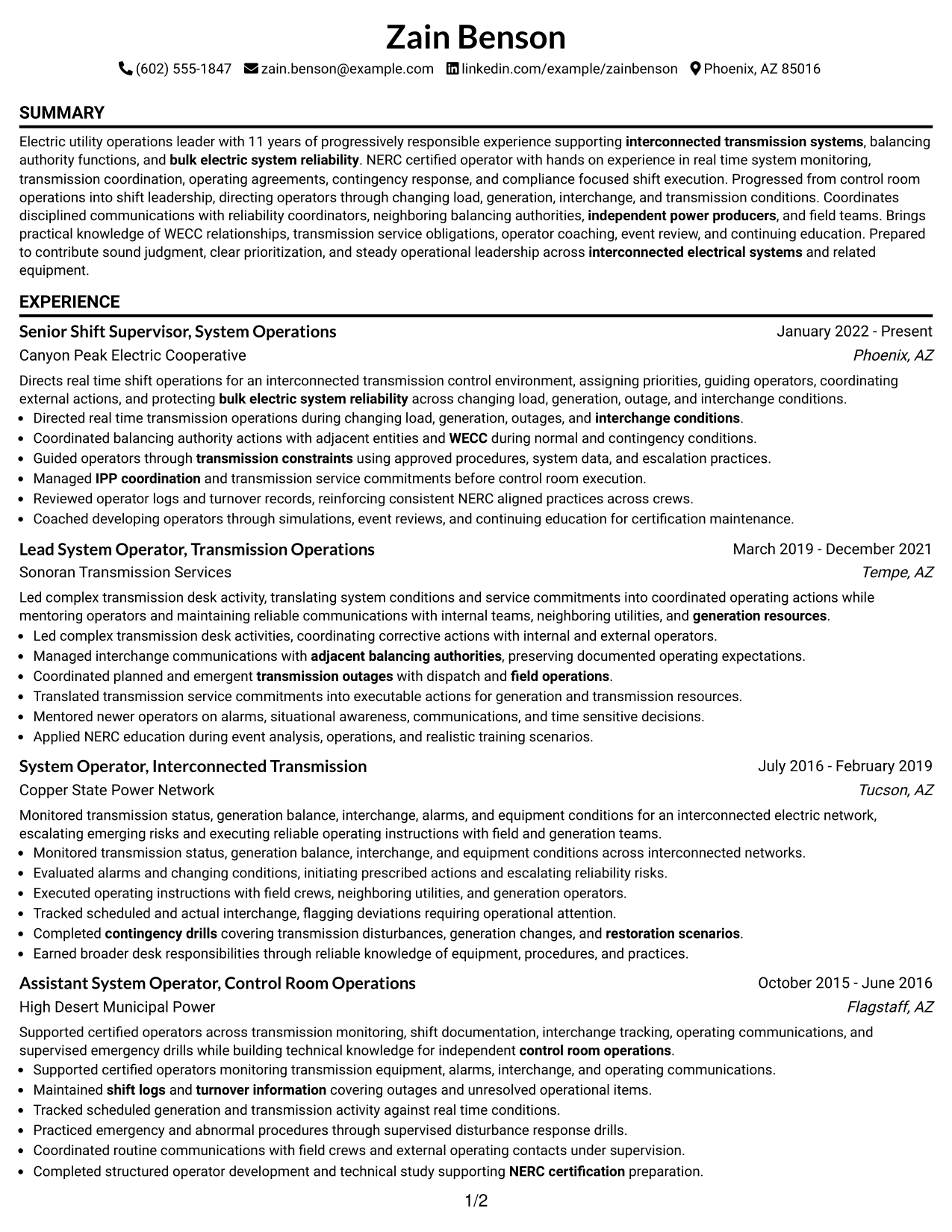
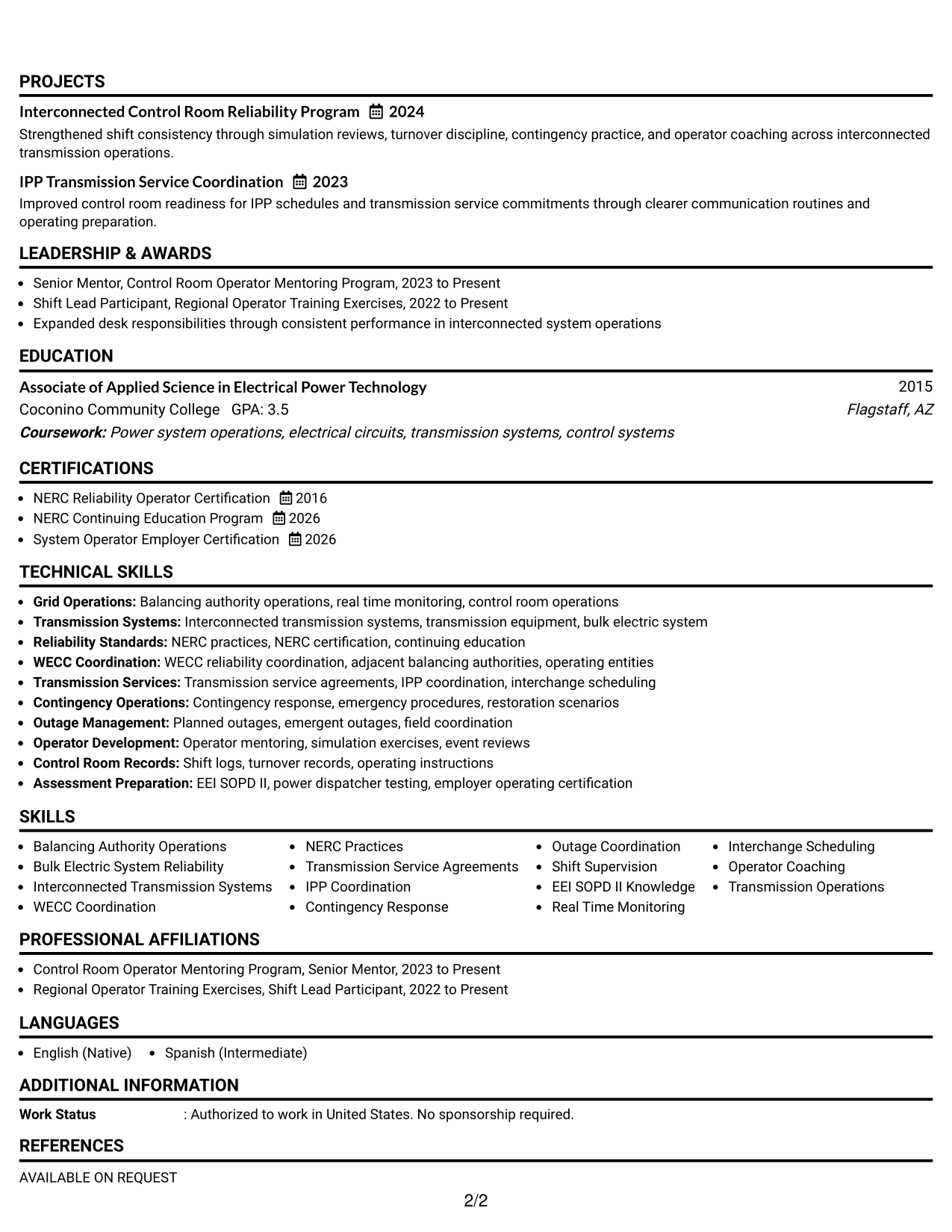
#1 Simple One Column Format Resume Example
A direct one-column reading order helps recruiters scan each resume section from top to bottom without distraction.
Why This Format Works
- Linear section order makes career progression easy to follow during a quick review.
- Full-width space gives experience and achievements room without splitting the reading path.
- Simple section breaks keep skills, education, and credentials easy to locate.
Best For
- Straightforward recruiter scanning
- Detailed experience histories
- Clear career progression
- Strong certification sections
- ATS-focused applications
Resume Keywords
- Balancing Authority Operations
- Bulk Electric System Reliability
- Interconnected Transmission Systems
- WECC Coordination
- NERC Practices
- Transmission Service Agreements
- IPP Coordination
- Contingency Response
- Outage Coordination
- Shift Supervision
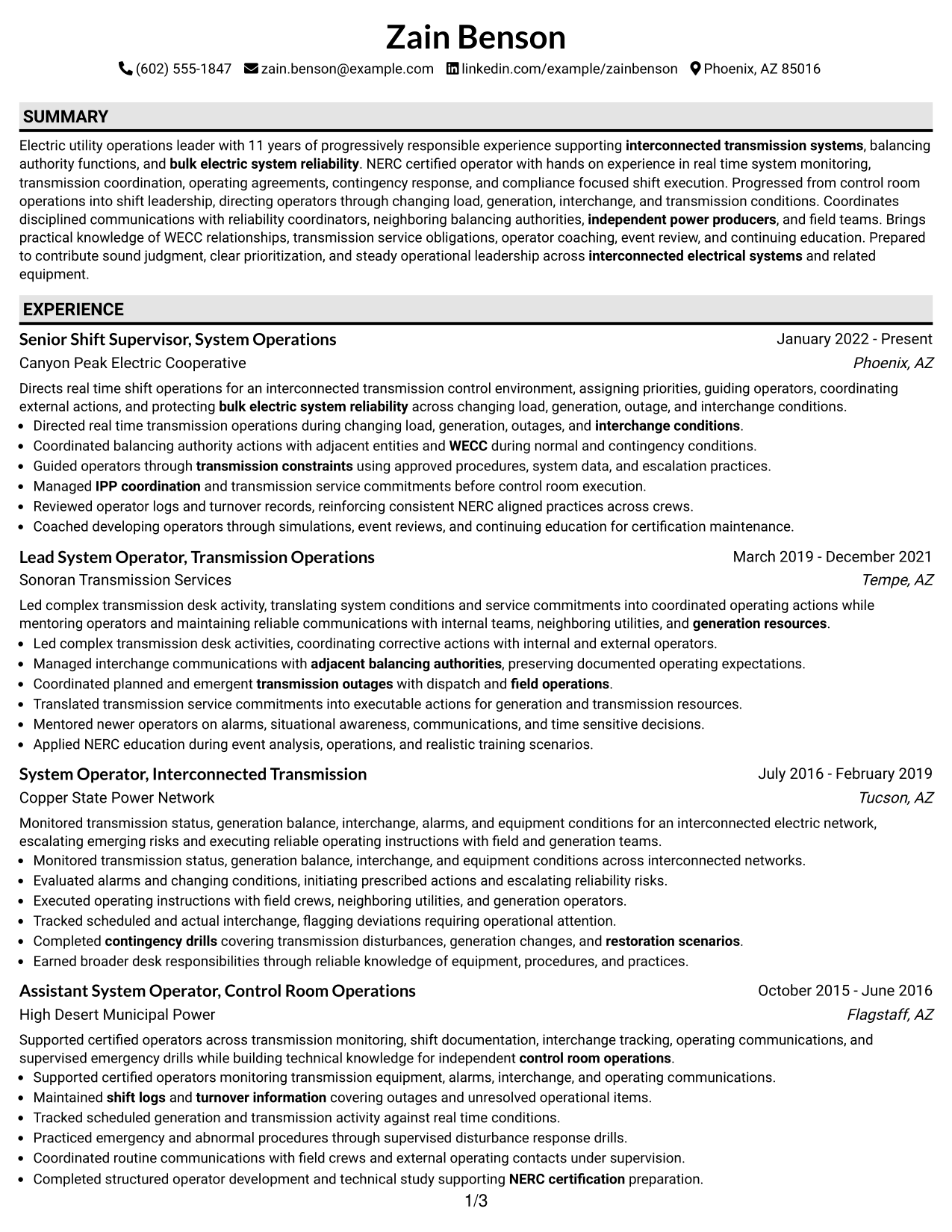
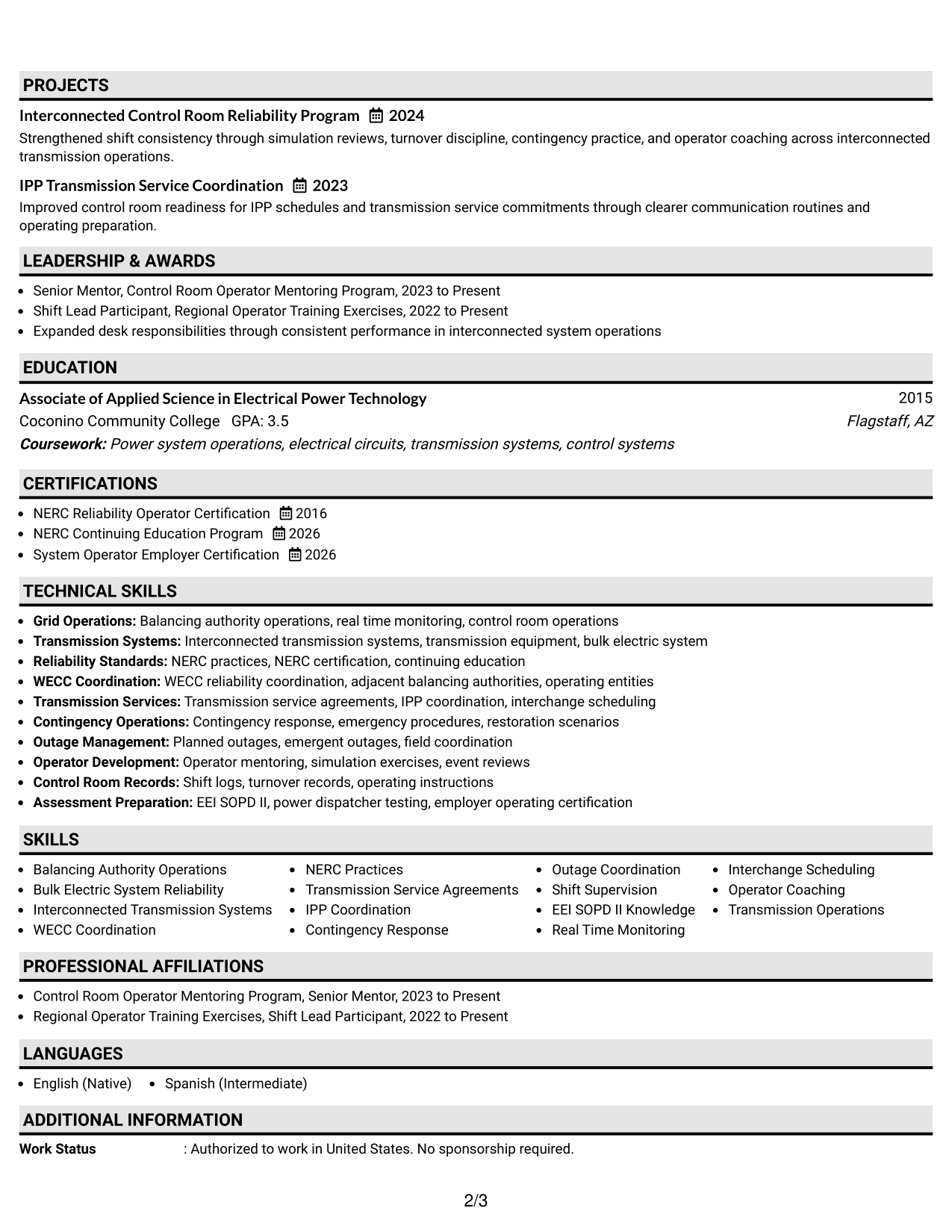
#2 Plain One Column with Shaded Labels Resume Example
Shaded section labels add clear visual stops while recruiters follow the resume through one continuous column.
Why This Format Works
- Shaded labels separate major sections so experience can be found without searching.
- One continuous column keeps achievements tied closely to the roles they support.
- Clear section markers help credentials and education stand apart from work history.
Best For
- Fast section recognition
- Long technical work histories
- Mixed experience and credentials
- Readers who prefer strong labels
- Applications needing clear hierarchy
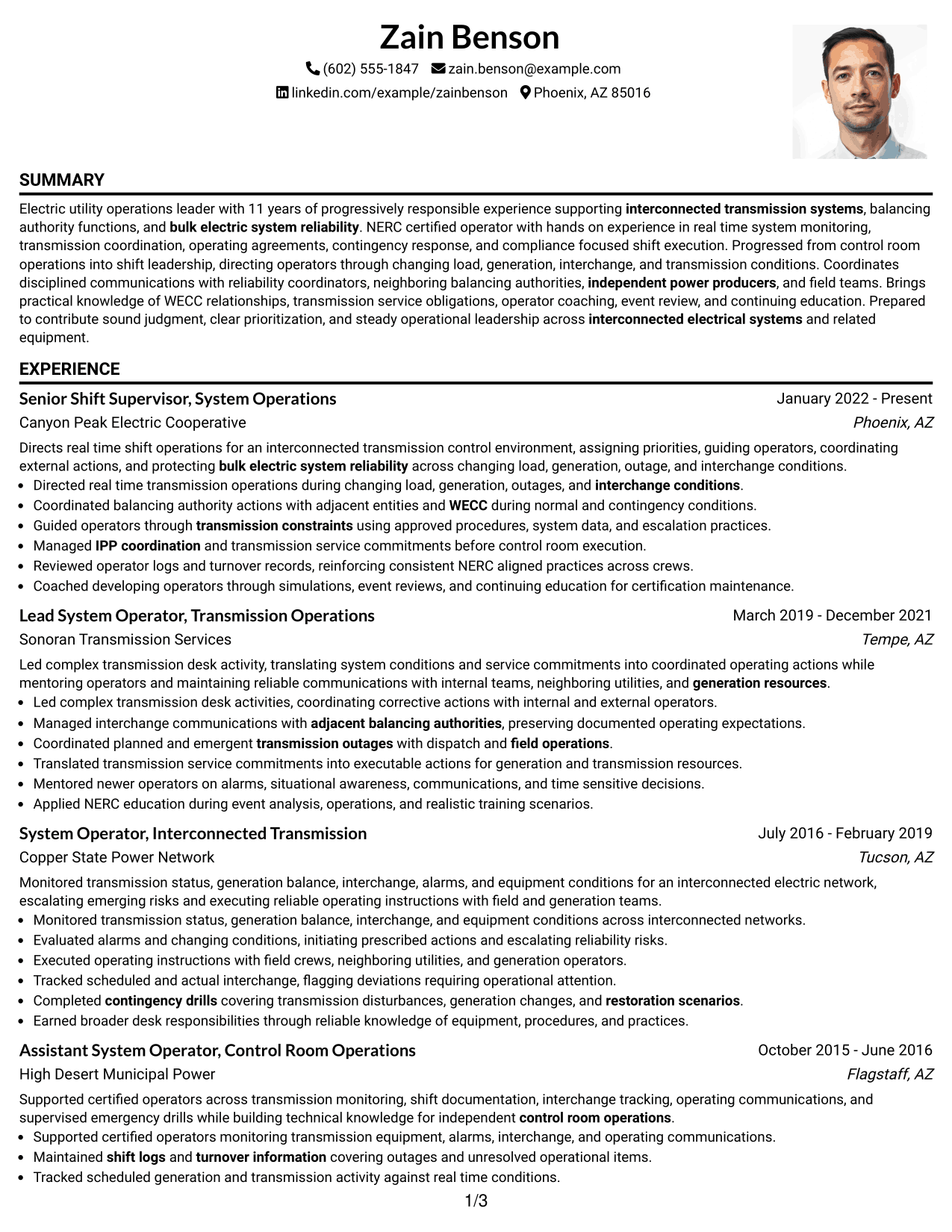
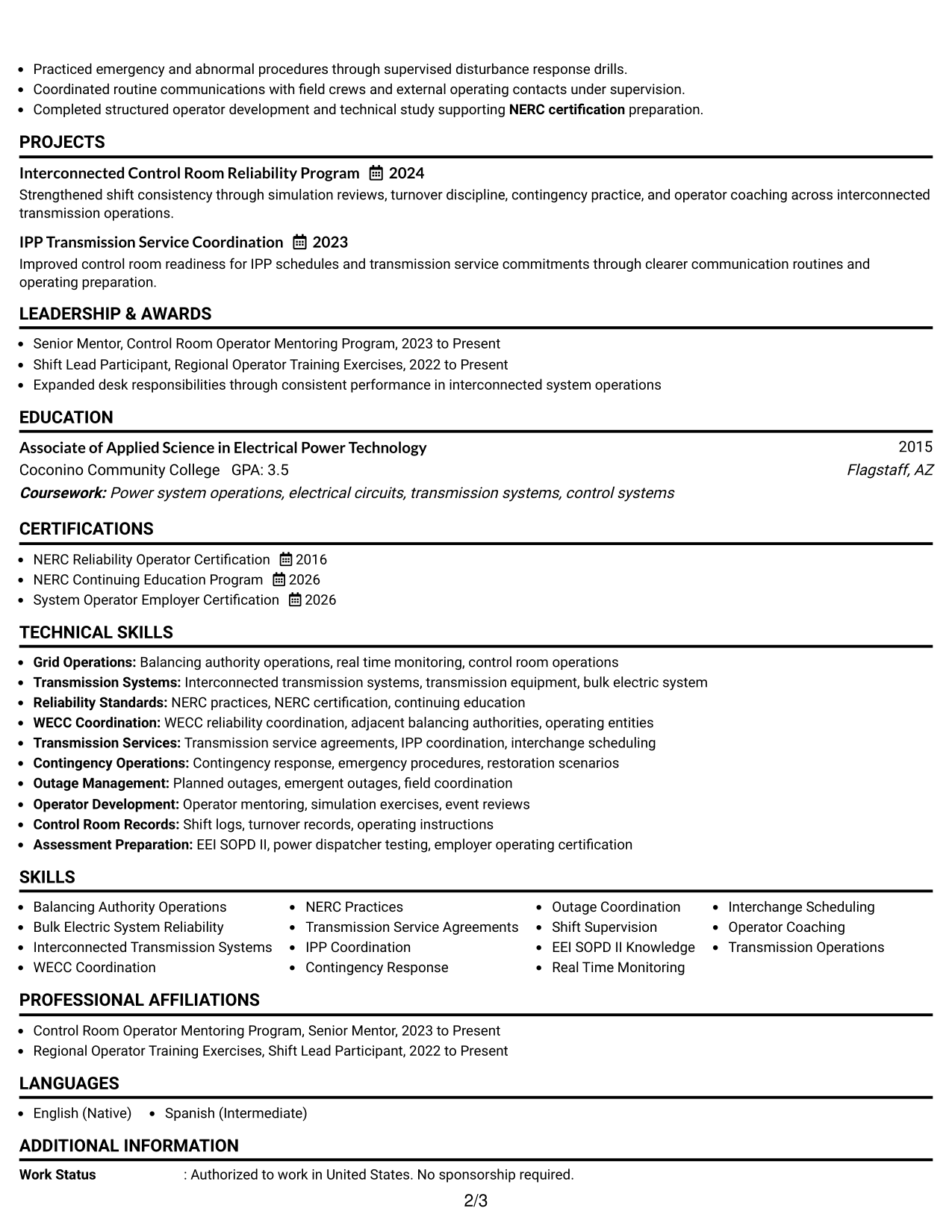
#3 One Column Format with Photo Right Resume Example
A right-side photo sits in the header while the one-column body keeps recruiter scanning simple and sequential.
Why This Format Works
- Sequential body sections keep experience, achievements, and credentials in one clear path.
- The photo stays separate from the main body, preserving straightforward section reading.
- Wide body space supports detailed experience while keeping skills easy to identify.
Best For
- Markets where photos are customary
- Sequential resume review
- Experience-heavy resumes
- Visible personal identification
- Simple body organization
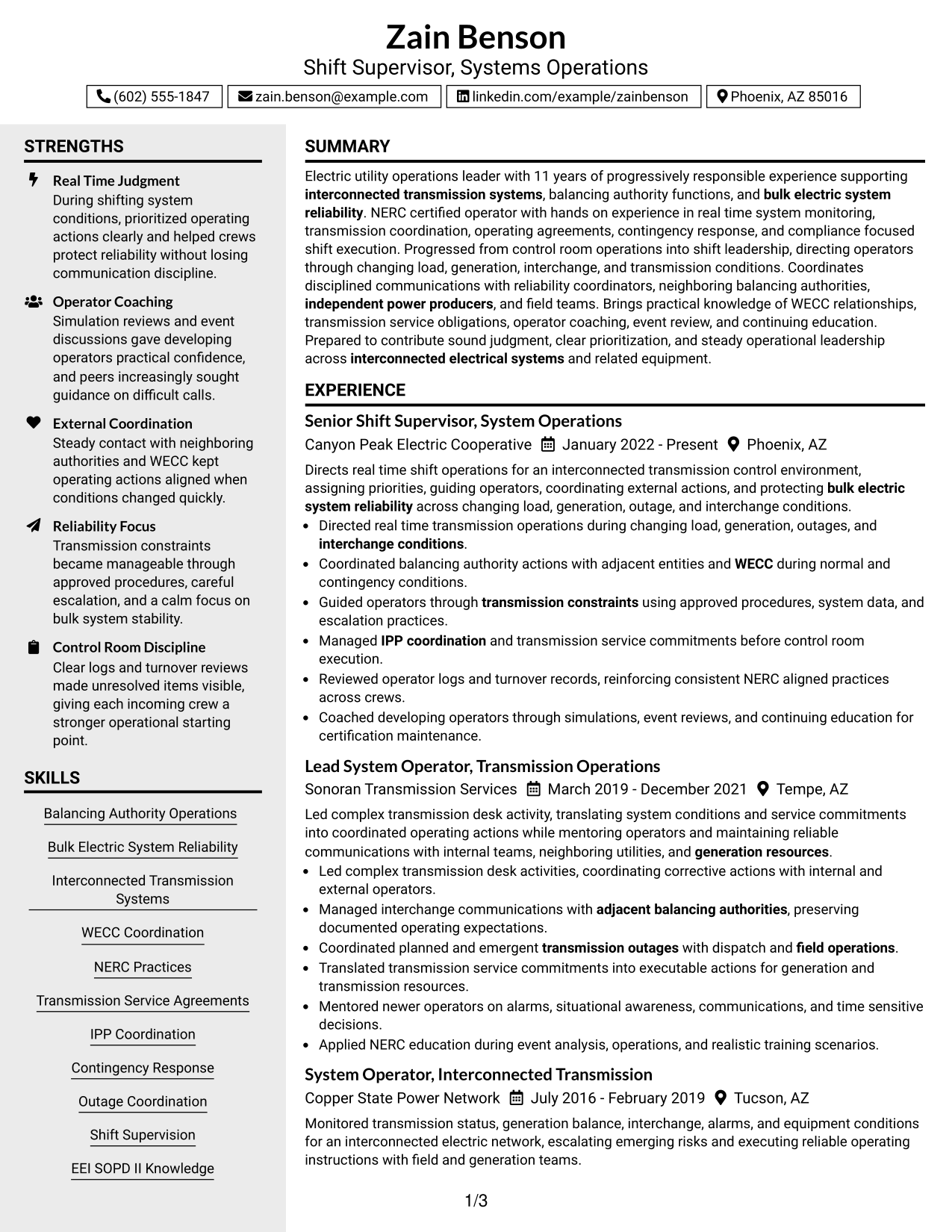
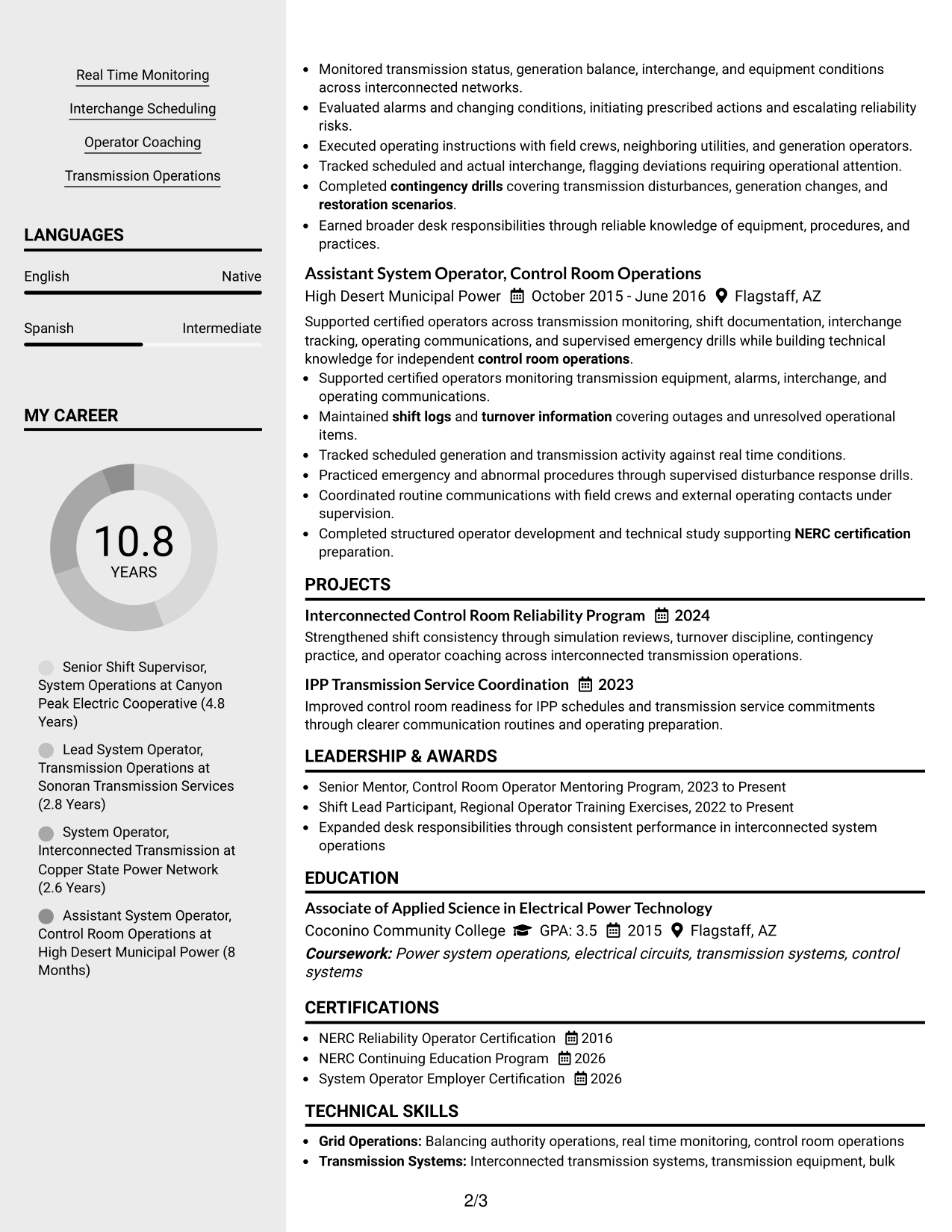
#4 Clean Two Column Sidebar Format Resume Example
A clean two-column structure gives recruiters a main reading path plus a sidebar for quick reference.
Why This Format Works
- Two-column separation lets experience stay prominent while supporting details remain easy to scan.
- The sidebar creates a compact place for skills and credentials without crowding experience.
- Parallel sections help recruiters compare career history with supporting qualifications efficiently.
Best For
- High-volume qualification sets
- Quick skills reference
- Detailed leadership experience
- Balanced main and support sections
- Compact visual organization
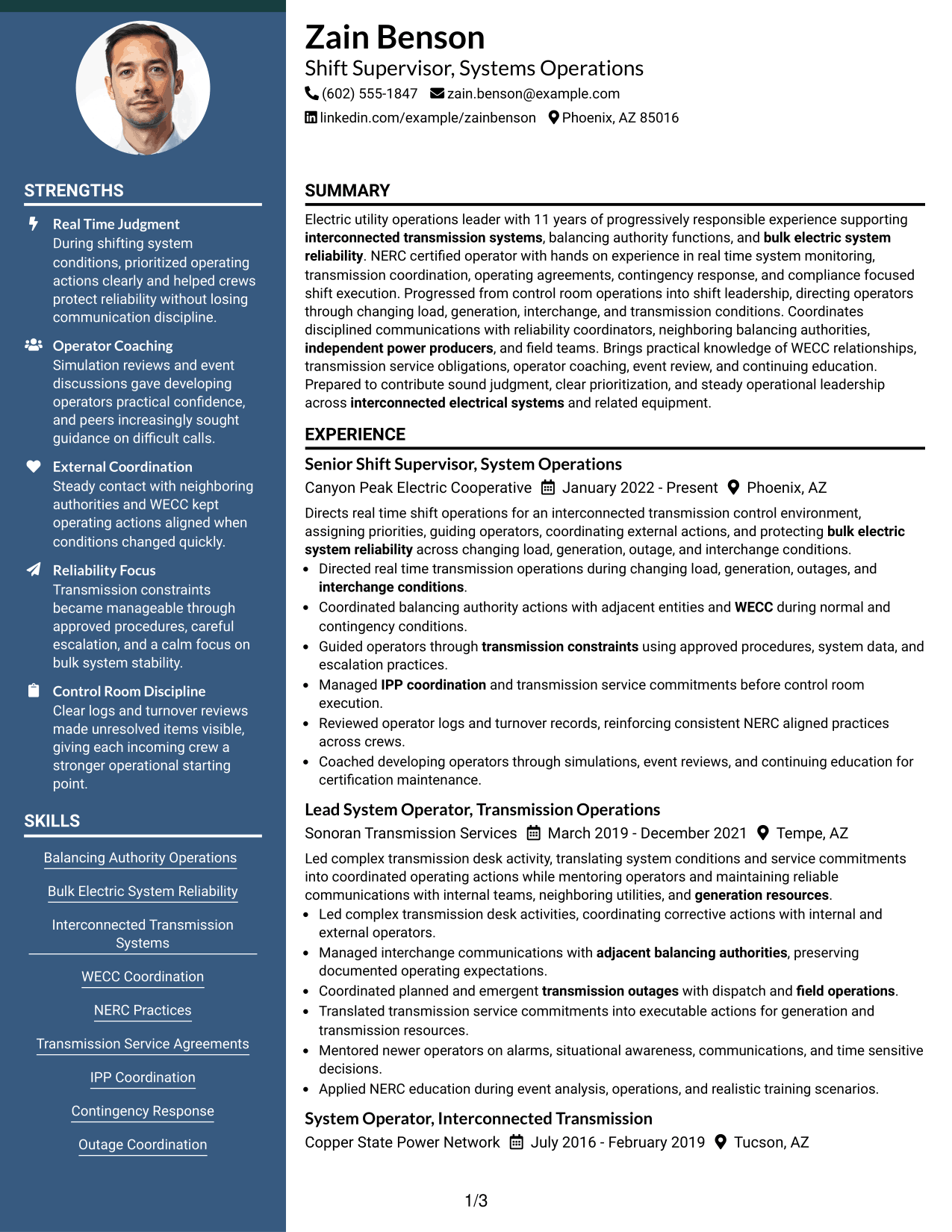
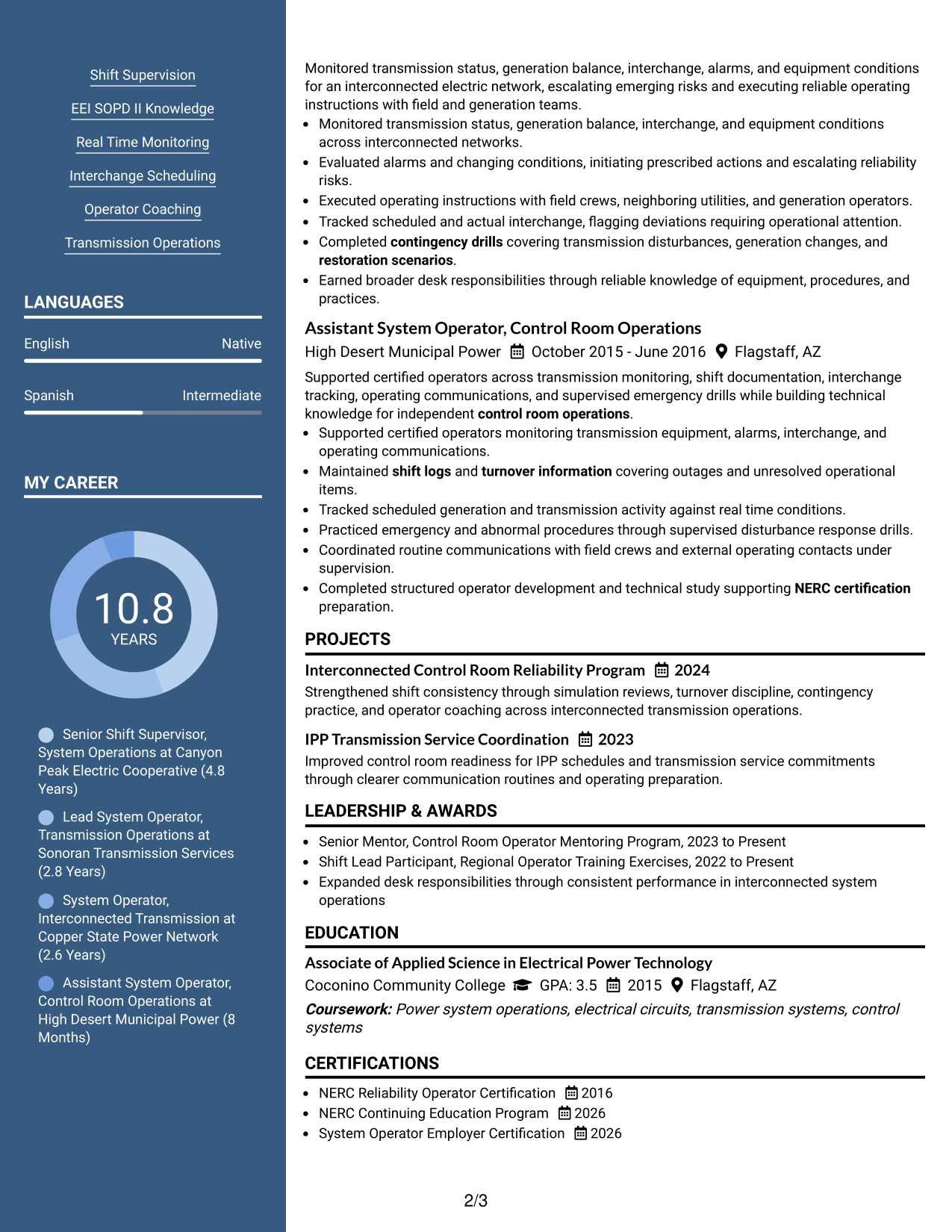
#5 Two Column Format Resume Example
Two balanced columns help recruiters move between core experience and supporting resume sections with less vertical searching.
Why This Format Works
- Balanced columns divide dense resume content into shorter, easier scanning areas.
- Experience can hold visual weight while skills and education remain readily accessible.
- Side-by-side organization reduces long stretches between career evidence and supporting qualifications.
Best For
- Dense professional content
- Balanced section visibility
- Quick comparison of qualifications
- Resumes with several support sections
- Readers scanning across categories
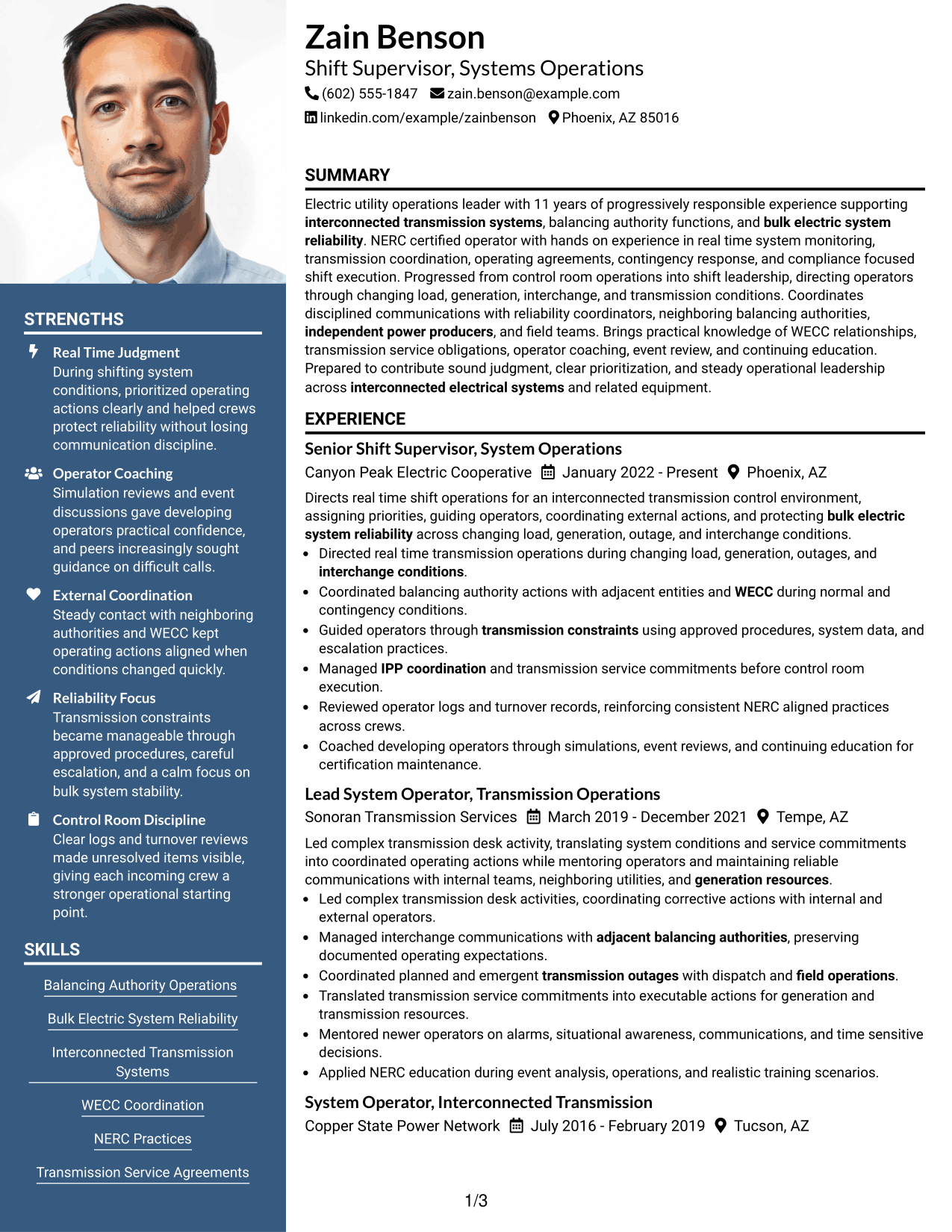
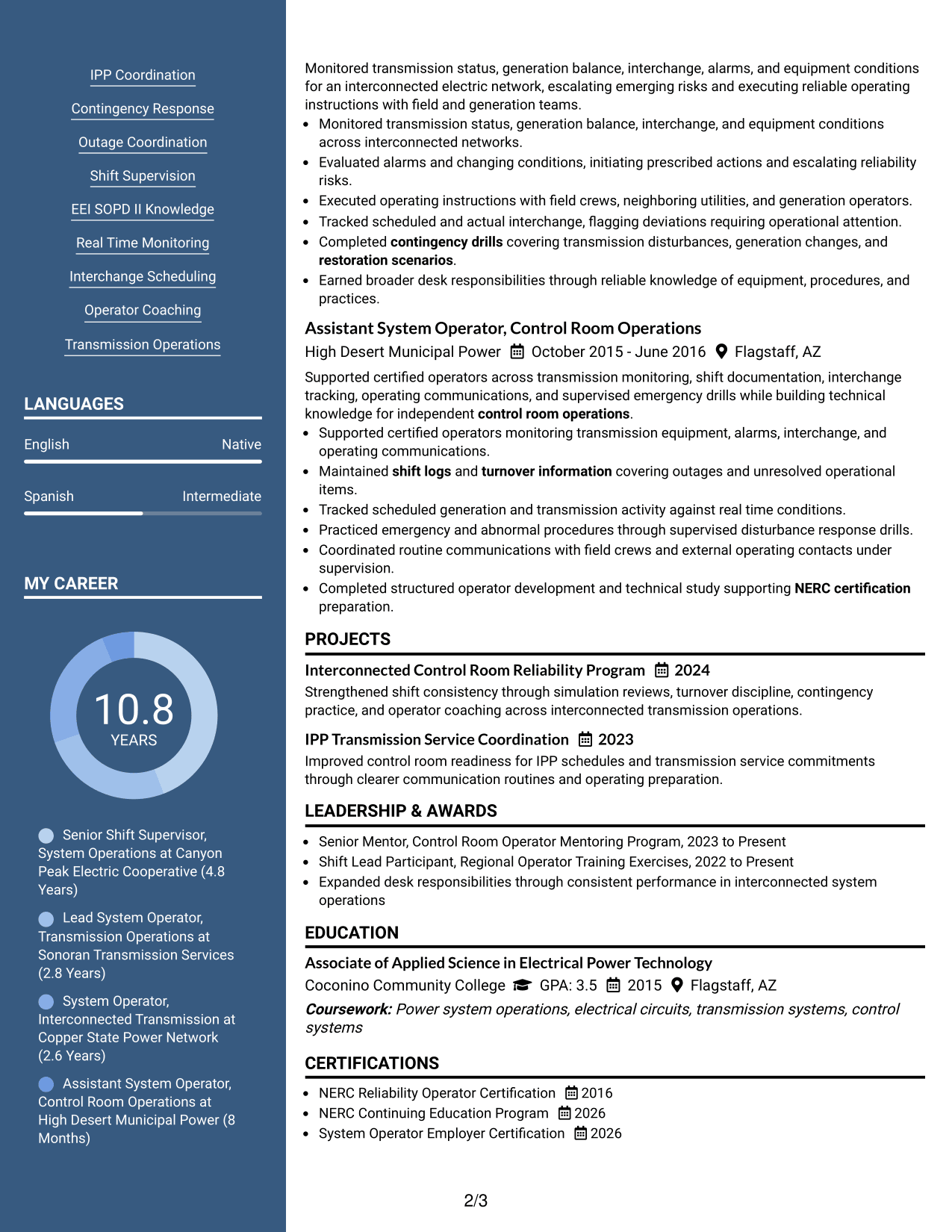
#6 Photo Header Two Column Format Resume Example
A photo header adds personal identification while two body columns let recruiters scan major sections in parallel.
Why This Format Works
- Two body columns separate experience from supporting sections without changing the underlying evidence.
- The header photo identifies the applicant while body organization handles section navigation.
- Compact parallel areas help skills, education, and credentials stay visible beside experience.
Best For
- Regions expecting resume photos
- Parallel section scanning
- Broad supporting qualifications
- Strong experience plus credentials
- Visually distinct contact headers
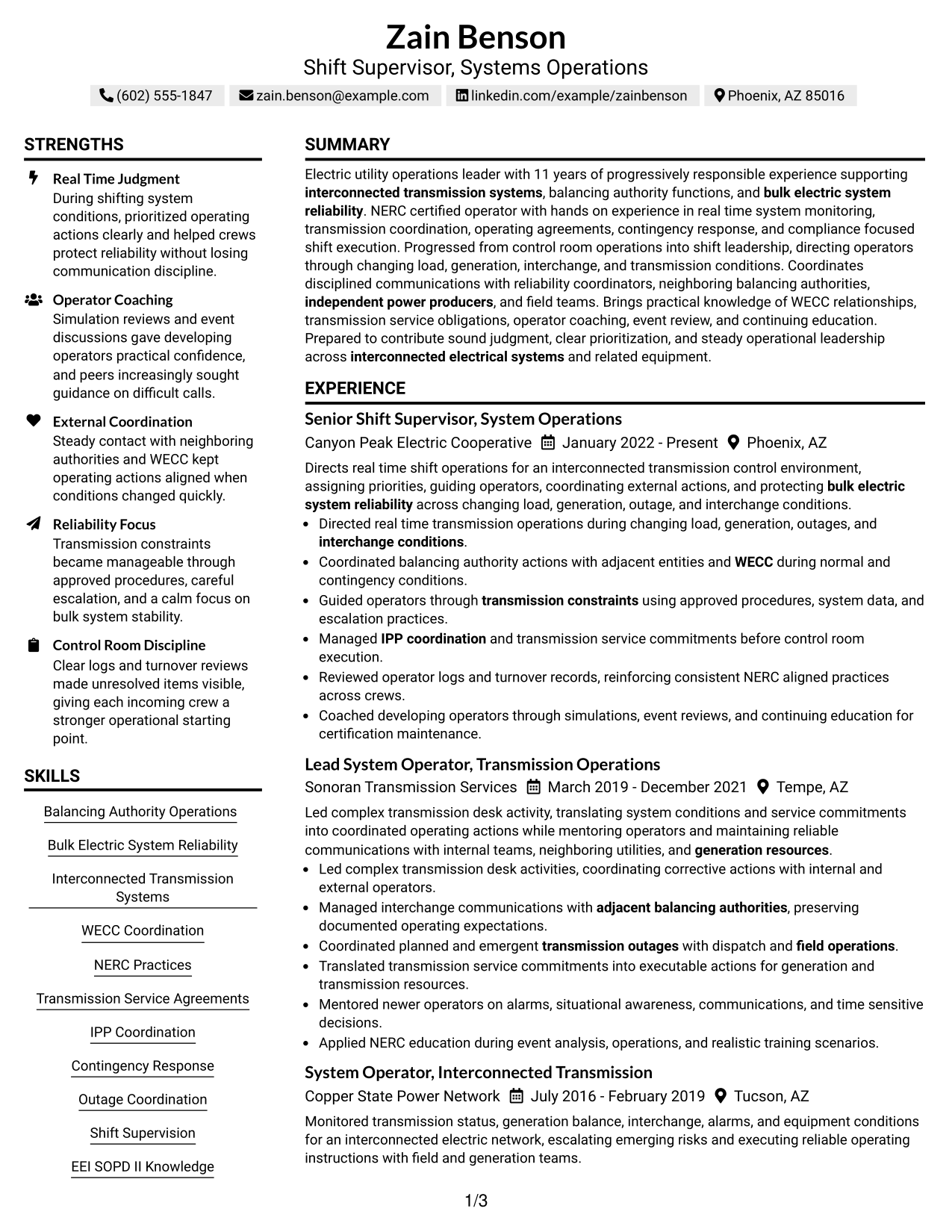
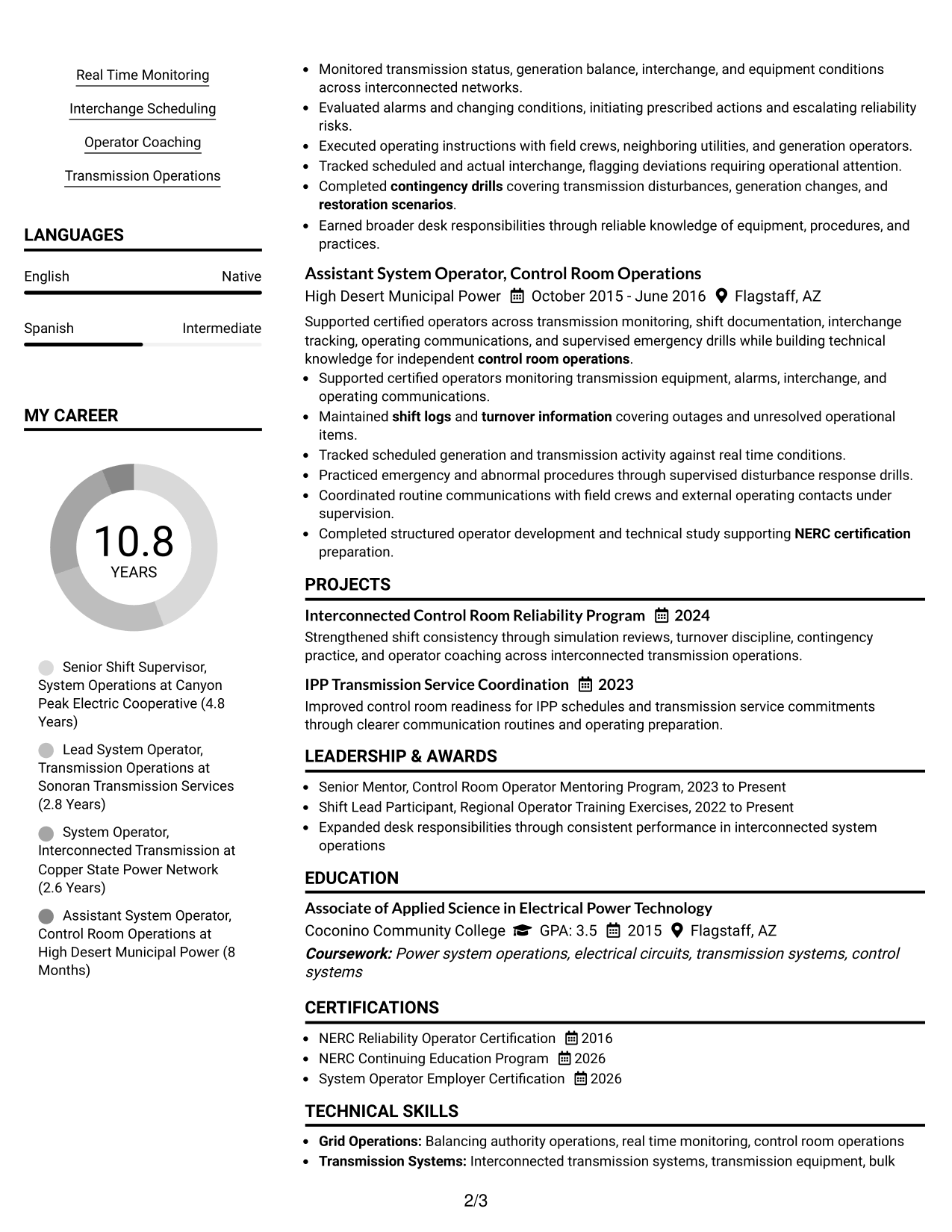
#7 Simple Two Column Format Resume Example
A simple two-column arrangement helps recruiters scan substantial experience and supporting sections without heavy visual decoration.
Why This Format Works
- Clean column boundaries keep experience readable while secondary sections remain close at hand.
- Simple styling leaves attention on career progression, achievements, and qualifications.
- Two-column grouping makes skills and credentials accessible without interrupting experience review.
Best For
- Low-decoration professional resumes
- Substantial experience sections
- Easy access to credentials
- Clear division of content
- Traditional technical applications
See Also
- 33 Nurse Shift Supervisor (RN/LPN) Resume Templates with Example 2026 (ATS-Optimized)
- 7 Security Shift Supervisor - Healthcare Resume Templates with Example
- 7 Distribution Supervisor - Distribution Operations Resume Templates with Example
- 7 Event Operations Supervisor Resume Templates with Example
- 33 Production Supervisor - Manufacturing Operations Resume Templates with Example
- 7 Public Works Operations Supervisor - Channel Restoration Resume Templates with Example
- 33 Supervisor, Customer Support Systems - Utility Customer Technology Resume Templates with Example 2026 (ATS-Optimized)
- 7 Shift Lead Resume Templates with Example
- 30+ Nurse Shift Supervisor (RN/LPN) Cover Letter Templates with Example 2026
- 30+ Audit Supervisor Cover Letter Templates with Example 2026
Frequently Asked Questions
Are these Shift Supervisor, Systems Operations resume templates ATS-friendly?
Yes. The layouts use clear section structure and readable headings. Keep job-specific terms in normal text, including balancing authority operations, transmission operations, NERC certification, WECC coordination, and IPP coordination.
Are these different resumes?
No. The guide shows one complete Shift Supervisor, Systems Operations resume in different visual formats so you can compare organization without changing the candidate evidence.
What should a Shift Supervisor, Systems Operations resume include?
Include a focused summary, progressive system operations experience, shift leadership, transmission and balancing authority work, relevant certifications, education, skills, and evidence of reliable control room decision making.
Which keywords matter for this resume?
Use only terms supported by your background. Strong examples can include balancing authority operations, bulk electric system reliability, interconnected transmission systems, WECC coordination, transmission service agreements, IPP coordination, contingency response, outage coordination, and NERC practices.
How should I show NERC credentials?
Place current NERC certification and continuing education in a clear certifications section. Keep dates accurate and make employer operating certification easy to find when it is part of your record.
Should I include EEI SOPD II knowledge?
Include EEI SOPD II knowledge when it is accurate for you and relevant to the posting. Do not claim test completion unless you have actually completed it.
Should I include a photo on my resume?
For U.S. applications, a no-photo resume is generally the safer choice. Use a photo only when local practice or the application process clearly calls for one.
Can I customize these resume templates?
Yes. Adjust the text, section order, and visual format while keeping your experience, certifications, dates, and technical claims accurate.




