
33 Software Engineer Intern - Secure Cross-Domain Systems Resume Templates with Example 2026 (ATS-Optimized)
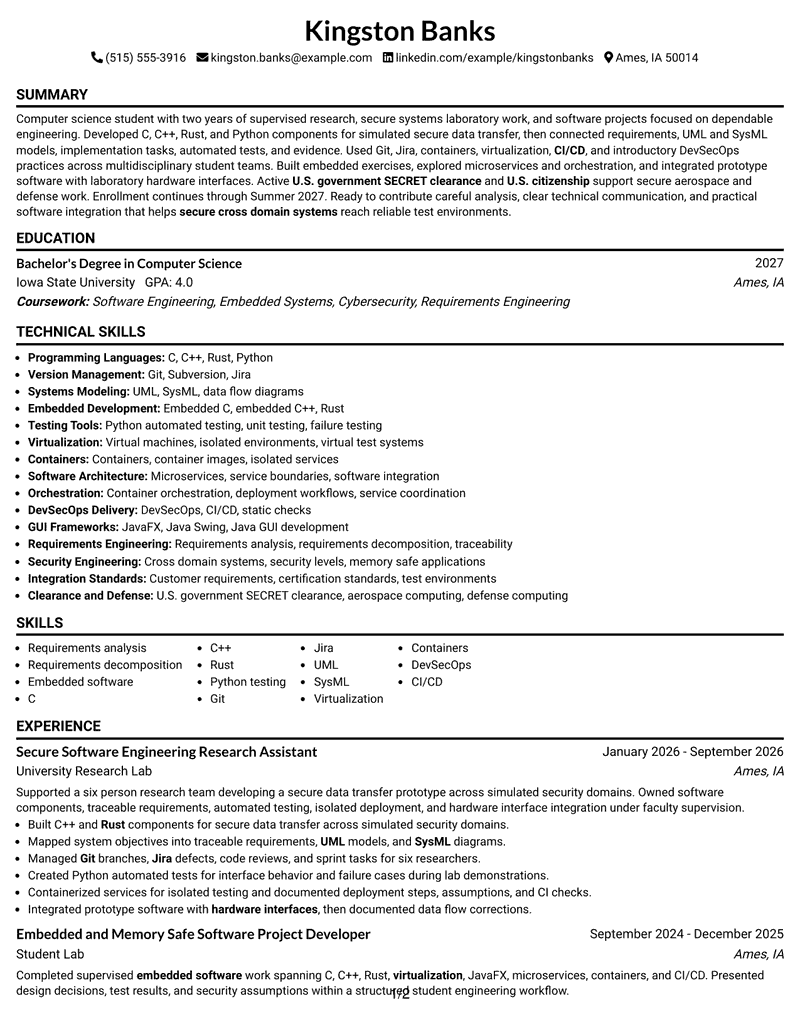
This guide shows you how to build a Software Engineer Intern - Secure Cross-Domain Systems resume that is clear, focused, and easy to review. You will learn how to organize technical evidence and choose a professional format for a secure software internship.
Strong resumes for this role connect requirements work with implementation and testing. Useful evidence can include C, C++, Rust, Python automated testing, Git, Jira, UML, SysML, embedded software, virtualization, containers, CI/CD, DevSecOps, and software-to-hardware integration when those skills are supported by your experience.
Below, one complete Software Engineer Intern - Secure Cross-Domain Systems resume example appears in 33 ATS-friendly resume layouts. Each example includes format notes and free PDF downloads so you can compare structure without changing the underlying candidate evidence.
What Makes a Great Software Engineer Intern - Secure Cross-Domain Systems Resume in 2026
A strong resume is traceable, technically specific, and easy to scan. It should connect requirements, implementation, testing, and integration work without overstating responsibility.
Prioritize supported keywords such as C++, Rust, Python automated testing, Git, Jira, UML, SysML, containers, CI/CD, DevSecOps, embedded software, and SECRET clearance.
The examples shown below are intentionally detailed to demonstrate a range of experiences, skills, accomplishments and relevant keywords. We prefer detailed resumes as they provide more context to the hiring managers and also help the ATS systems identify relevant qualifications and score your resume better for a match. But the length of a resume is an individual choice. If you want a one page resume, just keep the most relevant experience and information for the job. Note: Resume examples are for educational purposes only. Use only information that accurately reflects your experience and qualifications. References to real organizations do not imply affiliation or endorsement.
#1 Simple One Column Format Resume Example
Simple One Column Format organizes the document in a one-column structure with clear section progression. Reviewers can follow the resume from summary and experience through projects, education, and skills.

Resume Snapshot
- Computer science bachelor's degree in progress, expected 2027
- Secure software research and embedded project experience
- C, C++, Rust, Python, Git, Jira, UML, and SysML
- Active U.S. government SECRET clearance
Why This Format Works
- Single-column flow keeps research experience and project evidence in chronological sequence.
- Full-width sections give C++, Rust, and Python testing details readable space.
- Clear section hierarchy keeps requirements, testing, integration, and education easy to locate.
- Skills areas support concise listing of Git, Jira, containers, CI/CD, and DevSecOps.
- Credential sections make active SECRET clearance visible without overstating technical responsibilities.
- Education placement supports the in-progress computer science degree and expected 2027 completion.
Best For
- Fast recruiter scanning of technical sections
- Chronological research and project evidence
- Applications needing clear section hierarchy
- ATS-conscious secure software submissions
- Students with several technical content blocks
- Resumes balancing skills with experience detail
Resume Keywords
- secure cross domain systems
- security levels
- UML
- SysML
- integration
- Testing
- Customer requirements
- certification standards
- Bachelor's Degree
- Jira
- Subversion
- Git
- C
- C++
- Rust
#2 Plain One Column with Shaded Labels Resume Example
Reviewers move through this one-column resume in one continuous path, with section cues guiding each transition. Plain One Column with Shaded Labels supports steady scanning when the document contains several technical evidence blocks.

Why This Format Works
- Single-column flow keeps research experience and project evidence in chronological sequence.
- Full-width sections give C++, Rust, and Python testing details readable space.
- Shaded labels distinguish requirements work, projects, education, and technical skills clearly.
- Education placement supports the in-progress computer science degree and expected 2027 completion.
- Structured bullets keep hardware integration and data-flow correction work easy to verify.
- Section separation helps distinguish supervised research from student embedded software projects.
Best For
- Dense technical evidence needing orderly space
- Multiple projects and research entries
- Resumes with broad tools coverage
- Detailed requirements and testing evidence
- Education plus technical credentials
- Applications needing compact information density
#3 One Column Format with Photo Right Resume Example
Experience and technical evidence remain the main reading path in this one-column format, while the header photo stays separate from body content. One Column Format with Photo Right keeps the evidence sequence intact.

Why This Format Works
- Single-column flow keeps research experience and project evidence in chronological sequence.
- Full-width sections give C++, Rust, and Python testing details readable space.
- Clear section hierarchy keeps requirements, testing, integration, and education easy to locate.
- Photo treatment stays outside body evidence, preserving space for verified technical qualifications.
- Section separation helps distinguish supervised research from student embedded software projects.
- Readable spacing supports Python failure-testing details and isolated environment documentation.
Best For
- Project-heavy secure software resumes
- Research experience with technical proof
- Requirements, testing, and integration evidence
- Mixed software and hardware work
- Credentials supporting regulated environments
- Markets where professional photos are customary
#4 Clean Two Column Sidebar Format Resume Example
Content is distributed across two columns so detailed experience can coexist with concise supporting sections. Clean Two Column Sidebar Format balances space while preserving a clear hierarchy for review.

Why This Format Works
- Two-column organization separates dense experience from concise skills and credentials.
- Parallel content areas help reviewers locate projects, education, and technical tools quickly.
- Sidebar structure can hold concise credentials while main space preserves experience detail.
- Experience grouping supports traceable requirements, UML, SysML, implementation, and test evidence.
- Project sections can present secure data-transfer and memory-safe embedded work distinctly.
- Skills areas support concise listing of Git, Jira, containers, CI/CD, and DevSecOps.
Best For
- Onsite technical internship applications
- Defense and secure computing submissions
- ATS review plus human scanning
- Applications with clearance information
- Structured student engineering resumes
- Technical roles requiring broad evidence
#5 Two Column Format Resume Example
For applications that need clear technical evidence and fast section access, this two-column format provides a structured review path. Two Column Format keeps the resume organized without changing the underlying content.

Why This Format Works
- Two-column organization separates dense experience from concise skills and credentials.
- Parallel content areas help reviewers locate projects, education, and technical tools quickly.
- Clear section hierarchy keeps requirements, testing, integration, and education easy to locate.
- Skills areas support concise listing of Git, Jira, containers, CI/CD, and DevSecOps.
- Credential sections make active SECRET clearance visible without overstating technical responsibilities.
- Education placement supports the in-progress computer science degree and expected 2027 completion.
Best For
- Professional technical applications with visual structure
- Resumes needing strong section distinction
- Candidates balancing detail and readability
- Modern applications with technical depth
- Recruiter review of varied qualifications
- Documents with several supporting sections
#6 Photo Header Two Column Format Resume Example
A defined photo header creates a formal visual starting point, while the two-column body carries the resume evidence. Photo Header Two Column Format keeps decorative emphasis separate from technical content.

Why This Format Works
- Two-column organization separates dense experience from concise skills and credentials.
- Parallel content areas help reviewers locate projects, education, and technical tools quickly.
- Clear section hierarchy keeps requirements, testing, integration, and education easy to locate.
- Photo treatment stays outside body evidence, preserving space for verified technical qualifications.
- Education placement supports the in-progress computer science degree and expected 2027 completion.
- Structured bullets keep hardware integration and data-flow correction work easy to verify.
Best For
- Secure cross-domain software internship applications
- Student resumes with systems research
- Technical applications emphasizing traceability
- Security-focused engineering application submissions
- Resumes combining coding and integration
- Markets where professional photos are customary
#7 Simple Two Column Format Resume Example
Simple Two Column Format organizes the document in a two-column structure with clear section progression. Reviewers can follow the resume from summary and experience through projects, education, and skills.

Why This Format Works
- Two-column organization separates dense experience from concise skills and credentials.
- Parallel content areas help reviewers locate projects, education, and technical tools quickly.
- Clear section hierarchy keeps requirements, testing, integration, and education easy to locate.
- Section separation helps distinguish supervised research from student embedded software projects.
- Readable spacing supports Python failure-testing details and isolated environment documentation.
- Experience grouping supports traceable requirements, UML, SysML, implementation, and test evidence.
Best For
- Fast recruiter scanning of technical sections
- Chronological research and project evidence
- Applications needing clear section hierarchy
- ATS-conscious secure software submissions
- Students with several technical content blocks
- Resumes balancing skills with experience detail
#8 Text/Fang Style Resume Example
Reviewers move through this one-column resume in one continuous path, with section cues guiding each transition. Text/Fang Style supports steady scanning when the document contains several technical evidence blocks.

Why This Format Works
- Single-column flow keeps research experience and project evidence in chronological sequence.
- Full-width sections give C++, Rust, and Python testing details readable space.
- Clear section hierarchy keeps requirements, testing, integration, and education easy to locate.
- Experience grouping supports traceable requirements, UML, SysML, implementation, and test evidence.
- Project sections can present secure data-transfer and memory-safe embedded work distinctly.
- Skills areas support concise listing of Git, Jira, containers, CI/CD, and DevSecOps.
Best For
- Dense technical evidence needing orderly space
- Multiple projects and research entries
- Resumes with broad tools coverage
- Detailed requirements and testing evidence
- Education plus technical credentials
- Applications needing compact information density
#9 One Column Boxed Contact Header Format Resume Example
Experience, projects, and technical skills receive the strongest reading priority in this one-column structure. One Column Boxed Contact Header Format keeps the evidence organized so reviewers can compare qualifications efficiently.

Why This Format Works
- Single-column flow keeps research experience and project evidence in chronological sequence.
- Full-width sections give C++, Rust, and Python testing details readable space.
- Boxed header separates contact details from secure-systems experience and project evidence.
- Skills areas support concise listing of Git, Jira, containers, CI/CD, and DevSecOps.
- Credential sections make active SECRET clearance visible without overstating technical responsibilities.
- Education placement supports the in-progress computer science degree and expected 2027 completion.
Best For
- Project-heavy secure software resumes
- Research experience with technical proof
- Requirements, testing, and integration evidence
- Mixed software and hardware work
- Credentials supporting regulated environments
- Technical resumes with varied evidence types
#10 Plain Two Column Format Resume Example
Content is distributed across two columns so detailed experience can coexist with concise supporting sections. Plain Two Column Format balances space while preserving a clear hierarchy for review.

Why This Format Works
- Two-column organization separates dense experience from concise skills and credentials.
- Parallel content areas help reviewers locate projects, education, and technical tools quickly.
- Clear section hierarchy keeps requirements, testing, integration, and education easy to locate.
- Education placement supports the in-progress computer science degree and expected 2027 completion.
- Structured bullets keep hardware integration and data-flow correction work easy to verify.
- Section separation helps distinguish supervised research from student embedded software projects.
#11 Colored Two Column Format Resume Example
For applications that need clear technical evidence and fast section access, this two-column format provides a structured review path. Colored Two Column Format keeps the resume organized without changing the underlying content.

Why This Format Works
- Two-column organization separates dense experience from concise skills and credentials.
- Parallel content areas help reviewers locate projects, education, and technical tools quickly.
- Visual accents separate resume sections while technical evidence remains text-led and verifiable.
- Section separation helps distinguish supervised research from student embedded software projects.
- Readable spacing supports Python failure-testing details and isolated environment documentation.
- Experience grouping supports traceable requirements, UML, SysML, implementation, and test evidence.
Best For
- Professional technical applications with visual structure
- Resumes needing strong section distinction
- Candidates balancing detail and readability
- Modern applications with technical depth
- Recruiter review of varied qualifications
- Documents with several supporting sections
#12 One Column Shaded Contact Header Format Resume Example
A restrained visual treatment gives the resume a distinct hierarchy without changing its evidence order. One Column Shaded Contact Header Format uses a one-column body to keep technical sections organized.

Why This Format Works
- Single-column flow keeps research experience and project evidence in chronological sequence.
- Full-width sections give C++, Rust, and Python testing details readable space.
- Shaded labels distinguish requirements work, projects, education, and technical skills clearly.
- Experience grouping supports traceable requirements, UML, SysML, implementation, and test evidence.
- Project sections can present secure data-transfer and memory-safe embedded work distinctly.
- Skills areas support concise listing of Git, Jira, containers, CI/CD, and DevSecOps.
Best For
- Secure cross-domain software internship applications
- Student resumes with systems research
- Technical applications emphasizing traceability
- Security-focused engineering application submissions
- Resumes combining coding and integration
- Applications needing credentials and projects
#13 Boxed Contact Header with Job Title Format Resume Example
Boxed Contact Header with Job Title Format uses a boxed contact area above a one-column body. That separation gives reviewers a clear start before they move through the resume sections in order.

Why This Format Works
- Single-column flow keeps research experience and project evidence in chronological sequence.
- Full-width sections give C++, Rust, and Python testing details readable space.
- Boxed header separates contact details from secure-systems experience and project evidence.
- Skills areas support concise listing of Git, Jira, containers, CI/CD, and DevSecOps.
- Credential sections make active SECRET clearance visible without overstating technical responsibilities.
- Education placement supports the in-progress computer science degree and expected 2027 completion.
Best For
- Fast recruiter scanning of technical sections
- Chronological research and project evidence
- Applications needing clear section hierarchy
- ATS-conscious secure software submissions
- Students with several technical content blocks
- Resumes balancing skills with experience detail
#14 Stylish Two Column Designer Format Resume Example
Reviewers can move between the two content areas without losing the main evidence sequence. Stylish Two Column Designer Format uses a two-column structure to separate information while keeping the resume visually connected.

Why This Format Works
- Two-column organization separates dense experience from concise skills and credentials.
- Parallel content areas help reviewers locate projects, education, and technical tools quickly.
- Clear section hierarchy keeps requirements, testing, integration, and education easy to locate.
- Education placement supports the in-progress computer science degree and expected 2027 completion.
- Structured bullets keep hardware integration and data-flow correction work easy to verify.
- Section separation helps distinguish supervised research from student embedded software projects.
Best For
- Dense technical evidence needing orderly space
- Multiple projects and research entries
- Resumes with broad tools coverage
- Detailed requirements and testing evidence
- Education plus technical credentials
- Applications needing compact information density
#15 Modern Icon Format Resume Example
Experience, projects, and skills receive clear visual separation across two content areas. Modern Icon Format uses icons as navigation cues without replacing the resume's technical evidence.

Why This Format Works
- Two-column organization separates dense experience from concise skills and credentials.
- Parallel content areas help reviewers locate projects, education, and technical tools quickly.
- Icon cues distinguish technical sections without replacing C++, Rust, or testing evidence.
- Section separation helps distinguish supervised research from student embedded software projects.
- Readable spacing supports Python failure-testing details and isolated environment documentation.
- Experience grouping supports traceable requirements, UML, SysML, implementation, and test evidence.
Best For
- Project-heavy secure software resumes
- Research experience with technical proof
- Requirements, testing, and integration evidence
- Mixed software and hardware work
- Credentials supporting regulated environments
- Technical resumes with varied evidence types
#16 Plain Professional Layout with Job Title & Shaded Labels Resume Example
Content uses the full width in one column, with labels creating separation instead of parallel sections. Plain Professional Layout with Job Title & Shaded Labels gives longer technical evidence enough room to remain readable.

Why This Format Works
- Single-column flow keeps research experience and project evidence in chronological sequence.
- Full-width sections give C++, Rust, and Python testing details readable space.
- Shaded labels distinguish requirements work, projects, education, and technical skills clearly.
- Experience grouping supports traceable requirements, UML, SysML, implementation, and test evidence.
- Project sections can present secure data-transfer and memory-safe embedded work distinctly.
- Skills areas support concise listing of Git, Jira, containers, CI/CD, and DevSecOps.
Best For
- Onsite technical internship applications
- Defense and secure computing submissions
- ATS review plus human scanning
- Applications with clearance information
- Structured student engineering resumes
- Technical roles requiring broad evidence
#17 Classic One Column Resume Format Resume Example
For applications that need clear technical evidence and fast section access, this one-column format provides a structured review path. Classic One Column Resume Format keeps the resume organized without changing the underlying content.

Why This Format Works
- Single-column flow keeps research experience and project evidence in chronological sequence.
- Full-width sections give C++, Rust, and Python testing details readable space.
- Clear section hierarchy keeps requirements, testing, integration, and education easy to locate.
- Skills areas support concise listing of Git, Jira, containers, CI/CD, and DevSecOps.
- Credential sections make active SECRET clearance visible without overstating technical responsibilities.
- Education placement supports the in-progress computer science degree and expected 2027 completion.
Best For
- Professional technical applications with visual structure
- Resumes needing strong section distinction
- Candidates balancing detail and readability
- Modern applications with technical depth
- Recruiter review of varied qualifications
- Documents with several supporting sections
#18 One Column Format with Photo Resume Example
A defined photo header creates a formal visual starting point, while the one-column body carries the resume evidence. One Column Format with Photo keeps decorative emphasis separate from technical content.

Why This Format Works
- Single-column flow keeps research experience and project evidence in chronological sequence.
- Full-width sections give C++, Rust, and Python testing details readable space.
- Clear section hierarchy keeps requirements, testing, integration, and education easy to locate.
- Photo treatment stays outside body evidence, preserving space for verified technical qualifications.
- Education placement supports the in-progress computer science degree and expected 2027 completion.
- Structured bullets keep hardware integration and data-flow correction work easy to verify.
Best For
- Secure cross-domain software internship applications
- Student resumes with systems research
- Technical applications emphasizing traceability
- Security-focused engineering application submissions
- Resumes combining coding and integration
- Markets where professional photos are customary
#19 Minimal Header Format Resume Example
Minimal Header Format keeps the header restrained above a one-column body. Reviewers can move quickly into the main resume sections with little visual interruption.

Why This Format Works
- Single-column flow keeps research experience and project evidence in chronological sequence.
- Full-width sections give C++, Rust, and Python testing details readable space.
- Minimal header leaves more visual emphasis on research, projects, and technical skills.
- Section separation helps distinguish supervised research from student embedded software projects.
- Readable spacing supports Python failure-testing details and isolated environment documentation.
- Experience grouping supports traceable requirements, UML, SysML, implementation, and test evidence.
Best For
- Fast recruiter scanning of technical sections
- Chronological research and project evidence
- Applications needing clear section hierarchy
- ATS-conscious secure software submissions
- Students with several technical content blocks
- Resumes balancing skills with experience detail
#20 Modern Full Background Two Column Format Resume Example
Reviewers can move between the two content areas without losing the main evidence sequence. Modern Full Background Two Column Format uses a two-column structure to separate information while keeping the resume visually connected.

Why This Format Works
- Two-column organization separates dense experience from concise skills and credentials.
- Parallel content areas help reviewers locate projects, education, and technical tools quickly.
- Visual accents separate resume sections while technical evidence remains text-led and verifiable.
- Experience grouping supports traceable requirements, UML, SysML, implementation, and test evidence.
- Project sections can present secure data-transfer and memory-safe embedded work distinctly.
- Skills areas support concise listing of Git, Jira, containers, CI/CD, and DevSecOps.
Best For
- Dense technical evidence needing orderly space
- Multiple projects and research entries
- Resumes with broad tools coverage
- Detailed requirements and testing evidence
- Education plus technical credentials
- Applications needing compact information density
#21 Dark Mode Two Column Format Resume Example
Experience, projects, and technical skills receive the strongest reading priority in this two-column structure. Dark Mode Two Column Format keeps the evidence organized so reviewers can compare qualifications efficiently.

Why This Format Works
- Two-column organization separates dense experience from concise skills and credentials.
- Parallel content areas help reviewers locate projects, education, and technical tools quickly.
- Clear section hierarchy keeps requirements, testing, integration, and education easy to locate.
- Skills areas support concise listing of Git, Jira, containers, CI/CD, and DevSecOps.
- Credential sections make active SECRET clearance visible without overstating technical responsibilities.
- Education placement supports the in-progress computer science degree and expected 2027 completion.
Best For
- Project-heavy secure software resumes
- Research experience with technical proof
- Requirements, testing, and integration evidence
- Mixed software and hardware work
- Credentials supporting regulated environments
- Technical resumes with varied evidence types
#22 Dark Mode Box Header Format Resume Example
Content is distributed across two columns so detailed experience can coexist with concise supporting sections. Dark Mode Box Header Format balances space while preserving a clear hierarchy for review.

Why This Format Works
- Two-column organization separates dense experience from concise skills and credentials.
- Parallel content areas help reviewers locate projects, education, and technical tools quickly.
- Boxed header separates contact details from secure-systems experience and project evidence.
- Education placement supports the in-progress computer science degree and expected 2027 completion.
- Structured bullets keep hardware integration and data-flow correction work easy to verify.
- Section separation helps distinguish supervised research from student embedded software projects.
Best For
- Onsite technical internship applications
- Defense and secure computing submissions
- ATS review plus human scanning
- Applications with clearance information
- Structured student engineering resumes
- Technical roles requiring broad evidence
#23 Elegant Full Background Two Column Format Resume Example
For applications that need clear technical evidence and fast section access, this two-column format provides a structured review path. Elegant Full Background Two Column Format keeps the resume organized without changing the underlying content.

Why This Format Works
- Two-column organization separates dense experience from concise skills and credentials.
- Parallel content areas help reviewers locate projects, education, and technical tools quickly.
- Visual accents separate resume sections while technical evidence remains text-led and verifiable.
- Section separation helps distinguish supervised research from student embedded software projects.
- Readable spacing supports Python failure-testing details and isolated environment documentation.
- Experience grouping supports traceable requirements, UML, SysML, implementation, and test evidence.
Best For
- Professional technical applications with visual structure
- Resumes needing strong section distinction
- Candidates balancing detail and readability
- Modern applications with technical depth
- Recruiter review of varied qualifications
- Documents with several supporting sections
#24 Creative Two Tone Format Resume Example
A restrained visual treatment gives the resume a distinct hierarchy without changing its evidence order. Creative Two Tone Format uses a two-column body to keep technical sections organized.

Why This Format Works
- Two-column organization separates dense experience from concise skills and credentials.
- Parallel content areas help reviewers locate projects, education, and technical tools quickly.
- Visual accents separate resume sections while technical evidence remains text-led and verifiable.
- Experience grouping supports traceable requirements, UML, SysML, implementation, and test evidence.
- Project sections can present secure data-transfer and memory-safe embedded work distinctly.
- Skills areas support concise listing of Git, Jira, containers, CI/CD, and DevSecOps.
Best For
- Secure cross-domain software internship applications
- Student resumes with systems research
- Technical applications emphasizing traceability
- Security-focused engineering application submissions
- Resumes combining coding and integration
- Applications needing credentials and projects
#25 Bold Color Header Professional Format Resume Example
Bold Color Header Professional Format uses a strong header above a two-column body. The hierarchy separates identity information from the evidence sections that follow.

Why This Format Works
- Two-column organization separates dense experience from concise skills and credentials.
- Parallel content areas help reviewers locate projects, education, and technical tools quickly.
- Visual accents separate resume sections while technical evidence remains text-led and verifiable.
- Skills areas support concise listing of Git, Jira, containers, CI/CD, and DevSecOps.
- Credential sections make active SECRET clearance visible without overstating technical responsibilities.
- Education placement supports the in-progress computer science degree and expected 2027 completion.
Best For
- Fast recruiter scanning of technical sections
- Chronological research and project evidence
- Applications needing clear section hierarchy
- ATS-conscious secure software submissions
- Students with several technical content blocks
- Resumes balancing skills with experience detail
#26 Photo Header Color Sidebar Format Resume Example
Reviewers can scan the main evidence area while a separate sidebar supports secondary information. Photo Header Color Sidebar Format uses its two-column structure to keep dense technical content easier to navigate.

Why This Format Works
- Two-column organization separates dense experience from concise skills and credentials.
- Parallel content areas help reviewers locate projects, education, and technical tools quickly.
- Sidebar structure can hold concise credentials while main space preserves experience detail.
- Photo treatment stays outside body evidence, preserving space for verified technical qualifications.
- Education placement supports the in-progress computer science degree and expected 2027 completion.
- Structured bullets keep hardware integration and data-flow correction work easy to verify.
Best For
- Dense technical evidence needing orderly space
- Multiple projects and research entries
- Resumes with broad tools coverage
- Detailed requirements and testing evidence
- Education plus technical credentials
- Markets where professional photos are customary
#27 Top Left Header Color Accent Format Resume Example
Experience, projects, and technical skills receive the strongest reading priority in this two-column structure. Top Left Header Color Accent Format keeps the evidence organized so reviewers can compare qualifications efficiently.

Why This Format Works
- Two-column organization separates dense experience from concise skills and credentials.
- Parallel content areas help reviewers locate projects, education, and technical tools quickly.
- Visual accents separate resume sections while technical evidence remains text-led and verifiable.
- Section separation helps distinguish supervised research from student embedded software projects.
- Readable spacing supports Python failure-testing details and isolated environment documentation.
- Experience grouping supports traceable requirements, UML, SysML, implementation, and test evidence.
Best For
- Project-heavy secure software resumes
- Research experience with technical proof
- Requirements, testing, and integration evidence
- Mixed software and hardware work
- Credentials supporting regulated environments
- Technical resumes with varied evidence types
#28 Centered Header Classic Two Column Format Resume Example
Content is distributed across two columns so detailed experience can coexist with concise supporting sections. Centered Header Classic Two Column Format balances space while preserving a clear hierarchy for review.

Why This Format Works
- Two-column organization separates dense experience from concise skills and credentials.
- Parallel content areas help reviewers locate projects, education, and technical tools quickly.
- Clear section hierarchy keeps requirements, testing, integration, and education easy to locate.
- Experience grouping supports traceable requirements, UML, SysML, implementation, and test evidence.
- Project sections can present secure data-transfer and memory-safe embedded work distinctly.
- Skills areas support concise listing of Git, Jira, containers, CI/CD, and DevSecOps.
Best For
- Onsite technical internship applications
- Defense and secure computing submissions
- ATS review plus human scanning
- Applications with clearance information
- Structured student engineering resumes
- Technical roles requiring broad evidence
#29 Left Aligned Header Clean Two Column Format Resume Example
For applications that need clear technical evidence and fast section access, this two-column format provides a structured review path. Left Aligned Header Clean Two Column Format keeps the resume organized without changing the underlying content.

Why This Format Works
- Two-column organization separates dense experience from concise skills and credentials.
- Parallel content areas help reviewers locate projects, education, and technical tools quickly.
- Clear section hierarchy keeps requirements, testing, integration, and education easy to locate.
- Skills areas support concise listing of Git, Jira, containers, CI/CD, and DevSecOps.
- Credential sections make active SECRET clearance visible without overstating technical responsibilities.
- Education placement supports the in-progress computer science degree and expected 2027 completion.
Best For
- Professional technical applications with visual structure
- Resumes needing strong section distinction
- Candidates balancing detail and readability
- Modern applications with technical depth
- Recruiter review of varied qualifications
- Documents with several supporting sections
#30 Accent Divider Modern Two Column Format Resume Example
A restrained visual treatment gives the resume a distinct hierarchy without changing its evidence order. Accent Divider Modern Two Column Format uses a two-column body to keep technical sections organized.

Why This Format Works
- Two-column organization separates dense experience from concise skills and credentials.
- Parallel content areas help reviewers locate projects, education, and technical tools quickly.
- Visual accents separate resume sections while technical evidence remains text-led and verifiable.
- Education placement supports the in-progress computer science degree and expected 2027 completion.
- Structured bullets keep hardware integration and data-flow correction work easy to verify.
- Section separation helps distinguish supervised research from student embedded software projects.
Best For
- Secure cross-domain software internship applications
- Student resumes with systems research
- Technical applications emphasizing traceability
- Security-focused engineering application submissions
- Resumes combining coding and integration
- Applications needing credentials and projects
#31 Shaded Labels Clean Two Column Format Resume Example
Shaded Labels Clean Two Column Format keeps a two-column reading order while shaded labels mark section changes. The structure helps reviewers move between experience, projects, education, and skills without losing sequence.

Why This Format Works
- Two-column organization separates dense experience from concise skills and credentials.
- Parallel content areas help reviewers locate projects, education, and technical tools quickly.
- Shaded labels distinguish requirements work, projects, education, and technical skills clearly.
- Section separation helps distinguish supervised research from student embedded software projects.
- Readable spacing supports Python failure-testing details and isolated environment documentation.
- Experience grouping supports traceable requirements, UML, SysML, implementation, and test evidence.
Best For
- Fast recruiter scanning of technical sections
- Chronological research and project evidence
- Applications needing clear section hierarchy
- ATS-conscious secure software submissions
- Students with several technical content blocks
- Resumes balancing skills with experience detail
#32 Photo Header Color Accent International Format Resume Example
Reviewers can move between the two content areas without losing the main evidence sequence. Photo Header Color Accent International Format uses a two-column structure to separate information while keeping the resume visually connected.

Why This Format Works
- Two-column organization separates dense experience from concise skills and credentials.
- Parallel content areas help reviewers locate projects, education, and technical tools quickly.
- Visual accents separate resume sections while technical evidence remains text-led and verifiable.
- Photo treatment stays outside body evidence, preserving space for verified technical qualifications.
- Experience grouping supports traceable requirements, UML, SysML, implementation, and test evidence.
- Project sections can present secure data-transfer and memory-safe embedded work distinctly.
Best For
- Dense technical evidence needing orderly space
- Multiple projects and research entries
- Resumes with broad tools coverage
- Detailed requirements and testing evidence
- Education plus technical credentials
- Markets where professional photos are customary
#33 Large Profile Photo International Two Column Format Resume Example
Experience and technical evidence remain the main reading path in this two-column format, while the header photo stays separate from body content. Large Profile Photo International Two Column Format keeps the evidence sequence intact.

Why This Format Works
- Two-column organization separates dense experience from concise skills and credentials.
- Parallel content areas help reviewers locate projects, education, and technical tools quickly.
- Clear section hierarchy keeps requirements, testing, integration, and education easy to locate.
- Photo treatment stays outside body evidence, preserving space for verified technical qualifications.
- Skills areas support concise listing of Git, Jira, containers, CI/CD, and DevSecOps.
- Credential sections make active SECRET clearance visible without overstating technical responsibilities.
Best For
- Project-heavy secure software resumes
- Research experience with technical proof
- Requirements, testing, and integration evidence
- Mixed software and hardware work
- Credentials supporting regulated environments
- Markets where professional photos are customary
Why Build Your Software Engineer Intern - Secure Cross-Domain Systems Resume with ResumeInMinutes
ResumeInMinutes helps students and internship candidates turn research, lab work, projects, technical skills, education, and security credentials into a structured resume that is easy to scan and customize.
- Multiple professional resume layouts
- ATS-friendly section structure
- Keyword-focused resume content
- Projects and technical skills organization
- Free PDF resume previews
- Resume customization support
You can tailor the same core resume toward secure software internship requirements while keeping your education, clearance, programming skills, requirements work, testing evidence, and integration experience clear.
See Also
- 7 Software Development Engineer in Test, IS&T Customer Systems Resume Templates with Example
- 7 Software Engineer - AI-Enabled Mission Systems Resume Templates with Example
- 7 Software Engineer I (Electronic Systems) Resume Templates with Example
- 7 Software Engineer, Information Systems & Technology Resume Templates with Example
- 7 Systems Software Engineer - Missile Defense Command and Control Resume Templates with Example
- 33 AI Fullstack Software Engineer-Intern Resume Templates with Example 2026 (ATS-Optimized)
- 33 AI Fullstack Software Engineer Resume Templates with Example 2026 (ATS-Optimized)
- 33 AI Platform & Integrations Software Engineer Resume Templates with Example 2026 (ATS-Optimized)
- 7 Software Engineer - AI-Enabled Mission Systems Cover Letter Templates with Example
- 7 Systems Software Engineer - Missile Defense Command and Control Cover Letter Templates with Example
Frequently Asked Questions
Are these Software Engineer Intern - Secure Cross-Domain Systems resume templates ATS-friendly?
Yes. The formats use clear sections and support role-specific keywords such as C++, Rust, Git, Jira, UML, SysML, Python automated testing, containers, CI/CD, and secure systems work.
Do the examples use different candidate resumes?
No. The guide shows one consistent resume in different visual formats so you can compare layout choices without changing the candidate evidence.
What should this secure cross-domain systems internship resume include?
Include a focused summary, education, relevant research or projects, programming languages, requirements and modeling work, testing, integration experience, version control, and any supported clearance information.
Can I download the resume templates as PDFs?
Yes. Each resume style provides a free PDF download so you can preview the format before choosing a layout.
Which resume style works well for secure software internship applications?
Choose a clean one-column or well-organized two-column format that keeps technical experience, education, skills, projects, and clearance details easy to find and read.
Can a student with research and lab experience build a strong resume?
Yes. Relevant research, supervised development, course projects, embedded work, automated testing, modeling, team tools, and integration evidence can show practical readiness when described accurately.
Should I include a photo on a U.S. resume?
For U.S. applications, a no-photo resume is generally the safer choice unless a specific application context clearly expects one.
Can I customize these resume templates?
Yes. You can adjust the resume text, layout, design style, and PDF format while keeping the content aligned with the target secure cross-domain systems internship.




