
7 Specialist - Collaborative Piano Resume Templates with Example
This guide shows you how to create a clear, focused Specialist - Collaborative Piano resume. It explains how to present your musical work and make your qualifications easy to review.
A strong resume connects repertoire preparation, responsive accompaniment, and dependable rehearsal planning to specific work. Use concise bullets to show how you support students and faculty in lessons, master classes, juries, rehearsals, and recitals.
Compare one resume example presented in 7 layouts, then use the format guidance to choose a clear structure. You will also find advice on ATS keywords, resume sections, and evidence that helps readers understand your contribution.
What Makes a Great Specialist - Collaborative Piano Resume in 2026
A strong resume makes repertoire, accompaniment, and student support easy to find. Use clear sections and brief bullets to show how you prepare scores, adjust musical choices, and coordinate rehearsals.
Include role-specific terms such as collaborative piano, sight-reading, score preparation, rehearsal scheduling, art song, master classes, and juries. Add concrete details, such as coordinating weekly rehearsals for 18 student performers, when they support your record.
The examples shown below are intentionally detailed to demonstrate a range of experiences, skills, accomplishments and relevant keywords. We prefer detailed resumes as they provide more context to the hiring managers and also help the ATS systems identify relevant qualifications and score your resume better for a match. But the length of a resume is an individual choice. If you want a one page resume, just keep the most relevant experience and information for the job. Note: Resume examples are for educational purposes only. Use only information that accurately reflects your experience and qualifications. References to real organizations do not imply affiliation or endorsement.
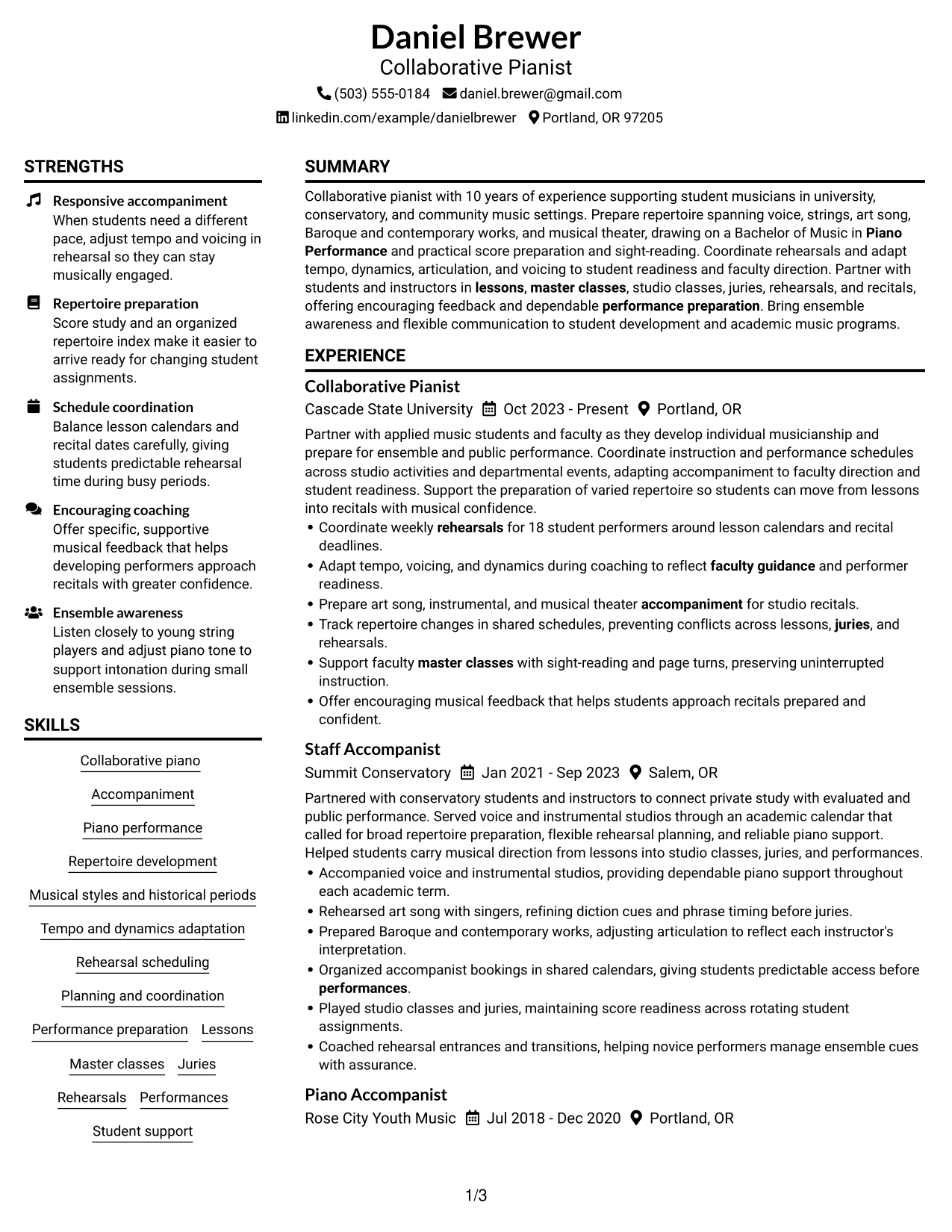
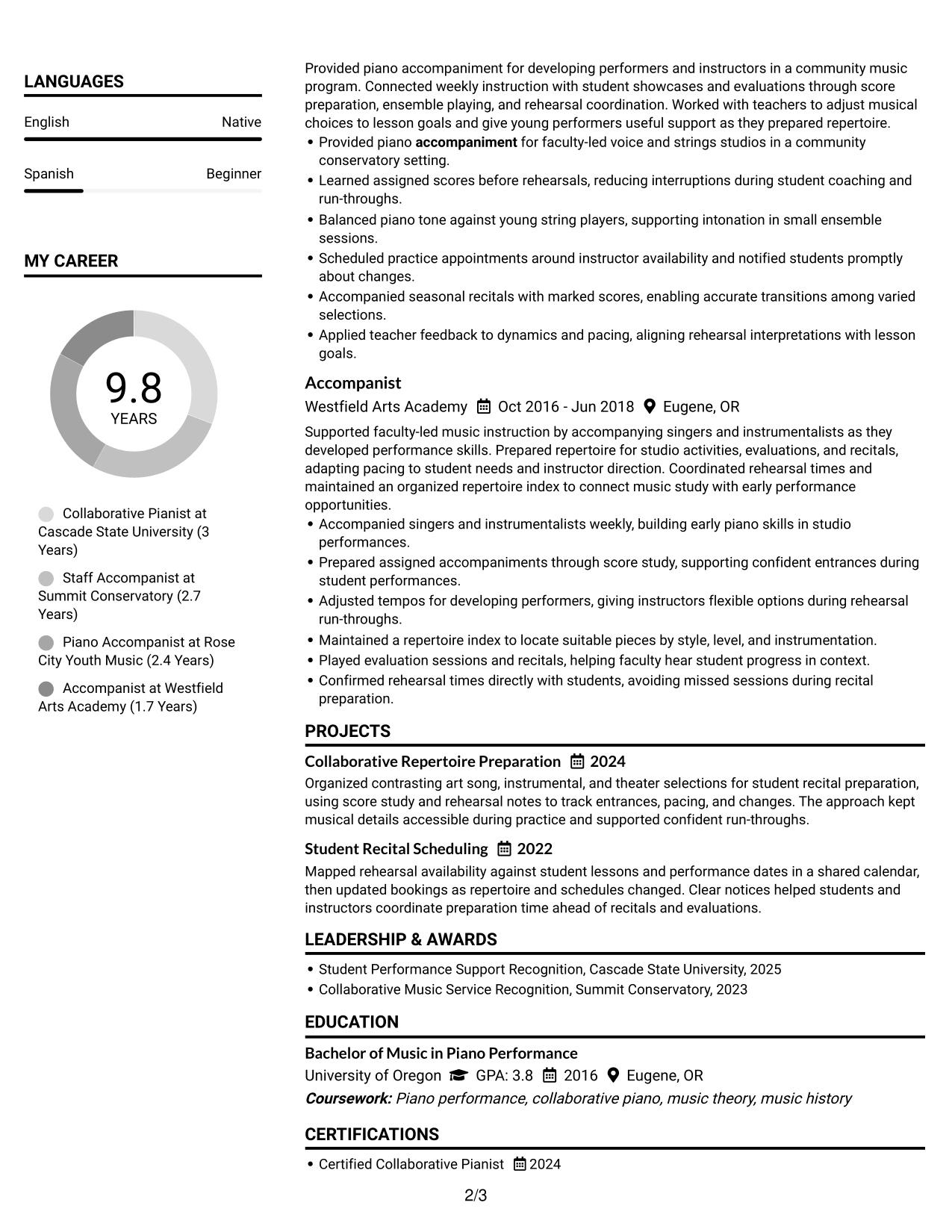
#1 Plain Two Column Format Resume Example
The Plain Two Column Format separates resume content into two reading areas, helping recruiters scan experience while locating skills and education.
Resume Snapshot
- Collaborative pianist with 10 years of experience
- Bachelor of Music in Piano Performance, University of Oregon
- Repertoire across voice, strings, art song, Baroque and contemporary works, and musical theater
- Experience in university, conservatory, and community music settings
Why This Format Works
- Separate reading areas help reviewers find education and skills beside the experience timeline.
- The two-column reading order lets reviewers scan experience while locating project details.
- Clear section boundaries make education and credentials easier to check.
Best For
- Resumes with several content sections
- Quick comparison of experience and skills
- Compact access to education and projects
- Recruiter scans across grouped information
- Clear separation of parallel resume details
Resume Keywords
- Collaborative piano
- accompaniment
- Piano performance
- Repertoire development
- Musical styles and historical periods
- Tempo and dynamics adaptation
- Rehearsal scheduling
- Planning and coordination
- Performance preparation
- Lessons
- Master classes
- Juries
- Rehearsals
- Performances
- Student support
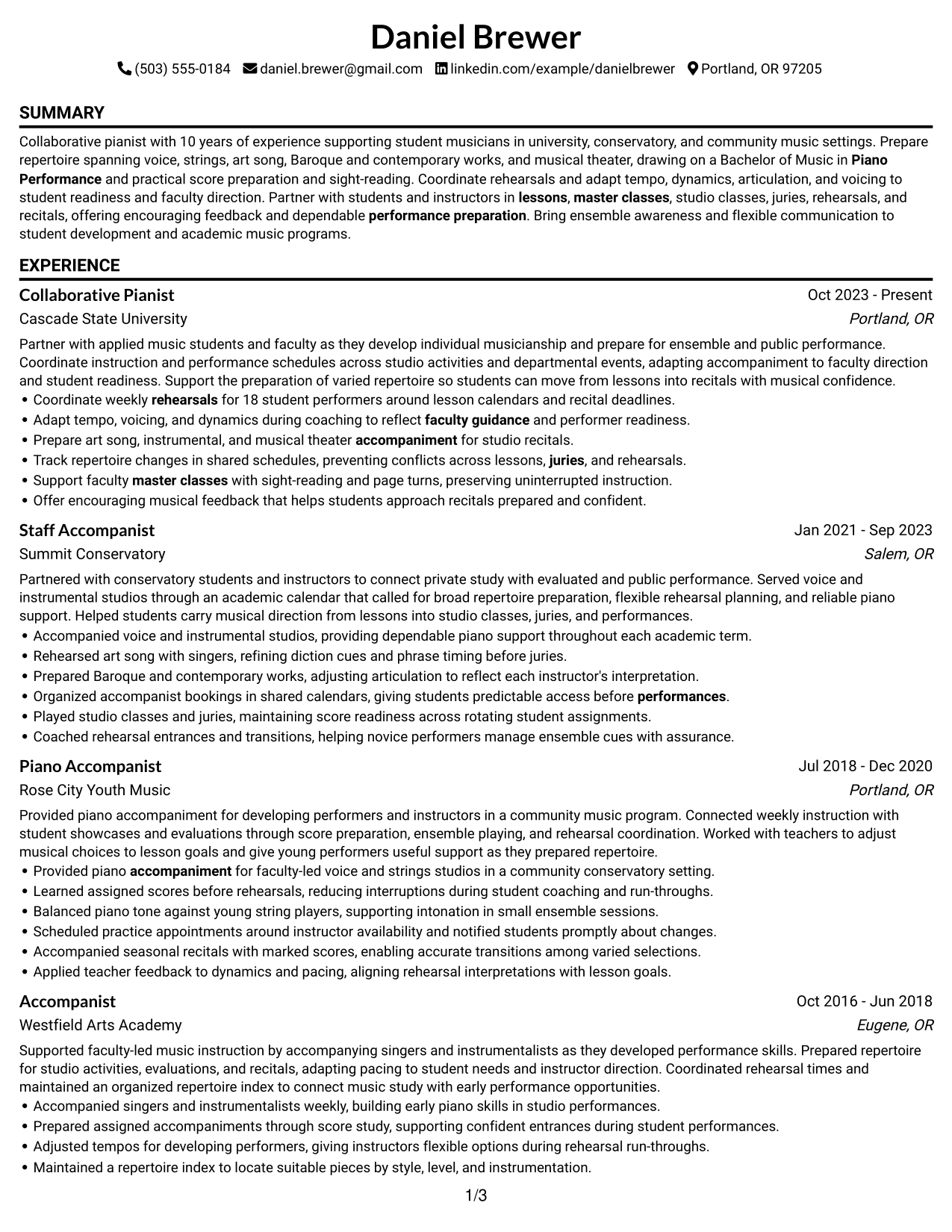
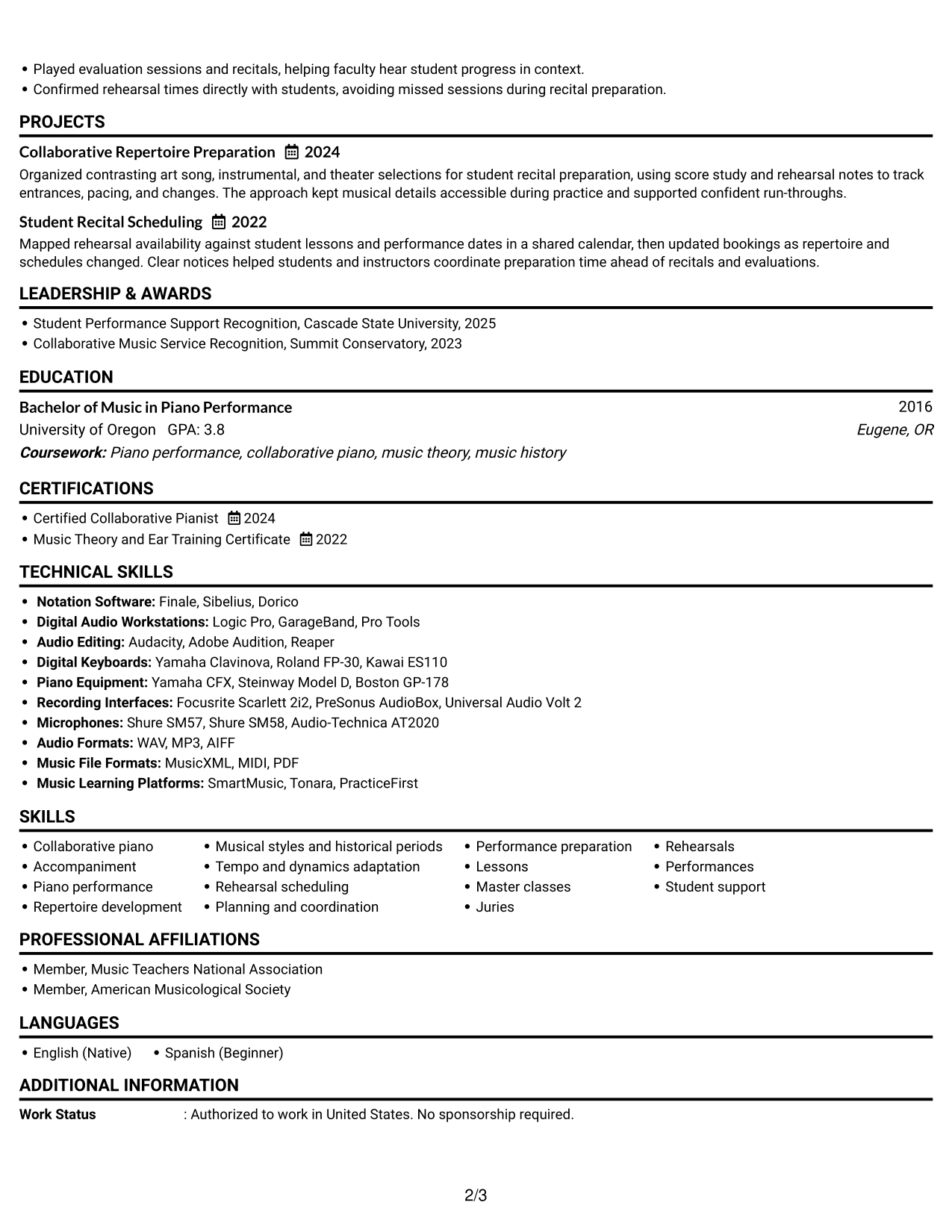
#2 Simple One Column Format Resume Example
The Simple One Column Format places resume sections in one continuous reading path, helping recruiters follow experience and find supporting details.
Why This Format Works
- One uninterrupted column lets reviewers follow experience from role to role.
- Shared width gives project details room to read as complete entries.
- Skills and education stay in the same clear scan path as experience.
Best For
- Straight-through review of role history
- Resume entries needing full-width text
- Simple section-by-section reading
- Experience-first recruiter scans
- Detailed project descriptions
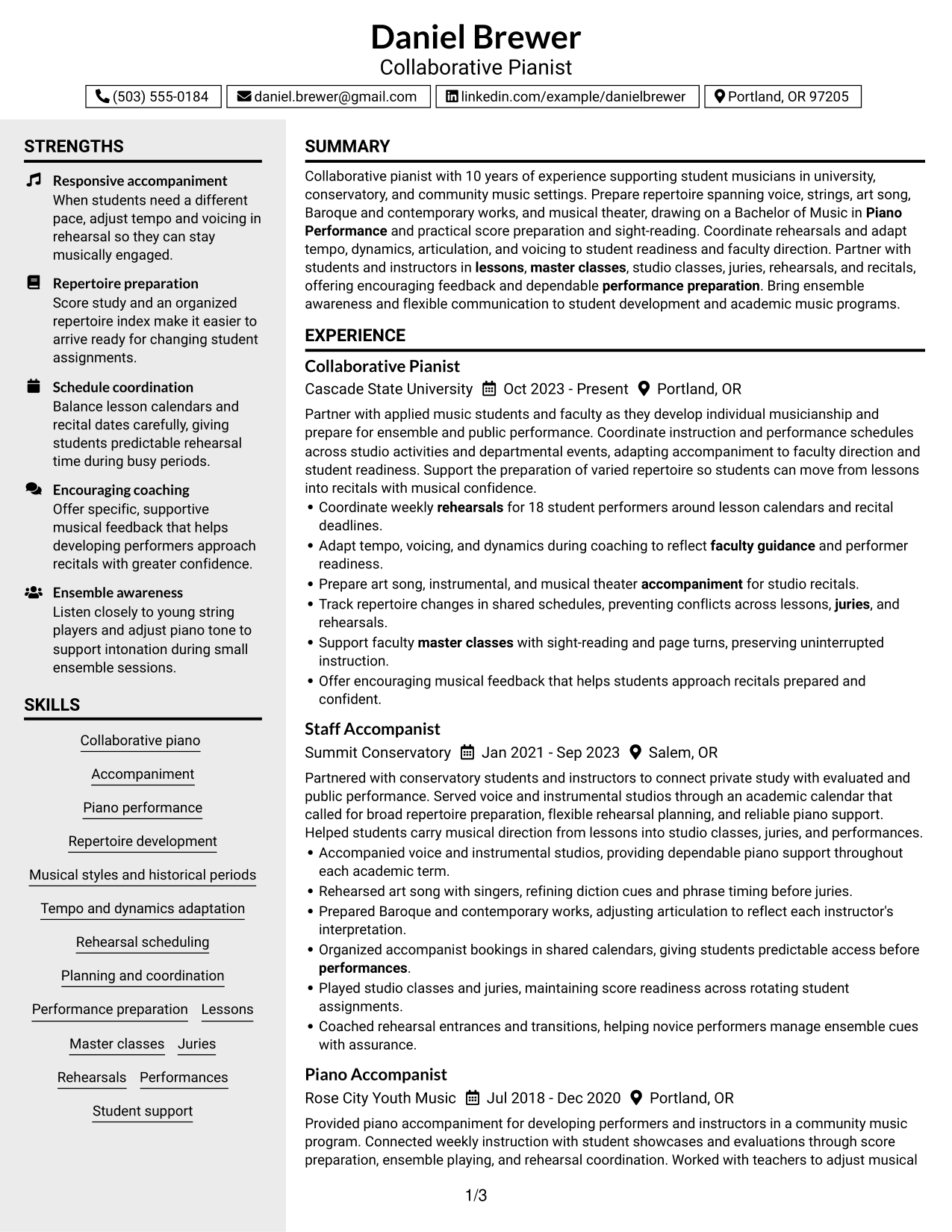
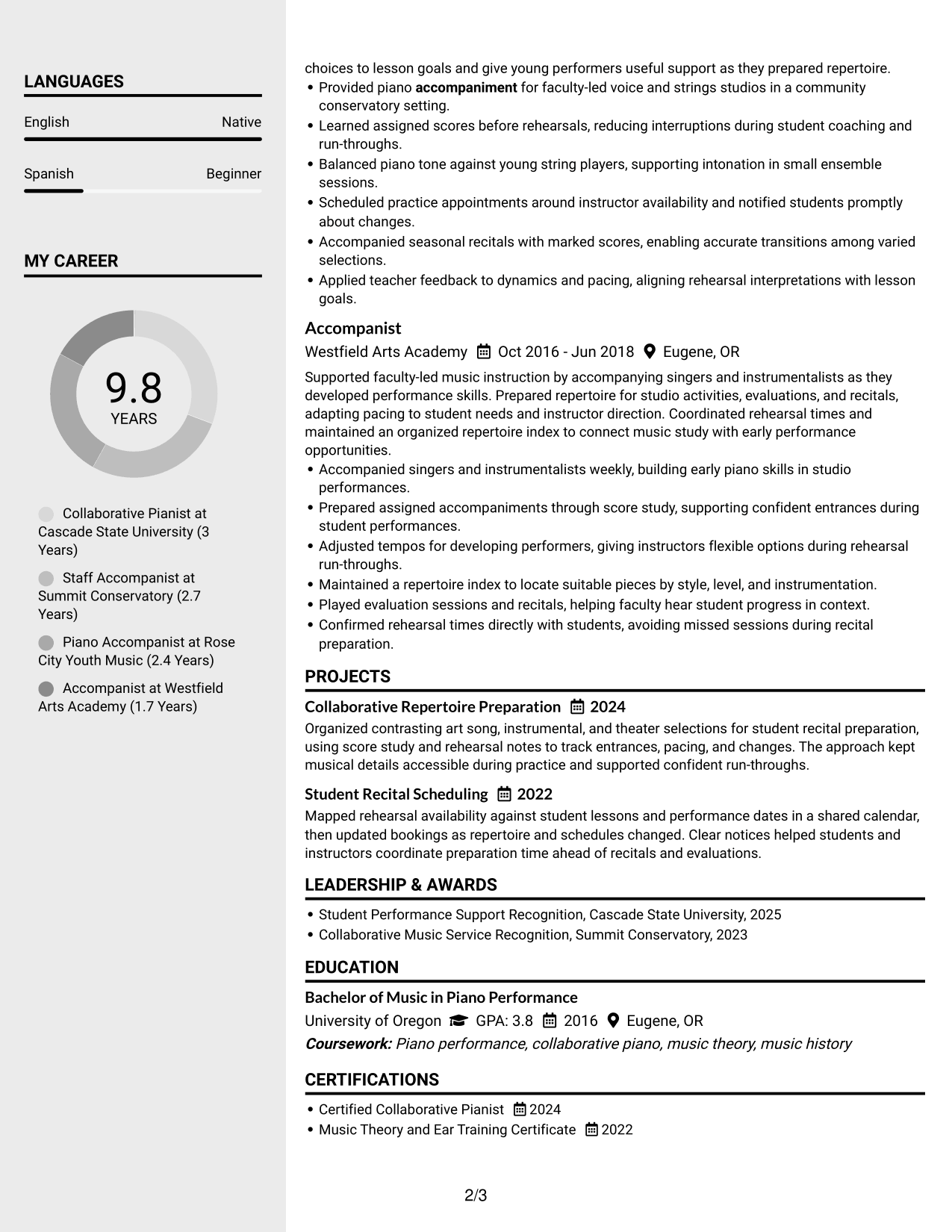
#3 Clean Two Column Sidebar Format Resume Example
The Clean Two Column Sidebar Format gives the resume a distinct side area and main reading area, helping recruiters move between key sections.
Why This Format Works
- A separate sidebar helps reviewers locate skills without losing the experience record.
- The main reading area keeps role history distinct from compact reference details.
- Clear section groups make projects and credentials easier to find.
Best For
- Skills kept apart from role history
- Quick lookup of reference details
- Resume sections with distinct reading priorities
- Experience records needing a clear main area
- Readers moving between skills and work history
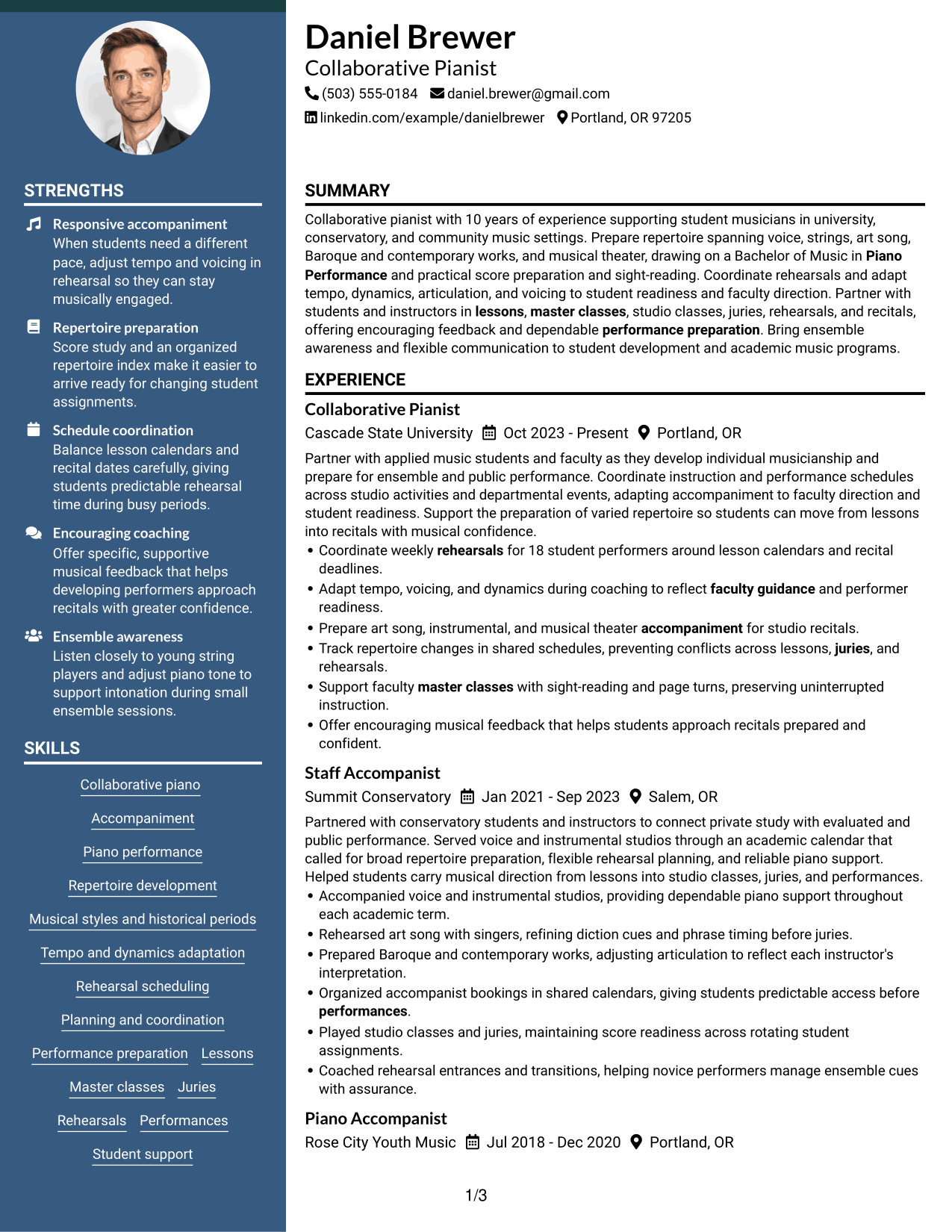
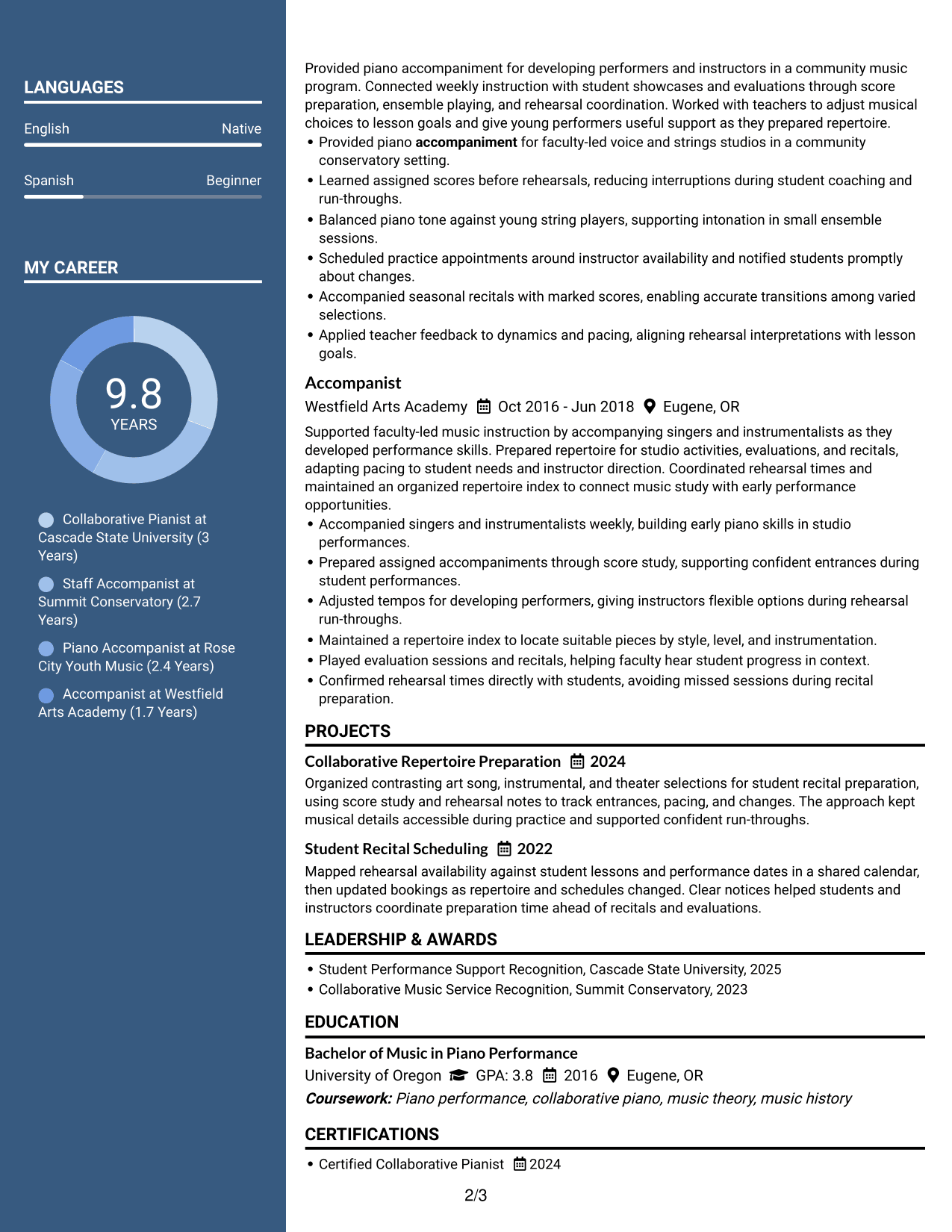
#4 Two Column Format Resume Example
The Two Column Format arranges resume sections in two reading areas, giving recruiters a direct way to scan work history and supporting details.
Why This Format Works
- Parallel content areas help reviewers scan career history and supporting sections side by side.
- Separate zones keep education and project details distinct from job history.
- Skills are easier to locate without scanning every experience entry.
Best For
- Side-by-side access to resume sections
- Quick scanning across skills and experience
- Resumes balancing projects with work history
- Distinct groups of supporting details
- Readers comparing career history and qualifications
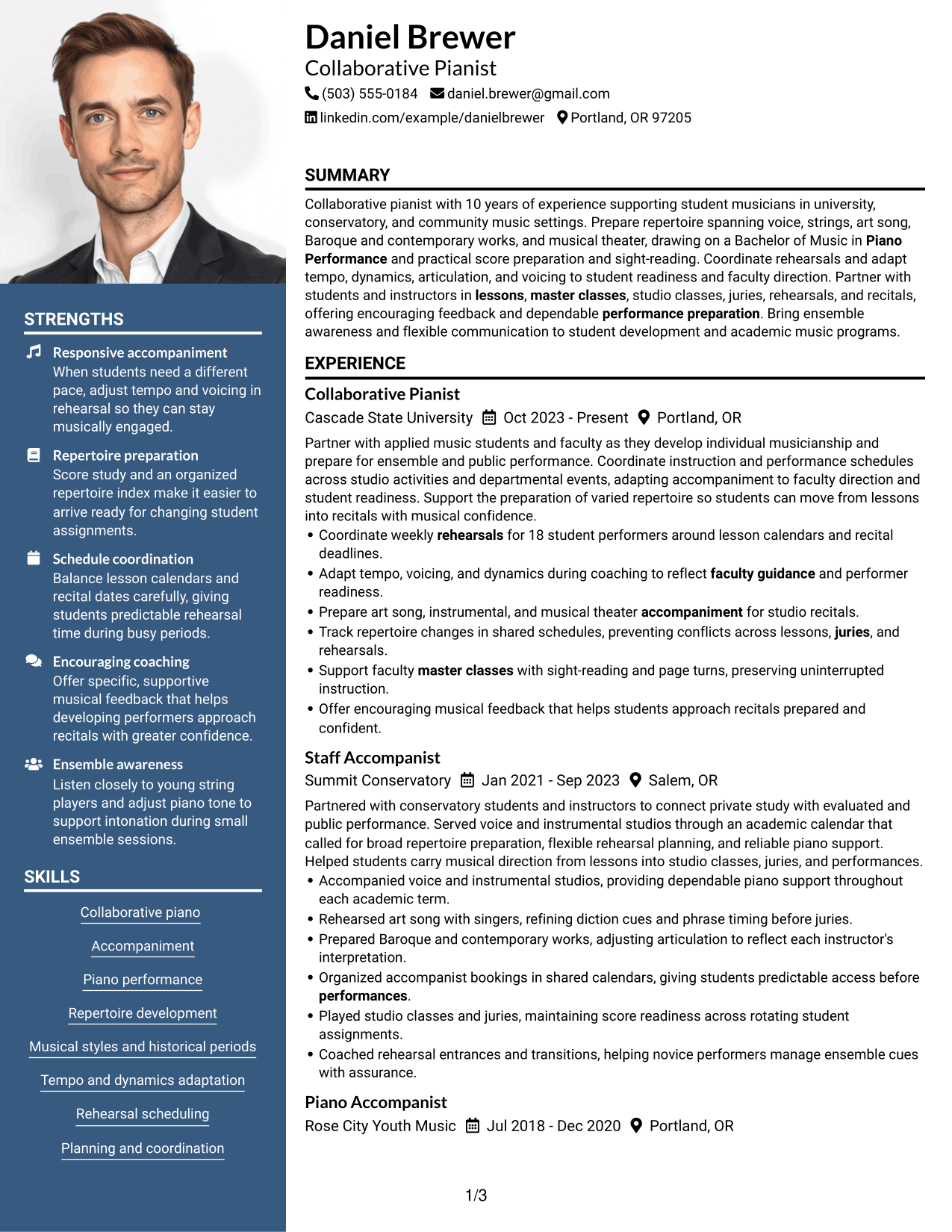
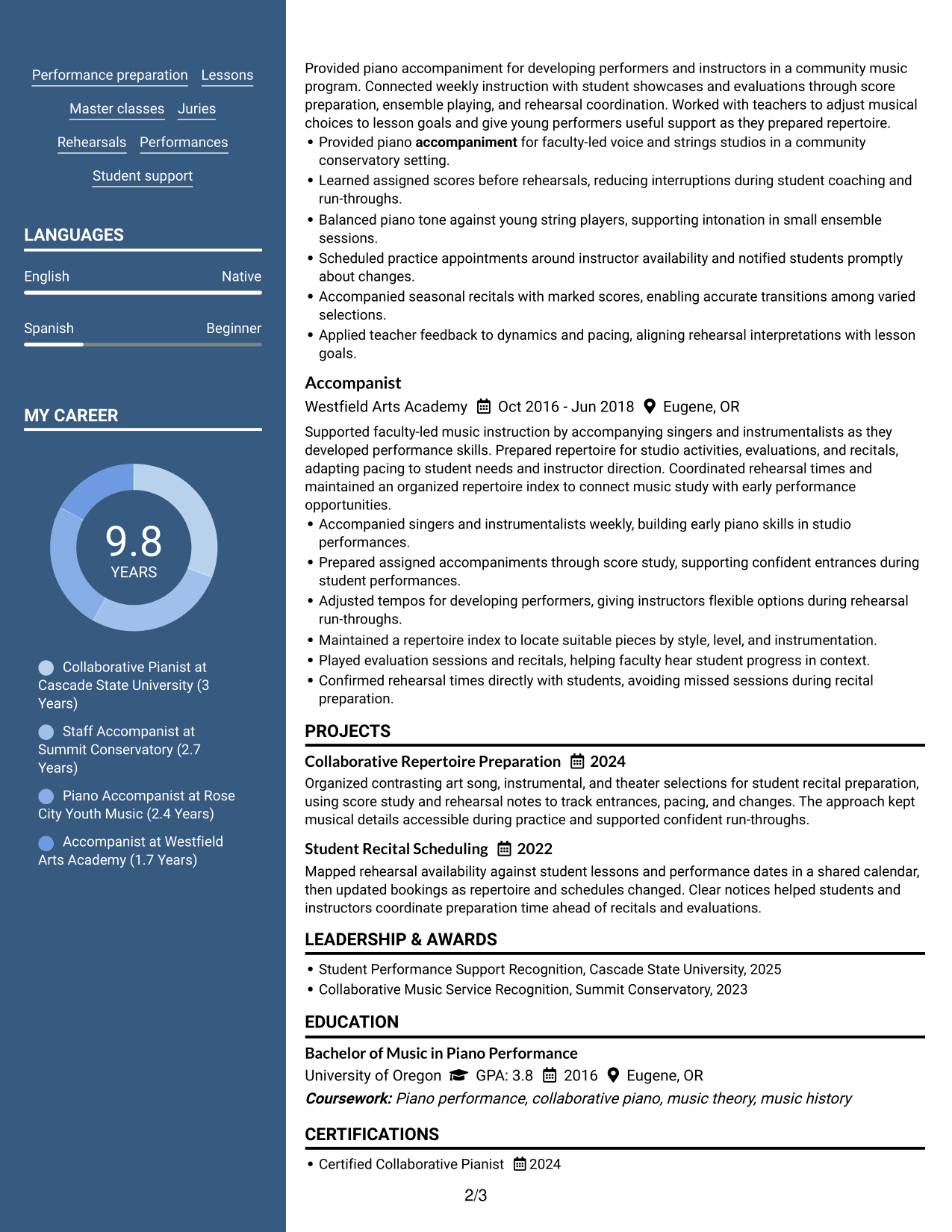
#5 Photo Header Two Column Format Resume Example
The Photo Header Two Column Format pairs a photo in the header with a two-column body, keeping identification distinct from detailed resume sections.
Why This Format Works
- The header sets contact details apart, leaving the body for experience and education.
- Two reading areas help reviewers locate skills and project work beside role history.
- Section separation makes education and career details easier to scan.
Best For
- Photo-led personal identification
- Two-column section navigation
- Resumes pairing contact details with experience
- A photo as part of personal identification
- Side-by-side review of varied resume sections
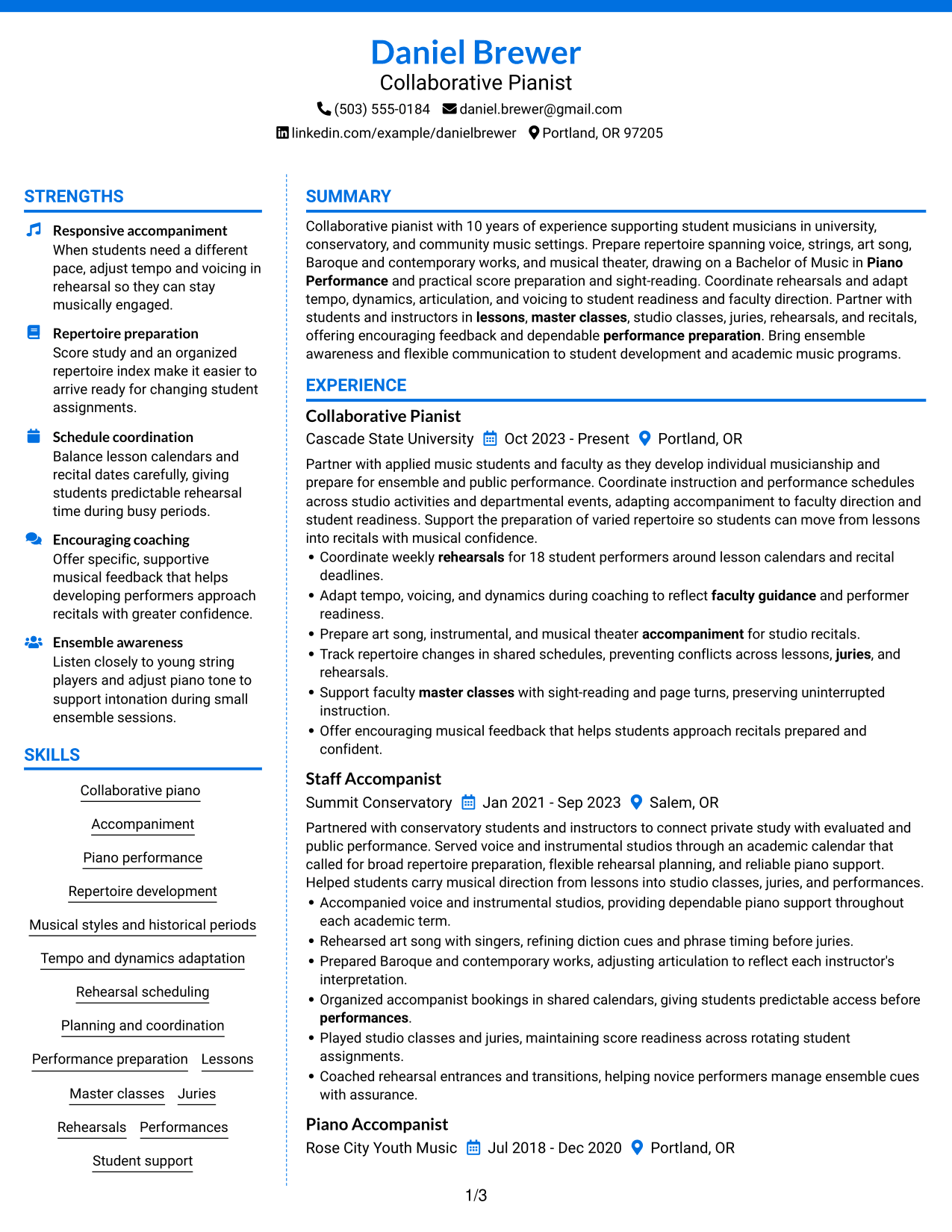
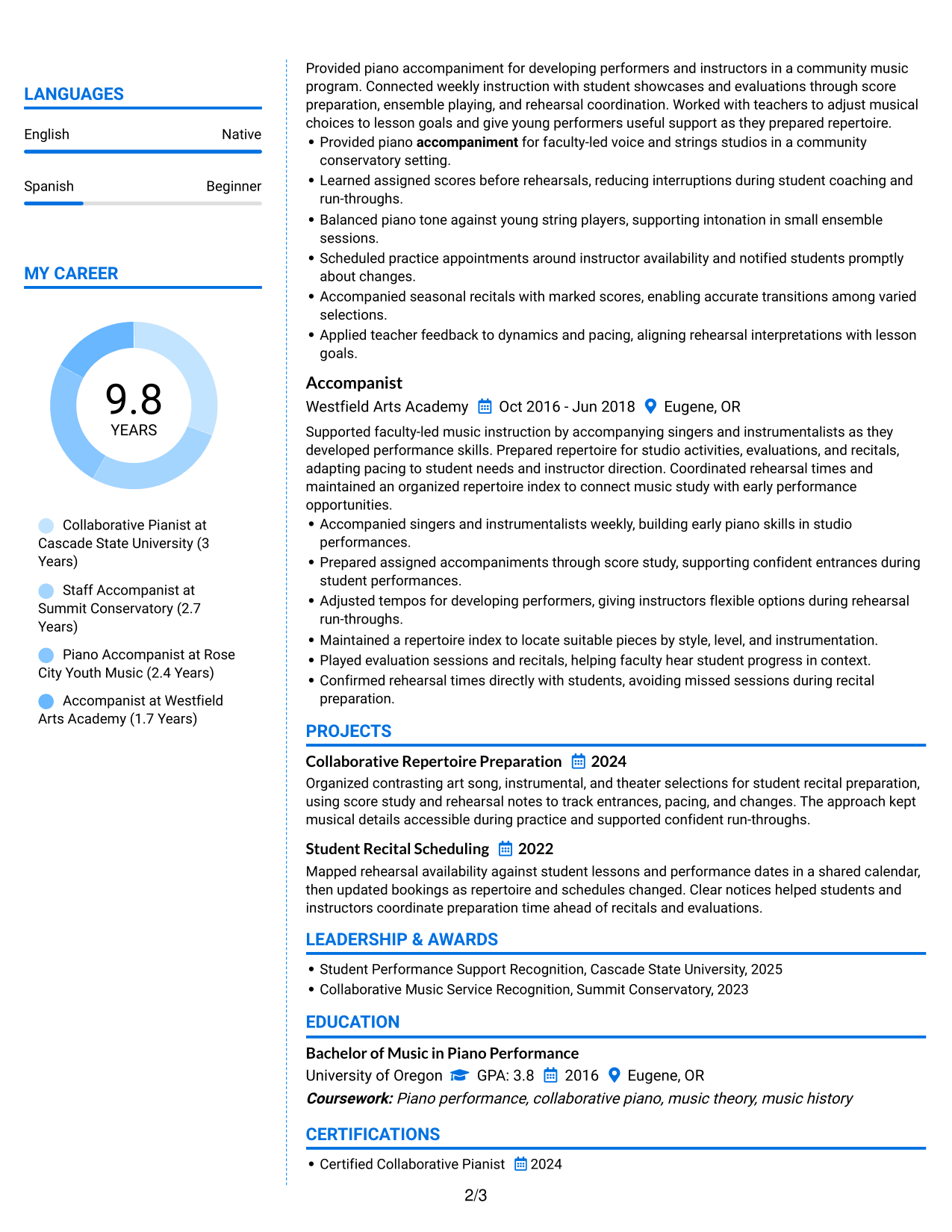
#6 Colored Two Column Format Resume Example
The Colored Two Column Format uses color and two content areas to mark section groups, helping recruiters navigate experience, skills, and education.
Why This Format Works
- Color contrast marks section boundaries, helping reviewers move between experience and education.
- Two-column grouping makes skills easier to locate during a role-history scan.
- Separate content areas keep project details distinct from the experience sequence.
Best For
- Color-guided section navigation
- Side-by-side review of skills and experience
- Resumes with several distinct content groups
- Fast location of education and credentials
- Clear visual separation across resume sections
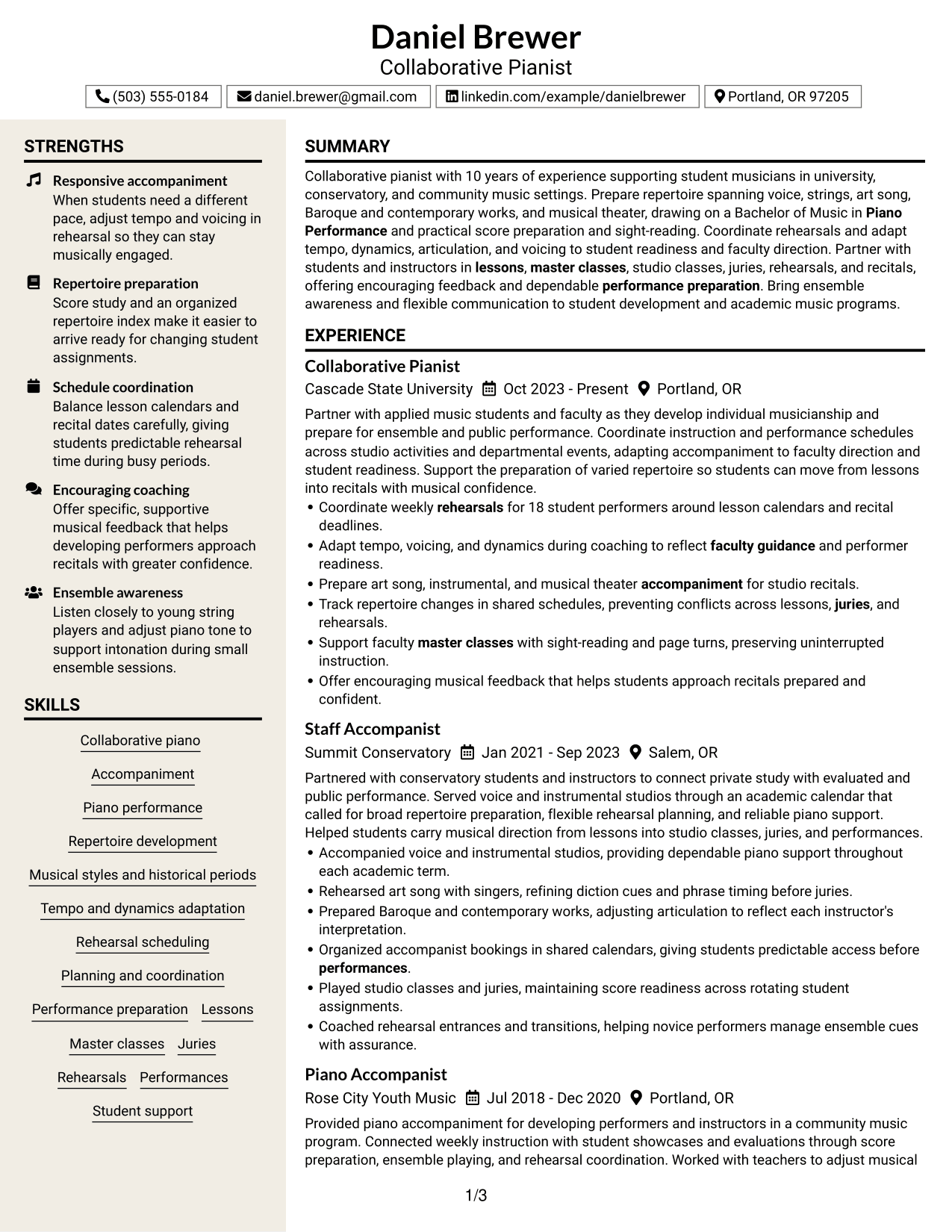
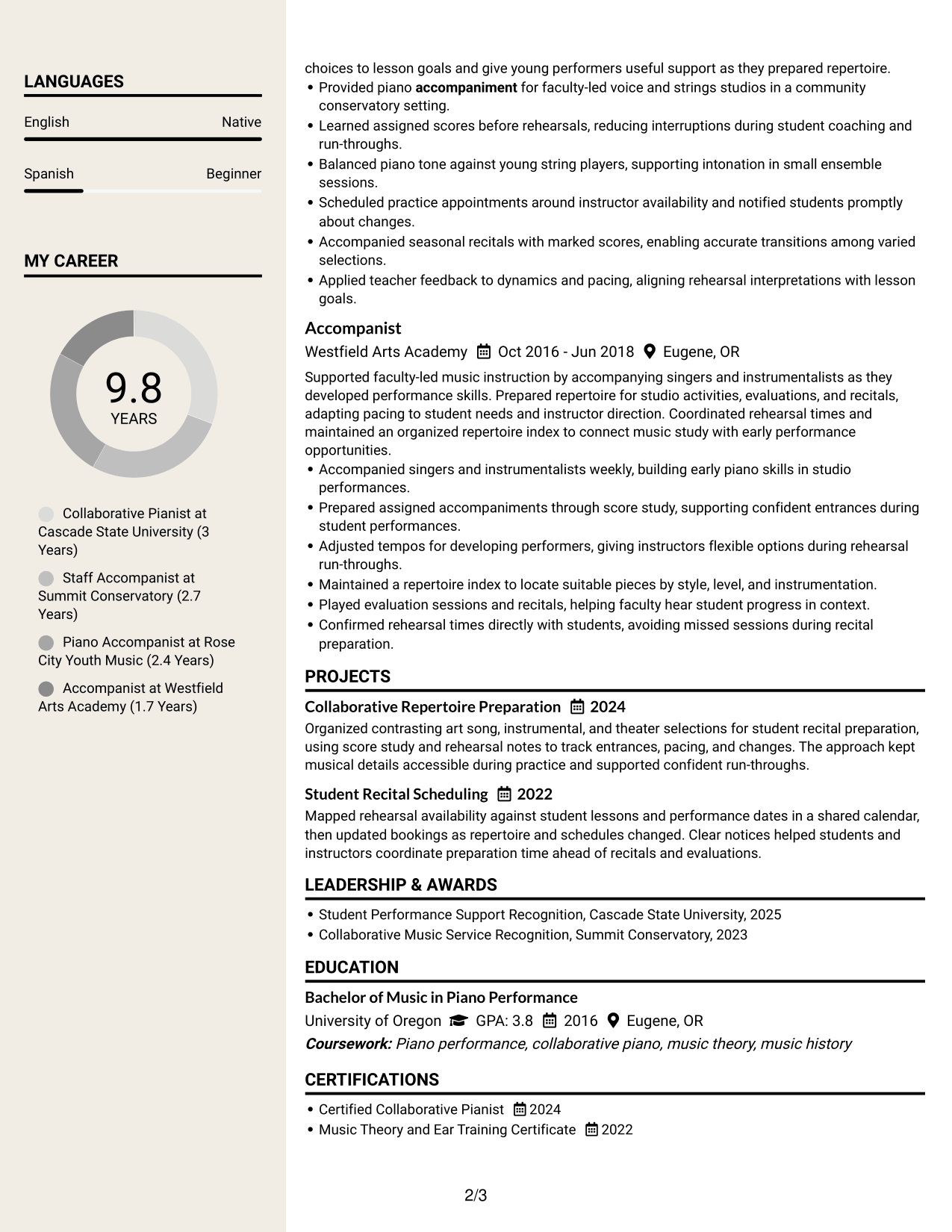
#7 Stylish Two Column Designer Format Resume Example
The Stylish Two Column Designer Format combines two reading areas with a designed visual structure, helping recruiters move through resume sections with ease.
Why This Format Works
- Two-column reading helps reviewers scan experience while checking skills in a separate area.
- Visual hierarchy guides attention from role history to education and credentials.
- Distinct section groups keep project details easy to find beside experience.
Best For
- Designed presentation with clear reading zones
- Side-by-side review of varied resume sections
- Visual hierarchy for project and experience details
- Distinct section groups for quick scanning
- Resumes needing a polished visual structure
Why Build Your Specialist - Collaborative Piano Resume with ResumeInMinutes
ResumeInMinutes helps you organize musical experience, repertoire, skills, and education into a resume that is easy to scan and update. Keep each section focused on evidence that matters for collaborative piano work.
- Resume layout options
- Clear resume section structure
- Role-specific keyword guidance
- Organized skills and repertoire
- Free PDF resume previews
- Resume editing support
Use the editor to present your experience with lessons, rehearsals, juries, and performances in a direct, readable way. Highlight the musical and scheduling details that best support your Specialist - Collaborative Piano application.
See Also
- 7 Psychiatrist Collaborative Physician Resume Templates with Example
- 7 General Manager - Retail Store Operations Resume Templates with Example
- 7 Mid-Level Manufacturing Operations Analyst - Inventory and Tool Control Resume Templates with Example
- 7 Pharmacy Technician - Specialty Outreach Resume Templates with Example
- 7 Admin Support III - Higher Education Administration Resume Templates with Example
- 7 Airport Police Sergeant Resume Templates with Example
- 7 Senior Administrative Assistant - Research Administration Resume Templates with Example
- 7 Senior Delivery Engineer - Enterprise Architecture Resume Templates with Example
- 7 Registered Nurse - Observation Care Resume Templates with Example
- 7 Specialist - Collaborative Piano Cover Letter Templates with Example
Frequently Asked Questions
Are these Specialist - Collaborative Piano resume templates ATS-friendly?
Use clear headings, standard resume sections, and role-specific terms such as collaborative piano, accompaniment, score preparation, and rehearsal scheduling. This helps both ATS software and people find relevant details.
Are these separate resume examples?
No. The guide shows one Specialist - Collaborative Piano resume example in different layouts. The experience and qualifications stay consistent while the presentation changes.
What should a Specialist - Collaborative Piano resume include?
Include a focused summary, relevant experience, education, skills, and any applicable projects or certifications. Describe repertoire, score preparation, scheduling, and work in lessons, master classes, juries, rehearsals, and recitals.
Can I download the resume templates as PDFs?
Yes. Use the resume preview and editor options to review the design and create a PDF version.
Which resume style works well for a Specialist - Collaborative Piano role?
Choose a layout with clear section headings and enough space for concise experience bullets. Keep the reading order simple so your repertoire, skills, and performance support are easy to find.
How can I show collaborative piano experience clearly?
Use specific bullets to describe the performers and settings you supported, the repertoire you prepared, and how you adjusted tempo, dynamics, or voicing. Add concrete details, such as the number of performers scheduled, when accurate.
Should I include a photo on my resume?
Include a photo only if it is expected in your region or for the role. For U.S. applications, a resume without a photo is usually the safer choice.
Can I customize these resume templates?
Yes. You can edit the resume text and layout to present your Specialist - Collaborative Piano experience, skills, education, and other relevant details clearly.




