
7 Student Aide - Early College Program Support Resume Templates with Example
This guide shows you how to build a Student Aide - Early College Program Support resume that presents your relevant skills and experience clearly. You will learn how to organize your evidence and choose a professional format for this specific role.
Strong resumes for this work make student communication, inquiry routing, recordkeeping, privacy awareness, and event preparation easy to find. Use concise bullets to show what you handled, how you followed campus guidance, and where your work supported students or staff.
The resume example is presented in 7 layouts. Compare their section order and page design, then use the guidance to select a format and tailor your resume with relevant details such as Excel, Outlook, outreach calls, and orientation support.
What Makes a Great Student Aide - Early College Program Support Resume in 2026
A strong resume puts relevant student service, office support, and event preparation near the top. Clear headings and brief bullets help readers find your role, education, skills, and results quickly.
Use accurate terms such as student outreach, inquiry routing, confidential records, data entry, and orientation support. Add evidence from your work, such as recording call outcomes, preparing event materials, or using Excel and Outlook.
The examples shown below are intentionally detailed to demonstrate a range of experiences, skills, accomplishments and relevant keywords. We prefer detailed resumes as they provide more context to the hiring managers and also help the ATS systems identify relevant qualifications and score your resume better for a match. But the length of a resume is an individual choice. If you want a one page resume, just keep the most relevant experience and information for the job. Note: Resume examples are for educational purposes only. Use only information that accurately reflects your experience and qualifications. References to real organizations do not imply affiliation or endorsement.
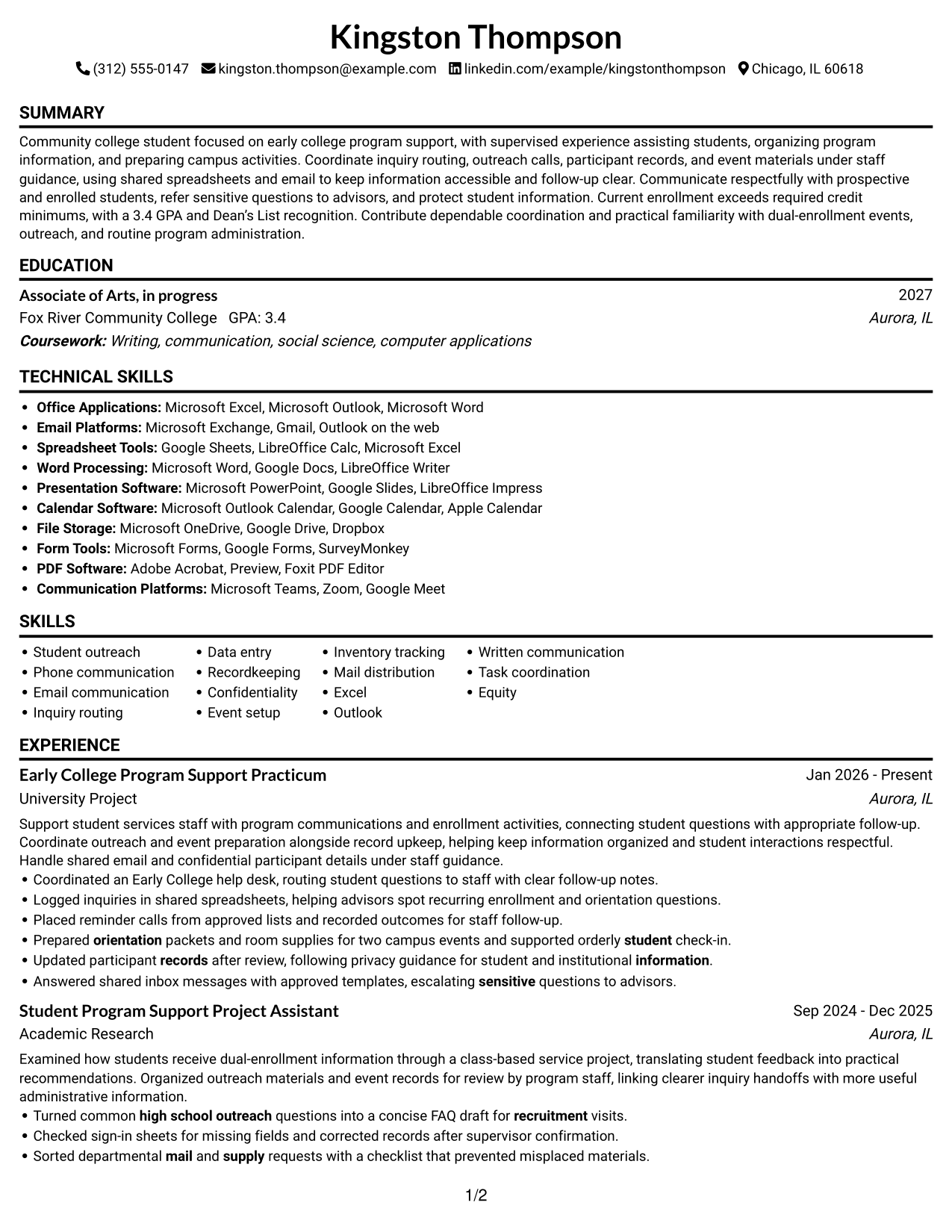
#1 Simple One Column Format Resume Example
Simple One Column Format keeps resume content in one clear top-to-bottom path, making experience and education easy to follow.
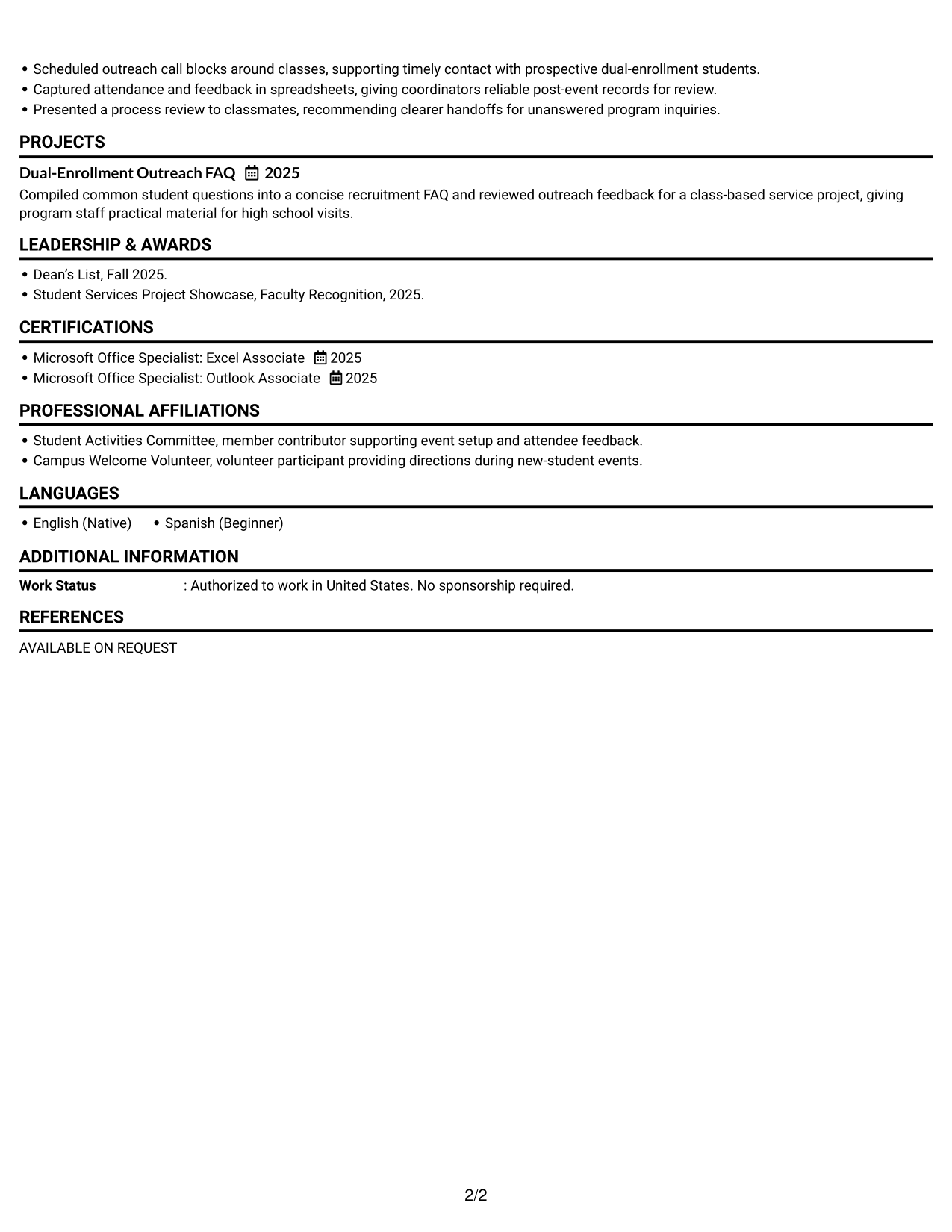
Why This Format Works
- A single reading path makes the two experience entries easy to follow in sequence.
- Clear section breaks help readers move from education to awards and activities.
- Keeping skills in the same flow lets reviewers connect them with experience.
Best For
- Linear recruiter review
- ATS text extraction
- Chronological experience reading
- Full-width section descriptions
- Resumes with varied sections
Resume Keywords
- Prepared orientation packets and room supplies for two campus events and supported orderly student check-in.
- Coordinated an Early College help desk, routing student questions to staff with clear follow-up notes.
- Placed reminder calls from approved lists and recorded outcomes for staff follow-up.
- Answered shared inbox messages with approved templates, escalating sensitive questions to advisors.
- Student outreach
- Turned common high school outreach questions into a concise FAQ draft for recruitment visits.
- high school outreach
- Data entry
- Updated participant records after review, following privacy guidance for student and institutional information.
- Sorted departmental mail and supply requests with a checklist that prevented misplaced materials.
- Mail distribution
- Examined how students receive dual-enrollment information through a class-based service project, translating student feedback into practical recommendations.
- Equity
#2 Plain One Column with Shaded Labels Resume Example
Plain One Column with Shaded Labels uses clear section labels to help reviewers move among education, experience, and skills.
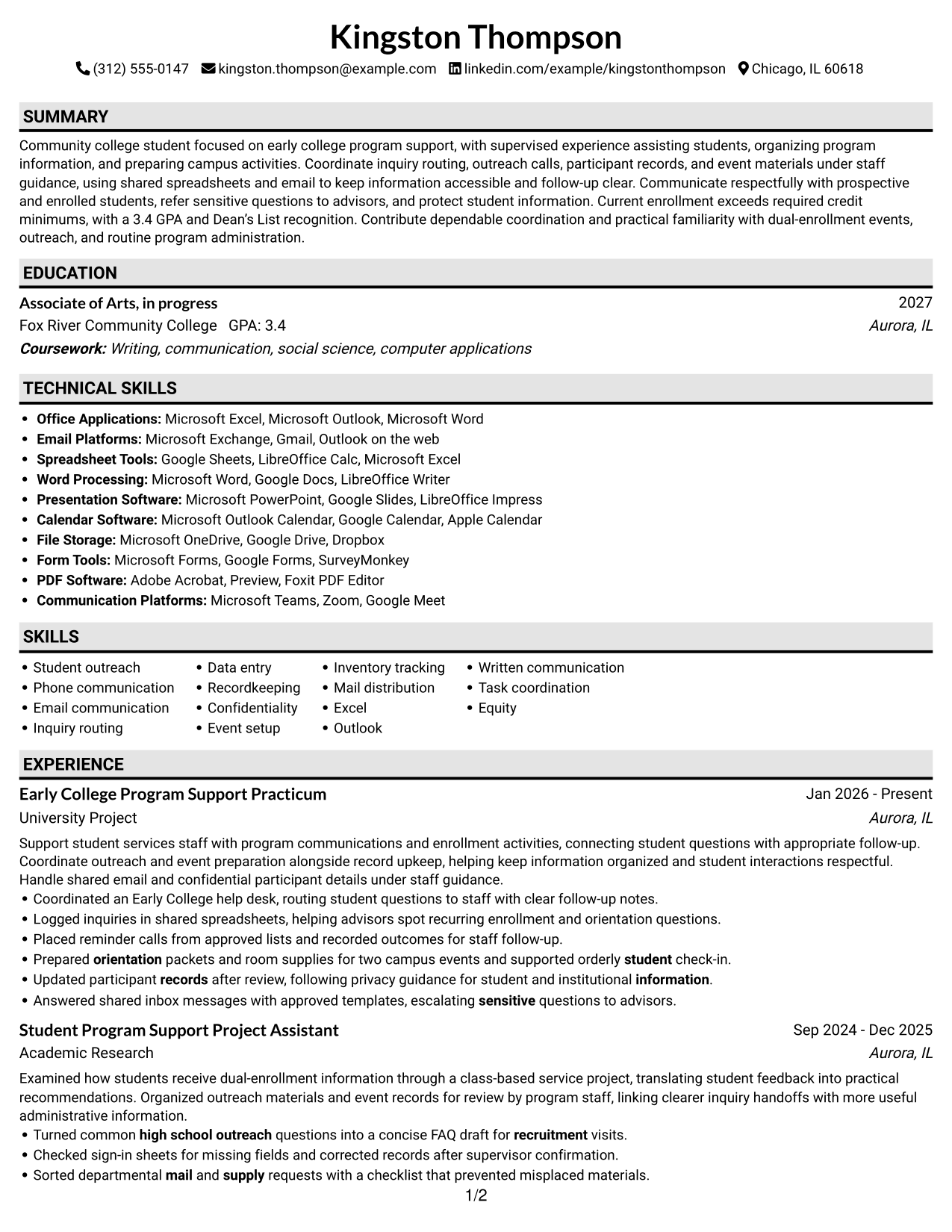
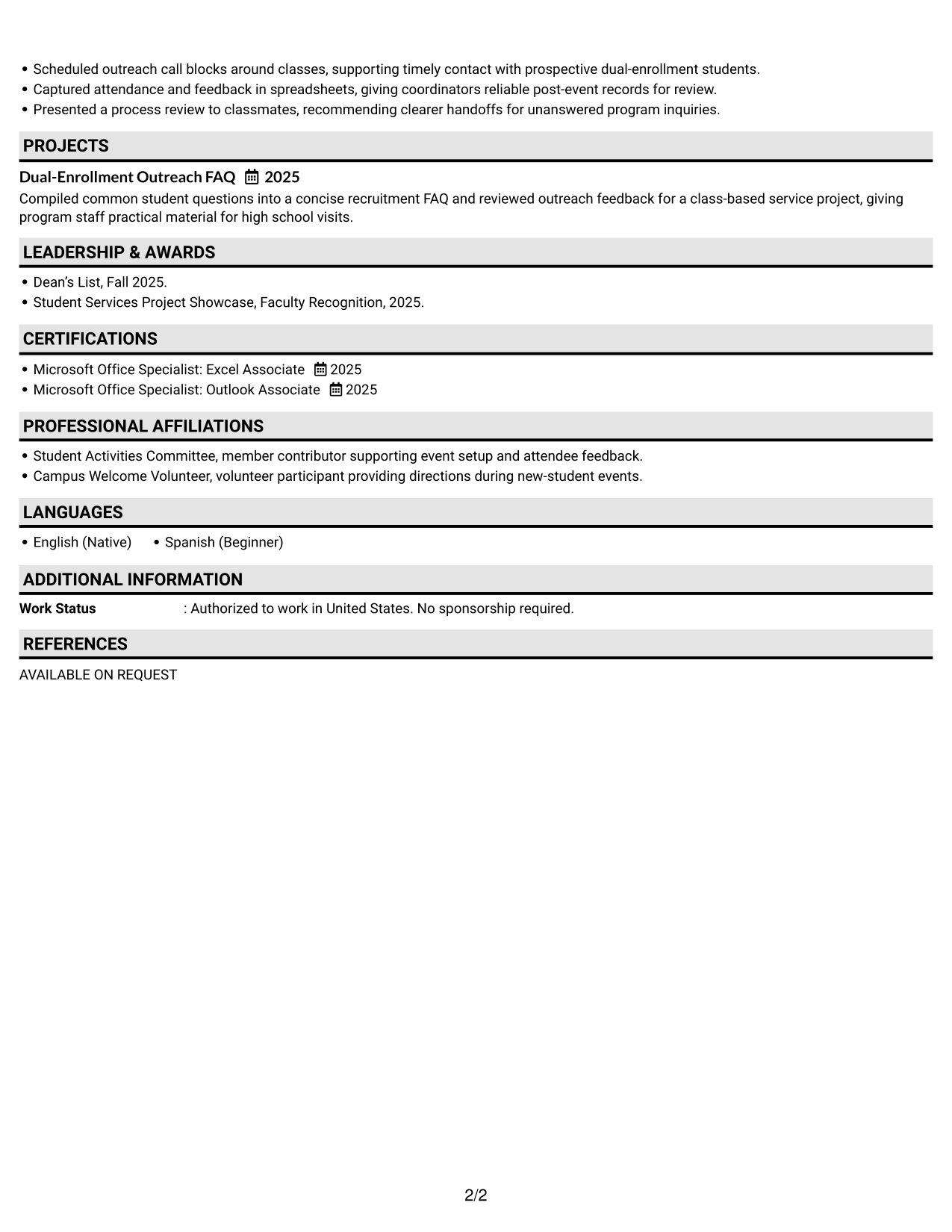
Why This Format Works
- Shaded labels make education, experience, and skills easier to locate during a quick review.
- One-column order keeps practicum and project details in a clear sequence.
- Distinct section markers separate credentials and activities from work history.
Best For
- Quick section lookups
- Text-first ATS review
- Clearly labeled education and experience
- Resume with several content groups
- Sequential work-history review
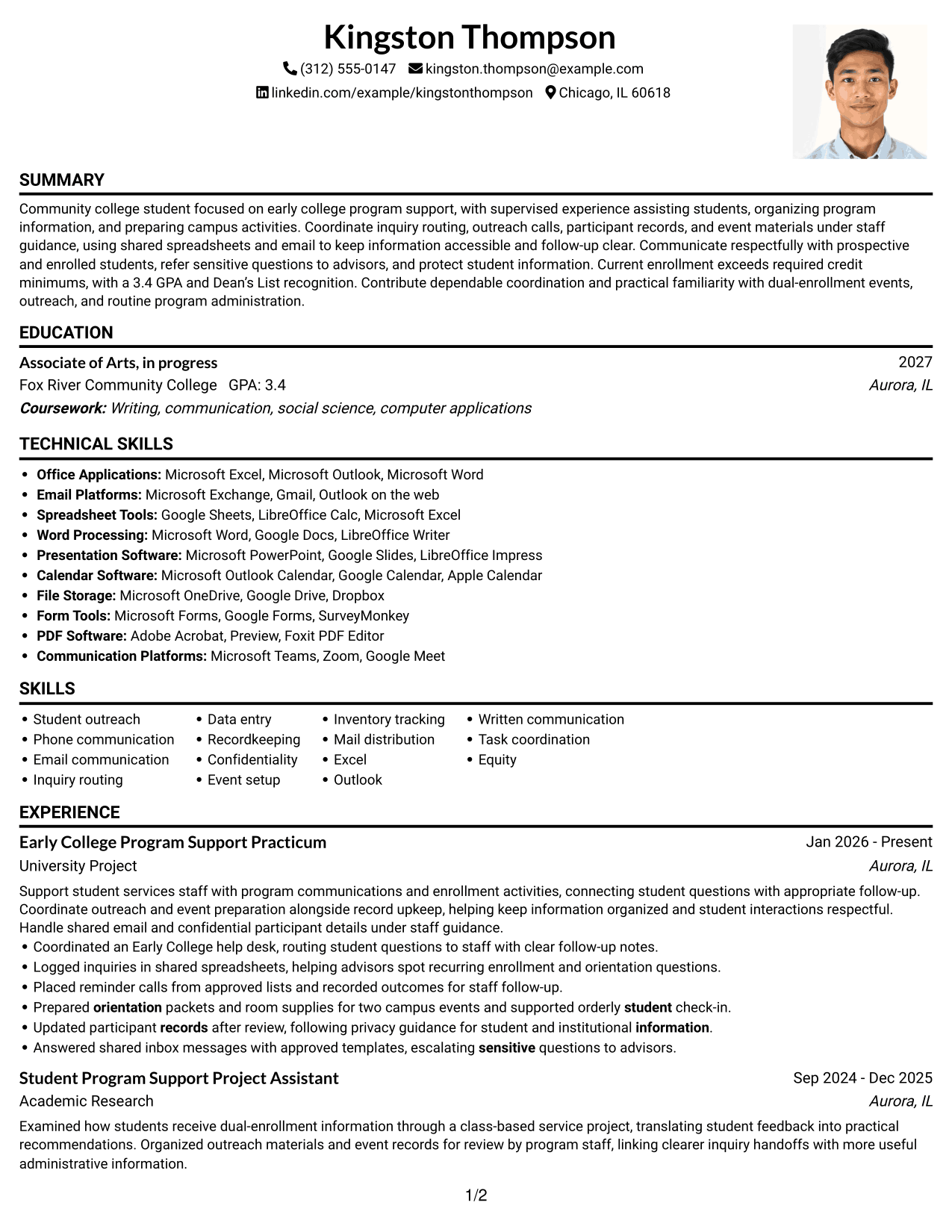
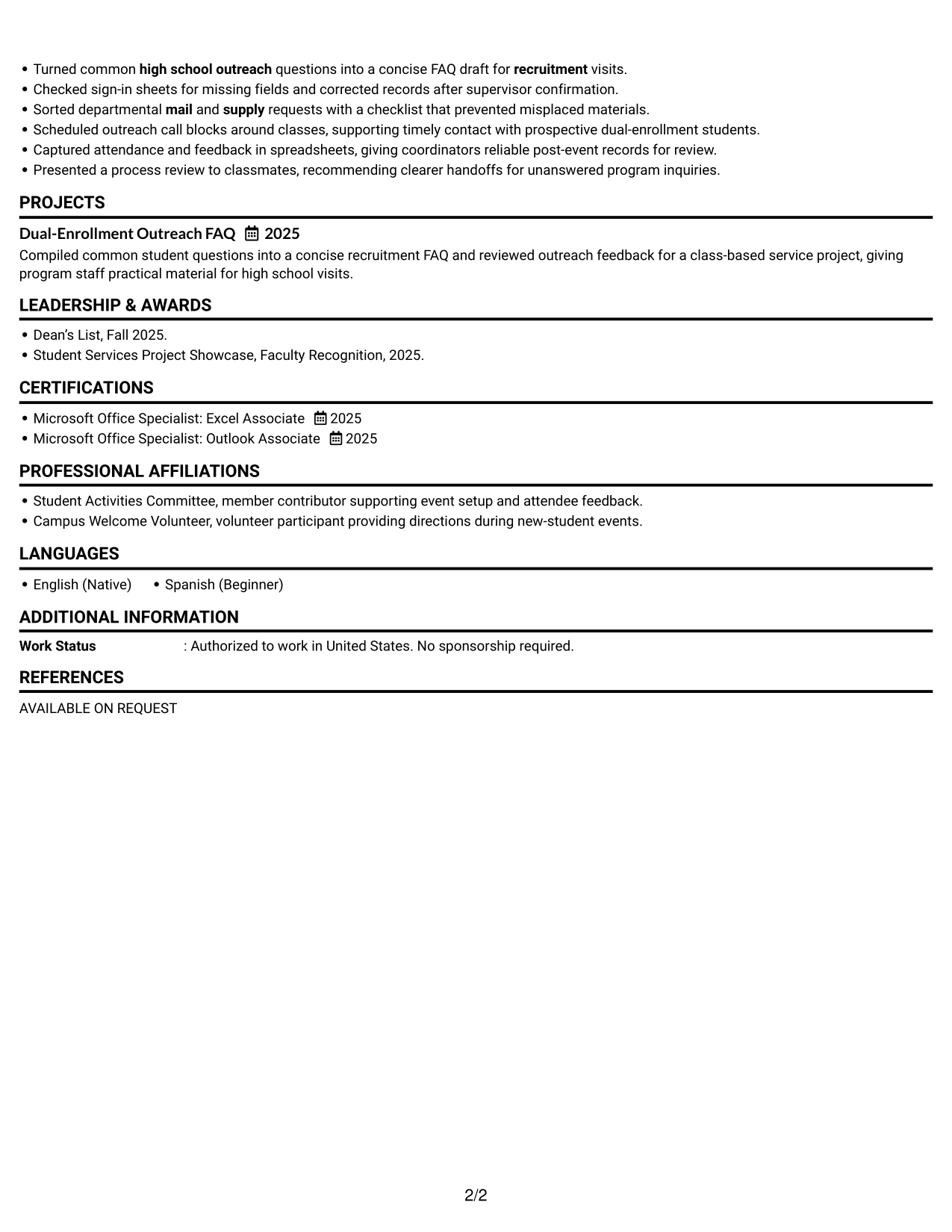
#3 One Column Format with Photo Right Resume Example
One Column Format with Photo Right pairs a single-column resume with a photo on the right, keeping the section order clear and the image apart from work history.
Why This Format Works
- One-column reading order keeps experience and project details connected from top to bottom.
- The right-side photo stays apart from education and skills, preserving clear text sections.
- Visible section breaks help reviewers find awards and activities without losing the work-history sequence.
Best For
- Photo-inclusive resume presentation
- Single-flow text review
- A visible profile image
- Section-by-section content scanning
- Photo and text kept distinct
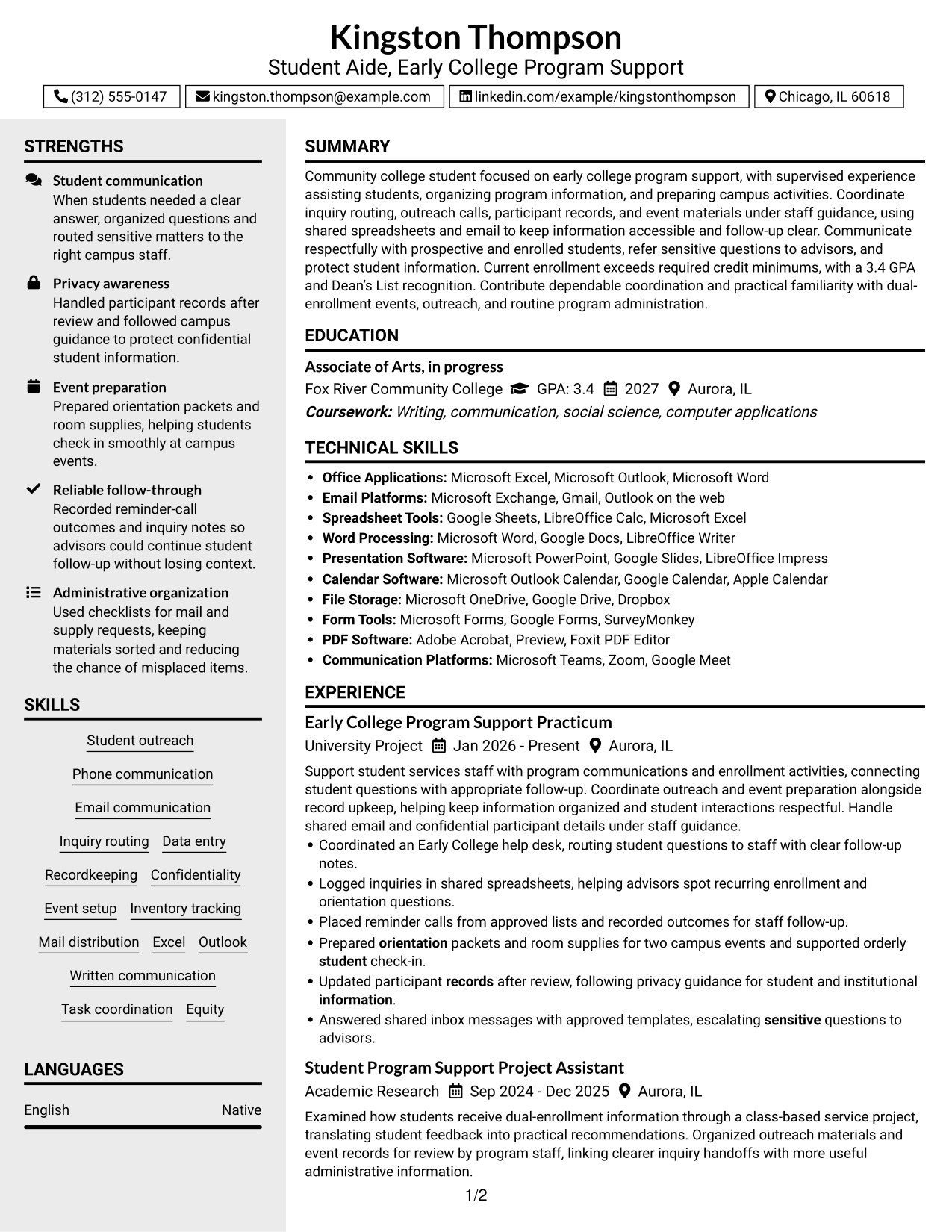
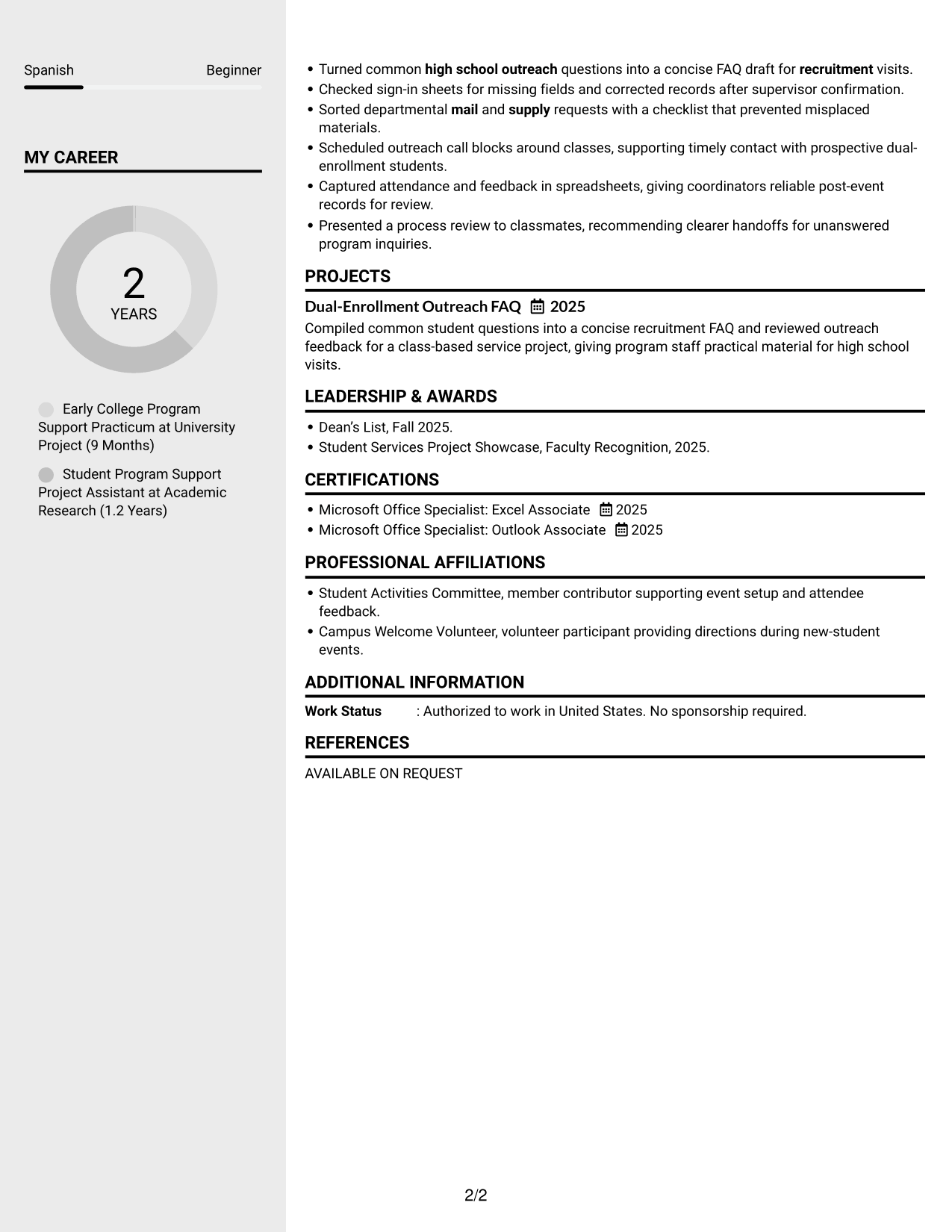
#4 Clean Two Column Sidebar Format Resume Example
Clean Two Column Sidebar Format separates sidebar details from the main resume content, giving reviewers distinct routes to skills and experience.
Why This Format Works
- Separate columns keep skills apart from the experience narrative for faster scanning.
- Sidebar division gives education and credentials a distinct place beside work history.
- The main content area lets project and practicum entries retain readable detail.
Best For
- Side-by-side skills and experience review
- Compact content navigation
- Parallel section review
- Distinct areas for credentials
- Detailed project descriptions
#5 Two Column Format Resume Example
Two Column Format divides resume information into adjacent areas, helping reviewers locate academic details and experience without reading one long block.
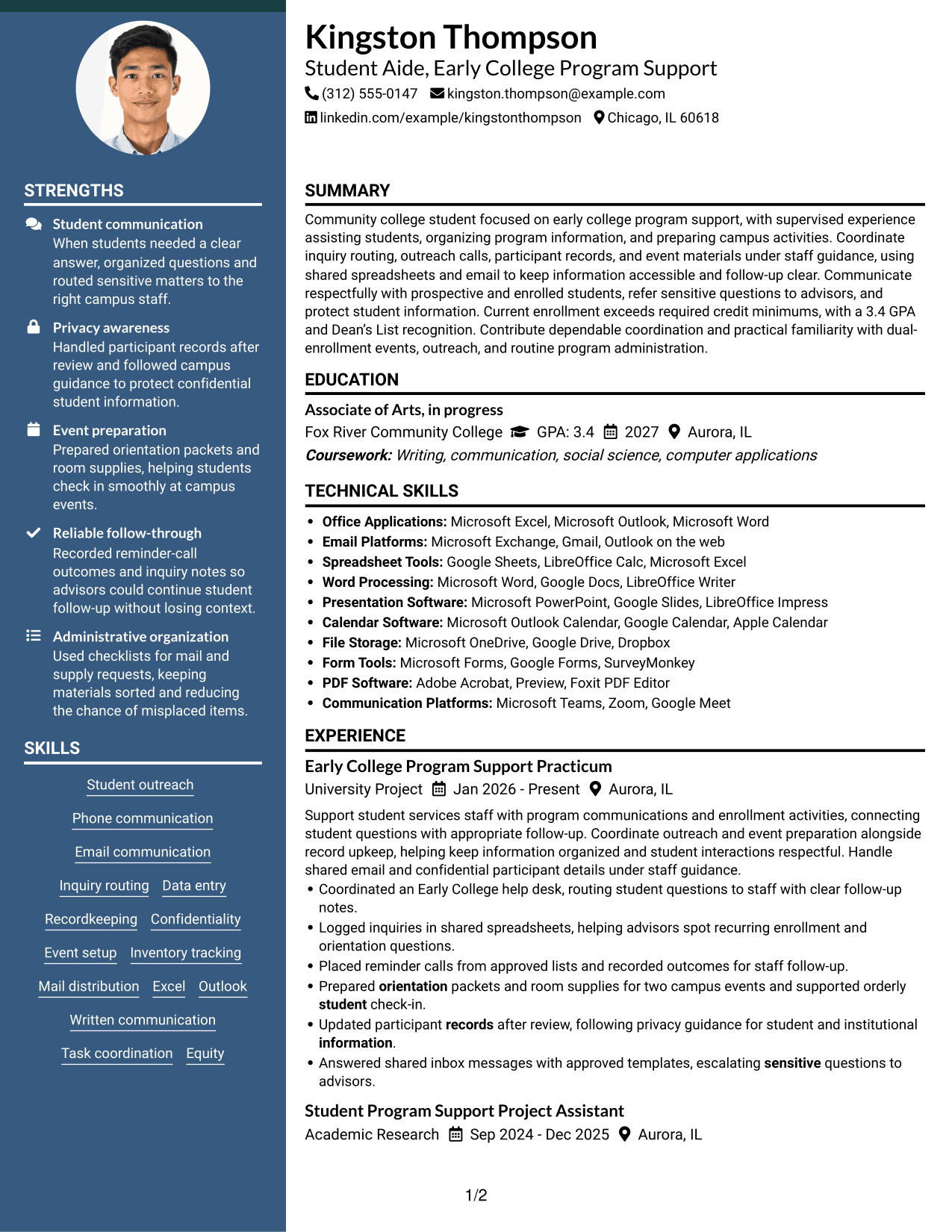
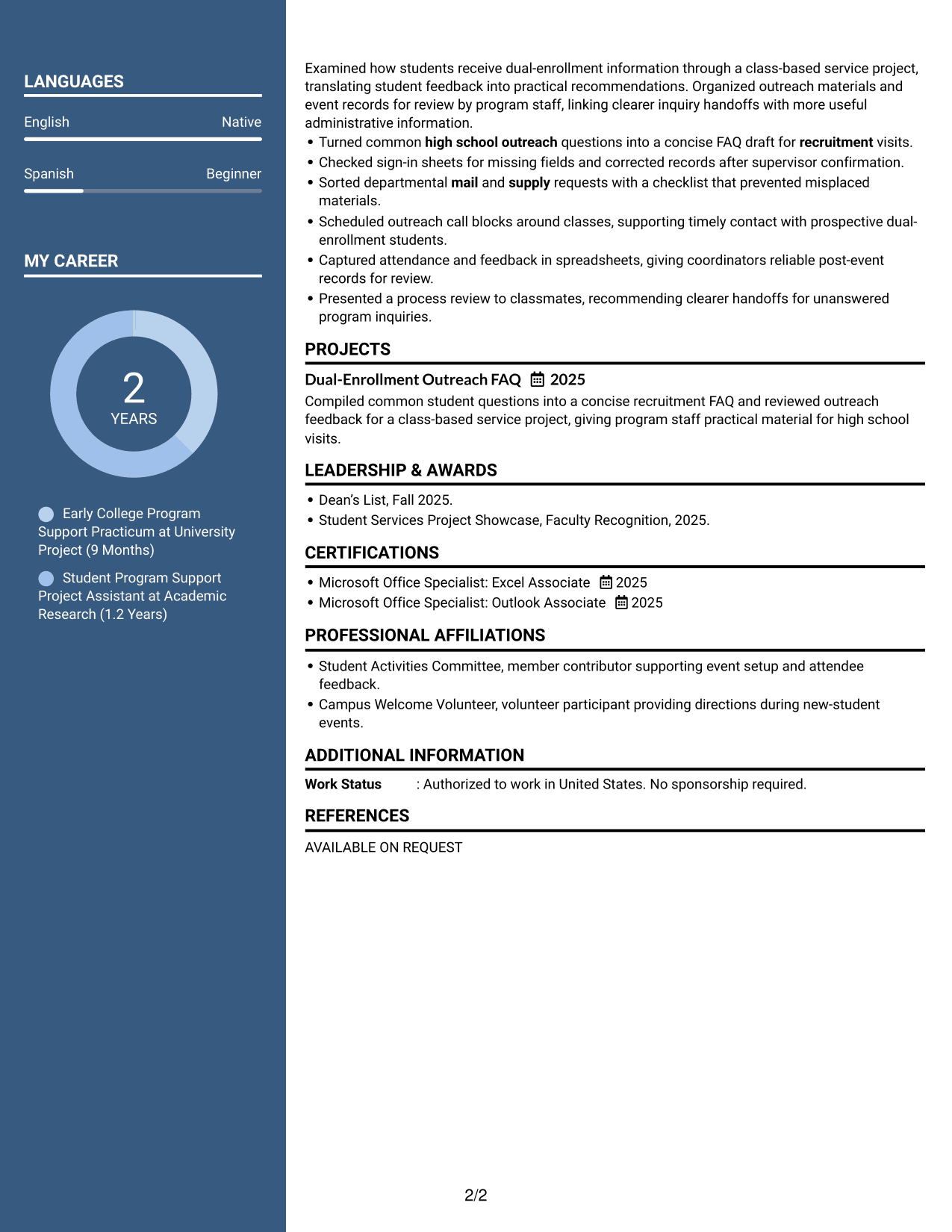
Why This Format Works
- Adjacent columns let reviewers scan education and experience without one long text block.
- Divided page areas make skills easier to spot while preserving space for work history.
- Separate visual zones keep awards and activities distinct from experience details.
Best For
- Side-by-side content scanning
- Compact resume organization
- Quick section navigation
- Shorter text blocks
- Education and work-history review
#6 Photo Header Two Column Format Resume Example
Photo Header Two Column Format places a photo in the header above a two-column resume body, separating the image from the organized text sections.
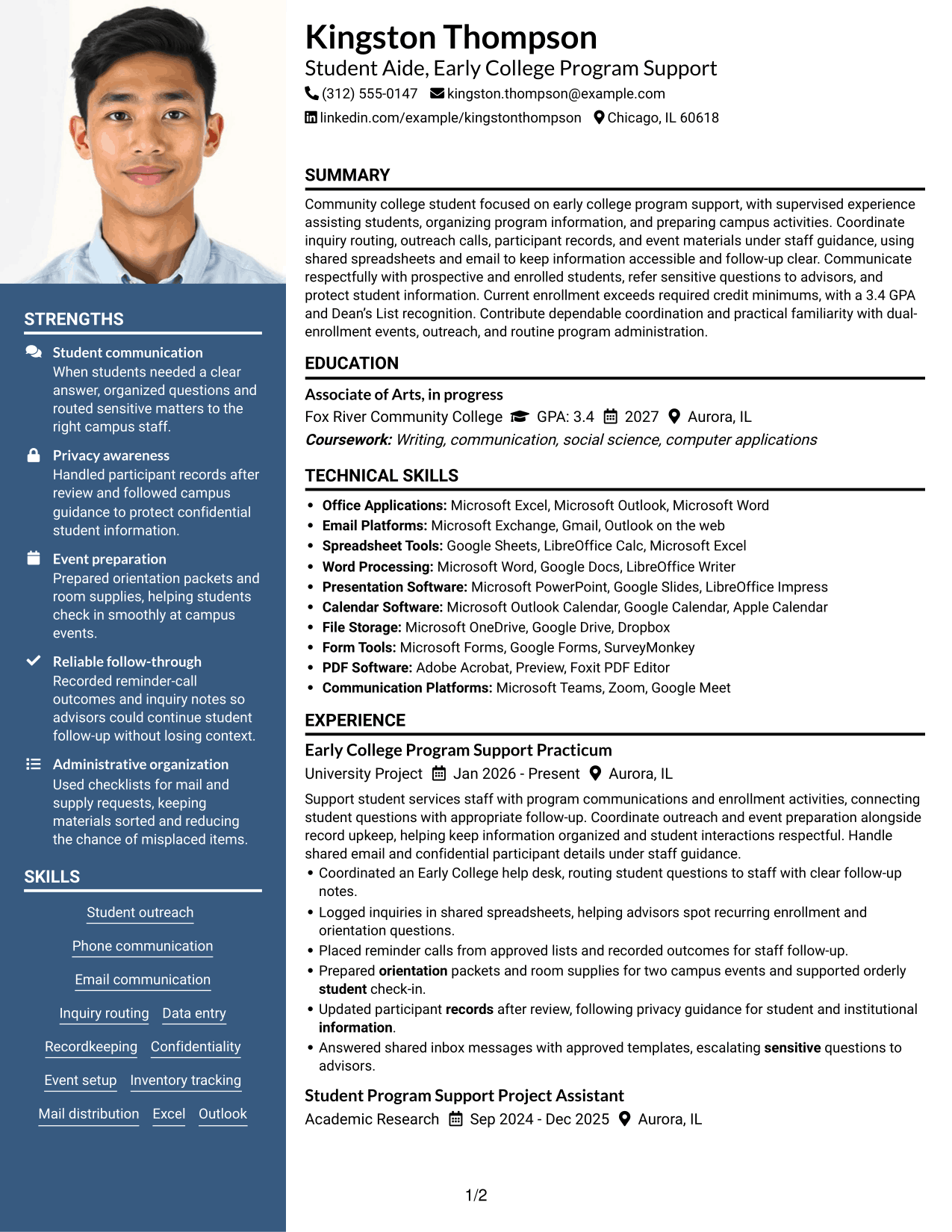
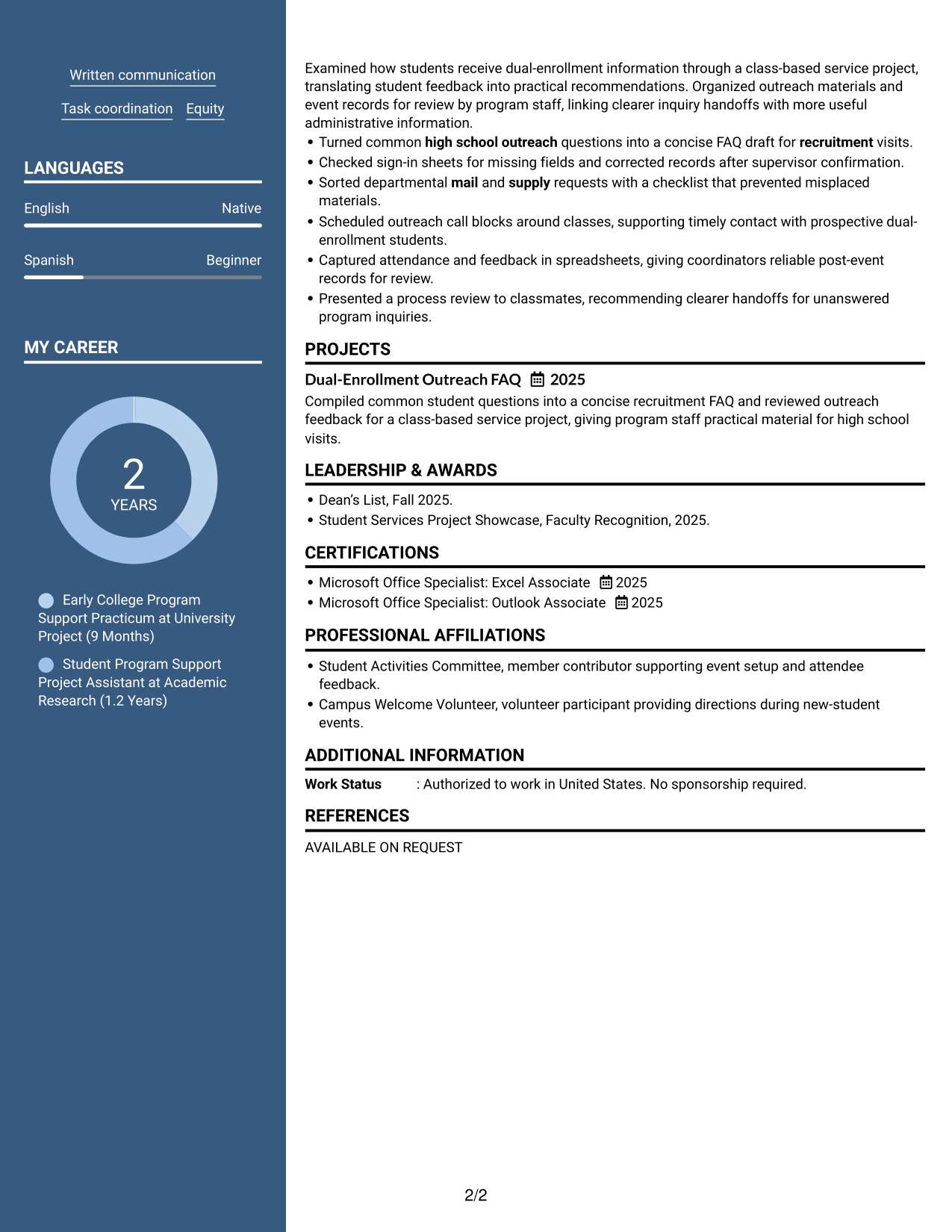
Why This Format Works
- Two body columns give experience and education separate reading areas for quick navigation.
- The header photo stays apart from skills and credentials, keeping qualifications in text sections.
- Column boundaries help reviewers distinguish project work from the broader work-history sequence.
Best For
- Photo-inclusive two-column presentation
- Separate image and text review
- Parallel section navigation
- Distinct profile and qualification areas
- Compact content grouping
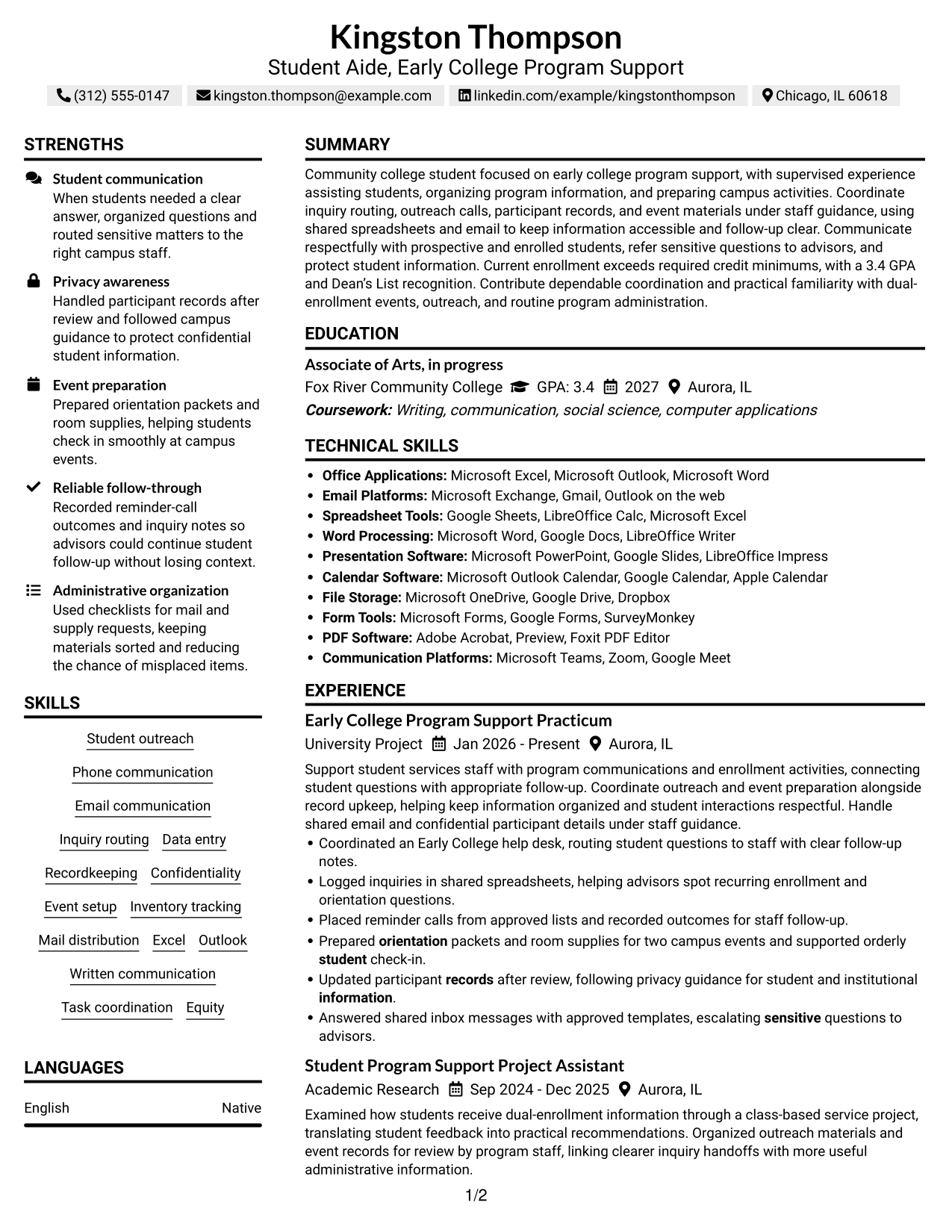
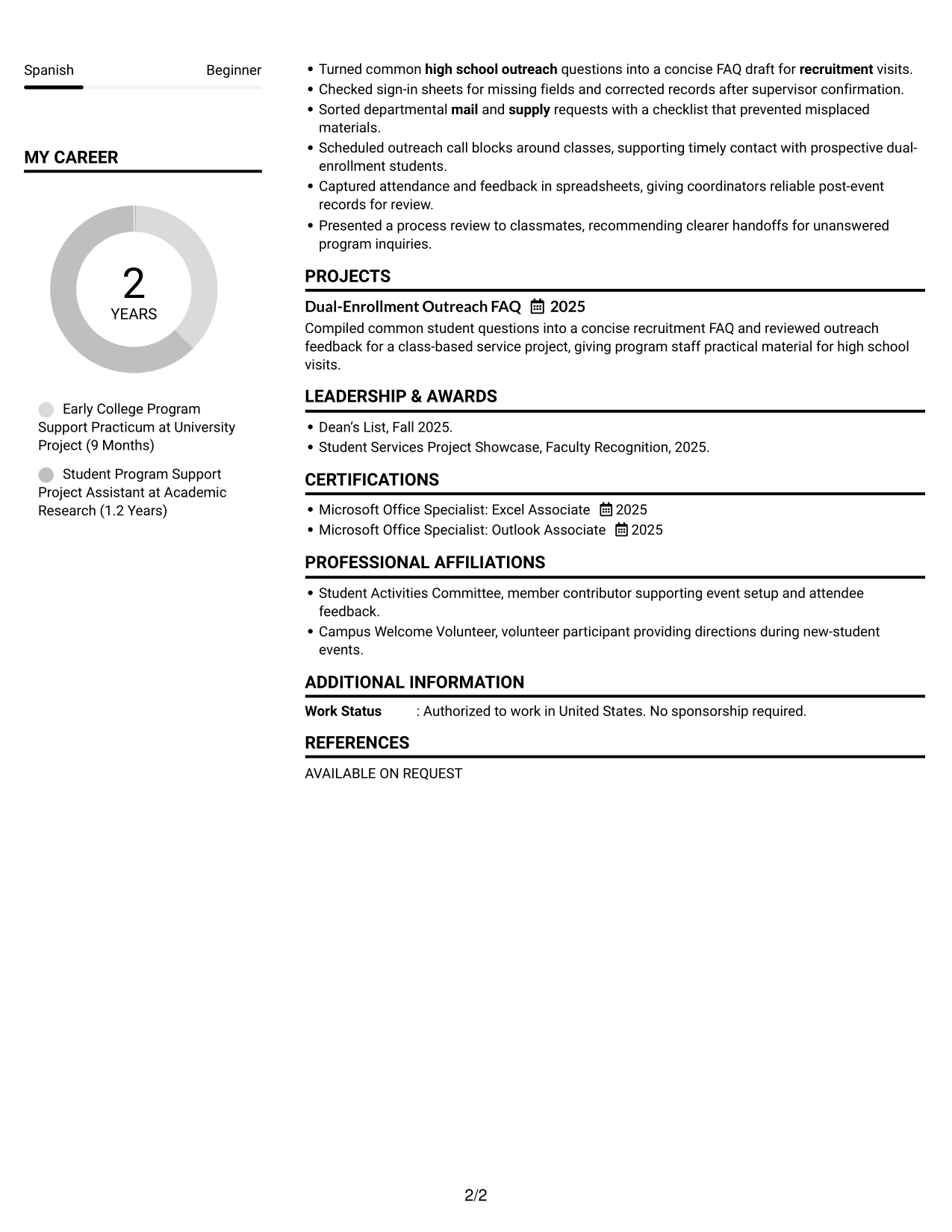
#7 Simple Two Column Format Resume Example
Simple Two Column Format uses a straightforward division between content areas, helping reviewers find key resume sections without following one long page-wide sequence.
Why This Format Works
- Column division helps reviewers move between experience details and supporting sections.
- Separate areas can make skills and education easier to locate during a scan.
- Clear reading zones keep awards and activities distinct from practicum and project entries.
Best For
- Two-area content scanning
- Parallel review of section groups
- Compact section navigation
- Resumes with varied content sections
- Readers who prefer divided page areas
Why Build Your Student Aide - Early College Program Support Resume with ResumeInMinutes
ResumeInMinutes helps you arrange your education, program support experience, skills, and achievements in a resume that is easy to review. You can adjust the wording and layout to keep the most relevant details clear.
- ATS-friendly section structure
- Clear skills and experience sections
- Space for projects and achievements
- Editable resume content
- PDF resume previews
- Resume customization tools
Keep the details focused on student communication, record accuracy, privacy, and campus activity support. Use specific examples to show your work and the steps you took to follow through.
See Also
- 7 Student Aide - Instructional Technology Resume Templates with Example
- 7 Classroom Aide - Head Start & Early Head Start Resume Templates with Example
- 33 Nursing Unit Aide - Patient Care Support Resume Templates with Example
- 7 Business Student - Construction Operations Support Resume Templates with Example
- 7 Student Services Support Specialist Resume Templates with Example
- 7 Student Worker - Grants & Research Office Support Resume Templates with Example
- 33 Biological Sciences Pre-Health Student Success and Program Coordinator Resume Templates with Example
- 33 Aide Hospital Service Resume Templates with Example 2026 (ATS-Optimized)
- 7 Student Aide - Early College Program Support Cover Letter Templates with Example
- 7 Student Aide - Instructional Technology Cover Letter Templates with Example
Frequently Asked Questions
Are these Student Aide - Early College Program Support resume templates ATS-friendly?
They use familiar resume sections and readable headings. Include relevant terms supported by your experience, such as student outreach, inquiry routing, data entry, confidentiality, event setup, Excel, and Outlook.
Does this guide show one resume in different layouts?
Yes. It presents one Student Aide - Early College Program Support resume example in different designs so you can compare how the same information looks in each format.
What should a Student Aide - Early College Program Support resume include?
Include a clear summary, education, relevant experience or projects, skills, and any applicable awards or certifications. Use short bullets to show student communication, recordkeeping, outreach, privacy practices, and event support.
Can I download the resume templates as PDFs?
Yes. The resume styles include PDF previews, which let you review the page layout and decide which format suits your information.
Which resume style works well for this student aide role?
A simple one-column layout makes headings and work details easy to scan. Choose a design that keeps your education, relevant experience, and skills clear, and check that the text remains readable when saved as a PDF.
How can I show relevant experience on my resume?
Include supervised program work, class projects, campus activities, and volunteer tasks that relate to student support. Describe specific actions, such as routing questions, logging inquiry outcomes, preparing orientation materials, or updating records after review.
Should I include a photo on my resume?
For U.S. applications, a resume without a photo is generally the safer choice. Follow any specific instructions provided for the role.
Can I customize these resume templates?
Yes. You can edit the resume text and adjust the design and layout. Keep the information accurate and make the most relevant details easy to find.




