7 WZIS-FM Board Operator Resume Templates with Example
This practical guide shows you how to build a WZIS-FM Board Operator resume that is clear, focused, and easy to review. You will learn how to organize your evidence and compare seven layouts without changing the underlying resume content.
For this role, give clear space to live sports radio work, audio-console practice, on-air software, broadcast timing, play-by-play support, and teamwork. Use short bullets that show what you operated, coordinated, checked, or improved during labs, projects, and student media work.
Strong keyword alignment can include WideOrbit concepts, PSAs, sponsorship messages, station imaging, bumpers, intros, outros, Legal IDs, audio levels, media timeouts, and NCAA compliance awareness when these details are supported by your own experience. The examples below show how one complete resume can present that evidence in different ATS-friendly structures.
What Makes a Great WZIS-FM Board Operator Resume in 2026
A strong resume is easy to scan and gives clear evidence of studio practice, sports broadcast support, timing, communication, and reliable teamwork.
Use exact, supported terms such as audio consoles, on-air software, WideOrbit concepts, Legal IDs, play-by-play support, and broadcast timing where they match your background.
The examples shown below are intentionally detailed to demonstrate a range of experiences, skills, accomplishments and relevant keywords. We prefer detailed resumes as they provide more context to the hiring managers and also help the ATS systems identify relevant qualifications and score your resume better for a match. But the length of a resume is an individual choice. If you want a one page resume, just keep the most relevant experience and information for the job. Note: Resume examples are for educational purposes only. Use only information that accurately reflects your experience and qualifications. References to real organizations do not imply affiliation or endorsement.
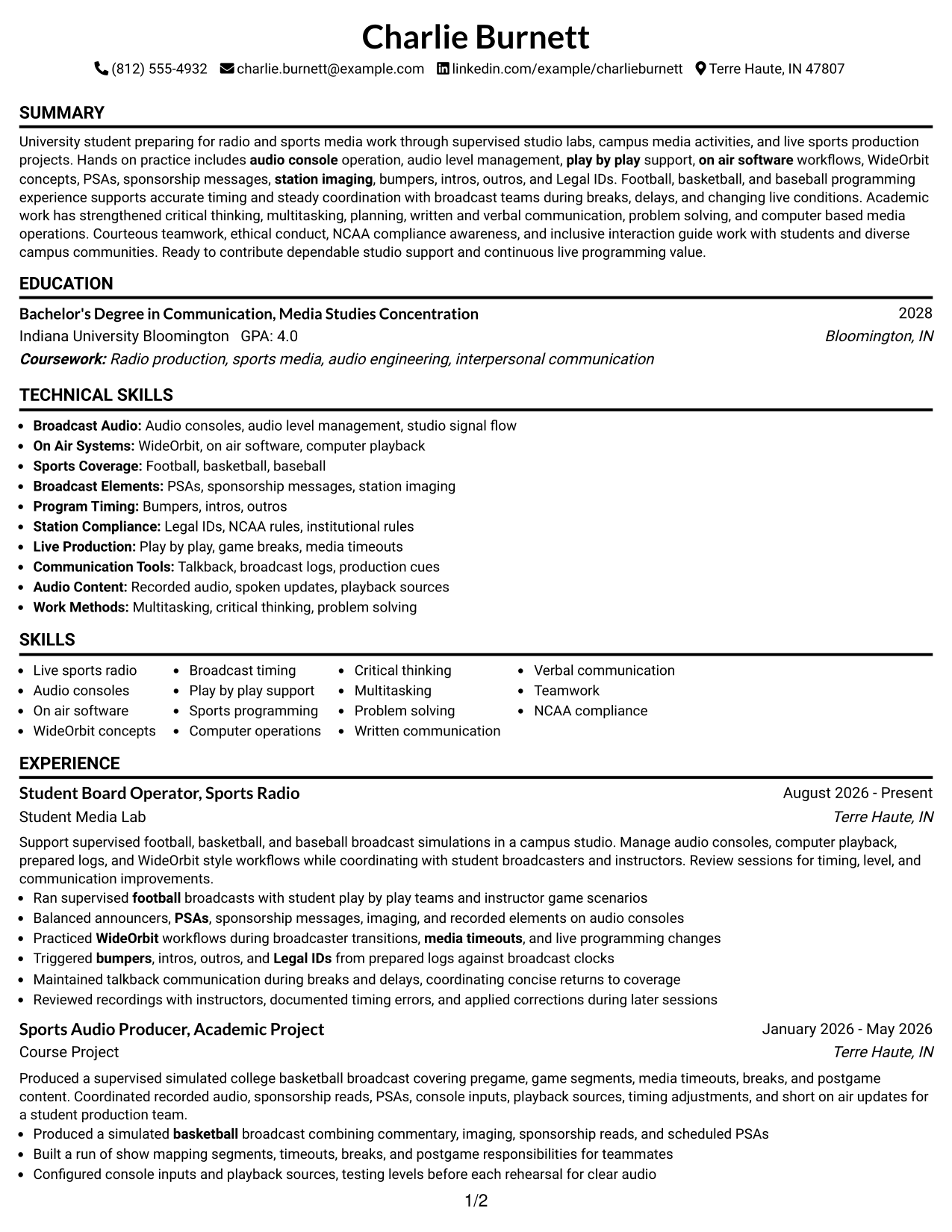
#1 Simple One Column Format Resume Example
A simple one-column reading order lets recruiters scan each resume section from top to bottom without switching between parallel areas.
Why This Format Works
- Linear section flow keeps experience and education easy to follow.
- Full-width space gives achievement bullets room to stay readable.
- Sequential headings help recruiters move from skills to credentials quickly.
Best For
- Straightforward recruiter scanning
- Detailed project descriptions
- Experience-first resume structure
- Clear ATS reading order
- Students with varied campus work
Resume Keywords
- student board operator
- live sports radio
- audio consoles
- WideOrbit concepts
- broadcast timing
- play-by-play support
- Legal IDs
- NCAA compliance
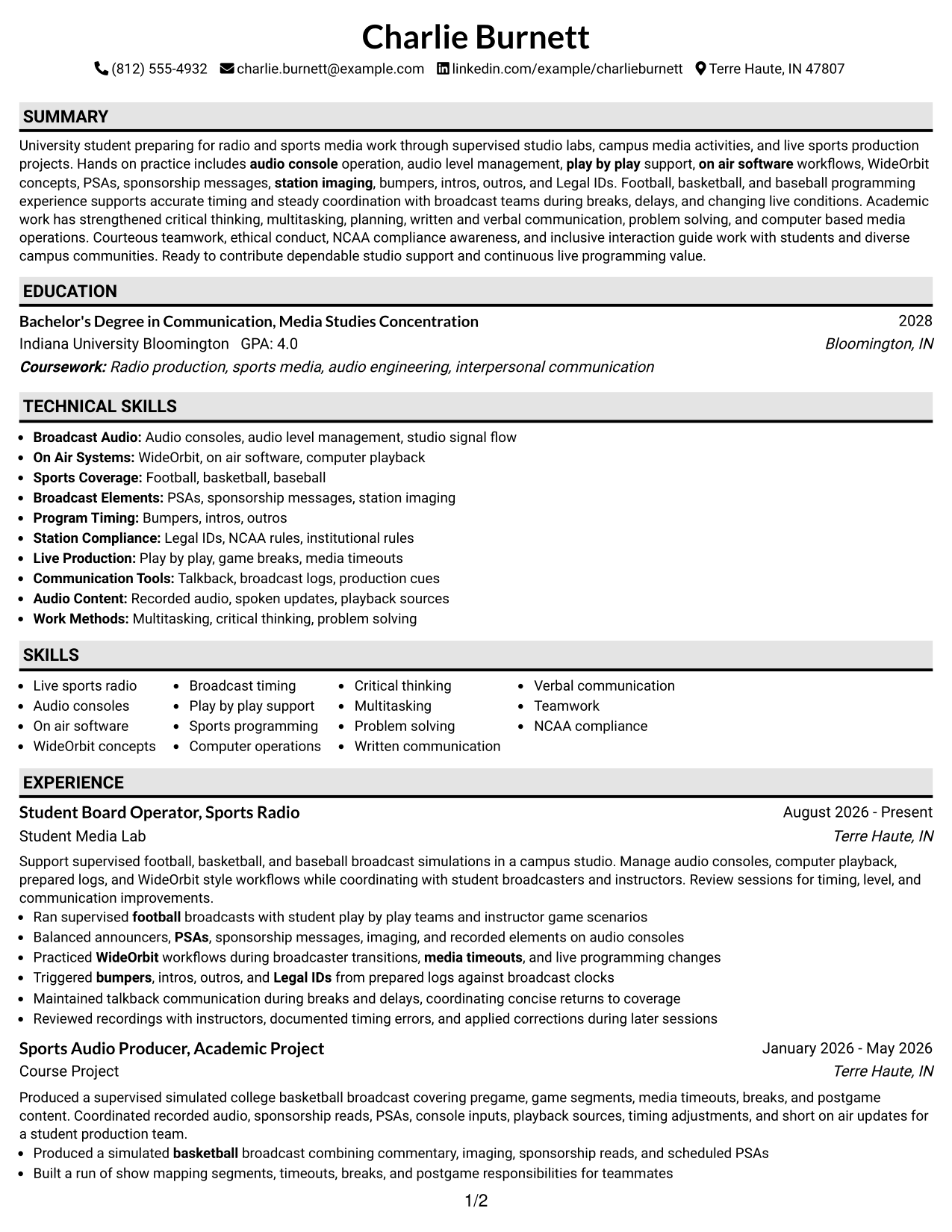
#2 Plain One Column with Shaded Labels Resume Example
Shaded section labels break the one-column flow into clear blocks, helping recruiters locate major resume sections faster.
Why This Format Works
- Shaded labels separate experience, skills, education, and credentials at a glance.
- Single-column order preserves a direct path through career and project evidence.
- Distinct section markers make longer content easier to revisit during review.
Best For
- Readers who prefer strong section markers
- Resumes with several content categories
- Project and education balance
- Quick return to key sections
- Traditional structure with added contrast
#3 One Column Format with Photo Right Resume Example
A right-side photo adds personal identification while the one-column body keeps recruiters on a simple top-to-bottom reading path.
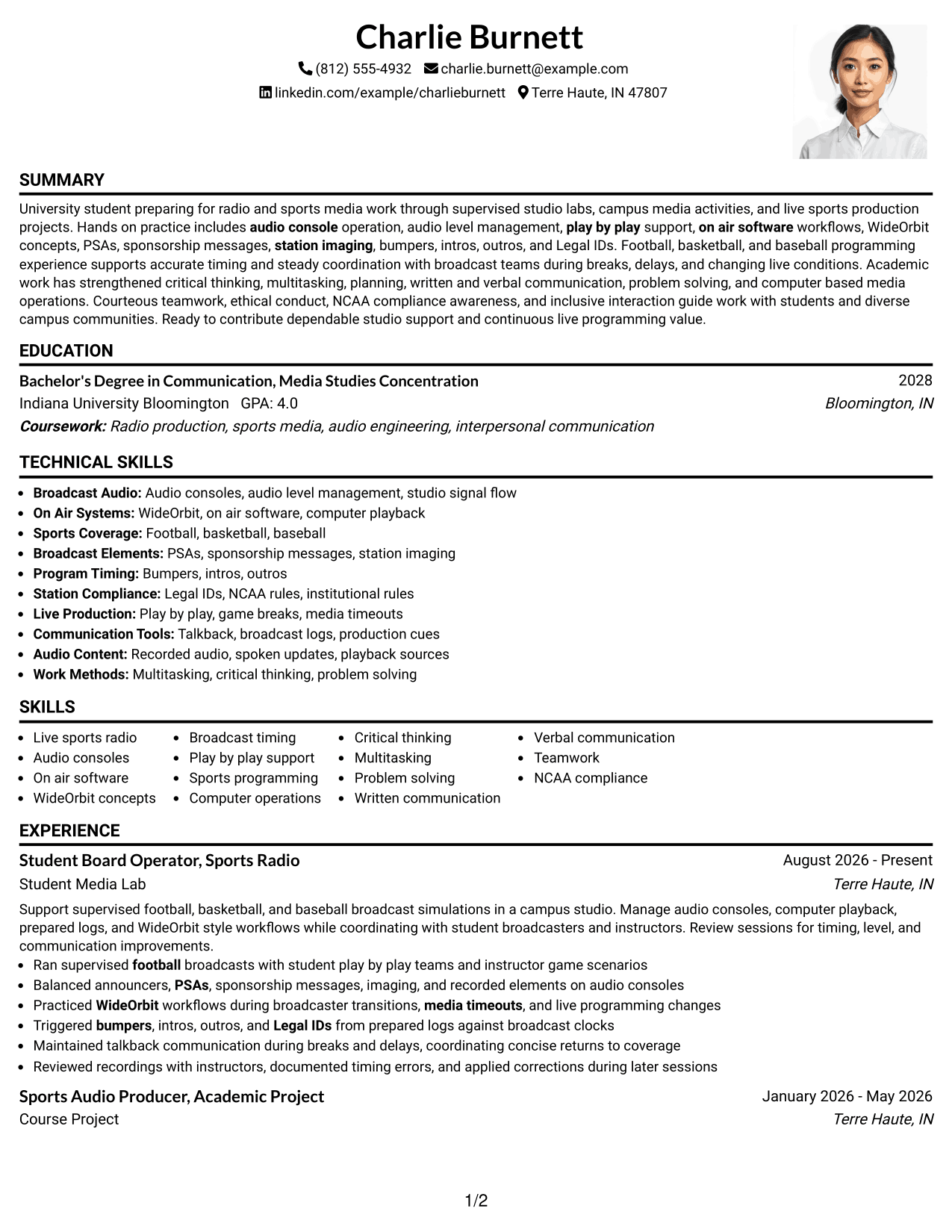
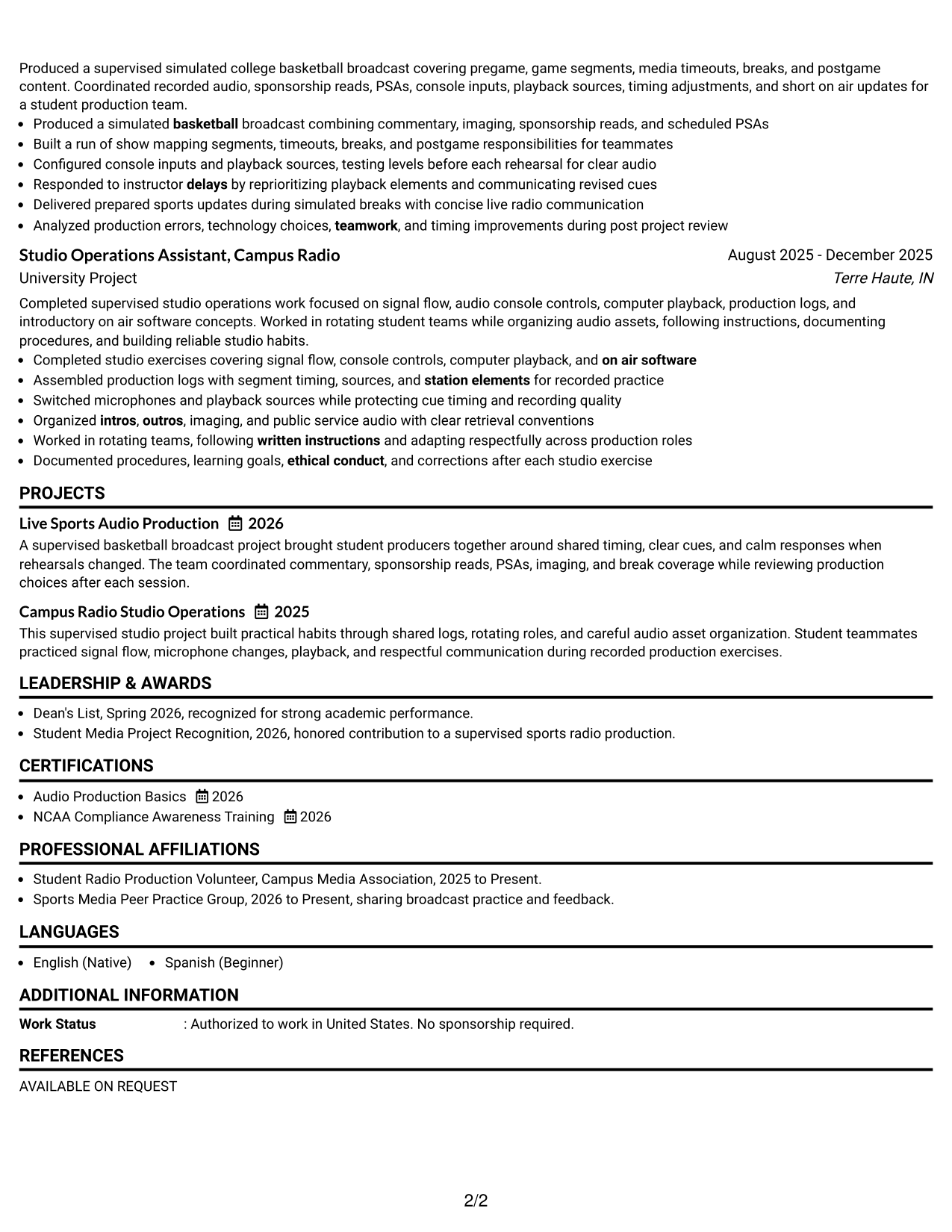
Why This Format Works
- One-column body keeps experience and project history in a steady sequence.
- Right-side photo stays separate from the main evidence sections.
- Full-width content supports readable skills, education, and credential details.
Best For
- Applications where a photo is appropriate
- Simple body reading order
- Project-heavy student resumes
- Readers comparing education and experience
- Personal presentation with conventional sections
#4 Clean Two Column Sidebar Format Resume Example
A two-column body with a sidebar lets recruiters compare compact details beside the main career and project content.
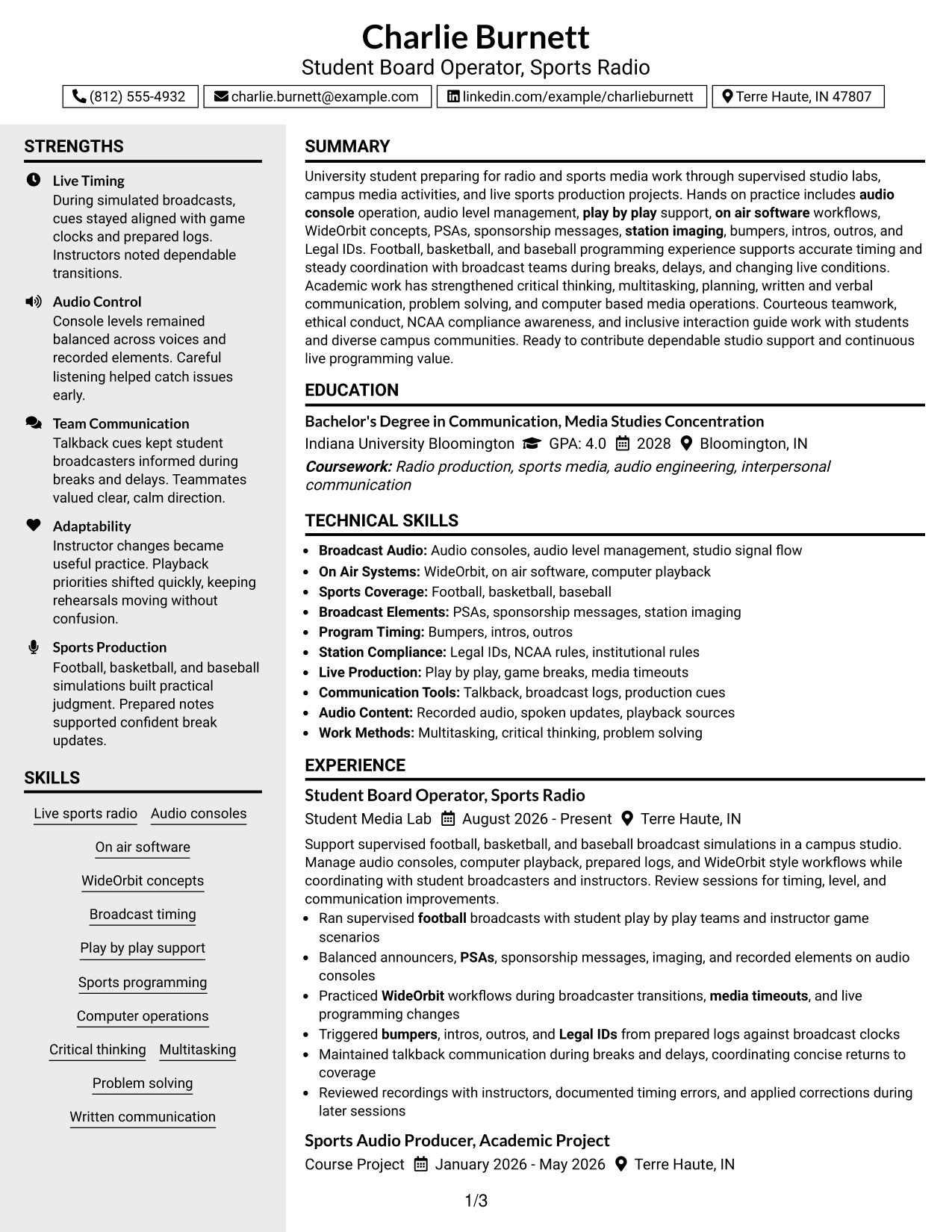
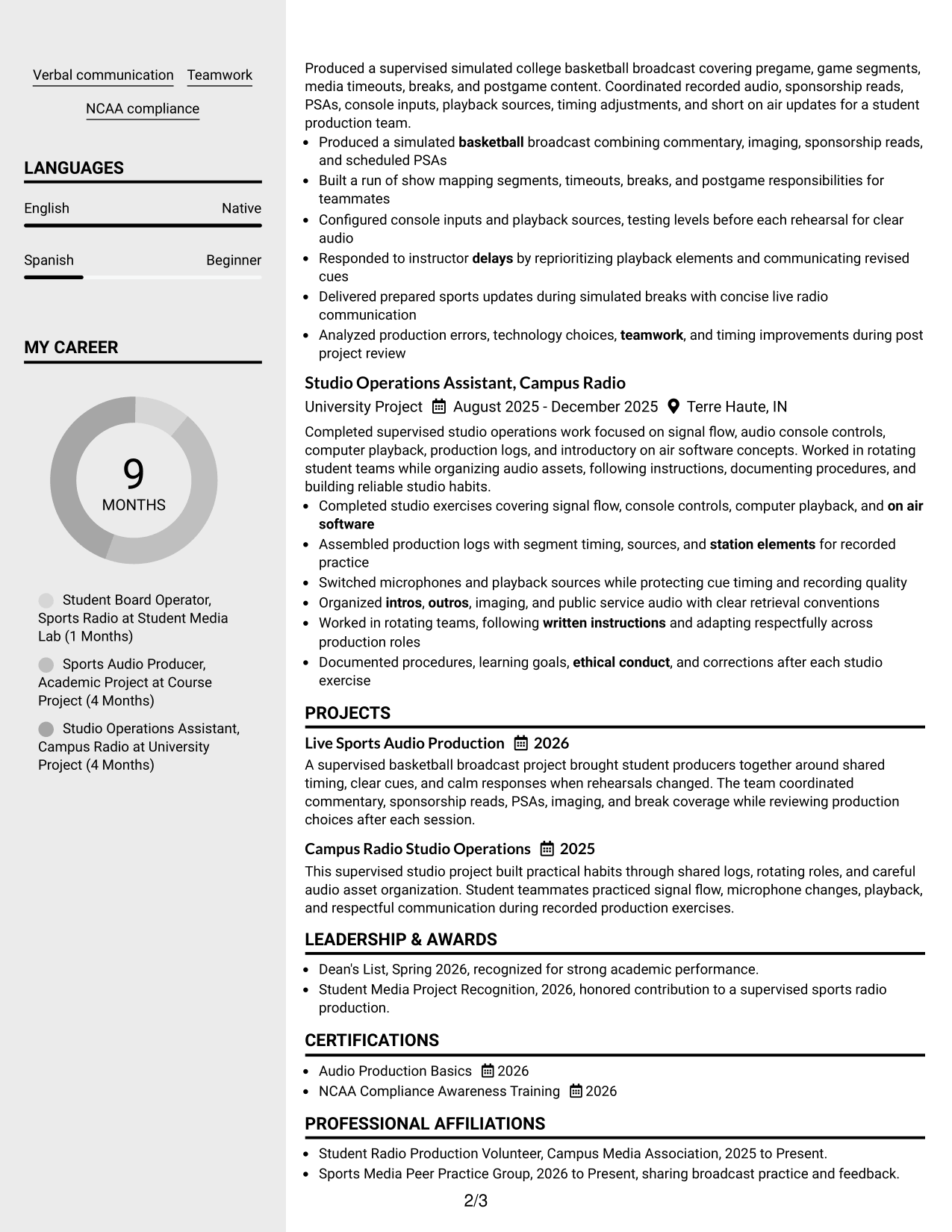
Why This Format Works
- Sidebar structure separates compact skills and credentials from longer experience details.
- Main column gives career and project evidence a clear reading path.
- Parallel sections help recruiters compare qualifications without crowding full-width bullets.
Best For
- Resumes with compact supporting details
- Side-by-side section comparison
- Strong skills and experience balance
- Readers who value quick navigation
- Information sets with mixed text lengths
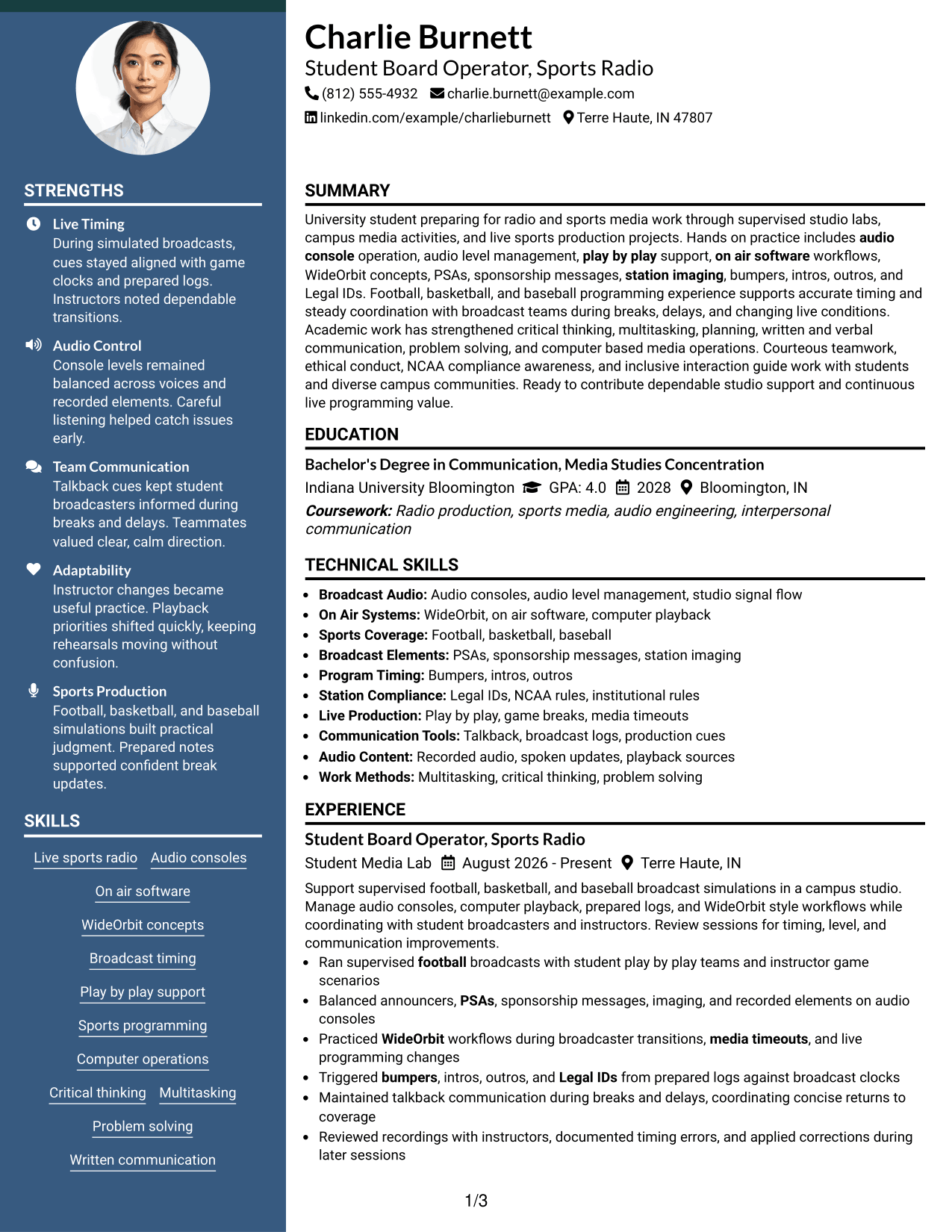
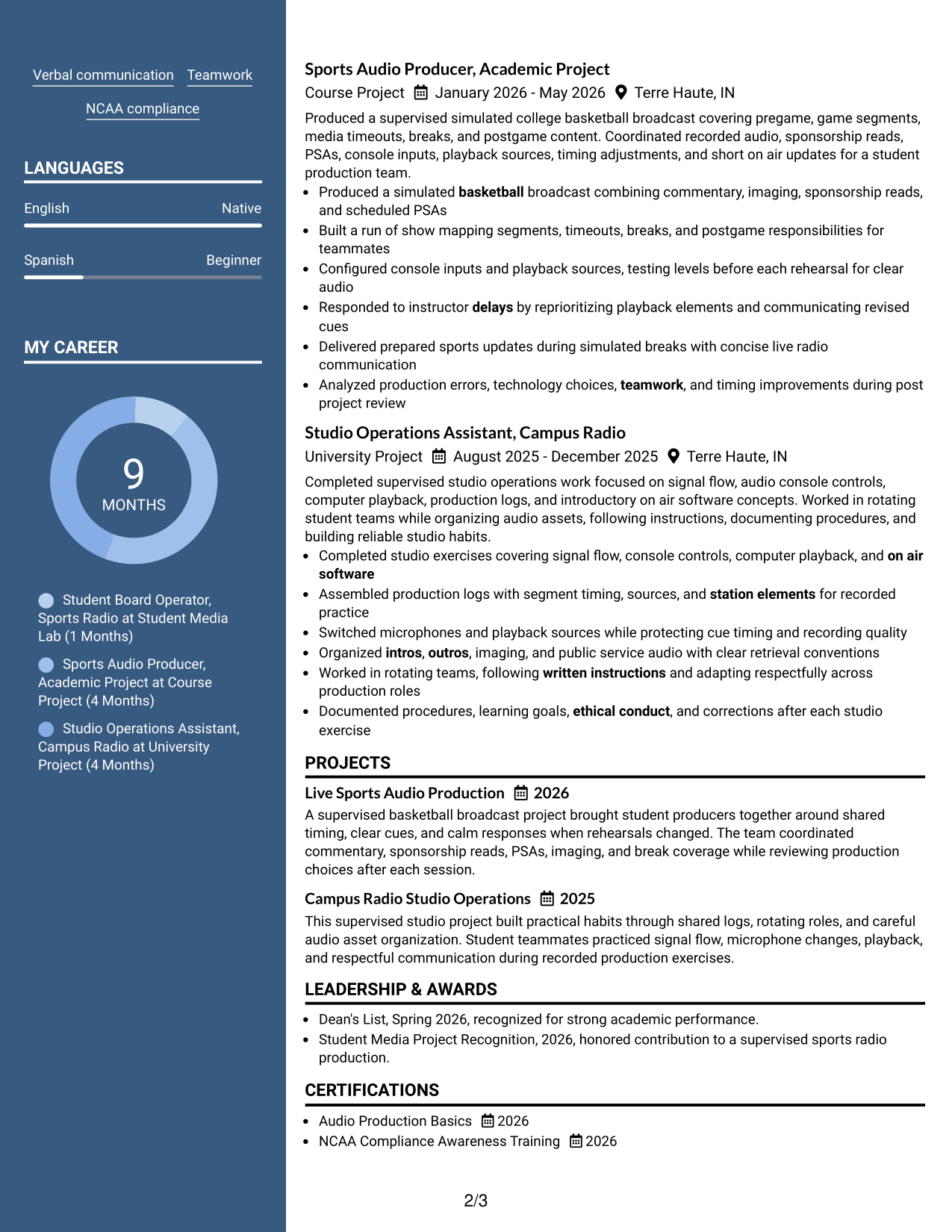
#5 Two Column Format Resume Example
A balanced two-column structure helps recruiters scan separate resume sections in parallel while keeping related information grouped.
Why This Format Works
- Two columns divide major sections without hiding the resume's overall hierarchy.
- Grouped content helps recruiters connect experience with supporting education and skills.
- Balanced space works well when several resume sections need similar attention.
Best For
- Balanced section visibility
- Resumes with several equal-priority sections
- Compact skills plus detailed experience
- Readers comparing related qualifications
- Content that benefits from parallel grouping
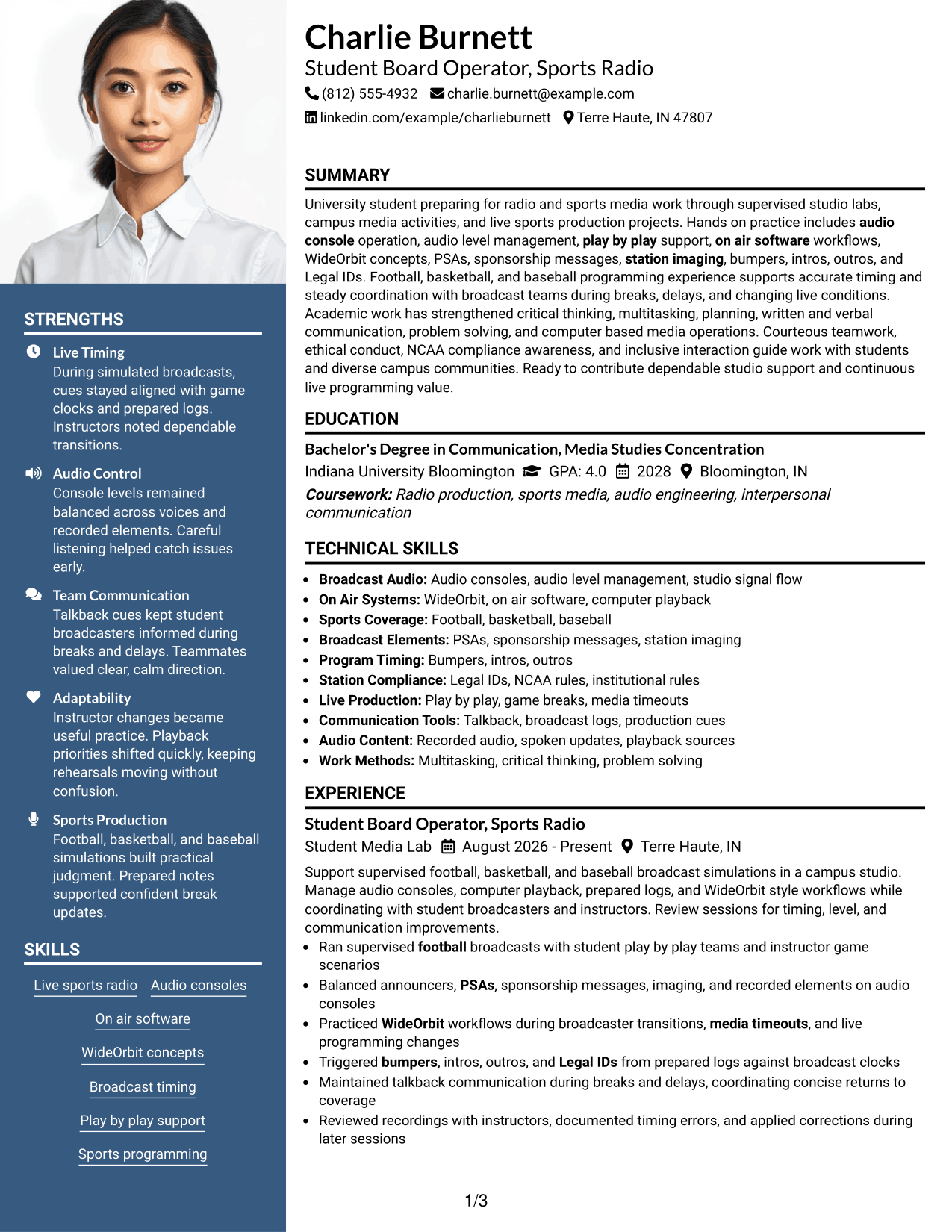
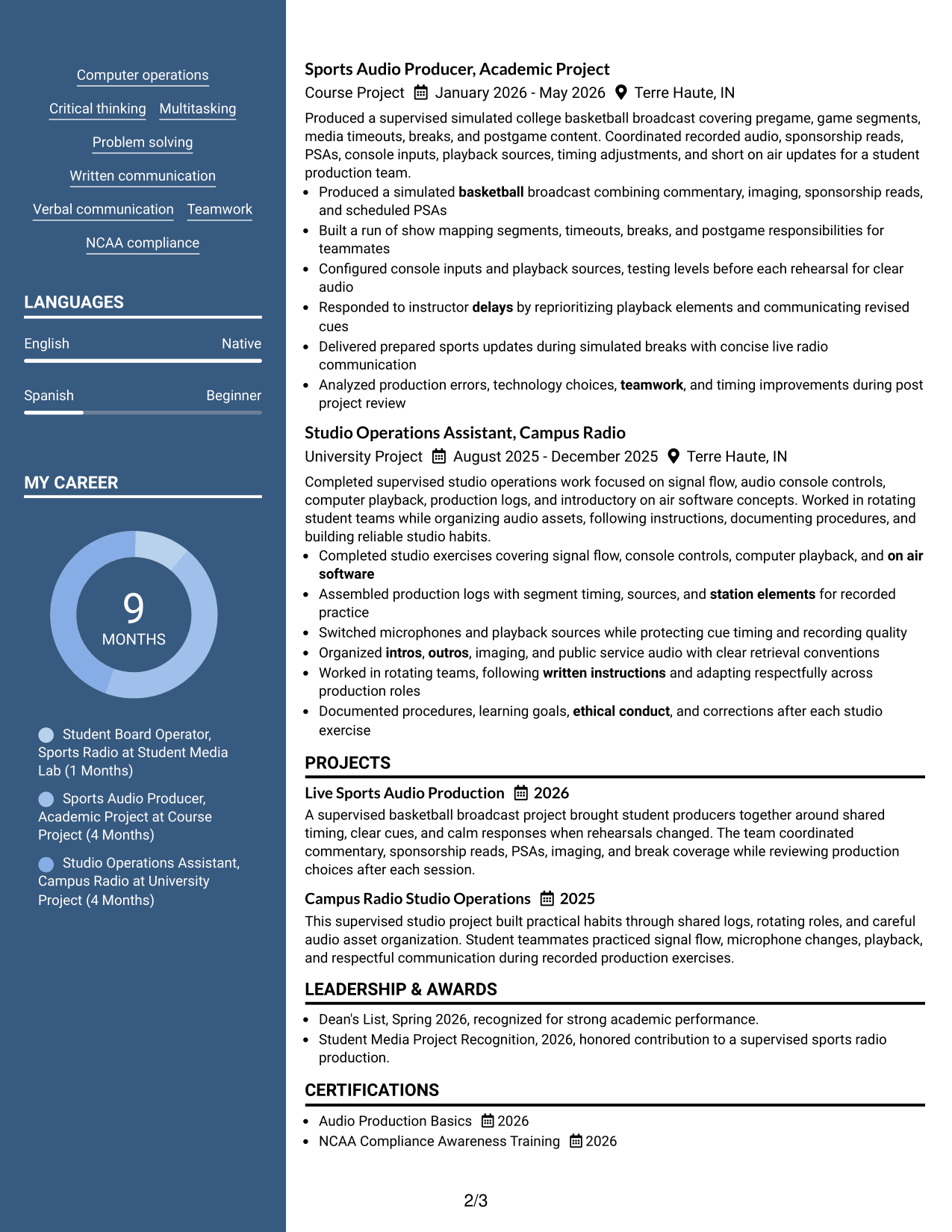
#6 Photo Header Two Column Format Resume Example
A photo header gives the resume a clear identity area, while the two-column body helps recruiters scan distinct content groups.
Why This Format Works
- Header photo remains separate from the two-column resume evidence below.
- Dual content areas keep experience, skills, education, and credentials visibly distinct.
- Section separation helps recruiters move between detailed and compact information efficiently.
Best For
- Contexts where a photo is accepted
- Two-column content organization
- Resumes mixing detailed and brief sections
- Clear separation of supporting credentials
- Readers scanning several content groups
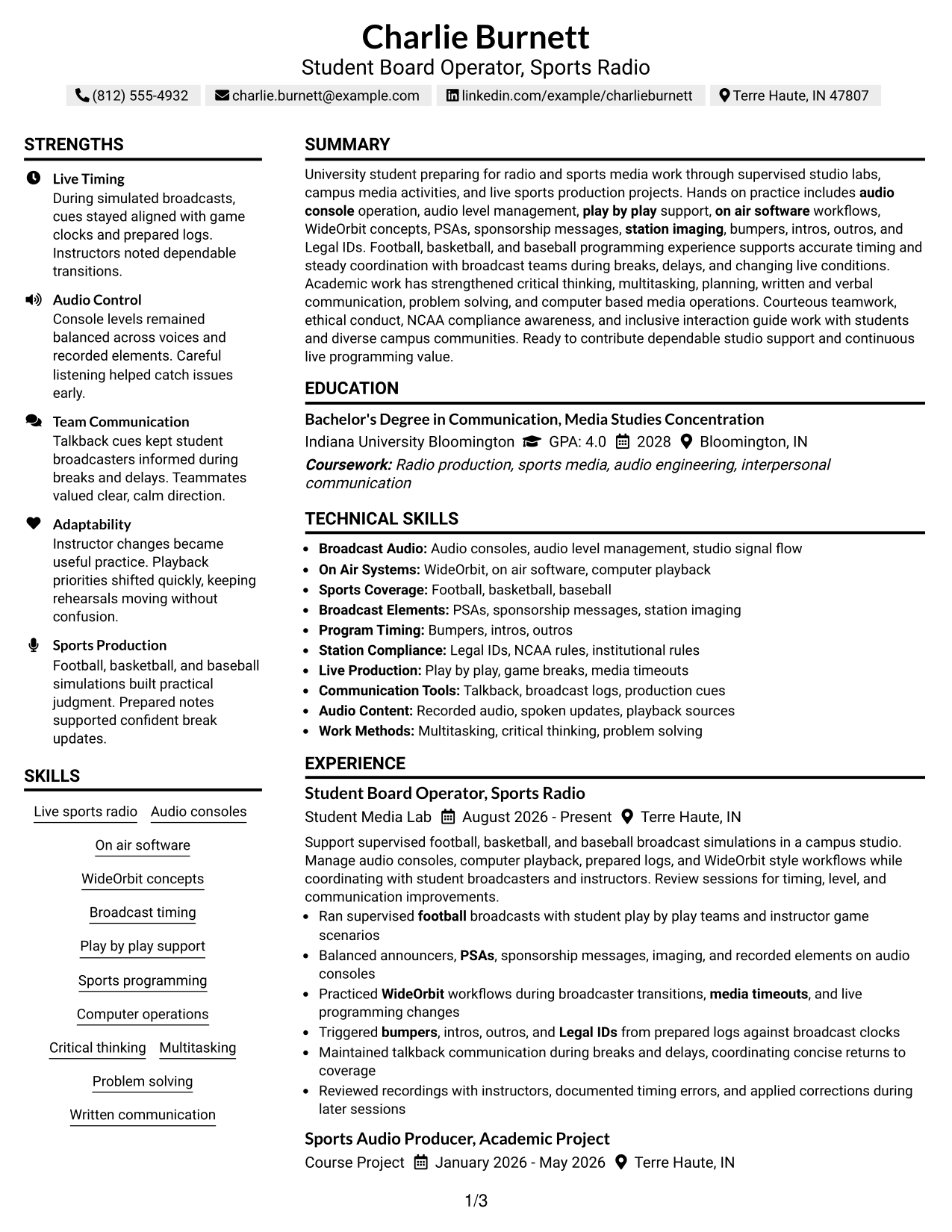
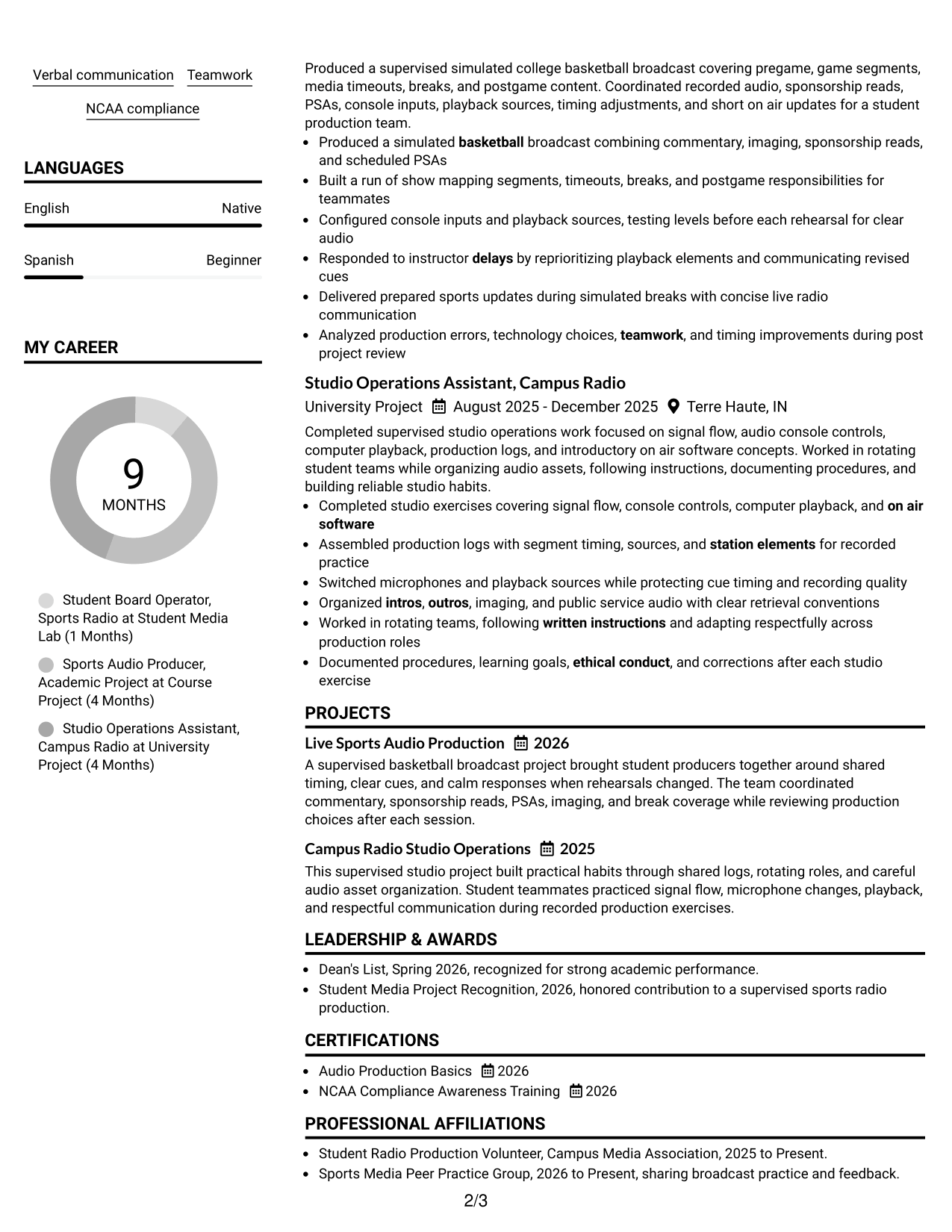
#7 Simple Two Column Format Resume Example
A simple two-column arrangement gives recruiters clear section choices without adding complex visual elements to the resume.
Why This Format Works
- Plain section treatment keeps attention on experience, achievements, and supporting qualifications.
- Two-column organization uses space efficiently across skills, education, and credentials.
- Simple visual structure makes separate content groups easy to identify.
Best For
- Clean two-column organization
- Evidence-focused resume reviews
- Compact supporting information
- Applicants avoiding decorative styling
- Clear division between content groups
See Also
- 7 Community Engagement Board Coordinator Resume Templates with Example
- 33 Call Center Operator Resume Templates with Example 2026 (ATS-Optimized)
- 33 Data Center Operator Resume Templates with Example 2026 (ATS-Optimized)
- 33 Dish Machine Operator Resume Templates with Example 2026 (ATS-Optimized)
- 33 Equipment Operator 1 - Stormwater Infrastructure Resume Templates with Example 2026 (ATS-Optimized)
- 7 Equipment Operator I - Pavement Operations Resume Templates with Example
- 33 Equipment Operator Resume Templates with Example
- 7 Folder/Gluer Machine Operator I Resume Templates with Example
- 30+ Call Center Operator Cover Letter Templates with Example 2026
- 30+ Data Center Operator Cover Letter Templates with Example 2026
Frequently Asked Questions
Are these WZIS-FM Board Operator resume templates ATS-friendly?
They use clear headings and standard resume sections that support ATS scanning. Keep your wording simple and use role terms only when they match your real experience.
Are these seven different resumes?
No. The same WZIS-FM Board Operator resume content appears in different visual layouts so you can compare structure and presentation.
What should a WZIS-FM Board Operator resume include?
Include a focused summary, relevant experience, education, projects, skills, and certifications. Show evidence of audio-console work, live sports production, on-air software, timing, communication, and problem solving when supported by your background.
How should I describe student radio experience?
Use direct action bullets. Explain the broadcast setting, what you operated or coordinated, and how you handled timing, audio levels, breaks, delays, or changing program conditions.
Should I include WideOrbit on my resume?
Include WideOrbit only if you have used it or practiced supported WideOrbit-style workflows. If your experience is conceptual, describe it accurately instead of claiming full production experience.
Can projects help if I have limited paid radio experience?
Yes. Relevant studio labs, course projects, and student media work can show practical skills, teamwork, planning, and live-production judgment when you describe the work clearly.
Should I include a photo on a U.S. radio resume?
A photo is usually not needed for a U.S. resume. Use one only when it is appropriate for the application context and does not replace space needed for relevant evidence.
Can I customize these resume templates?
Yes. Adjust the wording and section order to match your supported experience, then keep the final version focused on the exact WZIS-FM Board Operator role.