
7 Team Assistant - Executive and Office Support CV Templates with Example
This guide shows you how to create a Team Assistant - Executive and Office Support CV that is clear, focused and easy to scan. You will learn how to present relevant evidence and choose a professional layout for this role.
A strong CV connects executive support with the practical work that keeps a consulting team and office running. Use concise bullets to show calendar and travel coordination, expense and timesheet administration, document production, records management and meeting support.
Explore the example in 7 layouts, compare the PNG image previews, and open a preferred version in the editor to customise it. The guide also covers ATS readability and how to use role-relevant terms such as Microsoft Office, Microsoft Teams, onboarding and executive cover.
What Makes a Great Team Assistant - Executive and Office Support CV in 2026
A strong CV makes executive support, office coordination and document work easy to find. Clear headings and focused bullets help readers scan your experience quickly.
Use relevant terms such as calendar management, travel coordination, expense reporting, weekly timesheets, Microsoft Teams and records retrieval. Add figures only when you can support them.
Note: CV examples are for educational purposes only. Use only information that accurately reflects your experience and qualifications. References to real organisations do not imply affiliation or endorsement.
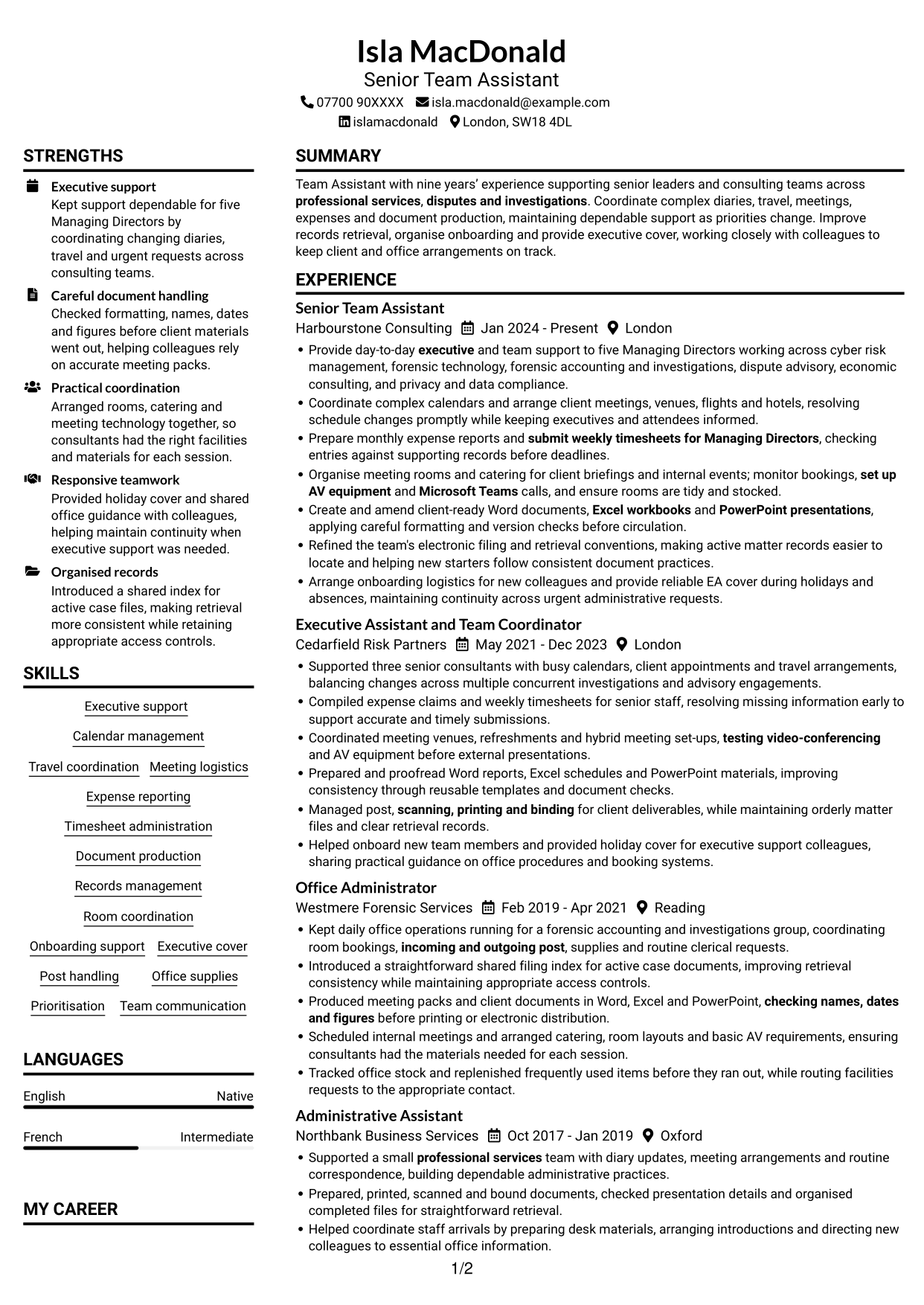
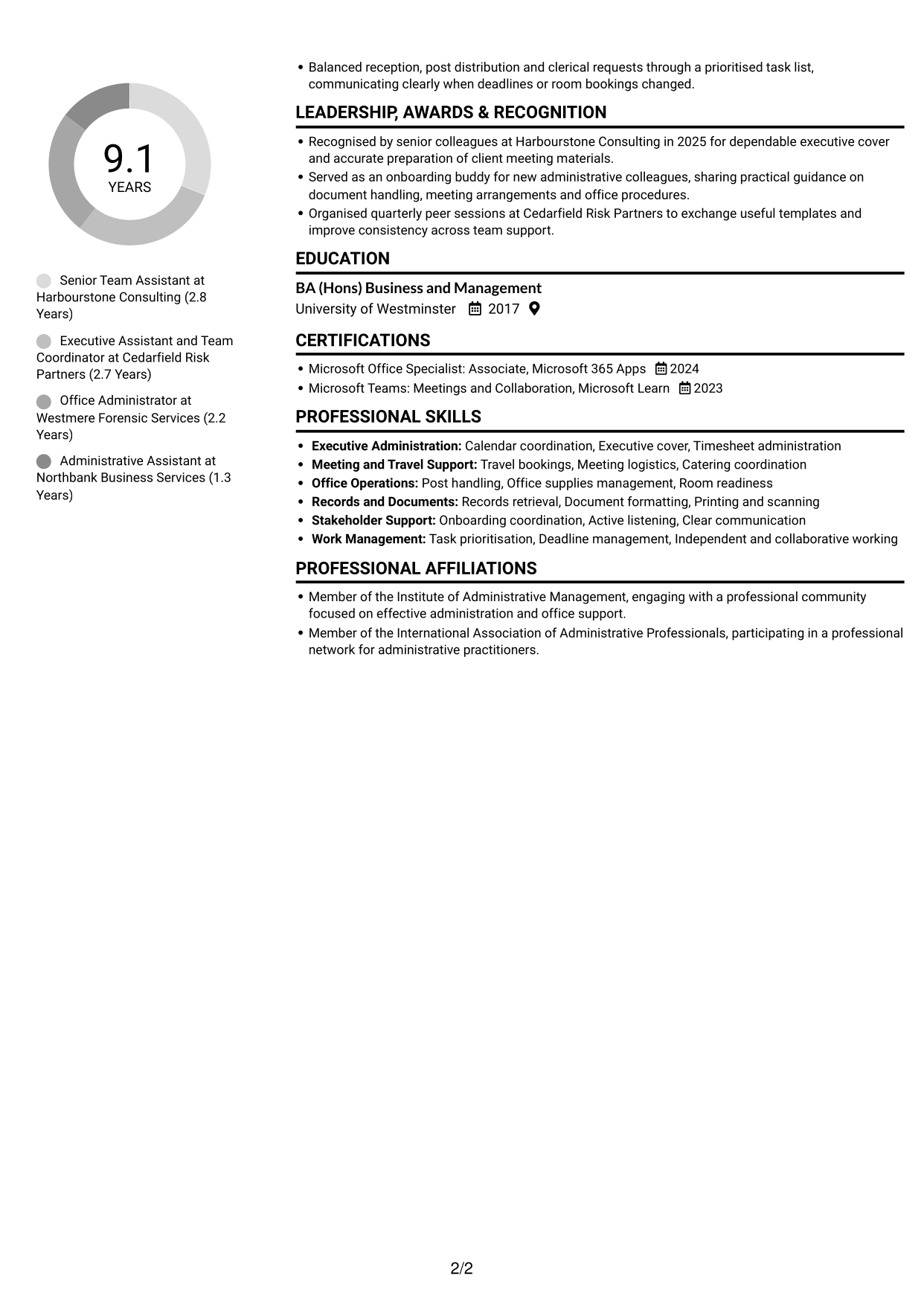
#1 Plain Two Column Format CV Example
The Plain Two Column Format presents CV content in two areas, giving reviewers a broad view of career history and related sections.
CV Snapshot
- Target role: Team Assistant - Executive and Office Support
- Nine years' experience in professional services
- Support for five Managing Directors
- BA (Hons) Business and Management
Why This Format Works
- Reviewers can trace role changes across the employment record without losing sequence.
- Skills and education remain easy to locate beside detailed work history.
- Recognition and certifications can be checked alongside the broader career record.
Best For
- CVs with several career stages
- Experience beside supporting details
- Skills and education in one view
- Distinct areas for employment and credentials
- Readers comparing career history and qualifications
CV Keywords
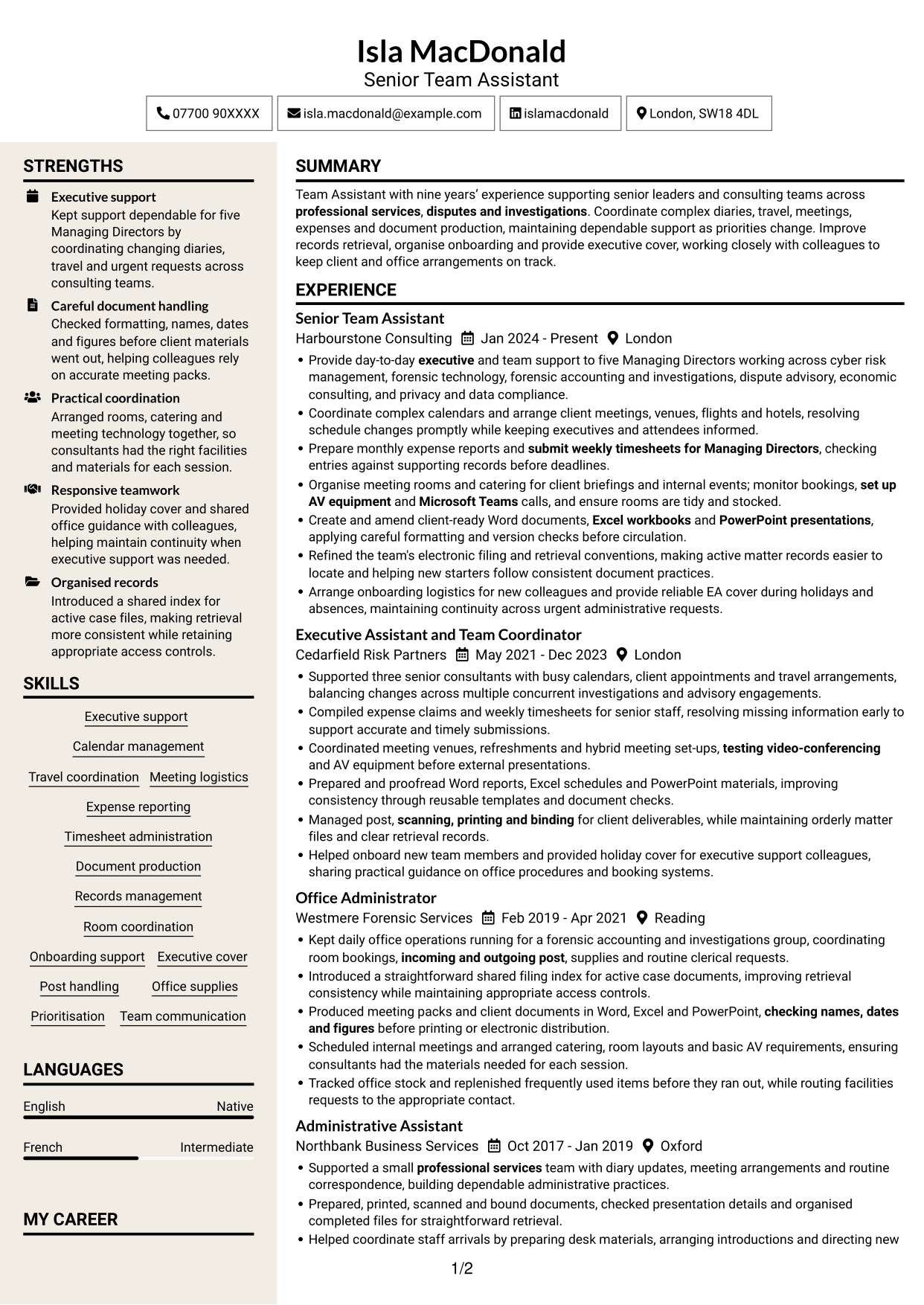
- Provide day-to-day executive and team support
- Coordinate complex calendars and arrange client meetings, venues, flights and hotels, resolving schedule changes promptly while keeping executives and attendees informed.
- arrange client meetings, venues, flights and hotels
- Expense reporting
- submit weekly timesheets for Managing Directors
- provide reliable EA cover during holidays and absences
- Arrange onboarding logistics for new colleagues
- Word documents
- Excel workbooks
- PowerPoint presentations
- Create and amend client-ready Word documents
- Refined the team's electronic filing and retrieval conventions
- Organise meeting rooms and catering for client briefings and internal events
- Microsoft Teams
- testing video-conferencing
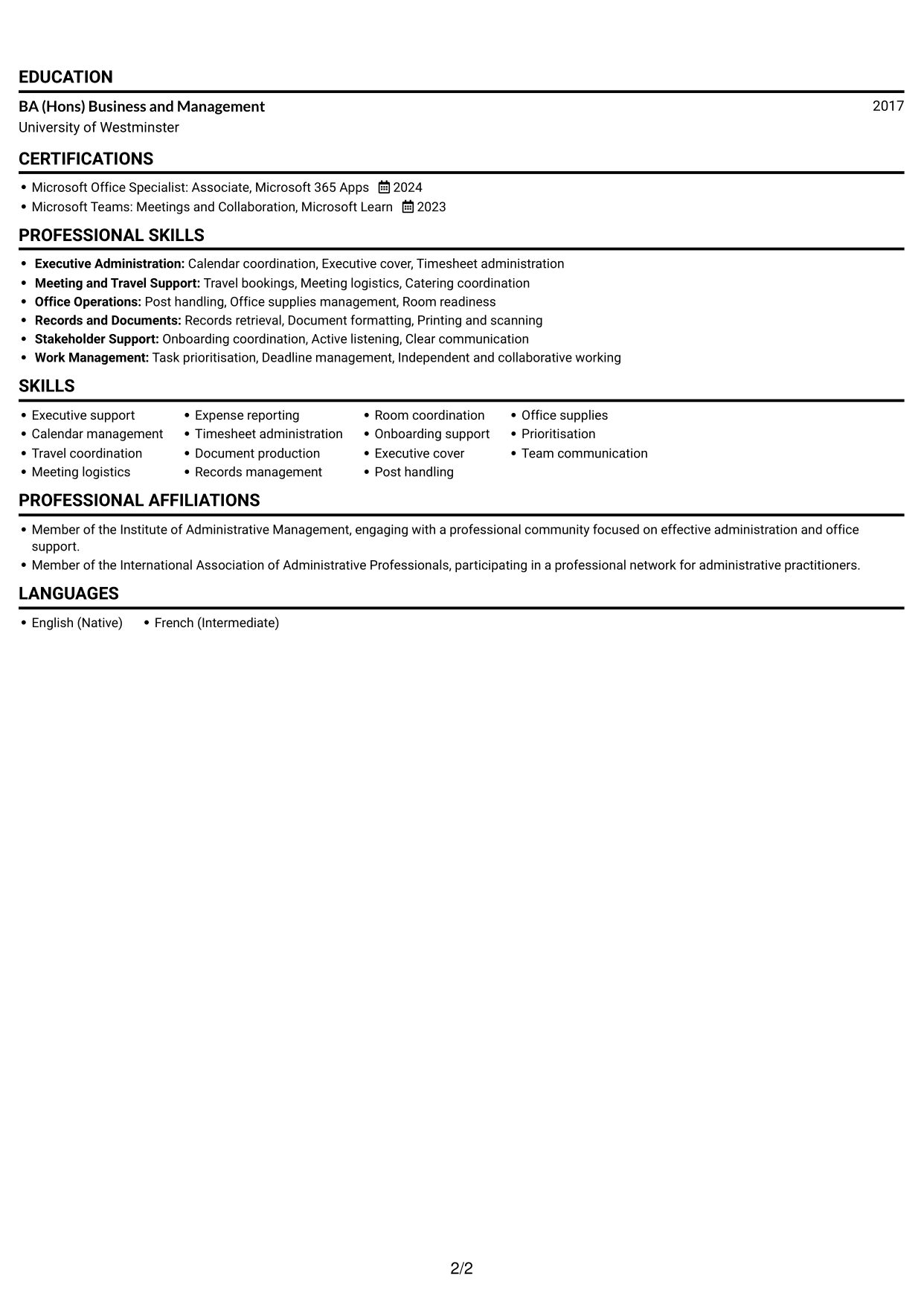
#2 Simple One Column Format CV Example
The Simple One Column Format keeps the CV in a single vertical sequence, offering a direct route through its sections.
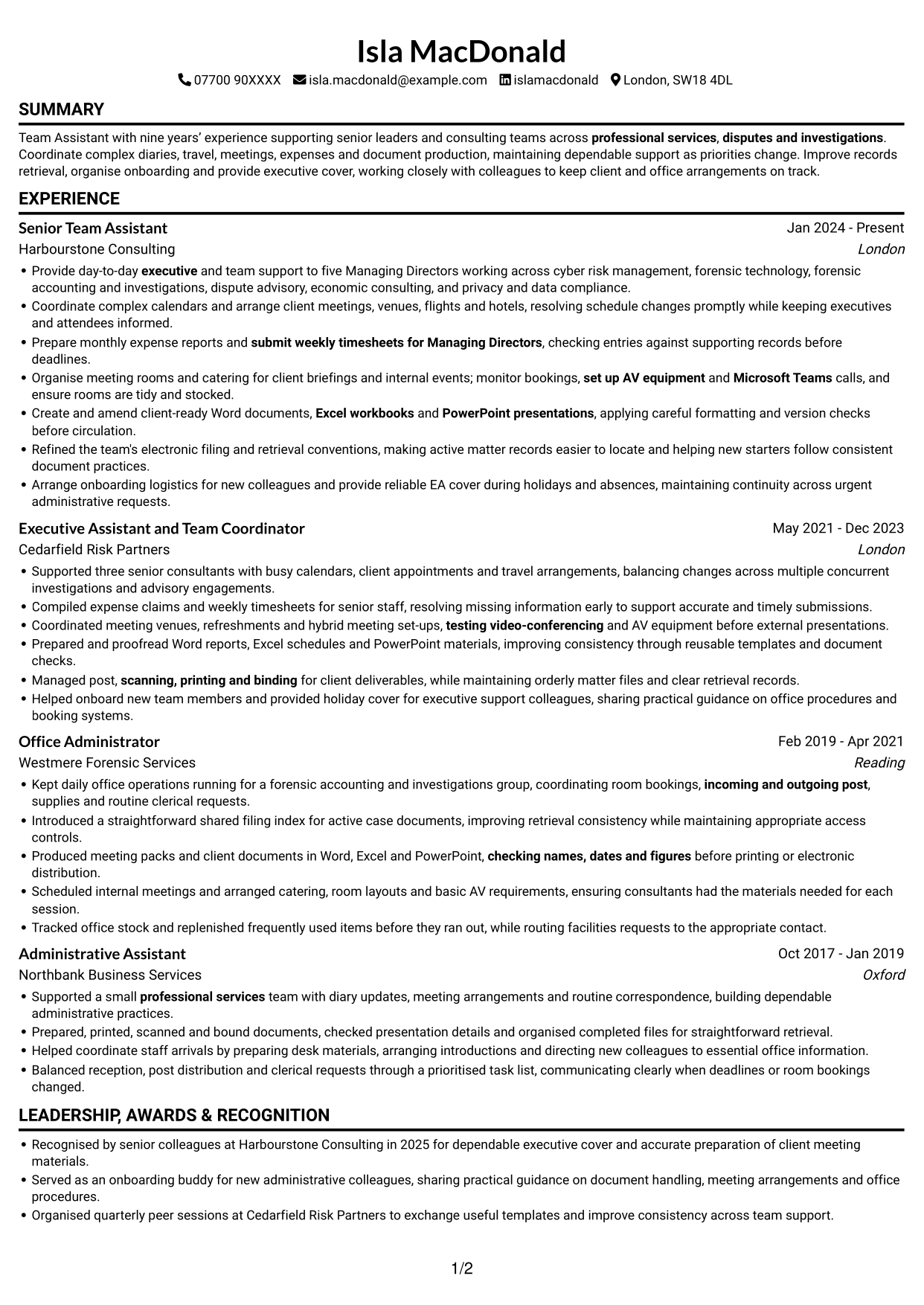
Why This Format Works
- Roles and dates follow a clear vertical route through employment history.
- Skills and qualifications stay within the same simple reading sequence.
- Education and recognition can be reviewed without navigating across parallel areas.
Best For
- A top-to-bottom reading path
- Chronological employment records
- Clearly ordered CV sections
- Readers who prefer continuous scanning
- Career histories with supporting qualifications
#3 Clean Two Column Sidebar Format CV Example
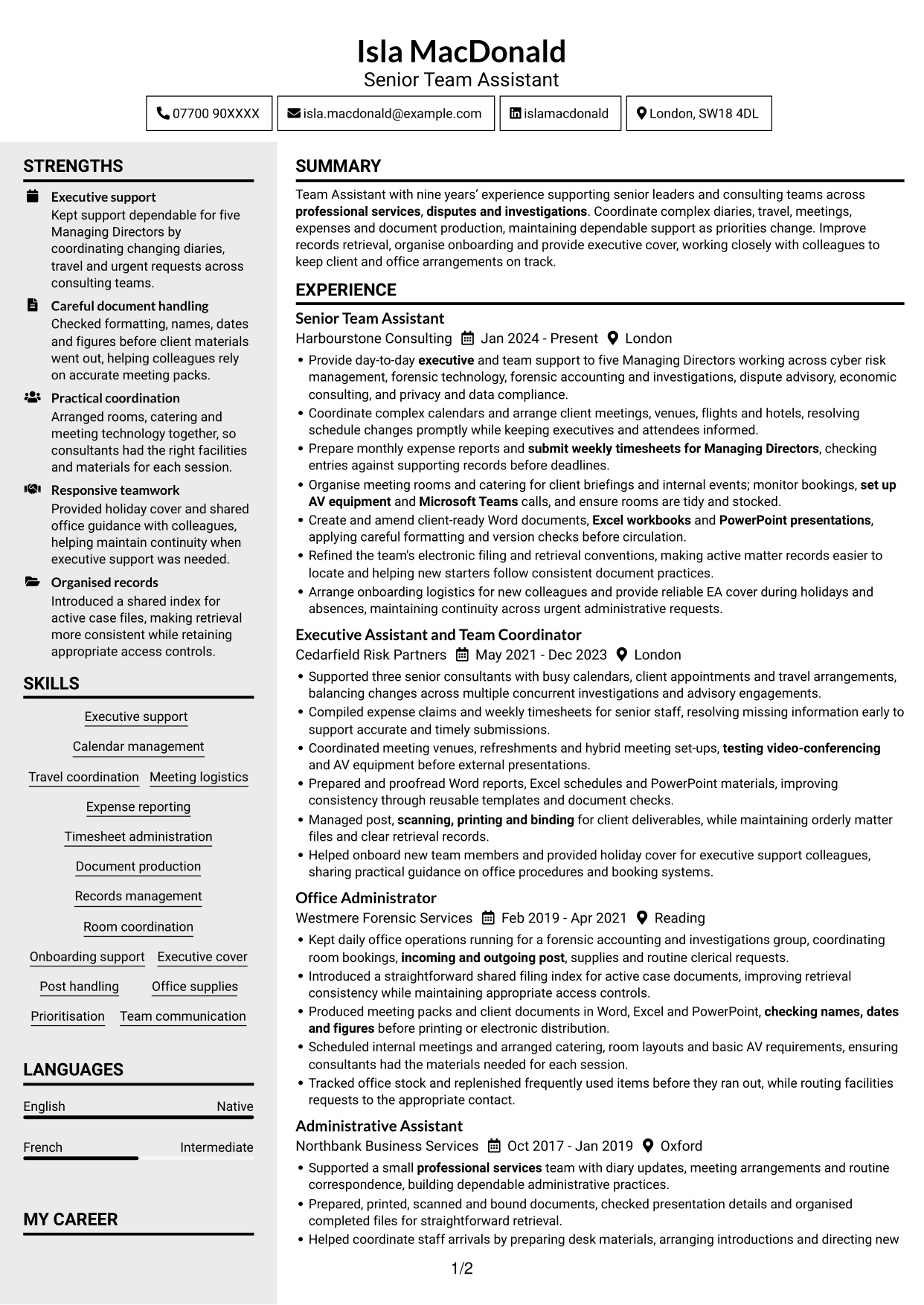
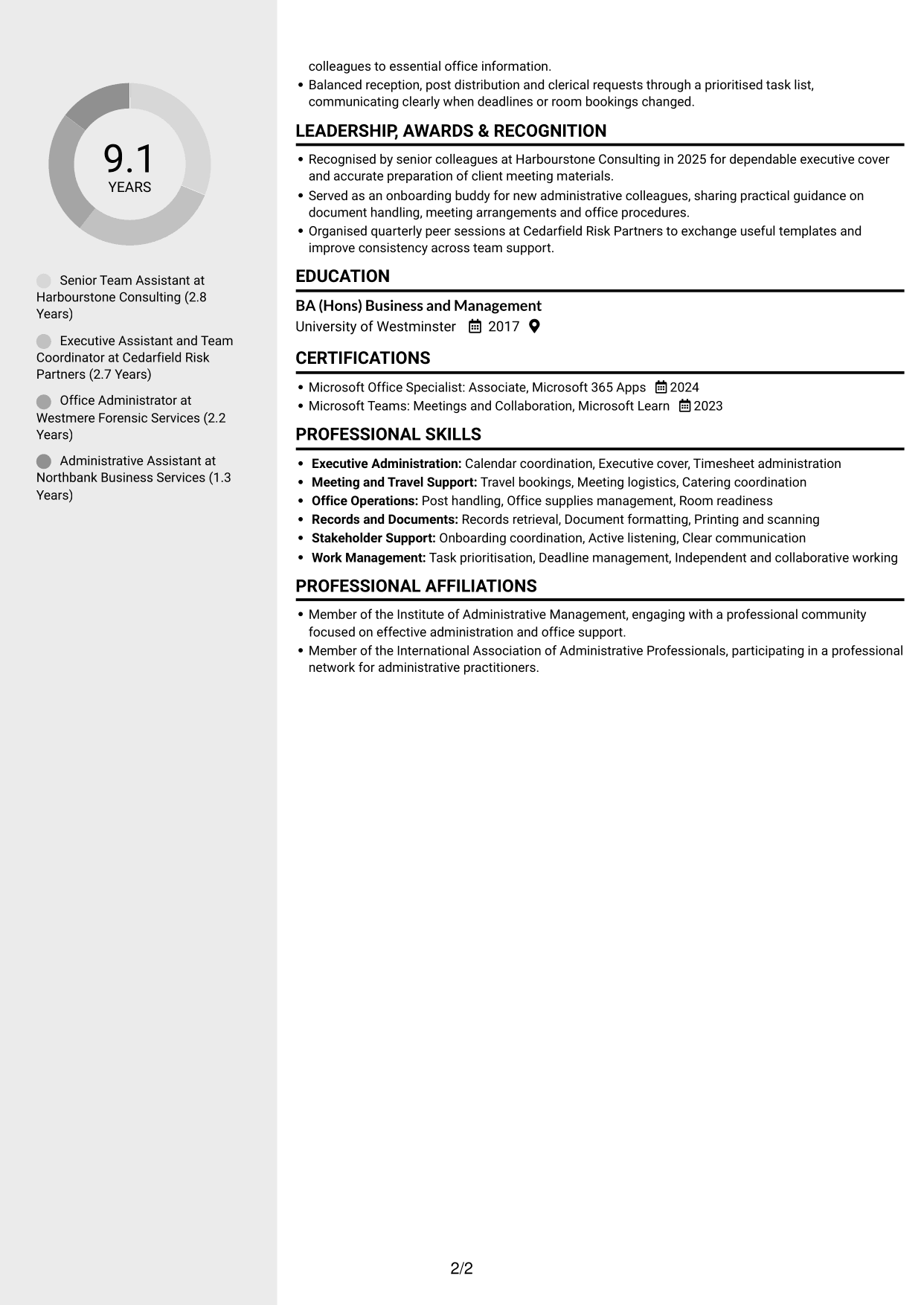
The Clean Two Column Sidebar Format uses two columns to help reviewers move between employment details and supporting CV information.
Why This Format Works
- Separate columns give employment history and supporting details distinct reading areas.
- Reviewers can find skills and education without scanning every experience entry.
- Career dates are easier to compare when roles follow a clear sequence.
Best For
- CVs with distinct content areas
- Career histories with supporting skills
- Quick access to qualifications
- Readers comparing employment and education
- A photo-free CV layout
#4 Two Column Format CV Example
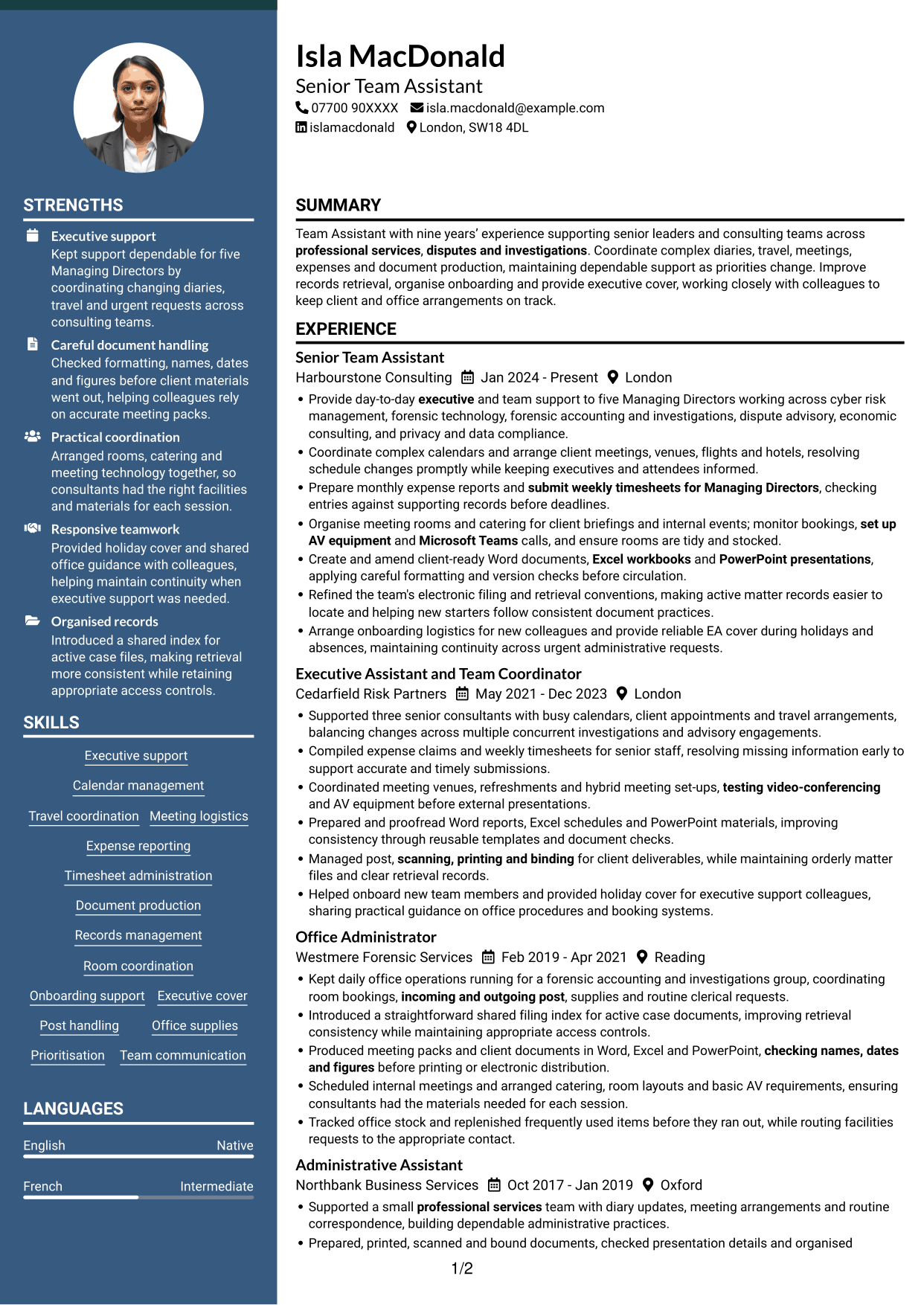
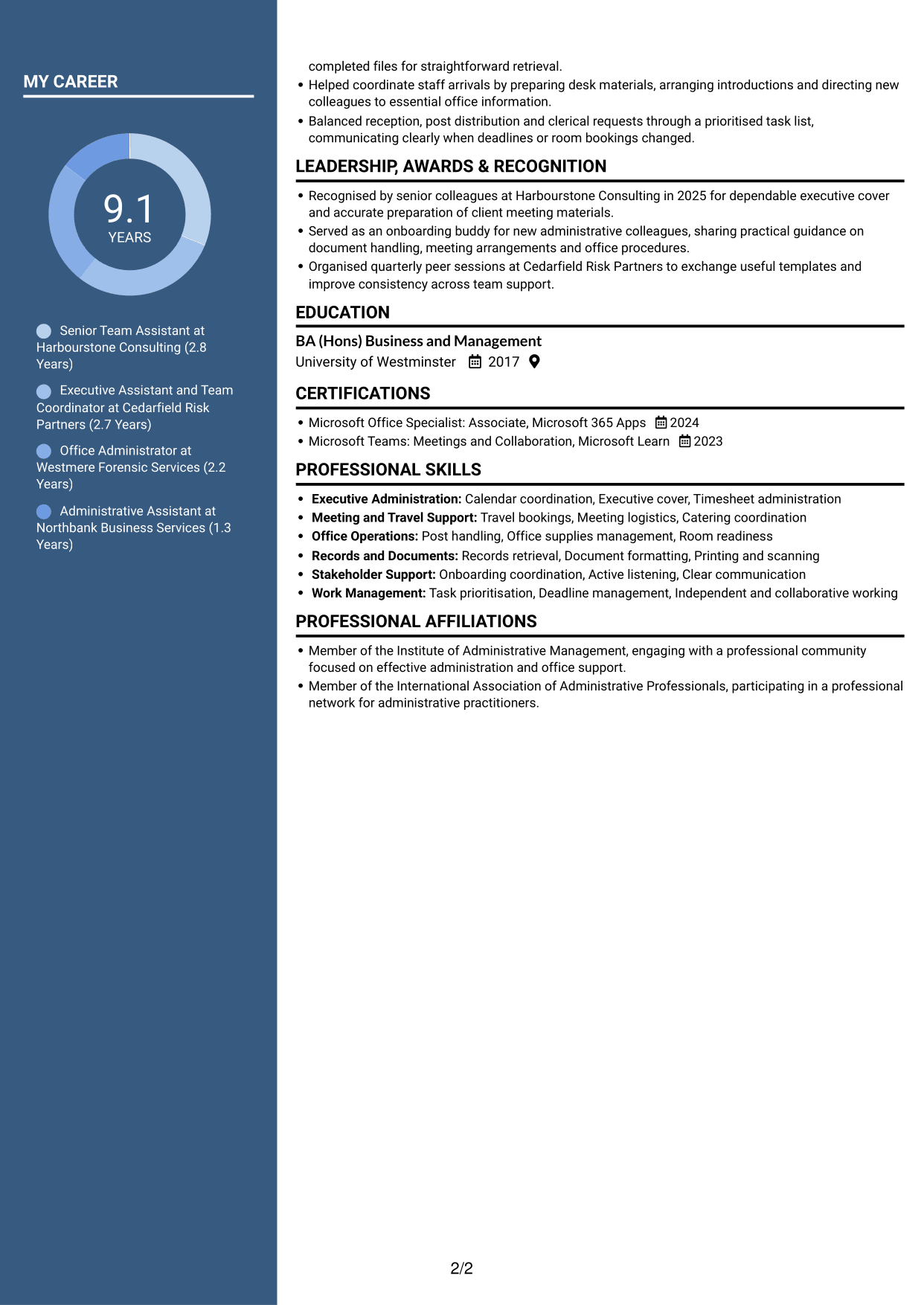
The Two Column Format places CV sections in two areas, so reviewers can view career information alongside other details.
Why This Format Works
- Employment history and supporting details can be viewed in parallel areas.
- Reviewers can scan roles while keeping skills and qualifications in view.
- Education and credentials remain distinct from the career progression.
Best For
- CVs with several information types
- Employment history alongside other details
- Skills and qualifications in view
- Readers scanning career progression
- Education paired with work history
#5 Photo Header Two Column Format CV Example
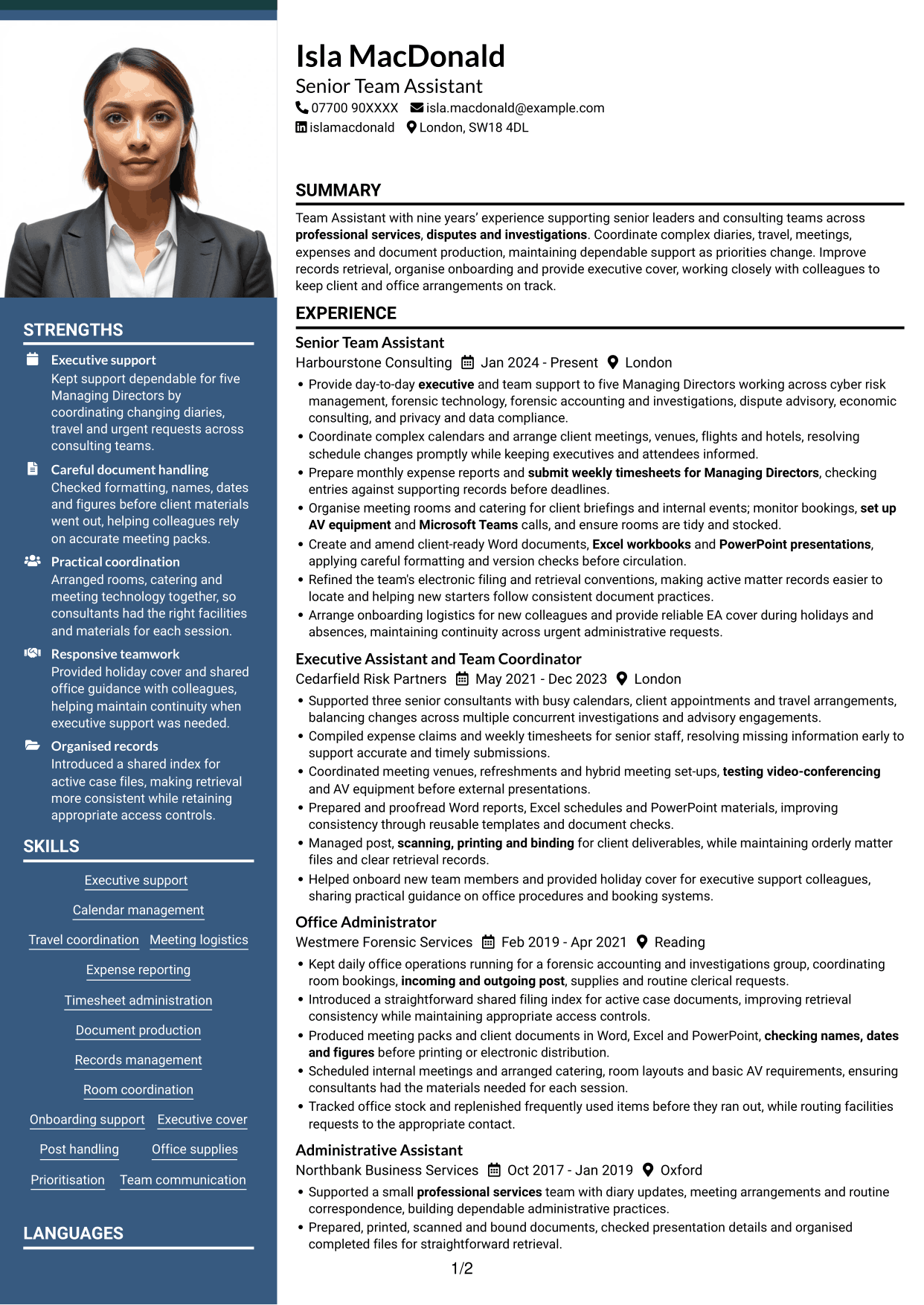
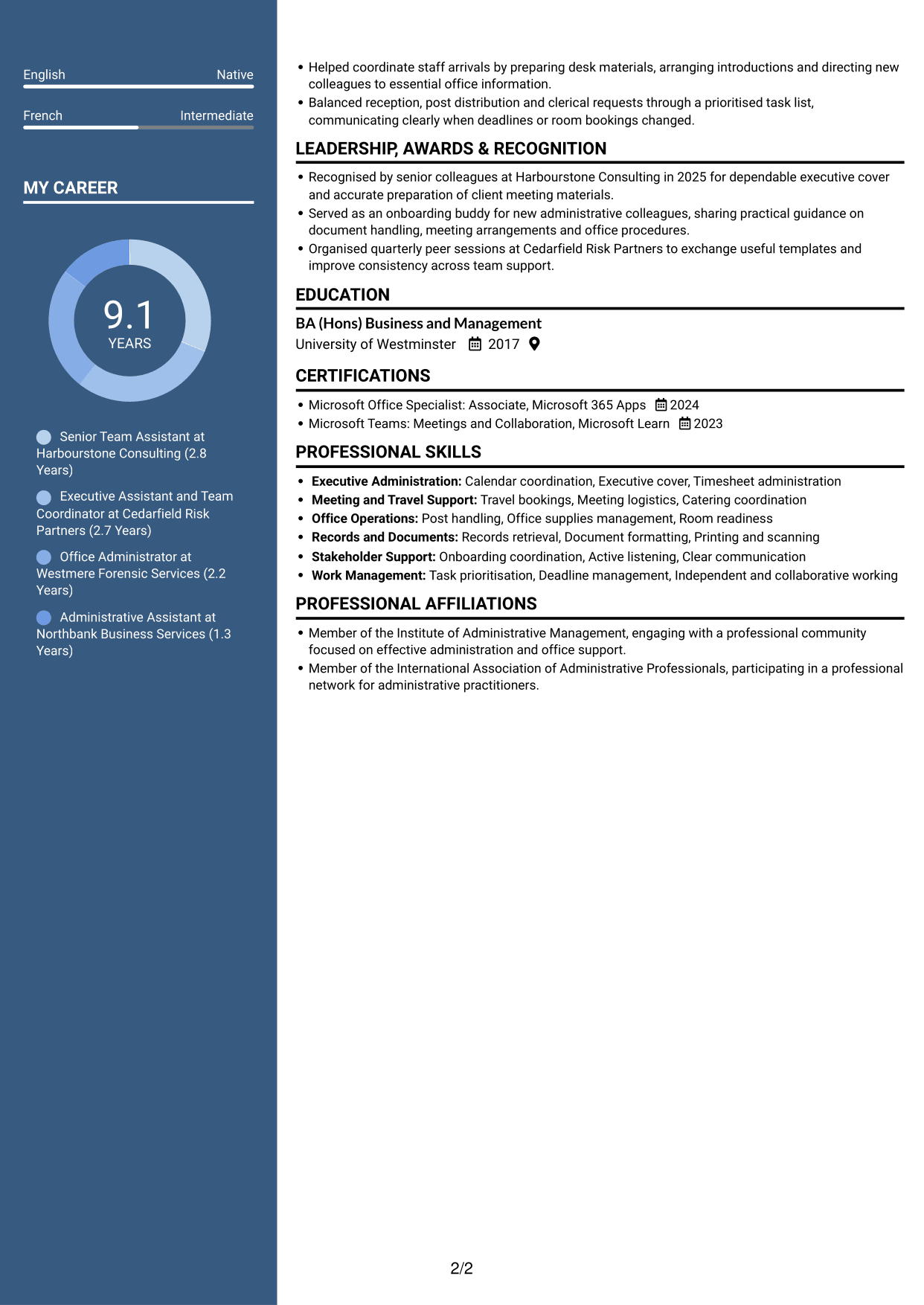
The Photo Header Two Column Format places a portrait in the header above a two-column CV body, suiting applications where a photo is requested.
Why This Format Works
- The two-column body gives employment history and supporting sections separate areas.
- Skills and education can be located without following every work entry.
- Employment dates are easier to compare across the career record.
Best For
- Applications requesting a photo
- CVs with several career stages
- Employment history with supporting sections
- Readers comparing roles and dates
- Skills and education alongside experience
#6 Coloured Two Column Format CV Example
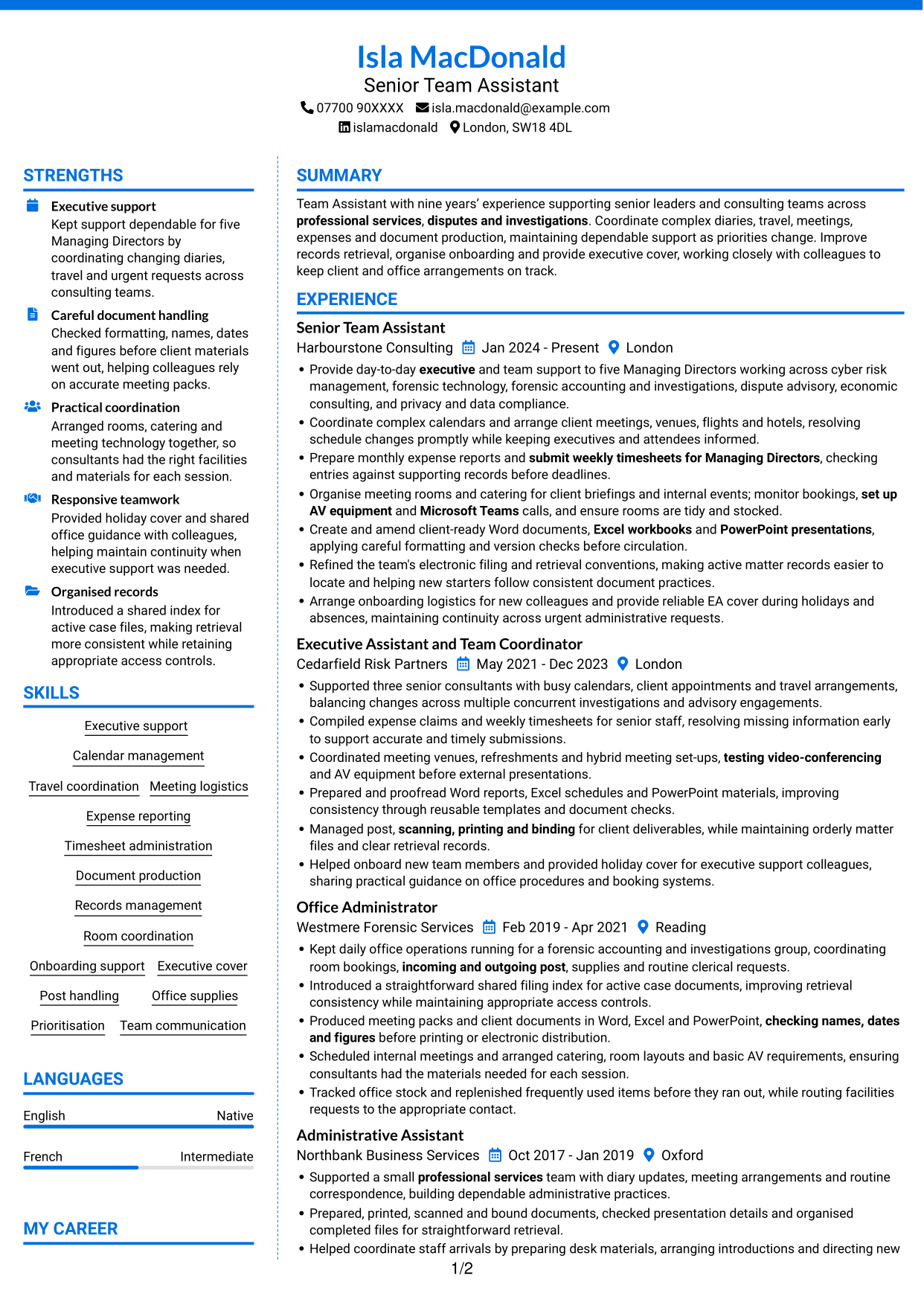
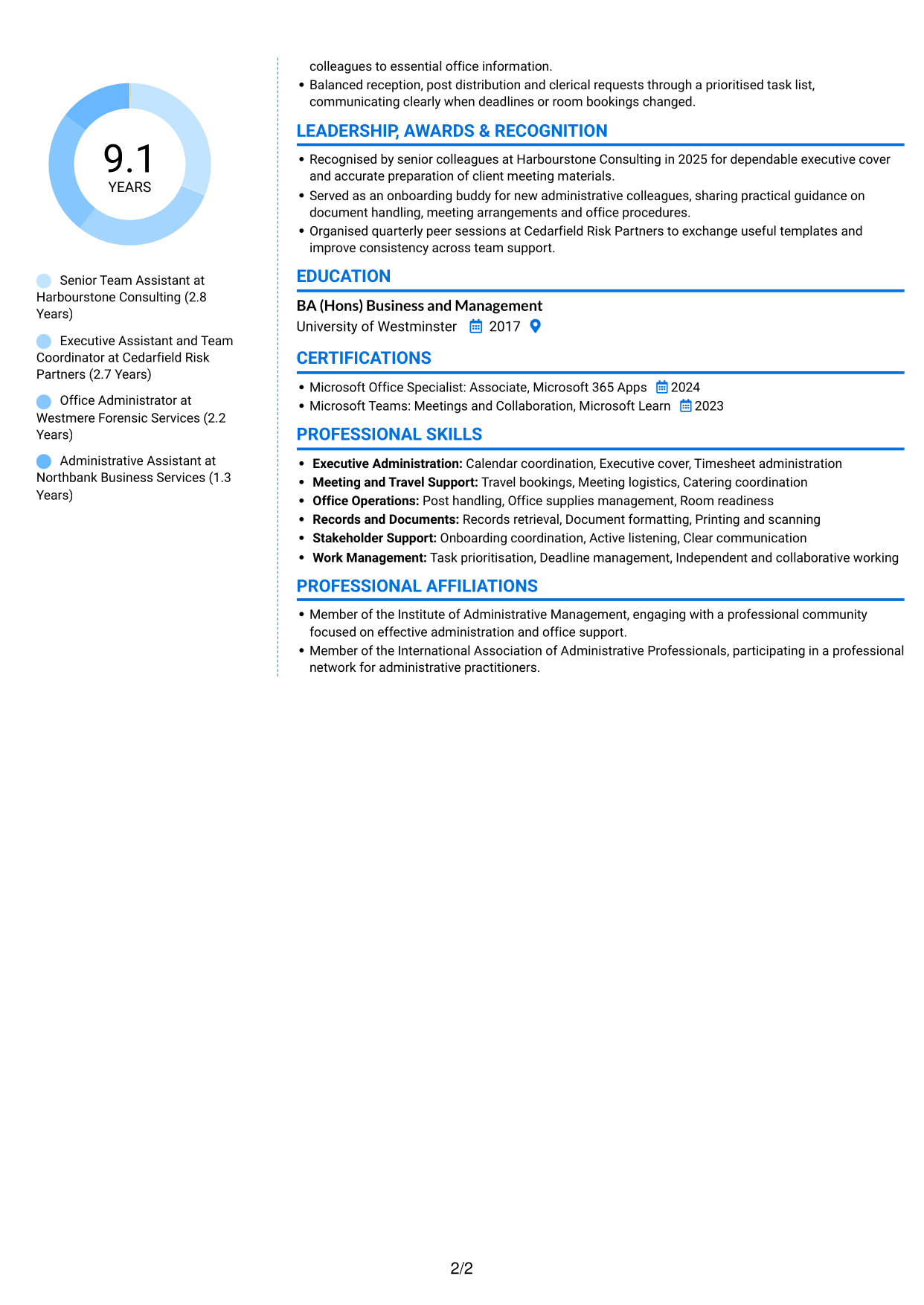
The Coloured Two Column Format uses a two-column body, giving reviewers a direct way to scan work history and other CV sections.
Why This Format Works
- Career history can be reviewed alongside supporting information in a separate area.
- Skills and credentials are easier to locate apart from role descriptions.
- The two-column reading order helps reviewers compare experience with education.
Best For
- Work histories with related details
- CVs covering several section types
- Readers locating skills and credentials
- Experience reviewed alongside education
- Separate areas for career information
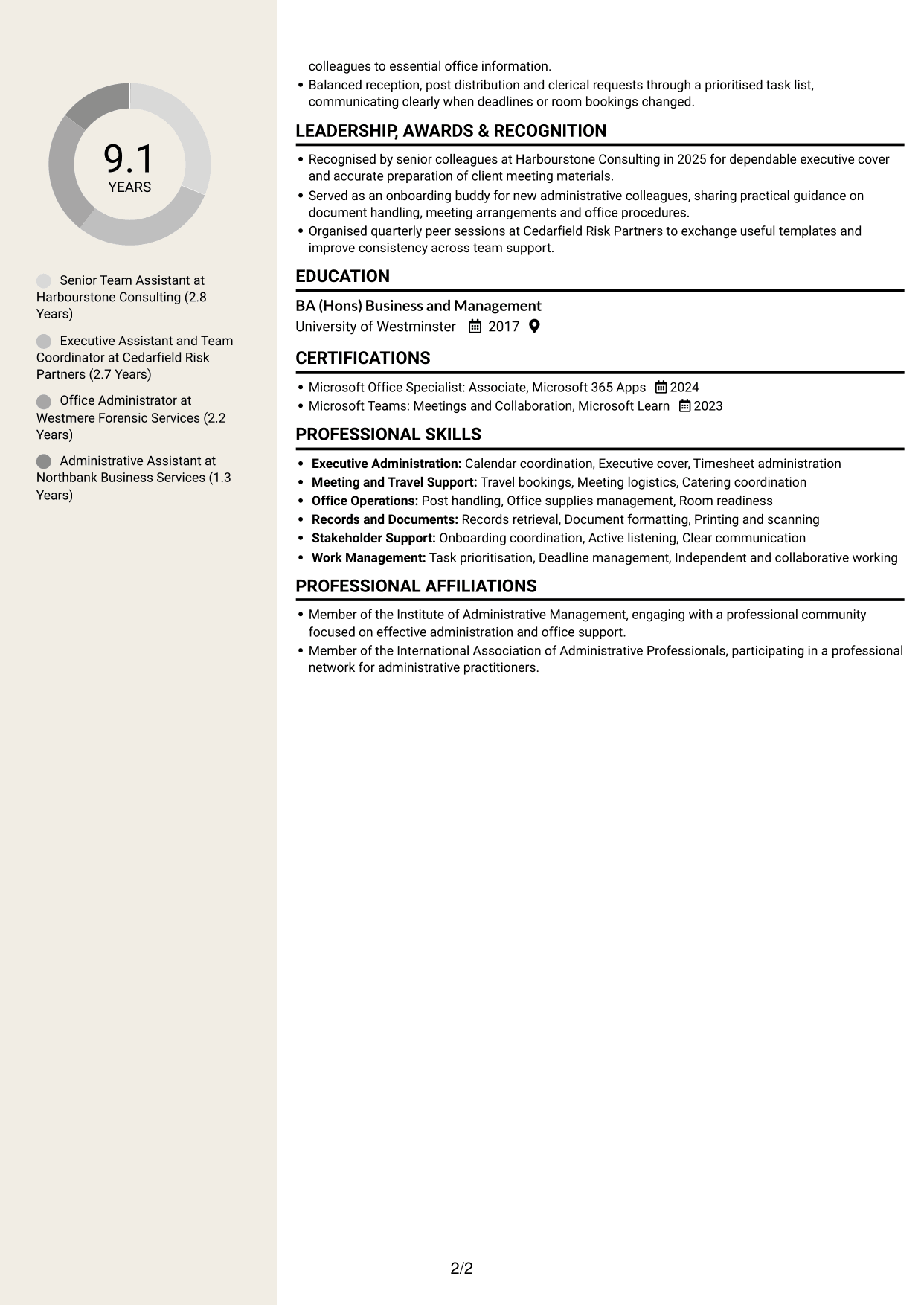
#7 Stylish Two Column Designer Format CV Example
The Stylish Two Column Designer Format gives the CV a side-by-side structure, making it simple to scan different sections.
Why This Format Works
- A two-column reading path keeps career details and supporting sections distinct.
- Reviewers can move between experience and qualifications without following one long sequence.
- Skills and education are easy to locate while reviewing employment history.
Best For
- CVs with varied section content
- Career details beside qualifications
- Readers scanning skills and education
- Experience with supporting information
- A side-by-side reading preference
Why Build Your Team Assistant - Executive and Office Support CV with ResumeInMinutes
ResumeInMinutes helps you organise your experience, skills and education in a clear CV. Compare PNG image previews, then open an example in the editor to customise its content and layout.
- Professional CV layouts
- Clear, readable section structure
- Space for role-specific keywords
- Organised skills and experience
- PNG image previews
- CV customisation in the editor
Choose a format that makes your executive and office support work easy to follow. Keep the focus on accurate coordination, dependable records and practical support for colleagues and senior stakeholders.
See Also
- 7 Accounts Assistant - Accounts Payable and Accounts Receivable CV Templates with Example
- 7 Accounts Assistant - Accounts Payable and Receivable CV Templates with Example
- 7 Accounts Assistant Apprentice CV Templates with Example
- 7 Accounts Assistant - Purchase Ledger CV Templates with Example
- 7 Admin Assistant - School Administration CV Templates with Example
- 7 Administrative Assistant - School Administration CV Templates with Example
- 7 Apprentice Bookkeeper & Accounts Assistant - Client Accounts CV Templates with Example
- 7 Assistant Banking Manager - Lending Administration CV Templates with Example
- 7 Team Assistant - Executive and Office Support Cover Letter Templates with Example
- 7 Accounts Assistant - Accounts Payable and Receivable Cover Letter Templates with Example
Frequently Asked Questions
Are these Team Assistant - Executive and Office Support CV templates ATS-friendly?
The examples use clear headings and sections that are easy to scan. Include relevant terms naturally, such as calendar management, expense reporting, Microsoft Office, meeting logistics and records retrieval.
Are these separate CV examples or different layouts of one example?
This page shows one role-focused CV example in different layouts. Compare the PNG image previews, then open a preferred example in the editor to customise it.
What should a Team Assistant - Executive and Office Support CV include?
Include a focused summary, relevant experience, skills, education and certifications. Show evidence of executive support, calendar and travel coordination, expenses, timesheets, document production, office operations and meeting technology.
Which CV layout works well for this role?
Choose a layout with clear headings and an easy-to-follow order for experience, skills and education. A simple structure helps recruiters and applicant tracking systems find key details.
How can I show team assistant achievements on my CV?
Use concise bullet points to explain the task, your contribution and the outcome. Where you have reliable evidence, include figures that show improvements to records retrieval, meeting support or administrative processes.
Should I include a photo on my CV?
For UK applications, a photo is usually not needed. Use the space for relevant experience, skills and achievements instead.




